

NuPhy Node75
Best For
- Users preferring USB or stable 2.4G wireless
- Professionals needing a touch bar for workflow
- Mechanical keyboard fans on a budget
Consider Carefully
- macOS users needing specific wireless configurations
- Those seeking a high-profile to low-profile conversion
Jump to Section
The Bottom Line
We analyzed the NuPhy Node75 and found that it's a solid choice for those seeking a high-quality keyboard that won't break the bank. What struck us most was its typing feel, which reviewers across the board praised. The Gateron x NuPhy Nano switches offer a comfortable and responsive typing experience, earning the keyboard a strong consensus for this crucial aspect. The tri-mode wireless connectivity, including a stable 2.4GHz performance, and the claimed 1000-hour battery life, which allows for weeks of wireless use, are further standout features. The touch bar with multi-gesture support is also lauded as a standout for workflow customization. However, some sources noted that the keyboard might not be ideal for macOS users relying on 2.4G wireless with US International – PC input source and ANSI physical layout.
Performance Breakdown
Expert Scores
How 3 professional publications rated this product
In-Depth Analysis
Typing Experience 92
15 sources, near-unanimous praise. The gasket mount and PC plate combination delivers a sound and feel that reviewers say rivals keyboards costing twice as much.
Key Takeaway
→If you want gasket-mount typing feel under $100, this is one of the clearest recommendations in the category. Silent switch fans and tactile purists should look elsewhere.
Battery Life 92
The 1000-hour claim holds up. Four sources confirmed it, and Craftingworlds said it delivers as promised. The low-profile version gives up about 25% of that capacity.
Key Takeaway
→If you want maximum battery life, pick the full-height model and keep RGB minimal. The low-profile is still strong, just not class-leading.
Wireless Connectivity 91
Tri-mode with 1000Hz polling at 2.4GHz and storage for the dongle built in. Strong across 13 sources, with one notable firmware quirk flagged on Reddit.
Key Takeaway
→For multi-device wireless productivity, this is a strong pick. macOS users with complex input configurations should verify the 2.4G behavior before committing.
Layout & Form Factor 88
The rubber feet that let it sit stably on a laptop keyboard are a standout detail. The gray colorway is not. Multiple sources specifically recommended skipping it.
Key Takeaway
→Buy the white or pink colorway. The form factor is excellent for MacBook users and travelers, but the gray version undersells a genuinely well-designed keyboard.
Software & Customization 87
The touch bar and web-based NuPhyIO configurator impressed most reviewers, but the lack of QMK support is a real ceiling for power users.
Key Takeaway
→If you're fine with NuPhy's ecosystem and don't need QMK, the customization depth here is impressive for the price. QMK users should look elsewhere.
Keycap Quality 86
Double-shot PBT with a textured finish is a solid inclusion at this price, but missing legends on F4 and F8 is a real oversight for touch typists.
Key Takeaway
→The keycap quality is genuinely good for the price, but verify the function key legend situation matters to your workflow before buying.
Build Quality 84
Solid plastic construction that punches above its price, but metal keyboard fans will notice what's missing. The $99.95 chassis is sturdy, not premium.
Key Takeaway
→If portability and value matter more than a metal chassis, the Node75 delivers. If you want heft and premium feel, budget up.
RGB Lighting 78
Functional rather than flashy. The LED strip does useful work showing battery and connectivity status, but non-shine-through keycaps and missing lighting modes limit the experience.
Key Takeaway
→If RGB is a priority, this isn't your keyboard. If you want clean status indicators and don't care about light shows, it works fine.
Specifications & Verdict
Design
- Form Factor
- Compact (75%)
- Layout
- ANSI (United States)
- Size
- 75%
- Dimensions
- 317.1 mm (12.48")
- Weight
- 659 g (1.45 lb)
- Number of Keys
- 84
- Front Height
- 13.8 mm (0.54")
- Color Options
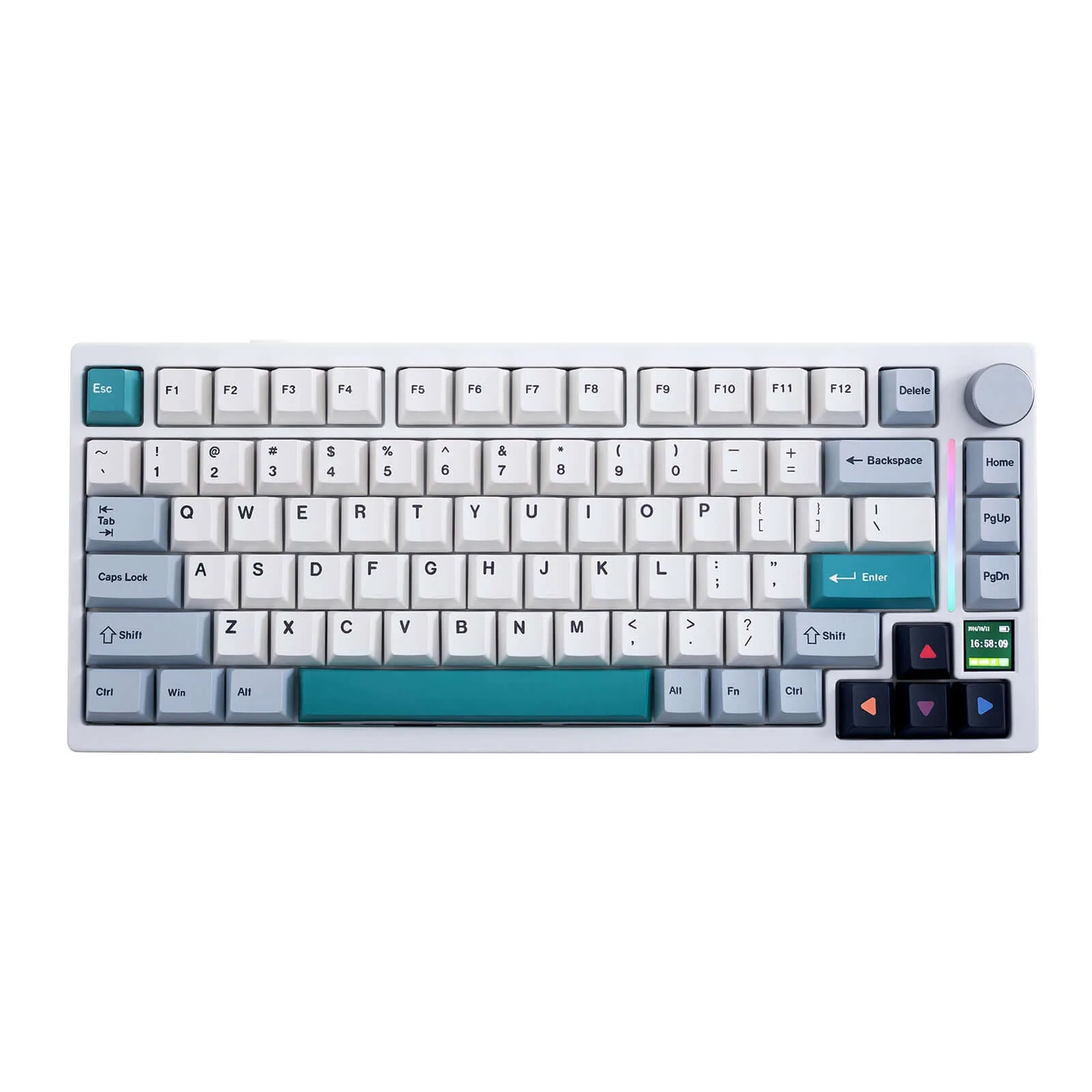
- Gray, White, Pink
Build
- Case Material
- Plastic
- Plate Material
- Polycarbonate
- Keycap Type
- PBT, Double-shot
- Mount Type
- Gasket mount
- Construction
- ABS
Switches
- Switch Type
- Mechanical
- Switch Feel
- Linear
- Switch Options
- 3 types (Max POM high-profile, Nano low-profile)
- Hot-Swappable
- Yes
- Actuation Force
- 45 g
- N-Key Rollover
- Supported
- Actuation Distance
- 1.7 mm
Connectivity
- Connectivity
- Bluetooth, 2.4GHz wireless, USB
- Wireless
- via included USB receiver
- Wired
- USB-C
- Bluetooth Devices
- can pair up to 4 devices and switch with a key press
- Polling Rate
- 1000 Hz
Power
- Battery
- 3000 mAh
- Battery Life
- 1000 hours
Software
- Software
- NuPhyIO
- OS Compatibility
- Linux, Windows
Features
- Media & Controls
- Via Fn key
- Special Features
- Dot Matrix LED, Touchbar, 5x2 LED matrix, touch bar with swipe/double-tap/triple-tap gestures
Other Specs
- Backlighting
- North-facing RGB LEDs, 20 lighting modes
- Bluetooth Version
- 5.1
- Depth
- 137.1 mm (5.40")
- Back Height
- 22.4 mm (0.88")
- Typing Angles
- 4°/ 8°/ 11° (two-step feet)
Our Verdict
The NuPhy Node75 is a highly recommended keyboard for those valuing typing feel, wireless stability, and customization options. While it shines for users not requiring specific macOS configurations and offers great value, it may not be the best fit for those needing a high-profile to low-profile conversion later on.
Customer Reviews Amazon
46 reviews
Just pay attention to which mechanical key you are ordering.
Feels and types like a premium keyboard for an affordable price
Great low profile keyboard for the money, ideal for a work environment.
Great keyboard
Show all 8 reviews
nuphy is a nophy for me
Compared to the Flow Lite84...
Awesome keyboard with reliable connectivity
Dampened, muted, quiet mechanical keyboard…great for shared spaces.
Reviews shown are from Amazon customers and do not reflect our editorial assessment.
Reader Questions
Specific questions about the NuPhy Node75, answered only from what reviewers reported.
01How good is the battery life for wireless use?
The Node75 claims up to 1000 hours of wireless battery life, and reviewers found this figure delivers as promised. Keep in mind that the low-profile version sacrifices around 25% of that battery capacity compared to the full-height variant.
02Is the touch bar actually useful or just a gimmick?
Reviewers consistently found it to be a genuine standout feature. It enables gesture control without bulky knobs, its placement prevents accidental activation, and it suits media-focused workflows and quick macro access.
03How does it type and sound out of the box?
The gasket mount with polycarbonate plate delivers cushioned, vibration-free typing. The sound profile is described as creamy and soft, with POM/LY switches producing a deep, muted thock that requires no modding.
04Can I use it wirelessly across multiple devices?
Yes. The Node75 supports tri-mode connectivity and can switch between up to five devices at once. The 2.4GHz wireless mode is noted for stable performance, and the dongle stores internally for portability.
05Can I switch between the high-profile and low-profile versions after buying?
Reviewers noted the keyboard is locked to whichever switch type you choose at purchase, and it is unclear whether a high-profile unit can be converted to low-profile later.
06Are there any known issues for macOS users on 2.4GHz wireless?
Reviewers flagged a specific compatibility concern: the keyboard is not ideal for macOS users relying on 2.4GHz wireless with a US International PC input source and ANSI physical layout. Users who primarily connect via USB or do not need consistent key mapping across connection methods are better served.
Pricing & Availability
Updated May 21, 2026NuPhy Node75

Sources & Methodology
Every score is built on evidence. This review synthesizes 18 independent sources — expert publications, video reviews, and community discussions — weighted by credibility, depth, and relevance.
Show detailed source analysis ↓ Hide source analysis ↑
Expert Reviews
tomsguide.com
Top
5/5-point
The NuPhy Node75 is a well-rounded 75% mechanical keyboard available in low- and standard-profile configurations starting at $99.95. Typing feel is comfortable and responsive, with Gateron x NuPhy Nano switches offering a floatier 3.5mm travel distance than typical low-profile options. Sound profile is pleasing out of the box. The touch control implementation represents a standout feature, described as the best the reviewer has encountered. Build quality uses ABS construction with gasket mount. Customization options are extensive, appealing to enthusiasts who want to modify their board. Per-key RGB backlighting and tri-mode connectivity (Bluetooth, 2.4GHz, wired) with 4,000mAh battery provide modern conveniences. Multiple colorways are offered, though the gray option is considered visually unexciting.
Strengths
- +Types comfortably with responsive, floaty switch feel
- +Pleasing sound profile right out of the box
- +Best touch control implementation reviewer has tested
- +Highly customizable for modding enthusiasts
Weaknesses
- −Gray colorway is visually bland and unexciting
gbatemp.net
Top
8/10-point
At $100, the Node75 offers solid value with three color options, three switch types, and two key profiles, all hot-swappable within their respective profile types. The full-plastic build feels surprisingly sturdy for commuting. The blush switches are exceptionally quiet for office environments, though slightly mushy. The low-profile red switches perform adequately without distinction. Connectivity includes wired, 2.4G wireless with internal dongle storage, and three Bluetooth connections. RGB lighting offers static and animation options via onboard controls and software, though lacks a heat-map typing visualization. A distinctive dotted accent strip along the top plate houses useful status LEDs for connections and caps lock.
Strengths
- +Surprisingly sturdy full-plastic build for the price
- +Blush switches are exceptionally quiet for offices
- +Hot-swappable within same profile type
- +Internal 2.4G dongle storage on both variants
Weaknesses
- −Locked to chosen high or low profile switch type
- −Blush switches feel slightly mushy
- −Low-profile red switches are unremarkable
- −Missing heat-map typing visualization lighting mode
damiancooper.medium.com
The reviewer found the NuPhy Node75 to be exceptionally well-built for a portable low-profile 75% keyboard, combining refined aesthetics with practical toughness. Its mid-century inspired design with dot-matrix indicators and concentric detailing avoids typical 'gamer' styling. The gasket mount with polycarbonate plate delivers a cushioned, non-hollow typing feel. Standout features include a touch bar for gesture controls, a vertical LED array for visual feedback, tri-mode connectivity with impressive battery life up to 1000 hours, and a built-in 3D printing interface for accessories. The keyboard can sit directly on MacBook keyboards as a 'top deck' extension. Typing with Red Nano switches proved pleasant and consistent, though slightly more error-prone than the reviewer's MacBook. The ABS plastic construction keeps pricing accessible without feeling cheap.
Strengths
- +Light and compact for easy portability
- +Gasket mount with polycarbonate plate cushions typing
- +Touch bar enables gesture control without bulky knobs
- +Up to 1000 hours battery life with RGB off
Weaknesses
- −Slightly more typos compared to MacBook typing
the-gadgeteer.com
The NuPhy Node75 is a $99.95 tri-mode gasket mount keyboard in a 75% layout. Available in Black, White, and Pink with three switch options (Nano or Max profiles), it features a distinctive dot matrix LED display and touch bar above the function row. The touch bar controls volume by default (swipe to adjust, double-tap to mute, triple-tap to skip) and can be remapped to screen brightness via the NuPhyIO web app. The review unit came with Blush Max linear POM switches that are nearly silent yet smooth. Battery life reaches 1000 hours wirelessly, and the keyboard connects to up to 5 devices simultaneously across Bluetooth, 2.4GHz, and wired modes.
Strengths
- +Blush Max switches are buttery smooth and nearly silent
- +Tri-mode connectivity supports up to 5 devices at once
- +Touch bar offers customizable gesture controls
- +1000-hour wireless battery life reduces recharging
Weaknesses
- −Swipe gestures lack precision of a physical volume knob
- −Traditional design may appear boring at first glance
- −Unclear if high-profile can convert to low-profile later
Craftingworlds
The reviewer approached the Node 75 with skepticism toward low-profile keyboards but was genuinely impressed. NuPhy embraced restraint in design—no flashy aesthetics, just a mature, purposeful board. The relocated touch bar sits logically at the top and offers genuinely useful gesture controls with adjustable sensitivity. Typing feel excels through clean stabilizers, firm construction, and hot-swap support. At 1000Hz polling rate with tri-mode connectivity and exceptional 1000-hour battery life, it punches above its $99 price point. Minor software quirk shows Hall Effect options on a non-Hall Effect board. Included 3D printable accessories add tinker-friendly value without compromising the serious core product.
Strengths
- +Mature, restrained design avoids gimmicky aesthetics
- +Touch bar placement prevents accidental activation
- +Adjustable volume step sensitivity after firmware update
- +Clean stabilizers and firm, non-hollow chassis
Weaknesses
- −Software displays irrelevant Hall Effect features
- −Muted color options may disappoint fans of bolder designs
Applevis
The Node75 is an ABS plastic low-profile 75% keyboard inspired by 1950s transistor radios, priced at $99.95 USD. Weighing 659 grams with a 4-degree default typing angle (adjustable to 8 or 12 degrees via rear feet), it features a dot matrix display, touchpad, double-shot NSA PBT keycaps, and gasket mounting with sound dampening. The reviewer purchased it primarily as a lighter, more affordable backup/travel alternative to their Air75 V3, noting the plastic construction sacrifices some premium feel for portability. The keyboard includes mode and OS selection switches, 2.4GHz wireless with dongle storage, and USB-C connectivity. Keycap markings on function keys are absent, and the right shift is shortened to accommodate navigation keys.
Strengths
- +Lightweight 659g plastic construction ideal for travel
- +Affordable at $99.95 USD with free shipping included
- +Gasket mounting and sound dampening for quality feel
- +Adjustable typing angles: 4°, 8°, or 12° via fold-out feet
Weaknesses
- −No markings on any function keys for identification
- −Shorter right shift key may cause typing adjustment issues
- −ABS plastic lacks premium feel of aluminum alternatives
- −No number pad included in 75% layout
Keengamer
8.7
The Node 75 initially appears as NuPhy's most understated keyboard, but reveals thoughtful engineering beneath its minimal exterior. The ABS chassis in Ink Gray blends into setups with quiet elegance, while a dotted pattern across the top edge conceals a functional touch bar and 5×2 LED matrix. Low-profile Red Nano linear switches deliver creamy, satisfying acoustics without modding. The polycarbonate plate and gasket mount provide cushioned, comfortable keystrokes. Tri-mode connectivity includes 1000 Hz polling rate over 2.4 GHz. At 659 grams with three typing angles (4°, 8°, 11°), it proves surprisingly ergonomic. Double-shot nSA keycaps feature crisp legends and subtle RGB spill-through. The touch bar becomes intuitive after a brief learning period, handling swipes and multi-taps reliably.
Strengths
- +Touch bar integrates naturally into dotted texture pattern
- +Creamy, soft sound profile requires no modding
- +Lightweight 659g with three ergonomic typing angles
- +1000 Hz polling rate in 2.4 GHz wireless mode
Weaknesses
- −Non-shine-through keycaps hinder typing in complete darkness
- −Minimalist aesthetic may underwhelm those wanting bold design
- −Touch bar requires one to two day adjustment period
Cerebral-overload
The NuPhy Node75 delivers premium mechanical keyboard acoustics at a budget price point, centered around a multi-layer gasket mounting structure and POM/LY switches that produce a deep, satisfying 'thock' sound. Its standout feature is a claimed 1000-hour battery life with tri-mode wireless connectivity, making it exceptionally portable for mobile professionals. The integrated Airfeet stand allows stable placement on laptop keyboards. However, achieving this price and wireless performance required compromises: a lighter plastic chassis replaces aluminum, and a Touch Zone slider substitutes for a physical control knob. The Touch Zone offers versatile gesture controls—linear slides, single taps, and double taps—but lacks the tactile certainty of traditional knobs. Proprietary NuPhy IO software replaces open-source firmware options.
Strengths
- +Multi-layer gasket mounting delivers premium cushioned, vibration-free typing
- +POM/LY switches produce deep, muted 'thock' sound out of box
- +Claimed 1000-hour battery life enables weeks of wireless use
- +Tri-mode wireless connectivity with stable 2.4GHz performance
Weaknesses
- −Plastic chassis disappoints metal enthusiasts seeking heft
- −Replaces satisfying physical control knob with Touch Zone slider
- −Uses proprietary NuPhy IO instead of open-source firmware
- −Touch Zone lacks tactile feedback of physical knob
Notebookcheck
The NuPhy Node75 launches at $99.95 in both full-height (829 g) and low-profile (659 g) variants, featuring Gateron Low-Profile 3.0 Nano and Max switches. Both versions employ a gasket mount with PC plate for clean, poppy acoustics, and maintain impressively slim front heights. The ABS case enables practical additions like a hardware power switch and flip-out feet. Battery capacity drops 25% on the low-profile model to reduce weight. NuPhy has released 3D models for custom accessories including pen docks, phone stands, and Lego-compatible mounts, continuing their openness to user customization seen with the Kick75.
Strengths
- +Impressive battery life on full-height version
- +Slim design with low front height on both variants
- +Gasket mount and PC plate deliver clean, poppy sound
- +Hardware power and connectivity switch included
Weaknesses
- −Low-profile version sacrifices 25% battery capacity
- −Full-height version weighs 829 g, heavier than some competitors
Video Reviews
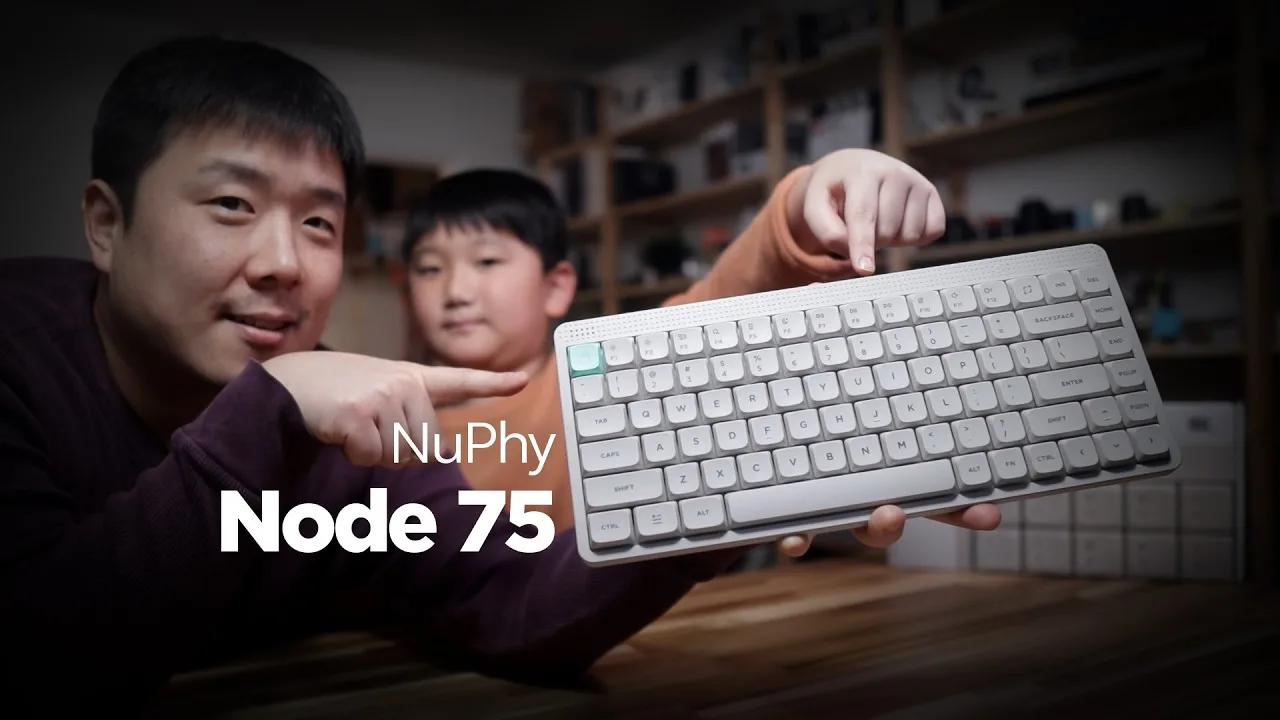 Joseph Kim
The Node75 is a tri-mode wireless low-profile keyboard in lunar white …
Joseph Kim
The Node75 is a tri-mode wireless low-profile keyboard in lunar white …
The Node75 is a tri-mode wireless low-profile keyboard in lunar white with an NC layout. It features an invisible touch bar for adjusting volume, brightness, and RGB settings, plus a nano switch with third-generation Gateron low-profile switches and gasket mount construction. The keyboard includes a USB-A to USB-C cable with adapter, keycap remover, and extra colored keycaps for customization. A dongle storage slot is built into the back, alongside a Windows/Mac toggle switch and a mode selector for wired/wireless/off. The reviewer noted the neutral gray-ish color, satisfying typing sound, and adjustable feet for two incline angles. Keycaps for Mac (CMD/Option) come pre-installed, requiring swapping for Windows use.
- →Ideal for users wanting low-profile mechanical switches
- →Best for those needing both Mac and Windows compatibility
- →Good choice for desk setups valuing minimal cable clutter
- →Suitable for users prioritizing customizable RGB controls
- →Recommended for those needing portable wireless keyboard with dongle storage
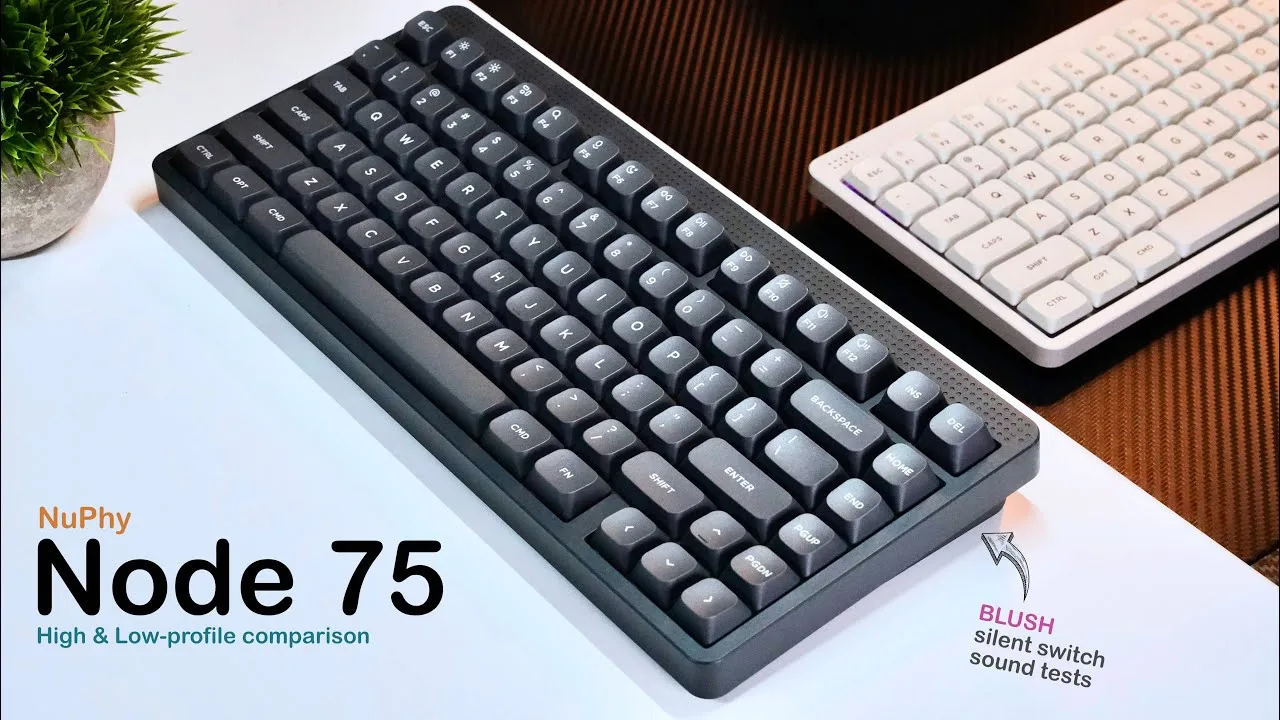 Jake Reeves
The Node75 comes in high and low profile variants, both priced at $100 …
Jake Reeves
The Node75 comes in high and low profile variants, both priced at $100 …
The Node75 comes in high and low profile variants, both priced at $100 with tri-mode connectivity and hot-swappable switches. Battery life reaches roughly 50 hours with static backlighting, though the low profile model drains about 9 hours faster. The design features a retro aesthetic with a dot matrix light panel and touch-sensitive slider for volume and brightness control. Construction uses a silicone gasket mount with five layers of foam, though the ABS cases flex slightly when twisted. The NuFi I.O. web app enables key customization, SOCD controls, macros, and lighting adjustments. Notably, this is NuFi's first high-profile keyboard to include thin feet designed for MacBook keyboard coverage.
- →Ideal for users wanting premium features under $100
- →Best for those prioritizing first-party software over QMK
- →MacBook users benefit from thin feet design
- →Choose high profile for slightly better battery endurance
- →Silent blush switches suit office environments well
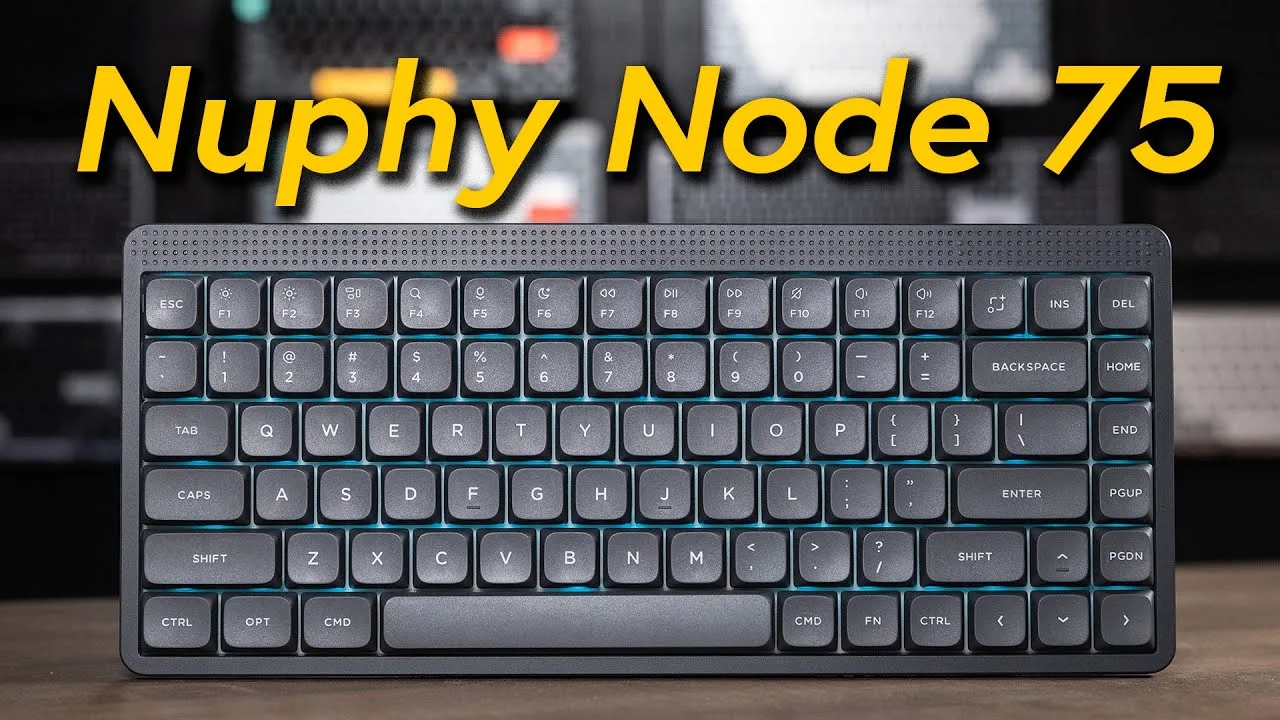 Adam Talks Tech
The Node 75 represents a departure from NuPhy's typical RGB-heavy …
Adam Talks Tech
The Node 75 represents a departure from NuPhy's typical RGB-heavy …
The Node 75 represents a departure from NuPhy's typical RGB-heavy designs, offering a retro minimal aesthetic at a $100 price point. It features a full PCB gasket mount for vibration absorption, though the bottom is plastic rather than aluminum. Available in high and low profile variants with three switch options (red, brown, blush), it supports Bluetooth, 2.4GHz dongle, and wired connectivity with up to three device pairings. The keyboard includes a programmable touch bar for media controls, customizable RGB backlighting, and key remapping via NuPhy.io. Wireless polling reaches 125Hz via Bluetooth and 1000Hz through dongle or wired modes.
- →Ideal for minimal aesthetic fans wanting mechanical feel affordably
- →Blush switches suit shared workspaces needing quiet operation
- →High profile for typists; low profile for portability
- →Touch bar benefits media-focused workflows
- →Red switches best for speed-oriented gaming
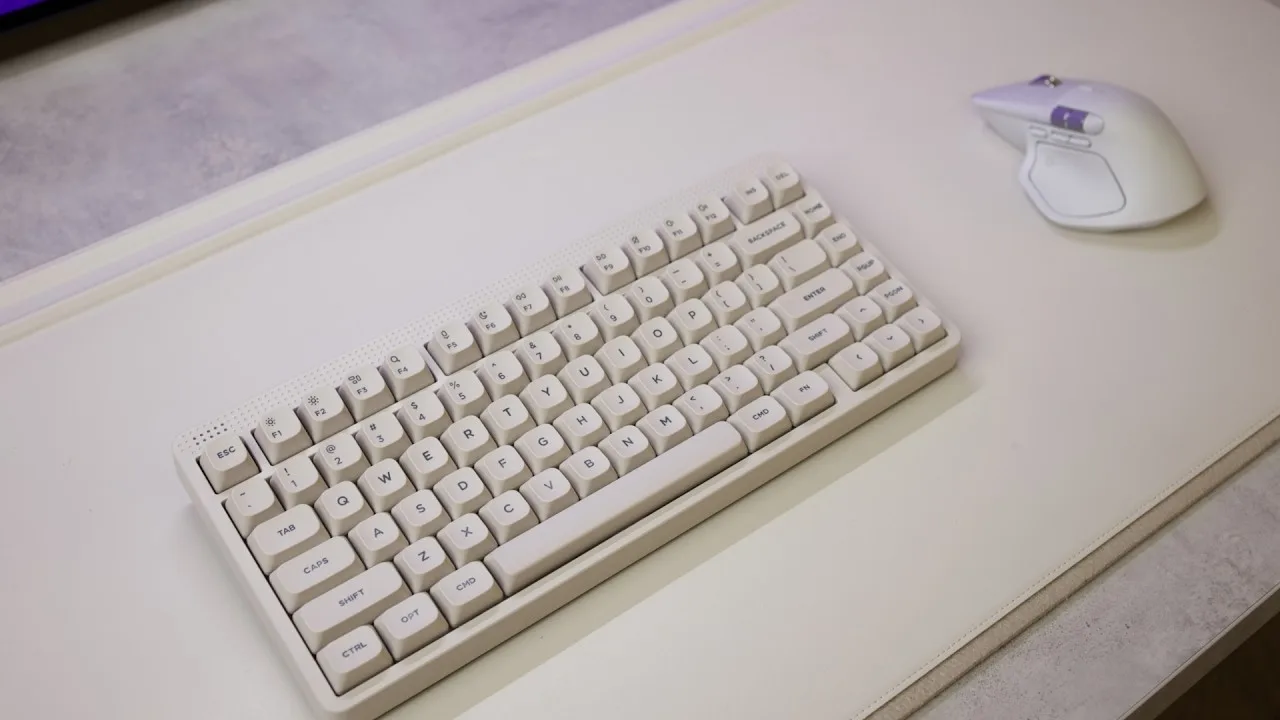 Gabriel Pilo
The NuPhy Node75 is a $100 wireless mechanical keyboard featuring a …
Gabriel Pilo
The NuPhy Node75 is a $100 wireless mechanical keyboard featuring a …
The NuPhy Node75 is a $100 wireless mechanical keyboard featuring a unique touchpad for gesture controls, currently available through NuPhy's website. It comes in a muted Lunar colorway with brown max switches offering subtle tactile feedback. The keyboard maintains popular features like gasket mounting, adjustable feet, tri-mode connectivity (Bluetooth, dongle, wired), Mac/Windows compatibility, and hot-swappable switches. Battery life reaches a claimed 1000 hours with lighting off. However, the touchpad's three-level volume increments proved frustrating for the reviewer, and customization requires proprietary NuPhy.io software rather than open standards like VIA or QMK.
- →Best suited for portable setups needing long battery life
- →Consider high profile option for better typing feel
- →Mac users may find volume control frustrating
- →Good entry point for wireless mechanical keyboard beginners
- →Purchase through website rather than Amazon
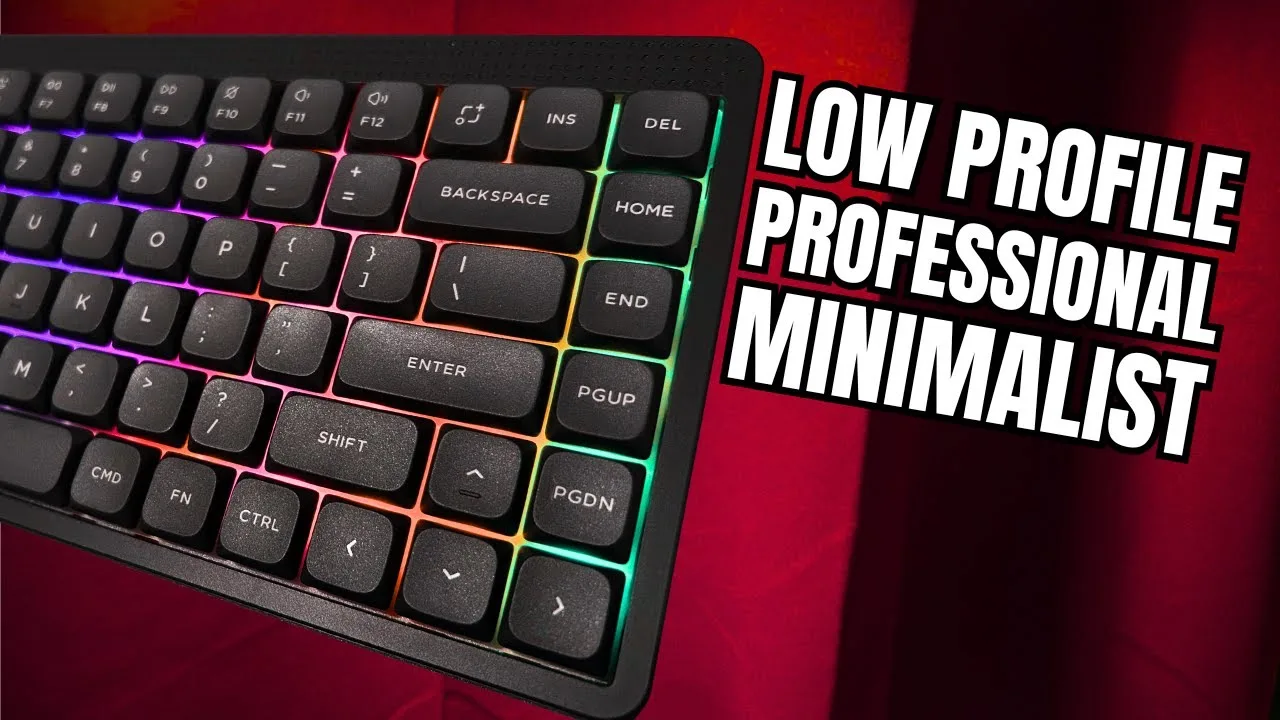 BiboyHaranero
The low-profile variant weighs 650 grams, making it highly portable …
BiboyHaranero
The low-profile variant weighs 650 grams, making it highly portable …
The low-profile variant weighs 650 grams, making it highly portable for travelers. It offers tri-mode connectivity including wired, Bluetooth (3 devices), and 2.4GHz dongle, supporting up to 5 connected devices total with switching via function keys. A multifunctional touchpad replaces a traditional knob for volume, brightness, and media controls. The 3000mAh battery delivers advertised 1000-hour life with LEDs off via low power mode. Gaming performance proved responsive in wireless mode with no missed keystrokes, attributed to all-key anti-ghosting and 1000Hz polling rate. The unit came with red nano linear switches (45g springs) that are hot-swappable with other NuPhy low-profile switches. The web-based software at NuPhy.io enables key binding, RGB controls, advanced functions like SOCD and tap dance, and lighting effects, though macro recording lacks mouse click support. Firmware updates are recommended before use.
- →Ideal portable keyboard for frequent travelers
- →Suits professionals needing multi-device workflow
- →Competitive gaming viable despite wireless design
- →Update firmware before initial use
- →Consider battery life needs with LED usage
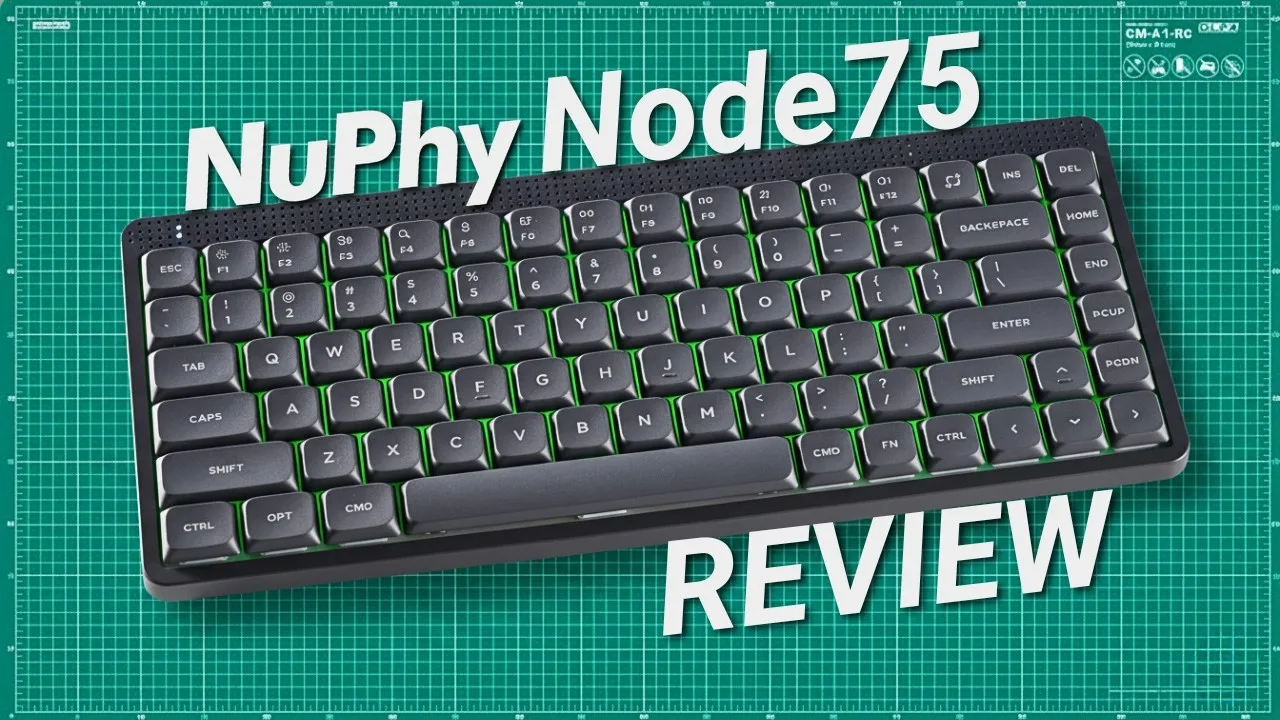 Techfluencer
A well-balanced 75% keyboard weighing around 659 grams with 84 keys, …
Techfluencer
A well-balanced 75% keyboard weighing around 659 grams with 84 keys, …
A well-balanced 75% keyboard weighing around 659 grams with 84 keys, featuring an innovative touch bar with a dot matrix LED panel on the left and customizable touch surface on the right. Uses ABS plastic construction that remains lightweight without flex. Offers hot-swappable low-profile switches in linear, tactile, and silent variants with a gasket mount and polycarbonate plate for refined acoustics. Connectivity includes USB-C, 2.4GHz wireless at 1000Hz polling, and Bluetooth 5.0. Battery life extends to several days with RGB on or weeks with lights off, and it remains usable while charging.
- →Ideal for small desks needing mouse hand room
- →Great for users switching between typing and mouse work
- →Silent switches suit shared office spaces well
- →Touch bar appeals to those wanting quick macro access
- →Strong choice for portable everyday keyboard needs
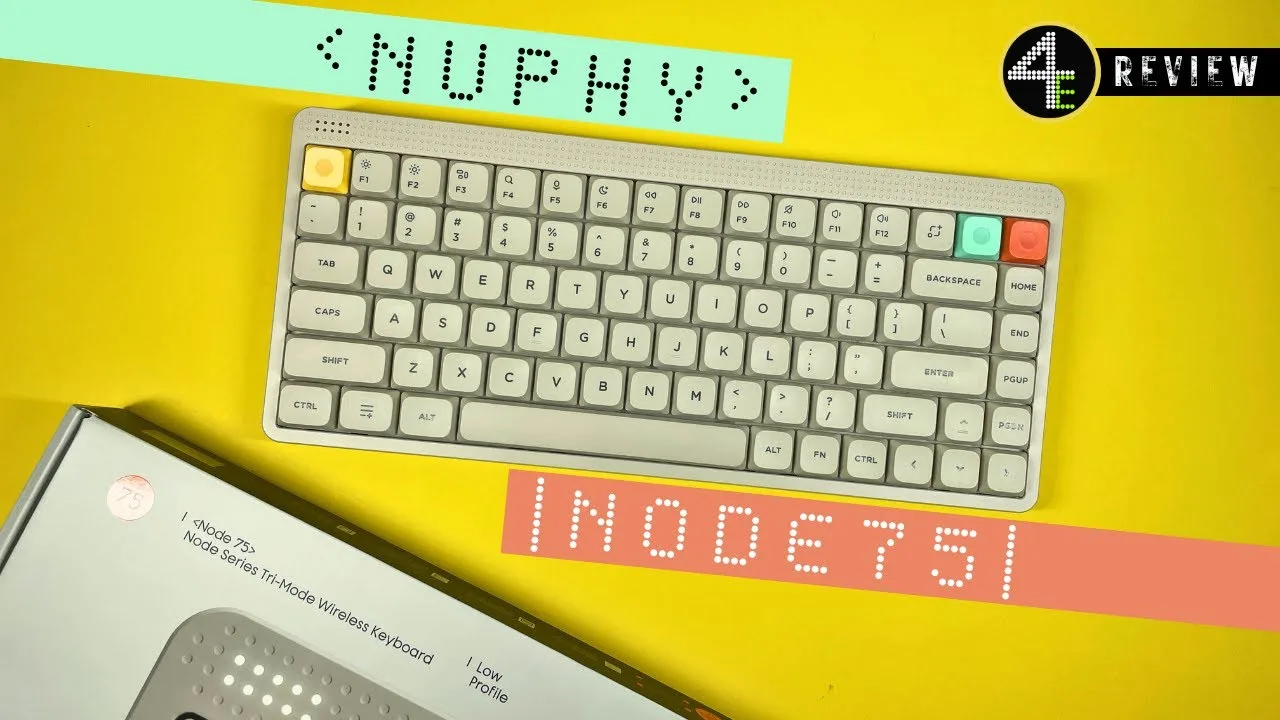 4etech
The NuPhy Node75 is a versatile keyboard available in both low-profile …
4etech
The NuPhy Node75 is a versatile keyboard available in both low-profile …
The NuPhy Node75 is a versatile keyboard available in both low-profile and normal formats, priced at €99.95. Reviewer appreciates its distinctive design philosophy that avoids standard industry components. The all-plastic construction remains lightweight despite housing a 4000 mAh battery for wireless operation. A standout feature is the touch-based volume control replacing the typical top-right knob—users swipe left or right on a sensor strip. The keyboard supports both Mac and Windows with included alternative keycaps and a switch tool. Available in three colors (pink, Ink Grey, Luna White/beige), though the underside remains anthracite regardless of top color. Unfortunately, no ISO-DE layout option exists for German-speaking users.
- →Best for users wanting distinctive, non-generic keyboard design
- →Ideal for Mac users needing native compatibility out of box
- →Suitable for portable use due to lightweight wireless build
- →Good for office work rather than competitive gaming
- →Consider only if ANSI layout works for your typing needs
Community Discussions via Reddit
Comparison
r/NuPhy
u/SMATJOY
A NuPhy Node75 owner reports a firmware/driver-level inconsistency where the top-left key produces different characters depending on connection method. Over USB, the key correctly outputs backtick/tilde (`/~) with US-ANSI-Mac layout configured in NuPhy software. Over 2.4G wireless, the same key outputs section sign/plus-minus (§/±) despite identical macOS and keyboard settings. The issue persists through multiple troubleshooting steps including macOS keyboard re-identification, layout preset changes in NuPhy software, and explicit key remapping. The user suspects the 2.4G receiver presents a different keyboard identity to macOS than the USB connection, causing macOS to apply ISO-style mapping. No community comments provided additional solutions or confirmations.
Key Insights
- →Best for users who primarily use USB connection or do not require consistent key mapping across connection methods
- →Not ideal for macOS users relying on 2.4G wireless with US International – PC input source and ANSI physical layout
- →NuPhy software key remapping works for USB but may not override receiver-level key identity in wireless mode
- →Potential firmware or receiver driver issue where 2.4G dongle reports different vendor/product ID than USB connection
- →Users needing dead key accent functionality should verify wireless behavior before committing to this keyboard
Top Comments
For me plugging the receiver in a windows PC then replugging on Mac worked. If that still doesn’t work I would suggest a restart.
Rebooting worked for me too 👍
OK, I managed to get it to work by plugging it into a Windows computer, then replugging it into my Mac, and it worked flawlessly... strange.
Comparison
r/NuPhy
u/qwest905
A new owner of the NuPhy Node75 purchased during a promotion for $79 with free shipping, receiving a mystery box of keycaps as well. The user selected the charcoal color with blush linear switches. They find the typing feel great and appreciate the customizable touch bar with double tap, triple tap, and swipe gestures. The owner prefers typing on the Node75 over low-profile alternatives due to regular profile keycaps reducing missed keystrokes. They previously owned the Air75 V3 and recommend saving money by choosing the Node75 instead. The touch bar customization is a standout feature compared to competitors.
Key Insights
- →Best for users who prioritize typing feel and customizable controls over premium aesthetics
- →Not ideal for those seeking quiet/silent operation or who prefer tactile switches
- →Regular profile keycaps make this more suitable for accurate typing than low-profile competitors
- →Touch bar with multi-gesture support is a standout feature for workflow customization
- →Strong value proposition when purchased on promotion; recommended over NuPhy's own Air75 V3
Top Comments
Tbh they all feel great. Regular profile key caps give a different feel than low profile so I like to alternate between keyboards. Although I love the premium look of the lofree flow 2 I would rather …
Tbh they all feel great. Regular profile key caps give a different feel than low profile so I like to alternate between keyboards. Although I love the premium look of the lofree flow 2 I would rather …
Aluminum so better build on air v3. Bigger battery life. Lol I think that's it.
Scores based on weighted analysis of 18 expert and community sources. How we review →