

EPOMAKER X Aula F99 Pro
Best For
- Budget-conscious typists
- Gamers needing multi-device support
- Users valuing compact desk space
Consider Carefully
- Those needing premium build materials
- Professionals requiring wrist rests
Jump to Section
The Bottom Line
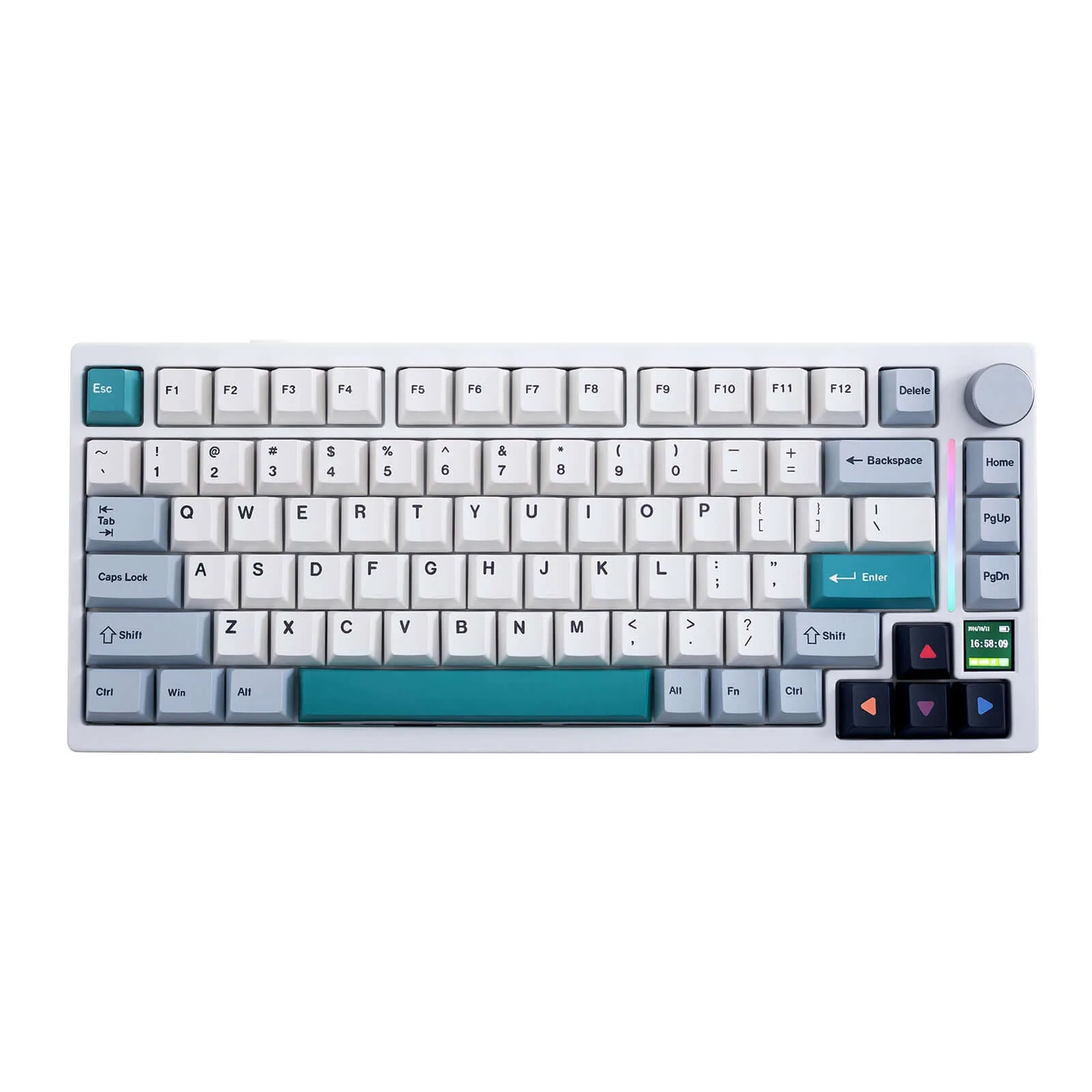
The EPOMAKER X Aula F99 Pro is a mechanical keyboard that has drawn attention for its value at the sub-$100 price point. The "X" in the name signals a collaboration between EPOMAKER and Aula, two separate brands, rather than a single manufacturer. It uses a 96% layout with 99 keys, retaining a numpad and adding a rotary knob, which saves desk space without cutting core functionality. Tri-mode connectivity covers wired USB-C, 2.4GHz, and Bluetooth 5.0 with three-device pairing. Switches are hot-swappable and come pre-lubed from the factory. The 8000mAh battery lasts weeks with RGB off, and the gasket-mounted structure with five layers of sound-dampening materials, including Poron-based foam, produces a quiet, cushioned typing feel out of the box. South-facing RGB LEDs pair well with the side-printed PBT keycaps. On the downside, the ABS plastic casing won't satisfy buyers expecting a premium shell, no wrist rest is included, and the rotary knob takes some adjustment to use confidently.
Performance Breakdown
Expert Scores
How 2 professional publications rated this product
In-Depth Analysis
Typing Sound & Feel 91
Five layers of sound dampening, a gasket mount, pre-lubed switches, and a flex-cut PCB add up to a typing experience that 16 sources describe as punching well above its price. One outlier: technuovo.com notes it lands clacky rather than fully thocky.
Key Takeaway
→If you want a quiet, well-dampened board out of the box without touching a lube pot, this is a rare find at this price. Thock purists should temper expectations.
Wireless Connectivity 90
Tri-mode connectivity with a stable 10-meter range and a built-in USB dongle storage slot. Eight sources confirm the wireless implementation, and no source reported meaningful connectivity issues.
Key Takeaway
→For multi-device wireless users, the tri-mode setup and dongle storage make this a practical daily driver. Gamers get usable polling rates without sacrificing flexibility.
Battery Life 89
The 8000mAh battery is genuinely massive for a keyboard, with enostech.com reporting it lasts weeks when RGB is off. Eight sources agree this is one of the F99 Pro's clearest strengths.
Key Takeaway
→If you want a wireless keyboard you can forget to charge, this delivers. If you run RGB constantly, expect more frequent top-ups.
Build Quality 88
At 1,183 grams with silicone dampening and double-shot PBT keycaps, the F99 Pro feels substantially more expensive than it is. The one honest knock: the casing is ABS plastic, not aluminum.
Key Takeaway
→For budget-conscious buyers who want a keyboard that feels solid and types well out of the box, the build quality overdelivers. Just know the casing is ABS, not metal.
Switch Customization 84
Hot-swap support for both 3-pin and 5-pin switches makes this a solid entry point for switch experimentation. The one catch: the clip-based case makes deep internal modding more annoying than it should be.
Key Takeaway
→For swapping switches without soldering, this is a capable and accessible platform. For modders who want to regularly open the case and tinker with internals, the clip design will frustrate you.
Layout & Form Factor 79
The 96% layout with rotary knob is the right call for most people who need a numpad in a smaller footprint, but r/MechanicalKeyboards documented a genuinely painful adaptation period for users coming from full-size boards.
Key Takeaway
→If you need a numpad and want to reclaim desk space, this layout delivers. If your workflow depends on a standard navigation cluster, budget time for a real adjustment period or look at a true full-size.
Software & Macros 79
The AULA DRIVER covers the basics: key remapping, RGB control, macro creation, and debounce adjustment. But xiaomitoday.com found no macro recording, and igeekphone.com called it less polished than VIA or QMK.
Key Takeaway
→For gamers and office users who want basic remapping and RGB control, the software is sufficient. Power users who rely on macro recording or prefer open-source tools will find it limiting.
RGB & Lighting 74
The RGB situation is genuinely confusing: the Pro model uses south-facing LEDs, which is the right call, but non-shine-through keycaps mean legends are hard to read in low light regardless. Reviewers are split on whether the lighting is a feature or an afterthought.
Key Takeaway
→If RGB aesthetics matter more than legend visibility, the Pro's south-facing setup looks clean. If you need to read your keys in low light, the non-shine-through keycaps will disappoint.
Specifications & Verdict
Design
- Layout
- 96%
- Dimensions
- 406.76 x 139.31 x 42.38 mm
- Weight
- 1023g
- Number of Keys
- 100
- Color Options
- white-blue,light blue,white-gray,pink-black
Build
- Case Material
- ABS plastic
- Plate Material
- PC
- Keycap Material
- Double-shot PBT
- Keycap Profile
- Cherry
- Mount Type
- Gasket-mounted
- Sound Dampening
- 5
- PCB Type
- Flex-cut
Switches
- Switch Type
- StarArrow
- Switch Options
- Star arrow Linear Switch,LEOBOG Nimbus Linear Switch V3
- Hot-Swappable
- Yes
- Pre-Lubed Switches
- Yes
Power
- Battery
- 8000mAh
- Battery Life
- up to 400 hours (backlight off)
Features
- Included Accessories
- 4 StarArrow switches
- Lighting
- South-facing
Other Specs
- Connectivity
- Wired type-C, Bluetooth, and 2.4G wireless
- Backlighting
- 16
- Software
- AULA Driver (Windows only)
- Wireless Range
- 10 meters
- Pcb Thickness
- 1.2mm
Our Verdict
The AULA F99 Pro is highly recommended for those seeking a feature-rich mechanical keyboard without breaking the bank. It's a great choice for budget-conscious typists and gamers who value multi-device support and compact desk space. However, if you're after a premium feel or need a wrist rest for extended typing sessions, this might not be the best fit.
Customer Reviews Amazon
222 reviews
Beautifully designed, soft touch keyboard
Must Have Keeb If You’re Going For A Quiet Scene.
Quiet, Responsive, and Packed with Features
Thocky, Silent Perfection!
Show all 9 reviews
Great quality from Aula, highly recommend to add to any setup
Fantastic, well constructed keyboard
Excelente
As described!
Pésimo TODO
Reviews shown are from Amazon customers and do not reflect our editorial assessment.
Reader Questions
Specific questions about the EPOMAKER X Aula F99 Pro, answered only from what reviewers reported.
01How long does the battery last on a single charge?
The F99 Pro carries an 8000mAh battery that reviewers found lasts weeks between charges, with one source noting it can go over a month when RGB lighting is off.
02Does it support wireless connectivity, and can it pair with multiple devices?
Yes, the keyboard offers tri-mode connectivity covering wired USB-C, 2.4GHz wireless, and Bluetooth 5.0, with Bluetooth supporting pairing to three devices and a stable range of up to 10 meters.
03How does it sound when typing?
The keyboard uses five layers of sound-dampening materials combined with a gasket mount and Poron-based foam, which reviewers found eliminates echo and produces a clean acoustic profile. One community reviewer described the sound quality as excellent.
04Does the 96% layout mean I lose keys I use regularly?
The 96% layout retains most keys while saving desk space, but reviewers noted it requires a muscle memory adjustment period that may not suit users with established habits from other layouts.
05What does the rotary knob actually do?
The programmable knob handles volume, media track control, RGB mode switching, zoom, and scrolling, and reviewers described it as satisfying to click and convenient for workflow.
06Is the build quality premium, or does it feel budget?
The casing is ABS plastic rather than a more premium material, which some reviewers flagged as a limitation. There is also no included wrist rest for ergonomic support.
Pricing & Availability
Updated Mar 15, 2026EPOMAKER X Aula F99 Pro

Sources & Methodology
Every score is built on evidence. This review synthesizes 21 independent sources — expert publications, video reviews, and community discussions — weighted by credibility, depth, and relevance.
Show detailed source analysis ↓ Hide source analysis ↑
Expert Reviews
xiaomitoday.com
Top
9/10-point
The AULA F99 Pro delivers exceptional value as a 98% layout mechanical keyboard with tri-mode connectivity, hot-swappable switches, and premium build quality rare at its price point. The gasket-mounted design provides satisfying tactile feedback, while the rotary knob adds practical volume and RGB control. Multiple color options and switch configurations suit diverse preferences. Battery life impresses for wireless use, and the substantial weight eliminates desk movement during intense sessions. Starstarry switches come factory-lubed with minimal rattle. Some software limitations and north-facing LED orientation for Cherry profile keycaps represent minor compromises in an otherwise outstanding package for gamers and professionals seeking full functionality in compact dimensions.
Strengths
- +Premium weight and frosted finish feel exceptional for the price
- +Rotary knob controls volume, brightness, and RGB modes smoothly
- +Tri-mode connectivity with seamless three-device Bluetooth pairing
- +Factory-lubed Starstarry switches with minimal stabilizer rattle
Weaknesses
- −North-facing LED orientation causes interference with Cherry profile keycaps
- −Software lacks macro recording and advanced customization options
- −ABS plastic casing rather than more premium materials
- −No included wrist rest for extended comfort sessions
mechlands.com
Top
The AULA F99 PRO builds upon its predecessor with a 96% layout featuring a rotary knob and extra key, delivering compact desk space savings without sacrificing functionality. Its gasket mount structure dampens vibrations while enhancing responsiveness for a smoother, more precise typing experience. Five layers of sound-dampening materials—including sandwich foam, IXPE switch pad, PET film, bottom foam, and silicone case pad—eliminate echoes for pure acoustics. The flex-cut 1.2mm hotswappable PCB with PC plate enables softer feel and deeper sound, plus easy switch customization. Tri-mode connectivity via Bluetooth 5.0, 2.4GHz wireless, and Type-C wired supports seamless use up to 10 meters, backed by an substantial 8000mAh battery. RGB backlighting with south-facing orientation and AULA DRIVER software complete the customization package.
Strengths
- +96% layout with rotary knob saves desk space while retaining most keys
- +Gasket mount dampens vibrations and enhances typing responsiveness
- +Five layers of sound-dampening materials eliminate echo for pure acoustics
- +Flex-cut hotswappable PCB enables easy switch customization without soldering
aulagear.com
The AULA F99 PRO is a 96% gasket-mounted mechanical keyboard featuring a rotary knob, tri-mode connectivity, and extensive sound-dampening. Its 1800 layout saves desk space while retaining most keys from a full-size board. Five layers of foam materials and a flex-cut PCB with PC plate produce a softer, deeper typing sound. The 8000mAh battery supports extended wireless use across Bluetooth 5.0, 2.4GHz, and wired connections. Hotswap sockets allow switch customization without soldering, and the AULA driver enables key remapping, macro creation, and RGB adjustments.
Strengths
- +96% layout with rotary knob saves desk space
- +Five layers of sound-dampening for improved acoustics
- +8000mAh battery enables extended wireless usage
- +Tri-mode connectivity offers versatile connection options
enostech.com
The AULA F99 Pro delivers a compelling 96% layout mechanical keyboard experience with thoughtful features for both productivity and gaming. Its gasket-mounted design with pre-lubed linear switches provides smooth, quiet typing suitable for extended sessions. The tri-mode connectivity enables seamless switching between devices, while the substantial 8000mAh battery delivers weeks of use with lighting disabled. Practical additions like the rotary knob for volume/lighting control and a dedicated calculator key enhance daily usability. Hot-swappable switch support and extensive RGB customization options cater to enthusiasts wanting personalization without soldering.
Strengths
- +8000mAh battery lasts weeks with RGB off
- +Five-layer sound-dampening reduces noise effectively
- +Hot-swappable PCB supports 3-pin and 5-pin switches
- +Tri-mode connectivity with stable 10-meter range
Weaknesses
- −Control knob requires adjustment period to use effectively
- −No included wrist rest for ergonomic support
techxreviews.com
At approximately $80, this 96% mechanical keyboard delivers features typically found in higher-priced models. The compact layout preserves nearly all keys including a numpad while saving desk space. Gasket mounting with five layers of sound-dampening creates a cushioned, muted typing experience unusual for this price bracket. A smooth rotary knob handles volume and RGB controls without function key combinations. The 8000mAh battery supports extended wireless use across triple-mode connectivity options. South-facing RGB lighting pairs with side-printed PBT keycaps for a clean aesthetic where light glows through key bodies rather than glaring upward. AULA's Driver software enables custom lighting profiles, macro programming, and debounce time adjustment for gaming optimization.
Strengths
- +96% layout keeps numpad in compact footprint
- +Gasket mounting with five sound-dampening layers
- +8000mAh battery for all-day wireless use
- +Dedicated rotary knob for volume and RGB control
igeekphone.com
The Aula F99 Pro delivers impressive value at $85 with an 8,000 mAh battery offering exceptional wireless endurance, tri-mode connectivity, and a versatile programmable knob. Its 1,183-gram weight and silicone dampening create a solid, non-hollow feel rare in sub-$100 keyboards. The 1800 layout preserves the numpad in a compact 390.6 x 146.8 mm footprint, though the single-width zero key requires adjustment. Double-shot PBT keycaps feel pleasant but lack shine-through, and north-facing RGB remains somewhat dim. The proprietary software enables deep customization including knob functions, yet falls short of VIA/QMK polish. Clip-based case assembly frustrates modding attempts.
Strengths
- +8,000 mAh battery delivers 400+ hours without backlight
- +1,183g weight with silicone dampening eliminates hollow feel
- +Programmable knob controls volume, media, zoom, scrolling
- +1800 layout keeps numpad while reducing footprint
Weaknesses
- −Single-width zero key on numpad requires adjustment
- −North-facing RGB lacks brightness for enthusiast standards
- −Keycaps lack shine-through capability
- −Clip-based case complicates disassembly and modding
technuovo.com
The AULA F99 Pro is a 96% full-sized mechanical keyboard featuring a number pad, rotary knob, and one extra programmable key. It uses Star Arrow switches with a satisfying, slightly clacky sound profile and gasket-mounted structure for vibration dampening. Five layers of sound-improving materials enhance acoustics, while hotswappable switches allow customization. An impressive 8,000mAh battery delivers exceptional longevity, and triple connectivity (2.4GHz, Bluetooth, USB-C) offers flexibility. The included software enables RGB, macro, and keystroke customization. Build quality feels premium and weighty, though non-shine-through keycaps hinder legibility in dim lighting. Side-printed colorway options are recommended for aesthetics.
Strengths
- +Exceptional 8,000mAh battery life lasts weeks without charging
- +Gasket structure dampens vibration for quieter typing
- +Five layers of sound-improving materials enhance acoustics
- +Hotswappable switches enable easy customization
Weaknesses
- −Non-shine-through keycaps make keys hard to read in low light
- −Slightly clacky rather than fully thocky sound profile
- −96% naming convention confusing versus F99 designation
aphnetworks.com
70/100
The reviewer unboxed the MechLands AULA F99 Pro, a 96% gasket-mounted mechanical keyboard with 100 keys. The packaging featured a black, white, and blue design with the F99 Pro name prominently displayed. The box highlighted key features including gasket-mounted design, 99 keys, and backlight effects. Inside, the keyboard came protected with a plastic cover and translucent bag, accompanied by a manual, quick start card, USB-C cable, keycap puller, four extra switches, and a USB dongle stored in a built-in slot. The reviewer emphasized the keyboard delivers a 'modded' typing experience straight out of the box without requiring any modifications. Technical specifications include triple connectivity (wired USB-C, Bluetooth, 2.4G wireless), 8000mAh battery, ABS plastic case, PC plate, flex-cut PCB, and five layers of sound-dampening materials.
Strengths
- +Delivers modded mechanical keyboard experience without modifications
- +Triple connectivity: wired USB-C, Bluetooth, and 2.4G wireless
- +Large 8000mAh battery capacity
- +Five layers of sound-dampening materials included
Video Reviews
 SANTA XP
The Aula F99 Pro is a large mechanical keyboard featuring gasket …
SANTA XP
The Aula F99 Pro is a large mechanical keyboard featuring gasket …
The Aula F99 Pro is a large mechanical keyboard featuring gasket structure, PBT keycaps, and 8000 mAh battery. The reviewer found the build quality solid with a metallic backplate and flip-out feet. RGB brightness appeared slightly dim, possibly due to north-facing LED orientation on the non-Pro variant tested. The keyboard comes with pre-lubed Graywood V3 switches and pre-installed stabilizers that performed well with minimal rattle. Sound profile was described as good and thocky. However, the keyboard is extremely difficult to open for modding—the reviewer broke a small plastic part attempting disassembly due to tight gaps between plastic pieces. The Pro version features south-facing LEDs which improve lighting distribution compared to north-facing variants.
- →Choose Pro variant for south-facing LED orientation
- →Excellent stock experience without modifications needed
- →Avoid if planning frequent internal customization
- →Great battery life for wireless usage
- →Solid pre-lubed switches and stabilizers out of box
 Carlos Vasquez
The reviewer purchased the Aula F99 Pro specifically for its rotary …
Carlos Vasquez
The reviewer purchased the Aula F99 Pro specifically for its rotary …
The reviewer purchased the Aula F99 Pro specifically for its rotary dial volume control, finding the $10 upgrade worthwhile. The dial provides satisfying tactile clicks rather than smooth rotation. This 99-key mechanical keyboard with linear switches offers a compact footprint—approximately 15% shorter than full-size—while remaining comfortable for large hands. Construction features hard plastic body with two-step adjustable feet. Connectivity options include 2.4GHz wireless, Bluetooth, and USB-C wired modes. RGB lighting offers multiple colors (yellow, purple, lavender, blue, white, rainbow, red, green) with adjustable brightness, speed, and effects controlled via function key combinations. The reviewer emphasizes the meaningful daily improvement a quality mechanical keyboard provides over standard membrane alternatives.
- →Ideal for users wanting compact full-size with dedicated volume control
- →Choose Pro model over standard F99 for the rotary dial
- →Suitable upgrade from membrane keyboards for daily comfort
- →Good fit for wireless setup with multiple device switching needs
- →RGB customization suits users wanting personalized lighting
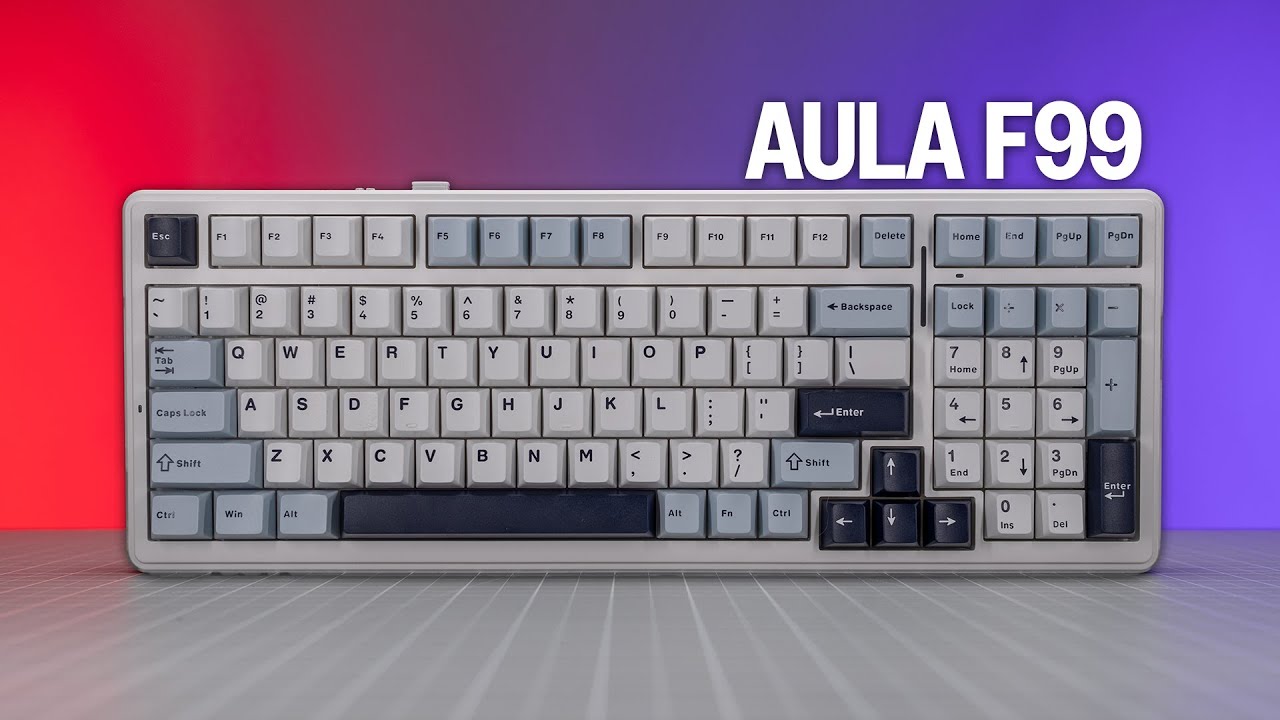 SemiPro Tech+Gear
The Aula F99 is a $72-89 1800-layout mechanical keyboard featuring …
SemiPro Tech+Gear
The Aula F99 is a $72-89 1800-layout mechanical keyboard featuring …
The Aula F99 is a $72-89 1800-layout mechanical keyboard featuring tri-mode connectivity, an 8,000mAh battery, and extensive internal dampening. The reviewer purchased it during Prime Day for $66 and tested it for one week. Construction uses ABS plastic with silicone gasket mounting, polycarbonate plate with flex cuts, and multiple foam layers. The keyboard avoids hollow plastic resonance through a thick molded silicone layer in the case bottom. Available switch options include Leobog, Reaper, and Greywood V3 linears with double-shot PBT cherry profile keycaps. The Owl-a-Driver software is Windows-only. The F99 Pro variant appears to differ only in colorway and south-facing RGB for shine-through side legends.
- →Ideal for users wanting full-size layout without excessive desk space
- →Strong choice for wireless productivity with exceptional battery life
- →Good entry point for modding with accessible internal layers
- →Windows users benefit most from full software customization
- →Wait for Amazon coupons to get best pricing under $75
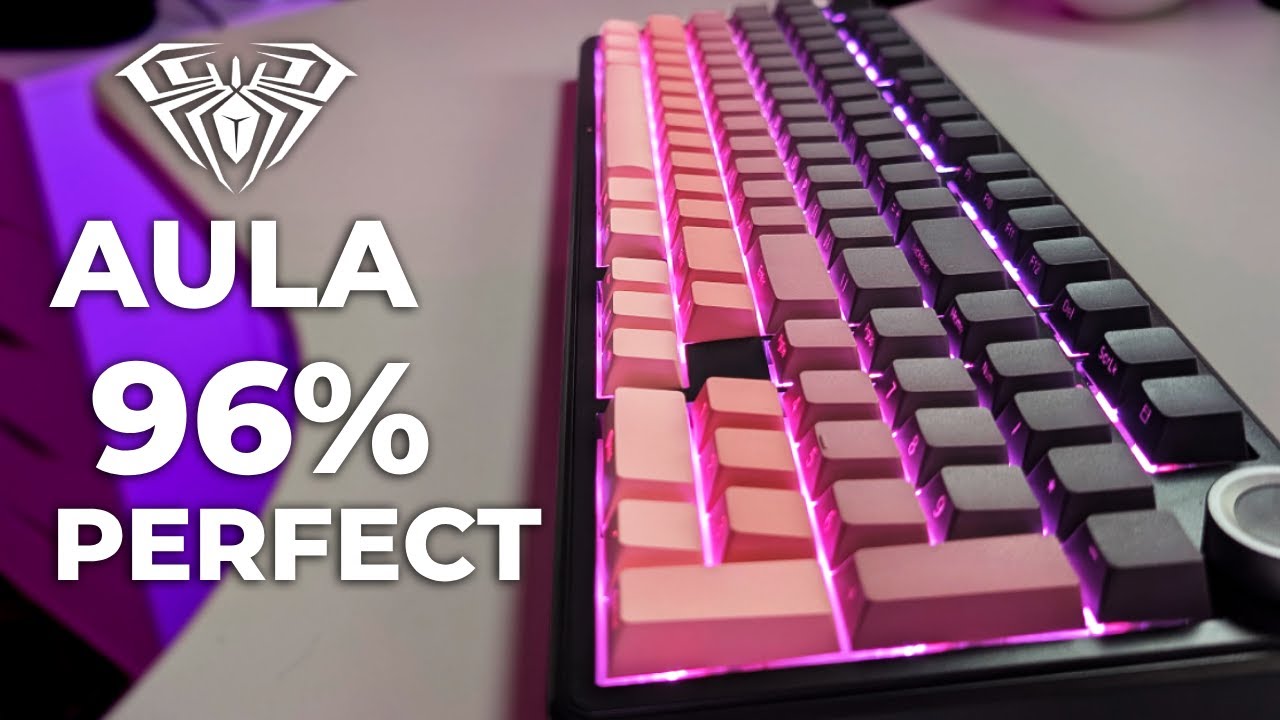 CGamer76
The reviewer received the Aula F99 Pro, a 96% layout mechanical …
CGamer76
The reviewer received the Aula F99 Pro, a 96% layout mechanical …
The reviewer received the Aula F99 Pro, a 96% layout mechanical keyboard with 99 keys, for sponsored review. Priced around $80, it features gasket mounting with five layers of dampening, hot-swappable 3/5 pin switches, pre-lubed Leo Box switches (gray wood version 3), triple connectivity (2.4GHz, Bluetooth, USB-C), south-facing RGB, an 8000mAh battery, and a multi-control knob. The reviewer found typing and gaming experiences pleasant with silent switches, though noted minor software glitchiness during initial setup. The keyboard lacks dedicated macro keys, which was a personal preference issue. Build quality impressed for the budget price point with minimal flex.
- →Ideal budget choice for full-size mechanical keyboard enthusiasts
- →Perfect for users wanting silent switches without modding
- →Great starter board for switch experimentation with hot-swap
- →Skip included software and use SignalRGB for lighting control
- →Not recommended if dedicated macro keys are essential
 OMNITECH
This 99-key mechanical keyboard weighs 2.8 kg (6.1 lbs), giving it …
OMNITECH
This 99-key mechanical keyboard weighs 2.8 kg (6.1 lbs), giving it …
This 99-key mechanical keyboard weighs 2.8 kg (6.1 lbs), giving it substantial desk presence. The gasket-mounted design produces satisfying, quiet clicks that won't disturb others. Features include tri-mode connectivity (wired USB-C, 2.4GHz wireless, Bluetooth), a mode-switching volume knob for office/gaming profiles, and backlit RGB effects. The package includes extra copper switches, a keycap puller, and USB-C to Type-A cable. Multiple connection methods work seamlessly without pairing codes when wired.
- →Ideal for shared spaces due to quiet operation
- →Perfect for users wanting heavy, stable keyboard
- →Great for multi-device setups with three connection modes
- →Suits gamers and office workers with profile switching
- →Good for enthusiasts wanting gasket mount feel
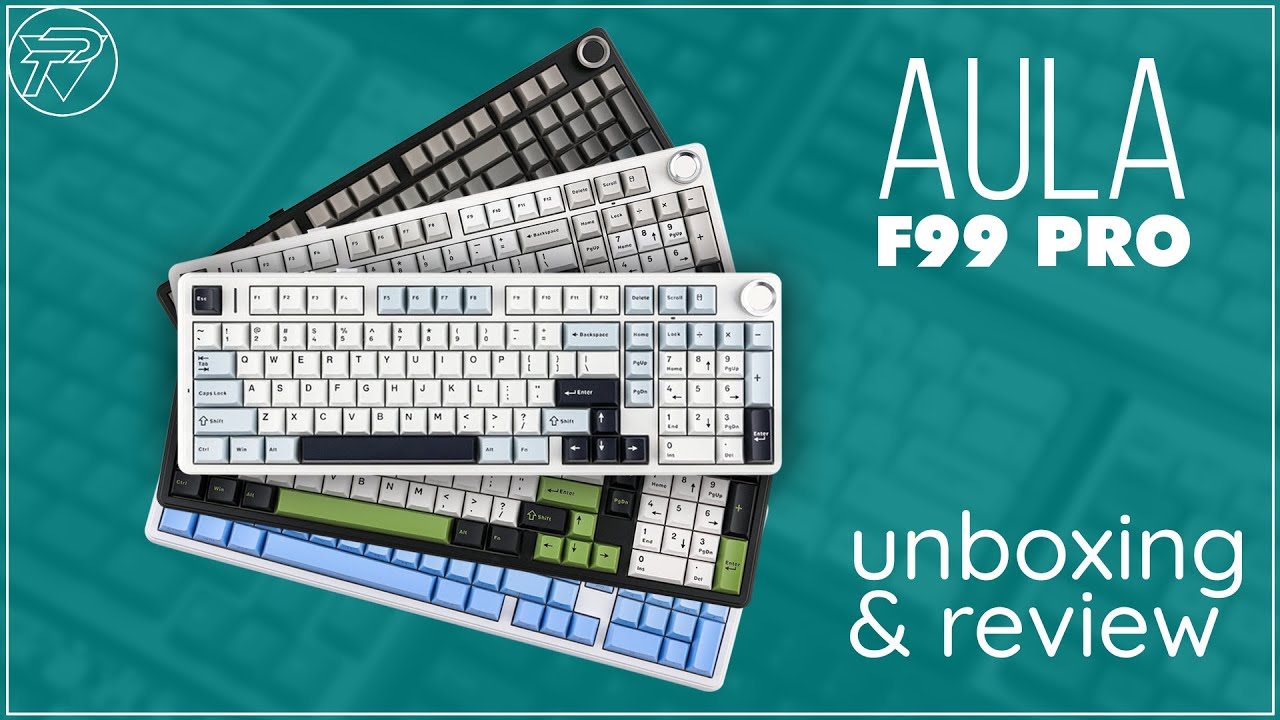 PlayTopia
The Aula F99 Pro delivers a premium typing experience through its …
PlayTopia
The Aula F99 Pro delivers a premium typing experience through its …
The Aula F99 Pro delivers a premium typing experience through its gasket-mounted structure with five layers of sound dampening, creating soft, cushioned keystrokes with minimal noise. Its 96% compact layout retains full functionality while saving desk space, complemented by a distinctive retro white, blue and purple color scheme. Tri-mode connectivity (Bluetooth 5.0, 2.4G wireless, USB-C wired) pairs with an exceptional 8000mAh battery for extended wireless use. Hot-swappable PCB supports both 3-pin and 5-pin switches without soldering, and pre-lubed Leobo Zeus or Star switches provide smooth actuation with a creamy sound profile. The multi-function rotary knob enables convenient volume, track and RGB control, while 10K ARO with 1000Hz polling rate ensures gaming responsiveness. PBT keycaps offer durable, textured feedback. Comprehensive software allows key remapping, macro creation and RGB customization with 16 effects and south-facing LEDs.
- →Ideal for gamers needing speed, precision and high polling rates
- →Excellent for professionals wanting ergonomic, customizable typing
- →Perfect for enthusiasts who enjoy switch swapping and modding
- →Great for wireless users prioritizing battery life over weeks
- →Suits anyone wanting premium build quality at compact size
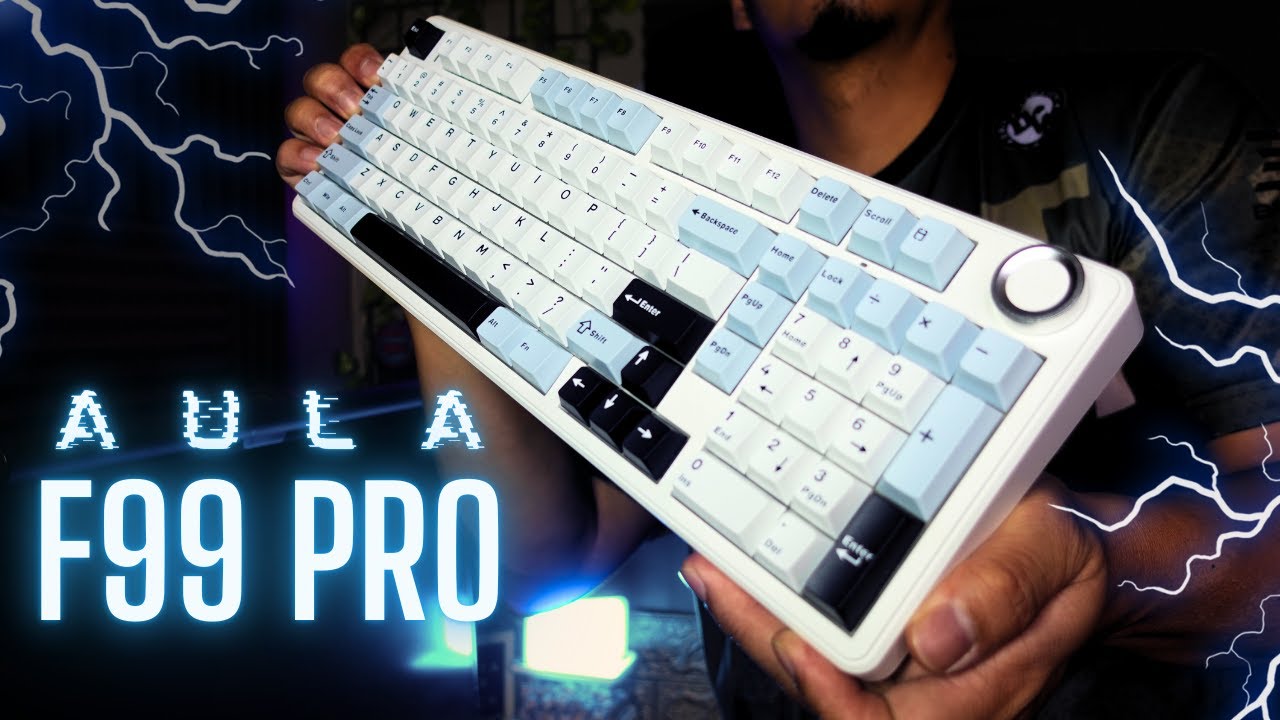 JTECH
The Aula F99 Pro delivers exceptional value as a sub-$100 tri-mode …
JTECH
The Aula F99 Pro delivers exceptional value as a sub-$100 tri-mode …
The Aula F99 Pro delivers exceptional value as a sub-$100 tri-mode mechanical keyboard with 1800 layout. Its solid, heavy construction and pre-tuned acoustics make it essentially 'modless' out of the box. The custom Star Arrow switches provide satisfying thocky linear feel suitable for both gaming and typing. An enormous 8000mAh battery enables extended wireless use, though charging requires patience. Software offers meaningful customization including debounce time adjustment for competitive gaming. The rotary knob functions adequately but looks and feels cheap compared to the rest of the build. Overall, it stands as a compelling option for users needing full-size functionality without sacrificing desk space or breaking budget.
- →Ideal work-and-play keyboard for numpad-dependent users
- →Ready to use without modifications for most people
- →Competitive gamers benefit from adjustable debounce
- →Mobile productivity users gain from Bluetooth and huge battery
- →Budget buyers seeking premium feel at low cost
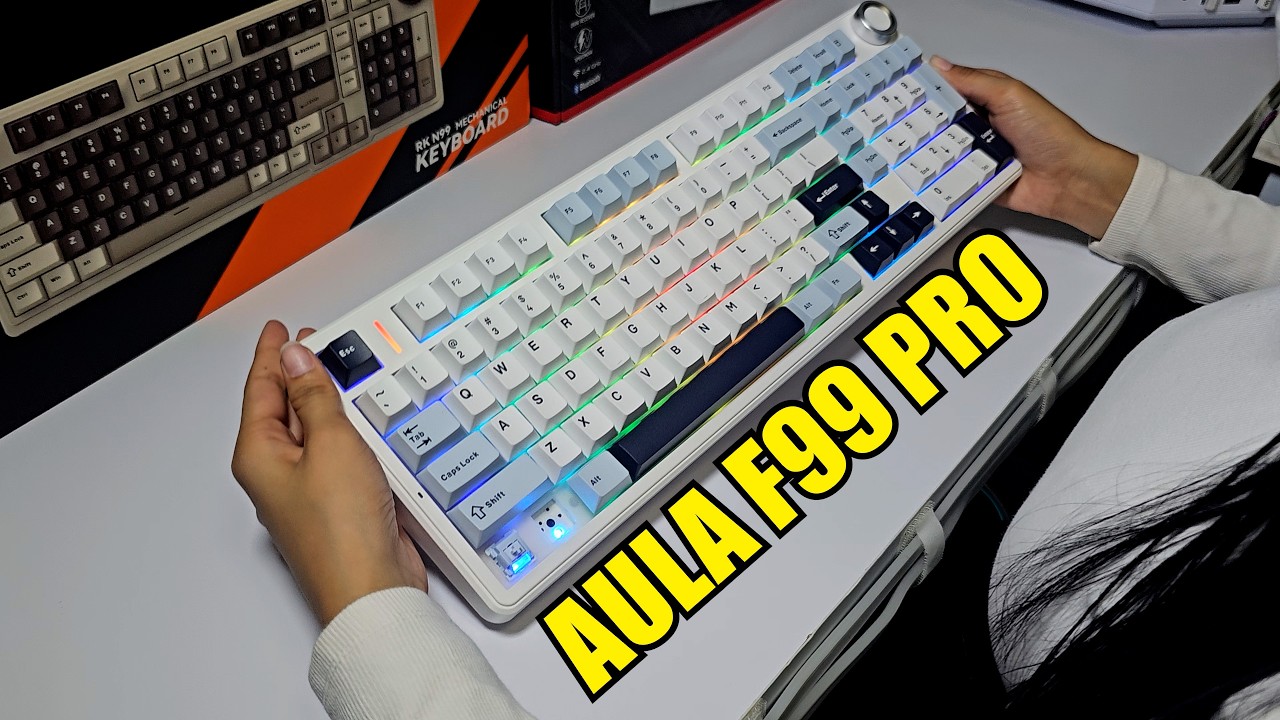 Game Tech Place
The Aula F99 Pro is a tri-mode mechanical keyboard featuring a 96% …
Game Tech Place
The Aula F99 Pro is a tri-mode mechanical keyboard featuring a 96% …
The Aula F99 Pro is a tri-mode mechanical keyboard featuring a 96% layout with a functional knob, gasket mount design, and five layers of sound dampening materials. Weighing 1.23-1.55 kg, it offers hot-swappable switches, south-facing RGB LEDs, and an 8000mAh battery. The reviewer tested it for both typing and gaming (League of Legends), finding it responsive and reliable. Connectivity includes Bluetooth, 2.4GHz wireless, and USB-C wired with 1000Hz polling rate. The package includes a dust cover, extra switches, dual puller, and detailed manual.
- →Ideal for gamers needing responsive, conflict-free key inputs
- →Suitable for productivity users wanting compact full functionality
- →Perfect for enthusiasts seeking customizable hot-swap options
- →Great for users prioritizing quiet, creamy typing experience
- →Excellent for wireless-heavy setups with long battery life
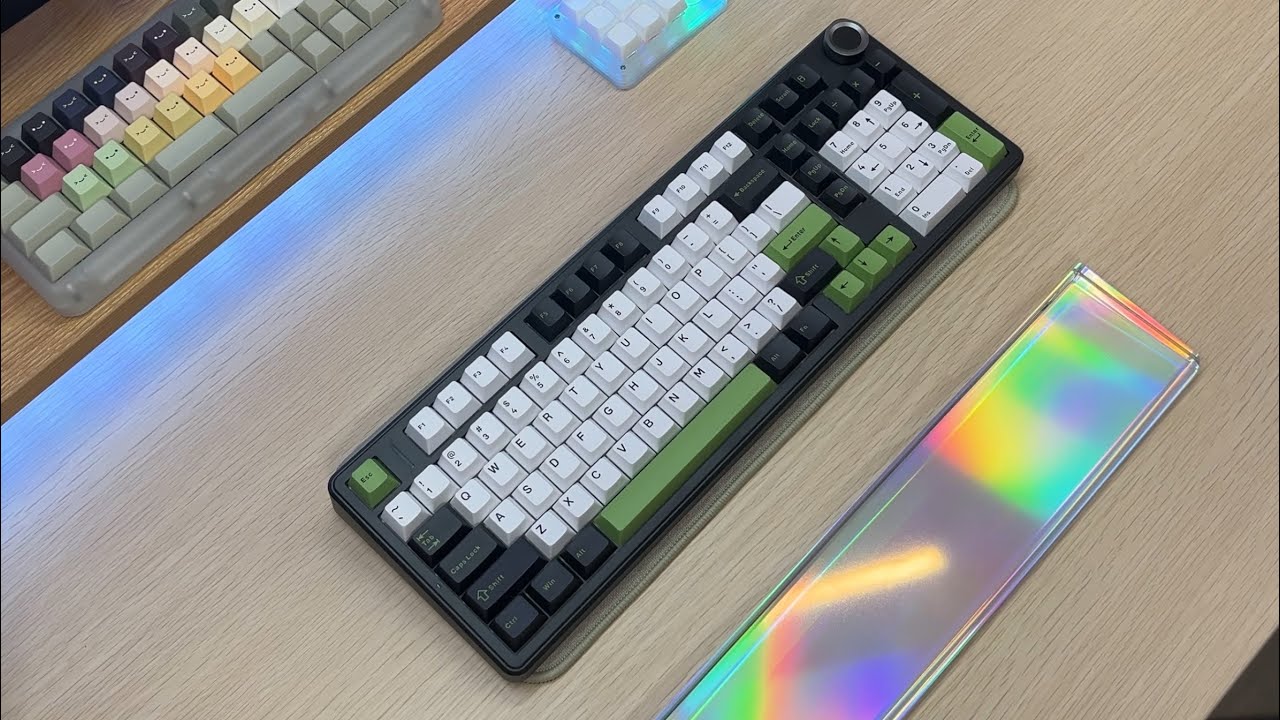 Yamikeebs
Yami unboxed and reviewed the Aula F99 Pro, a budget-friendly 96% …
Yamikeebs
Yami unboxed and reviewed the Aula F99 Pro, a budget-friendly 96% …
Yami unboxed and reviewed the Aula F99 Pro, a budget-friendly 96% keyboard featuring hot-swappable switches, a volume knob, and tri-mode connectivity. The black version with green accent keycaps was selected. The keyboard comes with Leobong Star Arrow linear switches (40g actuation force), which produce a deep, satisfying sound despite requiring slightly more force than typical linear switches. Cherry profile keycaps provide comfortable all-day typing. RGB lighting with multiple effects is included. The reviewer, already an Aula fan owning the F-75, considers this addition essential for busy workdays.
- →Excellent choice for professionals needing numpad functionality
- →Ideal for users prioritizing tactile satisfaction and sound
- →Great entry point for enthusiasts wanting hot-swap capability
- →Perfect for multi-device setups with tri-mode flexibility
- →Recommended for those seeking budget-friendly 96% layout
Community Discussions via Reddit
Comparison
r/keyboards
u/IamAssem
The Aula F99 Pro is positioned as a white/blue colorway keyboard priced at approximately $85, primarily evaluated for low-light visibility scenarios. The original poster considers it for night use in dark rooms where monitor light is the primary illumination source. The white keycaps are expected to provide better visibility in low-light conditions without relying on RGB lighting. However, the community response redirects toward alternative solutions rather than validating this specific keyboard's merits, suggesting north-facing socket keyboards for superior backlight illumination through legends. No direct ownership experiences with the F99 Pro were shared in the discussion.
Key Insights
- →Best suited for users prioritizing passive visibility through light-colored keycaps rather than active RGB illumination
- →Not ideal for users requiring strong backlight-through-legend visibility; community suggests north-facing socket alternatives for this use case
- →Consider pairing with external desk lighting or monitor bias lighting rather than relying solely on keycap color for night visibility
- →Touch typists who occasionally need visual confirmation may find white keycaps adequate but not optimal compared to shine-through solutions
- →Community consensus favors alternative keyboard designs (north-facing sockets) for the specific use case of dark room visibility
Top Comments
Get a keyboard with *north facing sockets* like the Keychron J2 or J5. Then the LED is facing the top of the keycap and shines though the legends. Most keyboards these days have south-facing sockets …
Unfortunately, north-facing boards are very limited in my local market, and there aren’t any Keychrons available at the moment. I’m not a fan of side-printed keycaps, but my alternatives are …
Setup Showcase
r/MechanicalKeyboards
u/hksjagoan
The author, hksjagoan, purchased the Aula F99 Pro as an attempt to downsize from a full-size keyboard but encountered significant usability challenges. They praise the keyboard's sound profile and typing feel, noting that their typing speed remained similar or improved. However, they struggled severely with the compact 96% layout, particularly the hidden/missing dedicated Home, End, Insert, Page Up, and Page Down keys that they use daily. The author also attempted to use the numpad for macro keys but found the transition frustrating. They express reluctance to continue with the keyboard due to these workflow disruptions, despite appreciating its core mechanical qualities. The community largely validated their preference for larger layouts, with several users recommending 1800/96% or full-size alternatives instead.
Key Insights
- →Best for users who do not rely on dedicated navigation cluster keys (Home/End/PgUp/PgDn) for daily workflows
- →Not ideal for productivity-focused users, programmers, or data entry professionals with established full-size keyboard habits
- →Sound and feel are standout qualities that rival larger keyboards—core mechanical experience is not compromised by compact size
- →Consider 1800/96% layout keyboards (e.g., Keychron V5) as middle ground if full-size is too large but 96% is too cramped
- →Forced adaptation is possible but painful; author considered abandoning despite liking the hardware
Top Comments
I'm 1800/96% with a particular inkling for the layout where the F-row has 15 keys ( this would make it so that Print Screen and Delete \[or a different combo - that I rebind anyway\] are just above …
You are not the only one! I love my full size keyboard and those “98%” keyboards are not really 98% (their layout is just wack).
1800/96% (I don't know the difference) are IMO the best layout, I don't even know what keys got removed, but it's quite a bit smaller. The only problem is that they are quite rare to find :(
Setup Showcase
r/MechanicalKeyboards
u/emotionallyFreeware
The author, a lifelong membrane keyboard user, purchased the Aula F99 Pro wireless on their cousin's recommendation and reports being 'blown away' by the typing experience, now feeling motivated to type all day. No specific ownership duration is mentioned. The post represents a first-time mechanical keyboard owner's enthusiastic conversion experience. Community response includes another Aula owner (F75) confirming similar satisfaction with the typing feel, though one commenter questions why Hall Effect switches (implied in this keyboard) would be recommended for typing rather than gaming.
Key Insights
- →Best for: First-time mechanical keyboard users transitioning from membrane keyboards seeking an enjoyable typing experience
- →Not ideal for: Users specifically avoiding gaming-oriented switch technologies; those wanting traditional mechanical rather than magnetic/Hall Effect switches
- →Community note: Another Aula owner (F75) confirms similar positive typing experience, suggesting consistent switch quality across Aula Pro lineup
- →Controversy: One experienced community member questions Hall Effect switch suitability for pure typing use cases
- →Consideration: No customization/modification discussion from actual owner — community warns against 'TikTok trap of keyboard slop' for inspiration
Top Comments
Alright welcome! There is more to come. Also, don’t get sucked into the TikTok trap of keyboard slop. You want inspiration for customization look on Instagram, YouTube, here or Discord. May it …
I bought the AULA Pro F75 and I feel the same way, like typing more. Finding more reasons to type, I absolutely love the feel and response of the keys. I am not a gamer personally so this keyboard is …
That Logi MX Keys ain't no slouch though. I used that one for so long and still love it even though I own a ton of custom mechanicals. Welcome home!
Quick Opinion
r/keebgirlies
u/SarcastiSnark
The Aula F99 Pro receives positive community feedback despite the original poster's anxiety after ordering. One owner with 6 months of daily work use praises exceptional battery life, only charging twice due to efficient wired mode power-off. Another F99 Pro owner reports loving the board after customizing switches and keycaps. The community consensus counters scattered negative Reddit posts the OP discovered, with multiple users confirming satisfaction. The product appears to suit users seeking a customizable base keyboard with strong battery performance for daily work use.
Key Insights
- →Best for users comfortable with DIY customization who want to personalize switches and keycaps
- →Strong choice for work environments requiring wireless use with minimal charging maintenance
- →Stock experience may be adequate but customization unlocks full potential per community feedback
- →No widespread defects reported despite OP's concern — community consensus remains positive
- →Consider Amazon for faster shipping if immediate replacement needed, direct order for specific switch options like Ninja switches
Top Comments
As an aula user, I love my aula. Ive had it for almost 6 months and use it everyday at work. The battery life is so goos thst when its not in use i can swap to wired mode and it shuts off. So ive …
Oh no what have you seen? I have only seen really good things about the Aulas. 😬 I did a cursory search and didn't see anything bad. I'll have to look more closely in a bit.
I have the Aula F99 Pro and love it. I did swap the switches and the keycaps and now it's PERFECTO! (picture an Italian man kissing his fingers)
Scores based on weighted analysis of 21 expert and community sources. How we review →