

EPOMAKER X Aula F75 MAX
Best For
- Budget wireless typists who want gasket-mount feel
- Desk setup fans who want a TFT display keyboard
- Gamers who want an on-board volume knob
Consider Carefully
- Office or shared-space users who need silent switches
- Modders who want easy disassembly and screw-in stabs
Jump to Section
The Bottom Line
The EPOMAKER x Aula F75 MAX offers a solid typing experience at a budget-friendly price, making it an appealing choice for those who value performance without breaking the bank. What we found most impressive is its gasket-mount design with five layers of dampening, which contributes to a comfortable typing feel. A majority of reviewers noted the factory-lubricated switches, eliminating the need for any DIY maintenance, and the convenient volume knob with a mute function is a thoughtful addition. The 4000mAh battery promises a substantial 30-80 hours of use, a significant advantage for those on the go. However, it's not without its drawbacks. The case, constructed from ABS plastic only, and the lack of silent switch options, might be a deal-breaker for some users.
Performance Breakdown
Expert Scores
How 5 professional publications rated this product
In-Depth Analysis
Typing Experience 92
Across 10 sources, the gasket mount with flex-cut PC plate earns near-unanimous praise for long-session comfort, with no meaningful dissent.
Key Takeaway
→If you type for hours daily and want a budget board that won't punish your hands, this is one of the better options at this price.
Wireless Connectivity 91
Tri-mode connectivity with a 1000Hz polling rate and 10-day battery life earns strong marks across 19 sources, with one real caveat: Bluetooth latency makes it a poor choice for competitive gaming.
Key Takeaway
→For a wireless daily driver that handles both desk productivity and casual gaming, this is well-equipped. Serious competitive gamers should stay on 2.4GHz or wired.
Sound & Acoustics 90
Five layers of foam dampening and a gasket mount deliver a quiet, thocky result that 5 sources say needs zero post-purchase modding.
Key Takeaway
→If quiet, thocky typing is the priority and you don't want to mod, this delivers it at a price that makes the competition look lazy.
RGB & Lighting 86
Vibrant south-facing RGB with 16 million colors earns consistent praise across 16 sources, though one reviewer flagged the vertical LED strip as a battery drain with no practical purpose.
Key Takeaway
→The RGB is genuinely good for the price. If you use it wirelessly and care about battery life, turn the lighting down or off.
Keycaps & Switches 86
Factory-lubed Leobog Reaper linears and rattle-free stabilizers impress out of the box, but thin keycaps with print inconsistency issues keep this from being a clean sweep.
Key Takeaway
→The switches and stabilizers over-deliver for the price. Budget $20-30 more for a keycap upgrade if long-term aesthetics matter to you.
Build Quality 84
Eight sources call it an ideal budget entry point, but tech4gamers.com and churapereviews.com both note the build retains a noticeable cheapness that the price doesn't fully excuse.
Key Takeaway
→Strong first mechanical keyboard for budget buyers. If you plan to mod heavily or need QMK/VIA, this will frustrate you.
Volume Knob 73
Three sources independently flagged the volume knob as too loose and wobbly, and a hands-on review confirmed it's plastic under the silver coating, not aluminum.
Key Takeaway
→The knob is functional but physically underwhelming. If a premium-feeling rotary encoder matters to you, this will disappoint.
TFT Display 70
The TFT screen is the most divisive feature on this keyboard: tech4gamers.com called it 'too small and dim to be useful', while xiaomitoday.com praised its GIF customization and status monitoring.
Key Takeaway
→Treat the TFT screen as a bonus feature, not a selling point. If display quality is a deciding factor, look elsewhere.
Specifications & Verdict
Design
- Form Factor
- 75%
- Layout
- 75%
- Dimensions
- 32.8×14.3×4.4cm
- Weight
- 0.96kg
- Number of Keys
- 80
- Front Height
- 2cm
- Color Options
- Blue White, Black, Pink White, Caramel Pudding
Build
- Case Material
- ABS
- Plate Material
- flex-cut PC
- Keycap Material
- PBT
- Mount Type
- gasket-mount
- Stabilizers
- plate-mount
- Sound Dampening
- 5
- PCB Type
- hot-swappable, no soldering required
Switches
- Switch Type
- Linear
- Switch Options
- Factory-lubed Reaper linear switches
- Hot-Swappable
- Yes
- Actuation Force
- 45±3 gf
- N-Key Rollover
- Yes
- Switch Lifespan
- 5,000,000
- Actuation Distance
- 0.3 mm
- Pre-Lubed Switches
- Yes
Connectivity
- Connectivity
- Wireless/Wired
- Bluetooth Devices
- up to three
- Polling Rate
- 1000 Hz
Power
- Battery
- 4000mAh
- Battery Life
- ~30 hours with lights on
Software
- Software
- Epomaker software (no VIA/QMK)
- OS Compatibility
- Windows, macOS, Linux, Android
Features
- Media & Controls
- Knob with built-in media and volume controls, volume and TFT navigation
- Included Accessories
- dust cover, 2x extra switches, USB cable, key puller
- Special Features
- 0.85", TFT customizable screen, NKRO/anti-ghosting, Hot-Swappable, Smart TFT screen (GIF support), RGB backlighting, volume knob, NKRO, anti-ghosting, Knob, layered foams for sound dampening
Other Specs
- Backlighting
- South facing
- Switch Compatibility
- Hot-swappable (3-pin and 5-pin)
- Actuation Force Leobog Reaper
- 45 grams
- Switch Total Travel
- 3.6±0.3mm
- Switch Stem Material
- POM
- Switch Top Material
- PC
- Switch Base Material
- Nylon
- Bottom Plate
- metal
- Feet
- 4 large rubberized feet, 2 adjustable feet
- Variant
- Black (OEM) with Grey Side-Printed Keycaps
- Materials
- Plastic,Metal
- Kickstand
- 2-stage adjustable
- Design
- Gasket mount
- Back Plate
- steel
- Structure
- Gasket
- Plate Design
- fully flex-cut
- Pcb Design
- fully flex-cut
Our Verdict
The EPOMAKER x Aula F75 MAX punches well above its price with factory-lubed switches, a gasket mount, and a TFT screen that most boards at this tier don't offer. Skip it if you need silent switches or plan to mod the internals, but for wireless typists and desk setup enthusiasts who want a lot of keyboard for the money, it's a strong buy.
Customer Reviews Amazon
1,225 reviews
Great Keyboard for the Price
Aula X75 Max
Crispy Outside, Creamy Inside — The Keyboard Croissant! 🥐
Great keyboard with many options
Show all 10 reviews
The screen
Incredible Value
Best keyboard I've owned
Excellent keyboard with amazing sound and features
El mejor teclado para este precio
جامد
Reviews shown are from Amazon customers and do not reflect our editorial assessment.
Reader Questions
Specific questions about the EPOMAKER X Aula F75 MAX, answered only from what reviewers reported.
01Is the TFT screen actually useful day-to-day?
The screen supports custom GIFs and real-time info, but reviewers note it can be dim when not viewed straight on, and some found it too small to be genuinely useful. Also, uploading GIFs requires a wired connection.
02How long does the battery last on a single charge?
Battery life depends on lighting settings. With RGB off you can expect around 80 hours, and with RGB fully on, around 30 hours.
03Do the switches need to be lubed before use?
No, the LeoBog Reaper linear switches come factory-lubed and feel smooth straight out of the box, with no DIY lubing required.
04Does the gasket mount make a noticeable difference in typing feel?
Reviewers consistently found the gasket mount delivers a cushioned, flexy typing feel, and the five layers of sound dampening contribute to a premium sound despite the plastic build.
05Is it easy to open up and mod?
Disassembly is notably difficult, with multiple reviewers warning of damage risk when trying to open the keyboard for modding.
06Does the build quality feel solid or cheap?
The case is ABS plastic, and some reviewers felt the construction is less premium than metal competitors, with a noticeable cheapness to the overall build. The ABS keycaps are also noted to develop shine over time.
Pricing & Availability
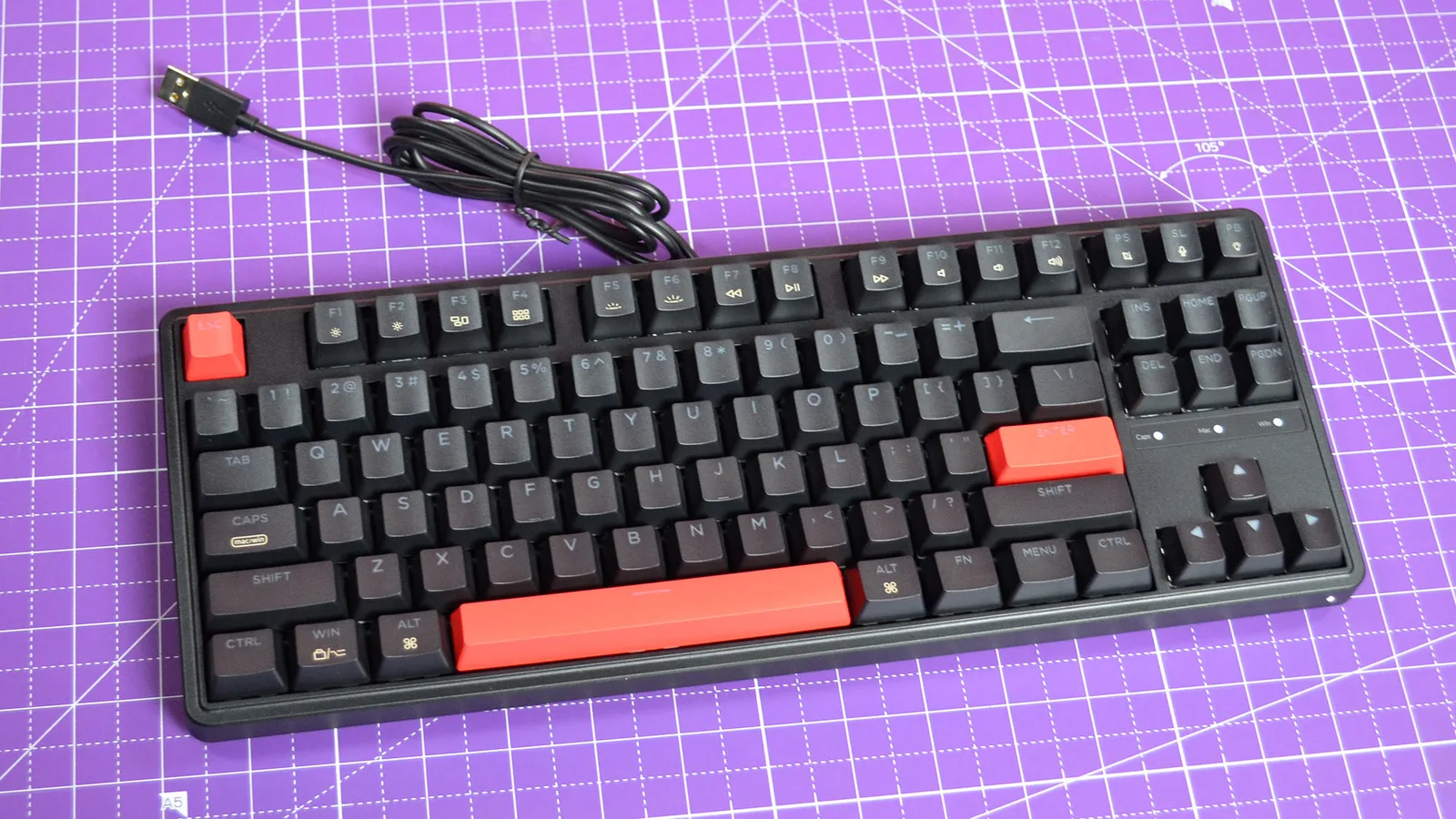
Updated Mar 17, 2026EPOMAKER X Aula F75 MAX
Sources & Methodology
Every score is built on evidence. This review synthesizes 24 independent sources — expert publications, video reviews, and community discussions — weighted by credibility, depth, and relevance.
Show detailed source analysis ↓ Hide source analysis ↑
Expert Reviews
xiaomitoday.com
Top
8.5/10-point
The EPOMAKER x AULA F75 Max builds upon its predecessor with a dedicated volume knob and smart TFT display for GIF customization and connectivity monitoring. The 75% layout remains compact at 32.8×14.3×4.4cm and 0.96kg, featuring solid build quality with minimal chassis flex. The Black OEM variant with grey side-printed keycaps suits both gaming and professional environments. Packaging impresses with cyberpunk-themed design and organized accessory compartments. The magnetic receiver storage, mode switch, and two-stage adjustable feet add practical functionality. The display integration avoids feeling gimmicky while enhancing backlight customization interactivity.
Strengths
- +Dedicated volume knob enables quick audio adjustments without external controls
- +Smart TFT display supports GIF customization and connectivity status monitoring
- +Solid chassis construction with minimal flex and premium surface finish
- +Magnetic storage slot prevents wireless receiver misplacement
thephonograph.net
Top
4/5-point
The EPOMAKER x Aula F75 MAX is a budget-friendly 75% mechanical keyboard with premium features. It offers triple connectivity (wired, 2.4G, Bluetooth), hot-swappable PCB, gasket-mount structure with 5 dampening layers, and a 0.85" display. The ABS case feels superior to typical plastic keyboards, weighing nearly 1kg for added stability. It comes with PBT keycaps in unique color themes and LEOBOG Reaper linear switches. A dedicated Caps Lock indicator light sits directly on the case. The display shows system info and GIFs but suffers from dim viewing angles. The rotary encoder provides tactile, audible feedback per notch.
Strengths
- +Dedicated Caps Lock indicator light on case
- +Gasket-mount with 5 layers of dampening
- +Triple connectivity supporting up to 5 devices
- +Superior ABS case quality and 1kg weight
Weaknesses
- −Display gets dim when not viewed straight from above
- −Only linear switch option available (LEOBOG Reaper)
- −Small fonts on display like similar models
tech4gamers.com
Top
76/100
The Aula F75 Max delivers excellent typing fundamentals with well-lubed switches, perfect stock stabilizers, and satisfying acoustics. Its sleek design pairs nicely with side-lit keycaps and vibrant RGB. However, the marquee features—an undersized dim screen and loose volume knob—are poorly implemented and actively detract from usability. After three days of testing, it emerges as a competent budget keyboard undermined by its own attempted upgrades. Build quality and wireless performance remain solid, but the lack of polish around secondary features prevents it from being a clear recommendation over competitors.
Strengths
- +Well-lubed switches sound excellent out of the box
- +Stock stabilizers are essentially perfect
- +Sleek design complements side-lit keycaps nicely
- +Vibrant RGB lighting looks impressive
Weaknesses
- −Screen is too small and dim to be useful
- −Screen scratches extremely easily
- −Volume knob is too loose and wobbly
- −Can't adjust volume directly using the knob
ngxptech.com
The EPOMAKER x Aula F75 MAX delivers premium features at a sub-$150 price point, including a smart TFT screen with GIF support, gasket mount construction with five layers of foam dampening, and triple-mode wireless connectivity. Its 75% layout balances functionality with desk space efficiency, while factory-lubed Reaper linear switches provide smooth, acoustically pleasing keystrokes. The 1000Hz polling rate ensures responsive performance for gaming, and hot-swappable 3/5-pin compatibility allows switch customization. A sleek black gradient finish and Cherry profile keycaps contribute to both aesthetics and ergonomic comfort during extended use.
Strengths
- +Smart TFT screen supports custom GIFs and real-time info
- +Five-layer foam dampening produces clean, satisfying acoustics
- +Triple wireless modes with 1000Hz polling rate
- +Gasket mount with flex-cut PC plate delivers premium feel
churapereviews.com
The F75 Max delivers solid value as a 75% mechanical keyboard with distinctive features at a budget-friendly price. Reviewer received the Caramel Pudding variant and found the aesthetic appealing, though print quality on keycaps showed some smudging. The TFT screen and knob add genuine utility for media control and status monitoring without memorizing shortcuts. Gasket mounting produces satisfying acoustics without excessive noise, while the two-stage kickstand accommodates different typing angles. Gaming performance benefits from NKRO, fast wireless connectivity, and 1000Hz polling rate over USB-C. The 4000 mAh battery provides approximately 30 hours with RGB enabled. Build quality remains entry-level—functional and pleasant to use, but with visible cost-cutting in keycap printing and overall material refinement that discerning users will notice.
Strengths
- +TFT screen displays battery, time, and connection status clearly
- +Built-in knob controls media and volume without leaving games
- +Gasket design produces satisfying thock without excessive noise
- +Two-stage kickstand accommodates different typing angles comfortably
Weaknesses
- −Keycap print quality shows smudging and inconsistency
- −Overall build retains noticeable cheapness despite improvements
- −Some colorway designs appear slightly blurred or low-resolution
- −Not a significant upgrade for experienced mechanical keyboard users
damiancooper.medium.com
The Aula F75 Max delivers exceptional value as a budget 75% mechanical keyboard. Its gasket-mounted construction with 5 layers of sound dampening produces a premium typing experience that rivals more expensive boards. The LeoBog Reaper switches come factory-lubed with a satisfying creamy-thocky sound profile. A customizable TFT screen adds playful personalization, while tri-mode connectivity and dedicated Mac/Win switches enhance versatility. The high-quality ABS plastic build feels substantial despite not being aluminum. Cherry profile keycaps with textured grip complete the package, though they may develop shine over time. The dedicated software enables deep customization including macros and screen GIFs, though screen uploads only work in wired mode.
Strengths
- +Gasket-mounted with 5 layers of sound dampening
- +Factory-lubed LeoBog Reaper switches feel creamy and thocky
- +Customizable TFT screen for settings and GIFs
- +Tri-mode connectivity with dedicated hardware switches
Weaknesses
- −Volume knob has slight wobble
- −ABS keycaps will develop shine over time
- −TFT screen GIF uploads only work in wired mode
- −Not VIA or QMK compatible
Me
90/100
The EPOMAKER x Aula F75 MAX delivers exceptional value at $69.99, featuring premium components that would have cost three times more just a year ago. The reviewer was impressed by its tri-mode connectivity, leaf-spring gasket mount structure, five layers of sound-dampening foam, hot-swappable 1.2mm single-key slotted PCB, excellent stock stabilizers, and attractive PBT keycaps. Build quality exceeds expectations despite ABS plastic construction, with thoughtful design elements throughout. The volume knob offers dual-mode functionality for office and gaming use. However, difficult disassembly, lack of QMK/VIA support, and a pointless vertical LED strip that drains battery without adding value are notable drawbacks.
Strengths
- +Tri-mode connectivity with low-latency wireless performance
- +Five layers of sound and shock-absorbing foam
- +Hot-swappable 1.2mm single-key slotted PCB
- +Fantastic out-of-the-box stabilizers require no tuning
Weaknesses
- −Lacks QMK/VIA support limiting customization options
- −Difficult disassembly hampers modding potential
- −Vertical LED strip serves no purpose and drains battery
- −Keycaps are thinner than premium alternatives
Laptopmag
4
At $69.99, this 75% mechanical keyboard delivers impressive performance for both typing and gaming. The gasket-mounted plastic case features addressable RGB with over a dozen preset lighting modes, a smooth volume knob with mute function, and three height adjustment angles. Available in four colorways with three linear switch options, the review unit's Leobog Reaper switches (45g actuation) came factory-lubricated for quiet, smooth operation. Doubleshot PBT keycaps and well-tuned stabilizers—including a poppy, rattle-free space bar—round out the package. Wireless and wired connectivity options add versatility.
Strengths
- +Budget-friendly at $69.99 with premium features
- +Smooth, quiet Leobog Reaper linear switches
- +Convenient volume knob with mute function
- +Flexible wired and wireless connectivity
Weaknesses
- −Knob lacks strong tactile feedback when turning
- −75% layout omits number pad
- −Some switch options unavailable on Amazon
Video Reviews
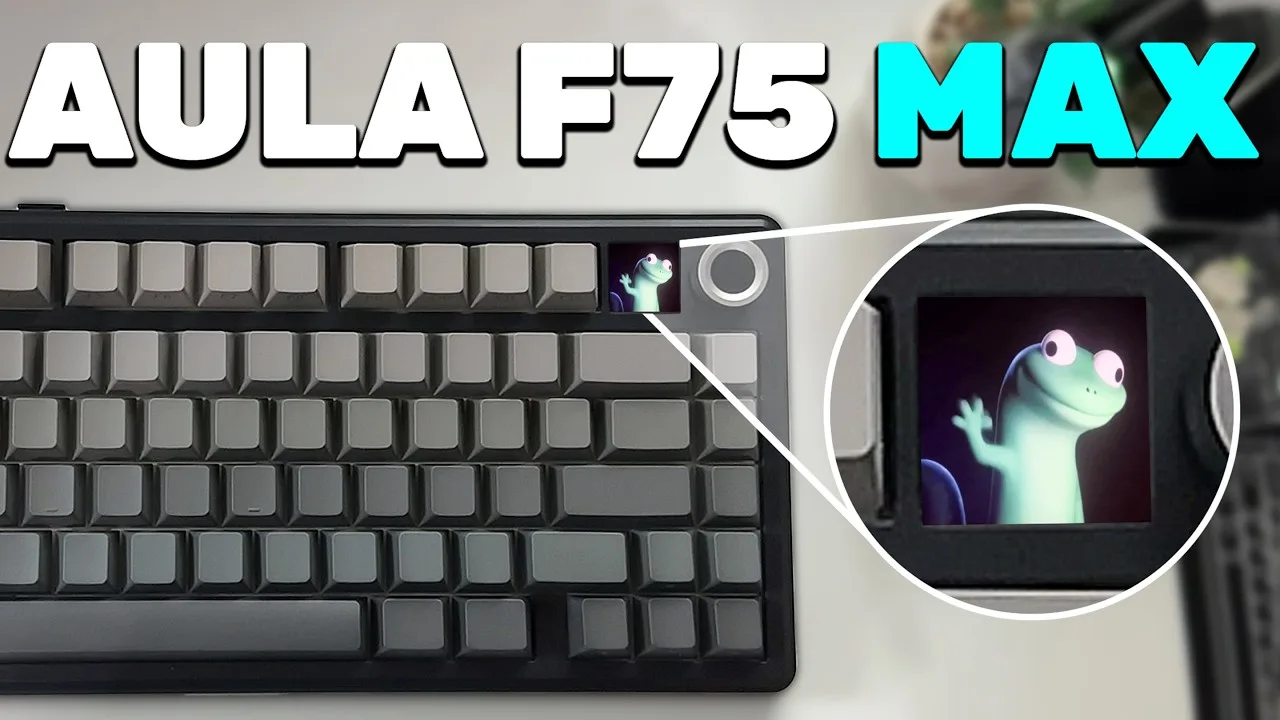 ARTECH
The Aula F75 Max delivers exceptional value as a 75% mechanical …
ARTECH
The Aula F75 Max delivers exceptional value as a 75% mechanical …
The Aula F75 Max delivers exceptional value as a 75% mechanical keyboard with premium features uncommon at its price point. Construction feels solid and heavy, with no creaking under pressure. The PBT keycaps, gasket-mounted PCB with foam dampening, and well-tuned stabilizers create a satisfying, comfortable typing experience. A standout feature is the integrated display with multi-function dial, enabling volume control, custom image uploads, and various settings adjustments. Connectivity options include wireless via USB receiver, Bluetooth, and wired USB-C. RGB lighting offers excellent brightness with extensive customization through onboard controls. The included visual command guide simplifies operation. Despite minor packaging issues and a basic plastic cable, the overall quality significantly exceeded the reviewer's initial expectations based on the box appearance.
- →Ideal for users wanting premium features on a budget
- →Great choice for low-sensitivity gamers needing extra mouse space
- →Perfect for typists prioritizing sound dampening and comfort
- →Excellent for RGB enthusiasts wanting bright, customizable lighting
- →Recommended for those valuing wireless flexibility with display controls
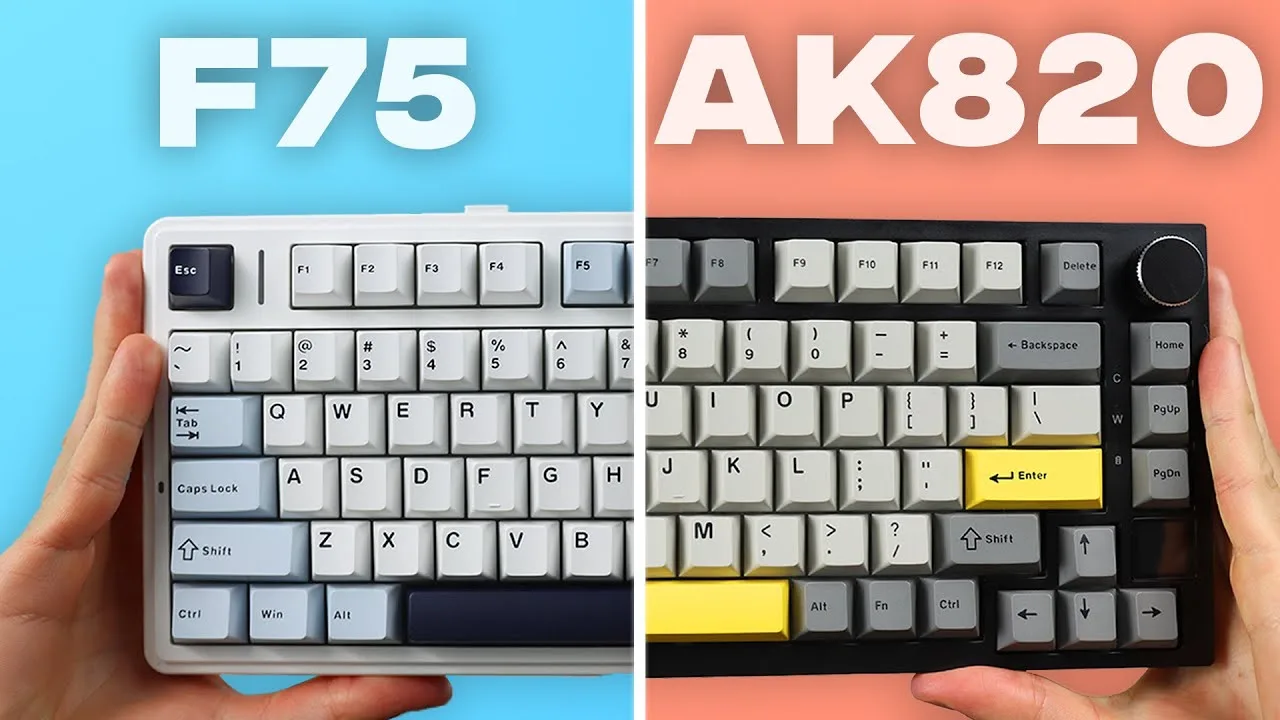 Justin Tech
The EPOMAKER x Aula F75 MAX is a $70 75% budget mechanical keyboard …
Justin Tech
The EPOMAKER x Aula F75 MAX is a $70 75% budget mechanical keyboard …
The EPOMAKER x Aula F75 MAX is a $70 75% budget mechanical keyboard with seven color options and no visible branding. It features Cherry profile PBT double-shot keycaps with a matte finish, brighter RGB than competitors, and Leobog Reaper switches (also available with Icevein Linear or TTC Crescent switches). The keyboard delivers a pronounced thocky sound profile with five layers of foam and well-tuned stabilizers, particularly excelling on the spacebar. Wireless connectivity includes Bluetooth 5.0 and 2.4GHz with a 4000mAh battery rated for 17.5 hours with RGB at full brightness. The plastic construction feels less premium than metal alternatives, and the keyboard is notoriously difficult to disassemble for modding.
- →Best for users wanting maximum thock without modding
- →Ideal for RGB enthusiasts prioritizing brightness
- →Skip if planning extensive internal modifications
- →Great entry point for pre-lubed stabilizer experience
- →Consider alternatives if premium build feel matters
 Tech Room UK
The reviewer unboxes and tests the EPOMAKER x Aula F75 MAX, a 75% …
Tech Room UK
The reviewer unboxes and tests the EPOMAKER x Aula F75 MAX, a 75% …
The reviewer unboxes and tests the EPOMAKER x Aula F75 MAX, a 75% gasket-mounted mechanical keyboard with a rotary volume knob. Setup proved straightforward using the 2.4GHz receiver, with immediate connectivity and responsive 1000Hz polling rate performance. The RGB lighting impressed, requiring dimmed ambient light to fully appreciate. Despite plastic construction, the gasket mount and internal foam delivered surprisingly pleasant acoustics. The reviewer highlights its budget-friendly positioning while noting the inclusion of practical accessories like spare switches and comprehensive documentation.
- →Ideal for first-time mechanical keyboard buyers
- →Perfect for RGB enthusiasts seeking vibrant lighting
- →Great wireless option for clean desk setups
- →Suitable for users wanting 75% layout with arrow keys
- →Recommended for budget-conscious gamers needing low latency
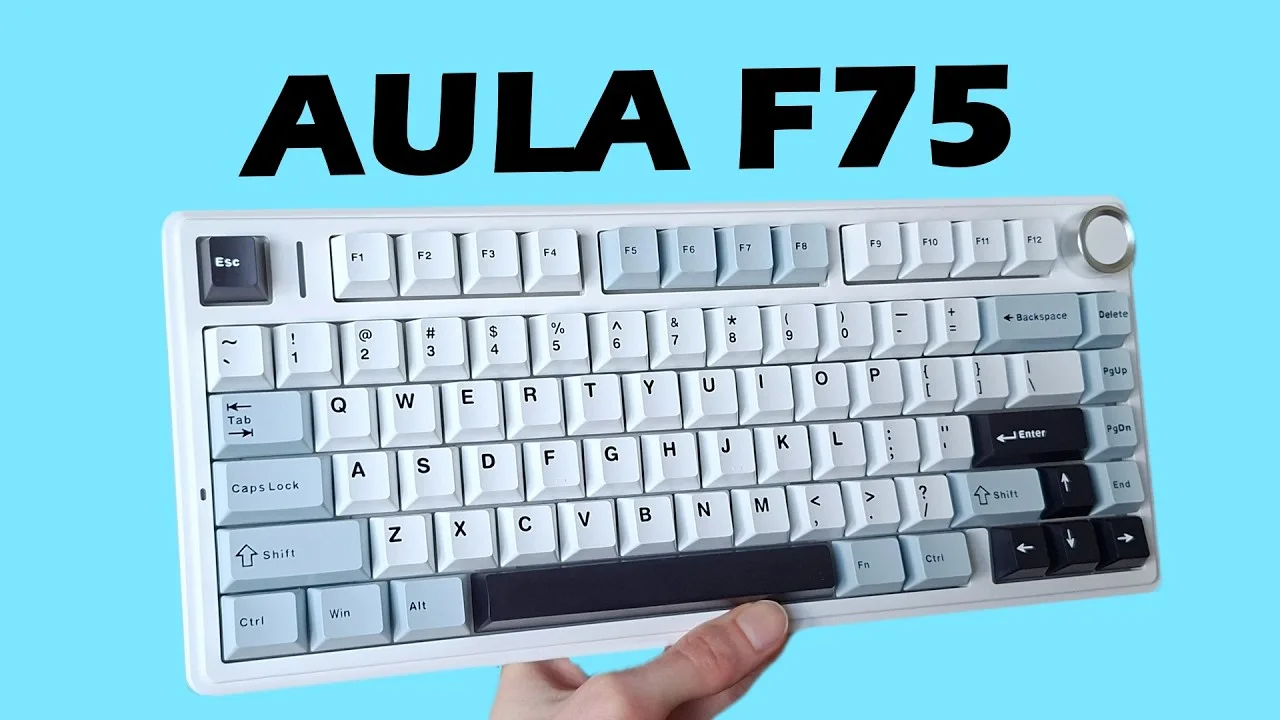 Shifty Keys
At $60, this keyboard delivers impressive value with pre-installed …
Shifty Keys
At $60, this keyboard delivers impressive value with pre-installed …
At $60, this keyboard delivers impressive value with pre-installed sound dampening mods that eliminate the need for DIY work. The 75% layout strikes a practical balance between functionality and desk space conservation. Weighing approximately one kilogram, it feels substantial and stays planted during use. The gasket-mounted design provides flexibility for improved typing feel, while triple connectivity options (USB-C, 2.4GHz, Bluetooth) suit various setups. Battery life ranges from 17 hours with lighting to over 250 hours without. The multifunctional knob handles RGB and volume control, though software customization for knob functions is limited. South-facing LEDs prevent keycap interference, and hot-swappable 3/5-pin switch compatibility offers flexibility. However, the difficult disassembly process frustrates modding attempts, and the plastic USB-C cable feels cheap.
- →Ideal for users wanting premium sound without DIY modding
- →Best suited for those prioritizing battery life over lighting
- →Great entry point for switch experimentation
- →Recommended for desk space-conscious gamers and workers
- →Not ideal for enthusiasts planning extensive internal modifications
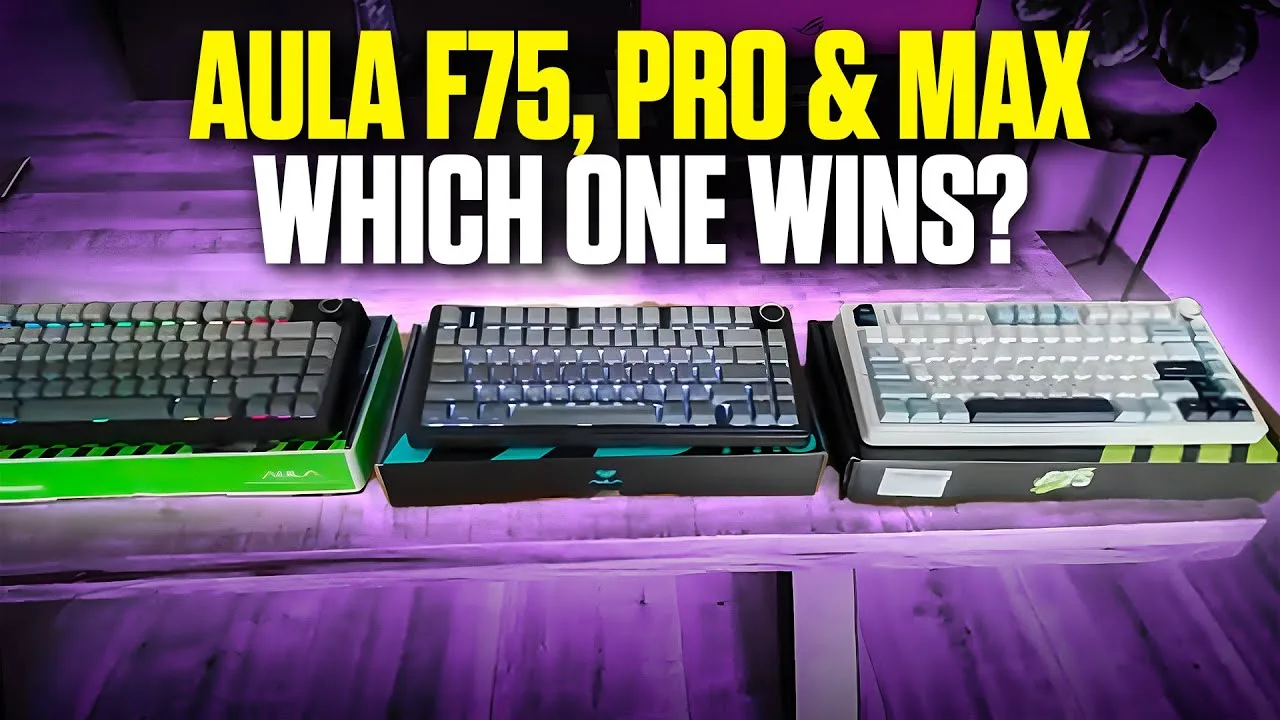 Toolsdoctor
The F75 MAX represents the premium tier of EPOMAKER x Aula's F75 …
Toolsdoctor
The F75 MAX represents the premium tier of EPOMAKER x Aula's F75 …
The F75 MAX represents the premium tier of EPOMAKER x Aula's F75 lineup, distinguished primarily by its integrated settings screen that replaces the simpler indicator light found on lower models. The reviewer notes identical typing feel across all variants, with the MAX offering easier on-screen navigation for settings rather than button-press guessing. The magnetic Bluetooth dongle storage, compact 75% layout, and distinctive shine-through RGB keycaps (with no visible legends when unlit) carry over from the series. At 1.4kg, it remains portable yet substantial. The screen adds convenience but no expanded computer control beyond volume adjustment.
- →Best for users prioritizing easy settings navigation over cost
- →Ideal portable option for those wanting full mechanical feel
- →Shine-through keycaps suit touch-typists wanting clean aesthetic
- →Skip if seeking expanded macro or computer control features
- →Consider lower tiers if screen convenience isn't worth premium
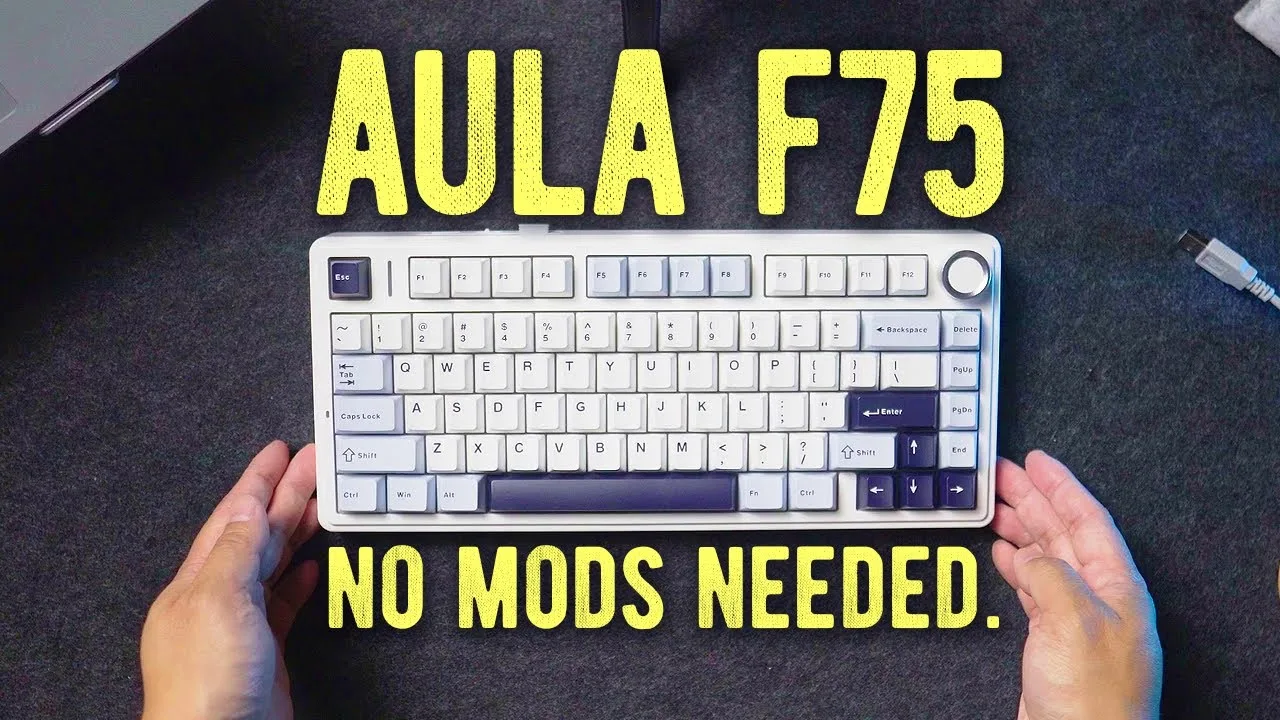 RJ Baculo
At $69, this mechanical keyboard delivers exceptional value with …
RJ Baculo
At $69, this mechanical keyboard delivers exceptional value with …
At $69, this mechanical keyboard delivers exceptional value with premium features rarely found at this price point. The build quality impresses with tough, smooth plastic construction that feels sturdy and substantial—no rattling or hollowness typical of budget boards. Five layers of foam dampening create an outstanding stock typing sound that needs no modification. The gasket mount system provides cushioned, flexy feedback usually reserved for expensive keyboards. High-quality double-shot PBT keycaps with rounded font printing add design flair, while RGB lighting is remarkably vibrant and bright. Available in four attractive colorways, the subtle aesthetics suit professional environments. This represents a rare budget find that genuinely competes with premium products.
- →Ideal for budget-conscious buyers wanting premium features
- →Perfect for those who want excellent sound without modding
- →Great entry point into gasket mount keyboards
- →Suits users preferring subtle, professional desk aesthetics
- →Strong value alternative to $200+ custom builds
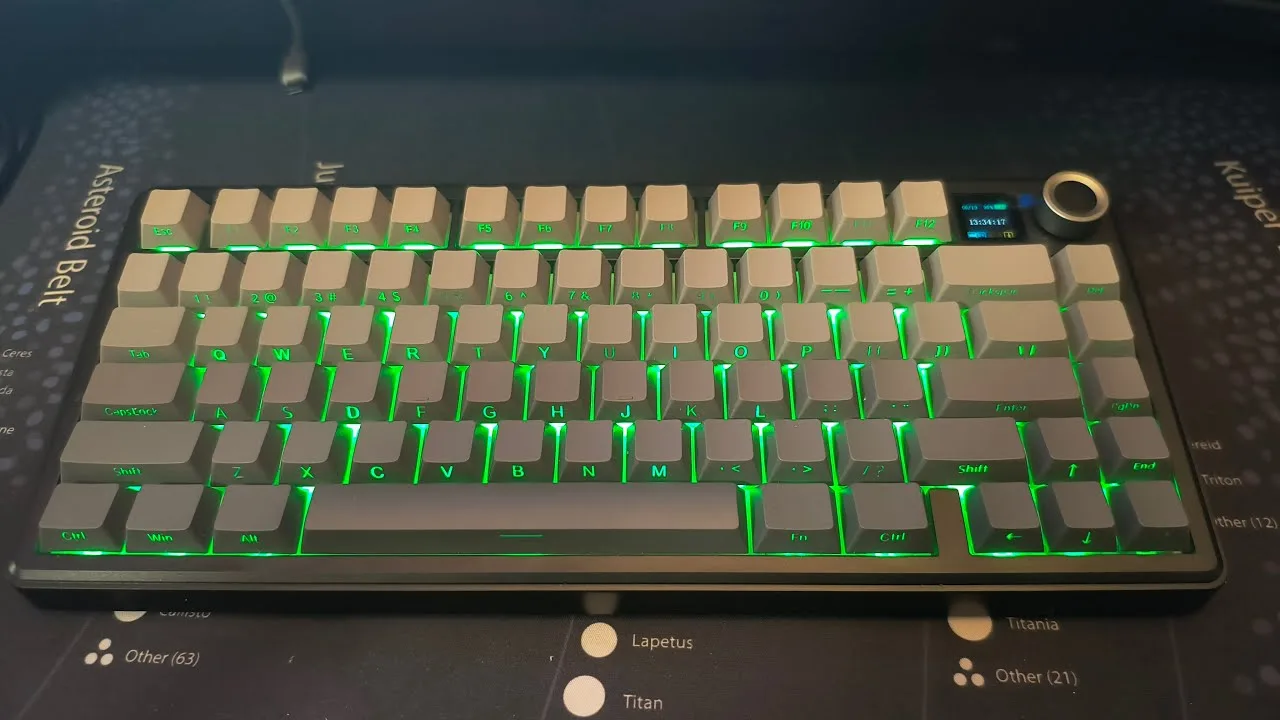 Pravculear's Computers
The reviewer demonstrates the EPOMAKER x Aula F75 MAX's extensive …
Pravculear's Computers
The reviewer demonstrates the EPOMAKER x Aula F75 MAX's extensive …
The reviewer demonstrates the EPOMAKER x Aula F75 MAX's extensive lighting customization options, including breathing modes, reactive typing effects, wave patterns, and music rhythm synchronization. A small LCD screen allows direct control via a knob for adjusting brightness, speed, colors, and effects without software. The companion software enables macro programming, custom lighting creation, and GIF uploads up to 255 frames. The keyboard supports both English and Chinese language settings. Some software features proved finicky to operate, with certain modes not responding as expected.
- →Ideal for users wanting hardware-controlled RGB customization
- →GIF upload feature suits personalized aesthetic setups
- →Software macro support benefits MMO and complex game players
- →Music mode needs troubleshooting for reliable performance
- →Consider wired requirement for full software functionality
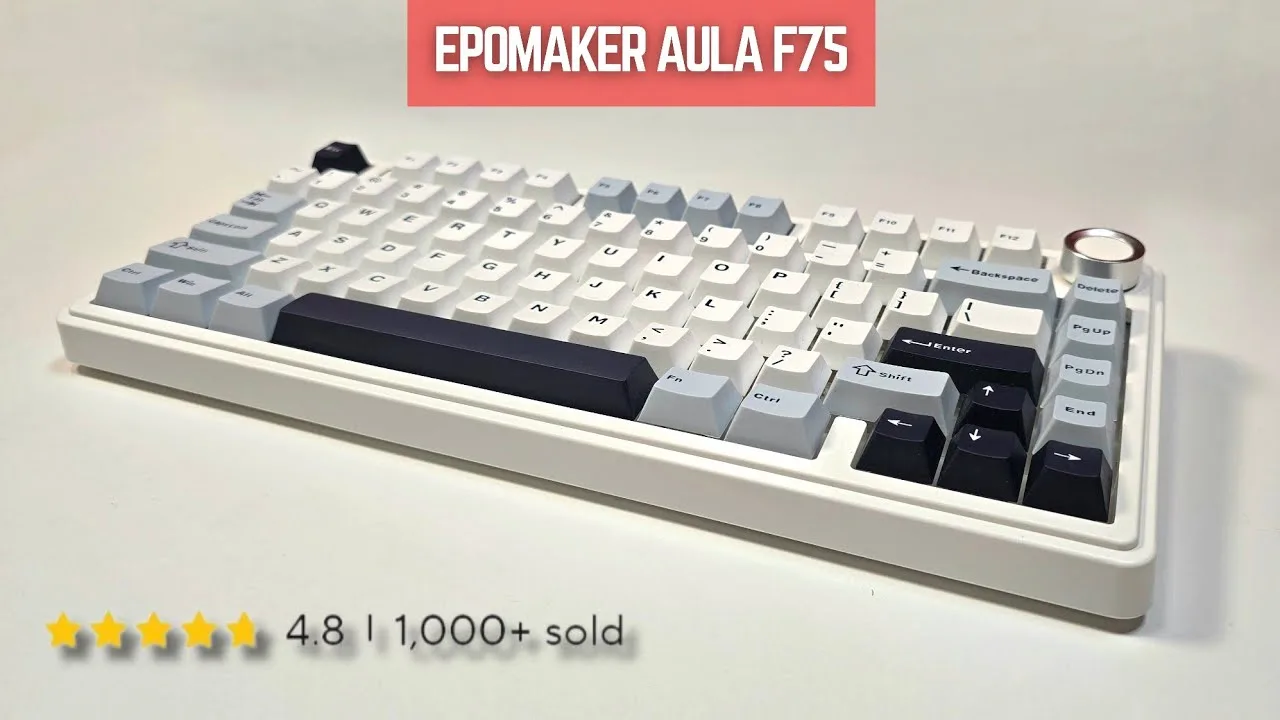 Random Teq
The reviewer purchased their first mechanical keyboard, the EPOMAKER x …
Random Teq
The reviewer purchased their first mechanical keyboard, the EPOMAKER x …
The reviewer purchased their first mechanical keyboard, the EPOMAKER x Aula F75 MAX, to complete a clean white desk setup for filming and occasional laptop use. They were impressed by the substantial weight and sturdy build quality, finding it much thicker than their previous Logitech Craft and finally justifying a long-unused wrist pad. The typing experience proved addictive, with the reviewer noting the magical sound and difficulty returning to regular keyboards afterward. They praised the 4000mAh battery capacity as massive for the category, estimating weeks to months of use. The embedded RGB system with 16 million colors and 15 patterns exceeded expectations, producing a pleasing diffused glow from beneath the keycaps. Full hardware and software customization options, including macro programming and key remapping, added significant value. The reviewer felt the keyboard was worth approximately four times its price and found hidden software features that enhanced daily work and browsing enjoyment.
- →Ideal for users transitioning from membrane to mechanical keyboards
- →Perfect for clean, minimal desk setups with limited space
- →Excellent choice for those wanting long battery life without frequent charging
- →Great for enthusiasts wanting deep hardware and software customization
- →Suitable for both productivity work and casual gaming with programmable macros
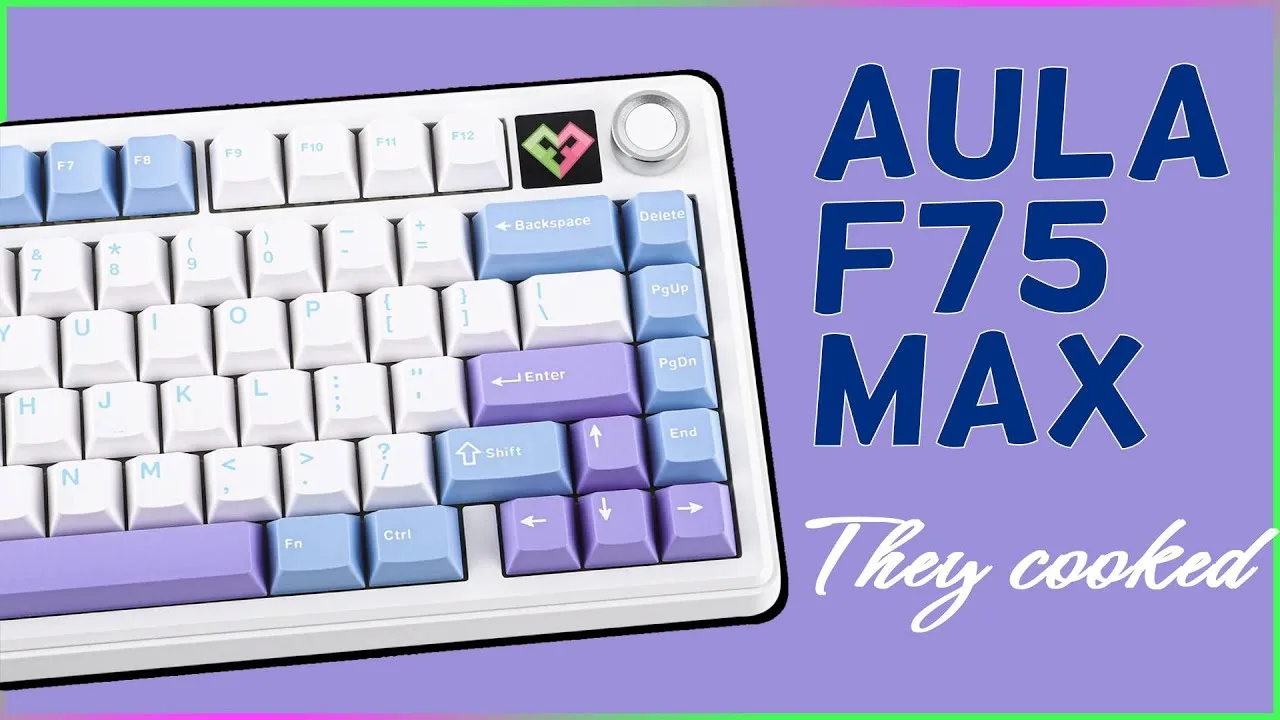 Fang Reviews
The Aula F75 MAX is a 75% gasket-mounted mechanical keyboard with 80 …
Fang Reviews
The Aula F75 MAX is a 75% gasket-mounted mechanical keyboard with 80 …
The Aula F75 MAX is a 75% gasket-mounted mechanical keyboard with 80 keys, featuring significant upgrades over the original F75. It includes a much-improved tactile knob with clear audible clicks, a TFT screen for additional functionality, and enhanced RGB with music sync support. The keyboard uses Leobog Reaper switches with south-facing LEDs and light diffusers for bright, non-harsh lighting. It offers tri-connectivity (wired, 2.4GHz, Bluetooth) with 1000Hz polling rate in wired/2.4GHz modes, though Bluetooth drops to 125Hz. Latency measures 3ms wired, 7ms on 2.4GHz, and 18ms on Bluetooth. The 4000mAh battery provides approximately 80 hours with RGB off and 30 hours with RGB on. Build features include 5 layers of sound dampening, partially flex-cut PCB, plate mount stabilizers (screw-in compatible), and height-adjustable feet with three levels.
- →Excellent for gamers needing low-latency 2.4GHz or wired connection
- →Good choice for RGB enthusiasts wanting music-sync effects
- →Suitable for office workers preferring quieter gasket-mounted typing
- →Ideal for users wanting knob and screen functionality without premium price
- →Consider wired mode for competitive gaming due to Bluetooth latency
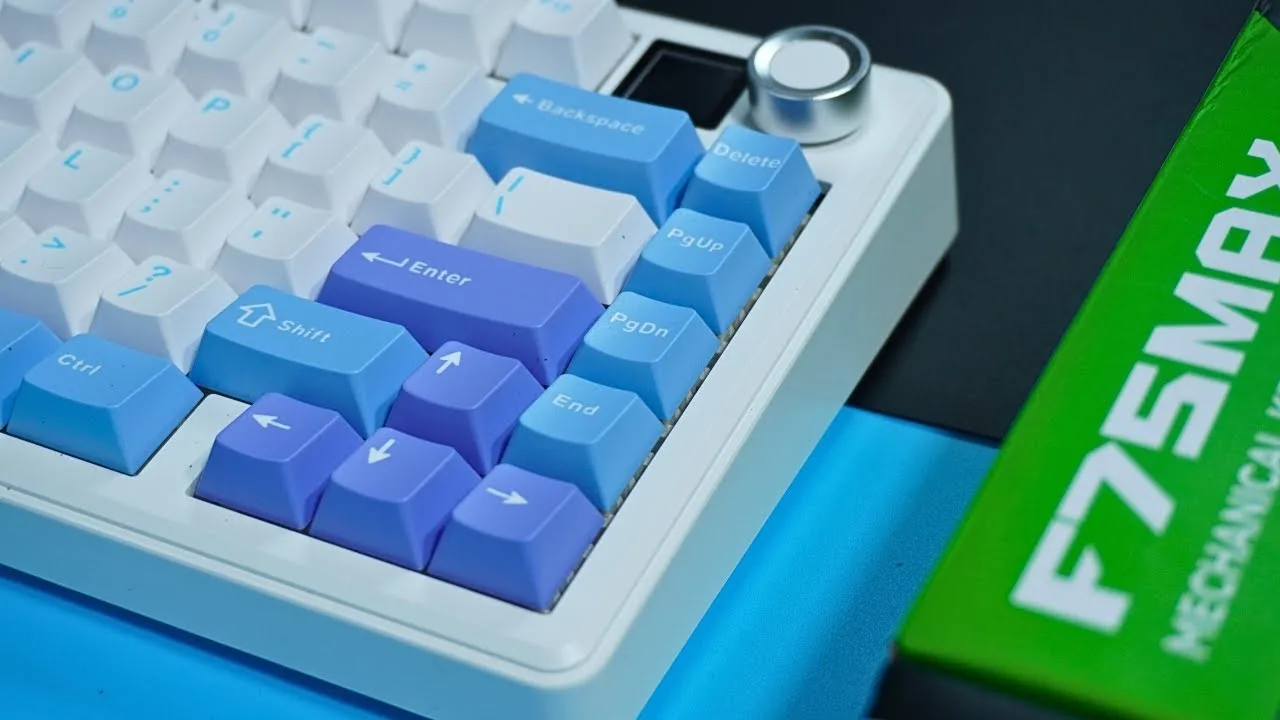 Geek Deelino
The reviewer tested the Aula F75 Max mechanical keyboard for over two …
Geek Deelino
The reviewer tested the Aula F75 Max mechanical keyboard for over two …
The reviewer tested the Aula F75 Max mechanical keyboard for over two weeks as their first mechanical keyboard experience. Priced at $79, it features a compact 75% layout without numpad, ABS plastic construction with PC plate and gasket mount, and weighs enough to stay stable on desks. The 1.3-inch TFT display shows battery life, connection mode, and caps lock status. An aluminum multifunctional knob controls RGB effects and brightness. Tri-mode connectivity includes wired USB-C, 2.4GHz wireless, and Bluetooth 5.0 for up to three devices. The gasket mount and PC plate create a soft, bouncy typing feel with cherry profile sculpted keycaps. Hot-swappable switches allow easy customization without soldering. Battery life reaches 30 hours with RGB on or 80 hours off, with 2-hour USB-C charging.
- →Ideal first mechanical keyboard for beginners
- →Perfect for compact desk setups
- →Great for gamers needing wired zero latency
- →Excellent for multi-device users via Bluetooth
- →Suitable for long typing sessions with ergonomic profile
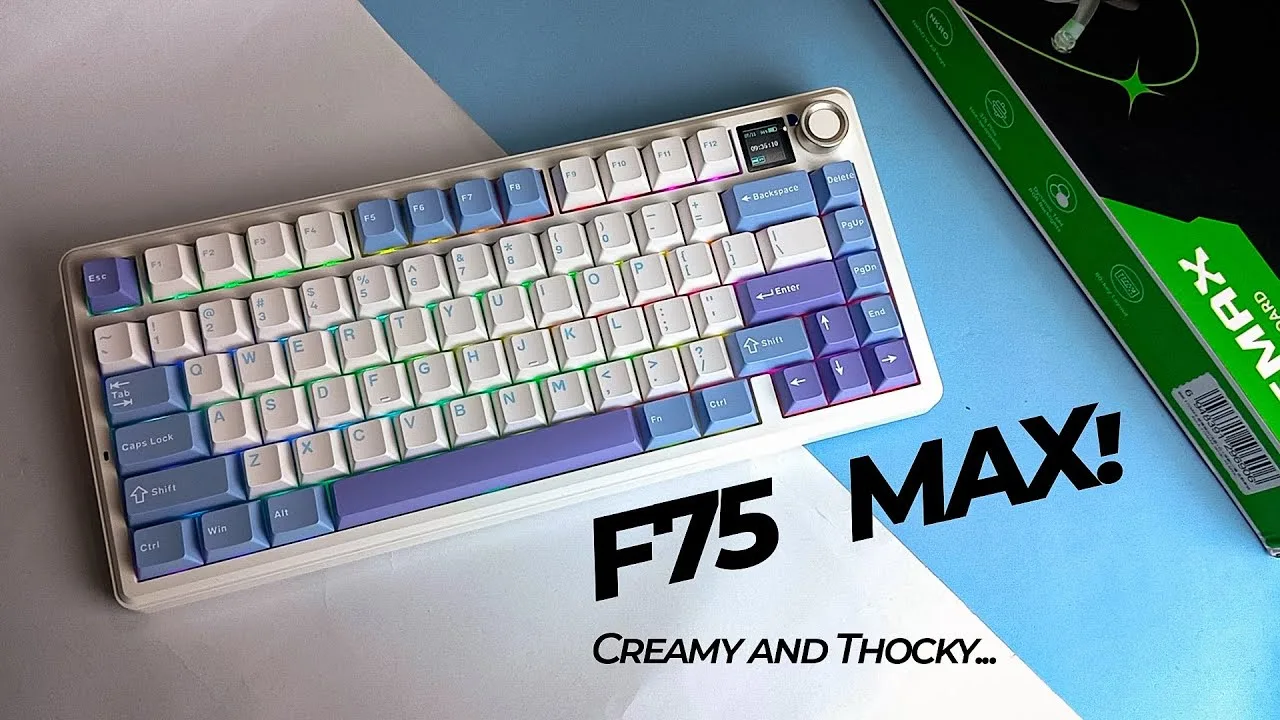 Charselord Tech
At under $100, this 75% gasket-mounted keyboard delivers exceptional …
Charselord Tech
At under $100, this 75% gasket-mounted keyboard delivers exceptional …
At under $100, this 75% gasket-mounted keyboard delivers exceptional value for students, workers, and gamers alike. The compact design with slim bezels fits any desk setup while maintaining a substantial, premium feel through quality ABS plastic construction with a textile matte finish. PBT keycaps resist shine and grease over time, paired with smooth LuoBo Gripper linear switches that provide effortless actuation. The gasket mount creates a cushioned, bouncy typing experience with deep creamy acoustics. Tri-mode connectivity (2.4GHz, Bluetooth, USB-C) works across Windows, Mac, Android, and iOS. A 4000mAh battery yields 30+ hours with backlighting or 80 hours without. The 0.86-inch TFT display is bright and functional, though the multifunctional knob exhibits slight wobble during use.
- →Ideal budget choice for first mechanical keyboard buyers
- →Perfect for long typing sessions due to gasket cushioning
- →Great for multi-device users needing seamless switching
- →Suitable for office environments requiring quiet operation
- →Recommended for gamers wanting responsive linear switches
 BiboyHaranero
The EPOMAKER x Aula F75 MAX is a refreshed 75% gasket-mounted …
BiboyHaranero
The EPOMAKER x Aula F75 MAX is a refreshed 75% gasket-mounted …
The EPOMAKER x Aula F75 MAX is a refreshed 75% gasket-mounted mechanical keyboard featuring tri-mode connectivity, a 5000mAh battery, and a customizable screen for GIFs and images. It comes with Leobog Reaper switches (45g springs) that are pre-lubed and suitable for both typing and gaming. The keyboard includes a multi-function knob for RGB and volume control, 1000Hz polling rate, and full-key anti-ghosting. Build quality impresses with thick plastic construction, fully dampened internals, and double-shot Cherry profile keycaps in a tri-color theme. The reviewer noted the keyboard sits relatively high, requiring adjustment time, and expressed minor dissatisfaction with the yellow tone in the colorway.
- →Ideal for gamers wanting responsive linear switches
- →Great for enthusiasts who enjoy customizing screens and RGB
- →Suits users needing long wireless battery life
- →Perfect for those wanting hot-swap flexibility
- →Good choice for fans of Cherry profile keycaps
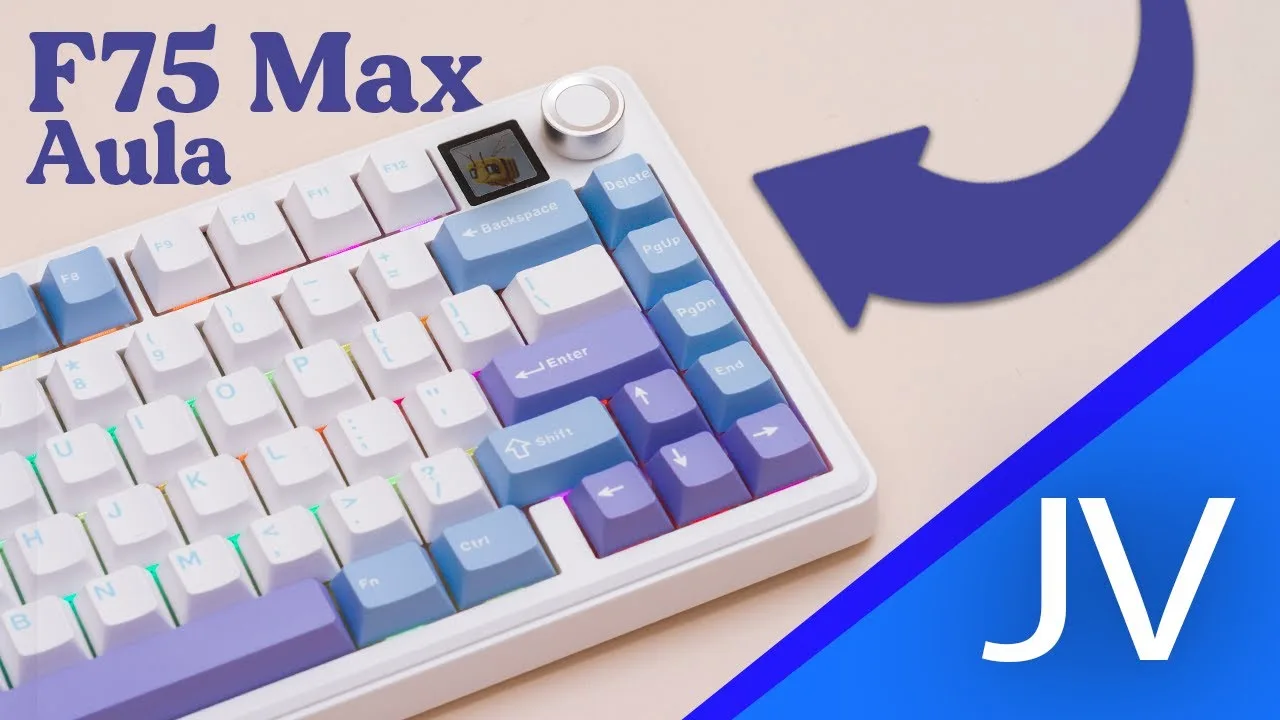 CaviteTech // Johan Villanueva
A budget-friendly 75% mechanical keyboard that delivers solid …
CaviteTech // Johan Villanueva
A budget-friendly 75% mechanical keyboard that delivers solid …
A budget-friendly 75% mechanical keyboard that delivers solid fundamentals but falls short on its headline feature. The F75 MAX arrives pre-built with tri-mode connectivity, a 4000 mAh battery, gasket mount with five foam layers, and a TFT screen. Build quality impresses for the price—sturdy plastic case, no creaking, and portable at 960 grams. However, the screen proves nearly unusable due to extremely low brightness, becoming invisible under normal desk lighting. The south-facing 5-pin hotswap PCB offers decent customization, though limited to ANSI layout. Sound profile is creamy and thocky, fitting expectations for a foam-stuffed plastic board. At around $80, it remains viable for buyers prioritizing battery life and connectivity over screen utility.
- →Best for dimly lit desk setups where screen visibility matters less
- →Ideal for users prioritizing long battery life over display features
- →Suitable as entry-level pre-built for 75% mechanical keyboard newcomers
- →Consider waiting for sale price to offset screen limitation
- →Recommended for tablet pairing due to lightweight portability
 Ksk Royal
The EPOMAKER x Aula F75 MAX is a gasket-mounted mechanical keyboard …
Ksk Royal
The EPOMAKER x Aula F75 MAX is a gasket-mounted mechanical keyboard …
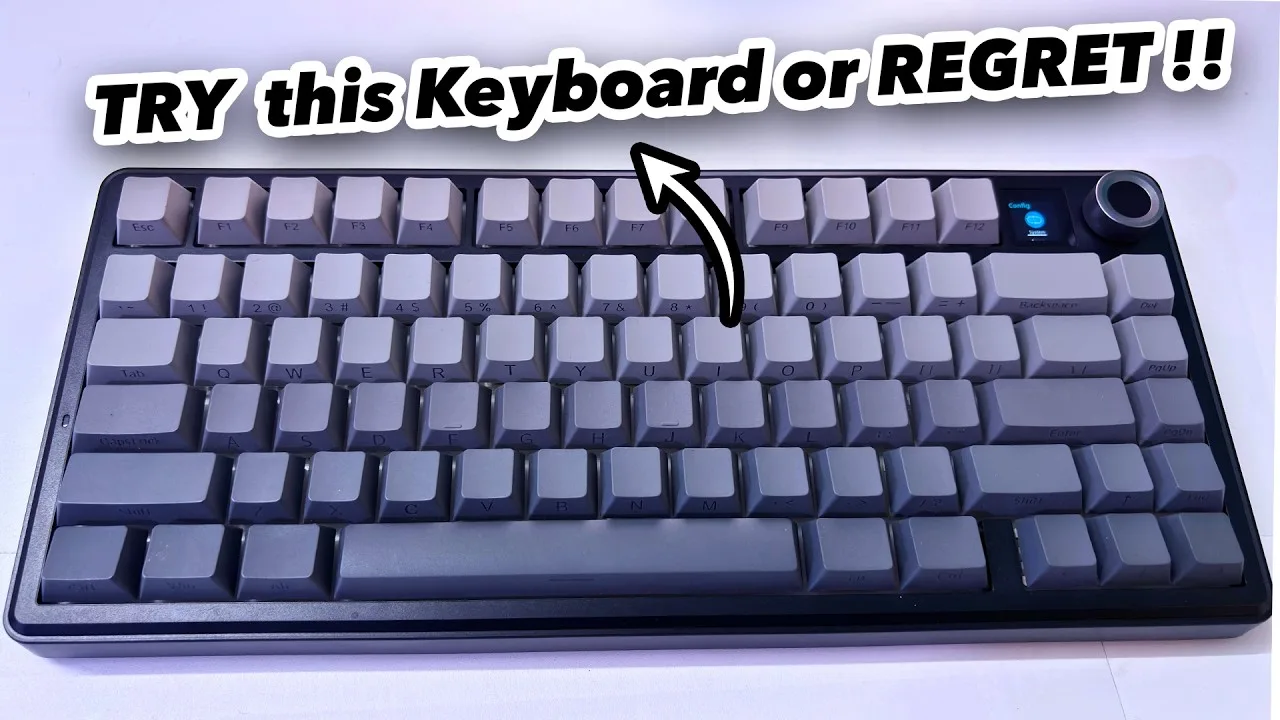
The EPOMAKER x Aula F75 MAX is a gasket-mounted mechanical keyboard featuring a clean, elegant design with front-facing keycap legends. It houses a substantial 4000mAh battery delivering approximately 10 days of use with 8 hours daily usage. Connectivity spans wired USB-C, Bluetooth, and 2.4GHz wireless modes. Notable features include a TFT color display showing battery level, time and volume; a multifunction knob for RGB control and system switching; and hot-swappable Leobog Reaper Linear switches that come factory-lubed. The keyboard includes flip-out legs for ergonomic angle adjustment and comes with a keycap puller and spare switches for easy customization.
- →Ideal for software developers and Linux users needing smooth consistency
- →Excellent for long typing sessions due to cushioned gasket mount
- →Great for wireless setups with reliable 10-day battery life
- →Perfect for customization enthusiasts with hot-swap capability
- →Suitable for multi-OS users with Windows/macOS switching
 Day Deals
After two weeks of testing, this 75% gasket-mounted mechanical …
Day Deals
After two weeks of testing, this 75% gasket-mounted mechanical …
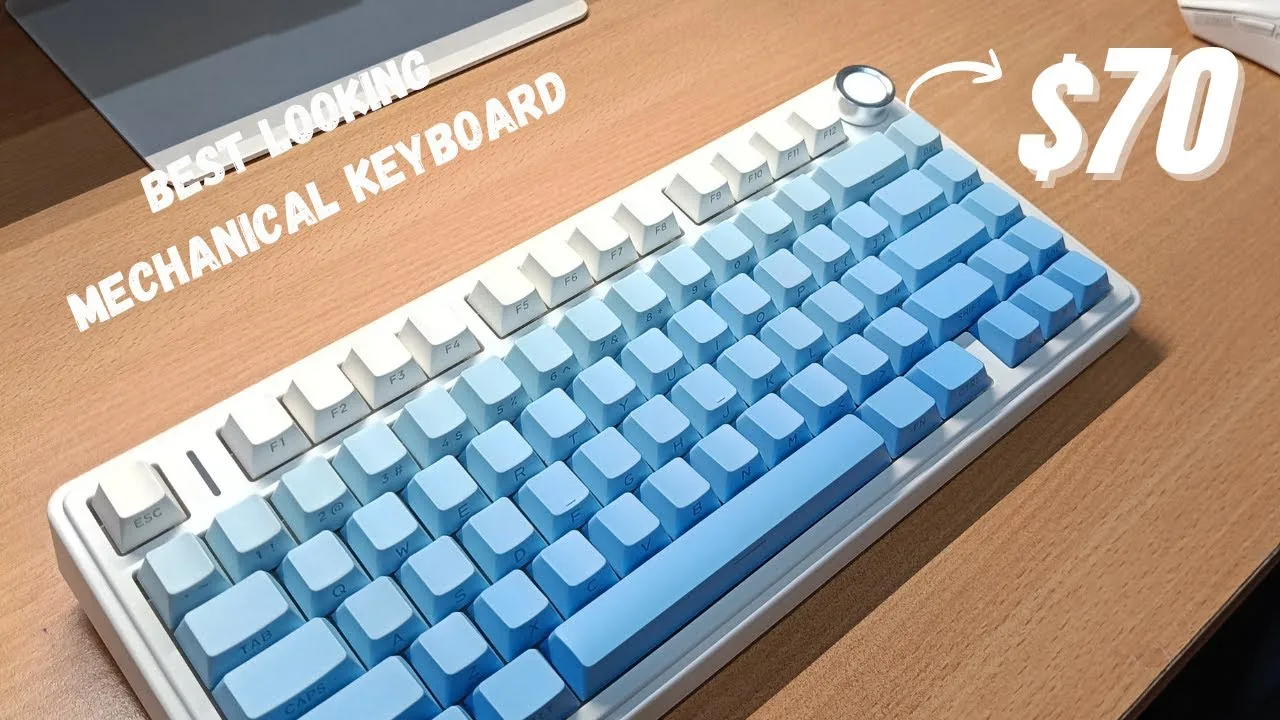
After two weeks of testing, this 75% gasket-mounted mechanical keyboard delivers exceptional value at $80. The blue side-printed variant features a clean white aesthetic with no front branding, complemented by a functional volume/RGB control knob. Build quality exceeds expectations for ABS plastic, with satisfying weight and stability from rubber strips plus two-stage kickstands. LE-OBOG Reaper switches provide reliable 45g actuation, while an elaborate five-layer padding system creates a focused, quiet typing experience. Tri-mode connectivity performs flawlessly across Bluetooth, 2.4GHz wireless, and wired USB, with the 4000 mAh battery sustaining 15+ hours at full RGB brightness. Shine-through keycaps showcase vibrant 16.8 million color lighting with 19 effects. The only minor issue is dust visibility on the white chassis, mitigated by an included dust cover.
- →Ideal for budget-conscious users seeking premium mechanical features
- →Excellent for mixed work and gaming with seamless connectivity switching
- →Perfect for RGB enthusiasts wanting per-key illumination effects
- →Great choice for quiet office environments needing sound-dampened typing
- →Recommended for extended wireless use with month-long battery potential
Community Discussions via Reddit
Comparison
Reddit
Ecstatic-Rest-4170
A software developer's one-month ownership experience with the EPOMAKER x Aula F75 MAX highlights its exceptional typing feel and addictive sound profile, though with a notable adjustment period. The user praises the battery life (4-5 days under heavy professional use) and convenient screen-based controls for lighting adjustments. Key compromises include inconsistent keycap quality across rows and a feedback-lacking knob. The owner explicitly recommends the MAX variant only if budget allows, noting they would personally opt for the standard variant at Indian market prices. The keyboard transformed daily typing into an enjoyable experience for this developer.
Key Insights
- →Best for daily heavy typists and software developers who prioritize typing enjoyment
- →Expect a 3-4 day learning curve to adapt to the keyboard's speed
- →MAX variant's screen adds convenience but not essential functionality—worthwhile only with extra budget
- →Keycap quality inconsistency is a visible cosmetic issue
- →Strong value proposition when purchased at lower prices (~₹6000), less compelling at full Indian retail pricing
Scores based on weighted analysis of 24 expert and community sources. How we review →