

Gamakay TK75V2
Best For
- Users seeking a quiet mechanical keyboard
- Professionals in shared office spaces
- Individuals who need multiple device connectivity
Consider Carefully
- Keycap connoisseurs expecting premium quality
- Users needing refined software support
- Those who desire a carry case in the package
Jump to Section
The Bottom Line
The Gamakay TK75V2 is an impressive mechanical keyboard that sits comfortably within the mid-range price bracket, offering a blend of performance and practicality. What we found particularly striking is the keyboard's typing feel, with its silent switches providing a smooth and quiet typing experience, ideal for shared spaces as noted by Notebookcheck. The keyboard's build quality is commendable, offering rigidity and a premium feel that Techradar appreciates. Connectivity is another strong suit, with the triple-mode feature allowing it to connect with multiple devices, a feature that received unanimous praise. The inclusion of a TFT screen for quick status checks and the convenience of a volume knob and arrow keys also add to its appeal.
Performance Breakdown
Expert Scores
How 1 professional publications rated this product
In-Depth Analysis
Switch Feel & Sound 89
Seven sources agree: the Phoenix V2 switches deliver genuine near-silence, making this one of the quietest pre-built options at this price. The one catch is stabilizer tick that undercuts the otherwise hushed experience.
Key Takeaway
→If you need a quiet pre-built mechanical keyboard for shared spaces, this delivers, but budget five minutes to lube the stabilizers or the spacebar will betray you.
Hot-Swap Customization 89
Three sources agree this is a strong entry point for hot-swap customization, and the optional top-mount configuration adds flexibility that's rare at this price.
Key Takeaway
→If you want a hot-swappable wireless 75% keyboard to mod into something better, this is one of the more capable starting points at this price. Buy it as a platform, not a finished product.
Wireless Connectivity 86
Tri-mode connectivity with dongle storage and Bluetooth hot-switching earns consistent praise across four sources. The five-plus hour charge time is the one number that should give you pause.
Key Takeaway
→If you switch between devices regularly or need a travel-friendly wireless keyboard with gaming-grade polling, this covers it. Just don't let the battery die before a long session.
RGB & LCD Display 80
The mini LCD screen is a novelty that divides reviewers: Notebookcheck called it a customizable personality feature, Techradar called it low-resolution with limited utility. Both are right.
Key Takeaway
→The per-key RGB is worth having at this price. Treat the LCD screen as a bonus you might enjoy for a week, not a feature to buy the keyboard for.
Build Quality 76
Six sources surface a clear split: the PBT keycaps and aluminum volume knob feel premium, but the ABS plastic case, wobbly feet, and loose USB-C port tell a different story.
Key Takeaway
→Buy it for the PBT keycaps and wireless feature set at this price, not for build solidity. The plastic case and loose feet are real compromises you'll notice daily.
Companion Software 60
Four sources, no defenders. The software is slow, crashed during Techradar's testing, and two sources called it outright confusing.
Key Takeaway
→If advanced software control matters to you, this keyboard will frustrate you. If you can live with Fn shortcuts and basic customization, the hardware earns its price despite the software.
Specifications & Verdict
Design
- Form Factor
- 75%
- Layout
- 75%
- Weight
- Lighter than predecessor
Build
- Case Material
- ABS
- Plate Material
- Polycarbonate (PC)
- Keycaps
- Dye-sublimated PBT, CHERRY profile
- Mount Type
- Gasket Mount
- Sound Dampening
- Multi-layer (EVA under-switch, IXPE, PE)
Switches
- Switch Type
- Hall effect / Phoenix V3 Magnetic Silent Switch
- Switch Options
- Silent Linear (Phoenix V2) / Tactile (Pegasus V2)
- Hot-Swappable
- Yes
Connectivity
- Connectivity
- Bluetooth, 2.4GHz, USB-C
- Cable
- 1.5M
Features
- Media & Controls
- Aluminum, Volume Knob
- Special Features
- Mini TFT Display, TFT screen, volume knob, RGB, hot-swappable switches
Other Specs
- Battery
- 4000mAh
- Backlighting
- Full RGB light bar
- Switch Properties
- pre-lubed and dampened on both ends
Our Verdict
In conclusion, the Gamakay TK75V2 is a solid choice for those who value a quiet typing experience and robust connectivity. While it may not excel in providing premium keycaps or the most refined software, its performance and features make it a worthwhile investment for most users. However, those looking for the highest quality keycaps or more comprehensive software support might find it lacking.
Customer Reviews Amazon
262 reviews
4.3 out of 5 stars
from 262 reviews
Reviews shown are from Amazon customers and do not reflect our editorial assessment.
Reader Questions
Specific questions about the Gamakay TK75V2, answered only from what reviewers reported.
01Is the Gamakay TK75V2 a good keyboard for office use?
Reviewers consistently highlight it as a strong pick for office workers who need quiet typing. The near-silent switches with dampeners make it well-suited to shared or open-plan workspaces.
02How quiet are the switches on the TK75V2?
The switches are described as ultra-damped and extremely quiet, with dampeners that provide a soft bottom-out feel. Reviewers suggest buying the pre-configured silent switch version for the best noise reduction.
03Is the TK75V2 good value for the price?
Reviewers consider it well-priced for a wireless mechanical keyboard with this feature set, and a strong choice for anyone buying their first mechanical keyboard on a tight budget.
04Can I swap out the switches on the TK75V2?
Yes, reviewers note that hot-swap switch flexibility is one of the keyboard's strengths, making it a good fit for enthusiasts and modders who want to experiment with different switches.
Pricing & Availability
Updated Mar 11, 2026Gamakay TK75V2
All regions


Sources & Methodology
Every score is built on evidence. This review synthesizes 8 independent sources — expert publications, video reviews, and community discussions — weighted by credibility, depth, and relevance.
Show detailed source analysis ↓ Hide source analysis ↑
Expert Reviews
Techradar
4
The Gamakay TK75 V2 delivers excellent typing performance through ultra-smooth, ultra-quiet tactile switches and solid build quality with premium PBT keycaps. Its compact layout accommodates a volume wheel and small TFT screen for battery, CPU temps, and RGB adjustments. Customization software offers extensive rebinding with multiple layers, though it loads slowly and lacks gaming features like Easy-Shift. Dual-stage feet and forward key tilt provide comfort without a wrist rest. Multiple wireless connectivity options include Bluetooth with three-device hot-switching and 2.4GHz. Battery life appears decent but charging is notably slow, failing to reach full capacity after five hours.
Strengths
- +Ultra-damped tactile switches are extremely quiet and satisfying
- +Premium PBT keycaps with super-smooth texture
- +Comfortable without wrist rest due to two-stage feet
- +Versatile Fn shortcuts and multiple software layers
Weaknesses
- −No included wrist rest
- −TFT screen has low resolution and limited utility
- −Software loads slowly and crashed once during testing
- −Lacks gaming-specific features like Easy-Shift
Craftingworlds
The Gamakay TK75 V2 targets users seeking a quiet mechanical keyboard under $80. It delivers near-silent operation through dampened Pegasus or Phoenix V2 switches, a 75% compact layout with full functionality, and rare premium features like hot-swappability, tri-mode connectivity, per-key RGB, and a mini LCD screen. The retro-styled plastic chassis feels surprisingly solid despite its lightweight, travel-friendly design. Factory-lubed stabilizers minimize rattle on larger keys. However, the adjustable feet lack secure locking and tend to collapse when repositioning, and the 2.4GHz dongle storage has no retention mechanism. Battery life spans several days to a week depending on RGB usage. The companion software functions adequately for remapping and lighting control but suffers from a clunky interface.
Strengths
- +Near-silent switches with dampeners for soft bottom-out
- +Hot-swappable PCB enables easy switch customization
- +Tri-mode connectivity: USB-C, 2.4GHz, and Bluetooth
- +Per-key RGB with vibrant 16M colors and effects
Weaknesses
- −Adjustable feet don't lock securely and collapse easily
- −Dongle storage lacks locking mechanism, prone to falling out
- −Software interface is clunky and not user-friendly
Notebookcheck
The Gamakay TK75V2 delivers an almost-silent typing experience through its Phoenix V2 switches with silicone rubber dampers, making it ideal for office environments. The 75% wireless keyboard features a retro design, aluminium volume knob, and customisable LCD screen as nice additions. However, stock stabilisers produce audible ticking that undermines the quiet appeal, requiring manual lubrication to fix. Build quality shows compromises at this price point with an ABS plastic case, though it feels sturdy enough. The gasket-mounted design can be converted to top-mount using included screws. Wireless connectivity works well with decent battery life from the 4,000 mAh cell, but the proprietary software for RGB and key remapping proves confusing and limited.
Strengths
- +Almost-silent typing with silicone-damped Phoenix V2 switches
- +Minimal factory lubrication still yields consistent switch feel
- +Lightweight 840g case with distinctive retro colour scheme
- +Includes screws for optional top-mount configuration
Weaknesses
- −Stock stabilisers tick audibly, compromising silent design
- −RGB light strip offers difficult and limited customisation
- −Proprietary software is confusing and lacks features
- −ABS plastic case shows obvious build quality compromises
Video Reviews
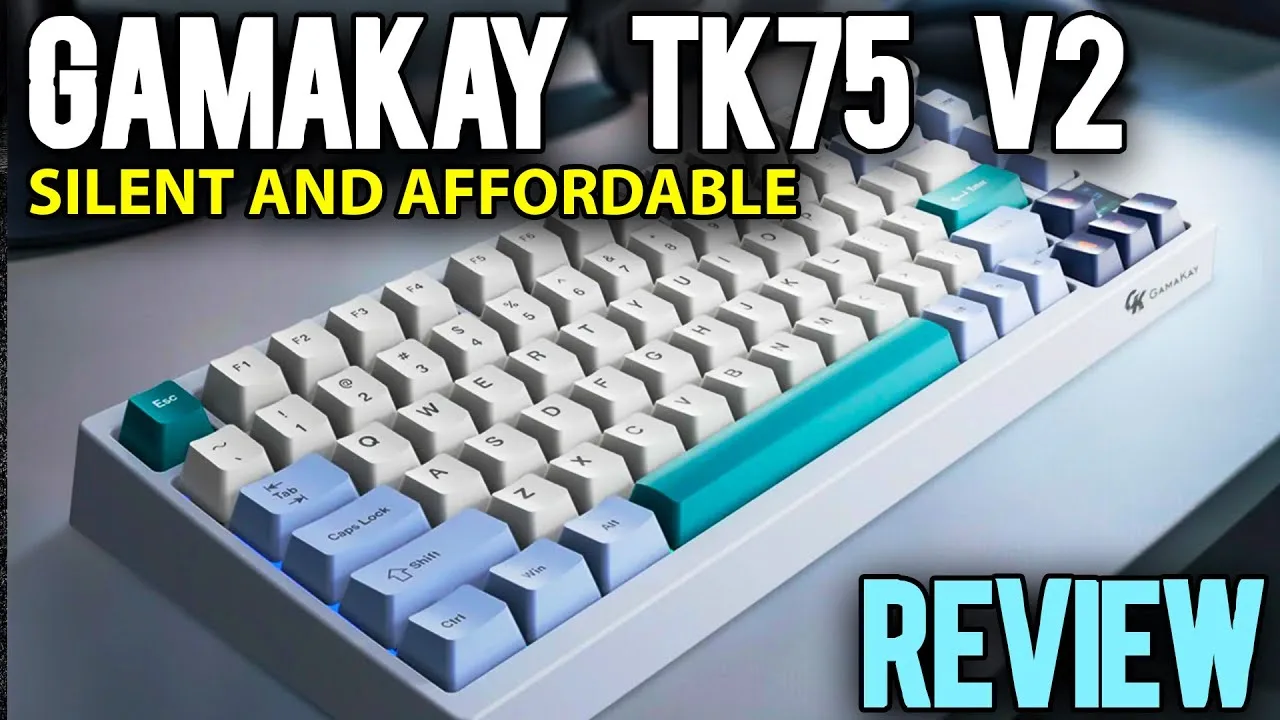 Tristan Pope (Crafting Worlds)
An affordable silent mechanical keyboard with a retro off-white …
Tristan Pope (Crafting Worlds)
An affordable silent mechanical keyboard with a retro off-white …
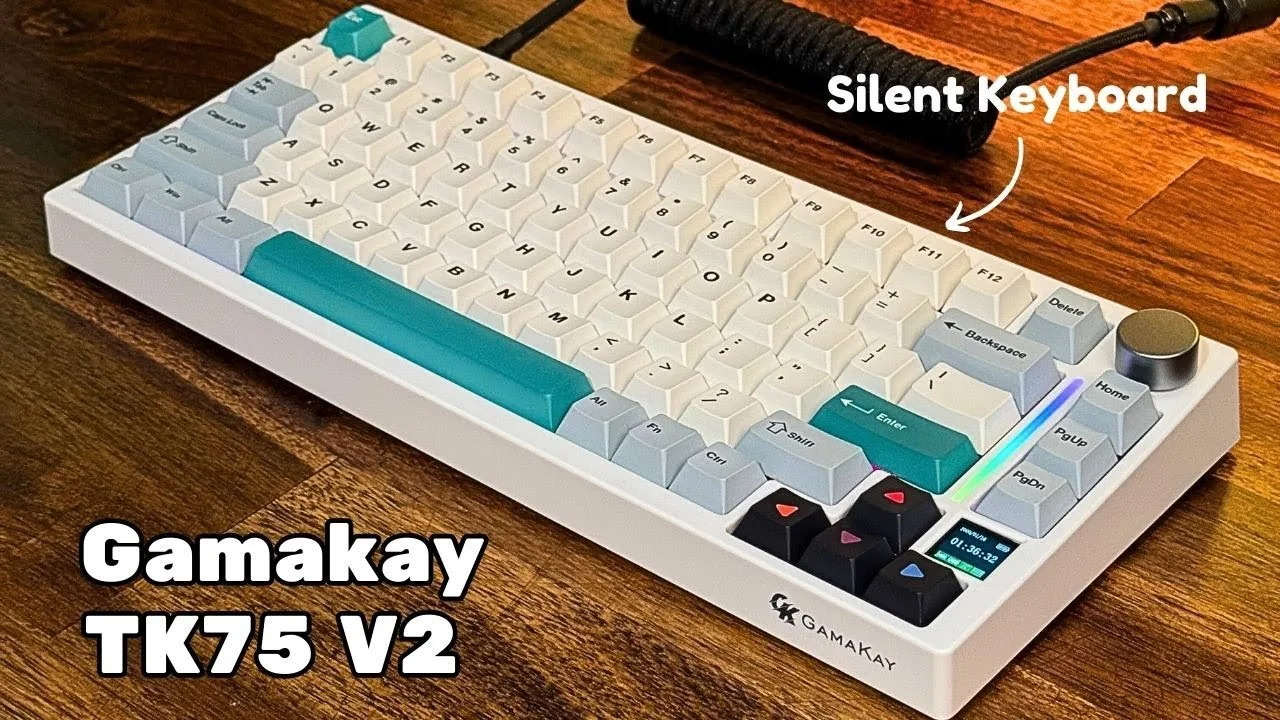
An affordable silent mechanical keyboard with a retro off-white aesthetic, compact 75% layout with arrow/enter spacing, LCD screen showing battery/time/mode, and side light bar. Features tri-mode connectivity (Bluetooth, USB-C, 2.4GHz), Mac/Windows compatibility, and customizable screen animations. However, the kickstand feet fail to lock securely during sliding, and the 2.4GHz dongle storage under the foot is poorly designed as it falls out easily. The included software is functional but unremarkable, similar to other budget keyboard offerings.
- →Best for office workers needing quiet typing
- →Ideal for late-night gaming without disturbing others
- →Good entry point for silent mechanical keyboards
- →Suitable for coders who need arrow/enter separation
- →Not recommended if you frequently reposition your keyboard
 Tech Lab
The reviewer unboxed and examined the TK75V2, a 75% mechanical gaming …
Tech Lab
The reviewer unboxed and examined the TK75V2, a 75% mechanical gaming …
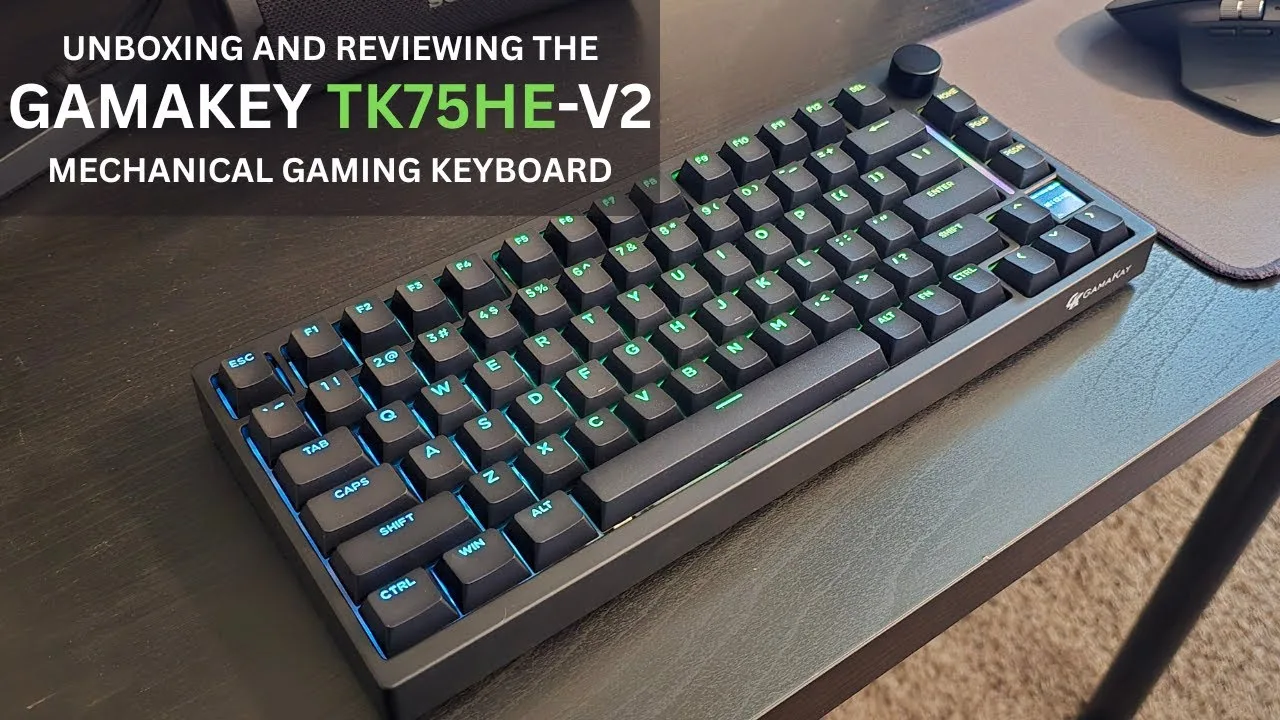
The reviewer unboxed and examined the TK75V2, a 75% mechanical gaming keyboard with extensive features. They praised the premium packaging, substantial build quality despite all-plastic construction, and versatile connectivity options including wired, 2.4GHz, and Bluetooth. The 4000mAh battery provides approximately 40 hours with RGB and screen active. Standout features include hot-swappable magnetic mercury switches with smooth actuation, per-key RGB lighting, a customizable metal volume knob with tactile feedback, an RGB side strip, and a small display showing PC stats, clock, or custom animations. The reviewer found typing on the mercury switches crisp and incredibly smooth.
- →Ideal for gamers wanting extensive customization without full-size bulk
- →Strong choice for RGB enthusiasts with per-key and display animations
- →Suits multi-device users needing seamless platform switching
- →Good fit for enthusiasts valuing hot-swap switch flexibility
- →Practical for travelers with dongle storage and wireless options
 After Reviews
The Gamakay TK75V2 is a budget-friendly 75% mechanical keyboard priced …
After Reviews
The Gamakay TK75V2 is a budget-friendly 75% mechanical keyboard priced …
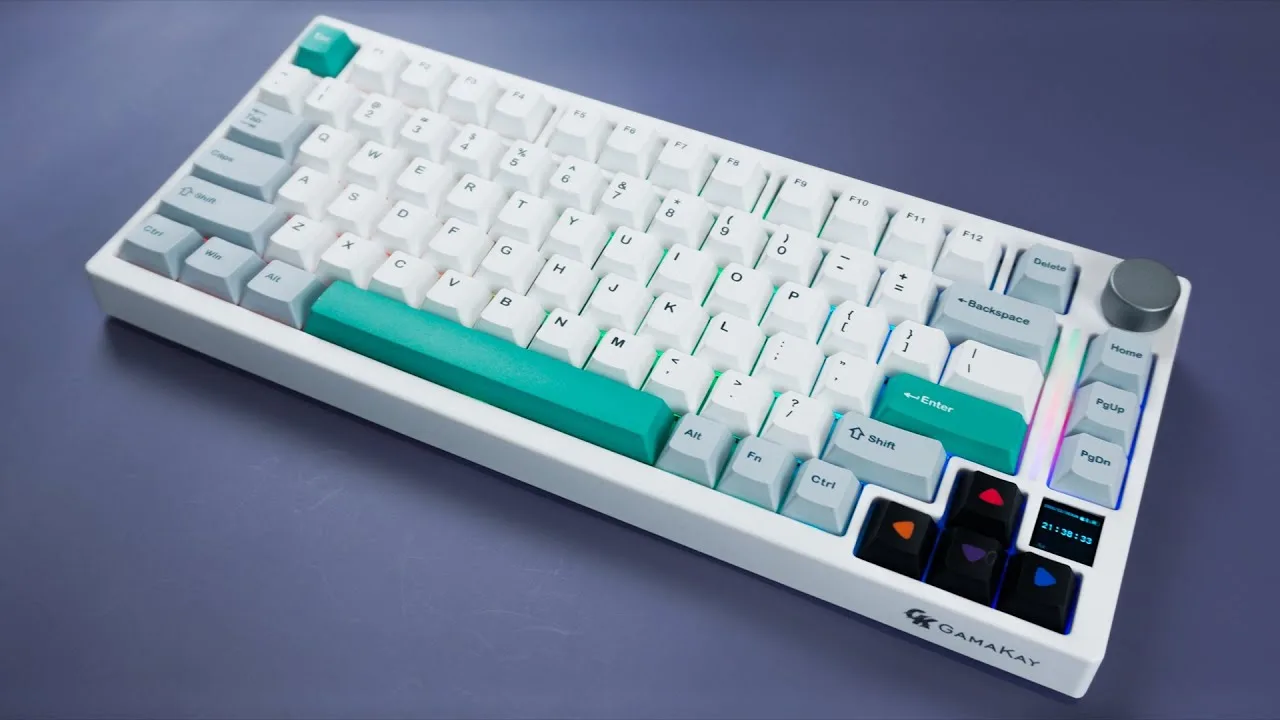
The Gamakay TK75V2 is a budget-friendly 75% mechanical keyboard priced under $100, featuring a gasket-mounted design with sound-dampening materials, a multifunctional volume knob, and a genuinely useful TFT screen for settings and connection indicators. It comes with pre-installed Gamakay Highland Switches V2 rated for 100 million keystrokes, offering smooth tactility without being tiring to press. The keyboard includes thick 1.69mm dye-sublimated PBT keycaps in Cherry profile, a substantial 4000mAh battery delivering approximately 18 hours of continuous use with RGB on, and versatile connectivity options including wired USB-C, Bluetooth, and 2.4GHz wireless. The south-facing hot-swap PCB supports 5-pin switches and allows conversion to top-mount configuration using included screws. However, the silent switches cater to a specific niche, and the TFT screen requires software connection for date and time updates.
- →Ideal for office workers needing near-silent operation
- →Strong choice for first mechanical keyboard on tight budget
- →Well-suited for Mac and Windows dual-platform users
- →Good fit for modders wanting hot-swap and mounting flexibility
- →Recommended for those prioritizing battery life over switch sound
 4etech
The reviewer received the Gamakay TK75V2 ISO as a build kit with …
4etech
The reviewer received the Gamakay TK75V2 ISO as a build kit with …
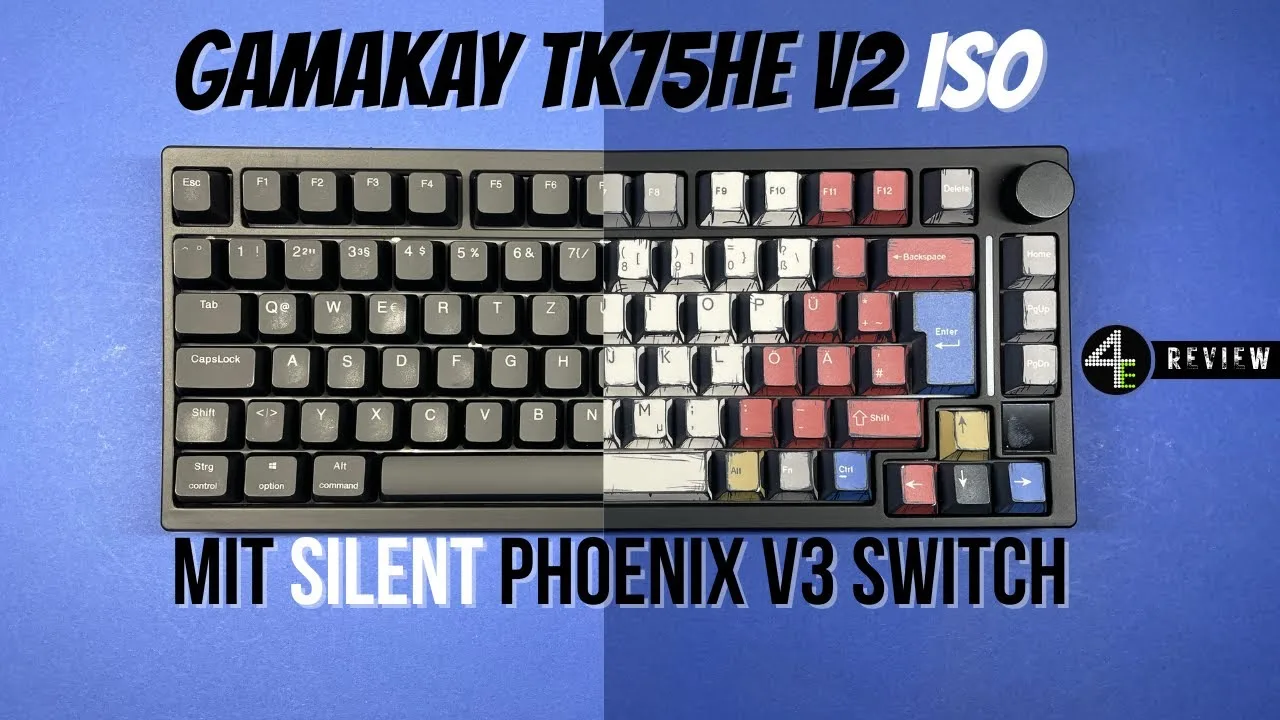
The reviewer received the Gamakay TK75V2 ISO as a build kit with Mercury switches, plus separate Silent Phoenix V3 switches. The ISO.de layout features proper German umlauts, small left shift and large enter key. Build quality is acceptable for the €79 budget price. The Silent Phoenix V3 switches impressed with near-silent operation—ideal for gaming without headphone interference and office work without disturbing colleagues. The keyboard offers wireless operation, a functional display with stopwatch, hotswap magnetic switches, choice of top or gasket mount, and hall-effect features like Rapid Trigger. However, the configuration software (web-based at qmk.top) remains poorly designed despite being functional.
- →Best for users needing silent operation in shared spaces
- →Ideal budget entry into hall-effect gaming keyboards
- →German users finally get proper ISO.de layout
- →Consider buying pre-configured with Silent switches
- →Accept software limitations for the price point
 SULCE
The reviewer evaluates the Gamakay TK75V2 as a solid pre-built silent …
SULCE
The reviewer evaluates the Gamakay TK75V2 as a solid pre-built silent …
The reviewer evaluates the Gamakay TK75V2 as a solid pre-built silent keyboard option, particularly suited for office workers and students. It features a tri-mode connection (2.4GHz, Bluetooth, wired), gasket-mounted design with optional top-mount conversion, and includes a side screen and volume knob. The keyboard uses Gamakay's Phoenix (Pegasus V2) linear silent switches, which the reviewer finds slightly mushy but not distractingly so. The programmer-themed keycaps and RGB strip lighting receive praise for their aesthetic appeal. While the reviewer appreciates the multi-level stand with hidden dongle storage and overall non-gamer design, they suggest the switches could be upgraded to something like Otemu Silent Peach for better silence. The logo placement on the side remains a minor gripe.
- →Ideal for office workers and students needing quieter typing
- →Good entry point into silent mechanical keyboards pre-built
- →Consider switch swapping to Otemu Silent Peach for maximum silence
- →Volume knob more useful than side screen for most users
- →Programmer aesthetic works well in professional settings
Scores based on weighted analysis of 8 expert and community sources. How we review →