

Keychron V3 Max
Best For
- Mechanical keyboard enthusiasts on a budget
- Users needing cross-platform compatibility
- Typists seeking a responsive and satisfying feel
Consider Carefully
- Those requiring rigid build quality
- Users who prioritize RGB lighting visibility
Jump to Section
The Bottom Line
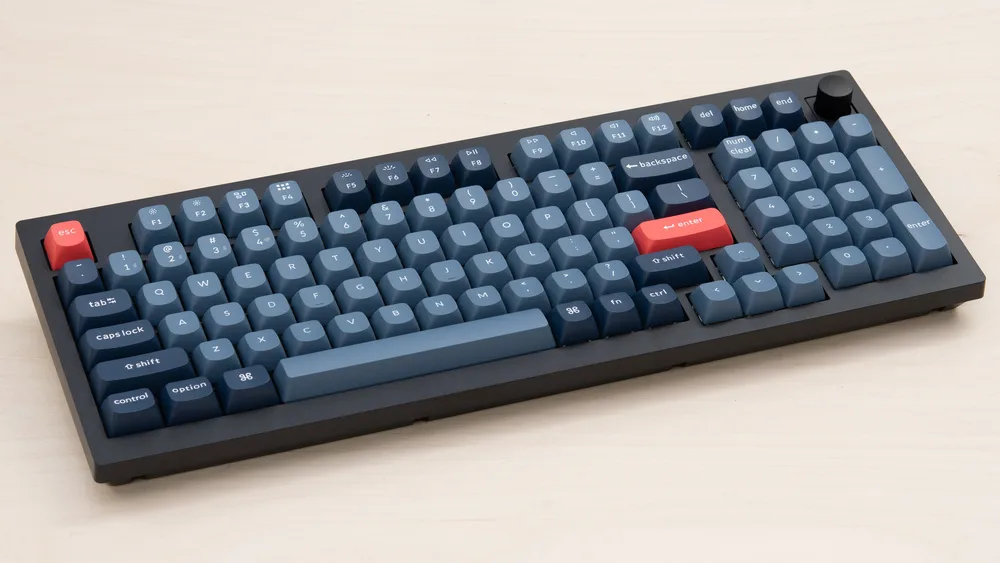
The Keychron V3 Max is a tenkeyless keyboard with a score of 83/100 across expert reviews. Priced between $81.99 and $114.99, it targets users who want wireless flexibility and customization without paying premium prices. Triple connectivity (2.4G, Bluetooth, wired), hot-swappable switches, and QMK firmware support are its main draws. Cross-platform compatibility with Windows, macOS, and Linux adds practical value for multi-device users. On the downside, the PCB flexes noticeably in the upper corners, and the non-shine-through keycaps limit RGB visibility in low light.
Performance Breakdown
Expert Scores
How 2 professional publications rated this product
In-Depth Analysis
Keycaps & Switches 89
Seven sources broadly agree: double-shot PBT keycaps and hot-swappable MX-compatible sockets are genuine strengths, though one reviewer suggests the previous Max version had better stock switches.
Key Takeaway
→Hot-swap support and PBT keycaps make this a strong platform for switch experimentation. Verify which switch version you're getting before ordering.
Typing Experience 89
Six sources, no meaningful dissent: the V3 Max types exceptionally well for its price, with gasket mount and Gateron switches doing most of the heavy lifting.
Key Takeaway
→If typing feel is your top priority under $100, this delivers. If you want low-profile or featherlight keystrokes, look elsewhere.
Layout & Design 87
Four sources agree the TKL layout hits the right balance of compact and functional, but the volume knob placement draws consistent criticism from Tom's Guide and Inkl.
Key Takeaway
→The TKL layout works well for most users. If you use a volume knob constantly or want a neutral colorway, factor those friction points in.
Wireless Connectivity 82
Triple connectivity with 1000Hz polling rate earns strong marks from 3 sources, but Mac users face a specific trade-off: backlight must stay on for reliable wireless modifier key behavior.
Key Takeaway
→For Windows multi-device or gaming wireless setups, this is a strong pick. Mac users should plan for wired mode or accept the battery hit.
Customization & Firmware 81
QMK and hot-swap support earn broad praise from 6 sources, but a persistent Mac modifier key bug has frustrated multiple users and Keychron's support responses haven't helped.
Key Takeaway
→Windows users and QMK hobbyists get a lot of keyboard for the money. Mac users should research the modifier key bug before buying.
Battery Life 78
One source, Pbtech, reports 225 hours of battery life with backlight off from the 4000mAh cell. No other sources tested or disputed this figure.
Key Takeaway
→Windows users can expect strong battery life. Mac users should treat the 225-hour figure as a ceiling, not a guarantee.
RGB Lighting 70
South-facing RGB and shine-through keycaps look good in photos, but 2 sources confirm the stock keycaps block legend visibility in low light, and at least one user reports LED failures around the one-year mark.
Key Takeaway
→If RGB is decoration, this looks great. If you need functional backlighting to read keys in the dark, look at north-facing LED alternatives.
Build Quality 70
Reviewers are split: mainstream outlets praise the value and feel, while Reddit users document inconsistent QC, PCB flex in the upper corners, and multiple defective units from the same owner.
Key Takeaway
→Buy it if you're a hobbyist who can handle troubleshooting. Skip it if you need a set-and-forget daily driver.
Specifications & Verdict
Design
- Form Factor
- Tenkeyless (80%)
- Layout
- ANSI (United States)
- Dimensions
- 14.5 x 5.9 x 1.2 inches
- Weight
- 1.96 pounds
- Color Options
- Black
Build
- Case Material
- Plastic
- Plate Material
- Polycarbonate
- Keycap Material
- PBT non-shine-through
- Keycap Profile
- OEM
- Keycap Type
- PBT, Double-shot
- Mount Type
- Gasket mount
- Stabilizers
- included
Switches
- Switch Type
- Mechanical
- Switch Feel
- Linear
- Switch Options
- Linear,Tactile,Clicky
- Hot-Swappable
- Yes
- Actuation Force
- 45 g
- Actuation Distance
- 2 mm
Connectivity
- Connectivity
- Bluetooth, 2.4GHz wireless, USB
- Bluetooth Devices
- 3
- Polling Rate
- 1000 Hz
Other Specs
- Battery Life
- 100 hours
- Backlighting
- per-key RGB
- Software
- QMK/VIA support
- Media & Controls
- Dedicated media keys
- Actuation Force Brown
- 55gf
- Actuation Force Red
- 45gf
- Actuation Force Banana
- 59gf
Our Verdict
The Keychron V3 Max earns its place as a very good budget TKL option. Triple connectivity, hot-swappable switches, and QMK support make it a strong pick for customization-focused typists. PCB flex in the upper corners and limited RGB visibility through the keycaps are real trade-offs to weigh.
Customer Reviews Amazon
124 reviews
Love this board!
Great Keyboard! “Used” option literally like new!
Great to use!
Hardware and software malfunction.
Show all 10 reviews
Great wireless keyboard for work
Well built and sounding keyboard!
Bad switches, find a different keyboard
Amazing mechanical keyboard
Chatty/double presses - doo noot buy
Exactly what I expected
Reviews shown are from Amazon customers and do not reflect our editorial assessment.
Reader Questions
Specific questions about the Keychron V3 Max, answered only from what reviewers reported.
01How is the typing feel on this keyboard?
Reviewers found the Gateron switches provide a smooth, responsive typing experience, with one reviewer noting improved speed and accuracy. The gasket mount construction adds a soft, springy feel that reduces fatigue during extended use.
02Will the RGB lighting shine through the keycaps?
No. The stock keycaps are not shine-through, which limits RGB lettering visibility in dark environments. The south-facing RGB does avoid interference with aftermarket keycap sets, but swapping keycaps alone will not resolve the underlying LED orientation design issue.
03Can I use this keyboard with both my Mac and Windows PC?
Yes, the V3 Max supports cross-platform use across Windows, macOS, and Linux. Mac and Windows layouts can even be saved simultaneously via a system toggle, so switching between machines is straightforward.
04Does it work wirelessly, and how does it connect?
The V3 Max offers triple connectivity: 2.4G, Bluetooth, and wired. Bluetooth 5.1 supports seamless device switching, and dual USB receivers (Type-C and Type-A) with magnetic storage are included for the 2.4G connection.
05Can I swap out the switches without soldering?
Yes, the V3 Max has a hot-swappable PCB that accepts both 3-pin and 5-pin MX switches, so you can change switches without any soldering equipment.
06Are there any build quality concerns I should know about?
Reviewers flagged two recurring issues: the PCB bends noticeably in the upper corners due to inadequate support, and the volume knob is positioned awkwardly on the board.
Pricing & Availability
Updated Mar 17, 2026Keychron V3 Max
All regions
Sources & Methodology
Every score is built on evidence. This review synthesizes 15 independent sources — expert publications, video reviews, and community discussions — weighted by credibility, depth, and relevance.
Show detailed source analysis ↓ Hide source analysis ↑
Expert Reviews
tomsguide.com
Top
4/5-point
The Keychron V3 Max delivers exceptional value at $99, offering one of the best typing experiences available under $100. Its TKL layout strikes a practical balance between desk space savings and functionality, while remaining lightweight enough for portable use. The keyboard excels in customization with QMK firmware support and hot-swappable switches. However, build quality issues emerge with noticeable PCB flex in the upper corners due to inadequate support, and the volume knob placement proves awkward. The PBT keycaps produce a satisfying sound, and Gateron Red switches provide responsive performance suitable for both productivity and gaming.
Strengths
- +Exceptional typing experience with responsive Gateron switches
- +Crisp, satisfying sound from PBT keycaps
- +Highly customizable with QMK firmware support
- +Practical TKL layout retains navigation keys
Weaknesses
- −PCB bends noticeably in upper corners from lack of support
- −Volume knob positioned awkwardly
- −Non-shine-through keycaps reduce RGB lettering visibility
- −Plastic case less premium than metal alternatives
Pbtech
The V3 Max delivers a highly customizable TKL experience with versatile wireless connectivity. Its gasket mount design paired with a PC plate produces softer, quieter acoustics. The 1000 Hz polling rate ensures responsive gaming performance, while Bluetooth 5.1 enables seamless device switching. OSA profile double-shot PBT keycaps resist oil and prevent legend fading. South-facing RGB lighting avoids interference with aftermarket keycap sets. QMK programmability through a web launcher simplifies deep customization. Dual USB receivers (Type-C and Type-A) with magnetic storage add practical convenience. Mac and Windows layouts can be saved simultaneously via system toggle.
Strengths
- +Gasket mount with PC plate reduces acoustic resonance
- +1000 Hz polling rate for competitive gaming
- +Dual receivers with magnetic storage slot
- +South-facing RGB avoids keycap interference
Electronikz
9.2
This review covers the Keychron V3, a TKL wired custom mechanical keyboard praised for its extensive customization options through QMK/VIA support, hot-swappable K Pro Red switches, and double-shot PBT keycaps. The south-facing RGB backlighting avoids interference with Cherry-profile keycaps. The reviewer, a keyboard enthusiast, found it excels for software development, gaming, and office work through programmable macros. Strong cross-platform compatibility for Mac and Windows users is highlighted. Despite a learning curve for initial programming and its compact form factor, the keyboard exceeded expectations for adaptability and build quality.
Strengths
- +QMK/VIA enables extensive key programming and custom macros
- +Hot-swappable switches allow easy customization without soldering
- +Double-shot PBT keycaps resist fading and wear
- +South-facing RGB avoids interference with alternative keycap profiles
Weaknesses
- −TKL layout unsuitable for users needing full-sized keyboards
- −Initial QMK/VIA programming challenging without prior experience
Rockpapershotgun
A well-built tenkeyless mechanical keyboard offering premium features at an aggressive price point. Features hot-swappable switches, QMK/VIA programmable firmware, and double-shot PBT keycaps. Ships with pre-lubed brown tactile switches and cross-platform compatibility. The aesthetic pairs black, blue and red keycaps with a frosted black chassis for a distinctive look. Construction quality feels substantially more expensive than the price suggests, with switch hot-swappability enabling long-term use and customization.
Strengths
- +Hot-swappable switches enable decades of use
- +Pre-lubed brown tactile switches feel great
- +Premium build quality exceeds price expectations
- +QMK/VIA programmable firmware included
Inkl
The V3 Max delivers exceptional value at $99-104, combining quality construction with extensive customization through QMK firmware support. Its TKL layout strikes a practical balance between desk space savings and functionality, while Gateron Red switches provide a smooth, responsive typing experience that improved the reviewer's speed and accuracy. The concave PBT keycaps enhance comfort during extended use. However, the unit exhibits PCB flex in the upper corners due to inadequate support, and the volume knob placement proves awkward. At just 1.9 pounds, it's notably portable for hybrid work scenarios. The non-shine-through keycaps limit RGB utility in dark environments, though the underglow effect remains visually appealing.
Strengths
- +Excellent typing feel with responsive Gateron Red switches
- +Highly customizable with QMK firmware support
- +Practical TKL layout retains navigation keys
- +Lightweight 1.9-pound design for easy portability
Weaknesses
- −PCB flex in upper corners from inadequate support
- −Volume knob positioned awkwardly on the board
- −Non-shine-through keycaps hinder low-light visibility
Video Reviews
 Cameron Dougherty Tech
The Keychron V3 Max represents the fifth iteration of Keychron's …
Cameron Dougherty Tech
The Keychron V3 Max represents the fifth iteration of Keychron's …
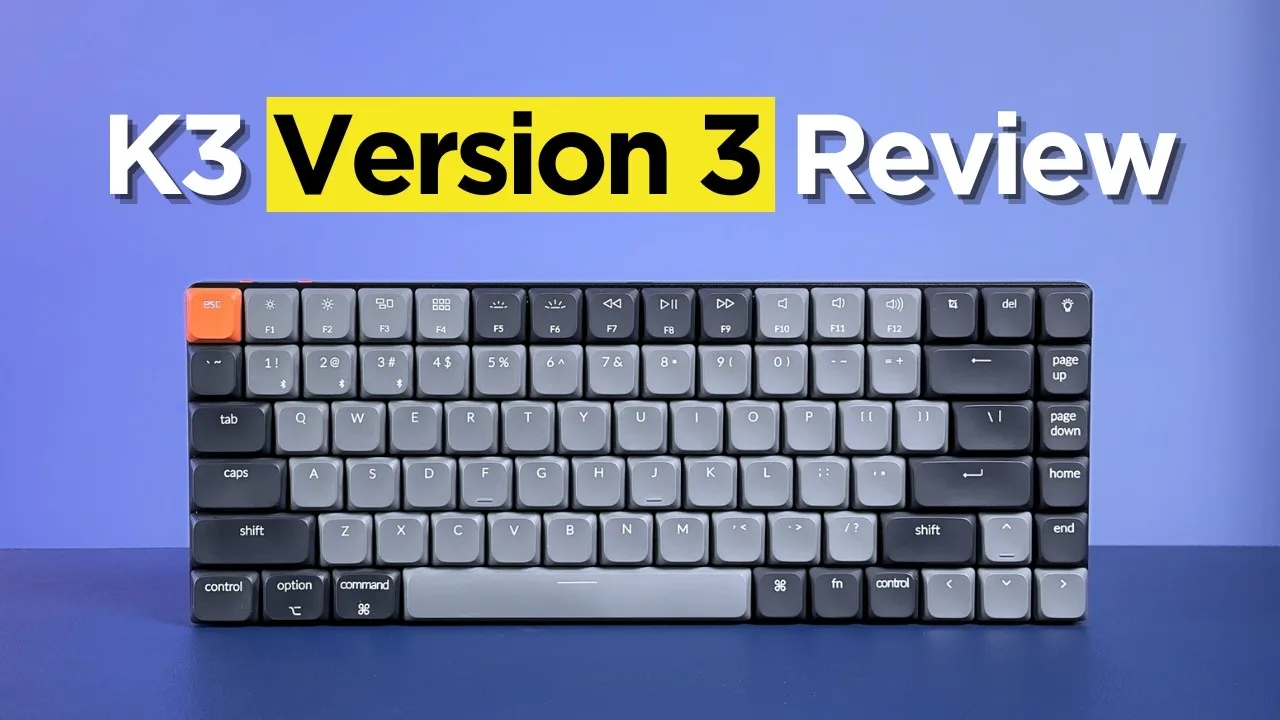
The Keychron V3 Max represents the fifth iteration of Keychron's low-profile 75% mechanical keyboard line, positioned as an affordable entry at $84. It retains the ultra-thin aluminum and ABS plastic construction with three adjustable typing angles (2.5°, 4.2°, 6.5°) and minimal bezel design. New ABS shine-through keycaps replace the previous PBT versions, trading durability for RGB compatibility. The major changes involve new Keychron-branded low-profile switches replacing Gateron partners, accompanied by added acoustic foam that produces a quiet, consistent sound profile. However, the reviewer found these switches feel unexpectedly stiff and scratchy despite advertising lower actuation force, creating a heavier typing experience than anticipated.
- →Best for budget-conscious users prioritizing thin design over switch feel
- →RGB enthusiasts benefit from new shine-through keycaps
- →Not ideal for those wanting light, smooth low-profile typing
- →Consider previous Max version for superior Gateron switches
- →Office-friendly quiet acoustics suit shared workspaces
 MechTech Keyboards
The Keychron V3 Max is a value-oriented TKL keyboard with a knob, …
MechTech Keyboards
The Keychron V3 Max is a value-oriented TKL keyboard with a knob, …
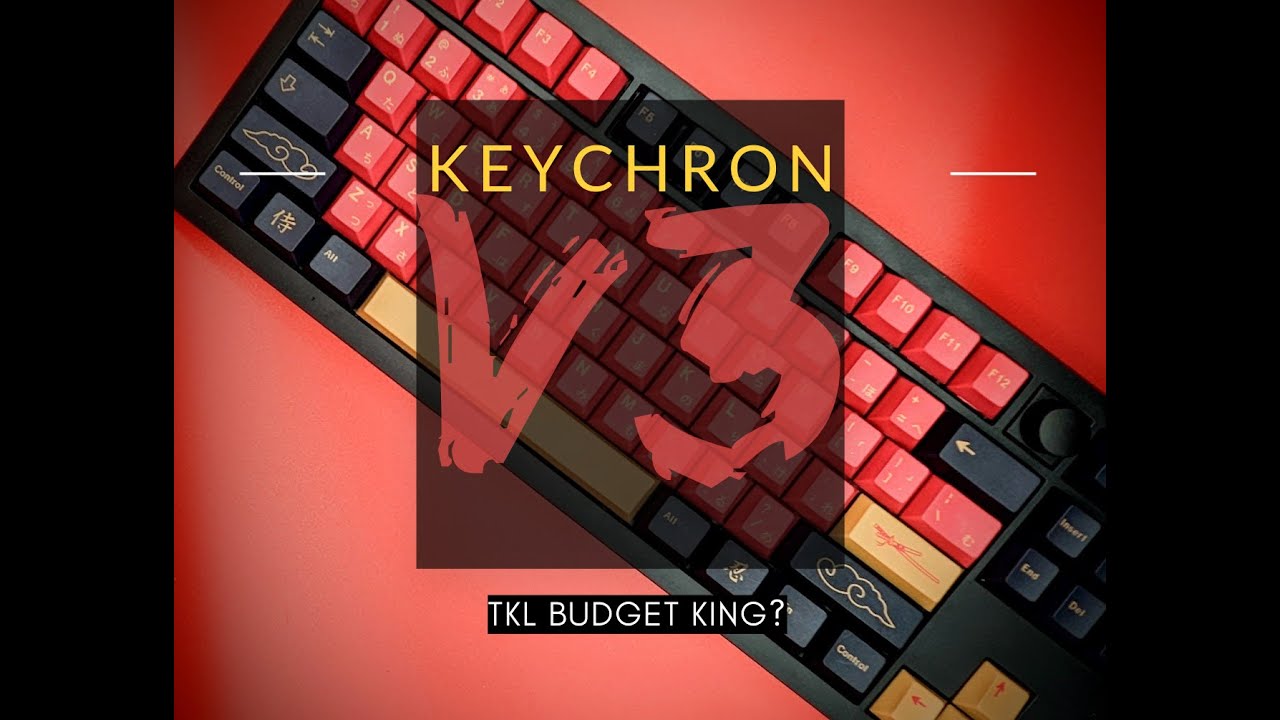
The Keychron V3 Max is a value-oriented TKL keyboard with a knob, positioned as a more affordable plastic alternative to the aluminum Q3. The reviewer notes its thinner profile compared to the Q3, with a front chin of 22mm and rear height of 30mm at a 6-degree typing angle. Adjustable feet can increase the angle to 10 or 13 degrees. The board features south-facing RGB that remains bright even in well-lit environments, screw-in stabilizers with factory lubrication, and supports QMK/VIA firmware. The barebones kit includes basic accessories like a wire puller, spare screws, and a C-to-C cable with adapter, though notably lacks a switch puller. The reviewer appreciates the knob placement despite some users preferring alternative positioning.
- →Ideal budget entry for mechanical keyboard hobbyists
- →Great for RGB enthusiasts wanting bright, visible lighting
- →Suits users preferring lower-profile TKL layouts
- →Good for QMK/VIA tinkerers wanting programmability
- →Best purchased barebones with third-party switches and keycaps
 Gadget Radar Now
A budget-friendly tenkeyless mechanical keyboard with custom-inspired …
Gadget Radar Now
A budget-friendly tenkeyless mechanical keyboard with custom-inspired …
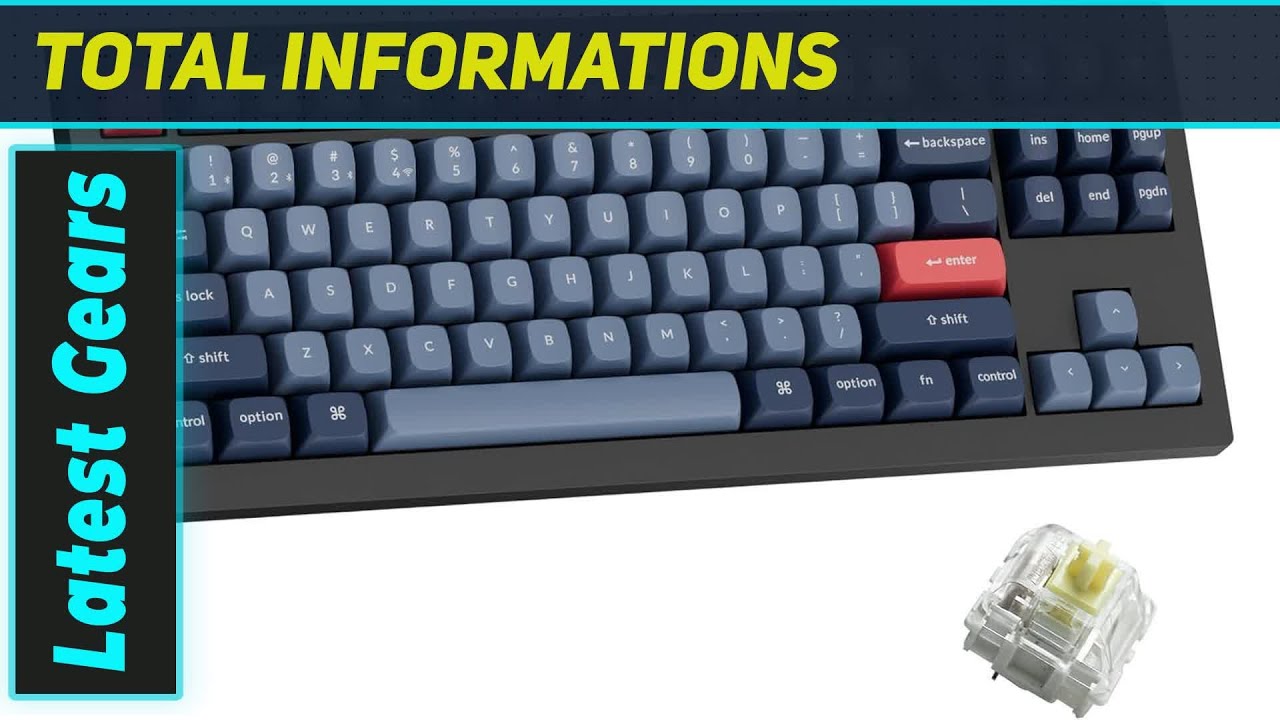
A budget-friendly tenkeyless mechanical keyboard with custom-inspired design. Features gasket mount construction for soft, springy typing feel and reduced fatigue during extended use. Pre-lubed linear or tactile switches come standard, with hot-swappable PCB enabling easy switch changes without soldering. Multiple layers of sound-absorbing foam significantly reduce mechanical noise compared to typical mechanical keyboards. Dual wireless connectivity includes Bluetooth supporting three simultaneous device pairings and 2.4 GHz USB-C receiver for gaming performance. Performs adequately for casual gaming despite not being marketed as a gaming-focused product. Design prioritizes functionality over flashy aesthetics.
- →Ideal for office work and extended typing sessions
- →Suits users wanting custom keyboard feel without high cost
- →Good choice for multi-device workflows via Bluetooth
- →Viable for casual gaming, not competitive esports
- →Perfect for noise-sensitive shared workspaces
 YouTube
The review discusses the LemoKey P1, a budget keyboard from Keychron's …
YouTube
The review discusses the LemoKey P1, a budget keyboard from Keychron's …
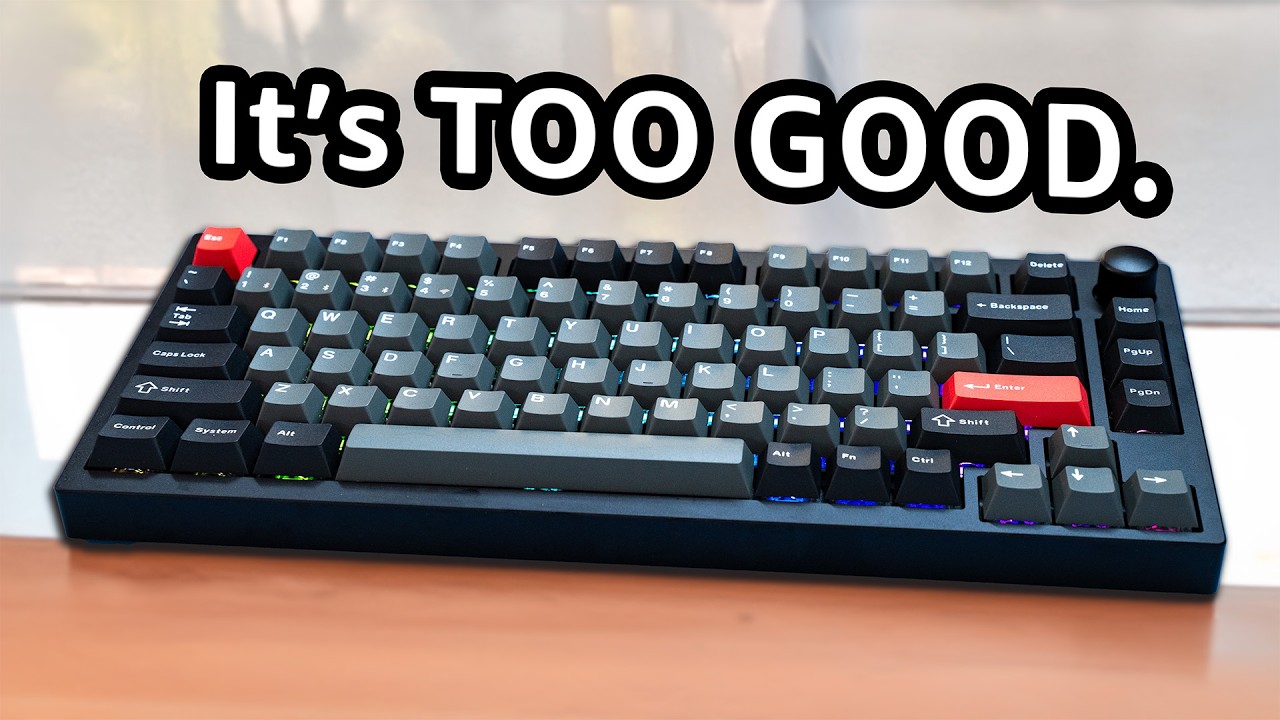
The review discusses the LemoKey P1, a budget keyboard from Keychron's sub-brand that offers similar features to their premium models at $100 less. The reviewer notes it comes in multiple versions including ISO, with prices from $99 barebones to $130 for the pro knob version. The 75% layout retains F-keys and arrows while removing the numpad. The aluminum case has a nice weight and includes a distinctive back accent not found on higher-end Keychron models. RGB lighting is impressively bright, positioning the brand as more gaming-oriented. However, the case design is considered boring with limited color options (black, navy, silver) and attracts fingerprints heavily. Cherry profile keycaps replace the typical tall Keychron style, though quality is comparable to $13-20 sets. Gasket performance is present but subtle. A major issue identified is rattly stabilizers requiring attention.
- →Strong option for 75% layout enthusiasts on budget
- →Better value than premium Keychron alternatives
- →Requires stabilizer modding for optimal experience
- →Consider if bright RGB and aluminum build matter
- →Avoid if wanting unique colors or clean aesthetic
 YouTube
The reviewer unboxed and examined the Keychron V3 Max with knob …
YouTube
The reviewer unboxed and examined the Keychron V3 Max with knob …
The reviewer unboxed and examined the Keychron V3 Max with knob configuration, priced at $94 fully assembled with K Pro Red switches. They noted its substantial weight, quality build, and satisfying tactile knob with audible clicks. The 80% layout provides a full function row, offering more keys than their previous 60% keyboard. Included accessories impressed them: keycap puller, switch puller, USB-C cable, screwdriver, allen wrench, and extra screws. They appreciated the hot-swappable switch capability and multiple purchasing options (fully assembled vs. bare bones kit). The European-style layout with Option key instead of standard Windows key caused minor confusion.
- →Ideal for users wanting full function row without full-size bulk
- →Knob version worth $10 premium for media control
- →Red switches suit shared spaces and noise-sensitive environments
- →Hot-swap feature enables easy future customization
- →Verify keycap set compatibility before purchasing replacements
Community Discussions via Reddit
Troubleshooting
r/keyboards
u/theGlassAlice2401
Owner of a Keychron V3 Max (1 year) experienced LED flickering on the right control key, with blue channel failing and red/yellow channels showing weak activity even when RGB was off. Warranty had expired 2 days prior. Firmware update did not resolve the issue. Keychron support provided a factory reset procedure (FN + J + Z for 4 seconds) which partially improved the problem—blue channel stabilized, though red channel still flickers weakly. Owner is capable of soldering and sought LED model information for potential DIY repair. Community response included one tangential comment about declining product quality/durability in general, not specific to this keyboard.
Key Insights
- →LED hardware failures may occur around the 1-year mark; factory reset is first-line troubleshooting step from manufacturer
- →Partial fixes are possible through software/firmware resets, but underlying hardware degradation may persist
- →DIY repair is feasible for soldering-capable owners, though LED model specifications are not readily available from community knowledge
- →Best for users comfortable with troubleshooting and potential out-of-warranty repairs, not ideal for those expecting multi-year durability without maintenance
Top Comments
That's where the payoffs come from: we used to pay good money; essentially, we were getting guarantees of quality and durability for things; today, all of that is history. It's becoming increasingly …
Thanks, I'll try contacting them
through a reseller unfortunately
Troubleshooting
r/Keychron
u/PangolinOk4273
A Keychron V3 Max owner expresses frustration that the keyboard's RGB backlighting prioritizes aesthetic effects over functional legibility in dark environments. The backlight creates significant light bleed through keycap gaps that causes eye strain rather than illuminating key legends for typing. Multiple community members confirm this is a widespread issue with modern mechanical keyboards, particularly south-facing LED designs. The owner notes excellent typing experience otherwise, making the backlight flaw particularly disappointing. Community consensus indicates no viable workaround exists—attempted solutions like light shields and reflective stickers failed. One commenter explicitly states newer Keychron models suffer from this untested, blinding backlight design.
Key Insights
- →Best for users who prioritize typing feel and RGB aesthetics over functional backlighting for dark room use
- →Not suitable for users needing illuminated key legends for low-light typing—consider Logitech or north-facing LED alternatives instead
- →Keycap replacement alone cannot resolve the fundamental LED orientation design issue
- →Community consensus: this represents an industry-wide prioritization of 'light show' effects over usability in mechanical keyboards
- →Owner retains product despite flaw due to superior typing experience, suggesting high switch/build quality
Top Comments
I'm equally baffled by this. I want backlit keys for legibility in the dark yet they are hard to find on quality keyboards, especially if you want a low profile one. I'd love one with zero bleed and …
5 years ago you would have a point, maybe, but by that logic keyboards aren't supposed to have lights at all. But if you're going to have lights, North facing lights just work better. So much better …
Backlights on mechanical keyboards are kind of ass and getting worse because there's this increasingly uncommon situation where *some* north facing switches (arranged so the light is at the top and …
Troubleshooting
r/keyboards
u/Larason22
A Keychron V3 Max owner reports ongoing frustration with an intermittent command key issue where the key occasionally outputs special characters (œ, ∑, Ω, ç) instead of executing Mac command functions. The problem persists across firmware reinstalls and occurs specifically with this keyboard, not with Apple keyboards used on the same computer. The owner's primary grievance centers on poor customer support experience, characterized by repetitive, seemingly automated troubleshooting requests that ignore already-provided information. The support interaction involved multiple requests for video evidence, redundant remapping attempts, unclear instructions like 're-identify' the keyboard, and repeated matrix testing despite the key physically functioning. The owner explicitly refuses further video documentation and feels the support process is circular and unproductive.
Key Insights
- →The Keychron V3 Max may have Mac-specific key mapping issues where modifier keys intermittently register as alternate character inputs
- →Firmware updates alone may not resolve command key behavior problems on Mac systems
- →Keychron's support process may involve automated or scripted responses that do not adapt to detailed problem descriptions
- →Owners experiencing similar issues should be prepared for potentially lengthy support interactions requiring video documentation
- →The keyboard's hardware appears functional (key registers presses) but software/firmware layer may have Mac compatibility gaps
Top Comments
Yeah, it's either a software or hardware problem. Sometimes command W will close the window, sometimes pushing the same keys gives the weird character. Too bad their tech support is incompetent.
This worked perfectly! Keychron should hire you. Yes, there is a problem with the toggle, but at least now I can use it!
Troubleshooting
r/Keychron
u/bassrattlestars
Owner bassrattlestars reports severe quality control issues with their Keychron V3 Max after a few months of ownership. The keyboard developed double/non-registering inputs across multiple keys that persisted even after switch replacement. The RMA process was lengthy and arduous, and the replacement unit exhibited the same S-key failure within weeks. The owner notes the keyboard is lovely when functional but expresses frustration at receiving two consecutive defective units. Community response includes one counter-example from a V5 Max owner with 18 months of trouble-free use, though this is a different model and not directly comparable.
Key Insights
- →Quality control appears inconsistent with multiple defective units reported by same owner
- →Failure mode suggests potential PCB or debouncing issues rather than user-serviceable switch problems
- →Not recommended for users needing reliable daily driver without tolerance for RMA processes
- →Best suited for enthusiasts willing to troubleshoot or accept replacement risk for the feature set
- →Consider extended warranty or purchase protection given reported defect recurrence
Top Comments
Had my v5 max 18 months best keyboard I’ve ever had, it’s been bulletproof , loads of issues with my razer which is why I switched. Got a K5 HE arriving this week can’t wait.
Troubleshooting
r/Keychron
u/IndependenceSea7651
A Keychron V3 Max owner on MacBook Air M1 2020 experienced a critical modifier key malfunction where CMD and Option keys were swapped—CMD+C produced "ç" instead of copying. After extensive troubleshooting with KeyCodes monitoring, the user discovered the issue only occurs in wireless modes (Bluetooth or 2.4GHz) when the keyboard backlight is turned OFF. The problem temporarily fixes itself for ~5 seconds after key use, then reverts. Turning the backlight ON permanently resolves the issue in wireless mode. The user has latest firmware installed and this is their first mechanical keyboard.
Key Insights
- →For Mac users: The V3 Max requires backlight ON for reliable wireless modifier key functionality—plan for reduced battery life or use wired mode
- →First-time mechanical keyboard buyers may face significant troubleshooting burden for this specific firmware/hardware interaction bug
- →Not ideal for users needing wireless operation with backlight disabled for battery conservation
- →KeyCodes or similar input monitoring tools essential for diagnosing key mapping issues on this keyboard
- →Issue appears to be firmware-level given persistence across both BT and 2.4GHz with identical trigger condition
Scores based on weighted analysis of 15 expert and community sources. How we review →