

LG 48CX
Best For
- Console and PC gamers wanting 4K/120Hz OLED on a desk
- Home theater enthusiasts in light-controlled rooms
- Users who want Dolby Vision with adaptive brightness
Consider Carefully
- All-day desktop workers with static on-screen elements, given the permanent burn-in risk affecting long-term panel life
- Users needing full 48Gbps HDMI 2.1 bandwidth
- Budget buyers or those with shallow desk setups
Jump to Section
The Bottom Line
The LG 48CX is a monitor that has made waves in the market with its flagship-level performance in a more compact form factor. Priced in the range of $1000 to $1969, it sits at the higher end of the spectrum, but its strengths are hard to overlook. What we found most impressive is its panel quality, a standout feature with its 10-bit color capability for HDR content, and Dolby Vision IQ that adjusts to ambient light while preserving color. This monitor also boasts FreeSync and G-Sync compatibility and a low input lag, making it a responsive choice for gamers. However, this monitor isn't without its drawbacks. The price is on the steep side for a 48-inch model, and some users have noted that the HDMI 2.1 is limited to 40Gbps, not the full 48Gbps. There's also the permanent risk of OLED screen burn-in, a common concern with OLED technology, and because that risk is permanent rather than recoverable, long-term panel longevity is a real consideration for anyone planning years of daily use.
Performance Breakdown
Expert Scores
How 6 professional publications rated this product
In-Depth Analysis
Picture Quality 96
Perfect black levels, wide viewing angles, clean panel uniformity. Nine sources, no meaningful dissent on the core picture quality story.
Key Takeaway
→For dark-room viewing of any content type, this is the benchmark. If your room is bright, the brightness ceiling will limit how much of this picture quality you actually see.
Gaming Performance 93
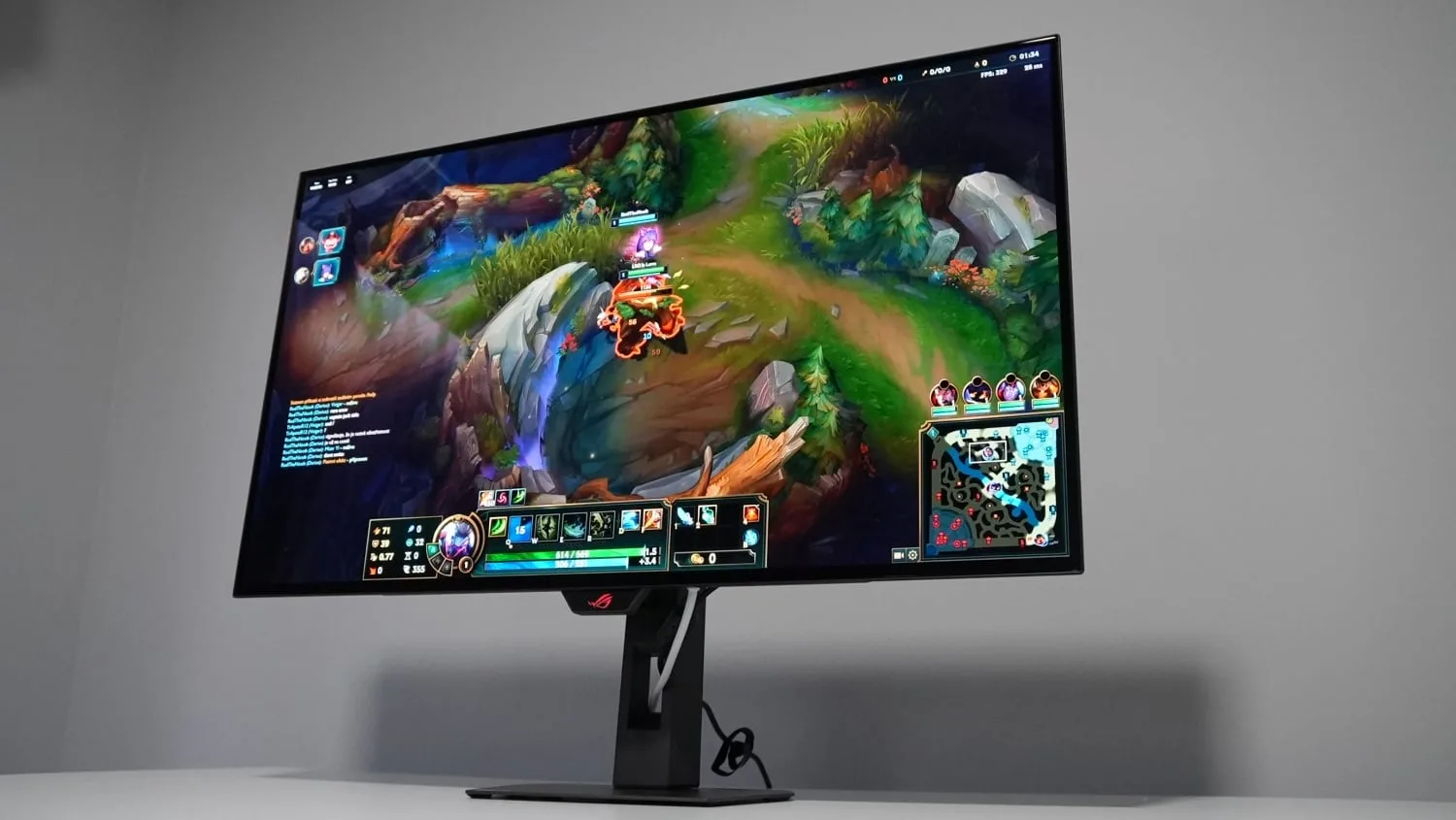
6ms input lag at 120Hz, G-Sync and FreeSync support, four HDMI 2.1 ports. The hardware is genuinely capable. The catch is what's sitting in your PC case.
Key Takeaway
→If you're pairing this with a PS5 or Xbox Series X, buy with confidence. If it's a PC monitor, make sure your GPU and tolerance for text rendering compromises are both up to the task.
Connectivity & Ports 90
Four HDMI 2.1 ports all running at 4K/120Hz is genuinely rare. The 40Gbps bandwidth cap and missing DTS decoding are the only real complaints.
Key Takeaway
→Four HDMI 2.1 ports makes multi-device setups genuinely convenient. If DTS audio decoding matters to your setup, factor in an external solution.
Color Accuracy 86
Filmmaker Mode delivers strong out-of-box accuracy confirmed by three sources. The DCI-P3 coverage gap at 4K is a real limitation for color-critical work.
Key Takeaway
→For gaming and video, Filmmaker Mode gets you there without calibration. For professional color work, budget for a calibration session and separate BFI profiles.
Build & Design 81
The 48-inch form factor is the whole point, and it works for desks and smaller rooms. The price premium over the 55-inch sibling is harder to justify.
Key Takeaway
→If 48 inches is the size you need, this is the best option in the category. If you're flexible on size, the 55-inch CX costs less and gives you more screen.
HDR & Brightness 80
Dolby Vision IQ is genuinely useful, but the brightness ceiling is real. This is an HDR display built for dark rooms, not bright living rooms.
Key Takeaway
→If your room is dark and your content is Dolby Vision, this delivers. If you watch in a bright room or rely on HDR10+, the brightness ceiling and missing format support will frustrate.
Smart TV Features 74
WebOS 5.0 and the Magic Remote work well in principle. Real-world reliability is shakier than the spec sheet suggests.
Key Takeaway
→WebOS works well for straightforward streaming use. If you're in the UK or rely on catch-up TV, verify your apps are supported before buying.
Burn-In Protection 60
All four sources agree: burn-in is a real risk, not a theoretical one. How you use this panel determines whether it becomes a problem.
Key Takeaway
→Manageable for gaming and video use with sensible habits. If you're running a static desktop environment for hours daily, this risk profile should give you pause.
Specifications & Verdict
Display
- Screen Size
- 48 in
- Resolution
- 3840 × 2160
- Panel Type
- OLED
Performance
- Refresh Rate
- 120 Hz
- Response Time
- 1.7 ms
Image
- Brightness
- 685 nits
- Color Gamut
- 97.32% of DCI-P3
- HDR Support
- Dolby Vision, HDR10 Pro
Connectivity
- HDMI Ports
- 4
- HDMI Version
- 2.1
- USB Ports
- 2
- Audio Output
- Dolby Atmos, 40W, 2.2-channel
Design
- Weight
- nearly 15kg
- Dimensions
- [object Object]
- VESA Mount
- VESA mount
Other Specs
- Special Features
- Auto low-latency mode (ALLM), ~1ms response time, 120Hz refresh rate
- Hdmi Data Rate
- 40Gbps
- Network
- ethernet port (RJ45)
- Wall Mount Protrusion
- approximately 5 centimeters
- Smart Features
- Apple AirPlay 2, Nvidia G-Sync, Bluetooth, webOS
- Remote
- wireless gyroscopic
- Operating System
- WebOS 5.0
Our Verdict
The LG 48CX earns its 89/100 score. It was the first sub-50-inch 4K OLED you could actually put on a desk, and the picture quality backs up the hype: perfect blacks, 10-bit HDR, Dolby Vision IQ, and input lag around 12ms at 4K/120Hz. The HDMI 2.1 bandwidth cap at 40Gbps is a real limitation if you need uncompressed 4K 120Hz 4:4:4, and burn-in is a genuine long-term risk for static desktop use. Because the burn-in risk is permanent, panel lifespan becomes a meaningful part of the value calculation here, particularly for users who run static content for extended hours each day. If you game in a dark room and want the best image quality at this size, buy it. If you sit close, work with static content all day, or need full HDMI 2.1 bandwidth, look elsewhere.
Customer Reviews Amazon
35 reviews
The LG C6H is a Monster that comes out at Night!!!🔥🔥🔥
Lost at sea
Huge improvements over older LG OLED tech
LG OLED TV
Show all 8 reviews
Good
Best 48-50 inch set available!
Excellent Audio And Video
Long wait but phenomenal tv
Reviews shown are from Amazon customers and do not reflect our editorial assessment.
Reader Questions
Specific questions about the LG 48CX, answered only from what reviewers reported.
01Is burn-in a real concern when using this as a PC monitor?
Burn-in is a genuine risk, particularly with static content like desktop interfaces. Reviewers note it requires careful usage habits, and the risk is permanent once it occurs.
02How low is the input lag for gaming?
Input lag is very low. Reviewers measured it at approximately 6ms at 120Hz and around 11.6ms to 12ms at 4K 120Hz, making it well suited for responsive gameplay.
03Can it run 4K at 120Hz, and are there any bandwidth limitations?
All four HDMI 2.1 ports support 4K at 120Hz gaming, but the bandwidth is capped at 40Gbps rather than the full 48Gbps spec. Reviewers note this means uncompressed 4K 120Hz 4:4:4 signals are not supported.
04How good are the black levels compared to LCD monitors?
Black levels are described as perfect and bottomless, with per-pixel control that reviewers say is unmatched by any LCD or monitor technology.
05Does it support HDR10+?
No, the 48CX does not include HDR10+ format support. It does support Dolby Vision IQ, which adapts to ambient room lighting.
06Does it support both G-Sync and FreeSync for tear-free gaming?
Yes, the 48CX supports both G-Sync and FreeSync Premium, covering the main variable refresh rate standards for tear-free gaming.
Pricing & Availability
Updated Aug 6, 2026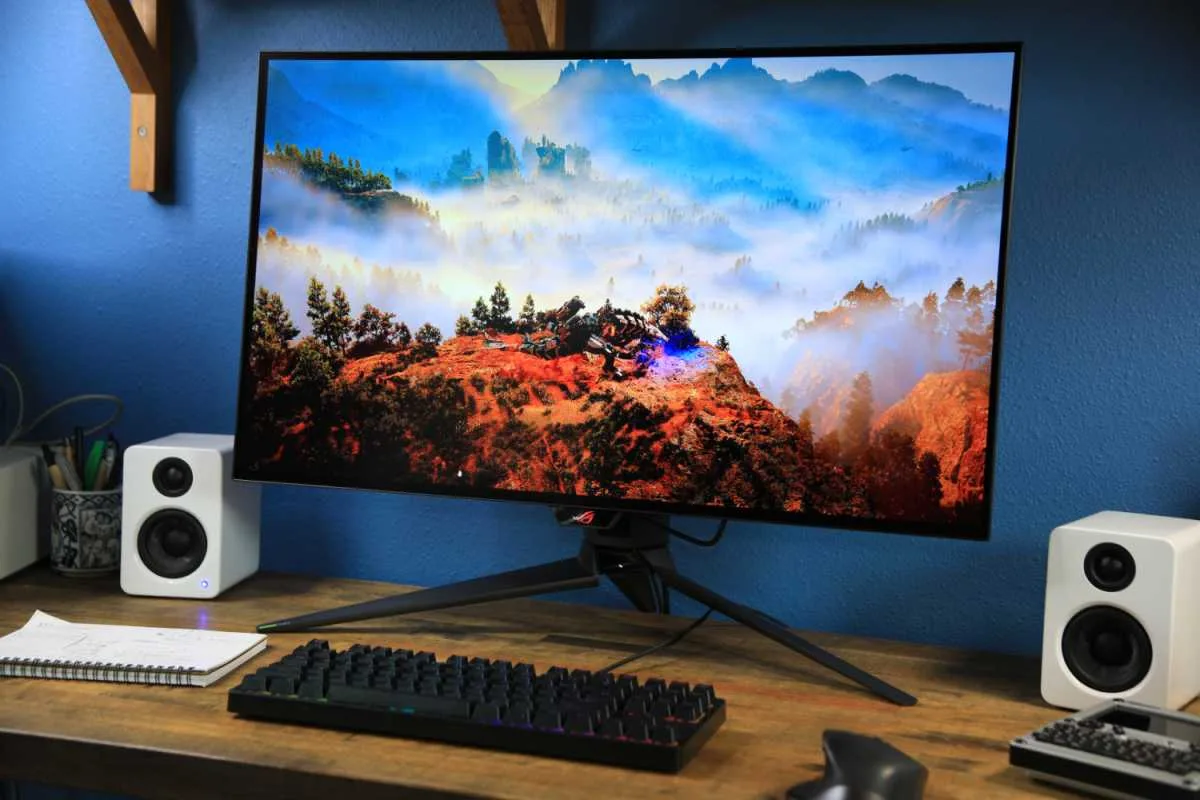
Sources & Methodology
Every score is built on evidence. This review synthesizes 13 independent sources — expert publications, video reviews, and community discussions — weighted by credibility, depth, and relevance.
Show detailed source analysis ↓ Hide source analysis ↑
Expert Reviews
avforums.com
Top
90/100
Filmmaker Mode delivers excellent out-of-box accuracy for SDR and HDR content, automatically disabling unwanted processing. Dolby Vision IQ adjusts brightness for ambient light while preserving color accuracy, though requires menu navigation to disable default interpolation. Panel uniformity remains clean across brightness levels with minimal banding at 5% that never affects normal viewing. Updated TruMotion with BFI offers flicker-free options at Min and Mid settings, though brightness drops and slight interpolation persist. The α9 Gen3 processor excels at upscaling lower-resolution content without artifacts. HDMI 2.1 runs at 40Gbps rather than 48Gbps, and DTS audio decoding is absent. Gaming features include VRR, ALLM, HGiG, G-Sync validation, and measured input lag of 13ms at 60Hz and 6ms at 120Hz. The 48-inch size suits desktop placement, though OLED image retention risk exists for PC use with static elements.
Strengths
- +Filmmaker Mode offers excellent out-of-box SDR and HDR accuracy
- +Dolby Vision IQ preserves creator intent in bright rooms
- +Clean panel uniformity across all brightness levels
- +Updated BFI usable without obvious flickering
Weaknesses
- −Dolby Vision IQ enables interpolation by default
- −BFI reduces brightness and adds light interpolation
- −HDMI 2.1 limited to 40Gbps not full 48Gbps
- −No DTS audio decoding support onboard
whathifi.com
Top
5/5-point
The LG 48CX is the first sub-50-inch 4K OLED TV, delivering flagship-level performance in a more compact form factor. Priced at £1499 ($1500) at launch, it carries a premium over similarly sized LCD and QLED alternatives. The design mirrors the larger CX models and last year's C9, featuring a sculpted pedestal stand and slim 6mm edges with a 4.7cm deep chassis. It includes the third-generation Alpha 9 processor with AI Picture Pro and AI Sound Pro features, plus Dolby Vision IQ support. HDR format support covers HDR10, HLG, and Dolby Vision, though HDR10+ is absent. UK models lack catch-up apps, a notable software gap.
Strengths
- +Flagship-level OLED performance in 48-inch size
- +Dramatic yet natural picture quality
- +Forward-looking feature set with latest tech
- +Third-gen Alpha 9 processor with AI enhancement
Weaknesses
- −Missing UK catch-up apps
- −Pricey for its 48-inch size
- −Design unchanged from previous C9 generation
- −No HDR10+ format support
trustedreviews.com
Top
4.5/5-point
The LG 48CX delivers exceptional OLED picture quality in a compact 48-inch format, making it viable for smaller spaces and serious gamers. All four HDMI ports support full HDMI 2.1 with 40Gbps bandwidth, enabling 4K@120Hz and variable refresh rate for next-gen consoles and PC graphics cards. The Alpha 9 Gen 3 processor introduces useful features like Dolby Vision IQ, Filmmaker Mode, and improved upscaling. Build quality impresses for the size, and the Magic remote offers intuitive point-and-click navigation. Audio performance exceeds expectations with enhanced virtual surround and vocal clarity. However, pricing proved problematic at launch—costing more than the 55-inch sibling—and the smaller chassis makes the rear components more visually prominent. Screen burn risk requires user caution, and UK buyers lose most catch-up TV apps.
Strengths
- +Full HDMI 2.1 on all four ports with 40Gbps bandwidth
- +Supports 4K@120Hz, G-Sync, FreeSync and HDMI VRR
- +Excellent metal-rich build quality for compact size
- +Intuitive Magic remote with point-and-click control
Weaknesses
- −Launch price exceeded larger 55-inch sibling
- −Chunky rear section more proportionally prominent
- −Screen burn requires careful usage habits
- −Missing most UK catch-up TV applications
pcgamer.com
89/100-point
A uniquely compact 48-inch OLED that bridges TV and gaming monitor use cases. Delivers true blacks through per-pixel dimming, eliminates dirty screen effect common in LCD panels, and supports 4K at 120Hz with sub-12ms input lag. Requires substantial PC horsepower to maximize performance—RTX 2080 Ti or equivalent for high-refresh 4K gaming. G-Sync and FreeSync Premium compatibility reduce stutter. The smaller form factor fits desks where 55-inch predecessors could not, though burn-in risk and incomplete color gamut at 4K remain considerations. HDR brightness peaks at 685 cd/m² with 97.32% DCI-P3 coverage.
Strengths
- +True per-pixel blacks unmatched by any LCD or monitor tech
- +4K at 120Hz out of the box with 11.6ms input lag
- +Eliminates dirty screen effect on uniform backgrounds
- +First sub-50-inch OLED, desk-viable form factor
Weaknesses
- −Expensive for under-50-inch screen size
- −Permanent risk of OLED screen burn-in
- −No full DCI-P3 color gamut coverage at 4K resolution yet
- −Requires monstrous PC specs for optimal 4K high-refresh gaming
lbtechreviews.com
80/100
The LG 48CX represents LG's first 48-inch OLED, targeting gamers and PC monitor users who want premium image quality in a compact form. At just 6mm thick at its thinnest point and weighing 15.9kg, it delivers exceptionally sharp 4K imagery thanks to higher pixel density than larger OLEDs. All four HDMI ports support HDMI 2.1, enabling 4K/120Hz gaming with both AMD FreeSync and Nvidia G-Sync. Input lag measures approximately 12 milliseconds. The WebOS 5.0 interface with Magic Remote feels modern and intuitive, with strong app support including Disney+, AirPlay and HomeKit integration. The Cinema Home picture mode offers neutral colors and smooth motion, though brightness remains limited in this setting.
Strengths
- +Exceptionally sharp 4K image with high pixel density
- +All four HDMI 2.1 inputs support 4K/120Hz gaming
- +Low input lag measured at about 12 milliseconds
- +Supports both AMD FreeSync and Nvidia G-Sync
Weaknesses
- −Protrudes 5cm from wall when mounted
- −Base width matches TV instead of being narrower
- −Cinema Home picture mode lacks brightness
- −48 inches requires about 1 meter viewing distance
techspot.com
92/100-point
The LG 48CX delivers flagship-level OLED performance in a uniquely compact 48-inch form factor suitable for desktop use. It produces perfect blacks with near-instant response time and wide viewing angles. The panel supports 4K at 120Hz, VRR, ALLM, and works with both FreeSync and G-Sync. Four HDMI 2.1 inputs provide comprehensive gaming connectivity. Out-of-the-box color accuracy impresses, though full-range color gamut at 4K remains unavailable. HDR performance ranks among the best available. Built-in sound capabilities exceed typical TV standards. However, brightness falls short of high-end LCD alternatives, and permanent burn-in risk persists as an OLED characteristic. Pricing presents a significant hurdle—at launch it cost more than the 55-inch sibling, making value questionable despite the smaller size's practical advantages for PC gamers and enthusiasts seeking a premium monitor replacement.
Strengths
- +Near-instant response time ideal for competitive gaming
- +Perfect black levels from OLED pixel technology
- +Four HDMI 2.1 inputs for comprehensive connectivity
- +120Hz refresh rate with VRR and ALLM support
Weaknesses
- −Lower peak brightness than high-end LCD rivals
- −No full-range color gamut at 4K resolution
- −Permanent burn-in risk with static content
- −Higher price than 55-inch sibling at launch
blog.herc.me
Purchased in 2020 for a London bedroom setup, replacing a 55-inch LCD that proved too large. At 48 inches with 4K resolution viewed from three meters away, the reviewer can distinguish 4K from FullHD content. HDR performance and color reproduction received strong praise. The panel serves dual duty as both TV and gaming monitor, with four HDMI 2.1 inputs enabling 4K@120Hz. Software stability issues include occasional hangs, app freezing on wake (particularly Netflix), and unpaired remotes causing interference between multiple LG TVs. Audio from the screen-vibrating speaker system delivers clear highs but lacks bass; sound modes beyond Standard disappointed. A VESA mount replaced the wobbly stand.
Strengths
- +48 inches fits smaller rooms where 55 inches felt excessive
- +4K resolution clearly distinguishable from FullHD at viewing distance
- +HDR makes content pop with amazing colors
- +Four HDMI 2.1 inputs support 4K@120Hz gaming
Weaknesses
- −Software hangs occasionally during normal use
- −Apps freeze on wake from sleep, especially Netflix
- −Remote not paired to specific TV, causing interference
- −AI sound mode chooses wrong profile most times
medium.com
The reviewer frames the LG 48CX as a display genuinely designed for gamers rather than simply marketed toward them. Positioned as the smallest model in LG's CX OLED line, it targets home gaming setups for both console and PC players. The review emphasizes that proper viewing distance and sufficient PC power are important factors for using OLED 4K TVs as gaming monitors. The 48-inch size represents a deliberate attempt to serve gamers who need a display that works across different environments and use cases while incorporating features specifically catering to gaming needs.
Strengths
- +Genuine gaming-focused design, not just marketing
- +48-inch size suits multiple gaming environments
- +OLED 4K panel ideal for immersive gaming
- +Incorporates features specifically for gamer needs
Video Reviews
 HDTVTest
Vincent Teo from HDTV Test evaluated the LG 48CX across television, …
HDTVTest
Vincent Teo from HDTV Test evaluated the LG 48CX across television, …
Vincent Teo from HDTV Test evaluated the LG 48CX across television, gaming monitor, and grading monitor use cases after extended hands-on testing. As a TV, it delivered picture quality largely matching the 55-inch CX with minor differences attributable to smaller screen size. The 48-inch panel exhibited exceptional uniformity—among the best seen on consumer OLEDs—with the cleanest 5% video stimulus field observed in recent testing. Color accuracy proved excellent post-calibration with average delta errors below 1. However, HDR peak brightness measured lower than larger 2020 OLEDs at 600 nits (10% window) and 115 nits full field, likely due to higher pixel density reducing aperture ratio. Near-black luminance ran slightly brighter than reference in some HDR10 and Dolby Vision content, though largely correctable through calibration.
- →Ideal for users prioritizing uniformity over absolute brightness
- →Requires separate calibration profiles with and without BFI enabled
- →Best suited for controlled lighting environments due to lower HDR peaks
- →Excellent choice for color-critical work after professional calibration
- →Smaller size reduces visible judder for film content viewing
 machina4K
Community Discussions via Reddit
Comparison
r/OLED_Gaming
u/IT_Phoenix_Ashes
The LG 48CX is a 48-inch OLED TV that served as a primary display for over 6 years before the owner temporarily switched to a 45GX950A ultrawide monitor. After a full year with the ultrawide, the owner returned to the 48CX, describing it as a "glossy workhorse" with superior color vibrancy and brightness pop. The owner plans to upgrade to a 48C6 when prices drop, citing the CX's brightness as already superior to monitor alternatives. The display has proven durable over 6+ years of ownership and remains the owner's preferred choice for desktop use despite some gloss-related challenges in bright rooms.
Key Insights
- →Best for users who prioritize image vibrancy and 'wow factor' over anti-reflective coatings
- →Requires controlled lighting or willingness to manage glossy screen reflections
- →Needs substantial desk depth due to 48-inch size for comfortable desktop use
- →Long-term ownership experience remains positive even after trying newer alternatives
- →Community consensus: TV-class OLEDs at this size bracket are preferred over monitor equivalents for image quality
Top Comments
There is absolutely no real reason to go for monitors when you get to this size. TVs have far superior image Quality.
This review is what concerns me about the 39" 5120x2160 display releasing in June. I have the Samsung Odyssey G80sd which the colors wow me every time I look at it. Only issue I have is the …
The 45GX still uses an older generation panel while the 39GX moves to Tandem WOLED that has higher color gamut and brightness.
Comparison
r/OLED_Gaming
u/Dogegoblin
The LG 48CX is a 48-inch OLED TV marketed for 4K 120Hz HDR gaming with HDMI 2.1 devices like the RTX 3080. However, owners report a critical flaw: at 4K 120Hz, the TV automatically chroma subsamples to 4:2:2 instead of delivering full 4:4:4 color, visibly degrading image quality particularly on text edges. This issue appears specific to CX models, as C9 models reportedly handle 4K 120Hz 4:4:4 correctly. Multiple owners express frustration over LG's silence and lack of firmware fixes, with some within their return windows considering alternatives. The TV works properly at 4K 60Hz and 1440p 120Hz with full chroma. Community members note additional unresolved issues including VRR gamma problems, with LG support providing unhelpful troubleshooting steps.
Key Insights
- →Best suited for console gaming or PC use capped at 4K 60Hz or 1440p 120Hz where full chroma is preserved
- →Not ideal for PC desktop use or text-heavy content at 4K 120Hz due to visible chroma subsampling artifacts
- →Purchase timing matters: buyers should verify return window allows waiting for potential firmware fixes
- →Community consensus suggests this is an LG firmware/hardware limitation, not an NVIDIA GPU issue
- →Owners recommend verifying specific firmware version and monitoring for updates before keeping long-term
Top Comments
I needed to create an account just to make this post. I took delivery of an LG CX 48" today and paired it up with my RTX 3080 (FE card, though I doubt it'll make much difference?). The TV prompted …
New fw for the korean cx models: …
I posted this in one of the other threads, but may be more interesting to some here. Noticed something mildly interesting while messing around in the lg service menu. 4k, rgb, 10 bit is one of the …
Troubleshooting
r/Monitors
u/Dogegoblin
A recent LG 48CX owner tested the TV with an RTX 3080 for 4K 120Hz HDR gaming and found significant chroma subsampling issues. At 4K 120Hz, the display outputs 4:2:2 instead of 4:4:4, causing visible color artifacts particularly noticeable on dark text borders. The issue appears limited to 4K 120Hz mode, while 4K 60Hz and 1440p 120Hz display proper 4:4:4 chroma. Community discussion suggests the CX's HDMI 2.1 bandwidth may be capped at 40Gbps rather than full 48Gbps, potentially causing this limitation. Multiple users confirm this is a known issue affecting CX models specifically, with uncertainty whether LG can or will fix it via firmware update.
Key Insights
- →Best suited for console gaming or PC use at 4K 60Hz or 1440p 120Hz where 4:4:4 chroma is preserved
- →Not ideal as a primary PC monitor for users sensitive to text clarity at 4K 120Hz
- →Community consensus suggests this is likely a hardware bandwidth limitation rather than fixable software bug
- →Users prioritizing 4K 120Hz PC gaming with full color fidelity should verify their use case tolerance for 4:2:2 subsampling
- →Ownership experience for recent buyers has been disappointing for the advertised 4K 120Hz HDR gaming use case
Top Comments
If im not mistaken the C9 has the full fat 2.1 bandwidth. And the CX has a slightly cut down 2.1 spec. Maybe this is what is causing the issues? I will edit this comment with the video I watched a …
> So TL;DR LG cheaped out on the HDMI 2.1 port and cut it to 40 Gigabits/s. RTX 3080 outputs 48 Gigabits/s. Signal has to be subsampled to reduce required transfer rate... This is not the reason. LG …
He's done a few videos on this. Here is another Bandwidth on the CX is capped at 40gbps Doesn't explain why 1080p@120hz isn't working though....
Scores based on weighted analysis of 13 expert and community sources. How we review →