

Asus ROG Strix XG32UCWMG
Best For
- Competitive gamers who switch between 4K and 480Hz esports mode
- Multi-PC desk setups that benefit from KVM switching
- OLED enthusiasts with controlled or dim room lighting
Consider Carefully
- Users in bright rooms with overhead lights or windows
- Laptop users needing more than 15W USB-C charging
- Those coming from QD-OLED expecting identical color volume
Jump to Section
The Bottom Line
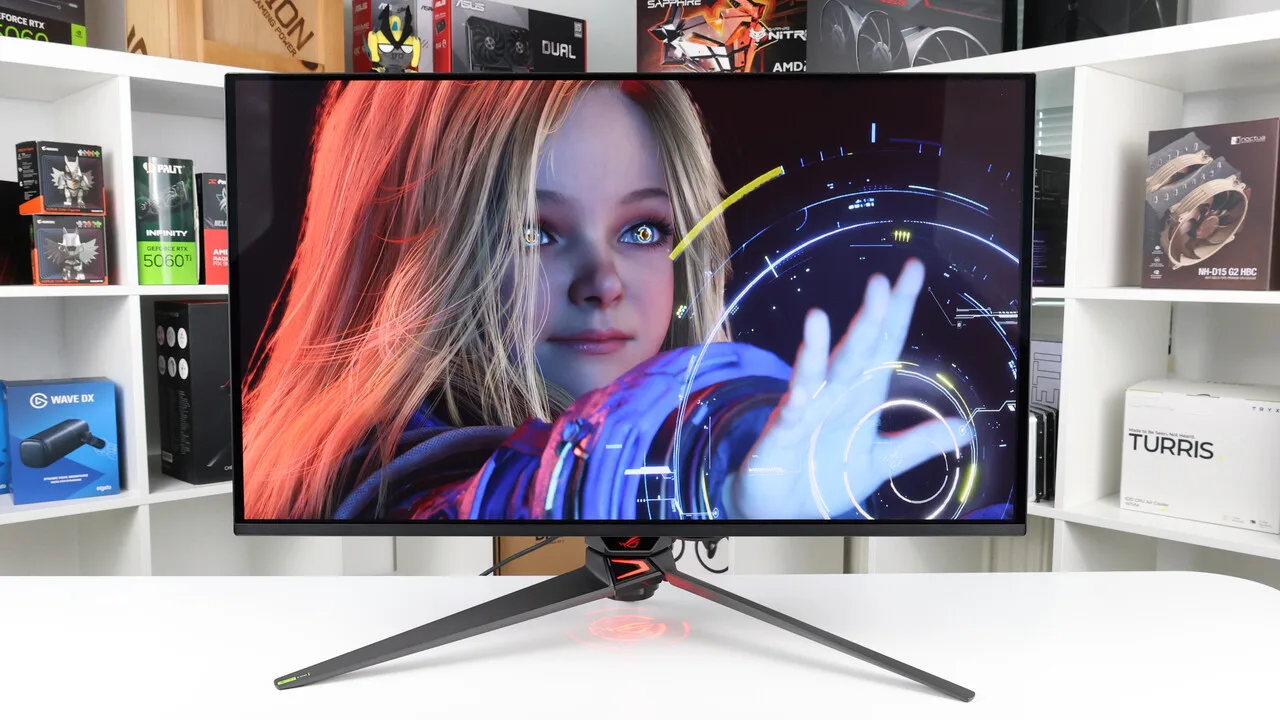
The Asus ROG Strix XG32UCWMG stands out as a top-tier gaming monitor, delivering on quality where it counts. We analyzed expert reviews and found a strong consensus on its vibrant color output and dual-mode capabilities, making it a highly recommended option for enthusiasts. At its core, this is a White OLED (WOLED) panel, a technology that produces consistent, vibrant colors across 26 of 33 sources we reviewed, though its color volume sits a step below what QD-OLED panels deliver. The 4K 240Hz or 1080p 480Hz dual-mode feature caters to both high-resolution and ultra-high refresh rate gaming, a combination that 19 of 33 sources flagged as a standout capability. A compact stand and KVM switching with a 4-port USB hub add to its appeal, though some users might be disappointed by the limited 15W USB-C power delivery and the color volume trade-off inherent to WOLED versus QD-OLED alternatives.
Performance Breakdown
Expert Scores
How 5 professional publications rated this product
In-Depth Analysis
Ergonomics & Stand 95
Five sources agree the stand is among the best in class for a gaming monitor. It saves desk space, adjusts fully, and eliminates the need for a monitor arm.
Key Takeaway
→The stand is a genuine strength. Unless you have a specific reason to use a monitor arm, the included stand handles everything and keeps desk space free.
Refresh Rate Performance 94
4K at 240Hz and 1080p at 480Hz in a single display, executed properly. Ten sources agree this dual-mode implementation is the monitor's defining feature.
Key Takeaway
→If you want one monitor that handles both 4K cinematic gaming and competitive 480Hz play, this delivers. If you never touch esports, save $150 and buy the 165Hz variant.
Burn-In Protection 91
OLED Care Pro with a proximity sensor and a three-year burn-in warranty make this one of the better-protected OLED monitors available. Five sources agree the mitigation features are genuinely useful.
Key Takeaway
→The burn-in protection suite is among the best in class for a gaming monitor, and the three-year warranty backs it up. If you want accurate image quality, plan to disable some features manually.
Build & Design 86
Solid metal construction and a competitive $799 price point, but community reports of poor Asus support responsiveness and firmware reliability concerns are worth factoring in.
Key Takeaway
→The build quality is genuinely good and the price is competitive for the feature set. Go in knowing Asus support has a documented responsiveness problem and firmware updates may require troubleshooting.
Color Accuracy 86
Accurate out of the box and genuinely useful for content creation work, but four sources confirm it falls short of QD-OLED panels on gamut coverage.
Key Takeaway
→Solid for content creation and accurate enough out of the box for most users. If maximum color volume is the priority, QD-OLED panels have a measurable advantage.
Glossy Screen Coating 85
The first 32-inch 4K WOLED with a glossy coating, and it genuinely transforms image quality in controlled lighting. In bright rooms, it reflects everything.
Key Takeaway
→If you game in a dark or fully controlled room, the glossy coating delivers a picture quality advantage that matte panels cannot match. In a bright or windowed room, it becomes a liability.
HDR & Brightness 73
Peak brightness hits 1,053 nits in small windows, but aggressive ABL and a real-scene ceiling of 536 cd/m² mean HDR performance is more complicated than the spec sheet suggests.
Key Takeaway
→If your HDR library skews toward dark atmospheric games, this panel rewards you. If you play bright open-world titles and expect sustained luminance, the ABL will frustrate you.
Connectivity & Ports 71
HDMI 2.1 and Auto KVM are genuine strengths, but 15W USB-C power delivery, DisplayPort 1.4 instead of 2.1, and no speakers are real limitations that four or more sources each flagged.
Key Takeaway
→Console gamers and dual-system users get real value from HDMI 2.1 and KVM. Laptop users and anyone expecting USB-C charging or DP 2.1 bandwidth will be disappointed.
Specifications & Verdict
Display
- Screen Size
- 32 in
- Resolution
- 3840 × 2160
- Aspect Ratio
- 16:9
- Pixel Density
- 137 ppi
- Panel Type
- WOLED
- Screen Coating
- TrueBlack Glossy
Performance
- Refresh Rate
- 240 Hz
- Response Time
- 0.03 ms
- Adaptive Sync
- FreeSync Premium Pro, G-Sync Compatible
Image
- Contrast Ratio
- 1,500,000:1
- Brightness
- 1300 nits
- Color Gamut
- 99% DCI-P3 coverage
- Color Depth
- 10-bit
- HDR Support
- HDR10 + VESA DisplayHDR True Black 400
Connectivity
- Video Inputs
- 1x DisplayPort 1.4, 2x HDMI 2.1, 1x USB-C
- USB Ports
- 3x USB 3.2 Gen1 Type-A, 1x USB-C
- USB-C Power Delivery
- 15W
- Audio Output
- Headphone jack
- Speakers
- No
Design
- Weight
- 16.1 pounds (7.3kg)
- Dimensions
- 28.1 x 17.7-22 x 10.8 inches (714 x 450-559 x 274mm)
- Bezel Width
- [object Object]
- Panel Thickness
- 2.8 inches (71mm)
- VESA Mount
- 100 x 100
- Stand Adjustments
- Tilt: +20° ~ -5°, Swivel: ±15°, Height: 0-80mm
Features
- OLED Care
- Neo Proximity Sensor, custom heatsink, OLED Care Pro with Neo Proximity Sensor
- Special Features
- Auto KVM
Other Specs
- Power Consumption
- 63w, brightness @ 200 nits
- Warranty
- 3 years
- Frame Rate Boost Mode
- 1080p @ 480Hz
- Pip Pbp
- Supported
- Usb Hub
- Yes, with KVM switch
- Blur Reduction
- ELMB (BFI) mode
- Vrr Feature
- VRR Anti-flicker
Our Verdict
The Asus ROG Strix XG32UCWMG combines a TrueBlack glossy White OLED (WOLED) panel with 4K 240Hz and 1080p 480Hz dual-mode, a rare mix of glossy clarity and refresh-rate flexibility. Its color output is consistent, but color volume trails QD-OLED rivals. The compact stand and built-in KVM suit a clean multi-PC desk setup. Windows HDR needs manual adjustment, USB-C tops out at 15W, and the glossy coating requires controlled lighting. In the right room, this is one of the best 32-inch OLED gaming monitors you can buy right now.
Customer Reviews Amazon
202 reviews
Best 4k 32 inch Monitor
Lives up to the Hype
Reviews shown are from Amazon customers and do not reflect our editorial assessment.
Reader Questions
Specific questions about the Asus ROG Strix XG32UCWMG, answered only from what reviewers reported.
01How well does it handle burn-in risk for everyday use?
Asus includes a comprehensive OLED Care Pro suite with a Neo Proximity Sensor that blanks the screen when you leave your desk, plus pixel shift and taskbar detection features. Reviewers found the proximity sensor works reliably, and owners who enable all the care features report confidence in long-term panel longevity.
02Is HDR impressive, or does it need a lot of tweaking?
Out of the box, HDR can appear washed out and muted in Windows and may need manual calibration to look its best. Even after adjustment, bright HDR colors are noted as somewhat muted compared to QD-OLED alternatives, though deep blacks and contrast remain a clear strength.
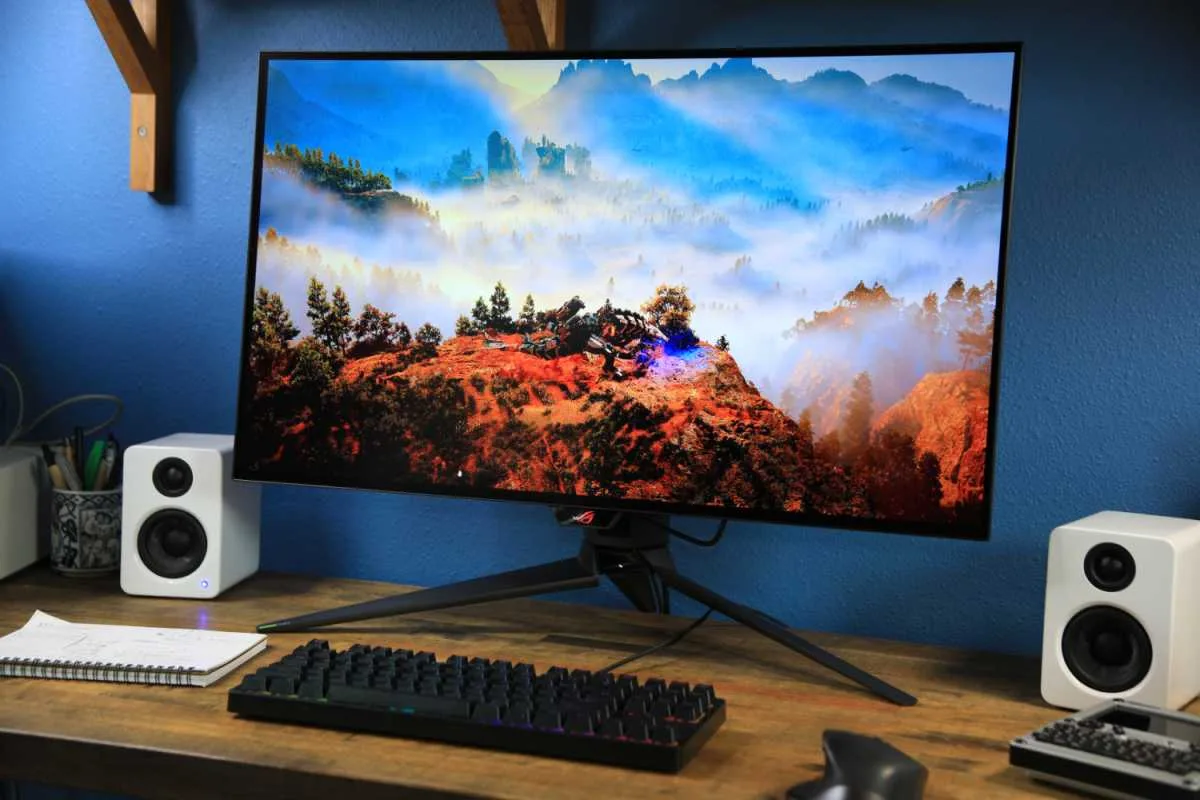
03Does the stand take up a lot of desk space?
Reviewers consistently praised the compact flat metal base for saving desk space and keeping the area around a keyboard clear. The design also avoids interference with desk mats, and the build quality is described as premium.
04Does the glossy panel cause problems with reflections?
The glossy coating is a genuine concern in bright rooms. Reviewers noted it creates mirror-like reflections that are highly noticeable during the day, and some users found it requires blackout curtains or constant position adjustment to manage overhead lights or windows.
05Can you switch between 4K and 1080p mode easily?
Yes, the dual-mode feature lets you switch between 4K 240Hz and 1080p 480Hz at the press of a button. Reviewers noted the switch happens instantly, making it practical to drop into 480Hz for competitive titles without a complicated setup change.
06Can I charge a laptop through the USB-C port?
The USB-C port is limited to 15W power delivery, which is not enough to charge most laptops at a useful rate. Multiple reviewers flagged this as a notable shortcoming for users hoping to use it as a single-cable docking solution.
Pricing & Availability
Updated Aug 5, 2026Asus ROG Strix XG32UCWMG
All regions
Sources & Methodology
Every score is built on evidence. This review synthesizes 31 independent sources — expert publications, video reviews, and community discussions — weighted by credibility, depth, and relevance.
Show detailed source analysis ↓ Hide source analysis ↑
Expert Reviews
tomshardware.com
Top
4.5/5-point
This 32-inch 4K WOLED gaming monitor delivers exceptional image quality through its glossy front layer, which enhances clarity and color saturation without introducing distracting reflections. Running at 240 Hz natively with a dual-mode option for 480 Hz at FHD resolution, it targets competitive gamers seeking maximum frame rates. Color accuracy is excellent out of the box with near-100% DCI-P3 coverage, though Quantum Dot-equipped monitors extend slightly further. The monitor includes robust gaming features like GamePlus overlays, customizable joystick controls, and LED backlighting. Build quality impresses with a compact yet sturdy metal base, though users must supply their own audio solution.
Strengths
- +Glossy screen layer enhances clarity and color saturation significantly
- +Accurate color out of the box requires no calibration
- +Uniform Brightness option maintains consistent luminance
- +Large gamut coverage for a non-Quantum Dot panel
Weaknesses
- −Slightly less gamut coverage than Quantum Dot monitors
- −No internal speakers included
rtings.com
Top
9.2/10-point
A high-end 32-inch WOLED gaming monitor featuring native 4K resolution at 240Hz with a unique Frame Rate Boost mode switching to 1080p at 480Hz. It stands out as the first 4K WOLED with TrueBlack glossy coating, delivering clearer, sharper images while maintaining deep black levels in bright rooms. The monitor includes HDMI 2.1, VRR support, a USB hub with KVM switch, and burn-in prevention features like a Neo Proximity Sensor and custom heatsink. However, it lacks DisplayPort 2.1 bandwidth found on comparable high-end models, and its USB-C power delivery is limited to 15W.
Strengths
- +First 4K WOLED with TrueBlack glossy coating
- +Frame Rate Boost enables 1080p at 480Hz
- +Maintains deep blacks without purple tinting
- +Near-instantaneous response time
Weaknesses
- −Lacks DisplayPort 2.1 bandwidth
- −Limited to 15W USB-C power delivery
- −Colors less vivid than QD-OLED alternatives
techspot.com
Top
92/100-point
The Asus ROG Strix XG32UCWMG is a 32-inch dual-mode OLED gaming monitor offering 4K at 240Hz or 1080p at 480Hz. Its glossy coating enhances clarity and color saturation, while the OLED panel delivers deep blacks even in bright rooms. Motion handling excels with near-instantaneous response times and low input lag across all refresh rates. VRR support is comprehensive though marred by flickering during frame rate fluctuations. HDR displays wide color gamut but bright colors appear somewhat muted. Build quality and styling receive consistent praise, though the monitor lacks internal speakers and relies on DisplayPort 1.4 bandwidth. Gamut coverage falls slightly short of QD-OLED alternatives, and peak brightness struggles against intense glare.
Strengths
- +Glossy coating enhances clarity and color saturation
- +Dual-mode: 4K 240Hz or 1080p 480Hz
- +Near-instantaneous response time
- +Super low input lag even at 60Hz
Weaknesses
- −VRR flicker occurs with changing frame rates
- −Slightly less gamut coverage than QD monitors
- −Not bright enough to fight intense glare
- −Limited to DisplayPort 1.4 bandwidth
tweaktown.com
Top
98/100-point
The ASUS ROG Strix XG32UCWMG earns a 98% rating as a flagship 32-inch WOLED gaming monitor featuring dual-mode capability: 4K at 240Hz for cinematic gaming and 1080p at 480Hz for competitive esports. Priced at $799, it delivers 1300 nits HDR brightness, 0.03ms response time, and 99% DCI-P3 coverage. The design represents a refined approach with near-borderless bezels under 1cm, premium hard plastic construction, and distinctive ROG aesthetic with LED-infused rear logo. Connectivity includes DisplayPort 1.4 with DSC, dual HDMI 2.1 for console gaming, USB-C with 15W PD, and a USB 3.2 hub. The stand receives particular praise as best-in-class.
Strengths
- +Impeccable 4K gaming performance with stunning OLED visuals
- +Best gaming monitor stand in its class
- +Dual-mode flexibility: 4K/240Hz and 1080p/480Hz switching
- +Competitive $799 pricing for flagship features
Weaknesses
- −Low pixel density at 1080p dual-mode resolution
- −Jagged boxy aesthetic not universally appealing
- −No built-in speakers included
- −USB-C limited to 15W power delivery
gamingtrend.com
Top
4/4-point
The reviewer describes upgrading from a 144Hz 1080p TN panel to this 32-inch OLED monitor as a revelatory experience akin to getting glasses for the first time. Packaging impresses with protective peel layers, a cable organizer bag, microfiber cloth, and a three-year warranty covering burn-in. The thin-framed build features customizable rear RGB lighting, a compact metal base with excellent stability, and flexible ergonomic adjustments (0-88mm height, ±15° swivel, +20°/-5° tilt). The TrueBlack Glossy WOLED panel performs exceptionally well in bright rooms with contained, mirror-like reflections lacking the purple tint of QD-OLED alternatives. Dual-mode functionality allows toggling between 4K/240Hz and 1080p/480Hz, with aspect ratio simulations for competitive gaming. HDR support enhances cinematic content. Some initial switching quirks occurred but didn't persist.
Strengths
- +Premium packaging with protective peel layers throughout
- +Three-year warranty covers burn-in and pixel defects
- +Compact metal base provides excellent stability
- +TrueBlack Glossy WOLED performs well in bright rooms
Weaknesses
- −Bezels are thicker than some competing designs
- −Audio output switched unexpectedly when changing modes
- −1080p mode requires Windows settings adjustment
tftcentral.co.uk
The Asus ROG Strix XG32UCWMG is the world's first 32" 4K OLED monitor featuring a glossy 'TrueBlack' coating on an LG.Display WOLED panel. It uses the same underlying panel as the PG32UCDP with 240Hz refresh rate and dual-mode 1080p @ 480Hz capability, but replaces the traditional matte anti-glare finish with an improved glossy coating promising better clarity and black depth. The monitor follows the familiar ROG Strix design with a smaller, squarer base stand, 4-side borderless panel, external power supply, and includes features like OLED Care Pro, ELMB blur reduction, and extensive connectivity options. Asus plans two additional variants with different refresh rates.
Strengths
- +World's first 32" 4K WOLED with glossy coating
- +New improved 'TrueBlack' glossy coating technology
- +240Hz refresh with 1080p @ 480Hz dual-mode
- +Smaller, squarer base saves desk space
Weaknesses
- −External power supply brick instead of internal
- −9-12mm total border not fully borderless
- −No phone holder slot in base (removed for size)
- −USB-C limited to 15W power delivery
nationalpc.in
The ROG Strix OLED XG32UCWMG targets users wanting dual-mode flexibility: 4K at 240Hz for AAA gaming and creative work, and 1080p at 480Hz for competitive esports. Its TrueBlack Glossy WOLED panel delivers exceptional contrast and perceived sharpness, though reflection sensitivity demands careful placement. ASUS includes meaningful burn-in protection through OLED Care Pro tools and a Neo Proximity Sensor that auto-blacks the screen when users step away. A Uniform Brightness toggle addresses OLED's typical brightness fluctuations for productivity use. Measured input lag is extremely low at 2.6ms (4K) and 1.7ms (1080p). HDR peak brightness reaches 1,053 cd/m² in small windows, with real-scene HDR at 536 cd/m². However, VRR flicker with fluctuating frame rates and OLED subpixel fringing on text are notable drawbacks.
Strengths
- +Dual-mode properly executed: 4K 240Hz and 1080p 480Hz in one display
- +TrueBlack Glossy coating preserves edge definition and dark-scene depth
- +Extremely low input lag measured at 2.6ms in 4K, 1.7ms in 1080p
- +Useful burn-in mitigation with OLED Care Pro and proximity sensor
Weaknesses
- −VRR flicker occurs with changing frame rates
- −Glossy surface reflects strong light sources significantly
- −DisplayPort 1.4 requires DSC for 4K 240Hz, not DP 2.1
- −OLED subpixel structure can cause text fringing at 4K
Video Reviews
 RTINGS Computer
This 32-inch 4K WOLED monitor distinguishes itself as the first with a …
RTINGS Computer
This 32-inch 4K WOLED monitor distinguishes itself as the first with a …
This 32-inch 4K WOLED monitor distinguishes itself as the first with a true black glossy coating rather than the typical matte finish. The glossy surface delivers notably clearer images and text alongside deep, inky blacks that remain consistent even in bright rooms—unlike QD-OLED alternatives that exhibit purple-tinted elevated black levels. Build quality feels premium despite plastic construction, with a metal base providing stable support. Ergonomic adjustments cover most needs though portrait rotation is absent. The dual-mode feature enables 1080p at higher refresh rates, but text clarity degrades significantly in this mode. HDR brightness impresses with small highlights, though larger bright areas cause dimming. Several HDR modes present trade-offs between accuracy and brightness, with some unexpected behavior in the True Black 400 mode that may indicate a firmware bug. Color accuracy in SDR requires careful mode selection, and full calibration addresses remaining white balance and gamma issues inherent to WOLED technology.
- →Ideal for users prioritizing deep blacks in bright room environments
- →Best suited for 4K productivity work requiring sharp text clarity
- →Consider dedicated calibration for color-critical professional applications
- →Console HDR mode may need verification against True Black 400 alternative
- →Position carefully to avoid direct window reflections from glossy surface
 Paula Mads
This 32-inch 4K OLED gaming monitor delivers exceptional visual …
Paula Mads
This 32-inch 4K OLED gaming monitor delivers exceptional visual …
This 32-inch 4K OLED gaming monitor delivers exceptional visual quality through its True Black glossy coating, producing vibrant colors, pitch blacks, and impressive contrast without the purple tinting common in QD-OLED alternatives. The dual-mode feature allows switching between 4K 240Hz and 1080p 480Hz for different gaming scenarios. While the glossy finish creates immersive depth in controlled lighting environments, reflections become problematic under bright daylight or strong overhead lights. The monitor includes robust burn-in protection through OLED Care Pro with pixel refreshers, logo dimming, and a proximity sensor. Multiple HDR modes are available, though Cinema HDR offers the best balance. The compact stand saves desk space, and the design maintains ROG aesthetics without excessive flashiness.
- →Best suited for controlled lighting environments without windows
- →Ideal for competitive gamers wanting dual refresh rate flexibility
- →Strong choice for color-accurate photo and video editing work
- →Requires proximity to power outlet due to low USB-C wattage
- →Consider matte alternative for rooms with abundant natural light
 Monitors Unboxed
The Asus ROG Strix XG32UCWMG is a 32-inch 4K WOLED gaming monitor with …
Monitors Unboxed
The Asus ROG Strix XG32UCWMG is a 32-inch 4K WOLED gaming monitor with …
The Asus ROG Strix XG32UCWMG is a 32-inch 4K WOLED gaming monitor with a true black glossy coating and 240Hz maximum refresh rate. It features identical hardware and design to the lower-priced 165Hz XG32UCWG variant, including the same panel, ports, and features like the Neo Proximity Sensor, Anti-Flicker Setting, ELMB, and KVM switch. Performance testing showed comparable SDR brightness (~244 nits peak) and color gamut (72.4% Rec.2020). HDR performance on the UCWMG at launch exhibited some over-brightening in certain scenes with console mode plus brightness at 100, which was later improved in firmware updates. The monitor uses DisplayPort 1.4 with DSC. Naming similarity with the UCWG variant makes it easy to confuse the two models.
- →Ideal for competitive gamers wanting 240Hz 4K WOLED
- →Budget-conscious buyers should consider 165Hz UCWG variant instead
- →Verify model name carefully to avoid purchasing wrong monitor
- →Update firmware for improved HDR accuracy
- →Same panel quality as cheaper variant with no hidden downgrades
 The Display Guy
A glossy WOLED monitor with impressive brightness potential but …
The Display Guy
A glossy WOLED monitor with impressive brightness potential but …
A glossy WOLED monitor with impressive brightness potential but notable accuracy shortcomings. Out-of-box color accuracy requires calibration, with persistent red tint near black even after adjustments. HDR performance shows crushed shadows and blown highlights in real content. Gaming performance excels with 4K 240Hz capability. The glossy coating enhances clarity while rejecting ambient light effectively. Brightness reaches competitive levels for monitor-class HDR, though falls short of TV alternatives. Build quality and feature set justify the premium pricing alongside a three-year warranty coverage.
- →Best suited for gaming-first users prioritizing speed
- →Requires calibration for acceptable color accuracy
- →HDR content creators should consider alternatives
- →Competitive pricing versus QD-OLED equivalents
- →Professional color work demands external validation
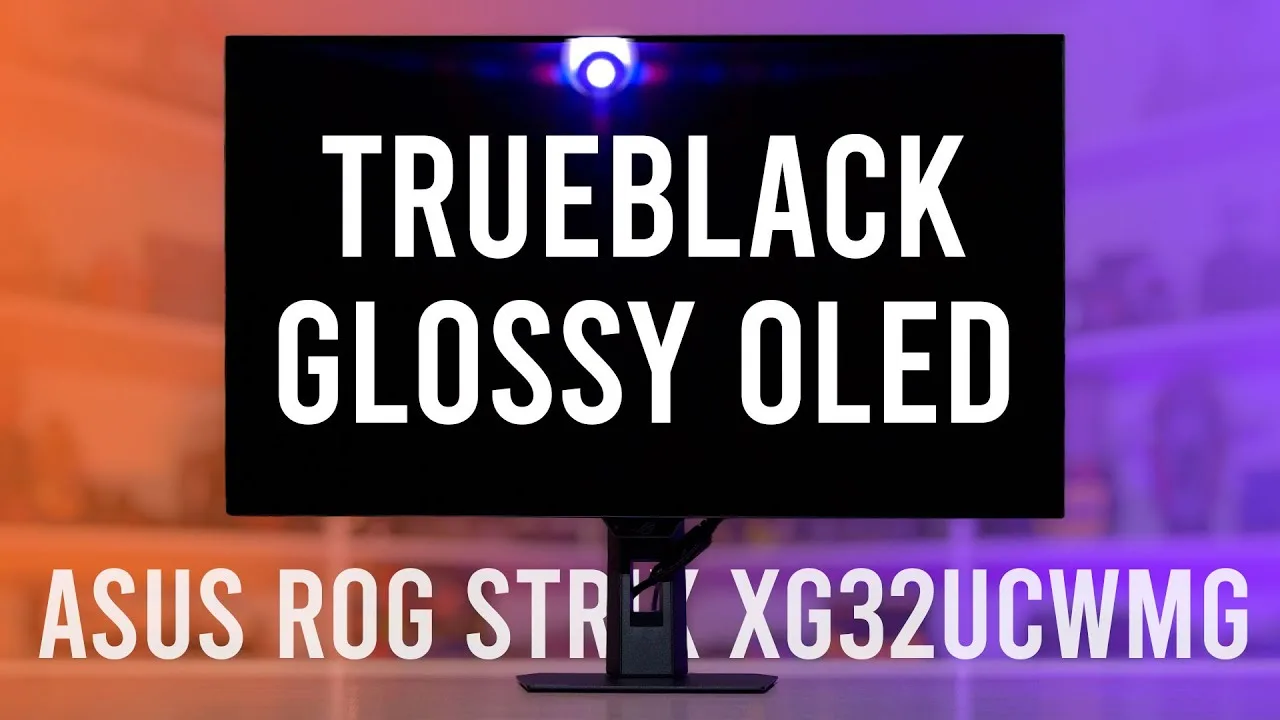 Monitors Unboxed
The Asus ROG Strix XG32UCWMG introduces the first glossy 32-inch 4K …
Monitors Unboxed
The Asus ROG Strix XG32UCWMG introduces the first glossy 32-inch 4K …
The Asus ROG Strix XG32UCWMG introduces the first glossy 32-inch 4K 240Hz W OLED gaming monitor, featuring Asus's new True Black 0% haze glossy coating for enhanced clarity and color vibrancy. It uses the same third-generation panel as the PG32UCDP with dual-mode capability (1080p 480Hz), Adaptive Sync support, and comprehensive connectivity including DisplayPort 1.4, HDMI 2.1, and USB-C with reduced 15W power delivery. The redesigned metal plate base maximizes desk space while maintaining stability. Priced at $950, it undercuts previous W OLED options by at least 20%. The feature-rich OSD includes extensive gaming, color, and OLED care settings.
- →Ideal for buyers prioritizing glossy clarity over matte coating
- →Best suited for desk setups valuing space-efficient stand design
- →Strong choice for competitive gamers wanting dual-mode flexibility
- →Consider 165Hz XG32UCWG variant to save $150 if 240Hz unnecessary
- →Verify exact model name carefully due to near-identical naming
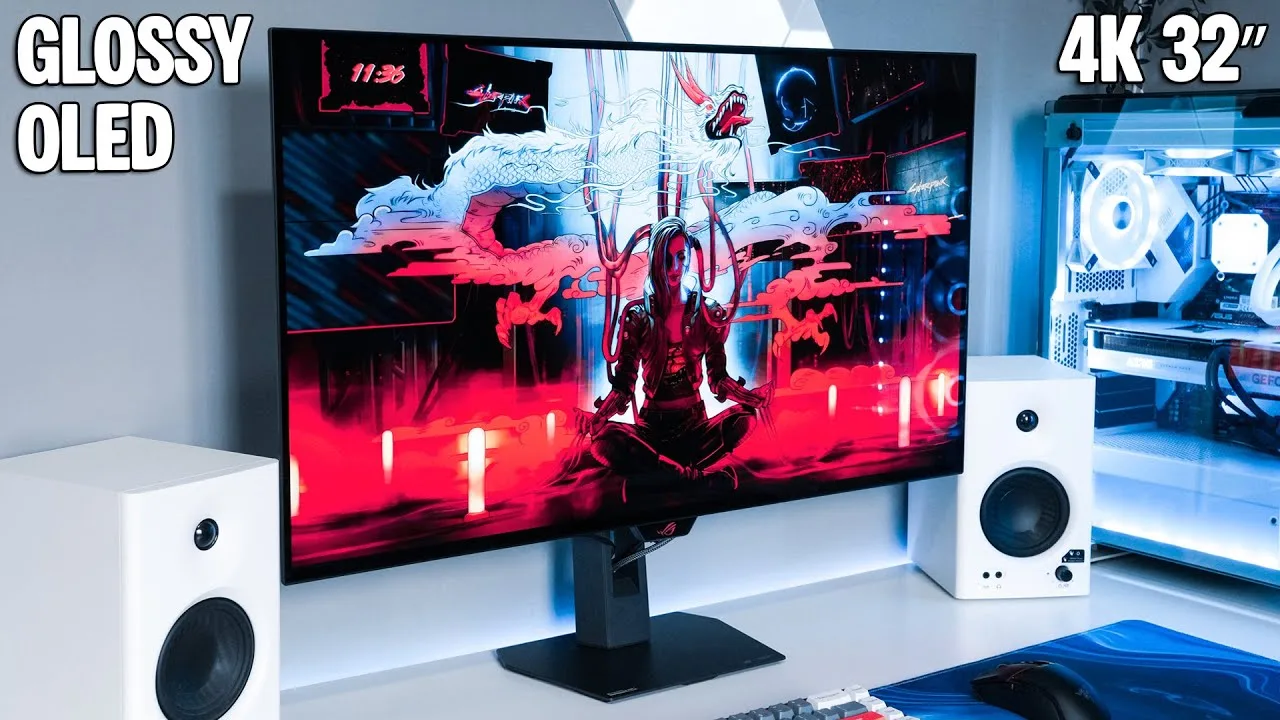 ScorpioTech
The reviewer enthusiastically describes the Asus ROG Strix XG32UCW-MG …
ScorpioTech
The reviewer enthusiastically describes the Asus ROG Strix XG32UCW-MG …
The reviewer enthusiastically describes the Asus ROG Strix XG32UCW-MG as the best display they've ever used. The 32-inch glossy 4K OLED panel with 240Hz refresh rate delivers exceptional visual quality with true black levels and high brightness that effectively negates reflections despite having a window behind. The dual mode feature enables switching to 1080p 480Hz for competitive gaming. The sleek stand offers height, tilt, swivel and pivot adjustments with practical cable management and a quarter-inch thread for accessories. Connectivity includes HDMI 2, DisplayPort 1.4, USB-C, and a 4-port USB hub with KVM support. The thin bezels and slim screen profile create a clean aesthetic, though some adjustments are stiff initially.
- →Ideal for gamers wanting both 4K cinematic and competitive 480Hz modes
- →Glossy screen viable even in rooms with windows behind
- →Great for productivity with crisp text and KVM switching
- →Perfect for streamers needing stand-mounted webcam or lighting
- →Strong choice for users prioritizing desk space efficiency
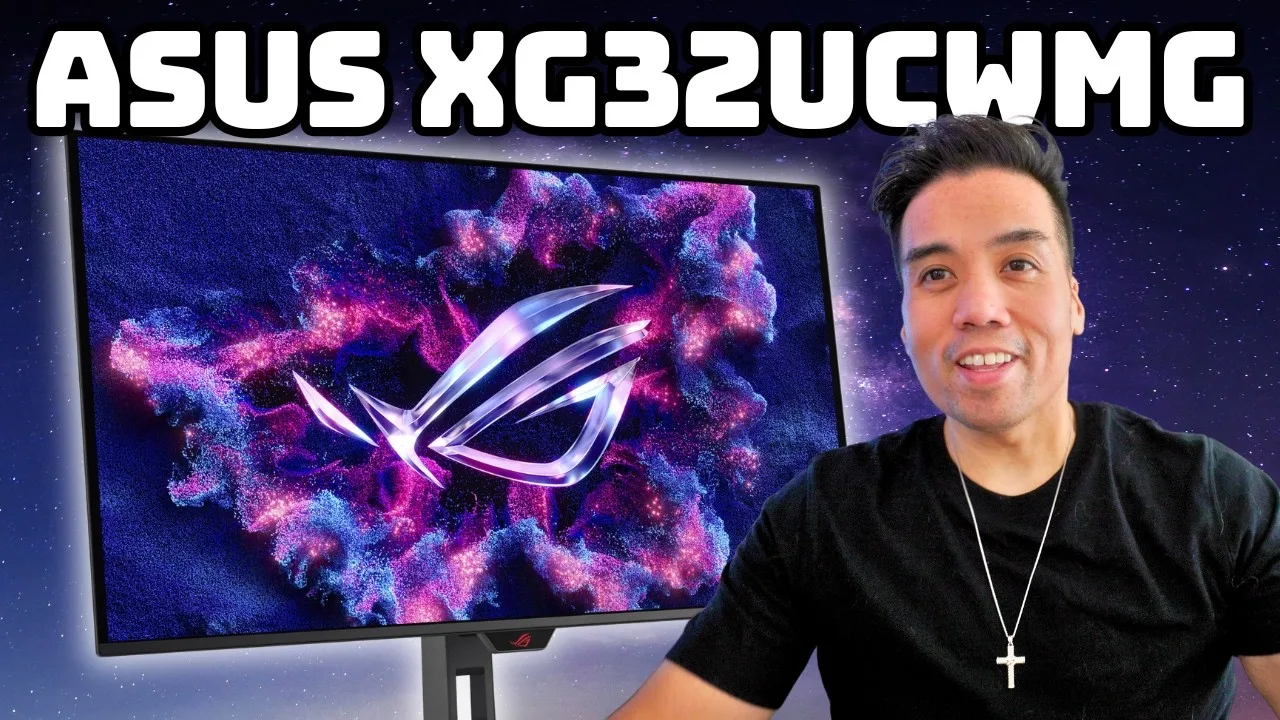 Brian Mads
This 32-inch 4K 240Hz OLED monitor features a rare true black glossy W …
Brian Mads
This 32-inch 4K 240Hz OLED monitor features a rare true black glossy W …
This 32-inch 4K 240Hz OLED monitor features a rare true black glossy W OLED panel that delivers exceptional contrast and color vibrancy compared to matte alternatives. The compact XG-series stand saves desk space, while included accessories come in a branded pouch. Port selection includes dual HDMI 2.1, DisplayPort 1.4, and USB-C with limited 15W power delivery—down from 90W on the matte variant. An auto KVM switch enables seamless peripheral switching between work and gaming inputs. The glossy surface excels in controlled lighting but suffers from distracting reflections in bright environments. A 1080p 480Hz mode caters to competitive gamers, though image softness is noticeable. HDR performance requires manual calibration to match SDR vibrancy.
- →Ideal for gamers who primarily play in dark or controlled rooms
- →Excellent choice for immersive open-world and story-driven RPGs
- →Competitive gamers can utilize 480Hz mode despite resolution tradeoff
- →Productivity users benefit from accurate colors and large screen size
- →Requires HDR calibration tweaking for optimal color vibrancy
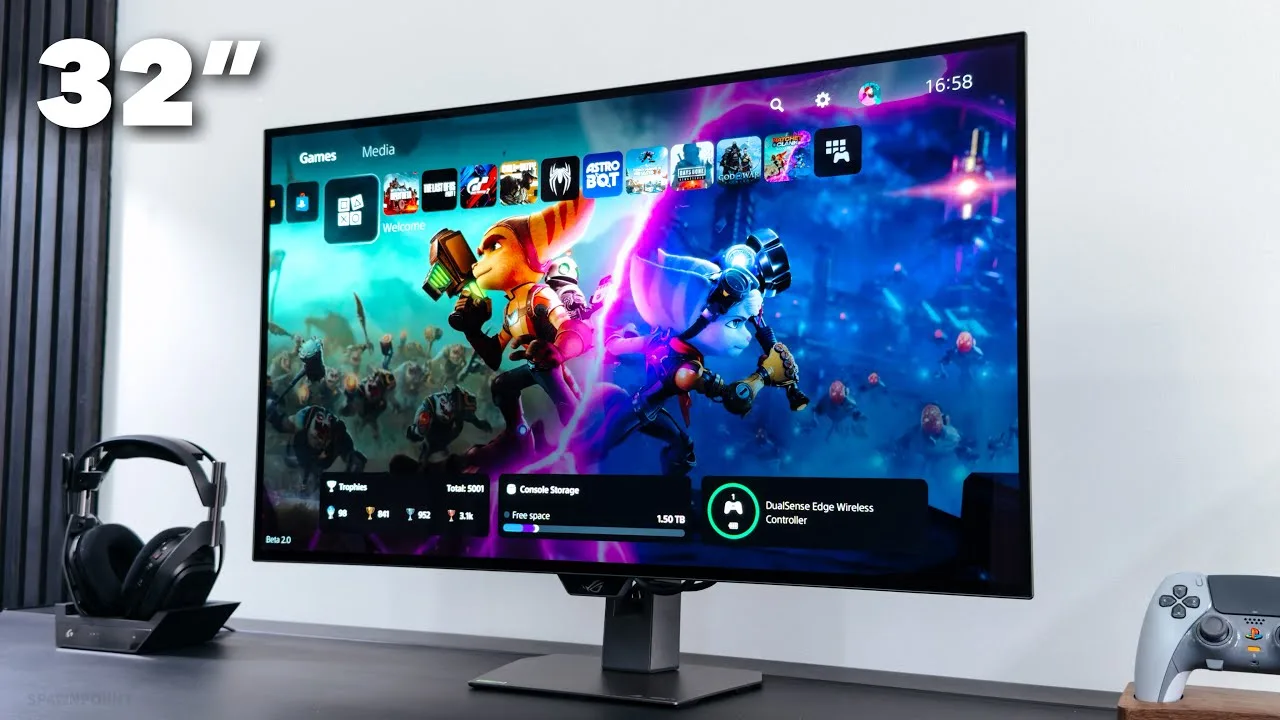 SpawnPoiint
This 32-inch 4K WOLED gaming monitor delivers exceptional visual …
SpawnPoiint
This 32-inch 4K WOLED gaming monitor delivers exceptional visual …
This 32-inch 4K WOLED gaming monitor delivers exceptional visual quality through its innovative true black glossy coating, which produces vivid, deep colors without the usual reflection compromises. The reviewer praises its dual-mode refresh rate switching (240Hz/480Hz), premium stand design with a space-saving flat metal base, and comprehensive port selection including USB-C. Out-of-box color performance impresses with 99% DCI-P3 coverage and infinite contrast. The gaming-focused aesthetic includes customizable RGB lighting and a practical chin notch for safe handling. Missing HDMI cable in packaging surprised the reviewer, though overall build quality and screen performance generate strong enthusiasm for both console and PC gaming.
- →Ideal for gamers wanting TV-quality OLED gloss without reflection issues
- →Perfect for dual PC and PS5 Pro setup with HDMI 2.1 ports
- →Excellent choice for those prioritizing desk space efficiency
- →Suited for users wanting high refresh rate flexibility without multiple monitors
- →Great for content creators needing accurate DCI-P3 color gamut
 Brian Mads
The XG32UCW-MG positions itself as a performance-focused 32-inch 4K …
Brian Mads
The XG32UCW-MG positions itself as a performance-focused 32-inch 4K …
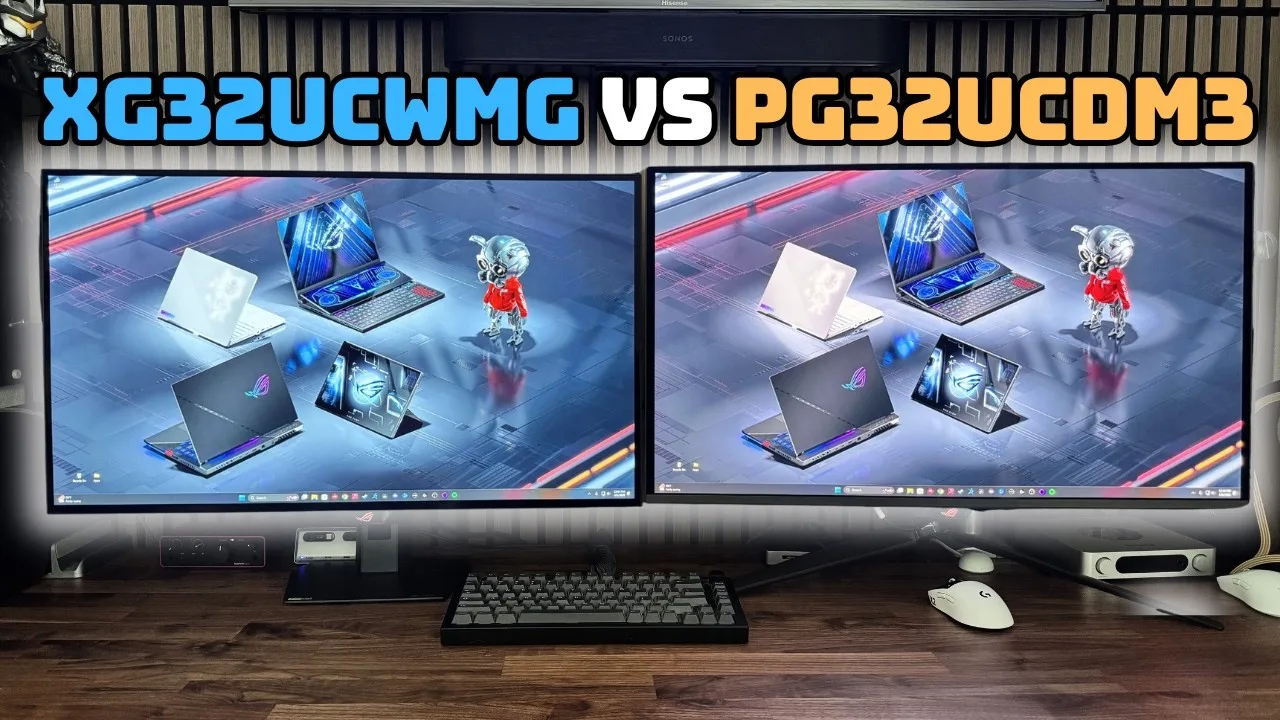
The XG32UCW-MG positions itself as a performance-focused 32-inch 4K OLED monitor with a unique dual-mode feature allowing 1080p at 480Hz for competitive gaming, though the reviewer no longer uses this mode. Its stand design proves more desk-friendly than the PG line's sprawling feet, and the panel runs notably thinner due to W OLED's lower heat generation. The monitor delivers exceptionally deep blacks without the magenta tint issues that plagued earlier QD OLED technology, making it ideal for bright-room daytime usage. However, the panel scratches extremely easily—even minor contact from a webcam cable left visible damage. HDR performance appears muted compared to SDR, and the lack of a mappable KVM button forces tedious menu navigation when switching peripherals between USB-C and USB-B connections.
- →Best suited for daytime gamers prioritizing deep blacks
- →Ideal for users sensitive to oversaturated color reproduction
- →Requires careful placement away from direct window light
- →Competitive players benefit from optional 480Hz mode
- →Demands cautious handling due to fragile panel coating
 Lord Civick
The reviewer received an early unit directly from Asus for review. The …
Lord Civick
The reviewer received an early unit directly from Asus for review. The …
The reviewer received an early unit directly from Asus for review. The CW-MG model features 4K at 240Hz with a 1080p 480Hz mode. Build quality impressed significantly, particularly the stand design which blends flat-base stability with tripod aesthetics without the practical drawbacks. The stand avoids the mat-interference issues common with tripod designs while remaining solid yet lightweight. Aura Sync RGB lighting on the back offers customizable colors and vibrancy. The monitor includes exclusive Asus features like BFI mode and adjustable HDR found on other high-end models.
- →Ideal for users prioritizing stand ergonomics and desk space
- →Dual-mode flexibility suits both 4K and competitive 1080p gaming
- →RGB customization appeals to aesthetic-focused setups
- →Premium pricing targets enthusiast market segment
Community Discussions via Reddit
Long-term Update
r/OLED_Gaming
u/s1L3nCe_wb
Owner s1L3nCe_wb reports extensive issues after two months with the Asus ROG Strix XG32UCWMG, including failed firmware updates requiring Windows 10 (not 11 24H2), defective included DisplayPort cable causing flickering, HDMI boot failures with black screens after Windows loading, KVM switching problems between DP and HDMI inputs, severe delays with auto-input detection enabled, and mouse stuttering when opening/closing games or accessing Windows Display Settings. Multiple commenters confirm similar experiences: DrGjerdesmett corroborates firmware update difficulties; Xeliot confirms all issues except firmware problems, suggesting possible DSC-related causes; Playstation696969 reports only firmware issues on their unit. OP plans delayed RMA hoping for improved hardware revision. Some variation in defect rates exists across units.
Key Insights
- →Best for users with Windows 10 system available for firmware updates and willingness to replace included DisplayPort cable
- →Not ideal for dual-PC KVM setups or users relying on HDMI as primary input due to signal handoff failures
- →Disable auto-input detection to eliminate severe mode-switching delays per community workaround
- →Defect rate appears variable: some units show multiple hardware issues while others function normally beyond firmware problems
- →Consider delaying purchase or RMA to potentially receive newer hardware revision with resolved manufacturing issues
Top Comments
The firmware update was a huge mess for me too, had to use a windows 10 computer to complete the upgrade. However, I have never seen any flicker or noise using the DP cable. I have not tried to use …
Can confirm that I’ve ran into all of the issues you’ve listed, except for the firmware update. Awesome monitor, but it’s been annoying dealing with mouse stutters and auto input detection long black …
I got the UCWG, but other than the firmware update being absolutely shit, i dont experience any other issues
Comparison
r/OLED_Gaming
u/YahushaHamashiach
An owner of the Asus ROG Strix XG32UCWMG reports reaching approximately 1,000 hours of use within 5-6 months of ownership, expressing anxiety about potential OLED burn-in and degradation. The user estimates 10-20% of that time was spent AFK despite efforts to turn off the monitor when not in use. Community response largely dismisses these concerns as excessive worrying, with multiple users sharing their own higher-hour OLED experiences without issues. The consensus suggests the monitor's built-in pixel shift and refresh features, combined with proper sleep settings, make this level of usage normal and unlikely to cause problems. Several commenters note the psychological burden of tracking usage hours may be more harmful than the actual technology risk.
Key Insights
- →Best for users comfortable with OLED maintenance routines and not prone to usage-tracking anxiety
- →1,000 hours at 5-6 months represents normal usage (~5-6 hours/day), not extreme wear
- →Community consensus: built-in mitigation features (pixel shift, sleep timers) make manual intervention largely unnecessary
- →Users with OCD or anxiety about technology longevity may experience better mental health with IPS alternatives
- →Long-term durability at 2,000+ hours remains unverified by this owner; community data from 5,000+ hour TV users suggests minimal concern
Top Comments
holy shit just stop stressing about it. you're worrying yourself sick over technology that is gotten smarter and smarter. I have 5k hours on an OLED tv with no issues. - are you using pixel shift? - …
That’s about 5-6 hours on average a day if we assume 6 months. Not really crazy usage by any means. As long as the refreshes are running, shouldn’t see any issues.
Honestly I'm glad my monitor doesn't have power on count. I have no idea how much I've used it and there's no point to worry about issues you don't have
Comparison
r/OLED_Gaming
u/ModReview
Owner ModReview shares first-time OLED experience after one month with the Asus ROG Strix XG32UCWMG, later updating after three months. The monitor delivers exceptional HDR image quality with proper 4K content, justifying its ~$1000 price point. However, significant eye strain issues emerged, requiring adaptation over months. The glossy finish causes problematic reflections during daytime use. Brightness sensitivity is extreme—owner uses only 10/100 setting. An odd brightness bug randomly spikes settings temporarily. Community suggests bias lighting as potential workaround for eye fatigue, though challenging with glossy panel. Stand design praised for desk space efficiency. Three-year warranty with anti-burn-in features provides reassurance for first-time OLED adopter.
Key Insights
- →Best suited for users prioritizing HDR visual impact who can tolerate adaptation period for OLED brightness characteristics
- →Not ideal for bright rooms or daytime-heavy usage due to glossy panel reflections; matte alternatives may be preferable for well-lit environments
- →Bias lighting recommended by community as potential eye strain mitigation, though implementation challenging with reflective glossy surface
- →Monitor positioning depth and focal point warrant careful adjustment to minimize eye strain issues
- →Long-term adaptation to OLED brightness possible but requires weeks to months; prospective buyers should expect adjustment period
Top Comments
Thanks for the review. Very useful. Speaking of reflection: would you buy the pg32ucdp (matte) in retrospective, or stay on the glossy xg32? I’m very undecided between the two atm as my office gets a …
Games are not designed around 16-235. That is a legacy from broadcasting. I don't know where you are getting your information. You aren't setting up the source material correctly which would be your …
Be sure to test out the depth you have the monitor at and where it is in your focus point. That could be a factor in your eye strain, if it's stuck at the end of reading range.
Full Review
r/OLED_Gaming
u/ModReview
After one month of ownership, the reviewer updated their initial assessment of the Asus ROG Strix XG32UCWMG's glossy coating. Originally listing cleaning difficulty as a 'Con' based on hearsay, they actually tested cleaning three real-world stains: apple juice droplets, sneeze droplets, and fingerprints. Using distilled water and a specific 'mushroom cushion' technique with the included microfiber cloth, they successfully removed all stains without damage. The update suggests the coating, while requiring gentle handling, is cleanable with proper technique—contradicting some online reports that had initially concerned them and potential buyers.
Key Insights
- →Best for users willing to adopt careful cleaning habits and gentle handling practices
- →Not ideal for users who prefer low-maintenance displays or tend to clean screens casually like 'kitchen frying pans'
- →The 'mushroom cushion' technique with damp microfiber cloth is the recommended cleaning method—circular motions, no direct finger pressure
- →Community remains divided on coating durability, with some potential buyers still avoiding QD-OLED specifically due to coating anxiety despite successful cleaning reports
- →Real-world stain types tested: organic droplets (juice, sneeze) and oils (fingerprints)—all removable with described method
Top Comments
It's not that serious lol, the coating is different on glossy QD-OLEDs. You can clean glossy WOLEDs like you would any other screen and it'll be fine
This is what I've been waiting to hear, one of the few things stopping me from buying a QD OLED is the hilariously delicate coating (no I won't buy Samsung).
yeah I’m in the same boat man, I don’t really care about qd-oled vs woled image quality wise, I now for a fact they’re both fantastic. but I also am certain that I’ll ruin the qd-oled coating in no …
Comparison
r/OLED_Gaming
u/HiCZoK
The Asus ROG Strix XG32UCWMG is being considered by a user transitioning from a 48" LG C1 OLED TV after 4 years of ownership. The monitor appeals to those prioritizing higher PPI (137 vs 91), 240Hz refresh rate, and more compact desk-friendly size at 32". Community members confirm 240Hz provides noticeably smoother desktop and gaming experiences than 120Hz, and the smaller form factor improves comfort for productivity tasks. However, concerns persist about HDR peak brightness limited to True Black 400 certification versus TV-class HDR, audio output quality through headphone jack to external speakers, and the reduced immersive viewing area for cinematic content. The product targets users valuing high refresh rate PC gaming and pixel density over peak HDR brightness and screen real estate.
Key Insights
- →Best for competitive and high-frame-rate gaming enthusiasts with powerful GPUs who prioritize refresh rate over screen size
- →Ideal for users seeking a monitor-focused desk setup with comfortable viewing at 60-80cm distances
- →Not recommended for users requiring peak HDR brightness above 400 nits for HDR content consumption
- →Audio solution planning required—no integrated speakers and analog output quality concerns for external speaker connection
- →Strong consideration for 5700X3D or similar CPU owners playing high-frame-rate indie/roguelike titles that can leverage 240Hz
Top Comments
I realize that. It's all about the size and ppi really. 240hz is a nice bonus too. But probably my c1 got better hdr, colors and of course speakers
I also have a C1 48" and a 32" QD. From that distance, 32" is definitely better, especially for non-gaming tasks. Once you get used to the smaller viewing area, it should feel better and more …
Went from a 48CX to the AW 32” last year. Right now, the 48” is on the wall in front of my desk and the AW is sitting in the closet. I don’t play online games, and the HDR is so much better on the TV.
Comparison
r/OLED_Gaming
u/Othoric
The Asus ROG Strix XG32UCWMG is the author's final choice after testing ten OLED monitors over the past year. The owner kept this monitor alongside the Alienware AW3423DWF, selling or trading all others. The decisive factor was the True Black glossy coating, which the owner loves and compares favorably to LG C-series TV quality in a smaller form factor. The owner describes it as a close call between this and the PG27UCDM, suggesting they would have been satisfied with either. The 32-inch size aligns with the owner's preference for monitors under 32 inches. The monitor is currently in active use as the owner's primary display.
Key Insights
- →Best for users who prioritize glossy coating and TV-like picture quality in monitor form factor
- →Ideal for users who want QD-OLED color vibrancy without being bothered by potential purple tint issues
- →Suitable for mixed usage including web browsing and gaming, based on owner's stated use patterns
- →Target user wants 32-inch size maximum and values True Black 400 HDR over chasing True Black 500 brightness
- →Long-term ownership appears stable as one of only two monitors the author retained after extensive testing
Top Comments
I love this thank you. I got an msi QD OLED for a crazy price and this made me feel better about my decision
The only ones of the bunch I still have are the AW3423DWF and the XG32UCWMG. The others I purchased and then sold them or traded with a friend of mine. I could never find one that I just found to be …
The only ones of the bunch I still have are the AW3423DWF and the XG32UCWMG. The others I purchased and then sold them or traded with a friend of mine. I could never find one that I just found to be …
Quick Opinion
r/OLED_Gaming
u/Plenty-Piglet884
The Asus ROG Strix XG32UCWMG is a glossy OLED monitor that generates strong enthusiasm from owners for its visual quality, particularly HDR performance. The original poster purchased it recently and paired it with blackout curtains to manage reflections, reporting excellent results. However, the community discussion reveals significant polarization around glossy panels. While some users praise the 'pop' and clarity, others find reflections unbearable for daily monitor use. A notable concern raised is Asus's firmware support, with one commenter criticizing the company for failing to address unspecified issues with this monitor. There are also reports of quality control problems in the supply chain, with cracked panels due to inadequate packaging.
Key Insights
- →Best for users with dedicated gaming spaces where lighting can be fully controlled, not ideal for bright offices or shared living spaces
- →Glossy panel preference appears highly subjective and environment-dependent; trial in your actual space recommended before commitment
- →Community consensus split: glossy OLED TVs accepted more readily than glossy monitors due to typical viewing distances and angles
- →Asus's long-term firmware support track record for this specific model is a point of community concern
- →Verify panel condition immediately upon delivery due to reported packaging-related damage in distribution
Top Comments
I love it. Get to see how gorgeous I look and game at the same time.
Did the opposite and can never go back to glossy. Hate staring at overhead lights, glare from window. That pop ain’t worth it after a few days when you’re constantly angling yourself to avoid glare.
https://preview.redd.it/cico10vksf2h1.png?width=604&format=png&auto=webp&s=c87710a30d9a072d97e8d790afa0c460f2f27023 Average OLED screen enjoyer.
Quick Opinion
r/OLED_Gaming
u/HiCZoK
Owner reports unexpected eye strain and fatigue when playing HDR games on the Asus ROG Strix XG32UCWMG, particularly in titles like Returnal with small bright light sources against dark backgrounds. The monitor can hit approximately 1300 nits in small window peaks with Cinema HDR mode unlocked at 100, creating intensely bright localized highlights. Community consensus suggests Trueblack 400 mode as the preferred alternative, offering around 500 nits with more balanced color reproduction and correct EOTF curve, reducing eye fatigue while maintaining adequate brightness.
Key Insights
- →Best for users who prioritize maximum HDR impact and can tolerate or prefer very bright localized highlights
- →Not ideal for extended gaming sessions in dark titles with frequent small bright elements without using Trueblack 400
- →Community consensus strongly favors Trueblack 400 mode for balanced, accurate, and comfortable HDR experience
- →Brightness at 80 in Cinema HDR reportedly matches TB400 output but with inferior tone mapping
- →Monitor's strength in avoiding ABL with small highlights becomes a comfort liability in certain game types
Top Comments
Yeah for me I prefer the Trueblack 400 mode, which is more than bright enough, hits 500 nits and keeps the colours in check, I found that any mode outside of that (or just setting brightness to 90 to …
Yes, TB400 is the only mode with correct EOTF curve. Setting the brightness to 80 in cinema hdr won't be any brighter than TB400 and it has different tone mapping (adjusted for 90 and 100 settings).
so trueblack and just leave it locked? I will try that. Problem is some games dont even allow hdr to go this low!
Troubleshooting
r/OLED_Gaming
u/SebastianHuber
The Asus ROG Strix XG32UCWMG is a 240Hz glossy OLED monitor that the owner received as a replacement for a defective 165Hz model. The owner primarily uses it for work and occasional gaming with a PS5 Pro and MacBook Air M4. After calibration using TFT Central settings, they praise the True Glossy coating, even backlighting, color reproduction, and text clarity with Clear Pixel Edge enabled. The panel exhibits minimal graininess and no vertical lines. However, firmware updates remain problematic despite multiple attempts using USB stick, USB-B cable, and Windows 11 via Parallels. Community input suggests using USB 2.0 ports and warns that VividPixel settings above or below 50 distort rather than sharpen the image.
Key Insights
- →Best for users willing to invest time in calibration and OSD tuning, particularly for mixed productivity and gaming use
- →TFT Central ICC profile and specific OSD settings (User Mode, 6500K, Gamma 2.2, Saturation 47, Clear Pixel Edge ON) are community-validated for color accuracy
- →Firmware updates may require native Windows hardware with USB 2.0 port; virtualization and Mac environments appear problematic
- →VividPixel should be set to exactly 50 (displayed as 'OFF') to avoid image distortion or unwanted sharpening artifacts
- →Glossy panel finish is a standout feature for text clarity and overall image quality, but requires proper room lighting control
Top Comments
Congrats! Just a brief thing, you might not care either way: you want VividPixel turned OFF. But confusingly, ‘OFF’ is actually 50. Again, you might like it, in that case have at it…….but it …
Did you try the firmware update in a usb2.0 port? I did the update on mine using usb2 and it worked first try. I was using windows 11.
Send it back - you paid for a new monitor and it should be with no flaws. I have no dead pixels on mine, but if I had, I would be requesting replacing it until I got a decent unit.
Comparison
r/OLED_Gaming
u/Rikudou_Sama
The Asus ROG Strix XG32UCWMG is a highly regarded WOLED gaming monitor that has generated significant discussion in the OLED gaming community. Owners praise its TrueBlack Glossy panel for delivering exceptionally deep blacks and an immersive visual experience. The monitor is available at $950, which the community considers a solid value. However, some users report that colors can appear muted compared to QD-OLED alternatives, though this can be partially addressed through saturation adjustments. A notable issue raised by owners is aggressive ABL (Automatic Brightness Limiter) behavior, causing brightness flickering above 80% brightness in certain bright game scenes. The monitor represents a compelling option for first-time OLED adopters who prioritize deep blacks and value over absolute color vibrancy.
Key Insights
- →Best for users prioritizing deep blacks and contrast over maximum color saturation in their first OLED purchase
- →Requires willingness to manually adjust saturation/vibrancy settings to achieve preferred color presentation
- →Users sensitive to brightness flickering should keep brightness at or below 80% to avoid ABL issues in bright game content
- →Strong value proposition at $950 sale price for users not wanting to wait for next-generation QD-OLED developments
- →Glossy panel finish is a defining characteristic that enhances perceived black depth but may affect viewing in bright rooms
Top Comments
I have the XG32UCWMG and it is AMAZING, well worth the money imo! The colours won’t be as good as a QD OLED but honestly it’s fine cause you can simply just increase saturation and vibrancy and they …
Its a great monitor and i enjoy it, but its not without its issues. For one, i find the abl to be way too aggressive. Anything above 80 brightness has a tendency too flicker to a lower brightness in …
I think it’s going to retail for $1,300. The gen 3 version looks fantastic and seems like it’ll solve the purplish raised blacks issue of QDs with its dark film (although probably not as deep of …
Comparison
r/OLED_Gaming
u/Plenty-Piglet884
The Asus ROG Strix XG32UCWMG is a 32-inch 4K OLED gaming monitor praised for its exceptional picture quality with perfect black levels and vivid colors that make games appear three-dimensional. The glossy finish enhances color vibrancy compared to matte alternatives. It supports 240Hz refresh rate with a 480Hz dual mode option. However, the Auto Brightness Limiter (ABL) is noticeably aggressive during bright scenes like snowy landscapes or white UIs, causing visible brightness toggling that bothers some users. The monitor lacks native HDR support. Users with high-end GPUs like the RTX 4090 find it showcases their hardware well, though some connectivity limitations exist regarding uncompressed 4K 240Hz 10-bit output.
Key Insights
- →Best suited for users with high-end GPUs (RTX 4090) who want to maximize 4K gaming performance
- →Ideal for gamers prioritizing visual immersion in dark or contrast-rich environments over sustained bright scene performance
- →Users sensitive to brightness fluctuations should be prepared to tweak HDR profiles and in-game brightness sliders
- →Glossy screen preference is subjective but considered superior by owner for color vibrancy
- →Not ideal for users expecting large OLED TV-like ABL behavior; the 32-inch implementation is more aggressive
Top Comments
> connected via a high quality HDMI 2.1 cable to get the full 10 bit color and 240Hz refresh You end up using DSC regardless of whether you choose DP1.4 or HDMI2.1 for 4K 240Hz 10-bit, I’m afraid. …
Have to agree, the picture quality is awesome esp on Arc Raiders! Just a shame it doesn't have native HDR 😞
80 during HDR? I’ve only noticed it in a few racing games (blue sky, white clouds) but for example in FH5, I lowered the ingame brightness slider to 275 (vs 325), seems to have helped. I have a 65” …
Troubleshooting
r/OLED_Gaming
u/HiCZoK
The Asus ROG Strix XG32UCWMG features multiple OLED protection settings that users find confusing and often counterproductive. The post author tested and decoded settings like Outer Dimming Control (dims highlight edges, should be disabled), Global Dimming Control (subtle persistent darkening), and Logo Detection (affects all static elements, not just logos). Community feedback reveals widespread frustration with aggressive ABL (Auto Brightness Limiter) behavior that ruins immersion in open-world games, even at high brightness settings. Multiple owners report this persists across firmware versions (101 and 103). Additional issues include bad black crush and strange pixel cleaning behavior. Users recommend disabling most dimming controls for optimal image quality, though this requires accepting burn-in risks.
Key Insights
- →Best for users willing to manually configure and disable most OLED care features for accurate image quality
- →Not ideal for open-world HDR gaming due to aggressive ABL engagement that disrupts immersion
- →Firmware updates (through 103) have not addressed core ABL behavior concerns
- →Community consensus: disable Outer Dimming Control and Global Dimming Control for proper HDR/SDR presentation
- →Consider only if burn-in risk tolerance is high enough to run with protective features disabled
Top Comments
I whish there were a way to disable or tweak this agressive ABL in HDR for all modes. Above 80% brighntess is really fantastic but this god damn abl ruins the immersion especially in open world …
Can confirm, just got this monitor 2 days ago and I'm baffled that no reviewer mentioned this. I updated to firmware 103 and it didn't change anything
I was considering buying it, but the problem with the ABL system and the low HDR brightness when the window is fully lit are making me think twice.
Quick Opinion
r/OLED_Gaming
u/Plenty-Piglet884
This quick opinion post about the Asus ROG Strix XG32UCWMG generated significant community discussion (81 comments) after the OP shared a screenshot from Subnautica 2. The core controversy centers on image quality interpretation—specifically whether the monitor exhibits severe black crush or if the dark screenshot was a result of SDR capture limitations. Multiple commenters raised concerns about black crush being a persistent issue with Asus OLED monitors, with one user citing similar problems on another Asus model. The OP defended the monitor by explaining technical limitations of screenshot capture, but the community largely remained skeptical about the panel's shadow detail reproduction.
Key Insights
- →Best for users who prioritize deep blacks and high contrast over shadow detail visibility
- →Not ideal for content creators or users who need to share accurate screenshots—SDR capture limitations create persistent misrepresentation issues
- →Community consensus suggests Asus OLED monitors may intentionally crush blacks for 'pore black color' aesthetic rather than accurate HDR reproduction
- →Potential quality control or tuning issue across Asus OLED monitor lineup based on cross-model reports
- →Users should verify shadow detail in person rather than through shared images due to capture/display chain complexities
Top Comments
Well, with colors? And light? Your screen just looks like you are playing it with sunglasses on and even then you put on a extra pair of the same glasses. HDR/OLED shines with contrast, not with …
I think there’s been a misunderstanding, and I’m sorry if my response frustrated you. Just as a helpful tip for the future when browsing r/OLED_Gaming: when someone takes a standard SDR screenshot …
Serious question: then why post a picture of the footage? Because you know, there really is no need since nobody can actually see it.
Troubleshooting
r/Monitors
u/Common_Warthog_G
A user reports a firmware bug on the Asus ROG Strix XG32UCWMG where the monitor spikes to maximum brightness during static content (e.g., reading text) when no pixels are changing, despite OLED care features being enabled and brightness set to 5/100. The brightness returns to normal only after mouse movement or activity. The user contacted ASUS support but received no meaningful response. Community member trejj, who experienced identical behavior on a different ASUS OLED monitor (PG32UCDP), confirms this is a known firmware bug that was resolved through a firmware update via USB connection. The thread reveals frustration with ASUS support responsiveness and some community debate about whether the issue is intentional planned obsolescence versus a genuine software defect.
Key Insights
- →Best for users willing to actively manage firmware updates and monitor ASUS support channels for fixes, not ideal for those expecting hassle-free out-of-box reliability
- →Office work and static content consumption (reading, document editing) currently compromised by unresolved brightness spike bug
- →Community consensus identifies issue as genuine firmware defect (not intentional design), with precedent for resolution via update on similar ASUS OLED models
- →Ownership requires proactive troubleshooting; ASUS support responsiveness cited as poor by owner
- →Users should verify latest firmware availability before purchase or immediately upon setup
Top Comments
> the screen is shooting up to maximum brightness and stays there This is a firmware bug. I had the same on my ASUS PG32UCDP display. Connecting the display to PC via USB, and running firmware …
Are you saying that the monitor is designed to go full brightness when you're not looking just to damage itself faster? https://giphy.com/gifs/xTcf1gUpg87E5lNK2A
It's much easier to assume it's a vast conspiracy to damage your monitor over time so you buy a new one than it is to run the firmware update. I mean, sure, if this is true then why would you re-buy …
Scores based on weighted analysis of 31 expert and community sources. How we review →