

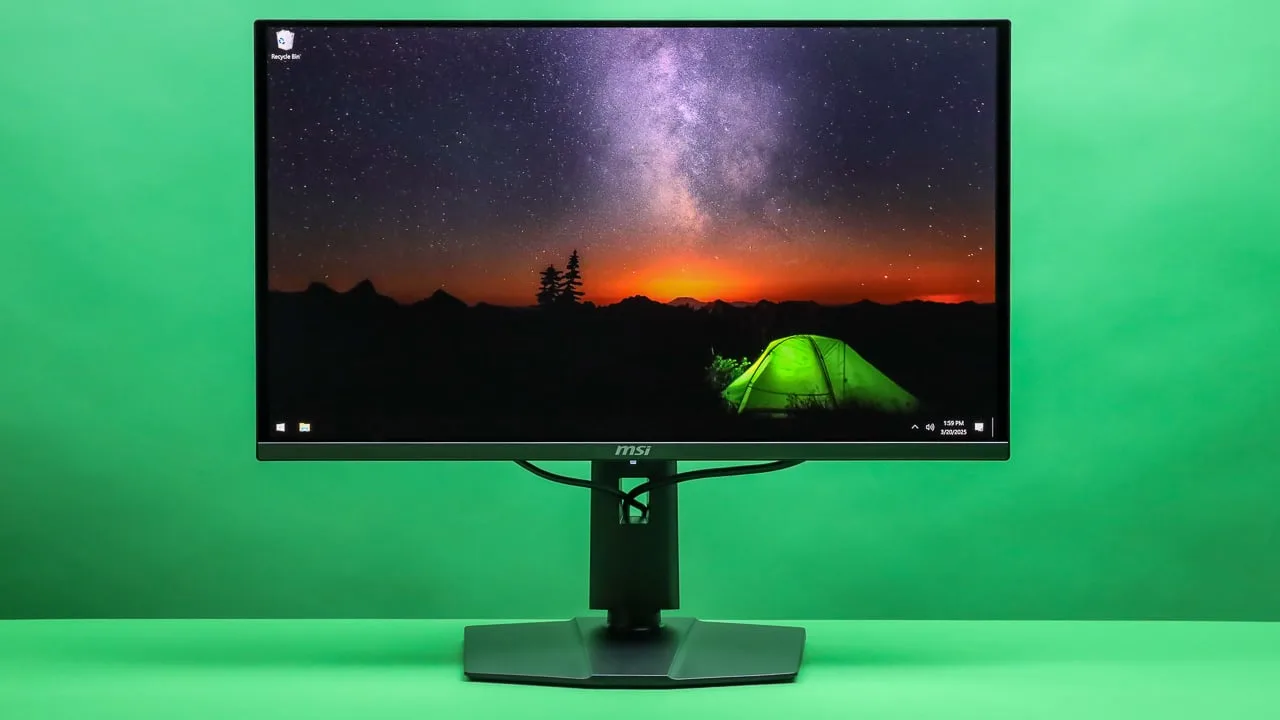
MSI MPG 321URX QD-OLED
Best For
- Gamers seeking high refresh rates
- Content creators needing wide color gamut
- Users valuing sleek cable management
Consider Carefully
- Home theater enthusiasts needing Dolby Vision
- Professionals requiring robust stand adjustments
Jump to Section
The Bottom Line
The MSI MPG 321URX QD-OLED is a cutting-edge monitor that's making waves in the gaming community. With a 4K resolution and a 240Hz refresh rate, it's designed to deliver an immersive and responsive gaming experience. We found that reviewers were particularly impressed with its QD-OLED panel, which offers 99% DCI-P3 color coverage and a vibrant, high-contrast display. The USB-C port with 90W power delivery is another standout feature, simplifying setup and providing a tidy cable management solution. However, there are a few drawbacks to consider. Some users have expressed disappointment in the lack of Dolby Vision support and the plastic stand, which they feel detracts from the monitor's overall quality. The limited ergonomic adjustments and absence of the Black Frame Insertion feature are also worth noting for those who prioritize these aspects.
Performance Breakdown
Expert Scores
How 14 professional publications rated this product
In-Depth Analysis
Gaming Performance 92
13 sources agree: 4K at 240Hz with 0.03ms response times and VESA ClearMR 13000 certification makes this one of the fastest large-format gaming monitors available. The catch is you need a GPU powerful enough to actually use it.
Key Takeaway
→If you have an RTX 4080 or better and want the sharpest, fastest 4K gaming experience available at this price, this monitor is the answer. If your GPU is mid-range, you are paying for headroom you cannot use.
Image Quality 91
The QD-OLED panel delivers true blacks, 99% DCI-P3 coverage, and 140 PPI sharpness that largely eliminates the text fringing that plagued earlier QD-OLED generations. A small minority of sources flag the semi-glossy coating and limited color controls as real limitations.
Key Takeaway
→If you game or create in a controlled lighting environment and want the best contrast and color a 32-inch monitor can offer under $1,000, this panel delivers. If you work under bright ambient light or need strict color management controls, the coating and locked presets will frustrate you.
Connectivity & Ports 90
90W USB-C power delivery and a built-in KVM switch are confirmed by 19 and 12 sources respectively, making this one of the most practical connectivity packages in its class. The USB 2.0 hub is the one glaring omission.
Key Takeaway
→If you run a multi-device desk and want single-cable laptop connectivity with KVM switching built in, this monitor handles it better than most competitors at this price. If you need fast USB throughput or DisplayPort 2.1, the spec sheet will disappoint.
Burn-In Protection 90
Six sources agree this is the most comprehensive burn-in protection package in the 32-inch OLED monitor segment, anchored by a 3-year warranty that explicitly covers panel burn-in. The trade-off is that some protective features are off by default.
Key Takeaway
→If burn-in anxiety has kept you off OLED monitors, this is the safest entry point in the segment. If you display static content for long periods, no warranty changes the underlying physics.
Price & Value 89
At $950 in the US, six sources call it the best value in the 32-inch 4K QD-OLED segment, using the same Samsung panel as monitors costing $1,100 to $1,300. UK buyers at £1,299 get a significantly worse deal.
Key Takeaway
→US buyers who can find it in stock at $950 should buy it without hesitation. UK and international buyers should compare regional pricing carefully before assuming the value proposition applies to them.
Design & Build 87
At 4mm thin with a fanless cooling system and minimal bezels, the physical design is genuinely impressive. The rear aesthetics and plastic stand construction undercut the premium impression.
Key Takeaway
→If you want a monitor that looks clean from the front and runs silently, this delivers. If you care about rear aesthetics or premium materials throughout, the plastic back and dim RGB will disappoint.
Stand & Ergonomics 82
The stand covers height, tilt, and swivel adjustments with a compact footprint, but the plastic construction and 10-degree swivel limit drew criticism from multiple sources. Portrait mode requires a VESA mount.
Key Takeaway
→The stand works for a fixed landscape setup and the compact base is a genuine advantage on smaller desks. If you need portrait orientation or want build quality that matches the panel, budget for a VESA arm.
HDR & Brightness 80
1,000 nits peak HDR brightness sounds strong, but 250 nits SDR, no Dolby Vision, and a reported near-black grayscale flaw in Peak 1000 mode give serious pause. Six sources say keep it in a dark room.
Key Takeaway
→Buy this for dark room HDR gaming and it will impress. If you need Dolby Vision, reliable Peak 1000 mode behavior, or a monitor that works well in a bright room, look elsewhere.
Specifications & Verdict
Display
- Screen Size
- 31.5 in
- Resolution
- 3840 × 2160
- Aspect Ratio
- 1.778:1
- Pixel Density
- 139 ppi
- Panel Type
- QD-OLED
- Curvature
- flat
- Screen Coating
- Glossy
Performance
- Refresh Rate
- 240 Hz
- Response Time
- 0.03 ms
- Input Lag
- 2.8 ms
- Adaptive Sync
- VESA Adaptive Sync
Image
- Contrast Ratio
- 1500000 : 1
- Brightness
- 250 nits
- Peak Brightness
- 1000 nits
- Color Gamut
- 138.2 %
- Color Depth
- 1073741824 colors
- HDR Support
- DisplayHDR 400 True Black
- Local Dimming Zones
- 8294400
- Viewing Angles
- 178 °
Connectivity
- Video Inputs
- 1x DisplayPort 1.4a, 2x HDMI 2.1 (4K@240Hz), 1x Type-C (DP alt.) w/PD 90W
- HDMI Ports
- 2
- DisplayPort
- 1
- DisplayPort Version
- DisplayPort 1.4
- USB Ports
- 4
- USB-C Power Delivery
- 90W
- Audio Output
- 1 x Headphone-out
Design
- Weight
- 9.6 kg
- Dimensions
- 699.48 mm
- Bezel Width
- 8mm
- Panel Thickness
- 69 mm
- VESA Mount
- Yes
- Height Adjustment
- 110 mm
- Tilt
- -5° to 15°
- Swivel
- -30° to 30°
- Pivot
- 10° either way
- Stand Adjustments
- pivot, tilt, height
- Security Lock
- Yes
- Remote Control
- No
Features
- Gaming Features
- supported
- OLED Care
- Robust OLED Care
- Lighting
- Mystic Light (rear only)
- Special Features
- Anti-theft stand lock slot - Kensington, supported, virtual KVM, VESA ClearMR 13000, VRR support
Other Specs
- Warranty
- three years with burn-in coverage
- Color
- Black
- Cooling
- heatsink (no fan)
- Design Features
- Graphene film heatsink, hexagon-shaped stand with quick-release, Mystic Light RGB control
- Setup Time
- Less than 5 minutes
- Osb Control
- 5-way joystick
Our Verdict
The MSI MPG 321URX QD-OLED is a solid choice for gamers and content creators who value a high-quality display with impressive color accuracy and fast response times. While it's not perfect, its strengths significantly outweigh the minor reservations, making it a compelling option for those in the market for a new monitor. However, for users who require Dolby Vision support or more robust stand adjustments, there may be better alternatives available.
Customer Reviews Amazon
390 reviews
Fantastic QD-OLED Monitor
5/5 Stars – Best 4K OLED I’ve ever used!
Fantastic OLED Monitor for Gaming
Great OLED - Only Monitor You'll Need
Show all 10 reviews
Best Gaming Monitor For The Money
Great monitor, Terrible shipping padding from Amazon.
Gaming Perfected
10/10
First OLED for Gaming
Expansive but fulfill every small details
Reviews shown are from Amazon customers and do not reflect our editorial assessment.
Reader Questions
Specific questions about the MSI MPG 321URX QD-OLED, answered only from what reviewers reported.
01Does the MSI MPG 321URX support 4K at 240Hz, or do you have to choose one or the other?
You get full 4K at 240Hz without compromise. Both the HDMI 2.1 and DisplayPort connections run at the full 240Hz, and the USB-C input also supports this resolution and refresh rate.
02Can I charge my laptop through this monitor?
Yes, the monitor includes a USB-C port with 90W power delivery, which reviewers noted simplifies laptop connectivity by combining video input and charging in a single cable.
03Is burn-in covered under the warranty?
Yes, MSI includes a 3-year warranty that explicitly covers OLED panel burn-in, which reviewers highlighted as a meaningful reassurance for long-term ownership.
04Does it support Dolby Vision?
No, the MSI MPG 321URX does not support Dolby Vision, and reviewers noted there is no planned firmware addition to add it.
05Does it have a built-in KVM switch for using multiple computers?
Yes, a KVM switch is built in alongside a USB hub, allowing you to share peripherals across multiple computers without extra hardware.
06How is the stand quality?
Reviewers found the stand to be a weak point, describing its plastic construction as cheap-looking and noting that the pivot range is limited to 10 degrees each way, which prevents portrait orientation.
Pricing & Availability
Updated May 13, 2026MSI MPG 321URX QD-OLED
All regions
Sources & Methodology
Every score is built on evidence. This review synthesizes 37 independent sources — expert publications, video reviews, and community discussions — weighted by credibility, depth, and relevance.
Show detailed source analysis ↓ Hide source analysis ↑
Expert Reviews
kitguru.net
Top
4.5/5-point
The MSI MPG 321URX represents a new generation of QD-OLED gaming displays, combining 4K resolution with 240Hz refresh rate in a 32-inch form factor. Utilizing Samsung's 3rd generation QD-OLED panel, it delivers effectively infinite contrast ratio, per-pixel dimming for immersive HDR, and excellent motion clarity. MSI claims up to 1000 nits peak HDR brightness with 99% DCI-P3 coverage. The monitor features a flat 16:9 design with adaptive sync support, multiple video inputs including DisplayPort 1.4a, two HDMI 2.1 ports, and USB-C with 90W power delivery. Pricing sits at £1299 in the UK or $949 in the US, with a 3-year warranty that includes panel burn-in coverage.
Strengths
- +First 32-inch 4K 240Hz QD-OLED display available
- +Effectively infinite contrast ratio from OLED technology
- +Per-pixel dimming enables immersive HDR experience
- +Excellent response times and superb motion clarity
Weaknesses
- −Expensive at £1299 UK pre-order pricing
- −Limited ergonomic adjustment range on stand
- −Only 250 nits typical SDR brightness
- −USB 2.0 ports rather than faster USB 3.0
digitaltrends.com
Top
9/10-point
The MSI MPG 321URX QD-OLED delivers exceptional value at $950, undercutting competitors by $250-$350 without meaningful compromises. It features a 32-inch Samsung QD-OLED panel with 4K resolution, 240Hz refresh rate, and 1,000 nits HDR peak brightness. Image quality impresses with outstanding color reproduction, while extensive burn-in prevention features and a 3-year warranty covering burn-in provide peace of mind. The design is functional but unremarkable—plastic construction with a glossy finish and minimal rear flair. The stand excels with generous adjustability and clean cable routing. USB-C with 90W power delivery and KVM switch add versatility, though USB 2.0 ports limit hub utility. Missing Black Frame Insertion and some premium features found on competing displays.
Strengths
- +Significantly cheaper than competing OLED monitors
- +Outstanding color reproduction and image quality
- +Extensive OLED burn-in prevention features included
- +1,000 nits peak brightness in HDR content
Weaknesses
- −Bland, pedestrian plastic design
- −USB hub limited to slow USB 2.0 speeds
- −Missing Black Frame Insertion feature
- −Rear RGB lighting is small and dim
techspot.com
Top
85/100-point
The MSI MPG 321URX QD-OLED is a 32-inch 4K 240Hz gaming monitor using Samsung's third-gen QD-OLED panel, aggressively priced at $950 in the US though significantly more expensive elsewhere. The design features slim 4mm-thick bezels with a premium front appearance, though the rear uses basic plastic with a small RGB section. Connectivity includes DisplayPort 1.4 with DSC, two HDMI 2.1 ports, USB-C with 90W power delivery, and a KVM switch. Text clarity at 140 PPI is substantially improved over earlier QD-OLED generations, with pink-green fringing becoming nearly unnoticeable in everyday use. The stand offers height, tilt, swivel and limited pivot adjustment with a space-efficient square base.
Strengths
- +Aggressive $950 US pricing undercuts competition
- +Extremely slim 4mm panel thickness
- +Good text clarity at 140 PPI pixel density
- +Minimal pink-green fringing vs earlier QD-OLEDs
Weaknesses
- −Non-US pricing significantly higher at $1,300+ USD equivalent
- −Rear design uses unimpressive mixed plastic finishes
- −No black frame insertion support
- −Cannot pivot to portrait without VESA mounting
rtings.com
Top
9.1/10-point
A flat 32-inch 4K QD-OLED gaming monitor with 240Hz refresh rate, designed for both PC and console gaming. It delivers deep blacks with bright highlights, and features notably less VRR flicker than most OLEDs. Productivity features include 90W USB-C power delivery and a KVM switch. The monitor uses a heatsink for passive cooling rather than a fan. MSI provides a three-year warranty that includes burn-in coverage. Official G-SYNC Compatible certification was confirmed in June 2025. No Dolby Vision support is present.
Strengths
- +240Hz refresh rate provides crisp, responsive gaming feel
- +Deep blacks with bright, popping highlights in dark rooms
- +Considerably less VRR flicker than most OLED monitors
- +90W USB-C power delivery for laptop charging
Weaknesses
- −No Dolby Vision support for HDR content
- −Only available in single 32-inch size option
pcmag.com
Top
4/5-point
The MSI MPG 321URX QD-OLED delivers a 32-inch 4K OLED experience at 240Hz with 0.03ms response time for $949, undercutting competitors while matching their core performance. Its understated industrial design suits both office and gaming environments, featuring a flat screen, hexagon stand that saves desk space, and subtle rear RGB lighting. The monitor employs graphene film and heatsink for thermal management, resulting in a thicker back panel. Port selection includes one DisplayPort, two HDMI 2.1, two USB-A, USB-B, USB-C with 90W power delivery, and a headphone jack—plus built-in virtual KVM. The QD-OLED panel produces vibrant colors surpassing IPS alternatives, with VESA ClearMR 13000 certification for motion clarity. Some minor quirks prevent it from achieving top recommendation status alongside competitors.
Strengths
- +Lower price than competing 32-inch OLED monitors
- +Thinner body and profile than alternatives
- +Understated design works in office or gaming spaces
- +Hexagon stand saves desk space, eliminates wobble
Weaknesses
- −Less extensive port selection than competitors
- −Not certified for G-Sync or AMD FreeSync
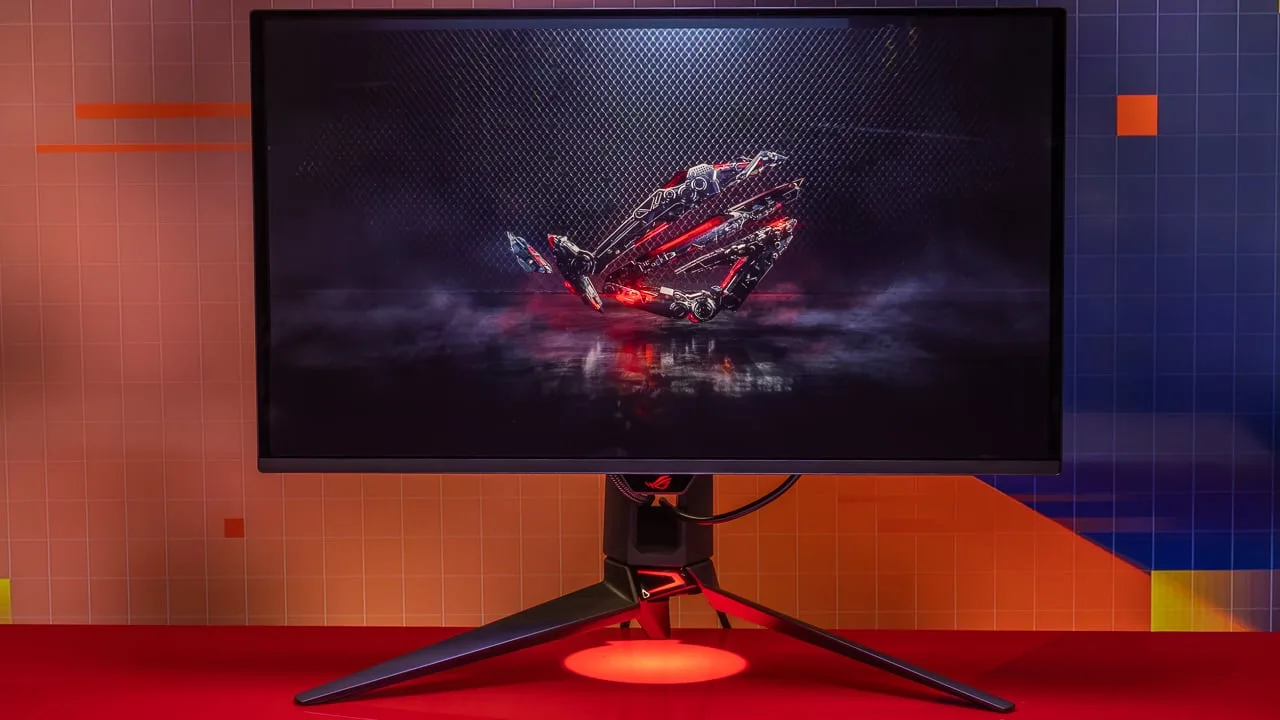
- −Slightly heavier than ROG Swift with stand attached
- −Minor quirks prevent top recommendation status
displayratings.com
Top
9/10-point
A 31.5-inch QD-OLED monitor targeting gamers and multimedia users with 4K resolution, 144Hz refresh rate, and 1ms response time. The panel delivers vibrant colors, deep blacks, and near-complete DCI-P3 coverage. Build quality impresses with thin bezels, a fully adjustable stand, and subtle rear RGB lighting, though the unit carries noticeable weight. Connectivity includes HDMI 2.1, DisplayPort 1.4a, and USB-C without Thunderbolt. Gaming features encompass NVIDIA G-SYNC compatibility and HDR 600 certification, but FreeSync is absent. Navigation relies on a physical joystick and MSI's Gaming OSD App 2.0. Pricing sits in the premium tier.
Strengths
- +Vibrant QD-OLED colors with deep blacks and infinite contrast
- +144Hz refresh rate with 1ms response time
- +Near 100% DCI-P3 color space coverage
- +Fully adjustable stand with tilt, swivel, and height
Weaknesses
- −Brightness not the highest available
- −Lacks Thunderbolt connectivity option
- −No FreeSync support included
- −Somewhat heavy for frequent repositioning
pcguide.com
Top
4.5/5-point
The MSI MPG 321URX is a 32-inch 4K QD-OLED gaming monitor with a 240Hz refresh rate and 0.03ms response time. It delivers excellent motion clarity for competitive gaming and deep blacks with strong contrast from its OLED panel. The glossy finish and solid construction feel premium, though the design lacks visual flair beyond rear RGB lighting. Connectivity is versatile with HDMI 2.1 for consoles, 90W USB-C power delivery, and a KVM switch for productivity. Color accuracy in sRGB is strong enough for color grading work, though gamut coverage falls short for DCI-P3 or Adobe RGB professional use. Stand adjustability covers basic needs but lacks full portrait pivot. The main limitations are typical OLED weaknesses: low peak SDR brightness, DisplayPort 1.4 bandwidth constraints instead of 2.1, and basic G-Sync compatibility without native integration.
Strengths
- +240Hz refresh rate at 4K resolution enables smooth high-fidelity gaming
- +0.03ms response time delivers exceptional motion clarity
- +QD-OLED panel produces deep blacks with unbeatable contrast ratio
- +100% sRGB coverage with high color accuracy for sRGB color grading
Weaknesses
- −Low peak SDR brightness typical of OLED display technology
- −Limited to DisplayPort 1.4 instead of newer 2.1 standard
- −Basic G-Sync support lacks native NVIDIA integration
- −No native VRR support mentioned in specifications
geekawhat.com
Top
4.5/5-point
The MSI MPG 321URX QD-OLED is a 31.5-inch 4K gaming monitor featuring a 3rd-Gen QD-OLED panel with 240Hz refresh rate and 0.03ms GtG response time. It delivers exceptional color accuracy with 1.5 million:1 contrast ratio and 97% Adobe RGB coverage. Peak brightness reaches 1000 nits, though typical brightness is limited to 250 nits to reduce burn-in. The design adopts a refined office-style aesthetic with an ultra-thin frame under one centimeter at the sides and top, though the plastic stand construction feels somewhat cheap. Connectivity includes HDMI 2.1, DisplayPort 1.4, and USB-C with 90W power delivery. At $949 MSRP, it represents relatively rare sub-$1000 pricing for a 4K QD-OLED display.
Strengths
- +240Hz refresh rate breaks past 4K 144Hz limitation
- +0.03ms GtG response time for exceptional responsiveness
- +1.5 million:1 contrast ratio enables exceptional color accuracy
- +Ultra-thin frame under one centimeter on sides and top
Weaknesses
- −Plastic stand construction looks cheap
- −Typical brightness limited to 250 nits
- −USB 2.0 ports are slow for modern peripherals
- −Bottom frame chunkier than ultra-thin sides and top
pcgamer.com
Top
92/100-point
The MSI MPG 321URX delivers an essentially identical experience to other 32-inch 4K QD-OLED monitors at a significantly lower price point. It uses the same Samsung-sourced panel with 240Hz refresh, 0.03ms response time, and 250 nits full-screen brightness. The glossy coating enhances HDR contrast, and 4K resolution eliminates previous OLED text clarity issues. Feature set remains surprisingly robust including USB-C with 90W power delivery and a KVM switch—both absent or inferior on pricier competitors. Performance in contrast, clarity, and speed matches more expensive alternatives. Main limitations involve standard QD-OLED behaviors: non-configurable ABL and typical HDR complications.
Strengths
- +Cheapest 32-inch 4K QD-OLED available by $200+
- +Same Samsung QD-OLED panel as $1,100-$1,300 competitors
- +USB-C with 90W power delivery included
- +Built-in KVM switch at no extra cost
Weaknesses
- −ABL is not configurable
- −HDR complications remain typical for QD-OLED
- −Sells out immediately due to high demand
- −No 480Hz 1080p pixel-doubling mode
displayninja.com
Top
4.6/5-point
The MSI MPG 321URX delivers exceptional gaming performance through its 32″ 4K 240Hz QD-OLED panel with Samsung's third-generation technology. Image quality impresses with 99% DCI-P3 coverage, true 10-bit color, and peak 1000-nit HDR performance, though Dolby Vision is unsupported. Factory calibration ensures Delta E < 2 accuracy out of the box. Gaming feels remarkably responsive thanks to instantaneous pixel response times and approximately 3ms input lag, with VRR functioning smoothly despite lacking official G-SYNC certification. MSI distinguishes itself with the most comprehensive burn-in prevention suite available and a 3-year warranty. The semi-glossy coating enhances vividness but requires controlled lighting. Stand ergonomics cover height, tilt, swivel, and pivot adjustments.
Strengths
- +Factory calibrated to Delta E < 2 for excellent accuracy
- +Peak 1000 HDR mode achieves full 1000-nit brightness
- +Forced Uniform Brightness prevents SDR brightness fluctuations
- +Dedicated sRGB, DCI-P3 and Adobe RGB picture presets
Weaknesses
- −No Dolby Vision support with no planned firmware addition
- −Color temperature locked in dedicated gamut presets
- −Semi-glossy screen raises blacks under direct lighting
- −No gamma or color saturation adjustment options
club386.com
Top
4.5/5-point
At 4K and 240Hz, this monitor delivers both uncompromised quality and performance for those willing to pay. The third-gen 31.5in Samsung Display QD-OLED panel uses a Quantum Dot layer for richer colours, better brightness, and optimised viewing angles. A surprisingly low US MSRP of $950 makes it the cheapest entry point for this technology, sweetened by a three-year warranty covering OLED burn-in. Connectivity includes DisplayPort 1.4a, dual HDMI 2.1 ports, and a Type-C port with 90W power delivery and DisplayAlt support. A built-in KVM switch with two USB Type-A ports and a 3.5mm jack is included, though cable management for peripherals could be improved. The plastic stand feels cheap but functions well with tool-less assembly, while the rest of the monitor uses high-quality materials with minimal bezels. Fan-less cooling via a custom heatsink and graphene film keeps operation silent. RGB on the MSI logo is dim and rear-facing, and the OSD navigates easily via a five-way joystick.
Strengths
- +4K/240Hz combination without compromises
- +Excellent colour accuracy from Quantum Dot layer
- +Robust OLED Care burn-in prevention
- +Three-year warranty covers OLED burn-in
Weaknesses
- −Cheap plastic stand construction
- −Slightly lower gamut coverage
- −Fiddly VESA mount placement
- −Glossy surface attracts fingerprints
tweaktown.com
Top
97/100-point
The MPG 321URX delivers exceptional 4K gaming with Samsung's third-generation QD-OLED panel at 240Hz. Setup takes under 5 minutes via a quick-release stand mechanism. The 4mm thin panel sits in a sleek, minimal gray plastic chassis with graphene film and heatsink cooling. Connectivity includes DisplayPort 1.4, dual HDMI 2.1, USB-C with 90W PD, USB hub, and KVM support. Colors are described as incredible with almost unnoticeable text fringing and ridiculous response times. Ambient light causes reflection issues, and picky users may notice text fringing. A beefy graphics card is required to run 4K at 240Hz properly.
Strengths
- +Almost unnoticeable text fringing
- +Incredible color reproduction
- +Ridiculous response time
- +High 240Hz refresh rate
Weaknesses
- −Ambient light causes reflection issues
- −Possible text fringing for picky users
- −Requires beefy graphics card for full performance
pocket-lint.com
Top
8/10-point
A 32-inch 4K OLED gaming monitor with 240Hz refresh rate that delivers exceptional HDR visuals and high-refresh-rate performance. The Quantum Dot OLED panel produces stunningly rich images with impressive contrast and boundless color, making games visually striking. Thoughtful features include Smart-Crosshair, OPTIX Scope, USB-C connectivity with 90W charging, and USB hub functionality. However, port placement complicates certain setups, and achieving full 4K/240Hz performance demands extremely powerful PC hardware. At $950, it positions itself competitively within the high-end gaming monitor segment.
Strengths
- +Gorgeous HDR performance with rich color depth
- +240Hz refresh rate excels for FPS gaming
- +Stunning 4K OLED visuals with impressive contrast
- +USB-C port delivers 90W charging capability
Weaknesses
- −Port placement makes certain setups more difficult
- −Requires extremely powerful PC to maximize performance
cgmagonline.com
9/10-point
Testing this 32-inch 4K QD-OLED gaming monitor revealed meaningful gaming improvements beyond raw specs. The 240Hz refresh rate, 0.03ms response time, and VESA ClearMR 13000 certification deliver exceptional motion clarity. The Quantum Dot layer enhances brightness and color gamut over standard OLED, while HDR True Black 400 provides true blacks without light bleed. Extensive I/O includes dual HDMI 2.1, DisplayPort 1.4a, USB-C with DP Alt Mode, and USB hub functionality with built-in KVM. OLED Care 2.0 offers comprehensive burn-in protection including pixel shift, Panel Protect, static screen detection, and boundary/taskbar/logo detection, backed by a 3-year burn-in warranty. Gaming tools include adaptive color-changing smart crosshairs and a 3x magnifying Optix Scope. The anti-reflective coating and built-in blue light reduction protect eyes. Setup is streamlined with hand-tightenable VESA screws and an impressively thin profile.
Strengths
- +240Hz refresh rate with 0.03ms response time
- +VESA ClearMR 13000 highest motion clarity certification
- +Quantum Dot layer boosts brightness and color gamut
- +HDR True Black 400 with true blacks, no light bleed
eurogamer.net
The reviewer describes upgrading from a 27-inch 1080p 144Hz monitor to the 32-inch 4K 240Hz QD-OLED as a transformative experience. The 140PPI pixel density delivers sharp images and surprisingly clear text, aided by an improved subpixel layout on Samsung's third-gen panel. Deep blacks, vibrant contrast, and accurate colors make it suitable beyond gaming, though the 240Hz refresh rate excels in both competitive and cinematic titles. HDR content reaches 1000 nits peak brightness. The 16:9 aspect ratio avoids letterboxing in most content. MSI distinguishes itself with the most comprehensive burn-in protection available, including taskbar/logo detection and boundary brightness adjustment.
Strengths
- +Ideal 32-inch size for 4K resolution
- +140PPI pixel density keeps images sharp
- +Improved text clarity from new subpixel layout
- +Fantastic deep blacks with vibrant contrast
Weaknesses
- −No Dolby Vision HDR support
- −Requires powerful GPU to reach 240Hz at 4K
- −4K HDR content increasingly behind paywalls on streaming services
gagadget.com
This 32-inch 4K QD-OLED gaming monitor delivers exceptional visual performance with true blacks, wide color gamut, and accurate color reproduction. The 240Hz refresh rate and 0.03ms response time make it highly responsive for competitive gaming. Connectivity is comprehensive with HDMI 2.1, DisplayPort 1.4a, and USB-C with 90W Power Delivery, plus KVM support for dual-PC setups. The design is notably restrained for a gaming monitor, featuring a glossy OLED-typical finish, thin bezels, and a compact octagonal stand. Cooling relies on graphene film and a custom radiator without fans, though the integrated power supply adds bulk. The only significant drawbacks are the high price and surprisingly outdated USB 2.0 hub ports.
Strengths
- +Gorgeous QD-OLED panel with true blacks and wide color gamut
- +240Hz refresh rate with 0.03ms pixel response time
- +USB-C with DisplayPort and 90W Power Delivery
- +KVM support for connecting two PCs simultaneously
Weaknesses
- −High price may deter potential buyers
- −USB hub limited to outdated 2.0 specification
- −Integrated internal power supply adds bulk
forum.pcmonitors.info
This 240Hz 4K UHD QD-OLED monitor delivers impressive contrast, vibrant and exceptionally consistent colors, and strong responsiveness typical of the panel technology. HDR performance is pleasant for everyday use. The monitor includes USB-C with 90W PD, KVM support, and HDMI 2.1 with VRR via both HDMI 2.1 VRR and Adaptive-Sync. Build quality is decent though the plastic stand could benefit from coated metal for a more premium feel. The sRGB emulation mode shows average DeltaE of 1.22 with slightly elevated gamma that preserves extra detail. Additional color space emulations include Adobe RGB and DCI-P3 modes that function properly. OLED care features extend beyond basic pixel shifting and cleaning cycles. Interpolation performance for QHD resolution is well-balanced with effective sharpness control. Under HDR, the monitor pushes gamut boundaries slightly harder than some alternatives, trading some accuracy for extra vibrancy.
Strengths
- +Impressive contrast from QD-OLED panel technology
- +Vibrant and exceptionally consistent colors
- +Strong responsiveness for competitive gaming
- +Pleasant HDR performance in daily use
Weaknesses
- −Plastic stand lacks premium coated metal construction
- −RGB lighting feels more gimmicky than useful
- −Requires power button press after cleaning cycle
- −No Dolby Vision support for movie content
overclock3d.net
The reviewer found the MSI MPG 321URX QD-OLED delivers a premium unboxing experience with distinctive 1970s-inspired wallpaper-style packaging. Its anti-reflective coating performs exceptionally well even under bright office lighting, a notable strength for OLED technology typically prone to glare. The rear design features an attractive mix of grey finishes—flat, brushed, polished, and carbon effect—along with a prominent heatsink venting from the top and visible MSI Dragon logo. Connectivity includes two HDMI 2.1 ports supporting 4K240, DisplayPort 1.4, 90W USB-C charging, two USB 2.0 ports, and a headphone jack. The QD-OLED panel produces vivid, saturated colors that remain impactful even in challenging lighting conditions. The monitor features minimal bezels and a 5-way joystick OSD control, though the power switch placement near the joystick may cause accidental presses for users with larger fingers.
Strengths
- +Excellent anti-reflective coating performs well under bright lights
- +Vivid, saturated colors from QD-OLED panel
- +Minimal bezel design for immersive viewing
- +Attractive rear aesthetic with varied grey finishes
Weaknesses
- −Power switch placement risks accidental presses
- −USB ports limited to 2.0 speed
- −Glossy panel still somewhat reflective when powered off
Video Reviews
 RTINGS Computer
The MSI MPG 321URX QD-OLED delivers a 4K 240Hz QD-OLED experience with …
RTINGS Computer
The MSI MPG 321URX QD-OLED delivers a 4K 240Hz QD-OLED experience with …
The MSI MPG 321URX QD-OLED delivers a 4K 240Hz QD-OLED experience with solid build quality and useful features like a KVM switch and 90W USB-C power delivery. Picture quality excels in dark rooms with deep blacks and impressive HDR color coverage, though HDR brightness remains typical of OLED limitations. The glossy coating handles reflections well but causes purple blacks under ambient light. Text clarity is sharp at 4K despite minor sub-pixel fringing. Gaming performance reaches the full 240Hz, though burn-in prevention measures like pixel refresh can interrupt sessions. Overall, it's a capable premium monitor with practical productivity features.
- →Best suited for dark room gaming and media consumption
- →Ideal for users needing KVM between work and gaming PCs
- →Good for creative work requiring wide color gamut
- →Consider burn-in risk for static desktop productivity use
- →Not optimal for bright environments due to purple blacks
 KitGuruTech
The MSI MPG321URX features a 32-inch 4K 240Hz QD OLED panel from …
KitGuruTech
The MSI MPG321URX features a 32-inch 4K 240Hz QD OLED panel from …
The MSI MPG321URX features a 32-inch 4K 240Hz QD OLED panel from Samsung's 3rd generation lineup, delivering near-instant response times and strong HDR performance. The matte black design includes a bezel-less front with a subtle grey chin under 20mm thick, plus a compact square stand offering height adjust up to 110mm, 30-degree swivel, tilt from -5 to +15 degrees, and 10-degree pivot. Connectivity includes DisplayPort 1.4a, dual HDMI 2.1, and USB-C with 90W power delivery plus KVM support. Brightness reaches 243 nits full-screen with perfect black levels and steady luminance regardless of window size. Color gamut coverage hits 98.9% DCI-P3 and 96.5% Adobe RGB, with out-of-box grayscale averaging delta E 2.75.
- →Ideal for competitive 4K gaming at 240Hz
- →Excellent for HDR content consumption
- →Suitable for color-critical creative work
- →Great for single-cable laptop docking
- →Best used in user mode for maximum brightness
 M Review
This 32-inch QD-OLED monitor delivers exceptional image quality with …
M Review
This 32-inch QD-OLED monitor delivers exceptional image quality with …
This 32-inch QD-OLED monitor delivers exceptional image quality with true blacks, near-infinite contrast, and brightness peaks near 1000 nits in small areas, though sustained brightness sits around 250 nits. The understated design avoids aggressive gamer aesthetics while offering solid ergonomics and VESA mount compatibility. Gaming performance excels at 240Hz with virtually no ghosting or input lag, but demands a powerful GPU for 4K high-refresh gameplay. Console compatibility through HDMI 2.1 is fully supported. For creative work, factory color accuracy and 10-bit color depth prove excellent, though burn-in risk from static interfaces remains a concern. Connectivity is comprehensive including 90W USB-C and KVM functionality.
- →Ideal for controlled, dimly lit room environments
- →Best suited for gamers prioritizing image quality over brightness
- →Excellent for multimedia consumption with HDR content
- →Viable for video editing and graphic design with burn-in awareness
- →Requires powerful hardware to fully utilize 4K 240Hz performance
 Monitors Unboxed
The MSI MPG 321URX QD-OLED is a 32-inch 4K 240Hz gaming monitor using …
Monitors Unboxed
The MSI MPG 321URX QD-OLED is a 32-inch 4K 240Hz gaming monitor using …
The MSI MPG 321URX QD-OLED is a 32-inch 4K 240Hz gaming monitor using Samsung's third-generation QD-OLED panel. Priced aggressively at $950 US MSRP, though significantly more expensive in other regions. The design features slim 4mm-thick bezels with a sturdy, height-adjustable stand. Port selection includes DisplayPort 1.4 with DSC, two HDMI 2.1 ports, USB-C with 90W power delivery, and a KVM switch. Text clarity impresses at 140ppi pixel density with minimal fringing. The OSD preserves settings across SDR and HDR modes but lacks Black Frame Insertion. Build quality mixes premium thin panel aesthetics with unremarkable rear plastics.
- →Best value for US buyers at $950 MSRP
- →Ideal for mixed productivity and gaming with sharp text
- →Strong choice for USB-C laptop docking setups
- →Consider VESA mount for portrait orientation needs
- →Verify regional pricing before purchasing
 Digital Trends
MSI's MPG 321URX QD-OLED delivers a 32-inch 4K 240Hz QD-OLED …
Digital Trends
MSI's MPG 321URX QD-OLED delivers a 32-inch 4K 240Hz QD-OLED …
MSI's MPG 321URX QD-OLED delivers a 32-inch 4K 240Hz QD-OLED experience at a significantly lower price than competitors without major compromises. The glossy finish pairs well with the OLED panel, while the included stand offers excellent adjustability with height, tilt, pivot, and swivel options. Features include USB-C with 90W power delivery and a KVM switch, though USB ports are limited to 2.0 speeds. The on-screen display is notably large and easy to navigate via centered joystick or mouse control. HDR reaches 1000 nits peak brightness with VESA DisplayHDR TrueBlack 400 certification. Design is functional but bland, with plastic construction throughout.
- →Best value 4K OLED for budget-conscious gamers
- →Ideal for multi-device setups with KVM functionality
- →Suits corner desk placement with swivel stand
- →Great for users prioritizing image quality over design
- →Perfect for keyboard and mouse, not external storage
 FIRE WOLF TECH
At just under $950, this 32-inch 4K QD-OLED monitor delivers …
FIRE WOLF TECH
At just under $950, this 32-inch 4K QD-OLED monitor delivers …
At just under $950, this 32-inch 4K QD-OLED monitor delivers competitive value with a 240Hz refresh rate and 0.03ms response time. Gaming performance impresses with deep blacks, gorgeous colors, and smooth motion in both PC and console use. The flat panel uses an anti-reflective semi-gloss coating for clarity, though glare can be an issue. Factory calibration achieves Delta E less than 2 accuracy with 99% DCI-P3 coverage. Notable omissions include built-in speakers and G-Sync certification, requiring manual VRR setup for NVIDIA users. OLED VRR flicker in dark scenes presents a genuine drawback with no mitigation features. Console gamers benefit from full HDMI 2.1 bandwidth supporting 4K 120Hz VRR.
- →Ideal for fast-paced FPS gaming at high refresh rates
- →Requires powerful GPU to approach 240 FPS at 4K
- →Console gamers get full 4K 120Hz VRR support
- →Content creators benefit from factory color calibration
- →Budget for external audio solution due to no speakers
 The Display Guy
The MSI MPG 321URX QD-OLED delivers 32-inch 4K 240Hz HDR OLED …
The Display Guy
The MSI MPG 321URX QD-OLED delivers 32-inch 4K 240Hz HDR OLED …
The MSI MPG 321URX QD-OLED delivers 32-inch 4K 240Hz HDR OLED performance at $949.99, notably undercutting typical $1,100-$1,300 pricing for comparable monitors. It features Quantum Dot OLED V3 technology with 0.03ms response time, FreeSync/G-Sync compatibility, and HDR 400 True Black certification. The design impresses aesthetically with a manageable gamer aesthetic, though cable management proves challenging. The stand offers full directional movement except limited rotation. Notable features include 90W USB-C power delivery, KVM functionality, and screen shrinking to 27 or 24.5 inches (though this disables VRR and may degrade image quality). Color performance excels with over 100% DCI-P3 coverage and strong HDR color volume, though out-of-box calibration requires adjustment for accurate SDR color space clamping. HDR brightness suffices for dark scenes but falls short in bright scenes—a limitation shared across current QD-OLED monitors. A three-year warranty including burn-in coverage adds significant value.
- →Ideal for creators needing accurate sRGB without oversaturation
- →Strong value proposition for 4K 240Hz OLED gaming
- →Best suited for dark room HDR viewing over bright environments
- →Competitive gamers may appreciate 27/24.5-inch screen shrink mode
- →Requires calibration investment for optimal color accuracy
 ShortCircuit
The reviewer unboxes and examines a flat 32-inch 4K 240Hz QD-OLED …
ShortCircuit
The reviewer unboxes and examines a flat 32-inch 4K 240Hz QD-OLED …
The reviewer unboxes and examines a flat 32-inch 4K 240Hz QD-OLED monitor, noting its all-black minimalist design with minimal branding. The stand offers rotation and height adjustment, though the reviewer wishes for slightly more range. Key I/O includes dual HDMI 2.1, DisplayPort 1.4, USB-C with 90W power delivery and DisplayPort Alt Mode, USB-B, and two USB-A ports. The thin panel design with bulky rear control box feels somewhat awkward. The absence of DisplayPort 2.1 is noted as a minor disappointment given the bandwidth demands of 4K 240Hz. Overall, the flat panel format addresses a major demand from users who previously only had curved options.
- →Ideal for users wanting flat QD-OLED instead of curved
- →Great laptop companion with 90W USB-C charging
- →Suits gamers prioritizing 4K 240Hz on current GPUs
- →Not for those needing DisplayPort 2.1 future-proofing
- →Professional-friendly minimal aesthetic
 TFTCentral
The MSI MPG 321URX is a 31.5-inch 4K 240Hz QD-OLED gaming monitor …
TFTCentral
The MSI MPG 321URX is a 31.5-inch 4K 240Hz QD-OLED gaming monitor …
The MSI MPG 321URX is a 31.5-inch 4K 240Hz QD-OLED gaming monitor built around Samsung Display's third-generation panel with 140ppi pixel density. Text clarity issues from earlier OLED panels have been effectively eliminated thanks to the Gen 2 pixel structure combined with higher resolution. The semi-glossy coating provides a cleaner image than matte alternatives while retaining some anti-reflective properties. Connectivity is comprehensive with DisplayPort 1.4, full-speed HDMI 2.1, and 90W USB-C with KVM switch. The stand offers smooth tilt, height, and swivel adjustments with minor wobble during OSD navigation. HDR peak brightness reaches 1000 nits with 99% DCI-P3 coverage, though variable refresh rate lacks official NVIDIA G-Sync or AMD FreeSync certification.
- →Excellent for mixed productivity and gaming use cases
- →Viable as primary monitor for text-heavy office work
- →Ideal for console gaming via full-speed HDMI 2.1
- →Single-cable laptop docking with 90W power delivery
- →Consider 125% scaling for comfortable daily use
 The Display Guy
The MSI MPG 321URX QD-OLED delivers exceptional color vibrancy and …
The Display Guy
The MSI MPG 321URX QD-OLED delivers exceptional color vibrancy and …
The MSI MPG 321URX QD-OLED delivers exceptional color vibrancy and contrast typical of QD-OLED technology, with outstanding gaming performance due to 0.03ms response times and 26ms total system latency. However, brightness improvements are minimal—a mere 516 nits in a 10% window, nearly identical to last year's model. HDR peak 1000 mode suffers from severe tracking issues, failing to maintain proper EOTF above 25% window sizes. The monitor adds DisplayPort 2.1A (80Gbps, no DSC) and G-Sync certification, but at $1,299.99 represents a massive price increase over the previous ~$950 model. Out-of-box color calibration is decent but slightly oversaturated, and HDR accuracy may actually be slightly worse than its predecessor.
- →Best suited for dark room gaming with emphasis on color
- →Enable HDR 400 mode instead of broken peak 1000
- →Ideal for competitive gamers prioritizing low latency
- →Wait for firmware updates before purchasing
- →Consider last year's model for better value
 EvoGrid
A 31.5-inch 4K 240Hz QD-OLED monitor released in 2025, targeting …
EvoGrid
A 31.5-inch 4K 240Hz QD-OLED monitor released in 2025, targeting …
A 31.5-inch 4K 240Hz QD-OLED monitor released in 2025, targeting gamers, creators, and power users. HDR performance looks stunning with cinematic highlights and inky blacks, while the 240Hz refresh rate delivers silky smooth motion in games and everyday scrolling. USB-C with 90W power delivery and KVM functionality simplifies laptop workflows. However, SDR brightness falls short of some alternatives, and text clarity issues may bother programmers or heavy document users. Factory calibration shows a slightly warm color bias. The design balances gaming aesthetics with professional polish, though portrait mode isn't supported out of the box. MSI includes burn-in protection and a 3-year OLED warranty.
- →Ideal for gamers wanting 4K 240Hz with rich HDR visuals
- →Strong everyday centerpiece for mixed work and play use
- →Creators benefit from wide gamut but may need calibration
- →Programmers and heavy text users should test text clarity first
- →Excellent laptop docking solution with single-cable workflow
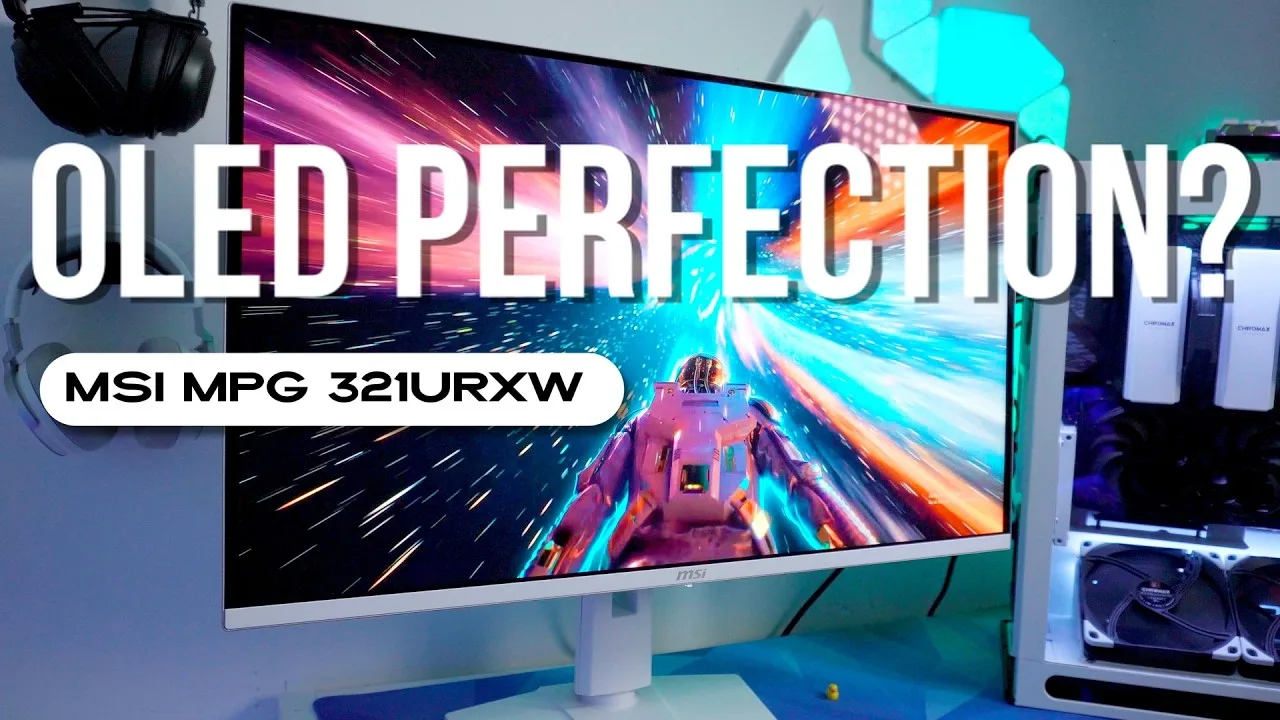 I'm CheCo Tech
This 32-inch 4K 240Hz QD-OLED monitor delivers exceptional visual …
I'm CheCo Tech
This 32-inch 4K 240Hz QD-OLED monitor delivers exceptional visual …
This 32-inch 4K 240Hz QD-OLED monitor delivers exceptional visual performance with true blacks, vivid colors, and near-instant response times. The all-white design with thin bezels and full ergonomic adjustability stands out aesthetically. Connectivity is robust, including HDMI 2.1, DisplayPort 1.4 with DSC, and USB-C with 90W charging. Color accuracy is professional-grade with 99% DCI-P3 coverage. HDR performance peaks at 1000 nits with DisplayHDR True Black 400 certification. However, SDR brightness sits at only 250-300 nits, burn-in risk remains a consideration despite MSI's mitigation features, and the $1,200 price demands serious investment.
- →Ideal for competitive fast-paced shooters needing motion clarity
- →Perfect for console gaming at 4K 120Hz with VRR support
- →Suited for controlled lighting environments, not bright rooms
- →Professional content work benefits from factory color accuracy
- →Not recommended for static image display workflows
Community Discussions via Reddit
Comparison
r/OLED_Gaming
u/warmans
Long-term owner warmans reports extremely negative experience with MSI MPG 321URX QD-OLED after one year of daily use for work, gaming, and media. Primary frustration centers on aggressive OLED Care panel protection that interrupts use at critical moments—after 16 hours of operation, during important tasks, or before standby—with mandatory or intrusive maintenance cycles. Image quality acknowledged as "pretty good" but deemed insufficient to offset usability issues. However, community response reveals stark divide: multiple owners (limbpox, BellyDancerUrgot) report zero issues with same monitor, suggesting firmware behavior may vary by usage patterns or that standby habits prevent interruptions. Controversy centers on whether complaints reflect legitimate design flaw or user error in managing OLED maintenance requirements.
Key Insights
- →Best for users with intermittent daily computer use who naturally allow monitor standby; not ideal for remote workers needing 8+ hour continuous daily operation
- →Critical to establish standby habits—turning monitor off during breaks—to prevent forced panel protection interruptions during active use
- →Long-term durability concern: burn-in protection is mandatory and non-negotiable, making this a lifestyle-dependent purchase
- →Community consensus split: negative experiences may reflect usage pattern mismatch rather than universal defect, though firmware implementation clearly frustrates some legitimate use cases
- →Purchaser should verify firmware version and understand OLED Care behavior before buying; early adopters may have different experience than current production
Top Comments
I don't get how you can't find five minutes time in 16 hours to let your monitor go to Standby once and just do its thing. If you keep this up you probably will have worse problems than a faulty …
This is crazy work is right. I’ve had the same monitor and have had 0 issues. If oled care pops up at a bad time, I turn off display, turn on, use as intended and then let it run its course when it …
That’s a whole lot of writing for what basically boils down to: “I didn’t do enough research before my purchase.”
Troubleshooting
r/OLED_Gaming
u/Cat_On_Road
The MSI MPG 321URX QD-OLED suffers from a firmware-level flaw where MSI artificially raised near-black grayscale, causing a flat grayscale tracking near black. This prevents the OLED panel from reaching true deep blacks, creates a gray haze in shadow areas, and causes clipping of dark detail. The issue affects Peak 1000 and EOTF boost modes, though TB400 mode remains unaffected. Multiple MSI QD-OLED models share this problem. Users have resorted to a third-party tool (lilium__hdr_black_floor_fix) as a partial workaround, but this introduces black crush instead of gray haze. Community members report MSI's EOTF tuning tends to clip/crush near-black detail with darker mid-tones and higher apparent gamma. Some users avoid firmware updates to prevent the issue, indicating it was introduced in newer firmware versions.
Key Insights
- →Best for users who primarily use SDR or TB400 HDR mode, as these avoid the near-black grayscale flaw
- →Not ideal for HDR content creators or users sensitive to accurate shadow detail reproduction
- →Consider avoiding firmware updates until MSI releases an official fix, or verify firmware version before purchase
- →Temporary workaround exists but trades gray haze for black crush, indicating no perfect user-side solution
- →Community consensus strongly urges potential buyers to be aware of this flaw before purchasing, especially for holiday buying season
Top Comments
The various brands using this panel are all tweaking the eotf in different ways. From my experience: 1. MSI: tend to clip/crush near black detail, mid tones are darker than they should be, overall …
That's why i never updated to newer firmware versions (starting with the one with that issue). I'm still on FW 0.15 for the MPG271QRX
Is there any update to this? I feel like months of this issue without any resolution in sight is an issue that needs to be addressed.
Comparison
r/OLED_Gaming
u/WilliamG007
Owner WilliamG007 received their MSI MPG 321URX QD-OLED over the weekend and reports being "really, really impressed" overall. The monitor's PIP feature works superbly, allowing simultaneous display of multiple inputs (Xbox via HDMI 1, PS5 via HDMI 2, PC via DP) in adjustable window sizes and positions. The display excels in controlled lighting environments with exceptional black levels, though bright rooms cause elevated blacks with a reddish tinge. Community member geoelectric confirms MSI has acknowledged the SDR/HDR color gamut switching issue and plans a firmware fix. The owner also notes 30fps content exhibits significant judder due to OLED's instant response times, making it less ideal for general media consumption compared to their IPS display.
Key Insights
- →Best for gaming in controlled lighting environments where OLED's instant response times and black levels shine
- →Not ideal for bright rooms or as sole display for 30fps video content; owner uses separate IPS monitor for general Windows use
- →MSI has confirmed future firmware update will optimize color gamut switching behavior for SDR/HDR transitions
- →PIP functionality is robust enough for two people to play games simultaneously from different systems
- →Display P3 (not DCI-P3) is the available HDR preset; community discussion suggests 'User' mode may be standard HDR colorspace per MSI rep
Top Comments
https://www.reddit.com/r/OLED_Gaming/comments/1b7pn15/comment/kuekaa1/ > In HQ's responses to many of the HDR and SDR inquiries, they have stated that they will optimize the switching of color …
Careful about P3. I'm not in front of mine, but I think that's Display P3, not DCI-P3. Display P3 uses the DCI-P3 gamut, but with the sRGB transfer function at Gamma 2.2. It's basically the Mac …
If you google for DCI-P3 vs. Display P3 you'll find a bunch of explanations from people who know this stuff better than me, along with a few "DCI-P3 for Dummies" articles from places like Tom's …
Setup Showcase
r/OLED_Gaming
u/nanaochan
Owner nanaochan shares their experience calibrating the MSI MPG 321URX QD-OLED after following TFTCentral's setup guide. They found that while Premium Color mode works well for some HDR content, switching to User Mode produces more natural-looking images for most games, with less oversaturation. The owner also experiments with RTX HDR for YouTube videos with positive results. Community discussion reveals ongoing debate about color accuracy versus personal preference, with multiple users noting gamut handling issues in both SDR and HDR modes.
Key Insights
- →Best for users who prioritize personal visual preference over strict color accuracy
- →Requires manual mode switching between SDR and HDR use cases for optimal results
- →Not ideal for users wanting accurate color gamut management without manual intervention
- →Firmware update may be needed to address gamut application in HDR
- →Community consensus favors using sRGB mode for accurate SDR, Display P3 for improved HDR
Top Comments
Born a Wretch, died a Wretch 😂😂
😂Who doesn't like spiky fists and helmet?😂
It's whatever looks best to you personally. Accuracy be damned, just because someone told you it "has" to be X way. That's what I find a bit ridiculous personally, is everyone on this sub chasing …
Comparison
r/OLED_Gaming
u/Affectionate_Tea5078
The MSI MPG 321URX QD-OLED emerges as the community-preferred choice in this comparison, primarily due to MSI's active post-purchase support and customer-oriented approach. Multiple commenters highlight MSI's firmware updates, particularly the recent fix for HDR1000 mode, as evidence of ongoing commitment to the product. The monitor features a flat panel design, which the original poster specifically favors. MSI includes burn-in protection within its 3-year warranty coverage. However, the warranty service process requires customers to pay shipment fees to MSI's repair facility and does not offer advance replacement units. Community consensus strongly favors MSI over Alienware due to Dell's perceived abandonment of their OLED monitor line with no updates since April 2024.
Key Insights
- →Best for users who value ongoing firmware support and long-term software improvements over premium warranty logistics
- →Strong choice for burn-in-concerned buyers due to included 3-year burn-in protection, though replacement process is less convenient than competitors
- →Flat panel design makes it suitable for users who specifically dislike curved monitors
- →Community consensus heavily favors this monitor due to competitor's perceived abandonment of their product line
- →Post-purchase update commitment appears to be a key differentiator for this product in the OLED monitor market
Top Comments
No question. Go with MSI. Dell’s warranty isn’t even that good. The replacement unit they send you is a refurbished model and you’ll probably have to exchange it a few times to get one without …
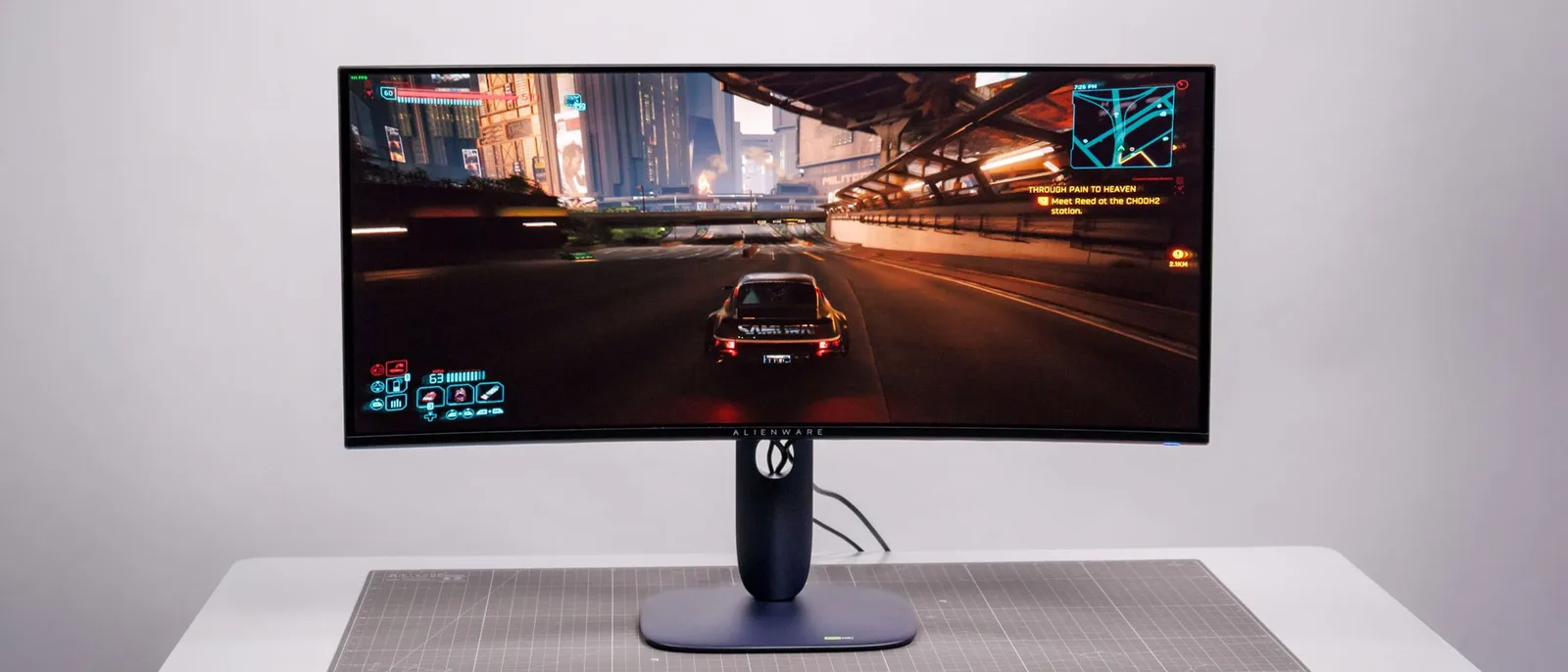
MSI has shown they actually want to have pleased customers, by offering the best post-purchase updates to their OLED monitors. I would happily recommend my Dell Alienware monitor, if they hadn't …
The MSI also has burn-in protection included in their 3-year warranty, so not sure why the Alienware is superior for burn-in. Especially since they're the same panel.
Troubleshooting
r/OLED_Gaming
u/TurboUrban
Owner TurboUrban reports the MSI MPG 321URX QD-OLED functions normally in True Black 400 mode and SDR, but exhibits washed out, purple-tinted image specifically in Peak 1000 HDR mode. After extensive troubleshooting including cable swaps, GPU port changes, firmware update (0.08 to 0.11), and driver updates, the issue persists. The owner suspects possible Windows configuration remnants from a previous Samsung Neo G8 monitor. Community member vermiforme notes similar reports of purple/green color dominance in Peak 1000 mode when HDR is enabled, suggesting this may be a known issue rather than isolated defect. No resolution was found in the discussion thread.
Key Insights
- →Best for users primarily using True Black 400 mode or SDR content, as these function correctly
- →Peak 1000 mode appears problematic for some users when combined with Windows HDR, suggesting potential compatibility or calibration issue
- →Firmware updates available but did not resolve this specific issue in owner's case
- →Users migrating from other HDR monitors may need to verify clean Windows HDR configuration
- →Consider testing Peak 1000 mode thoroughly during return window before committing
Top Comments
FF can't play youtube videos in HDR format, you'd need chrome, edge, brave, etc. Regarding purples and greens dominating your whole desktop but only when HDR is enabled in windows and peak 1000 mode …
Whatever is playing those videos, it's not engaging Youtube's HDR mode. If it's a chromium based browser, try refresing the video page (F5) after enabling HDR in windows.
Oh I didn't know that. Thanks!
Comparison
r/OLED_Gaming
u/Derpface123
The MSI MPG 321URX QD-OLED receives praise for exceptional picture quality, sturdy stand, passive cooling, and accurate sRGB mode for SDR content. However, a critical firmware flaw prevents automatic color space switching between SDR and HDR modes, requiring manual OSD adjustments each time. Users find this inconvenient for a high-end display. Additional minor issues include lack of DSC disable option, non-disableable power LED, and a broken refresh rate display when adaptive sync is active. Multiple owners and reviewers (including TFTCentral) have confirmed the gamut switching problem, with hope for a firmware fix. Despite these issues, owners generally find the monitor excellent for those willing to work around the color space limitation.
Key Insights
- →Best for users who primarily stay in one mode (SDR or HDR) rather than frequent switchers, due to manual color space switching requirement
- →Worth waiting for potential firmware update before purchasing if automatic gamut switching is important to your workflow
- →Excellent choice for users prioritizing silent operation and color accuracy in SDR content
- →Not ideal for users who need DSC disable functionality for specific use cases
- →Community consensus: hardware is excellent but firmware implementation of color space management is a significant oversight for this price tier
Top Comments
You are the second user who confirms that MSI Monitors don't switch color space automatically, which is kind of a deal breaker for me. I don't like going in to the OSD every time I switch from HDR to …
Well, first you need to know that there are different color spaces used for different types of media 1. sRGB (SDR-Games, SDR-Videos on Youtube, general Web content) 2. Rec.709 (SDR-Movies, HDTV) 3. …
I own the MSI 321URX and have been trying to figure this out myself OP, so thank you for getting a discussion going. First off, the monitor is really good. I had the AW3225QF before this and really …
Scores based on weighted analysis of 37 expert and community sources. How we review →