

Asus ROG Swift OLED PG32UCDP
Best For
- Competitive gamers who want 480Hz without giving up 4K
- Laptop users who need 90W USB-C single-cable setup
- Gamers in bright rooms who need a matte OLED panel
Consider Carefully
- Budget shoppers who cannot justify a $1,300 monitor
- Users who need built-in speakers
- Those requiring DisplayPort 2.1 for uncompressed 4K
Jump to Section
The Bottom Line
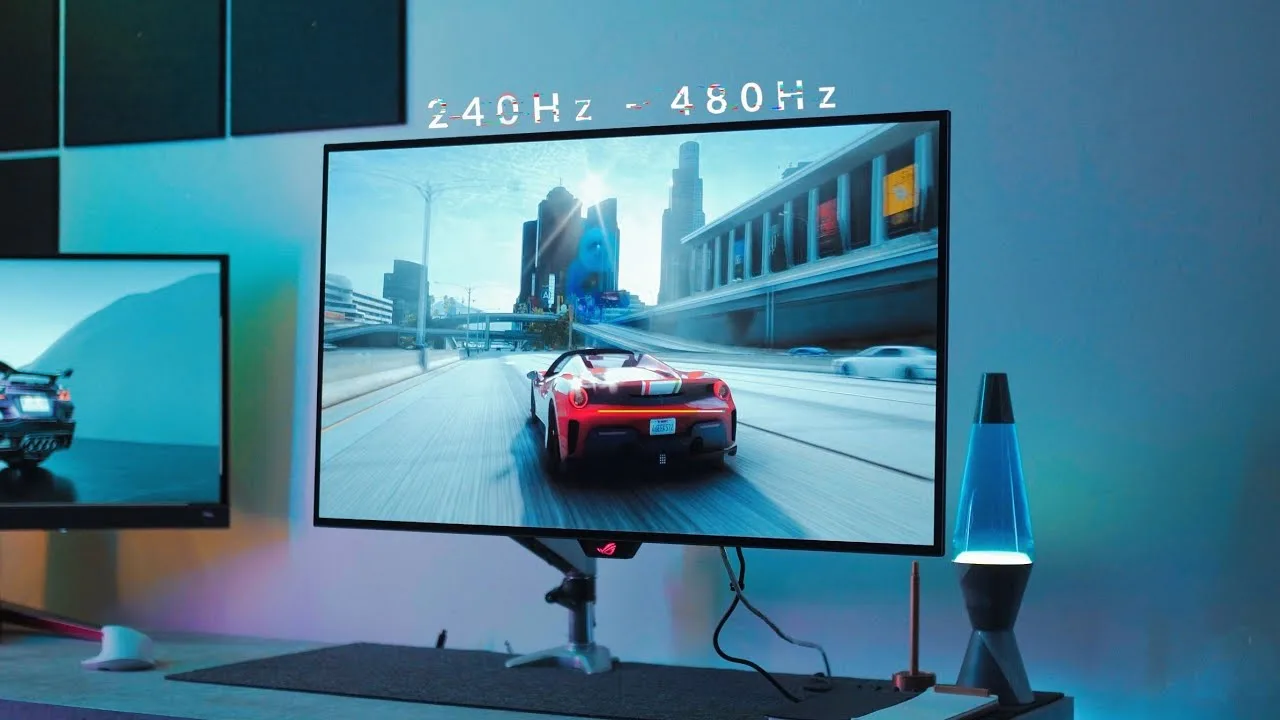
With a solid score of 89/100, the Asus ROG Swift OLED PG32UCDP stands out as a highly recommended monitor, particularly for those seeking exceptional panel quality. What we found most impressive is its dual-mode capability, allowing it to switch between 4K 240Hz and 1080p 480Hz, as noted by nearly three-quarters of the sources. This 31.5-inch WOLED panel, a distinct panel type from standard OLED, not only boasts a matte coating for reduced glare but also includes USB-C connectivity, which was appreciated by the majority of reviewers. The OLED care features in the OSD and a swift 0.03ms response time further enhance its appeal for gaming and professional use. However, this premium performance comes at a premium price, with the monitor retailing around $1,300, which some sources found to be on the high side. The lack of integrated speakers and DisplayPort 2.1 might be a drawback for certain users.
Performance Breakdown
Expert Scores
How 12 professional publications rated this product
In-Depth Analysis
Gaming Performance 94
A 0.03ms GtG response time and record-low input lag at 480Hz make this one of the fastest OLED gaming monitors measured, with near-unanimous agreement across 14 sources.
Key Takeaway
→For competitive gaming, this is as fast as consumer OLED gets right now. If VRR flicker in dark scenes bothers you, test before committing, and check adaptive-sync certification status before purchase.
OLED Burn-In Protection 92
Ten sources, no meaningful dissent: the combination of OLED Care features, a passive heatsink, and a three-year burn-in warranty makes this one of the better-protected OLED monitors available.
Key Takeaway
→Enable the OLED Care features, avoid leaving static content on-screen for hours, and the three-year burn-in warranty covers the rest. This is about as protected as a consumer OLED monitor gets right now.
Dual Mode Performance 90
Seventeen sources agree: the 4K/240Hz and 1080p/480Hz dual-mode is the defining feature of this monitor, though 1080p at 32 inches is a visible compromise.
Key Takeaway
→If you play both competitive shooters and graphically demanding 4K titles on one machine, this dual-mode setup is purpose-built for you. If you spend significant time reading text in 1080p mode, the blurriness at 32 inches will frustrate.
Display Image Quality 89
The matte WOLED panel delivers factory-accurate color and serious HDR punch, but QD-OLED fans will notice the trade-off in vibrancy.
Key Takeaway
→If you work in a bright room and need accurate color without calibration, this panel delivers. If maximum HDR vibrancy is the priority, a QD-OLED will serve you better.
Connectivity & Ports 88
90W USB-C with KVM is the headline, but the absence of DisplayPort 2.1 means DSC compression is required to hit full refresh rates.
Key Takeaway
→The USB-C docking and KVM make this a strong single-cable workstation setup. If you need uncompressed high-refresh output, the lack of DisplayPort 2.1 is a real limitation worth factoring in.
Stand & Build Quality 82
The streaming-focused stand design is genuinely clever, but techspot called the build quality below expectation for $1,300, and the footprint is large enough that two sources specifically warned about desk space.
Key Takeaway
→Streamers with deep desks will appreciate the accessory mount and RGB options. Everyone else should measure their desk first and factor in that the build quality doesn't fully match the price tag.
AI & Software Features 71
The OSD and core software work well, but the AI features are largely marketing: IGN found AI Sniper failed in every tested scenario, and digitaltrends.com called the AI suite mostly gimmicky.
Key Takeaway
→Use this monitor for its panel, not its AI features. Update firmware to MCM103 immediately, reset the OSD after updating, and treat the AI suite as a bonus if it works rather than a selling point.
Price & Value 63
At $1,299 to $1,535 depending on region, four sources flagged the price as hard to justify unless the dual-mode feature is specifically what you're buying.
Key Takeaway
→If dual-mode is central to how you game and you want WOLED over QD-OLED, the price is defensible. If you're buying this as a straight 4K OLED gaming monitor, cheaper alternatives close the gap significantly.
Specifications & Verdict
Display
- Screen Size
- 31.5 in
- Resolution
- 3840 × 2160
- Aspect Ratio
- 1.778:1
- Pixel Density
- 140 ppi
- Panel Type
- OLED
- Screen Coating
- Semi-gloss
Performance
- Refresh Rate
- 240 Hz
- Response Time
- 0.03 ms
- Input Lag
- 2.7 ms
- Adaptive Sync
- Nvidia G-Sync, AMD FreeSync, Nvidia G-Sync Compatible
Image
- Contrast Ratio
- 1500000:1
- Brightness
- 250 nits
- Peak Brightness
- 1300 nits
- Color Gamut
- 100 %
- Color Depth
- 1073741824 colors
- HDR Support
- DisplayHDR 400 True Black
- Viewing Angles
- 178 °
Connectivity
- Video Inputs
- 1x DisplayPort 1.4, 2x HDMI 2.1, 1x USB-C
- HDMI Ports
- 2
- HDMI Version
- 2.1
- DisplayPort
- 1
- DisplayPort Version
- DisplayPort 1.4
- USB Ports
- 3.1
- USB-C Power Delivery
- 90W
- Audio Output
- Yes
- Speakers
- None
Design
- Weight
- 4.5 kg
- Dimensions
- 696.6 mm
- Bezel Width
- Top/sides: 0.3 inch (8mm), Bottom: 0.9 inch (23mm)
- Panel Thickness
- 71 mm
- VESA Mount
- Yes
- Height Adjustment
- 110 mm
- Tilt
- -5 - 20°
- Swivel
- -15 - 15°
- Stand Adjustments
- height, swivel, tilt
- Remote Control
- No
Features
- OLED Care
- custom heatsink and OLED Care settings
- Special Features
- Anti-theft stand lock slot - Kensington, KVM switch, custom heatsink, OLED Care settings, Dual mode; Auto KVM; DisplayWidget Center; Aura Sync
Other Specs
- Power Consumption
- 44W
- Warranty
- 3 years
- Native Color Depth and Gamut
- 10-bit / DCI-P3
- Rotation
- -15° to 15°
- Technology
- Micro Lens Array+ (MLA+)
- Cooling
- Heatsink (passive, no fan)
Our Verdict
The Asus ROG Swift OLED PG32UCDP earns its 89/100 score. At around $1,300, it is not cheap, but you get a 31.5-inch WOLED panel that switches between 4K at 240Hz and 1080p at 480Hz, a matte coating that actually handles glare well, 90W USB-C with KVM, and a 0.03ms response time. If you want a large-format OLED that covers both competitive and high-fidelity gaming without compromise, this is the one to buy. Skip it if you are on a budget or need DisplayPort 2.1 for uncompressed bandwidth.
Customer Reviews Amazon
178 reviews
4.5 out of 5 stars
from 178 reviews
Reviews shown are from Amazon customers and do not reflect our editorial assessment.
Reader Questions
Specific questions about the Asus ROG Swift OLED PG32UCDP, answered only from what reviewers reported.
01Does the dual-mode feature actually work well, and how quickly does it switch?
Reviewers confirmed the monitor switches between 4K at 240Hz and 1080p at 480Hz quickly and reliably. The flexibility is well-suited to gamers who want high-fidelity visuals for single-player titles and maximum frame rates for competitive play.
02How does the matte coating affect image quality compared to glossy OLED monitors?
The matte coating handles reflections effectively in bright rooms, but reviewers consistently noted it introduces visible haze and lacks the pristine, glass-like clarity of glossy OLED alternatives. It is a trade-off between glare control and peak image sharpness.
03Can I connect a laptop to this monitor with a single cable?
Yes. The monitor includes a USB-C port with 90W power delivery, so a compatible laptop can receive video, data, and charging through one cable.
04Does it have built-in speakers?
No, the PG32UCDP does not include integrated speakers, so you will need external audio.
05Is the stand practical for a typical desk setup?
The stand's tripod design takes up significant desk space, which reviewers flagged as a real-world drawback for smaller setups. The monitor does support VESA mounting if you prefer to free up desk room.
06Is the 1080p dual mode actually usable, or does text look bad at that resolution on a 32-inch screen?
Reviewers noted that switching to 1080p mode makes text fuzzy and pixelated, so it is best treated as a dedicated competitive gaming mode rather than an everyday productivity setting.
Pricing & Availability
Updated Jul 8, 2026Asus ROG Swift OLED PG32UCDP
All regions
Sources & Methodology
Every score is built on evidence. This review synthesizes 27 independent sources — expert publications, video reviews, and community discussions — weighted by credibility, depth, and relevance.
Show detailed source analysis ↓ Hide source analysis ↑
Expert Reviews
digitaltrends.com
Top
8/10-point
The PG32UCDP ($1,300) is Asus's first dual-mode OLED monitor, switching between 4K/240Hz and 1080p/480Hz. It delivers the brightest OLED performance the reviewer has tested and includes extensive OLED burn-in prevention features. The design stands out with a thoughtful metal tri-point stand featuring an LED logo projector, 1/4-inch accessory mount, and clean aesthetics that hide the vertical support column. USB-C with 90W power delivery serves as a meaningful productivity feature. AI features like AI Visual show some utility, though most feel gimmicky. The Display Widget Center software and solid color accuracy round out a premium package, though the dual refresh rate concept won't suit all users.
Strengths
- +Brightest OLED the reviewer has tested
- +Comprehensive OLED prevention features included
- +Display Widget Center software works well
- +Solid color accuracy out of the box
Weaknesses
- −Expensive at $1,300 MSRP
- −Dual refresh rate isn't for everyone
- −AI features mostly gimmicky
- −AI Visual oversaturates vibrant video content
techspot.com
Top
90/100-point
The Asus ROG Swift OLED PG32UCDP is a 32-inch WOLED gaming monitor offering 4K 240Hz with a dual-mode 1080p 480Hz option, using the same LG panel as the 32GS95UE. It incorporates Asus' feature set including extensive connectivity with 90W USB-C power delivery, a KVM switch, and a three-port USB hub. The design reuses Asus' 32-inch OLED aesthetic with slim bezels, RGB lighting, and a projected logo, though build quality showed creaking during tilt adjustments. The matte coating suits bright environments but introduces grain. Text clarity is significantly improved over older WOLED panels at 140 PPI. The OSD includes numerous gaming features alongside questionable 'AI' marketing additions like color-changing crosshairs and a controversial mini-map enemy highlight function.
Strengths
- +Full 4K 240Hz support on all ports with DSC
- +USB-C with 90W power delivery and KVM switch included
- +Three-port USB 3.2 hub for expanded connectivity
- +Excellent text clarity for productivity at 140 PPI density
Weaknesses
- −Noticeable creaking when tilting display
- −Build quality below expectation for $1,300 price
- −DSC required for full refresh rate on all inputs
- −Matte coating grain visible on screen
ign.com
Top
8/10-point
The PG32UCDP delivers a premium 4K OLED gaming experience with standout dual-mode functionality: 4K at 240Hz or 1080p at 480Hz for esports. Its WOLED panel achieves ~1,300 nits peak brightness with infinite contrast and true blacks, defying typical WOLED limitations. The monitor includes extensive gaming features through a new AI Assistant, though the automatic Sniper mode failed to function in testing. Build quality impresses with an exceptionally thin yet solid panel, customizable RGB lighting including a projected desk logo, and versatile stand adjustments—though portrait rotation is oddly absent. At $1,299, it demands a significant investment.
Strengths
- +Dual-mode: 4K/240Hz or 1080p/480Hz for versatile gaming
- +Peak brightness around 1,300 nits exceeds typical WOLED expectations
- +Infinite contrast with true, pure blacks from per-pixel OLED control
- +10-bit color with accurate, vivid colors unlike most WOLEDs
Weaknesses
- −AI Sniper mode failed to work in any tested scenario
- −Cannot rotate display into portrait orientation
- −Premium $1,299 price point is very expensive
- −Thin panel edges feel fragile during adjustment
pcworld.com
Top
4.5/5-point
The Asus ROG Swift OLED PG32UCDP is a 32-inch 4K OLED monitor featuring LG's WOLED panel with a unique dual-resolution mode: 4K at 240Hz or 1080p at 480Hz for competitive gaming. It delivers excellent HDR brightness and image quality with comprehensive connectivity including USB-C with 90W power delivery. The design features thin bezels, RGB lighting with Aura Sync compatibility, and a threaded mount for accessories. However, the wide tripod stand consumes excessive desk space and sits unusually close to the viewer. Build quality includes stiff height adjustment. Color performance, while good, trails some competitors.
Strengths
- +Excellent 4K OLED image quality with bright HDR
- +Dual resolution mode: 480Hz at 1080p, 240Hz at 4K
- +USB-C with 90W power delivery and DisplayPort
- +Comprehensive port selection including SPDIF audio
Weaknesses
- −Stand is too wide and deep for typical desks
- −Sits closer to viewer than most monitors
- −Height adjustment stiffer than preferred
- −Color performance behind some competitors
rtings.com
Top
9.2/10-point
This 32-inch 4K WOLED gaming monitor delivers a 240Hz native refresh rate with a unique 1080p @ 480Hz Frame Rate Boost mode for competitive gaming. MLA+ technology enables higher brightness than typical OLEDs, while burn-in prevention features include a custom heatsink and OLED Care settings. Productivity users benefit from 90W USB-C power delivery and a built-in KVM switch. The matte coating reduces distracting reflections compared to glossy alternatives. Exceptionally low input lag and response time make it versatile for both immersive 4K gaming and esports. Text clarity is strong for productivity work, though it lacks the most vivid HDR colors found in QD-OLED competitors.
Strengths
- +Dual-mode display: 4K @ 240Hz and 1080p @ 480Hz
- +MLA+ technology achieves brighter output than typical OLEDs
- +90W USB-C power delivery for laptop connectivity
- +Built-in KVM switch simplifies multi-computer workflows
Weaknesses
- −480Hz mode requires reduced 1080p resolution
- −Less vivid HDR colors than QD-OLED alternatives
- −No DisplayPort 2.1 for uncompressed high refresh rate
guru3d.com
Top
5/5-point
The PG32UCDP delivers dual-mode versatility with 4K at 240Hz and 1080p at 480Hz, targeting gamers who want both visual fidelity and competitive performance. Its WOLED panel with MLA+ technology achieves over 700 nits in HDR, outperforming typical QD-OLED brightness. The 140 PPI at 4K provides sharp text and detail, with 100% scaling remaining readable. Frame Rate Boost activation requires just two joystick clicks for instant mode switching. Color accuracy presents some challenges despite nearly 100% DCI-P3 coverage and accurate sRGB mode. Extensive gaming features include AI crosshairs, night vision, and ASUS GamePlus tools. At approximately $1,500, this monitor commands a premium for its unique dual-mode capability.
Strengths
- +Dual-mode switching between 4K/240Hz and 1080p/480Hz
- +Over 700 nits peak brightness in HDR mode
- +Fast 0.03ms GtG response time
- +Simple two-click activation for Frame Rate Boost
Weaknesses
- −Color accuracy has been challenging
- −Premium $1,500 price point
- −WOLED colors less vivid than QD-OLED alternatives
- −Some users may need scaling at 140 PPI
displayninja.com
Top
4.8/5-point
The ASUS PG32UCDP delivers excellent gaming performance through its 31.5″ 4K 240Hz W-OLED panel with MLA+ technology, reaching up to 1300-nits peak HDR brightness. The improved RGWB subpixel layout eliminates text fringing issues seen in older OLED monitors. A standout feature is the 1080p 480Hz Dual Mode for competitive FPS gaming, though image quality degrades in simulated screen size modes. Factory calibration achieves Delta E < 2 accuracy with 98.5% DCI-P3 coverage. Practical additions include 90W USB-C PD, integrated KVM, passive heatsink cooling, and burn-in coverage under a 3-year warranty. HDR performance impresses but full-screen brightness remains limited compared to mini LED alternatives.
Strengths
- +RGWB subpixel layout eliminates text fringing completely
- +4K 240Hz with 1080p 480Hz Dual Mode flexibility
- +USB-C port with 90W Power Delivery included
- +Integrated KVM switch for multi-device workflows
Weaknesses
- −No hardware calibration support available
- −No integrated Pixel Sound speakers included
- −1080p mode appears blurrier at 70 PPI density
- −Simulated screen modes disable VRR entirely
tomshardware.com
Top
5/5-point
Tom's Hardware considers this monitor nearly perfect, praising its stunning SDR and HDR image quality, accurate colors requiring no calibration, and exceptional gaming performance. The 32-inch WOLED panel delivers over 700 nits HDR brightness in a 25% window, nearly 100% DCI-P3 coverage, and scores under 1dE for color accuracy. A standout feature is Frame Rate Boost, enabling 480 Hz at FHD resolution. The premium build includes full ergonomic stand, cyberpunk aesthetic styling, and comprehensive connectivity with DisplayPort 1.4, HDMI 2.1, USB-C with KVM, and optical audio output. Asus' GamePlus features and flexible OSD controls add further value.
Strengths
- +Stunning image with high brightness and saturated color
- +Accurate out-of-box with no calibration needed
- +Flexible image adjustments including HDR controls
- +480 Hz mode delivers record-setting low input lag
basic-tutorials.com
Top
4.6/5-point
The ASUS ROG Swift OLED PG32UCDP is a 32-inch dual-mode gaming monitor featuring a flat W-OLED panel that switches between 4K at 240 Hz and 1080p at 480 Hz. Its futuristic design includes extensive RGB lighting, an anodized surface, and a 1/4-inch thread for mounting accessories. The monitor offers generous connectivity with dual HDMI 2.1, DisplayPort 1.4, USB-C with 90W PD, and a USB hub with KVM switch. Operation is handled via a joystick or the DisplayWidget Center app. However, using USB-C PowerDelivery at 90W significantly reduces maximum brightness, and the stand lacks pivot functionality despite offering height, tilt, and swivel adjustments.
Strengths
- +Dual mode switches between 4K/240Hz and 1080p/480Hz quickly
- +Extensive RGB lighting with ROG logo and projection effects
- +Generous connectivity including USB-C with 90W PD and KVM
- +Clear, extensive OSD with joystick and app-based control
Weaknesses
- −No pivot function on stand
- −USB-C 90W PowerDelivery greatly reduces maximum brightness
- −Must limit USB-C to 45W for full brightness
- −No integrated speakers included
xda-developers.com
Top
9/10-point
The PG32UCDP delivers outstanding W-OLED performance with deep contrast and vibrant colors even in well-lit rooms. Its 240Hz refresh rate provides exceptionally clean motion, while a unique dual mode drops resolution to 1080p for 480Hz competitive gaming. HDR performance impresses with high white brightness and relaxed ABL behavior, though some presets overbrighten highlights. The monitor carries a premium $1,300 price with three-year burn-in warranty coverage. Design leans heavily into gamer aesthetics with multiple RGB zones that can be disabled, though the tripod stand consumes considerable desk space.
Strengths
- +Outstanding image contrast maintains quality in well-lit rooms
- +Great HDR white brightness with relaxed ABL behavior
- +Ultra-smooth 480 Hz dual mode for competitive gamers
- +Matte anti-glare coating effectively diffuses reflections
Weaknesses
- −Overbrightened highlights in brighter HDR presets
- −Slight black crush visible in both SDR and HDR
- −Tripod stand consumes excessive desk space
- −Premium $1,300 pricing above competing OLEDs
galaxus.at
Top
5/5-point
The Asus ROG Swift OLED PG32UCDP features LG's new WOLED panel with a unique dual-mode capability: switching between 4K at 240Hz and 1080p at 480Hz. Testing revealed slightly higher full-screen brightness than QD OLED alternatives, reaching 274 nits SDR and 1,210 nits HDR in 2% window. The polarisation filter helps maintain deeper blacks in daylight compared to QD OLED models, though the matte coating disperses light somewhat. Colour accuracy and space coverage are excellent. However, HDR brightness drops rapidly at higher APL, and a slight dirty screen effect appears on plain images—an issue absent in QD OLED competitors. Dynamic brightness is optionally available in SDR mode, improving bright-room usability.
Strengths
- +Slightly brighter than QD OLED alternatives at 274 nits full-screen
- +Dual-mode: 4K/240Hz or 1080p/480Hz instant switching
- +Polarisation filter maintains deeper blacks in daylight
- +Excellent colour accuracy and wide colour space coverage
Weaknesses
- −HDR brightness drops rapidly as APL increases
- −Slight dirty screen effect visible on plain images
- −Matte coating makes image less crisp than glossy alternatives
- −Limited availability and high price at 1,535 francs
canbuyornot.com
4/5-point
This 32-inch WOLED gaming monitor impresses with its innovative dual-mode capability, switching between 4K@240Hz and 1080p@480Hz. The third-gen LG MLA panel delivers perfect blacks, excellent viewing angles, and accurate factory-calibrated colors with minimal dirty screen effect. Brightness proves sufficient for daytime use near windows, aided by an effective matte anti-reflective coating. HDR10 support works decently though specular highlights lack impact. Gaming features include AI-powered picture preset switching, frame rate counter, and crosshairs. A generous port selection with 90W USB-C PD and KVM switch adds versatility. Build quality feels solid despite plastic construction, with ergonomic adjustments available though minimum height could be lower. The sci-fi inspired ROG aesthetic won't suit all tastes.
Strengths
- +Dual mode offers 4K@240Hz or 1080p@480Hz flexibility
- +Factory calibrated with accurate colors out of the box
- +Perfect blacks and excellent viewing angles from WOLED panel
- +Bright enough for daytime use near windows
Weaknesses
- −Premium price point is expensive
- −Not as bright as some competitors
- −HDR specular highlights lack impact
- −1080p dual mode makes text fuzzy and pixelated
tftcentral.co.uk
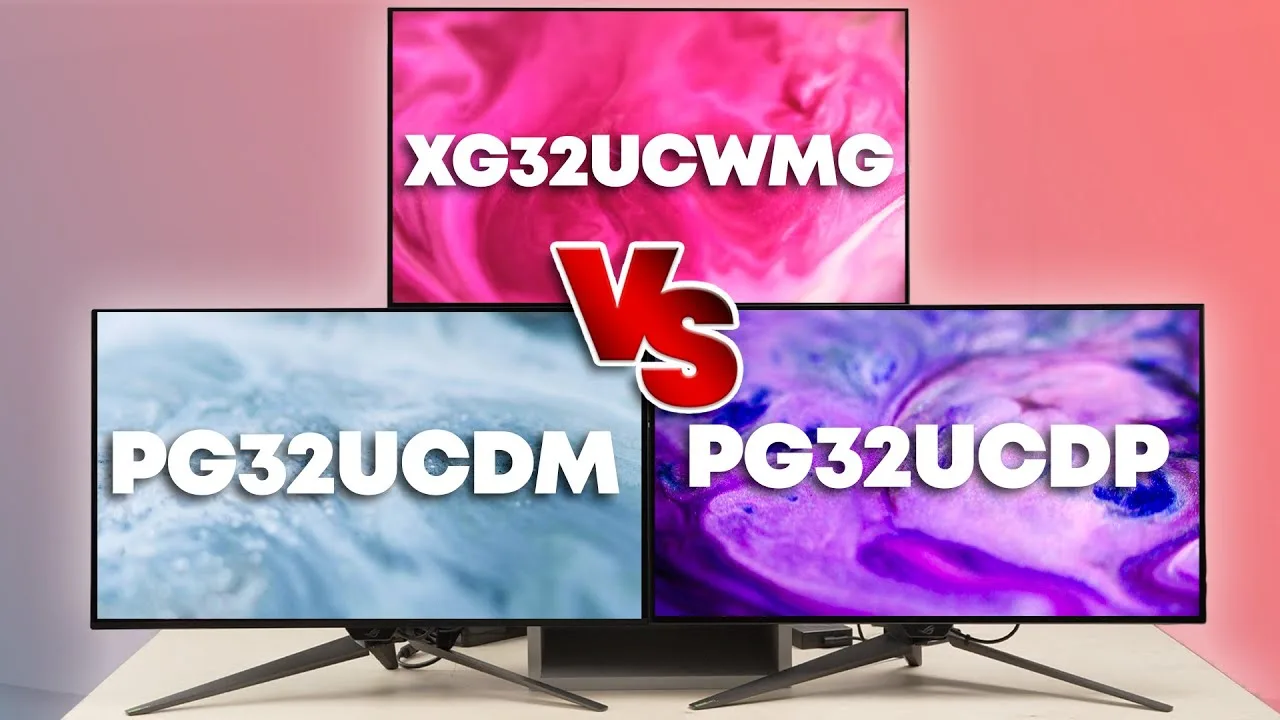
The Asus ROG Swift OLED PG32UCDP is a 31.5-inch 4K WOLED gaming monitor with a native 240Hz refresh rate and unique dual-mode capability for 1080p at 480Hz. It features LG.Display's WOLED panel rather than the Samsung QD-OLED used in the PG32UCDM, resulting in different coating and HDR characteristics. The monitor includes USB-C connectivity, fan-less heatsink cooling, and ELMB blur reduction. A September 2024 MCM103 firmware update added enhanced AI feature sensitivity, improved brightness management in dark scenes, advanced HDR controls with color temperature and 6-axis saturation adjustments, and brightness adjustment for ELMB mode. The default HDR setting changed to True Black 400 with brightness at 80.
Strengths
- +Dual-mode supports 1080p at 480Hz for competitive gaming
- +Fan-less custom heatsink cooling design
- +USB-C connectivity included
- +ELMB blur reduction mode available
Weaknesses
- −Firmware updates require OSD reset to avoid buggy behavior
- −sRGB Cal mode went very cool/blue before screen reset
- −Adaptive-sync certifications pending at time of review
- −Proximity sensor initially failed under HDR mode
forum.pcmonitors.info
The PG32UCDP offers native 4K at 240Hz with a unique 'Dual Mode' enabling 480Hz at Full HD. Gaming responsiveness impressed at both refresh rates, with improved subpixel structure over older WOLEDs. HDR brightness proved generally strong for OLED, though colour gamut and volume lag behind QD-OLED alternatives due to unfiltered white subpixel dilution. Dark detail showed slight masking in SDR and HDR. The screen surface exhibited noticeable graininess. Full HD scaling through 'Frame Rate Boost' behaves like typical interpolation rather than integer scaling, producing acceptable but inherently soft results on a 32-inch panel. Limited sharpness controls frustrated the reviewer, particularly for the downscaled resolution.
Strengths
- +Excellent responsiveness at both 240Hz 4K and 480Hz Full HD
- +Improved subpixel structure compared to older WOLED panels
- +Generally bright HDR experience for an OLED display
- +Less aggressive ABL and medium shade dimming than alternatives
Weaknesses
- −Slight masking of dark detail in both SDR and HDR content
- −Colour gamut and volume weaker than QD-OLED competitors
- −Screen surface appears grainy to sensitive viewers
- −Limited sharpness control for Full HD resolution
forum.level1techs.com
The reviewer considered purchasing the PG32UCDP for $1,199 after initially mistaking it for the cheaper PG32UCDM at $999. Their primary use cases include 6 hours daily of CAD work, 4 hours of text-based tasks, and occasional 1-2 hour gaming sessions. The main motivation for seeking an OLED upgrade is poor contrast ratio on their existing 49" G9 LCD due to sunlight glare in afternoons, which significantly impacts their professional CAD workflow.
lowyat.net
After several months of daily use, the reviewer considers this monitor the closest thing to a perfect gaming monitor they've experienced. The 32-inch WOLED panel delivers deep blacks, paper whites, and broad color palette with 10-bit HDR, 99% DCI-P3 coverage, and Vesa DisplayHDR 400 True Black certification. Its standout feature is dual-mode capability: 4K at 240Hz or FHD at 480Hz. Assembly is straightforward, controls are intuitive, and it includes NVIDIA G-Sync Compatibility, AMD FreeSync Premium Pro, ELMB, and OLED care features. However, the three-pronged stand design is less preferred than a flat base, and the RM8,799 price tag exceeds last generation's model despite lacking QD-OLED technology.
Strengths
- +Dual-mode display: 4K/240Hz or FHD/480Hz
- +Deep, inky blacks with paper white contrast
- +Intuitive, easy-to-navigate controls
- +90W USB-C PD charging port included
Weaknesses
- −Three-pronged stand less stable than flat base
- −More expensive than PG32UCDM predecessor
- −Uses WOLED instead of QD-OLED panel
Video Reviews
 Monitors Unboxed
This monitor uses an LG W OLED panel with dual-mode functionality, …
Monitors Unboxed
This monitor uses an LG W OLED panel with dual-mode functionality, …
This monitor uses an LG W OLED panel with dual-mode functionality, offering either 4K 240Hz or 1080p 480Hz. The design closely mirrors the QD OLED PG32UCDM with slim bezels, gamery aesthetics including RGB lighting and projected logo, and a sturdy stand with height/swivel/tilt adjustment. Connectivity is generous with DisplayPort 1.4, dual HDMI 2.1, USB-C with 90W power delivery, USB hub, and KVM switch. The OSD includes color modes, OLED care features, and gaming assists, though some 'AI' features like the crosshair and MOBA map helper are gimmicky or ethically questionable. Text clarity is significantly improved over previous W OLED panels due to higher 140ppi density, making it viable for productivity work.
- →Ideal for gamers wanting dual refresh rate flexibility
- →Suitable for mixed productivity and gaming use
- →Consider QD OLED variant for better text clarity
- →KVM and USB-C make it good for multi-device setups
- →Wait for sales given competitive LG pricing
 Level1Techs
The reviewer unboxes and examines the 31.5-inch 4K OLED monitor, …
Level1Techs
The reviewer unboxes and examines the 31.5-inch 4K OLED monitor, …
The reviewer unboxes and examines the 31.5-inch 4K OLED monitor, praising its pixel density for users with good eyesight who can run at 100-125% scaling. Factory calibration achieves 97.2% sRGB coverage with included documentation. The monitor features a three-year warranty addressing OLED burn-in concerns, plus a built-in KVM with 70W USB-C power delivery. However, the reviewer criticizes the lack of DisplayPort 2.1, heavy 280W external power brick, and historically problematic USB hub implementation that struggles with non-standard peripherals. Premium packaging with ROG-themed accessories feels wasteful given the $1,200-$1,300 price point—roughly 2-4× the cost of competent non-OLED 4K gaming alternatives.
- →Best for users with good eyesight wanting native 4K scaling
- →Ideal for professionals needing factory color calibration
- →KVM works for basic peripherals, not specialized audio devices
- →Consider 42-inch alternative for weaker eyesight or farther seating
- →Three-year warranty mitigates OLED burn-in risk concerns
 TotallydubbedHD
This 31.5-inch WOLED monitor offers a unique dual-mode capability: 4K …
TotallydubbedHD
This 31.5-inch WOLED monitor offers a unique dual-mode capability: 4K …
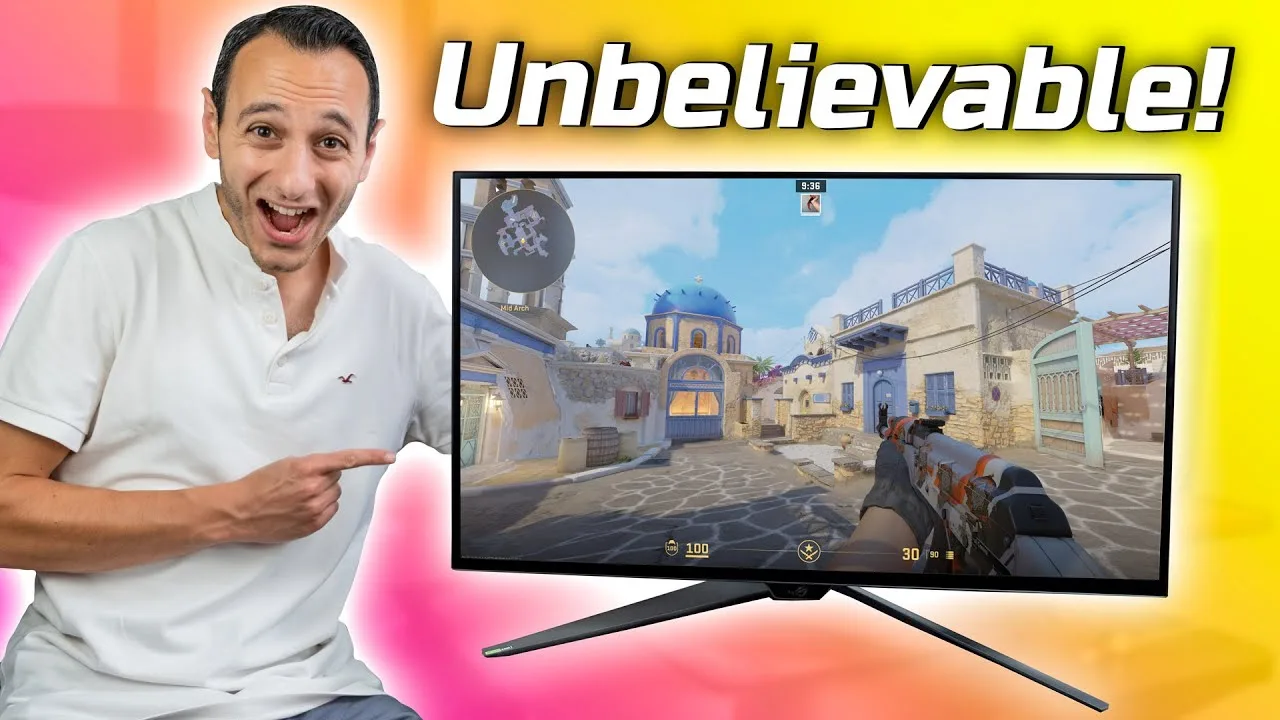
This 31.5-inch WOLED monitor offers a unique dual-mode capability: 4K at 240Hz or Full HD at 480Hz, switchable via a button. It features DisplayPort 1.4 with DSC, two HDMI 2.1 ports, and USB-C with 90W power delivery. Input lag measured at effectively zero milliseconds, with response times averaging 0.73ms at 4K/240Hz and 0.76ms at 1080p/480Hz. No inverse ghosting occurs due to OLED's inherent properties. ELMB only works at 120Hz, limiting its usefulness. HDR True Black 400 certification enhances image quality. At $1,300/£1,300/€1,300, it commands premium pricing. Adaptive sync technologies introduce slight subjective input lag, suggesting competitive players may prefer disabling them.
- →Ideal for competitive esports players prioritizing minimal lag
- →Dual mode suits users wanting 4K productivity and 1080p esports
- →Disable adaptive sync for hardest-core competitive gaming
- →PC users should prefer 240Hz/4K or 480Hz/1080p over ELMB
- →Console gamers limited to 120Hz can utilize ELMB feature
 TFTCentral
The Asus ROG Swift OLED PG32UCDP is a 32-inch dual-mode OLED monitor …
TFTCentral
The Asus ROG Swift OLED PG32UCDP is a 32-inch dual-mode OLED monitor …
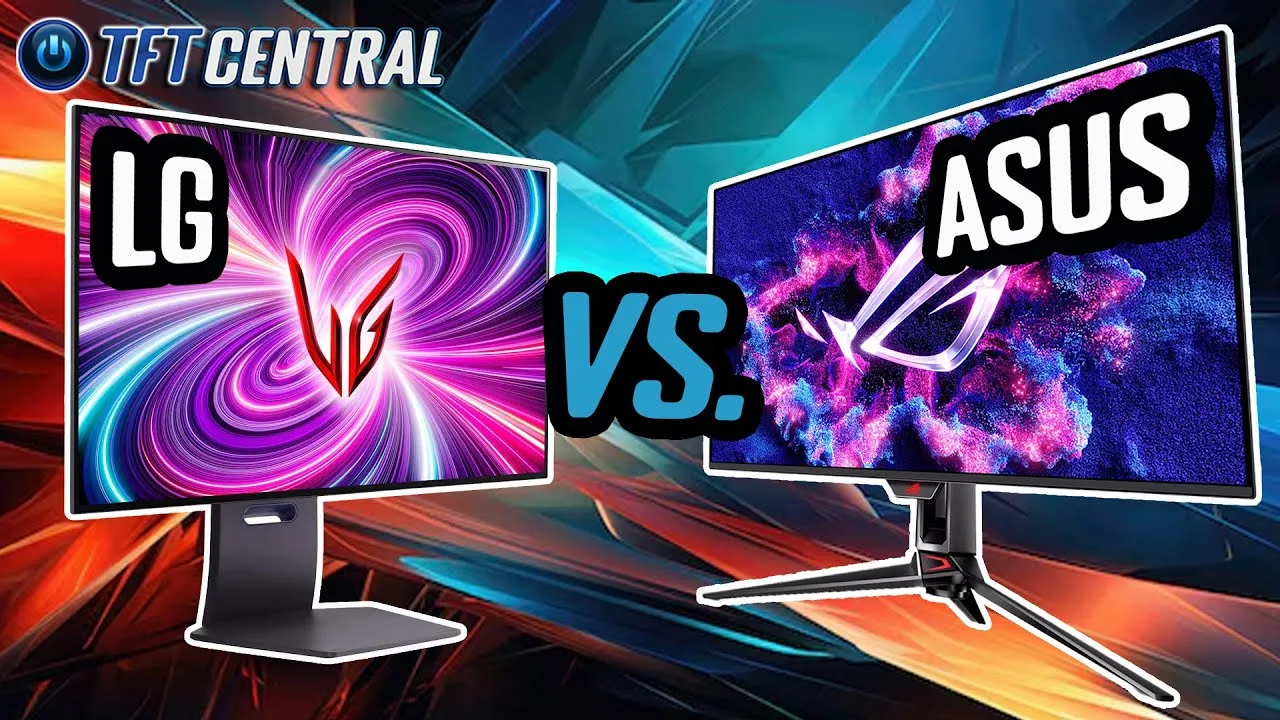
The Asus ROG Swift OLED PG32UCDP is a 32-inch dual-mode OLED monitor built around an LG Display WOLED panel with 4K resolution and 240Hz refresh rate, supporting up to 480Hz in dual mode. It distinguishes itself through superior connectivity options including USB Type-C with DisplayPort Alt Mode and 90W power delivery, a KVM switch, and picture-in-picture/picture-by-picture modes. The monitor is fanless, utilizing a custom heatsink for cooling. Out-of-box performance shows slightly more accurate gamma than competitors, with strong DCI-P3 color gamut coverage. Its sRGB emulation mode offers better accuracy and full flexibility with access to all other settings. The monitor includes one extra USB data port, a headphone jack, and SPDIF sound output.
- →Ideal for multi-device setups, especially laptop users needing single-cable connectivity
- →Well-suited for professionals needing flexible sRGB emulation with full setting access
- →Good choice for quiet environments due to fanless heatsink design
- →Better for users with existing external speakers or PC audio setups
- →Recommended for those prioritizing connectivity versatility over integrated audio
 Rob Everhard
After a month of use, the reviewer found the PG32UCDP's matte W OLED …
Rob Everhard
After a month of use, the reviewer found the PG32UCDP's matte W OLED …
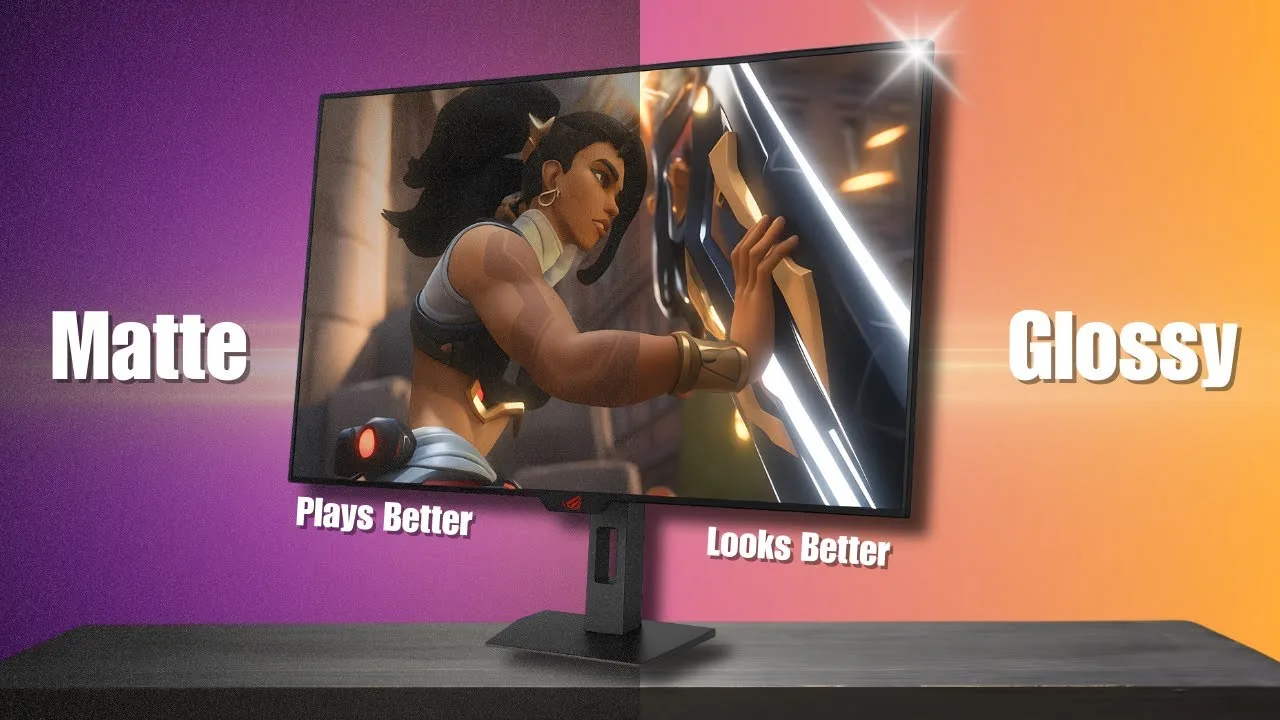
After a month of use, the reviewer found the PG32UCDP's matte W OLED screen delivers excellent image quality without the reflection issues of glossy alternatives. While lacking the pristine clarity and 'wow factor' of glossy panels—particularly in fine details, HUD elements, and bright scenes—the matte coating proves more practical for mixed use. Reflections are significantly reduced compared to glossy, making it easier to track enemies in competitive shooters and reducing eye fatigue during long sessions. The matte screen maintains strong black levels even with ambient light, though with slight haze on flat colors and skyboxes. For daily use blending work and competitive gaming, the reviewer prefers this more balanced approach.
- →Ideal for competitive gaming and mixed daily use
- →Better choice for rooms without light control
- →Prioritize if eye fatigue is a concern
- →Great for work and shooter game balance
- →Still excellent for RPGs and slower titles
 FIRE WOLF TECH
This 32-inch 4K OLED gaming monitor features a unique dual-mode switch …
FIRE WOLF TECH
This 32-inch 4K OLED gaming monitor features a unique dual-mode switch …
This 32-inch 4K OLED gaming monitor features a unique dual-mode switch allowing 240Hz at 4K or 480Hz at 1080p, making it versatile for different GPU tiers. The 3rd generation WOLED panel delivers deep blacks with 99% DCI-P3 coverage and factory calibration under Delta E 2. Connectivity is extensive, including USB-C with 90W power delivery. The Cyberpunk-themed design includes RGB lighting, ergonomic adjustments, and a tripod mount for streamers. Gaming performance excels in both SDR and HDR with ultra-fast response times, though the triple-leg stand consumes significant desk space. Firmware MCM103 adds enhanced HDR controls and brightness optimization.
- →Ideal for gamers wanting future-proof 4K and competitive 1080p in one display
- →Works well with entry-level GPUs like RTX 4060 via 1080p 480Hz mode
- →Excellent for streamers needing tripod mount and USB-C laptop connectivity
- →Strong choice for bright rooms due to effective anti-glare coating
- →Content creators benefit from color accuracy and 140 PPI density
 RTINGS Computer
This 32-inch 4K OLED monitor features a unique dual-mode capability, …
RTINGS Computer
This 32-inch 4K OLED monitor features a unique dual-mode capability, …
This 32-inch 4K OLED monitor features a unique dual-mode capability, switching between 4K at 240Hz and 1080p at 480Hz for flexible gaming. The design leans heavily into gaming aesthetics with RGB lighting and customizable stand covers, though ergonomic adjustability is somewhat limited. Connectivity is excellent, including DisplayPort 1.4, two HDMI 2.1 ports, optical audio output, and a USB-C hub with 90W power delivery plus KVM functionality. Picture quality excels in dark rooms with deep blacks, no blooming, and wide HDR color gamut, though HDR brightness is limited for large highlights. SDR accuracy requires calibration for best results. Text clarity is sharp in 4K mode but degrades noticeably in 1080p mode due to upscaling. OLED burn-in protection features are comprehensive.
- →Ideal for gamers wanting both competitive and cinematic experiences
- →Best suited for dark room usage rather than bright environments
- →Requires calibration for accurate SDR color reproduction
- →Use 4K mode exclusively for productivity and text-heavy work
- →Enable burn-in protection features for long-term panel health
 Spudd Gaming
The reviewer unboxes and examines the 32-inch 4K 240Hz W-OLED gaming …
Spudd Gaming
The reviewer unboxes and examines the 32-inch 4K 240Hz W-OLED gaming …
The reviewer unboxes and examines the 32-inch 4K 240Hz W-OLED gaming monitor, highlighting its dual-mode capability to switch to 1080p at 480Hz. Assembly is straightforward with a familiar ROG stand design. The monitor features thin bezels, an angular aesthetic with brushed metal and plastic construction, and customizable RGB lighting including a rear logo and desk-projected ROG emblem. Connectivity includes DisplayPort 1.4, two HDMI 2.1 ports, USB-C with power delivery, USB 3.2 hub, and audio outputs. The stand offers height, swivel, and tilt adjustment but occupies significant desk space. A VESA adapter is included for arm mounting.
- →Ideal for gamers wanting both 4K visuals and esports refresh rates
- →Perfect for FPS players needing 480Hz competitive advantage
- →Great for scenic/AAA games prioritizing image quality
- →Excellent connectivity hub for multi-device setups
- →Consider desk space before choosing the included stand
 Rob Everhard
The reviewer purchased the PG32 UCDP, a 32-inch W OLED monitor with 4K …
Rob Everhard
The reviewer purchased the PG32 UCDP, a 32-inch W OLED monitor with 4K …
The reviewer purchased the PG32 UCDP, a 32-inch W OLED monitor with 4K resolution and 240Hz refresh rate priced around $1,300. Text clarity matches previous LCD panels, addressing earlier OLED issues. Dark scene performance proved transformative for competitive gaming in titles like Escape from Tarkov, where FPS mode and AI shadow boost revealed hidden enemies. The matte coating, while less vibrant than glossy alternatives, offers superior reflection handling for bright rooms and reduced eye strain during work sessions. Burn-in risk remains a concern despite Asus's preventative measures, and long-term OLED lifespan data is still unavailable.
- →Ideal for competitive gamers in dark-scene titles
- →Better choice than glossy OLED for bright room setups
- →Suitable for mixed work and gaming use
- →Worth premium price for dark-scene visibility advantage
- →Consider burn-in risk for static content workflows
 HiTechKing
The reviewer presents the Asus ROG Swift OLED PG32UCDP as a premium …
HiTechKing
The reviewer presents the Asus ROG Swift OLED PG32UCDP as a premium …
The reviewer presents the Asus ROG Swift OLED PG32UCDP as a premium 32-inch 4K gaming monitor that successfully balances ROG branding with refined, minimalist design. Setup is tool-less and straightforward. The thin-bezel front with subtle matte anti-glare coating prioritizes the OLED panel's visual impact, while the rear offers tasteful RGB accent lighting that can be disabled. Build quality feels dense and premium despite primarily plastic construction. The stand provides full ergonomic adjustment with practical cable management. Technically, it delivers 240Hz at 4K natively, with a unique dual-mode switching to 1080p at 480Hz for competitive gaming. OLED's 0.03ms response time and true 0.0 nit black levels produce exceptional contrast without blooming or ghosting.
- →Ideal for competitive gamers wanting 480Hz esports mode option
- →Suits professionals wanting premium aesthetic without flashy branding
- →Excellent for dark-room viewing with true OLED black performance
- →Multi-monitor capable thanks to minimal bezel interruption
- →Compact desk setups benefit from small-footprint stable stand
 RTINGS Computer
The PG32UCDP is a matte W OLED monitor in Asus's ROG Swift lineup, …
RTINGS Computer
The PG32UCDP is a matte W OLED monitor in Asus's ROG Swift lineup, …
The PG32UCDP is a matte W OLED monitor in Asus's ROG Swift lineup, featuring a 32-inch 4K display with 240Hz native refresh rate and a 1080p 480Hz dual-mode option. It shares the same tripod stand and bottom-facing lighting as the UCDM, with 90W USB-C power delivery. The matte coating avoids the purple black level rise seen in QD OLEDs and eliminates mirror-like reflections, though it spreads ambient light across the screen and introduces some haze. It includes OLED care features like a proximity sensor, shadow boost, and adjustable HDR settings. However, it suffers from VRR flicker in dark scenes with frame rate changes, and its black frame insertion is limited to 120Hz without VRR support.
- →Best suited for moderately lit rooms, not very bright spaces
- →Dual-mode ideal for gamers switching between cinematic and competitive titles
- →USB-C makes practical dock for productivity workflows
- →Consider glossy alternatives if clarity and TV-like image preferred
- →Not ideal for users sensitive to VRR flicker in dark games
Scores based on weighted analysis of 27 expert and community sources. How we review →