

LG 27GP950-B
Best For
- PC gamers who want 4K at 160Hz
- PS5 and Xbox Series X owners needing 4K/120Hz
- Creative professionals needing wide color gamut coverage
Consider Carefully
- Dark-room gamers who need deep blacks
- Budget shoppers under $700
- Users who need a swivel stand
Jump to Section
The Bottom Line
The LG 27GP950-B is a high-end 27-inch 4K monitor that's making waves in the gaming and professional communities. It's a premium choice with a 144Hz refresh rate that can be overclocked to 160Hz, delivering vibrant colors and a responsive gaming experience. What we found most compelling is its panel quality, boasting a superb SDR color gamut coverage and a fast 1ms response time, which significantly reduces motion blur. This monitor also stands out with its full 48 Gbps HDMI 2.1 ports, catering to next-gen console and PC gaming needs. However, it's not without its drawbacks; a low contrast ratio and an expensive price tag might give some buyers pause. Additionally, the stand's lack of swivel and the necessity for desktop scaling at 4K resolution are minor inconveniences that could affect user experience.
Performance Breakdown
Expert Scores
How 7 professional publications rated this product
In-Depth Analysis
Color Accuracy 94
98% DCI-P3 coverage, factory calibration documents included, and hardware calibration support make this one of the stronger color stories in its class. Nine of 12 sources back it for professional creative work.
Key Takeaway
→If color accuracy is a priority, this panel delivers at its price point. Just calibrate the sRGB mode gamma if you're doing sRGB-specific professional work.
Connectivity & Ports 92
Dual HDMI 2.1 ports are the headline, confirmed by 11 of 14 sources, and DisplayPort 1.4 DSC unlocks the full 160Hz on PC. The $100 premium over the GN variant exists entirely for those HDMI 2.1 ports.
Key Takeaway
→If you own a PS5, Xbox Series X, or a GPU that benefits from HDMI 2.1, this port selection is excellent. If you don't, save $100 on the GN variant.
Response Time & Input Lag 90
One of the fastest LCD panels available at this resolution. Hardforum.com called it the fastest LCD they'd tested, with no visible RTC errors at 160Hz in Fast mode.
Key Takeaway
→Use Fast overdrive mode, not Fastest, and this panel's response time performance is best-in-class for an LCD at this resolution.
Gaming Performance 86
A strong 4K gaming monitor for console and competitive PC players, but a vocal Reddit community flags real firmware and reliability concerns that spec sheets won't tell you.
Key Takeaway
→If you have the GPU to drive it and can tolerate LG's firmware support history, this is one of the best 4K gaming panels available. If firmware reliability matters to you, verify the black screen issue is resolved before buying.
Display Sharpness 86
4K at 27 inches produces outstanding pixel density and text clarity, but scaling is required at native resolution and panel lottery is a documented concern worth testing during your return window.
Key Takeaway
→The sharpness is excellent and reviewers broadly agree on that. Test your unit for backlight bleed and IPS glow before your return window closes.
Design & Build Quality 82
Clean aesthetics, thin bezels, and a well-designed OSD joystick, but no speakers at $900, a matte coating that still struggles with glare, and a fan noise issue that has no software fix.
Key Takeaway
→The build quality is solid and the design is clean, but budget for external speakers and plan to disable Smart Energy Saving on first boot. Avoid bright room placement if glare bothers you.
Stand & Ergonomics 78
Height, tilt, and pivot are covered, but five sources confirm there's no swivel, and the stand eats nearly a foot of desk depth.
Key Takeaway
→The stand works for a fixed gaming setup. If you need swivel or have a shallow desk, plan for a VESA arm from the start.
HDR & Contrast Quality 70
DisplayHDR 600 certification and strong peak brightness, but 16 local dimming zones and IPS-level contrast mean HDR is a feature, not a strength. Three sources explicitly recommend OLED alternatives if HDR is your priority.
Key Takeaway
→Buy this for SDR gaming and color work. If HDR performance is a deciding factor, the 16-zone local dimming and IPS contrast will disappoint you. Look at OLED.
Specifications & Verdict
Display
- Screen Size
- 27 in
- Resolution
- 3840 × 2160
- Aspect Ratio
- 16:9
- Pixel Density
- 163 ppi
- Panel Type
- LED
- Screen Coating
- Semi-gloss
Performance
- Refresh Rate
- 160 Hz
- Response Time
- 1 ms
- Input Lag
- ~4ms
- Adaptive Sync
- FreeSync Premium Pro, G-SYNC
Image
- Contrast Ratio
- 1000:1
- Brightness
- 400 nits
- Color Gamut
- 98% DCI-P3
- Hardware Calibration
- Yes (LG Calibration Studio software)
- HDR Support
- Yes
- Local Dimming Zones
- 16
- Viewing Angles
- 178 °
Connectivity
- HDMI Ports
- 2
- HDMI Version
- 2.1
- DisplayPort
- 1
- DisplayPort Version
- 1.4
- USB Ports
- 2
- Audio Output
- 1
- Speakers
- No
Design
- Weight
- 7900 g
- Dimensions
- 609.2 x 574.7 x 291.2mm (23.98 x 22.63 x 11.46in)
- VESA Mount
- 100 x 100 mm
- Height Adjustment
- Yes
- Tilt
- Yes
- Swivel
- No
- Pivot
- Yes
- Stand Adjustments
- Tilt, height, pivot
Features
- Gaming Features
- Off, Normal, Fast, Faster
- Lighting
- RGB ring on back with audio/video sync
- Special Features
- Ambilight,sRGB emulation mode,DCI-P3 mode,HDR mode with brightness adjustment
Other Specs
- Power Consumption
- 65 W
- Srgb Emulation Mode
- Yes (with adjustable brightness)
- Color
- Black
- Bezel Design
- 4-side borderless
Our Verdict
The LG 27GP950-B earns its 86/100 score by delivering 4K at 160Hz with 98% DCI-P3 color coverage and dual full-bandwidth HDMI 2.1 ports, a combination that's hard to find at this size. The IPS panel's 1,000:1 contrast ratio means dark scenes look washed out, and the 16-zone local dimming does little to help. At $900, you're paying for speed and color accuracy, not HDR depth. If those are your priorities, this monitor delivers. If you game in dark rooms or watch a lot of HDR content, look elsewhere.
Customer Reviews Amazon
7 reviews
Great picture quality
Bought a refurbished unit from G-Overstock and they refuse to honor their wannanty
Excellent quality
Reviews shown are from Amazon customers and do not reflect our editorial assessment.
Reader Questions
Specific questions about the LG 27GP950-B, answered only from what reviewers reported.
01How good is the HDR performance?
HDR performance is limited by only 16 local dimming zones, which causes noticeable IPS glow in dark scenes and leaves blacks appearing gray. Reviewers noted the HDR 600 rating is undermined by this insufficient local dimming implementation.
02Is the color accuracy good enough for creative work?
Reviewers found the panel covers 98% of the DCI-P3 color space with excellent factory calibration, making it a strong choice for color-sensitive creative work. The 10-bit color support was also highlighted for its accuracy and vibrancy.
03Is the input lag low enough for competitive gaming?
Reviewers confirmed the monitor delivers around 4ms input lag and 1ms GtG response times, making it well-suited for competitive gaming. The fast overdrive mode was noted to provide smooth, responsive gameplay without ghosting at 160Hz.
04Can I use this monitor with a PS5 or Xbox Series X?
Yes, the monitor includes two full 48 Gbps HDMI 2.1 ports, enabling 4K 120Hz gaming on next-gen consoles. One owner noted they have not played an FPS below 120FPS in over a year thanks to this connectivity.
05Does the stand offer full ergonomic adjustments?
The stand does not support left or right swivel, which reviewers flagged as a notable omission. You will need a third-party arm if swivel adjustment is important to your setup.
06Do I need to use display scaling at 4K on a 27-inch screen?
Reviewers consistently noted that text becomes very small at native 4K on a 27-inch panel, so desktop scaling is recommended for comfortable readability. This is a trade-off of the high pixel density at this screen size.
Pricing & Availability
Updated May 22, 2026LG 27GP950-B
All regions
Sources & Methodology
Every score is built on evidence. This review synthesizes 24 independent sources — expert publications, video reviews, and community discussions — weighted by credibility, depth, and relevance.
Show detailed source analysis ↓ Hide source analysis ↑
Expert Reviews
displayninja.com
Top
4.2/5-point
The LG 27GP950-B is a premium 27-inch 4K gaming monitor with a 144Hz refresh rate (160Hz overclocked) built on a Nano IPS panel. Vibrant colors covering 98% DCI-P3 and excellent factory calibration make it suitable for professional color work, with hardware calibration support via LG's software. The 4K resolution delivers sharp detail at 163 PPI, though scaling is needed for readability. HDR performance is modest with only 16 local dimming zones, and the 1,000:1 static contrast ratio limits black depth. Gaming performance excels with ~4ms input lag, 1ms GtG response time, and effective overdrive that works across refresh rates. HDMI 2.1 enables 4K 120Hz on consoles. RGB ambient lighting with 48 LEDs adds atmosphere, and the flicker-free backlight includes low blue light mode.
Strengths
- +1ms GtG response time with no visible ghosting or overshoot
- +98% DCI-P3 coverage with excellent factory calibration
- +Hardware calibration support via LG Calibration Studio
- +HDMI 2.1 for 4K 120Hz on PS5 and Xbox Series X
Weaknesses
- −Only 16 local dimming zones limits HDR effectiveness
- −1,000:1 static contrast ratio produces shallow blacks
- −Motion Blur Reduction not available
- −Expensive price point
rtings.com
Top
8.7/10-point
A 27-inch 4K gaming monitor with 160Hz refresh rate and HDMI 2.1 support, excelling for next-gen console and PC gaming. It delivers low input lag, fast response times, and broad VRR compatibility including FreeSync Premium Pro and G-SYNC. The IPS panel offers wide viewing angles with accurate off-center image quality, superb SDR color gamut, and excellent gradient handling beneficial for media creation. However, low contrast ratio and poor black uniformity limit dark room performance, while disappointing reflection handling affects bright environments. The local dimming feature proves ineffective, and the stand lacks swivel adjustment.
Strengths
- +Low input lag for responsive gaming
- +Outstanding response time at max refresh rate
- +HDMI 2.1 bandwidth on two ports
- +Wide viewing angles maintain image accuracy
Weaknesses
- −Disappointing reflection handling
- −Low contrast ratio
- −Poor black uniformity
- −Ineffective local dimming feature
thetechreports.com
Top
89/100-point
A premium 27-inch 4K gaming monitor built around a Nano IPS panel with 3840 x 2160 resolution. The native 144Hz refresh rate overclocks to 160Hz via DisplayPort and supports 120Hz through HDMI 2.1, paired with a 1ms response time. NVIDIA G-SYNC and AMD FreeSync Premium Pro ensure tear-free gameplay. The design emphasizes slim aesthetics with a matte finish, ergonomic stand with height adjustment, tilt, and pivot, plus customizable rear RGB lighting. However, it lacks swivel functionality and integrated speakers. Overall construction feels solid and premium, positioning this as a strong choice for gamers and content creators prioritizing visual fidelity and smooth performance.
Strengths
- +27-inch Nano IPS panel delivers sharp, vibrant 4K visuals
- +144Hz native refresh overclocks to 160Hz via DisplayPort
- +120Hz support through HDMI 2.1 for console gaming
- +1ms response time minimizes input lag effectively
Weaknesses
- −Stand lacks swivel adjustment option
- −No integrated speakers included
- −Matte screen still shows reflections in bright rooms
t3.com
5/5-point
The LG 27GP950-B is positioned as a premium 27-inch 4K gaming monitor with official pricing of £799.99 in the UK and $899.99 in the US. Setup requires no tools, using thumb screws for the base and a snap-in stand mechanism. The design features thin bezels, a minimal stand with cable management, and an RGB ring on the back that syncs with audio and video. The monitor offers tilt, height adjustment, and pivot functionality, plus wall-mount compatibility. Display specifications include 1ms grey-to-grey response time, 160Hz overclocked refresh rate (144Hz standard), VESA DisplayHDR 600, Nvidia G-Sync, AMD FreeSync, and 400 nits peak brightness. It is among the first monitors with HDMI 2.1, supporting two HDMI ports and DisplayPort. The panel covers 98% DCI-P3 color gamut with 178-degree viewing angles. An on-screen menu controlled by a bottom-edge joystick provides extensive settings adjustment.
Strengths
- +Tool-free assembly with snap-in stand design
- +Ports face outward for easier cable access
- +Thin bezels on all edges including bottom
- +Integrated cable management system included
Weaknesses
- −Screen cannot rotate on the base
- −Text scaling required at native 4K resolution
- −Premium pricing at £799.99/$899.99 MSRP
pcworld.com
4/5-point
The LG Ultragear 27GP950 delivers exceptional 4K gaming performance through its Nano IPS panel with 1ms response time and up to 160Hz overclocked refresh rate. Color reproduction impresses with nearly 100% DCI-P3 coverage, high brightness, and rich contrast. HDMI 2.1 ports enable seamless next-gen console connectivity alongside PC use. Ergonomic adjustments include height, tilt, swivel, and rotation. The five-way joystick provides intuitive OSD navigation with gaming-specific presets. However, maximum brightness power consumption reaches nearly 50 watts, and the $799 price demands powerful GPU investment to fully utilize 4K capabilities.
Strengths
- +4K resolution with up to 160Hz overclocked refresh rate
- +Nearly 100% DCI-P3 color space coverage
- +Supports both FreeSync and G-Sync compatibility
- +HDMI 2.1 ports for next-gen console gaming
Weaknesses
- −High power consumption at nearly 50 watts maximum
- −Expensive $799 price point
- −Requires very powerful GPU for full 4K performance
gadgetreview.com
81/100-point
Announced in late 2021, this premium IPS monitor features a 27-inch 4K UHD screen with DisplayHDR 600 certification for HDR content rendering. It offers FreeSync and GSync compatibility alongside 98% DCI-P3 color coverage for vivid reproduction. Dual HDMI 2.1 ports enable next-gen console connectivity, while the thin frame suits multi-monitor configurations. Higher peak brightness and sharper color accuracy distinguish it within its lineup. A 160Hz refresh rate delivers smooth visuals for gaming applications.
Strengths
- +4K UHD resolution with DisplayHDR 600 certification
- +98% DCI-P3 color coverage for vivid reproduction
- +Dual HDMI 2.1 ports for next-gen consoles
- +FreeSync and GSync compatibility included
cgmagonline.com
8.5/10-point
A sharp black and red design with 4-side borderless bezels gives this monitor a modern gaming aesthetic, though the stand consumes considerable desk space. The Nano IPS panel delivers vibrant colors covering 98% DCI-P3 and excellent 178° viewing angles, while 4K resolution at 163 PPI excels in games but requires desktop scaling and a powerful GPU. HDR support reaches 600 nits with 16 dimming zones, though this proves insufficient for complex modern game scenes. Gaming performance impresses with 1ms GtG response, ~4ms input lag, 160Hz over DisplayPort, and 120Hz via HDMI 2.1, with smooth FreeSync Premium Pro support. The stand adjusts 110mm height, tilts, and pivots 90° but frustratingly lacks swivel.
Strengths
- +Crystal clear images with semi-gloss finish
- +98% DCI-P3 with sRGB emulation mode
- +Impressive 178° viewing angles
- +160Hz DisplayPort, 120Hz HDMI 2.1
Weaknesses
- −Noticeable glare in brightly lit rooms
- −Stand lacks left/right swivel adjustment
- −Requires desktop scaling at 4K resolution
- −Demands powerful GPU for modern games
hardforum.com
After waiting for availability, the reviewer found the LG 27GP950-B delivers strong first impressions with accurate sRGB colors matching professional reference displays. HDR performance exceeds expectations despite 16-zone limitation, particularly excelling in bright outdoor scenes. The panel achieves 160Hz with remarkably fast response times and minimal artifacts on 'fast' preset, though 'fastest' mode introduces RTC errors. Unusually high brightness (450cd/m²) proves comfortable for extended use without eyestrain—a significant improvement over previous monitors. Hardware calibration capability supports arbitrary gamut and gamma adjustments. The ambilight feature functions adequately but offers limited practical value for this user.
Strengths
- +sRGB colors match professional HP DreamColor reference display
- +HDR performs better than expected for 16-zone implementation
- +Fastest LCD panel experienced with no visible RTC errors at 160Hz
- +450cd/m² brightness remains comfortable without eyestrain
Weaknesses
- −'Fastest' response time preset is RTC error-fest
- −sRGB mode gamma too low at 2.2 versus preferred 2.4
- −Ambilight LEDs not very bright with slow switching speed
- −IPS-level contrast limits HDR with gray blacks in dark scenes
monitornerds.com
This 27-inch 4K gaming monitor targets next-generation console and PC gamers with its 160Hz IPS panel and HDMI 2.1 connectivity. The pre-calibrated display achieves strong color coverage exceeding 100% sRGB and approximately 96% DCI-P3, with a default deltaE of 1.97 that improves to 0.45 with professional calibration. Sphere Lighting 2.0 provides bias lighting for eye comfort during extended sessions. The stand occupies nearly a foot of desk depth and lacks swivel adjustment, though height, tilt, and pivot are supported. Build quality is solid despite plastic construction, and the OSD joystick enables intuitive menu navigation. At $900, the absence of integrated speakers disappoints, though most gamers will use external audio solutions anyway.
Strengths
- +Pre-calibrated with excellent 1.97 dE average out of box
- +HDMI 2.1 enables 4K 120Hz on PS5 and Xbox Series X
- +DisplayPort 1.4 DSC supports full 4K 160Hz on PC
- +Sphere Lighting 2.0 doubles as eye-comfort bias light
Weaknesses
- −Stand requires almost a foot of desk depth
- −No swivel adjustment in stand configuration
- −No integrated speakers despite $900 price point
- −4K resolution may require scaling for document readability
Video Reviews
 Viktors Reality
The reviewer evaluates HDR performance on this IPS monitor, noting …
Viktors Reality
The reviewer evaluates HDR performance on this IPS monitor, noting …
The reviewer evaluates HDR performance on this IPS monitor, noting inconsistent image quality that fluctuates dramatically by scene. Bright, colorful content with saturated hues produces outstanding, punchy images where colors pop and details shine. However, darker or muted scenes reveal IPS limitations with dull, flat contrast lacking depth. The HDR 600 certification cannot compensate for the panel's inherent contrast weaknesses, as local dimming zones prove insufficient for true HDR impact. Despite the premium price, buyers must accept these IPS trade-offs.
- →Best suited for bright, colorful content creation
- →Avoid if deep blacks and contrast are priorities
- →Consider OLED or mini LED for serious HDR viewing
- →Acceptable for mixed usage with realistic expectations
- →Saturation-rich games and media show panel strengths
 Geek Street
The LG 27GP950-B is a 27-inch 4K Ultra HD gaming monitor with an IPS …
Geek Street
The LG 27GP950-B is a 27-inch 4K Ultra HD gaming monitor with an IPS …
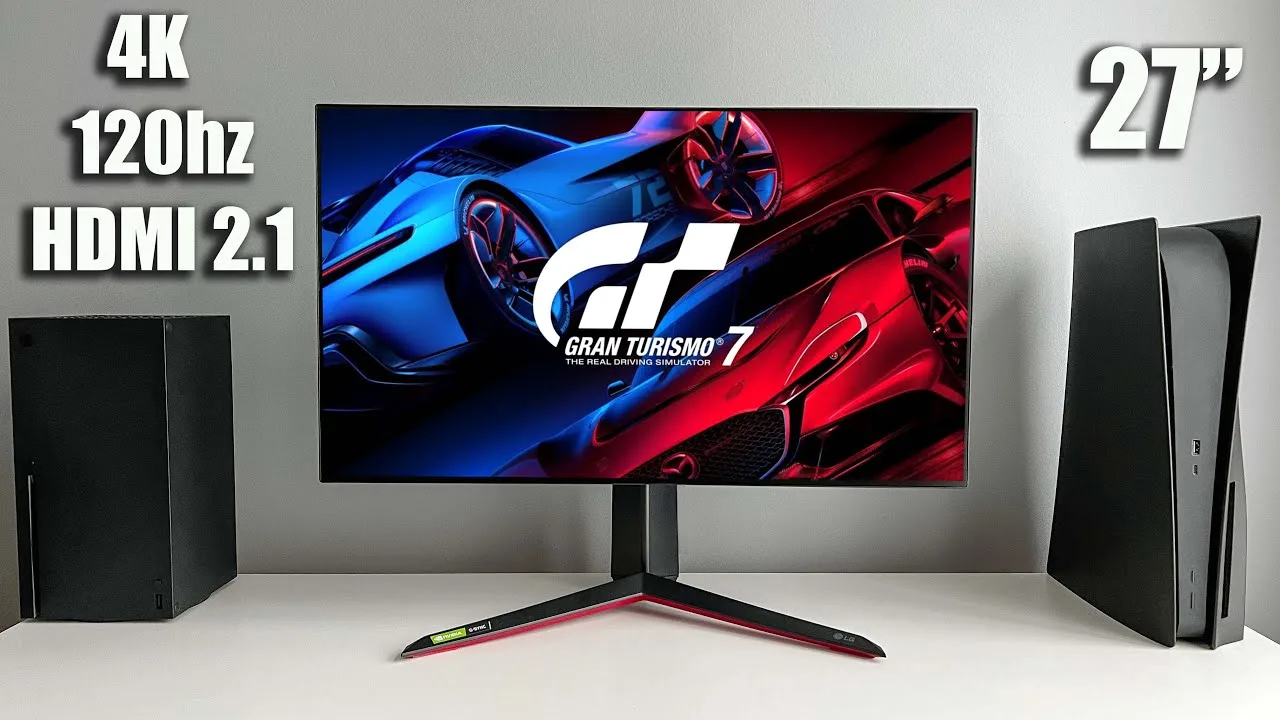
The LG 27GP950-B is a 27-inch 4K Ultra HD gaming monitor with an IPS panel and near-frameless design. It features HDMI 2.1 with full 48 Gbps bandwidth, supporting 120Hz on consoles and 160Hz on PC. The monitor delivers vibrant colors with 10-bit color support and HDR600 certification, though some light bleeding occurs in dark scenes. Response time reaches 1ms in fastest mode, but ghosting and bright trails prompted the reviewer to prefer fast mode for smoother gameplay. The stand offers tilt, height adjustment, and portrait rotation but lacks swivel functionality. Sphere lighting RGB and basic cable management clip are included on the rear.
- →Ideal for PS5 and Xbox Series X 4K 120Hz gaming
- →PC gamers benefit from 160Hz refresh rate
- →Use fast mode rather than fastest to minimize ghosting
- →Great for HDR gaming and content with vibrant colors
- →Consider monitor arm for better positioning flexibility
 Hardware Unboxed
The LG 27GP950-B represents a revision of LG's popular 27GN950, …
Hardware Unboxed
The LG 27GP950-B represents a revision of LG's popular 27GN950, …
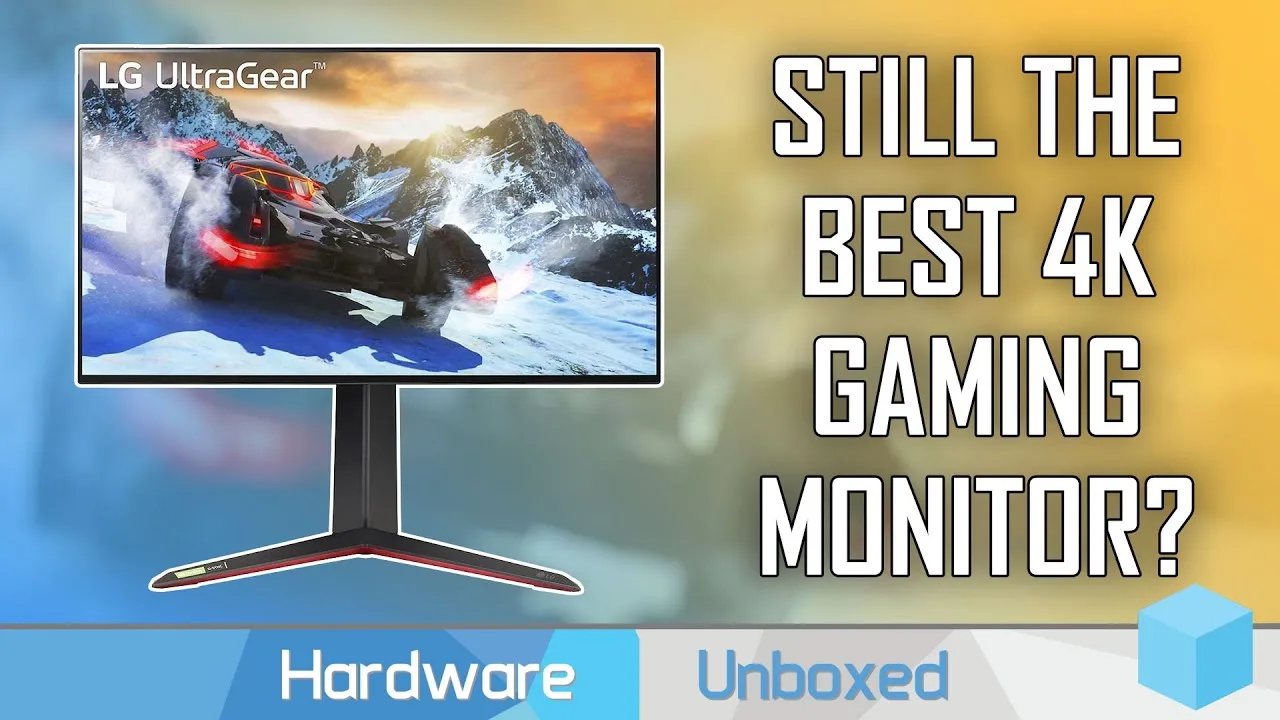
The LG 27GP950-B represents a revision of LG's popular 27GN950, primarily adding HDMI 2.1 support for 4K 120Hz gaming on modern consoles. Design remains largely unchanged with the same stand, rear panel, and slim bezels, though RGB LED implementation on the rear stands out for being genuinely bright and useful as ambient lighting. The OSD is easy to navigate with standard gaming features, though backlight strobing and KVM switch are notably absent. For performance, four overdrive settings are available: 'off' and 'normal' preserve zero overshoot but with slower response times; 'fast' mode delivers optimal gaming at 160Hz with ~5.4ms average response times and minimal overshoot; 'faster' mode achieves advertised 1ms response times but suffers from noticeable overshoot artifacts. Performance holds well at 120Hz and above in fast mode, but inverse ghosting becomes problematic at 100Hz and below.
- →Ideal for PS5/Xbox Series X owners needing 4K 120Hz over HDMI 2.1
- →Best gaming experience at 160Hz using fast overdrive mode
- →Avoid faster mode due to overshoot artifacts in practice
- →Consider different overdrive setting for sub-100Hz content
- →Strong choice for users wanting functional rear ambient lighting
 Strong Mind, Strong Body
The LG 27GP950-B earns recognition as a strong contender for both best …
Strong Mind, Strong Body
The LG 27GP950-B earns recognition as a strong contender for both best …
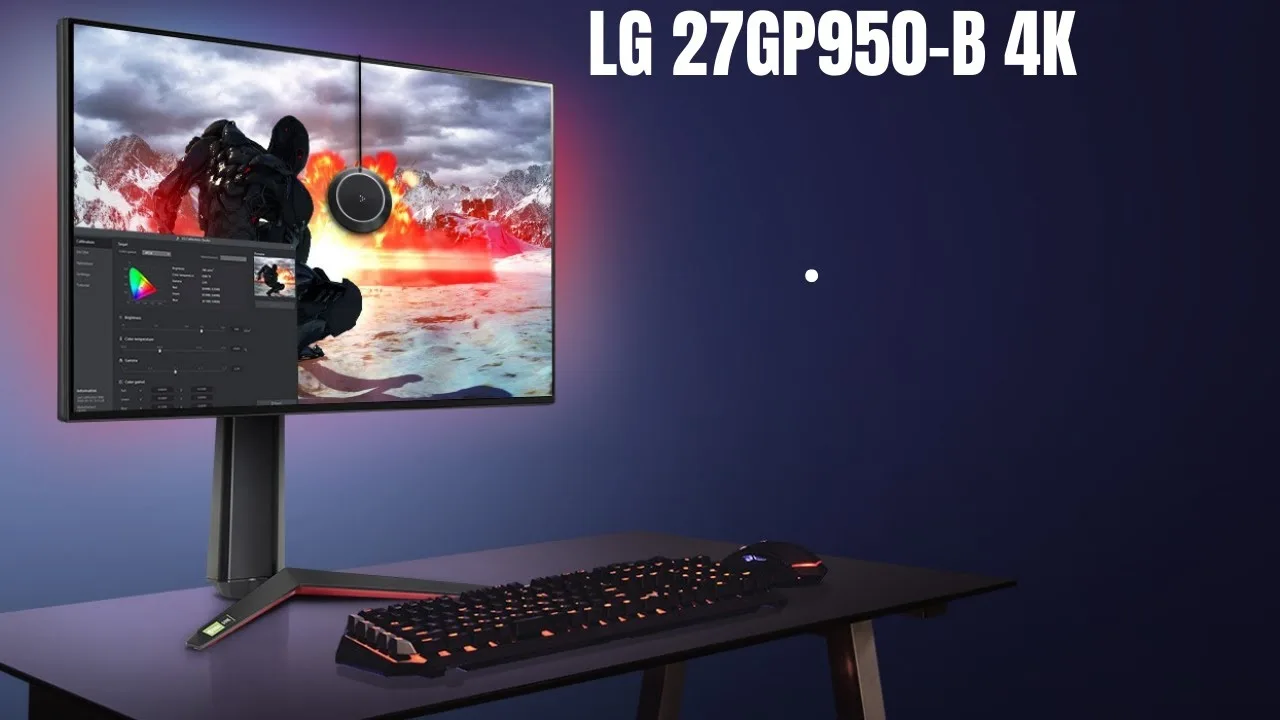
The LG 27GP950-B earns recognition as a strong contender for both best gaming and best 4K display categories. Setup proves quick and tool-free, with thumb screws securing the base and a stand that snaps into place. Ports face outward from the back rather than downward—a welcome design choice. Small bezels, a minimalist stand, and built-in cable management contribute to clean aesthetics. An RGB ring around the rear syncs with audio and video via free LG software. The monitor offers tilt, height adjustment, and pivot functionality, plus VESA wall-mount compatibility, though rotation on the base is absent. Performance impresses with 1ms gray-to-gray response time, 160Hz overclocked refresh rate (144Hz standard), VESA DisplayHDR 600, and both NVIDIA G-Sync and AMD FreeSync support. The 27-inch 4K panel delivers 400 nits brightness, 98% DCI-P3 coverage, and 178-degree viewing angles. HDMI 2.1 support ensures optimal compatibility with PlayStation 5 and Xbox Series X/S. Two HDMI ports and one DisplayPort handle connectivity.
- →Ideal for 4K gaming with console and PC compatibility
- →Suits creative professionals needing wide color gamut
- →Perfect for users wanting clean, minimalist desk setup
- →Great choice for those prioritizing fast response times
- →Consider if you don't need base rotation flexibility
 Viktor's Reality
This review covers the unboxing and initial setup of the LG 27GP950-B …
Viktor's Reality
This review covers the unboxing and initial setup of the LG 27GP950-B …
This review covers the unboxing and initial setup of the LG 27GP950-B gaming monitor. The reviewer praises the packaging quality, noting extensive foam padding that ensured the monitor arrived in perfect condition. The monitor features a 4K Nano IPS panel with 144Hz refresh rate (overclockable to 160Hz), HDMI 2.1 with VRR up to 120Hz, NVIDIA G-SYNC compatibility, AMD FreeSync Premium Pro, 98% DCI-P3 coverage, VESA DisplayHDR 600, and Sphere Lighting 2.0. The included accessories comprise a power adapter, DisplayPort cable, USB hub cable, and an ultra high speed HDMI cable with certification verification via QR code. The monitor was manufactured in July 2021.
- →Ideal for next-gen console and PC gaming with HDMI 2.1
- →Factory color calibration documents included for professionals
- →Sphere Lighting 2.0 requires PC connection for video sync
- →Verify HDMI cable authenticity via mobile app scan
Community Discussions via Reddit
Comparison
r/Monitors
u/brainplot
The LG 27GP950-B served as a reliable work monitor for an IT engineer over several years of ownership. The owner used it primarily for text/code viewing during work-from-home days with occasional gaming. When forced to return it upon changing jobs, they attempted to upgrade to an OLED monitor but discovered the LG was superior for their productivity needs. The owner specifically noted they never experienced eye fatigue or headaches with the LG, even after extended use. They sought to repurchase the same model but found it discontinued and unavailable new. The experience highlights the monitor's strength as a balanced productivity and occasional gaming display, with particular excellence in text clarity and eye comfort for long work sessions.
Key Insights
- →Best suited for professionals prioritizing text clarity and eye comfort during long work sessions
- →Ideal for hybrid use case: primarily productivity with occasional gaming
- →IPS panel technology proven superior to OLED alternatives for text-sensitive users
- →High refresh rate adequate for both modern MacBook connectivity and Windows gaming
- →Discontinuation represents loss of well-regarded reference point in 4K IPS monitor category
Top Comments
Look for mini led display. Almost like oled in hdr content, often even more bright and perfect for office work. It's been great for me as a programmer.
MSI MAG 274QPF X30MV. It's 1440p 300hz. Released about 2 weeks ago in my country, bought it few days after release.
Which mini led monitor do you have? I find here in canada our selection for affordable quality miniled monitors is very sparse.
Comparison
r/Monitors
u/FuzzyPuffin
The LG 27GP950-B is a 4K high refresh rate monitor that delivers excellent gaming performance once properly configured. Owner FuzzyPuffin initially experienced multiple connection and wake issues that were later attributed to a failing DisplayPort cable and macOS compatibility limitations with older hardware. After troubleshooting, the monitor proved impressive for gaming at 144Hz, with notably smooth performance in titles like Torment and A Plague Tale. The 4K resolution at 27 inches provides good pixel density that scales reasonably in macOS. However, the monitor includes unwanted features like a built-in fan, RGB lighting, and an ambient light sensor that causes brightness fluctuations until disabled via the poorly labeled 'SMART ENERGY SAVING' setting. At $900, the owner considers it overpriced and notes HDMI 2.1 proved personally unnecessary.
Key Insights
- →Best for gamers prioritizing 4K 144Hz who have modern GPUs with DSC support; not ideal for older MacBook Pro users lacking DisplayPort 1.4 DSC
- →Requires immediate settings adjustment: disable 'SMART ENERGY SAVING' to prevent ambient light-based brightness fluctuations
- →Cable quality and compatibility critically important; USB-C to HDMI may be more reliable than DisplayPort for some Mac setups
- →Consider whether HDMI 2.1 is actually needed before paying premium; GN variant saves $100 if unused
- →Fan noise and RGB lighting are persistent hardware irritants with no software workaround; physical modification may be desired
Top Comments
Yes, if only because everything else in this terrible market is even worse. :) Also, it depends on how much $900 matters to you. There's no question it's overpriced. I wish I'd known HDMI 2.1 would …
I'm not "complaining," I thought I followed this stuff pretty closely so I assumed it was an issue with my setup, not an inherent limitation. As I said, I'm new to high refresh monitors. HDMI 2.1 is …
Yes, if only because everything else in this terrible market is even worse. :) Also, it depends on how much $900 matters to you. There's no question it's overpriced. I wish I'd known HDMI 2.1 would …
Setup Showcase
r/Monitors
u/brute0112358
The LG 27GP950-B is a 27-inch 4K 120Hz+ monitor positioned as a premium gaming display, particularly for console gaming with Xbox Series X and PS5. Community discussion reveals mixed sentiment about its value proposition at nearly $1,000. Users confirm the monitor supports 4K/120Hz output via HDMI 2.1, though actual game performance depends on console capabilities. One owner coming from a Dell S2721DGF expressed being "a tad underwhelmed" given the price premium. Debate exists around whether Destiny 2 achieves true 4K/120Hz or uses 1080p upscaling in 120Hz mode. The monitor's 27-inch size raises questions about whether 4K resolution delivers sufficient perceptible benefit at this screen size compared to larger displays.
Key Insights
- →Best for console gamers wanting HDMI 2.1 4K/120Hz in a compact desk setup, not ideal for those prioritizing value-per-dollar or large-screen 4K immersion
- →Monitor's reported refresh rate in menus reflects maximum capability of the display/cable connection, not actual game performance—users need external tools to verify true frame rates
- →Actual 4K/120Hz gaming on consoles is limited by game and console hardware; many titles use dynamic resolution or lower internal resolution with upscaling
- →Price-to-performance ratio is a significant community concern; buyers should have clear expectations about visible 4K benefits at 27 inches versus larger alternatives
- →Suitable as upgrade path from 1440p monitors only if HDMI 2.1 and specific console features are required, not for general image quality improvement alone
Top Comments
I just got this monitor as well. Could you please share your settings? To be honest, I am coming from a Dell S2721DGF but to be honest, while it is a bit of an upgrade, I am a tad underwhelmed …
To add, Destiny 2 doesn't run 120hz at 4k. It's either 120hz at 1080p in crucible (PvP) or it's 4k at 60hz for PVE content.
Imagine you have an envelope that says it can hold 120 notes. It will still work correctly if you only put in 60 notes, right? But because it's capable of holding 120 will you tell the person that …
Setup Showcase
r/Monitors
u/Qu1ckset
The LG 27GP950-B receives praise for its exceptional IPS panel quality, with owner Qu1ckset describing it as "one the best IPS panel I've ever gotten" after winning the panel lottery. The monitor's design is highly regarded by community members, considered among the best available. However, a significant controversy exists around a black screen issue when G-Sync is enabled, which one owner (Maetivet) found severe enough to return the monitor for a refund. The issue appears potentially firmware or driver-related rather than hardware-specific. Panel quality consistency varies, with some users experiencing minimal IPS glow while others face deal-breaking problems.
Key Insights
- →Best for users prioritizing 27-inch 4K with excellent IPS panel quality and modern design
- →Not ideal for users requiring reliable G-Sync functionality until firmware/driver fix is confirmed
- →Strong consideration for panel lottery — inspect carefully for IPS glow and test G-Sync stability during return period
- →Community consensus split: exceptional panel quality when working properly vs. unacceptable reliability issues for the price tier
- →Consider waiting for confirmed firmware fix before purchase if G-Sync is essential to use case
Top Comments
I think I won the panel lottery , it’s one the best IPS panel I’ve ever gotten! , but to be honest even my previous monitor 27GL850 was pretty good as well! The ASUS PG279Q was prob one of the worst …
I think I won the panel lottery , it’s one the best IPS panel I’ve ever gotten! , but to be honest even my previous monitor 27GL850 was pretty good as well! The ASUS PG279Q was prob one of the worst …
The non existent chin bezels are soo good , don’t know why more company’s don’t do this
Setup Showcase
r/Monitors
u/shankly1985
The LG 27GP950-B is regarded by owners and community members as an exceptional SDR monitor for 4K/144Hz gaming, featuring a Nano IPS panel with stunning colors and 160Hz refresh rate. The primary caveat repeatedly emphasized is its poor HDR performance due to only 16 dimming zones, which causes visible IPS glow and noticeable zone boundaries in dark scenes. Users consistently recommend it for those prioritizing SDR content and high-refresh 4K gaming, but explicitly warn against purchasing if HDR is a priority. The monitor excels for color-critical work and general gaming but cannot compete with OLED alternatives for HDR experiences.
Key Insights
- →Best for users prioritizing SDR gaming and content creation, not ideal for HDR enthusiasts
- →Consider OLED alternatives like LG CX if HDR is a primary requirement
- →4K at 27 inches provides meaningful sharpness improvement over 1440p, contrary to common claims
- →Requires powerful GPU (RTX 3080 or better) to drive modern AAA games at high settings above 100 FPS at 4K
- →Community consensus: purchase only if you accept using it primarily as an SDR monitor
Top Comments
As long as you stick to SDR, both this and the earlier version(LG-27GN950-B which lacks HDMI 2.1) are among the best IPS monitors out there with 4k/144hz.
The monitor itself is amazing and I highly recommend it so long is HDR isn't your main choice for the purchase. So the issue is that this IPS panel only has 16 dimming zones so when the display is …
The monitor itself is amazing and I highly recommend it so long is HDR isn't your main choice for the purchase. So the issue is that this IPS panel only has 16 dimming zones so when the display is …
Setup Showcase
r/Monitors
u/So_Phantastic
The LG 27GP950-B generates significant community interest as a high-end 4K 144Hz gaming monitor, though availability remains a major pain point with users reporting months-long stock shortages. Owners who have acquired it praise its visual quality, ultrafast response times, and exceptional brightness that benefits streaming setups with key lights. The monitor supports 120FPS console gaming and unique features like PS5's 40FPS mode on 120Hz panels. Multiple commenters confirm it's 'worth the price premium' for its combination of 4K resolution and high refresh rate with decent pixel density, though one user warns against pairing it with OLED TVs or Apple devices due to contrast expectations.
Key Insights
- →Best for console gamers seeking 4K120Hz, particularly PS5 users who want access to 40FPS modes and consistent 120FPS in shooters
- →Ideal for content creators and streamers who need high brightness to combat key lighting in their setup
- →Not recommended for users who will directly compare against OLED TVs or Apple displays due to different contrast characteristics
- →Purchase requires persistence — stock trackers recommended, with availability sometimes lasting 'hours at a time' on LG or Best Buy
- →Community consensus strongly supports 'worth the price premium' for those who can find it in stock, primarily for the 4K+high refresh rate combination
Top Comments
This monitor is never in stock, I was considering to buy one but nobody has a chance to get one. Is it worth the price premium for it?
How do people even manage to get these, I haven't seen them in stock in months on LGs site or on Best Buy
I've been using this monitor for the past month or so and it's a game changer. It looks amazing while keeping the ultrafast response times. This is also a great streaming monitor because it can get …
Quick Opinion
r/Monitors
u/RareRibeye
The LG 27GP950-B is a 27-inch 4K 144Hz gaming monitor that has generated significant community interest and frustration around its pricing. Originally listed at $799.99, LG raised the price to $899.99—a $100 increase attributed to the addition of HDMI 2.1 connectivity. The community has been actively monitoring the product page, with users expressing strong desire for the monitor despite pricing concerns. The monitor features Nano IPS panel technology, 1ms response time, and NVIDIA G-Sync compatibility with AMD FreeSync. However, the HDMI 2.1 implementation has drawn criticism for limited compatibility with Linux systems and concerns about adapter availability for DisplayPort to HDMI 2.1 conversion. The standard brightness of 350 nits has also been questioned as underwhelming for the price point.
Key Insights
- →Best for gamers prioritizing 4K 144Hz with HDMI 2.1 for PS5/Xbox Series X or RTX 30-series connectivity, but Linux users should verify compatibility first
- →The $899.99 price point represents poor value for users who don't need HDMI 2.1 specifically, as the $100 premium is entirely for this single port addition
- →Users with multiple devices requiring frequent input switching may face cable management challenges due to unidirectional adapter limitations
- →Monitor availability appears imminent based on Best Buy page activation, though regional availability varies with European launch still pending
- →Consider waiting for potential price corrections or alternative models if 350 nits brightness or $899 price is a concern
Top Comments
I saw $799.99 yesterday. WTF going on?! ​ (Do not worry, I'll use the stimulus check to purchase this monitor).
$100 more for a port that doesn't even work on all systems: https://www.phoronix.com/scan.php?page=news_item&px=HDMI-Closed-Spec-Hurts-Open Linux users are stuck with HDMI 2.0.
I noticed this too since I've been refreshing the page at an unhealthy rate. Happened sometime within the last two hours. Not cool.... but I still want it.
Troubleshooting
r/Monitors
u/Rising_Mikado
The LG 27GP950-B is a 4K gaming monitor that delivers impressive performance for PC and console gaming at high refresh rates (160Hz PC, 120Hz console). However, a significant portion of users report intermittent black screen issues lasting 1-2 seconds during gaming, which appears to be a persistent and frustrating defect. The problem is difficult to reproduce consistently, with some users experiencing it randomly once per day while others face more severe flickering. Attempted fixes including firmware updates and cable swaps have provided only temporary relief. One user who RMA'd the monitor experienced the same issue on the replacement unit, suggesting a potential design flaw rather than isolated defects. Despite this, users who don't experience the issue praise its otherwise excellent performance.
Key Insights
- →Best for users prioritizing 4K 160Hz gaming who receive a unit without the black screen defect
- →Not ideal for users sensitive to intermittent display interruptions during competitive gaming
- →Long-term reliability is questionable due to the black screen issue appearing unpredictably over time
- →Community consensus: the black screen problem is real but anecdotally reported, making purchase a potential lottery
- →Consider extended return window or retailer with good exchange policy due to RMA uncertainty
Top Comments
I've had this exact issue and it's extremely frustrating. Haven't been able to find out much about it since, to your point, the reports are fairly anecdotal. Besides the black screen issues, the …
I've the older model 27gn950 for almost a year now. Here's my experience with the black-screen issue. Like the other user said, you only really hear things anecdotally, but I've been frequently …
As far as I know they're identical, save for the HDMI 2.1 connectivity option. That said, mine (GN as well) has been running just dandy and handles 160hz without issues on top of it all as well. …
Setup Showcase
r/Monitors
u/Gobertdd
The LG 27GP950-B is a 4K 144Hz monitor that has recently become available in select markets. Owner Gobertdd upgraded from a 4K 60Hz display and reports extremely positive initial impressions after several days of use, calling it "a beast" with no flickering issues despite concerns from online reports. Another owner, mltxf, upgraded from 1440p 60Hz and praised the 144Hz smoothness for daily desktop use. Availability appears limited in some regions like Europe, where it just launched. One user returned the monitor due to significant backlight bleed, suggesting panel lottery concerns. The monitor's gaming aesthetic can be mitigated with a monitor arm mount for cleaner desk setups.
Key Insights
- →Best for users upgrading from 60Hz displays seeking dramatic smoothness improvement at 4K resolution
- →Panel quality may vary — backlight bleed is a documented issue warranting careful inspection upon receipt
- →Monitor arm recommended to improve aesthetics and desk ergonomics for mixed-use setups
- →HDR performance may not be critical differentiator; some users disable it due to compression concerns (apigthatflies)
- →Early adopters report positive stability with no flickering, suggesting initial quality concerns may be overstated or batch-dependent
Top Comments
Had it for a few days, had a 4K 60hz before this. This thing is a beast, I was worried about the screen flickering stories but I’ve been playing on it for 3 days and have not experienced any …
Congrats! I got mine two days ago too! I'm really loving it. I had a 1440p 60hz before this and was really surprised how great 144hz is also on daily desktop use.
It has some but not enough to bother me
Troubleshooting
r/Monitors
u/Mr_Mashiro
The LG 27GP950-B received a firmware update enabling 4K 144Hz via HDMI 2.1 with RGB, 10-bit color, and full range, plus an option to disable deep sleep mode. However, LG appears to have pulled the update around March 16, leaving many users stuck on firmware version 3.03, 0, 6.05 unable to upgrade. Owners discovered these changes by comparing updated user manuals, as LG provided no official release notes. Multiple users report ongoing issues including display lag and HDR-related tab-out problems in Destiny 2 fullscreen. The update process itself is problematic, with the 'HDMI ULTRA HD Deep Color' OSD setting becoming unselectable for some users.
Key Insights
- →Best for users who successfully received firmware version 4.04, 31, 6.06 and need HDMI 2.1 4K 144Hz for PC or console gaming
- →Not ideal for buyers expecting reliable firmware update support, as LG has historically pulled updates and provided poor communication
- →HDR users should be aware of potential display lag and fullscreen tab-out issues in games like Destiny 2; firmware fix effectiveness remains unverified
- →Monitor requires specific OSD configuration (HDMI ULTRA HD Deep Color set to On(144Hz)) to unlock full 144Hz capability, which may become inaccessible
- →Community consensus: LG's software/firmware support for this monitor is frustrating and inconsistent, with multiple support calls often needed
Top Comments
How do you know if you’re running the latest firmware ? Doesn’t seem to have a firmware update download on LG website and the “HDMI ULTRA HD DEEP COLOR” under settings doesn’t let me highlight over …
The firmware version that people have gotten is "4.04, 31, 6.06". Starting on March 16 there were reports coming in with people on version "3.03, 0, 6.05" that can not update. I am one of those. …
Thanks for the heads up, I literally had a call with LG regarding this issue yesterday (one of many calls during my course of owning this monitor...). I will report back after some gaming …
Scores based on weighted analysis of 24 expert and community sources. How we review →