

Dell Alienware AW2726DM
Best For
- Dark-room gamers wanting OLED quality under $400
- Color-focused creators needing 99% DCI-P3 coverage
- Competitive players prioritizing 240Hz motion clarity
Consider Carefully
- Bright-room users where 200-nit SDR falls flat
- Users needing USB-C or a built-in USB hub
- HDR enthusiasts chasing DisplayHDR True Black certification
Jump to Section
The Bottom Line
The Dell Alienware AW2726DM is a monitor that's making waves with its exceptional panel quality and performance at a relatively accessible price. What we found most impressive is its 99% DCI-P3 color gamut coverage, ensuring vibrant and accurate colors that are a step above many competitors. Its 240Hz refresh rate delivers sharp motion clarity, which is crucial for gaming. Additionally, the monitor's 3-year warranty against burn-in offers peace of mind, an uncommon feature in this price range. However, the AW2726DM has some limitations. It lacks an SDR brightness that tops out at 200 nits and HDR peaks at 400 nits, which might be a disappointment for those demanding the brightest visuals. Connectivity is also a point of contention, with HDMI 2.0 ports limiting output to 1440p 120Hz and the absence of a USB hub.
Performance Breakdown
Expert Scores
How 7 professional publications rated this product
In-Depth Analysis
Motion & Refresh Rate 95
Nine sources confirm 0.03ms response and 240Hz refresh. This is as fast as consumer monitors get right now.
Key Takeaway
→For PC competitive gaming, this is a top-tier motion performer. Console players should verify their setup can push past the 120Hz HDMI ceiling before buying.
Color Accuracy 92
99% DCI-P3 and visually flawless grayscale tracking out of the box, with a warm default calibration that needs correcting before serious color work.
Key Takeaway
→For gaming and media, the color performance is outstanding at this price. Content creators should calibrate before trusting it for production work.
Image Quality 90
A $349 QD-OLED that delivers infinite contrast and rich color, with real caveats around font rendering and soft pixel density that matter if you sit close.
Key Takeaway
→If you game in a dark room and want OLED quality without paying OLED prices, this delivers. If you need sharp text for productivity or work near a window, look elsewhere.
Burn-In Protection 87
The three-year burn-in warranty is the headline feature here, and four sources treat it as a meaningful differentiator for long-term OLED ownership.
Key Takeaway
→The three-year burn-in warranty is real coverage and worth factoring into the value calculation. Heavy productivity users with static layouts should still be cautious.
Ergonomics & Design 85
Full ergonomic adjustability and slim bezels, but the design reads as generic rather than premium, and the screw-in stand assembly feels dated.
Key Takeaway
→The ergonomics are genuinely good and the design is inoffensive. If you want Alienware aesthetics to match the name on the bezel, you'll be disappointed.
HDR Performance 78
HDR certification is genuinely disputed across sources, and peak brightness around 340 nits keeps this well below the vivid HDR tier.
Key Takeaway
→HDR here is better than any LCD at this price, but if peak HDR brightness and certification matter to you, spend more.
Connectivity & Ports 64
Seven sources flag the missing USB hub as a real omission. No USB-A, no USB-C, no KVM, and downward-facing ports that complicate cable management.
Key Takeaway
→If your desk runs on a single PC with its own USB hub, the port selection is fine. If you need USB-C, laptop docking, or KVM switching, this isn't the monitor.
Brightness Levels 58
Six sources flag the same problem: 197 nits full-screen brightness is below the 250-nit standard and makes this a poor choice for bright rooms.
Key Takeaway
→Commit to a dark or dim room setup. In any other environment, the low brightness will undercut everything the OLED panel does well.
Specifications & Verdict
Display
- Screen Size
- 26.7 in
- Resolution
- 2560 × 1440
- Aspect Ratio
- 1.778:1
- Pixel Density
- 110 ppi
- Panel Type
- QD-OLED
- Curvature
- Locked
- Screen Coating
- Anti-glare/Matte (2H)
Performance
- Refresh Rate
- 240 Hz
- Response Time
- 0.03 ms
- Adaptive Sync
- FreeSync Premium, VESA AdaptiveSync
Image
- Contrast Ratio
- 1500000 : 1
- Brightness
- 200 nits
- Color Gamut
- 99% DCI-P3
- Color Depth
- 1073741824 colors
- Color Accuracy
- below 3dE
- HDR Support
- DisplayHDR 400 True Black
- Viewing Angles
- 178 °
Connectivity
- Ports
- 1x DP 1.4, 2x HDMI 2.0
- HDMI Ports
- 2 (both support 120Hz VRR)
- DisplayPort
- 1x DisplayPort 1.4
- USB Ports
- None
- Audio Output
- 3.5 mm headphone jack
- Speakers
- No
Design
- Weight
- 9 kg
- Dimensions
- 590.42 mm
- Panel Thickness
- 1.65 inches at thickest point
- VESA Mount
- Yes
- Height Adjustment
- 130 mm
- Tilt
- 5/21 degrees
- Swivel
- 360 degrees
- Pivot
- 90 degrees
Features
- Eye Care
- TÜV Rheinland 3-star
- OLED Care
- AlienFX Lighting, AI-driven background protection system, AI Algorithm, graphite film heatsink
- Special Features
- Security lock slot, three dedicated (Game, Movie, Display)
Other Specs
- Power Consumption
- 21W
- Warranty
- Three-year warranty against burn-in
- Hdr Color Accuracy
- slightly oversaturated
- Tone Mapping Transition Point
- around 58%
- Rotation
- 90 degrees
- Removable Stand
- Yes
- Stand Dimensions
- 8.80-inch square
- Default Picture Mode
- Display
- Hdr Adjustments Available
- none
- Design
- straight-edged, plasticky, generic chassis
Our Verdict
The Dell Alienware AW2726DM earns its 88/100 by delivering a QD-OLED panel with 99% DCI-P3 coverage and a 240Hz refresh rate at around $349, a price that undercuts most OLED monitors by a wide margin. The 200-nit SDR brightness is a real limitation in bright rooms, and the missing USB hub will frustrate anyone who relies on monitor-side connectivity. For dark-room gaming or color-sensitive work on a budget, it's a strong buy. If you need peak HDR punch or a full connectivity suite, look elsewhere.
Reader Questions
Specific questions about the Dell Alienware AW2726DM, answered only from what reviewers reported.
01Is the picture quality actually good for the price?
Reviewers consistently found the QD-OLED panel delivers deep blacks, rich colors, and a 99% DCI-P3 color gamut at a price point that dramatically undercuts typical OLED monitor costs. Picture quality was described as 'insanely good' with punchy, vibrant colors.
02Can I plug in a USB hub or connect a laptop via USB-C?
No. The monitor lacks a USB hub entirely and has no USB-C port, so you cannot connect peripherals through it or use it as a docking station for a laptop. Reviewers flagged this as a notable omission that increases cable clutter.
03How does it perform for fast-paced competitive gaming?
The 240Hz refresh rate and 0.03ms response time deliver sharp, buttery-smooth motion clarity that reviewers found well-suited to competitive gaming. The 27-inch 1440p combination was noted as hitting a gaming sweet spot.
04Should I be worried about OLED burn-in?
Burn-in is a known OLED concern, but Dell includes a 3-year warranty that specifically covers OLED burn-in, which reviewers noted offsets that risk considerably.
05Is the screen bright enough for a well-lit room?
This is a genuine limitation. SDR brightness is capped at around 200 nits, which is below the typical standard for gaming monitors, and one reviewer measured it as low as 189 nits. Reviewers also noted it is roughly 20% dimmer than typical QD-OLED monitors in SDR mode, making it less ideal for bright environments.
06Will it run at full 240Hz if I connect via HDMI?
No. The HDMI ports cap out at 1440p 120Hz, so you need to use DisplayPort to reach the full 240Hz refresh rate.
Pricing & Availability
Dell Alienware AW2726DM
Sources & Methodology
Every score is built on evidence. This review synthesizes 16 independent sources — expert publications, video reviews, and community discussions — weighted by credibility, depth, and relevance.
Show detailed source analysis ↓ Hide source analysis ↑
Expert Reviews
rtings.com
Top
8.9/10-point
A 27-inch 1440p QD-OLED gaming monitor running at 240Hz, positioned as Dell's entry-level OLED option. It covers gaming fundamentals with FreeSync Premium, VESA AdaptiveSync, and an adjustable stand, plus a three-year burn-in warranty. However, it makes noticeable compromises: no high-bandwidth ports, no USB hub, dim HDR output, and less vivid colors than premium QD-OLED alternatives. Best suited for budget-conscious buyers prioritizing OLED's inherent strengths—deep blacks, zero haloing, and sharp motion—over cutting-edge features.
Strengths
- +Three-year warranty against burn-in included
- +Deep blacks with no haloing typical of OLED
- +Sharp motion clarity at 240Hz
- +FreeSync Premium and VESA AdaptiveSync support
Weaknesses
- −Dim screen limits HDR vividness
- −No high-bandwidth DisplayPort or HDMI ports
- −Lacks USB hub entirely
- −Colors less accurate before calibration
pcgamer.com
Top
85/100-point
At $349.99, this 27-inch 1440p QD-OLED monitor delivers impressive HDR performance and OLED speed at an unusually accessible price point. The Gen 3 Samsung panel offers per-pixel lighting with infinite contrast, though it requires some setup effort to look its best. Default SDR calibration runs overly warm, necessitating either Windows color profile adjustments or simply running in HDR mode permanently. Build quality exceeds expectations for the price, with slim bezels and a fully adjustable stand including portrait rotation. However, cost-cutting measures appear in the limited connectivity—no USB-C, no USB-A hub, and a simplified OSD menu. The 200 nits full-screen brightness rating falls slightly below typical Gen 3 QD-OLED specs, yet real-world performance remains punchy and pleasing.
Strengths
- +Excellent value for OLED technology at $350
- +Punchy, pleasing HDR image quality
- +Fast 0.03 ms response time
- +Slim bezel design with fully adjustable stand
Weaknesses
- −Default SDR calibration is overly warm
- −No USB-C connectivity included
- −No USB-A hub increases cable clutter
- −Simplified OSD menu lacks features
windowscentral.com
Top
4.5/5-point
At $349.99, this QD-OLED monitor delivers outstanding color and contrast that punches well above its price point. The 240Hz refresh rate and 0.3ms response time make it highly capable for competitive gaming, while the clean, RGB-free design suits professional environments. Its thin 1.65-inch profile and VESA compatibility add versatility, though the screw-on stand feels clunkier than clip-in alternatives. Missing features include built-in speakers, USB ports, and RGB lighting. The three-year warranty covering OLED burn-in provides meaningful peace of mind. Overall, it sacrifices some premium conveniences but preserves core performance, making it ideal for budget-conscious buyers who prioritize image quality over extras.
Strengths
- +$349 price dramatically undercuts typical OLED monitor costs
- +Outstanding color accuracy and contrast from QD-OLED panel
- +240Hz refresh rate with 0.3ms response time
- +Clean, professional design without excessive gamer aesthetics
Weaknesses
- −No built-in speakers included
- −No RGB lighting on rear panel
- −Lower brightness than some slightly pricier alternatives
- −No USB ports or hub functionality
tomshardware.com
Top
4.5/5-point
The AW2726DM delivers solid HDR10 performance with automatic switching and three dedicated picture modes. Display mode proves optimal for HDR content, avoiding the ringing visible in Game and Movie modes. Peak HDR brightness reaches 404 nits on a 25% window pattern, while full field measures around 200 nits—sufficient to differentiate HDR from SDR with bright highlights and vivid color. Grayscale tracking shows no visible errors below 3dE, and the EOTF tracks near reference with only slight darkness below 30% brightness that remains imperceptible in content. Color accuracy exceeds most tested displays, with slight oversaturation creating a natural rather than cartoony appearance. Gamut coverage extends fully through P3 and partially into BT.2020, though it hits limits at 90% red, 80% green, and 95% blue.
Strengths
- +Visually flawless grayscale tracking with all values below 3dE
- +Slight oversaturation creates natural, non-cartoony HDR images
- +Full P3 gamut volume with partial BT.2020 coverage
- +Punchy HDR differentiation from SDR content
Weaknesses
- −No adjustments available in HDR mode
- −HDR peak brightness trails some competing displays
- −EOTF runs slightly dark below 30% brightness
- −Forced Dell software installs background telemetry
pcmag.com
Top
4/5-point
At $349.99, the AW2726DM delivers OLED color range and contrast at an unprecedented budget price point, earning an Editors' Choice award for mainstream gaming. The 27-inch 1440p panel runs at 240Hz via DisplayPort (120Hz capped on HDMI) and uses what appears to be Samsung's early 2024 QD-OLED technology. Significant cost-cutting measures include no USB ports of any kind, no internal speakers, no RGB lighting, a screw-in stand rather than tool-less assembly, and a sparse OSD lacking crosshairs, AI enhancements, or advanced refresh rate options. Measured brightness reached 197 nits in SDR testing, below the 250 nits typical of 2024-era Samsung OLED panels and short of its 200-nit rating. Build quality is basic with ultra-thin bezels and limited aesthetic flourishes beyond the alien head logo.
Strengths
- +Unprecedented $349.99 price for OLED technology
- +Excellent OLED color range and contrast performance
- +240Hz refresh rate via DisplayPort
- +Ample tilt, pivot, and height adjustment options
Weaknesses
- −No USB-C or USB-A ports for peripherals or laptops
- −No internal speakers included
- −Brightness capped at 197 nits, below 250-nit typical standard
- −HDMI limited to 120Hz instead of full 240Hz
displayinput.com
Top
5/5-point
The AW2726DM earns a 4.5/5 rating as the overall winner in this comparison. Its QD-OLED panel delivers true blacks through pixel-level dimming, making it exceptional for dark-room gaming and HDR content. The 240Hz refresh rate combined with 0.03ms GtG response provides elite motion clarity for competitive gaming. Color performance is strong with 99% DCI-P3 coverage and true 10-bit depth. However, typical brightness reaches only 200 cd/m², meaning HDR highlights appear less punchy in bright rooms. At 110 PPI, the QHD resolution appears softer than 4K alternatives at close distances. The monitor also lacks USB hub functionality and USB-C connectivity entirely.
Strengths
- +QD-OLED panel delivers true blacks with infinite contrast
- +240Hz refresh rate enables elite motion clarity
- +0.03ms GtG response minimizes ghosting in fast scenes
- +99% DCI-P3 coverage with true 10-bit color depth
Weaknesses
- −200 nits typical brightness limits bright-room HDR impact
- −No USB hub or USB-C connectivity available
- −QHD resolution at 110 PPI appears softer up close
- −Premium pricing for OLED technology
displayspecifications.com
The Dell Alienware AW2726DM is a 26.5-inch QD-OLED gaming monitor announced for 2026, featuring a Samsung panel with 2560 x 1440 resolution and 240Hz refresh rate. It delivers 99% DCI-P3 color coverage, true 10-bit color depth, and an exceptional 1,500,000:1 static contrast ratio with DisplayHDR 400 True Black certification. The ultra-fast 0.03ms response time targets competitive gamers, while wide 178° viewing angles and anti-glare coating enhance usability. Power flexibility supports both 110V and 220V regions. This display combines OLED's perfect blacks with high refresh rates for premium gaming and media consumption.
Strengths
- +QD-OLED panel delivers 1,500,000:1 contrast ratio
- +Extremely fast 0.03ms response time
- +240Hz refresh rate with 48-240Hz range
- +99% DCI-P3 wide color gamut coverage
indepthgadget.com
8.8/10-point
The Dell Alienware AW2726DM is a 26.5-inch QD-OLED gaming monitor with a 2560×1440 resolution and 240Hz refresh rate. Samsung manufactures the panel, which delivers exceptional motion clarity through a 0.03ms response time. Color performance stands out with 99% DCI-P3 coverage and DisplayHDR 400 True Black certification, backed by a 1,500,000:1 contrast ratio. Ergonomics score well with 130mm height adjustment, tilt, swivel, and 90° pivot. Connectivity proves more limited, lacking USB-C, built-in speakers, and native G-SYNC support. The 200-nit typical brightness is notably low for the category. AlienFX RGB lighting and OLED protection features target gaming audiences. Power efficiency is reasonable at 25W typical consumption.
Strengths
- +QD-OLED panel with 1,500,000:1 contrast ratio
- +240Hz refresh rate with 0.03ms response time
- +99% DCI-P3 color coverage
- +DisplayHDR 400 True Black certification
Weaknesses
- −200-nit brightness falls below typical gaming monitors
- −No built-in speakers or audio output beyond 3.5mm
- −Lacks USB-C connectivity entirely
- −No native NVIDIA G-SYNC support
tomsguide.com
The Alienware AW2726DM delivers exceptional value at $349 with a 27-inch 1440p QD-OLED panel, 240Hz refresh rate, and 0.03ms response time. During a week of testing, performance proved remarkably smooth in demanding titles like Cyberpunk 2077 with virtually no perceptible input lag. Color reproduction is vibrant though intentionally oversaturated across nine display modes, with HDR brightness capped around 340 nits—typical for OLED. The understated all-black design fits discreetly into office environments, featuring a sturdy square stand with generous adjustability including 5.2-inch height glide, 90-degree rotation, and 360-degree base swivel. Notable omissions include RGB lighting entirely. The reviewer found the monitor compelling enough to personally purchase multiple units despite incomplete testing.
Strengths
- +Exceptional value at $349 with premium features
- +Sharp 1440p resolution on well-sized 27-inch panel
- +Buttery-smooth 240Hz with ultra-low 0.03ms response time
- +Vibrant, oversaturated colors enhance gaming visuals
Weaknesses
- −HDR brightness limited to approximately 340 nits
- −No RGB lighting whatsoever, even on logo
- −Oversaturated colors may not suit color-accurate work
games.gg
At $699, the AW2726DM strips away Alienware's signature features—no RGB, no curved chassis, no USB hub, no USB-C—to deliver a barebones QD-OLED experience. Connectivity is limited to two HDMI ports and one DisplayPort 1.4. The Samsung QD-OLED panel itself impresses with deep blacks, rich colors, and effortless motion at 240Hz/0.03ms. SDR content shines, though HDR lacks brightness punch without DisplayHDR400 certification. Burn-in protection is simplified to an AI background system, omitting proximity sensors and HUD dimming found on pricier models. A 3-year warranty helps offset longevity concerns. For OLED-curious gamers prioritizing display quality over aesthetics, this represents the most accessible QD-OLED entry point from a major brand.
Strengths
- +Samsung QD-OLED panel delivers deep blacks and rich colors
- +240Hz refresh rate with 0.03ms response time
- +1440p at 27 inches hits comfortable pixel density
- +Glossy finish amplifies vibrancy for work and gaming
Weaknesses
- −Generic plasticky chassis lacks Alienware design identity
- −No USB hub, USB-C, or RGB lighting included
- −Limited to two HDMI and one DisplayPort 1.4
- −No DisplayHDR400 certification; HDR underwhelms
tftcentral.co.uk
A 27-inch QD-OLED monitor positioned as an affordable entry point into OLED gaming displays. Features 2560 x 1440 resolution at 240Hz with 0.03ms response time and 99% DCI-P3 coverage. SDR brightness reaches only 200 nits, notably lower than competing 27-inch QD-OLED models. Connectivity is limited to HDMI 2.0 (120Hz max), DisplayPort 1.4, and a headphone jack. Includes ergonomic adjustments, TÜV eye comfort certification, and 3-year warranty with OLED burn-in protection via AI pixel management and graphite heatsink. Priced at $349.99 USD/£369 GBP.
Strengths
- +Very attractive price point for QD-OLED technology
- +240Hz refresh rate with adaptive sync support
- +99% DCI-P3 wide colour gamut coverage
- +0.03ms G2G response time for competitive gaming
Weaknesses
- −SDR brightness limited to only 200 nits
- −HDMI 2.0 ports cap at 1440p 120Hz
- −Very limited connectivity options overall
- −HDR peak brightness specs not disclosed
pcmonitors.info
The Alienware AW2726DM positions itself as an aggressively priced 240Hz QD-OLED monitor for gamers prioritizing image quality and responsiveness. A 26.5" Samsung Display QD-OLED panel delivers 2560 x 1440 resolution with Adaptive-Sync and HDMI 2.1 VRR support, including compatibility with PS5 systems. The design features pared-back matte black styling with a rectangular stand base and dual-stage thin bezels. Brightness is notably limited to 200 cd/m² typical maximum, with no VESA DisplayHDR True Black certification, though HDR content can reach approximately 400 cd/m². The fully adjustable stand offers 130mm height adjustment and portrait pivot, while connectivity includes two HDMI 2.1 ports, DisplayPort 1.4, and a headphone jack. A 3-year warranty covering OLED burn-in provides additional buyer confidence at its ~$350 USD price point.
Strengths
- +Aggressively priced for a 240Hz QD-OLED monitor
- +Excellent pixel response time at 0.03ms grey to grey
- +99% DCI-P3 color gamut with 10-bit color support
- +VRR works with Adaptive-Sync and HDMI 2.1
Weaknesses
- −Low 200 cd/m² typical maximum brightness
- −No VESA DisplayHDR True Black certification
- −Pared-back styling lacks premium aesthetic flair
- −Downward-facing ports complicate cable management
Video Reviews
 Monitors Unboxed
The Dell Alienware AW2726DM is a $350 QD OLED gaming monitor …
Monitors Unboxed
The Dell Alienware AW2726DM is a $350 QD OLED gaming monitor …
The Dell Alienware AW2726DM is a $350 QD OLED gaming monitor positioned as the cheapest OLED gaming display available. It features a 27-inch 1440p panel with 240Hz refresh rate and 99% DCI-P3 coverage. However, significant cost-cutting measures are evident: measured SDR brightness reached only 189 nits, falling short of Dell's 200-nit claim and trailing typical QD OLED monitors by 20%. Factory color accuracy is decent with proper grayscale, but the omission of hardware sRGB mode forces reliance on Windows 11 Auto Colour Management for accurate SDR colors. HDR support exists without VESA DisplayHDR certification. The monitor suits moderately lit indoor environments but struggles in bright rooms.
- →Best suited for moderately lit indoor gaming environments
- →Budget entry point for users wanting OLED panel technology
- →Requires Windows 11 for optimal SDR color accuracy
- →Not recommended for bright rooms or sunlight exposure
- →Ideal for gamers prioritizing OLED response times over peak brightness
 NotebookcheckReviews
A QD OLED gaming monitor priced at $350 that delivers inky blacks, …
NotebookcheckReviews
A QD OLED gaming monitor priced at $350 that delivers inky blacks, …
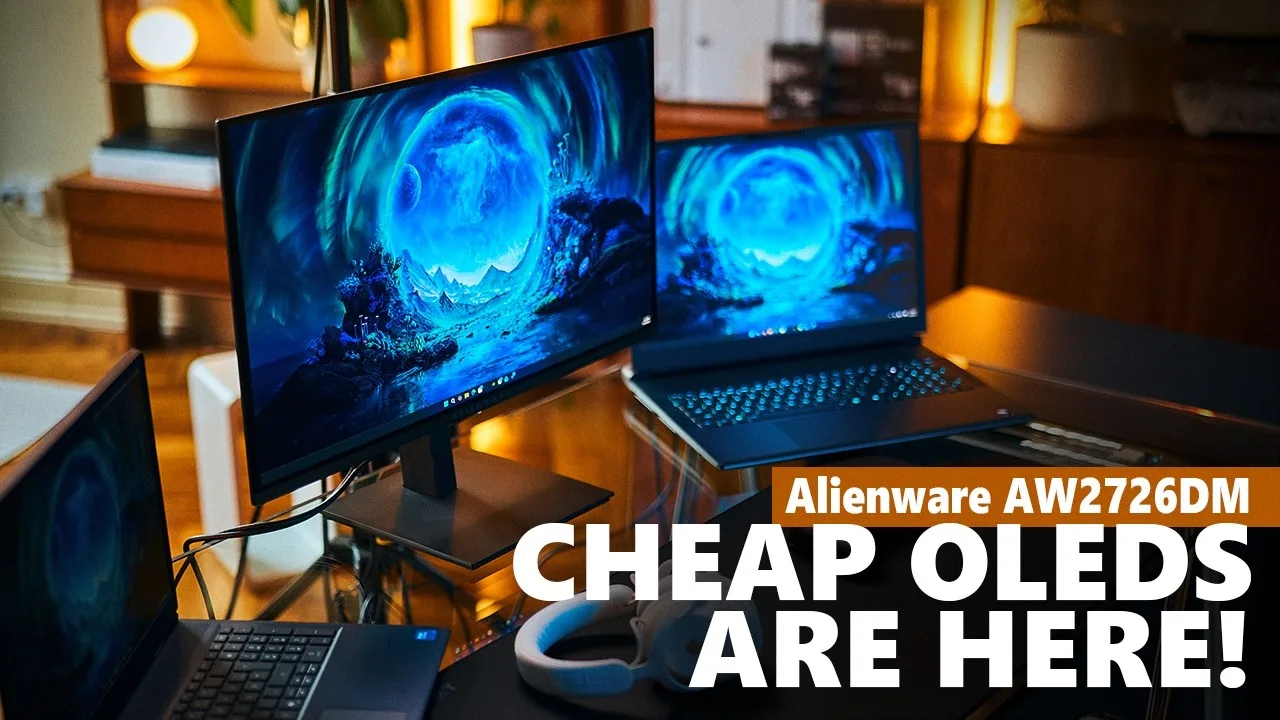
A QD OLED gaming monitor priced at $350 that delivers inky blacks, strong contrast, and punchy colors. The 27-inch 1440p panel supports 240Hz via DisplayPort or 120Hz over HDMI. Build quality is solid for the price with clean aesthetics and flexible ergonomics including pivot, though a cable routing cutout is missing. Maximum brightness caps around 200 nits, which suffices for most indoor use but may struggle with backlighting or glossy panel reflections. Factory calibration needs improvement but manual calibration enables content creation use. Minor 240Hz flickering was detected but deemed imperceptible. Gaming performance impresses with tear-free experience via FreeSync compatibility and responsive OLED characteristics.
- →Ideal for laptop users seeking affordable OLED upgrade
- →Best suited for controlled lighting environments
- →Great match for competitive and path-traced gaming
- →Budget GPUs can still leverage 240Hz effectively
- →Requires calibration for professional content work
 The Tech Chap
At approximately £350, this 27-inch QD OLED monitor delivers …
The Tech Chap
At approximately £350, this 27-inch QD OLED monitor delivers …
At approximately £350, this 27-inch QD OLED monitor delivers exceptional value with 1440p resolution and 240Hz refresh rate. The anti-reflective coating proves genuinely impactful for daily use. Blacks appear properly black with vibrant, accurate colors from individually self-lit pixels, and the instant response time eliminates smearing or ghosting entirely. Color accuracy covers 100% sRGB and 99% P3 on a 10-bit panel. A three-year warranty includes burn-in coverage, backed by pixel refresh, graphite film heatsink, and anti-burn-in software. However, brightness remains the key compromise: 200 nits SDR and 400 nits HDR without DisplayHDR True Black certification delivers merely adequate HDR. Build quality feels less premium, though acceptable at this price point.
- →Best budget entry point for OLED gaming monitors
- →Ideal upgrade from older LCD screens
- →Perfect for 1440p high-refresh-rate gaming setup
- →Sufficient for normal bedroom gaming environments
- →Consider monitor upgrade over new PC this year
Community Discussions via Reddit
Comparison
r/IndianGaming
u/Kevin5600H
Owner Kevin5600H purchased the Dell Alienware AW2726DM from Dell India for approximately ₹37,000 with a student discount, receiving it within a week despite a mid-July estimated delivery. Primarily tested with PS5, the monitor impressed with vibrant colors, deep blacks, and sufficient brightness despite initial 200 nits concerns. It supports 1440p and 120Hz on PS5 with VRR capability, though ALLM is absent. Games tested included God of War Ragnarok at 120Hz with VRR and Gran Turismo 7 at 120Hz without VRR. The owner considers it the best display under ₹40,000 in India, with brightness set at 75% proving adequate and HDR performance exceeding expectations.
Key Insights
- →Best suited for PS5 gamers seeking high-refresh 1440p gaming under ₹40,000 in India
- →Brightness concerns from spec sheet do not translate to real-world issues; adequate for typical room conditions
- →VRR support enhances experience in compatible titles, but ALLM absence requires manual game mode switching
- →Student discount (7%) or online coupons (5%) significantly improve value proposition
- →Fast Dell India delivery possible despite conservative estimates
Top Comments
Cheers buddy
I tested in both dark and normally lit room, brightness is good brothaaah.. go get it!
Yea that will be there for all the qd-oleds out there, even if the monitor is switched off you can feel that magenta tint on the screen while in a fully lit room, If you reduce the room lighting you …
Scores based on weighted analysis of 16 expert and community sources. How we review →