

Dell S2725QC
Best For
- PS5 gamers seeking a feature-rich display
- Laptop users needing a high-quality docking station
- Professionals who value a smooth 120Hz refresh rate
Consider Carefully
- Users needing peak brightness for bright environments
- Gamers requiring superior motion handling for competitive play
- Color professionals requiring a wider color gamut
Jump to Section
The Bottom Line
The Dell S2725QC is a standout monitor in the crowded market, earning an impressive 89/100 score from aggregated expert reviews. It sits comfortably at the intersection of productivity and gaming, offering a feature-rich package without breaking the bank. What we found particularly noteworthy is the monitor's 120Hz refresh rate, lauded for providing a smoother feel over its predecessor, and its USB-C with 65W power delivery, which conveniently charges laptops. For gamers, this monitor shines as an ideal docking station for both PS5 and laptops, and it's uniquely suited for those wanting to take full advantage of HDMI 2.1 features without the typical gaming monitor aesthetic. The IPS panel delivers on color accuracy and contrast, with 99% sRGB coverage and a 1500:1 contrast ratio, as noted by theaureview.com, ensuring visuals are sharp and vibrant.
Performance Breakdown
Expert Scores
How 3 professional publications rated this product
In-Depth Analysis
Refresh Rate Performance 89
8 of 9 sources confirm 120Hz delivers noticeably smoother motion, though pixel response times lag behind dedicated gaming panels.
Key Takeaway
→Ideal upgrade from 60Hz for general use and console gaming, but competitive PC gamers should spend more on faster pixel response.
USB-C Connectivity 88
14 of 18 sources call the 65W USB-C single-cable setup ideal for laptop users, but power-hungry machines like the MacBook Pro 16" force a workaround.
Key Takeaway
→Perfect for MacBook Airs and standard ultrabooks, but budget for a separate charger or step up to Dell's U-series if you're running pro laptops at full tilt.
Color Accuracy 88
9 of 12 sources confirm strong sRGB accuracy for creative work, though RTINGS and r/macmini warn the gamut falls short of color-critical professional standards.
Key Takeaway
→Start here for content creation on a budget, but budget for calibration and eventual upgrade if your work demands print-perfect color.
Display Image Quality 87
15 of 16 sources praise the 4K IPS panel for productivity, but the 1500:1 contrast ratio draws consistent criticism for shallow blacks next to OLED alternatives.
Key Takeaway
→Buy if you live in documents and browsers, skip if you need OLED-level contrast for HDR movies or color-critical work in dim rooms.
Ergonomics & Stand 87
8 of 10 sources confirm solid ergonomics with height, tilt, and swivel, though RTINGS Computer and Nishant Pathak flag stability concerns worth verifying.
Key Takeaway
→The included stand saves money and works for standard desks, but test for wobble if you use a standing desk or lightweight table.
Build & Design 82
10 of 14 sources praise the clean white aesthetic and built-in speakers, but the missing 3.5mm audio output forces an adapter for external speaker users.
Key Takeaway
→Buy for the distinctive white aesthetic and minimal clutter, but only if you're committed to headphones or the mediocre built-in speakers.
Gaming Performance 81
10 of 13 sources approve for casual and console gaming, but RTINGS and forum.pcmonitors.info agree pixel response is too slow for competitive play.
Key Takeaway
→Excellent for PS5 and casual PC gaming, but competitive esports players should buy a faster panel even if it means dropping to 1440p.
HDR & Brightness 67
5 of 5 sources agree the 350-nit peak brightness and basic HDR implementation are functional at best, with RTINGS Computer explicitly recommending avoidance for HDR content.
Key Takeaway
→Use in controlled lighting and disable HDR, or look elsewhere if HDR gaming or content creation is a priority.
Specifications & Verdict
Display
- Screen Size
- 27 in
- Resolution
- 3840 × 2160
- Aspect Ratio
- 1.778:1
- Pixel Density
- 163 ppi
- Panel Type
- IPS
- Screen Coating
- Anti-glare/Matte (3H)
- Backlight
- Edge LED
Performance
- Refresh Rate
- 120 Hz
- Response Time
- 5 ms
- Input Lag
- 4.7 ms
- Adaptive Sync
- Adaptive-Sync, AMD FreeSync Premium, Nvidia G-SYNC Compatible
Image
- Contrast Ratio
- 1500 : 1
- Brightness
- 350 nits
- Peak Brightness
- 350 nits
- Color Gamut
- 99 %
- Color Depth
- 10 bits (8 bits + FRC)
- Color Accuracy
- 99% sRGB
- HDR Support
- HDR10 (basic)
- Viewing Angles
- 178 °
Connectivity
- Ports
- USB-C, HDMI, DisplayPort
- HDMI Ports
- 2 (HDMI 2.1)
- DisplayPort
- 1.4 via USB-C Alt Mode
- USB-C Power Delivery
- 65W
- Speakers
- 2 x 5 W
Design
- Weight
- 5.37 kg
- Dimensions
- 596.736 mm
- VESA Mount
- Yes
- Height Adjustment
- Yes
- Stand Adjustments
- height, tilt, swivel
Features
- Eye Care
- Up to 35% (ComfortView Plus)
- Special Features
- AMD FreeSync Premium, Stand lock, Kensington Security Slot, speakers, height adjustment, AMD FreeSync Premium, Integrated speakers, ComfortView Plus low blue light
Other Specs
- Warranty
- Standard Dell limited hardware warranty
- Hdmi4k120Hz Support
- true
- Usb Type
- 5Gbps
- Daisy Chain Support
- No
- Material
- Plastic and metal components
- Color Options
- Ash White
Our Verdict
We recommend the Dell S2725QC for its balance of performance and price. It's an excellent choice for PS5 gamers, laptop users, and professionals who value a 120Hz refresh rate. However, if you're working in brightly lit spaces or require a wider color gamut for professional color work, you might want to consider other options.
Customer Reviews Amazon
730 reviews
Great for Editing/Light to Heavy Gaming (Gamer Review)(G-SYNC COMPATIBLE)
The image is clear and Bright, it's the perfect set up, great product, highly recommend!
Another winner from Dell
Okok, I may be bi-polar O.o (sorrrrrry!)
Show all 10 reviews
Impressive
Title: Beautiful 4K 120Hz Monitor — Great Value Used
high quality
120Hz 4K Brilliance, great for Work and Play
Great 4K monitor for the price
So far so good
Reviews shown are from Amazon customers and do not reflect our editorial assessment.
Reader Questions
Specific questions about the Dell S2725QC, answered only from what reviewers reported.
01Can I connect my laptop with a single cable and charge it at the same time?
Yes. The USB-C port delivers 65W of power, so a single cable handles both video and laptop charging simultaneously.
02Is this monitor good for PS5 gaming?
Reviewers consider it a strong fit for PS5 users, citing HDMI 2.1 bandwidth for full console compatibility and 120Hz support, all in a clean design that avoids the typical gaming monitor look.
03Does the 120Hz refresh rate make a noticeable difference?
Reviewers consistently noted that the 120Hz rate delivers a smoother feel compared to its predecessor, and makes the monitor viable for casual gaming and smooth everyday desktop use.
04How does it perform for photo editing or content creation?
The monitor covers 99% of the sRGB color space and offers an accurate sRGB mode, which reviewers recommend for SDR content creation. However, it is flagged as one to avoid for HDR content work.
Pricing & Availability
Updated Jul 17, 2026Dell S2725QC
All regions
Sources & Methodology
Every score is built on evidence. This review synthesizes 24 independent sources — expert publications, video reviews, and community discussions — weighted by credibility, depth, and relevance.
Show detailed source analysis ↓ Hide source analysis ↑
Expert Reviews
rtings.com
Top
8.4/10-point
A cost-friendly 4K 27-inch productivity monitor from Dell's Plus Series, featuring an IPS panel, 120Hz refresh rate, and HDMI 2.1 bandwidth. Includes an ergonomic stand and USB hub with USB-C DisplayPort Alt Mode and 65W power delivery. Built-in speakers are present but lack additional audio outputs. Offers an accurate sRGB mode for content creation, though color gamut is narrower than higher-end alternatives. Gaming performance is limited by poor motion handling despite console-friendly features.
Strengths
- +Cost-friendly 4K 27-inch display for productivity
- +120Hz refresh rate provides smoother feel than predecessor
- +HDMI 2.1 bandwidth for gaming console compatibility
- +USB-C with 65W power delivery charges laptops
Weaknesses
- −No additional audio outputs beyond built-in speakers
- −Poor motion handling limits gaming performance
- −Narrower color gamut than higher-end models
- −Smaller USB hub lacks KVM switch
theaureview.com
90/100
A well-rounded 27-inch 4K monitor priced at A$449.90 that balances sharp visuals, 120Hz refresh rate, and USB-C convenience. The IPS panel delivers 99% sRGB coverage and 1500:1 contrast ratio, making it suitable for both creative work and gaming. USB-C provides 65W power delivery alongside video and data, enabling clean single-cable setups. The clean white chassis includes a tool-free adjustable stand with cable management. While peak brightness of 350 nits and basic 5W speakers show some limitations, the overall package excels for productivity, casual gaming, and general use without demanding premium pricing.
Strengths
- +120Hz refresh rate via USB-C and HDMI 2.1 at this price point
- +USB-C delivers 65W power, video, and data in one cable
- +99% sRGB coverage with 1500:1 contrast for vibrant IPS visuals
- +Tool-free stand with height, tilt, and swivel adjustments
Weaknesses
- −Peak brightness of 350 nits struggles in direct light
- −Built-in 5W speakers lack bass and cinematic clarity
- −27 inches feels limiting for serious photo and video editing
ifeeltech.com
Dell's S2725QC brings 120Hz 4K IPS panels to budget-conscious businesses at $349.99. The monitor features USB-C connectivity with 65W power delivery, enabling single-cable setups that handle video, data, and laptop charging simultaneously. Built-in USB hub functionality with USB-A and USB-C ports reduces desk clutter. The 27-inch display delivers 99% sRGB color accuracy and includes Dell's ComfortView Plus technology reducing blue light by up to 35%. However, 65W charging proves insufficient for power-hungry laptops like Dell XPS 15, Precision workstations, or MacBook Pro 16", which may experience battery drain during intensive use. The S-series lacks daisy-chaining capability, requiring USB-C docks for dual monitor configurations. Overall, it suits modern laptops in client-facing environments where clean aesthetics matter, though businesses with high-power devices should consider alternatives.
Strengths
- +USB-C with 65W power delivery enables single-cable connectivity
- +Built-in USB hub reduces peripheral cable clutter
- +120Hz 4K IPS panel with 99% sRGB color accuracy
- +ComfortView Plus reduces blue light by up to 35%
Weaknesses
- −65W charging insufficient for XPS 15, Precision, or MacBook Pro 16"
- −No daisy-chaining support requires dock for dual setups
- −S-series lacks business-focused warranty and support tiers
forum.pcmonitors.info
The Dell S2725QC is a 27-inch 4K UHD IPS monitor with 120Hz refresh rate and USB-C connectivity featuring 65W power delivery. Image quality impresses with decent contrast (~1500:1), strong color consistency, and excellent viewing angles. The light matte screen surface appeals to many users. However, pixel responsiveness falls short of fast IPS gaming monitors, with optimal overdrive settings varying by refresh rate and VRR usage. Positioned as an aggressively priced hybrid solution, it excels for productivity with casual gaming rather than competitive high-refresh gaming.
Strengths
- +Respectable contrast (~1500:1) for an IPS panel
- +Strong color consistency and wide viewing angles
- +Light matte screen surface reduces glare pleasantly
- +USB-C with 65W power delivery simplifies laptop connectivity
Weaknesses
- −Pixel responsiveness slower than fast IPS gaming alternatives
- −Optimal overdrive varies with refresh rate and VRR settings
- −Not suitable as dedicated high-refresh gaming monitor
Impulsegamer
4.8
The Dell S2725QC is a competitively priced 27-inch 4K monitor at $499 AUD, targeting productivity and entertainment users alike. Setup proves straightforward with an adjustable stand offering height, tilt, and swivel options. The clean white aesthetic and slim bezels suit multi-monitor configurations. Its 4K IPS panel delivers 3840 x 2160 resolution with 99% sRGB coverage for color accuracy, while the 120Hz refresh rate and AMD FreeSync Premium support enhance gaming performance. USB-C connectivity with 65W power delivery enables single-cable laptop connections, and dual HDMI 2.1 ports support 4K/120Hz for current gaming consoles. Integrated dual 5W speakers minimize desk clutter despite limited bass response.
Strengths
- +120Hz refresh rate enables noticeably smoother motion for gaming and video
- +99% sRGB coverage delivers vibrant, true-to-life colors for creative work
- +USB-C with 65W power delivery provides convenient single-cable laptop solution
- +Dual HDMI 2.1 ports support 4K at 120Hz for PS5 and Xbox Series X
Weaknesses
- −350 nits brightness may struggle in very brightly lit environments
- −1500:1 contrast ratio lacks deep blacks compared to OLED panels
- −Dual 5W speakers lack significant bass and immersive sound quality
- −6.71kg weight feels substantial when adjusting physical position
Video Reviews
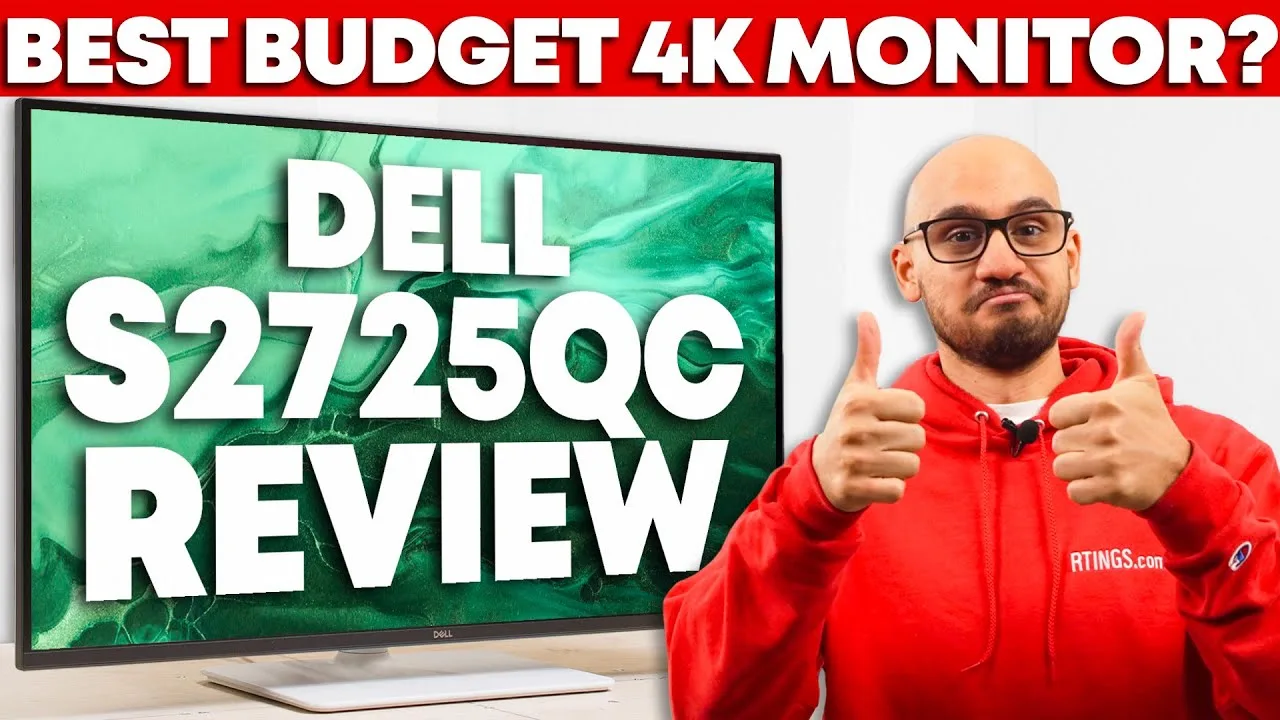 RTINGS Computer
The Dell S2725QC is a 27-inch 4K monitor positioned as a mid-range …
RTINGS Computer
The Dell S2725QC is a 27-inch 4K monitor positioned as a mid-range …
The Dell S2725QC is a 27-inch 4K monitor positioned as a mid-range productivity-focused display with some gaming capabilities. It features a 120Hz refresh rate, USB-C with 65W power delivery, and HDMI 2.1 ports—unusual for work-oriented monitors. The ergonomic stand offers easy adjustment but suffers from stability issues and wobbling. Color accuracy is strong in sRGB mode after calibration, though HDR performance is poor due to low contrast and lack of local dimming. Built-in speakers are adequate but unimpressive, and the absence of a KVM switch and audio jack limits connectivity flexibility. Gaming works well with VRR support, though Xbox users cannot access 1440p at 120Hz.
- →Best for home office workers needing 4K clarity and occasional gaming
- →Requires calibration for professional color-critical work
- →Avoid for HDR content consumption or creation
- →Ideal for PS5 and laptop docking station setups
- →Skip if stable stand and frequent adjustments are priorities
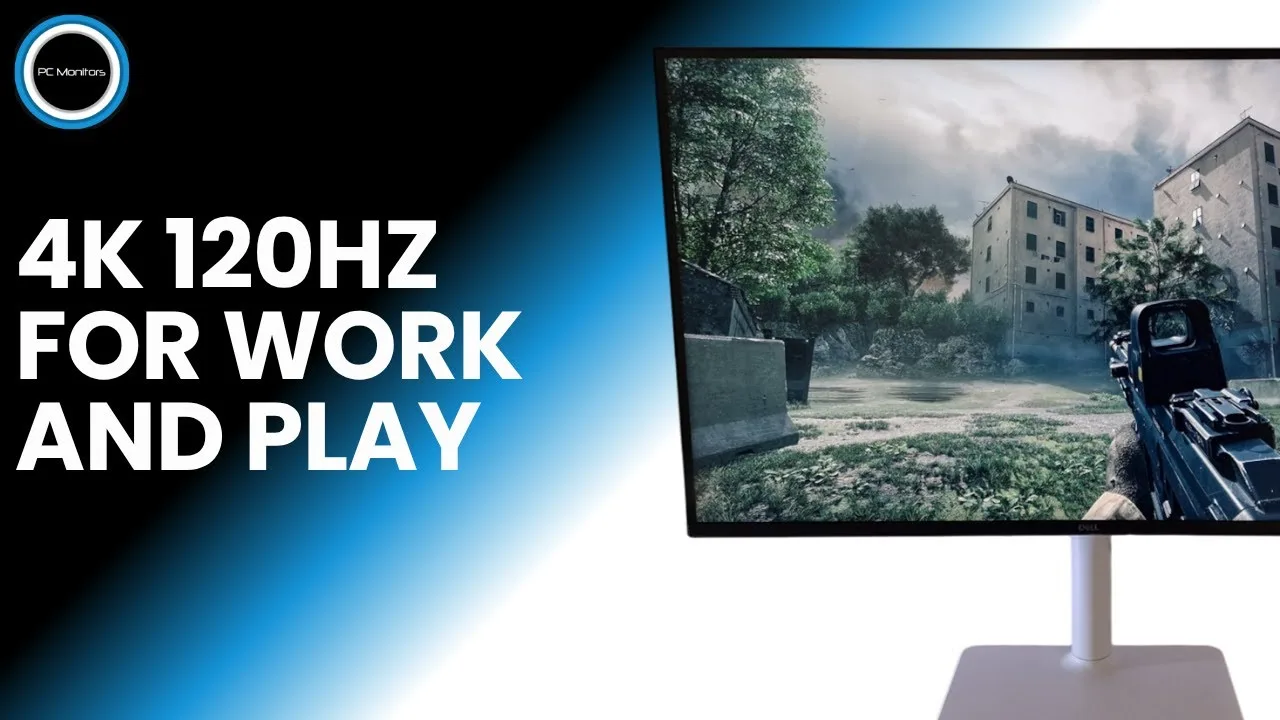 PC Monitors
The Dell S2725QC is a 27-inch 4K UHD productivity monitor with 120Hz …
PC Monitors
The Dell S2725QC is a 27-inch 4K UHD productivity monitor with 120Hz …
The Dell S2725QC is a 27-inch 4K UHD productivity monitor with 120Hz refresh rate and USB-C connectivity. It delivers excellent text clarity and pixel density for professional work, with crisp rendering even when scaling is applied. The IPS panel supports VRR technologies including FreeSync and G-Sync Compatible, plus HDR. DisplayPort users need to manually set full RGB range to avoid limited color output. HDMI 2.1 ports offer up to 12-bit color depth. Overclocking attempts resulted in frame skipping, confirming 120Hz as the practical maximum. Built-in scaling to 1440p works at 60Hz only, with moderate softness correctable via sharpness controls.
- →Ideal for productivity work requiring sharp text rendering
- →Best paired with modern GPU for optimal color settings
- →Content creators may benefit from 12-bit HDMI 2.1 output
- →Gaming viable with VRR and HDR support at 120Hz
- →Consider GPU scaling for 1440p at high refresh rates
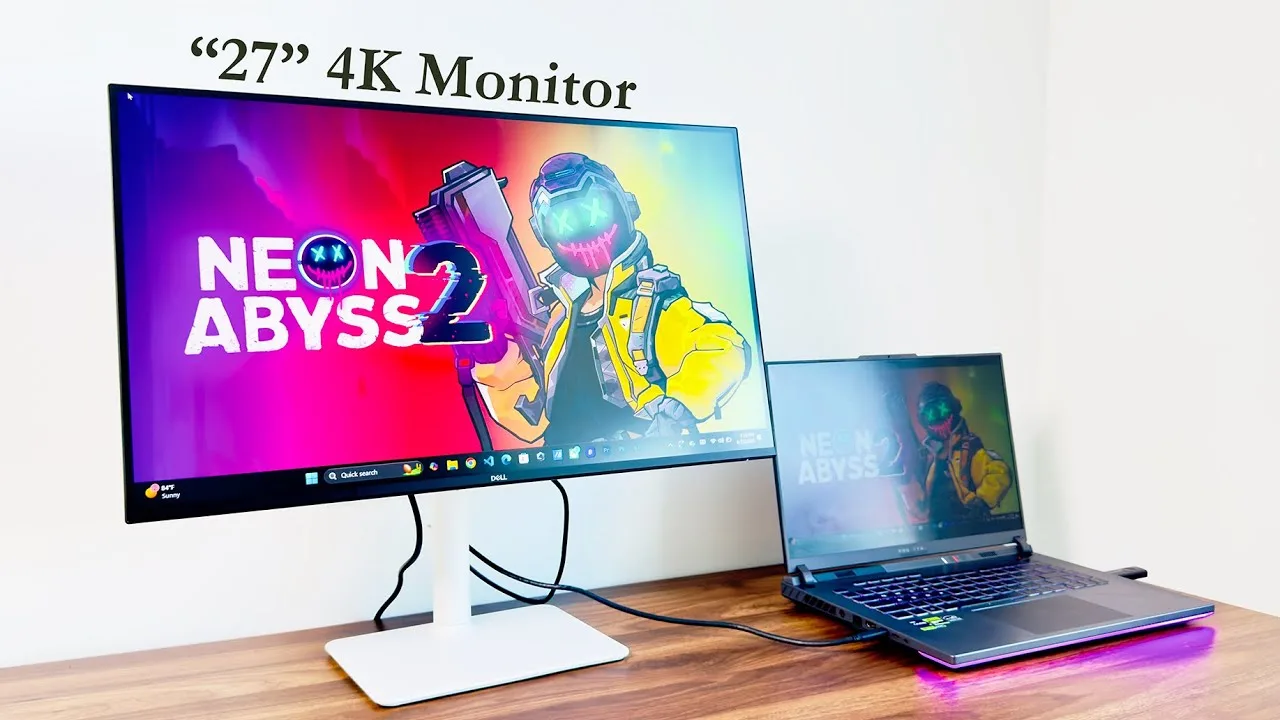 Odane Myles
Purchased for video editing, gaming, and productivity. Selected for …
Odane Myles
Purchased for video editing, gaming, and productivity. Selected for …
Purchased for video editing, gaming, and productivity. Selected for 27-inch 4K resolution, IPS panel, USB-C connectivity, and 120Hz refresh rate. Features include cable management shell, ergonomic stand with tilt/swivel/height adjustment, and multiple ports (HDMI, USB-C, USB 5.0). Currently running at 75Hz via USB-C from an Asus ROG Strix G16 laptop. Appreciates the integrated cable tray for clean desk setup.
- →Ideal for creative professionals needing 4K color accuracy
- →Good fit for gamers wanting high refresh rates
- →USB-C simplifies laptop docking workflows
- →Built-in cable management suits clean desk setups
- →Ergonomic stand eliminates need for VESA mount
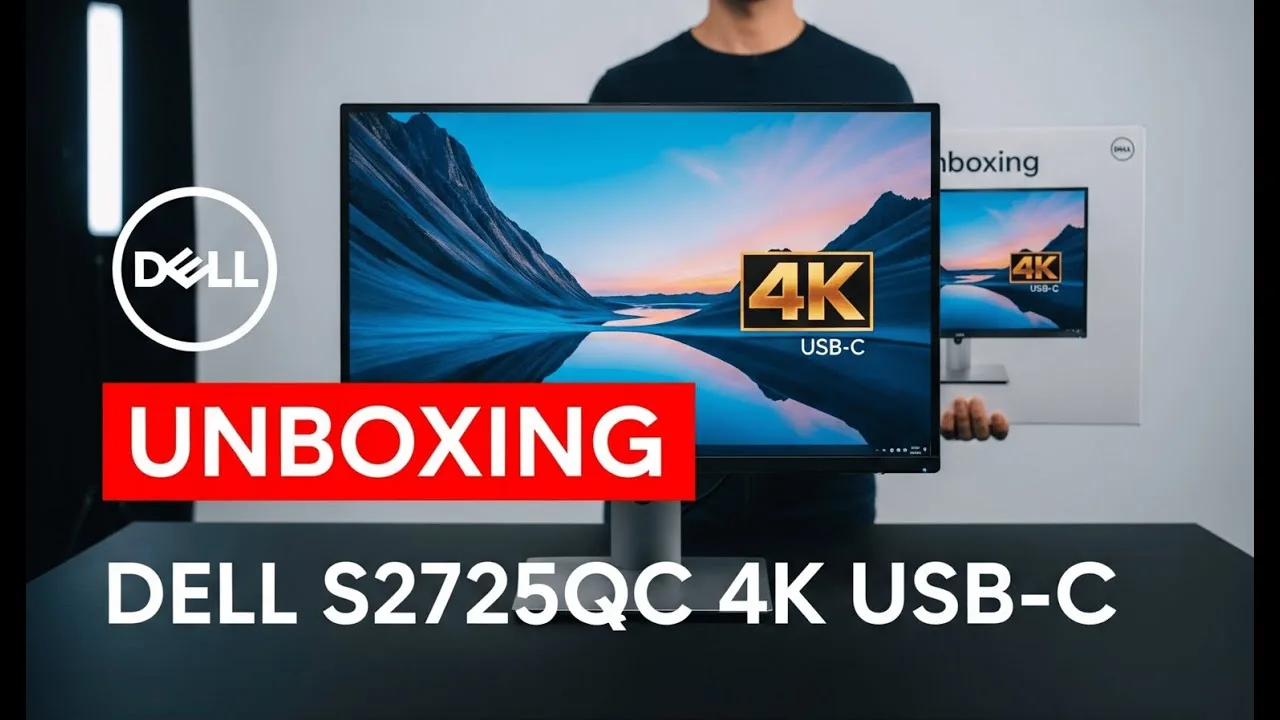 Nishant Pathak
An unboxing and first impressions video of the Dell S2725QC, a white …
Nishant Pathak
An unboxing and first impressions video of the Dell S2725QC, a white …
An unboxing and first impressions video of the Dell S2725QC, a white 4K USB-C monitor. The reviewer documents the assembly process, noting some confusion with the stand construction and persistent wobbliness even after tightening. The monitor features height adjustment, USB-C with 65W power delivery, dual HDMI ports, USB 3.0, and a joystick control. The white colorway is appreciated, though the stand stability remains unresolved during the review.
- →Good for MacBook users needing single-cable USB-C setup
- →White color suits clean desk aesthetics
- →Verify stand stability before finalizing placement
- →4K resolution ideal for productivity workflows
- →Consider third-party stand if wobble persists
 PC Monitors
The reviewer tested the Dell S2725QC using specific calibrated …
PC Monitors
The reviewer tested the Dell S2725QC using specific calibrated …
The reviewer tested the Dell S2725QC using specific calibrated settings for SDR content. Optimal brightness was found at 56% (~160 nits), with custom color preset and RGB values of 98% red, 100% green, and 97% blue achieving near 6500K white point. Response time set to Fast proved suitable for high refresh rate use. Notably, the monitor lacks on-board VRR controls, relying entirely on graphics driver settings. HDR functionality is extremely limited—brightness and contrast controls become locked, and only a basic Smart HDR setting remains available with Desktop mode recommended.
- →Best for SDR content creation with calibration
- →Use Fast response time for competitive gaming
- →Enable Smart HDR Desktop mode for basic HDR support
- →Set Smart HDR Off to force disable problematic HDR
- →Adjust RGB gain for unit-specific white point correction
 Michael O'Hanian
The Dell S2725QC is a 27-inch 4K IPS monitor targeting home …
Michael O'Hanian
The Dell S2725QC is a 27-inch 4K IPS monitor targeting home …
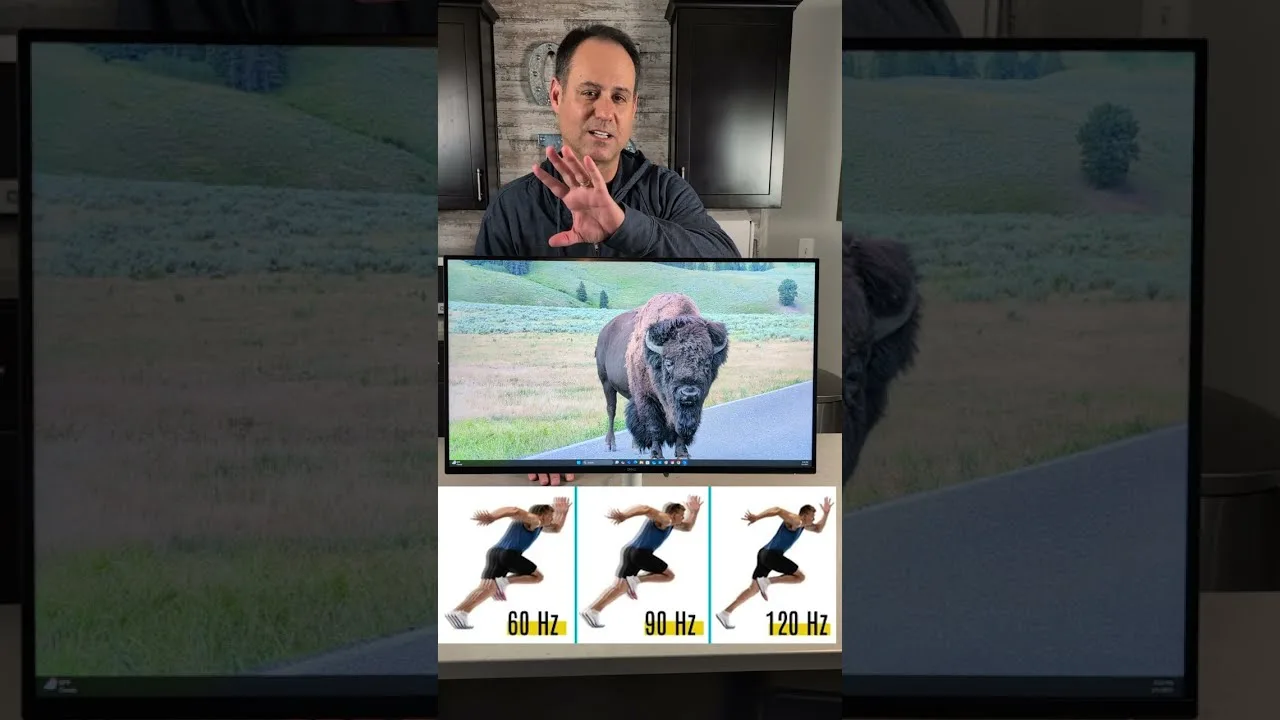
The Dell S2725QC is a 27-inch 4K IPS monitor targeting home entertainment users who need versatility for work, gaming, and streaming. Assembly requires no tools thanks to capacitive thumb screws and snap-on components. The display features 3840x2160 resolution, 120Hz refresh rate, 4ms response time, and 1500:1 contrast ratio with TUV iComfort certification. Dual 5W speakers are included—a rarity in modern monitors. Connectivity includes upstream and downstream USB-C ports with a removable cable cover for clean aesthetics. Ergonomic adjustments include 130mm height adjustment, swivel, tilt, and pivot to portrait orientation. The reviewer notes a cable management ring that should be removed during position adjustments.
- →Ideal for hybrid work-play-stream users
- →Mac and PC compatible with USB-C
- →Console gaming ready with dedicated ports
- →Home entertainment focus at competitive price
- →Consider removing cable ring before adjusting position
 Device Lab
This 27-inch 4K monitor delivers sharp image quality with 99% sRGB …
Device Lab
This 27-inch 4K monitor delivers sharp image quality with 99% sRGB …
This 27-inch 4K monitor delivers sharp image quality with 99% sRGB coverage, making it suitable for semi-professional photo and video editing. The 120Hz refresh rate provides smooth scrolling and fluid visuals, while USB-C with 65W power delivery enables clean single-cable laptop setups. The fully adjustable stand includes portrait rotation for document work. Built-in speakers handle basic media needs, though HDR performance is weak and the panel isn't ideal for fast-paced gaming despite the high refresh rate. Overall, it balances work productivity with casual entertainment well.
- →Ideal for USB-C laptop users wanting single-cable setups
- →Well-suited for semi-professional photo and video editing
- →Great for document-heavy work with portrait mode support
- →Good choice for casual gaming and entertainment consumption
- →Excellent for professionals prioritizing sharp text and screen real estate
 JessTechSpice
Jess unboxes and reviews the Dell S2725QC, a 27-inch 4K monitor from …
JessTechSpice
Jess unboxes and reviews the Dell S2725QC, a 27-inch 4K monitor from …
Jess unboxes and reviews the Dell S2725QC, a 27-inch 4K monitor from Dell's S-Series. She highlights the space-efficient packaging where the arm detaches from the base to reduce box size, noting the quick-release mechanism for easy assembly. The monitor features a white-to-gray color scheme that resists yellowing. She mentions the included USB-C to USB-C cable and power cable. The base offers tilt functionality. Jess expresses particular enthusiasm for the integrated speakers, describing them as 'phenomenal' despite not typically listening to audio out loud. She previously reviewed the 34-inch curved S-Series model and keeps that as her personal setup, but was eager to test this 4K variant.
- →Ideal for users wanting 4K in compact 27-inch size
- →Good choice for those who value built-in audio quality
- →Easy assembly with tool-free quick-release design
- →Suitable for clean aesthetic setups with neutral white-gray finish
Community Discussions via Reddit
Long-term Update
r/Monitors
u/derhutzt
After several months of ownership, derhutzt reports the Dell S2725QC as a strong 4K monitor for PS5 desk gaming, delivering on promised features like HDMI 2.1, VRR, HDR, and ALLM. The upgrade from 1080p was significant, with Gran Turismo 7 cited as particularly impressive. Image quality is praised as sharp with great colors and contrast, though minor edge brightness reduction occurs due to viewing angles when sitting close. The monitor's understated design appealed to the user versus typical gaming monitor aesthetics. However, the lack of an audio output jack emerged as a major pain point, nearly a dealbreaker for someone wanting to use external speakers with an amp.
Key Insights
- →Best for PS5 gamers wanting full HDMI 2.1 features at a desk without typical gaming monitor aesthetics
- →Not ideal for users relying on external audio systems without HDMI audio extraction — the missing 3.5mm/optical output is a significant limitation
- →Performs excellently with 40 FPS quality modes in modern games, though some titles (Plague Tale Requiem) may show aggressive upscaling artifacts
- →Long-term thermal and power considerations for PS5 when running full 4K/HDR/VRR
- →IPS viewing angle limitations manifest as edge brightness drop at close desk distances
Top Comments
it does
how do you like it?
No, not aware. I’ll try to check when I’m home.
Reddit
u/Andrew Murphy
A 27-inch 4K monitor with 120Hz refresh rate and AMD FreeSync Premium, tested for several weeks with consistent performance. The ash white design and solid build impressed immediately, with straightforward setup. ComfortView Plus effectively reduced eye strain during extended use. Colors appeared vibrant yet natural for photo editing and video watching. Integrated speakers sufficed for casual listening. USB-C connection simplified laptop charging and data transfer. The 99% sRGB accuracy and 1500:1 contrast ratio delivered vivid colors with reasonable depth. Gaming benefited from smooth, tear-free visuals and minimal blur. Long-term reliability held up without flickering or color drift.
Key Insights
- →Ideal for photographers and designers needing color accuracy
- →Good fit for gamers wanting smooth 120Hz gameplay
- →Excellent for professionals with long screen hours
- →Simplifies laptop setups with single USB-C cable
- →Overkill for basic browsing and typing tasks
Setup Showcase
r/macmini
u/Mugen42
The Dell S2725QC is a monitor purchased by a Mac Mini user after receiving community advice from r/macmini. The owner, Mugen42, has used it for a few years and reports that "everything works absolutely perfectly." The monitor is positioned as a more affordable alternative to Apple's Studio Display, with one community member specifically considering it for light gaming (Civilization, Terraria) and hobbyist Lightroom work. The owner also considered adding a monitor light but found the BenQ ScreenBar prohibitively expensive at roughly 4x the cost. The setup showcases strong satisfaction with the monitor's integration into a clean, organized workspace.
Key Insights
- →Best for Mac users seeking a functional, cost-effective 4K monitor without Studio Display premium pricing
- →Well-suited for light gaming (Civ, Terraria) and casual creative work like family photo editing in Lightroom
- →Long-term reliability confirmed by owner with several years of ownership
- →Community-endorsed choice within the Mac Mini ecosystem for budget-conscious buyers
Top Comments
Looks good. I would suggest to move the Mini to a different location, though. Right now it only gets warm air from the bottom and will get unnecessarily hot. ;)
Thanks. I completely overlooked the possibility that the router under the aluminum stand might be generating extra heat, so I’ll make a few changes. Right now in winter it’s not a big issue, it’s …
Thanks. I completely overlooked the possibility that the router under the aluminum stand might be generating extra heat, so I’ll make a few changes. Right now in winter it’s not a big issue, it’s …
Troubleshooting
r/Dell
u/kjyaho
A Dell S2725QC owner reports multiple thin, uniform horizontal lines appearing along the bottom edge of the screen that span the entire panel width. The issue is visible in the monitor's internal diagnostic test without external input, and does not appear in screenshots. No physical damage indicators (cracked glass, pressure marks, discoloration, impact marks) are present. Dell support classified this as "accidental/impact damage under the bezel" and denied warranty coverage. The owner believes this pattern indicates an internal panel defect (LCD gate/line driver failure or TAB bonding/COF degradation) rather than user-caused damage, seeking technical opinions from the community.
Key Insights
- →Monitor exhibits classic symptoms of internal panel hardware failure rather than user-caused physical damage
- →Dell's damage classification may not align with technical indicators present in this case
- →Built-in diagnostic test visibility confirms panel-level defect independent of external connections
- →Uniform, edge-originating line patterns differ from typical impact damage presentation (localized, irregular artifacts)
- →Warranty disputes may require technical documentation and community expertise for resolution
Top Comments
Appreciate you sharing your knowledge, thank you!
Reddit
u/Allan Tépper
Purchased for under $330 to pair with a MacBook Pro M4 14″, this monitor exceeded expectations by delivering 4K UHD resolution and 120Hz refresh rates when only 1080p/60Hz was required. The matte IPS panel with 1500:1 contrast and 99% sRGB coverage provides comfortable, high-quality visuals. Single-cable USB-C connectivity handles 65W laptop charging, video, audio, and USB peripherals simultaneously. macOS users face incomplete EDID that hides non-integer refresh rates without third-party software. The reviewer is extremely satisfied overall, with the only wish being firmware-level EDID completion for native macOS compatibility with NTSC-derived video rates.
Key Insights
- →Ideal budget 4K monitor for MacBook users wanting single-cable setup
- →Video editors need BetterDisplay for proper NTSC cadence on macOS
- →Sufficient for light color work but not professional grading out of box
- →Great ergonomic matte display for extended daily use
- →Consider Windows or third-party software for full refresh rate access
Comparison
r/Monitors
u/EhchGee
The Dell S2725QC is positioned as a budget-friendly 4K monitor option, currently discounted to $290 from its original $350 price point. The author highlights it as a compelling value proposition, offering 4K IPS display with 120Hz refresh rate, built-in speakers, and 65W USB-C power delivery. The post emphasizes confusion about why this monitor costs significantly less than Dell's P-series equivalent despite matching or exceeding many specifications. No ownership experience or long-term usage feedback is provided in the available content.
Key Insights
- →Best suited for budget-conscious users seeking 4K resolution with modern connectivity
- →120Hz refresh rate makes it viable for casual gaming and smooth desktop use
- →Built-in speakers add convenience for users wanting integrated audio without external speakers
- →65W USB-C PD may require supplemental laptop charging for power-hungry devices
- →Significant price discount makes it particularly attractive for cost-sensitive buyers
Top Comments
https://preview.redd.it/nzqu4fkq6ruf1.png?width=2956&format=png&auto=webp&s=a012036090f02a0a5d59217d3491af0fefbfc038 I don't think so Here's P2725QE
And S2725QC https://preview.redd.it/isr11ajv6ruf1.png?width=2956&format=png&auto=webp&s=e353007fba3cbeae038b0ad4d88331df00b7728b
Comparison
r/macmini
u/BajaScout
The Dell S2725QC is positioned as a value-focused 4K monitor with a standout 120Hz refresh rate at a competitive $369 price point. However, the author notes significant community concerns about its screen quality, with multiple reports describing it as Dell's "cheap" model line with mixed reviews on display quality. The monitor is being considered primarily for work (80%) and amateur photo/video editing (20%), with a key requirement being easy switching between a work Dell laptop and a Mac Mini. The 120Hz refresh rate is seen as potentially valuable, though the author questions its relevance for non-gaming, non-movie use cases.
Key Insights
- →Best suited for users who prioritize high refresh rate for general UI smoothness over professional color accuracy
- →May not be ideal for users doing color-critical photo/video editing due to quality concerns about the panel
- →Target buyer is budget-conscious but wants 4K/120Hz features typically found in more expensive monitors
- →Consider if easy device switching between work laptop and Mac Mini is a priority—verify connectivity options
- →Community sentiment suggests trade-off between refresh rate and panel quality at this price point
Top Comments
Thanks. This is helpful. I’ll look into that.
Thanks. I keep hearing good things about the Asus PA, but I thought the 60hz RR was not good for a monitor and that’s why I’ve been looking at the Dell
Quick Opinion
r/macmini
u/woodstock9999
The Dell S2725QC is a 4K monitor that works well with Mac Mini via HDMI connection. The included USB-C cable enables alternative connectivity options: it can carry video signal from Thunderbolt-equipped devices and activate the monitor's built-in USB hub functionality (USB-A and USB-C ports), though it does not power the Mac Mini. The monitor includes a Dell Display Settings menu accessed via a joystick control, though the original poster experienced difficulty navigating it with their mouse. Community consensus suggests HDMI is sufficient for basic Mac Mini use, preserving USB-C ports for other peripherals, while the USB-C connection offers added convenience for laptop users needing single-cable display and hub access.
Key Insights
- →Best for users wanting flexible connectivity: HDMI for simple Mac Mini setup, USB-C for laptop docking with hub access
- →Mac Mini users can safely use HDMI alone and reserve USB-C ports for storage or other peripherals without performance loss
- →The monitor's USB hub is a hidden feature requiring USB-C connection—HDMI users miss this functionality
- →Keep the included USB-C cable as a high-quality spare even if not using it for display connection
- →Dell's on-screen display software may have usability issues with mouse navigation; joystick control is the fallback
Top Comments
If I remember correctly, you could use the USB-C cable to display graphics from a Thunderbolt equipped laptop and power said laptop with it. I think that while it won't power the Mac Mini you would …
While the USB-C cable isn't "needed" if you're using HDMI, I'd keep that cable around since it's a nice USB-C cable in general (can support 4k 120hz displays)
The S2725QC has a few other usb a and a usb c ports. If you use the TB4 cable you get access to these.
Troubleshooting
r/macmini
u/madmax45510
A Mac mini M4 owner reports positive early experience with the Dell S2725QC 27" 4K monitor. The user successfully runs the display at 2304×1296 resolution at 120Hz via USB-C connection using a CableMatters USB4 cable without any flickering or text blurring issues. They note excellent image sharpness for both text and images, with no technical problems encountered so far. The user upgraded from a 2013 iMac with 2K resolution and finds the 4K quality significantly more pleasant. Post represents initial satisfaction rather than long-term ownership experience.
Key Insights
- →Best suited for Mac mini M4 users seeking a reliable 4K 27" USB-C monitor
- →Compatible with USB4/Thunderbolt cables for single-cable connectivity
- →120Hz operation at scaled resolutions confirmed working
- →Early ownership stage — long-term reliability not yet established
- →Recommended for users upgrading from lower resolution displays seeking clarity improvement
Top Comments
You should be satisfied it’s a perfect monitor !
Troubleshooting
r/Dell
u/derhutzt
New owner of the Dell S2725QC purchased this 4K monitor specifically for PS5 gaming at a desk setup, seeking features like HDR, VRR, and HDMI 2.1 without gaming monitor aesthetics or TV bulk. After initial testing, the monitor successfully delivers all requested PS5 features including 4K, HDR, VRR, and ALLM. The owner reports excellent image quality in games like Gran Turismo 7 with quality mode and VRR enabled, plus satisfactory 40 FPS performance in supported titles. However, a critical discovery post-purchase revealed the absence of an audio output jack, forcing reliance on a USB audio adapter workaround for external speaker use. The PS5 also runs noticeably hotter when connected to this monitor.
Key Insights
- →Best suited for PS5 gamers wanting full 4K/HDR/VRR feature support in a clean, non-gaming monitor design under $500/€500
- →Not ideal for users requiring analog audio output for external speakers or receivers — USB audio adapter required as workaround
- →Desk gaming setup where TV would be too large; 27-inch size appropriate for close viewing
- →HDMI 2.1 implementation appears fully functional for PS5, unlike some monitors with partial feature support
- →Consider USB audio solution in budget if external audio equipment is planned
Top Comments
So I have it set to a fixed 120 Hz refresh rate with my macbook and found that to work fine. My M1 macbook air sometimes seems to struggle a bit, but that's probably because I have about a …
enjoy it! and let me know how you like it :)
Just go to the display settings in the system menu. There's a sub menu that allows you to select the refresh rate between variable (48-120Hz) and 24Hz, 25Hz, 30Hz, 60Hz, 120Hz.
Reddit
u/Adrian Gunning
The Dell S2725QC delivers a versatile 27-inch 4K UHD IPS experience with 3840 x 2160 resolution and 120Hz refresh rate, a notable upgrade from standard 60Hz 4K monitors. Color accuracy reaches 99% sRGB coverage, suiting creative work, while AMD FreeSync Premium enhances gaming fluidity. USB-C connectivity with 65W power delivery enables single-cable laptop use, and dual HDMI 2.1 ports support 4K/120Hz from modern consoles. The 350-nit brightness handles most indoor settings adequately, though very bright environments challenge it. The 1500:1 contrast ratio provides decent differentiation without matching OLED depth. Integrated dual 5W speakers offer basic audio, and the ergonomic stand adjusts for height, tilt and swivel. Gaming performance impressed across multiple AAA titles with vibrant colors and sharp imagery.
Key Insights
- →Ideal for creative professionals needing precise 4K color accuracy
- →Excellent gaming monitor for PC and latest console titles
- →Perfect USB-C hub solution for streamlined laptop workstations
- →Strong multitasking display with flexible input management
- →Best suited for controlled indoor lighting environments
Scores based on weighted analysis of 24 expert and community sources. How we review →