

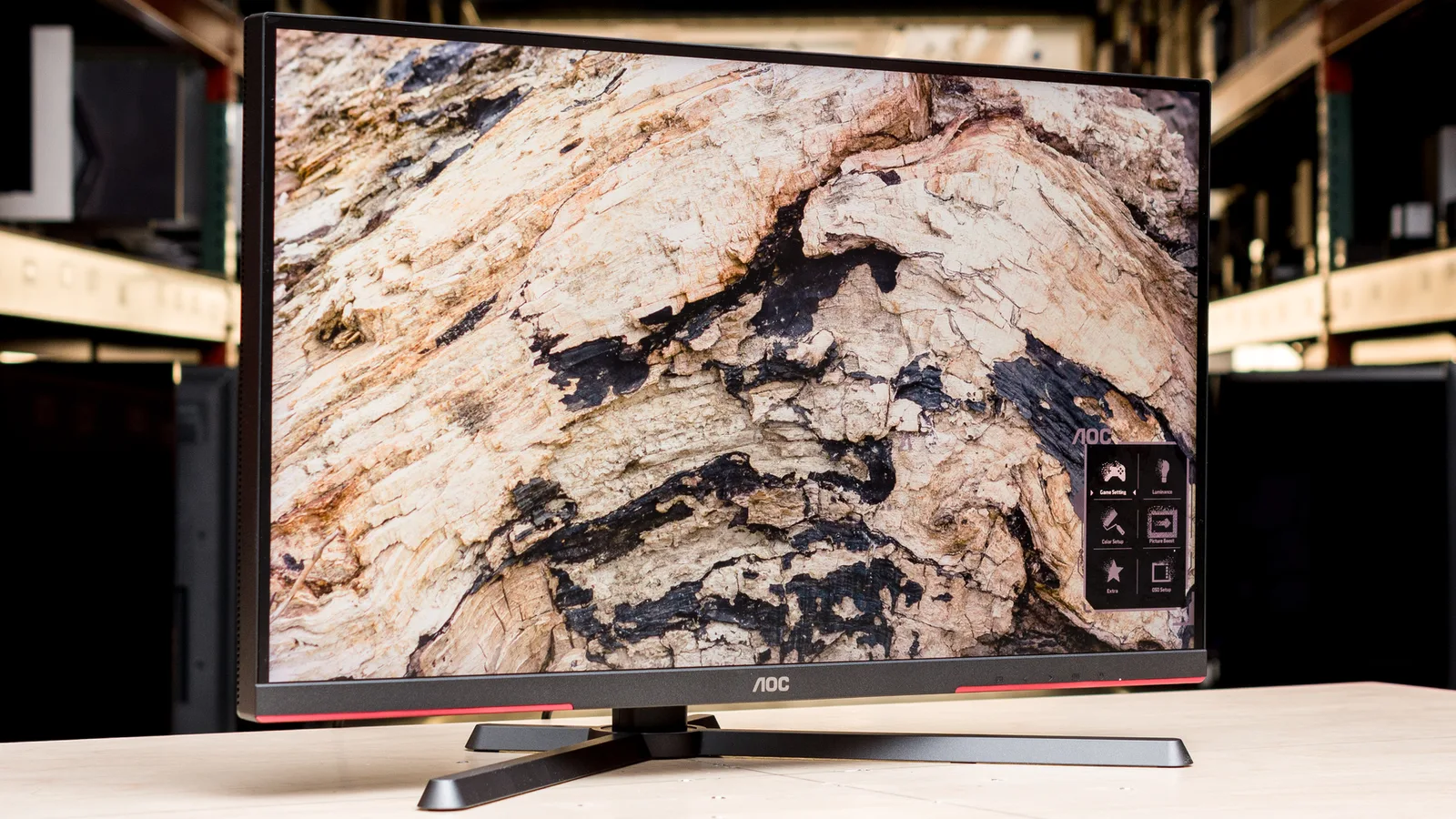
AOC Q27G4ZD
Best For
- Budget-conscious gamers seeking OLED quality
- Enthusiasts valuing HDR gaming performance
- Users prioritizing cutting-edge panel tech
Consider Carefully
- Professionals needing color-critical accuracy
- Users requiring high SDR brightness levels
Jump to Section
The Bottom Line
The AOC Q27G4ZD is a QD-OLED monitor that's making waves in the gaming and tech communities for its impressive panel performance at a competitive price. We found that its color accuracy and contrast ratio are particularly noteworthy, with owners dismissing concerns about color differences between QD-OLED and other OLED types, indicating panels are essentially visually identical at their full potentials. The 1440p resolution at 27 inches strikes a balance for casual gamers, though detail-oriented users might yearn for 4K. HDR gaming shines with this panel, especially with its ability to handle fire, explosion, and particle effects, making it a standout in the QD-OLED segment. Despite its strengths, the monitor's maximum SDR brightness at 240 nits falls short of its 450-nit rating, and its HDR peak brightness doesn't match the heights of premium alternatives.
Performance Breakdown
Expert Scores
How 4 professional publications rated this product
In-Depth Analysis
Price & Value 94
Around $400 to $469 makes this the cheapest QD-OLED monitor available from a major brand, and 5 sources confirm the value proposition is legitimate, not a budget compromise.
Key Takeaway
→If you have a mid-range or better GPU and want QD-OLED without paying flagship prices, this is the clearest recommendation in the category right now.
Refresh Rate & Response 93
240Hz at QHD with a 0.03ms response time, and reviewers across 8 sources found essentially nothing to argue about on motion performance.
Key Takeaway
→If you play fast-paced games at 1440p, the refresh rate and response time here are genuinely competitive. If you need 360Hz, AOC's own lineup has you covered at a higher price.
Color Accuracy & Gamut 91
Over 108% DCI-P3 coverage and accurate factory calibration. Six sources, no meaningful disagreement on color quality.
Key Takeaway
→For gaming and casual creative work, factory calibration is good enough to use immediately. Professional colorists should budget for a colorimeter.
Panel & Display Quality 90
The QD-OLED panel delivers true blacks and infinite contrast that IPS and VA simply cannot match, but 3 sources flag it as a poor fit for text-heavy productivity work.
Key Takeaway
→If gaming and cinematic immersion are the priority, this panel is exceptional. If you stare at spreadsheets and white backgrounds all day, look at an IPS alternative.
OLED Burn-In Protection 87
Three-year burn-in warranty with proper use guidelines, and the community consensus is that modern QD-OLED burn-in risk is lower than the reputation suggests.
Key Takeaway
→The warranty provides real coverage, and modern QD-OLED burn-in risk is lower than older OLED reputation suggests. Hide your taskbar and run manual refreshes after long sessions.
Ergonomics & Build 83
The stand is the weak point. Wired called it unstable, Noobfeed said it consumes too much desk space, and two sources recommend just buying a monitor arm.
Key Takeaway
→Factor in the cost of a monitor arm. The stand works but Wired and Noobfeed both found real-world problems with stability and desk footprint that a cheap arm solves immediately.
Connectivity & Ports 77
No USB-C and only HDMI 2.0, which caps console users at 144Hz. Console gamers should know this before buying.
Key Takeaway
→PC gamers using DisplayPort get the full 240Hz experience. Console gamers and USB-C users should verify HDMI version specs carefully before committing.
HDR & Brightness 73
The 1000-nit peak spec is real but applies only to a 3% screen window. For full-screen or large-window HDR content, expect closer to 247 nits, and 4 sources flag this directly.
Key Takeaway
→If you watch dark, atmospheric content in a dim room, HDR here is excellent. If you want bright, punchy HDR on full-screen daylight scenes, this panel will disappoint.
Specifications & Verdict
Display
- Screen Size
- 26.5 in
- Resolution
- 2560 × 1440
- Aspect Ratio
- 1.778:1
- Pixel Density
- 110 ppi
- Panel Type
- QD-OLED
- Screen Coating
- Anti-glare/Matte (2H)
Performance
- Refresh Rate
- 240 Hz
- Response Time
- 0.03 ms
- Adaptive Sync
- VESA Adaptive Sync
Image
- Contrast Ratio
- 1500000 : 1
- Brightness
- 250 nits
- Peak Brightness
- 1000 nits
- Color Gamut
- 141.3 %
- Color Depth
- 1073741824 colors
- Color Accuracy
- 0.34
- HDR Support
- DisplayHDR 400 True Black
- Viewing Angles
- 178 °
Connectivity
- Video Inputs
- 1x DisplayPort 1.4, 2x HDMI 2.0
- HDMI Ports
- 2
- HDMI Version
- 2.1
- DisplayPort
- 1
- DisplayPort Version
- DisplayPort 1.4
- USB Ports
- 4
- Audio Output
- 3.5mm headphone output
- Speakers
- No
Design
- Weight
- 5.2 kg
- Dimensions
- 590.42 mm
- Bezel Width
- Top: 0.3 inch (8mm), Sides: 0.4 inch (11mm), Bottom: 0.7 inch (18mm)
- Panel Thickness
- 55 mm
- VESA Mount
- Yes
- Height Adjustment
- 130 mm
- Tilt
- -3 - 21°
- Swivel
- -30 - 30°
- Pivot
- -90 - 90°
- Stand Adjustments
- 90-degree pivot, height adjustable, cord management hole
- Remote Control
- No
Other Specs
- Power Consumption
- 78W
- Warranty
- 3 years
- Special Features
- Anti-theft stand lock slot - Kensington
- Max Height
- 21.1 inches
- Design
- G4 lineup styling with sharp angles and red accents
- Model Year
- 2025
- Height
- 333.72 mm / 33.372 cm / 13.1386 in / 1.0949 ft
- Panel Manufacturer
- Samsung
- Frc
- No
- Pixel Pitch
- 0.229 mm / 0.0229 cm / 0.009 in / 0.0008 ft
- Display Area
- 90.41%
Our Verdict
The AOC Q27G4ZD is a solid choice for gamers and tech enthusiasts who want to enjoy the benefits of QD-OLED technology without breaking the bank. However, for professionals who require color-critical accuracy or those who need higher brightness levels, other monitors might be a better fit.
Customer Reviews Amazon
140 reviews
4.1 out of 5 stars
from 140 reviews
Reviews shown are from Amazon customers and do not reflect our editorial assessment.
Reader Questions
Specific questions about the AOC Q27G4ZD, answered only from what reviewers reported.
01Is the QD-OLED panel on this monitor worth it for the price?
Reviewers consistently describe it as a strong value in the QD-OLED market, with one source calling it an affordable entry point at $469, an unprecedented low price for the panel type. It suits budget-conscious buyers who want OLED contrast and color without paying a 4K premium.
02How bright does this monitor actually get in everyday use?
In practice, SDR brightness tops out at only 240 nits, which falls short of the 450-nit rating on the box. The 1000-nit peak brightness figure applies only to a small 3% screen area, not typical content, so real-world brightness is considerably lower than the spec sheet suggests.
03Is this monitor usable in a bright room?
Reviewers advise against it for bright environments. Multiple sources flag low brightness and reflections as problems, with one recommending it specifically for nighttime gaming or controlled lighting conditions.
04Is HDR gaming a strong point on this monitor?
Reviewers highlight HDR gaming as a genuine strength, particularly for scenes with fire, explosions, and particle effects where the QD-OLED panel excels. However, HDR peak brightness falls short of premium alternatives, and one source notes slightly undersaturated HDR color.
05Does the 1440p resolution hold up, or should I go 4K?
Reviewers consider 1440p at 27 inches adequate for casual and competitive gaming, but visibly inferior to 4K for detail-oriented users. Those with flagship-level GPUs are steered toward 4K OLED alternatives to avoid underutilizing their hardware.
06Should I worry about burn-in with this OLED monitor?
Community consensus is that modern OLEDs carry a reduced burn-in risk compared to earlier generations. Reviewers recommend auto-hiding the taskbar as a simple precaution rather than treating burn-in as a dealbreaker.
Pricing & Availability
Updated May 20, 2026
Sources & Methodology
Every score is built on evidence. This review synthesizes 20 independent sources — expert publications, video reviews, and community discussions — weighted by credibility, depth, and relevance.
Show detailed source analysis ↓ Hide source analysis ↑
Expert Reviews
tomshardware.com
Top
4.5/5-point
The AOC Q27G4ZD delivers premium QD-OLED performance at $469, roughly $100 below competitors. It features QHD 2560x1440 resolution at native 240 Hz with Quantum Dot technology covering over 108% of DCI-P3. OLED black levels and contrast produce crisp images with accurate color out of the box. Video processing ensures smooth motion and quick response. The monitor includes G-Sync and FreeSync compatibility, USB 3.2 ports, DisplayPort 1.4, HDMI 2.0, and a solid adjustable stand. HDR color appears slightly undersaturated due to fixed brightness without variable output. Build quality and styling exceed expectations for this price point.
Strengths
- +Premium OLED black levels with infinite contrast
- +Accurate color without calibration needed
- +Excellent video processing for smooth motion
- +Solid build quality with premium styling
Weaknesses
- −No variable brightness option for HDR
- −Slightly undersaturated HDR color
- −No internal speakers included
- −No LED lighting features
pcmag.com
Top
4/5-point
The AOC Q27G4ZD is a 27-inch QD-OLED gaming monitor priced at $469, offering 1440p resolution at 240Hz. It earned an Editors' Choice award for delivering excellent everyday 1440p gaming performance at a significantly lower price than premium OLED alternatives. The monitor features a lightweight 14.5-pound design with a versatile stand offering 90-degree pivot, though it lacks RGB lighting. Port selection includes two USB 3.2 ports, two HDMI 2.0 ports, one DisplayPort 1.4, and a USB-B connector, but no USB-C. DisplayHDR True Black 400 certification and Nvidia G-Sync Compatibility are included. However, brightness measured well below rated specifications at 240 nits SDR and 247 nits HDR peak.
Strengths
- +Affordable QD-OLED at $469, unprecedented low price point
- +240Hz refresh rate with 1440p resolution
- +Versatile stand with full 90-degree pivot capability
- +Lightweight at 14.5 pounds
Weaknesses
- −No USB-C ports available
- −HDMI 2.0 limits 1440p to 144Hz, not full 240Hz
- −No adjustable RGB lighting on rear panel
- −Maximum SDR brightness only 240 nits, below 450-nit rating
displayspecifications.com
The AOC Q27G4ZD is a 2025 model featuring a 26.5-inch QD-OLED panel manufactured by Samsung. It delivers Quad HD resolution at 2560 x 1440 pixels with a 16:9 aspect ratio and 110 ppi pixel density. The display supports 10-bit color depth without FRC, producing over 1 billion colors with 30-bit color processing. Color gamut coverage is extensive: 100% sRGB, 98% Adobe RGB, and 99% DCI-P3. HDR performance is notable with DisplayHDR 400 True Black certification, 250 cd/m² typical brightness, and 1000 cd/m² peak brightness. The panel achieves an exceptional 1,500,000:1 static contrast ratio. Viewing angles reach 178 degrees both horizontally and vertically. The screen occupies 90.41% of the front display area.
Strengths
- +QD-OLED panel with true 10-bit color depth
- +Exceptional 1,500,000:1 static contrast ratio
- +Wide color gamut: 100% sRGB, 99% DCI-P3
- +1000 cd/m² peak brightness for HDR content
Weaknesses
- −250 cd/m² typical brightness relatively modest
- −26.5-inch size class may feel small for some
Wired
80/100
The reviewer finds the AOC Q27G4ZD excels as a gaming and entertainment display, with its QD-OLED panel delivering standout performance in cinematic, detailed games. The stand feels poorly balanced—light legs paired with a heavy upper section—prompting a recommendation to use a VESA mount instead. OSD options are extensive, particularly for OLED maintenance functions like screen refresh reminders, though these can be intrusive during gameplay. Default brightness runs very high, requiring manual reduction for comfort and energy savings. Deep black levels occasionally obscure shadow details in competitive shooters, necessitating gamma adjustments. Despite initial plans as a secondary monitor, it became the reviewer's primary screen.
Strengths
- +QD-OLED panel excels in detailed, cinematic games
- +Budget-friendly price for 1440p OLED performance
- +Extensive OSD options for OLED maintenance
- +Quickly became primary display over ultrawide alternative
Weaknesses
- −Stand feels unstable with light legs and heavy upper section
- −Cable management loop sits too low to hide wires effectively
- −Screen refresh warnings block screen during gameplay
- −Default brightness set almost to maximum out of box
Techpowerup
This 27-inch QHD gaming monitor brings 3rd-generation QD-OLED technology to a more accessible price point. The 280 Hz refresh rate and 0.03 ms GtG response time target competitive gamers seeking next-gen performance without flagship pricing. Key improvements over 2nd-gen panels include 1000 nits peak brightness at 3% APL (up from 400 nits) alongside DisplayHDR True Black 400 certification. Connectivity covers dual HDMI 2.1, one DisplayPort 1.4, and a four-port USB-A hub. Ergonomic adjustments include height, tilt, swivel, and pivot. Comprehensive OLED Care features and a 3-year warranty covering burn-in provide additional reassurance. The monitor launches February 2026 at £419.99 MSRP.
Strengths
- +3rd-gen QD-OLED panel with 1000 nits peak brightness at 3% APL
- +280 Hz refresh rate balances speed and affordability effectively
- +0.03 ms GtG response time virtually eliminates ghosting and motion blur
- +Infinite contrast ratio delivers true blacks without backlight glow
Weaknesses
- −Not available until February 2026
- −280 Hz falls below the 360 Hz option in the same product line
- −1000 nits brightness limited to small 3% screen area
- −No USB-C connectivity mentioned in specifications
Gadgetchecks
5
The Q27G4ZD is a 27-inch QD-OLED gaming monitor targeting ambitious gamers seeking modern panel technology, high speed, and strong HDR performance without flagship pricing. At €531 street price, it features third-generation QD-OLED with 2560×1440 resolution, delivering intense colors, true blacks, and up to 1000 nits peak brightness in small windows with VESA DisplayHDR True Black 400 certification. The 280 Hz refresh rate and 0.03 ms GtG response time cater to competitive multiplayer gaming, while Adaptive Sync and G-SYNC Compatible certification ensure tear-free visuals. Connectivity includes two HDMI 2.1 ports, DisplayPort 1.4, and a four-port USB hub. Ergonomic adjustments and VESA 100×100 mounting provide flexibility, with OLED Care functions and a three-year burn-in warranty addressing longevity concerns.
Strengths
- +Third-gen QD-OLED delivers intense colors and true blacks
- +1000 nits peak brightness enables dynamic HDR presentation
- +280 Hz refresh rate with 0.03 ms response time
- +QHD resolution balances sharpness and GPU demands
Noobfeed
Currently the least expensive OLED monitor on the market at around $400, this 1440p QD OLED delivers surprisingly strong performance that challenges flagship alternatives. Out-of-box brightness exceeds 260 nits, reaching 275 nits with the user color temperature preset—actually brighter than many expensive OLEDs tested. The panel achieves true 0ms pixel response time and remarkably low 2.2ms display latency. While officially rated at 240Hz, it reaches 280Hz over DisplayPort. HDR performance remains impressive despite falling short of premium models' peak brightness and color accuracy. As a second-generation QD OLED, it carries typical panel quirks including raised black levels under ambient light and color fringing on high-contrast desktop elements.
Strengths
- +Cheapest OLED monitor currently available at ~$400
- +Reaches 280Hz over DisplayPort, exceeding 240Hz spec
- +True 0ms pixel response time matching all OLEDs
- +Extremely low 2.2ms display latency measured
Weaknesses
- −Raised black levels under high ambient light conditions
- −Color fringing on high-contrast edges and text
- −Stand protrudes too far, consuming excessive desk space
- −HDR peak brightness falls short of premium alternatives
Video Reviews
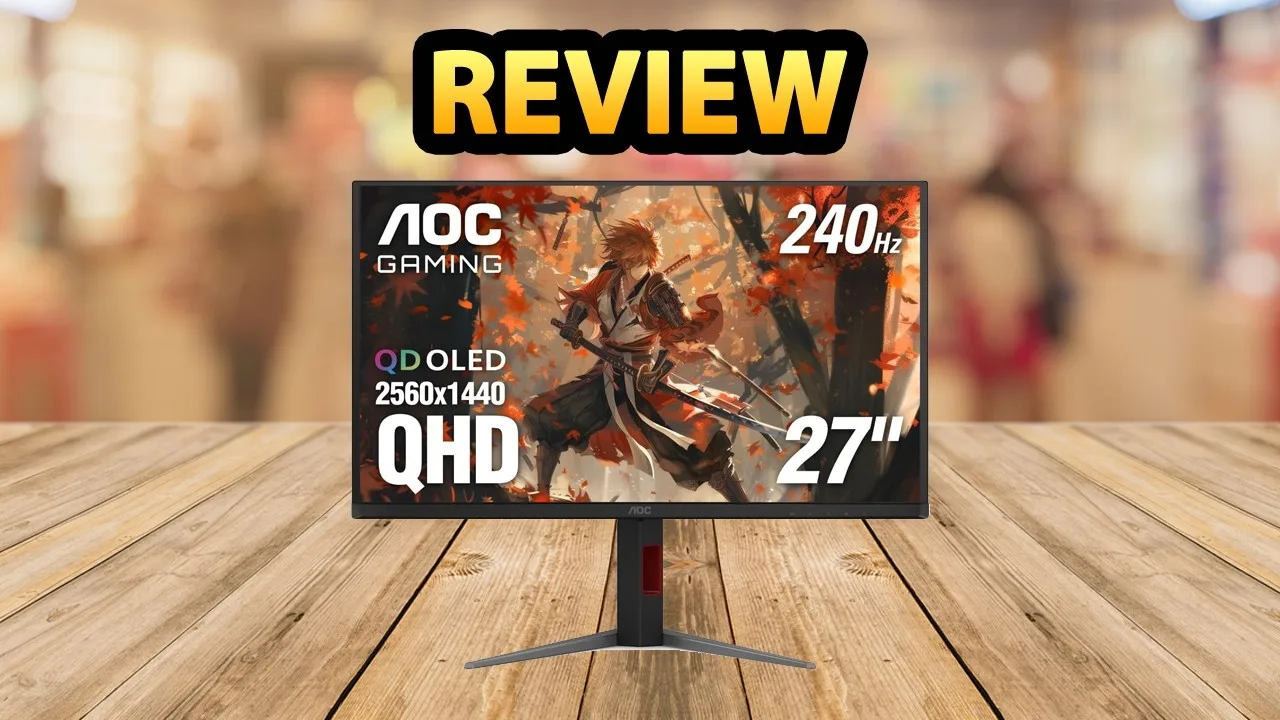
 M Review
The AOC Q27G4ZD is a 27-inch QD OLED monitor with QHD resolution, …
M Review
The AOC Q27G4ZD is a 27-inch QD OLED monitor with QHD resolution, …
The AOC Q27G4ZD is a 27-inch QD OLED monitor with QHD resolution, 240Hz refresh rate, and near-instantaneous response time, available for approximately $350-400. Its minimalist design includes solid build quality and excellent ergonomic adjustments. Image quality stands out with pure blacks, infinite contrast, and vibrant colors requiring no calibration. However, brightness is limited to around 250 nits with poor direct reflection handling, making it unsuitable for bright environments. HDR performance exceeds expectations for the price at approximately 275 nits with uniform brightness. Gaming performance is exceptional with no ghosting or smearing, though console use is compromised by the lack of HDMI 2.1, preventing ALLM and VRR on PS5. Prolonged work use carries burn-in risk with static interfaces.
- →Best suited for PC gaming and multimedia consumption
- →Avoid for bright rooms due to low brightness and reflections
- →Consider IPS alternative for daily prolonged work use
- →Console gamers should seek HDMI 2.1 equipped monitors
- →Excellent entry point for budget-conscious OLED adoption
 Rebels Squad Tech
The reviewer unboxed and set up the AOC Q27G4ZD, praising its …
Rebels Squad Tech
The reviewer unboxed and set up the AOC Q27G4ZD, praising its …
The reviewer unboxed and set up the AOC Q27G4ZD, praising its exceptionally thin and sleek design with a small, light base. First impressions highlighted the monitor's premium aesthetics, including the simple back with logo and red accent ring. The 26.5-inch QD OLED panel with 240Hz refresh rate, 0.03ms response time, and glossy screen produced a very sharp, impressive visual experience. Gaming features like customizable G-Menu presets, sniper scope, and shadow control were demonstrated as practical competitive advantages. The UFO test showed no visible ghosting. The fully adjustable stand offers extensive ergonomic flexibility with swivel, pivot, tilt, and 130mm height adjustment.
- →Ideal for competitive gaming with 240Hz and 0.03ms response time
- →Use included DisplayPort cable to achieve full 240Hz refresh rate
- →Shadow control and sniper scope provide competitive advantages in FPS games
- →Factory-calibrated color accuracy suits content creation needs
- →Sleek aesthetics enhance modern gaming setups
 IMartz
This OLED monitor comes with notable compromises despite competitive …
IMartz
This OLED monitor comes with notable compromises despite competitive …
This OLED monitor comes with notable compromises despite competitive pricing around €450. The glossy finish handles reflections reasonably well, though the panel remains fragile and susceptible to scratches like all QD-OLED displays. Color gamut coverage is strong at 99.7% native, 97.6% DCI-P3 and Adobe RGB, with functional professional modes. However, white balance and greyscale accuracy are poorly calibrated out of the box, with elevated red channels and warm color temperature. Brightness is a significant weakness—around 190-200 nits in SDR, substantially below competing monitors using identical panels. HDR performance remains limited, peaking below 400 nits even at low APL. ABL is locked but brightness uniformity shows concerning variation. Manual calibration with a colorimeter can improve results considerably for content creation workflows.
- →Requires colorimeter calibration for professional color work
- →Not ideal for bright room usage due to low brightness
- →Suitable for gaming after calibration, not ideal out-of-box
- →HDR content consumption limited by poor peak luminance
- →ICC profile available from reviewer for improved accuracy
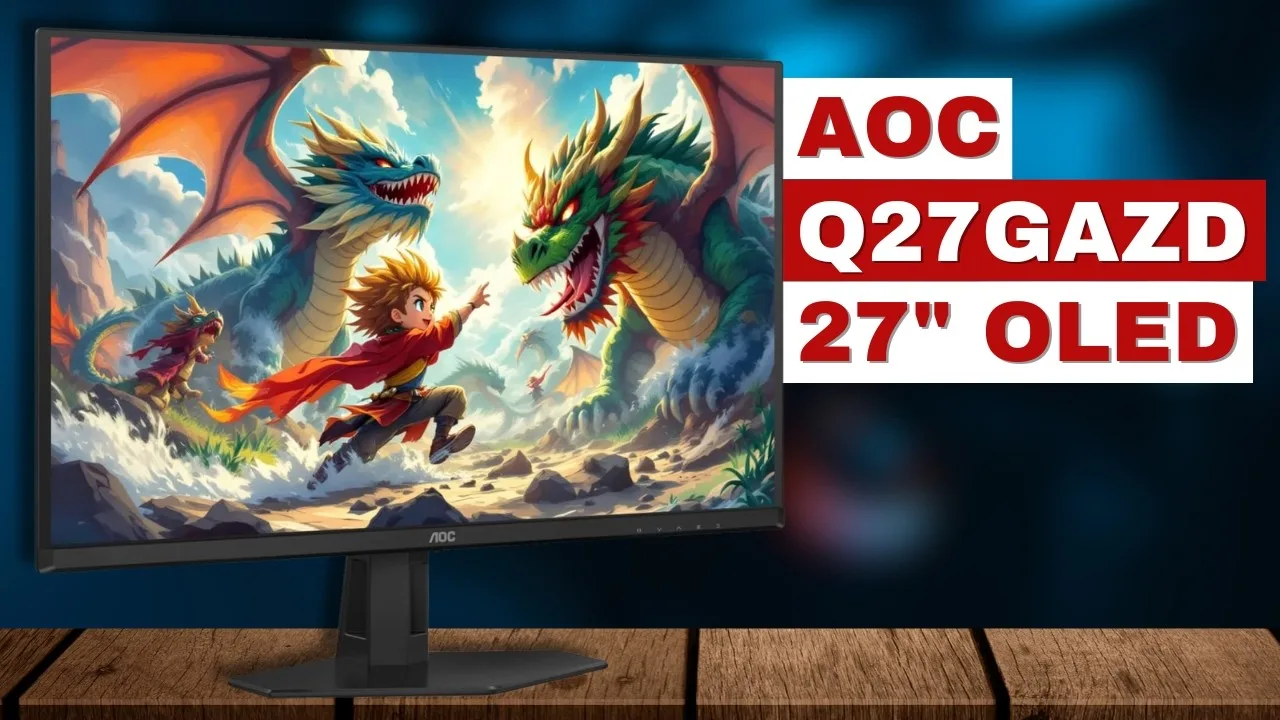
 PaaTing Reviews
The reviewer describes a transformative upgrade from an older …
PaaTing Reviews
The reviewer describes a transformative upgrade from an older …
The reviewer describes a transformative upgrade from an older washed-out monitor to this 27-inch QD OLED display. The infinite contrast from individually lit pixels produces true blacks that fundamentally change gaming and daily computing. At 1440p resolution with a 240Hz refresh rate and 0.03ms response time, motion clarity eliminates ghosting entirely. G-Sync compatibility ensures smooth tracking in fast games. HDR colors appear vivid and immersive in single-player experiences. The glossy finish enhances color pop but creates significant reflectivity issues opposite bright windows, requiring light control for daytime use.
- →Ideal for first-time OLED adopters seeking visual transformation
- →Perfect for competitive gamers needing zero motion blur
- →Best suited for light-controlled rooms away from windows
- →Excellent for immersive single-player HDR experiences
- →Strong upgrade for users suffering from eye fatigue
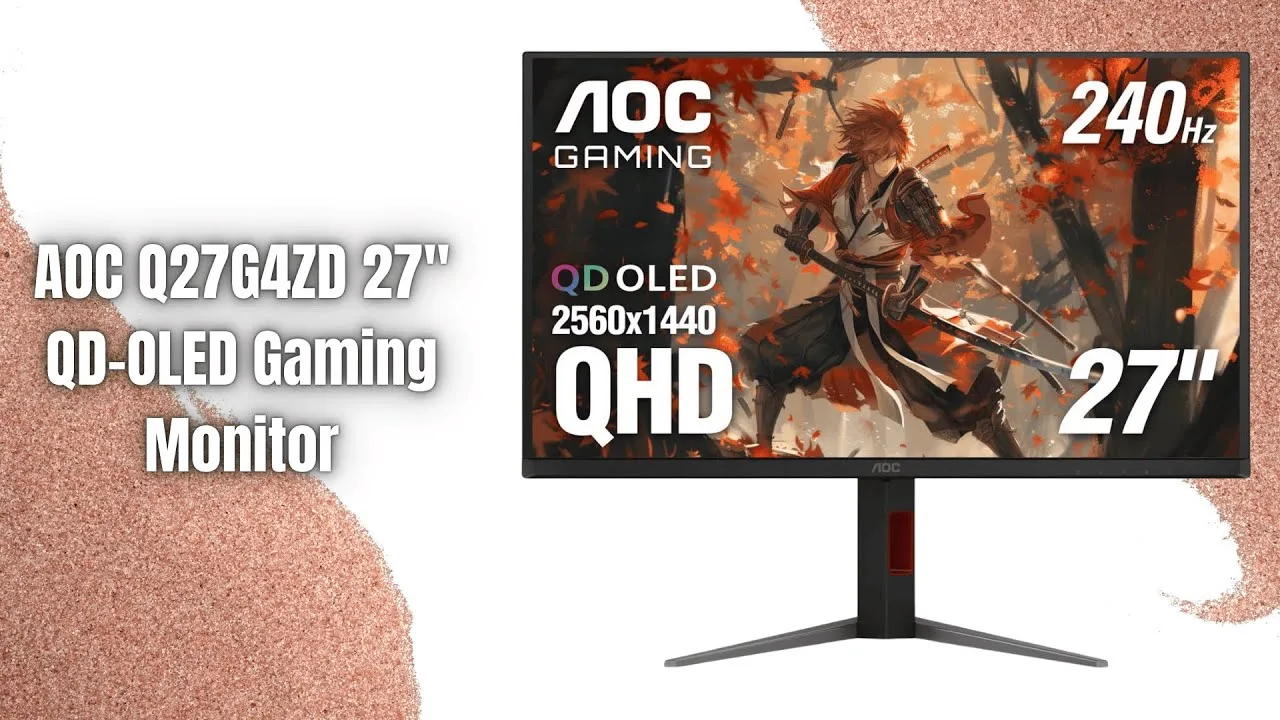
 Tom's Honest Tips
Priced at $420, this 27-inch 1440p QD OLED monitor delivers 240Hz …
Tom's Honest Tips
Priced at $420, this 27-inch 1440p QD OLED monitor delivers 240Hz …
Priced at $420, this 27-inch 1440p QD OLED monitor delivers 240Hz refresh rate with infinite contrast ratio and near-instant response times. Features adaptive sync with official NVIDIA G-Sync compatibility. Covers 99% DCI-P3 color space for HDR content. Includes two HDMI 2.1 ports, one DisplayPort 1.4, four USB ports for USB hub functionality, and built-in ergonomic adjustability. Colors appear more saturated than traditional OLED due to QD OLED technology. Text clarity remains weaker than IPS alternatives, making it less ideal for productivity focused on reading. Considered the "cooler version" of the GA-ZD with superior port selection and adjustability at an $80 premium.
- →Best suited for gaming due to 240Hz and fast response
- →Strong choice for HDR gaming with wide color gamut
- →Avoid for text-heavy productivity work
- →Worth premium over GA-ZD for port flexibility
- →Consider monitor arm alternative only if budget-constrained
 Tech Trends Hub
The AOC Q27G4ZD is a 27-inch QHD 240Hz QD OLED gaming monitor …
Tech Trends Hub
The AOC Q27G4ZD is a 27-inch QHD 240Hz QD OLED gaming monitor …
The AOC Q27G4ZD is a 27-inch QHD 240Hz QD OLED gaming monitor positioned as an affordable entry into OLED gaming. Its QD OLED panel delivers infinite contrast with rich, punchy colors from quantum dots. The 2560×1440 resolution balances sharpness with GPU demands, while 240Hz refresh rate and 0.03ms response time provide exceptional motion clarity for fast-paced content. Connectivity includes two HDMI 2.0 ports and two DisplayPort inputs, supporting 120Hz console gaming. AOC backs the panel with a 3-year Zero Bright Dot Warranty addressing burn-in concerns. The minimal design features tilt, height, and swivel adjustments with thin bezels suitable for multi-monitor setups.
- →Ideal for competitive gamers wanting OLED contrast and color
- →Great dual-purpose display for PC and console gaming
- →Perfect upgrade from IPS or VA seeking next-gen visuals
- →Budget-friendly entry point into QD OLED technology
- →Warranty coverage reduces OLED burn-in concerns
Community Discussions via Reddit
Comparison
r/OLED_Gaming
u/techraito
The AOC Q27G4ZD is a QD-OLED monitor that delivers vibrant, deep colors with strong HDR performance, particularly praised for stunning fire and effects rendering in games like TLOU 1. The owner notes its colors have more depth and volume out of the box compared to alternative panel technologies. However, the monitor appears sensitive to ambient lighting conditions, with performance varying based on room brightness. The community consensus emphasizes that panel technology choice is largely personal preference, with this monitor excelling in nighttime or controlled lighting environments.
Key Insights
- →Best suited for nighttime gaming or controlled lighting environments rather than bright rooms with windows
- →Appeals to users who prefer vivid, saturated colors without needing to adjust color mode presets
- →HDR gaming with fire, explosion, and particle effects is a particular strength of this panel technology
- →The 'issue' of color differences versus other OLED types is considered 'overblown' by the owner; panels are described as 'essentially visually identical at their full potentials'
- →No clear right or wrong choice between panel types; preference depends on individual use case and environment
Top Comments
https://preview.redd.it/4dr7zmsb0gug1.png?width=800&format=png&auto=webp&s=766e0e4709eabb4f63d0f2e9509b0e9e0f9f9bb5
For me QD OLED because the fires, effects on HDR are ultra stunning visuals with pure color, for example molotov on TLOU 1
Everyone with an OLED wins!
Comparison
r/Monitors
u/PaleontologistOld889
The AOC Q27G4ZD is a 1440p OLED gaming monitor that was considered by a user with an RTX 5090 who ultimately chose a different monitor (XG32UCWMG). The AOC was positioned as a budget-friendly OLED option in the 27-inch 1440p 240Hz segment. Community feedback suggests that while the AOC Q27G4ZD offers OLED technology at a more accessible price point, it may be underwhelming for high-end GPU owners. The panel generation and resolution were questioned given the user's premium graphics card, with consensus steering toward 4K OLED alternatives for RTX 5090 users.
Key Insights
- →Best suited for budget-conscious gamers wanting OLED benefits without 4K premium, not ideal for flagship GPU owners
- →1440p at 27 inches considered adequate for casual/non-competitive gaming but visibly inferior to 4K for detail-oriented users
- →Community consensus strongly favors 4K OLED for RTX 5090 level hardware to avoid bottlenecking GPU performance
- →Monitor represents value-tier OLED segment; users prioritizing cutting-edge panel technology should look at higher-end alternatives
- →Intended buyer demographic appears to be mainstream gamers rather than enthusiasts seeking maximum resolution and latest panel tech
Top Comments
These monitors are on the cheaper side of oled monitors since you own a 5090 money isn’t a problem so get at least a 4k oled monitor with a latest gen panel
Your graphics card will hate you if you buy a 1440p monitor. I have a RTX 5070 Ti and I play only at 4K
Comparison
r/Monitors
u/letlivellove
The AOC Q27G4ZD is a 240Hz QHD QD-OLED gaming monitor that received a positive review from Tom's Hardware, though the author of this Reddit post remains hesitant due to a previous poor experience with an AOC IPS monitor that had a manufacturing defect. No direct owner experiences with this specific AOC model were shared in the community comments. The discussion instead focused heavily on the MSI MAG 274QP QD-OLED X24 alternative. The AOC's merits are primarily known through professional review coverage rather than community testimony in this thread.
Key Insights
- →No direct owner testimonials for this specific model were present in the community discussion
- →Professional review sentiment (Tom's Hardware) appears positive, but community verification is absent
- →Brand trust may be a deciding factor for buyers with prior negative AOC experiences
- →Budget-focused buyers may find the pricing competitive, but should verify current panel quality given reported conflicting specs online
Top Comments
https://preview.redd.it/g2mleuj6vphg1.jpeg?width=2208&format=pjpg&auto=webp&s=359fddf0dd7cdcd8a7ea2a567368bdf9640180ee This is the exact monitor (msi 272qp x24) I would say the purple …
https://preview.redd.it/eu4b82pzxvhg1.jpeg?width=3403&format=pjpg&auto=webp&s=483eb1daa43440ef5e74f0587948b079e1168c2e From previous pic was to demonstrate the sensitivity of light …
I love that you're playing Dark Souls in the attached image haha. I would like to go for a W-OLED but I think that may have to wait until down the road. Part of the reason I chose both of these is …
Comparison
r/buildapc
u/InternationalStay996
The AOC Q27G4ZD is a 27-inch 1440p OLED monitor priced at approximately $500, positioned as an affordable entry into OLED monitor technology. Community consensus suggests it represents genuine value rather than 'too good to be true,' with multiple users confirming quality. The primary consideration for potential buyers is GPU capability, as moving from 1080p to 1440p entails roughly 10-20% frame rate reduction. Users recommend experiencing OLED through smartphone HDR content to appreciate the upgrade from standard monitors. The product reflects broader market trends making OLED increasingly accessible compared to pricing three years prior.
Key Insights
- →Best for gamers upgrading from 1080p who have GPUs that can sustain 1440p performance targets
- →Recommended for users prioritizing OLED image quality (HDR, contrast, black levels) at accessible price point
- →Not ideal for users with aging or entry-level GPUs unable to handle 1440p rendering workload
- →Community consensus confirms legitimacy of value proposition despite lower price than competitors
- →Potential buyers should verify personal performance requirements given resolution jump implications
Top Comments
Yes, they're great. Make sure your PC can handle 1440p though. It's roughly a 10-20% drop in frames.
You could expect that, but the rendering pipelines are not all pixel based. You have vertices, polygons, shaders, etc. which won't usually change in number when you change the resolution. Although …
Look at your phone screen. Chances are if you've got a midrange to flagship smartphone from the last 5 years, it's got an OLED screen. Play some HDR content on it, play some darker scenes on it, …
Comparison
r/OLED_Gaming
u/RogueFiveSeven
The AOC Q27G4ZD is an OLED monitor that a user purchased to replace their AOC Q27G3XMN Mini LED display. The owner immediately noticed the OLED panel appears significantly dimmer than their previous monitor, particularly in HDR content where whites lack brightness even at maximum monitor brightness settings. The community confirms this is characteristic of OLED technology, which prioritizes contrast and micro-contrast over peak brightness in mid to high APL (Average Picture Level) scenes. The monitor excels in small highlight brightness, no blooming, and motion clarity, but cannot match the blinding brightness levels of Mini LED displays. The owner also noted it appeared dimmer than an LG OLED C2 they had previously viewed.
Key Insights
- →Best suited for users prioritizing contrast, black levels, and motion clarity over raw brightness
- →Not ideal for users wanting bright, punchy HDR whites across full-screen or large window content
- →For desktop work, use SDR mode or combine HDR with dark mode applications to maximize perceived brightness of small white elements
- →Peak brightness specifications are misleading for real-world use—they apply only to tiny highlight windows, not typical content
- →Users transitioning from Mini LED should expect a significant brightness reduction in most scenarios
Top Comments
It’s well known that mini led monitors are far brighter than oled monitors in both sdr and hdr in mid to high apl scenes. Oled gets its licks in through unmatched micro-contrast, no blooming, better …
This is interesting because after looking at an LG OLED C2 before it seemed far brighter than my monitor.
if you are talking about games, it is what it si basically - its the contrast that people are buying oleds for not peak brightness generally (as the peak brightness you see quotes is usually for 1% …
Quick Opinion
r/buildapcsales
u/ryankrueger720
The AOC Q27G4ZD is a 27-inch 1440p 240Hz QD-OLED monitor that recently hit an all-time low price of $469.99 on Amazon. The community discussion centers on its value proposition as one of the cheapest OLED monitors from a major brand. PC users can access the full 240Hz refresh rate via DisplayPort, but the monitor's lack of HDMI 2.1 limits console compatibility. The monitor features a different stand design compared to similar models, with a smaller base. Community consensus suggests this is primarily a PC gaming monitor, with limited appeal for console users due to HDMI 2.0 bandwidth constraints.
Key Insights
- →Best suited for PC gamers who can utilize DisplayPort for full 240Hz; not ideal for console gamers wanting 120Hz VRR
- →Represents strong value in the QD-OLED monitor market at its current price point
- →HDMI 2.0 limitation is a significant consideration for PlayStation 5 and Xbox Series X users
- →Monitor stand design prioritizes smaller desk footprint over maximum stability
- →Community considers this a genuine major-brand alternative to more expensive OLED options, not a budget-tier compromise
Top Comments
All time low on this model, sold and shipped by Amazon. This is the second cheapest an OLED has been from a major brand (the cheapest ever was AG276QZD2 which was $400 at Black Friday and has not …
it's more to do with console compatibility, since it's HDMI 2.0 you can't get VRR on the PS5 or sharper downscaling with 4k 120hz mode (that downscales to 1440p 120hz)
I mean any 1440p high refresh monitor is going to be a massive upgrade for you. It was shocking how different things were when I went from 1080p 60hz to 1440p 144hz. Now when I go back it looks so …
Quick Opinion
r/buildapcsales
u/ryankrueger720
The AOC Q27G4ZD is a newly released QD-OLED monitor sold and shipped by Amazon, positioned as an attractive option for buyers concerned about potential tariff-related price increases. It notably does not use AOC's Agon Pro branding, distinguishing it from higher-end models. The monitor lacks HDMI 2.1, limiting users to 144Hz over HDMI. Community discussion largely centered on general OLED concerns like burn-in rather than specific hands-on experience with this model, though the OP positioned it as the second lowest-priced OLED from a major brand through standard retail channels. No owners with extended use of this specific model shared direct experiences.
Key Insights
- →Best for buyers seeking entry-level QD-OLED from a major brand through standard retail without restricted deal programs
- →HDMI-dependent users (console gamers) should note 144Hz cap; DisplayPort recommended for full refresh rate
- →No long-term ownership data available yet as a new release; durability unproven in community
- →Community consensus: modern OLEDs have reduced burn-in risk compared to earlier generations, with taskbar auto-hide recommended as precaution
- →Pricing strategy appears aimed at building initial reviews and market presence rather than deep discounting
Top Comments
Sold and Shipped by Amazon. This might be a good option if you are in the market and are concerned about Tariffs raising prices in the market in the next few weeks or months (or maybe never who …
Not likely. I use an oled for work 8 hours a day, no burn in yet, been 6 months. New oleds have significantly reduced these chances.
It helps significantly if you dont have the windows taskbar always displayed at the bottom (as a precaution). Set it to auto-hide and you are golden. Love my OLED
Scores based on weighted analysis of 20 expert and community sources. How we review →