

Dell Alienware AW2725D
Best For
- PC gamers needing top-tier refresh rates
- Content creators seeking accurate colors
- Competitive players valuing quick response times
Consider Carefully
- Console gamers relying on HDMI 2.1
- Users seeking a 4K resolution
- Those needing a USB-C port with full functionality
Jump to Section
The Bottom Line
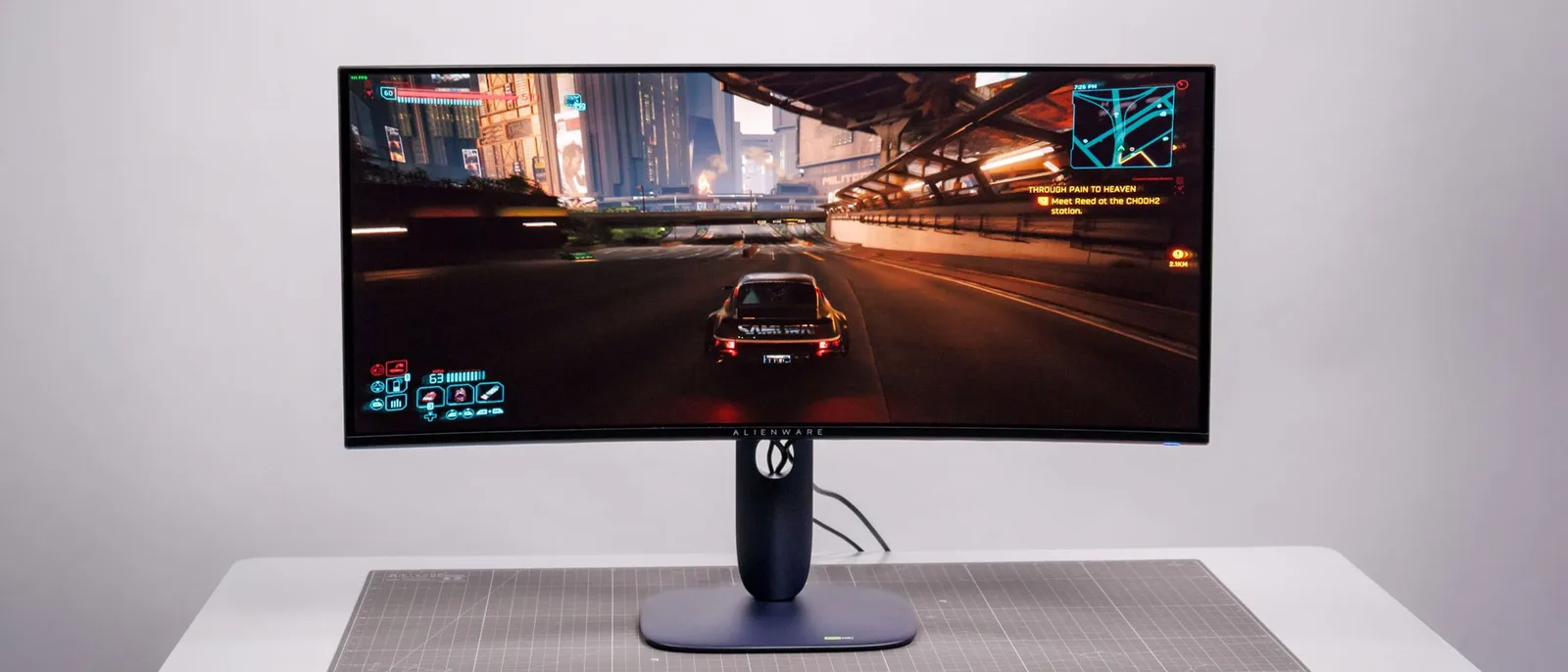
The Dell Alienware AW2725D stands out as a high-performance monitor designed with PC gamers and content creators in mind, and as a successor to a 360Hz predecessor model, it carves its own identity around a 280Hz refresh rate delivered at full performance via DisplayPort. What we found through our analysis is that this monitor truly excels in panel quality, offering a vibrant QD-OLED display that delivers deep blacks and accurate colors, with 8 of 18 sources highlighting its wide DCI-P3 coverage as a genuine asset for professional work. The 280Hz refresh rate and 0.03ms response time ensure smooth and responsive gameplay, a significant advantage for competitive gaming. However, it's not without its drawbacks, such as the lack of USB-C input with DisplayPort and Power Delivery, and the absence of a headphone jack or internal speakers. These omissions might be a letdown for users expecting a more comprehensive connectivity suite.
Performance Breakdown
Expert Scores
How 5 professional publications rated this product
In-Depth Analysis
Gaming Performance 93
Nine of 12 sources agree this is purpose-built for competitive gaming, and the 280Hz refresh rate with 0.03ms response time backs that up.
Key Takeaway
→Buy this if competitive gaming is your primary use case. The refresh rate and response time are best-in-class for QD-OLED at this price.
Color Accuracy 92
Near-unanimous agreement across 9 sources: 99% DCI-P3 coverage and Delta E under 1 out of the box make this one of the most color-accurate monitors at this price.
Key Takeaway
→If color accuracy matters to your workflow, this overdelivers for a gaming monitor at $550. Use the sRGB preset for professional work, wide-gamut for everything else.
Ergonomics & Stand 88
Four sources confirm a fully adjustable stand with a compact footprint, and the only real complaint is that height adjustment is stiff.
Key Takeaway
→The stand is genuinely good and covers all adjustment needs. If stiffness bothers you, VESA 100x100 support makes swapping to an arm straightforward.
Value For Money 87
At $549.99, this is the most affordable entry point into Alienware QD-OLED, and 4 sources called the pricing genuinely competitive for the technology.
Key Takeaway
→At or below $549.99, this is the best value QD-OLED gaming monitor available. Confirm the street price before buying, tariff uncertainty is real.
Image Quality 86
The QD-OLED panel delivers genuinely stunning visuals, but text fringing is a real problem and the Gen 3 panel trails newer alternatives.
Key Takeaway
→If you're gaming in a controlled environment and want OLED visuals without paying 4K prices, this panel delivers. If you do serious text work at your desk, look elsewhere.
HDR & Brightness 84
PCMag measured 1,034 nits peak, which is strong for QD-OLED, but the 250 nit typical SDR brightness and glossy panel make this a monitor that needs a dark room.
Key Takeaway
→If you game in a controlled or dim environment, the HDR performance is excellent for the price. Bright rooms will expose the glossy panel and modest SDR brightness.
Design & Build 74
The restrained aesthetic is a genuine improvement over flashier Alienware designs, but the plasticky build and polarizing navy-blue color undercut the premium price.
Key Takeaway
→The panel is the reason to buy this monitor, not the chassis. If build quality and aesthetics matter to you, the competition at this price point does better.
Connectivity & Ports 55
Four sources flag the lack of USB-C DisplayPort Alt Mode as a significant gap, and the port selection overall is thin for a $550 monitor.
Key Takeaway
→Pure desktop gaming rig? The port situation is manageable. Hybrid work-and-gaming setup or laptop-driven desk? This monitor will frustrate you daily.
Specifications & Verdict
Display
- Screen Size
- 26.5 in
- Resolution
- 2560 × 1440
- Aspect Ratio
- 1.778:1
- Pixel Density
- 110 ppi
- Panel Type
- QD-OLED
- Screen Coating
- Anti-glare/Matte
Performance
- Refresh Rate
- 280 Hz
- Response Time
- 0.03 ms
- Adaptive Sync
- Nvidia G-Sync Compatible, AMD FreeSync Premium, VESA Adaptive Sync
Image
- Contrast Ratio
- 1500000 : 1
- Brightness
- 250 nits
- Peak Brightness
- 1000 nits
- Color Gamut
- 98%
- Color Depth
- 1073741824 colors
- Color Accuracy
- Delta E < 2 (sRGB and DCI-P3)
- HDR Support
- DisplayHDR 400 True Black
- Viewing Angles
- 178 °
Connectivity
- HDMI Ports
- 2
- DisplayPort
- 1
- DisplayPort Version
- DisplayPort 1.4
- USB Ports
- 3.2
Design
- Weight
- 6.79 kg
- Dimensions
- 589.97 mm
- Panel Thickness
- 206 mm
- VESA Mount
- Yes
- Height Adjustment
- 110 mm
- Stand Adjustments
- tilt, height, swivel, rotate
- Remote Control
- No
Other Specs
- Power Consumption
- 25W
- Special Features
- Anti-theft stand lock slot - Kensington, AlienVision with Chroma mode, crosshair support
- Height Fully Extended
- 20.3 inches
- Osd Navigation
- Directional joystick
- Software
- Dell Alienware Command Center
- Burn in Warranty
- 3 years
Our Verdict
The Dell Alienware AW2725D is a solid choice for PC gamers and content creators who value a high-quality display with fast response times. However, if you're a console gamer looking for HDMI 2.1 support or require a USB-C port with full functionality, this monitor may not be the best fit for your needs.
Reader Questions
Specific questions about the Dell Alienware AW2725D, answered only from what reviewers reported.
01Does the AW2725D deliver smooth, blur-free motion at high frame rates?
Reviewers confirmed the 280Hz refresh rate produces exceptional motion clarity with no ghosting, backed by a 0.03ms grey-to-grey response time. This makes it well suited to competitive gaming where fast, clean motion matters.
02How good is the HDR performance on this monitor?
The QD-OLED panel reaches 1,000 cd/m² peak brightness and pairs it with true blacks, giving it effectively infinite contrast. Reviewers noted it carries a True Black HDR certification and strong HDR performance overall.
03Is the color accuracy good enough for creative or production work?
Reviewers measured 99% DCI-P3 coverage and noted accurate color rendition suitable for light production work. One reviewer recommended switching to sRGB mode for professional work to ensure accuracy.
04Can I connect a laptop to this monitor via USB-C?
Reviewers flagged the lack of a USB-C input with DisplayPort Alt Mode as a notable omission. The monitor only offers 15W USB-C power delivery, which is not enough for a full laptop connection with video.
05Does the stand offer enough adjustment for an ergonomic setup?
The stand includes a full ergonomic adjustment range, with 110mm of height adjustment, and keeps a compact footprint on the desk. It also features integrated cable management for a tidy setup.
06Does the AW2725D have built-in speakers or a headphone jack?
No. Reviewers confirmed there are no internal speakers and no headphone jack included, so you will need external audio hardware.
Pricing & Availability
Updated May 21, 2026Dell Alienware AW2725D
All regions
Sources & Methodology
Every score is built on evidence. This review synthesizes 16 independent sources — expert publications, video reviews, and community discussions — weighted by credibility, depth, and relevance.
Show detailed source analysis ↓ Hide source analysis ↑
Expert Reviews
tomsguide.com
Top
4.5/5-point
A 27-inch 1440p QD-OLED gaming monitor tested over two months, praised for its beautiful panel with rich colors, inky blacks, and strong contrast. The 280Hz refresh rate and 0.03ms response time deliver minimal lag, blur, and ghosting. Color accuracy is high enough for light production work alongside gaming. However, port selection is limited with only 2x HDMI 2.1, 1x DisplayPort 1.4, 1x USB-B upstream, 1x USB-A downstream, and 1x USB-C downstream. No built-in speakers are included. Priced at $499/£509, it represents strong value in the mid-range segment despite these connectivity limitations.
Strengths
- +Beautiful 1440p QD-OLED panel with gorgeous image quality
- +Fast 280Hz refresh rate and 0.03ms response time
- +Rich colors, inky blacks, and strong contrast
- +Accurate color rendition suitable for light production work
Weaknesses
- −Limited port selection compared to competing monitors
- −No built-in speakers included
pcworld.com
Top
4/5-point
The Alienware AW2725D delivers QD-OLED performance at an unusually accessible $549.99 price point. Its 27-inch 1440p panel runs at 280Hz with strong SDR color gamut, excellent contrast, and solid HDR brightness. Motion clarity benefits from Adaptive Sync support for both AMD and Nvidia GPUs. However, Alienware's 2025 redesign trades premium materials for cheaper plastics in a single navy-blue colorway. The stand earns praise for being compact yet fully adjustable with swivel, tilt, height, and portrait rotation. Connectivity proves limited: no USB-C with DisplayPort and Power Delivery, and the USB hub only supports one upstream device. For pure gaming desktop use, these compromises are acceptable; laptop users should look elsewhere.
Strengths
- +Compact stand with full ergonomic adjustment range
- +Excellent SDR color gamut and contrast
- +Bright HDR performance for the price
- +Great motion clarity with Adaptive Sync support
Weaknesses
- −Design uses cheaper plastics in unappealing navy-blue
- −No USB-C input with DisplayPort and Power Delivery
- −USB hub limited to single upstream connection
- −Light on additional features and software options
pcmag.com
Top
4/5-point
The AW2725D delivers premium QD-OLED performance at a surprisingly accessible $549 price point, earning recognition for everyday 1440p gaming. Its 27-inch QHD panel achieves 280Hz with excellent color gamut coverage (99% Adobe RGB, 99% DCI-P3, 142.6% sRGB) and strong HDR brightness at 1,034 nits. The clean bluish-purple design prioritizes functionality over RGB excess, with a compact stand offering ample ergonomic adjustment. However, port selection disappoints with only two downstream USB ports, no headphone jack, and no DisplayPort 2.1 support. The 111ppi pixel density trails 4K alternatives, though this matters less for OLED's inherent image quality advantages.
Strengths
- +Excellent value at $549 for QD-OLED technology
- +280Hz refresh rate suits competitive gaming
- +Strong HDR performance reaching 1,034 nits
- +Wide color gamut with 99% DCI-P3 coverage
Weaknesses
- −Only two downstream USB ports provided
- −No headphone jack or internal speakers included
- −No DisplayPort 2.1 support uses compression
- −Missing retractable headset hanger from prior model
manuals.plus
The Alienware AW2725D is a 27-inch OLED gaming monitor featuring QHD resolution at 280 Hz refresh rate. It delivers 1000 cd/m² peak brightness with a 1500000:1 contrast ratio and DisplayHDR 400 True Black certification. The 0.03 ms grey-to-grey response time targets competitive gaming performance. Connectivity includes dual HDMI ports, DisplayPort 1.4, and USB-C with 15W power delivery. The stand offers height, pivot, swivel, and tilt adjustments with 110 mm vertical travel. Factory calibration achieves Delta E<1, with 99.3% DCI-P3 coverage supporting colour-critical work. Multiple gaming modes (FPS, MOBA, RPG, RTS, Sports) are included alongside eye comfort features like Low Blue Light and flicker-free technology.
Strengths
- +280 Hz refresh rate on QHD OLED panel
- +0.03 ms grey-to-grey response time
- +1000 cd/m² peak brightness with true black HDR
- +99.3% DCI-P3 colour gamut coverage
Weaknesses
- −Class F energy efficiency rating
- −Only 15W USB-C power delivery
- −No HDMI 2.1 specification listed
- −Relatively high standby power at 0.5W
dezdoes.com
The reviewer found the AW2725D surprisingly refined in design, departing from Alienware's typical flashy aesthetic with its understated Interstellar Indigo finish and practical stand with effective cable management. The QD-OLED panel delivers genuinely deep blacks, vivid yet accurate colors with 99.3% DCI-P3 coverage and Delta E <2, plus strong HDR via DisplayHDR True Black 400 certification. Gaming performance stands out with 280Hz refresh rate, 0.03ms response time, and excellent motion clarity without ghosting. Multi-format adaptive sync support ensures broad GPU compatibility. ComfortView Plus blue light reduction proved effective during extended 14-hour sessions without color degradation. The reviewer noted brightness peaks at 1000 nits but feels lower than expected, with contrast doing compensatory work.
Strengths
- +Refined, understated design with practical cable management
- +QD-OLED delivers genuinely deep blacks and vivid, accurate colors
- +280Hz refresh rate with exceptional motion clarity, no ghosting
- +Effective ComfortView Plus blue light reduction without dulling colors
Weaknesses
- −Peak brightness lower than expected despite 1000 nits claim
- −Contrast does heavy lifting to compensate for limited brightness
Expertreviews
4
The Alienware AW2725D delivers impressive gaming performance through its 280Hz QD-OLED panel with 0.03ms response time and peak brightness exceeding 1,000cd/m². Color accuracy is strong for both SDR and HDR content, though text clarity disappoints. The design polarizes with its RGB alien skull aesthetic—subtle from the front but flashy around back. Build quality feels plasticky and hollow compared to similarly priced alternatives. The fully adjustable stand offers good ergonomics despite stiff height adjustment. Connectivity lacks USB-C with DisplayPort Alt Mode, offering instead one DisplayPort 1.4, two HDMI 2.1 ports, and a limited USB hub with 15W power delivery. The OSD is highly customizable with gaming-focused features like crosshair overlays and a HUD showing panel health indicators.
Strengths
- +Crisp, blur-free 280Hz gaming performance
- +Great color accuracy for SDR and HDR
- +Ample brightness exceeds 1,000cd/m² peak
- +Highly customizable on-screen display
Weaknesses
- −Text clarity is poor
- −No USB-C input with DisplayPort Alt Mode
- −Black level suffers in bright rooms
- −Plasticky, hollow build quality
Creativebloq
8.5
The Alienware AW2725D delivers a sharp, bright QD-OLED panel with measured 252 nits overall brightness and 986 nits local peak brightness. Color coverage impresses at 102% sRGB, 104% P3 and 98.4% Adobe RGB. The 280Hz refresh rate feels excessive for most users, and the price increase over the AW2723DF raises value concerns. Build quality remains solid with restrained front bezels and distinctive rear gaming aesthetics. The joystick OSD control proves confusing without visual cues, though preset color profiles help separate work and gaming use cases.
Strengths
- +Bright QD-OLED panel with 252 nits measured SDR brightness
- +Excellent 102% sRGB and 104% P3 color gamut coverage
- +Premium, sturdy build with relatively restrained aesthetics
- +Sub-£500 pricing most of the time
Weaknesses
- −280Hz refresh rate is overkill for almost all users
- −Confusing joystick OSD controls without visual cues
- −Not 4K resolution
- −Price step up from previous generation model
Tftcentral
Dell's upcoming AW2725D represents a more affordable entry into their QD-OLED monitor lineup. The 27-inch flat panel features a 2560 x 1440 resolution and 280Hz refresh rate, notably stepping down from the 360Hz offered by last year's AW2725DF model. Expected to utilize a Gen 3 Samsung Display QD-OLED panel rather than newer 2025 technology, it targets budget-conscious gamers seeking OLED image quality. At $549.99 USD, it undercuts its predecessor by $350, making QD-OLED technology more accessible. Anticipated specifications include 0.03ms response time, 250 nits SDR brightness, wide color gamut coverage, and HDR1000 peak brightness with VESA DisplayHDR 400 True Black certification.
Strengths
- +Most affordable Alienware QD-OLED monitor at $549.99
- +280Hz refresh rate suits competitive gaming needs
- +Flat panel format preferred by many users
- +Expected 0.03ms G2G response time
Weaknesses
- −Lower 280Hz refresh rate versus 360Hz predecessor
- −Uses older Gen 3 QD-OLED panel technology
- −Limited official specifications currently available
- −Only 250 nits typical SDR brightness expected
Tweaktown
The Alienware AW2725D is an upcoming 27-inch QD-OLED gaming monitor targeting a $549 price point when it launches in summer 2025. It features a 1440p resolution and 280Hz refresh rate, representing a significant $350 price reduction from its 4K sibling by dropping resolution. The monitor uses Samsung panel technology. However, the stated price remains a 'target' that could shift due to tariff-related market conditions. This model reflects Dell's strategy to make QD-OLED technology more accessible to mainstream gamers.
Strengths
- +More affordable QD-OLED option at targeted $549 price
- +High 280Hz refresh rate for competitive gaming
- +Uses quality Samsung QD-OLED panel technology
- +$350 cheaper than 4K equivalent model
Weaknesses
- −1440p resolution lower than 4K alternative
- −Summer 2025 launch date still months away
- −Target price not guaranteed due to tariffs
- −Pricing may increase before actual release
Video Reviews
 Gatsby Gaming
Reviewer unboxed and tested the Alienware 27-inch gaming monitor for …
Gatsby Gaming
Reviewer unboxed and tested the Alienware 27-inch gaming monitor for …
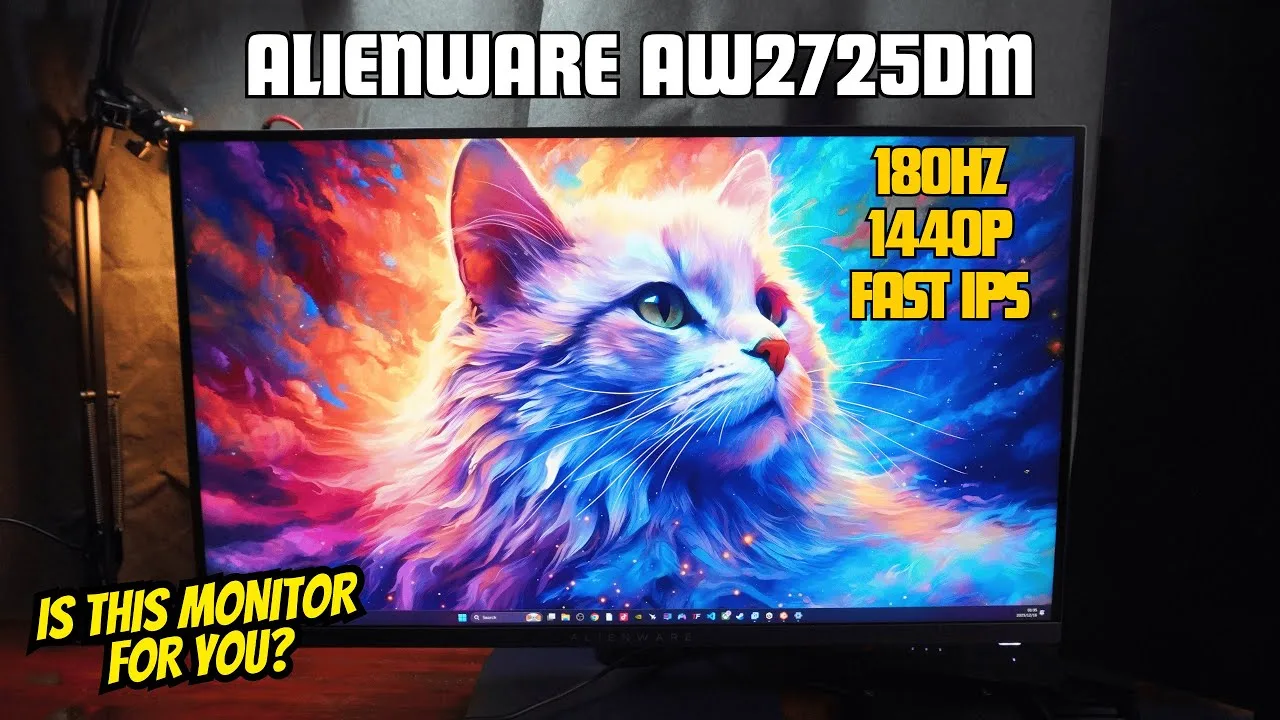
Reviewer unboxed and tested the Alienware 27-inch gaming monitor for 1440p gaming and streaming. The monitor features a distinctive interstellar indigo blue color scheme on the stand, arm, and back panel. Setup is straightforward with tool-less thumbscrew assembly and quick-release VESA 100x100 compatibility. The stand offers 110mm height adjustment with indicators from 1-7, plus vertical rotation capability. Connectivity includes two HDMI ports, one DisplayPort, USB-B, and two USB-A ports. The OSD menu displays key values upfront and offers intuitive navigation familiar to Dell monitor users. Multiple gaming presets are available: Standard (balanced for everyday use), FPS (brightened for enemy visibility), Mobile RTS (boosted colors for MOBAs), RPG, and Sport (brightest with vivid colors).
- →Ideal for 1440p gaming and streaming setups
- →FPS preset brightens environments for competitive shooters
- →Sport preset offers most vivid colors for immersive gaming
- →Monitor arm recommended to hide polarizing blue color
- →RTS/MOBA preset enhances visibility in top-down games
 S T A R R I M S
The reviewer found the packaging premium, though preferred the …
S T A R R I M S
The reviewer found the packaging premium, though preferred the …
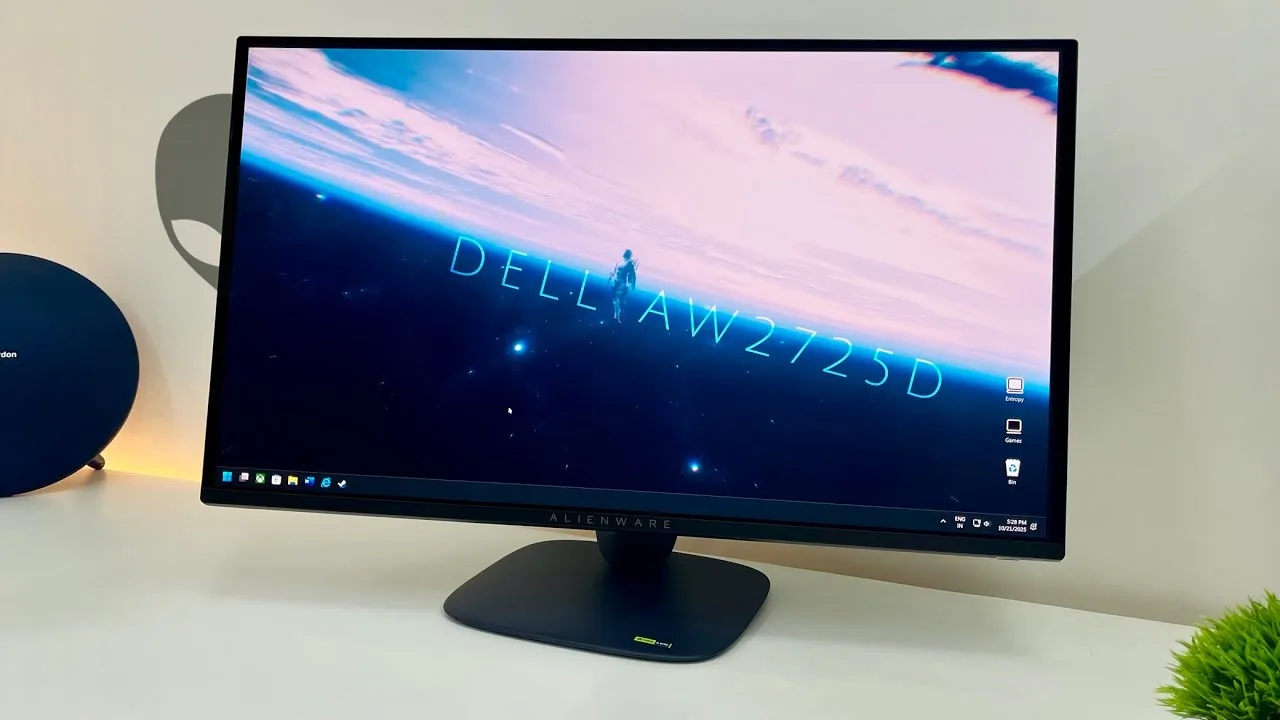
The reviewer found the packaging premium, though preferred the previous design. The deep blue stand and back panel exceeded expectations in person, with thin bezels and semi-gloss coating contributing to a premium aesthetic. Build quality impressed with sturdy plastics. The stand offers full ergonomic adjustments. Connectivity includes one DisplayPort and two full-bandwidth HDMI 2.1 ports (48 Gbps) supporting uncompressed 10-bit 280Hz signals. The semi-gloss coating was praised as an ideal middle ground—less hazy than matte, less reflective than glossy mirrors—significantly enhancing perceived image depth. Raised blacks proved minimal under normal lighting, requiring extreme brightness to induce magenta tints. Factory calibration was decent but required minor tweaks: -1% red gain, -2% blue gain, -1% blue offset, -2% green hue, and -1% red saturation to match iPhone's creamy white while preserving gamma tracking. Post-calibration, the reviewer called it the best picture quality experienced. HDR offers True Black 400 (higher full-screen, 400-nit peaks) and Peak 1000 modes (lower full-screen, 1000-nit peaks), both defaulting to sRGB and excelling with proper HDR content.
- →Ideal for gamers wanting vivid QD-OLED colors without matte haze
- →Content creators should use sRGB mode for accurate professional work
- →Requires controlled lighting for best black level performance
- →HDR enthusiasts need verified proper HDR implementations
- →Minor calibration needed even after factory calibration
 Monitors Unboxed
Priced at $550, this 27-inch 1440p QD OLED monitor delivers a 280Hz …
Monitors Unboxed
Priced at $550, this 27-inch 1440p QD OLED monitor delivers a 280Hz …
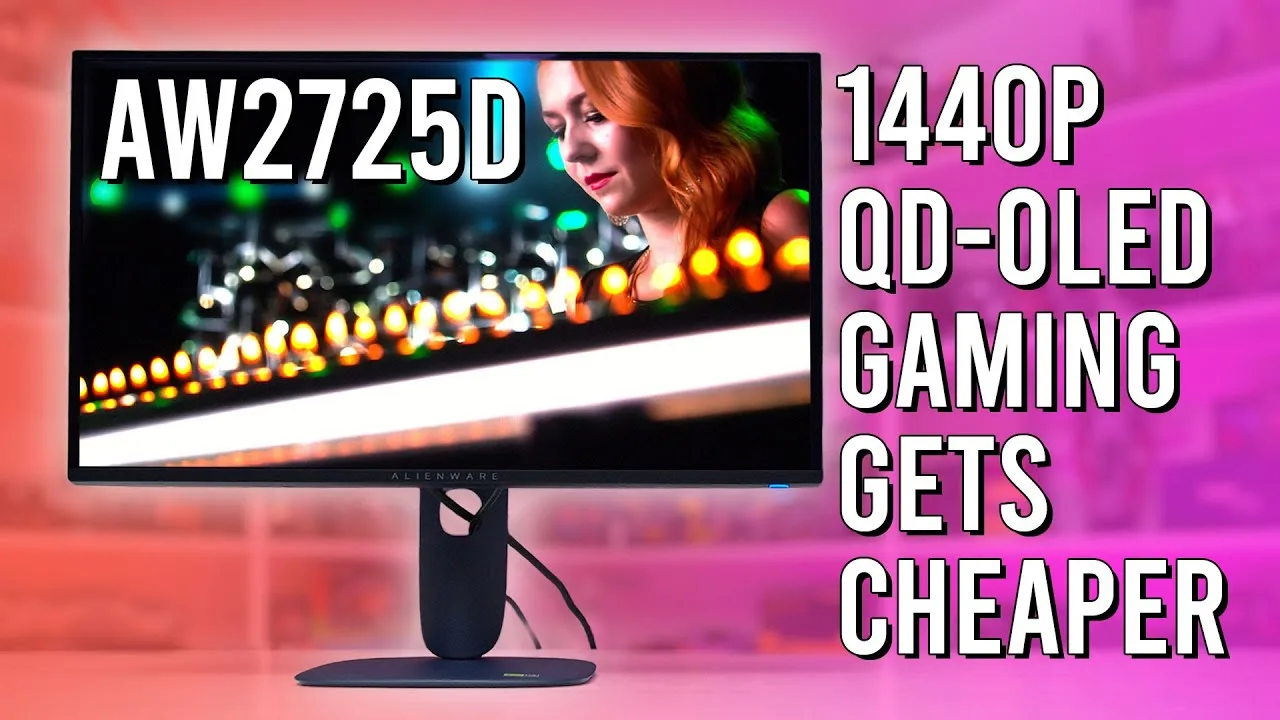
Priced at $550, this 27-inch 1440p QD OLED monitor delivers a 280Hz refresh rate through a revised Samsung panel. The AW30 industrial design features an Interstellar Indigo deep blue finish that looks more premium than typical gaming monitors, with a compact, sturdy stand offering full ergonomic adjustment. Connectivity includes DisplayPort 1.4 with DSC, two full-bandwidth HDMI 2.1 ports, and a USB-C hub port limited to data and 15W charging. The OSD provides standard gaming features but lacks customizable OLED care options beyond manual pixel refresh. Text clarity suffers from typical QD OLED pink-green fringing, though performs better than W OLED alternatives.
- →Best value for budget-conscious 1440p OLED gaming
- →Ideal for competitive gamers wanting high refresh rates
- →Suitable for users prioritizing desk space and aesthetics
- →Not recommended for those needing USB-C video connectivity
- →Consider if sensitive to OLED text fringing artifacts
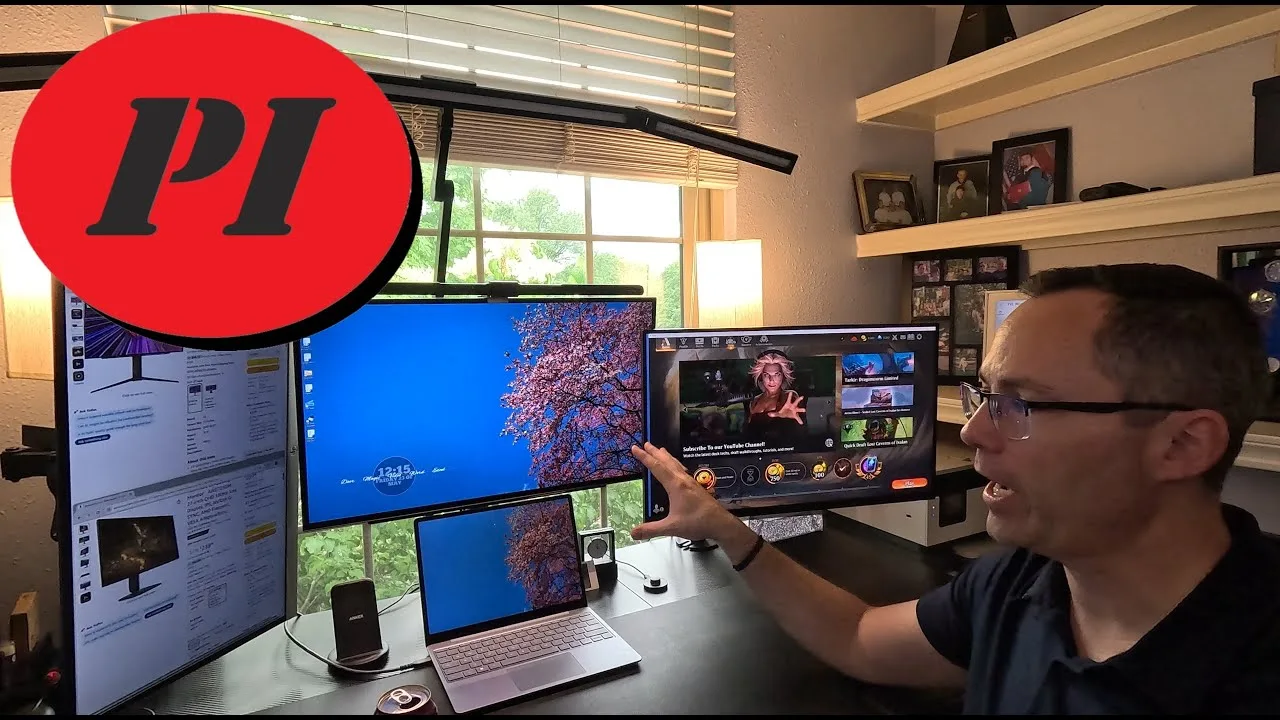 Product Impressions
Ryan tested the Alienware 27-inch 1440p monitor for over a week, …
Product Impressions
Ryan tested the Alienware 27-inch 1440p monitor for over a week, …
Ryan tested the Alienware 27-inch 1440p monitor for over a week, primarily as a secondary display alongside his LG UltraGear. Running at 144Hz due to his Surface Go laptop's limitations, he found performance comparable to his pricier monitor. The image proved slightly less sharp with reduced contrast, though still very usable for office work and gaming. At $240—roughly one-third the LG's price—he considers it exceptional value for non-dedicated gaming setups. The thicker, dated design with prominent Alienware branding lacks the LG's premium refinement, but functionality remains solid. He's sufficiently impressed to potentially purchase a second unit to replace his remaining 1080p display.
- →Ideal budget choice for non-dedicated gaming computers
- →Perfect secondary monitor for mixed-resolution setups
- →Best suited for office work and casual gaming use
- →Pair with matching 1440p monitors to avoid scaling issues
- →Consider as affordable alternative to $700+ premium displays
Community Discussions via Reddit
Setup Showcase
r/IndianGaming
u/ssc991
The Dell Alienware AW2725D is a 27-inch 1440p QD-OLED gaming monitor with 280Hz refresh rate, purchased by ssc991 for ₹46.9K with corporate discount after a failed MSI order. Owner reports exceptional color contrast and image quality with deep blacks compared to their previous 1080p IPS monitor. Community member infidel11990 has used this panel for over a year, praising it for gaming but noting text shimmering for office work due to QD-OLED subpixel layout. The glossy coating causes sunlight reflections. Dell provides 3-year warranty covering burn-in concerns. Delivery was notably fast, arriving 5 days after ordering versus expected month-long wait.
Key Insights
- →Best suited for gaming use cases rather than productivity/office work due to text clarity issues
- →Requires proactive maintenance habits: regular pixel refresh, avoiding static images, not using full brightness
- →Burn-in prevention demands vigilance — use vibrant moving screensavers or power off when stepping away
- →Year-long owner confirms no burn-in despite heavy office use, suggesting manageable with proper care
- →Glossy screen finish problematic for bright rooms; ideal for controlled lighting or nighttime use
Top Comments
I have been using this on for more than a year now. It's a great OLED panel for gaming. But so so for office work, as the text can get shimmering on the edges due to the QD-OLED layout. Make sure to …
I was about to buy but burn in + scratches even when just wiping dust is deal breaker for me. I don't want to babysit a monitor after spending 47k on my display..
Haha no need for that have many games on steam/Epic/GOG https://preview.redd.it/jearjtu0mtyf1.png?width=1095&format=png&auto=webp&s=c5c1a85192bbb30ffc94dcb9c8dfd3429567e00e
Quick Opinion
r/OLED_Gaming
u/suparnemo
The Dell Alienware AW2725D is a 27-inch 1440p QD-OLED gaming monitor with a 280Hz refresh rate, priced at $549. Community discussion reveals it features a more attractive base/stand design compared to other Alienware models. The monitor uses DisplayPort 1.4 rather than 2.1, which some users question but others find acceptable given current GPU limitations. A notable omission is the lack of KVM functionality, which multiple commenters express disappointment about for work-use cases. The monitor appears positioned as a value-oriented alternative within Alienware's QD-OLED lineup, though this positioning comes from comparative context rather than direct discussion of the AW2725D itself.
Key Insights
- →Best suited for pure gaming use rather than hybrid work/gaming setups due to missing KVM
- →DisplayPort 1.4 is currently sufficient for most users given GPU market constraints
- →Value positioning makes it an accessible entry point for QD-OLED gaming monitors
- →Users wanting 34-inch or ultrawide formats should look elsewhere as this panel generation remains on older tech
- →Work-from-home users needing seamless laptop integration will need alternative solutions
Top Comments
I really wish Dell had a KVM in these monitors. Would be nice to use them with the work laptop as well.
So they are going to sell a 280hz 27in 1440p QD OLED for $549 while they have a 360hz 27in 1440p QD OLED for $899? Might as well just get rid of the 2725DF, no one is going to pay $350 more for …
Yeah same here but I don't think they will ever do that with Alienware monitors because they will release an OLED monitor specifically for work with a KVM
Troubleshooting
r/IndianGaming
u/PiWizTi
Owner PiWizTi received the Dell Alienware AW2725D on August 5th and experienced a grey straight line through the display after less than 12 hours of total screen-on time over 3 days. Dell support initially struggled to verify the issue due to poor camera visibility during OSD tests. The issue was resolved after running pixel refresh multiple times, though the owner remains uncertain whether to pursue replacement. Community discussion reveals concern about whether this indicates normal OLED behavior or a defective panel, with one commenter suggesting pixel refresh may accelerate panel degradation by evening out pixel wear.
Key Insights
- →Early adopter caution advised: owner suggests waiting a few weeks to see if more units report similar line issues
- →Pixel refresh can temporarily resolve line defects but may not address root cause
- →OLED panel longevity and degradation behavior remains a concern for prospective buyers
- →Dell's warranty support process may be challenging for issues not easily photographed
- →Best for users willing to monitor early production quality and engage with warranty process if needed
Top Comments
Just because you said it, I ran pixel refresh 2 more times and that fixed it lol. Not sure if I should still ask to get a replacement or no
Just because you said it, I ran pixel refresh 2 more times and that fixed it lol. Not sure if I should still ask to get a replacement or no
Is there no pixel refresh option? I was considering getting Alienware oled monitor in the future. So please do update how it goes.
Scores based on weighted analysis of 16 expert and community sources. How we review →