

Razer Pro Type Ultra
Best For
- Windows-based office workers needing quiet mechanical typing
- Users prioritizing comfort with a cushioned wrist rest
- Individuals requiring long battery life without backlighting
Consider Carefully
- Typists sensitive to high key angles and typing discomfort
- Those seeking a more affordable keyboard option
- Users who require a robust backlighting feature
Jump to Section
The Bottom Line
The Razer Pro Type Ultra is a divisive keyboard that caters to specific needs. We found that its typing feel is its standout feature, especially the responsive Razer Yellow switches which are praised for suiting fast typists, as noted by Tom's Guide and Trusted Reviews. These switches offer a 1.2mm actuation and 45g actuation force, providing a smooth and quick typing experience. The dual wireless connectivity via Bluetooth and 2.4GHz, along with an exceptional battery life of up to 214 hours without backlighting, makes it a compelling choice for those seeking a reliable wireless mechanical keyboard. However, the keyboard's high key angle and the cheap feeling ABS keycaps, as criticized in several sources, might be a deterrent for some users.
Performance Breakdown
Expert Scores
How 7 professional publications rated this product
In-Depth Analysis
Switch Performance 85
The Yellow linear switches are the strongest argument for buying this keyboard. Fast, light at 45g actuation, and rated for 80 million keystrokes, but there's exactly one switch option and zero tactile feedback.
Key Takeaway
→If you type fast and already prefer linear switches, these are excellent. If you want tactile or clicky options, this keyboard doesn't exist for you.
Wireless Connectivity 79
Multi-device switching across four connections is the headline feature and it works well, but r/razer users reported Bluetooth hardware failures appearing within 2 to 4 months of ownership.
Key Takeaway
→The multi-device workflow is the best reason to buy this keyboard. Factor in the reported Bluetooth reliability issues before committing, especially if wireless is your primary connection.
Software Integration 78
Synapse 3 is capable and PCMag praised its customization depth, but it's Windows-only, requires a Razer account, and includes promotional links inside the app.
Key Takeaway
→If you're on Windows and already in the Razer ecosystem, Synapse 3 adds real value. Mac users and anyone who doesn't want a gaming company's account tied to their productivity keyboard should look elsewhere.
Battery Life 78
214 hours with the backlight off is exceptional. Turn the backlight on at full brightness and that collapses to 13 hours.
Key Takeaway
→Keep the backlight off and the battery is genuinely excellent. Use it regularly and you're recharging every few days.
Wrist Rest Comfort 74
Seven sources agreed the included wrist rest helps during long sessions, but four sources flagged the same problem: it slides around because there's no magnetic or physical attachment.
Key Takeaway
→The wrist rest adds real comfort for long typing sessions, but the lack of any attachment mechanism means it will drift. Light typists will tolerate it. Heavy typists will find it annoying.
Typing Acoustics 72
Reviewers are split. TechRadar and Ars Technica praised the dampening foam for quiet office use. Tom's Guide and Trusted Reviews heard audible metallic pings and called the acoustics unrefined.
Key Takeaway
→Fine for a private home office where moderate noise is acceptable. Don't buy it expecting true silence in a shared open-plan environment.
Build Quality 70
Five sources called the $160 price tag hard to justify, and the complaints are specific: rubber USB-C cable, no hot-swap, fragile dongle cover, and no USB pass-through.
Key Takeaway
→Buy it on sale. At MSRP, the aesthetics don't cover the build compromises, and better-constructed keyboards exist at lower price points.
Keycap Quality 50
ABS keycaps with a painted coating at a $160 price point. Tom's Hardware called the texture rubbery and fingerprint-prone. Reddit users reported visible wear within six months.
Key Takeaway
→Budget for PBT keycap replacements immediately or accept that the legends will wear within a year. The stock keycaps are the most glaring mismatch between price and component quality on this keyboard.
Specifications & Verdict
Design
- Layout
- 100%, 104 keys
- Dimensions
- 17.3×5.2×1.6 inches (439×131×40 mm)
- Weight
- 2.29 pounds (1038g)
- Number of Keys
- 104
- Color Options
- White
Build
- Plate Material
- Silver aluminium
- Keycaps
- Double-shot ABS
- Construction
- Plastic and aluminum
Switches
- Switch Type
- Razer Yellow linear
- Hot-Swappable
- No
- Actuation Force
- 42 grams
- Switch Lifespan
- 80 million presses
- Actuation Distance
- 1.2 mm
Connectivity
- Connectivity
- Bluetooth Low Energy, 2.4 GHz dongle, or USB-C to USB-A cable
- Wireless
- Bluetooth or 2.4GHz RF
- Bluetooth Devices
- up to four devices (one 2.4GHz, three Bluetooth)
- Cable
- two-meter
Features
- Media & Controls
- Volume, playback control
- Palm Rest
- true
- Included Accessories
- Leatherette wrist rest
- Onboard Storage
- Yes
Other Specs
- Battery Life
- 214 hours (Bluetooth)
- Backlighting
- White LED
- Software
- Razer Synapse
- Switch Travel
- 3.5mm
- Cable Connectors
- USB Type-C (keyboard), USB Type-A (PC)
- Charging Port
- USB-C
- Adjustable Feet
- Two-stage
- Charge Time
- about two hours
- Noise Level
- 54.4 dBA
- Incline Options
- flat, 3°, 6°, 9°
- Home Row Height
- 33.2mm
Our Verdict
The Razer Pro Type Ultra is a good choice for Windows office workers prioritizing quiet mechanical typing and long battery life, but the $160 price and cheap ABS keycaps make it hard to recommend over competitors like the Keychron K8 Pro or Logitech MX Mechanical. Buy it if you specifically want Razer's ecosystem and silent Yellow switches; skip it if you need durable keycaps or true quiet operation for shared workspaces.
Customer Reviews Amazon
470 reviews
3.9 out of 5 stars
from 470 reviews
Reviews shown are from Amazon customers and do not reflect our editorial assessment.
Reader Questions
Specific questions about the Razer Pro Type Ultra, answered only from what reviewers reported.
01Is the wrist rest comfortable for long typing sessions?
Reviewers consistently found the included cushioned leatherette wrist rest makes the keyboard viable for extended daily typing sessions. It is detachable, though at least one reviewer noted it lacks magnetic attachment and can shift during use.
02Can it connect to multiple devices at once?
The keyboard supports triple connectivity via USB-C, Bluetooth, and 2.4GHz wireless, making it well suited for multi-device workflows across a desktop, laptop, or tablet. One reviewer did note it is unsuitable for users who depend on Bluetooth as a primary or backup connection method.
03Do the keycaps hold up over time?
The ABS keycaps have been flagged as a durability concern. Reviewers describe them as cheap and low-quality, and at least one owner documented visible coating degradation after roughly 14 months of use, with the community attributing this to a thin clearcoat rather than more durable PBT material.
04How long does the battery last in real-world use?
With backlighting disabled, the keyboard reaches up to 214 hours of battery life. However, running the backlight at maximum brightness cuts that down to just 13 hours, so heavy backlight use significantly impacts longevity.
Pricing & Availability
Razer Pro Type Ultra

Sources & Methodology
Every score is built on evidence. This review synthesizes 21 independent sources — expert publications, video reviews, and community discussions — weighted by credibility, depth, and relevance.
Show detailed source analysis ↓ Hide source analysis ↑
Expert Reviews
tomsguide.com
Top
2/5-point
Designed for office environments, this full-size mechanical keyboard features responsive Razer Yellow linear switches with 1.2mm actuation and 45g actuation force, white backlighting, and a comfortable cushioned wrist rest. The minimalist aesthetic fits professional workspaces well, and companion software is easy to use. However, significant build quality issues persist: ABS keycaps feel cheap, metallic pings resonate during typing, and the non-magnetic wrist rest shifts easily. At $159, these compromises make it difficult to justify when competitors offer superior materials and construction at lower prices.
Strengths
- +Responsive Razer Yellow switches suit fast typists
- +Minimalist white design fits office environments
- +Cushioned wrist rest enables comfortable long sessions
- +White backlighting sufficiently illuminates legends
Weaknesses
- −ABS keycaps feel cheap and low-quality
- −Audible metallic pings resonate when typing
- −Wrist rest lacks magnetic attachment, shifts easily
- −Louder than expected for office-focused keyboard
trustedreviews.com
Top
0.5/10-point
A solid mechanical keyboard targeting productivity users with stylish silver aluminum design and responsive Yellow linear switches. The full-size layout offers convenience with proper numpad and nav cluster, while dual wireless connectivity (Bluetooth and 2.4GHz) adds flexibility. Build quality impresses with sturdy construction and no deck flex, though ABS keycaps feel cheap at this price point. Yellow switches deliver light, responsive typing with 45g actuation force suitable for extended work sessions. Battery life suffers noticeably with backlighting enabled. Razer Synapse integration provides useful remapping and macro capabilities. However, unrefined acoustics and lack of hot-swap functionality make it less compelling against newer enthusiast-grade competitors at similar prices.
Strengths
- +Responsive Yellow switches with light 45g actuation force
- +Stylish silver aluminum design with Mac-like aesthetic
- +Sturdy build with no deck flex
- +Convenient full-size layout requires no adjustment period
Weaknesses
- −ABS keycaps feel cheap and lack durability
- −Unrefined acoustics compared to rivals
- −Poor battery life with backlighting enabled
- −Not hot-swappable despite enthusiast price
tomshardware.com
Top
3/5-point
Razer's second attempt at an office-focused mechanical keyboard pairs a gorgeous professional aesthetic with disappointing acoustic performance. The aluminum plate and white ABS keycaps create one of the best-looking mechanical keyboards the reviewer has tested, while white LEDs complement the clean design reminiscent of classic Apple keyboards. Wireless connectivity via HyperSpeed or Bluetooth works well for productivity tasks, and battery life reaches 214 hours without backlighting. However, the 'silent' yellow switches fail to deliver true quiet operation due to loud stabilizer rattle, and the rubbery soft-touch keycap coating feels unpleasant and attracts fingerprints. At $160, cheap components undermine the premium positioning.
Strengths
- +Gorgeous aluminum plate and white keycap combination
- +Exceptional 214-hour battery life without backlighting
- +Reliable wireless connectivity via HyperSpeed or Bluetooth
- +Clean white LED aesthetic suits professional environments
Weaknesses
- −Loud stabilizer rattle undermines silent operation claims
- −Rubbery keycap coating feels moist and shows fingerprints
- −Expensive $160 price tag for the component quality
- −ABS keycaps prone to shine over time
techradar.com
Top
4/5-point
The Razer Pro Type Ultra is a full-size wireless keyboard targeting productivity users with gaming-grade features. Yellow mechanical switches provide quiet, responsive typing with 3.5mm travel distance and 1.2mm actuation point. Connectivity includes wired, wireless, and Bluetooth options for Windows, though Apple compatibility is limited—Bluetooth specifically doesn't work with Macs. The keyboard supports extensive macro programming and key remapping through Razer Synapse 3 software, which is Windows-only. A padded leatherette wrist rest and adjustable kickstands (6° or 9°) enhance ergonomics, though the high key angle may cause discomfort for some users. Sound-dampening foam and soft-touch keycaps create a refined typing experience. White backlighting is present but RGB is absent. At $159, it positions itself as a value option for users prioritizing programmability over lighting effects.
Strengths
- +Yellow mechanical switches rated to 80 million clicks
- +Extremely quiet with sound-dampening foam
- +Soft-touch keycap coating enhances typing comfort
- +Multiple connectivity options: wired, wireless, Bluetooth
Weaknesses
- −High key angle causes typing discomfort for some users
- −Synapse software limited to Windows only
- −No Bluetooth compatibility with Apple computers
- −Lacks RGB backlighting—only white LEDs
techgearlab.com
Top
3.2/5-point
The Razer Pro Type Ultra delivers a premium typing experience centered on comfort and low-effort operation. Yellow linear switches require only 42 grams of force with a 1.3mm actuation point, making it exceptionally easy to type on despite the high-profile key design. The soft-textured keys and plush detachable wristrest enhance comfort during extended use, with three adjustable incline angles available. Performance testing yielded strong results, including one tester's second-highest wireless typing speed at 87 WPM. However, the linear switches lack tactile feedback, causing some initial adjustment difficulties and requiring extra concentration to avoid typos. The wristrest's non-attaching design may shift during vigorous typing.
Strengths
- +Extremely low 42g actuation force reduces typing fatigue
- +Soft key texture feels comfortable against fingertips
- +Plush, high-quality wristrest included
- +Three adjustable incline angles (3°, 6°, 9°)
Weaknesses
- −No switch options besides Yellow linear
- −Lack of tactile feedback increases typo risk
- −High key profile creates slower typing illusion
- −Wristrest shifts during vigorous typing
Ars Technica
Top
The Razer Pro Type Ultra is a $160 wireless mechanical keyboard targeting productivity users with multi-device connectivity. It connects to three devices via Bluetooth plus one via 2.4 GHz dongle, with easy switching between them. The keyboard features Razer Yellow linear switches, white LED backlighting, and includes a detachable wrist rest. Battery life is significantly improved over the original Pro Type, and dampening foam creates a quieter typing experience. However, only linear switches are available—no tactile or clicky options. The mode switch labels on the top edge are hard to see from a normal seated position. The included USB-C cable uses cheaper rubber rather than braided material.
Strengths
- +Connects to four devices simultaneously via Bluetooth and dongle
- +Easy device switching with Fn+1/2/3 shortcuts and visual indicators
- +Significantly improved battery life over original Pro Type
- +Dampening foam creates quieter sound profile for offices
Weaknesses
- −Only linear switches available—no tactile or clicky options
- −Mode switch labels difficult to see from normal seated position
- −USB-C cable uses cheaper rubber instead of braided material
- −Plastic dongle cover feels thin and potentially fragile
pcmag.com
4.5/5-point
A premium wireless productivity keyboard featuring Razer Yellow linear mechanical switches with 3.5mm travel and 1.2mm actuation point, delivering quiet operation through sound-dampening foam. Battery life extends to 214 hours (2.4GHz) or 207 hours (Bluetooth) with backlight off, though only 13 hours at maximum brightness. Includes a detachable leatherette wrist rest and supports up to four simultaneous device connections. The $159.99 price positions it above typical office keyboards, but the responsive typing experience and extensive customization through Synapse 3 software justify the cost for demanding users.
Strengths
- +Quiet linear switches with delightfully responsive feel for fast typists
- +Exceptional 214-hour battery life with backlight disabled
- +Supports four simultaneous device connections via Bluetooth and 2.4GHz
- +Includes comfortable detachable leatherette wrist rest
Weaknesses
- −Backlight at maximum brightness drains battery in just 13 hours
- −Synapse 3 requires Razer account and contains promotional links
- −No USB pass-through or dedicated volume roller
- −$159.99 price significantly exceeds typical office keyboards
techaeris.com
88/100
The Razer Pro Type Ultra is a productivity-focused mechanical keyboard featuring silent linear Yellow switches, white LED backlighting, and multi-device connectivity via USB-C, Bluetooth, and 2.4GHz wireless. Design highlights include a silver metal faceplate, adjustable feet with three angles, and a plush leatherette wrist rest—though the rest lacks magnetic attachment and occasionally shifts during use. The reviewer notes backlight visibility issues below 75% brightness and prefers the braided cable from the original model over the included plastic-coated cable. Battery life reaches up to 214 hours via Bluetooth. While functional for office work, minor ergonomic and design drawbacks prevent unreserved recommendation.
Strengths
- +Silent linear switches suitable for office environments
- +Plush leatherette wrist rest included
- +Triple connectivity: USB-C, Bluetooth, and 2.4GHz wireless
- +Adjustable feet with three angle options
Weaknesses
- −Wrist rest lacks magnetic or physical attachment
- −Backlight below 75% brightness hinders key legibility
- −Plastic-coated cable inferior to original braided version
- −Fn key placement right of spacebar feels non-standard
Video Reviews
 RTINGS com
The Razer Pro Type Ultra is a full-size wireless mechanical keyboard …
RTINGS com
The Razer Pro Type Ultra is a full-size wireless mechanical keyboard …
The Razer Pro Type Ultra is a full-size wireless mechanical keyboard designed primarily for office use with gaming capabilities. It features proprietary yellow silent linear switches to minimize noise for colleagues, a sturdy plastic chassis with aluminum top plate, and plush detachable wrist rest. The white backlight offers solid or breathing patterns with adjustable brightness. Battery life is advertised at over 200 hours via Bluetooth or 2.4 GHz. It connects to four devices simultaneously and includes media hotkeys and full programmability through Razer Synapse software, though this requires Windows for full functionality. The typing experience is stable with soft-touch ABS keycaps, though the linear switches may not suit all typists.
- →Best for Windows-based office workers needing quiet mechanical typing
- →Ideal for multi-device users with phone, tablet, and PC setup
- →Suitable for occasional gaming but primarily productivity-focused
- →Not recommended for Mac or Linux power users
- →Consider if you prefer linear switches over tactile feedback
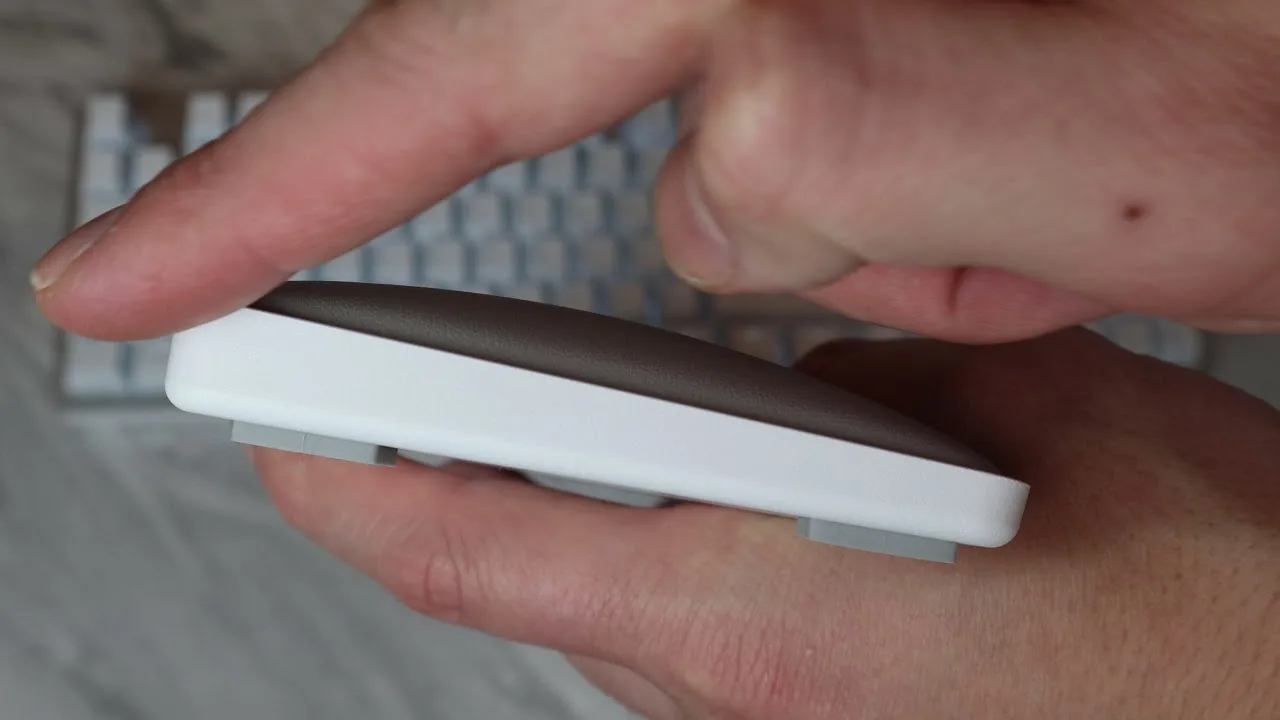 Tech Adventure
The Razer Pro Type Ultra is a $160 business-oriented keyboard …
Tech Adventure
The Razer Pro Type Ultra is a $160 business-oriented keyboard …
The Razer Pro Type Ultra is a $160 business-oriented keyboard targeting professionals who want Razer branding in office environments. It features a mercury silver/white colorway with white backlighting (no per-key RGB), Razer yellow switches, and a non-magnetic cushioned wrist rest. Dedicated productivity keys include volume/mute, email launcher, refresh, and calculator. The reviewer appreciates the switch feel and aesthetics but finds it too similar to gaming keyboards, lacking true ergonomic features like split keys or lower profile that would better serve productivity users.
- →Best for Razer fans wanting subtle branding in professional settings
- →Consider if you prioritize switch feel over ergonomic features
- →Skip if you need true split-key ergonomic design
- →Pair with Pro Click mouse for cohesive workspace setup
- →Evaluate against MX Master keyboards at similar price
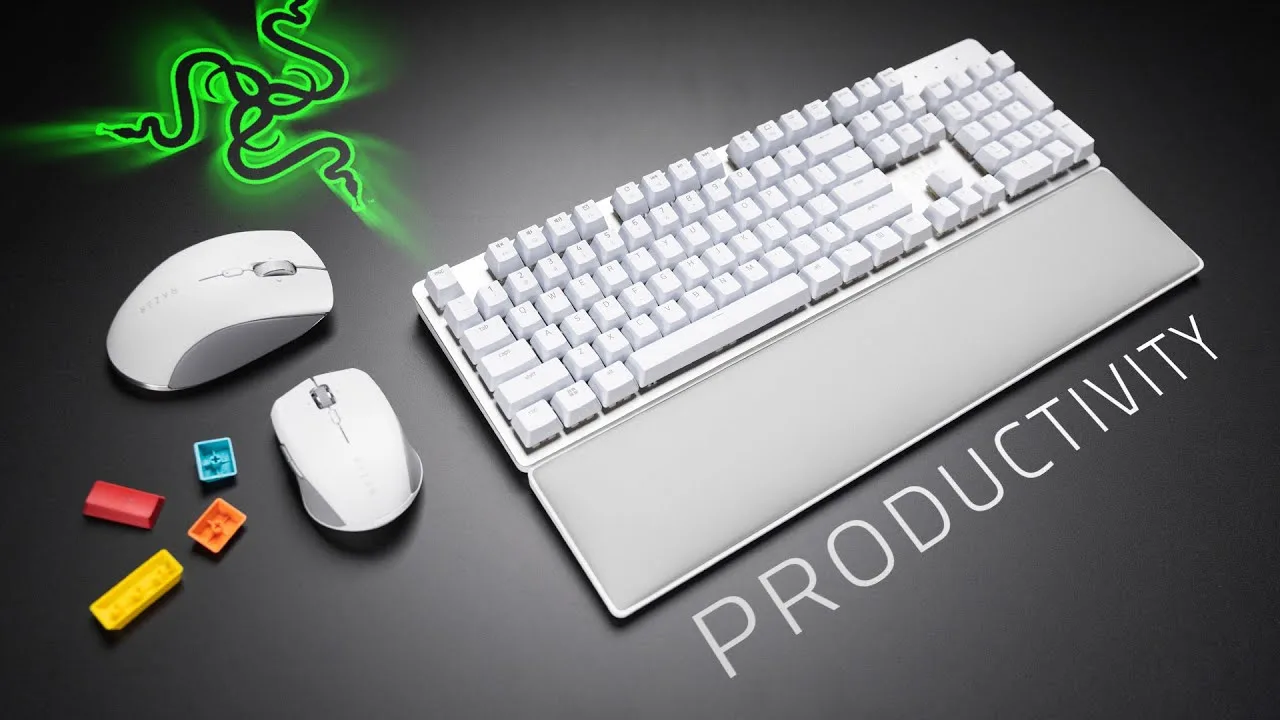
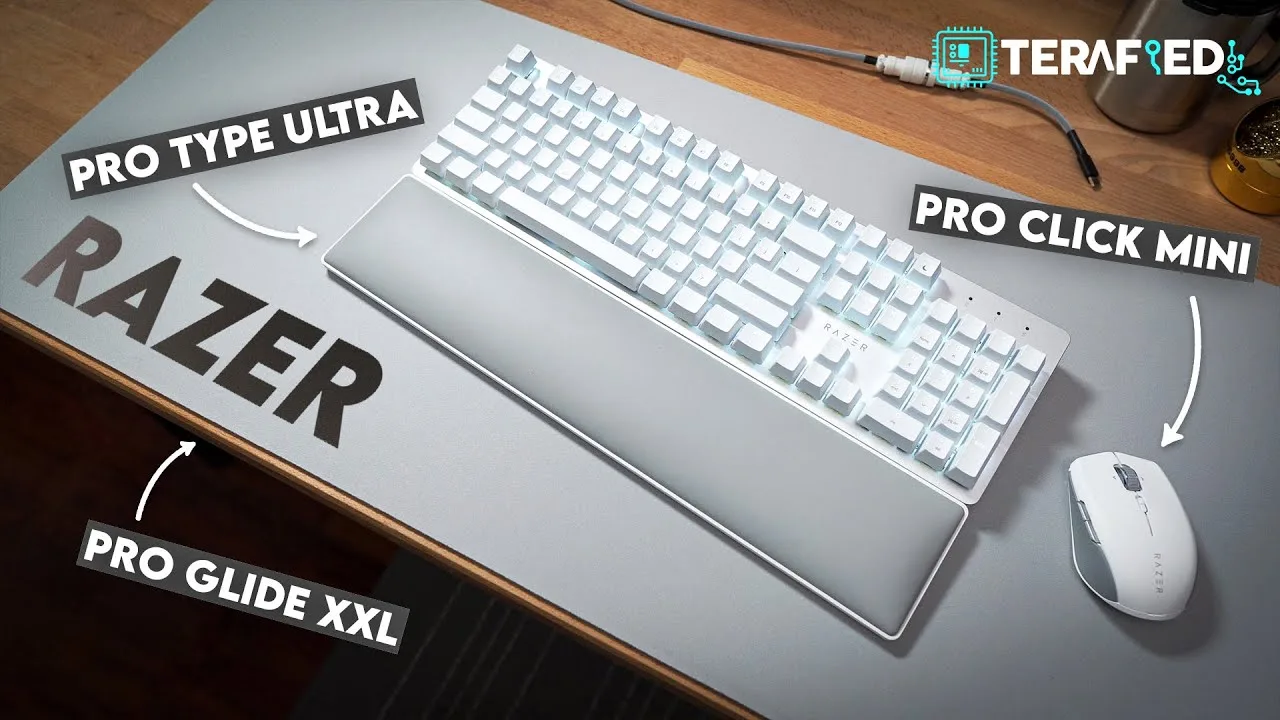 Terafied
The reviewer has been using the Razer Pro Type Ultra wireless …
Terafied
The reviewer has been using the Razer Pro Type Ultra wireless …
The reviewer has been using the Razer Pro Type Ultra wireless mechanical keyboard for approximately two months as part of Razer's productivity ecosystem. While the review primarily focuses on the Proclick Mini mouse, the keyboard is introduced as the first component of the three-item Pro setup. The reviewer describes their overall experience with the entire setup as "quite interesting" with both pros and cons, though specific details about the keyboard's performance, feel, or features are not elaborated upon in the provided content.
- →Part of Razer's expanding productivity peripheral ecosystem
- →Wireless mechanical keyboard designed for professional use
- →Intended to pair with Proclick Mini mouse and Proglide desk mat
- →Two-month usage period suggests reasonable durability assessment window
 Hardware Canucks
The Pro Type Ultra is a $160 full-size wireless mechanical keyboard …
Hardware Canucks
The Pro Type Ultra is a $160 full-size wireless mechanical keyboard …
The Pro Type Ultra is a $160 full-size wireless mechanical keyboard targeting productivity users rather than gamers. Features anodized aluminum frame with plastic chassis, minimal flex, and white/silver aesthetic matching Razer's Pro lineup. Includes numpad for professionals working with numbers. Ships with Razer yellow linear switches, soft-touch coating to resist fingerprints, and two adjustable kickstands (6° or 9°). Comes with a cushioned wrist rest that aligns with the frame. Keycaps are ABS plastic with some off-centered text positioning noted as a QC issue. Wireless connectivity supports pairing with up to four devices via Bluetooth or 2.4GHz dongle.
- →Ideal for professionals needing numpad for data entry
- →Best suited for multi-device workflows with Bluetooth switching
- →Prioritizes aesthetics and comfort over enthusiast switch feel
- →Consider waiting for keycap QC fix before purchasing
- →Strong upgrade from basic sub-$50 membrane keyboards
 Laptop Buying Guide
The Razer Pro Type Ultra refines its predecessor with significantly …
Laptop Buying Guide
The Razer Pro Type Ultra refines its predecessor with significantly …
The Razer Pro Type Ultra refines its predecessor with significantly improved battery life, addressing the original's biggest weakness. Its minimalist silver metal deck and crisp white keys create a sophisticated aesthetic, while the full-sized layout includes a number pad and media keys. Dual pop-up kickstands enable customized ergonomics. The switch to Razer Yellow Mechanical linear switches delivers faster actuation and a smooth, responsive typing experience suited for fast typists. A premium leatherette wrist rest and convenient dongle storage compartment add practical comfort. However, the lack of macOS-specific optimizations may deter Apple users. Overall, it succeeds as a stylish, functional high-performance mechanical keyboard.
- →Ideal for fast typists wanting responsive linear mechanical switches
- →Well-suited for professionals prioritizing extended battery life
- →Best for Windows users due to limited macOS optimization
- →Good fit for those wanting elegant aesthetics with full-size functionality
- →Recommended for extended typing sessions with included wrist rest
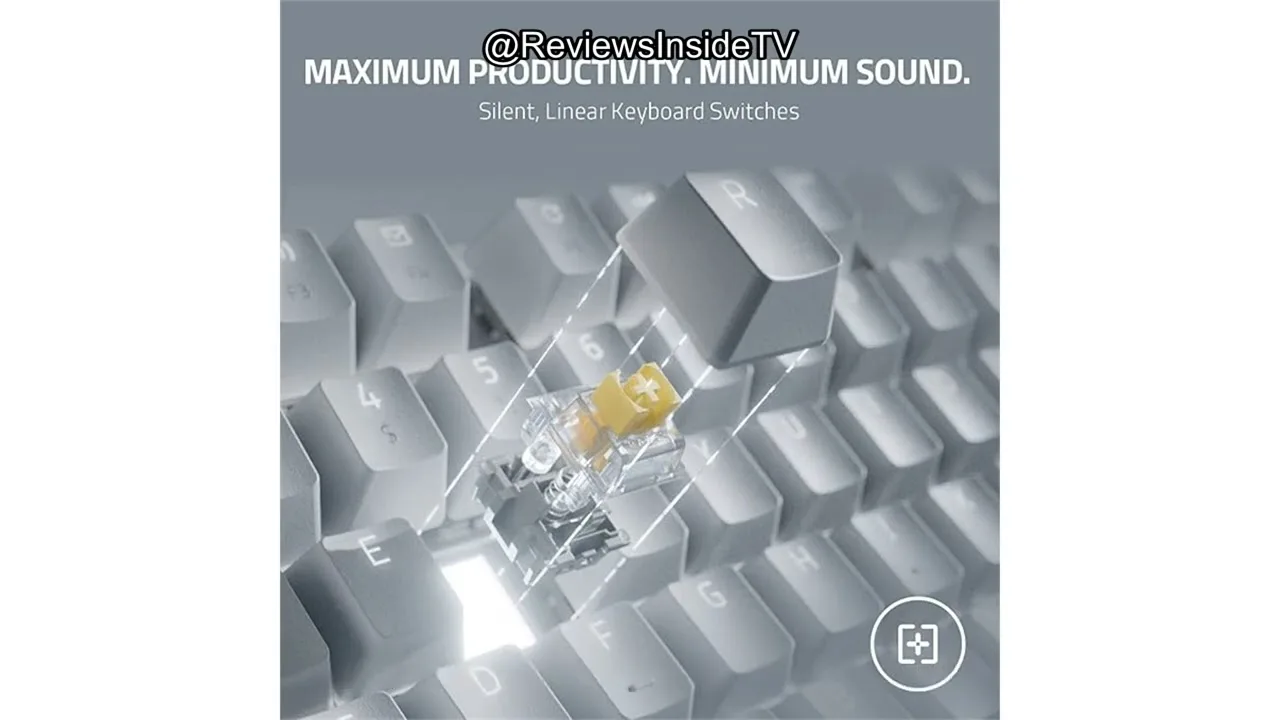 Reviewsinside
Designed for productivity-focused users, this wireless mechanical …
Reviewsinside
Designed for productivity-focused users, this wireless mechanical …
Designed for productivity-focused users, this wireless mechanical keyboard delivers an exceptionally quiet typing experience through silent switches and sound-dampening foam. The cushioned wrist rest provides comfort during extended use, while multi-device connectivity supports seamless switching between up to four devices. ABS keycaps with soft-touch coating resist fingerprints and feel premium. Customization options include key remapping, macro recording, and shortcut creation. Build quality appears durable with an 80 million keystroke rating. Minor issues include occasional switching delays between devices and a larger footprint than ultra-compact alternatives. Overall, it suits professionals prioritizing silence and ergonomics over minimalism.
- →Ideal for shared offices requiring minimal typing noise
- →Best suited for professionals juggling multiple devices daily
- →Strong choice for long typing sessions needing wrist support
- →Creative software users benefit from extensive macro customization
- →Not recommended for those wanting compact, minimal designs
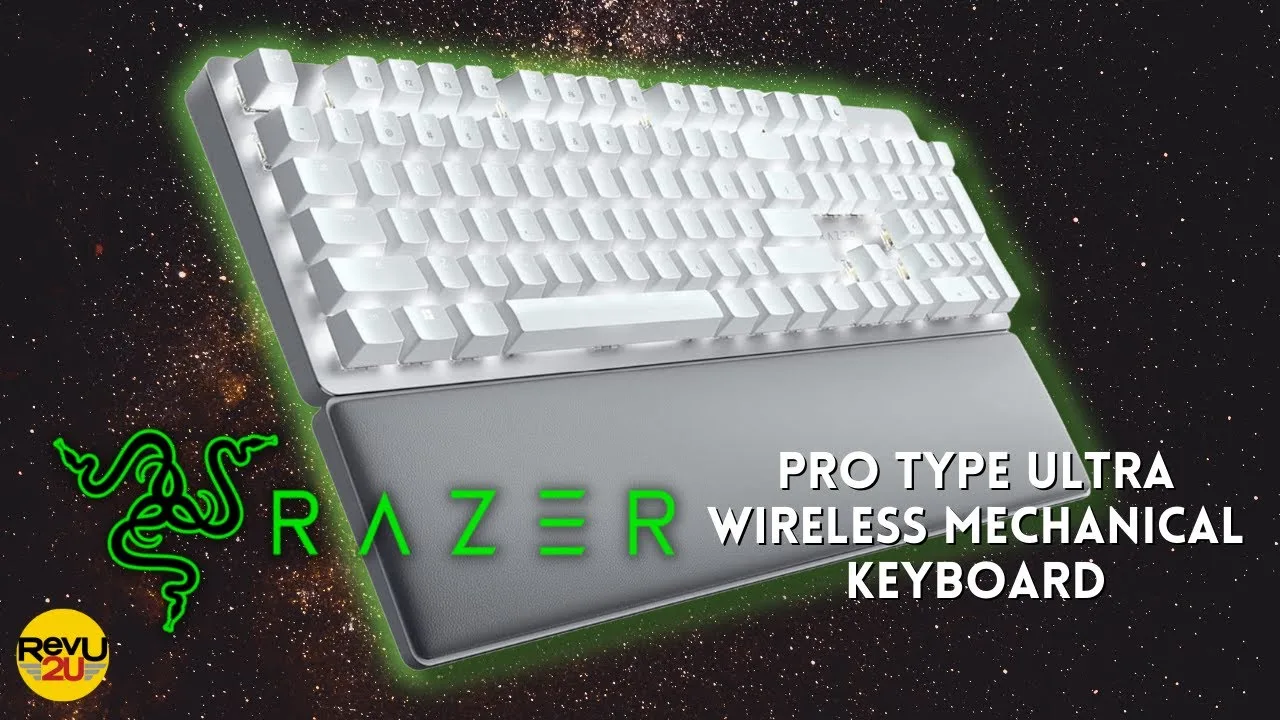 Revu2u
Constructed with an aluminum frame and plastic coating, this keyboard …
Revu2u
Constructed with an aluminum frame and plastic coating, this keyboard …
Constructed with an aluminum frame and plastic coating, this keyboard delivers a robust, premium feel. Silent mechanical switches with sound foam aim to reduce typing noise, though multiple users note it remains noticeably audible. The soft-touch coated keys resist fingerprints while programmable function keys add customization. Versatile connectivity includes 2.4 GHz wireless, Bluetooth, and USB-C with charging capability. Battery life reaches 8-9 days without backlighting or 13 hours with it enabled. A cushioned wrist rest enhances comfort during extended use. Razer Synapse compatibility enables multi-device wireless receiver sharing. Despite solid comfort and responsiveness, the integrated battery underperforms expectations for this price tier.
- →Best suited for home office use where moderate noise is acceptable
- →Ideal for existing Razer ecosystem users seeking aesthetic consistency
- →Consider only if USB-C charging convenience outweighs battery limitations
- →Not recommended for shared quiet workspaces despite 'silent' marketing
- →Wrist rest inclusion makes it viable for extended daily typing sessions
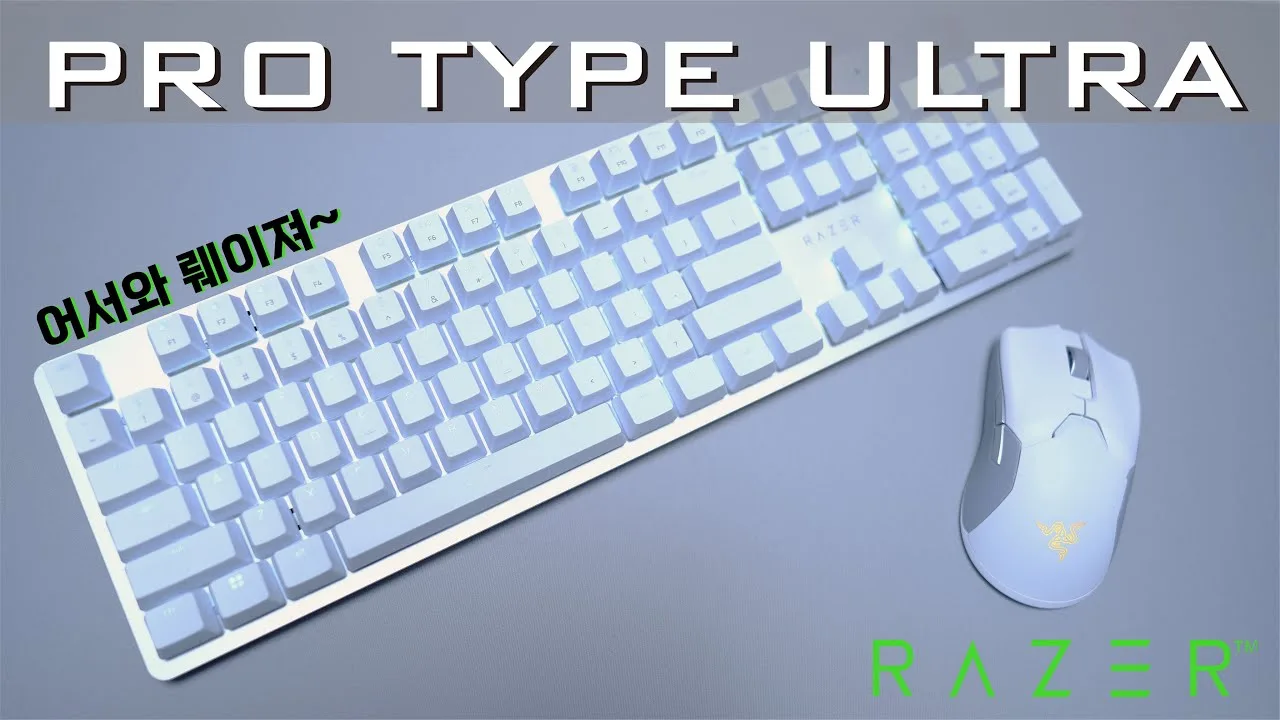 지옥고라니
A first-time Razer user reviews the Pro Type Ultra, a white …
지옥고라니
A first-time Razer user reviews the Pro Type Ultra, a white …
A first-time Razer user reviews the Pro Type Ultra, a white office-focused mechanical keyboard featuring silent Yellow switches, tri-mode connectivity (2.4GHz, Bluetooth, wired), and multi-device pairing up to 4 units. Purchased via Amazon import for approximately 200,000 KRW. Notable hardware includes a plush artificial leather palm rest, soft-touch ABS keycaps with fingerprint-resistant coating, and white LED backlighting. Battery life varies dramatically: 207-214 hours with lighting off, but only ~13 hours at maximum brightness. The reviewer found the default multimedia key mapping for F1-F12 frustrating, requiring Fn key combination or Synapse software to restore standard function key behavior. Build quality impressed with premium silver top plate aesthetics, though some typing noise remains despite "silent" switch marketing.
- →Ideal for office workers prioritizing multi-device wireless workflows
- →Disable backlighting completely for practical battery endurance
- →Gaming use possible but F-key remapping essential first
- →Consider official Korean distribution for domestic key legends
- →Pair with Razer Pro Click Mini and Pro Glide for complete desk setup
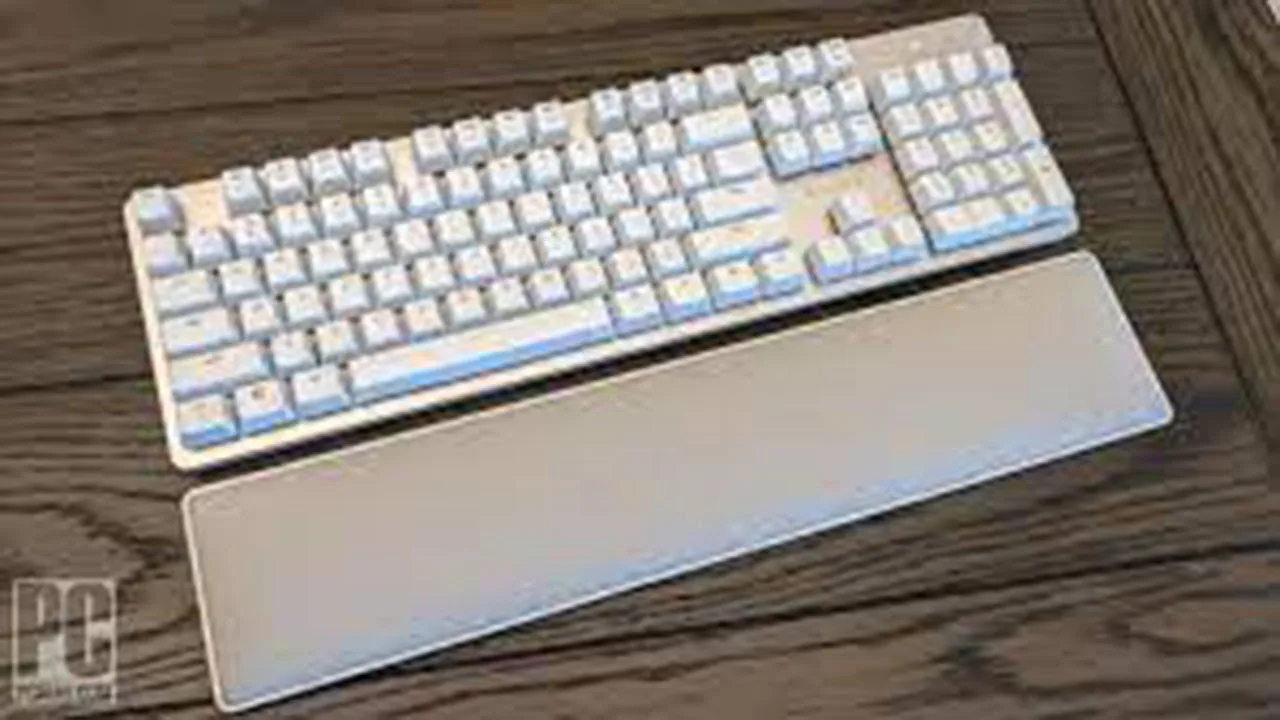 Product Review 24
Razer Pro Type Ultra refines the company's productivity keyboard with …
Product Review 24
Razer Pro Type Ultra refines the company's productivity keyboard with …
Razer Pro Type Ultra refines the company's productivity keyboard with faster linear switches, dramatically improved battery life, and added comfort features. The full-size 104-key design maintains a clean aesthetic with white backlighting, while new Yellow switches deliver responsive, quieter typing compared to tactile alternatives. Battery life extends to over 200 hours with backlight off, though bright illumination drains power rapidly. Multi-device wireless connectivity and extensive customization through Synapse 3 enhance versatility, though the software requires account creation and pushes Razer ecosystem content. The cushioned leatherette wrist rest and dual-angle feet improve ergonomics, though the premium price and lack of extras like USB passthrough may give budget-conscious buyers pause.
- →Ideal for fast typists prioritizing speed over tactile feedback
- →Best suited for multi-device workflows with desktop, laptop, tablet
- →Disable backlighting for maximum wireless battery endurance
- →Productivity-focused users may find gaming-leaning software intrusive
- →Requires regular cleaning maintenance due to key gap design
Community Discussions via Reddit
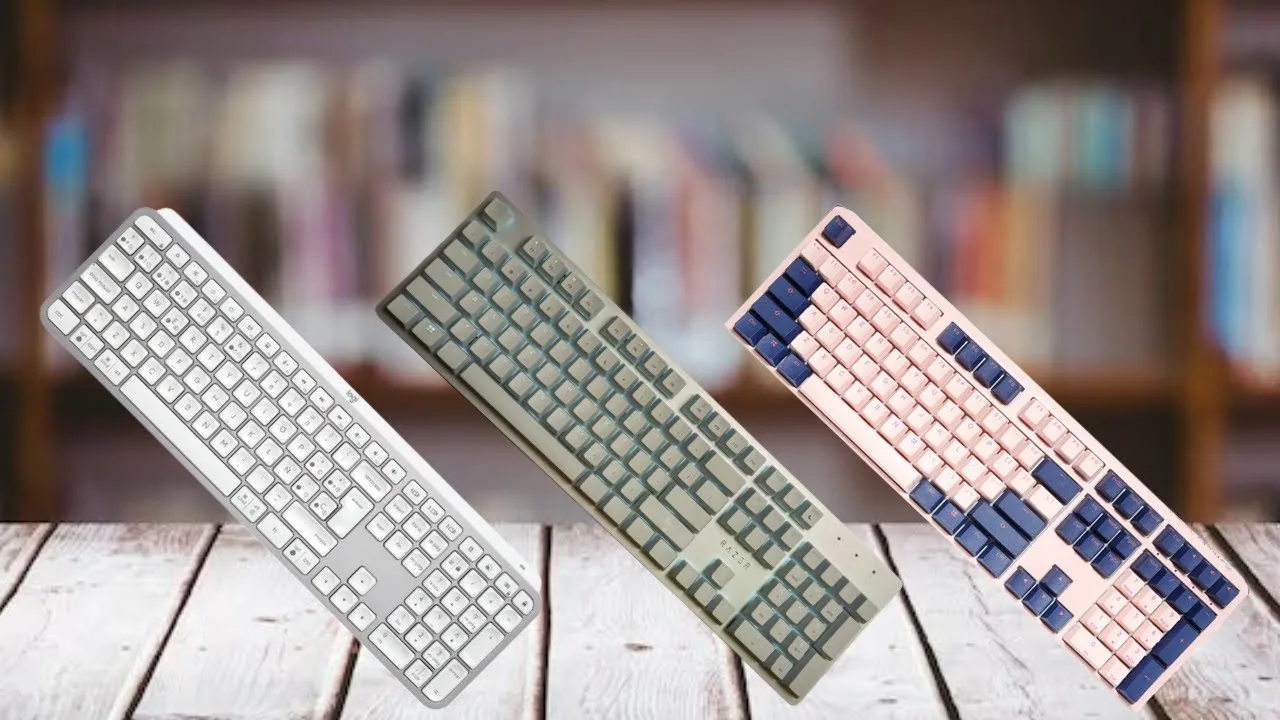
Comparison
r/razer
u/NofearAngel
After 6 months of daily use, the owner of a Razer Pro Type Ultra experienced significant paint wear on the keycaps, with Razer declining warranty coverage due to regional authorized dealer restrictions. The user found replacement keycaps difficult to obtain at reasonable prices, with available options lacking proper key legends for productivity use. The community noted that Razer's official PBT keycap sets ($30) would solve the paint wear issue since they aren't painted, though these sacrifice media legends on the function row. The core issue appears to be durability of stock keycaps under daily productivity use and inconsistent international warranty support.
Key Insights
- →Stock keycaps are painted and not durable for daily productivity use over 6+ months
- →Best suited for users willing to immediately upgrade to PBT keycaps or accept eventual legend wear
- →Purchase only from authorized dealers in supported countries to ensure warranty validity
- →Consider aftermarket Cherry-compatible keycaps as necessary upgrade for longevity
- →Not ideal for buyers expecting 2+ year durability from stock components without modifications
Top Comments
I’m not trying to be defensive, I’m just trying to help. Razer’s keycap sets are $30, which doesn’t sound unreasonable to me, but I don’t know what you mean by “they are WASD.” I think the biggest …
Thanx I think I misunderstood the marketing. Its not just WASD keys the pictures just look like it was only 4 keys. In our country the cheapest is $55 and my point is if I have to buy $55 keycaps …
Haha yeah, I wish. I think the coating is just sub standard and especially on such an expensive keyboard and then Razer having no replacement that affordable or available in my country. Instead of a …
Long-term Update
r/razer
u/bigpuppyman
The author, bigpuppyman, provides a 4-year retrospective of Razer ownership with specific focus on the Pro Type Ultra keyboard. After initially believing a Synapse update removed FN key remapping functionality, they discovered it actually *added* long-requested software-enabled FN lock capability. The post emphasizes Razer's exceptional out-of-warranty support, having received free replacements for a bloated Blade 15 battery (2 years old) and a worn Wolverine controller. For the Pro Type Ultra specifically, the key development is the newly added FN lock feature that the community had been requesting. The author notes this is a rare positive post in a forum typically dominated by complaints.
Key Insights
- →Best for users invested in Razer ecosystem who value software customization and FN key programmability
- →Recent Synapse update finally delivered long-requested FN lock functionality, addressing a key community complaint
- →Razer's support infrastructure actively monitors Reddit and responds quickly to product concerns
- →Feature updates may require user education — check with support if functionality appears to change
- →4-year ownership context suggests durable build quality when combined with Razer's replacement policy
Top Comments
Same and great support on products after warranty had been 1-2years past. I’ve only payed for 3 Razer Mice the og naga an Epic and a death adder, I had the epic cable replaced free of charge and then …
You don't see a lot of positive outcomes in these sorts of product specific forums in general. Go the Alienware sub and you will see a lot of the same thing. I personally don't have enough history …
I'd like to weigh in as well; I've been buying Razer since 2011 and own a total of 50 Razer products (keyboards, mice, accessories, headsets, clothing, Sneki merch). I have NOT owned the Raptor, …
Troubleshooting
r/razer
u/mzeinh
Owner mzeinh purchased the Razer Pro Type Ultra keyboard in April for approximately $150 as part of a $300 work/gaming setup. After 2 months of ownership, the Bluetooth functionality completely failed—the keyboard lights up and works in 2.4GHz and wired modes, but shows no lights or responsiveness when switched to Bluetooth. Razer support authorized a replacement, with the owner opting to purchase a new unit first rather than ship the broken one due to work dependency. The experience was soured further when the paired Razer Pro Click mouse suffered identical Bluetooth failure after 4 months total. The owner abandoned the replacement process entirely, seeking a refund and vowing never to purchase Razer products again due to unacceptable durability at premium pricing.
Key Insights
- →Critical Bluetooth hardware reliability issue appears within 2-4 month window based on owner experience
- →Product unsuitable for users dependent on Bluetooth connectivity as primary or backup connection method
- →2.4GHz and wired modes serve as functional fallbacks but defeat wireless convenience purpose
- →Work-from-home professionals should consider redundancy given failure rate and replacement logistics
- →Community commentary focuses on broader Razer reliability concerns rather than defending this specific product
Top Comments
I still buy their periferhals but probably won't buy a Razer blade anymore. The battery swelled on my late 2016 last year. Doesn't sound too bad I guess since it was 5 years old, but I keep reading …
This is a Fakespot Reviews Analysis bot. Fakespot detects fake reviews, fake products and unreliable sellers using AI. Here is the analysis for the Amazon product reviews: >**Name**: Razer Pro …
Another thing you can do is take your razer keyboard that is synapse 3 compatible and mod it. This is what I did with my razer black widow elite: * De-soldered all keys and replaced the razer …
Troubleshooting
r/razer
u/goombzie
A Razer Pro Type Ultra owner reports significant keycap coating degradation after approximately 14 months of use (purchased mid-2023), with visible paint/coating rubbing off documented across March-July-August 2024. The user notes this is unprecedented compared to their previous Razer keyboards. Community discussion reveals consensus that the keyboard uses cheap ABS keycaps with a thin clearcoat rather than durable PBT, making them susceptible to wear from skin oils, acidic sweat, and friction. Multiple commenters confirm this is a materials quality issue rather than user hygiene, with some noting the 'typing grade' branding does not translate to superior durability. The recommended workaround is third-party PBT keycap replacement.
Key Insights
- →Keycap durability is a significant long-term weakness requiring replacement within 1-2 years of regular use
- →The 'typing grade' positioning does not indicate superior keycap material quality versus gaming keyboards
- →Replacement with PBT keycaps (such as Razer's Mercury set) is widely recommended as essential upgrade
- →Users with acidic skin oils or intensive typing/gaming habits will experience accelerated wear
- →Not suitable for buyers expecting premium durability at this price point without aftermarket modifications
Top Comments
Since you don't use double shot ppt, you need to wash your hands. This is typical from greasy fingers on cheap key caps.
Sheesh... either you sweat a lot or you got a lot of oil on your keybaord. Ive been using mine(albeit a standrad Blackwidow) for years and never had my keys like that before.
if anything the typing grade should be more resilient than a gaming keyboard, it's just razer cheaping out on the coating, on my huntsman all I've ever had was some of they keys getting more shiny.
Scores based on weighted analysis of 21 expert and community sources. How we review →