

Logitech MX Keys S
Best For
- Professionals in quiet offices
- Users who switch between devices
- Those who value long battery life
Consider Carefully
- Typists needing adjustable typing angles
- Individuals seeking Touch ID integration
- Users on a tight budget
Jump to Section
The Bottom Line
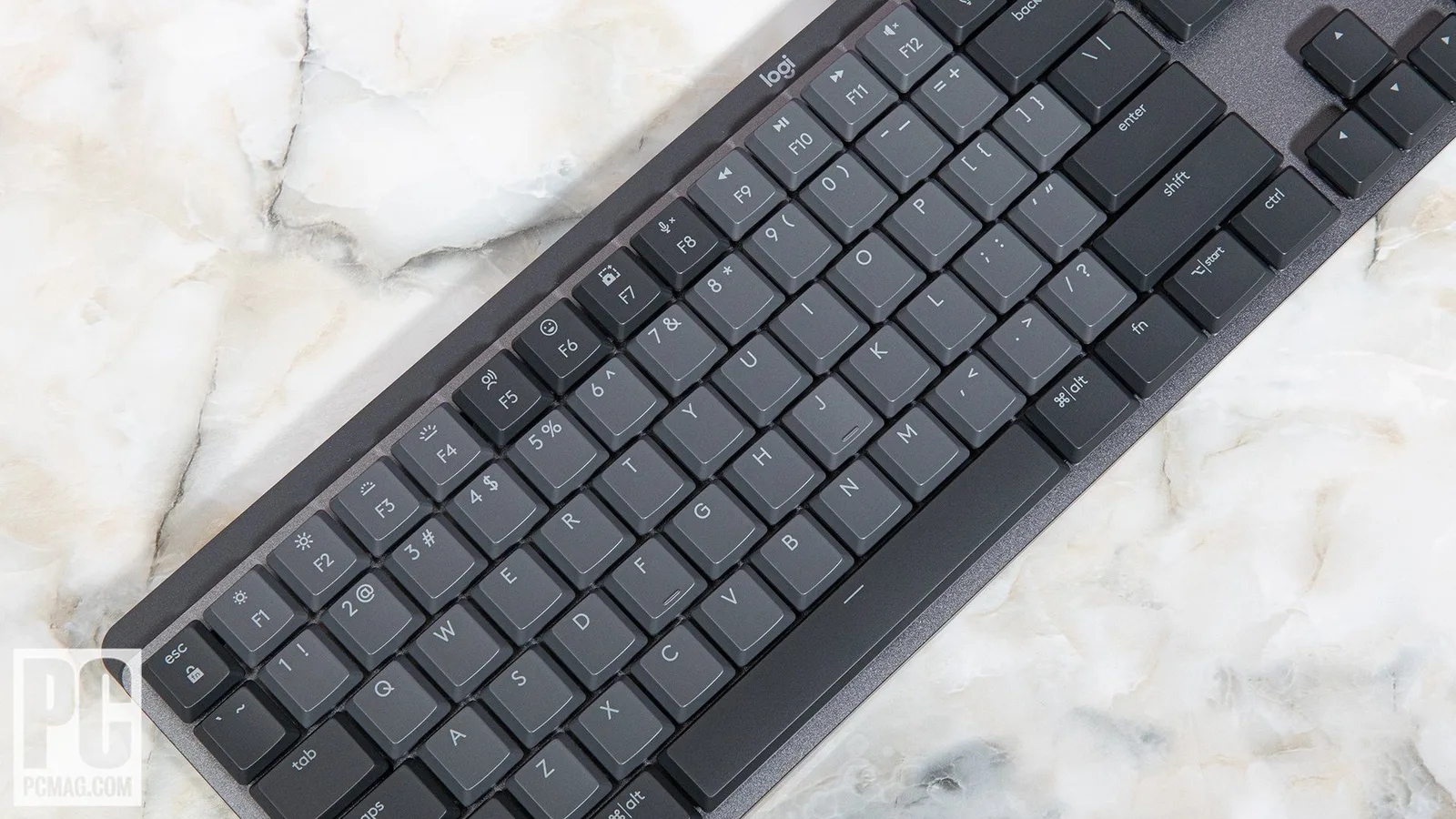
The Logitech MX Keys S is a wireless keyboard that scores high on versatility and ease of use, particularly for those who work across multiple devices. What we found most impressive is its typing feel; it utilizes concave keycaps and scissor switches which, according to techgearlab.com, provide 'excellent tactile feedback'. This keyboard is praised for its quiet operation, ideal for shared workspaces, and its smart backlighting with proximity sensors that save power. A unique feature is the dedicated emoji button, adding a fun touch for quick access. Battery life is also commendable, with 10-day longevity with backlight and up to 5 months without it. However, there are trade-offs: some users might be disappointed by the lack of a USB-A bolt receiver storage slot, absence of adjustable feet, and the thin, uncomfortable optional wrist rest.
Performance Breakdown
Expert Scores
How 6 professional publications rated this product
In-Depth Analysis
Multi-Device Connectivity 92
12 of 14 sources call multi-device switching a standout strength, with seamless Bluetooth and Logi Bolt support across three devices and dual Windows/Mac labeling built in.
Key Takeaway
→If you work across Mac and Windows or juggle a laptop, tablet, and desktop, this is one of the cleanest multi-device keyboard solutions at this price. Just check your dongle situation first.
Battery Life 91
Four sources confirm up to five months of battery life with backlighting off, and 10 days with it on. No meaningful dissent across seven sources.
Key Takeaway
→Turn off the backlight and you'll charge this keyboard a handful of times a year. It's one of the least frustrating things about owning it.
Typing Feel & Feedback 90
Quiet, crisp scissor switches with spherically concave keycaps earn near-universal praise across 15 sources, though the 60g actuation force and shallow travel will turn off anyone coming from a mechanical board.
Key Takeaway
→If you type in shared spaces and want a laptop-feel keyboard that's actually good, this delivers. If you need mechanical feedback or low actuation force, look elsewhere.
Productivity Features 89
Dedicated emoji, dictation, and mute keys plus Smart Actions automation make a compelling productivity case, with the only hard gap being the absence of Touch ID due to Apple's biometric restrictions.
Key Takeaway
→If you live in video calls, use dictation, or want one-button workflow automation, the productivity features justify the price. The missing Touch ID stings less if you use a password manager.
Ergonomics & Comfort 87
The fixed 6-degree typing angle and concave keycaps earn strong marks from 10 sources, but the lack of adjustable feet means users who prefer flat keyboards have no recourse.
Key Takeaway
→If you type for long stretches and want a keyboard that handles wrist angle without accessories, this is a strong pick. If you prefer flat keyboards or need angle adjustment, the fixed design will bother you.
Build Quality & Design 84
Premium aesthetics and solid construction earn consistent praise, but three sources flag the $109.99 price as hard to justify for a non-mechanical keyboard with minimal changes over the previous generation.
Key Takeaway
→If you're buying new and want a premium-feeling full-size wireless keyboard for a clean desk setup, the build holds up. If you own the original MX Keys, there's no hardware reason to upgrade.
Software & Customization 83
Logi Options+ unlocks solid key remapping and Smart Actions automation, but Smart Actions kills the original function of any key it's assigned to and is limited to the top row only.
Key Takeaway
→If you want smart shortcuts and basic workflow automation without scripting, Options+ gets you there. If you need deep, board-wide remapping, the top-row-only Smart Actions limit will frustrate you.
Backlighting System 80
The proximity-sensing adaptive backlight is genuinely clever, but five sources note the white-only output is dim and offers zero color or effect customization.
Key Takeaway
→If you want smart, hands-free backlight behavior for dim environments, this works well. If you want RGB, effects, or even a bright white glow, look elsewhere.
Specifications & Verdict
Design
- Layout
- Mac layout with full modifier keys on both sides
- Dimensions
- 5.2 by 16.9 by 0.8 inches (HWD)
- Weight
- 1.7 pounds
- Color Options
- Graphite, Pale Gray
Switches
- Switch Type
- low-profile scissor switches
- Actuation Force
- just over 60 grams
- Actuation Distance
- 1.9 mm
Connectivity
- Connectivity
- USB-C, 2.4GHz USB wireless receiver, low-energy Bluetooth
- Bluetooth Devices
- up to 3 devices
Power
- Battery
- 1,500mAh
- Battery Life
- up to 10 days
Software
- Software
- Logitech Options+ with Smart Actions
- OS Compatibility
- MacOS and Windows
Other Specs
- Backlighting
- white, intelligent with ambient adaptation
- Special Features
- Dedicated emoji key (F6), mic mute/unmute (F7), speech-to-text (F5), Customizable function keys (F5-F7 for microphone, emoji, dictation)
- Tactile Bump Distance
- 0.65mm
- Key Type
- Non-mechanical, scissor-style with matte finish
- Key Design
- dish-shaped/circle divots
- Keycap Design
- Spherically indented
- Power
- Rechargeable battery
- Charging Port
- USB-C
- Auto Brightness
- smart illumination with ambient light sensor
- Battery Saving Mode
- lights shut off at 10 percent
- Packaging
- Plastic-free
- Angle
- 6°
Our Verdict
With its excellent typing experience and smart features, the Logitech MX Keys S is a solid choice for those seeking a quiet, efficient keyboard. However, considering th lack of certain conveniences like adjustable feet and no onboard storage for 2.4GHz dongle, it may not be the best fit for everyone.
Reader Questions
Specific questions about the Logitech MX Keys S, answered only from what reviewers reported.
01How long does the battery last on the MX Keys S?
Reviewers found the battery lasts around 10 days with backlighting on and up to 5 months with it turned off. USB-C charging is supported.
02Is it quiet enough to use in a shared office?
Yes, reviewers consistently called out the scissor switches as quiet and well-suited to shared workspaces, while still delivering crisp, tactile feedback rather than a mushy feel.
03Can I connect it to multiple computers at once?
The MX Keys S supports up to three devices via Bluetooth or the Logi Bolt USB receiver, with dedicated buttons to switch between them instantly.
04Does it work with both Mac and Windows?
Reviewers confirmed the keycaps are dual-labeled for both operating systems, and the keyboard includes automatic OS detection for cross-platform use.
05Can I adjust the typing angle to suit my preference?
No. Reviewers flagged the lack of adjustable feet as a notable omission, meaning you are locked into the keyboard's fixed angle, which may not suit everyone.
06Is the backlight smart enough to avoid draining the battery quickly?
Reviewers noted the keyboard uses proximity sensors to activate the backlight only when your hands are near, and ambient light sensors to adjust brightness, both of which help conserve battery. Full brightness control does require downloading the Options+ software.
Pricing & Availability
Updated Mar 13, 2026Logitech MX Keys S
Sources & Methodology
Every score is built on evidence. This review synthesizes 17 independent sources — expert publications, video reviews, and community discussions — weighted by credibility, depth, and relevance.
Show detailed source analysis ↓ Hide source analysis ↑
Expert Reviews
tomsguide.com
Top
4/5-point
The Logitech MX Keys S delivers an excellent typing experience through concave keycaps and scissor switches with good tactile feedback. Its dual-labeled keys and automatic OS detection enable seamless work across macOS and Windows, while dedicated Bluetooth buttons and remappable F-keys enhance productivity. The 1,500mAh battery provides 10 days of use with backlighting or 5 months without. However, the white-only backlight is notably dim, there's no onboard storage for the 2.4GHz dongle, and at $109 the price feels steep for the features offered. The keyboard's 1.78lb weight and full-size design make it desk-bound rather than portable.
Strengths
- +Concave keycaps and scissor switches provide excellent tactile feedback
- +Dual-labeled keys with automatic OS detection for cross-platform work
- +Dedicated Bluetooth buttons are better placed than MX Keys Mini
- +Logi Options+ enables easy key remapping and macro programming
Weaknesses
- −White-only backlight is dim and lackluster
- −No onboard storage for 2.4GHz dongle
- −Expensive at $109 for the features provided
- −Heavy 1.78lb weight makes it non-portable
techgearlab.com
Top
4.1/5-point
The MX Keys S delivers an exceptional typing experience centered on its unique dish-shaped keycaps with circular divots that cradle fingertips. Tactile scissor switches require 60+ grams of force with a 0.65mm tactile bump, providing crisp feedback without mushiness. The 6º fixed angle and low-profile 1.9mm travel distance create surprising comfort without needing a palm rest. However, the dish design forces typists to lift fingers between keys, potentially reducing speed for those accustomed to flat keyboards. Performance testing showed strong accuracy (9.2/10) and respectable speed (7.0/10), though the key shape creates a learning curve. Dual-labeled keys support both MacOS and Windows seamlessly.
Strengths
- +Tactile scissor switches with crisp, non-mushy feedback
- +Dish-shaped keys cradle fingertips and reduce slippage
- +6º fixed angle eliminates need for palm rest
- +Consistent key feel across entire board
Weaknesses
- −Dish design requires lifting fingers between keys
- −Fixed angle offers no adjustment options
- −1.9mm travel feels long for low-profile design
- −60g actuation force above average for wireless keyboards
pcmag.com
Top
3.5/5-point
The MX Keys S refines Logitech's 2019 original with subtle hardware tweaks and significant software additions. At $109.99, it maintains the slim 0.8-inch aluminum profile and 1.7-pound weight, now available in Graphite or new Pale Gray. Key updates include adaptive backlighting responding to both hand proximity and ambient light, plus dedicated emoji, mute/unmute, and dictation buttons. The standout feature is Smart Actions in Options+ software—powerful macro automation for streamlining workflows. Battery life reaches 10 days with backlighting or five months without. Multi-device connectivity supports three simultaneous Bluetooth or 2.4GHz connections across Windows, macOS, ChromeOS, Linux, iPadOS, and Android. The optional wrist rest disappoints with minimal cushioning.
Strengths
- +Adaptive backlighting adjusts to hand proximity and ambient light
- +Smart Actions enables powerful single-button workflow automation
- +Slim 0.8-inch aluminum profile at just 1.7 pounds
- +Multi-device Bluetooth and 2.4GHz connectivity for three devices
Weaknesses
- −Optional wrist rest lacks plush cushioning and adequate support
- −Shallow key travel may not suit all typing preferences
- −Smart Actions disables the assigned trigger key's original function
- −Premium price point at $109.99 for non-mechanical keyboard
trustedreviews.com
100/100
The MX Keys S delivers a refined office keyboard experience with modern aesthetics and thoughtful software enhancements. Its scissor-actuated membrane keys provide surprising tactility despite low travel, making marathon typing sessions comfortable. The sturdy plastic frame weighs 810g with minimal deck flex. New function keys include dedicated emoji, mic mute, and speech-to-text controls. Battery life remains excellent and unchanged from the previous generation. Connectivity works via Logi Bolt receiver or Bluetooth, supporting both Windows and Mac. The rear bar offers a fixed comfortable typing angle, though lacks adjustable feet. At £109.99/$109.99/€119, it commands premium pricing for a membrane keyboard.
Strengths
- +Sleek graphite and new Pale Grey color options
- +Spherically indented keycaps guide finger placement
- +Dedicated emoji, mic mute, and speech-to-text keys
- +Seamless wireless via Logi Bolt or Bluetooth
Weaknesses
- −No adjustable feet for typing angle customization
- −Premium price point for membrane keyboard technology
- −Virtually identical to previous generation physically
domagojsalopek.com
A premium wireless keyboard with short-travel, laptop-like keys ideal for office environments. Features intelligent white backlighting with adjustable duration and brightness, USB-C charging, and seamless multi-device switching. The subtle elegant design includes concave key wells that aid accurate typing, making it particularly beginner-friendly. Battery life is decent with power-saving sensors that activate lighting only when hands approach. Function keys differ in shape from main keys, creating minor layout awkwardness. The universal version supports both Windows and Mac with dual-labeled keycaps.
Strengths
- +Premium build quality with elegant, office-appropriate aesthetics
- +Intelligent backlighting adapts to ambient light and hand proximity
- +Adjustable backlight duration and fixed brightness options
- +Concave key wells guide fingers for accurate typing
Weaknesses
- −Function keys differ in shape from numeric keys, creating layout awkwardness
- −No different backlighting effects available
- −Minimal upgrades over previous MX Keys generation
forums.appleinsider.com
A high-quality Mac-focused keyboard with exceptional typing feel and thoughtful features. The reviewer, a long-time Logitech user, finds the rounded, matte-finish keys with deep finger wells superior to both Apple's Magic Keyboard and mechanical alternatives. The keyboard offers extensive customization, smart backlighting with proximity sensors, and a comfortable angled design. The only significant drawback is the absence of Touch ID, which Apple restricts to its own products. Battery management is intelligent, with ambient light sensors controlling backlight intensity to preserve power.
Strengths
- +Rounded key edges enable smooth finger sliding between keys
- +Matte finish provides tactile feedback and keeps fingers centered
- +Deep finger wells prevent fingers from slipping off keys
- +Raised back edge creates comfortable downward typing angle
Weaknesses
- −Lacks Touch ID sensor due to Apple restrictions
- −Raised angle design may not suit users who prefer flat keyboards
pcworld.com
80/100
The MX Keys S refines Logitech's 2019 flagship with minimal hardware changes and a focus on software expansion. Physical design remains nearly identical—a solid, full-size low-profile layout with Apple-inspired aesthetics—while gaining smart illumination that auto-adjusts to ambient light. The keyboard switches from Unifying Receiver to Logi Bolt wireless, though Bluetooth remains for broader compatibility. New Smart Actions enable complex macros, though functionality is limited to the top row. A modest price reduction makes this an easy recommendation for those wanting premium non-mechanical typing, provided they don't rely on existing Unifying Receiver investments.
Strengths
- +Excellent low-profile typing feel with refined key travel
- +Smart illumination auto-adjusts to ambient lighting conditions
- +10 Euro price reduction from original MX Keys
- +Full-size layout works seamlessly with Mac and Windows
Weaknesses
- −Smart Actions limited to top row keys only
- −Bolt and Unifying Receiver lack cross-compatibility
- −Smart illumination requires Options+ software to function
- −White-only backlight lacks customization options
appleinsider.com
90/100
A high-speed typist finds the MX Keys S delivers superior typing feel compared to Apple's Magic Keyboard, with rounded, matte-finish keys that provide tactile feedback and keep fingers centered. The Mac layout includes modifier keys on both sides, and customizable function keys add useful shortcuts for microphone, emoji, and dictation. Smart backlighting activates via proximity sensors and adjusts to ambient light to preserve battery life. The keyboard raises at the back for angled typing comfort and charges via USB-C. The sole significant omission is Touch ID, unavailable to third parties, though the reviewer finds this acceptable given 1Password integration reducing fingerprint reliance.
Strengths
- +Rounded key edges with matte finish provide excellent tactile feedback
- +Mac modifier keys on both sides, rare for third-party keyboards
- +Customizable function keys with useful shortcuts for daily tasks
- +Smart backlighting adjusts to ambient light and hand proximity
Weaknesses
- −No Touch ID sensor due to Apple's biometric restrictions
- −Angled design may not suit users who prefer flat keyboards
Video Reviews
 Adam Talks Tech
The Logitech MX Keys S Performance Combo includes the MX Keys S …
Adam Talks Tech
The Logitech MX Keys S Performance Combo includes the MX Keys S …
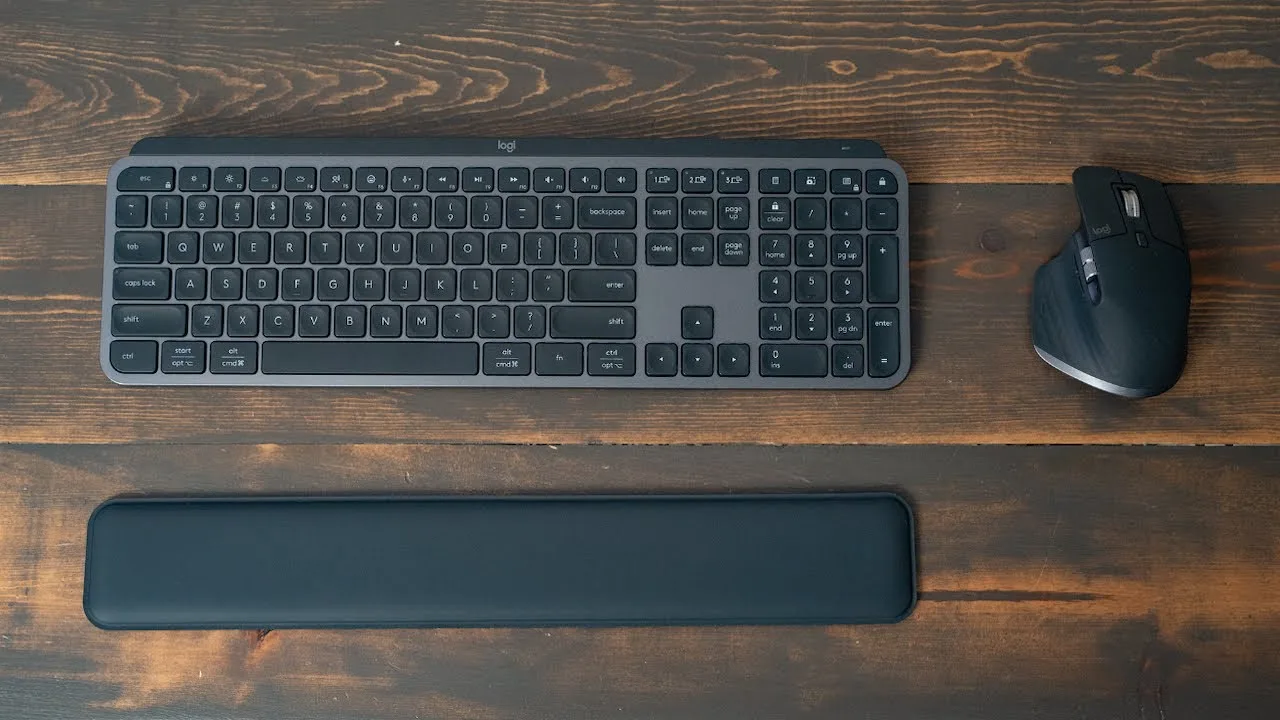
The Logitech MX Keys S Performance Combo includes the MX Keys S keyboard, MX Master 3S mouse, and MX Palmrest in graphite. Designed for Apple users, it offers USB-C charging with ports accessible during use—unlike Apple's Magic Mouse. Battery life reaches 10 days with backlighting or 5 months without. Setup uses three device pairing buttons for Bluetooth, and the Logi Options Plus app enables per-app customization of buttons and gestures. The reviewer found the mouse ergonomic and responsive with tactile buttons, adaptable scroll wheels, and useful side buttons for shortcuts like undo/redo. The horizontal scroll wheel proved valuable for timeline editing in Final Cut Pro.
- →Ideal for users with wrist pain seeking ergonomic alternatives
- →Strong choice for video editors using timeline-based software
- →Best suited for multi-device workflows across Mac, iPad, phone
- →Requires Logi Options Plus for full functionality
- →Good fit for those frustrated with Apple's charging design
 Kova Tech
The Logitech MX Keys S targets productivity-focused professionals with …
Kova Tech
The Logitech MX Keys S targets productivity-focused professionals with …
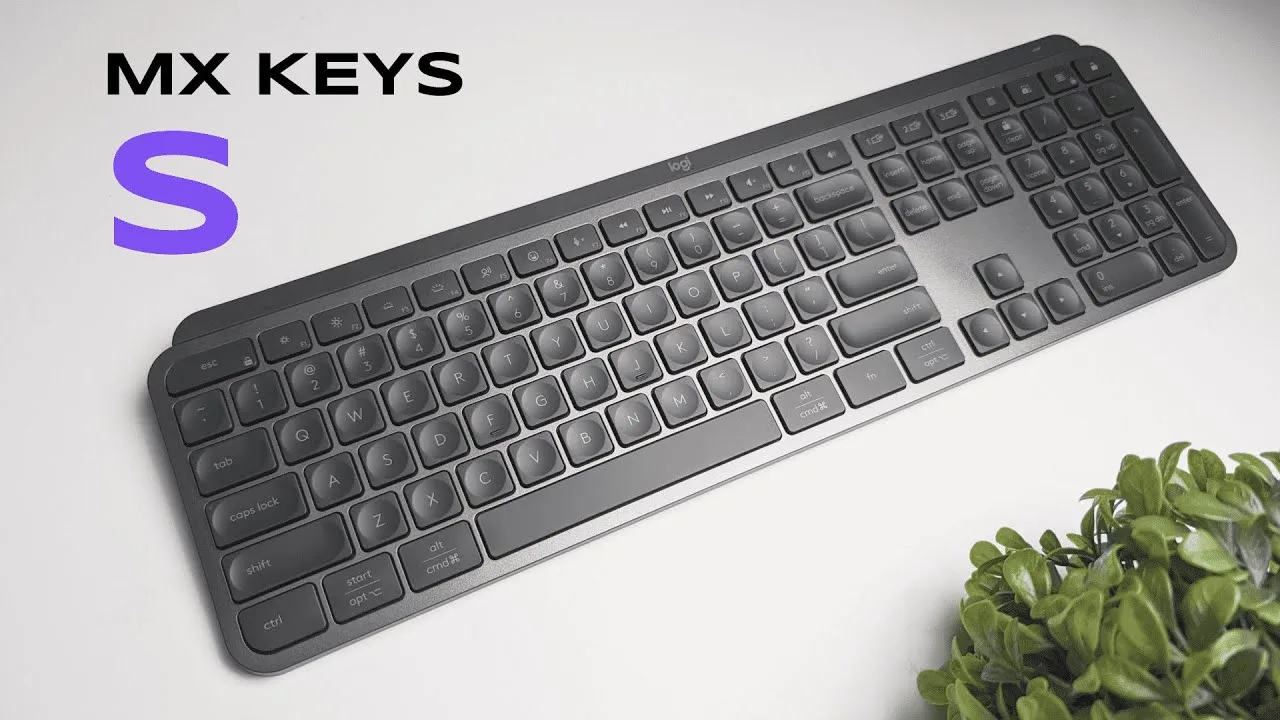
The Logitech MX Keys S targets productivity-focused professionals with an ultra-slim, ergonomic design featuring a subtle angle that props the keyboard for comfortable wrist positioning. The plastic construction feels sturdy with minimal flex, and rubber grips prevent sliding. Concave keycaps with scissor switches deliver quiet, precise typing with virtually no wobble. The keyboard offers Bluetooth and Logibolt USB receiver connectivity, supports three customizable profiles, and includes backlit keys with proximity sensors. Available in graphite, pale gray, or pure black, with full-size and mini variants. The Logi Options+ software enables extensive key customization and app-specific shortcuts.
- →Ideal for open office environments requiring quiet operation
- →Best suited for professionals prioritizing typing ergonomics
- →Strong choice for users wanting extensive key customization
- →Recommended for those preferring low-profile keyboards
- →Good fit for multi-device workflows with profile switching
 Anthony Olivieri
The MX Keys S is a well-built wireless keyboard featuring a plastic …
Anthony Olivieri
The MX Keys S is a well-built wireless keyboard featuring a plastic …
The MX Keys S is a well-built wireless keyboard featuring a plastic and aluminum construction with substantial weight. It offers scissor-switch keys for quiet operation, Bluetooth and Logi Bolt connectivity, and a 1500mAh battery lasting up to 10 days with backlighting or 5 months without. The standout feature is intelligent backlighting with proximity and ambient light sensors. The Mac-specific function row includes dedicated buttons for dictation, emoji, mic mute, media controls, screenshot, spotlight search, and focus mode. Three Easy-Switch buttons enable quick device switching. Logi Options Plus software provides extensive customization and emerging AI integration capabilities.
- →Ideal for Mac users wanting dedicated function row shortcuts
- →Perfect for late-night work with adaptive backlighting
- →Best for multi-device setups mixing Mac and Windows
- →Great for users prioritizing quiet typing over mechanical feel
- →Suitable for those wanting voice dictation and emoji quick access
 Technikfaultier
After six months of daily use, the reviewer finds the MX Keys S …
Technikfaultier
After six months of daily use, the reviewer finds the MX Keys S …
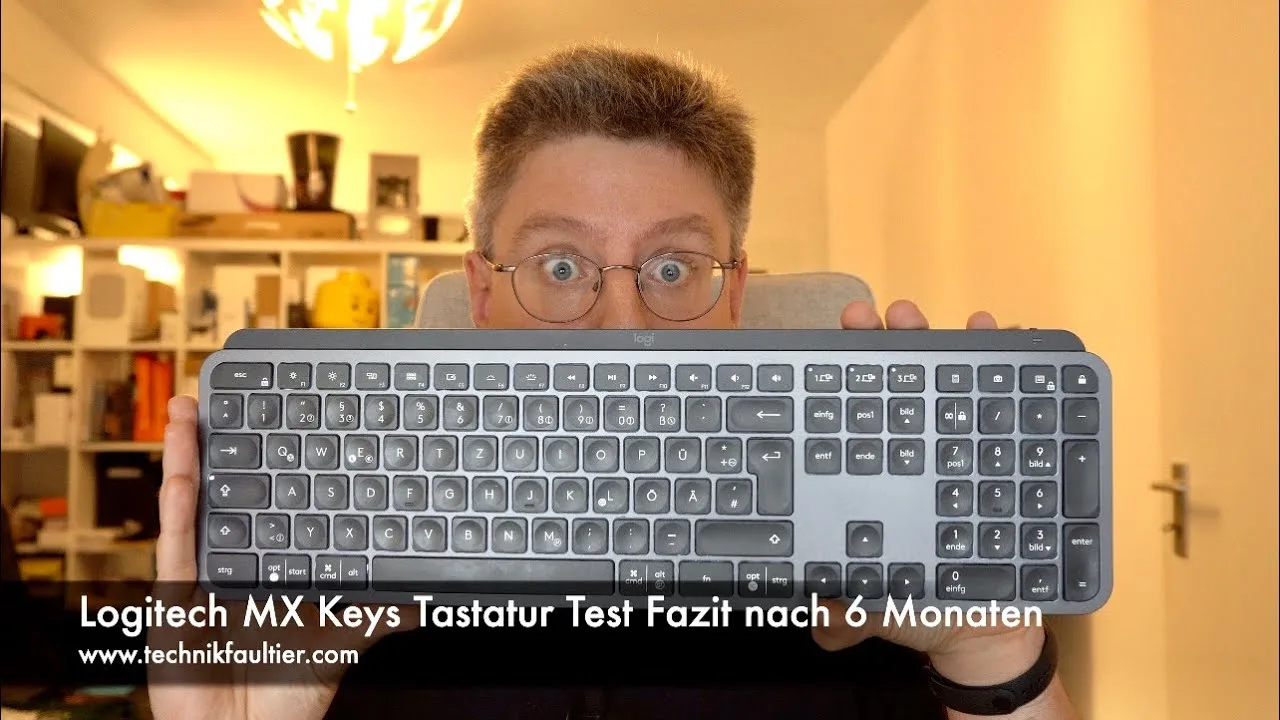
After six months of daily use, the reviewer finds the MX Keys S superior to both Satechi and Apple keyboards previously tested. The substantial weight and firm, responsive key travel create a satisfying typing experience. Concave keycaps improve accuracy compared to flat alternatives. Battery life proves exceptional—lasting six months on a single charge despite frequent backlight use. The proximity sensor automatically illuminates keys when hands approach, though this initially confused the reviewer. USB-C charging is convenient, though non-replaceable battery and inaccurate battery level display on Mac represent minor frustrations. Multi-device connectivity via Bluetooth or Logi Bolt receiver works well for switching between systems.
- →Ideal for users prioritizing long battery life over portability
- →Best suited for multi-device workflows across different operating systems
- →Recommended for those preferring firm, tactile feedback over silent operation
- →Proximity backlight suits users who value automatic convenience features
- →Better choice than Apple keyboards for Windows/Mac mixed environments
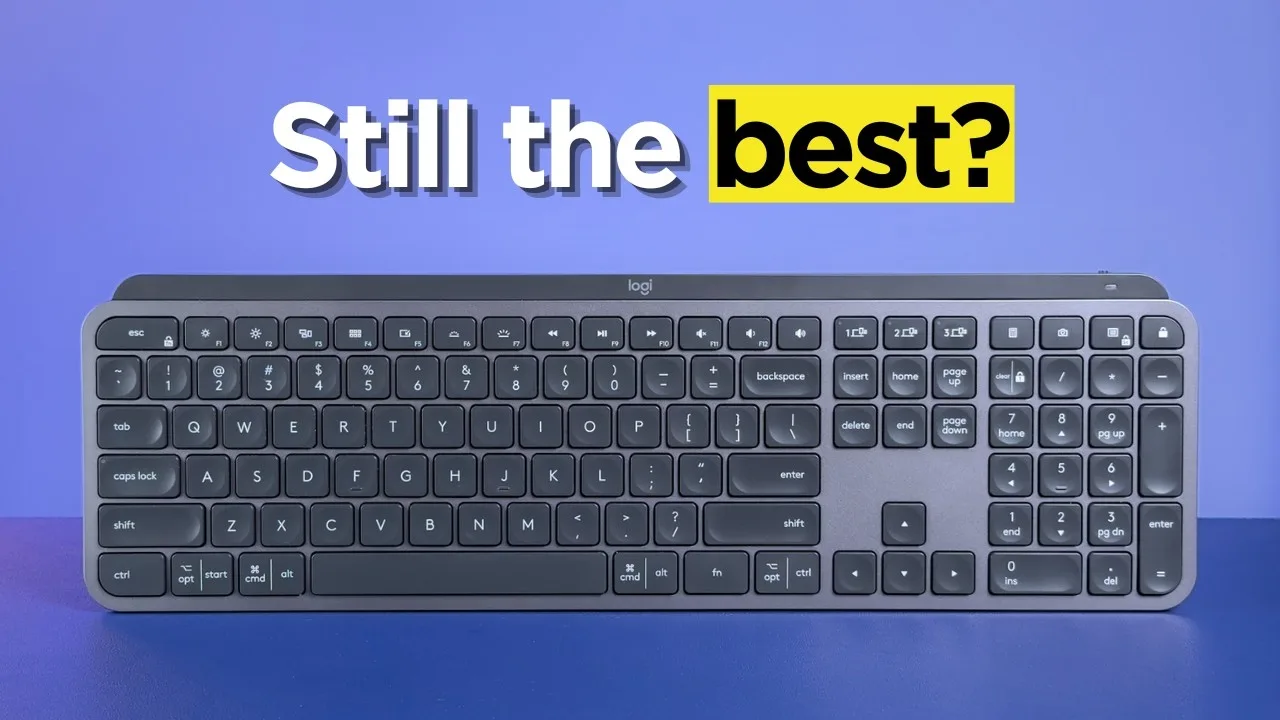 Cameron Dougherty Tech
The MX Keys S represents a minor update to Logitech's popular …
Cameron Dougherty Tech
The MX Keys S represents a minor update to Logitech's popular …
The MX Keys S represents a minor update to Logitech's popular ultra-low-profile keyboard, primarily switching to the Logi Bolt receiver and slightly altering the function row. It maintains the same excellent design: incredibly thin at roughly a quarter-inch thick with a fixed 5-6 degree typing angle. The soft-touch ABS keycaps deliver a luxurious feel, though they will develop shine over time. The non-mechanical typing experience strikes a satisfying balance between laptop and mechanical keyboards. Durability concerns include rubber feet that can detach, worn lettering, and difficult cleaning due to non-removable keycaps. Logitech has partnered with iFixit for repair guides, improving support slightly.
- →Ideal for users wanting laptop-like typing with better ergonomics
- →Best suited for clean office environments given cleaning difficulty
- →Consider Mini version for space-constrained setups
- →Good choice for those prioritizing aesthetics and slim design
- →Repair-minded users benefit from iFixit documentation
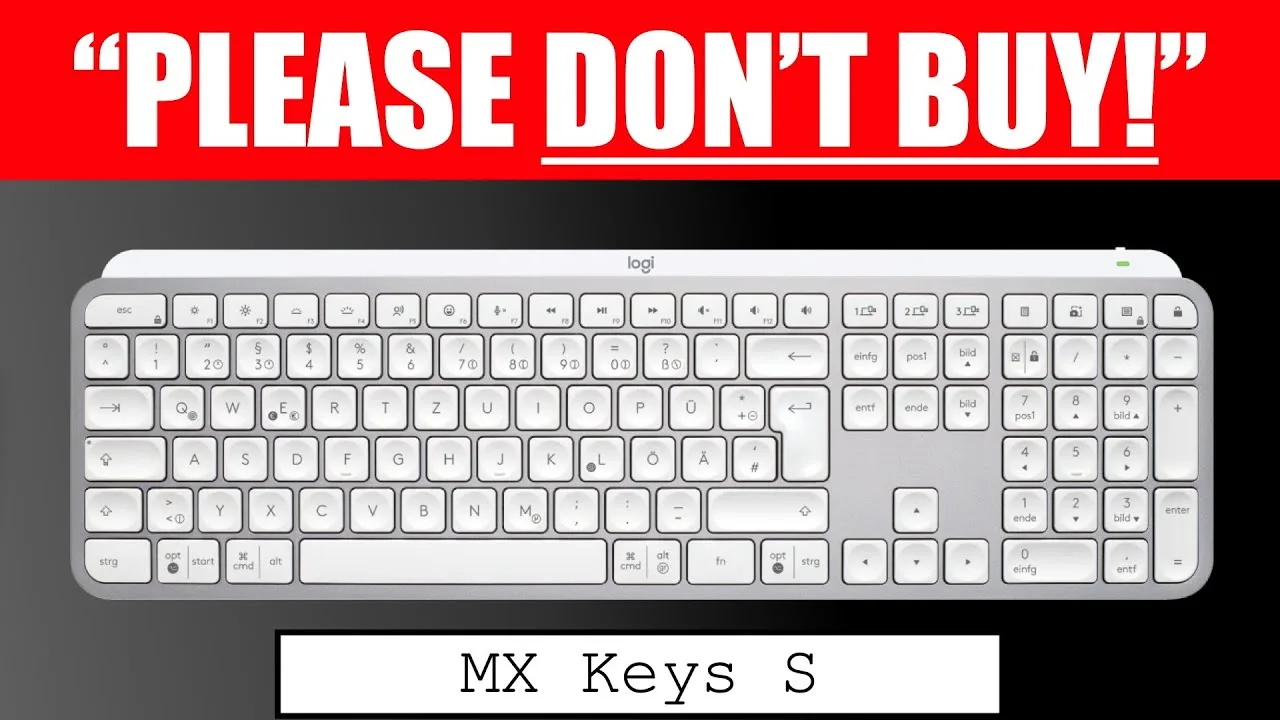 Geezer Into Tech
The Logitech MX Keys S features spherical keycaps that help finger …
Geezer Into Tech
The Logitech MX Keys S features spherical keycaps that help finger …
The Logitech MX Keys S features spherical keycaps that help finger positioning, though they require adjustment. Scissor switches provide quiet operation with moderate travel, making typing comfortable without disturbing others. Smart backlighting with proximity sensors activates when hands approach, primarily serving power-saving purposes. Smart Actions automation allows programming common tasks to single buttons. The slim profile promotes ergonomic wrist positioning on the desk, though the rear angle isn't adjustable. Multi-device support enables switching between three connected devices via dedicated buttons, compatible with both Mac and Windows. Battery life reaches 10 days with backlighting or 5 months without. Connectivity options include Bluetooth and the proprietary Bolt Receiver. Customizable keys include dictate, emoji, mic mute, and snapshot functions.
- →Ideal for quiet office environments and shared workspaces
- →Best for users switching between multiple devices or operating systems
- →Suitable for those prioritizing battery life over constant backlighting
- →Good for users wanting basic automation without complex scripting
- →Not recommended for those needing extensive key customization
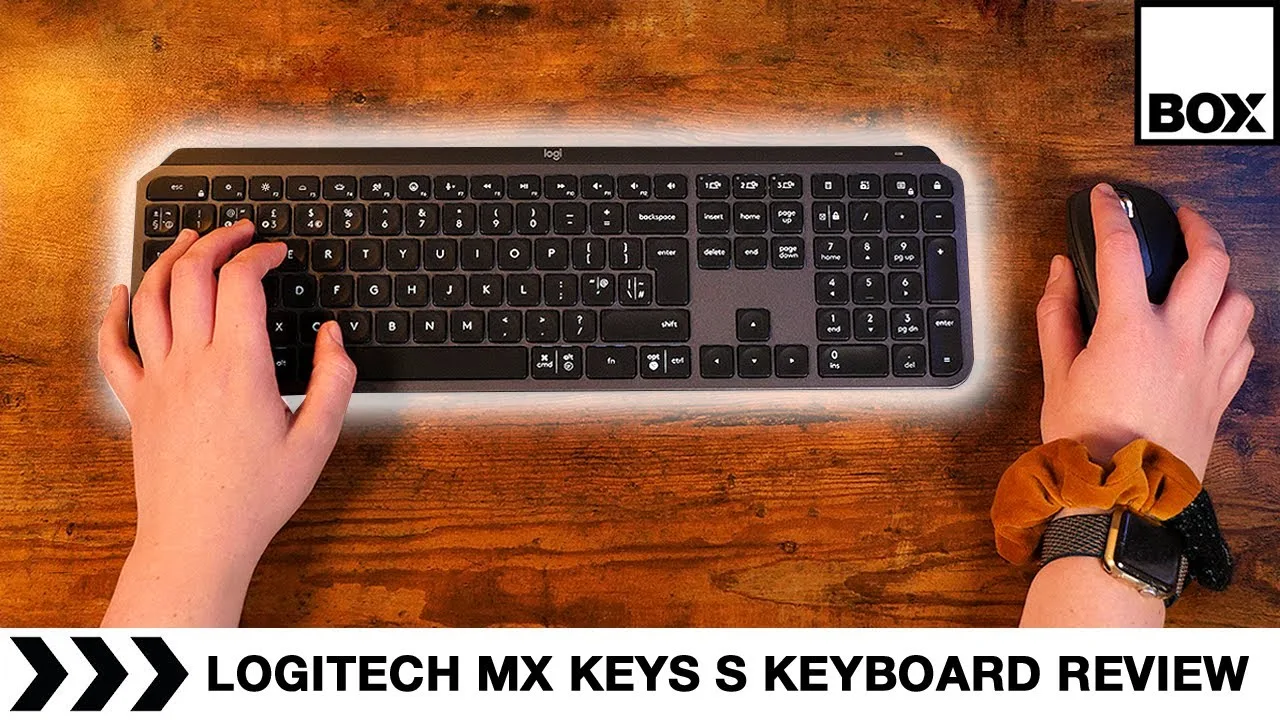 Box.co.uk
The MX Keys S refines an already popular design with thoughtful …
Box.co.uk
The MX Keys S refines an already popular design with thoughtful …
The MX Keys S refines an already popular design with thoughtful additions while maintaining its core strengths. The wireless keyboard offers dual connectivity through Bluetooth and Logi Bolt, with the latter providing instant, reliable pairing across multiple Logitech devices. Its slim, lightweight full-size form factor balances desk presence with portability, though fixed angle adjustment limits ergonomic customization. New dedicated keys for dictation and emoji streamline common workflows, while the Easy Switch system enables seamless toggling between three connected devices. The scissor-switch keys deliver fast, accurate, and near-silent typing with subtle concave shaping for finger guidance. Smart backlighting activates automatically in low light, and USB-C charging with visual battery indicators adds convenience. Sustainable materials and sturdy construction reinforce its office-ready durability.
- →Ideal for multi-device professionals needing seamless switching
- →Perfect for open offices requiring silent operation
- →Great for hybrid workers wanting portable full-size typing
- →Suits users prioritizing sustainability without sacrificing quality
- →Excellent for those using dictation and emoji frequently
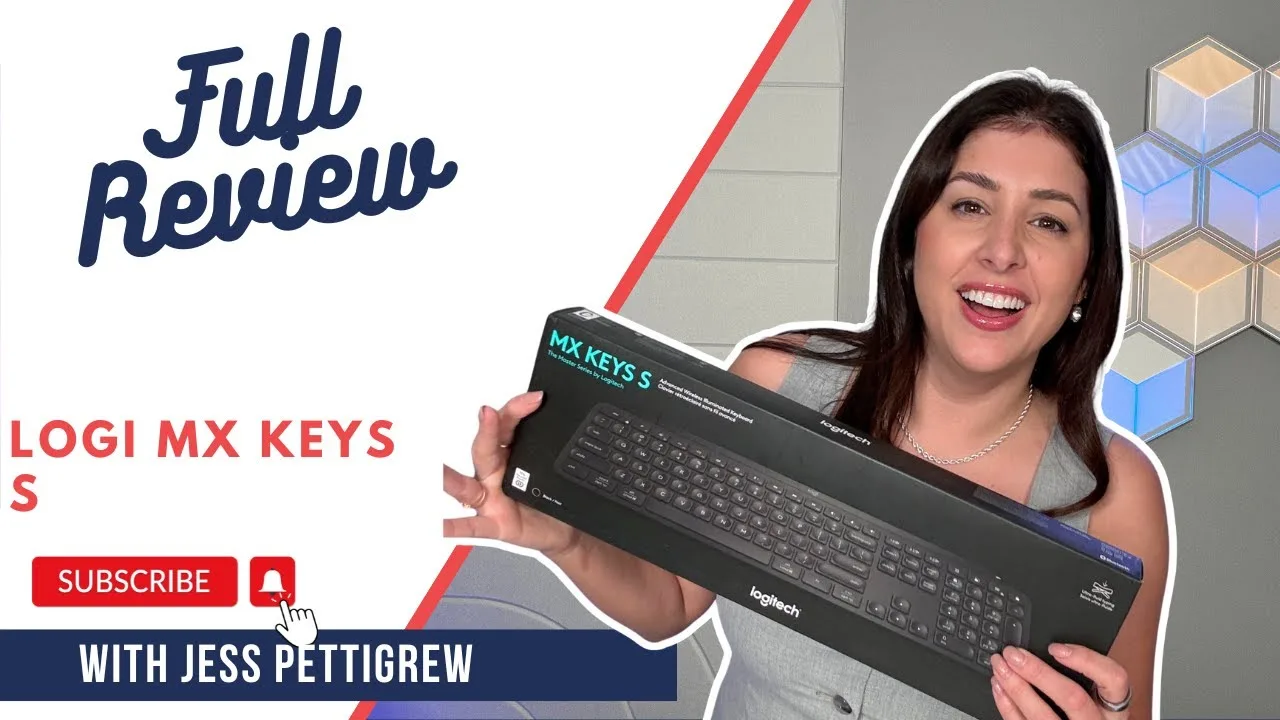 JessTechSpice
The reviewer unboxed and tested the Logitech MX Keys S, noting its …
JessTechSpice
The reviewer unboxed and tested the Logitech MX Keys S, noting its …
The reviewer unboxed and tested the Logitech MX Keys S, noting its premium build quality and satisfying low-profile typing experience. The keyboard features smart backlighting that adjusts based on ambient light and hand proximity, plus an emoji shortcut button. Connection was straightforward via USB-A dongle, though the reviewer expressed disappointment at the lack of USB-C dongle in 2025. The keyboard supports three-device switching and offers extensive customization through Logitech Options Plus software. The quiet yet tactile keystrokes make it ideal for hybrid work environments with frequent meetings.
- →Ideal for hybrid workers needing quiet, professional typing
- →Perfect for dim environments with intelligent backlighting
- →Best suited for multi-device productivity setups
- →Great for travelers wanting premium low-profile design
- →Requires USB-A port or adapter for optimal connectivity
 Geekanoids
The reviewer received the Logitech MX Keys S for Mac from the …
Geekanoids
The reviewer received the Logitech MX Keys S for Mac from the …
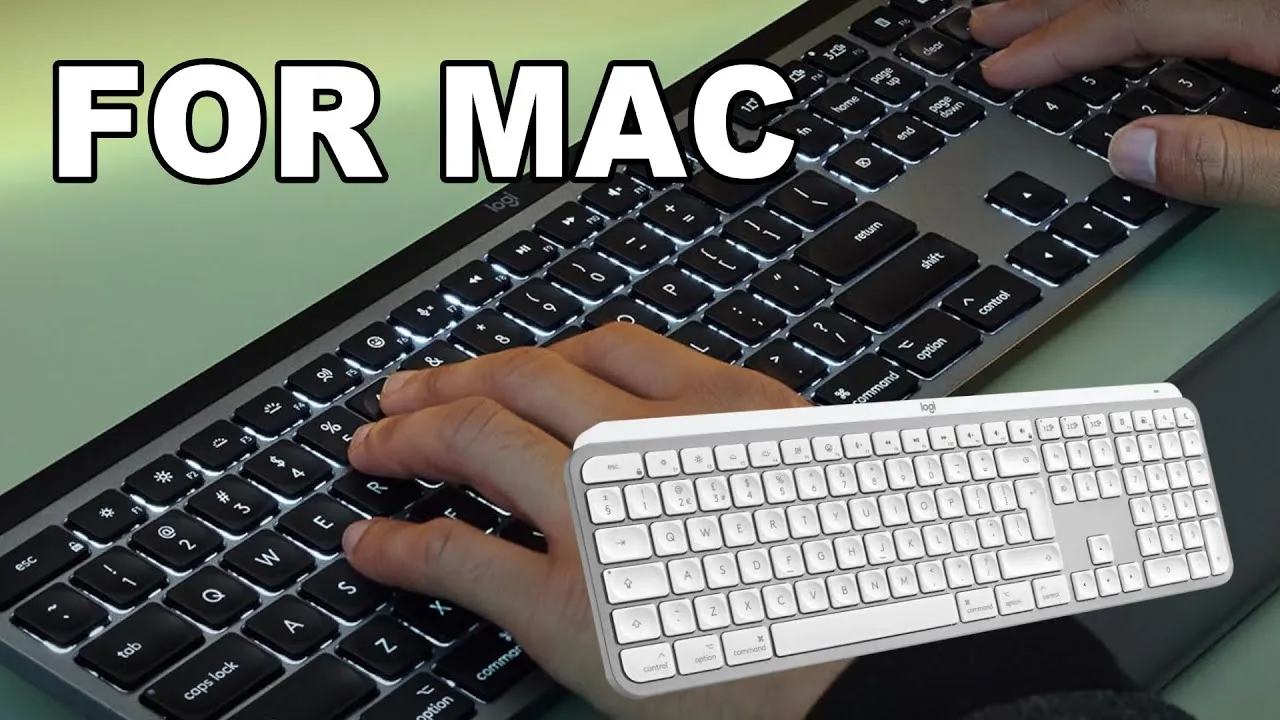
The reviewer received the Logitech MX Keys S for Mac from the manufacturer and found it an excellent addition to Mac setups. The keyboard features Mac-specific keys, silver backplate with white keys (also available in space grey), and chiclet-style low-profile keys that are responsive and comfortable. Smart backlighting automatically adjusts to lighting conditions and activates when approaching. Easy Switch allows connection to three devices. The keyboard includes a numerical keypad, multimedia/function keys, and USB-C charging. Typing produces a subtle, dampened sound suitable for productivity work. The reviewer praised the seamless transition from MacBook keyboards and noted the optional software adds customization without being mandatory.
- →Ideal for Mac users wanting seamless laptop-to-desktop transition
- →Perfect for productivity-focused professionals needing quiet operation
- →Great for multi-device users with Mac, iPad, and other systems
- →Suitable for those prioritizing aesthetics in their workspace setup
- →Recommended for users wanting full-size keyboard with numpad
Scores based on weighted analysis of 17 expert and community sources. How we review →