

Cooler Master MK770
Best For
- Typists who want a quiet, cushioned keystroke
- Users who switch between multiple devices via Bluetooth 5.1 or 2.4GHz
- Keyboard hobbyists who want hot-swap without soldering
Consider Carefully
- Power users who depend on dedicated macro keys
- Anyone who keeps RGB on and hates weekly recharging
- Users who find compressed numpads frustrating
Jump to Section
The Bottom Line
The Cooler Master MK770 is a wireless mechanical keyboard that has been widely praised for its comfort and performance. What we found particularly impressive is its tri-mode wireless design, which lets users connect via 2.4GHz dongle, Bluetooth 5.1, or USB-C wired mode, switching between all three depending on the device or situation. That connectivity flexibility, confirmed by 15 of 19 sources we analyzed, is one of the keyboard's clearest selling points. The hot-swappable switch design is another standout feature, giving users the freedom to customize their typing experience without soldering. The keyboard's sound-dampening, gasket-mounted design, as noted by tomsguide.com and tomshardware.com, significantly reduces noise and vibrations, enhancing the typing feel. The Kailh Box V2 switches come factory-lubricated, contributing to a smooth and quiet keystroke that reviewers have found to be among the best in class. A 3-way roller handles volume and lighting control, adding a tactile convenience that rounds out the feature set. However, this keyboard does have some notable trade-offs. The lack of dedicated macro keys and an included palm rest might be a drawback for those who require more functionality or comfort. The RGB lighting's impact on battery life, which lasts only about a week, and the software's sluggish performance could be a letdown for users seeking a fully polished experience.
Performance Breakdown
Expert Scores
How 6 professional publications rated this product
In-Depth Analysis
Switch Customization 90
Twelve of 17 sources agreed: hot-swap support without soldering is the MK770's most accessible enthusiast feature. The stock switches are a starting point, not the destination.
Key Takeaway
→Buy this if you want a gasket-mounted hot-swap platform at a mid-range price. Treat the stock switches as temporary.
Typing Feel & Sound 90
Across 16 sources, the seven-layer gasket mount earns near-universal praise for killing vibration and keeping noise down. The stock Kailh Box Red switches are the one weak link.
Key Takeaway
→If quiet, dampened typing is the priority, this delivers. If you need strong tactile feedback from stock switches, plan to swap them.
Wireless Connectivity 88
Nine of 16 sources flagged the tri-mode wireless as a standout feature. The 2.4GHz connection holds up for gaming, but Bluetooth drops to 125Hz polling.
Key Takeaway
→For multi-device users who game over 2.4GHz and work over Bluetooth, this covers both. Competitive players should stay off Bluetooth entirely.
Layout & Key Placement 81
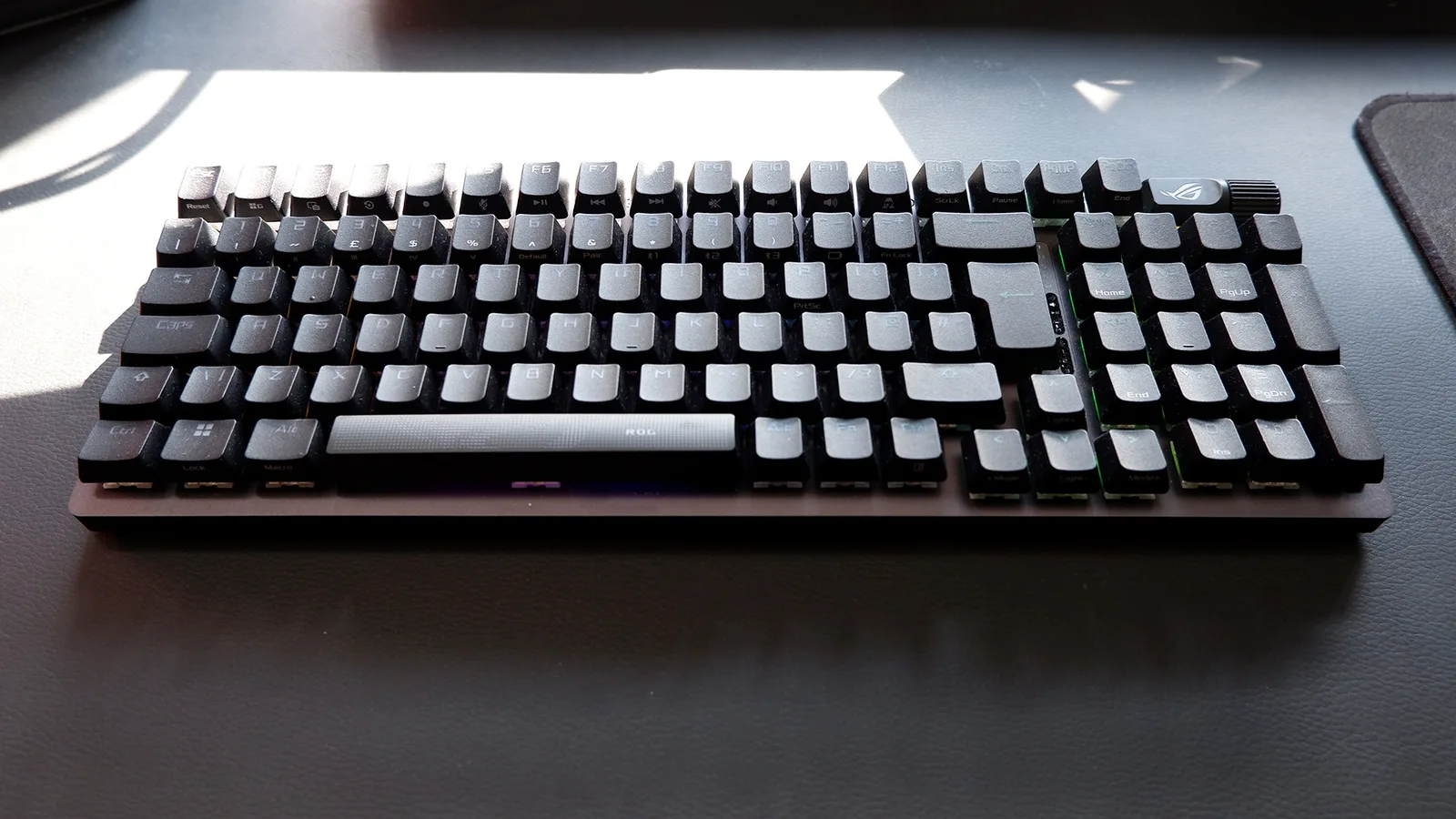
The 96% layout keeps the numpad while shrinking the footprint, and six sources called that trade-off worthwhile. The missing dedicated navigation keys are the cost.
Key Takeaway
→If you want a numpad without a full-size footprint, this layout delivers. If you rely on dedicated navigation or function keys daily, expect a learning curve.
Build Quality 78
The Macaron colorway and PBT keycaps turn heads, but the plastic chassis flexes noticeably and the flip-out feet underwhelm. Twelve sources found plenty to like and criticize.
Key Takeaway
→If the aesthetic matches your setup, the build quality is good enough. If you need a rigid chassis or adjustable height, the compromises will frustrate you.
Battery Life 76
The 4000mAh battery lasts roughly a week with RGB on, which sounds decent until you realize Cooler Master publishes no official estimates and 'a week' is the ceiling, not the average.
Key Takeaway
→Expect about a week of wireless use with RGB on. Turn RGB off and that number climbs. Don't expect Cooler Master to tell you either figure.
Software Experience 73
MasterPlus software is the consistent complaint across three sources. The hardware controls are good. The software that manages everything else is not.
Key Takeaway
→Use the onboard profiles and the hardware roller, avoid MasterPlus as much as possible, and this becomes a non-issue for most users.
RGB Lighting 72
RGB is the MK770's weakest area. Two sources independently found the backlighting dim and uneven, and PCMag flagged dark spots even at maximum brightness.
Key Takeaway
→If RGB is a priority, this underdelivers. If it's secondary to typing feel and wireless, the dim lighting is easy to live with.
Specifications & Verdict
Design
- Form Factor
- Full (98%)
- Layout
- ANSI (United States)
- Size
- 15 x 5.5 x 1.5 inches (380.9 x 140.4 x 38.7 mm)
- Dimensions
- 15 x 5.5 x 1.5 inches (380.9 x 140.4 x 38.7 mm)
- Weight
- 2.3 pounds
- Number of Keys
- 98
- Color Options
- Gray
Build
- Case Material
- Plastic, Aluminum
- Frame Material
- ABS plastic
- Plate Material
- aluminum
- Keycap Material
- double-shot PBT
- Keycap Profile
- OEM
- Keycap Type
- PBT, Double-shot
- Mount Type
- Gasket mount
- Construction
- Gasket design, seven-layer structure
- Sound Dampening
- double sound insulation with Poron foam and silicone damping mat
Switches
- Switch Type
- Mechanical
- Switch Feel
- Clicky
- Hot-Swappable
- Yes
- Actuation Force
- 45 g
- Switch Lifespan
- Up to 80 million keystrokes
- Actuation Distance
- 1.8 mm
Connectivity
- Connectivity
- USB, Bluetooth, 2.4GHz wireless
- Polling Rate
- 1000 Hz
- Cable
- USB Type-C
- USB Passthrough
- No
Software
- Software
- MasterPlus+ Support
- OS Compatibility
- Windows 8+,Mac OS X 10.10+,Android,iOS
Features
- Media & Controls
- Via Fn key, Through Function Key (FN), Dedicated media controls
- Onboard Storage
- 128 KB
- Switch Features
- pre-lubricated, hot-swappable
- Special Features
- Built-in volume dial, RGB, hot swappable, 2.4-GHz dongle storage compartment, Volume roller,RGB backlighting,Adjustable feet
Other Specs
- Battery
- 4000 mAh
- Backlighting
- true
- Total Stroke Depth
- 3.6 mm
- Profiles
- 4
- Response Time
- 1ms
- Charging
- Support Wired charging
- Backplate
- plastic
- Numpad
- Yes
Our Verdict
The Cooler Master MK770 earns its 81/100 by delivering a genuinely premium typing feel at a mid-range price. The gasket mount, pre-lubed Kailh Box V2 switches, and tri-mode wireless are a strong combination, and the ability to flip between 2.4GHz, Bluetooth 5.1, and USB-C wired gives it real day-to-day versatility. The MasterPlus software is sluggish, RGB battery life tops out around a week, and the compressed numpad takes adjustment. If you type a lot and want wireless flexibility without paying flagship prices, the MK770 is a smart pick. Power users who rely on macro keys or need rock-solid battery life should look elsewhere.
Customer Reviews Amazon
133 reviews
Amazing quality and adorable aesthetic
Best keyboard!
Keyboard From My Dreams!
Good keyboard. Bad battery
Show all 10 reviews
Very marbly !
Don't.
Great keyboard, wimpy switches
Very nice with a noteable exception
Articulo basura
The Hidden Gem No One Talks About
Reviews shown are from Amazon customers and do not reflect our editorial assessment.
Reader Questions
Specific questions about the Cooler Master MK770, answered only from what reviewers reported.
01Does the gasket mount actually make a noticeable difference to typing feel and noise?
Reviewers consistently found it does. The seven-layer gasket design reduces vibration and typing noise, and the silicone gasket system effectively minimizes rattle, making the typing experience quieter and more comfortable than typical tray-mount boards.
02How long does the battery last with RGB lighting on?
With RGB enabled, battery life drops to roughly one week, which reviewers flagged as only average. Some suggested using wired mode during gaming sessions to avoid running out of charge.
03Can I swap out the switches without soldering?
Yes, the MK770 is fully hot-swappable, so you can change switches without any soldering. The Kailh Box V2 switches it ships with also come factory-lubricated, which reviewers noted gives a smooth feel straight out of the box.
04Is the compact 96% layout comfortable to use, or are keys too cramped?
The layout saves desk space without dropping the numpad, but reviewers flagged that the compressed numpad area risks fat-fingering the right arrow key, and some navigation keys are moved to an Fn layer rather than having dedicated positions.
05Is the companion software worth using?
Reviewers were largely unimpressed. The MasterPlus software was described as sluggish and basic across multiple sources, so expect a mediocre experience if you need it for remapping or RGB customization.
06Where do I store the wireless dongle when travelling?
The MK770 has a dedicated storage compartment built into the underside of the keyboard, specifically inside the retractable tilt foot, so the dongle stays with the board and is unlikely to get lost.
Pricing & Availability
Updated Apr 7, 2026Cooler Master MK770
Sources & Methodology
Every score is built on evidence. This review synthesizes 19 independent sources — expert publications, video reviews, and community discussions — weighted by credibility, depth, and relevance.
Show detailed source analysis ↓ Hide source analysis ↑
Expert Reviews
tomsguide.com
Top
4.5/5-point
The MK770 delivers exceptional typing and gaming performance through its gasket-mounted design and Kailh Box V2 switches. The 96% layout saves desk space while retaining most essential keys. Hot-swappable switches allow easy customization. The eye-catching Macaron color option stands out with pastel green, pink and yellow tones, though a Space Gray alternative exists. Multiple connectivity options include wired USB-C, 2.4GHz wireless and Bluetooth 5.1. A programmable multi-function roller adds convenience. Thick, shine-through PBT keycaps provide good texture and durability. At $119, it offers strong value despite disappointing MasterPlus software and the absence of an included wrist rest.
Strengths
- +Gasket-mounted design reduces noise and vibrations effectively
- +Kailh Box V2 switches deliver satisfying, comfortable keystrokes
- +Hot-swappable for easy switch and keycap customization
- +96% layout saves space without sacrificing most keys
Weaknesses
- −MasterPlus software is sluggish and disappointing
- −No wrist rest included in the package
- −No dedicated keys for Prt Sc, Scr Lk, Pause, Home, End
tomshardware.com
Top
4.5/5-point
The MK770 delivers exceptional typing comfort through its gasket mount design and Kailh Box V2 switches, which the reviewer considers the most comfortable keyboard they've used. The 96-percent layout efficiently balances space savings with functionality, packing nearly all essential keys without wasted space. Available in eye-catching Macaron (mint green with pastel keycaps) or conservative Space Gray, it offers versatile connectivity via Bluetooth, 2.4-GHz wireless, and wired modes. The compact, lightweight build suits portable use, though the flip-out feet provide less height adjustment than preferred. RGB lighting and software customization feel underwhelming compared to the stellar hardware.
Strengths
- +Gasket mount design delivers exceptional typing comfort
- +Kailh Box V2 switches provide outstanding tactile feedback
- +Versatile five-mode connectivity including triple Bluetooth
- +Hot-swappable switch sockets for easy customization
Weaknesses
- −Software feels sluggish and mediocre
- −Flip-out feet don't provide sufficient height adjustment
- −Shine-through RGB lighting appears somewhat bland
- −Missing dedicated Print Screen, Scroll Lock, Pause keys
pcmag.com
Top
3.5/5-point
The Cooler Master MK770 Hybrid Wireless Keyboard ($119.99) delivers a satisfying, quiet typing experience through its silicone gasket sound dampening system and hot-swappable switches. Available in vibrant Macaron or subdued Space Gray colorways, this full-size wireless board offers versatile connectivity via 2.4GHz, Bluetooth, or USB-C. A multifunction volume roller provides intuitive control over audio, media, brightness, and RGB effects. However, the RGB implementation disappoints with uneven backlighting through cutout-style shine-through keycaps, and small angled feet fail to provide comfortable typing angles. A design flaw causes the storage foot to catch on the wireless dongle. Despite these issues, it remains a compelling colorful alternative at its price point.
Strengths
- +Satisfying and quiet typing feel with excellent sound absorption
- +Hot-swappable switches for customization
- +Versatile triple connectivity: 2.4GHz, Bluetooth, and USB-C
- +Multifunction volume roller controls audio, media, brightness, and RGB
Weaknesses
- −RGB backlighting lacks brightness even at maximum setting
- −Shine-through keycaps have uneven lighting with dark spots
- −Angled feet are too small for comfortable typing
- −Storage foot catches on wireless dongle when unfolded
mmorpg.com
Top
6.5/10-point
The MK770 represents Cooler Master's entry into the enthusiast keyboard market, featuring gasket mounting, silicone sound dampening, and pre-lubed stabilizers. At $119.99, it delivers an impressive out-of-the-box typing experience with hot-swappable Kailh Box V2 switches, tri-mode wireless connectivity, and a compact 96% layout that fits a numpad into a TKL-plus footprint. The industrial purple-and-gunmetal aesthetic carries through, while practical touches include a dongle storage compartment and 4,000mAh battery. However, the reviewer notes several shortcomings: the secondary layer placement of common editing keys feels awkward, the included switches are merely adequate, RGB battery life drains in about a week, and build quality relies entirely on plastic construction.
Strengths
- +Best out-of-the-box typing experience of any Cooler Master keyboard
- +Competitively priced at $119.99 for enthusiast features
- +Gasket mounting with silicone layers and switch foam
- +Pre-lubed stabilizers reduce rattle effectively
Weaknesses
- −Navigation and editing keys moved to awkward Fn layer
- −Included Kailh Box Red switches are merely adequate
- −RGB battery life only lasts about one week
- −No official battery life estimates from manufacturer
cgmagonline.com
Top
8.5/10-point
A versatile mechanical keyboard featuring Kailh Box V2 hot-swappable switches with three connectivity modes (USB-C, 2.4GHz wireless, Bluetooth 5.1). The seven-layer gasket design with silicone dampers reduces vibration and noise, while the ABS plastic construction keeps weight at 1052g. A programmable multi-function roller, 16.7 million color per-key RGB, and MasterPlus+ software enable extensive customization. The 4000mAh battery delivers nearly a week of daily 3-4 hour use with full RGB enabled. Gaming performance is strong with 1000Hz polling rate in wireless mode and no missed inputs detected during extended testing.
Strengths
- +Three connectivity modes: USB-C, 2.4GHz wireless, and Bluetooth 5.1
- +Hot-swappable Kailh Box V2 switches with three switch options
- +Seven-layer gasket design reduces vibration and typing noise
- +Retractable foot doubles as 2.4GHz dongle storage compartment
aphnetworks.com
The Macaron edition of the MK770 stands out with its unusual teal, pink, and tan color scheme, though the reviewer finds the palette somewhat disjointed. Measuring 380.89mm x 140.42mm x 38.74mm and weighing 1052g, this 95% keyboard occupies a middle ground between full-size and tenkeyless layouts. The plastic frame exhibits concerning flex and torquing, with noticeable deck compression when pressing keys. The compact layout compresses the arrow keys, numpad, and navigation cluster together, resulting in non-standard 1U sizing for several right-side keys and relocated secondary functions. A notched volume wheel replaces traditional indicator LEDs, which are instead integrated into the Caps Lock and Number Lock keys—functionality lost when backlighting is disabled. PBT double-shot keycaps are appreciated for durability.
Strengths
- +Distinctive Macaron colorway breaks from monochrome norms
- +PBT double-shot keycaps resist shine and color fading
- +Smooth, clickable volume wheel with profile-customizable functions
- +Cross-platform Mac and Windows compatibility with marked keys
Weaknesses
- −Significant chassis flex and easy twisting of plastic frame
- −Deck compression when pressing middle keys
- −No included wrist rest for this form factor
- −Non-standard 1U right-side modifiers and compressed layout
mechanical-keyboard.org
83/100-point
The Cooler Master MK770 is a compact 95% wireless mechanical keyboard offering exceptional flexibility through triple connectivity (Bluetooth, 2.4 GHz, USB-C), hot-swappable Kailh Box V2 switches, and full RGB customization. Its gasket-mounted design delivers a dampened, satisfying typing experience, while the multifunctional roller adds convenient media control. Available in two color schemes with Mac/Windows dual-labeled keycaps, it suits diverse setups. The 4000 mAh battery supports extended wireless use. Foldable feet and rear incline provide ergonomic adjustability, though some navigation keys were removed to achieve the compact footprint.
Strengths
- +Triple connectivity: Bluetooth, 2.4 GHz wireless, and USB-C
- +Hot-swappable switches without soldering required
- +Sound-dampening gasket-mounted design
- +4000 mAh battery for extended wireless operation
Weaknesses
- −MasterPlus software quality is subpar
- −Some navigation keys removed in compact layout
- −No USB passthrough functionality
- −No dedicated macro keys
pcworld.com
The Cooler Master MK770 delivers a premium 96% layout keyboard targeting gamers and professionals seeking flexibility. Its genuine gasket-mount design with double sound insulation and Poron foam creates exceptionally quiet, dampened acoustics. The aluminum top plate provides stability and quality feel, though the European variant ships with inferior ABS keycaps rather than PBT. Kailh Box V2 Red switches offer fast 1.8mm actuation for competitive gaming, while hot-swap capability allows switch customization. Three connection modes (2.4 GHz, Bluetooth 5.1, USB-C) add versatility, and an optimized stabilizer design minimizes rattling on larger keys. However, RGB usage drains battery quickly, and no palm rest is included.
Strengths
- +Genuine gasket-mount design with double sound insulation
- +Kailh Box V2 Red switches with 1.8mm fast actuation
- +Hot-swap functionality for flexible switch customization
- +Optimized stabilizer design minimizes rattling
Weaknesses
- −Only average battery life when using RGB lighting
- −European variant lacks PBT keycaps, uses inferior ABS
- −ABS keycaps sound hollow and wear faster
- −No palm rest included
hardwareasylum.com
The Cooler Master MK770 is a 98-key wireless mechanical keyboard featuring a unique Macaron color scheme alongside a more traditional Space Grey option. It employs Kailh Box V2 Linear White switches in a hot-swappable, gasket-mounted design with PBT double-shot keycaps. Connectivity spans wired USB-C, 2.4GHz wireless, and Bluetooth 5.1, backed by a 4000mAh battery. A tactile 3-way dial provides hardware controls, while 1000Hz polling rate in wired/2.4GHz modes targets gaming performance. The keyboard supports MasterPlus+ software for customization and includes RGB lighting with 16.7 million colors.
Strengths
- +Hybrid wireless with 2.4GHz, Bluetooth 5.1, and wired USB-C options
- +Full gasket structure design for improved typing feel
- +Hot-swappable switches allow easy customization
- +PBT double-shot keycaps resist wear and shine
Weaknesses
- −Bluetooth mode limited to 125Hz polling rate
- −No dedicated multimedia keys—requires FN combinations
- −ABS plastic construction rather than aluminum
- −Relatively heavy at over 1kg for portable use
Video Reviews
 Reviewsinside
The Cooler Master MK770 delivers a versatile 98-key layout that …
Reviewsinside
The Cooler Master MK770 delivers a versatile 98-key layout that …
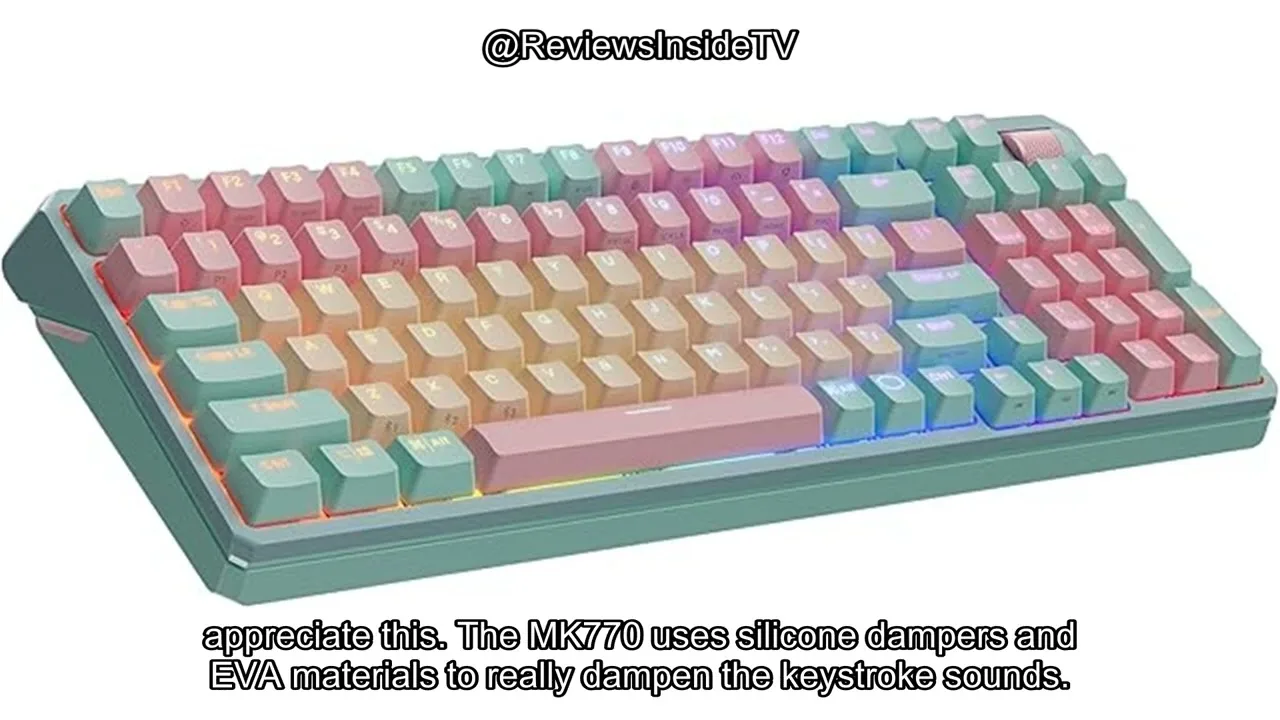
The Cooler Master MK770 delivers a versatile 98-key layout that balances compactness with full functionality, including a numpad for productivity tasks. Its hot-swappable Kale Fox V2 click-white switches provide satisfying tactile feedback and customization potential without soldering. The hybrid connectivity—wired USB-C, 2.4 GHz wireless for gaming, and Bluetooth 5.1 for flexibility—adapts to various use cases. A standout gasket structure with silicone dampers noticeably reduces noise and vibration, while the three-way roller dial enables convenient on-the-fly control of volume, lighting, and macros. Setup proves straightforward across all connection modes, with responsive switches that perform reliably for both daily work and extended gaming sessions.
- →Ideal for users wanting compact layout with full numpad access
- →Best suited for tinkerers who value hot-swappable switch customization
- →Recommended for shared spaces needing moderate noise reduction
- →Strong choice for gamers prioritizing low-latency wireless performance
- →Convenient for multitaskers benefiting from dedicated control dial
 Mun Leo
The reviewer purchased the Cooler Master MK770 specifically for use …
Mun Leo
The reviewer purchased the Cooler Master MK770 specifically for use …
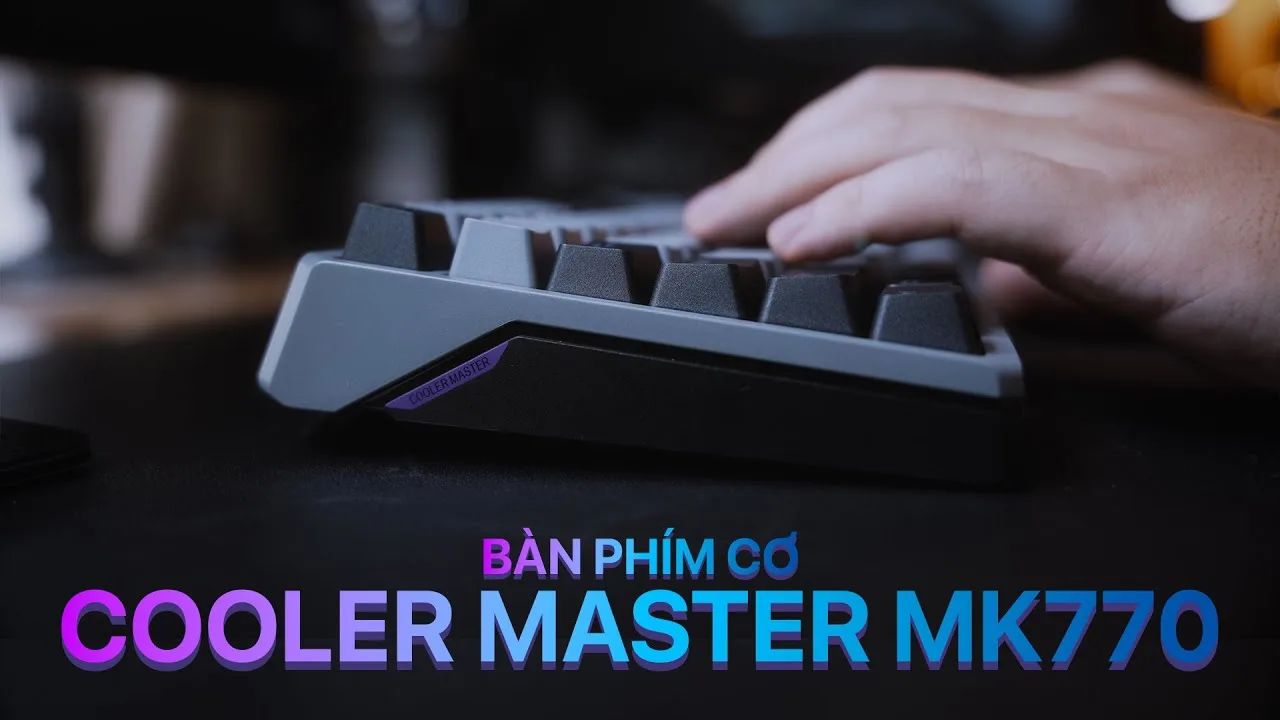
The reviewer purchased the Cooler Master MK770 specifically for use with a Mac but found it exceeded initial expectations. The keyboard features a distinctive 98% layout with uniquely curved and chamfered edges on all four sides, making it visually identifiable compared to typical 98% keyboards. It comes with ABS plastic construction, PBT double-shot keycaps with shine-through LED, and an OSA profile. The numpad is compressed to accommodate a volume roller in the top-right corner. The package includes a braided USB-C cable, spare clicky switches, rubber feet pads, a USB receiver extender, and a keycap/switch puller. The reviewer emphasizes reading the manual carefully due to complex function key combinations.
- →Excellent for Mac users seeking mechanical keyboard functionality
- →Ideal for those wanting distinctive aesthetic design
- →Good for users who prioritize volume control accessibility
- →Suitable for enthusiasts wanting switch customization options
- →Requires patience to learn function layer combinations
 Dimitri ASMR
The reviewer unboxes the Cooler Master MK770 Macaron, a 95% wireless …
Dimitri ASMR
The reviewer unboxes the Cooler Master MK770 Macaron, a 95% wireless …
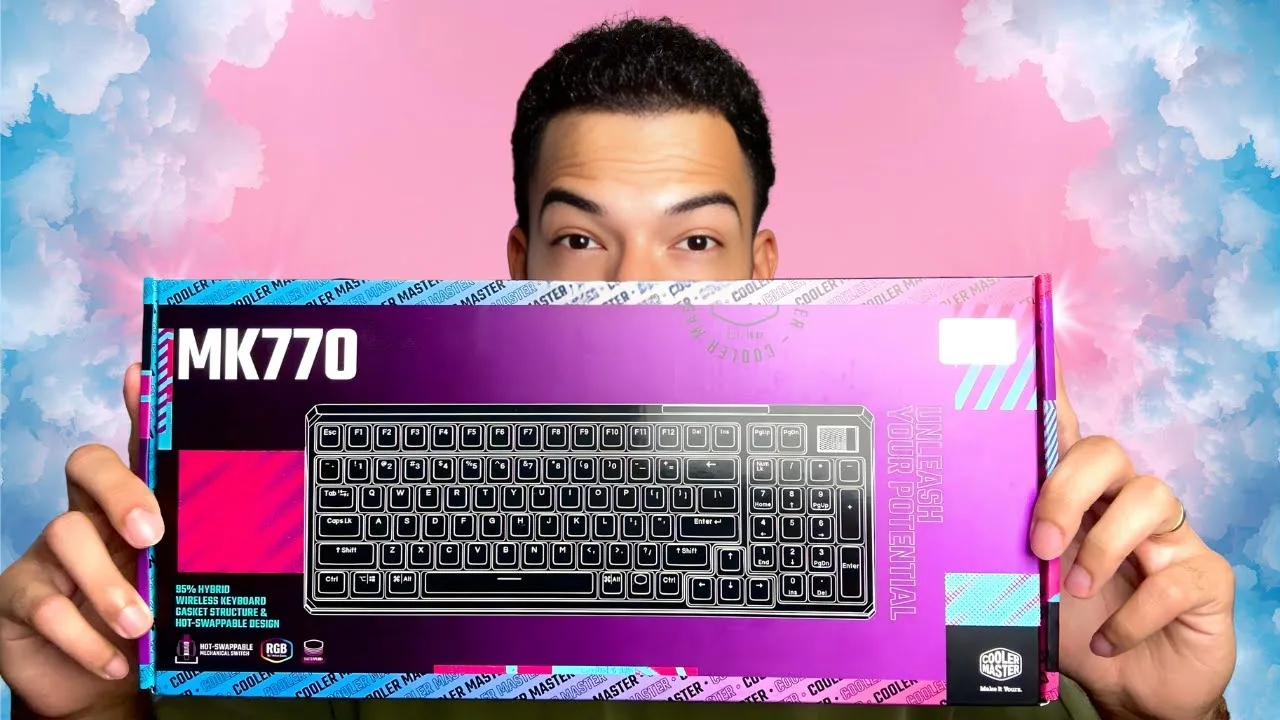
The reviewer unboxes the Cooler Master MK770 Macaron, a 95% wireless mechanical keyboard purchased for €119. He switched from a 60% keyboard specifically to regain the numpad and F1-F12 function keys, which he found limiting for daily use. The MK770 features hot-swappable switches, hybrid wireless connectivity (Bluetooth 5.1 and 2.4GHz), USB-C, and a distinctive pastel 'Macaron' colorway. A notable hardware feature is the 3-way roller for volume control and lighting adjustments. The keyboard uses a gasket structure designed to reduce vibration and noise. The reviewer, already a Cooler Master customer (PC case, PSU), emphasizes this is a personal purchase, not sponsored content.
- →Ideal for users upgrading from compact 60% layouts
- →Suitable for those wanting wireless flexibility
- →Good choice for hot-swap switch customization
- →Appeals to aesthetic-focused desk setups
- →Works for both productivity and gaming use
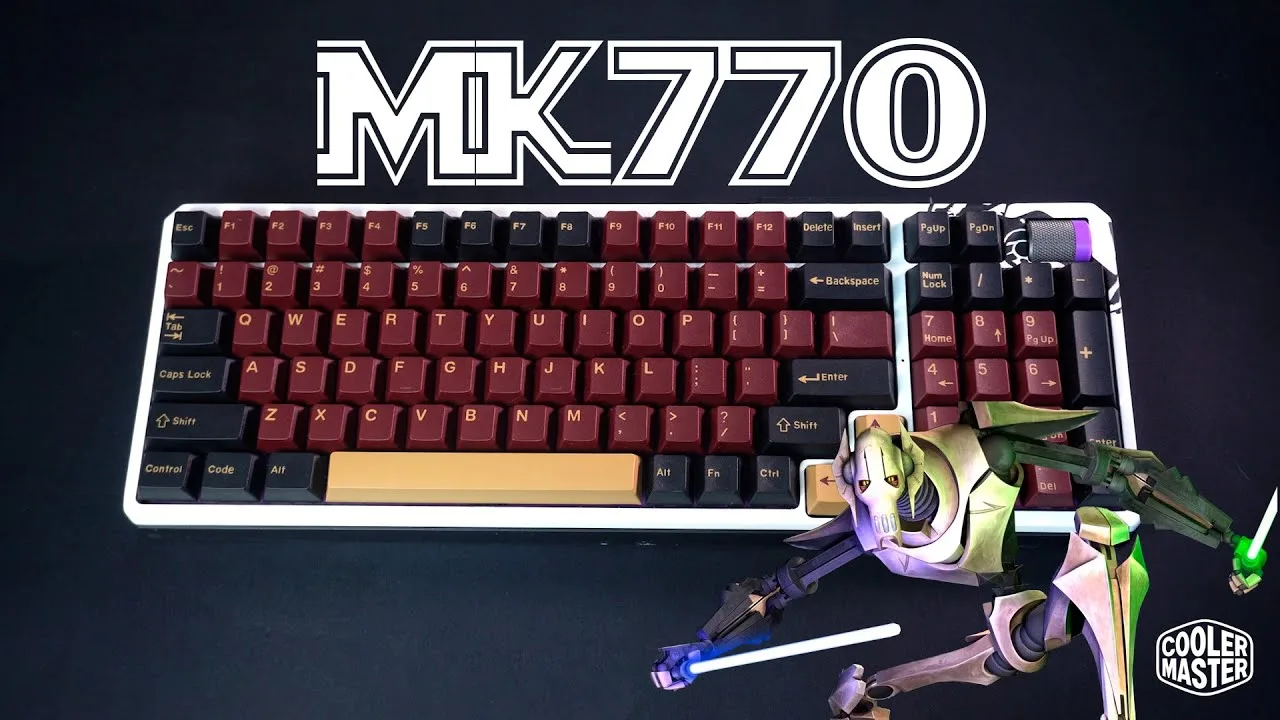 Gwolf Gamer
The reviewer undertook a custom Star Wars-themed modding project on …
Gwolf Gamer
The reviewer undertook a custom Star Wars-themed modding project on …
The reviewer undertook a custom Star Wars-themed modding project on the MK770, inspired by General Grievous. They appreciated the pre-lubricated stabilizers, which saved significant modding effort. The keyboard features 104 keys with hot-swappable switches, and includes a switch puller tool. The reviewer replaced the stock clicky switches with red linear switches for smoother gaming performance. They noted the lower actuation force of the reds and found the disassembly process required force rather than screws. The build includes a USB-C connector, wireless/Bluetooth toggle switch, and battery with flexible ribbon cable connections.
- →Excellent base for custom keyboard modding projects
- →Pre-lubed stabilizers ideal for beginners
- →Swap switches easily without soldering
- →Consider red switches for smoother gaming feel
- →Plan for careful disassembly process
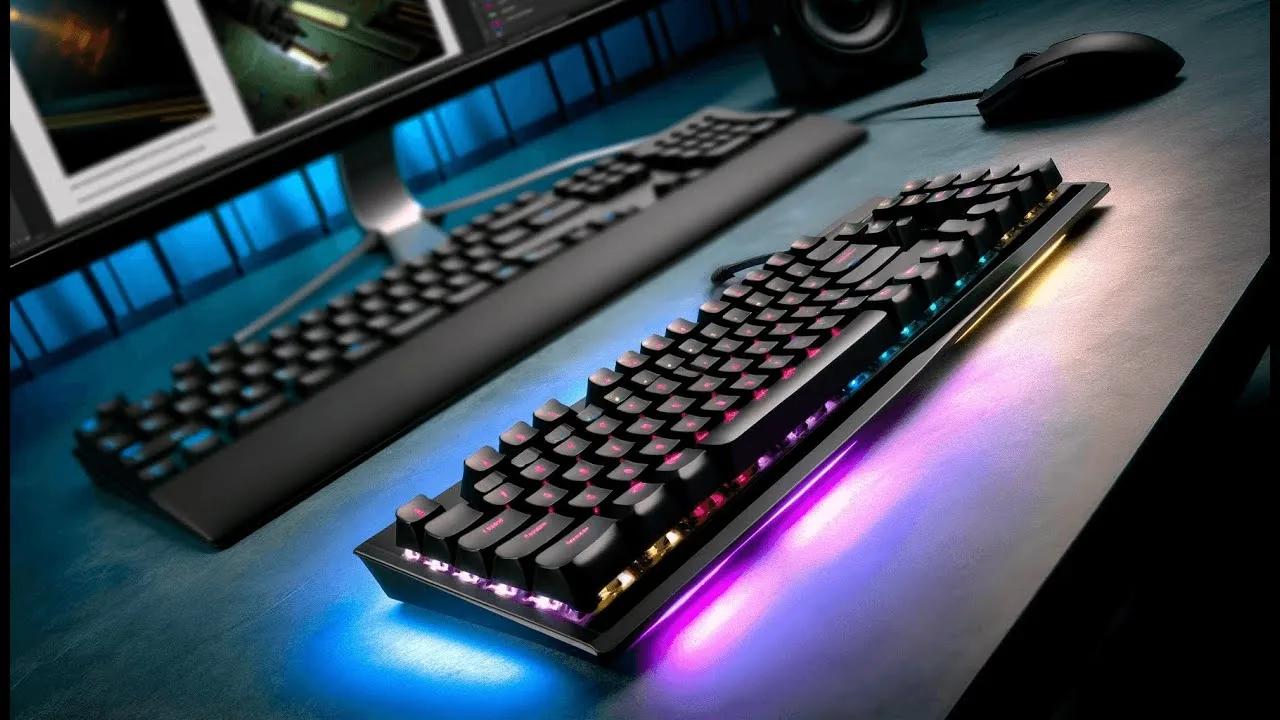 The Product Critiques
The MK770 delivers an exceptional typing experience through its gasket …
The Product Critiques
The MK770 delivers an exceptional typing experience through its gasket …
The MK770 delivers an exceptional typing experience through its gasket mount design and Kailh Box V2 switches, making extended use comfortable for both work and gaming. Its bold TS Macaron color scheme with mint green chassis and pastel keycaps offers a striking aesthetic departure from typical keyboards. Triple connectivity (Bluetooth, 2.4GHz wireless, wired) provides flexibility, with the 2.4GHz mode particularly praised for gaming responsiveness. Hot-swappable switches allow hardware customization without soldering. The Master Plus software handles RGB and key mapping adequately but feels sluggish. RGB lighting with shine-through keycaps enables customization though isn't the brightest available. Most functions are accessible directly on the keyboard, reducing software dependency.
- →Ideal for users prioritizing typing comfort over long sessions
- →Excellent choice for gamers wanting low-latency wireless
- →Great for enthusiasts who enjoy hardware customization
- →Perfect for those wanting distinctive desk aesthetics
- →Suitable if minimal software interaction is preferred
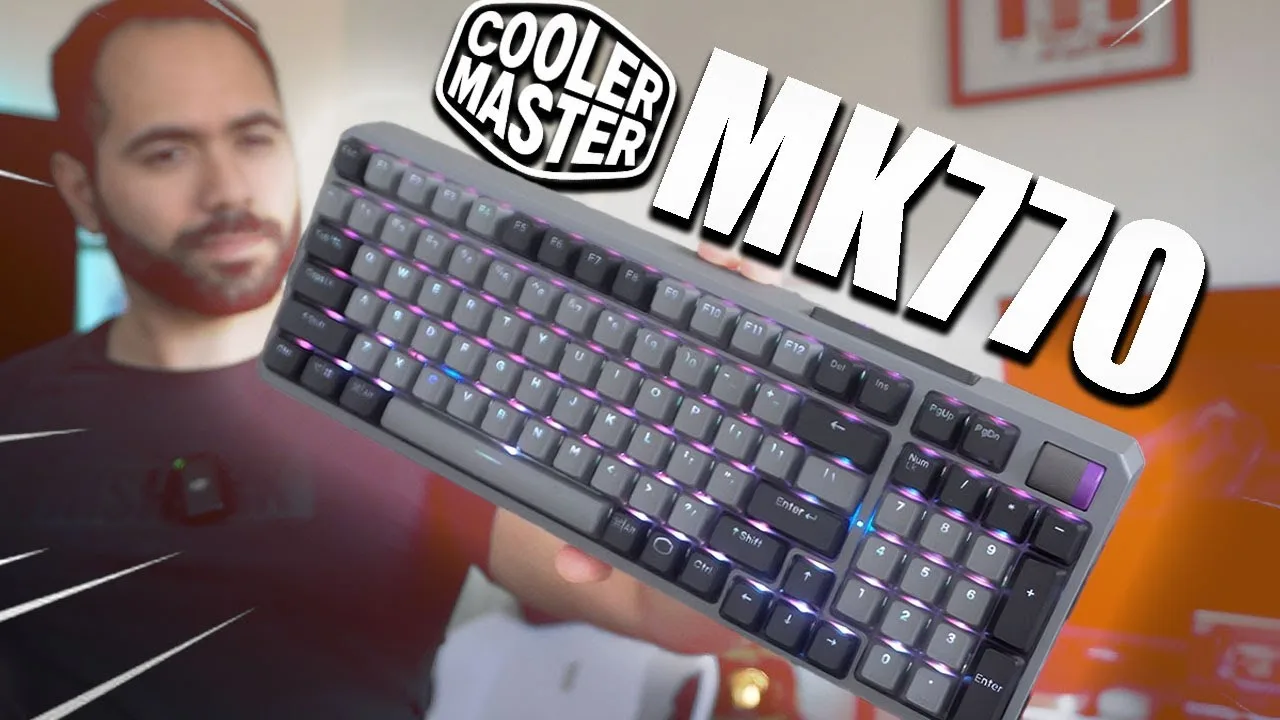 HotshotTek
A hybrid wireless mechanical keyboard featuring Bluetooth, 2.4GHz …
HotshotTek
A hybrid wireless mechanical keyboard featuring Bluetooth, 2.4GHz …
A hybrid wireless mechanical keyboard featuring Bluetooth, 2.4GHz dongle, and wired connectivity. Uses Kailh Box V2 switches with factory lubrication and a dual gasket system for reduced noise while maintaining tactile feedback. Includes a three-way media roller, four programmable profiles, full RGB with onboard controls, hot-swappable switches, and PBT keycaps. Available in space gray and macro color options. Priced at $119, positioned as a compact full-row option for users preferring mechanical keyboards for typing and casual gaming.
- →Ideal for multi-device users needing seamless switching
- →Great for office environments requiring quieter mechanical typing
- →Suitable for enthusiasts wanting customization without soldering
- →Good value for compact full-row mechanical keyboard seekers
- →Recommended for casual gaming with wireless convenience
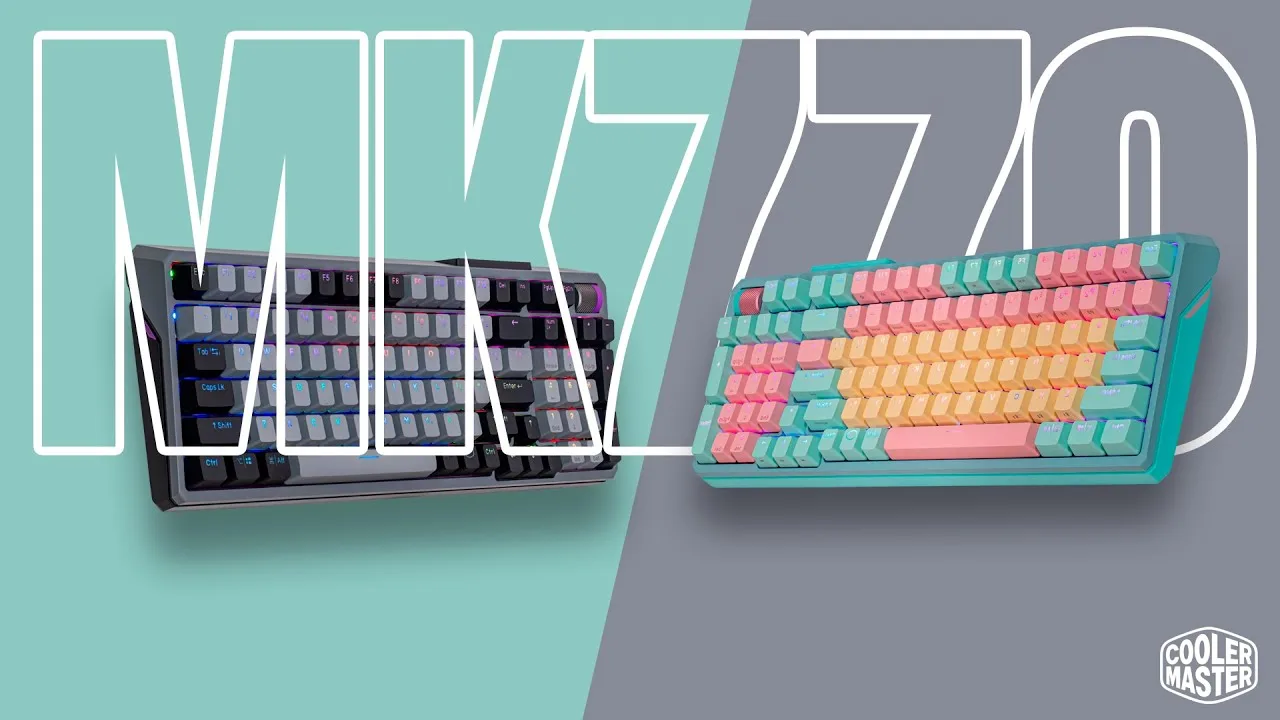 Gwolf Gamer
The reviewer unboxed and reviewed two color variants of the Cooler …
Gwolf Gamer
The reviewer unboxed and reviewed two color variants of the Cooler …
The reviewer unboxed and reviewed two color variants of the Cooler Master MK770 mechanical keyboard: Macaron (pastel cyan) and Space Gray. Both feature hot-swappable switches, with the Macaron shipping with linear red Kailh V2 switches and the Space Gray with clicky white Kailh switches. The package includes a USB-C to USB-A adapter for the wireless receiver, 8 spare Cherry Green switches, a 1.6-1.8m braided USB-C cable with gold plating, and a dual-purpose tool for removing keycaps and switches. The reviewer highlights the keyboard's versatility for gaming, productivity, and competitive play.
- →Ideal for users wanting customizable switch options
- →Suitable for gaming, productivity, and competitive play
- →Macaron variant best for quiet environments
- →Space Gray variant preferred for audible feedback
- →Good entry point into hot-swappable keyboards
 Noisy Pixel
The reviewer unboxed the Cooler Master MK770, immediately impressed by …
Noisy Pixel
The reviewer unboxed the Cooler Master MK770, immediately impressed by …
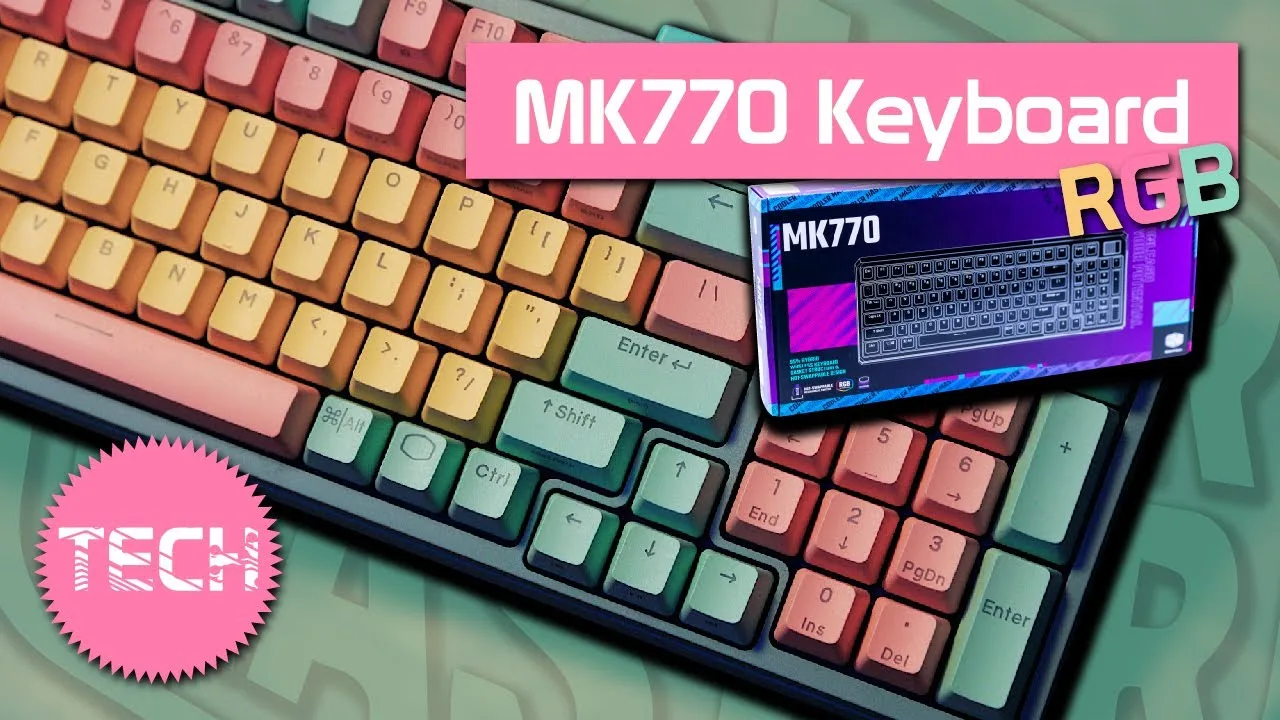
The reviewer unboxed the Cooler Master MK770, immediately impressed by its pastel 'cotton candy' color scheme and modern aesthetic. They praised the premium feel of the volume wheel, describing it as 'buttery' rather than cheap or plasticky. The keyboard features hybrid connectivity (Bluetooth, wired, and 2.4GHz dongle), hot-swappable Kailh Box V2 switches, and a 4000mAh battery—though battery life and charge time weren't specified in the documentation. The packaging was noted as eco-friendly, and accessories included a switch puller, USB-C to USB-A adapter, braided white cable with purple accents, eight spare green switches, and 3M rubber feet. The reviewer particularly liked the matching colored rubber grips on the bottom and the unique 'streamer' aesthetic of the flip-out feet.
- →Ideal for users wanting a visually distinctive, colorful setup
- →Suitable for enthusiasts who enjoy switch customization
- →Good for wireless productivity with multiple connectivity options
- →Recommended for streamers valuing aesthetic and premium feel
- →Best for those prioritizing battery capacity over known longevity
 Tech and Shoot
A 95% wireless mechanical keyboard priced around €120, featuring Kailh …
Tech and Shoot
A 95% wireless mechanical keyboard priced around €120, featuring Kailh …
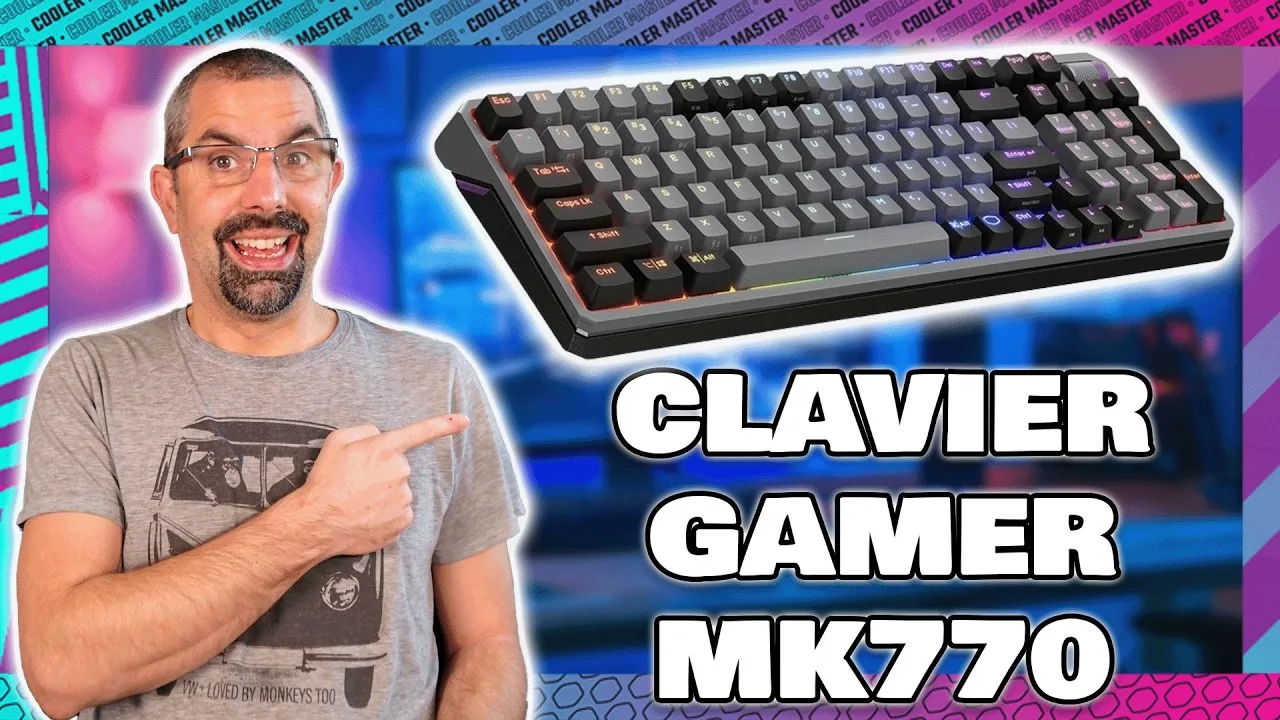
A 95% wireless mechanical keyboard priced around €120, featuring Kailh V2 pre-lubed switches, gasket structure, and 4000 mAh battery. The MK770 offers tri-mode connectivity (wired, 2.4GHz, Bluetooth) compatible with Windows, Mac, iOS and Android. The Master Plus software provides RGB customization, key remapping, macros, and up to four profiles. The reviewer notes the switches are very quiet due to pre-lubing, and the keyboard has a custom-style aesthetic with grey and black colorway. Physical features include a clickable volume wheel, dual-position feet, and anti-slip pads.
- →Ideal for office environments requiring quiet operation
- →Good choice for multi-device users needing Bluetooth
- →Suitable for gamers wanting wireless freedom
- →Great entry point into gasket-mount keyboards
- →Recommended for those wanting custom aesthetic without building
 Machines & More
The MK770 is a 95% layout mechanical keyboard with 98 keys, offering …
Machines & More
The MK770 is a 95% layout mechanical keyboard with 98 keys, offering …
The MK770 is a 95% layout mechanical keyboard with 98 keys, offering three connection modes (wired, Bluetooth, 2.4G dongle). It features Kailh Box V2 switches in white or red variants, PBT keycaps with transparent sections for RGB lighting, and a gasket-mounted structure with silicone dampers that produces excellent sound and minimal vibration. The keyboard includes a programmable volume wheel, hot-swappable switches, and cross-platform compatibility with Windows and Mac OS. However, at over one kilogram it's quite heavy for travel, and battery life proved disappointing—only about a day of mixed use with default lighting on a 4,000 mAh battery.
- →Best suited for desktop setups where weight isn't a concern
- →Ideal for users prioritizing acoustic quality and typing feel
- →Consider wired use for gaming sessions due to poor battery
- →Good choice for enthusiasts wanting hot-swap customization
- →Mac users benefit from native key labeling and remapping
Scores based on weighted analysis of 19 expert and community sources. How we review →