

Keychron K6
Best For
- Mac and Windows users seeking a compact keyboard
- Professionals who value multi-device connectivity
- Typists who appreciate Gateron switch feedback
Consider Carefully
- Users who prefer PBT keycaps for durability
- Individuals needing a dedicated delete key for quick data entry
Jump to Section
The Bottom Line
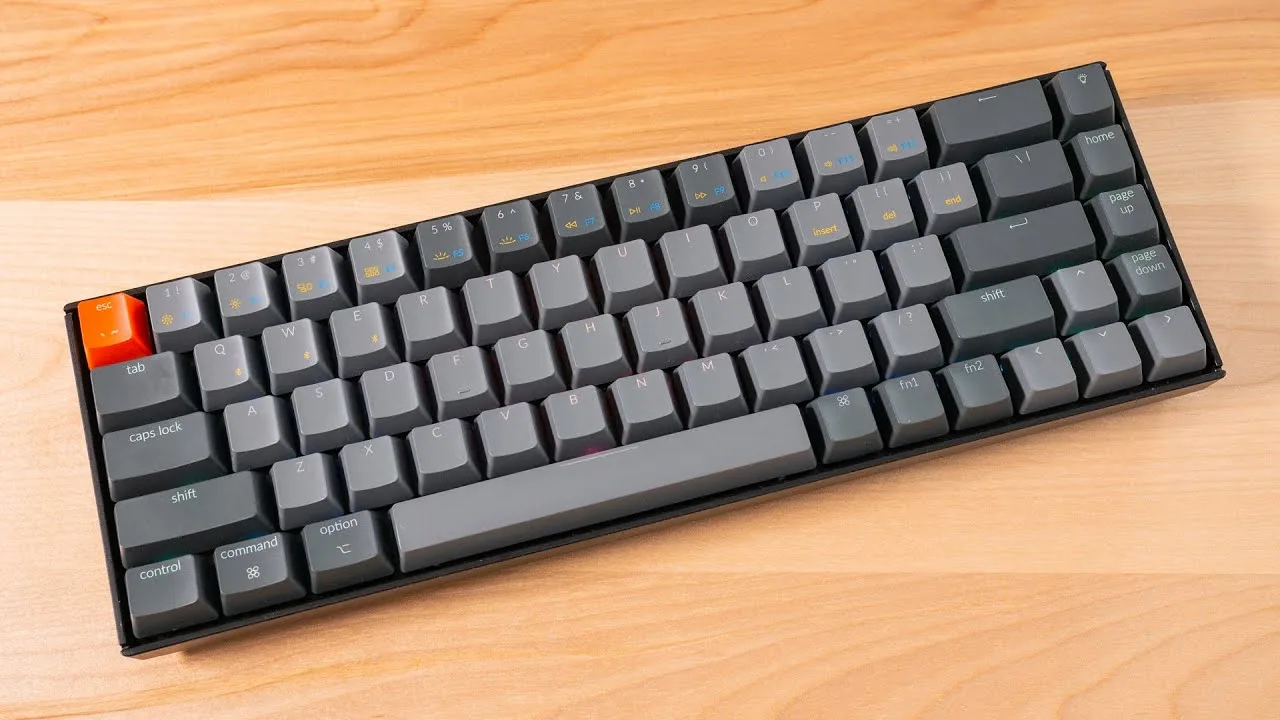
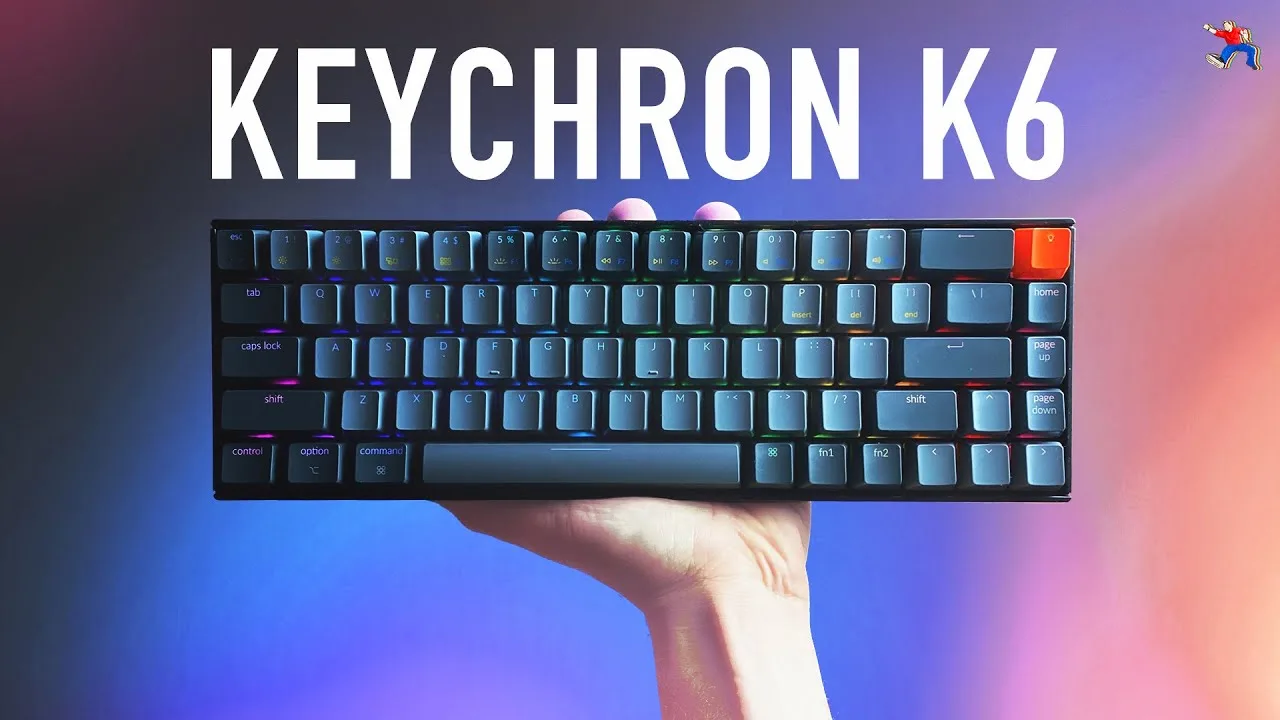
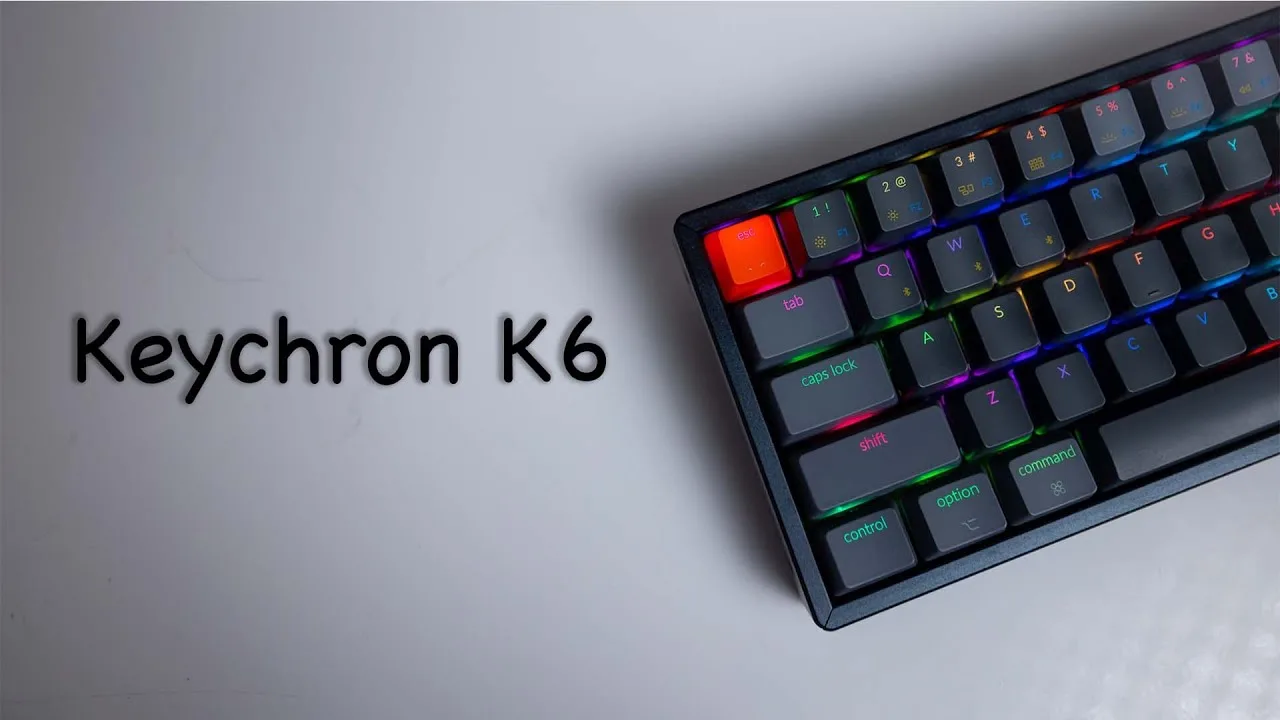
When we looked at the Keychron K6, we found a compact mechanical keyboard that's clearly a favorite among reviewers. It sits at the sweet spot where functionality meets aesthetics, offering a range of features that cater to both Mac and Windows users. What stands out is the typing feel, with its Gateron switches providing a satisfying actuation and sound profile, as noted by gomechanicalkeyboard.com. Its build quality is robust, featuring a sturdy aluminum frame that houses the switches, and it maintains a compact 65% size while retaining arrow keys, a layout preference that many find efficient. Connectivity is seamless with three-device Bluetooth pairing, and it boasts wireless/Bluetooth capabilities, enhancing its versatility. However, some users have noted the ABS keycaps developing an oil shine quickly and the tall chin design that might necessitate a wrist rest for comfort, as observed by thegamingsetup.com and switchandclick.com.
Performance Breakdown
Expert Scores
How 5 professional publications rated this product
In-Depth Analysis
Hot-Swap Capability 94
Hot-swap is the K6's most celebrated feature across 19 sources, with near-unanimous agreement that it makes this board an exceptional entry point into switch customization.
Key Takeaway
→If switch experimentation is on your list, the K6 is one of the most accessible platforms at this price. Just budget for a better switch puller.
Battery Life 92
The K6's 4000mAh battery is a genuine standout, hitting 200 hours without backlighting according to techbullish.com, though RGB users should expect that number to crater to around 72 hours.
Key Takeaway
→If you work wirelessly and hate hunting for cables, the K6's battery is a non-issue. Just don't expect RGB and longevity to coexist.
Layout & Size 91
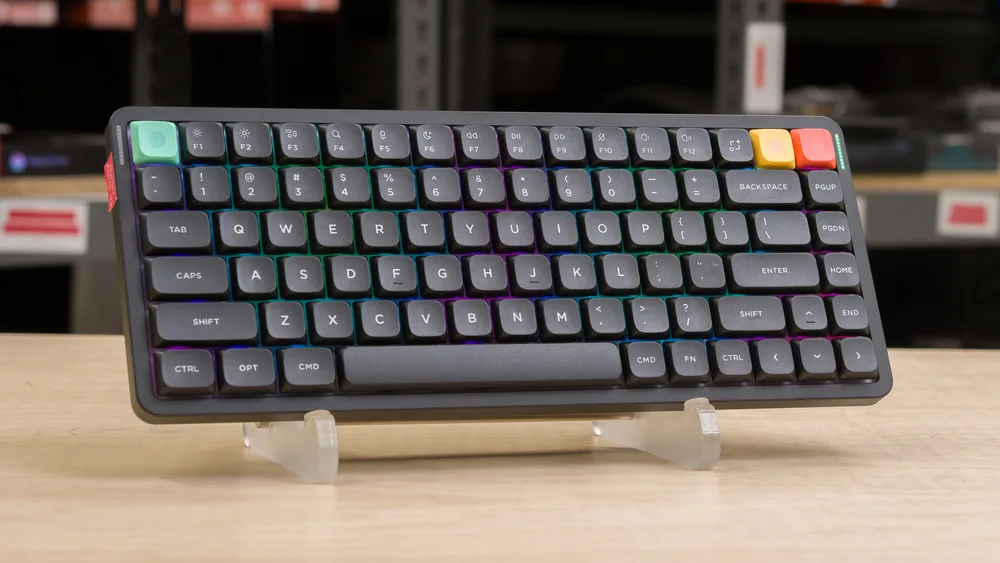
The 65% layout with retained arrow keys is the K6's defining feature, praised by 10 of 24 sources as the ideal balance between portability and usability.
Key Takeaway
→If you use F-keys regularly, look at the K2 or a 75% board. If you don't, the K6's layout is hard to beat at this price.
Build Quality 88
The aluminum frame earns consistent praise across 21 sources, but the base plastic model and hollow acoustics are real compromises that split reviewers on whether the value holds up.
Key Takeaway
→Spend the extra money on the aluminum variant. The plastic base model's acoustics and feel will push you toward mods immediately.
Wireless Connectivity 87
Bluetooth 5.1 with three-device switching earns near-universal praise for productivity use, but 2 sources flag perceptible input lag that makes competitive gaming a poor fit.
Key Takeaway
→For multi-device office setups, the wireless experience is excellent. For competitive gaming, plug in the cable.
Software & Customization 80
No software required and no software available. That's the whole story: seamless plug-and-play for Mac and Windows, zero options for remapping or macro programming.
Key Takeaway
→Mac and Windows users get a polished plug-and-play experience. Anyone needing remapping, macros, or Linux support should look elsewhere.
RGB Lighting 80
Eighteen preset effects and clean implementation with minimal light bleed, but the lighting isn't programmable, which limits its appeal to anyone wanting per-key customization.
Key Takeaway
→If preset effects are enough, the RGB implementation is clean and functional. If you want programmable per-key lighting, this board doesn't offer it.
Keycaps Quality 69
Stock ABS keycaps are the K6's most criticized component. Four sources report visible shine within a month of use, and three recommend replacing them immediately.
Key Takeaway
→Budget for a PBT keycap replacement at purchase. The stock ABS set is a placeholder, not a long-term solution.
Specifications & Verdict
Design
- Form Factor
- Compact (65%)
- Layout
- ANSI (United States)
- Size
- 65% (no numberpad, no top row)
- Dimensions
- 12.3" wide x 4.8" high x 1.5" thick
- Weight
- 1.93 pounds
- Number of Keys
- 68
- Front Height
- 4 cm
- Color Options
- Black, Gray
Build
- Case Material
- Plastic, Aluminum
- Frame Material
- aluminum
- Plate Material
- Steel
- Keycap Material
- ABS
- Keycap Profile
- OEM
- Keycap Type
- PBT, Double-shot
- Mount Type
- Plate mount
Switches
- Switch Type
- Mechanical
- Switch Feel
- Linear
- Hot-Swappable
- Yes
- Actuation Force
- 45 g
- N-Key Rollover
- NKRO on wired mode, 6KRO on wireless mode
- Actuation Distance
- 2 mm
- Pre-Lubed Switches
- Yes
Connectivity
- Connectivity
- Wireless & wired
- Wireless
- Bluetooth 5.1
- Wired
- Wired
- Bluetooth Devices
- Up to 3 devices via Bluetooth
- Polling Rate
- 1000 Hz
Power
- Battery
- 4000mAh
- Battery Life
- 260 hours
Software
- Software
- VIA support
- OS Compatibility
- Apple/macOS,Windows
Features
- Media & Controls
- Via Fn key
- Included Accessories
- Extra keycaps, switch puller, keycap puller, braided USB Type-C cable
Other Specs
- Backlighting
- RGB,White
- Options
- Gateron Red, Blue, Brown or LK Optical switches
- Base Options
- Plastic,Aluminum
- Battery Indicator
- LED indicator (flashes red when low)
- Charging Port
- USB-C
- Keycap Legend
- laser-etched
- Optional Upgrades
- LK Optical or Hot-swappable (+$10)
- Charging Time
- 3 hours
- Operating Temperature
- -10 to 50℃
- Angle Stand
- 6-degree
Our Verdict
The Keychron K6 earns its 88/100 score as the best compact mechanical keyboard under $100 for multi-device users. The hot-swap sockets, Bluetooth 5.1, and aluminum frame make it hard to beat at this price. Pass on it only if you need PBT keycaps from day one or depend on a dedicated function row.
Customer Reviews Amazon
1,238 reviews
Great, just needs a wrist rest
Great gaming keyboard
Almost Perfect
First Keychron keyboard, really impressed.
Show all 10 reviews
Replaced my current gaming keyboard with this!
Really nice
Size Matters
brown switch is not for me
Vale cada centavo pagado por este teclado
¡Todos me comentan que que padre teclado!
Reviews shown are from Amazon customers and do not reflect our editorial assessment.
Reader Questions
Specific questions about the Keychron K6, answered only from what reviewers reported.
01How long does the battery last on the Keychron K6?
Battery life varies depending on usage. With RGB lighting active, reviewers found it lasts around 72 hours, while turning off backlighting extends that to roughly 200 hours or about two weeks of daily use.
02Can I use the K6 with both a Mac and a Windows PC?
Yes. The K6 includes a dedicated toggle switch on the left side that switches between Mac and Windows compatibility, and its Bluetooth multi-device support makes it practical for switching between machines.
03Does the 65% layout still have arrow keys?
Yes. The 65% layout retains dedicated arrow keys along with a partial navigation cluster, so you get a compact footprint without giving up those keys entirely.
04Can I swap out the switches without soldering?
Yes, the hot-swap version uses hot-swap sockets that let you pull and replace switches without any soldering, which reviewers noted is a strong draw for customization enthusiasts.
05Do the keycaps hold up over time, or do they wear quickly?
The stock ABS keycaps are a known weak point. Reviewers found them slippery and textureless from the start, with shine developing from hand oils within about a month of use.
06Is there any software for remapping keys or customizing lighting?
No. Reviewers confirmed there is no software available for key remapping or for customizing backlighting and macros, which is a limitation if you want that level of control.
Pricing & Availability
Updated Mar 7, 2026Keychron K6
All regions

Sources & Methodology
Every score is built on evidence. This review synthesizes 27 independent sources — expert publications, video reviews, and community discussions — weighted by credibility, depth, and relevance.
Show detailed source analysis ↓ Hide source analysis ↑
Expert Reviews
gomechanicalkeyboard.com
The Keychron K6 impressed as a compact 65% mechanical keyboard weighing 1.93 pounds with dimensions of 12.3" x 4.8" x 1.5". Its sturdy aluminum frame houses Gateron switches (Red, Blue, or Brown options) and delivers exceptional battery life—72 hours with RGB and Bluetooth active, or about a week without backlighting. The reviewer particularly valued the seamless Mac/Windows toggle switch and dedicated Mac multimedia key layout. RGB lighting offers 18 preset effects, though customization is limited. USB-C connectivity and Bluetooth wireless are standard, though the left-side port placement proved inconvenient for some setups. ABS keycaps enable double-shot molding but feel thin with low contrast.
Strengths
- +Exceptional 4000mAh battery lasts 72 hours with RGB active
- +Seamless Mac/Windows toggle switch on left side
- +Includes dedicated Mac multimedia key layout
- +Compact 65% size with productive space utilization
Weaknesses
- −ABS keycaps feel thin with low contrast effect
- −RGB lighting not programmable or customizable
- −Left-side input location causes cable tangling issues
- −Minor Bluetooth latency occasionally present
thegamingsetup.com
The Keychron K6 marks the company's first gaming-suitable keyboard with its compact 65% layout. It delivers multi-device Bluetooth 5.1 connectivity, hot-swap switch compatibility, and impressive battery life at a budget-friendly price point. The high-profile ABS case with optional aluminum bezels stands out in its price range, though the 4cm height demands a wrist rest for comfortable typing. Pre-lubed stabilizers perform adequately, and the 5-pin hot-swap socket accommodates most popular switches. However, the slippery thin ABS keycaps and lightweight chassis disappoint, while the absence of remapping software limits customization. The included extras—extra keycaps, pullers, and braided USB-C cable—add meaningful value.
Strengths
- +Clean, attractive design with optional aluminum bezels
- +Reliable Bluetooth 5.1 multi-device connectivity
- +Long battery life with clear LED charging indicator
- +5-pin hot-swap socket compatible with popular switches
Weaknesses
- −4cm case height requires wrist rest for comfort
- −Slippery, textureless ABS keycaps prone to shine
- −Thin, inflexible switch puller hampers switch removal
- −Very light weight affects stability
switchandclick.com
The Keychron K6 features a 65% layout with hot-swap sockets, making it slightly more slim than the K2 and K4 models. It shares the same overall width as the K2 but includes fewer total keys, offering minimal space savings. Like other Keychron keyboards, it includes wireless connectivity and Mac compatibility. The review notes that the 65% layout removes some functionality without significant space reduction compared to the 75% K2, positioning it as a middle-ground option for users wanting arrow keys and some navigation cluster in a compact form factor.
Strengths
- +65% layout retains arrow keys and some navigation cluster
- +Hot-swap sockets allow switch customization without soldering
- +Slightly slimmer profile than K2 and K4 models
- +Wireless connectivity with multi-device support
Weaknesses
- −Same width as K2 with fewer keys offers minimal space savings
- −Less efficient layout than 75% alternatives
- −High front profile risks wrist discomfort without rest
techbullish.com
86/100
The Keychron K6 delivers a consistent typing experience in a compact 65% layout suitable for work and gaming. Its aluminum frame provides durability without excessive weight, while hot-swappable switches allow easy customization without soldering. The keyboard supports both wired USB-C and Bluetooth 5.1 connectivity for up to three devices, with a substantial 4000mAh battery lasting up to 200 hours without backlighting. Three switch variants are available: Gateron mechanical (Red, Blue, Brown) and optical switches with 0.2ms latency. RGB backlighting offers 15+ lighting options, though the lack of customization software limits macro and lighting configuration.
Strengths
- +Excellent aluminum build quality feels sturdy and durable
- +Hot-swappable switches enable easy customization without soldering
- +Connects to three devices via Bluetooth 5.1 with easy switching
- +Large 4000mAh battery lasts 200 hours without backlighting
Weaknesses
- −No software available for backlighting or macro customization
switchandclick.com
The Keychron K6 is a 65% wireless mechanical keyboard offering extensive customization options. Reviewers praise its dual Bluetooth/wired connectivity, exceptional 4-week battery life, and seamless multi-device switching. The hotswappable PCB allows easy switch changes without soldering. Users can choose between plastic or aluminum bases, plus RGB or white backlighting. Full Mac/Windows compatibility with a dedicated toggle switch enhances versatility. The 4000 mAh battery delivers outstanding longevity even with regular use. Overall, it suits mobile professionals and multi-device users seeking portability without sacrificing mechanical keyboard benefits.
Strengths
- +Hotswappable switches eliminate need for soldering
- +Exceptional 4-week battery life without backlighting
- +Seamless toggling between three Bluetooth devices
- +Choice of lightweight plastic or sturdy aluminum base
medium.com
The reviewer upgraded from a Logitech K380 to the Keychron K6 specifically for its genuine Mac layout with German ISO configuration, which they found was their only available option after extensive research. The keyboard arrived well-protected in packaging with soft foam and a matte foil, and included a functional keycap removal tool. The purchase was motivated by increased writing workload and Medium earnings, with the reviewer using Mac devices for 99% of their work.
Strengths
- +Genuine Mac layout with German ISO configuration
- +Well-protected packaging with soft foam and matte foil
- +Includes functional keycap removal tool
techwalls.com
A compact 65% wireless mechanical keyboard that balances functionality with minimalism. Features aluminum frame, RGB backlight, Gateron Brown switches, Bluetooth 5.1, and 4,000 mAh battery. The layout retains dedicated arrow keys and macOS multimedia functions while staying compact. Fast reconnection and long battery life suit daily MacBook workflows. Priced at $89 for the tested configuration, with optical and hot-swap variants available for $10 more.
Strengths
- +65% layout keeps arrow keys without bulk
- +Brown switches offer tactile feedback quietly
- +Bluetooth 5.1 reconnects in 1-2 seconds reliably
- +4,000 mAh battery lasts two weeks with daily use
Gbatemp
8.8
The Keychron K6 delivers a highly portable 65% mechanical keyboard experience with impressive battery endurance and versatile connectivity options. Available in multiple configurations including plastic or aluminum frames, white or RGB backlighting, and hot-swappable or soldered switches, it accommodates diverse user preferences. The 4000mAh battery provides approximately three days of continuous RGB use or nine days of standard 8-hour daily use. Bluetooth 5.1 connectivity proves responsive enough for both typing and gaming with minimal perceptible latency. Gateron Brown switches offer smooth, tactile feedback with stable keycaps. However, the ABS keycaps suffer from significant oil absorption issues that detract from long-term tactile satisfaction.
Strengths
- +Exceptional 4000mAh battery lasts 3 days with RGB or 9 days regular use
- +Multiple configuration options including frame material and switch types
- +USB-C charging with seamless Windows/Android and macOS compatibility
- +Minimal latency over Bluetooth 5.1 for both typing and gaming
Weaknesses
- −ABS keycaps absorb hand oils rapidly after minimal use
- −RGB battery life shorter than advertised under heavy effects
- −Slight perceptible input delay in competitive gaming scenarios
Mechanischetastatur
90/100
A versatile 65% mechanical keyboard combining compact footprint with robust aluminum construction. Features hot-swappable 3-pin switches, RGB lighting with minimal light bleed, and excellent cross-platform compatibility. The chassis feels premium and substantial, though notably loud and hollow-sounding. ABS keycaps feature a clean aesthetic with separate Windows/Mac keys but feel slippery to the touch. Gateron Pro switches come stock in red, brown, or blue variants, with browns feeling smoother than Cherry MX equivalents. Stabilizers perform adequately for beginners but benefit from lubrication. Strong wireless performance via Bluetooth supporting three devices. No software required for operation. Well-suited for writers achieving 120 WPM, office professionals needing minimalist aesthetics, and gamers wanting understated RGB. Linux compatibility remains problematic.
Strengths
- +Compact 65% layout preserves arrow and function keys
- +Premium aluminum frame with substantial desk presence
- +Hot-swappable PCB for easy switch customization
- +Clean RGB implementation with minimal light bleed
Weaknesses
- −Hollow, resonant case acoustics
- −Slippery ABS keycap texture
- −Linux compatibility issues
- −Non-doubleshot secondary legends
Thetechfrontier
4.5
A compact 65% mechanical keyboard packed with features at an affordable price point. Offers Bluetooth 5.1 wireless with 80-hour battery life, RGB backlighting, and extensive customization options including switch types and hotswappable PCB. Available in plastic or aluminum case variants with three height adjustment levels. Includes generous accessories like braided USB-C cable, extra keycaps for Windows/macOS compatibility, and quality pullers. ABS doubleshot keycaps in OEM profile provide reliable legends but will develop shine over time. The side-mounted USB-C port enables convenient wireless/wired mode switching though complicates cable management. Particularly well-suited as a travel board given its compact footprint and wireless capability.
Strengths
- +Extensive feature customization including hotswap PCB and aluminum bezels
- +80-hour battery life with Bluetooth 5.1 wireless connectivity
- +Three height adjustment levels with sturdy, low-flex construction
- +Generous accessory bundle with quality braided USB-C cable
Weaknesses
- −Side-mounted USB-C port complicates cable management and custom cables
- −ABS keycaps develop shine from hand oils within a month
- −Front height still not ideal despite improvement over older models
- −Metal switch puller quality is mediocre
Switchtoipad
80/100
A keyboard enthusiast with extensive collection experience finds the 65% layout K6 highly satisfying for personal typing preferences. Purchased with Gateron Red switches, it delivers excellent typing feel. The reviewer appreciates versatile connectivity options including Bluetooth multi-device pairing, useful for remote work setups. RGB lighting offers customization though some effects are excessive. The Nordic layout availability was a key purchasing factor. Minor iPadOS compatibility issues exist with function key mapping. Overall strong recommendation for those comfortable with compact layouts seeking wireless mechanical options.
Strengths
- +Gateron Red switches provide excellent typing feel
- +65% compact layout suits personal preferences well
- +Nordic layout available for regional users
- +Versatile Bluetooth and wired connectivity options
Weaknesses
- −fn1 key non-functional in iPadOS
- −Globe key placement on right side feels unusual
- −Function key row completely absent may bother some users
Video Reviews
 minimalistik
The reviewer evaluates the Keychron K6, a 65% hot-swap mechanical …
minimalistik
The reviewer evaluates the Keychron K6, a 65% hot-swap mechanical …
The reviewer evaluates the Keychron K6, a 65% hot-swap mechanical keyboard available in multiple configurations including plastic or aluminum frame options and white or RGB backlighting. The unit tested features an all-plastic build weighing 540g, left-side USB-C port, Mac/Windows layout switch, and three-angle flip-out feet. The keyboard uses a non-standard 65% layout with 1u right modifiers and 1.75u right shift. Stock ABS keycaps with laser-etched legends are criticized for fingerprint attraction and expected shine/fade. Gateron Blue switches were chosen solely for hot-swap availability. Factory stabilizer lubing proved insufficient, prompting a full disassembly for foam dampening and manual stabilizer modding with Krytox 205. The PCB accepts 5-pin switches and uses Gateron hot-swap sockets. Disassembly revealed some quality concerns including easily-scratched plate paint and screws prone to stripping.
- →Ideal for enthusiasts wanting entry-level hot-swap customization
- →Budget for immediate keycap and stabilizer upgrades
- →Choose aluminum frame variant for more complete appearance
- →Verify keycap set compatibility with 1.75u shift before purchasing
- →Requires modding effort to achieve optimal sound and feel
 Switch and Click
After a week of use, this reviewer found the K6 to be a sturdy, …
Switch and Click
After a week of use, this reviewer found the K6 to be a sturdy, …
After a week of use, this reviewer found the K6 to be a sturdy, feature-rich 65% keyboard with excellent customization options. The aluminum frame eliminates flex entirely, and dual-angle kickstands offer slight ergonomic improvement over previous models. However, the thick profile remains problematic, Bluetooth 3.0 feels dated, and the side-mounted USB-C port creates cable routing challenges for right-side computer setups. The stock ABS keycaps suffer from poor legend contrast and subpar shine-through compared to sibling models, though this matters less for users planning immediate keycap swaps. At $94 fully loaded (aluminum, RGB, hot-swap), it delivers strong value despite these compromises.
- →Ideal for users wanting hot-swap in compact 65% layout
- →Plan immediate keycap swap for optimal visibility
- →Best suited for left-side USB-C computer setups
- →Good entry point into custom mechanical keyboards
- →Consider o-rings for linear switch bottom-out prevention
 The Truth Reviews
The reviewer received a pre-launch Keychron K6 in May 2020. While …
The Truth Reviews
The reviewer received a pre-launch Keychron K6 in May 2020. While …
The reviewer received a pre-launch Keychron K6 in May 2020. While impressed with the build quality, lighting options, and seamless OS switching, they encountered significant ergonomic and functional issues. The keyboard's extreme thickness (comparable to 6-7 stacked Apple keyboards) caused wrist strain after just 15 minutes of use, requiring hands to float unnaturally above keys. A defective caps lock key that only registered 60% of presses would necessitate a return. Bluetooth pairing failed with multiple MacBook Pros when other Bluetooth devices were connected, requiring a cumbersome workaround. Finger oils proved difficult to clean from keycaps. Battery life reached two weeks, though wake-from-sleep required multiple key presses.
- →Requires separate wrist rest for comfortable typing
- →Avoid if you have any history of wrist or carpal issues
- →Disconnect other Bluetooth devices before initial pairing
- →Inspect keys thoroughly for manufacturing defects
- →Consider low-profile alternatives for daily office use
 Very Important Geeks
After over a year of daily use, this reviewer initially considered the …
Very Important Geeks
After over a year of daily use, this reviewer initially considered the …
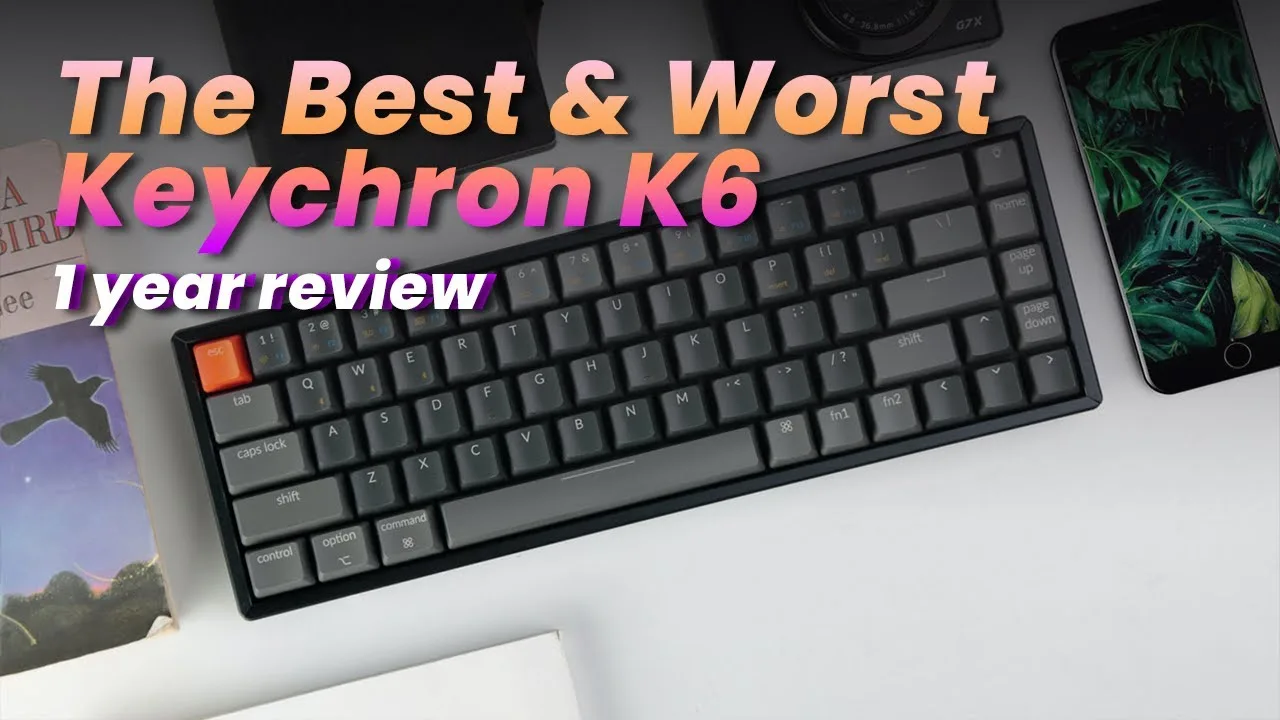
After over a year of daily use, this reviewer initially considered the Keychron K6 their favorite keyboard due to excellent build quality and value at $69-$99. The 65% layout with dedicated arrow keys, hot-swappable switches, 4,000 mAh battery (240 hours without backlight), and seamless Mac/Windows switching made it ideal for hybrid workflows. However, reliability issues emerged around month four with complete failure across all connection modes. Despite responsive support and a free replacement, the second unit died within four hours and exhibited phantom keystrokes even when powered off. The reviewer suspects a manufacturing defect where the tight aluminum bezel impinges on the PCB.
- →Best suited for entry-level mechanical keyboard users
- →Ideal for hybrid Mac/Windows work environments
- →Consider wired mode for gaming to avoid latency concerns
- →Budget for potential reliability issues and support delays
- →Hot-swap feature appeals to customization enthusiasts
 GadgeDee
The reviewer tested the Keychron K6 over two weeks with RGB …
GadgeDee
The reviewer tested the Keychron K6 over two weeks with RGB …
The reviewer tested the Keychron K6 over two weeks with RGB backlighting enabled throughout. Battery life impressed, delivering roughly 72 hours of use as claimed. The 65% form factor proved ideal for portable setups, especially paired with an iPad, though Bluetooth latency issues surfaced specifically with that device. Hot-swappable switches with Kailh sockets allow customization, though the tight socket spacing requires careful handling. The included ABS keycaps show oil and shine quickly, prompting a recommendation to upgrade. Backlighting disappointed—dim and hard to see in daylight despite multiple RGB modes. USB-C connectivity works only with standard power cables, excluding fast-charging variants.
- →Best for mobile professionals needing portable mechanical typing
- →Plan to replace stock keycaps immediately for longevity
- →Use standard USB-C cables only—avoid aviator/limo connectors
- →Expect daylight visibility issues with RGB backlighting
- →Consider wired use for iPad to avoid Bluetooth latency
 SmartDeploy
The Keychron K6 is a 65% compact mechanical keyboard positioned for …
SmartDeploy
The Keychron K6 is a 65% compact mechanical keyboard positioned for …
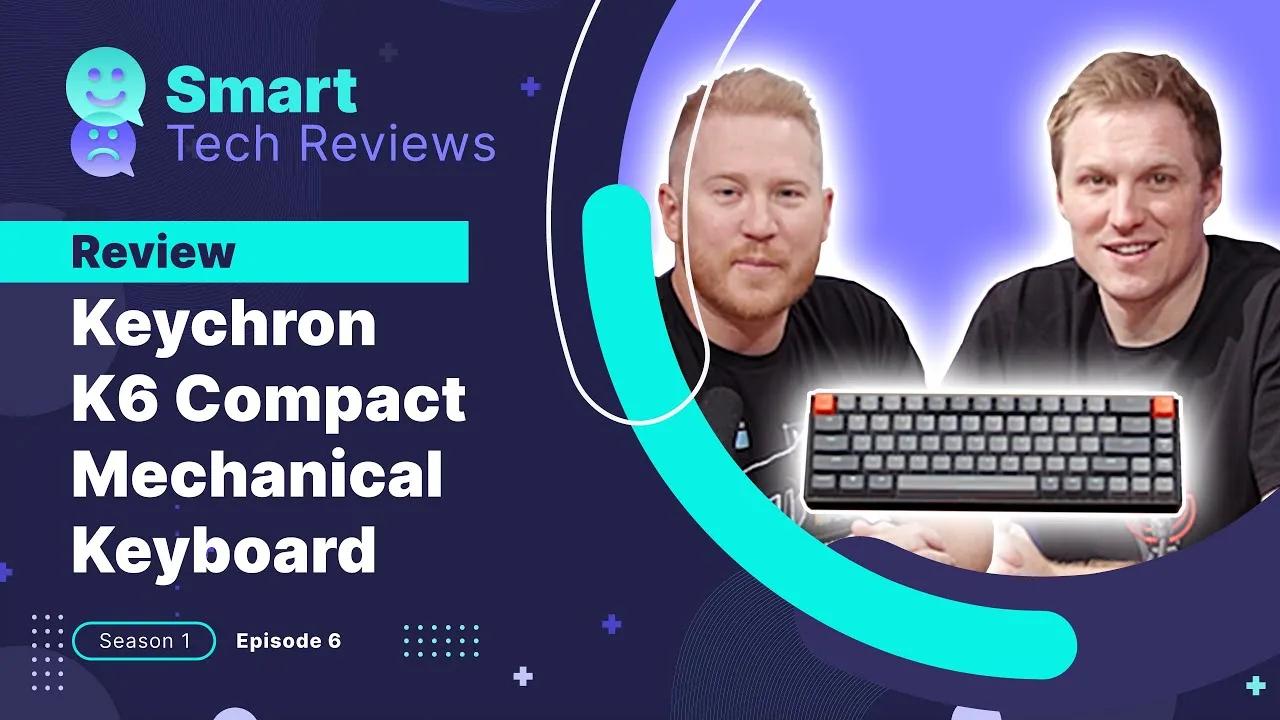
The Keychron K6 is a 65% compact mechanical keyboard positioned for corporate environments. It features Gateron Pro switches (tested with clicky blue variant), dual wireless/wired connectivity with a dedicated toggle switch, and Bluetooth supporting up to three devices. The compact design saves desk space and improves mouse ergonomics, though it sacrifices dedicated keys including the delete key. Battery life required frequent charging during testing. Bluetooth wake-up takes 3-5 seconds, but wired mode offers zero lag. The reviewer preferred its typing experience over a Logitech MX Mechanical keyboard used as a daily driver.
- →Best suited for users prioritizing desk space over dedicated keys
- →Ideal for multi-device setups with Bluetooth device switching
- →Wired mode recommended for latency-sensitive work
- →Consider for open offices where quieter switch variants preferred
- →Not recommended for heavy data entry requiring numpad
 Sean Marsalis
The reviewer has used the Keychron K6 as their primary Mac keyboard …
Sean Marsalis
The reviewer has used the Keychron K6 as their primary Mac keyboard …
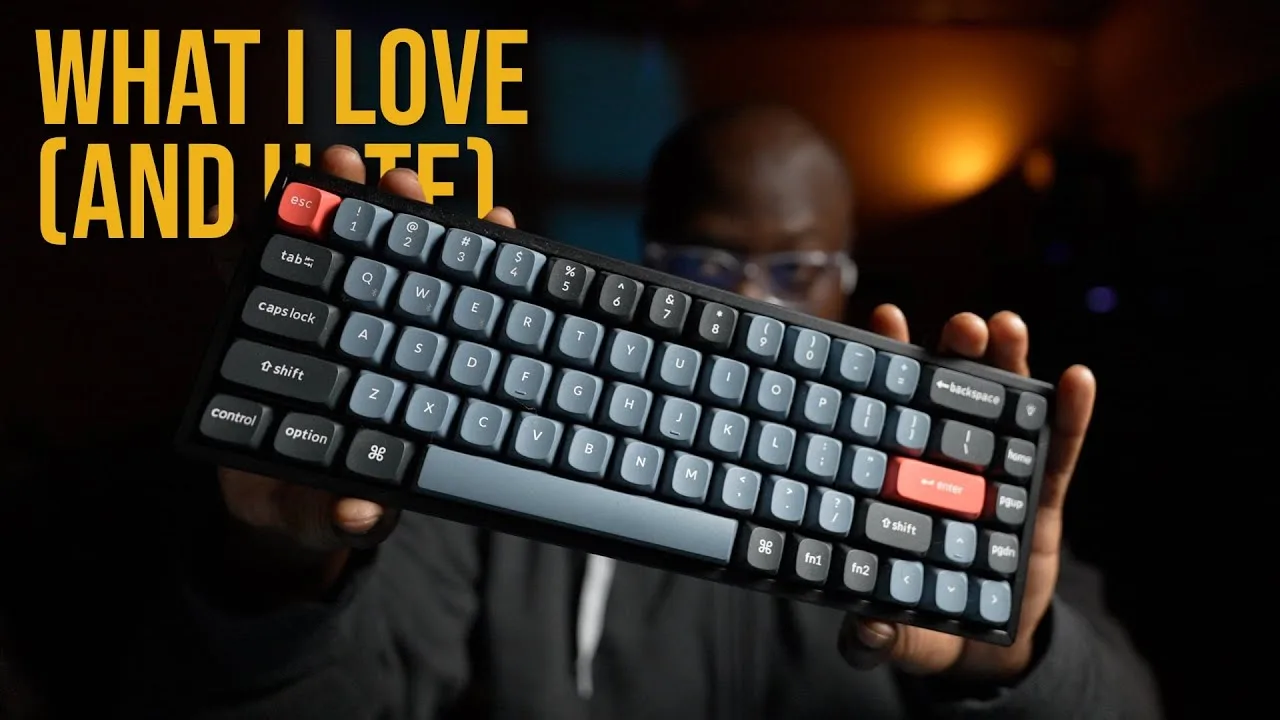
The reviewer has used the Keychron K6 as their primary Mac keyboard for an extended period with minimal modifications. This 65% pre-built mechanical keyboard works with macOS immediately without setup, though its substantial metal construction makes it desk-bound at over two pounds. The hot-swappable design allowed easy switch replacement from stock reds to Holy Pandas for tactile feedback. Notable compromises include a shortened right shift key causing initial adjustment issues, no right-side option key, non-backlit keycaps with underglow RGB only, and poor battery life with no convenient way to check remaining charge. The reviewer avoids companion software entirely and finds the keyboard too loud for office environments despite personal satisfaction with the typing experience.
- →Ideal for Mac users wanting instant plug-and-play functionality
- →Best suited for stationary desk setups, not portable use
- →Great entry point for beginners wanting hot-swap customization
- →Consider only if you don't need frequent battery monitoring
- →Not recommended for noise-sensitive shared workspaces
 Alessandro
 purchased the Keychron K6 several months ago for …
Alessandro
Alessandro purchased the Keychron K6 several months ago for …
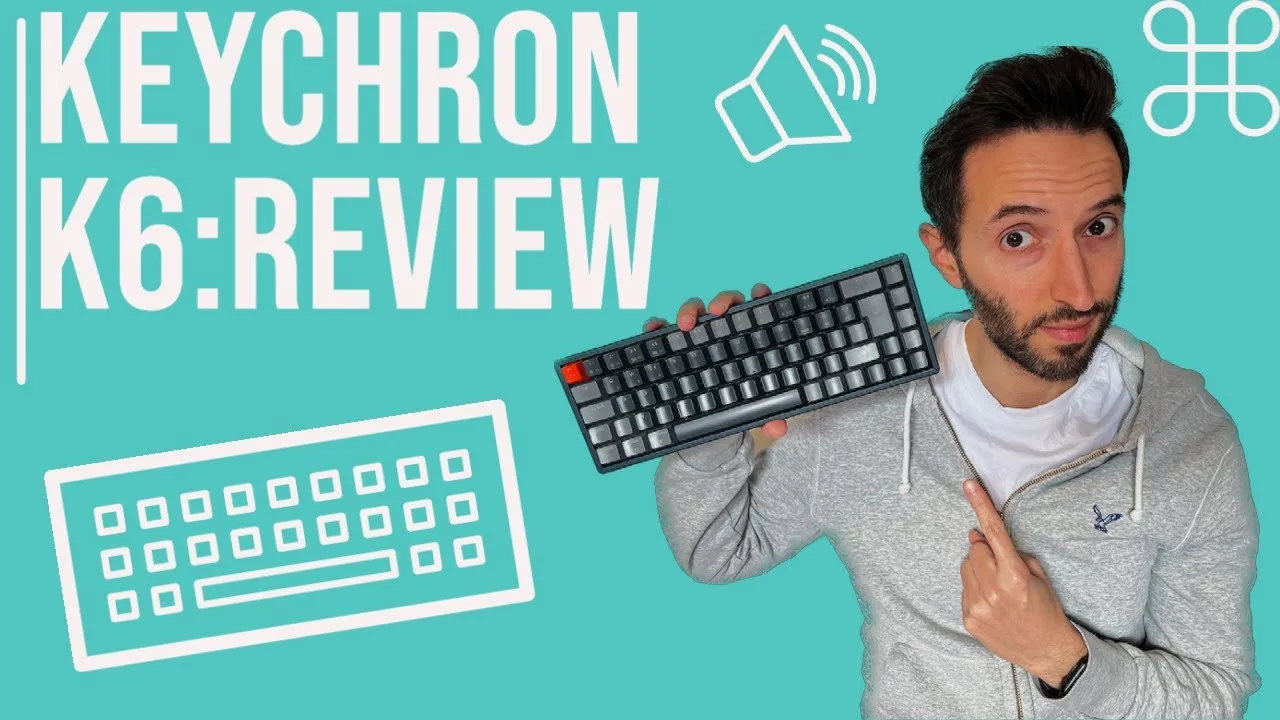
Alessandro purchased the Keychron K6 several months ago for approximately 80 euros plus 15 euros shipping from Hong Kong. He appreciates the tactile feel with a clear actuation point, the 50-100 million keystroke lifespan, and extensive customization options including hot-swappable switches and replaceable keycaps. The keyboard comes with a keycap puller and alternative keycaps in the box. However, standard models ship without German ISO layout keys—no umlauts or ß character—requiring careful selection during ordering. The reviewer finds the visual design appealing compared to standard keyboards, with options for personalized color schemes.
- →Ideal for users wanting tactile typing feedback
- →Best for enthusiasts prioritizing customization
- →Verify ISO layout selection before ordering
- →Suitable for long-term investment given lifespan
- →Plan for additional shipping costs from Hong Kong
 Will Jauregui
The reviewer undertook extensive customization of their Keychron K6, …
Will Jauregui
The reviewer undertook extensive customization of their Keychron K6, …
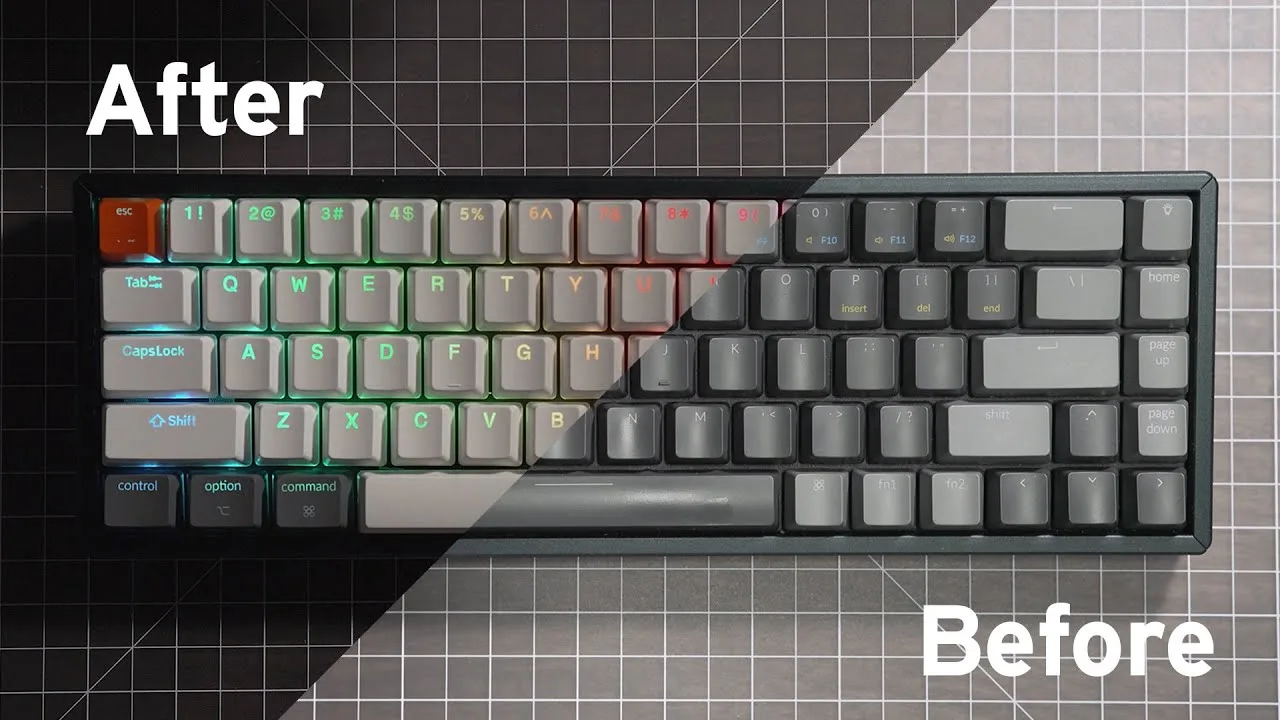
The reviewer undertook extensive customization of their Keychron K6, including foam filling to reduce hollow sound, band-aid modding, stabilizer lubing, keycap replacement, and switch swaps from Gateron Browns to Telios and Purple Zelios. Post-modification results were highly successful: the hollow resonance was eliminated, rattling was significantly reduced, stabilizers became nearly silent, and the new keycaps improved visual clarity. The reviewer expressed strong satisfaction with both acoustic and aesthetic improvements.
- →Ideal platform for enthusiasts wanting hands-on customization
- →Budget-friendly base for building premium typing experience
- →Plan for foam and stabilizer mods to address stock acoustics
- →Switch hot-swap capability enables easy preference tuning
 Switch and Click
The Keychron K6 features a 65% compact layout with arrow keys and …
Switch and Click
The Keychron K6 features a 65% compact layout with arrow keys and …
The Keychron K6 features a 65% compact layout with arrow keys and limited navigation cluster (home, page up, page down). It includes Bluetooth 5.0, updated case design, and a caps lock indicator like other Keychron models. The keyboard has flat rectangular rubber feet that sit lower on the desk compared to other variants. It comes with a wire keycap puller, braided USB-C cable with right-angle connector, extra Windows keycaps, and documentation. Notably, the K6 lacks a dedicated dust cover that other models include. The USB-C port is positioned on the left side. Hot-swap versions include a metal switch puller.
- →Ideal for users wanting compact size with arrow keys
- →Best for those who don't need function row
- →Suitable for minimal desk space setups
- →Good choice if dust cover isn't important
- →Consider if basic navigation keys suffice
 How to Creative
The reviewer upgraded from a cheap mechanical keyboard to the Keychron …
How to Creative
The reviewer upgraded from a cheap mechanical keyboard to the Keychron …
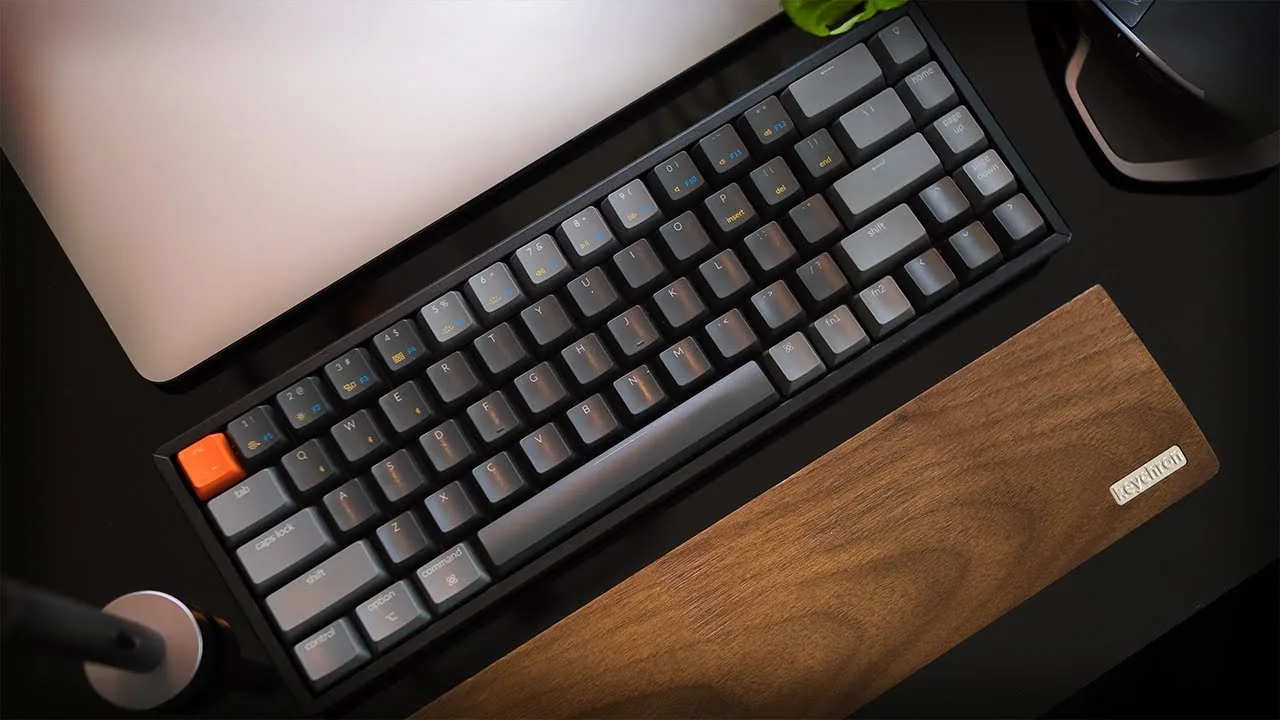
The reviewer upgraded from a cheap mechanical keyboard to the Keychron K6 after wanting a compact, wireless option for travel and daily use. They chose the hotswappable RGB aluminum version with Gateron Brown switches, plus a wooden wrist rest. The 65% layout with 68 keys retains arrow keys through innovative function key placement. Connection options include USB-C cable and Bluetooth 5.1 supporting three devices. After two weeks, the typing experience with Gateron Browns was praised as excellent. The keyboard offers 15+ RGB lighting modes, Mac/Windows layout switching, and weighs 664g with the aluminum frame adding 134g.
- →Ideal for creators needing portable mechanical typing
- →Best for Mac/Windows dual-platform users
- →Gateron Browns suit office and creative environments
- →Hotswappable version recommended for customization
- →Aluminum frame worth extra cost for frequent travelers
 W2Best Tech
Purchased for approximately 60 euros during a sale, this compact …
W2Best Tech
Purchased for approximately 60 euros during a sale, this compact …
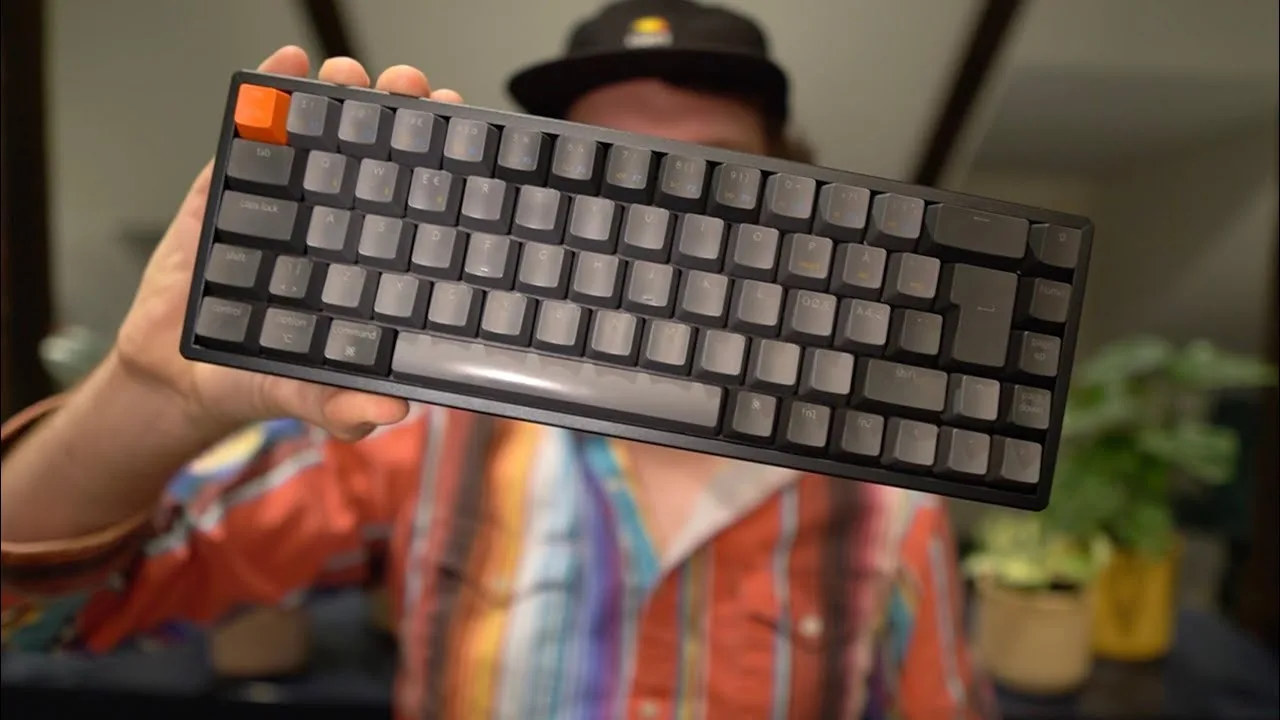
Purchased for approximately 60 euros during a sale, this compact mechanical keyboard replaced an older Logitech model specifically for MacBook Pro compatibility after four months of daily use. The reviewer values its minimalist aesthetic, dual connectivity options, and seamless macOS integration with dedicated Apple keycaps included. Setup involves a simple FN+Q four-second Bluetooth pairing process supporting three simultaneous device connections. Battery life extends up to four weeks, though the included USB-A to USB-C cable disappointed given the MacBook-focused design. Build quality impressed at this price point, with sturdy rubber feet offering two adjustable typing angles. The Nordic ISO layout with red switches suited the reviewer's preferences, and the braided cable—while not USB-C to USB-C—felt premium in hand.
- →Ideal for Mac users seeking affordable mechanical typing
- →Perfect for minimal desk setups and small workspaces
- →Great for multi-device users needing seamless switching
- →Best purchased on sale for maximum value
- →Consider cable replacement for modern USB-C-only laptops
 Dylans Decoded
After one month of daily use, the reviewer found the $69.99 …
Dylans Decoded
After one month of daily use, the reviewer found the $69.99 …
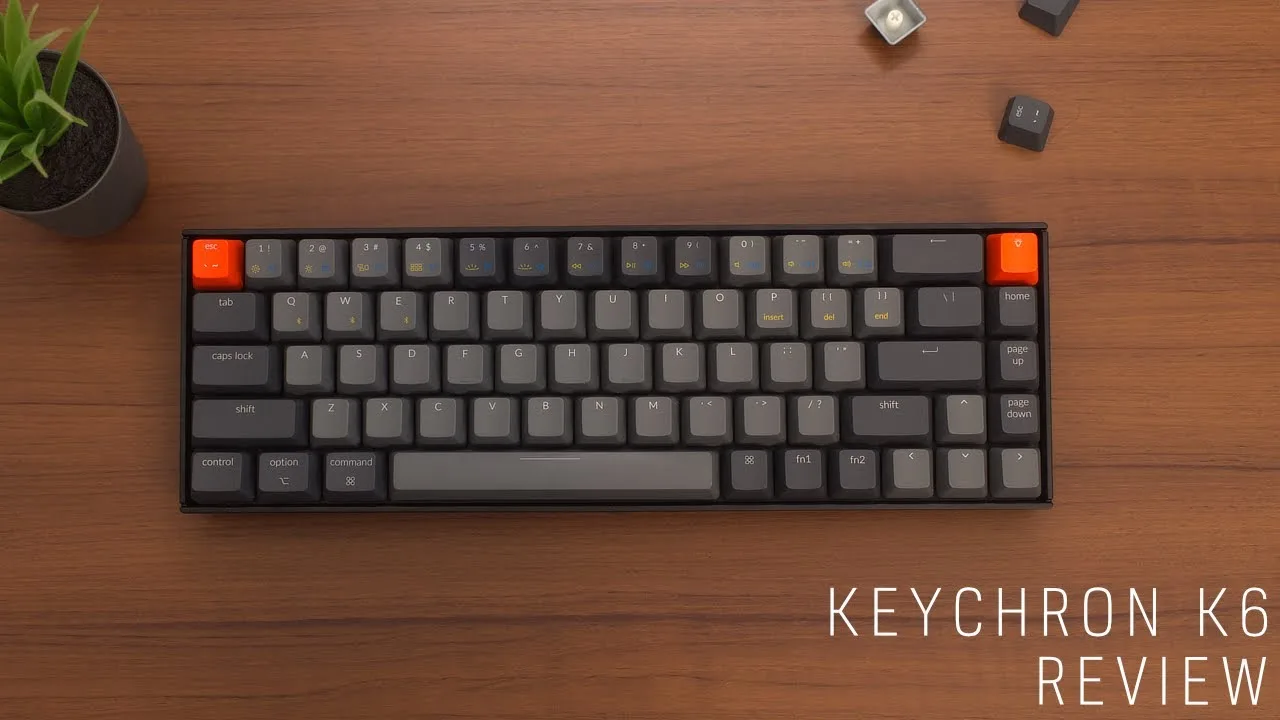
After one month of daily use, the reviewer found the $69.99 plastic-case K6 with Gateron brown switches and white backlighting to be a versatile compact keyboard. The 68-key layout retains arrow keys and function mappings despite its small footprint. Build quality impressed for the price point—the plastic case feels durable and drop-resistant, while ABS keycaps offer pleasant typing with an attractive color scheme featuring orange accent keys. Wireless connectivity pairs with up to three devices via Bluetooth, with straightforward Fn+Q/W/E switching. A physical side switch toggles between macOS and Windows/Android layouts, benefiting multi-OS users. Adjustable 6° or 9° kickstands, USB-C wired option, and multiple backlight profiles round out the feature set.
- →Ideal for multi-device users needing Mac/Windows flexibility
- →Budget-friendly entry point into mechanical keyboards
- →Compact size suits small desks without sacrificing arrow keys
- →Skip base model if RGB or switch customization matters
- →Good durability for travel or daily office use
 Gus Gonzalez
The K6 is a 65% wireless mechanical keyboard available in multiple …
Gus Gonzalez
The K6 is a 65% wireless mechanical keyboard available in multiple …
The K6 is a 65% wireless mechanical keyboard available in multiple configurations starting at $69. The reviewer recommends the hot-swap PCB with Gateron switches as the best value, skipping RGB and aluminum bezel upgrades. Gateron Brown switches provide tactile feedback without excessive clickiness, though the board runs loud stock. The plastic frame feels sturdy with no flex. Bluetooth connectivity works across Mac, Windows, Android and iOS with a side toggle for switching. The 65% layout preserves arrow keys while merging the function row into the number row. Some layout quirks exist, like a dedicated illumination key that could serve better purposes.
- →Best for users wanting arrow keys in compact layout
- →Hot-swap version ideal for enthusiasts who modify switches
- →Expect to mod stabilizers for optimal performance
- →Skip RGB and aluminum bezel to maximize value
- →Great multi-device setup keyboard with easy OS switching
 BeyCinema
The reviewer has owned the Keychron K6 for an extended period and uses …
BeyCinema
The reviewer has owned the Keychron K6 for an extended period and uses …
The reviewer has owned the Keychron K6 for an extended period and uses it primarily for Mac productivity tasks like writing scripts, journaling, and web browsing. The 65% compact form factor was the main reason for choosing this model over other Keychron options. The aluminum frame construction provides excellent rigidity with no flex, and the three adjustable angle settings add ergonomic flexibility. Bluetooth connectivity works seamlessly for switching between devices, and the 4000mAh battery delivers impressive longevity—up to 240 hours without backlighting or 68-72 hours with RGB enabled. The reviewer notes minimal latency in wired mode for casual gaming but primarily uses wireless. Hot-swappable functionality remains untested, and the Gateron red switches produce noticeable noise during fast, forceful typing.
- →Ideal for Mac users wanting compact wireless productivity
- →Hot-swappable version suits future customization plans
- →Skip if dedicated function keys are essential
- →Excellent battery life for wireless-heavy workflows
- →Consider switch choice carefully for noise tolerance
Community Discussions via Reddit
Setup Showcase
r/MechanicalKeyboards
u/Thalandros
The Keychron K6 appears in this setup showcase as a compact wireless keyboard used by Thalandros in an office environment. The owner specifically chose non-clicky switches to avoid disturbing colleagues, indicating awareness of noise concerns in shared workspaces. The K6 is paired with custom keycaps including a distinctive Zerg key from Starcraft esports history. Community discussion validates this approach, with multiple commenters confirming that linear and tactile switches are generally office-appropriate, while clicky switches have caused real friction in professional settings. The K6 serves as a practical daily driver for someone balancing mechanical keyboard enthusiasm with workplace courtesy.
Key Insights
- →Best for office workers who want mechanical feel without disturbing colleagues—choose tactile or linear switches, not clickies
- →Viable platform for custom keycap enthusiasts seeking compact layouts
- →Community consensus: switch choice matters more than board choice for office acceptability
- →65% form factor balances functionality and desk space for professional settings
Top Comments
i don't know if you guys are real or it's just a meme. made a keeb with box jades thinking i'd epically troll everyone - nobody batted an eye, i myself was the only one irritated by it, and immensely …
i don't normally care about custom keys, but that zerg one.... i not only want that. I need that. where does one buy it?
Lmao. Well one of my colleagues said that there were one or two people in the office that couldn't stand his clicky switches, so he stopped using it at the office. So better safe than sorry haha.
Scores based on weighted analysis of 27 expert and community sources. How we review →