

Keychron V5 Max
Best For
- Users seeking a compact wireless keyboard over a wired alternative
- Mechanical keyboard enthusiasts on a budget
- Typists valuing tactile feedback
Consider Carefully
- Buyers needing out-of-the-box dark room visibility
- Users with smaller hands who find tall keys hard to reach
- Buyers who want wireless but are comparing to the wired-only V5 and need Bluetooth or 2.4GHz support
Jump to Section
The Bottom Line
The Keychron V5 Max is a solidly built mechanical keyboard that's received a broadly positive reception for its typing feel and wireless capabilities. Buyers comparing it to the standard V5 should know the key distinction: the V5 Max adds wireless connectivity via 2.4GHz and Bluetooth, making it the better pick for those prioritizing a clutter-free desk over a strictly wired setup. What we found particularly impressive is its distinctive tactile Gateron Jupiter Banana switches, which offer a crisp bump and require 55.1g of operating force, as noted by techgearlab.com. These switches contribute to a satisfying typing experience that reduces misclicks during typing. The keyboard's compact design and wireless connectivity make it a great choice for those with limited desk space or a preference for clutter-free setups, as highlighted by wepc.com, who also praised its competitive pricing for the feature set it offers.
Performance Breakdown
Expert Scores
How 4 professional publications rated this product
In-Depth Analysis
Customization Options 90
Fifteen sources make this the most agreed-upon aspect of the V5 Max. Hot-swap sockets, QMK/VIA support, south-facing RGB, and a full disassembly toolkit ship in the box.
Key Takeaway
→If customization is your priority, this is one of the most accessible platforms at this price. Just budget for switches, because the included options are a starting point, not a destination.
Typing Feel & Sound 87
Six sources agree the gasket mount delivers a soft, dampened feel that works in open offices. The stock stabilizers still rattle faintly, and tactile switches may still be too loud for quiet environments.
Key Takeaway
→For office use or anyone who wants a quieter mechanical board without modding, this is a strong pick. Audiophile-level acoustics require additional lubing work.
Wireless Connectivity 87
The 2.4GHz connection hits a true 1000Hz polling rate, putting it on par with wired for gaming. One Reddit user reported reliability failures within two weeks, and no community fix exists.
Key Takeaway
→If you need low-latency wireless with multi-device flexibility, this delivers. If you've had bad luck with wireless keyboards before, buy from a retailer with easy returns.
Software & Firmware 85
QMK, VIA, and a web-based configurator cover most customization needs without installing software. Wireless failures don't respond to firmware fixes, suggesting a hardware-level issue when they occur.
Key Takeaway
→For customization and cross-platform use, the software ecosystem is well-built. If you hit wireless issues, don't expect a firmware update to save you.
Battery Life 82
Two sources, limited data. The 4000mAh battery reportedly lasts around five days with wireless and backlighting active.
Key Takeaway
→Battery life is adequate for weekly charging cycles with RGB on. If you want longer runtime, turn the backlight off.
Build Quality 81
The plastic chassis is solid and flex-free, but Reddit surfaces a pattern of switch displacement issues and warranty support that may require DIY fixes rather than manufacturer help.
Key Takeaway
→The build is solid for the price, but buy from a retailer with a strong return policy. Manufacturer warranty support has real question marks.
Layout & Ergonomics 77
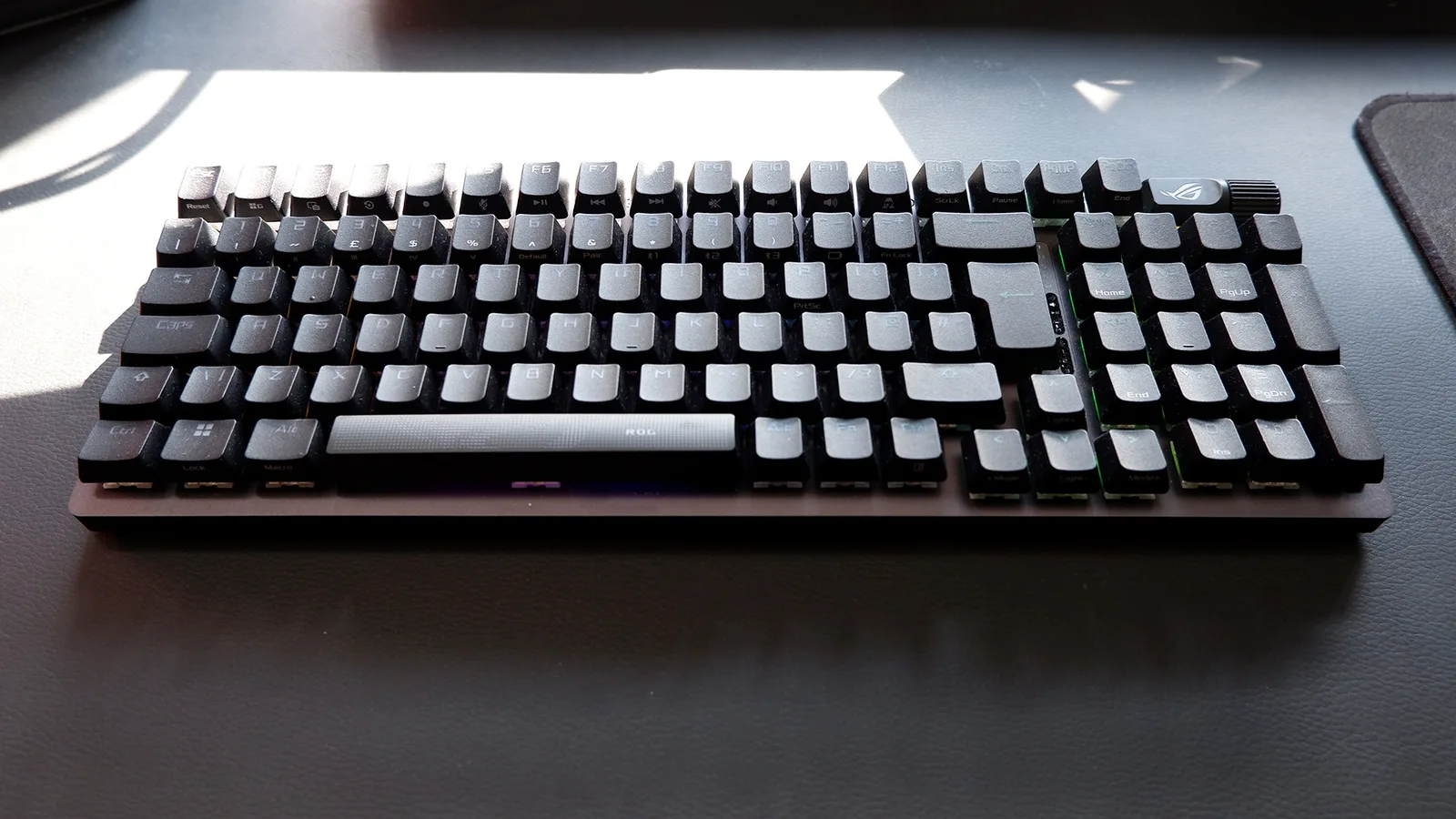
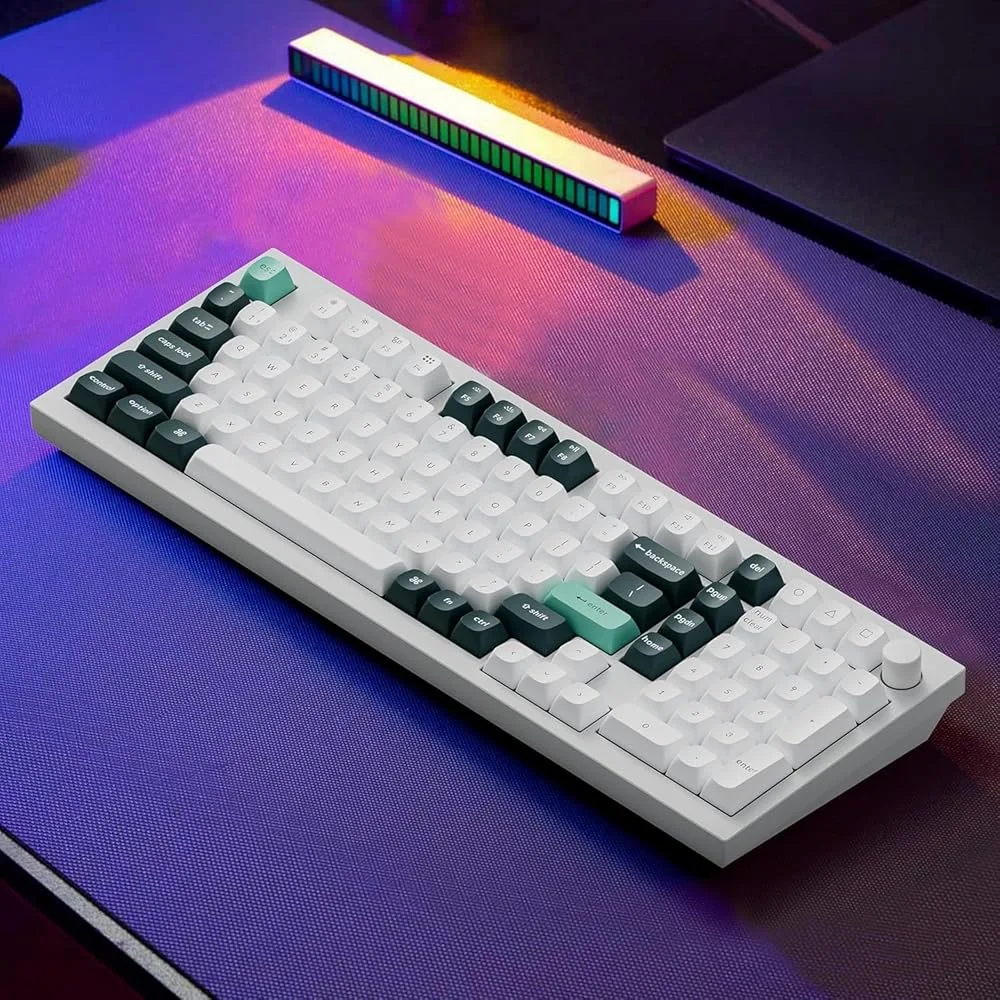
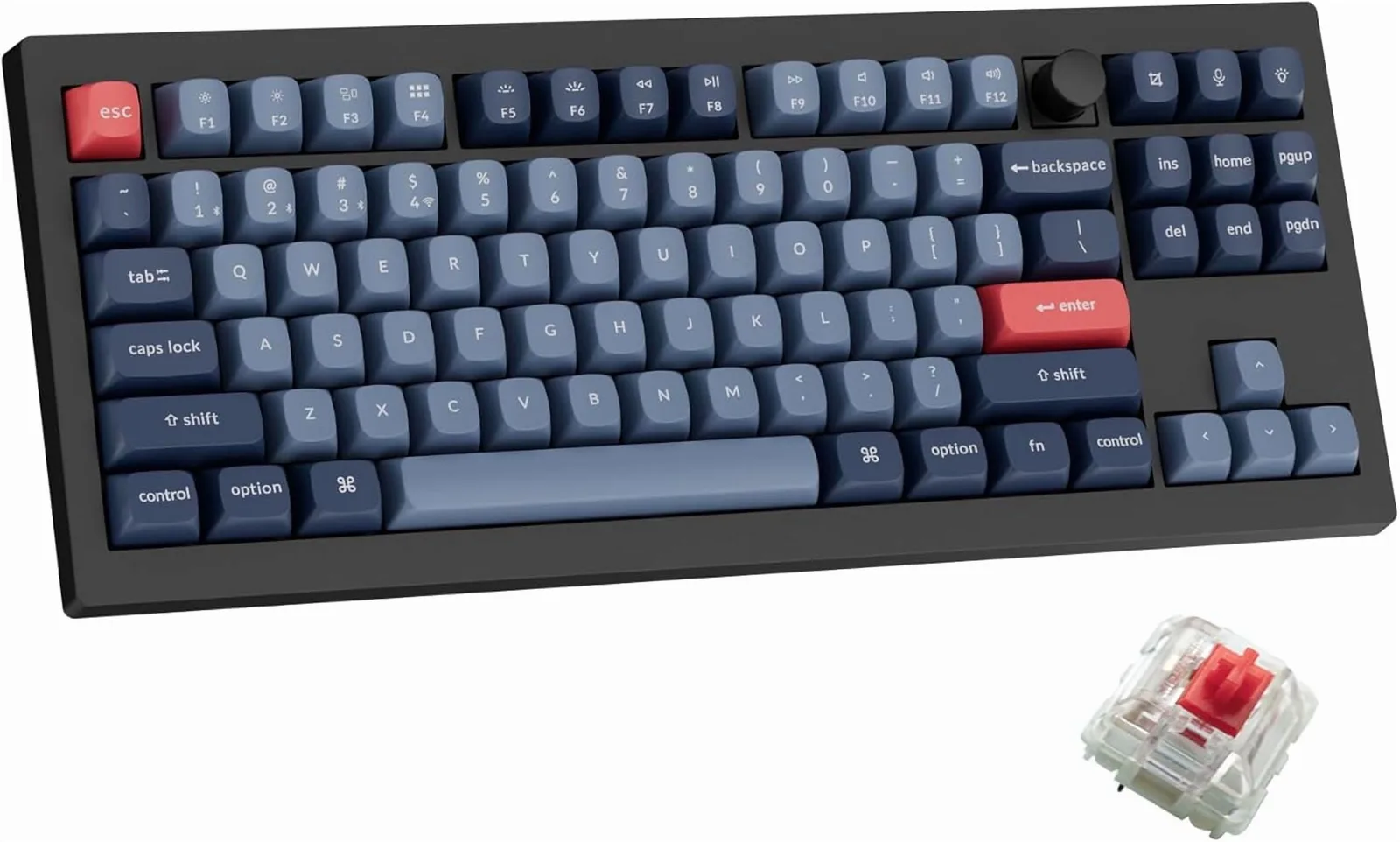
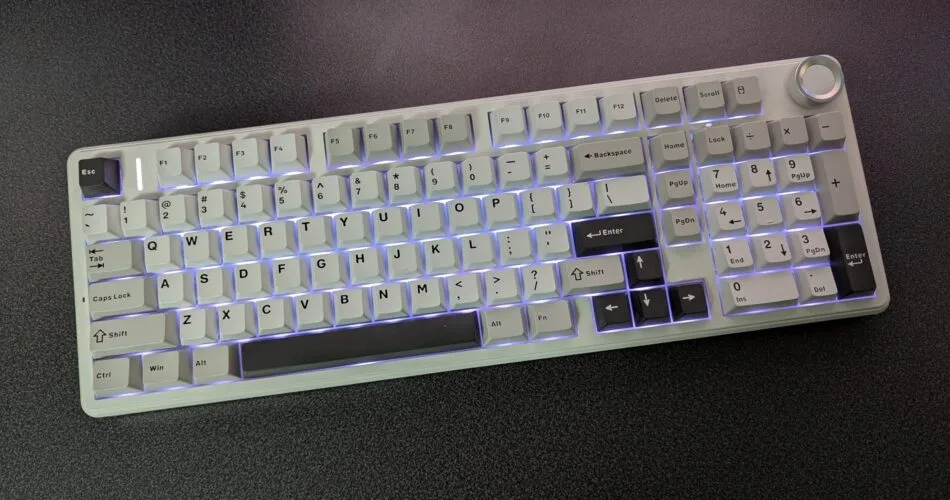
The 96% layout fits a numpad into a compact footprint, but the shrunken numpad zero key and high keycap profile create real ergonomic trade-offs that reviewers consistently flag.
Key Takeaway
→If you need a numpad in a smaller footprint, this layout works. If you do heavy numeric data entry or are sensitive to non-standard key sizing, the compressed numpad will frustrate you.
Keycap Quality 75
Double-shot PBT keycaps are durable and oil-resistant, but the south-facing RGB and opaque legends mean backlight visibility is poor in the dark.
Key Takeaway
→The keycaps are durable and comfortable, but if you use RGB for visibility in the dark, plan to replace them with shine-through legends.
Specifications & Verdict
Design
- Form Factor
- Full (96%)
- Layout
- ANSI (United States)
- Size
- 96%
- Dimensions
- 391.5 x 148.7 x 29.6mm
- Weight
- 925g
- Color Options
- Black
Build
- Case Material
- Plastic
- Plate Material
- Polycarbonate
- Keycap Material
- PBT, ABS
- Keycap Profile
- OEM
- Keycap Type
- PBT, Double-shot
- Mount Type
- Gasket mount
- Stabilizers
- true
- Sound Dampening
- true
Switches
- Switch Type
- Mechanical
- Switch Feel
- Linear
- Switch Options
- Linear, Tactile, Clicky
- Hot-Swappable
- Yes
- Actuation Force
- 45 g
- N-Key Rollover
- true
- Actuation Distance
- 2 mm
Connectivity
- Connectivity
- Bluetooth, 2.4GHz wireless, USB
- Bluetooth Devices
- 3
- Polling Rate
- 1000 Hz
Power
- Battery
- 4000mAh
- Battery Life
- 100 hours
Software
- Software
- QMK
- OS Compatibility
- Windows, MacOS, Linux
- VIA Compatible
- Yes
Features
- Media & Controls
- Via Fn key, yes (programmable)
- Included Accessories
- USB-A and USB-C
- Special Features
- Remappable keys, volume knob
Other Specs
- Backlighting
- RGB backlit keys (key symbols not backlit)
- Switch Tested
- Gateron Jupiter Banana
- Actuation Bump Distance
- 0.56mm
- Actuation Force Travel
- variable depending on switch (Jupiter Brown: 55+-15gf /4mm)
- Layout Ergonomics
- Normal
- Models Compared
- Keychron V5,Keychron V5 Max
- Backlight Control
- Fn + Q for cycling effects
- Usb C
- true
- Vial Support
- true
- Hall Effect Support
- false
Our Verdict
If you're in the market for a mid-range mechanical keyboard that doesn't skimp on features, the Keychron V5 Max is a compelling option. It's best for users who value tactile typing and wireless convenience, and 9 of our 21 sources specifically called out its wireless connectivity and compact footprint as standout reasons to buy. However, if you're averse to potential hardware modifications or require out-of-the-box dark room visibility, this might not be the keyboard for you.
Customer Reviews Amazon
140 reviews
4.4 out of 5 stars
from 140 reviews
Reviews shown are from Amazon customers and do not reflect our editorial assessment.
Reader Questions
Specific questions about the Keychron V5 Max, answered only from what reviewers reported.
01Does the gasket mount actually make a noticeable difference in typing feel?
Reviewers consistently found that the gasket mount delivers a softer, springier typing feel and reduces both vibration and noise compared to standard plate-mounted keyboards. Foam layers further cushion long typing sessions.
02Is the wireless connection reliable enough for daily use?
The keyboard supports triple connectivity: 2.4GHz, Bluetooth (up to 3 devices), and wired USB-C. Reviewers noted the 2.4GHz mode is recommended over Bluetooth for productivity, and wired mode serves as a reliable fallback if wireless systems fail.
03Is it good for gaming, or just productivity?
The V5 Max achieves a 1000Hz polling rate over wired or 2.4GHz wireless, which reviewers noted delivers excellent low-latency performance for gaming. It was also recommended for productivity and gaming hybrid use.
04Does the numpad match a standard full-size layout?
Not exactly. Reviewers flagged that the numpad zero key is single-width rather than the standard double-width, which can cause a cramped hand position. The 96% layout also means some keys are in non-standard positions, so keycap compatibility should be checked carefully.
05Can I swap switches without soldering?
Yes, the V5 Max has a hot-swappable PCB, so you can change switches without any soldering. Reviewers highlighted this as a key feature for beginners who want low-risk experimentation with different switches.
06Will the RGB backlighting show through the keycaps?
No. The stock PBT keycaps do not have shine-through legends, so the backlight is not visible through the lettering in dark rooms. You would need to replace the keycaps to get that effect.
Pricing & Availability
Keychron V5 Max
All regions
Sources & Methodology
Every score is built on evidence. This review synthesizes 21 independent sources — expert publications, video reviews, and community discussions — weighted by credibility, depth, and relevance.
Show detailed source analysis ↓ Hide source analysis ↑
Expert Reviews
techgearlab.com
Top
3.4/5-point
The Keychron V5 Max delivers a distinctive typing experience centered around tactile Gateron Jupiter Banana switches that require 55.1g of operating force. A crisp bump occurs just 0.56mm into the press, yet actuation happens much later at 2.38mm—creating a deliberate, satisfying feel that reduces misclicks but demands adjustment. The high keycap profile and curved key shapes cradle fingertips comfortably, though the tall stance practically necessitates a separate wrist rest to avoid strain. Three adjustable angles (3.5º, 7º, 9º) help accommodate different preferences. Performance testing revealed slightly below-average typing speeds initially, with testers averaging 6.0 versus 6.75 on competing boards, though accuracy remained solid at 8.7. The compact numpad design, featuring a shrunken 0 key, proves awkward for rapid data entry.
Strengths
- +Crisp, satisfying tactile bump reduces misclicks during typing
- +Curved key shapes gently cradle fingertips for comfort
- +Three adjustable angles accommodate different ergonomic preferences
- +Convenient matching wrist rest available from manufacturer
Weaknesses
- −High keycap profile demands wrist rest to prevent strain
- −Wrist rest not included despite near-necessity for comfort
- −Compact numpad has shrunken 0 key causing cramped hand position
- −Below-average initial typing speeds require adjustment period
wepc.com
Top
4.5/5-point
The Keychron V5 Max delivers premium mechanical keyboard features at a mid-range price point. This 96% wireless board offers 2.4GHz, Bluetooth, and USB-C connectivity with a 1000Hz polling rate for gaming. The ABS plastic chassis feels durable and heavy, incorporating gasket mount design and multiple foam layers for sound dampening. Pre-lubed Gateron Jupiter switches and screw-in stabilizers provide an excellent typing experience out of the box. The QMK firmware supports Windows, MacOS, and Linux with easy onboard programming. A programmable multimedia knob and hot-swappable sockets add versatility, though the non-shine-through PBT keycaps limit visibility in dark environments.
Strengths
- +Competitive pricing for feature set
- +Excellent typing feel with Jupiter Brown or Super Banana switches
- +Durable PBT doubleshot keycaps resist wear
- +User-friendly onboard software for customization
Weaknesses
- −Standard keycaps lack shine-through lettering for dark typing
- −Keycap font appears cheap on some keys
- −Heavy weight reduces portability
- −USB-C cable retains kinks from packaging
cravingtech.com
Top
After three weeks of use, the reviewer found the Keychron V5 Max to be a versatile 96% mechanical keyboard excelling in connectivity and customization. The gasket-mounted design delivers a quiet, vibration-free typing experience suitable for office environments. Its 4000mAh battery provided nearly five days of continuous wireless use. The keyboard supports three Bluetooth devices plus 2.4GHz and USB-C wired connections, with dedicated Mac/Windows modes. Extensive customization includes 22+ backlight effects (hardware-controlled), macro programming via web app, and hot-swappable switches. The numpad suits data entry work, though the single-width zero key requires adjustment. Build quality impressed with responsive, stable key feel.
Strengths
- +Triple connectivity: 2.4GHz, Bluetooth (3 devices), and USB-C wired
- +Gasket mount eliminates vibration and reduces typing noise significantly
- +4000mAh battery lasts ~5 days with wireless and backlight on minimum
- +22+ preset backlight effects controlled entirely via hardware shortcuts
Weaknesses
- −Numpad zero key is single-width instead of standard double-width
- −No dedicated software — all customization requires web app or hardware shortcuts
Enostech
The Keychron V5 Max delivers a compelling 1800 compact layout that preserves full-size functionality without consuming excessive desk space. Its gasket mount construction paired with sound-absorbing foam produces a quieter, softer typing experience. The double-shot PBT keycaps in OSA profile offer durability and ergonomic comfort. Wireless flexibility comes through 2.4 GHz and Bluetooth 5.1 connectivity across three devices, with dual receivers (Type-C and Type-A) adding versatility. Hot-swappable PCB accommodates easy switch customization, while pre-lubed Gateron Jupiter switches provide smooth operation rated for 80 million keystrokes. QMK and VIA compatibility enables deep software customization, and seamless Windows/macOS switching broadens its appeal. South-facing RGB lighting avoids interference with keycaps.
Strengths
- +Hot-swappable PCB enables easy switch customization without soldering
- +Gasket mount with foam delivers quieter, softer typing feel
- +Double-shot PBT keycaps resist oil and wear durably
- +Dual wireless connectivity with 2.4 GHz and Bluetooth 5.1
Weaknesses
- −No pre-installed shine-through keycaps for backlight visibility
- −Programming via QMK/VIA requires learning curve for beginners
- −Limited switch options included despite hot-swap capability
Medium
A designer found the plastic version of this keyboard surprisingly solid with no flex or creaks. The gasket mount and foam layers create a cushioned feel for long work sessions, while pre-lubed stabilizers eliminate rattles. Cherry MX Reds provide smooth, quiet linear switches suitable for office environments. Double-shot PBT keycaps with OSA profile feel premium and durable, though the default color scheme wasn't appealing. Red accent keys happened to match the reviewer's firm branding.
Strengths
- +Solid plastic build with zero flex or creaking
- +Gasket mount and foam layers cushion long typing sessions
- +Pre-lubed stabilizers eliminate rattles and echo
- +Cherry MX Reds are smooth and office-quiet
Weaknesses
- −Default color scheme not visually appealing
Macreports
At $99 fully-assembled, this keyboard delivers impressive out-of-box performance with a satisfying tactile feel and pleasant acoustics. The 96% layout preserves essential navigation keys while including a number pad in a compact footprint. Wireless connectivity via Bluetooth and 2.4 GHz pairs with a substantial 4000mAh battery. The gasket-mounted PC plate creates a softer, quieter typing experience. Hot-swappable switches and QMK/VIA support enable deep customization without requiring immediate tinkering. Double-shot PBT keycaps in soft blue tones look better in person than product photos suggest. Mac-optimized labeling and dedicated OS switching broaden appeal, though the plastic construction and single black colorway limit premium feel.
Strengths
- +Affordable $99 price point for fully-assembled version
- +Strong Bluetooth connection with ample 4000mAh battery
- +Includes number pad in compact 96% layout
- +Hot-swappable switches for easy customization
Weaknesses
- −Plastic construction lacks premium feel of aluminum boards
- −Only available in black colorway
- −Tactile switches may still be too loud for some environments
Rtings
8.1
The Keychron V5 Max is a compact 96% wireless mechanical keyboard with a plastic case and gasket-mounted design that delivers a soft, springy typing experience. It supports 2.4GHz wireless via USB-A or USB-C receivers and Bluetooth connectivity for up to three devices simultaneously. The keyboard features hot-swappable PCBs with various Gateron Jupiter switch options, full RGB backlighting with south-facing LEDs, and includes a toolkit for disassembly. Build quality is consistently praised across use cases, with quiet typing noise and sound-dampening foam. However, stock keycaps lack shine-through legends, making them hard to read in dark rooms, and stabilizers produce occasional rattling. The high profile necessitates a wrist rest, which isn't included.
Strengths
- +Impressive overall build quality with solid construction
- +True 1000Hz polling rate over wired or 2.4GHz wireless
- +Excellent low latency performance for gaming
- +Gasket-mount design provides soft, springy typing feel
Weaknesses
- −Stock keycaps lack shine-through legends for dark room visibility
- −South-facing LED placement reduces key legend illumination
- −Stabilizers produce faint, occasional rattling noise
- −Fairly high profile requires wrist rest for comfort
Video Reviews
 HCube
A software engineer's eight-month review of the Keychron V5 Max …
HCube
A software engineer's eight-month review of the Keychron V5 Max …
A software engineer's eight-month review of the Keychron V5 Max mechanical keyboard. The reviewer selected the 1800 compact layout for its integrated numpad while eliminating unused navigation keys, finding it ideal for coding and data entry. The keyboard offers three connectivity modes: wired, Bluetooth, and 2.4G wireless, with the reviewer preferring 2.4G for productivity work. Pre-assembled from a reputable mid-range brand, it features hot-swappable switches, customizable keycaps, and RGB lighting. The tactile typing experience reduces finger fatigue compared to membrane keyboards. The reviewer considers it a durable, worthwhile investment for long-term daily use.
- →Ideal for users needing numpad in compact footprint
- →2.4G wireless recommended over Bluetooth for productivity
- →Pre-built option suits non-enthusiast buyers
- →Layout choice should match actual key usage patterns
- →Durable enough for 10+ year expected lifespan
 RTINGS Computer
The Keychron V5 Max delivers a compelling 96% mechanical keyboard …
RTINGS Computer
The Keychron V5 Max delivers a compelling 96% mechanical keyboard …
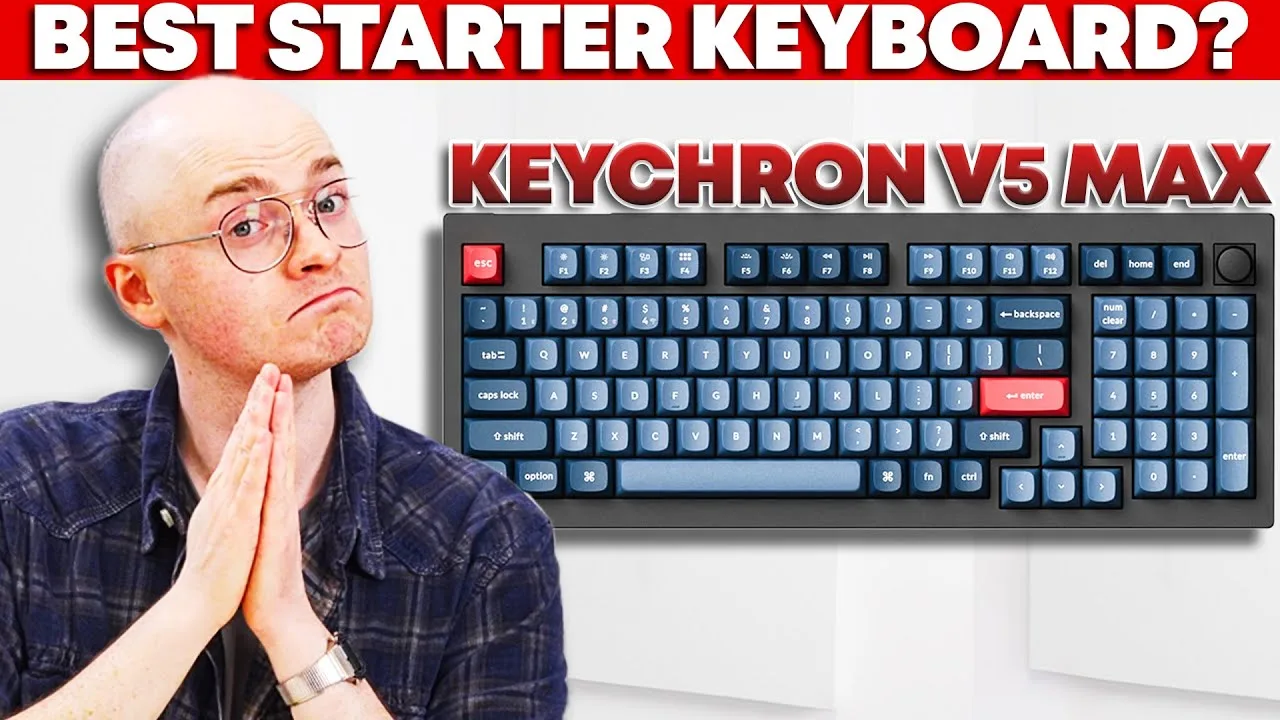
The Keychron V5 Max delivers a compelling 96% mechanical keyboard experience at $100, combining gasket mount design, hot-swappable PCB, and tri-mode connectivity. Its ABS plastic case maintains solid rigidity with minimal flex, while factory-lubed switches and double-shot PBT keycaps provide quality out-of-box typing. The south-facing RGB LEDs enhance aftermarket keycap compatibility, though stock caps lack shine-through legends. Wireless performance spans 2.4GHz and Bluetooth with thoughtful receiver options, backed by a 4000mAh battery rated for 225 hours. Pre-lubed stabilizers exhibit minor rattle—a common pre-built weakness addressable through modding. The tall profile necessitates wrist rests for extended use.
- →Ideal for enthusiasts wanting customizable entry-level gasket mount
- →Best suited for users prioritizing wireless flexibility
- →Great starting point for modding beginners
- →Recommended for compact full-size layout seekers
- →Perfect for those wanting immediate quality without assembly
 Studio 3B - Audio and Technology
The reviewer purchased the V5 Max seeking a consistent mechanical …
Studio 3B - Audio and Technology
The reviewer purchased the V5 Max seeking a consistent mechanical …
The reviewer purchased the V5 Max seeking a consistent mechanical keyboard experience between work and home. They valued its maintainability, repairability, and ability to replace switches and keycaps. The 96% layout includes a number pad, volume knob, and wireless connectivity via Bluetooth, RF, and USB-C. However, the compact layout repositioned critical keys—the arrow keys sit beneath the enter key, and the delete key moved to an unfamiliar location. This caused frequent typing errors, particularly in terminal work where delete is heavily used. The reviewer used red switches, describing them as smooth with minimal resistance and a "buttery feel" with audible clicks. RGB backlighting with customizable patterns is included. The keyboard ships with extra keycaps, a key puller, USB-C to USB-C cable, and USB-C to USB-A adapter.
- →Not ideal for users dependent on standard full-size key positions
- →Better suited for those prioritizing wireless connectivity and compact desk space
- →Red switches preferred for smooth, low-resistance typing experience
- →Consider full-size alternative if delete/arrow key placement is critical
- →Good entry point for mechanical keyboard hobbyists wanting customization
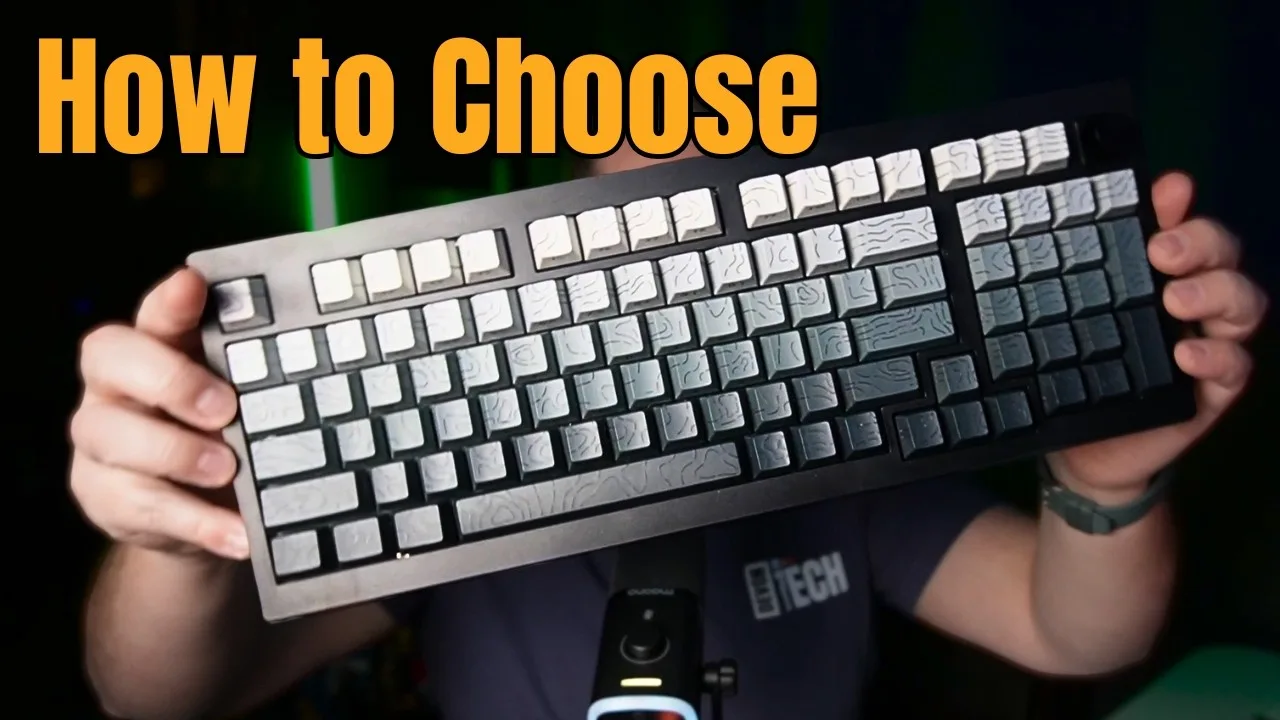 DevonDoesTech
The reviewer received the Keychron V5 Max as a review unit and found …
DevonDoesTech
The reviewer received the Keychron V5 Max as a review unit and found …
The reviewer received the Keychron V5 Max as a review unit and found it to be exactly what they were looking for, hitting four main criteria. They praised the clean packaging, user-friendly quick start guide, and included accessories like extra accent keycaps and USB adapters. The keyboard features a clean, professional aesthetic suitable for office environments with fully plastic construction that intentionally produces a specific sound profile. The reviewer emphasized the keyboard's ease of use and immediate availability compared to the complex, expensive, and often delayed group buy ecosystem of custom mechanical keyboards.
- →Ideal for users avoiding complex custom keyboard rabbit hole
- →Perfect for office workers wanting professional appearance
- →Great entry point into mechanical keyboards without group buys
- →Suits those prioritizing convenience over premium materials
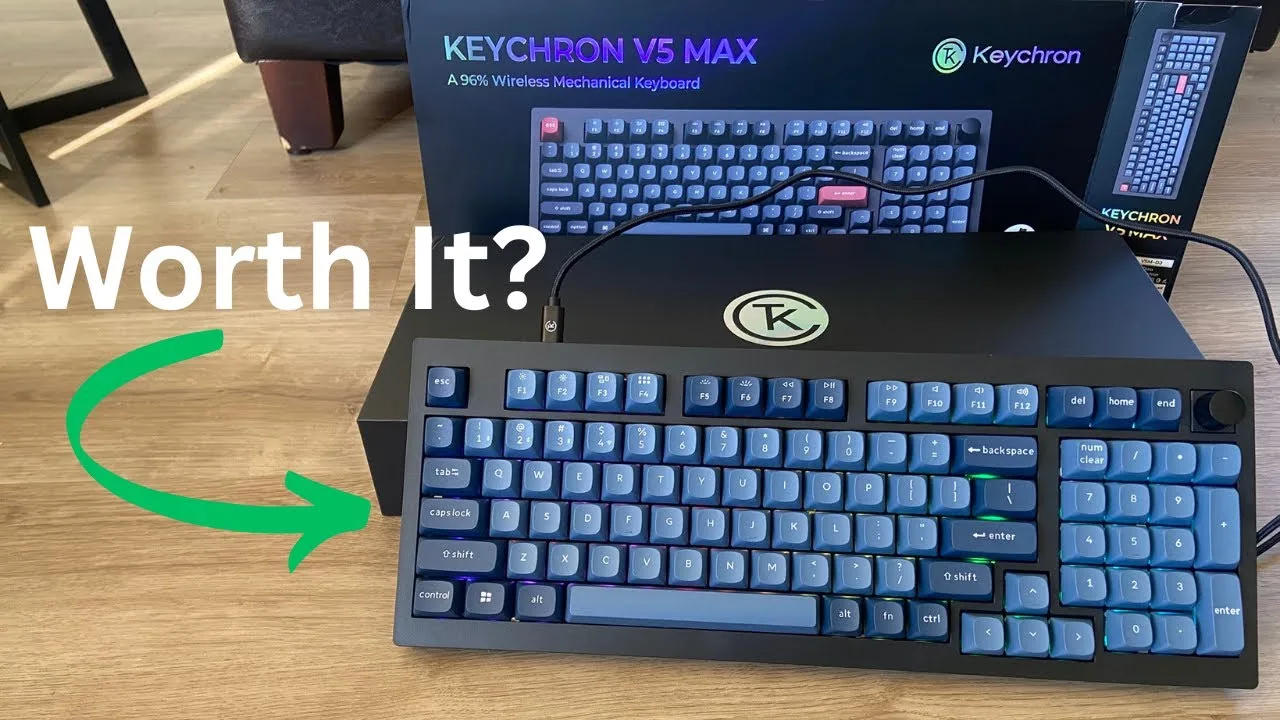 YouTube
This review covers the Keychron V6 Max (though the reviewer later …
YouTube
This review covers the Keychron V6 Max (though the reviewer later …
This review covers the Keychron V6 Max (though the reviewer later calls it V5 Max), a full-size wireless mechanical keyboard with triple connectivity options. Features demonstrated include hot-swappable Gateron banana switches, extensive RGB lighting with responsive patterns, and cross-platform compatibility. The reviewer highlights premium build quality, included customization tools, and satisfying typing acoustics. Setup is straightforward with the quick start guide, and physical switches allow easy toggling between Windows/Mac modes and connection types. The keyboard charges via USB-C while in wired mode. Overall, the reviewer expresses strong satisfaction after initial use.
- →Ideal for users wanting customizable mechanical switches
- →Great for multi-device setups across different operating systems
- →Suits those who enjoy extensive RGB personalization
- →Good entry point for beginners to mechanical keyboard customization
- →Recommended for productivity and gaming hybrid use
Community Discussions via Reddit
Comparison
r/MechanicalKeyboards
u/Lucky_End_9420
The Keychron V5 Max is a 96% mechanical keyboard that the owner purchased as their first proper mechanical keyboard after years of using laptop keyboards. They paired it with Jupiter Banana switches and have been experimenting with inexpensive Amazon keycaps while determining their preferences. The owner finds the keyboard to be good value for money and is impressed with its overall quality, though they lack experience with high-end keyboards for comparison. They specifically chose the 96% layout for frequent numpad use while avoiding unused tenkey keys. The south-facing backlighting has proven challenging with certain keycap combinations.
Key Insights
- →Best for first-time mechanical keyboard buyers seeking value and a compact-full-size layout
- →96% layout requires careful keycap compatibility checking due to non-standard sizes
- →South-facing RGB works better with side-lit or shine-through keycaps than top-printed backlit designs
- →Jupiter Banana switches satisfactory for users without high-end comparison experience
- →Strong foundation for keycap customization hobby without requiring immediate premium investment
Top Comments
I’m currently in love with side-printed shine-through keycaps with color gradient like yours, but I can only seem to find them from cheap sources…… Are there higher quality choices out there?
I have indeed noticed that non cherry/oem profiles tend not to have shine through option. not even any pudding in many cases. I may have to eventually cave, though I can't help but feel I'm not …
that is a quite nice keycap set mix. ISA wasn't yet on my radar but now I def am intrigued :0
Setup Showcase
r/MechanicalKeyboards
u/Lucky_End_9420
The author has owned the Keychron V5 Max for approximately a month and considers it a satisfying introductory mechanical keyboard. They specifically praise its price-to-features value as an entry-level option. The owner paired it with Banana Jupiters switches, which they found pleasant enough that their husband also wanted the same switch feel. The author briefly tried the Keytok Godzilla keycap set on their V5 Max and preferred the smile profile height over Cherry profile, noting they would choose it for their own keyboard if available. No long-term durability concerns or major issues were mentioned from their month of use.
Key Insights
- →Best suited for newcomers to mechanical keyboards seeking good value without premium pricing
- →Banana Jupiters switches provide a satisfying feel that impresses even non-enthusiasts
- →One month of ownership shows sustained satisfaction with no reported degradation
- →Keycap compatibility includes less common profiles like smile profile, expanding customization options
Top Comments
uh, thank you for pointing it out, was indeed not pushed in on one side lol. just fixed it!
The keycap set looks great! But the spacebar seems a little warped to me. Or it could be the angle too.
Troubleshooting
r/MechanicalKeyboards
u/Successful-Cash-7271
Owner of one year reports mixed experience with the Keychron V5 Max as a major upgrade from a Razer Blackwidow. The board functions adequately with stock Gateron Jupiter Red switches but exhibits spacebar stability issues even with stock keycaps, worsening with heavier aftermarket ceramic caps. The black colorway creates aesthetic mismatch with green keycaps, prompting consideration of alternatives. Community confirms switch weight incompatibility with heavy keycaps as primary functional concern, recommending heavier switches rather than board replacement. No hardware defects reported beyond stabilizer tuning needs.
Key Insights
- →Best suited for users with standard PBT or ABS keycap weights rather than heavy ceramic or brass sets
- →Requires switch upgrade to 60g+ weights or tactile/clicky variants for heavy keycap compatibility
- →Stabilizer tuning or replacement likely necessary for optimal spacebar performance
- →Consider colorway carefully when planning aesthetic builds; black limits certain color pairings
- →Community consensus: functional entry-customizable board worth keeping with modifications rather than replacing
Top Comments
You need heavier switches if you going to use heavy keycaps like that. >*or switch to something else like GMMK* Fuck no! LOL. Glorious stuff is terrible.
Switches are a personal choice, so you have to be careful recommending. I'm just talking about the weight here. The problem is that the jupiter reds are a mid weight switch... around 45g if I …
Thanks I’ll have to look into those. I do have a bit of a heavier hand when I type. I’ve seen a few people use Baby Kangeroos with these. Have you tried those?
Troubleshooting
r/Keychron
u/sthkai
A new Keychron V5 Max owner (2 weeks) experienced sudden wireless connectivity failures after initial normal operation. The keyboard developed severe lag on Bluetooth and 2.4GHz modes, then progressed to complete wireless failure with distinctive error behavior: RGB functional but all lights extinguish on keystroke with only green #4 key flashing. Wired mode remained functional. Owner attempted extensive troubleshooting including factory reset, hardware reset button, firmware flashing via QMK Toolbox (reported successful), and VIA reconnection—all unsuccessful. No community resolution provided in available comments.
Key Insights
- →Early adoption risk: Wireless reliability issues manifested within 2 weeks of ownership, suggesting potential quality control or firmware stability concerns
- →Wired mode serves as critical fallback when wireless systems fail completely
- →Extensive official troubleshooting documentation exists but may not resolve hardware-level wireless failures
- →QMK firmware flashing success does not correlate with functional wireless restoration—separate subsystem failure likely
- →No community-verified workaround identified in available discussion
Setup Showcase
r/MechanicalKeyboards
u/PopaTroll
The Keychron V5 Max serves as an accessible entry point for users new to keyboard modding. The owner, PopaTroll, describes it as their "first real build" despite being their third board overall, highlighting its beginner-friendly design. The case opens easily for modifications, making the learning curve manageable for newcomers. The owner performed a tape mod but noted uncertainty about audible differences, suggesting the stock sound profile may already satisfy casual users. The 1800 layout with Bluetooth and 2.4GHz wireless connectivity offers practical versatility. While the owner moved on to a Galaxy100 for office use, the V5 Max appears to have successfully fulfilled its role as a modding learning platform without requiring advanced technical skills.
Key Insights
- →Best suited for beginners taking their first steps into keyboard modding who want low-risk experimentation
- →Ideal for users satisfied with modest, incremental improvements rather than dramatic acoustic transformations
- →Stock configuration with basic lubing likely sufficient for casual users not seeking enthusiast-level sound tuning
- →Strong stepping-stone keyboard — owners may graduate to premium aluminum builds after gaining confidence
- →Wireless 1800 layout makes it practical for work environments where numpad functionality is needed
Top Comments
Almost got the V5 Max but grabbed the Galaxy100 when it was on sale and have been running it for about a week now. Absolutely loving it and actually just got the same wrist rest! …
Wow. That is indeed the same bamboo wrist rest. May be a different brand but looks exactly same. That galaxy 100 looks great. I would have gone for these if I had found it before I got the V5. I’m …
https://preview.redd.it/ojym9q7kktbe1.jpeg?width=4032&format=pjpg&auto=webp&s=e3637154dfd6f2ccfd41546b90e43427011460b7 I got my Galaxy100 and finished modding it. Changed the switch to a …
Setup Showcase
r/MechanicalKeyboards
u/session_zero
The Keychron V5 Max serves as an accessible entry point into custom mechanical keyboards, with the owner describing the build process as "incredible" and becoming immediately "hooked." The board was specifically chosen for office use after research confirmed it could accommodate subtle, work-appropriate switches. The owner applied budget mods including electrical tape on the PCB and spacebar, plus repurposed packaging foam. Community members confirm the board pairs well with muted, thocky switches like Akko Rosewood for professional environments. Multiple commenters warn about the hobby's addictive nature, with one owner accumulating seven boards and numpads after starting with the V5 Max. The owner plans future builds seeking "popper/creamier" switches, suggesting the V5 Max established their preference baseline.
Key Insights
- →Best for: Office workers seeking their first customizable mechanical keyboard with quiet, professional acoustics
- →Not ideal for: Users wanting premium out-of-box switch feel without hand-lubing or modding
- →Community consensus: The V5 Max effectively establishes baseline preferences but often leads to upgrade-seeking behavior
- →Recommended pairing: Muted, thocky switches (lubed) for optimal office experience; avoid scratchy stock switches for sensitive environments
- →Modding note: PCB tape mod is popular but requires caution; foam from original packaging is viable budget option
Top Comments
https://preview.redd.it/14c1l5qk0kpe1.jpeg?width=3024&format=pjpg&auto=webp&s=a3fd280803887571eae472273d1b4c8f78639d5c Lol pretty much the same over here, but im waiting for my monsgeek …
They are great! Did a lot of research before getting them to make sure they were subtle enough for the office. I think they are a little more muted and a little lighter than I was expecting. But …
They are great! Did a lot of research before getting them to make sure they were subtle enough for the office. I think they are a little more muted and a little lighter than I was expecting. But …
Setup Showcase
r/MechanicalKeyboards
u/MrPenisWhistle
The Keychron V5 Max is a wireless full-size mechanical keyboard with a numpad and rotary knob, purchased by the OP for engineering work. Out of the box, it felt "pretty good" to the owner, though they found the stock red switches too light and had to fix factory stabilizer alignment issues that caused keys to stick. The community notes the stock keycaps are attractive but prone to shine over time. Multiple users praise the smooth typing experience when paired with aftermarket switches like Kang whites, with one user describing the feel as "buttery smooth" compared to their previous Gat Yellows. The owner recommends the Q series for those wanting aluminum construction but considers the V5 Max a solid budget-friendly entry point.
Key Insights
- →Best for users needing wireless full-size with numpad for productivity/engineering work
- →Expect to invest time in modifications—stock experience has quality control issues
- →Switch swaps highly recommended; stock reds may not satisfy most typists
- →Strong budget entry point into mechanical keyboards with upgrade path
- →Community consensus: excellent value when paired with affordable aftermarket switches like Kang whites
Top Comments
It really looks beautiful, it's even strange to see ''*full keyboards*'' after a time when smaller was better.
Out of the box, it already felt pretty good, but I had already pre-planned on swapping out the switches, reds are too light for me. I had to do some adjustments because some of the stabilizers …
Out of the box, it already felt pretty good, but I had already pre-planned on swapping out the switches, reds are too light for me. I had to do some adjustments because some of the stabilizers …
Troubleshooting
r/Keychron
u/Designer-Emu-8672
A Keychron V5 Max owner reports multiple keys (starting with "V", then "F") failing to register after 4 months of ownership unless pressed very hard. Keychron support provided ineffective troubleshooting steps, then requested the user disassemble the keyboard for repair rather than offering replacement under warranty. When the owner refused and demanded replacement, Keychron deferred responsibility back to the retail store. Community comments confirm poor warranty support experiences, with one user suggesting a potential DIY fix involving complete disassembly and removing plate foam to address switches being pushed out of sockets. Multiple commenters express regret purchasing from Keychron due to support issues.
Key Insights
- →Not recommended for users expecting reliable manufacturer warranty support or hassle-free RMA process
- →Potential hardware design issue with switches becoming displaced from sockets, possibly related to plate foam
- →Purchase from retailers with strong return policies essential, as manufacturer support may be unavailable
- →DIY repair may be required even during warranty period: complete disassembly and plate foam removal suggested by community
- →4-month failure timeline raises concerns about long-term durability of key switches or mounting system
Top Comments
You're not going to get any satisfaction from Keychron. The only recovery option is to see if disassembling it completely and rebuilding it with no plate foam solves the problem of the switches …
Their support and warranty services are terrible. I wish I knew this before trying to buy one. I will not recommend them to anyone in the future.
Sigh, thanks. I should have done my research before spending that much on a Keychron product.
Troubleshooting
Reddit
InDisgust0
The author considered purchasing the Keychron V5 Max but ultimately decided against it due to widespread reports of quality issues. While they personally liked the board's design and features, they were deterred by community feedback about chattering and other problems. Community members identified specific technical issues affecting certain Keychron lines including the V series, with one commenter providing detailed root cause analysis of PCB and gasket mounting problems. The discussion reveals these issues may be addressable through DIY fixes or warranty exchanges, but the prevalence of reports has created significant reputation damage for the product line in the sub-$200 96% keyboard category.
Key Insights
- →Best for: Users willing to perform DIY fixes or exchange defective units; those prioritizing feature set over out-of-box reliability
- →Not ideal for: Buyers seeking hassle-free experience without potential troubleshooting; users averse to warranty claims or hardware modifications
- →Known issues appear addressable: Community identifies specific fixes (removing/replacing poron foam, PCB exchange programs)
- →Consider alternative sourcing: Amazon purchase recommended over direct keyboard specialty retailers due to return policy
- →Price segment limitation: Sub-$200 96% wireless hotswap category appears to have systemic quality challenges across multiple brands
Scores based on weighted analysis of 21 expert and community sources. How we review →