

8BitDo Retro Mechanical Keyboard
Best For
- Retro gaming enthusiasts on a budget
- Users needing versatile connectivity options
- Those who value a tenkeyless layout
Consider Carefully
- Professionals requiring a numpad
- Users seeking advanced configuration software
- Individuals needing RGB backlighting
Jump to Section
The Bottom Line
In the crowded market of mechanical keyboards, the 8BitDo Retro Mechanical Keyboard stands out with a nostalgic aesthetic and solid performance, scoring an impressive 88/100. Its typing feel, the most critical aspect for any keyboard, is highly praised. Expert reviews commend the Kailh Box V2 White switches for their smooth actuation and satisfying thock, a characteristic that's widely appreciated. Moreover, the keyboard's build quality is robust, with a mostly plastic exterior that doesn't compromise on rigidity. Connectivity options are versatile, catering to various user preferences with Bluetooth, 2.4GHz, and wired connections. However, the lack of RGB backlighting and a mostly plastic construction are points of contention, as noted by a few experts. For those seeking a tenkeyless keyboard with a retro design and reliable performance, this keyboard delivers, but those requiring a numpad or more advanced configuration software may find it lacking.
Performance Breakdown
Expert Scores
How 4 professional publications rated this product
In-Depth Analysis
Retro Aesthetic Design 95
14 of 17 sources agree this is the keyboard for retro enthusiasts, but a few cracks in the authenticity show up on closer inspection.
Key Takeaway
→If you want a keyboard that makes your desk look like a shrine to classic computing, this delivers. If you need pixel-perfect historical accuracy, research which edition matches your nostalgia.
Wireless Connectivity & Battery 94
200-hour battery life, three connection modes, and a magnetic dongle slot. Reviewers across 13 sources found nothing to argue about here.
Key Takeaway
→If wireless reliability and battery life are priorities, this keyboard has no weaknesses here. Buy with confidence.
Typing Feel & Switches 93
The Kailh Box White V2 switches are a genuine highlight for typists, but they're loud enough to be a real problem in shared spaces.
Key Takeaway
→Great pick for typists and keyboard hobbyists who work in private or loud environments. Swap the switches before using this in a shared office.
Keycaps Quality 85
Dye-sub PBT keycaps are a genuine quality win at this price, but the north-facing switches and unique profile create real friction for anyone wanting to customize further.
Key Takeaway
→The stock keycaps are durable and well-made. If you plan to swap them, research north-facing switch compatibility before assuming your preferred set will work.
Build Quality & Materials 82
The aluminum plate gives it a premium feel, but the plastic chassis, fixed angle, and missing numpad are real trade-offs that 10 sources documented in detail.
Key Takeaway
→Solid enough for the price, but if you need a numpad, adjustable tilt, or plan to mod the internals, look at the 108-key version or a different keyboard entirely.
Software & Customization 71
Three sources called the 8BitDo Ultimate Software mediocre, and the platform compatibility gaps make this a Windows-first keyboard in practice.
Key Takeaway
→Windows users who want basic customization will get by. Mac users and anyone expecting enthusiast-grade software should verify compatibility and manage expectations before buying.
Backlighting & Visibility 64
No backlighting. Four of six sources flagged it as a real limitation. One source argued it doesn't matter. They're both right, depending on your setup.
Key Takeaway
→If you touch-type in a well-lit room, the lack of backlighting is a non-issue. If you ever work in dim conditions, this will frustrate you every time.
Specifications & Verdict
Design
- Form Factor
- Tenkeyless (TKL), 80% of full-size
- Layout
- no adjustable feet
- Size
- TKL
- Dimensions
- 14.8 x 6.6 x 1.8 inches
- Weight
- 2.3lbs
Build
- Case Material
- plastic with aluminium baseplate
- Mount Type
- Top mount
- Construction
- Aluminum, plastic
Switches
- Switch Type
- Kailh Box V2 White (clicky)
- Hot-Swappable
- Yes
Connectivity
- Connectivity
- Bluetooth,2.4GHz wireless,wired USB-C
- Interface
- USB-C
- Bluetooth Devices
- 3
- Polling Rate
- 1000 Hz
Power
- Battery
- 2,000mAh
- Battery Life
- Over 200 hours
Features
- Media & Controls
- Physical knob, One
- Included Accessories
- Dual Super Buttons,quick start guide,instruction manual,USB-C to USB-A cable,2.4Ghz dongle
- Special Features
- Customizable A and B buttons, volume dial, power/wireless dial, pairing/key mapping/profile buttons with LEDs, 2 large buttons (A and B), 2 Superbuttons, Physical switch on top, M1-M2, L4-R4, Adjustable Triggers, Gyro and Rumble, 8bitdo Ultimate V2 Software
Other Specs
- Backlighting
- None
- Software
- 8BitDo Ultimate Software
- Receiver Storage
- Magnetic catch for 2.4G USB dongle
- Materials
- Hard plastic chassis, aluminum keyboard plate
- Charging Time
- 4 hours
- Sleep Mode
- Yes, with instant wake
Our Verdict
The 8BitDo Retro Mechanical Keyboard is a strong choice for those who value a retro design and reliable performance over RGB lighting and advanced software. It's best suited for retro gaming enthusiasts and users who appreciate a clean, tenkeyless layout. However, for those who need a numpad or more customization options, this keyboard may not meet expectations.
Customer Reviews Amazon
2,386 reviews
Clicky, beautiful, and satisfying!
Durable, Easy Setup, Great Typing Feedback
After six months
Great first attempt at a mechanical keyboard by 8bitdo
Show all 9 reviews
Excelente teclado
Cool designe and cool accessories
Tastiera stupenda!
Está muy chulo pero algunos inconvenientes
Proper keyboard.
Reviews shown are from Amazon customers and do not reflect our editorial assessment.
Reader Questions
Specific questions about the 8BitDo Retro Mechanical Keyboard, answered only from what reviewers reported.
01Can I use the Super Buttons without installing any software?
Yes. The Super Buttons can be programmed directly on the keyboard without any software. Reviewers confirmed the onboard programming works independently of the companion app.
02How long does the battery last on a single charge?
8BitDo rates the 2,000mAh battery at up to 200 hours of use. Reviewers noted this claim but could not fully verify it in testing.
03Can I use it wirelessly with multiple devices?
The keyboard supports three connection modes: Bluetooth, 2.4GHz wireless, and wired USB-C, letting you switch between devices or connection types. A magnetic storage slot on the rear keeps the 2.4GHz dongle secure when not in use.
04Is it usable in a dark room or low-light setup?
No. The keyboard has no RGB or backlighting, which reviewers consistently flagged as a drawback for anyone who types in dim or dark environments.
05Can I swap out the switches if I want a different feel?
The PCB is hot-swappable, so you can replace the Kailh Box White V2 switches. Reviewers noted that the recessed keycap design means specialized tools are required, and no keycap or switch puller is included in the box.
06Is the build quality solid despite the plastic body?
The exterior is mostly plastic, but an internal aluminum plate eliminates any flex or bending and gives the keyboard a sturdy, premium feel. Reviewers noted the overall weight exceeds 1kg, which adds to the sense of solidity.
Pricing & Availability
Updated Apr 2, 20268BitDo Retro Mechanical Keyboard
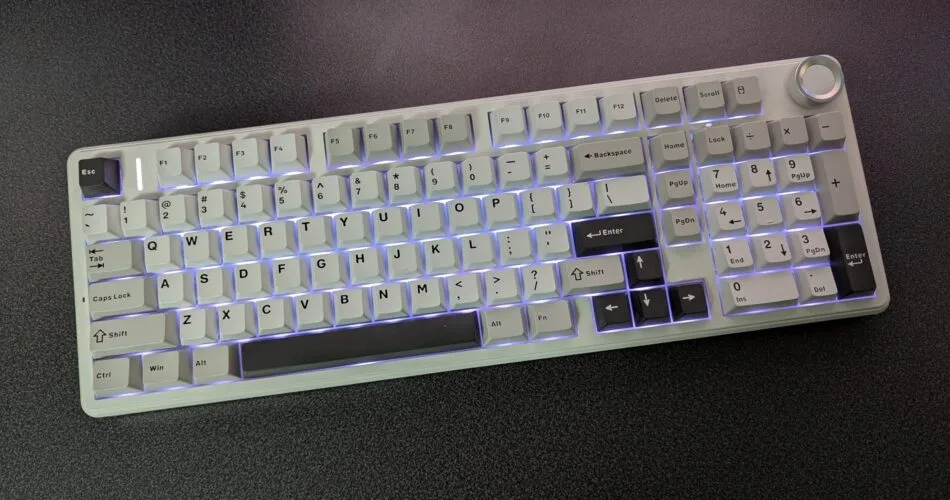
Sources & Methodology
Every score is built on evidence. This review synthesizes 19 independent sources — expert publications, video reviews, and community discussions — weighted by credibility, depth, and relevance.
Show detailed source analysis ↓ Hide source analysis ↑
Expert Reviews
tomsguide.com
Top
4/5-point
The 8BitDo Retro Mechanical Keyboard delivers exceptional value at $99 with its striking Nintendo-inspired aesthetic and premium construction. Kailh Box V2 White switches paired with dye-sublimated PBT keycaps create a phenomenally smooth, satisfying typing experience reminiscent of classic IBM keyboards. Thoughtful design touches include three-position toggles for OS and connection modes, a magnetic 2.4GHz dongle storage slot, and intuitive companion software. The included Dual Super Buttons offer customizable productivity shortcuts, though their substantial desk footprint may not suit all users. Available in four nostalgic colorways (N, Fami, M, C64), this 80% layout keyboard supports triple connectivity (Bluetooth, 2.4GHz, wired) across multiple platforms without requiring any RGB lighting gimmicks.
Strengths
- +Striking retro design inspired by Nintendo consoles
- +Premium build with aluminum plate and sturdy plastic chassis
- +Smooth Kailh Box V2 White switches for excellent typing feel
- +Dye-sublimated PBT keycaps for durability
Weaknesses
- −Dual Super Buttons occupy significant desk space
- −Super Buttons may have limited practical use for some
- −No backlighting for dark environment use
- −Plastic construction despite premium feel
pcgamer.com
Top
4/5-point
The 8BitDo Retro Mechanical Keyboard delivers surprising substance beneath its striking Commodore 64-inspired aesthetic. Priced at $110/£85, it offers versatile connectivity through wired, 2.4GHz wireless, and Bluetooth options with an impressive 200-hour battery life. The dye-sub PBT keycaps feature a distinctive curved, sunken design that aids touch-typing orientation despite minimal backlighting. Kailh Box White V2 switches provide loud, tactile feedback, while hot-swappable functionality exists but requires specialized tools due to the recessed keycap design. Two programmable Super Buttons and an arcade-style Super Stick add niche gaming utility, programmable directly on the keyboard without software. The 8BitDo Ultimate Software earns criticism for being mediocre, though hardware-based programming compensates. Overall, this TKL keyboard successfully balances retro charm with genuine functionality for enthusiasts willing to embrace its quirks.
Strengths
- +Striking Commodore 64 aesthetic draws immediate attention
- +Competitive $110 price point for feature set
- +Triple connectivity: wired, 2.4GHz wireless, Bluetooth
- +Exceptional 200-hour wireless battery life
Weaknesses
- −Super Buttons and Super Stick are niche, limited appeal
- −Loud Kailh Box White switches unsuitable for quiet environments
- −Recessed keycaps make cap removal difficult without tools
- −Minimal RGB and backlighting hinders dark room use
ign.com
Top
9/10-point
The reviewer was immediately drawn to the throwback-inspired design of the 8BitDo Retro Mechanical Keyboard, specifically the N Edition styled after the US NES. The tenkeyless keyboard features Kailh Box White Switches V2 with satisfying clickiness, an aluminum plate with sturdy plastic chassis, and dye-sublimated keycaps resistant to wear. Standout features include programmable oversized A and B buttons, support for up to four 8BitDo Super Buttons via 3.5mm jacks, and a hot-swappable PCB for customization. Battery life exceeds 200 hours from the 2,000mAh cell. The configuration software is intentionally minimal, and the reviewer preferred the Japanese Fami Edition's color scheme despite not testing it.
Strengths
- +Excellent retro aesthetic with authentic NES styling
- +Oversized programmable A and B buttons add novelty and utility
- +Supports up to four Super Buttons via 3.5mm jacks
- +Hot-swappable PCB enables unlimited switch customization
Weaknesses
- −No numpad limits accounting and data entry workflows
- −Plastic chassis instead of metal construction
- −N Edition color scheme less appealing than Fami Edition
- −Minimal configuration software lacks advanced options
pcmag.com
Top
4.5/5-point
The 8BitDo Retro Mechanical Keyboard targets retro gaming enthusiasts with its NES and Famicom-inspired designs. At $99.99, it offers a tenkeyless layout with dye-sub PBT keycaps, three connection methods (Bluetooth, 2.4GHz wireless, and wired USB-C), and a unique Super Buttons accessory with two programmable large buttons. The N version features NES gray styling with red accents, while the Fami version offers beige with red function keys and Japanese kana characters. Battery life reaches up to 200 hours per 8BitDo's claims. The keyboard includes dedicated volume control, customizable A/B buttons flanking the spacebar, and earns recognition as an Editors' Choice for wireless mechanical keyboards.
Strengths
- +Distinctive NES/Famicom aesthetic appeals to retro gamers
- +Three connection options: Bluetooth, 2.4GHz, and wired USB-C
- +Dye-sub PBT keycaps resist wear and fading
- +Includes programmable Super Buttons accessory
Weaknesses
- −Fami version uses modern Japanese layout, not authentic Family Basic Keyboard
- −Super Buttons require additional purchase for more than one pair
caniplaythat.com
The 8BitDo Retro Mechanical Keyboard offers strong accessibility features at a competitive sub-$100 price point. Its standout feature is the Dual Super Buttons—external programmable buttons that can be mapped to keys or macros. The keyboard supports up to 8 adaptive switches through four 3.5mm stereo ports, though mono adaptive switches require splitters. Build quality impresses with an aluminum baseplate and substantial weight for stability. Multiple connectivity options (USB-C, 2.4GHz, Bluetooth) enable seamless multi-device use. Hot-swappable switches and standard Cherry MX stems allow extensive customization. However, the case proves difficult to open for deeper modifications, and the Ultimate Software needs refinement. The fixed angle on the 87-key version may not suit all users, though the 108-key variant includes adjustable feet.
Strengths
- +Dual Super Buttons included for accessibility out of the box
- +Supports up to 8 adaptive switches via stereo ports
- +Hot-swappable switches enable easy customization
- +Multiple connection methods: USB-C, 2.4GHz, Bluetooth
Weaknesses
- −Ultimate Software needs improvement
- −Case difficult to open for advanced customization
- −Mono adaptive switches require stereo-to-mono splitters
- −87-key version lacks adjustable feet
countzeroor.com
The reviewer initially approached this keyboard with skepticism but came away impressed after extensive use. It offers three connectivity options (USB, Bluetooth, 2.4GHz), with the reviewer praising the lag-free 2.4GHz performance for both typing and gaming. Battery life has proven exceptional—multiple projects completed on the initial charge. The physical power switch, responsive volume knob, and clear key contrast eliminate the need for backlighting. Programmable Superbuttons add customization, though configuration requires USB. The NES model's faux ridges disappoint compared to the C64's authentic raised design. Missing 10-key requires adjustment, and the aftermarket numpad has integration limitations.
Strengths
- +Lag-free 2.4GHz wireless for typing and gaming
- +Exceptional battery life on single charge
- +Physical power switch with mode selection
- +Responsive volume knob and raised power indicator
Weaknesses
- −Programmable keys require USB connection to configure
- −No integrated 10-key numpad included
- −Aftermarket numpad lacks shortcut markers
- −Numpad doesn't integrate with rear jacks
timeextension.com
The 8BitDo Retro Mechanical Keyboard targets retro gaming enthusiasts with distinctive NES/Famicom-inspired aesthetics. It features programmable keys and an intuitive control panel similar to 8BitDo's Arcade Sticks. Connectivity options include Bluetooth, 2.4G wireless, and wired USB for PC. The keyboard includes oversized A and B buttons specifically designed for emulation use. Two color variants are available, drawing direct visual inspiration from Nintendo's classic consoles.
Strengths
- +Distinctive NES/Famicom-inspired retro aesthetic
- +Programmable keys for custom configurations
- +Intuitive control panel from Arcade Stick lineage
- +Triple connectivity: Bluetooth, 2.4G wireless, wired
Video Reviews
 Alex Blackburn
The reviewer unboxes the 8BitDo Retro Mechanical Keyboard and matching …
Alex Blackburn
The reviewer unboxes the 8BitDo Retro Mechanical Keyboard and matching …
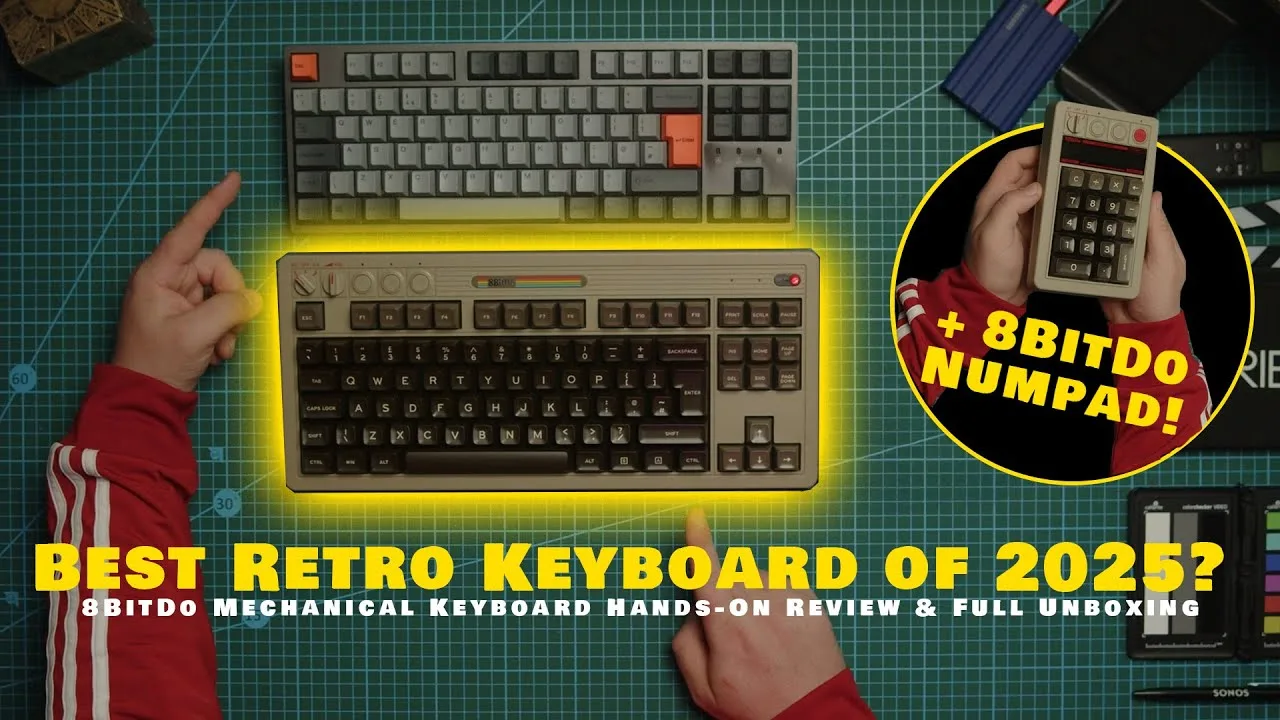
The reviewer unboxes the 8BitDo Retro Mechanical Keyboard and matching numpad, chosen for its wireless connectivity, retro Commodore 64-inspired aesthetic, and suitability for top-down video content. Impressed by the calculator mode feature on the numpad and the satisfying mechanical switch sound, they successfully paired both devices via Bluetooth. The chunky, industrial 80s design and hot-swappable switches were highlighted as key features, with the reviewer noting this upgrade from a wired keyboard to reduce desk clutter.
- →Ideal for content creators needing visually distinctive desk setups
- →Perfect upgrade from wired keyboards for cable-free workspaces
- →Calculator mode adds practical functionality for number-heavy tasks
- →Hot-swappable design suits users wanting customization options
- →Retro aesthetic specifically complements video production environments
 Sypnotix
This 87-key Bluetooth mechanical keyboard transcends its nostalgic …
Sypnotix
This 87-key Bluetooth mechanical keyboard transcends its nostalgic …
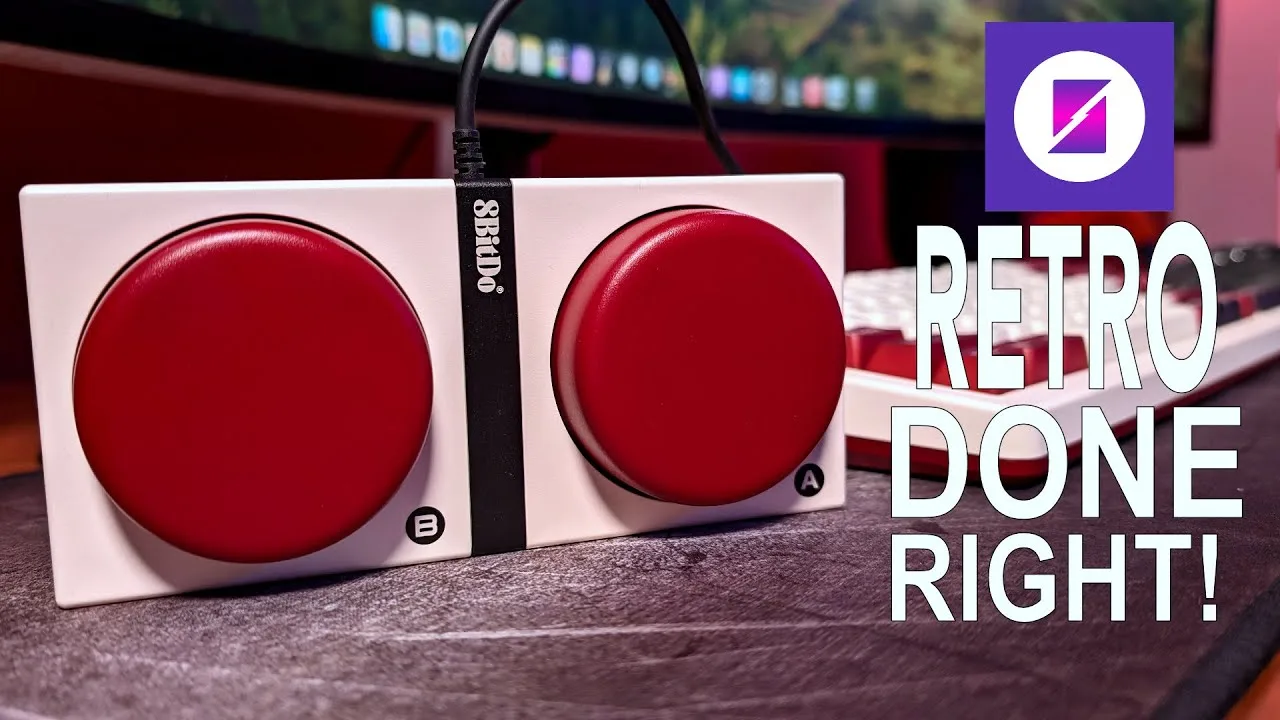
This 87-key Bluetooth mechanical keyboard transcends its nostalgic design to deliver genuine functionality. Available in NES and Famicom color schemes, the Fami Edition features authentic Japanese kanji secondary keycaps. Four programmable buttons (two on-board, two via detachable pad) enable custom shortcuts without software. Kailh Box Switch V2 whites provide satisfying thick clicks, while the hot-swappable 5-pin PCB allows switch customization. The plastic construction evokes 1980s-90s toy quality with unexpected solidity. N-key rollover supports gaming, though the authentic retro aesthetic means no backlighting or RGB. Battery life exceeds one month of wireless use.
- →Ideal for retro gaming enthusiasts wanting authentic aesthetics
- →Perfect for users preferring tactile, audible mechanical switches
- →Great for customizers wanting hot-swap switch flexibility
- →Suited for wireless users prioritizing long battery life
- →Not recommended for those needing backlighting or RGB effects
 Alex Izzy
The reviewer praises this retro-styled keyboard for its nostalgic …
Alex Izzy
The reviewer praises this retro-styled keyboard for its nostalgic …
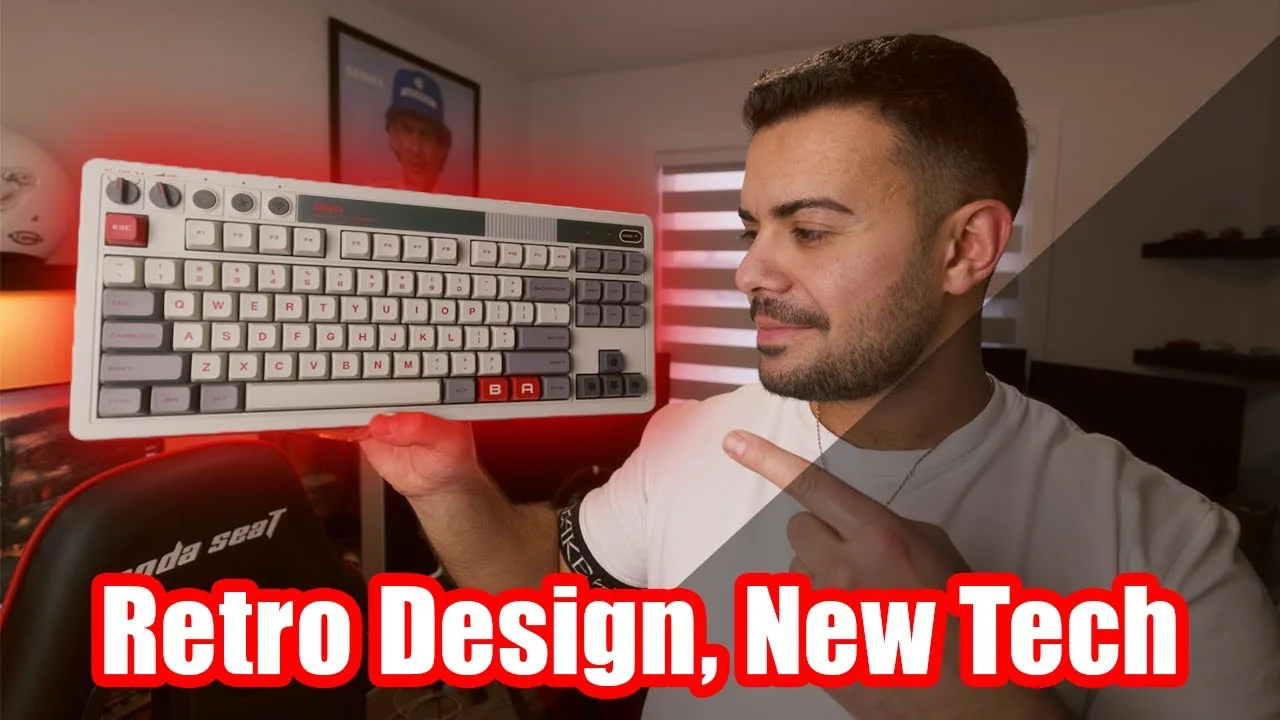
The reviewer praises this retro-styled keyboard for its nostalgic 90s/early 2000s aesthetic and premium unboxing experience. After several weeks of use, they found the typing experience exceptionally satisfying with sharp, tactile feedback and no connectivity issues. Battery life impressed at 90% remaining after a full week of use. The compact tenkeyless form factor suits gaming setups, while the included programmable retro controller adds unique value. However, the lack of backlighting and inconsistent key sounds across different key types were noted drawbacks.
- →Ideal for retro computing enthusiasts seeking nostalgic design
- →Excellent choice for wireless productivity with minimal charging
- →Well-suited for gamers wanting compact desk space
- →Great for tactile typing fans prioritizing feel over lighting
- →Perfect for old-school gamers using the included controller
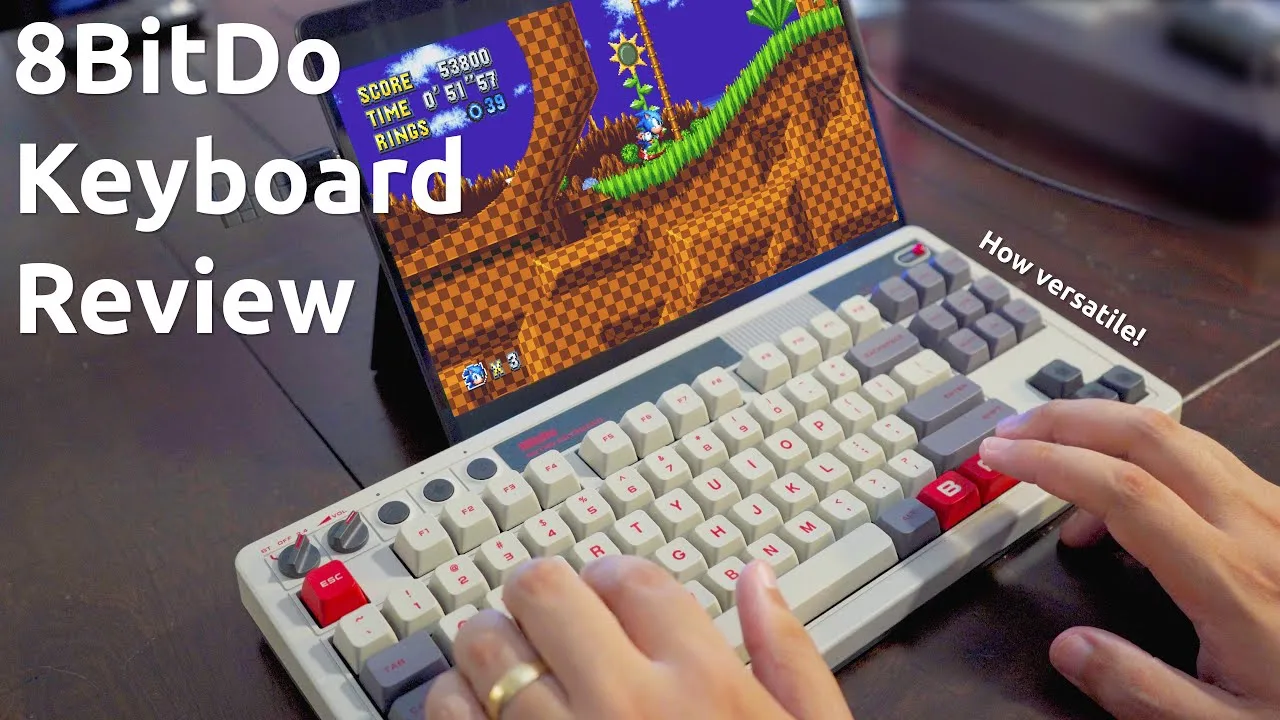 GameXData
This retro-styled mechanical keyboard delivers solid value under $100 …
GameXData
This retro-styled mechanical keyboard delivers solid value under $100 …
This retro-styled mechanical keyboard delivers solid value under $100 with its NES-inspired beige and grey aesthetic. The aluminum plate construction gives it a premium, sturdy feel at over 1kg, while the textured plastic body and dye-sublimated keycaps complete the vintage look. Connectivity options include USB-C, 2.4G wireless with a magnetic storage slot for the adapter, and intuitive Bluetooth pairing. The Kale Box White switches provide a light, satisfying typing experience ideal for writing and coding, though they run loud during calls and the spacebar produces an unusually harsh thack. Hot-swappable switches and keycaps allow for future customization. The standout feature is extensive macro programmability through two dedicated A/B buttons and four 3.5mm expansion ports supporting up to eight additional external buttons or peripherals, making it particularly compelling for emulator enthusiasts already invested in 8BitDo's ecosystem.
- →Ideal for writers and coders prioritizing light, tactile switches
- →Best suited for retro gaming enthusiasts and emulator users
- →Requires quiet environment or headset for video calls
- →Strong value for 8BitDo ecosystem owners seeking peripheral integration
- →Consider alternatives if macro complexity exceeds eight buttons
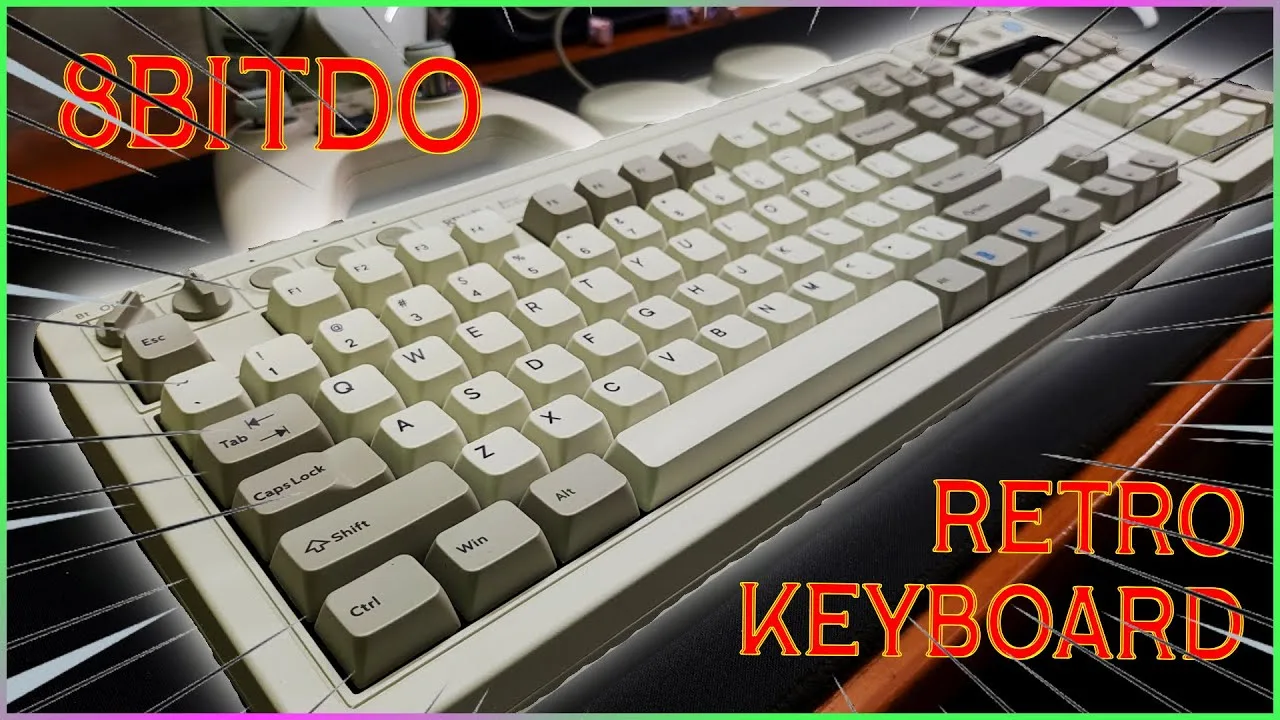 Fang Reviews
This TKL mechanical keyboard draws heavy inspiration from the IBM …
Fang Reviews
This TKL mechanical keyboard draws heavy inspiration from the IBM …
This TKL mechanical keyboard draws heavy inspiration from the IBM Model M with tasteful modern updates. It features Kailh Box White V2 clicky switches that are hot-swappable, dye-sublimated PBT keycaps in MDA profile, and a metal top plate with ABS plastic case. Connectivity includes Bluetooth, 2.4GHz wireless with included dongle, and USB-C wired. The 2000 mAh battery delivers 200 hours of use. Build quality is exceptional with over 1kg weight and rubber feet preventing desk movement. Four color variants exist: C64, Fami, N, and M editions. The keyboard works with Windows, Android, and macOS (though lacking dedicated Mac keys, customizable in software). Notable omissions include no included keycap or switch puller despite hot-swap capability.
- →Ideal for retro computing enthusiasts wanting modern features
- →Best suited for clicky switch lovers and typists
- →Great desk centerpiece with functional vintage aesthetic
- →Consider C64 edition for included super stick accessory
- →Pair with matching numpad for complete number pad functionality
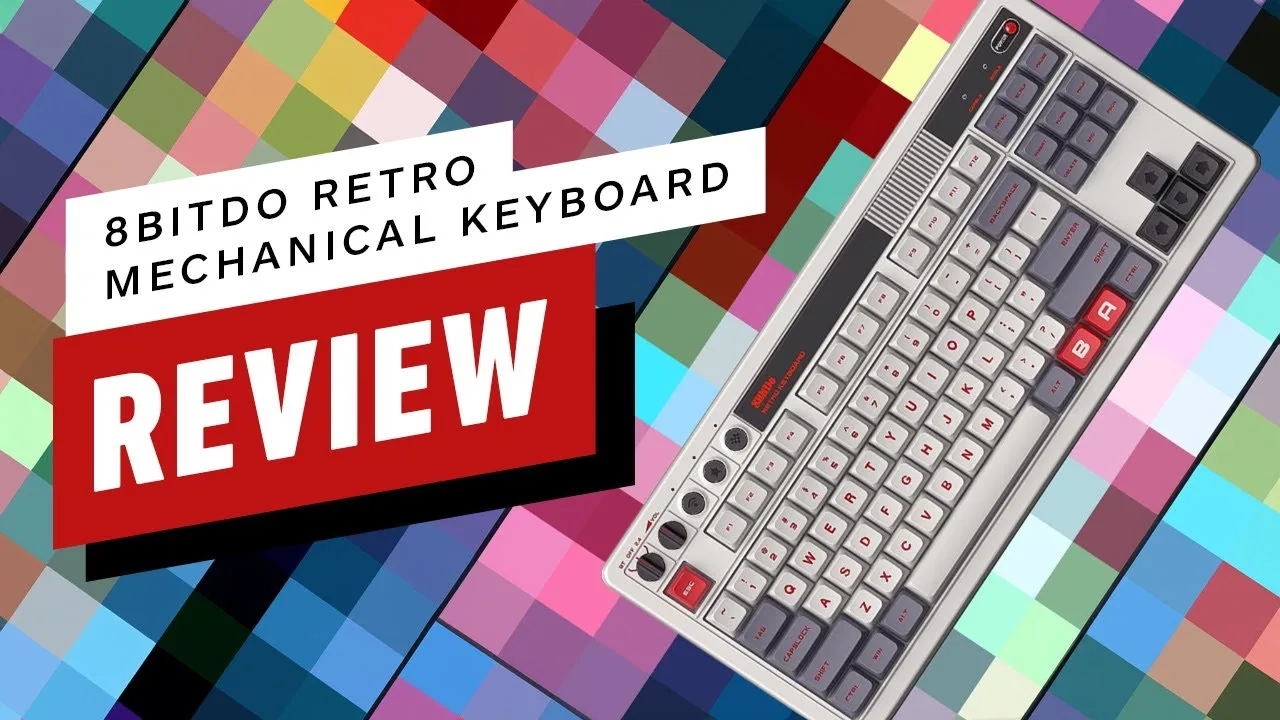 IGN
A thoroughly enjoyable retro-inspired keyboard that delivers on both …
IGN
A thoroughly enjoyable retro-inspired keyboard that delivers on both …
A thoroughly enjoyable retro-inspired keyboard that delivers on both aesthetics and functionality. The N edition captures NES styling with impressive attention to detail, from the color scheme to the faux grill and red LED power light. The standout programmable super buttons add genuine utility beyond novelty, with simple hardware-based programming requiring no software. Kailh Box White V2 switches provide satisfying tactile feedback without excessive noise, and the hot-swappable PCB invites customization. Wireless performance proved reliable even during competitive gaming, with no perceptible latency. Build quality impresses despite the all-plastic chassis, thanks to an aluminum plate that eliminates flex. Battery life claims of 200+ hours couldn't be fully verified but suggest excellent longevity. The magnetic 2.4G receiver storage and multiple connectivity options (Bluetooth, 2.4G, wired USB-C) round out a thoughtfully designed package that succeeds as more than just a nostalgia piece.
- →Ideal for retro gaming enthusiasts wanting functional nostalgia
- →Great for macro-heavy workflows without complex software
- →Suitable for competitive wireless gaming without latency concerns
- →Perfect for mechanical keyboard beginners due to hot-swap PCB
- →Not recommended for users requiring dedicated numpad
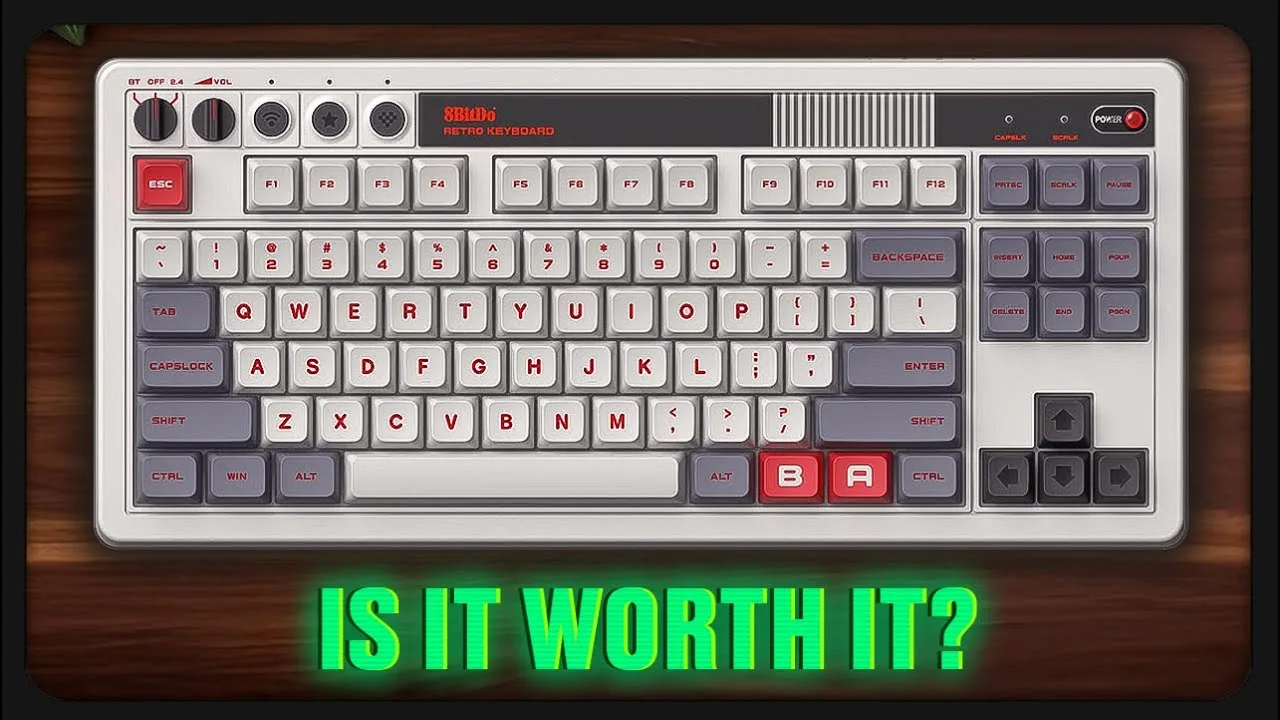 NERD
The reviewer purchased this keyboard primarily for its Nintendo …
NERD
The reviewer purchased this keyboard primarily for its Nintendo …
The reviewer purchased this keyboard primarily for its Nintendo Classic retro aesthetic, which evokes 80s gaming nostalgia. After two months of daily use, they remain impressed with the build quality—no signs of wear, peeling, or breakage. The Kailh Box White switches deliver satisfying clicky feedback suitable for both work typing and gaming, with good actuation range. Weighing over 1kg, the keyboard stays firmly planted on the desk without shifting during intense sessions. The carefully considered color scheme looks so good that the reviewer hasn't felt the need to customize it. However, the macro programmable button module proves frustrating due to its ~1 meter cable creating desktop clutter with no clean placement option.
- →Ideal for retro gaming enthusiasts prioritizing nostalgia over RGB aesthetics
- →Excellent choice for users wanting a stable, non-sliding keyboard
- →Wired users may want to budget for a replacement USB-C cable
- →Consider desk space for macro module placement before purchasing
- →Great for those wanting hot-swap capability without custom building
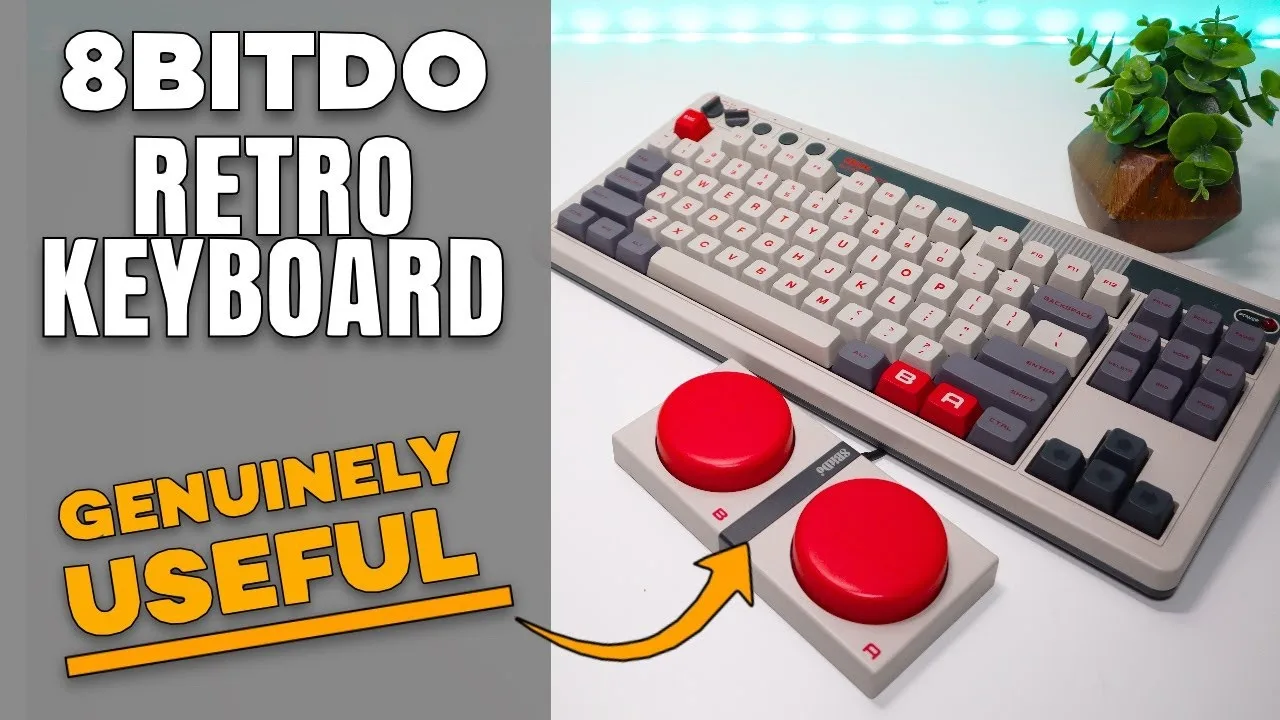 Main Cave
The reviewer presents the 8BitDo Retro Mechanical Keyboard as a …
Main Cave
The reviewer presents the 8BitDo Retro Mechanical Keyboard as a …
The reviewer presents the 8BitDo Retro Mechanical Keyboard as a well-featured stock keyboard at £89, emphasizing its value proposition. Unboxing reveals quality packaging with USB cable, manual, stickers, panic button accessory, and the keyboard itself. Key specifications include 87 keys, N-key rollover, aluminum plate, hot-swappable PCB, Kailh Box White switches, dye-sub PBT keycaps, triple connectivity (2.4GHz/wired/Bluetooth), programmable panic buttons, and physical volume knob. Standout battery life reaches 200 hours on 4-hour charge due to absence of RGB. The aesthetic successfully captures retro styling, though the actual color is darker (Amiga off-white) than website photos suggest. Physical controls for connection switching and volume are appreciated. The keyboard weighs 1,048g with frame thickness tapering from 37mm to 20mm. UK buyers should note US layout only. Build quality feels slightly hollow when knocked, though rubber feet provide good desk stability.
- →Ideal for retro computing enthusiasts wanting authentic aesthetics
- →Best suited for touch typists working in well-lit environments
- →Great entry point for mechanical keyboard newcomers
- →Mac-compatible with minor layout adjustments needed
- →Strong choice for wireless productivity setups
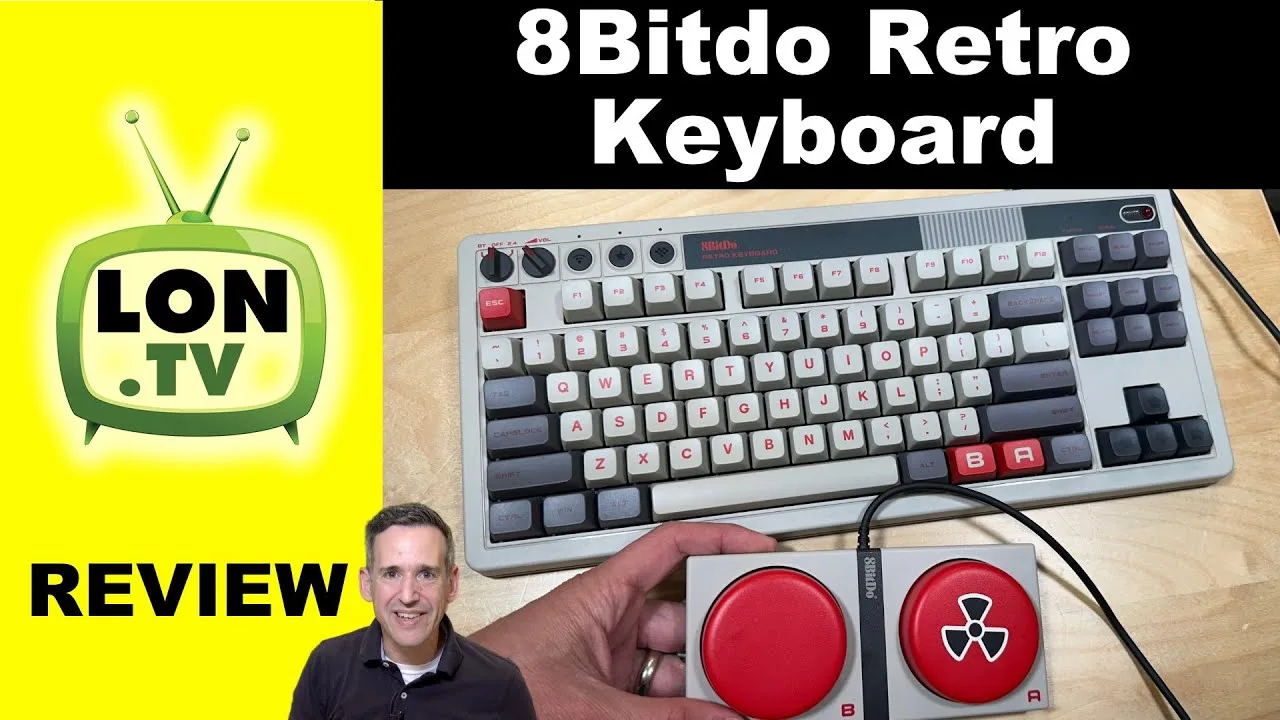 Lon.TV
This retro-styled mechanical keyboard from 8BitDo delivers a …
Lon.TV
This retro-styled mechanical keyboard from 8BitDo delivers a …
This retro-styled mechanical keyboard from 8BitDo delivers a satisfying typing experience with Kailh Box V2 switches and hot-swappable functionality. The beige NES-inspired design appeals to nostalgia, while the 2.3-pound weight with aluminum plate provides rigidity without excessive bulk. Three connectivity options—Bluetooth, 2.4GHz wireless, and USB-C—allow seamless switching between devices. The integrated USB ports support up to four programmable macro buttons with mechanical switches, adding unique customization potential. Though officially limited to Windows and Android, testing confirmed broader compatibility including Mac and Raspberry Pi. The fixed angle eliminates adjustable feet but maintains an ergonomic tilt reminiscent of 1980s keyboards.
- →Ideal for retro computing enthusiasts seeking nostalgic aesthetics
- →Great for users wanting hot-swappable switches without soldering
- →Perfect for multi-device setups with seamless switching capability
- →Excellent for streamers or remote workers wanting programmable macro buttons
- →Good choice for cross-platform users despite limited official support
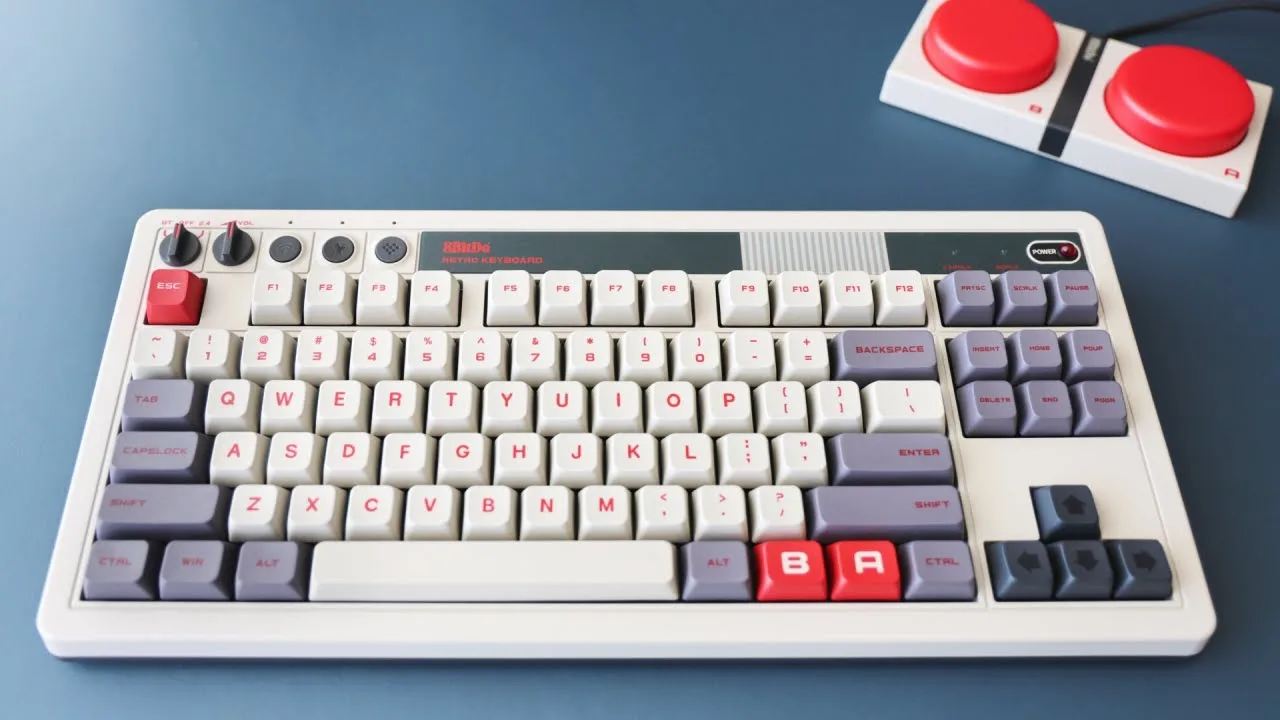 Retro Game Corps
Russ from EtrogameCore reviews the 8BitDo Retro Mechanical Keyboard, …
Retro Game Corps
Russ from EtrogameCore reviews the 8BitDo Retro Mechanical Keyboard, …
Russ from EtrogameCore reviews the 8BitDo Retro Mechanical Keyboard, noting its 87-key layout with N-key rollover and hot-swappable Kailh Box White V2 switches. The keyboard features PBT keycaps with dye-sublimated labels and an MDA profile for durability and comfort. Its plastic shell includes an aluminum bottom plate for added weight and stability. The design mimics the original NES with programmable A/B hotkeys and larger buttons, making it particularly suitable for emulation. While the clicky white switches are optimized for typing, they can be swapped for gaming-oriented alternatives like brown or red switches.
- →Ideal for retro gaming and emulation enthusiasts
- →Best suited for typing rather than competitive gaming
- →Easy to modify for different switch preferences
- →Durable construction for long-term daily use
Community Discussions via Reddit
Troubleshooting
Reddit
maxmalkav
The author pre-ordered the 8BitDo Retro Mechanical Keyboard C64 Edition based on positive experience with previous 8BitDo Retro models, but decided to return it after brief testing. While praising the authentic retro aesthetic and C64-inspired design, they found the AFSA keycap profile unacceptable due to uncomfortable scoop/edges and plasticky sound. Additional concerns include north-facing switch design causing potential keycap compatibility issues, and an echoey, flimsier-feeling case resulting from the larger C64-inspired form factor. The keycaps were the decisive factor for return.
Key Insights
- →Best for users prioritizing authentic C64 aesthetic over typing feel and sound quality
- →Not ideal for enthusiasts sensitive to keycap profile or seeking premium keycap quality
- →Sound profile similar to NCR-80 due to echoey case—preference-dependent, not universally negative
- →North-facing switches limit keycap compatibility for users wanting to customize
- →Pre-order expectation based on previous 8BitDo Retro models may lead to disappointment due to different keycap and case quality
Quick Opinion
Reddit
eduo
The 8BitDo Retro Mechanical Keyboard generated pre-release interest on r/8bitdo with users drawn to its nostalgic aesthetic and programmable macro buttons. The keyboard features hot-swappable Kailh White switches (confirmed by product description, not just user speculation), PBT keycaps, and dedicated 'big-ass buttons' for custom mapping. Community discussion revealed enthusiasm for the retro design, though concerns emerged about Windows/Android-only official support (with hope that this refers only to customization software), lack of ISO layout availability at launch, and the prominent 'retro keyboard' branding text. Users appreciated the hot-swap capability for switch customization but noted the custom keycap styling would be compromised if replacing with regional layouts.
Key Insights
- →Best for Windows/Android users wanting a nostalgic mechanical keyboard with customization flexibility; macOS/iOS users should verify compatibility before purchasing
- →Hot-swap feature makes this suitable for enthusiasts who want to experiment with different switch types without soldering
- →International users may need to wait for ISO layout availability or accept aesthetic mismatch with third-party keycaps
- →The programmable macro buttons are a standout feature for users wanting unique workflow enhancements
- →Pre-release uncertainty means early adopters should verify software support scope directly with 8BitDo before ordering
Scores based on weighted analysis of 19 expert and community sources. How we review →