

Hexgears Immersion A3
Best For
- Gamers seeking a compact mechanical keyboard
- RGB enthusiasts needing extensive lighting control
- Typists who prefer low-profile switches
Consider Carefully
- Users who dislike smudge-prone keycaps
- Those needing a lightweight keyboard for travel
Jump to Section
The Bottom Line
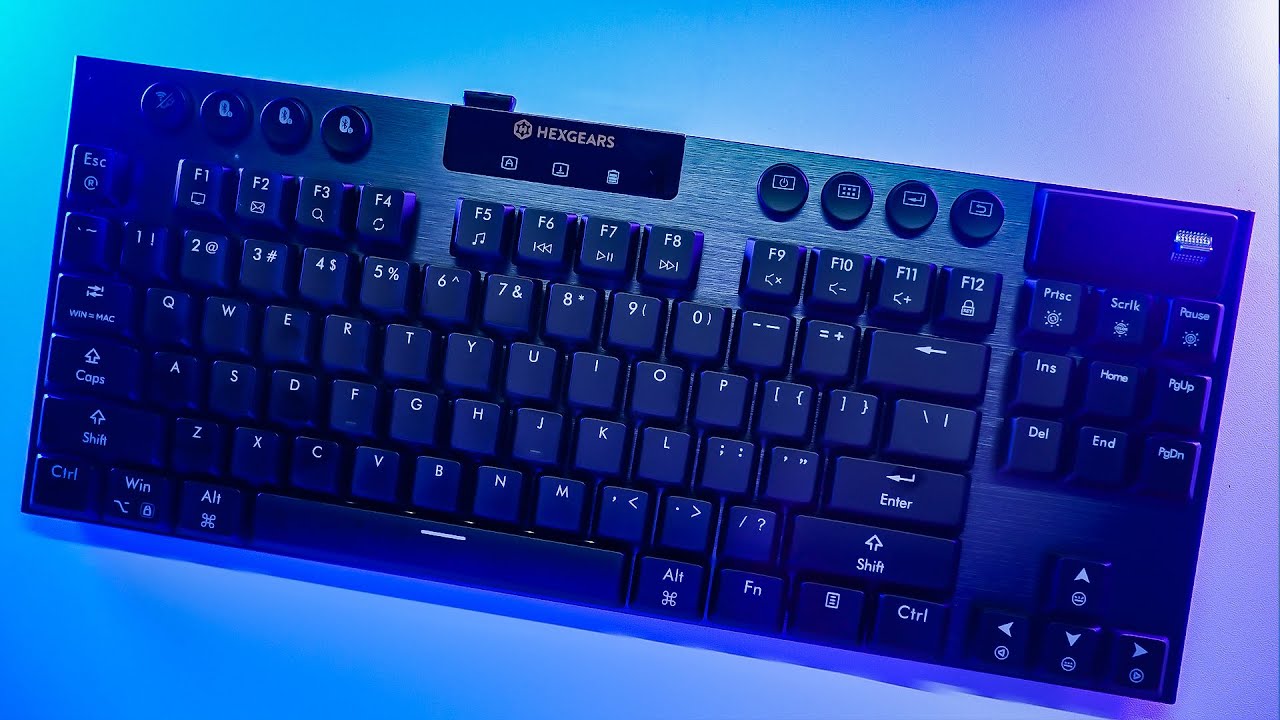
The Hexgears Immersion A3 is a low-profile mechanical keyboard that's carved out a niche for gamers and typists who value a compact form factor without sacrificing on performance. What we found most impressive is its typing feel, enhanced by Kailh low-profile switches and a thick aluminum plate that eliminates flex. This keyboard is also a standout for those who love to customize, thanks to its hot-swappable PCB and a plethora of RGB lighting options. However, it's not without its drawbacks, with some users noting the polycarbonate keycaps' tendency to show smudges and the heaviness of the White Rain switches.
Performance Breakdown
Expert Scores
How 3 professional publications rated this product
In-Depth Analysis
Build Quality & Design 80
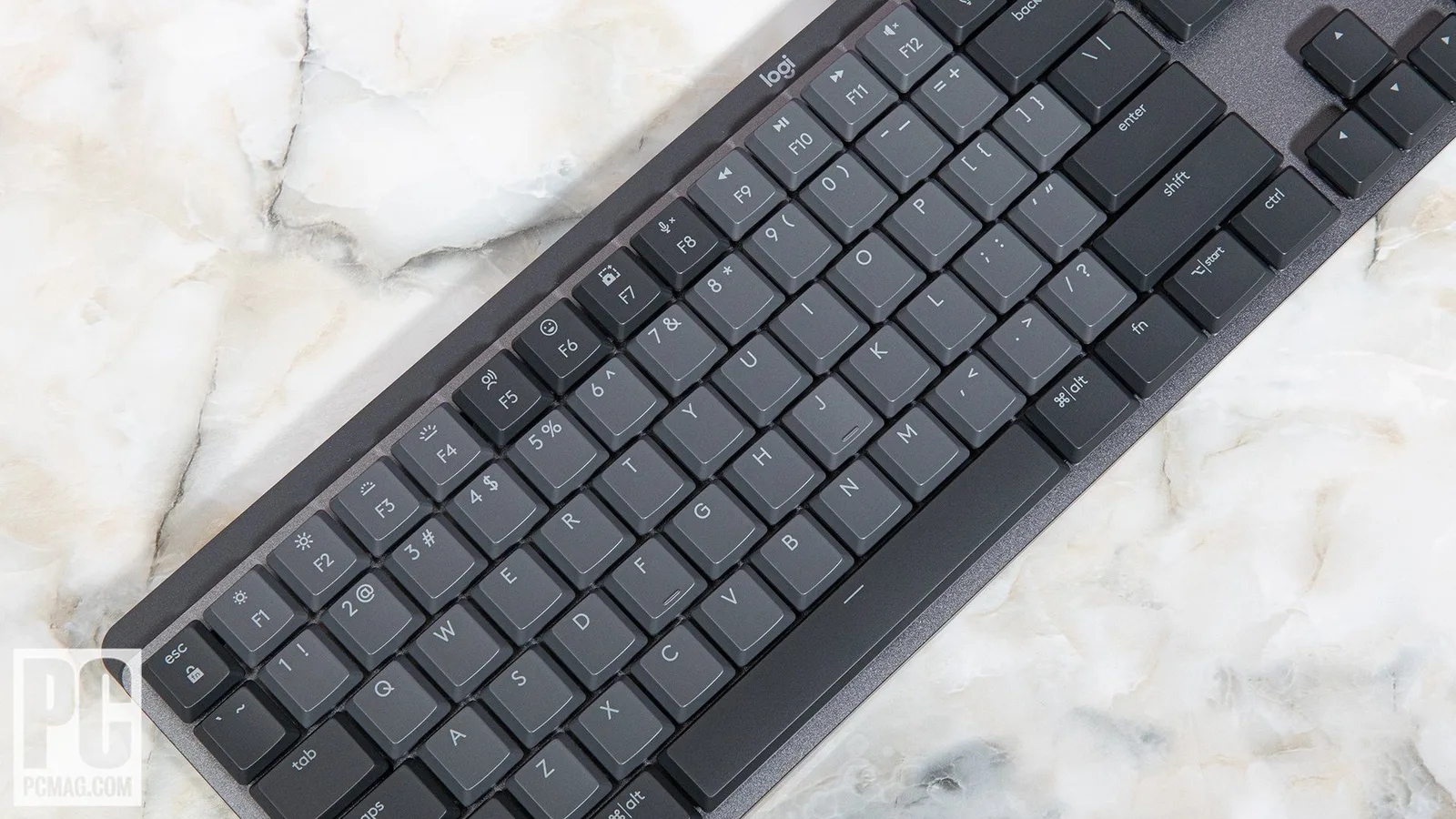
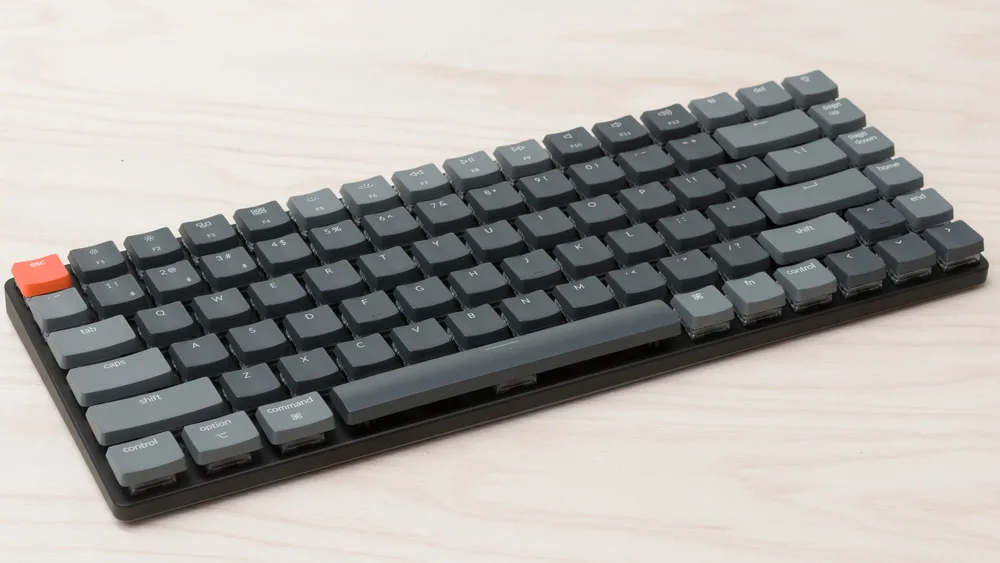
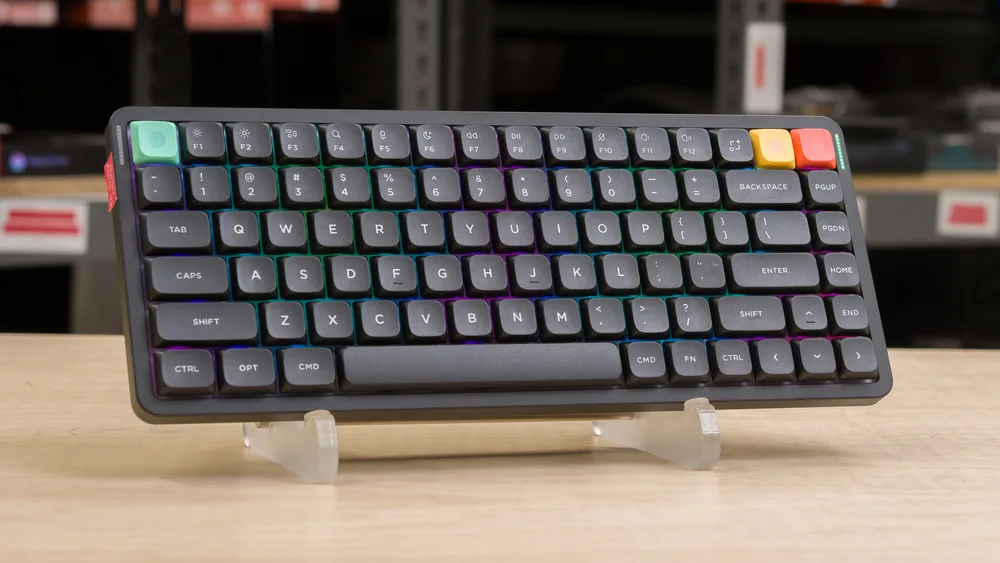
A slim aluminum build that reviewers across 15 sources largely praised, though pcworld.com called it a shameless Logitech G915 imitation and tomshardware.com flagged it as surprisingly heavy at 1.67 pounds for something this thin.
Key Takeaway
→If you want a slim, premium-feeling TKL that saves desk space, this delivers. If you care about originality or soft typing flex, look elsewhere.
Battery Life 76
The 5,800mAh battery delivering up to 50 hours of use is one of the least contested specs across all sources, with three sources independently recommending it for extended wireless sessions.
Key Takeaway
→Battery life is a real strength here. Turn off the screen to maximize it, and don't leave it plugged in permanently if you care about long-term cell health.
Wireless Connectivity 75
Triple connectivity across wired, 2.4GHz, and Bluetooth 5.0 with three paired devices is well-executed, but the 1,000Hz polling rate is wired-only and macOS users lose access to the HexDrive software entirely.
Key Takeaway
→For Windows users juggling multiple devices, the connectivity setup is genuinely useful. Mac users and competitive wireless gamers will hit real limitations.
Hot-Swap Customization 73
Hot-swap support is real and accessible, but the Choc footprint limits your switch options significantly, and kbd.news noted the software lacks layer support for anyone wanting serious remapping.
Key Takeaway
→Hot-swap here is best for swapping feel, not building a custom setup. If you want layer remapping or a wide switch selection, this isn't the right platform.
Switch Feel & Performance 70
Switch feel is the most divisive aspect of this keyboard. The silent linears work well for office use, but taoofmac.com reported finger strain from aggressive bottoming out and called the White Rain tactiles heavy and spongy.
Key Takeaway
→Go linear if you buy this. The silent Kailh linears are the strongest option here. The tactile White Rain switches divided reviewers enough that you should try before committing.
RGB Lighting 67
RGB is bright and highly customizable according to 5 sources, but north-facing LEDs look dim in daylight and some secondary legends stay dark entirely.
Key Takeaway
→If your setup is dim or you use RGB primarily at night, this is fine. Bright office environments will expose the north-facing LED weakness quickly.
Keycap Quality 61
Polycarbonate keycaps feel smooth and look clean out of the box, but fingerprint and smudge attraction is a consistent complaint across tomshardware.com and techradar.com, and thin caps limit replacement options.
Key Takeaway
→The keycaps are fine stock but show wear and smudges fast. If you're particular about a clean desk, budget time for regular wipe-downs.
Onboard Display 59
The TFT screen is the keyboard's most polarizing feature. pcworld.com called it functionally useless beyond basic lighting control, while Merkeebs and Doctor Glitch found it a genuine aesthetic draw.
Key Takeaway
→Treat the screen as a cosmetic feature, not a functional one. If you're buying this keyboard because of the display, recalibrate your expectations.
Specifications & Verdict
Design
- Form Factor
- TKL (tenkeyless)
- Layout
- extended TKL, 87 keys, ANSI
- Dimensions
- 360 x 146 x 31mm
- Weight
- 1.67lbs / 762 grams
- Number of Keys
- 87
Build
- Case Material
- Metal
- Keycap Profile
- true
- Keycaps
- PC (Polycarbonate)
- Keycap Type
- Anti-fade, shine-through
- Mount Type
- Plate-mount
- Construction
- Brushed aluminum top plate and plastic base
Switches
- Switch Type
- Kailh Low-Profile Silent Linear/Clicky/Tactile Switches
- Switch Options
- linear,tactile,clicky
- Hot-Swappable
- Yes
- N-Key Rollover
- Yes
- Switch Brand
- Kailh
- Switch Lifespan
- 50 million clicks
Connectivity
- Wireless
- 2.4GHz Wireless / Bluetooth 5.0
- Wired
- Yes
- Polling Rate
- 1000 Hz
- Cable
- USB-A to USB-C (180cm)
Power
- Battery
- 5800 mAh
- Battery Life
- Up to 50 hours
Software
- Software
- Hexgears
- OS Compatibility
- Windows OS, MacOS, & Android systems (wired and 2.4GHz), Windows, MacOS, iOS iPadOS, & Android (Bluetooth)
Features
- Onboard Storage
- Yes
- Special Features
- Onboard display with GIF support and RGB/battery/OS mode indicators, small screen, split row of control buttons, keyboard lock (Fn+F12), Windows/Mac layout toggle (Fn+Tab)
Other Specs
- Backlighting
- Yes
- Transmission Distance
- 10 meters
- Latency Wired
- approx. 1-4ms
- Latency2 4GHz
- 1-6ms
- Stem Type
- MX-style
- Feet Positions
- 2
- Charging
- USB-C
- Default Typing Angle
- 3 degrees
- Max Typing Angle
- 8 degrees
- Charging Time
- Less than 3 hours
Our Verdict
For those who value a low-profile keyboard with robust customization options and don't mind the occasional smudge, the Hexgears Immersion A3 is a solid choice. However, if you're after a keyboard with easy-to-maintain keycaps or one that's easier to tote around, you might want to look elsewhere.
Customer Reviews Amazon
168 reviews
There is no disagreement on the quality. Read for the actual usage experience
Unbelievable quality and value! Linear is alsmost completly silent...
Almost the Perfect Keyboard – Just a Few Flaws
Worth every dollar and penny, an amazing keyboard that punches way above its weight
Show all 5 reviews
Great keyboard with strong customer support backing
Reviews shown are from Amazon customers and do not reflect our editorial assessment.
Reader Questions
Specific questions about the Hexgears Immersion A3, answered only from what reviewers reported.
01Is the keyboard sturdy, or does it flex when typing?
The thick aluminum plate eliminates typing flex, and reviewers consistently describe the brushed aluminum top plate as looking and feeling premium.
02Can I swap out the switches without soldering?
Yes, the Immersion A3 features a hot-swappable PCB, so you can change Kailh low-profile switches without any soldering. Three switch variants are available, and the switches come pre-lubed from the factory.
03Does the built-in screen actually add useful functionality?
Reviewers are divided. Some appreciate that it provides visual feedback without needing software, but others found the TFT screen offers limited functionality and an underwhelming appearance.
04Will the keycaps show fingerprints and smudges over time?
This is a noted drawback. The polycarbonate keycaps attract fingerprints and smudges easily, so expect to wipe them down regularly.
05Can I use this keyboard with multiple devices?
Yes, the Immersion A3 supports multiple connectivity options suited to multi-device workstation setups, with reviewers highlighting a four-connection capability for switching between devices.
06Do I get the full 1,000 Hz polling rate when using it wirelessly?
No. The 1,000 Hz polling rate is restricted to wired mode only, so wireless users will not benefit from that response rate.
Pricing & Availability
Updated Mar 11, 2026Hexgears Immersion A3
Sources & Methodology
Every score is built on evidence. This review synthesizes 16 independent sources — expert publications, video reviews, and community discussions — weighted by credibility, depth, and relevance.
Show detailed source analysis ↓ Hide source analysis ↑
Expert Reviews
tomshardware.com
Top
3/5-point
A thin, well-built low-profile TKL keyboard with excellent typing feel and vibrant RGB lighting. The brushed aluminum top plate eliminates flex while internal foam dampens sound. Three Kailh low-profile switch options come pre-lubed with 2.8mm travel. Polycarbonate keycaps feel exceptionally smooth but attract fingerprints heavily. The TFT screen adds little practical value and looks underwhelming. Wireless connectivity includes 2.4GHz and Bluetooth 5.0, though 1,000 Hz polling requires wired mode. Hot-swappable PCB offers customization limited by scarce low-profile switch availability. At 0.59 inches thick (15mm) and 1.67 pounds, it balances portability with substantial build quality.
Strengths
- +Excellent typing and gaming experience with smooth low-profile switches
- +Multiple pre-lubed Kailh switch options available
- +Hot-swappable PCB for customization
- +Bright, vibrant, highly customizable RGB lighting
Weaknesses
- −TFT screen offers limited functionality and underwhelming appearance
- −Polycarbonate keycaps attract fingerprints and smudges easily
- −1,000 Hz polling rate restricted to wired mode only
- −Limited low-profile switch and keycap options for hot-swap
techradar.com
Top
3/5-point
The Hexgears Immersion A3 is a low-profile gaming keyboard with hot-swappable switches and a mini display for RGB control. Its White Rain linear switches feel heavy and spongy initially, lacking the speed of typical linears, but prove quiet and comfortable for extended typing. Build quality is excellent, with smooth polycarbonate keycaps and reliable anti-ghosting performance. The mini display offers convenient settings adjustments, though it has quirks. North-facing RGB backlighting appears dim in bright conditions, and the HexDrive configuration app lacks macOS support. Priced at $129.99, it offers fair value for enthusiasts seeking customization, though it lacks standout gaming features to distinguish it from competitors.
Strengths
- +Excellent build quality with solid construction
- +Hot-swappable switches enable easy customization
- +Very quiet linear switches suit office environments
- +Comfortable soft key press reduces finger fatigue
Weaknesses
- −White Rain switches feel heavy and spongy
- −Slower than typical linear switches for gaming
- −Mini display has operational quirks
- −North-facing RGB backlighting appears dim in daylight
jessicabryson.com
The Hexgears Immersion A3 is a low-profile tenkeyless mechanical keyboard positioned for both gaming and everyday office use. Its slim aluminum-topped design saves desk space while improving portability and ergonomics over traditional mechanical boards. A standout feature is the onboard customizable display showing battery life, OS mode, and enabling easy RGB adjustments. Connectivity spans Bluetooth (3 devices), USB-C wired, and USB dongle, with seamless switching between Windows, Mac, and Android. Kailh low-profile switches come in linear, tactile, or clicky variants, all hot-swappable. The 5,800mAh battery delivers up to 50 hours with RGB enabled. At $129, it offers premium features like the display, solid aluminum build, and versatile connectivity.
Strengths
- +Slim low-profile design saves desk space and improves portability
- +Aluminum top case with brushed finish provides premium appearance
- +Onboard display shows battery, OS mode, and enables easy RGB control
- +Supports three Bluetooth devices plus USB dongle and wired connections
zeroair.org
A low-profile TKL mechanical keyboard featuring a small home screen display and dedicated accessory buttons for Bluetooth control. The build quality impresses with a metal top plate, plastic bottom case, and hot-swappable plate-mount Kailh Low-Profile Silent switches. Connectivity works smoothly across both Bluetooth and wired modes. The keycaps feel premium with anti-fade coating, though their thin profile may complicate replacements. The silent switches make this exceptionally office-friendly despite gaming marketing. Two-position feet offer minor adjustability, though the natural slight rise suits most users. The reviewer strongly prefers this TKL arrow layout over smaller layouts.
Strengths
- +Excellent build quality with metal top plate
- +Super silent Kailh Low-Profile Silent switches
- +Convenient small display in top right corner
- +Easy and quick Bluetooth and wired connectivity
Weaknesses
- −Plate-mount design complicates full disassembly
- −Accessory buttons use clicky e-switches, not silent
- −Thin keycaps may limit replacement options
- −Natural slight rise may not suit all preferences
pcworld.com
80/100
The Immersion A3 delivers flagship keyboard features at a budget price point, starting around $110-130. It combines low-profile hot-swap Kailh switches, wireless connectivity, RGB lighting, and impressive battery life in a lightweight TKL design. However, the integrated screen proves nearly useless—limited to lighting adjustments and clock display—while the imitation of Logitech's G915 styling feels shameless. The dim RGB and lack of per-game profiles represent notable compromises, though the core typing experience remains solid with three switch options available.
Strengths
- +Long battery life with easy power management
- +Hot-swap low-profile switches from Kailh
- +Lightweight construction for portability
- +Three switch types available without extra purchases
Weaknesses
- −Screen is functionally useless beyond basic lighting control
- −No per-game profile support
- −Shameless imitation of Logitech G915 design
- −RGB lighting appears dim
taoofmac.com
The reviewer received a preview unit of this tenkeyless keyboard featuring a brushed gunmetal grey aluminum top cover, dedicated connection buttons, and a small screen. Packaging quality impressed with sturdy materials and thoughtful accessories including a matching USB-C cable. The built-in 2.4GHz dongle storage proved awkwardly shallow, leaving the dongle protruding. Tactile switches felt heavier than expected and bottomed out aggressively, causing finger strain for this RSI-prone user until O-rings softened the impact. RGB backlighting offers extensive effects. Some design elements like the silvery toggle switch and screen contrasted poorly with the overall aesthetic. Dedicated hardware buttons for connection switching provide visual feedback that key combinations lack.
Strengths
- +Sturdy packaging with foam insert keeps contents secure
- +USB-C cable color matches desk aesthetic nicely
- +Built-in storage slot for 2.4GHz dongle
- +Hot-swappable Kalih switches allow customization
Weaknesses
- −Dongle protrudes awkwardly from shallow storage slot
- −Screen and silvery toggle switch look slightly off
- −Tactile switches feel heavier than typical linears
- −Aggressive bottoming out caused finger strain
kbd.news
The Hexgears Immersion A3 is a three-mode wireless TKL gaming keyboard with a refined, office-appropriate aesthetic despite its gamer features. It features a brushed aluminum top plate, hotswap low-profile Kailh switches with MX-compatible stems, per-key RGB, and a color TFT display. The board arrives prebuilt and ready to use, with thoughtful details like a dongle compartment and dust cover. However, the software lacks advanced features like layer support that serious keymap customizers would want. The 5800 mAh battery provides up to 50 hours of gameplay, though users should follow proper battery care practices to avoid degradation.
Strengths
- +Classy brushed aluminum top plate looks refined
- +Three-mode wireless with dedicated hardware switches
- +Hotswap low-profile switches with MX-compatible stems
- +Prebuilt and ready to use out of the box
Weaknesses
- −Software lacks layer support for serious customization
- −Switch footprint is Choc, limiting switch options
- −Some secondary legends remain unilluminated
- −No flex cuts for those wanting softer typing feel
Video Reviews
 Tech Guy Beau
The reviewer unboxes and demonstrates a Hexgears low-profile …
Tech Guy Beau
The reviewer unboxes and demonstrates a Hexgears low-profile …
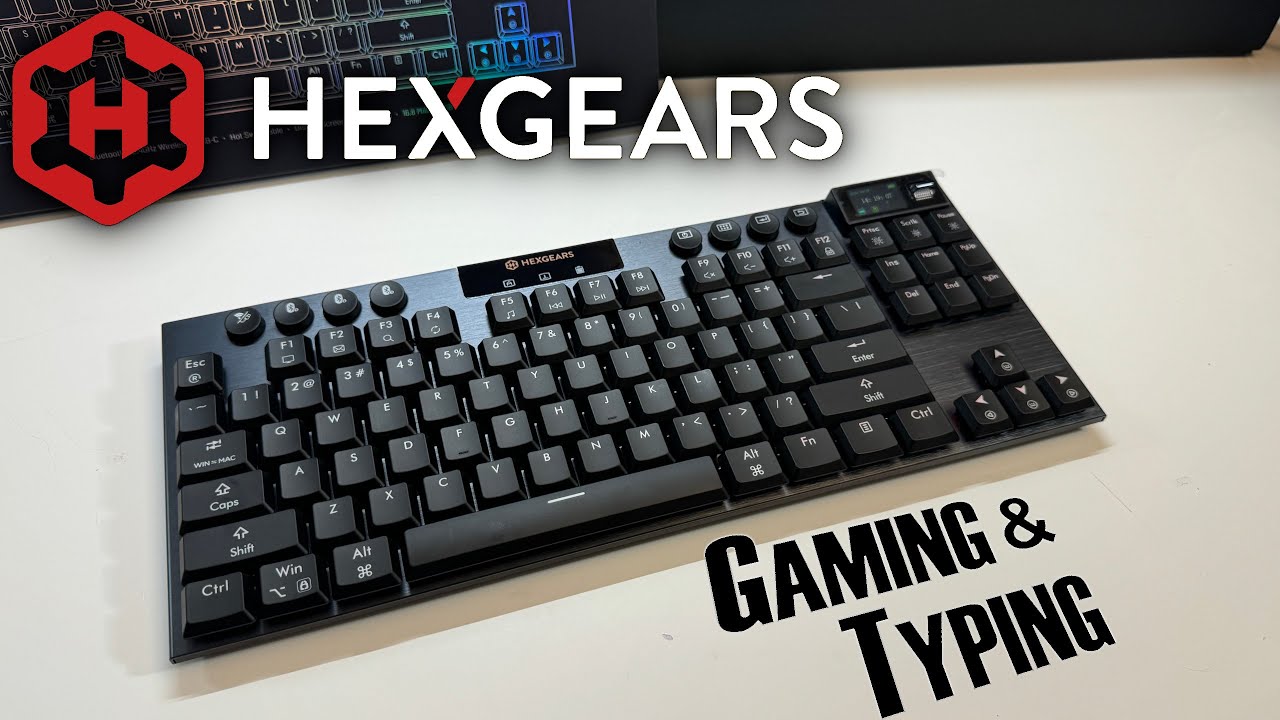
The reviewer unboxes and demonstrates a Hexgears low-profile mechanical keyboard, highlighting its metal backplate construction, surprising lightness due to plastic bottom, and three-stage rubber feet. The keyboard features a built-in LED screen for mode switching, RGB customization, and GIF display, alongside versatile connectivity options including 2.4GHz wireless, USB-C wired, and three Bluetooth modes. The low-profile Kailh black switches are hot-swappable with a two-pin design for easy replacement. The reviewer appreciates the circular button design and integrated controls for volume, lighting effects, and key lock functions.
- →Ideal for gamers preferring low-profile over full-sized mechanical keyboards
- →Hot-swappable switches suit users wanting customization or easy repairs
- →Built-in screen appeals to those wanting visual feedback without software
- →Multiple connectivity options fit multi-device workstation setups
- →Lightweight metal-plastic hybrid construction suits portable use
 Josh Craves Tech
The Hexgears Immersion A3 is a low-profile mechanical gaming keyboard …
Josh Craves Tech
The Hexgears Immersion A3 is a low-profile mechanical gaming keyboard …
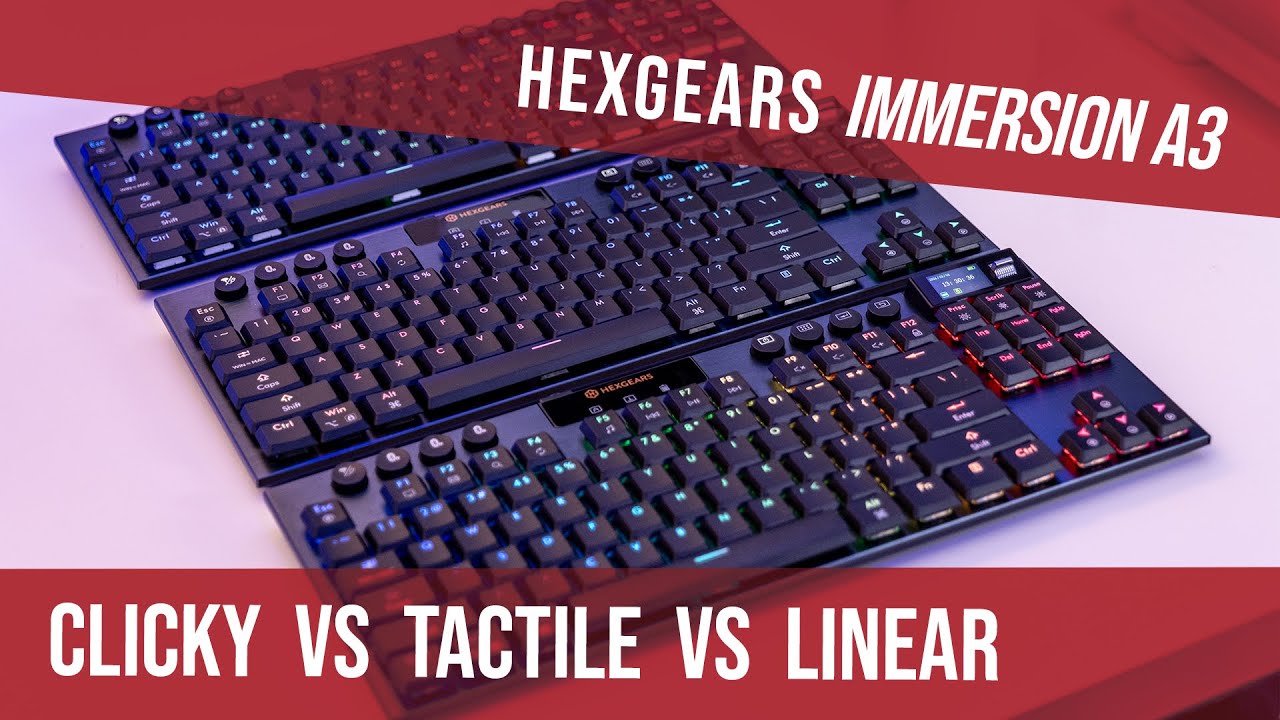
The Hexgears Immersion A3 is a low-profile mechanical gaming keyboard featuring hot-swappable Kailh switches available in tactile, linear, and clicky variants. The reviewer was impressed by its build quality and extensive feature set, including a built-in display screen showing date, time, battery level, connection status, and caps lock state. The keyboard offers N-key rollover for gaming, 16.8 million color RGB lighting with 19 preset effects, and adjustable brightness and speed controls. Connectivity options include Bluetooth (supporting three devices), 2.4GHz wireless dongle, and USB-C, allowing four simultaneous device connections. The low-profile design and tool-free switch replacement system make it particularly appealing for gamers concerned about wear on frequently used keys.
- →Ideal for gamers wanting switch customization without multiple keyboards
- →Perfect for multi-device users with its four-connection capability
- →Great choice for RGB enthusiasts wanting extensive lighting control
- →Suitable for users concerned about long-term switch durability
- →Good fit for those preferring low-profile mechanical keyboards
 Merkeebs
The Hexgears Immersion A3 is a low-profile TKL keyboard priced at $159 …
Merkeebs
The Hexgears Immersion A3 is a low-profile TKL keyboard priced at $159 …
The Hexgears Immersion A3 is a low-profile TKL keyboard priced at $159 (currently $124 with promotions). It features a brushed aluminum top case, tri-mode wireless connectivity, and a built-in TFT screen for displaying time, battery life, connection status, and custom images/GIFs. The board includes three Kailh switch options (clicky, tactile, silent linear), hot-swap capability limited to 3-pin low-profile switches, and factory-lubed plate-mounted stabilizers. The smooth polycarbonate keycaps are prone to fingerprints but feature anti-fade coating. A 5800 mAh battery provides extended wireless use. Software allows key remapping, macros, lighting control, and screen customization.
- →Ideal for users wanting a low-profile TKL with screen customization
- →Best suited for those prioritizing wireless versatility and battery life
- →Good entry point for low-profile enthusiasts wanting hot-swap
- →Screen feature appeals to desk setup aesthetics-focused users
- →Consider switch puller inclusion for easy hot-swapping
 Cache Keyboards
A low-profile mechanical keyboard designed for travel, featuring a …
Cache Keyboards
A low-profile mechanical keyboard designed for travel, featuring a …
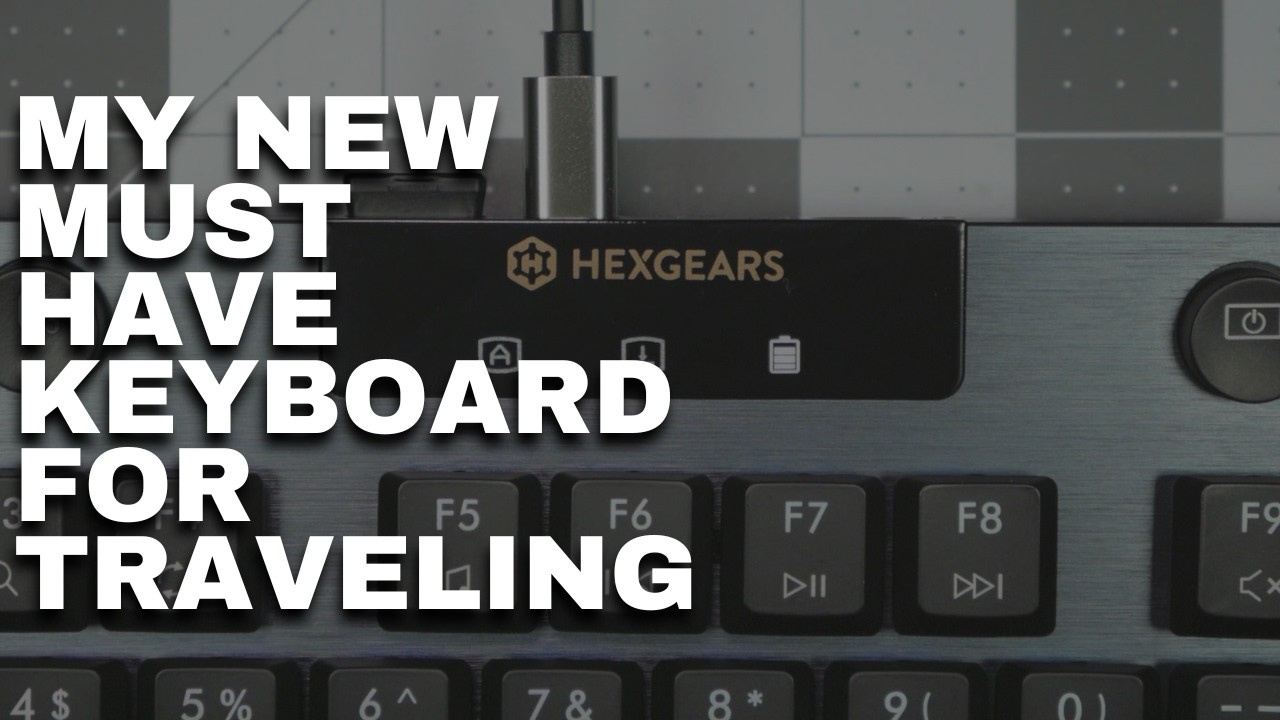
A low-profile mechanical keyboard designed for travel, featuring a brushed aluminum chassis with black keycaps, dedicated settings controls, and a small information screen. The Kailh Black Cloud tactile switches deliver smooth actuation with prominent feedback uncommon for low-profile designs. Polycarbonate shine-through keycaps include anti-fade coating with clean legends. Connectivity options include USB-C, Bluetooth, and 2.4GHz wireless with a dedicated power switch to preserve battery. The thick, metal-housed USB-C cable and included premium separate keycap and switch pullers add practical value for mobile use. Two-stage flip-out feet with extensive rubber padding ensure stability.
- →Ideal for frequent travelers needing compact mechanical input
- →Tactile switch option suits typists wanting feedback without noise
- →Hot-swap sockets allow future switch customization
- →Dedicated power switch critical for wireless travel use
- →Premium build justifies consideration over cheaper alternatives
 Doctor Glitch
The Immersion A3 is a low-profile TKL keyboard featuring a built-in …
Doctor Glitch
The Immersion A3 is a low-profile TKL keyboard featuring a built-in …
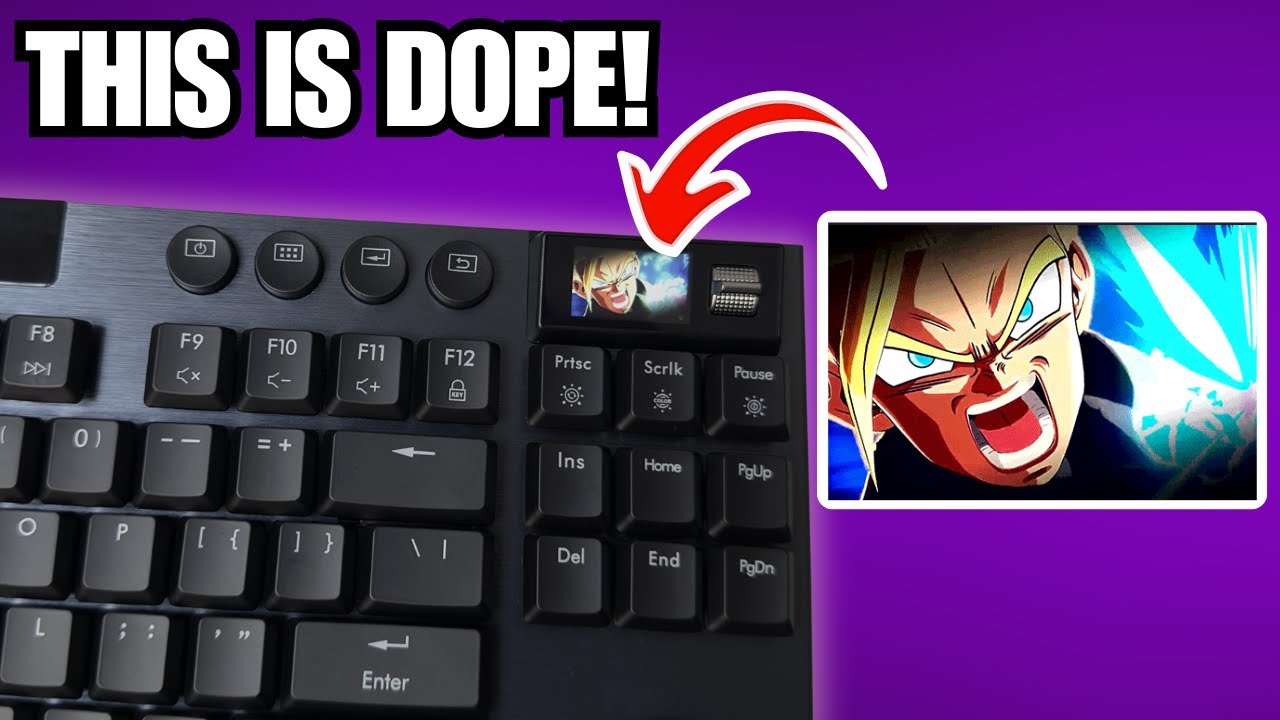
The Immersion A3 is a low-profile TKL keyboard featuring a built-in TFT display for personalization, tri-mode connectivity (wired, 2.4GHz, Bluetooth), and hot-swappable Kailh switches in three variants. Priced at $159 (often discounted to ~$100), it targets users wanting professional pre-built quality with customization options. The aluminum-topped chassis sits at 13mm height, includes thoughtful accessories like a dust cover and quality cable, and offers software control for key mapping, macros, lighting, and display content. The polycarbonate shine-through keycaps feel smooth but attract fingerprints, while plate-mounted stabilizers come lightly lubed from factory.
- →Ideal for professionals wanting personalization without building
- →Great for multi-device users needing seamless switching
- →Best for low-profile enthusiasts who value desk space
- →Perfect for those wanting display customization on keyboard
- →Consider if you prefer pre-lubed stabilizers out of box
 Muzain Reviews
The reviewer unboxed and tested the Hexgears Immersion A3, a …
Muzain Reviews
The reviewer unboxed and tested the Hexgears Immersion A3, a …
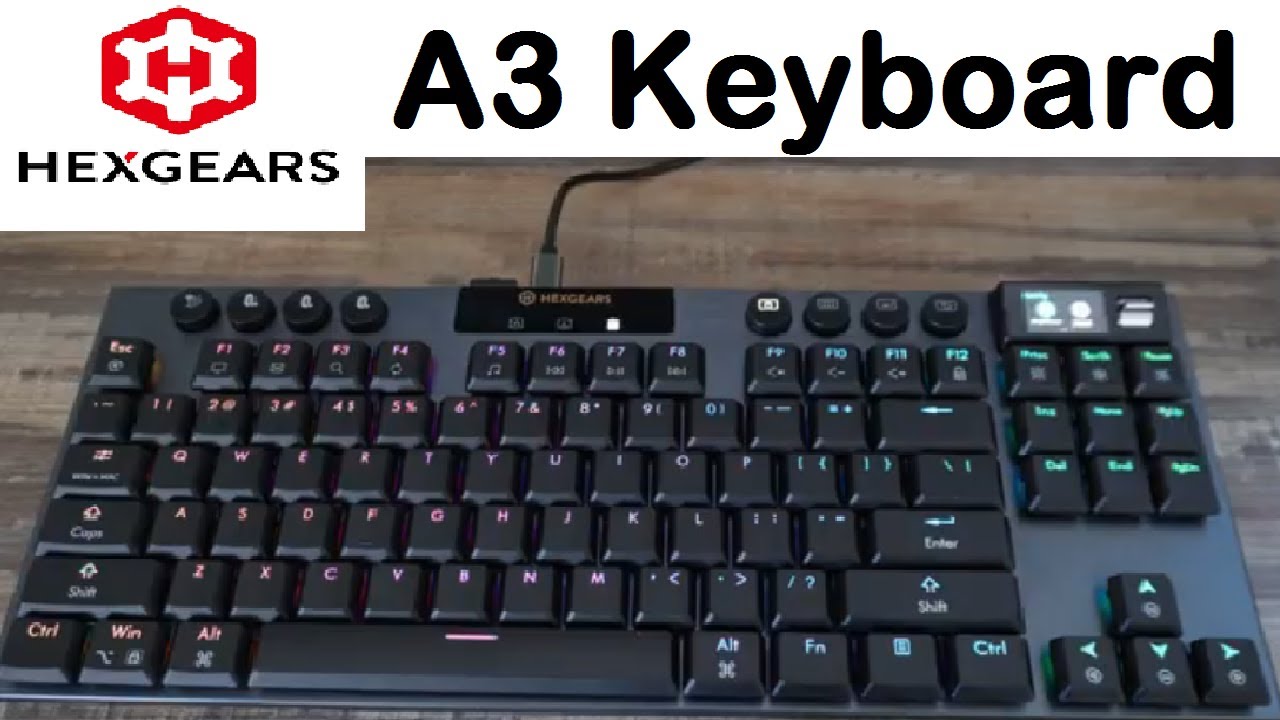
The reviewer unboxed and tested the Hexgears Immersion A3, a 10-keyless ultra-compact low-profile mechanical keyboard designed with gaming and productivity in mind. Coming from a larger keyboard that caused hand cramping during shortcut-heavy editing work, they found the A3's compact size significantly improved comfort and allowed longer work sessions. The keyboard features three connectivity modes (USB-C, 2.4GHz wireless, Bluetooth), up to 50 hours battery life, customizable RGB lighting with 20 presets, a small customizable animation screen, and hot-swappable switches. Technical highlights include N-key rollover, sub-1ms latency in wired and 2.4GHz modes, and durable translucent keycaps. The keyboard connects to Mac, PC, TV, and gaming systems.
- →Ideal for editors using heavy keyboard shortcuts daily
- →Excellent for gamers needing low latency and anti-ghosting
- →Great for multi-device users with three connectivity options
- →Perfect for customization enthusiasts wanting hot-swap switches
- →Suitable for limited desk spaces due to compact design
 Jayce Journal
A low-profile TKL keyboard featuring aircraft-grade aluminum …
Jayce Journal
A low-profile TKL keyboard featuring aircraft-grade aluminum …
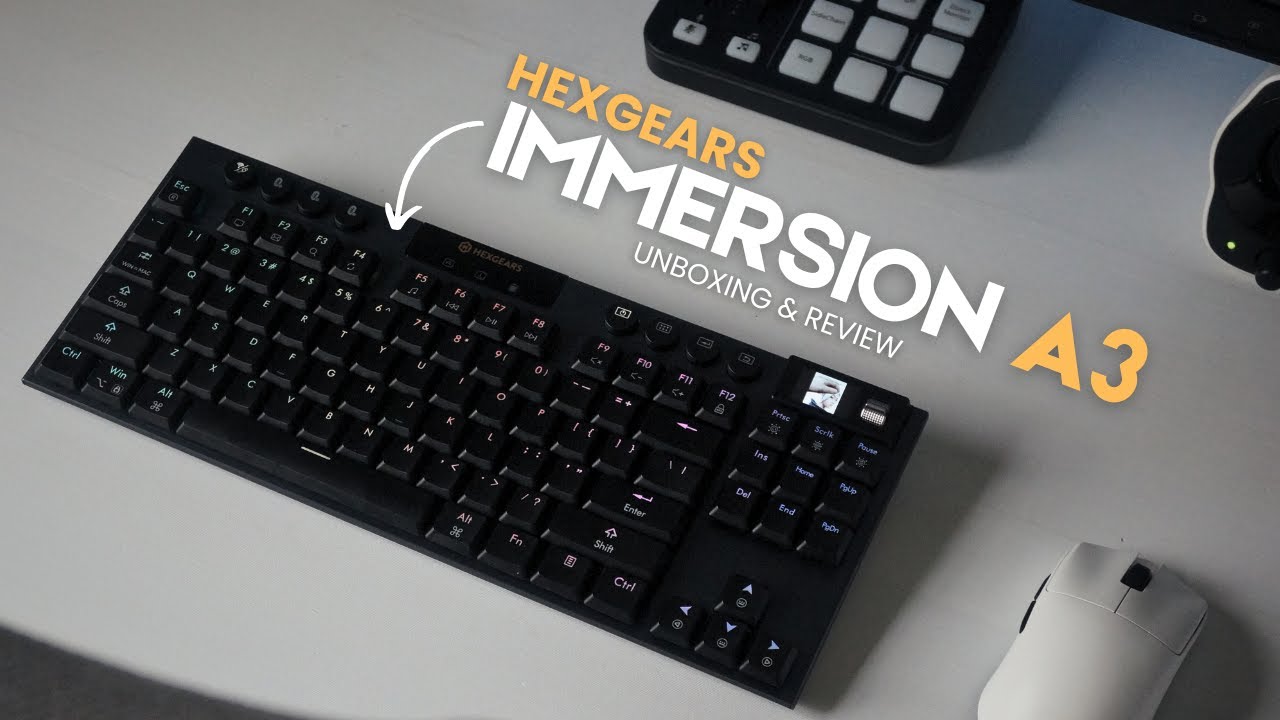
A low-profile TKL keyboard featuring aircraft-grade aluminum construction, tri-mode connectivity, and a distinctive multimedia display screen with GIF customization. The Black Cloud tactile switches deliver responsive feedback despite their compact height, while the 5800mAh battery supports extended wireless use. The companion software enables extensive RGB and key remapping options. Build quality emphasizes portability through thin, lightweight design with double adjustable feet. The north-facing RGB lighting effectively illuminates the slim ABS keycaps. Full n-key rollover ensures accurate input during intensive gaming sessions.
- →Ideal for users prioritizing desk space and portability
- →Suits tactile switch enthusiasts wanting low-profile design
- →Great for RGB customization fans with screen personalization
- →Recommended for wireless gaming with long battery needs
- →Good fit for minimalist aesthetic preferences with modern features
 MHD Tech
The Hexgears Immersion A3 is a TKL mechanical gaming keyboard …
MHD Tech
The Hexgears Immersion A3 is a TKL mechanical gaming keyboard …
The Hexgears Immersion A3 is a TKL mechanical gaming keyboard featuring low-profile hot-swappable switches with short actuation distance for faster response times. It offers triple connectivity via USB-C, 2.4GHz wireless, and Bluetooth, with sub-1ms latency on wired and 1ms on wireless. A 5800 mAh battery delivers approximately 50 hours with RGB enabled. Notable features include a customizable display screen for GIFs/images, 16.8 million color RGB backlighting, N-key rollover, dedicated media controls via FN key, and dual adjustable feet for ergonomic positioning. The aluminum frame construction provides solid build quality with low-profile keycaps.
- →Ideal for competitive FPS gamers needing minimal input latency
- →Suits multi-device users requiring seamless connectivity switching
- →Recommended for RGB enthusiasts wanting extensive customization
- →Good choice for extended gaming sessions with long battery life
- →Fits desk-space-conscious users with compact TKL layout
Community Discussions via Reddit
Long-term Update
r/pcmasterrace
u/ExoMonk
Owner ExoMonk received the Hexgears Immersion A3 through a giveaway and has been using it for gaming after several years with a Logitech G915. They praise the keyboard's build quality, low-profile design, and key shape that suits intense gaming without mis-clicks. The switches provide satisfying typing feel with effortless finger movement. The 80-85% layout successfully addresses their desire for more mouse space compared to their previous full-size keyboard. However, they express dislike for the switch sound despite enjoying the tactile experience.
Key Insights
- →Best suited for gamers transitioning from full-size low-profile keyboards who want compact layout without sacrificing key feel
- →Key shape design prioritizes gaming accuracy over flat or rounded key profiles
- →Strong alternative for Logitech G915 users seeking smaller footprint at lower price point
- →Switch sound may require modification or replacement for noise-sensitive users
- →No long-term durability data available from this single short-term ownership report
Scores based on weighted analysis of 16 expert and community sources. How we review →