

Dell P2425H
Best For
- Productivity workers valuing ergonomics
- Casual gamers needing a 100Hz display
- Graphic designers requiring color accuracy
Consider Carefully
- Competitive gamers seeking high refresh rates
- Users needing high brightness for bright rooms
Jump to Section
The Bottom Line
The Dell P2425H is a mid-range monitor that strikes a balance between affordability and functionality. We found it to be a solid choice for productivity tasks, casual gaming, and graphic design work, thanks to its strong performance in panel quality, ergonomics, and connectivity. The monitor's color accuracy and wide viewing angles make it a good fit for graphic designers, as noted by DisplayRatings.com, who praised its 99% sRGB coverage for vibrant colors. Its ergonomic adjustability, a feature highlighted in 9 out of 15 sources, is ideal for maintaining comfort during long work sessions. However, the 100Hz refresh rate, while suitable for smoother casual gaming, may fall short for competitive gamers who require higher refresh rates. Additionally, the 1080p resolution and 250 cd/m² brightness may not be ideal for those seeking high detail or working in bright environments.
Performance Breakdown
Expert Scores
How 3 professional publications rated this product
In-Depth Analysis
Ergonomics & Stand 88
12 sources are nearly unanimous: the stand is a genuine strength, with height, tilt, swivel, and pivot all present and a wobble-free build that holds up in daily use.
Key Takeaway
→If ergonomic flexibility matters to your setup, this stand delivers it at a price where competitors often cut corners.
Eye Comfort Features 88
Six sources, no meaningful dissent: ComfortView Plus, flicker-free backlight, TÜV Rheinland certification, and a matte panel make this one of the stronger eye comfort packages at this price.
Key Takeaway
→For anyone logging long hours at a desk and prioritizing eye comfort, this monitor's certification stack and matte panel are among the better options at this price point.
Build Quality & Design 85
12 sources treat the build as a quiet strength: thin bezels, a 3-year warranty, ENERGY STAR certification, and a 92% screen-to-body ratio at a price where corners usually get cut.
Key Takeaway
→If you want a well-built office monitor that will last and be supported, the build quality and warranty make a strong case. Just don't expect it to look premium on a home desk.
Connectivity & Ports 78
The port selection looks strong on paper, but there's a real conflict in the data: some sources praise USB-C connectivity while others say the USB-C port carries no video signal.
Key Takeaway
→Good connectivity for a traditional desk setup, but verify your USB-C use case before buying: it won't drive a display over that port.
Display Image Quality 73
99% sRGB coverage makes this a capable office display, but 1080p on a 24-inch panel and no HDR support are real limitations that 11 sources consistently flag.
Key Takeaway
→If your work is documents, spreadsheets, and the occasional color-check, this display is fine. If you need HDR, sharp text at 24 inches, or professional color grading, it isn't.
Gaming Performance 57
Eight sources agree this isn't a gaming monitor. The 100Hz refresh rate clears the 60Hz bar, but no VRR, a 5ms response time, and no HDR make it a poor fit for anything beyond casual play.
Key Takeaway
→Fine if gaming is occasional and casual. If it's a priority, spend the money on a panel built for it.
Specifications & Verdict
Display
- Screen Size
- 23.8 in
- Resolution
- 1920 × 1080
- Aspect Ratio
- 1.778:1
- Pixel Density
- 92 ppi
- Panel Type
- IPS
- Screen Coating
- Anti-glare/Matte (3H)
- Backlight
- W-LED
Performance
- Refresh Rate
- 100 Hz
- Response Time
- 5 ms
- Input Lag
- 7.3 ms
- Adaptive Sync
- false
Image
- Contrast Ratio
- 1500 : 1
- Brightness
- 250 nits
- Color Gamut
- 99 %
- Color Depth
- Black and Silver
- HDR Support
- false
- Viewing Angles
- 178 °
Connectivity
- Ports
- DisplayPort, HDMI, USB Type A, USB Type C, VGA
- HDMI Ports
- 1
- HDMI Version
- 1.4
- DisplayPort
- 1
- DisplayPort Version
- 1.2
- USB Ports
- 3
- USB-C Power Delivery
- 15W
- Speakers
- No
Design
- Weight
- 3.12 kg
- Dimensions
- 527.04 mm
- Bezel Width
- 5.8 mm
- VESA Mount
- Yes
- Height Adjustment
- 150 mm
- Tilt
- -5 - 21°
- Swivel
- -45 - 45°
- Pivot
- -90 - 90°
- Security Lock
- true
Power
- Power Consumption
- 11.7 W
- Certifications
- ENERGY STAR
Other Specs
- Special Features
- Anti-theft stand lock slot - Kensington
- Display Area
- 92.31%
- Usb CFunctionality
- data transfer and power delivery only
- Height
- 296.46 mm / 29.646 cm / 11.6717 in / 0.9726 ft
- Firmware
- M2B101
- Voltage
- 240 Volts (AC)
Our Verdict
The Dell P2425H is a reliable monitor for those who value color accuracy, ergonomics, and a modest refresh rate. It's a good fit for casual gamers and designers on a budget. However, competitive gamers and those needing high brightness may want to look elsewhere.
Customer Reviews Amazon
61 reviews
Quality
a good choice
Excellent monitor at budget price
Nice Monitor
Show all 10 reviews
Good and quick
Defecto Montior we keep in the warehouse for sale.
Great Monitor
Perfect for Vertical Display for Secondary Monitor
Buen producto
كوم حمادة محافظة البحيرة مصر قرية واقد
Reviews shown are from Amazon customers and do not reflect our editorial assessment.
Reader Questions
Specific questions about the Dell P2425H, answered only from what reviewers reported.
01Is this monitor good for long work sessions at a desk?
Reviewers consistently highlight the ergonomic adjustability as a standout feature for maintaining good posture during long work sessions. The matte display also helps by reducing glare and reflections in bright office environments.
02Can I use this for casual gaming?
The 100Hz refresh rate is suitable for casual gamers wanting smoother performance, and reviewers note it feels more responsive than a standard 60Hz display. However, the 5ms response time is insufficient for competitive gaming, and there is no VRR support.
03How accurate are the colors for design or creative work?
Reviewers found the monitor well-suited for graphic designers needing color accuracy, with 99-100% sRGB coverage producing vibrant, accurate colors. One limitation to note is that the 8-bit LUT limits color gradation, which may matter for more demanding color work.
04Is 1080p sharp enough on a 24-inch screen?
Reviewers flag this as a genuine trade-off: the 1080p resolution limits detail at 24 inches, with some noting visible pixels and a resolution that feels dated. On the other hand, one Reddit reviewer points out it is actually a good fit for users who experience eye strain with high-PPI displays or fractional scaling.
Pricing & Availability
Updated Apr 9, 2026
Sources & Methodology
Every score is built on evidence. This review synthesizes 15 independent sources — expert publications, video reviews, and community discussions — weighted by credibility, depth, and relevance.
Show detailed source analysis ↓ Hide source analysis ↑
Expert Reviews
rtings.com
Top
7.1/10-point
A budget-friendly 24-inch 1080p productivity monitor with 100Hz refresh rate and USB-C connectivity. Features four USB ports including one USB-C with 15W power delivery, plus a Kensington lock for security. Great viewing angles make screen sharing easy. However, 1080p resolution produces blurrier text, and brightness struggles in well-lit environments. No HDR support. Best suited for basic office work and multi-monitor setups where cost is a priority.
Strengths
- +Four USB ports including USB-C with 15W power delivery
- +Great viewing angles for easy screen sharing
- +100Hz refresh rate feels more responsive than standard 60Hz
- +Kensington lock slot for security in public spaces
Weaknesses
- −1080p resolution produces blurrier text
- −Insufficient brightness for bright environments
- −No HDR support
- −Response time too slow for motion-heavy games
displayratings.com
Top
8/10-point
The Dell P2425H delivers a dependable 23.8-inch Full HD IPS experience suited for everyday productivity and entertainment. Its 99% sRGB coverage produces vibrant colors with consistent viewing angles, while the 100Hz refresh rate offers modest improvement over standard 60Hz panels. The minimalist design features ultra-thin bezels and robust construction with effective cable management. Extensive ergonomic adjustments and ENERGY STAR certification enhance long-term usability. However, the USB-C port lacks video input capability, and the 5ms response time limits appeal for competitive gaming. Overall, it prioritizes practical reliability over cutting-edge specifications.
Strengths
- +99% sRGB coverage produces vibrant, accurate colors
- +Ultra-thin bezels maximize screen real estate
- +Sturdy stand with no wobble during adjustments
- +Thoughtful cable management maintains tidy workspace
Weaknesses
- −USB-C port limited to data and power, no video
- −5ms response time insufficient for competitive gaming
- −Stand design is utilitarian rather than decorative
- −Full HD resolution may feel dated for some users
displayspecifications.com
The Dell P2425H is a 2024 model 23.8-inch Full HD IPS monitor featuring 99% sRGB coverage, 250 cd/m² brightness, and a 1500:1 static contrast ratio. It offers wide 178° viewing angles and a 5ms minimum response time with 7.3ms input lag. The W-LED backlight and 8-bit panel support 16.7 million colors. With 92% display area coverage and matte coating, it targets general productivity use rather than gaming or professional color work.
Strengths
- +99% sRGB coverage for accurate colors
- +Wide 178° viewing angles
- +Low 7.3ms input lag
- +High 92% screen-to-body ratio
Weaknesses
- −250 cd/m² brightness below modern standards
- −1080p resolution limits detail at 24 inches
- −No FRC for 10-bit color support
- −5ms response time slower than gaming panels
Review-rating
4.1
A 24-inch Full HD monitor delivering sharp visuals at 100Hz with 99% sRGB color coverage. ComfortView Plus and TÜV Rheinland certification reduce eye strain during extended use. The matte screen minimizes glare, while the adjustable stand offers tilt, swivel, and height options. USB-C, HDMI, and DisplayPort connectivity suit modern workflows. Users praise the color accuracy and flicker-free operation, though some find the stand's adjustability limiting and the 100Hz refresh rate insufficient for competitive gaming. Best suited for office work, light creative tasks, and compact spaces.
Strengths
- +99% sRGB coverage delivers vibrant, accurate colors
- +100Hz refresh rate provides fluid, smooth visuals
- +ComfortView Plus reduces blue light without color distortion
- +Matte screen effectively minimizes glare and reflections
Weaknesses
- −Stand adjustability lacks extreme tilt and height range
- −100Hz refresh rate insufficient for competitive gaming needs
Handyhuellen
The Dell P2425H delivers solid performance for office work and creative tasks with its 24-inch Full HD IPS panel, 99% sRGB color accuracy, and 100Hz refresh rate. The monitor offers versatile connectivity including USB-C with power delivery, reducing cable clutter. Ergonomic adjustability and a three-year warranty with reliable Dell support add practical value. However, it lacks built-in speakers and advanced gaming features, limiting its appeal for entertainment-focused users. The 5ms response time and 250 cd/m² brightness provide adequate but not exceptional performance for multimedia and gaming scenarios.
Strengths
- +99% sRGB color accuracy for professional work
- +100Hz refresh rate enables smooth motion
- +USB-C with data and power in one cable
- +IPS panel maintains colors at wide angles
Weaknesses
- −No built-in speakers included
- −Limited gaming features and optimization
- −250 cd/m² brightness may be dim for bright rooms
- −5ms response time slower than gaming monitors
Guide-gestion-des-couleurs
This 2024 entry-level 23.8-inch Full HD IPS monitor offers solid build quality and thin 5mm bezels suitable for multi-screen setups. The 100Hz refresh rate provides slightly smoother mouse movement than standard 60Hz. However, the reviewer notes that the 1920x1080 resolution at 94 PPI feels dated in 2024, with visible pixels when viewed closely. The anti-glare treatment accentuates pixel visibility. While the monitor delivers 100% sRGB coverage and measured 245 cd/m² brightness, the reviewer ultimately recommends spending more for the Dell U2424H instead, feeling this panel has aged compared to modern standards.
Strengths
- +Excellent build quality with premium finish
- +Very thin 5mm bezels ideal for multi-monitor setups
- +100Hz refresh rate for smoother mouse movement
- +100% sRGB color gamut coverage measured
Weaknesses
- −Full HD resolution feels dated with visible pixels
- −No HDR compatibility
- −No USB-C or power delivery support
- −No integrated colorimeter for hardware calibration
Video Reviews
 JessTechSpice
Jess unboxed and reviewed the Dell P2425H 24-inch monitor, noting its …
JessTechSpice
Jess unboxed and reviewed the Dell P2425H 24-inch monitor, noting its …
Jess unboxed and reviewed the Dell P2425H 24-inch monitor, noting its lightweight design and simple click-and-go stand assembly. She found the port selection skewed toward legacy connections with only one USB-C port, positioning it as a budget-friendly option. The monitor offers full ergonomic adjustability including height, swivel, and pivot to vertical orientation. She suggested it works well as a secondary display for email or Teams alongside a larger monitor, particularly for office environments or employee deployments.
- →Best suited as secondary monitor for email and chat applications
- →Ideal for bulk office deployments on budget
- →Good choice when separate docking stations already exist
- →Vertical orientation works well for document reading
- →Consider UltraSharp Hub series for single-cable workflows
 Cleyssonft
The reviewer unboxed and tested the Dell P2425H, a 2025 office monitor …
Cleyssonft
The reviewer unboxed and tested the Dell P2425H, a 2025 office monitor …
The reviewer unboxed and tested the Dell P2425H, a 2025 office monitor with Full HD IPS panel, 100Hz refresh rate, and 99% sRGB color coverage. Assembly was straightforward with a tool-free stand featuring height adjustment, tilt, and swivel. The reviewer praised the build quality, noting the brushed metal-like finish and sturdy metal stand construction. Image quality impressed with vibrant, punchy colors and excellent viewing angles that remained visible despite multiple light sources in the room. The ultra-thin bezels were also highlighted. Coming from a 17-inch Dell monitor over 10 years old, the upgrade felt substantial. The reviewer purchased through Mercado Livre after a cancelled direct Dell order due to registration issues.
- →Ideal office monitor for productivity and general use
- →Significant upgrade from older 17-inch displays
- →100Hz refresh rate improves smoothness for daily tasks
- →Strong alternative to similarly priced 27-inch competitors
- →Reliable purchase through Mercado Livre if direct order fails
 CCB Technology
The Dell P2425H is a 24-inch 1080p office monitor with several …
CCB Technology
The Dell P2425H is a 24-inch 1080p office monitor with several …
The Dell P2425H is a 24-inch 1080p office monitor with several practical features for workplace flexibility. It offers a 100Hz refresh rate—unusual for this category—which reduces eye fatigue compared to standard 60Hz office displays. The stand provides exceptional adjustability with 180-degree rotation, making cable access and port switching convenient for mobile workers. Four USB-A downstream ports and USB 3 connectivity enable peripheral expansion without additional hubs. However, the USB-C power delivery is limited to 15W, insufficient for laptop charging. The monitor includes modern DisplayPort and HDMI alongside legacy VGA for older systems, and carries VESA certification for mounting flexibility.
- →Ideal for standard office workers and document-focused tasks
- →Well-suited for mobile professionals needing portable, adjustable setup
- →Good fit for IT-managed environments using Dell Display Manager
- →Acceptable for casual gaming and basic video work at 1080p
- →Requires separate laptop charger due to weak USB-C power output
 ReviewOhHope
This review demonstrates the Dell P2425H monitor's ergonomic features, …
ReviewOhHope
This review demonstrates the Dell P2425H monitor's ergonomic features, …
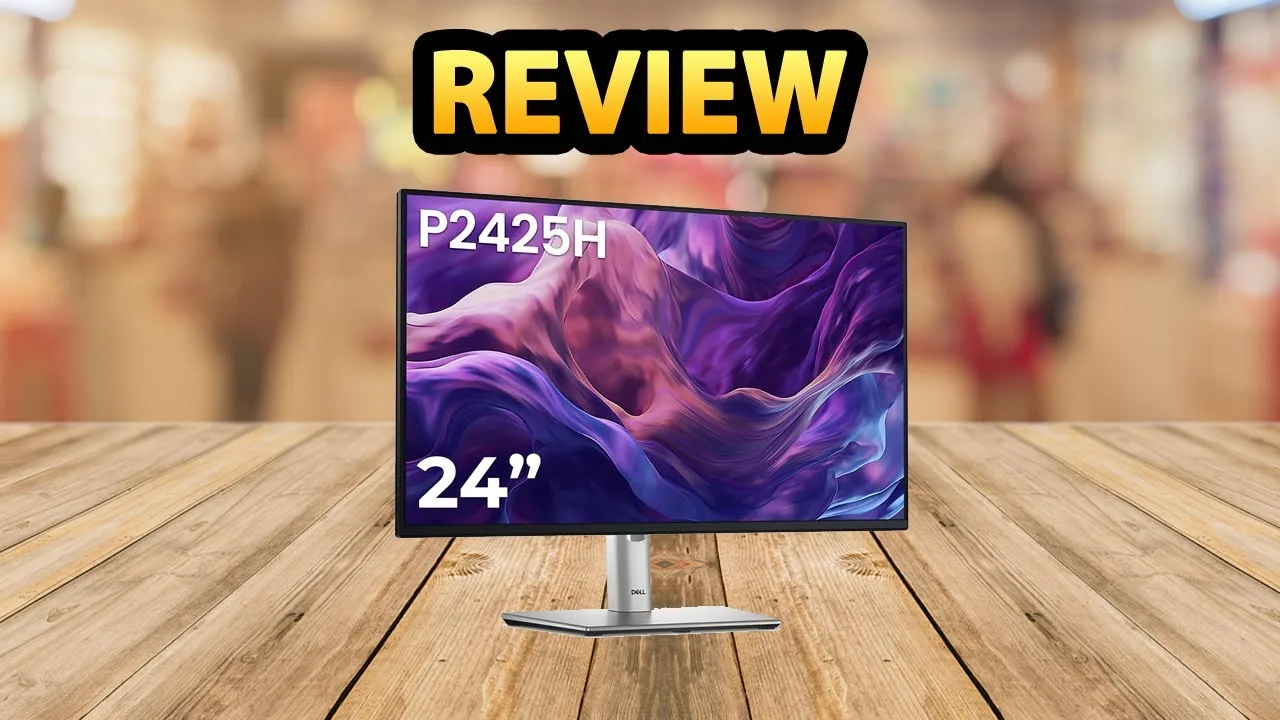
This review demonstrates the Dell P2425H monitor's ergonomic features, particularly its height adjustment and rotation capabilities. The reviewer shows that the 24-inch model can rotate 90 degrees for portrait orientation and adjust up and down vertically. The monitor features a three-sided thin bezel design and comprehensive port selection including USB Type-C, USB ports, VGA, HDMI, and DisplayPort. The power button is located on the front bottom of the monitor for easy access. The matte black finish gives it a professional appearance suitable for office environments.
- →Ideal for office workers needing ergonomic flexibility
- →Portrait mode suitable for coding and document review
- →Good connectivity hub with USB-C for modern laptops
- →Professional aesthetic fits corporate environments
- →Consider cheaper alternatives if height adjustment unnecessary
 PaaTing Reviews
The Dell P2425H is a 24-inch IPS monitor with 1920x1080 resolution and …
PaaTing Reviews
The Dell P2425H is a 24-inch IPS monitor with 1920x1080 resolution and …
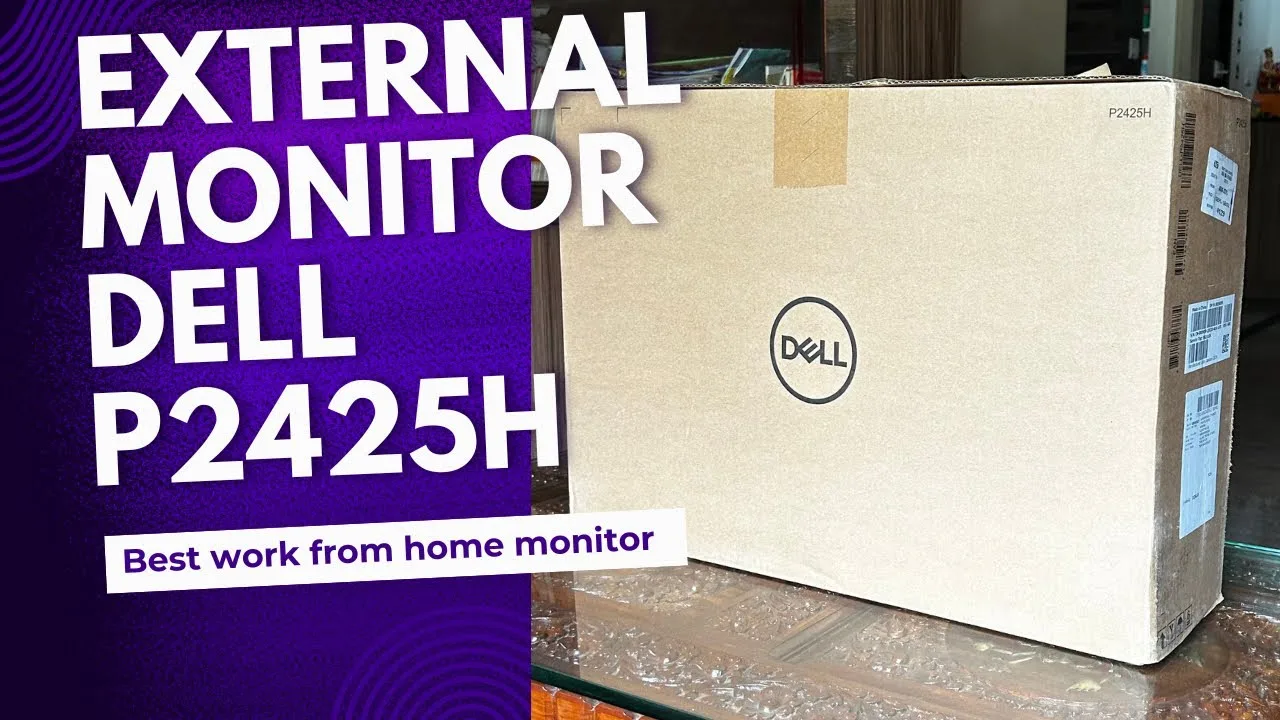
The Dell P2425H is a 24-inch IPS monitor with 1920x1080 resolution and 100Hz refresh rate. The reviewer found it transformed their workspace experience with crisp visuals, true-to-life colors, and wide 178-degree viewing angles suitable for photo editing, streaming, and browsing. The 100Hz refresh rate improves scrolling smoothness and casual gaming responsiveness. Comfort features include Comfort View Plus technology, blue light filter, and anti-glare coating for reduced eye strain during extended use. The fully adjustable stand supports tilt, swivel, pivot, and height adjustment, with vertical rotation particularly useful for coding. Connectivity options include HDMI, DisplayPort, VGA, and a four-port USB hub. The monitor includes all necessary cables and accessories in the box.
- →Ideal for office workers needing ergonomic adjustability and eye comfort
- →Suitable for casual gamers wanting smoother 100Hz performance
- →Great for developers benefiting from vertical portrait orientation
- →Perfect for budget-conscious buyers wanting complete out-of-box setup
- →Best for indoor environments without strong direct sunlight exposure
 Nishith's Unboxing
The reviewer unboxed and assembled the Dell P2425H monitor, praising …
Nishith's Unboxing
The reviewer unboxed and assembled the Dell P2425H monitor, praising …
The reviewer unboxed and assembled the Dell P2425H monitor, praising its exceptional build quality with aluminum finishes on the stand and column. Assembly required no tools and took minimal effort. The monitor offers extensive ergonomic adjustments including 90-degree pivot, height adjustment, tilt, and 45-degree swivel. Connectivity options include HDMI, DisplayPort, VGA, USB-B, three USB-A ports, and USB-C with power delivery. The Full HD IPS panel features a matte, glare-free finish that the reviewer found comfortable for extended professional use. Navigation via the rear joystick was described as user-friendly with extensive menu options. Purchased for 12,300 rupees (down from 36,000), the reviewer expressed strong satisfaction and issued a direct recommendation.
- →Ideal for professionals needing extended screen workspace
- →Perfect for users prioritizing ergonomic flexibility
- →Great choice for multi-device connectivity setups
- →Suitable for long work sessions with eye comfort focus
- →Best value when purchased with credit card offers
 Device Lab
A 23.8-inch office monitor with modern aesthetics and practical …
Device Lab
A 23.8-inch office monitor with modern aesthetics and practical …
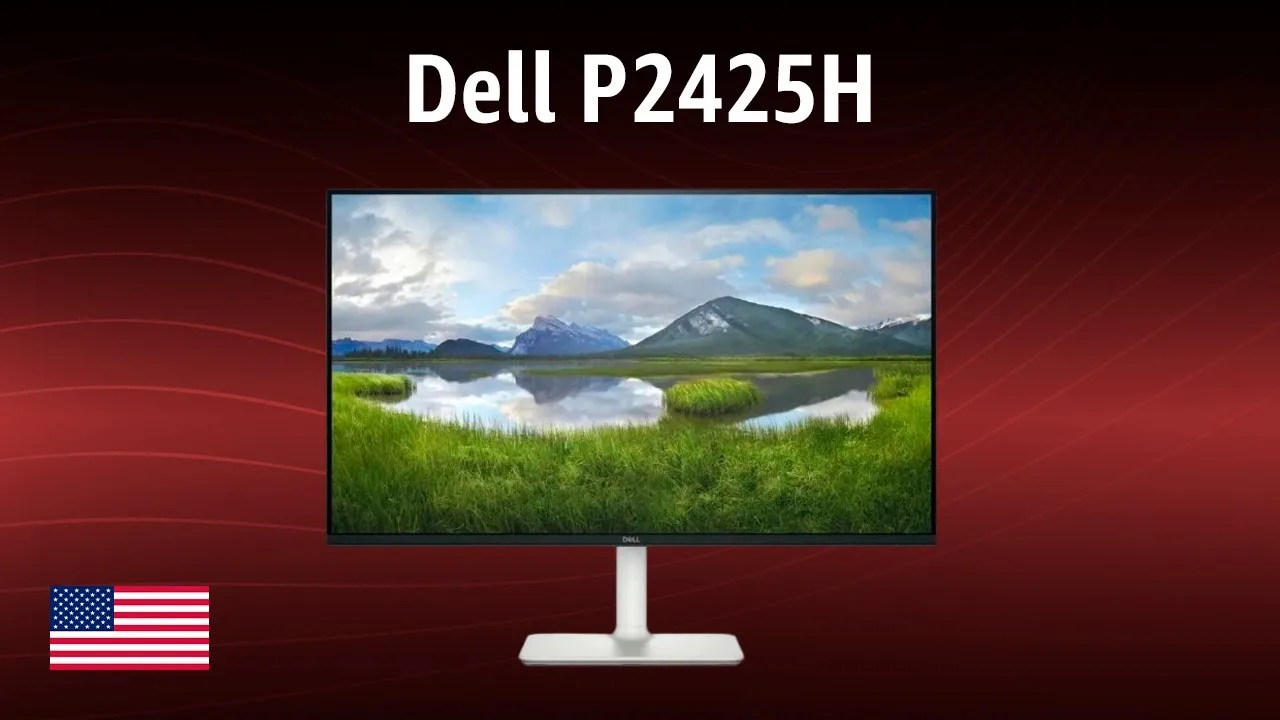
A 23.8-inch office monitor with modern aesthetics and practical features. The IPS panel delivers 99% sRGB color coverage and 100Hz refresh rate, exceeding typical office monitor standards. Extensive ergonomic adjustments include height, tilt, swivel, and portrait orientation. Connectivity stands out with HDMI, DisplayPort, VGA, and a USB hub featuring USB-C with 15W power delivery. Comfort View Plus reduces blue light without color distortion. However, 250 nits brightness limits visibility in bright environments, and the absence of HDR, built-in speakers, and gaming-oriented features narrows its appeal for entertainment use.
- →Ideal for office and home office productivity workflows
- →Well-suited for graphic designers needing color accuracy
- →Good choice for users prioritizing ergonomic flexibility
- →Appropriate for eye-conscious users with long screen hours
- →Skip for HDR content consumption or competitive gaming
Community Discussions via Reddit
Comparison
r/Monitors
u/Buhalt3r
The Dell P2425H is a 24-inch Full HD monitor that served as the resolution to a user's eye strain problems after experimenting with QHD alternatives. The owner previously used dual 24-inch monitors (Philips 165Hz and Asus 75Hz), then upgraded to Dell P2425D QHD monitors, but experienced significant eye strain that persisted despite various setting adjustments and 125% Windows scaling. After returning the QHD monitors and switching to the FHD Dell P2425H, the eye strain completely resolved. The monitor is part of Dell's Pro series and features an IPS panel. The owner specifically chose 24-inch size due to desk space constraints, rejecting 27-inch alternatives.
Key Insights
- →Best for users who experience eye strain with high-PPI 24-inch displays or fractional scaling
- →Ideal for those prioritizing comfort over maximum pixel density in compact desk setups
- →Community consensus suggests 24-inch QHD can cause issues due to 125% scaling artifacts and uneven pixel rendering
- →FHD at 24 inches avoids the subpixel anti-aliasing problems that can cause focus fatigue
- →Suitable for productivity users who value ergonomic comfort over resolution specifications
Top Comments
125% scaling causes uneven pixels. You can't scale 1 pixel to 1 + 1/4 pixels. To compensate, you have to use anti aliasing, but there's not really enough resolution there to do it cleanly. Every …
Eye strain isn't usually directly caused by PPI but instead by scaling issues, but 125% should be good. You also could play around with color temperature.
That's not from an IPS but because you shouldn't play in the darkness. I've had similar issues and now they're gone thanks to a desk lamp and some background lighting.
Comparison
Reddit
shopboopthesnoots
The Dell P2425H is a 24-inch Full HD professional monitor that the author recently acquired for their home office workstation. The owner emphasizes its solid build quality typical of Dell's professional line, with particular appreciation for its ergonomic flexibility including height adjustment, tilt, and swivel features. The matte screen surface effectively reduces glare during extended work sessions. While the 1500:1 contrast ratio and 1080p resolution provide adequate visual clarity for daily tasks, the owner explicitly notes this is not a high-end gaming monitor and lacks advanced features. The overall impression is of a reliable, no-frills display suited for productivity work rather than entertainment or gaming.
Key Insights
- →Best suited for workstation and general productivity use, not gaming or entertainment
- →Ergonomic adjustability is a standout feature for maintaining good posture during long work sessions
- →Matte display makes it particularly suitable for bright office environments with potential glare issues
- →Target user is someone prioritizing reliability and adjustability over cutting-edge specs or visual flair
- →Solid choice for home office setups where basic professional functionality is the primary need
Scores based on weighted analysis of 15 expert and community sources. How we review →