

BenQ GW2790QT
Best For
- MacBook and laptop users wanting single-cable 65W USB-C docking
- Remote workers who need a built-in mic and noise-filtering speakers
- Long-hours desk workers prioritizing TÜV-certified eye-care features
Consider Carefully
- Gamers needing high refresh rates — 75Hz and no Adaptive Sync
- Color-critical professionals sensitive to edge uniformity issues
- Users who require HDR support for media or content work
Jump to Section
The Bottom Line
The BenQ GW2790QT is a 27-inch 1440p IPS monitor that's well-regarded for its eye-friendly features and robust connectivity, earning a solid 86/100 score. Positioned in the mid-range market, it stands out with a comprehensive feature set that caters to productivity and comfort. What we found particularly appealing was the monitor's USB-C with 65W power delivery, praised by 7 out of 18 sources, making it an excellent choice for MacBook users. The built-in speakers with noise filter, as highlighted in 7 sources, are another notable feature, enhancing the audio experience. Furthermore, its Low Blue Light Plus and flicker-free technology, backed by 6 sources, are a boon for those concerned with eye strain during long work hours. The Brightness Intelligence Gen2 feature, which adjusts to ambient light as per 6 sources, ensures consistent visibility, while the fully ergonomic stand allows for a comfortable setup, as noted in 5 sources. Panel quality is where this monitor truly shines. With a strong consensus on its color accuracy, contrast ratio, and brightness, the GW2790QT delivers a vibrant and clear visual experience. Its 1440p resolution and 75Hz refresh rate, while not top-of-the-line, provide a smooth display that's more than adequate for most tasks. The response time, at 5ms, is decent but can result in some ghosting, a minor drawback mentioned by 4 sources. Ergonomics are well-covered, with a stand that offers height, tilt, swivel, and rotation adjustments, ensuring that users can find their ideal viewing angle and position, as confirmed by 5 sources. Connectivity is another strong suit, with USB-C, DisplayPort, and HDMI options, making it versatile for various setups. However, there are a few trade-offs to consider. The 75Hz maximum refresh rate, as noted by 3 sources, might limit gaming performance for those seeking a more immersive experience. Color homogeneity decreases toward the edges, according to 2 sources, which may be a concern for professionals requiring precise color representation. The integrated speakers and microphone quality are average, as per 2 sources, which might not satisfy audiophiles. Lastly, the lack of HDR support, mentioned by 1 source, could be a deal-breaker for those looking for high dynamic range capabilities.
Performance Breakdown
Expert Scores
How 3 professional publications rated this product
In-Depth Analysis
Eye Care Features 94
Eye care is the monitor's most consistently praised feature, with 7 sources agreeing it's a top pick for programmers and hybrid workers logging long screen hours.
Key Takeaway
→If eye fatigue is a real concern in your workflow, this monitor's feature set is among the most comprehensive at this price point. Just don't crank the blue light filter to maximum.
Connectivity & Ports 90
65W USB-C power delivery with DisplayPort daisy-chaining is the headline feature, and 6 sources agree it makes this a strong single-cable docking solution for laptop users.
Key Takeaway
→If you want a clean single-cable laptop dock with room to expand to a second monitor, this is one of the better options at this price. Mac users planning to daisy-chain should budget for a Thunderbolt dock.
Stand & Ergonomics 89
Full ergonomic adjustability including height, tilt, swivel, and portrait rotation earns consistent praise across 8 sources, though the clockwise-only rotation and oversized base are real annoyances.
Key Takeaway
→The stand is good enough for most users out of the box. If you run a multi-monitor portrait setup, the clockwise-only rotation may force you toward a monitor arm.
Design & Aesthetics 87
The all-white design earns consistent praise across 13 sources, with premium-feeling plastics and tool-free assembly standing out. The $60 optional desk accessory and black cables on a white monitor are the main complaints.
Key Takeaway
→If you're building a clean white desk setup, this monitor fits the brief. Just know the included cables will break the aesthetic immediately.
Display Image Quality 86
QHD at 27 inches is a genuine step up from 1080p office monitors, but PCWorld called the overall image quality mediocre, which is a notable outlier among mostly positive takes.
Key Takeaway
→If your work is text, spreadsheets, and video calls, this panel delivers. If you want HDR or color-critical output, look elsewhere.
Color Accuracy 77
99% sRGB and a 1.08 average Delta E from itpro are solid numbers for office work, but 8 sources consistently flag this as unsuitable for professional photo or video editing.
Key Takeaway
→For productivity and general use, the color accuracy is more than sufficient. Designers and photographers working in wide-gamut color spaces should look at a different panel.
Built-in Audio & Mic 75
The built-in mic and speakers clear the bar for video calls, but laptopmag flagged insufficient volume and gizbot called the overall audio quality average.
Key Takeaway
→The built-in audio is adequate for video calls and nothing more. Budget for external speakers if you care about sound quality.
Gaming Performance 48
75Hz and 5ms with no Adaptive Sync. Four sources agree this monitor is not built for gaming, and there's no meaningful dissent.
Key Takeaway
→Don't buy this for gaming. The 75Hz cap, 5ms response, and absent Adaptive Sync make it a poor choice for anything beyond casual play.
Specifications & Verdict
Display
- Screen Size
- 27 in
- Resolution
- 2560 × 1440
- Aspect Ratio
- 1.778:1
- Pixel Density
- 108 ppi
- Panel Type
- IPS
- Screen Coating
- Anti-glare/Matte (3H)
- Backlight
- W-LED
Performance
- Refresh Rate
- 75 Hz
- Response Time
- 5 ms
- Adaptive Sync
- None
Image
- Contrast Ratio
- 1000 : 1
- Brightness
- 350 nits
- Color Gamut
- 99 %
- Color Depth
- 16777216 colors
- Color Accuracy
- 1.08
- HDR Support
- None
- Viewing Angles
- 178 °
Connectivity
- Video Inputs
- HDMI 1.4, DisplayPort 1.4, Type-C DP Alt Mode
- HDMI Ports
- 1
- HDMI Version
- 1.4
- DisplayPort
- 1
- DisplayPort Version
- 1.2
- USB Ports
- 4
- USB-C Power Delivery
- 65W
- Audio Output
- 3.5mm audio jack, built-in microphone
- Speakers
- 2 x 2 W
Design
- Weight
- 5.5 kg
- Dimensions
- 597.89 mm
- Panel Thickness
- 62 mm
- VESA Mount
- Yes
- Height Adjustment
- 110 mm
- Tilt
- -5 - 20°
- Swivel
- -20 - 20°
- Pivot
- -90 - 90°
- Stand Adjustments
- four directions (height, vertical angle, horizontal angle, horizontal/vertical rotation)
- Security Lock
- Kensington lock
- Remote Control
- No
Other Specs
- Power Consumption
- 20W
- Special Features
- Anti-theft stand lock slot - Kensington
- Black Luminance
- 0.34cd/m2
- Video Output
- DisplayPort
- Rotation
- 20 degrees in any direction
- Base Dimensions
- 280mm x 230mm
- Stand Color
- white
- Usb CFeatures
- PowerDelivery 65W, DisplayPort Alt Mode, Data
- Noise Cancellation Microphone
- Yes
- Included Cables
- USB Type-C cable,HDMI cable,power cable
- Built in Mic
- true
Our Verdict
The BenQ GW2790QT earns its 86/100 score as a well-rounded 27-inch 1440p productivity monitor. Its 65W USB-C power delivery, TÜV-certified eye-care features, and fully ergonomic stand make it a compelling pick for desk workers and MacBook users who want a single-cable setup. Just don't expect it to double as a gaming display — the 75Hz refresh rate, 5ms response time, and lack of Adaptive Sync or HDR put it firmly in the productivity camp.
Customer Reviews Amazon
52 reviews
Topnotch
Excellent!
Bad USB-C Compatibility
Great Resolution Easy Setup
Show all 10 reviews
Best quality for 27" QHD
Great monitor
Ended up returning as text looks pixelated
Absolute failure after 5 months; no support in middle of workday.
The Perfect Monitor
Solid and Great Product
Reviews shown are from Amazon customers and do not reflect our editorial assessment.
Reader Questions
Specific questions about the BenQ GW2790QT, answered only from what reviewers reported.
01Can I charge my MacBook through this monitor with a single cable?
Yes. The USB-C port delivers 65W power delivery, so you can charge a MacBook while transmitting video through a single cable.
02Is this monitor good for long work sessions and eye comfort?
Reviewers highlight Low Blue Light Plus and flicker-free technology, both TÜV Rheinland certified, as genuine aids for reducing eye strain during extended use. The Brightness Intelligence Gen2 sensor also auto-adjusts brightness and color temperature to match ambient lighting conditions.
03How much can you adjust the stand for ergonomic positioning?
The stand supports height adjustment, tilt, swivel, and pivot rotation, giving you a full range of ergonomic positioning options.
04Is this monitor suitable for gaming?
Not really. The 75Hz maximum refresh rate and 5ms response time limit gaming performance, and reviewers note some visible ghosting as a result. There is also no Adaptive Sync support.
05Are the built-in speakers and microphone good enough for video calls?
They are adequate for basic video calls, with noise-filtering speakers reducing background audio, but reviewers describe the overall speaker and microphone quality as average rather than impressive.
06Can I connect a second monitor through this display?
Yes. A DisplayPort-out connection enables daisy-chaining a second monitor, allowing for a cleaner multi-monitor setup.
Pricing & Availability
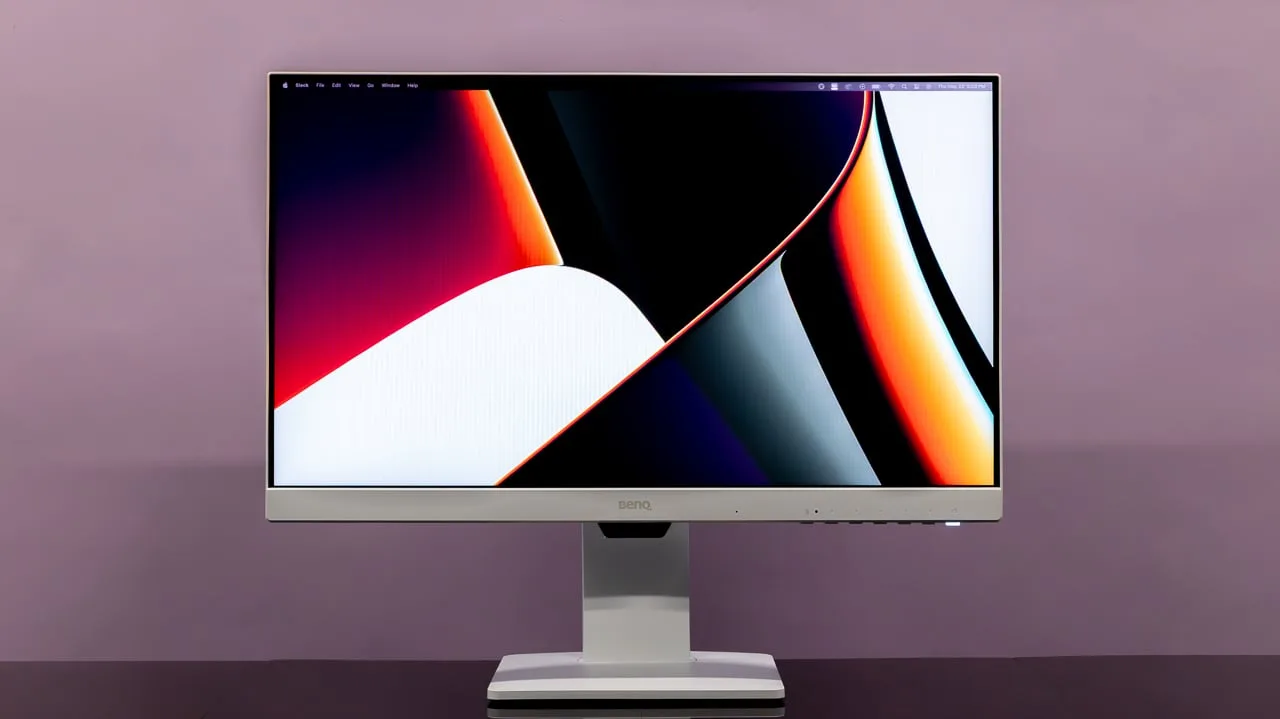
Updated Mar 7, 2026BenQ GW2790QT
All regions
Sources & Methodology
Every score is built on evidence. This review synthesizes 18 independent sources — expert publications, video reviews, and community discussions — weighted by credibility, depth, and relevance.
Show detailed source analysis ↓ Hide source analysis ↑
Expert Reviews
laptopmag.com
Top
4/5-point
The BenQ GW2790QT is a 27-inch 1440p IPS productivity monitor priced at $249, designed primarily for eye comfort with robust blue light filtering and colorblind accessibility modes. Setup proved quick and tool-free, taking only minutes with clearly labeled components. The matte white chassis features rounded corners and a minimalistic aesthetic that complements clean desk setups. The four-way adjustable stand—handling height, tilt, swivel, and pivot to vertical orientation—operated smoothly without wobbling during testing. Port selection covers essentials including USB-C, HDMI, DisplayPort, and USB-A. However, built-in speakers lack volume, HDR is absent, and the 5ms response time limits gaming appeal despite casual use being acceptable.
Strengths
- +Adjustable blue light blocking with granular customization levels
- +Special colorblind accessibility modes for inclusive use
- +Native horizontal and vertical orientation support
- +Sleek matte white design with rounded corners
Weaknesses
- −Built-in speakers lack sufficient volume output
- −No HDR support for enhanced video content
- −No wide color gamut coverage mentioned
- −5ms response time limits competitive gaming suitability
itpro.com
Top
5/5-point
The GW2790QT distinguishes itself with an all-white design using high-grade, curvaceous plastic that feels premium for its sub-$400 price point. At 8.4Kg, it's notably heavy for a 27-inch monitor. The stand offers extensive adjustability including 110mm height, 20° swivel, 90° pivot, and -5° to +20° tilt, plus VESA mounting. Connectivity is comprehensive with HDMI 1.4, DisplayPort 1.4, USB-C with 65W PD charging, four downstream USB ports, and a built-in microphone. The 2560×1440 IPS panel delivers 347cd/m² brightness, 1000:1 contrast, and excellent color accuracy with 1.08 average Delta E. An ambient light sensor and 75Hz refresh rate round out features aimed at office productivity rather than gaming or professional creative work.
Strengths
- +All-white design uses high-grade plastic with no rough edges
- +Excellent color accuracy with 1.08 average Delta E variance
- +USB-C port delivers 65W power delivery for laptop charging
- +Built-in microphone and ambient light sensor included
Weaknesses
- −Heavy at 8.4Kg for a 27-inch monitor
- −Slight color variance at screen edges near tolerance limits
- −Some visible ghosting due to 5ms response time
- −Optional desk tidy accessory costs $60
gizbot.com
Top
4/5-point
The BenQ GW2790QT is a 27-inch 1440p IPS monitor positioned as a productivity-focused display for work-from-home setups. It features extensive ergonomic adjustments including tilt, swivel, height adjustment, and portrait rotation (clockwise only). The monitor distinguishes itself through rich connectivity with USB-C daisy-chaining, dedicated MacBook and ePaper modes, and eye-care features like Low Blue Light Plus. Build quality is solid with a sturdy stand, though the large base footprint and lack of cable routing disappoint. The automatic brightness feature feels gimmicky, and integrated audio components underperform. Regular discounts to around Rs. 26,000 make it competitively priced for its feature set.
Strengths
- +Sturdy stand with tilt, swivel, rotation, and 110mm height adjustment
- +USB-C supports daisy-chaining multiple displays
- +Rich connectivity: HDMI, DP, dual USB-C, three USB-A, headphone jack
- +Intuitive four-way nipple controls with dedicated MacBook and ePaper mode buttons
Weaknesses
- −Struggles with direct reflections on the panel
- −Brightness Intelligence Gen2 automatic brightness feels gimmicky
- −Integrated speakers and microphone quality are average
- −Stand lacks cable routing options through the column
displayspecifications.com
A 2023 27-inch QHD IPS monitor with 2560×1440 resolution and 1080 ppi pixel density. Features 99% sRGB coverage, 350 cd/m² brightness, and 1000:1 static contrast ratio. The W-LED backlight and 8-bit panel (without FRC) support 16.7 million colors. Viewing angles reach 178° both horizontally and vertically. Response time is rated at 5ms G2G. Includes anti-glare 3H matte coating and operates at 48-75Hz vertical frequency.
Strengths
- +99% sRGB coverage for accurate color reproduction
- +178° viewing angles on IPS panel
- +Anti-glare 3H matte coating reduces reflections
- +QHD resolution at 27 inches provides sharp detail
Weaknesses
- −75Hz maximum refresh rate limits gaming performance
- −5ms response time slower than gaming alternatives
- −No FRC limits panel to 8-bit color without dithering
- −No 3D support mentioned for specialized applications
pcworld.com
The BenQ GW2790QT targets budget-conscious home office users with practical features over premium image quality. Its 1440p IPS panel delivers adequate visuals at 75Hz, though lacks HDR and Adaptive Sync. The standout elements include comprehensive connectivity—USB-C with 65W Power Delivery, DisplayPort-out for daisy-chaining, and multiple USB-A ports—plus built-in speakers and microphone. The distinctive white aesthetic with textured plastics and fully adjustable ergonomic stand enhance its workplace appeal. At approximately $300, it prioritizes functionality and convenience for remote workers who value cable management and device charging over color accuracy or gaming performance.
Strengths
- +Attractive white design with premium textured plastics
- +Fully ergonomic stand with height, tilt, swivel, rotation
- +USB-C with 65W Power Delivery and DisplayPort Alternate Mode
- +DisplayPort-out enables daisy-chaining second monitor
Weaknesses
- −Mediocre image quality overall
- −No HDR support
- −No Adaptive Sync
- −Stand base slightly larger than necessary
benq.com
This 27-inch monitor targets productivity-focused users with versatile connectivity and eye-care technologies. USB-C with 65W power delivery enables single-cable laptop connection while reducing desk clutter. Daisy-chaining support via MST allows multi-monitor setups, though Mac users require Thunderbolt workarounds. Built-in noise-filtering speakers and a noise-cancellation microphone enhance video conferencing, with the mic functioning only via USB-C connection. Brightness Intelligence Gen2 automatically adjusts screen brightness based on ambient light, complemented by Low Blue Light Plus, Flicker-Free, and specialized modes including ePaper and Color Weakness support. The optional GC01 base cover adds aesthetic customization.
Strengths
- +USB-C delivers 65W power and data through single cable
- +Daisy-chaining enables clean multi-monitor expansion
- +Noise-filtering speakers reduce background audio in calls
- +Integrated noise-cancellation microphone improves vocal clarity
Weaknesses
- −Noise cancellation microphone only works via USB-C connection
- −Mac daisy-chaining requires Thunderbolt docking stations
- −Noise Filter function disabled with external speakers
macworld.com
The BenQ GW2790QT targets office workers seeking a balance of price and performance. Its 27-inch IPS panel delivers 2560×1440 resolution at 350 nits brightness with 99% sRGB coverage, though color homogeneity weakens toward the edges. Eye-care features include Low Blue Light Plus, flicker-free technology, and automatic brightness adjustment. Ergonomics are comprehensive: 110mm height adjustment, 20-degree swivel, 5/20-degree tilt, and 90-degree portrait rotation. Connectivity includes HDMI, DisplayPort 1.2, USB-C with 65W power delivery, plus a hub with three USB 3.2 ports and USB-C (5Gbps). Built-in speakers with noise filtering and a noise-canceling microphone support video conferencing. The optional Yogi Pad accessory adds desk organization features.
Strengths
- +Thin frame design
- +Sharp, stress-free image quality
- +Low Blue Light Plus and flicker-free technology
- +Comprehensive ergonomic adjustments
Weaknesses
- −USB ports difficult to access
- −No high-speed USB ports
- −Color homogeneity decreases toward edges
- −White monitor includes black cables
hardwarezone.com.sg
The BenQ GW2790QT is a 27-inch QHD (2560×1440) IPS monitor targeting hybrid workers and programmers with its eye-care focus. It delivers 350 nits brightness, 99% sRGB color accuracy, 75Hz refresh rate, and 5ms response time. Standout features include TÜV Rheinland-certified flicker-free backlight, five-level blue light reduction with dedicated hardware button, and Brightness Intelligence Technology that adapts to ambient light. Connectivity is comprehensive: HDMI 1.4, DisplayPort 1.2, USB-C with 65W Power Delivery, plus multiple USB ports. Built-in microphone and ePaper/M-Book/Care modes add versatility. The reviewer found blue light settings genuinely soothing at levels 2-3, with B.I. Tech working subtly without jarring brightness jumps.
Strengths
- +TÜV Rheinland certified for low blue light and flicker-free operation
- +Five-level blue light reduction with convenient hardware toggle button
- +Brightness Intelligence Technology adapts subtly to ambient light
- +USB-C with 65W Power Delivery charges compatible laptops
Weaknesses
- −75Hz refresh rate and 5ms response time limit gaming appeal
- −Highest blue light setting (5) produces noticeably yellow tint
- −M-Book mode for MacBook color matching could not be verified
Video Reviews
 Travis Media
The reviewer received the BenQ GW2790QT to evaluate its eye care …
Travis Media
The reviewer received the BenQ GW2790QT to evaluate its eye care …
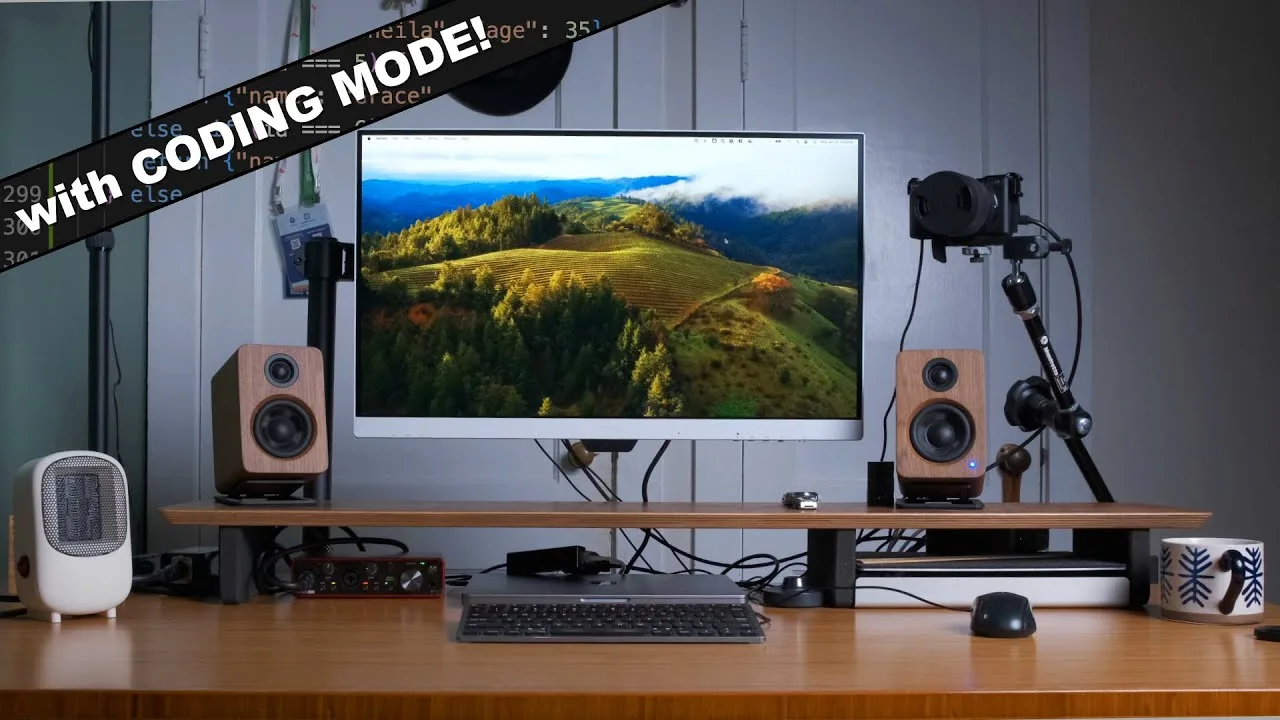
The reviewer received the BenQ GW2790QT to evaluate its eye care features for programmers. It's a 27-inch QHD monitor (2560×1440) with 75Hz refresh rate and 99% sRGB color coverage. The standout feature is Brightness Intelligence technology with a sensor that automatically adjusts display brightness and color temperature for comfortable viewing. Connectivity includes two USB-C ports (one with 65W power delivery), three USB-A ports, HDMI, and DisplayPort in/out. The built-in microphone with AI noise cancellation has a convenient hardware on/off switch. The reviewer appreciates the single-monitor minimal setup approach for coding workflows.
- →Ideal for programmers prioritizing eye health during long sessions
- →Single-monitor minimal setup works well with good window manager
- →USB-C power delivery simplifies laptop workstation connections
- →Eye care technology addresses common developer health concerns
 Review Tech TV
The BenQ GW2790 is a lightweight 27-inch monitor marketed around eye …
Review Tech TV
The BenQ GW2790 is a lightweight 27-inch monitor marketed around eye …
The BenQ GW2790 is a lightweight 27-inch monitor marketed around eye care features. The reviewer highlights the included iCareU software as excellent, allowing direct control of brightness intelligence, blue light filtering, break reminders, and distance monitoring from both Windows and Mac. The on-screen menu is navigable via a physical button. The monitor includes an HDMI cable but lacks a DisplayPort cable. Mac users need a USB-C to DisplayPort cable for full software functionality. The stand is basic without height adjustment, though VESA mounting is supported. The GW2790QT variant offers WQHD resolution and a height-adjustable stand at a higher price point.
- →Ideal for users prioritizing eye comfort during long sessions
- →Best paired with external monitor arm for ergonomic flexibility
- →Mac users should budget for USB-C to DisplayPort cable
- →Consider GW2790QT variant for WQHD and height adjustment
- →Well-suited for office work and general productivity tasks
 Kale Starler
The reviewer, a software developer spending 17+ hours daily on …
Kale Starler
The reviewer, a software developer spending 17+ hours daily on …
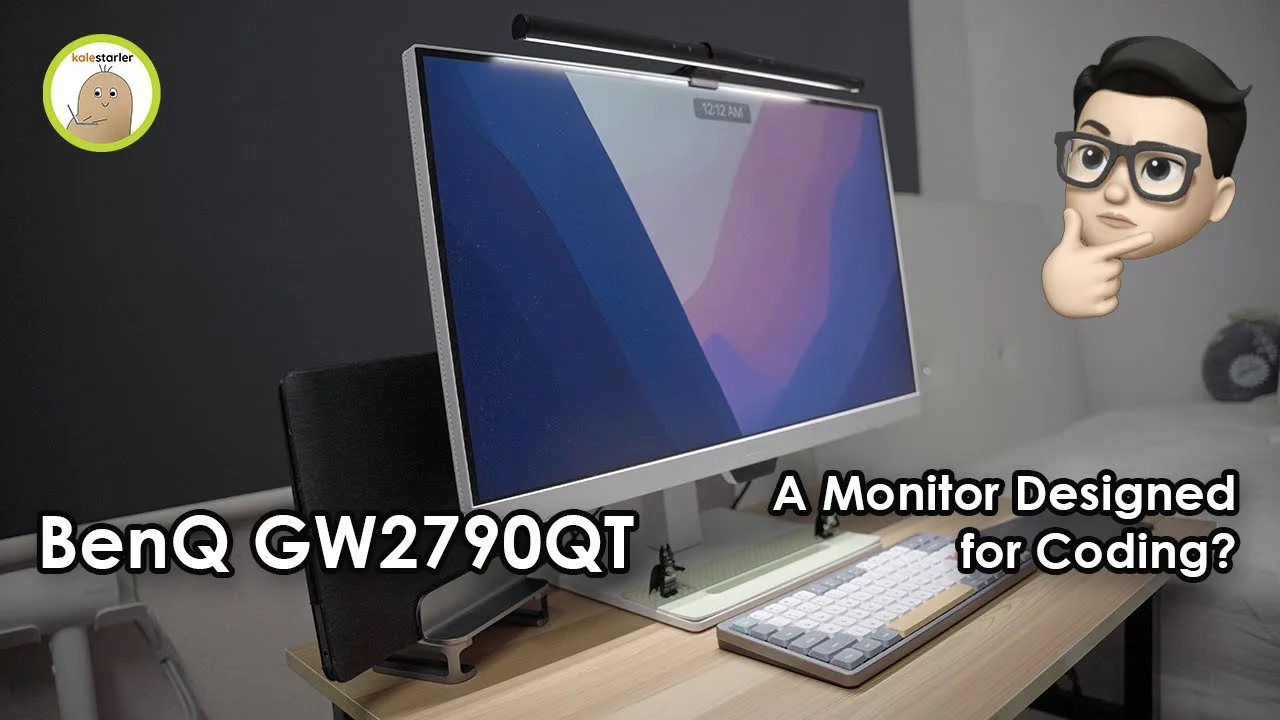
The reviewer, a software developer spending 17+ hours daily on screens, tested the BenQ GW2790QT specifically for eye strain relief. The 27-inch 1440p 75Hz monitor features USB-C with 65W power delivery, serving as a convenient single-cable docking solution with multiple USB ports, built-in speakers, and a noise-cancelling microphone. Standout features include specialized display modes: Coding mode with enhanced contrast for long code sessions, Mbook mode matching MacBook color calibration, e-paper grayscale mode for document reading, and Care mode which the reviewer preferred for daily use—offering reduced brightness and saturation without noticeable color distortion. The stand includes a phone rest notch with optional accessory covers available.
- →Ideal for developers spending long hours coding daily
- →Excellent single-cable docking solution for MacBook users
- →Care mode recommended for mixed work and content consumption
- →Built-in audio sufficient for remote work meetings
- →Consider optional accessory covers for desk organization
 Krish Naik
The reviewer unboxed and tested the BenQ GW2790QT, an iCare …
Krish Naik
The reviewer unboxed and tested the BenQ GW2790QT, an iCare …
The reviewer unboxed and tested the BenQ GW2790QT, an iCare programming monitor designed for developers. Setup was tool-free, requiring no screws. The monitor features USB-C connectivity that allows single-cable connection to a MacBook, creating a clean desk setup. Key features include multiple color modes specifically for coding, with a dedicated 'coding mode' that enhances syntax differentiation. The monitor targets work-from-home and hybrid programmers concerned with eye health, offering eye care technologies. Available in 27-inch and 32-inch variants, it includes HDMI, USB-C, USB ports, and a 3.5mm audio jack. The base includes a slot for holding phones or tablets.
- →Ideal for developers working from home or hybrid setups
- →Eye care features suit users with screen time concerns
- →Coding mode improves code readability and syntax distinction
- →USB-C simplifies laptop docking and reduces cable mess
- →Choose between 27-inch or 32-inch based on workspace size
 MOBHouse
A 27-inch 1440p IPS monitor designed specifically for programmers, …
MOBHouse
A 27-inch 1440p IPS monitor designed specifically for programmers, …
A 27-inch 1440p IPS monitor designed specifically for programmers, featuring 108ppi pixel density for clear code readability at 1.5-2 feet viewing distance. The Coding Mode enhances contrast and saturation without brightness adjustments, making syntax highlighting more distinguishable in dark environments. Brightness Intelligence Gen 2 automatically adjusts to ambient lighting changes. EyeCare U Blue Light Filter Plus aims to reduce Computer Vision Syndrome symptoms during extended use. The ergonomic stand tilts, swivels, height-adjusts, and rotates between landscape and portrait orientations—useful for different coding languages and workflows. Refresh rate is 75Hz, which exceeds programmer needs but accommodates occasional non-work use.
- →Ideal for programmers working 12+ hour coding sessions
- →Portrait mode benefits Python developers with shorter code lines
- →Coding Mode essential for dark mode users in low-light environments
- →Blue light filtering may replace need for external glasses
- →Ergonomic adjustments help prevent computer neck and back syndrome
 Best Reviews SG
Vincent from Best Review Singapore evaluated the BenQ GW2790QT over …
Best Reviews SG
Vincent from Best Review Singapore evaluated the BenQ GW2790QT over …
Vincent from Best Review Singapore evaluated the BenQ GW2790QT over three weeks, focusing on its eye care features. The 27-inch monitor impressed with secure packaging and straightforward assembly using a tool-free stand design. Its ergonomic capabilities allow easy height adjustment, tilt, swivel, and pivot to maintain healthy posture. The monitor includes 8 unique color presets including a dedicated coding mode tailored for programmers. Key eye care technologies include Brightness Intelligence Technology that adjusts based on content intensity, flicker-free technology to reduce eye fatigue, and optimal contrast ratio to minimize strain during extended use.
- →Ideal for programmers spending long hours coding
- →Excellent choice for content creators needing eye protection
- →Well-suited for professionals with existing vision concerns
- →Recommended for anyone prioritizing ergonomic workspace setup
- →Good fit for users experiencing digital eye strain symptoms
Community Discussions via Reddit
Comparison
r/developersIndia
u/gsmart007
The BenQ GW2790QT is positioned as a premium 27-inch QHD monitor for programmers, priced at INR 23,749 with approximately 3-year warranty. Its standout feature is a dedicated programming mode marketed for reducing eye strain during extended coding sessions. The monitor includes ergonomic features like height adjustment and tilt, plus USB upstream ports for clean desk setup. However, no actual owners of this specific model shared long-term experiences in the discussion. The community consensus leans toward the Dell alternative due to price and warranty advantages, with skepticism about whether BenQ's programming mode justifies the significant price premium for budget-conscious developers.
Key Insights
- →Best suited for developers who prioritize dedicated eye comfort features and are willing to pay premium for specialized programming mode
- →Not ideal for budget-conscious buyers or those prioritizing long-term warranty coverage
- →Core display specifications (QHD IPS, ergonomics, USB-C connectivity) are comparable to lower-priced alternatives
- →Programming mode's effectiveness remains unverified by actual owners in this discussion
- →Consider only if the specialized eye strain reduction feature is personally valuable enough to justify INR 5,000+ premium
Top Comments
Is there any guide available to do it?
So which is better, you think? Samsung, Dell or BenQ?
I purchased the **Dell 27-inch QHD USB-C Monitor (S2722DC)** for 18,660 INR. I’m missing a few nice extras that BenQ offers, like the ambient light sensor that adjusts brightness automatically and …
Comparison
r/Monitors
u/Icy-Ventura
The BenQ GW2790QT is positioned as a 27-inch 2K IPS monitor with USB-C connectivity, targeting users who need color-accurate work and casual entertainment. Based on the comparison context, this monitor features 75Hz refresh rate, 1000:1 contrast ratio, and 2W built-in speakers. The discussion reveals it competes directly with the Lenovo L27h-4A, with the BenQ trailing on refresh rate, contrast, and speaker wattage. No direct owner reviews of the BenQ were found in the extracted comments—all experiential feedback came from Lenovo owners. The BenQ's strengths appear to lie in its established color accuracy claims (99% sRGB, 90%+ DCI-P3) and potentially more refined OSD/software experience typical of the brand, though these are inferred rather than explicitly confirmed in the discussion.
Key Insights
- →Best suited for color-critical work and general productivity rather than competitive gaming, given 75Hz limitation
- →PS5 compatibility will be limited to 60Hz/75Hz—users seeking higher frame rates should consider alternatives
- →Speaker quality likely adequate only for basic system sounds and casual video, not primary audio consumption
- →USB-C implementation details (power delivery wattage) unconfirmed in discussion—potential compatibility concern for power-hungry laptops
- →Value proposition depends heavily on pricing relative to 100Hz competitors; spec sheet suggests trade-offs for potentially better color calibration
Top Comments
**Lenovo L27h-4A – My Quick Review After 4 Days of Use** **What I liked:** * Solid 27" 2K display – crisp and vibrant, great for both coding and Netflix. * No screen bleeding or dead pixels, …
Noice! Cheers brother. Glad you got a good piece from them 🖥️🎮
Avoid the Lenovo L27H-4A for sure.
Comparison
r/Monitors
u/mlexplorer
The author is seeking alternatives to the BenQ GW2790QT for a secondary monitor dedicated to content consumption and coding. They considered the GW2790QT but ultimately purchased a Lenovo L27h-4A instead, noting that the BenQ model 'came out a while ago' and they suspected better options might now exist in the similar price range. The post does not contain direct ownership experience with the GW2790QT, only that it was evaluated and passed over due to age concerns. No community comments about the GW2790QT were included in the extracted content.
Key Insights
- →Product age may be a consideration for buyers seeking current-generation features
- →Positioned as a coding and content consumption monitor in the mid-range price segment
- →No direct technical issues or praises documented from actual ownership experience
- →Market alternatives considered more compelling by at least one prospective buyer
Top Comments
Not sure what you mean. Dell doesn't have epaper reader mode and code mode.
Super helpful. Thank you. Ordered Lenovo L27h-4A based on your recommendation.
Updated the post with review.
Troubleshooting
r/BenQ
u/harishkadamudi
A customer purchased the BenQ GW2790QT monitor from Amazon on January 14th and immediately discovered connectivity issues upon unboxing. After requesting a replacement, an inspection on January 18th confirmed the monitor was defective. However, as of the post date, neither Amazon nor BenQ had collected the product or processed a refund despite multiple follow-ups. The author expresses frustration with poor after-sales service and lack of transparency from both companies. No community comments provided additional insights about the monitor's actual performance or features.
Key Insights
- →Purchase from authorized sellers does not guarantee timely after-sales support
- →Immediate quality control issues possible with this unit, though sample size is one
- →BenQ's service response for defective products may involve significant delays
- →Customers may need to actively escalate with both retailer and manufacturer for resolution
Scores based on weighted analysis of 18 expert and community sources. How we review →