

Dell S2722QC
Best For
- Remote workers wanting a single-cable USB-C laptop dock
- Creatives needing accurate sRGB color on a budget
- Multi-monitor users who need thin bezels and portrait mode
Consider Carefully
- Gamers who need 120Hz or higher refresh rates
- Home theater users expecting meaningful HDR performance
- Desktop PC users who rely on a standard DisplayPort input
Jump to Section
The Bottom Line
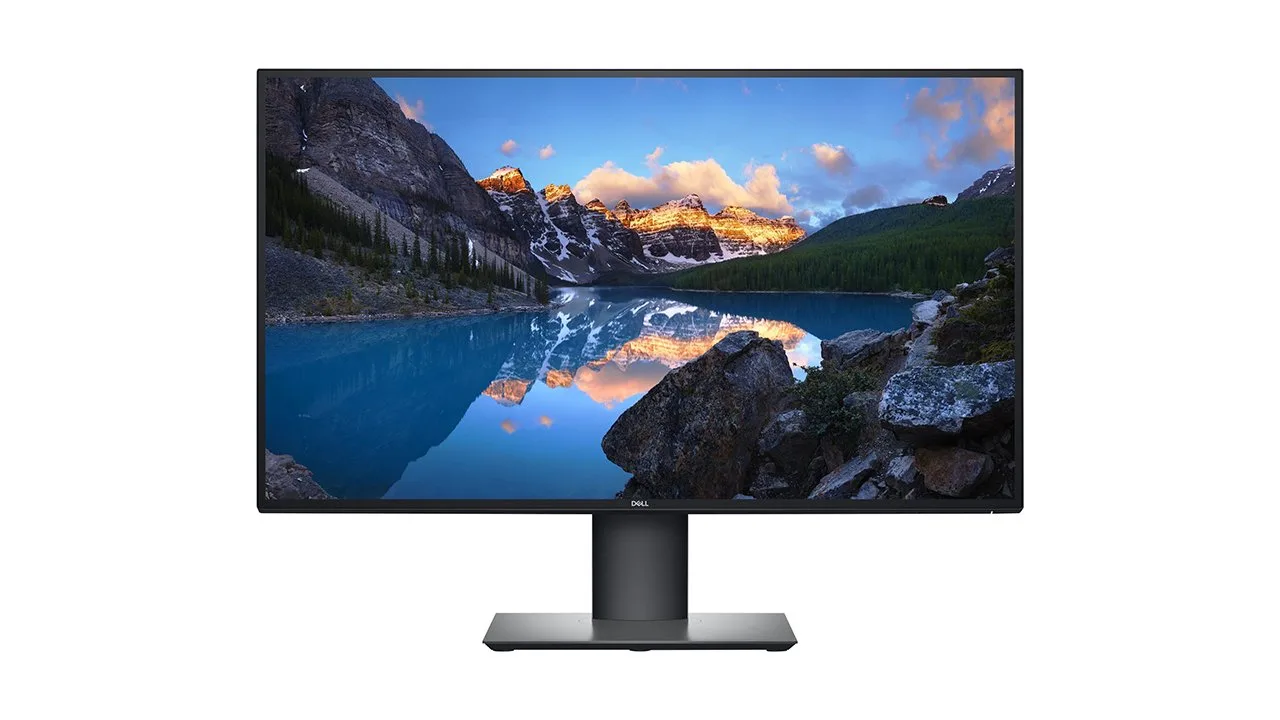
The Dell S2722QC is a well-received 27-inch 4K monitor that stands out for its productivity-focused features. It's widely praised for its USB-C port with 65W power delivery, which simplifies laptop connections and charging. The IPS panel offers accurate, vibrant colors and crisp, clear text, covering 99% of the sRGB spectrum. It also boasts a fully ergonomic stand with portrait rotation, a feature that's less common in its price range. What we found, however, is that while it excels in panel quality and ergonomics, the 60Hz refresh rate and lack of true HDR support limit its appeal for gaming and media consumption.
Performance Breakdown
Expert Scores
How 3 professional publications rated this product
In-Depth Analysis
Ergonomics & Stand 91
10 sources, no dissent: the fully adjustable stand with portrait pivot is unusually complete for this price tier, and the compact base won't eat your desk.
Key Takeaway
→If you need portrait mode or hate monitor arms, this stand alone justifies the price over fixed-base alternatives.
Build & Design 91
Thin three-sided bezels and 25% recycled plastics earn praise, though the mixed white-gray back panel and downward OSD buttons reveal cost-conscious finishing.
Key Takeaway
→Choose this for clean multi-monitor aesthetics and sustainability cred; verify the S2725QC hasn't replaced it at the same price before buying.
Display Image Quality 88
15 of 18 sources agree: sharp 4K text and light matte coating make this a standout productivity panel, though shallow blacks and limited calibration controls reveal its budget origins.
Key Takeaway
→Prioritize this for text-heavy productivity and clean office setups; look elsewhere if you need deep blacks, HDR, or color-critical work.
Color Accuracy 88
99% sRGB coverage satisfies most creative work, but RTINGS and PCWorld agree: out-of-box accuracy lags pricier alternatives, and professionals should consider the U2723QE instead.
Key Takeaway
→Calibrate for sRGB content creation; upgrade to Dell's UltraSharp line if your livelihood depends on perfect color.
USB-C Connectivity 83
Single-cable USB-C with 65W power delivery is the headline feature, but Mac users face a critical gotcha: audio passthrough is broken on Apple Silicon, and Dell's support requires a Windows PC to troubleshoot.
Key Takeaway
→Buy if you want clean single-cable docking for a Windows ultrabook; skip if you're on Mac or need full-speed charging for a performance laptop.
HDR & Brightness 67
HDR10 is technically present and functionally useless: 3 sources confirm no true HDR hardware, and the ~300 nit brightness works for bright offices, not dark room cinema.
Key Takeaway
→Ignore the HDR10 label entirely; buy for bright-room productivity, not for HDR content or cinematic dark-room viewing.
Refresh Rate Performance 66
7 of 10 sources say casual gaming only: 60Hz and 8ms response times rule out competitive play, though FreeSync and low input lag keep it tolerable for occasional use.
Key Takeaway
→Fine for casual single-player or console gaming; absolutely skip for competitive multiplayer or as a primary gaming display.
Audio Quality 64
6 sources agree the 3W speakers exist and little more: adequate for video calls, but PCWorld found music and movies 'muddy and unpleasant' at higher volumes.
Key Takeaway
→Use the built-in speakers for calls only; plan on external audio for any media consumption or gaming.
Specifications & Verdict
Display
- Screen Size
- 27 in
- Resolution
- 3840 × 2160
- Aspect Ratio
- 1.778:1
- Pixel Density
- 163 ppi
- Panel Type
- IPS
- Screen Coating
- Anti-glare/Matte (3H)
- Backlight
- W-LED
Performance
- Refresh Rate
- 60 Hz
- Response Time
- 4 ms
- Input Lag
- 9 ms
- Adaptive Sync
- AMD FreeSync
Image
- Contrast Ratio
- 1000 : 1
- Brightness
- 350 nits
- Peak Brightness
- 400 nits
- Color Gamut
- 99 %
- Color Depth
- 10 bits (8 bits + FRC)
- HDR Support
- Yes
- Viewing Angles
- 178 °
Connectivity
- Ports
- HDMI 2.0 (x2), USB-C (with DisplayPort and 65 watts Power Delivery), 2x USB-A 3.2 Gen 1
- HDMI Ports
- 2
- HDMI Version
- 2.0
- DisplayPort
- 0
- USB Ports
- 3.2
- Audio Output
- Yes
- Speakers
- 2 x 3 W
Design
- Weight
- 5.37 kg
- Dimensions
- 596.736 mm
- Bezel Width
- 21.55 mm
- Panel Thickness
- 55 mm
- VESA Mount
- Yes
- Height Adjustment
- 110 mm
- Tilt
- -5 - 21°
- Swivel
- -30 - 30°
- Pivot
- -90 - 90°
- Stand Adjustments
- 110mm height adjustment, 25 degrees tilt, 60 degrees swivel, 90 degree pivot
- Remote Control
- No
Features
- Eye Care
- Yes, ComfortView with Flicker-free screen
- Special Features
- AMD FreeSync technology, Picture-in-Picture, Picture-by-Picture
Other Specs
- Power Consumption
- 24.8W
- Warranty
- 1 year
- Usb CFeatures
- DisplayPort Alt Mode with power delivery
- Desktop Footprint
- 24.08 x 6.88 (LxW)
- Color Mode
- sRGB
Our Verdict
The Dell S2722QC earns its 88/100 for a reason: 4K sharpness at 163 PPI, 99% sRGB color accuracy, a fully adjustable stand, and 65W USB-C charging in one cable make it a genuinely strong productivity monitor under $350. The 60Hz refresh rate and lack of true HDR are real limits, not minor footnotes. Buy it for your desk setup, not your gaming rig.
Customer Reviews Amazon
1,899 reviews
Decent monitor purchase for office work with USB-C and VESAmount
About as good as the much more expensive Dell U2720QM monitor (I own both)
A well priced, easy to set up and visually reliable monitor for mac? This is it.
Loving the Dell Monitor - S2722QC and the Appreciate the supplier as well.
Show all 7 reviews
Perfect for Work and Design – Great Price, Great Quality!
Great monitor
Mac M1 ile uyumlu
Reviews shown are from Amazon customers and do not reflect our editorial assessment.
Reader Questions
Specific questions about the Dell S2722QC, answered only from what reviewers reported.
01Can I connect my laptop with a single cable for both power and video?
Yes. The USB-C port handles video, audio, data, and 65W power delivery over one cable, so you can charge your laptop while displaying at the same time.
02Is the text sharp enough for reading documents and spreadsheets all day?
Reviewers consistently found the 4K resolution on a 27-inch screen produces crisp, readable text at small sizes, with one source noting 163 PPI delivers exceptionally crisp text without pixelization.
03Is this monitor good for gaming?
It is not well suited for serious or competitive gaming. The 60Hz refresh rate causes choppy motion in fast games, and reviewers note limited gaming features beyond basic FreeSync VRR support.
04How adjustable is the stand?
The stand supports height, tilt, swivel, and full 90-degree pivot into portrait mode, which reviewers described as a premium ergonomic package for this price range.
05Are the built-in speakers worth using?
The dual 3W speakers are adequate for casual use but distort at higher volumes and lack depth for quality audio. One Reddit user also reported severe audio crackling when routing sound through USB-C from a Mac.
06Does it handle dark scenes well, or do blacks look washed out?
The IPS panel's contrast ratio produces shallow blacks, and reviewers noted that dark rooms in particular reveal gray-looking blacks rather than deep ones. There is also no true HDR support to compensate.
Pricing & Availability
Updated Jul 17, 2026Dell S2722QC
All regions
Sources & Methodology
Every score is built on evidence. This review synthesizes 20 independent sources — expert publications, video reviews, and community discussions — weighted by credibility, depth, and relevance.
Show detailed source analysis ↓ Hide source analysis ↑
Expert Reviews
rtings.com
Top
8.3/10-point
A 27-inch 4K IPS productivity monitor designed for office work. USB-C connectivity with power delivery enables single-cable laptop connection and charging. Includes Picture-in-Picture and Picture-by-Picture modes for multitasking. FreeSync VRR support reduces screen tearing, though gaming features remain limited. The 4K resolution delivers crisp text rendering. Ergonomic stand offers tilt, swivel, height adjustment, and portrait rotation. An audio jack is included. Build quality feels solid.
Strengths
- +USB-C with power delivery enables single-cable laptop setup
- +4K resolution provides crisp, clear text
- +Picture-in-Picture and Picture-by-Picture multitasking modes
- +FreeSync VRR reduces screen tearing
Weaknesses
- −Limited gaming features beyond basic VRR
- −No DisplayPort input
- −Out-of-box color accuracy inferior to higher-end alternatives
displayninja.com
Top
4.3/5-point
The Dell S2722QC is a 27-inch 4K 60Hz IPS monitor positioned as a budget-friendly option for users with USB-C laptops supporting DisplayPort Alt Mode and 65W Power Delivery. Its IPS panel delivers 99% sRGB coverage with accurate, consistent colors and 178° viewing angles, though the 1,000:1 static contrast ratio produces mediocre black levels and IPS glow is present in dark scenes. The 350-nit peak brightness handles well-lit environments, while 163 PPI pixel density provides sharp text and ample screen real estate. Gaming performance is limited by the 60Hz refresh rate but benefits from ~10ms input lag, fast pixel response time on 'Normal' overdrive, and AMD FreeSync (40-60Hz). The robust stand offers full ergonomic adjustments, and connectivity includes HDMI 2.0, USB-C with 65W PD, USB 3.0 ports, and basic 3W speakers. However, HDR10 support is non-functional due to lacking hardware, and the reviewer explicitly recommends the newer S2725QC model with 120Hz and better contrast for the same price.
Strengths
- +99% sRGB coverage with accurate, consistent colors
- +350-nit peak brightness for well-lit rooms
- +Low ~10ms input lag for responsive feel
- +Fast pixel response time on 'Normal' overdrive
Weaknesses
- −60Hz refresh rate unsuitable for serious gaming
- −1,000:1 contrast ratio produces shallow blacks
- −IPS glow visible in dark content at high brightness
- −HDR10 support lacks hardware for meaningful HDR
pcworld.com
The Dell S2722QC positions itself as an exceptionally affordable entry point for 4K USB-C monitors, typically retailing around $380. Its standout feature is USB-C connectivity with 65W Power Delivery, enabling single-cable laptop charging alongside two USB-A ports. The design impresses with thin bezels, versatile ergonomic adjustments including portrait pivot, and attractive textured gray plastic. Display performance proves adequate rather than exceptional—SDR brightness reaches 296 nits, but the 270:1 contrast ratio significantly limits vibrancy. Integrated 3-watt speakers handle basic tasks poorly. HDR support exists but image quality sacrifices were clearly made to achieve the aggressive price point.
Strengths
- +USB-C with 65W Power Delivery at budget price point
- +4K resolution with HDR option included
- +296 nits SDR brightness adequate for most rooms
- +Versatile stand with height, tilt, swivel, pivot adjustments
Weaknesses
- −270:1 SDR contrast ratio saps vibrancy significantly
- −Mediocre color gamut coverage limits professional use
- −No standard DisplayPort input included
- −Minimal image quality calibration controls available
pcvarge.com
4.3/5-point
A stylish 27-inch 4K productivity monitor with arctic white design inspired by Dell XPS laptops. Features excellent ergonomic adjustments including portrait mode, USB-C with 65W power delivery, and built-in speakers. The IPS panel delivers accurate colors and sharp text for professional work, though it suffers from minor screen uniformity issues on white backgrounds. Limited to 60Hz refresh rate and 8ms response time, making it unsuitable for competitive gaming despite AMD FreeSync support. Lacks true HDR but compensates with strong multitasking features via Dell Display Manager.
Strengths
- +Arctic white design inspired by Dell XPS laptops
- +USB-C with 65W power delivery and DisplayPort
- +Full ergonomic adjustments including portrait mode
- +Built-in 2x3W speakers eliminate external audio need
Weaknesses
- −60Hz refresh rate limits gaming appeal
- −8ms response time too slow for esports
- −No true HDR support
- −Subtle screen uniformity issues on white backgrounds
storagereview.com
A versatile 27-inch 4K USB-C monitor targeting creative professionals and media consumption. Single-cable connectivity delivers video, audio, data, and 65W power delivery. The IPS panel offers 99% sRGB coverage with wide viewing angles, while ComfortView and flicker-free technology reduce eye strain. Ergonomic stand provides height, tilt, swivel, and pivot adjustments. Built-in 3W speakers and PBP/PIP multitasking features add flexibility. Eco-conscious construction uses 25% post-consumer recycled plastics and 75% recycled cardboard packaging. Priced around $620 MSRP with frequent discounts available.
Strengths
- +Single USB-C cable handles video, audio, data, and 65W power delivery
- +99% sRGB color coverage with wide 178° viewing angles
- +Three-sided ultrathin bezel maximizes screen real estate
- +Ergonomic stand with height, tilt, swivel, and pivot adjustments
Weaknesses
- −3W built-in speakers may lack power for demanding audio needs
- −65W power delivery limits laptop charging for power-hungry devices
- −PBP and PIP features may see limited practical use for typical workflows
pcmonitors.info
This 27-inch 4K IPS monitor targets productivity and general usage with its 60Hz refresh rate and Adaptive-Sync support. The 'platinum silver' design suits home offices, featuring slim dual-stage bezels (~7mm) and a light matte anti-glare screen. Panel border reflections create a perceived 'shadowy border' effect when viewed from sharp angles, though this proves unobtrusive at normal viewing distances (~70cm). The downward-facing button controls include a customizable power LED. The stand provides ergonomic adjustment, and the overall build emphasizes professional aesthetics over gaming-focused features. 10-bit color is available via DP at full resolution, or via HDMI at reduced refresh rates.
Strengths
- +Modern 'platinum silver' home-office aesthetic
- +Slim dual-stage bezels (~7mm including panel border)
- +Light matte anti-glare screen surface
- +Customizable power LED can be disabled
Weaknesses
- −Panel border reflections create perceived 'shadowy border' from angles
- −Downward-facing OSD buttons less convenient than joysticks
- −60Hz refresh rate limits gaming appeal
- −HDMI 10-bit limited to 30Hz at native 4K resolution
techreviewer.com
The Dell S2722QC is a 27-inch 4K IPS monitor with 60 Hz refresh rate and 4 ms response time. Its 99% sRGB color capability suits content creation, though the 60 Hz refresh rate falls short for competitive gaming. The monitor performs adequately for casual gaming but lacks the higher refresh rates preferred for fast-paced titles. USB-C connectivity adds versatility for laptop users. For gaming specifically, this model ranks as mediocre due to refresh rate limitations, despite acceptable response times.
Strengths
- +4K resolution provides sharp, detailed images
- +IPS panel delivers accurate, vibrant colors
- +99% sRGB coverage suits content creation work
- +4 ms response time minimizes ghosting effectively
Weaknesses
- −60 Hz refresh rate causes choppy motion in fast games
- −Mediocre gaming performance for competitive titles
- −Requires high-end GPU to maintain 4K framerates
Video Reviews
 RaavMedia
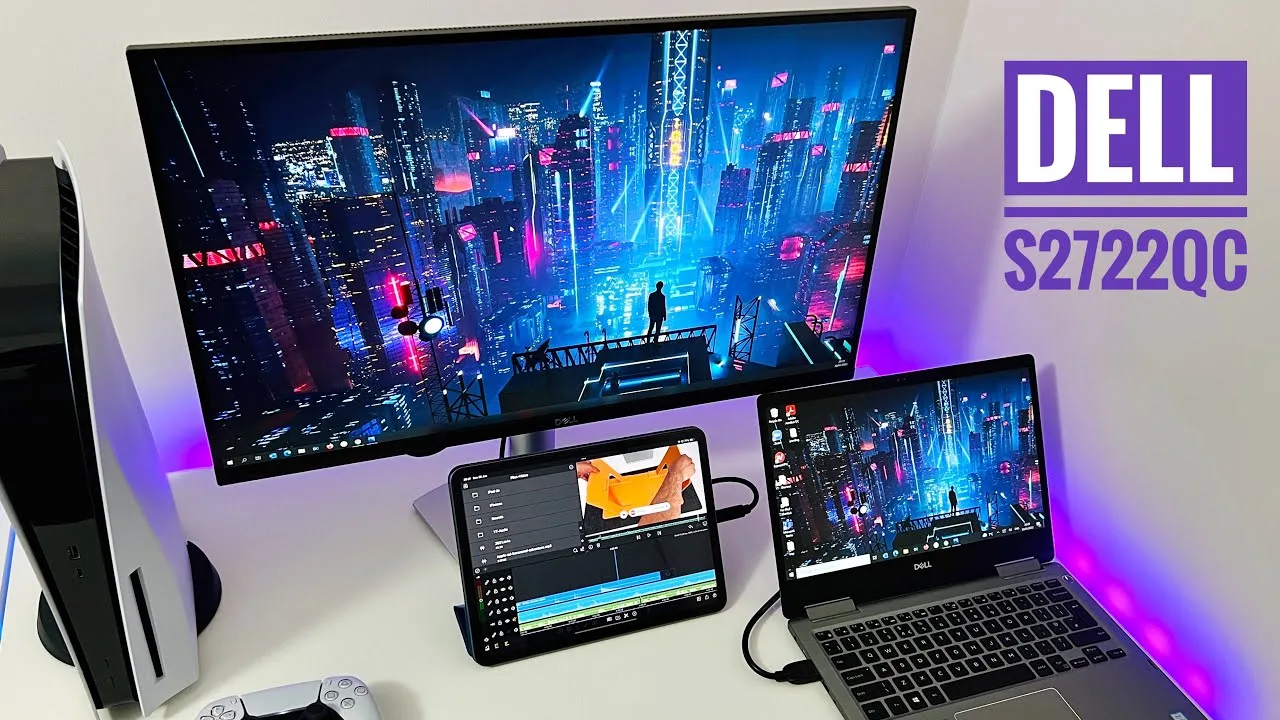
A 27-inch 4K USB-C monitor priced under $300, the Dell S2722QC …
RaavMedia
A 27-inch 4K USB-C monitor priced under $300, the Dell S2722QC …
A 27-inch 4K USB-C monitor priced under $300, the Dell S2722QC impresses with its premium stand offering height, tilt, and portrait orientation adjustments. The matte finish effectively reduces glare, while dual HDMI 1.4 ports and 65W USB-C power delivery add versatility. Gaming on PS5 delivers smooth 60Hz 4K gameplay with excellent viewing angles. Picture-in-picture and picture-by-picture modes enable productive multitasking. However, the 27-inch size may feel overwhelming for users upgrading from smaller displays, and built-in 3W speakers, while decent, won't satisfy audiophiles. The reviewer found it successfully bridges work and gaming needs at this price point.
- →Ideal hybrid monitor for remote work and casual PS5 gaming
- →Portrait mode suits coders, streamers, and vertical content
- →Verify laptop graphics capability before 4K purchase
- →Built-in speakers adequate for calls, not immersive gaming
- →USB-C single-cable setup perfect for laptop docking
 PC Monitors
The Dell S2722QC is a 27-inch 4K UHD IPS monitor offering substantial …
PC Monitors
The Dell S2722QC is a 27-inch 4K UHD IPS monitor offering substantial …
The Dell S2722QC is a 27-inch 4K UHD IPS monitor offering substantial desktop real estate for productivity tasks. The reviewer uses it without scaling at 70-80cm viewing distance, finding the pixel density provides crisp text clarity and benefits image editing, films, and gaming. The monitor features an eco-friendly design with Dell's hallmark platinum silver plastic finish and a compact, sturdy stand with metal reinforcement. The screen surface uses a light matte anti-glare coating that offers clarity without the heavy graininess seen on some alternatives. OSD controls are located on the bottom bezel. The 4K resolution at this size delivers excellent pixel density, though individual adaptation to unscaled use varies.
- →Ideal for productivity tasks and general desktop use
- →Suits users comfortable with unscaled 4K at 70-80cm distance
- →Good choice for image editing and media consumption
- →Light matte coating preferred over heavy grain alternatives
- →Compact stand suitable for space-constrained setups
 RTINGS Home Theater
The Dell S2722QC is a 27-inch 4K office monitor with a 60Hz IPS panel, …
RTINGS Home Theater
The Dell S2722QC is a 27-inch 4K office monitor with a 60Hz IPS panel, …
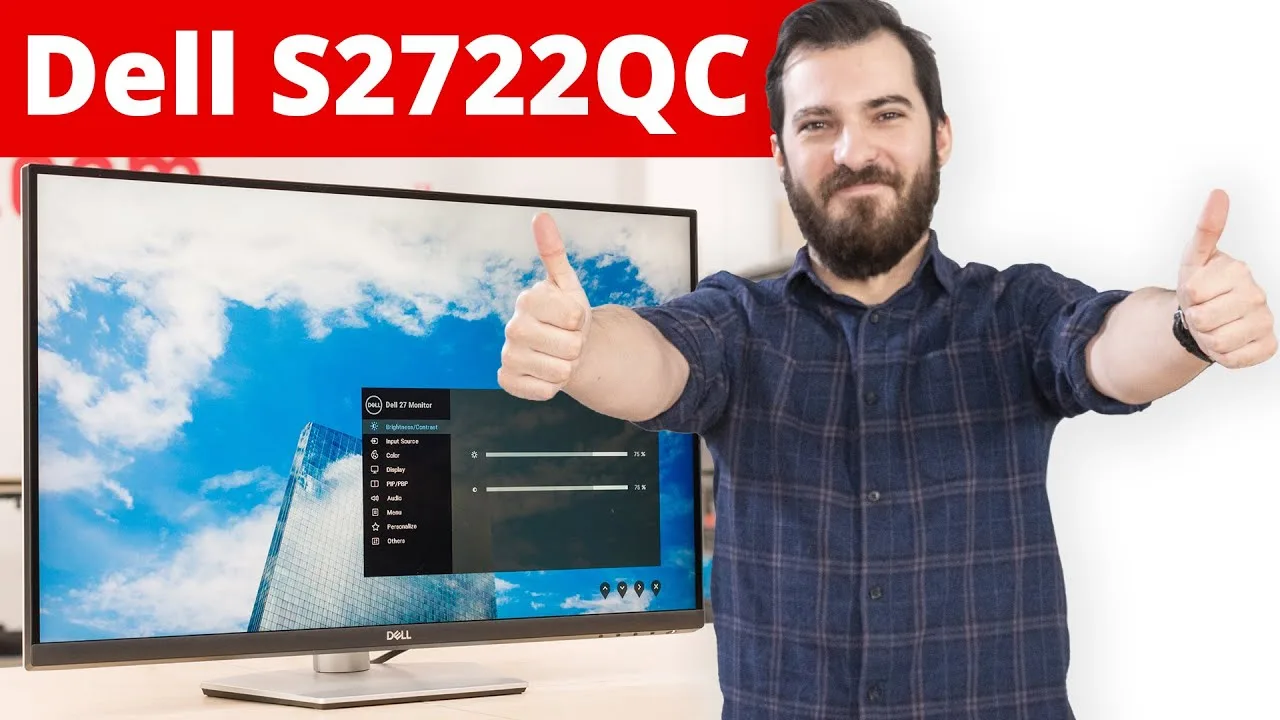
The Dell S2722QC is a 27-inch 4K office monitor with a 60Hz IPS panel, positioned as the USB-C-equipped option in Dell's 2022 S-series lineup. Its standout feature is 65W USB-C power delivery with DisplayPort Alt Mode, replacing traditional DisplayPort input. The monitor delivers excellent text clarity from its high pixel density, wide viewing angles for collaborative work, and great peak brightness with good reflection handling for bright rooms. However, typical IPS limitations persist: low contrast produces gray blacks, HDR brightness falls short of impactful performance, and black uniformity shows some clouding. The adjustable stand offers comprehensive ergonomics including rotation to portrait mode.
- →Ideal for office productivity with laptop docking via single USB-C cable
- →Excellent choice for text-heavy work and document editing
- →Well-suited for bright environments with collaborative viewing
- →Not recommended for dark room movie viewing or HDR content
- →Great fit for multi-monitor setups requiring portrait orientation
 Reviewsinside
The Dell S2722QC is a 27-inch 4K UHD monitor targeting business …
Reviewsinside
The Dell S2722QC is a 27-inch 4K UHD monitor targeting business …
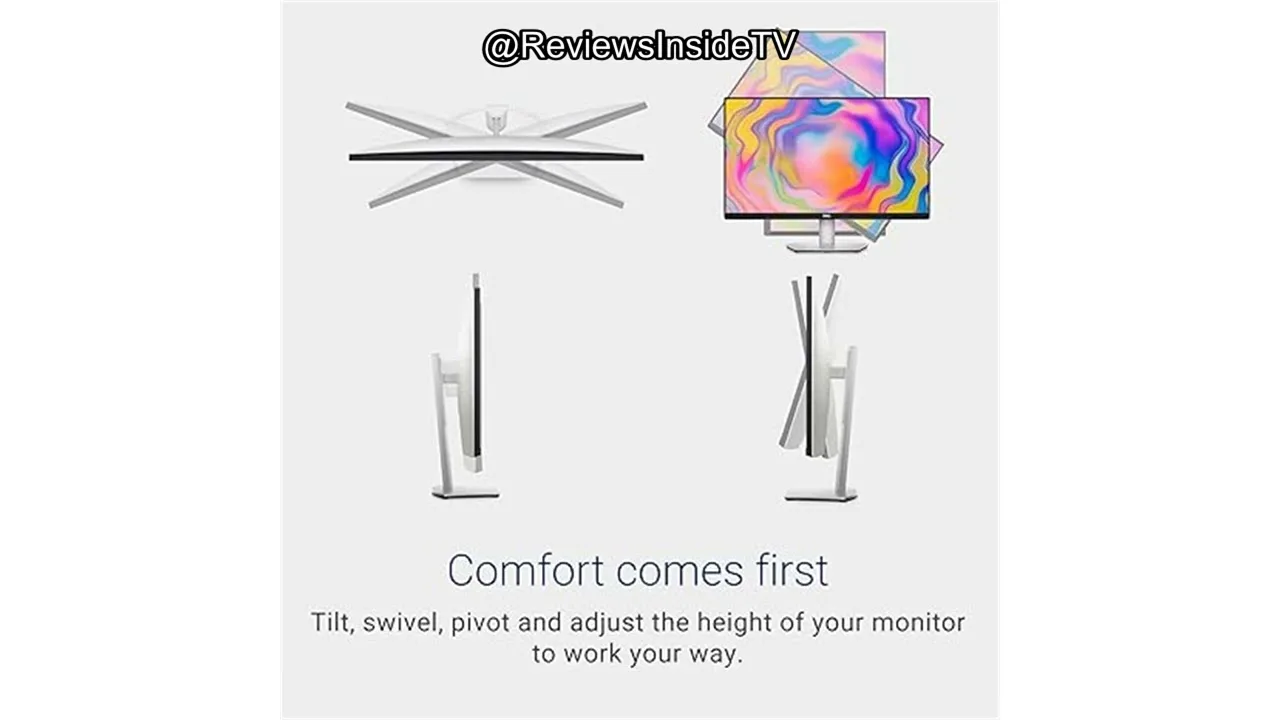
The Dell S2722QC is a 27-inch 4K UHD monitor targeting business professionals and general users rather than gamers. Its 3840×2160 resolution with 99% sRGB coverage and 1.07 billion colors suits visual work, while USB-C connectivity handles power, video, audio, and data through a single cable. The height-adjustable stand offers tilt, swivel, and pivot for ergonomic flexibility. Built-in 3W speakers provide casual audio convenience. However, the 60Hz refresh rate and 4ms response time limit appeal for competitive gaming. At its price point, it balances premium 4K quality with practical features for office productivity and media consumption.
- →Ideal for business professionals prioritizing 4K clarity and USB-C convenience
- →Well-suited for photo editing and visual content creation workflows
- →Excellent choice for reducing desk cable clutter with single USB-C connection
- →Comfortable for extended use thanks to ergonomic stand adjustability
- →Not recommended for competitive or hardcore gaming needs
 Type-C Tech Reviews
This 27-inch 4K IPS monitor delivers crisp 163 PPI text rendering and …
Type-C Tech Reviews
This 27-inch 4K IPS monitor delivers crisp 163 PPI text rendering and …
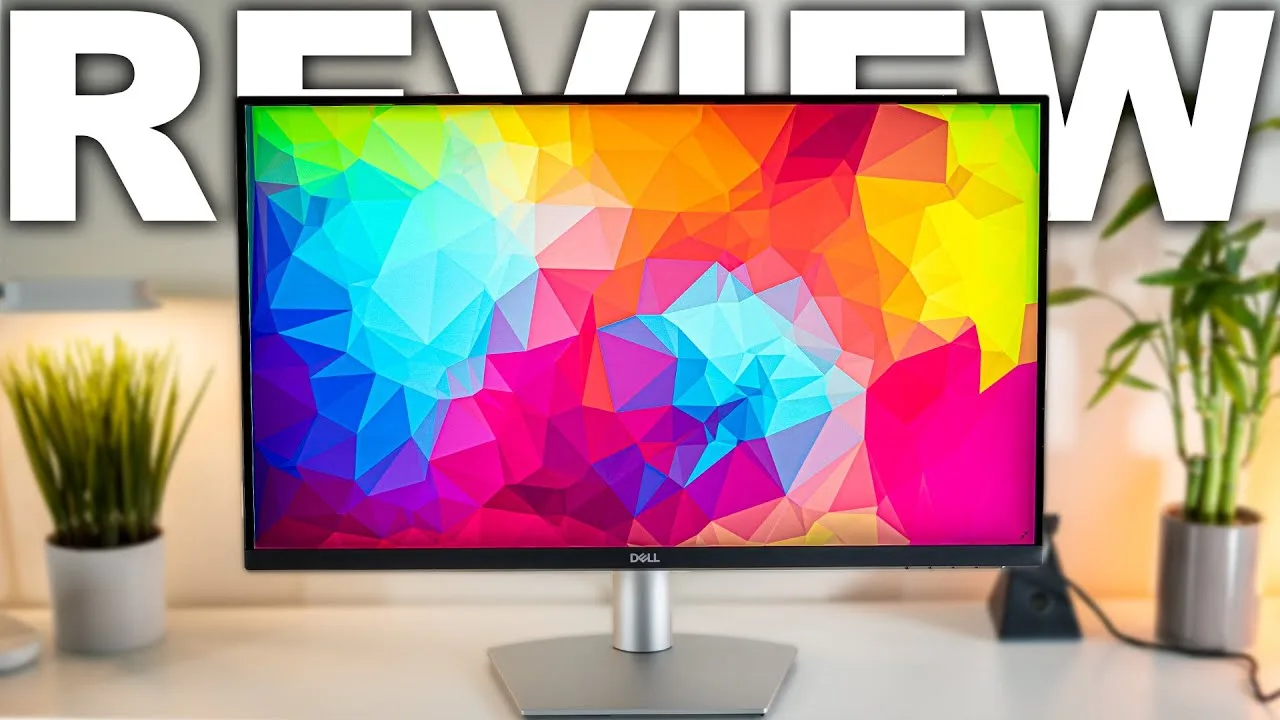
This 27-inch 4K IPS monitor delivers crisp 163 PPI text rendering and excellent viewing angles suitable for productivity and color-accurate work. Brightness reaches 350-370 nits with a matte finish that handles normal room lighting well, though direct backlighting from windows poses challenges. The 99% sRGB coverage provides decent color accuracy after calibration, though wider gamut coverage would be welcome. Picture-in-picture and picture-by-picture features are included with intuitive menu presets. The four-button control system without a joystick proves frustratingly slow and outdated, despite functional menu navigation. No true HDR support exists beyond ineffective 'smart HDR' processing.
- →Ideal for productivity, coding, and everyday business workflows
- →Suitable for color-accurate work after proper calibration
- →Best positioned away from direct rear window lighting
- →Multi-device users benefit from flexible PIP/PBP features
- →Not recommended for HDR content or competitive gaming focus
 Instant Tech Insights
The Dell S2722QC delivers 4K UHD resolution with 99% sRGB color gamut …
Instant Tech Insights
The Dell S2722QC delivers 4K UHD resolution with 99% sRGB color gamut …
The Dell S2722QC delivers 4K UHD resolution with 99% sRGB color gamut and IPS panel technology, making it well-suited for professional photo and video editing. Its USB-C port with 65W power delivery enables single-cable connectivity for video, data, and laptop charging. The monitor features extensive ergonomic adjustability including 110mm height adjustment, tilt, swivel, and pivot. With 350 nits peak brightness, low-haze matte anti-glare coating, and AMD FreeSync support, it performs adequately across office work, creative tasks, and casual gaming. Built-in dual 3W speakers provide basic audio functionality. The platinum-silver design with ultra-thin bezels integrates cleanly into professional and home environments.
- →Ideal for office productivity and detailed document editing
- →Well-suited for professional photo and video editing workflows
- →Best for casual gaming rather than competitive play
- →Excellent choice for clean, minimalist workspace setups
- →Great for users prioritizing single-cable USB-C connectivity
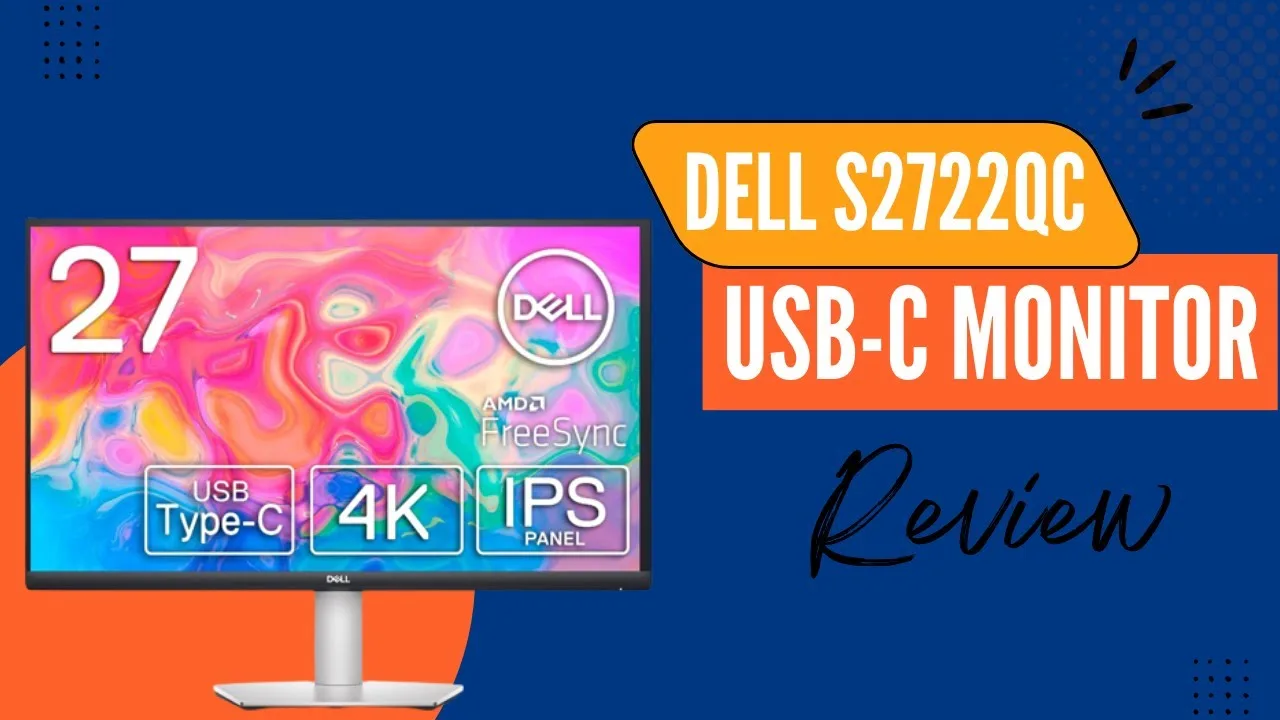 The Product Critiques
The Dell S2722QC is a 27-inch 4K USB-C monitor positioned as a …
The Product Critiques
The Dell S2722QC is a 27-inch 4K USB-C monitor positioned as a …
The Dell S2722QC is a 27-inch 4K USB-C monitor positioned as a versatile workspace and entertainment display. It features a three-sided ultra-thin bezel design with 163 PPI pixel density and 4.0ms response time. The ergonomic stand offers height adjustment, tilt, swivel, and pivot options. USB-C connectivity enables single-cable laptop charging and data transmission. Built-in dual 3W speakers eliminate external speaker needs. The IPS panel delivers 99% sRGB coverage with wide viewing angles, while AMD FreeSync up to 60Hz targets smooth gaming. Comfort View reduces blue light emissions. Additional ports include USB 3.2 Gen 1 Type-A. The monitor uses 25% post-consumer recycled plastics with eco-friendly packaging and includes a power-saving feature. Multi-display support allows up to three connected 4K displays.
- →Ideal for creative professionals needing color accuracy
- →Well-suited for laptop users wanting clean desk setup
- →Good choice for multi-monitor productivity workflows
- →Decent entry option for casual 60Hz gaming
- →Appropriate for eco-conscious buyers prioritizing sustainability
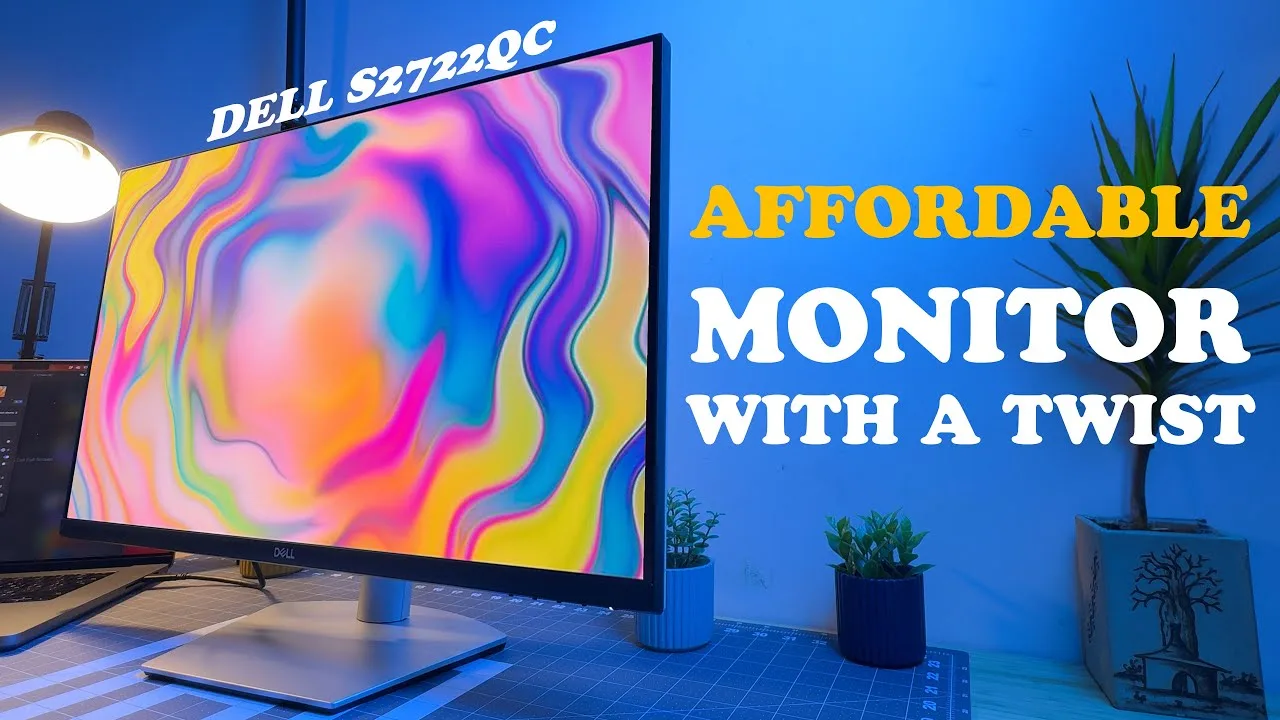 Chromosphere KB
This 27-inch 4K IPS monitor delivers exceptional pixel density at 163 …
Chromosphere KB
This 27-inch 4K IPS monitor delivers exceptional pixel density at 163 …
This 27-inch 4K IPS monitor delivers exceptional pixel density at 163 PPI, making text crisp and readable at small sizes. The panel offers excellent viewing angles and 99% sRGB coverage, suitable for color-accurate work after calibration. At 350 nits brightness with a matte finish, it handles most office environments well, though direct sunlight can be problematic. The premium stand provides full ergonomic adjustment including 90-degree rotation, with effective cable management and a practical flat base. USB-C with 65W charging, dual HDMI ports, and front-accessible USB-A add versatility. Dual 3W speakers exceed typical monitor audio quality. However, the outdated button-based menu system proves frustrating for frequent adjustments, and the lack of true HDR limits its appeal for HDR content consumption.
- →Ideal productivity monitor for business, coding, and creative workflows
- →Excellent choice for MacBook or laptop users needing USB-C charging
- →Suitable for casual console gaming at 4K with FreeSync
- →Recommended for users prioritizing ergonomics and stand quality
- →Not optimal for HDR content consumption or competitive PC gaming
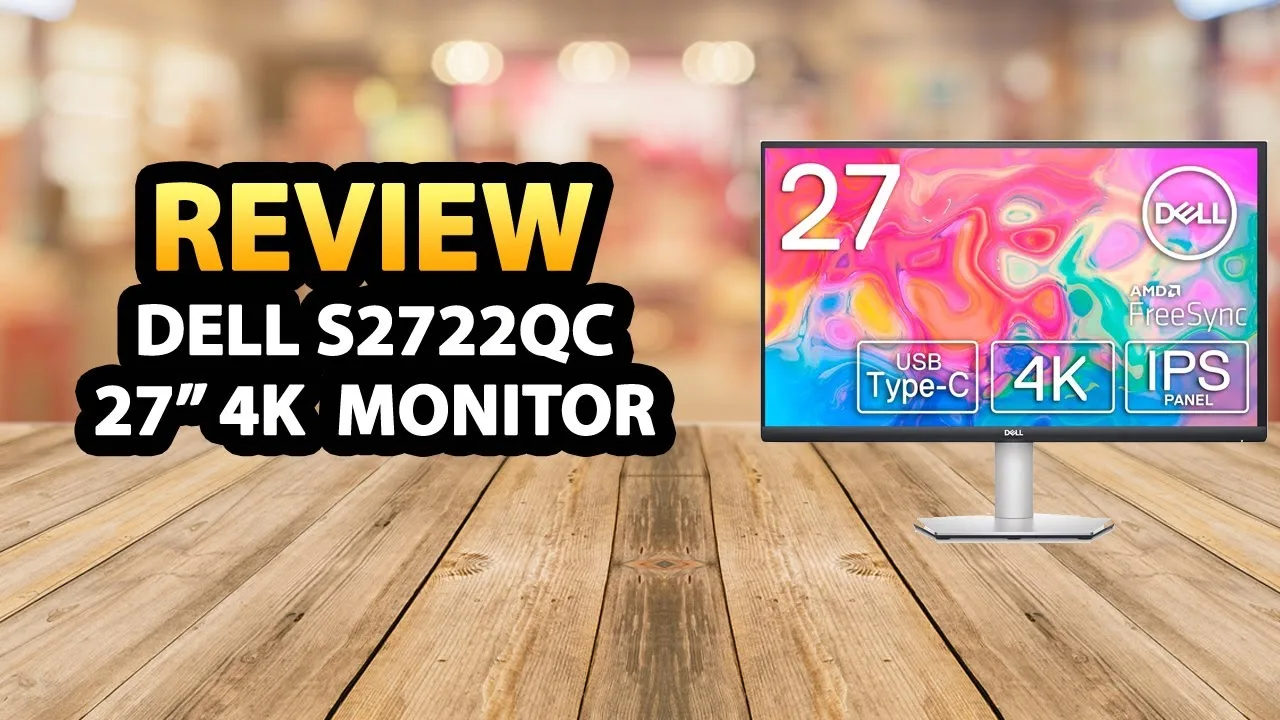 PaaTing Reviews
The reviewer presents the Dell S2722QC as a versatile 27-inch 4K UHD …
PaaTing Reviews
The reviewer presents the Dell S2722QC as a versatile 27-inch 4K UHD …
The reviewer presents the Dell S2722QC as a versatile 27-inch 4K UHD monitor suited for productivity and entertainment. Its 3840×2160 resolution delivers crisp visuals for spreadsheets, movies, and photo editing, while 99% sRGB color accuracy appeals to creative professionals. A fully adjustable stand enables tilt, swivel, pivot, and height adjustments to reduce neck strain. Comfort View technology filters blue light for extended use. USB-C connectivity provides single-cable power, video, audio, and data transmission while charging laptops. Dual 3W integrated speakers eliminate need for external audio. The 60Hz refresh rate limits appeal for competitive gaming but suffices for business and media use. Dell emphasizes sustainability through environmentally responsible materials and packaging.
- →Ideal for business professionals needing spreadsheet clarity
- →Well-suited for photo editing with accurate color reproduction
- →Perfect for home office setups prioritizing cable management
- →Great for media consumption and casual entertainment use
- →Not recommended for competitive or hardcore gaming
Community Discussions via Reddit
Comparison
r/mac
u/i_miss_wonderland
The Dell S2722QC was the final purchase decision for a MacBook M1 Air user seeking a 27-inch 4K monitor for creative work including illustration, animation, and video editing. The owner, operating on a ~$500 AUD budget, chose this monitor after community discussion resolved confusion about 4K vs 1440p scaling performance on Apple Silicon. The community consensus confirmed that Apple Silicon Macs (M1/M2) handle 4K scaling without the GPU performance issues that affected Intel Macs, making 4K the recommended choice for crisp text rendering. The owner reported satisfaction with the purchase, describing it as "good" in a brief follow-up comment.
Key Insights
- →Best suited for Apple Silicon Mac users (M1/M2) who want 4K without Intel-era GPU scaling concerns
- →Recommended for creative professionals prioritizing text clarity and UI sharpness over maximum screen real estate
- →Budget-friendly 4K entry point for macOS users; 1440p alternatives considered acceptable but noticeably less sharp
- →Community consensus: 4K scaling performance issues are largely resolved on Apple Silicon, making 4K the safer choice over 1440p for macOS
- →5K monitors remain ideal for 27-inch Mac setups but carry significant price premium
Top Comments
I have a side by side 27" 1440 and 4k display (with 1440 scaling on), I tried my best taking a picture here try and look at the centre only as it starts to get out of focus, but I think you'll get …
I regularly have two 27 inch monitors hooked up to my macbook m1 pro^(2). Both work fine, I prefer the 4k screen as it looks more crisp and the extra real estate is nice. But the 1440p screen is not …
5k works the best for 27” on Mac, so if you are unable to go 5k than I’d go 4k. You shouldn’t have to worry about the performance issues with an apple silicon Mac.
Troubleshooting
r/macmini
u/safe_rider9904
This troubleshooting thread involves Mac Mini users discussing optimal resolution settings for the Dell S2722QC 27" 4K monitor. The original poster, a programmer new to macOS, seeks advice on achieving the best text readability for coding work. Community members with confirmed ownership (4+ months) share varied personal configurations: Tulsa_Prince recommends 1920x1080 HiDPI with BetterDisplay, accountforfun19 uses 2560x1440, and LawrenceWelkVEVO prefers 2304×1296 with accessibility adjustments. The discussion reveals significant individual variation in preferred scaling due to factors like viewing distance, eyesight, and age. Multiple users confirm the monitor works well with macOS scaling tools, though opinions differ on whether third-party apps like BetterDisplay provide meaningful benefits over native macOS options.
Key Insights
- →Best for programmers and text-heavy workflows who need flexible scaling options, not users wanting plug-and-play 4K clarity
- →Ownership experience (4+ months) suggests long-term comfort depends heavily on personal vision characteristics and viewing distance
- →Community divided on utility of BetterDisplay—some find it essential for text clarity, others report identical results with native macOS tools
- →Recommended approach: start with 2304×1296 or 2560×1440 scaling, then adjust based on individual comfort rather than following single recommendation
- →Accessibility features (Large menu bar, increased text size) complement resolution scaling for aging eyesight
Top Comments
go for 1920x1080p (retinamode) on a 4k monitor and install "betterdisplay" to improve text-read a little....on OSX you cant scale text like in windows, what pisses me off since the last 19 years.
BetterDisplay does not do any 'magic' that macOS cant do itself. you can still pick all the same resolutions.
I've got the same monitor, use 2560 x 1440 via betterdisplay app. Anyone got recommendations on the monitor color settings?
Troubleshooting
r/macmini
u/Annual-Two63
The Dell S2722QC is a 27-inch 4K monitor purchased by a doctor for 292€ to replace a blurry 32-inch 1080p Samsung display. The owner, who works 10-12 hours daily on medical articles and PDFs, reports being "very satisfied" after switching to this monitor. The purchase addressed specific ergonomic needs: a narrow 65cm desk requiring low monitor positioning, close wall proximity, and eye-level viewing to prevent migraines from blurry text. The monitor resolved the PPI-related scaling issues that plagued the previous 69 PPI display on macOS.
Key Insights
- →Best for: macOS users with text-heavy workflows who need affordable 4K clarity without gaming features
- →Optimal use case: Document reading, PDF work, and long-duration professional tasks where text sharpness prevents eye strain
- →Not ideal for: Users requiring true Retina-class 220 PPI or those needing extensive ergonomic adjustability without aftermarket mounts
- →Community consensus: 27-inch 4K represents a practical middle ground between blurry low-PPI displays and expensive 220 PPI options
- →Purchase validation: Owner satisfaction confirms 163 PPI at 27-inch 4K resolves macOS scaling issues for professional use
Top Comments
27 inch 2k displays LG ultrafine 4K and 5K displays Apple displays. All displays with 110 or 220 ppi. (Your 1080@32 is 69ppi) All other options will give you blurry picture.
Don't listen to them, just install Better Display 2 app and you'll get a proper scaling and HiDPI for your screen. I have a Samsung Smart Monitor M8 (4K 32") and since I got the app everything scales …
https://www.displayspecifications.com/en/model/6b052206 Does this monitor make sense? A compromise between 110 and 220ppi at a more affordable price. Has anyone used it before?
Troubleshooting
r/Dell
u/Existing_Highway8314
A user reports severe audio and media playback issues when using the Dell S2722QC monitor with a 2021 MacBook Pro M1 via USB-C on macOS Sonoma 14.0. When audio output is routed through the monitor, sound crackles, media playback speeds up 2-3x, and ultimately crashes. Dell's official response cited that S-series monitors are not macOS-qualified, directing the user to test with Windows instead. The user expressed regret at not knowing about macOS incompatibility before purchase. No community solutions or workarounds were provided in the available comments.
Key Insights
- →Dell S-series monitors including S2722QC lack official macOS qualification and support
- →USB-C audio passthrough functionality is fundamentally broken with Apple Silicon Macs
- →Dell's troubleshooting process requires Windows PC access, leaving Mac users without resolution path
- →Monitor may be unsuitable for Mac users intending to use built-in audio or single-cable USB-C connectivity
- →Purchase decision should verify OS compatibility beyond basic connectivity claims
Top Comments
Awesome dude. This worked ✅🙌🔥
Are you using your inbuild speaker of the monitor or an external out speaker?
By the way, I tried an HDMI to HDMI cable since I don't have a DP port. It didn't work out for me.
Scores based on weighted analysis of 20 expert and community sources. How we review →