

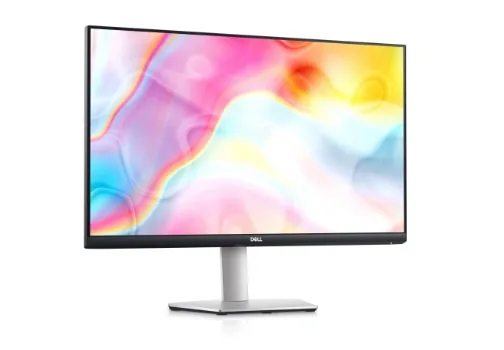
Dell 27 Plus S2725QS
Best For
- Professionals needing color accuracy
- Gamers seeking a 4K experience
- Creatives requiring fast response times
- Photo editors who need reliable color accuracy
Consider Carefully
- Users requiring high-quality audio
- Those needing extensive port options
Jump to Section
The Bottom Line
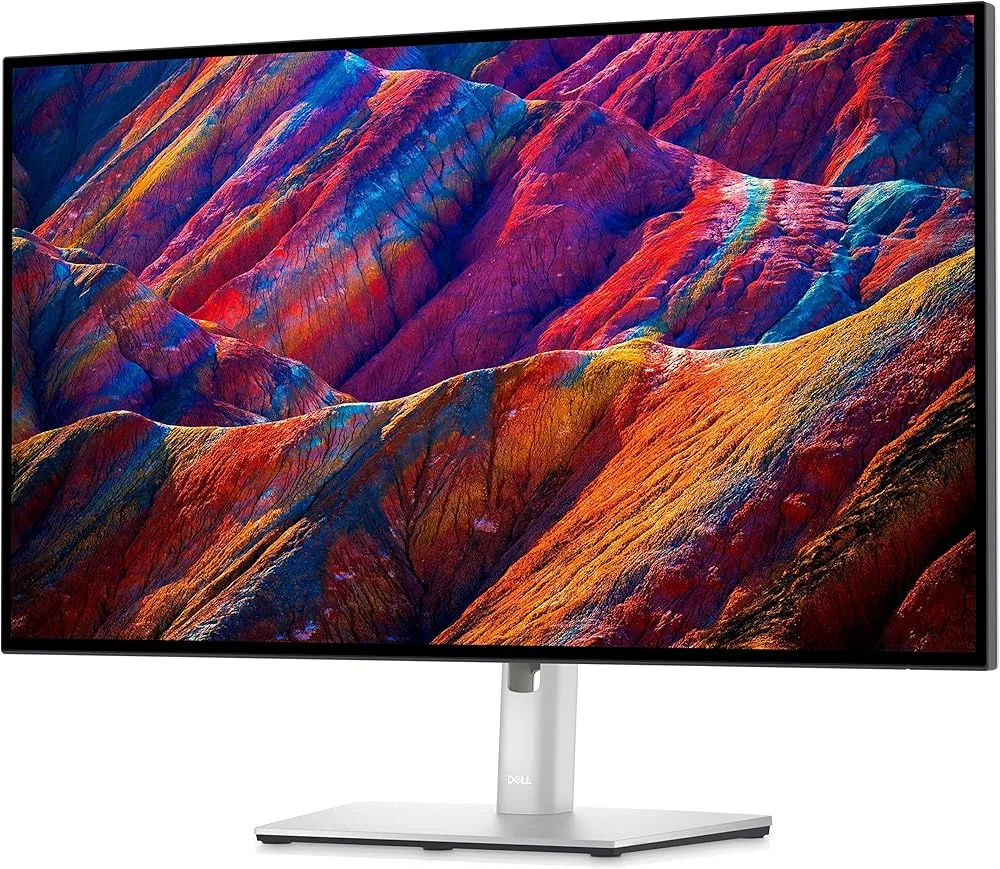
The Dell 27 S2725QS is carving a niche as a versatile 4K monitor that's ready for both work and play. With a strong showing in color accuracy, contrast, and brightness, this monitor's panel quality is its crowning achievement. It's well-received for tasks demanding color precision and swift response times, including photo editing workflows where accurate color reproduction is critical, a testament to its 120Hz refresh rate paired with AMD FreeSync Premium, as noted by creativebloq.com. The 4K resolution is a hit for single-player gaming and professional work, making this monitor a compelling option for those who value sharp visuals. However, it's not without its drawbacks, with some sources calling out the poor audio quality and limited port options, which might be a deal-breaker for certain users.
Performance Breakdown
Expert Scores
How 3 professional publications rated this product
In-Depth Analysis
Display & Resolution 92
13 of 19 sources flag the text sharpness and productivity benefits of 4K at this price point. This is the monitor's clearest selling proposition.
Key Takeaway
→If 4K text sharpness and productivity are your priority, this delivers at a price that's hard to argue with. If you want premium panel performance, spend more.
Eye Comfort Features 92
ComfortView Plus blue light filtering earns consistent praise across 3 sources for reducing strain without the yellow tint that plagues most blue light modes.
Key Takeaway
→If you log long hours at a desk, the eye comfort features here are better implemented than most monitors at this price. Coders and writers will notice the difference.
Color Accuracy 91
99% sRGB coverage and ~1500:1 contrast for an IPS panel make this a legitimate option for color-critical work, with near-unanimous agreement across 16 sources.
Key Takeaway
→For photographers and content creators who want accurate color without calibration headaches, this punches above its price. Nvidia DisplayPort users should budget time for driver-level color adjustments.
Refresh Rate & Gaming 77
120Hz at 4K for the price is the draw, but 3 sources explicitly warn against it for competitive gaming due to pixel response limitations.
Key Takeaway
→Buy this for 4K 120Hz console gaming or hybrid work-and-play setups. Skip it if competitive multiplayer is your primary use case.
Stand & Ergonomics 71
The stand adjusts well on paper, but r/Dell users report durability failures and frustrating customer service, which complicates the otherwise positive ergonomics story.
Key Takeaway
→The ergonomics work for standard desk use, but if portrait mode matters or you're worried about long-term reliability, budget for a VESA arm and keep your return window open.
Connectivity & Ports 70
Dual HDMI 2.1 and DisplayPort 1.4 cover most setups, but the USB-C situation is genuinely confusing: some sources say it exists, others say it doesn't.
Key Takeaway
→If you need USB-C with power delivery, get the S2725QC variant. The QS works well for desktop and console setups but will frustrate laptop users expecting a single-cable solution.
Built-In Speakers 70
Reviewers are split: Wired and Pcgearreviews call the 5W speakers decent for casual use, Creative Bloq called them 'shockingly bad.'
Key Takeaway
→Treat the speakers as a convenience feature for video calls and background audio, not a reason to buy. If audio quality matters, budget for external speakers.
HDR Performance 61
All 3 sources that tested HDR agree: it's insufficient. This is not an HDR monitor in any meaningful sense.
Key Takeaway
→Ignore the HDR spec entirely. This monitor's strengths are in SDR color accuracy and resolution, not HDR performance.
Specifications & Verdict
Display
- Screen Size
- 27 in
- Resolution
- 3840 × 2160
- Panel Type
- IPS
Performance
- Refresh Rate
- 60 Hz
- Response Time
- 5 ms
Connectivity
- Ports
- USB-C, HDMI, DisplayPort
- Speakers
- 2 x 3W
Design
- Weight
- 8.8 lbs
- Dimensions
- 23.8 x 21.7 x 7.5 inches
- VESA Mount
- Yes
- Stand Adjustments
- Tilt, swivel, pivot, height
Other Specs
- HDR Support
- HDR10
- Color
- 99% sRGB, 95% DCI-P3
Our Verdict
The Dell 27 S2725QS is a solid choice for those who prioritize panel performance and a 4K experience. For the audiophiles and those who need more connectivity options, you might want to look elsewhere.
Reader Questions
Specific questions about the Dell 27 Plus S2725QS, answered only from what reviewers reported.
01Is this monitor good for gaming at 4K?
Reviewers found it well-suited for gaming, with a 120Hz refresh rate and AMD FreeSync Premium delivering fluid, responsive performance. It is noted as a strong pick for users who want 4K resolution and 120Hz without paying premium gaming monitor prices.
02Does the blue light filter cause a yellow tint on the screen?
No. The ComfortView Plus feature filters blue light without causing color distortion or a yellow tint, reducing blue light by up to 35%.
03Is it accurate enough for color-critical professional work?
Reviewers consistently highlight it as a strong choice for professionals who need high color accuracy, with multiple sources calling it ideal for color-critical and productivity workflows.
04What connections does it support, and does that matter for getting full 4K 120Hz?
The monitor offers dual HDMI 2.1 and DisplayPort 1.4. Reviewers note that HDMI 2.1 is preferred to avoid DSC compression, though DisplayPort 1.4 with DSC is also an option.
Pricing & Availability
Updated Feb 20, 2026Dell 27 Plus S2725QS
All regions
Sources & Methodology
Every score is built on evidence. This review synthesizes 24 independent sources — expert publications, video reviews, and community discussions — weighted by credibility, depth, and relevance.
Show detailed source analysis ↓ Hide source analysis ↑
Expert Reviews
creativebloq.com
Top
4/5-point
The Dell 27 Plus S2725QS is a versatile 4K monitor with a 120Hz refresh rate, suitable for professionals, creatives, and gamers. It offers sharp visuals, excellent color accuracy, and a good design with ultra-thin bezels and an ash-white finish. The monitor's stand is fully adjustable, allowing for height, tilt, swivel, and pivot movements, although there's a minor issue with the pivot height.
Strengths
- +Affordable 4K monitor option
- +120Hz refresh rate with AMD FreeSync Premium
- +Ultra-thin bezels and ash-white finish for aesthetic appeal
- +Fully adjustable stand for comfortable viewing
Weaknesses
- −Shockingly bad audio
- −Difficulties with seamless 90º rotation due to height limitation
wired.com
80/100
The Dell 27 Plus S2725QS stands out with its 120-Hz refresh rate and AMD FreeSync Premium, making it a versatile hybrid gaming-and-work monitor. Its 4K resolution is ideal for single-player games and professional work, while the high refresh rate enhances the overall user experience. Integrated speakers provide a pleasant surprise, adding value to both gaming and casual listening.
Strengths
- +120-Hz refresh rate for smoother performance
- +AMD FreeSync Premium for enhanced gaming
- +4K resolution suitable for work and single-player games
- +Integrated 5-watt speakers offer decent audio quality
Weaknesses
- −Limited port options
Forum
A 27-inch 4K UHD IPS monitor with 120Hz refresh rate, HDMI 2.1 and DisplayPort connectivity. Image quality impressed with decent contrast (~1500:1), strong color consistency and wide viewing angles. The light matte screen surface suits many users. However, pixel responsiveness lags behind fast IPS gaming panels, and optimal overdrive settings vary by refresh rate and VRR usage. Positioned as aggressively priced for productivity with casual gaming, not as a dedicated high-refresh gaming display.
Strengths
- +Decent contrast for an IPS panel at ~1500:1
- +Strong color consistency and viewing angles
- +Intermediate gamut between sRGB and DCI-P3
- +Light matte screen surface many find agreeable
Weaknesses
- −Pixel responsiveness slower than fast IPS gaming monitors
- −Optimal overdrive depends on refresh rate and VRR settings
Pcgearreviews
87/100
The Dell S2725QS delivers 4K resolution at 120 Hz refresh rate for approximately $250, positioning it as a value-focused option for productivity and casual gaming. Its standout features include ComfortView Plus hardware-level blue light filtering that reduces eye strain without yellow tinting, and a 1500:1 contrast ratio that exceeds typical IPS panels. The monitor includes dual HDMI 2.1 ports for console connectivity alongside DisplayPort 1.4, plus surprisingly capable 5W integrated speakers. Factory calibration achieves ΔE 1.6 average color accuracy. While ghosting in high-contrast scenes and limited HDR brightness prevent it from serving competitive esports or cinematic HDR use cases, the overall package excels for mixed work and play scenarios where eye comfort matters.
Strengths
- +True 120 Hz at 4K resolution under $400
- +ComfortView Plus filters blue light without yellow tint
- +1500:1 contrast exceeds typical IPS panels
- +Factory calibrated to ΔE 1.6 average
Weaknesses
- −Pixel response too slow for competitive esports
- −No dedicated headphone jack
- −Joystick and power button feel flimsy
- −HDR brightness insufficient for cinematic content
Vocal
After several weeks of daily use, this 27-inch 4K monitor delivered impressive versatility across work, gaming, and entertainment. The 3840 x 2160 resolution produces exceptionally sharp text and detailed imagery, while the 120 Hz refresh rate provides noticeably smoother scrolling and gaming compared to standard 60 Hz displays. The IPS panel maintains color accuracy from wide viewing angles, and the matte finish effectively reduces glare. Build quality impressed with a stable, wobble-free stand offering height, tilt, and swivel adjustments. Connectivity proved practical with HDMI 2.1, DisplayPort 1.4, and USB-C with charging capability. ComfortView Plus blue light reduction enabled extended work sessions without eye fatigue. While priced above entry-level 4K options, the feature set justifies the premium for users needing both productivity and gaming performance.
Strengths
- +Crisp 4K resolution renders small fonts and fine details clearly
- +120 Hz refresh rate delivers fluid scrolling and responsive gaming
- +IPS panel maintains accurate colors at wide viewing angles
- +Matte finish effectively reduces glare near windows
Weaknesses
- −Premium pricing exceeds basic 4K monitor alternatives
- −Built-in speakers lack power for immersive audio experiences
Ifeeltech
The S2725QS is Dell's traditional connectivity variant in their 2025 S-series refresh, offering identical 4K IPS panel quality to the USB-C model at a lower price point. Currently priced at $239.99 on sale ($279-329 regular), it delivers 120Hz refresh rate, 99% sRGB color accuracy, and ComfortView Plus blue light reduction. The monitor features 2x HDMI 2.1 and DisplayPort 1.4 connections, making it compatible with any computer without requiring modern USB-C laptops. Dell positions this as the value option for desktop-centric offices and businesses seeking professional dual 4K setups under $2,000.
Strengths
- +Identical 4K IPS panel quality to more expensive USB-C variant
- +120Hz refresh rate at budget-friendly price point
- +99% sRGB color accuracy for professional work
- +ComfortView Plus reduces blue light by up to 35%
Weaknesses
- −No USB-C connectivity or power delivery
- −No built-in USB hub functionality
- −Does not support daisy-chaining for dual setups
- −Requires separate cables for video and device charging
Video Reviews
 The Consumer's Friend
The Dell 27 Plus S2725QS offers a smooth and responsive user …
The Consumer's Friend
The Dell 27 Plus S2725QS offers a smooth and responsive user …
The Dell 27 Plus S2725QS offers a smooth and responsive user experience with its 120Hz refresh rate and 4K resolution, making tasks like scrolling and switching between applications feel fluid. Its color accuracy out of the box is impressive, requiring minimal adjustments for professional work. However, the stand's wobble and plastic build quality detract from its overall stability and feel.
- →Ideal for tasks requiring color accuracy and fast response time
- →4K resolution is beneficial for multitasking without text scaling
- →Matte coating is useful for working near windows
- →HDR content may not meet expectations due to limited contrast
 Reviewsinside
The Dell 27 Plus S2725QS offers a 27-inch 4K display with a 120Hz …
Reviewsinside
The Dell 27 Plus S2725QS offers a 27-inch 4K display with a 120Hz …
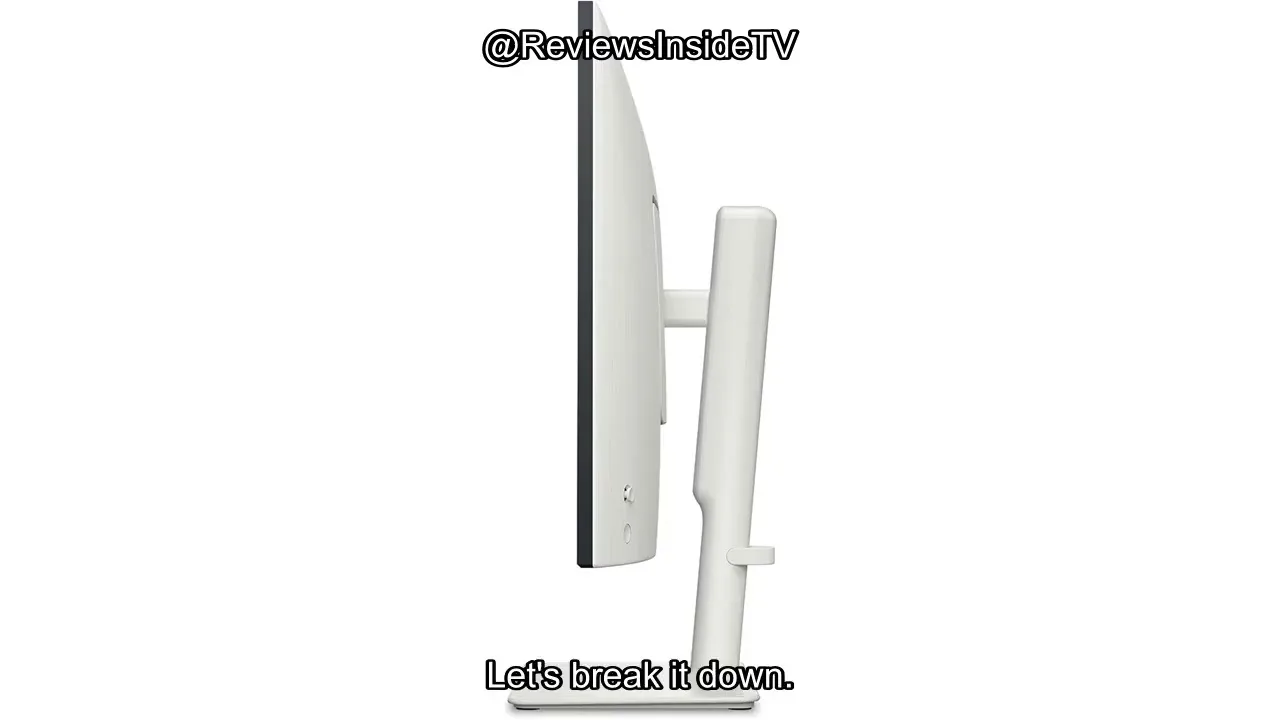
The Dell 27 Plus S2725QS offers a 27-inch 4K display with a 120Hz refresh rate, providing sharp and smooth visuals. Its IPS panel ensures excellent color accuracy, which is crucial for professional work. The monitor also features AMD FreeSync Premium for a tear-free gaming experience. Integrated speakers and a 1500:1 contrast ratio enhance the multimedia experience.
- →Ideal for professionals requiring accurate colors
- →Suitable for gamers needing high refresh rates
- →Good for multimedia consumption with integrated speakers
- →Enhanced visuals with 4K resolution and high contrast
 Odane Myles
The Dell 27 Plus S2725QS impresses with its clean design and …
Odane Myles
The Dell 27 Plus S2725QS impresses with its clean design and …
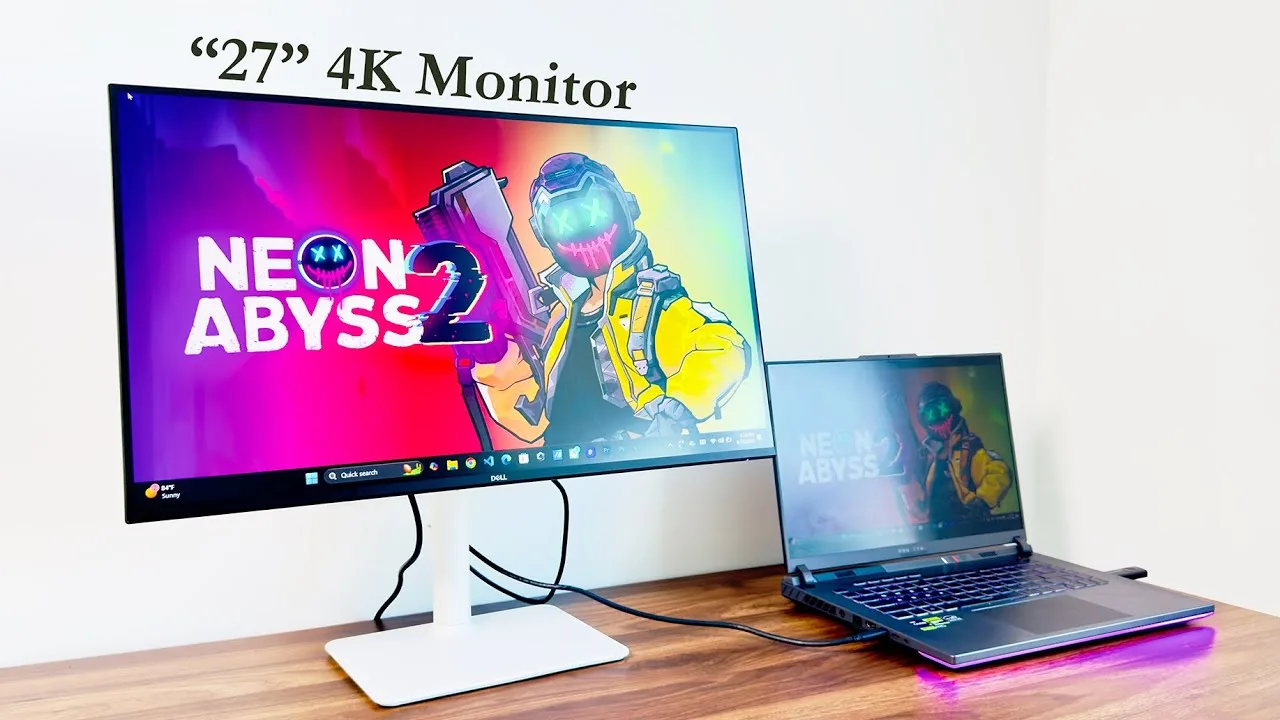
The Dell 27 Plus S2725QS impresses with its clean design and professional features. It boasts a 27-inch 4K display, ensuring high-resolution visuals. The monitor's USB-C connectivity is a standout feature, simplifying cable management and offering a single-cable solution for power and data transfer. Its color accuracy is excellent, making it suitable for professional work.
- →Ideal for professionals requiring high color accuracy
- →Suitable for use with USB-C enabled devices
- →4K resolution enhances detail and clarity
 Created Tech
The Dell 27 Plus S2725QS monitor is a well-rounded device that excels …
Created Tech
The Dell 27 Plus S2725QS monitor is a well-rounded device that excels …
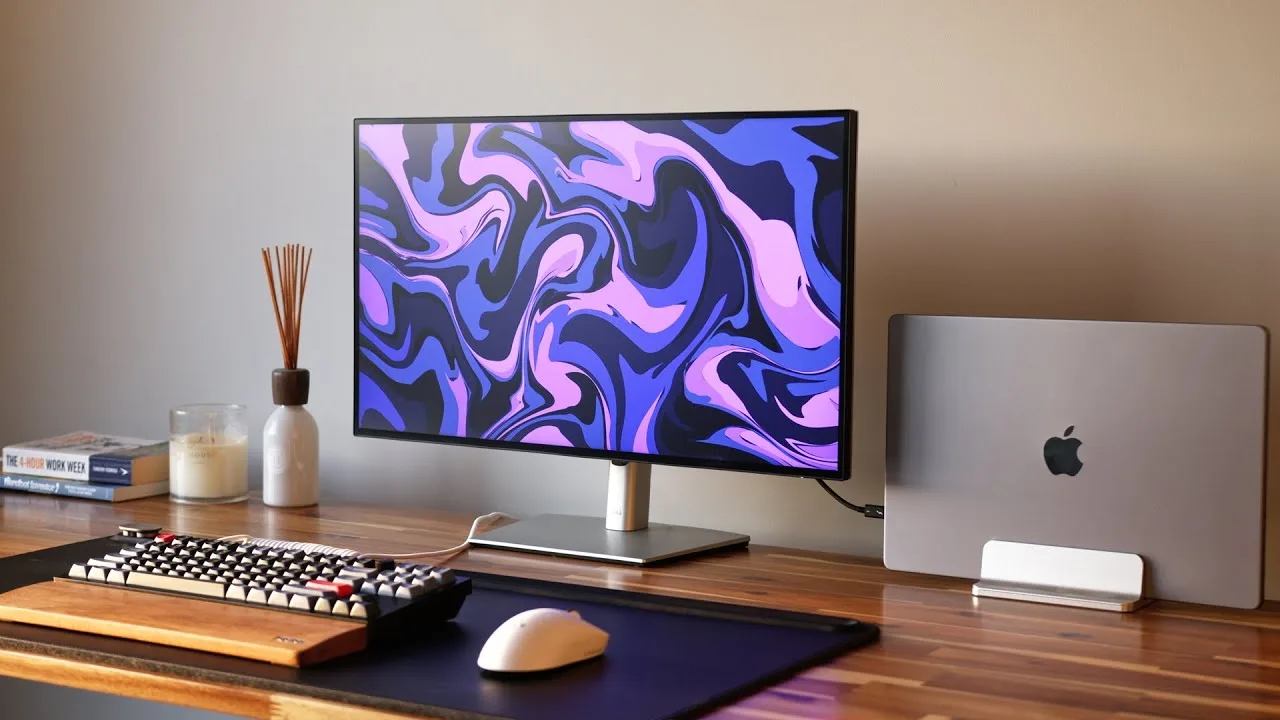
The Dell 27 Plus S2725QS monitor is a well-rounded device that excels in versatility and connectivity. It offers a USB-C port providing 90 watts of charging, 4K image output, and access to connected devices, making it a two-in-one monitor and hub. The monitor also includes HDMI, DisplayPort, and additional USB ports, with all being super speed USB 3.2 Gen 2 10 gigabit ports. A built-in auto KVM switch allows for controlling two different computers with a single set of peripherals, and an Ethernet port is available for those preferring a wired connection.
- →Ideal for professionals needing a USB hub and monitor
- →Saves desk space and cable clutter with built-in connectivity
- →Useful for those with multiple computers, like PC and MacBook
- →Ethernet port beneficial for users with access to wired networks
- →USB-C port is powerful for charging and data transfer
 Savage Reviews
The Dell 27 Plus S2725QS is a 27-inch 4K monitor that offers …
Savage Reviews
The Dell 27 Plus S2725QS is a 27-inch 4K monitor that offers …
The Dell 27 Plus S2725QS is a 27-inch 4K monitor that offers impressive versatility and performance. It features a 120Hz refresh rate, AMD FreeSync Premium, and 99% sRGB color accuracy, making it suitable for work, streaming, and gaming. The built-in speakers are surprisingly decent for a monitor, and its affordability at around $450 is a standout feature. The monitor's eye comfort technology also filters blue light effectively, reducing eye strain.
- →Ideal for multitasking with high-resolution and refresh rate
- →Suitable for work, streaming, and gaming
- →Budget-friendly without compromising on quality
- →Eye comfort technology reduces strain during long sessions
 RTINGS Computer
The Dell 27 Plus S2725QS is a 4K, 27-inch monitor from Dell's Plus …
RTINGS Computer
The Dell 27 Plus S2725QS is a 4K, 27-inch monitor from Dell's Plus …
The Dell 27 Plus S2725QS is a 4K, 27-inch monitor from Dell's Plus Series lineup, offering excellent color accuracy and USB-C connectivity. It provides a solid visual experience with its 4K resolution, making it suitable for professional work and multimedia consumption.
- →Ideal for professional work requiring color precision
- →Suitable for multimedia consumption with 4K resolution
- →USB-C port enhances connectivity options
 Michael O'Hanian
The Dell 27 Plus S2725QS offers excellent color accuracy, making it …
Michael O'Hanian
The Dell 27 Plus S2725QS offers excellent color accuracy, making it …
The Dell 27 Plus S2725QS offers excellent color accuracy, making it ideal for professional work. Its USB-C connectivity simplifies cable management and provides power delivery. The monitor's 4K resolution and 120Hz refresh rate enhance the viewing experience, particularly for gaming and multimedia consumption. The 1500:1 contrast ratio delivers deep blacks and vivid colors.
- →Suitable for professional color-critical work
- →Ideal for gaming with high refresh rate
- →Good for multimedia consumption with 4K resolution
- →USB-C provides power and data in one cable
 YouTube
The Dell S2725QS is a 27-inch productivity-focused monitor featuring a …
YouTube
The Dell S2725QS is a 27-inch productivity-focused monitor featuring a …
The Dell S2725QS is a 27-inch productivity-focused monitor featuring a 4K UHD IPS panel with 120Hz refresh rate support. Text clarity and pixel density are standout strengths, delivering crisp rendering even at native 100% scaling. The monitor supports VRR technologies including AMD FreeSync and Nvidia G-Sync Compatible, with HDR functionality available simultaneously. DisplayPort users must manually configure full RGB output range to avoid default limited range signaling. HDMI 2.1 ports offer full bandwidth capability with up to 12-bit color depth support. Monitor-based scaling from QHD to 4K introduces slight softness and only works up to 60Hz, though GPU scaling provides an alternative for 120Hz operation. Overclocking attempts proved unsuccessful due to frame skipping.
- →Ideal for productivity workflows requiring sharp text rendering
- →Manual Nvidia color settings required for proper DisplayPort output
- →PC gamers should use GPU scaling rather than monitor scaling
- →Content creators may benefit from 12-bit HDMI 2.1 capability
- →Not suitable for users expecting overclocking headroom
 YouTube
The Dell 27 Plus 4K monitor (S2725QS) delivers strong performance with …
YouTube
The Dell 27 Plus 4K monitor (S2725QS) delivers strong performance with …
The Dell 27 Plus 4K monitor (S2725QS) delivers strong performance with a 120Hz refresh rate and 0.03ms response time, making it suitable for both professional work and casual gaming. AMD FreeSync Premium reduces screen tearing for smoother visuals. Comfort View Plus technology cuts blue light emissions below 35% without compromising color accuracy, helping reduce eye strain during extended use. Integrated speakers offer improved audio output with deeper frequency response and wider decibel range, eliminating the need for external audio equipment. The ultra-thin bezels and ash-white finish create a modern aesthetic, while ergonomic adjustments including tilt, swivel, and height options ensure comfortable positioning. Multiple connectivity options support versatile device pairing.
- →Ideal for professionals needing color accuracy with eye comfort features
- →Suitable for casual gaming with fast response times and adaptive sync
- →Perfect for minimalist desk setups wanting built-in audio
- →Great for multi-monitor configurations due to thin bezels
- →Best for users prioritizing ergonomic adjustability and modern aesthetics
 YouTube
The Dell S2725QS delivers meaningful upgrades over its predecessor for …
YouTube
The Dell S2725QS delivers meaningful upgrades over its predecessor for …
The Dell S2725QS delivers meaningful upgrades over its predecessor for mixed work and gaming use. The 120Hz refresh rate and HDMI 2.1 bandwidth enable 4K 120Hz gaming on modern consoles, while VRR support adds flexibility. Color accuracy out of the box improves significantly with a dedicated sRGB mode, benefiting content creators who want accurate colors without calibration. However, the monitor retains entry-level limitations: mediocre IPS contrast without local dimming, weak HDR performance, and noticeable motion blur during fast-paced gaming. Build quality feels cheaper than the older model with more wobble and less premium materials. The absence of an audio jack and USB ports, plus missing picture-in-picture functionality, represent notable feature cuts.
- →Best for console gamers needing 4K 120Hz on a budget
- →Ideal for content creators wanting accurate colors without calibration
- →Skip for competitive gaming due to motion blur issues
- →Avoid if you need audio jack or USB connectivity
- →Good for office work with sharp text and smooth scrolling
Community Discussions via Reddit
Comparison
r/Dell
u/davidrcross
The Dell 27 Plus S2725QS has been reported to fail within a short period of ownership, with three separate monitors failing within six months. Issues include random screen shutoffs, spontaneous menu opening and scrolling, and a black screen with no menu access. The owner has spent considerable time on customer support and shipping, leading to frustration and a demand for a full refund rather than a replacement. The post also mentions difficulties with customer service, including being hung up on and lack of support options.
Key Insights
- →Multiple failures within a short period suggest potential durability issues
- →Customer service interactions have been frustrating and time-consuming
- →Owners may prefer to avoid this model due to the high likelihood of needing to return or replace the product
Top Comments
Sent two DMS on here to you one yesterday and one today with no response. I think it is apparent you don't want to help. I already filed a case for a chargeback so you can explain to the mediator why …
On the website in order to get support you need to sign in and select the model or product you want support or warranty for. For the first two replacements I had three options there, Chat, Email and …
Yeah I know. It is a little excessive. I get really upset though when I feel like I have been ripped off, and even more so when I suspect other people that are defenseless may experience the same …
Comparison
r/Dell
u/Neat-Use-4818
The Dell 27 Plus S2725QS monitors have been integrated into the user's work-from-home setup, connected via DisplayPort to an HP USB-C Dock G5. The community discussion suggests that the flickering issue experienced is not related to the monitors themselves, but rather the firmware on the HP dock. The user has sought advice on the cause and potential fixes for this issue.
Key Insights
- →The Dell S2725QS monitors are not the source of the flickering issue as per community consensus.
- →Updating the firmware on the HP dock using HP Image Assistant (HPIA) is recommended to resolve the flickering issue.
Top Comments
The issue is not the monitors, it’s the firmware on the hp dock. Disconnect one of the monitors from the dock. I’m sure the flickering will stop. Then download and run HP Image Assistant (HPIA). …
Thank you this was super helpful! I contacted my company IT dept and they installed the drivers and updated the firmware and that seems to have helped. Hopefully won’t face any more issues now.
It was already in 59.94Hz so think it must’ve been a driver/firmware update that was needed as they seem to be working okay now after updating!
Full Review
r/Monitors
u/RubbyGT
The Dell 27 Plus S2725QS is recognized as a cost-effective 4K monitor with a 120Hz refresh rate and early IPS Black technology for high contrast. It is not specifically tailored for gaming but offers a great deal for its price, making it the best cheap 4K monitor on the market according to community consensus.
Key Insights
- →Best for productivity and general use, not ideal for gaming due to the refresh rate and resolution combination
- →Offers high contrast due to early IPS Black technology
Top Comments
Good list, but the S2719QS is way outdated, Dell now sells the S2725QS for $299 and it’s 4K, 120Hz, and an early IPS Black (so high contrast). It’s not amazing for gaming, but it is a great deal, and …
I recommend checking this thread: https://www.reddit.com/r/ConsumerAdvice/comments/1m6hk2q/monitors_options_27_32/
Good catch! For gaming though [ASUS TUF or GIGABYTE M27Q](https://www.reddit.com/u/ProfessorMajoo/s/YxOiNQqaH7) are still better bets at that price. That dell sounds solid for productivity but 120Hz …
Quick Opinion
r/Monitors
u/The_Dutch_Canadian
The Dell 27 Plus S2725QS is a 4K monitor that has received mixed reviews. Users have reported satisfaction with its gaming performance and overall display quality, but some have encountered issues with achieving the desired 120Hz refresh rate. The monitor's color accuracy and comfort features have been praised, making it suitable for photography and other color-critical work.
Key Insights
- →The Dell 27 Plus S2725QS is suitable for home office use and gaming, but may have limitations when used with certain docking stations.
- →The monitor's color performance is a strong point, making it a good choice for photographers and color-critical work.
- →Users should be aware of potential issues with achieving the highest refresh rates and may need to consider additional equipment or settings adjustments.
Top Comments
I bought it and I'm not able to get 120hz on both monitors with a Dell docking station (WD22TB4) using the same display port cables that worked with my LG monitors to get 120hz on both.
And what about the panel accuracy? Is 99% sRGB enough as color coverage? Do the colors perform well? Do you have a colorimeter to calibrate the monitor to do some tests and also check the p3 and …
Sorry I don’t know what any of that means. I use for home office. No gaming. Suck I can’t get 120hz on both
Quick Opinion
Reddit
fei0316
The Dell S2725QS is a 27-inch 4K monitor that has gained positive attention for its competitive pricing and strong color accuracy, as confirmed by a recent RTINGS review. One owner who purchased in April 2024 reports satisfaction using it with a Mac Mini, calling it a "really great monitor" despite paying approximately $70 more than the current sale price. The monitor is frequently praised for reaching lower price points than comparable models from previous years. Community discussion focuses heavily on stacking various discounts and rewards programs (Rakuten, Dell Rewards, Amex offers, Airmiles) to maximize value, with some users successfully obtaining price adjustments when sale prices dropped further.
Key Insights
- →Best for users seeking a color-accurate 4K monitor at budget-friendly pricing, particularly Mac users
- →Maximize value by combining Dell email coupon, Dell Rewards, and credit card offers (Amex $100 credit on $500+ purchases)
- →Airmiles and BMO credit card holders can achieve additional savings through Airmilesshop promotions
- →Purchase timing strategy: monitor for price drops and request Dell support price adjustments with cart screenshots
- →Strong community consensus on value proposition when stacked discounts are successfully applied
Comparison
Reddit
Hothacon
The Dell S2725QS is a 27-inch 4K monitor purchased by a veteran PC builder (20+ years experience) to pair with a new high-end AMD rig (RX 9070 XT, Ryzen 7 9800X3D). The owner upgraded from a 10-year-old 1440p Dell monitor, seeking basic 4K and high refresh rate capabilities without needing top-tier gaming performance. The purchase was motivated by Black Friday pricing and a desire to not waste the new GPU's capabilities. The owner specifically chose a 60-100Hz class monitor rather than 144Hz+ to avoid frequent GPU upgrade pressure, prioritizing frame rate stability over peak refresh rates.
Key Insights
- →Best suited for gamers upgrading from 1440p who want 4K clarity without demanding 144Hz+ competitive gaming performance
- →Target buyer prioritizes GPU longevity and stable frame rates over maximum refresh rate specifications
- →Monitor appears to serve as a 'basic' 4K option—owner explicitly notes 'prices really low for some basic 4k' as purchase motivation
- →Pairing with AMD Adrenalium software requires learning curve for optimal FreeSync configuration
- →Not ideal for users wanting to maximize ultra settings in demanding Unreal Engine 5 titles without FSR/quality compromises
Quick Opinion
Reddit
ryankrueger720
The Dell S2725QS is a 27-inch 4K 120Hz IPS monitor that has garnered positive community feedback for its value proposition. Owner PenisButterCoup reports being "super happy" after an initial test period, specifically upgrading from QHD to avoid visible pixels after using retina screens, while not wanting to pay premium prices for 144Hz alternatives. The monitor works well across Mac, Linux, and Windows platforms. Some users experienced quality control issues requiring multiple exchanges for pixel-perfect units. HDR implementation received mixed feedback as "somewhat mid" and potentially washed out. The built-in speakers surprised one owner enough to replace their external Mackie CR3s, though volume scaling is uneven. A sleep/wake issue was reported but resolved via factory reset.
Key Insights
- →Best for users prioritizing 4K resolution and 120Hz refresh rate without paying premium gaming monitor prices
- →Not ideal for HDR-critical workflows due to mediocre HDR implementation
- →Strong value proposition for mixed OS environments (Mac/Windows/Linux)
- →Buyers should perform thorough pixel checking due to reported QC variability
- →Built-in speakers are unexpectedly capable for casual use, reducing desk clutter
Quick Opinion
Reddit
Plini9901
The Dell S2725QS is a 27-inch 4K high refresh rate monitor that the author (Plini9901) has been using with their 7800XT graphics card. They report being "pretty happy" with gaming performance, noting decent clarity improvements and reduced aliasing compared to 1440p, with particularly significant sharpness gains for desktop use and text. The monitor requires Display Stream Compression (DSC) when using DisplayPort 1.4, though HDMI 2.1 appears to offer full bandwidth without DSC. The author defends the monitor against quality concerns raised by others, arguing that forum complaints exist for all manufacturers and don't necessarily indicate fundamental problems. They emphasize the price point as reasonable compared to 144Hz+ 4K alternatives that cost $500+.
Key Insights
- →Best for users wanting 4K resolution at a budget-friendly price point who can accept sub-144Hz refresh rates
- →Strong choice for mixed use including productivity/desktop work due to text sharpness improvements
- →AMD GPU users (7800XT and similar) report satisfactory gaming performance with upscaling technologies
- →Connectivity considerations important: HDMI 2.1 preferred to avoid DSC, or accept DSC with DP1.4
- →Price-to-performance positioning as entry-level 4K high refresh rather than premium gaming monitor
Scores based on weighted analysis of 24 expert and community sources. How we review →