

ASUS ProArt Display PA279CRV
Best For
- Professional creatives on a budget
- Photo and video editors needing color accuracy
- Office workers seeking a versatile 4K display
Consider Carefully
- Users requiring top-tier HDR performance
- Gamers expecting high brightness and contrast
Jump to Section
The Bottom Line
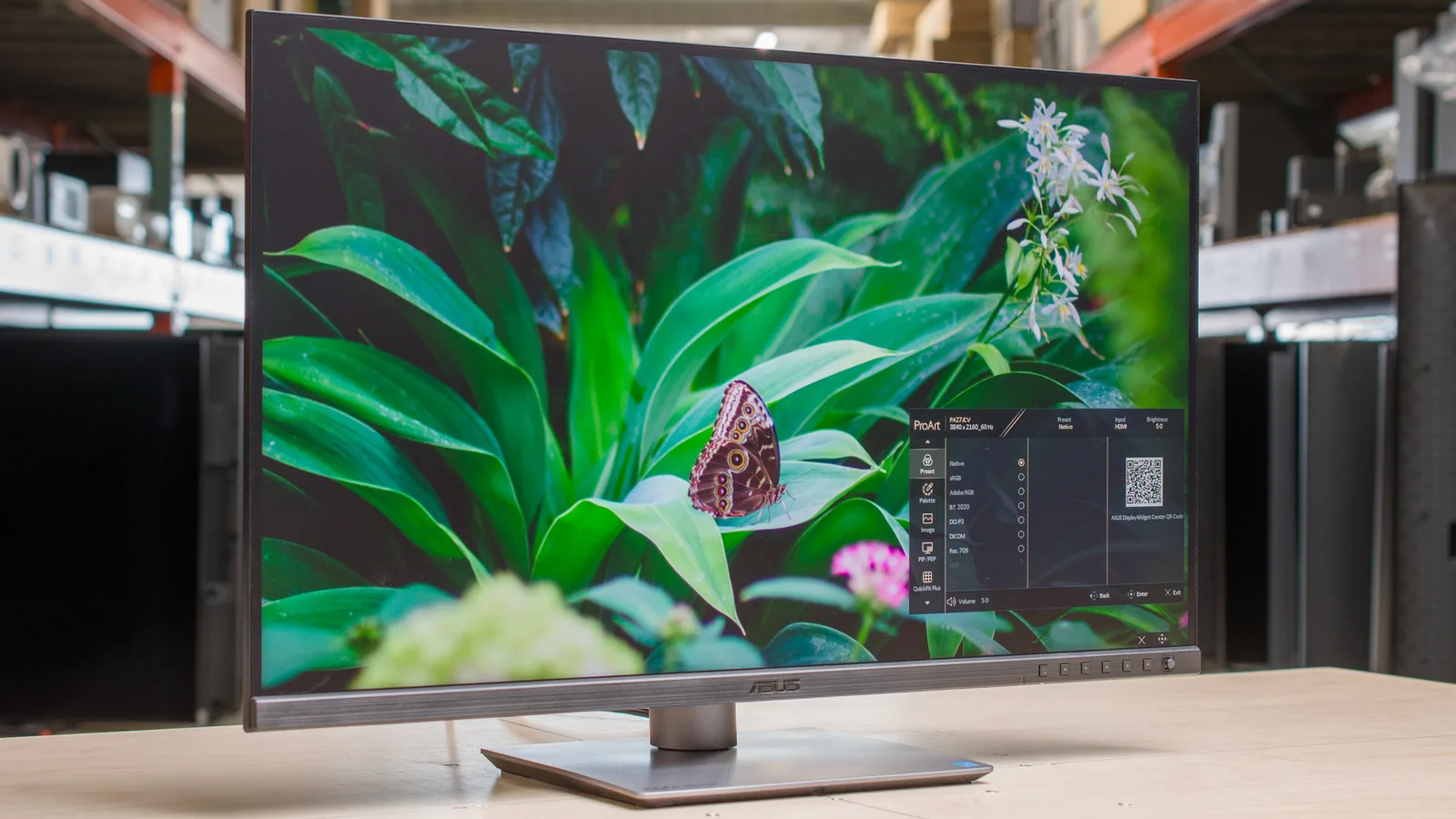
When we looked at the ASUS ProArt Display PA279CRV, we were impressed by its performance in a crowded market of professional-grade monitors. This 27-inch 4K IPS monitor is praised for its excellent color performance, deemed ideal for professional creatives who require precise colors. The wide color gamut, covering sRGB, Rec.709, DCI-P3, and Adobe RGB color spaces, rivals more expensive displays, as noted by DisplayNinja. It's not just the color accuracy that shines; this monitor is also suitable for photo and video editing, and general office use, making it a versatile choice. USB-C connectivity with 96W power delivery is a thoughtful addition for modern work setups.
Performance Breakdown
Expert Scores
How 4 professional publications rated this product
In-Depth Analysis
Color Accuracy 93
A calibrated deltaE of 0.77 puts this in professional territory, but unit-to-unit variance means the included calibration certificate isn't a guarantee of what you'll actually get.
Key Takeaway
→If you own a colorimeter and work in Affinity Photo, Lightroom, or Premiere, this delivers professional accuracy at a non-professional price. If you don't, budget for one.
USB-C Connectivity 93
96W USB-C with DisplayPort Alt Mode and daisy-chain support is the real selling point here, and 11 of 15 sources called it out specifically.
Key Takeaway
→For laptop users who want a single-cable desk setup with room to add a second monitor later, this connectivity spec is hard to beat at this price.
Value for Money 93
Twelve sources back the value case, and the consensus is real: professional color tools at a price that undercuts most competitors with similar specs.
Key Takeaway
→For creative professionals who need calibrated color accuracy and 96W USB-C in one display under $600, this is a strong buy. If you only need sRGB accuracy, the CV variant may save you money.
Ergonomics & Adjustability 92
Full tilt, swivel, height, and pivot adjustments with a front-mounted joystick. Six sources flagged this as a genuine strength, and there's no meaningful dissent.
Key Takeaway
→If adjustability matters to your setup, this stand delivers everything without requiring a VESA arm upgrade.
Color Gamut Coverage 85
Wide gamut coverage is strong for the price, but Teoh on Tech and parkablogs.com both confirmed it doesn't hit true 100% Adobe RGB, which matters if print fidelity is your primary use case.
Key Takeaway
→Video editors and digital designers will get excellent gamut coverage for the price. Print photographers who need verified 100% Adobe RGB should look at a higher-tier option.
Design & Build Quality 82
The slim profile and compact stand base are genuine strengths, but squeaking sounds, slightly plasticky materials, and reports of multiple unit failures from r/Monitors suggest quality control isn't airtight.
Key Takeaway
→The design works well for a permanent desk setup, but inspect your unit carefully on arrival and factor in the cost of external speakers if audio matters to you.
Contrast & Brightness 63
A 948:1 contrast ratio and peak brightness lower than its predecessor are the two numbers that define this monitor's biggest limitation.
Key Takeaway
→Use this in a controlled lighting environment and treat it as a color accuracy tool, not a contrast or brightness performer.
HDR Performance 59
HDR 400 certification is essentially a checkbox here. Three sources agree it offers minimal real-world HDR benefit.
Key Takeaway
→Ignore the HDR badge. This is an SDR monitor with HDR10 compatibility, and it should be evaluated entirely on its SDR color accuracy, which is where it actually earns its price.
Specifications & Verdict
Display
- Screen Size
- 27 in
- Resolution
- 3840 × 2160
- Aspect Ratio
- 16:9
- Pixel Density
- 163 ppi
- Panel Type
- LCD
- Screen Coating
- Matt
Performance
- Refresh Rate
- 60 Hz
- Response Time
- 5 ms
- Adaptive Sync
- Yes, Adaptive Sync
Image
- Contrast Ratio
- 1000:1
- Brightness
- 350 nits
- Peak Brightness
- 366 nits
- Color Gamut
- 100 %
- Color Depth
- 10-bit (8-bit + 2-bit FRC)
- Color Accuracy
- Delta E 2 (Calman Verified)
- HDR Support
- Yes
- Viewing Angles
- 178 °
Connectivity
- Video Inputs
- DisplayPort 1.4 x2, HDMI 2.0 x2, USB-C with 96W power delivery
- Ports
- 1x USB-C with DisplayPort Alternate Mode and 96 watts Power Delivery, 2x DisplayPort 1.4 (supports Daisy Chain), 2x HDMI 2.0, 3x USB-A 3.2 Gen-1, 3.5mm audio-out
- HDMI Ports
- 2
- HDMI Version
- 2.0
- DisplayPort
- 2
- DisplayPort Version
- 1.4
- USB Ports
- 3
- USB-C Power Delivery
- 96W
- Speakers
- Yes
Design
- Weight
- 5780 g
- Dimensions
- 61.22 x 53.81 x 21.50 cm (with stand), 61.22 x 36.29 x 4.41 cm (without stand)
- Panel Thickness
- 8mm (at thinnest point)
- VESA Mount
- 100 x 100 mm
- Height Adjustment
- 130 mm
- Tilt
- -5 - 23°
- Swivel
- -30 - 30°
- Pivot
- -90 - 90°
- Stand Adjustments
- Height, swivel, tilt, pivot
Power
- Power Consumption
- 26.14 W
- Certifications
- Calman Verified
Features
- Eye Care
- Eye Care (Low Blue Light, Flicker-Free)
- Special Features
- Native, sRGB, Adobe RGB, DCI-P3, Rec.709, Rec.2020, DICOM, HDR, 2x User, Flicker-free, Low Blue Light, QuickFit Plus, PIP/PBP Technology, TUV Flicker-free, TUV Low Blue Light (Hardware Solution)
Other Specs
- Warranty
- 3 years
- Lineup
- ASUS ProArt
- Intended Use
- video editing
- Calibration
- factory calibrated
- Displayport Alt Mode
- yes
- Daisy Chaining
- yes
- Minimum Brightness
- 39-98 nits (varies by mode)
- Usb Hub
- USB 3.2
- Rrp
- $849
- Connectivity
- DisplayPort 1.4 x 1, DP 1.4 Out x 1, HDMI 2.0 x 1, USB-C PD96W x 1, USB 3.2 x 3, 3.5mm Jack x 1
- Pixel Pitch
- 0.155
- Has Color Screen
- Yes
- Voltage
- 240 Volts
- Color
- BLACK
- Mounting Type
- Wall Mount
- Compatible Devices
- Desktop, Laptop, Tablet
- EU Spare Part Availability Duration
- 3 Years
- Shape
- Flat
- Item Type Name
- LCD Monitor
- Processor Count
- 1
- Number of Component Outputs
- 4
Our Verdict
The ASUS ProArt Display PA279CRV is a solid choice for those who value color accuracy and a wide color gamut without breaking the bank. While it may not excel in contrast and HDR performance, its strengths make it a great fit for creative professionals and office environments where color precision is paramount. Those after a monitor primarily for gaming or who prioritize contrast and brightness might want to look elsewhere.
Customer Reviews Amazon
478 reviews
Excellent monitor!
ASUS ProArt monitor lives up to its name
Perfection!
Good fit for creative designers.
Show all 10 reviews
Bang for your buck designers!
Great monitor until it suddenly died – no global support from ASUS!
excellant quality and vamue
Target audience is not gamers
⭐️⭐️⭐️⭐️⭐️ Incredible Monitor, Flexible Payment Helps
خيبة امل - غير متوقعة - تم الارجاع
Reviews shown are from Amazon customers and do not reflect our editorial assessment.
Reader Questions
Specific questions about the ASUS ProArt Display PA279CRV, answered only from what reviewers reported.
01Is the color accuracy good enough for professional photo and video editing?
Reviewers consistently found the color accuracy strong enough for professional creative work, with one source measuring a calibrated deltaE of 0.77. It is specifically recommended for photographers and video editors who need precise color fidelity.
02Does the USB-C port charge a laptop while connected?
Yes, the monitor supports USB-C connectivity with up to 96W power delivery, which reviewers noted simplifies desk setups by reducing cable clutter.
03How does the color gamut compare to pricier monitors?
Reviewers noted the wide color gamut rivals more expensive displays and exceeds what is typical for monitors in this price range.
04Is the HDR performance worth using?
Reviewers flagged HDR performance as subpar, so this monitor is better suited to SDR professional workflows than HDR content.
Pricing & Availability
Updated Apr 8, 2026ASUS ProArt Display PA279CRV
All regions


Sources & Methodology
Every score is built on evidence. This review synthesizes 25 independent sources — expert publications, video reviews, and community discussions — weighted by credibility, depth, and relevance.
Show detailed source analysis ↓ Hide source analysis ↑
Expert Reviews
pcworld.com
Top
4/5-point
The ASUS ProArt Display PA279CRV offers excellent color performance and customization for professionals on a budget. Its wide color gamut rivals more expensive displays, and it provides extensive image calibration options. The monitor features a sleek design with solid build quality and a stand that supports height, tilt, swivel, and pivot adjustments. Connectivity is a strong point, with multiple ports including USB-C with DisplayPort Alternate Mode and 96 watts Power Delivery.
Strengths
- +Excellent color performance for professional work
- +Wide color gamut rivals more expensive displays
- +Extensive image calibration and tuning options
- +Sleek design with solid build quality
Weaknesses
- −Mediocre contrast and brightness
- −Subpar HDR performance
- −Unimpressive motion clarity
displayninja.com
Top
4.7/5-point
The ASUS ProArt Display PA279CRV is a 27-inch 4K IPS monitor offering excellent value for color-critical work, covering sRGB, Rec.709, DCI-P3, and Adobe RGB color spaces. It boasts a wide color gamut, professional-grade factory calibration, and robust design. The monitor also features extensive connectivity options and is competitively priced. After calibration, it achieved 98% Adobe RGB and 97% DCI-P3 gamut coverage, with a lower average Delta E of 0.4 and a maximum of 1.5, ensuring accurate color representation.
Strengths
- +Wide color gamut coverage for professional work
- +Outstanding factory calibration for color spaces
- +Extensive connectivity options
- +Robust design and build quality
techradar.com
Top
4.5/5-point
The ASUS ProArt Display PA279CRV is a 27-inch 4K monitor with a gorgeous IPS panel and factory calibration, including Calman verification. It offers excellent color coverage, USB-C connectivity with 96W power delivery, and a robust feature set. The monitor's slim bezels and adjustable stand enhance its contemporary design, while its compatibility with Windows, MacOS, and Apple's Mac computers ensures broad usability.
Strengths
- +Gorgeous 4K IPS panel
- +Very nicely calibrated
- +Excellent value for money
- +USB-C connectivity with 96W power delivery
Weaknesses
- −Limited HDR support
- −Slightly plasticky build
rtings.com
7.7/10-point
The ASUS ProArt Display PA279CRV is a high-performance monitor that excels in color accuracy and versatility, making it a solid choice for professionals and enthusiasts alike. It offers a wide color gamut and excellent image quality, which is crucial for photo editing and graphic design work. With USB-C connectivity, it simplifies cable management and offers a seamless experience for users.
Strengths
- +Excellent color accuracy for professional work
- +Wide color gamut for vibrant image display
- +USB-C connectivity simplifies cable management
australianphotography.com
The ASUS ProArt Display PA279CRV maintains the winning formula of its predecessor with a 27-inch 4K resolution, 60Hz refresh rate, and HDR 10 support, all at a similar price point. It introduces a slimmer profile, improved USB-C power delivery, and a space-saving base. The monitor offers extensive color gamut coverage and customization options, making it suitable for professional image editing and judging photo competitions.
Strengths
- +27-inch 4K resolution with HDR 10 support
- +Improved USB-C power delivery up to 96 watts
- +Slim profile and compact space-saving base
- +Extensive color gamut coverage with customization options
Weaknesses
- −Peak brightness is lower than the predecessor
monitornerds.com
The PA279CRV delivers excellent color accuracy for professional work, covering 100% sRGB, 99% DCI-P3, and 98% Adobe RGB. Its 96W USB-C port enables single-cable laptop connectivity with daisy-chaining support. The redesigned stand requires less desk space and the monitor is notably lighter than its predecessor. Build quality remains solid despite increased plastic use. The 27-inch 4K resolution demands scaling for comfortable text readability. HDR 400 certification provides minimal real benefit due to limited contrast performance. Built-in speakers are functional but underpowered at 2W each.
Strengths
- +Excellent wide gamut coverage exceeding typical monitors in this price range
- +96W USB-C with DP Alt Mode powers laptops and enables daisy-chaining
- +Compact stand footprint saves desk space
- +Lightweight 12.74 lb design without feeling cheap
Weaknesses
- −27-inch 4K resolution requires scaling for comfortable text reading
- −Low 948:1 contrast ratio produces weak black levels
- −HDR 400 certification offers minimal real HDR benefit
- −2W speakers lack bass and volume for serious use
parkablogs.com
The ASUS ProArt PA279CRV is a visually appealing 27-inch 4K UHD IPS monitor with a sleek design and solid build, albeit with some squeaking sounds when adjusted. It offers good color accuracy and brightness, but falls short of the advertised AdobeRGB coverage. The aggressive anti-glare can affect visual quality, and while the port selection is commendable, the display's performance is not optimal for true AdobeRGB work.
Strengths
- +Attractive and slim design
- +Good color accuracy and brightness
- +Excellent port selection including USB-C with 96W charging
Weaknesses
- −Build quality issues with squeaking sounds
- −Color support not up to advertised specs
- −Aggressive anti-glare causing visual quality issues
Video Reviews
 Created Tech
The reviewer tested the Asus ProArt PA279CRV as a more affordable …
Created Tech
The reviewer tested the Asus ProArt PA279CRV as a more affordable …
The reviewer tested the Asus ProArt PA279CRV as a more affordable alternative to Apple's Studio Display. Build quality uses black plastic rather than aluminum, with some squeaking and flexing present, though not severe. The front bezel features a thick bottom section with faux metallic material that the reviewer finds visually unappealing. The monitor offers full ergonomic adjustability including height adjustment and portrait mode, plus VESA mount compatibility. No built-in webcam, microphone, or speakers of usable quality—the included speakers are described as "horrific." Both monitors use built-in power supplies without external bricks.
- →Ideal for users prioritizing adjustability over aesthetics
- →Budget-friendly 5K option for Mac users
- →Requires separate purchase of speakers, webcam, microphone
- →Best suited for users with existing audio peripherals
- →Professional color work at lower cost than alternatives
 Reviewsinside
The ASUS ProArt Display PA279CRV is a 27-inch 4K HDR professional …
Reviewsinside
The ASUS ProArt Display PA279CRV is a 27-inch 4K HDR professional …
The ASUS ProArt Display PA279CRV is a 27-inch 4K HDR professional monitor that delivers excellent color accuracy and a wide color gamut, covering 99% of DCI-P3 and Adobe RGB. Its factory pre-calibrated Delta E2 rating ensures true-to-life color accuracy. The monitor offers robust connectivity with DisplayPort over USB, HDMI, and a USB hub, simplifying cable management. The stand is adjustable for ergonomic setup, and the three-year warranty provides peace of mind. However, some users may find the HDR performance lacking in very bright or dark parts of images and the stand's build quality not as premium as expected for the price.
- →Ideal for professional creatives needing precise colors
- →USB-C power delivery is a game-changer for minimalist setups
- →Extensive connectivity options for various devices
- →Three-month complimentary Adobe Creative Cloud Access included
- →Ergonomic stand adjustable for tilt and swivel
 Stephan Wiesner
The ASUS ProArt Display PA279CRV is a 27-inch monitor tailored for …
Stephan Wiesner
The ASUS ProArt Display PA279CRV is a 27-inch monitor tailored for …
The ASUS ProArt Display PA279CRV is a 27-inch monitor tailored for photographers, offering 99% Adobe RGB and 100% sRGB color coverage for accurate color representation. Its menu is intuitively designed, making adjustments easy. The monitor's brightness can be adjusted to prevent overexposure in prints, and it comes factory-calibrated. With a 60 Hz refresh rate and 5 ms response time, it's well-suited for photo editing, video editing, and general office use, though not ideal for gaming.
- →Ideal for photographers needing accurate color representation
- →User-friendly menu simplifies settings adjustments
- →Suitable for photo and video editing, and general office use
- →Not recommended for power gaming due to refresh rate and response time
 The Product Critiques
The ASUS ProArt Display PA279CRV is a 27-inch 4K IPS monitor that …
The Product Critiques
The ASUS ProArt Display PA279CRV is a 27-inch 4K IPS monitor that …
The ASUS ProArt Display PA279CRV is a 27-inch 4K IPS monitor that offers a sophisticated design and excellent build quality. It features a bezel-free design for an immersive viewing experience and a compact base suitable for various setups. The monitor provides vibrant and detailed visuals with a wide color gamut coverage, making it ideal for content creation and design work. Its responsive performance and adaptive sync support cater to both professional and casual gaming needs.
- →Ideal for content creation and design work
- →Suitable for a variety of office setups
- →Excellent value for an affordable 4K monitor
- →Good for casual gaming with Adaptive Sync support
 Niko Bolante
The ASUS ProArt Display PA279CRV offers excellent color accuracy, …
Niko Bolante
The ASUS ProArt Display PA279CRV offers excellent color accuracy, …
The ASUS ProArt Display PA279CRV offers excellent color accuracy, making it ideal for professional work. Its USB-C connectivity simplifies cable management, and the monitor's ergonomic design enhances comfort during long hours of use. However, the price may be a barrier for some users.
- →Ideal for professionals requiring precise color accuracy
- →USB-C port is convenient for modern devices
- →Ergonomics are suitable for extended use
 Tech doc
The PA279CRV delivers professional-grade 4K performance through a …
Tech doc
The PA279CRV delivers professional-grade 4K performance through a …
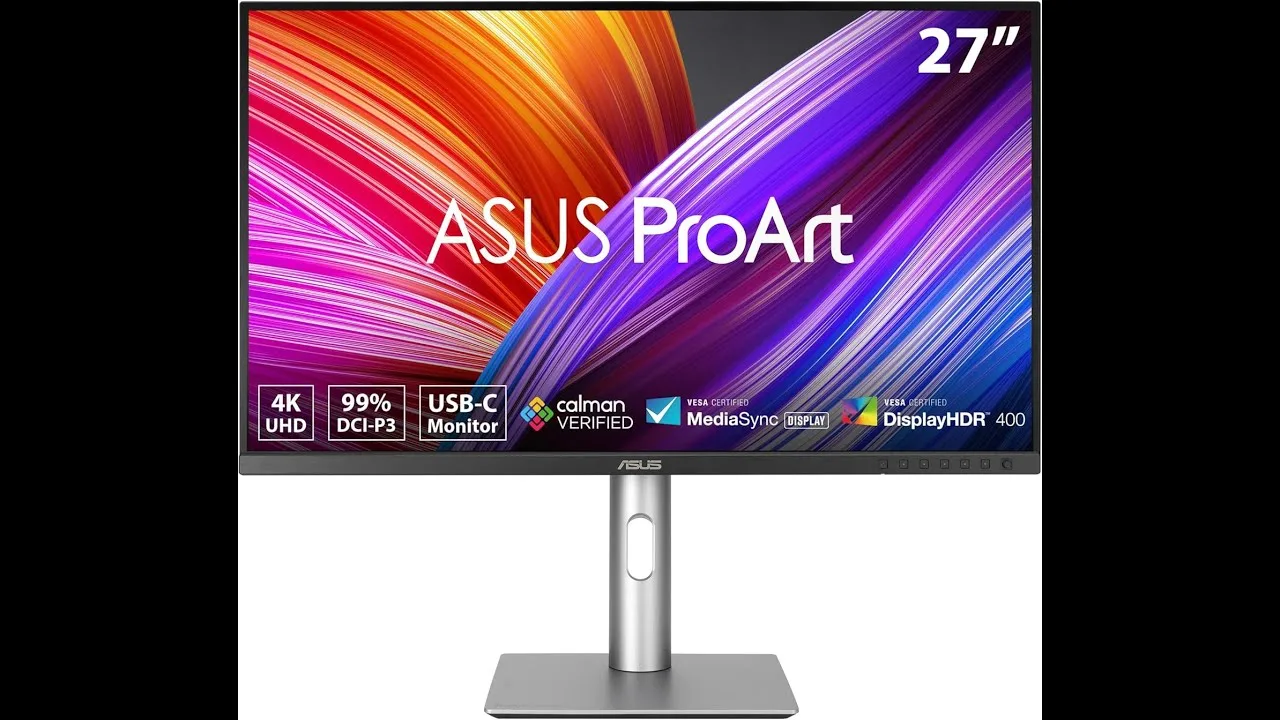
The PA279CRV delivers professional-grade 4K performance through a 27-inch IPS panel with 3840 x 2160 resolution, exceptional color accuracy with Delta E < 2, and 99% coverage of DCI-P3 and Adobe RGB color spaces. Factory calibration with Kalman verification ensures trustworthy color reproduction for creative workflows. USB-C with 96W power delivery simplifies laptop connectivity, while DisplayPort daisy chaining supports multi-monitor setups. Built-in ProArt presets enable quick switching between color standards. Ergonomic adjustments including tilt, swivel, pivot and height tuning accommodate extended use. Some users report minor connectivity quirks with certain laptops and calibration settings requiring adjustment. As an IPS panel, it carries typical contrast limitations against premium alternatives.
- →Ideal for photographers requiring color-accurate print matching
- →Excellent for video editors working in DCI-P3 cinema gamut
- →Perfect for designers needing Adobe RGB digital-to-print fidelity
- →Great for productivity users wanting clean USB-C docking
- →Well-suited for multi-monitor setups via daisy chain support
 Tech Gear
The ASUS ProArt Display PA279CRV impresses with its 27-inch 4K LED …
Tech Gear
The ASUS ProArt Display PA279CRV impresses with its 27-inch 4K LED …
The ASUS ProArt Display PA279CRV impresses with its 27-inch 4K LED backlight HDR display and wide-view IPS panel, offering unparalleled clarity and color consistency. Its wide color gamut covering 99% of DCI-P3, Adobe RGB spectrum is a boon for creative professionals. The monitor's CalMAN verified status and factory pre-calibration to delta E less than 2 ensure precise color accuracy. Versatile connectivity options include DisplayPort over USB-C with 96W power delivery, DisplayPort, HDMI, and a USB hub.
- →Ideal for professional projects and creative work
- →Vivid and consistent colors in collaborative environments
- →Accurate color representation for precise creative decisions
- →Simplifies workspace with USB-C power delivery
- →Complimentary Adobe Creative Cloud access for three months
 Device FR
This 27-inch 4K monitor targets creative professionals with …
Device FR
This 27-inch 4K monitor targets creative professionals with …
This 27-inch 4K monitor targets creative professionals with factory-calibrated color accuracy covering 99% Adobe RGB and DCI-P3. The understated, angular design suits professional environments, featuring slim bezels and a matte anti-glare panel. The fully adjustable stand offers height, tilt, swivel and portrait pivot. Connectivity includes dual HDMI, DisplayPort, USB-C with 96W power delivery, and daisy-chain support. The 10-bit color depth (8-bit + FRC) ensures smooth gradients for photo and video work. However, HDR performance is limited to VESA DisplayHDR 400, and the 60Hz refresh rate with 5ms response time makes it unsuitable for gaming.
- →Ideal for photographers and video editors needing color fidelity
- →Perfect for designers requiring wide color gamut coverage
- →Excellent choice for single-cable laptop docking setups
- →Skip if gaming performance is a priority
- →Strong value proposition for creative professionals
 Teoh on Tech
The ASUS ProArt Display PA279CRV is a 27-inch 4K monitor designed for …
Teoh on Tech
The ASUS ProArt Display PA279CRV is a 27-inch 4K monitor designed for …
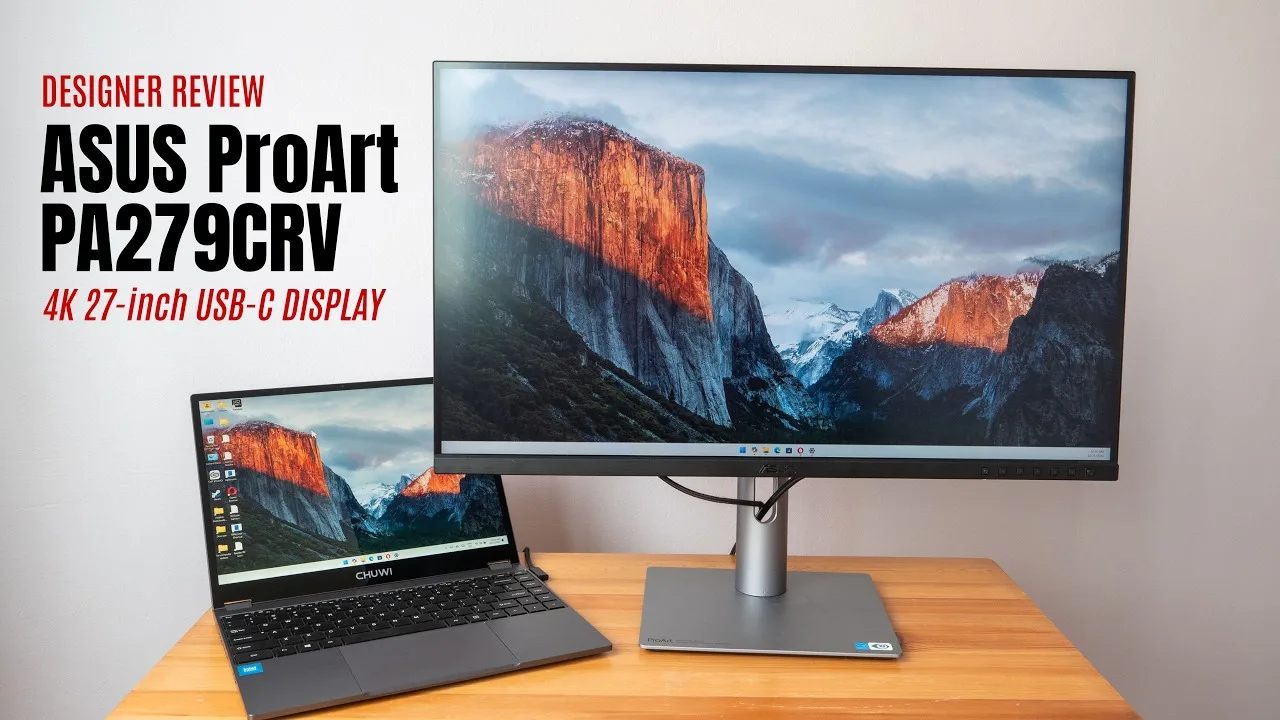
The ASUS ProArt Display PA279CRV is a 27-inch 4K monitor designed for visual content creators, offering good color accuracy and a solid port selection. It has a maximum brightness of around 350 nits and includes HDR, although the effect is limited due to it being an LCD display. The monitor's color accuracy was measured at 92% for Adobe RGB and 96% for P3, which is good, but not the 100% Adobe RGB advertised. The OSD menu is easy to navigate, and it includes USB-C charging up to 96 watts.
- →Ideal for visual content creation
- →Best used in controlled lighting conditions
- →USB-C port supports video connection and charging
- →Not a true 100% Adobe RGB display
 PIXEL VIILAGE
The ASUS ProArt Display PA279CRV is a 27-inch 4K UHD IPS panel monitor …
PIXEL VIILAGE
The ASUS ProArt Display PA279CRV is a 27-inch 4K UHD IPS panel monitor …
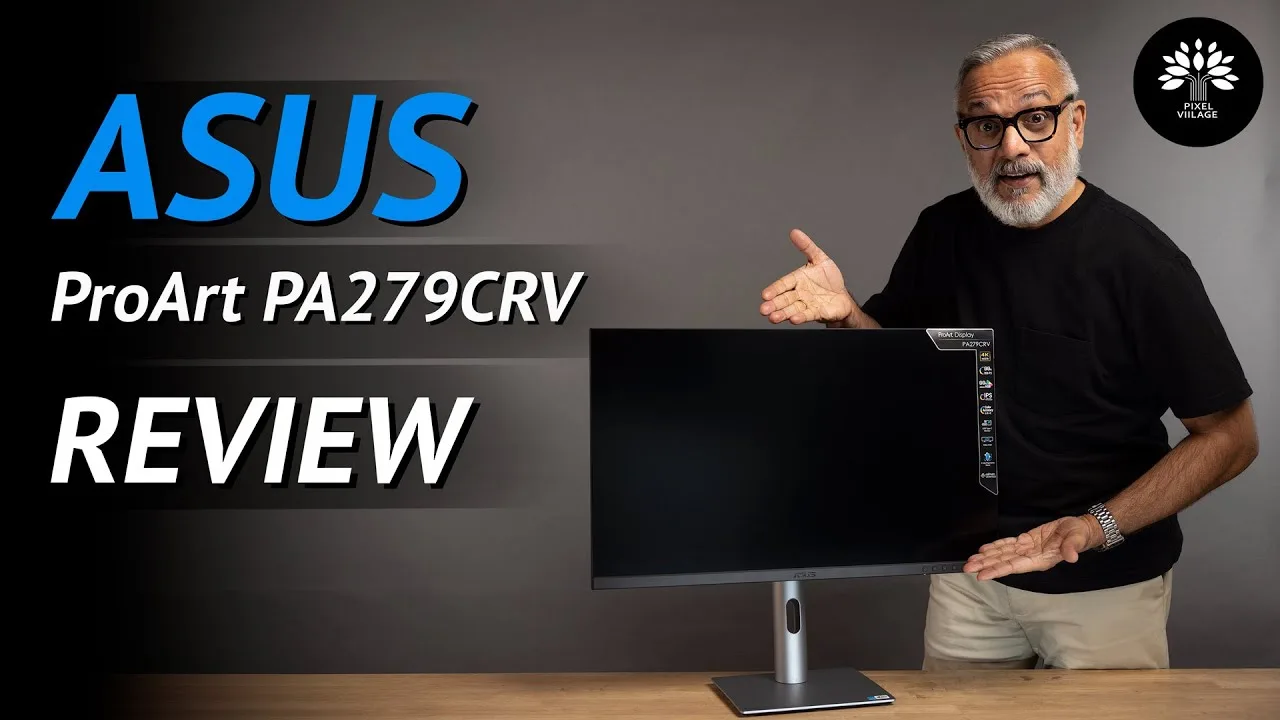
The ASUS ProArt Display PA279CRV is a 27-inch 4K UHD IPS panel monitor designed to enhance the professional editing experience for content creators. It boasts a wide color gamut, covering 99% of Adobe RGB and DCI-P3, and 100% of sRGB, ensuring vibrant and accurate colors. With a brightness of 400 nits in HDR mode and a 1000:1 contrast ratio, images pop, making it suitable for content creation. The monitor also features HDR 10, flicker-free technology, and a range of connectivity options including USB-C, HDMI, and DisplayPort.
- →Ideal for professional photo and video editing
- →Ready to use out of the box with calibration certificate
- →Sleek design with improved ergonomics and adjustability
- →Five-way joystick for easier menu navigation
 Nudne Chłopaki
The reviewer, a wedding photographer and YouTuber, tested three Asus …
Nudne Chłopaki
The reviewer, a wedding photographer and YouTuber, tested three Asus …
The reviewer, a wedding photographer and YouTuber, tested three Asus ProArt monitors including the PA279CRV. While the video primarily focuses on the high-end PA32DC (OLED) and PA32UCX-BK (MiniLED) models, the PA279CRV is briefly introduced as a "mega budget 27-inch 4K panel." The reviewer was initially skeptical about Asus's creative industry offerings, associating the brand more with gaming. The PA279CRV appears positioned as an affordable entry point in the ProArt lineup, though detailed testing results for this specific model are not provided in the excerpt.
- →Budget-friendly 4K option for creative professionals
- →27-inch size suitable for smaller workspaces
- →Entry point into Asus ProArt color-accurate ecosystem
- →Consider for photo editing on limited budget
 PaaTing Reviews
The Asus ProArt PA279CRV is a 27-inch 4K HDR monitor targeting …
PaaTing Reviews
The Asus ProArt PA279CRV is a 27-inch 4K HDR monitor targeting …
The Asus ProArt PA279CRV is a 27-inch 4K HDR monitor targeting creative professionals including filmmakers, photographers, and designers. It delivers 4K UHD resolution with four times the pixel density of Full HD displays. Color performance stands out with 99% coverage of both DCI-P3 and Adobe RGB gamuts and Delta E<2 accuracy, factory calibrated for immediate professional use. The USB-C port provides 96W power delivery for single-cable laptop connectivity and charging. An ergonomic stand offers tilt, swivel, pivot, and height adjustment. At over 18 pounds, the monitor is relatively heavy for frequent repositioning, though this reflects solid build quality.
- →Ideal for color-critical photo and video editing workflows
- →Single-cable USB-C setup suits mobile workstation users
- →Ready for professional use without additional calibration
- →Ergonomic flexibility supports long creative sessions
- →Best suited for permanent desk setups due to weight
 FindYourSolution
This video provides a detailed guide for optimizing the ProArt Display …
FindYourSolution
This video provides a detailed guide for optimizing the ProArt Display …
This video provides a detailed guide for optimizing the ProArt Display PA279CRV through specific menu settings. The reviewer recommends brightness at 80 and contrast at 75 for comfortable, balanced viewing. Color temperature should be set to 6500K standard mode for natural colors, with ProArt presets offering sRGB, Adobe RGB, and Rec.709 color spaces for different workflows. HDR should be enabled in both monitor and OS for enhanced visuals. Additional settings include gamma 2.2, uniformity compensation for screen consistency, sharpness at 50, and low input lag mode. The reviewer emphasizes hardware calibration with tools like X-Rite i1Display or SpyderX for professional accuracy.
- →Use sRGB preset for web design and general editing work
- →Select Adobe RGB for high-end photo editing tasks
- →Choose Rec.709 preset for professional video editing
- →Enable HDR for supported games and HDR content
- →Hardware calibration essential for professional accuracy
 GreatLobbyist
The ASUS ProArt Display PA279CRV is a monitor tailored for …
GreatLobbyist
The ASUS ProArt Display PA279CRV is a monitor tailored for …
The ASUS ProArt Display PA279CRV is a monitor tailored for professionals such as designers, video editors, and colorists. It boasts an Adobe certification and a wide color gamut, ensuring accurate color representation. This monitor's features are designed to meet the high demands of creative professionals.
- →Ideal for professional creative work
- →Ensures precise color reproduction
- →Enhances productivity in design and video editing
 Cyprien Films
This unboxing video reveals a 27-inch 4K HDR monitor targeting …
Cyprien Films
This unboxing video reveals a 27-inch 4K HDR monitor targeting …
This unboxing video reveals a 27-inch 4K HDR monitor targeting creative professionals. Factory calibration with included color accuracy report emphasizes precision out of the box. The USB-C implementation stands out with 96W power delivery, enabling single-cable laptop workflows. Comprehensive port selection includes HDMI, DisplayPort with daisy-chain support, and multiple USB connections. Ergonomics receive attention through full stand adjustability including pivot for portrait orientation. Wide gamut coverage across DCI-P3, Adobe RGB, and sRGB spaces positions this for color-critical work. The reviewer has not yet conducted hands-on testing, limiting assessment to physical features and specifications.
- →Ideal for photographers and video editors needing color precision
- →Streamlined workspace with single USB-C cable connectivity
- →Multi-monitor setups simplified via DisplayPort daisy-chaining
- →Portrait orientation support benefits document and code workflows
Community Discussions via Reddit
Comparison
r/Monitors
u/Eldric_A
The ASUS ProArt Display PA279CRV exhibits a persistent green tint issue that multiple users have encountered, with the original poster experiencing it on two separate units. The problem appears across all color profiles (DCI-P3, sRGB, Display P3, Adobe RGB, Rec709) and persists despite factory calibration certificates. Community discussion reveals this may stem from DCI-P3's native white point being different from 6500K, though the severity reported suggests potential quality control issues. The monitor is intended for professional color work but requires additional user calibration with proper correction profiles due to its ultra wide-gamut panel characteristics.
Key Insights
- →Best for professionals who already own or plan to purchase external calibration hardware and have technical expertise with DisplayCAL and correction profiles
- →Not ideal for users expecting accurate colors out-of-the-box without additional calibration investment
- →DCI-P3 mode's native white point differs from 6500K and may appear green-tinted to users accustomed to sRGB/Display P3
- →Consider the CV model instead if Adobe RGB coverage is not required, as hardware calibration functionality may provide better value
- →Multiple unit failures suggest potential batch quality control issues rather than isolated defects
Top Comments
Of you are using it in DCI-P3, then the green tint *is* the properly calibrated color. Use it in sRGB or Display P3, which have a white of 6500K!
Yes, very possible. The truth is that it is still color accurate but with widely off white point. It happens - every factory calibrated monitor I've seen had problems whitepoint, as it drifts with …
Asus usually are well calibrated, but my experience suggests that calibration certificates are bogus pieces of papers that have zero re lation to reality. Having said that, CV model is completely …
Comparison
r/mac
u/Tex-Tro
The Asus ProArt PA279CRV is a 27-inch 4K monitor (163ppi) positioned as the preferred choice over its QHD sibling for Mac users prioritizing text clarity and color accuracy. Community consensus strongly favors the 4K model, with multiple users confirming it eliminates eye strain from blurry text and provides excellent sharpness for photo editing workflows. The monitor is particularly recommended for secondary use cases involving media consumption and creative work in Affinity Photo, where color accuracy matters. Users with prior 4K 27-inch experience on both PC and Mac report satisfaction with macOS scaling, dismissing concerns about scaling artifacts as overblown. The product is viewed as a meaningful upgrade from QHD+ ultrawide setups for photography work.
Key Insights
- →Best suited for photographers and creative professionals using Affinity Photo who need color accuracy on a secondary display
- →Recommended for users experiencing eye fatigue from lower-resolution QHD displays who prioritize text sharpness
- →Ideal as a companion monitor to ultrawide setups for dedicated media and tool palettes
- →Community dismisses scaling concerns as overblown; macOS handles 4K 27-inch scaling well for most workflows
- →Worth the marginal price premium over QHD alternatives for long-term eye comfort and editing precision
Top Comments
In short, 4k is worth it QHD is not. A 27 inch 4K would be an upgrade to your current setup. Don’t listen to youtube clickbait exageration of scaling. You are fine with your current setup, so you …
No question here. 100% go 4K. I have both and the QHD is not good. The text clarity is not clear and is tiring to the eyes. 4K is perfect basically.
I am aware of that, but for me its no fun editing pictures on the "tiny" 14" screen. Also my desk does not really leave me the room, to have my MacBook open at all times.
Comparison
r/colorists
u/Fair_Owl3965
The Asus ProArt PA279CRV receives mixed feedback from colorists. One professional user (MichaelBays_BFF) reports excellent out-of-box accuracy, matching their Flanders reference monitor at 99.5% with only minor magenta adjustment needed, and has successfully graded broadcast content on it. However, another owner (AdmirableTurnip2245) notes significant white point deviation from 6500K requiring calibration. The monitor uses 8-bit+FRC rather than true 10-bit. Green tint issues are mentioned as a known concern, though severity varies by unit. The CRV variant specifically targets DCI-P3 coverage, which some users find unnecessary for SDR workflows. Community consensus suggests it works as a budget grading monitor when properly calibrated, with Blackmagic UltraStudio recommended for clean signal path.
Key Insights
- →Best suited for colorists needing portable, budget-friendly SDR grading monitor when paired with proper calibration and external LUT box
- →Not ideal for users wanting true 10-bit processing or direct LUT loading capability without additional hardware investment
- →Calibration is essential — out-of-box performance varies significantly between units, particularly for white point accuracy
- →Professional viability confirmed by working colorist for non-HDR deliverables, but requires reference monitor comparison workflow for confidence
- →DCI-P3 gamut coverage adds cost without benefit for users only needing sRGB/Rec.709 accuracy
Top Comments
I got the Proart PV279CRV to use as a monitor when I'm out of town. Out of the box it matched up to my Flanders 99.5% of the way. A couple clicks of magenta and it was good to go. I've graded many …
At that price point you’re looking at a DEEPLY flawed device regardless. I’d personally look for a well-used/maybe-slightly-banged-up 10+ year old professional broadcast reference monitor from Sony …
Not 100 ideal due to resolution but I picked up a 1440p self calibrating EZIO for around 400 bucks off eBay. I the model was like 27z or something like that.
Scores based on weighted analysis of 25 expert and community sources. How we review →