

Razer BlackWidow V4 Low-Profile HyperSpeed
Best For
- Gamers who want a slim wireless keyboard for desk and travel
- Multi-device users switching between PC, tablet, and laptop
- Typists who prioritize durable PBT keycaps over switch customization
Consider Carefully
- Office users who need quiet switches
- Keyboard enthusiasts who want hot-swappable switches
- Budget shoppers put off by the $199+ price tag
Jump to Section
The Bottom Line
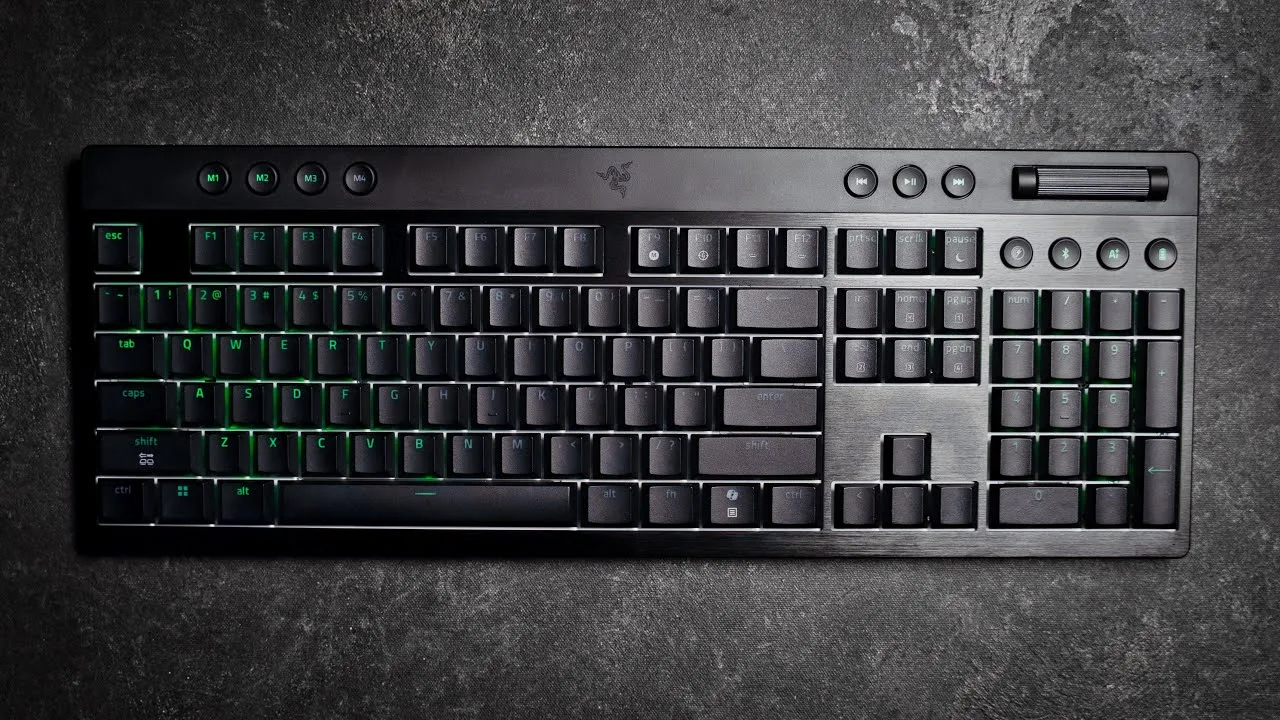
The Razer BlackWidow V4 Low-Profile HyperSpeed is a keyboard that's making waves among typists and gamers alike, earning an impressive 80/100 in our aggregated score. What we found most striking is its typing feel, a result of its low-profile mechanical switches that offer a satisfying actuation and sound profile, as noted by nearly all reviewers. The build quality is robust, with a clean, sturdy design featuring brushed aluminum and a rigid chassis, praised by both GamesRadar and PCGamer. Connectivity is another strong point, with versatile options including wired, wireless, and Bluetooth support, although the wireless functionality does come with some trade-offs in battery life. Aesthetically, it boasts bold RGB lighting that's vibrant and customizable, enhancing the overall experience for those who value such features.
Performance Breakdown
Expert Scores
How 8 professional publications rated this product
In-Depth Analysis
Wireless Performance 92
Nine sources, near-unanimous agreement: the HyperSpeed wireless at 1000Hz polling is the standout feature of this keyboard.
Key Takeaway
→If low-latency wireless is your priority, this delivers it. Just disable Power Saving Mode during gaming sessions or you're capping yourself at 250Hz.
Switch Performance 89
Reviewers broadly agree the low-profile switches punch above their weight, though a 45g actuation force and spacebar rattle keep this short of perfect.
Key Takeaway
→Competitive shooter players and typists who want genuine mechanical feedback in a slim package will be satisfied. If you need hot-swap or a lighter actuation force, keep looking.
Build Quality 86
Eight of twelve sources agree this is a premium-feeling board, but a $199.99 price tag and non-swappable keycaps give some reviewers pause.
Key Takeaway
→If premium materials and a slim full-size footprint matter to you, the build holds up. If you want to swap keycaps or hate paying flagship prices, look elsewhere.
Battery Life 83
The 980-hour headline figure is real, but three sources confirm it evaporates fast once RGB is on. The actual number depends entirely on how you use it.
Key Takeaway
→If you run RGB, plan to charge regularly. If you can live without lighting, the battery life is genuinely impressive.
RGB Lighting 83
Three sources call the RGB vibrant and even, but WindowsCentral found it dim with poor secondary function illumination. Six sources total, and they're not aligned.
Key Takeaway
→Buy this for RGB aesthetics and Chroma sync, not for functional key legibility in low light.
Form Factor Design 82
Nine sources agree the slim full-size form factor is the main reason to buy this. The TKL variant's oversized top bar is the main reason not to.
Key Takeaway
→Buy the full-size for the complete experience with media controls and macro keys. The TKL saves desk space but gives up too much utility for the same price.
Software & Customization 82
Synapse 4 gives you deep control, but it's mandatory even for existing Razer users, and the AI Prompt Master button divides reviewers on whether it belongs here at all.
Key Takeaway
→Deep customization is here if you want it, but you're committing to Synapse 4. If you avoid manufacturer software on principle, you'll lose meaningful functionality.
Typing Sound Profile 76
Two foam dampening layers don't stop reviewers from calling this clacky, pingy, and in one case, very loud. The sound profile is the weakest aspect of an otherwise strong keyboard.
Key Takeaway
→If quiet or premium acoustics matter, this keyboard will disappoint. Choose Orange switches for shared spaces and accept that the sound profile is the trade-off for the slim form factor.
Specifications & Verdict
Design
- Form Factor
- Full size (TKL version also available)
- Layout
- UK, US, German, French, Spanish
- Dimensions
- 460 x 161 x 35 mm
- Weight
- 2.2 pounds
- Front Height
- 1.37 inches
Build
- Case Material
- 5052 aluminum alloy top case/top-mount stainless steel plate/ABS plastic
- Frame Material
- Mostly metal
- Keycap Material
- doubleshot PBT
- Construction
- mostly plastic with brushed aluminum top-mounted plate
- Stabilizers
- pre-lubricated
- Sound Dampening
- dual foam layers beneath stainless steel top plate
Switches
- Switch Type
- Razer Low-profile Mechanical Switches (Linear, Tactile, Clicky)
- Switch Options
- Green (clicky), Orange (tactile), Yellow (silent)
- Actuation Force
- 45g
- Switch Lifespan
- 80 million
- Actuation Distance
- 1.2 mm
Connectivity
- Connectivity
- USB-C
- Interface
- Wired (USB 2.0) or Wireless (Razer HyperSpeed)
- Wireless
- HyperSpeed Wireless (2.4GHz)
- Bluetooth Devices
- up to 3
- Polling Rate
- 1000 Hz
Features
- Media & Controls
- Yes, clickable scroll wheel
- Onboard Storage
- five
- Switch Features
- Orange
- Special Features
- Snap Tap, Gaming Mode, HyperShift, AI Prompt Master, 4 (full-size model)
Other Specs
- Battery Life
- 980 hours
- Backlighting
- Full RGB per-key
- Software
- Razer Synapse 4
- Orange Switch Actuation Point
- 1.2mm
- Orange Switch Key Travel
- 2.8mm
- Switch Travel
- 2.8mm
- Numpad
- Standard
- Base Material
- brushed aluminium
- Battery Indicator
- 1-0 keys light up as 10% increment status bar
- Status Indicators
- Capslock, Num, Rollen
- Thickness
- Less than 20mm
- Available Since
- Aug. 2025
Our Verdict
The Razer BlackWidow V4 Low-Profile HyperSpeed earns its 80/100 with a slim 18.5mm aluminum build, doubleshot PBT keycaps, and triple connectivity that covers HyperSpeed 2.4GHz, Bluetooth, and USB-C. The 980-hour battery life is real, with one catch: turn on full RGB and that drops to 2-3 days. Switches are not hot-swappable, and the orange switches run louder than the low-profile form factor might suggest. Buy it if you want a premium wireless keyboard that travels flat and types well. Skip it if you need silence or switch flexibility.
Customer Reviews Amazon
38 reviews
Solid Keyboard a bit pricey
Think twice or even three times
Cool Keyboard, Poor Connection & Value
Worth every penny
Show all 7 reviews
Do NOT buy unless you can download Razer Synapse Software
Skip this one.
Great so far
Reviews shown are from Amazon customers and do not reflect our editorial assessment.
Reader Questions
Specific questions about the Razer BlackWidow V4 Low-Profile HyperSpeed, answered only from what reviewers reported.
01How long does the battery actually last with RGB lighting on?
The quoted 980-hour figure applies only in power-saving mode with lighting off. With RGB enabled, real-world battery life drops sharply, with reviewers reporting the battery draining halfway after two days and full RGB reducing it to just 2-3 days.
02Does the slim profile mean you need a wrist rest?
Reviewers are split on this. The low 18.5mm front height naturally eases wrist angle and some found it eliminated the need for a wrist rest entirely, but others reported wrist soreness and noted that no wrist rest is included in the box.
03How many devices can it connect to at once?
The keyboard offers triple connectivity: HyperSpeed 2.4GHz wireless, Bluetooth, and USB-C. Bluetooth supports pairing with three devices simultaneously, with quick switching between them.
04Is the keyboard loud for office or shared-space use?
Reviewers note that despite the low-profile design, the keyboard is not quiet. Typing gets very loud, and there is also a slight rattle on larger keys like the spacebar.
05Is there a convenient way to check the battery level without software?
Yes, a dedicated battery indicator button lets you check the remaining charge at a glance, displaying the level through the number row RGB lighting. The battery status is also shown via the RGB number row during normal use.
06Can you swap out the switches if you want a different feel?
No, the switches are not hot-swappable, so you are locked into whichever switch type you choose at purchase.
Pricing & Availability
Updated Jun 2, 2026Razer BlackWidow V4 Low-Profile HyperSpeed
Sources & Methodology
Every score is built on evidence. This review synthesizes 17 independent sources — expert publications, video reviews, and community discussions — weighted by credibility, depth, and relevance.
Show detailed source analysis ↓ Hide source analysis ↑
Expert Reviews
gamesradar.com
Top
3.5/5-point
The Razer BlackWidow V4 Low-Profile HyperSpeed delivers a satisfying typing experience with its new low-profile mechanical switches and bold RGB lighting. At 18.5mm thick, it features a sturdy brushed aluminum and plastic construction that feels exceptionally rigid. However, the $199.99 TKL price point positions it above competitors, and some design choices disappoint — including a thick, functionless top bezel on the TKL model and insufficient sound dampening that allows switch ping to resonate. The PBT keycaps offer good texture and durability, though longer legend shine-throughs suffer from uneven lighting. Battery features add practical value for wireless use.
Strengths
- +Clean, sturdy design with brushed aluminum and rigid chassis
- +Handy battery features for wireless usage
- +Bold, vibrant RGB lighting performance
- +Satisfying low-profile switches with strong actuation bump
Weaknesses
- −Switch ping echoes despite two foam dampening layers
- −Thick top bezel on TKL wastes space without media controls
- −Legends lose light uniformity toward edges
- −Slightly heavy 45g actuation force may cause fatigue
ign.com
Top
8/10-point
The reviewer found the BlackWidow V4 Low-Profile to be a noteworthy revamp in Razer's product line, praising its slim form factor that doesn't compromise on performance. The brushed aluminum design and ultra-thin profile create a stellar first impression, while internal foam layers provide adequate dampening. The low-profile mechanical switches (Green, Orange, or Yellow) offer shorter actuation points and travel distances, making inputs register sooner, though they produce a 'clacky' rather than 'creamy' sound. HyperSpeed wireless technology ensures responsive, consistent performance for both gaming and typing. The keyboard includes practical features like adjustable feet, a storage slot for the 2.4GHz receiver, and a programmable multimedia roller. However, the reviewer criticized the AI Prompt Master button as a gimmick and noted wasted space on the TKL model's top bar.
Strengths
- +Brushed aluminum top plate looks sleek and premium
- +Ultra-thin profile with impressive build density
- +Double-shot PBT keycaps complement slim form factor
- +Internal plate and case foam for sound dampening
Weaknesses
- −Not as robust sounding as standard-profile keyboards
- −Switches sound 'clacky' rather than 'creamy'
- −AI Prompt Master button feels like a gimmick
- −TKL model's top bar wastes space for just one roller
tweaktown.com
Top
90/100-point
The Razer BlackWidow V4 Low-Profile HyperSpeed delivers a premium wireless low-profile gaming keyboard experience with impressive build quality and extensive customization options. Its aluminum top-plate, ultra-slim 18.5mm front profile, and doubleshot PBT keycaps create a refined aesthetic suitable for both productivity and gaming. The keyboard features three switch variants (Green Clicky, Orange Tactile, Yellow Linear), dedicated media controls with a high-quality roller, per-key Chroma RGB lighting, and a unique second AI button alongside the standard Copilot key. Battery life proves long-lasting, though the premium pricing, absence of a wrist rest, and slight rattle on larger keys temper enthusiasm. Dual sound-dampening foam and lubricated stabilizers improve acoustics without fully eliminating larger key noise.
Strengths
- +Versatile and customizable gaming features via Synapse 4
- +Excellent build quality with aluminum top-plate
- +Responsive low-profile mechanical switches
- +Slim design suits both productivity and gaming
Weaknesses
- −Premium price point limits accessibility
- −No included wrist rest
- −Slight rattle on larger keys like spacebar
- −Linear switches not as creamy as expected
playday.one
Top
8.5/10-point
Used solidly for two weeks mostly for work. Weighs around 1kg with brushed aluminium base that resists dust. Slim 18.5mm profile sits at comfortable typing height. Keys are textured, grippy but not sticky, with satisfying click despite shallow travel. RGB lighting is exceptional with perfect gap illumination and automatic mouse sync via Synapse software. Full-size model includes volume roller, media buttons, number pad, dedicated AI button, battery indicator, Bluetooth key, and Hyperspeed Mode button. Battery lasted about two days of work in wireless mode with RGB on, far below the advertised 980 hours (likely without RGB). No wrist rest included, causing wrist soreness during extended use.
Strengths
- +Exceptional RGB lighting with perfect key gap illumination
- +Automatic colour sync with Razer mouse
- +Solid 1kg weight prevents desk movement
- +Brushed aluminium base resists dust accumulation
Weaknesses
- −No included wrist rest caused wrist soreness
- −Battery drained halfway after two days wireless with RGB
- −Dedicated AI button feels unnecessary
- −Advertised 980 hours likely requires disabled RGB
windowscentral.com
Top
4/5-point
The Razer BlackWidow V4 Low-Profile HyperSpeed delivers a comfortable typing and gaming experience through its brand-new low-profile mechanical switches, available in full-sized and tenkeyless variants. At approximately 18.5mm in height, it features a brushed aluminum top plate with plastic construction, Razer HyperSpeed Wireless, three Bluetooth profiles, and extensive customization options. However, build quality shows minor flaws like uneven seams between materials, and the keyboard runs louder than expected. Battery life reaches up to 980 hours in power-saving mode but drops significantly with RGB enabled. The tenkeyless version sacrifices eight customizable macros compared to the full-sized model. Pricing starts at $199.99, positioning this firmly in the premium category.
Strengths
- +Comfortable typing and gaming with new low-profile mechanical switches
- +Slick design available in two sizes
- +Plenty of hardware and software features
- +Razer HyperSpeed Wireless with dongle storage garage
Weaknesses
- −Typing gets very loud despite low-profile design
- −Premium price tag starting at $199.99
- −Uneven seam between metal plate and plastic shelf
- −RGB lighting is dim and misses secondary functions
cravingtech.com
Top
4.5/5-point
The reviewer found the BlackWidow V4 Low-Profile HyperSpeed to be a premium, feature-rich low-profile gaming keyboard. Its ultra-slim 18.5mm front height and angled chassis provided comfortable neutral wrist positioning during extended gaming and coding sessions. The 5052 aluminium alloy top case delivered a solid, durable feel without excessive weight. Yellow Linear switches offered quick 1.2mm actuation with satisfying tactile feedback, though the manual Keyswitch Optimization toggle between Typing and Gaming modes proved inconvenient—Gaming mode caused accidental double presses during typing. Brilliant RGB illumination shone through doubleshot PBT keycaps thanks to circular stem walls. Wireless performance via 2.4GHz was flawless in competitive Overwatch 2 with no detectable input lag. Battery life impressed in regular use, though the reviewer didn't test the claimed 980-hour Power Saving Mode figure.
Strengths
- +Ultra-slim 18.5mm front height changes desk setup profile
- +Angled chassis encourages neutral, comfortable wrist positioning
- +Premium 5052 aluminium alloy top case feels rock solid
- +Clean, satisfying typing sound from dual foam dampening
Weaknesses
- −Manual Keyswitch Optimization toggle is inconvenient
- −Gaming mode causes accidental double presses while typing
- −No auto-detect to switch between Typing and Gaming modes
- −AI Prompt Master button feels unnecessary
pcmag.com
3.5/5-point
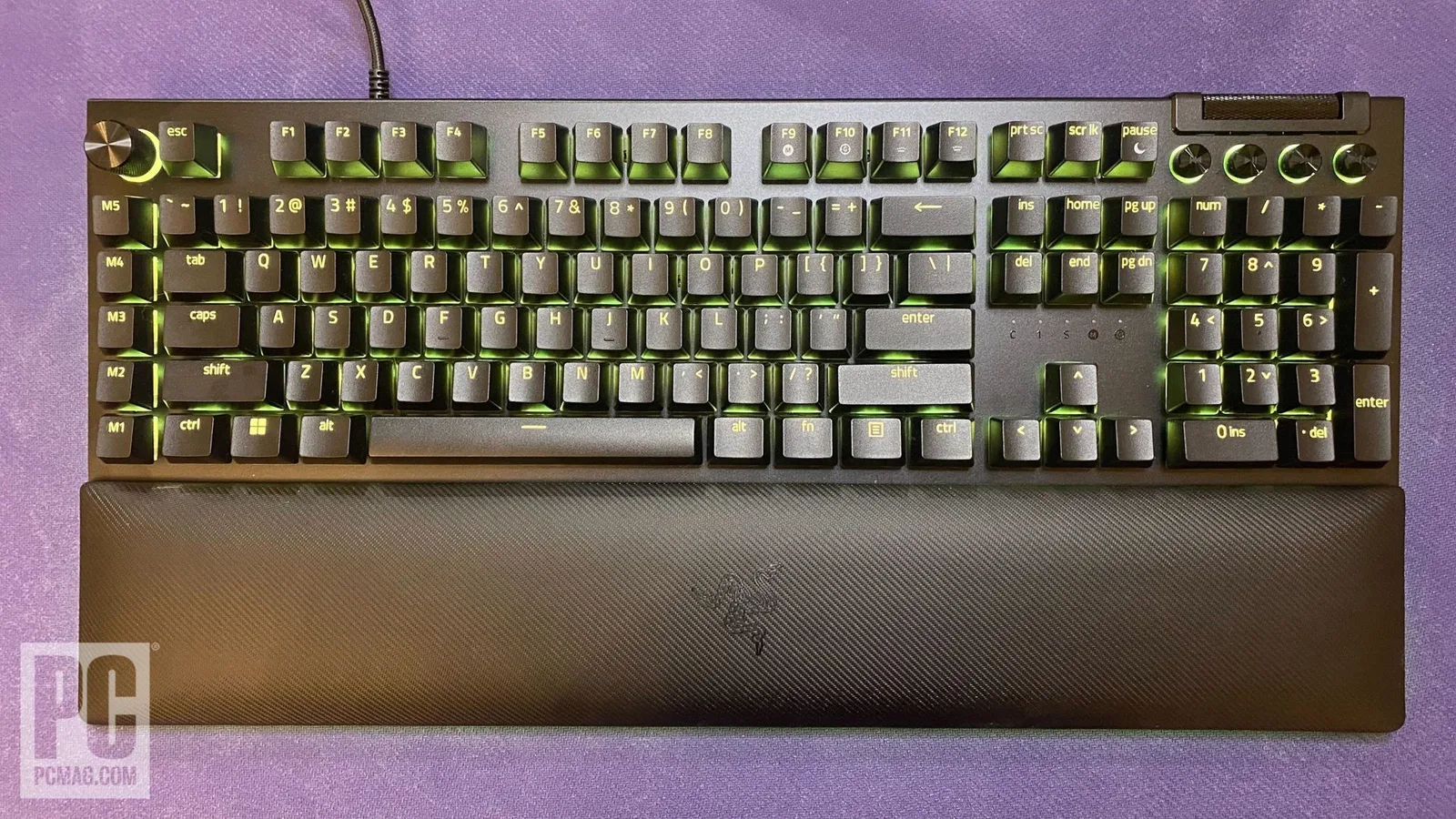
The Razer BlackWidow V4 Low-Profile HyperSpeed ($229) debuts Razer's low-profile mechanical switches in a slim, sturdy full-size design measuring just 1.37 inches tall. It offers three switch options—Green (clicky), Orange (tactile), and Yellow (silent)—with the Orange switches featuring 45g actuation force, 1.2mm actuation point, and 2.8mm travel. The keyboard includes HyperSpeed Wireless via 2.4GHz dongle at 1,000Hz polling rate, a volume roller, four dedicated macro buttons, and AI Prompt Master functionality with a dedicated button. However, the switches are not hot-swappable, the polling rate lags behind competitors at this price point, and no wrist rest is included despite the low-profile design.
Strengths
- +Slim 1.37-inch profile with sturdy, high-quality build
- +Three switch options: Green clicky, Orange tactile, Yellow silent
- +Textured PBT keycaps mimic excellent key feel
- +User-friendly Synapse 4 software with five onboard profiles
Weaknesses
- −1,000Hz polling rate too low for the high price
- −Switches are not hot-swappable
- −No bundled wrist rest for low-profile design
- −Orange switches louder than preferred
mechanical-keyboard.org
77/100-point
Razer launched the BlackWidow V4 Low-Profile HyperSpeed in summer 2025 as a full-size wireless gaming keyboard with a notably slim 35mm profile. It offers three switch options—clicky Green, tactile Orange, and linear Yellow—all in Razer's low-profile mechanical design. The board features dual-layer dampening, lubricated stabilizers, and doubleshot PBT keycaps for refined acoustics and durability. Wireless connectivity spans HyperSpeed 2.4 GHz, Bluetooth, and USB-C, with battery life reaching up to 980 hours. A multifunction roller and dedicated media/AI control buttons add productivity functionality. Reviewers praised its build quality, extensive customization, and comfortable ergonomics, though noted premium pricing and audible switch noise as considerations.
Strengths
- +Refreshingly slim 35mm profile without sacrificing features
- +Up to 980 hours battery life with easy charge checking
- +Three distinct low-profile switch options available
- +Dual-layer dampening and lubricated stabilizers improve acoustics
Weaknesses
- −Premium price point requires strong justification
- −Not quiet despite low-profile design
- −No USB passthrough functionality
- −No dedicated macro keys on full-size model
thumbculture.co.uk
The reviewer spent several weeks testing this £199.99 keyboard and found it impressively sturdy thanks to its aluminium and plastic construction. At under 20mm thick, the low-profile design provides satisfying feedback for both typing and gaming. The PBT keycaps are more durable than ABS alternatives and retain their colour well. Dual wireless connectivity through HyperSpeed (with dongle-sharing capability for compatible Razer mice) and Bluetooth offers flexibility. Through Synapse, users can set macros, adjust polling rate up to 4KHz, and enable Snap Tap for faster directional changes in shooters. Battery life reaches up to 980 hours in power-save mode, with a convenient button-press battery check via the number row lighting. The reviewer awarded it the Thumb Culture Gold Award.
Strengths
- +Sturdy aluminium and plastic construction feels premium
- +Under 20mm thin with satisfying low-profile key feedback
- +PBT keycaps are tougher and more colourfast than ABS
- +Multi-function roller and 11 programmable control buttons
5d-blog.com
The Razer BlackWidow V4 Low-Profile HyperSpeed delivers a slim, wireless mechanical keyboard experience that balances gaming performance with everyday usability. Its 5052 aluminium alloy construction provides reassuring sturdiness without excessive weight, while the low-profile design offers genuine ergonomic benefits during extended typing sessions. Razer's first proprietary low-profile switches come in three variants and deliver crisp, fast inputs with controlled acoustics thanks to pre-lubed stabilisers and dual-layer sound-dampening foam. HyperSpeed Wireless performs reliably with 1000 Hz polling, and Bluetooth multi-device support adds versatility. Battery life reaches up to 980 hours in Power Saving Mode. The premium pricing will deter some buyers, but the overall execution is polished and confident.
Strengths
- +Ultra-slim profile with sturdy 5052 aluminium alloy construction
- +Ergonomic low angle reduces wrist fatigue during long sessions
- +Crisp low-profile switches with shorter travel for fast inputs
- +Controlled, quiet typing with pre-lubed stabilisers and dampening foam
Weaknesses
- −Premium pricing places it firmly outside impulse purchase territory
- −AI Prompt Master button feels experimental rather than essential
- −Real-world battery life with lighting enabled falls well below quoted figures
- −Macro buttons less useful for users outside MMO/productivity use cases
Video Reviews
 ECPU
This low-profile mechanical keyboard delivers a slim 18.5mm front …
ECPU
This low-profile mechanical keyboard delivers a slim 18.5mm front …
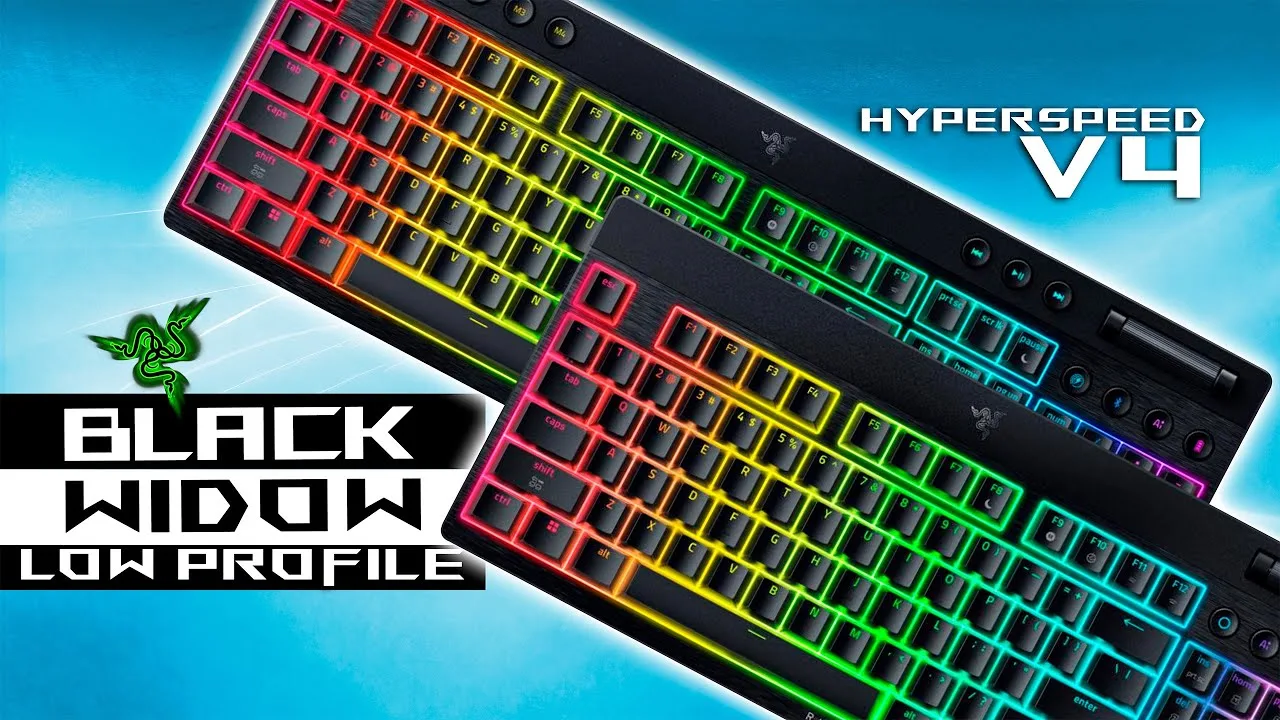
This low-profile mechanical keyboard delivers a slim 18.5mm front height with solid aluminum and stainless steel construction that minimizes flex. The orange tactile switches offer 45g actuation force with 1.2mm actuation point and 2.8mm total travel, enabling fast inputs for gaming and typing. Features include dedicated media controls, a remappable multi-function roller, four programmable macro keys, and dedicated buttons for wireless mode switching, Bluetooth, AI prompt master, and battery status. Battery life displays via number row lighting in 10% increments. Gaming performance excels in shooters due to shallow actuation, while productivity use benefits from mechanical feedback and menu-reducing controls.
- →Ideal for users splitting time between work and gaming
- →Shooter players benefit most from shallow actuation points
- →Orange switches balance speed with tactile accuracy for typing
- →No wrist rest needed due to naturally comfortable low angle
- →Synapse-dependent features limit functionality without software
 GH Tech Review
After three months of use, this reviewer finds the BlackWidow V4 …
GH Tech Review
After three months of use, this reviewer finds the BlackWidow V4 …
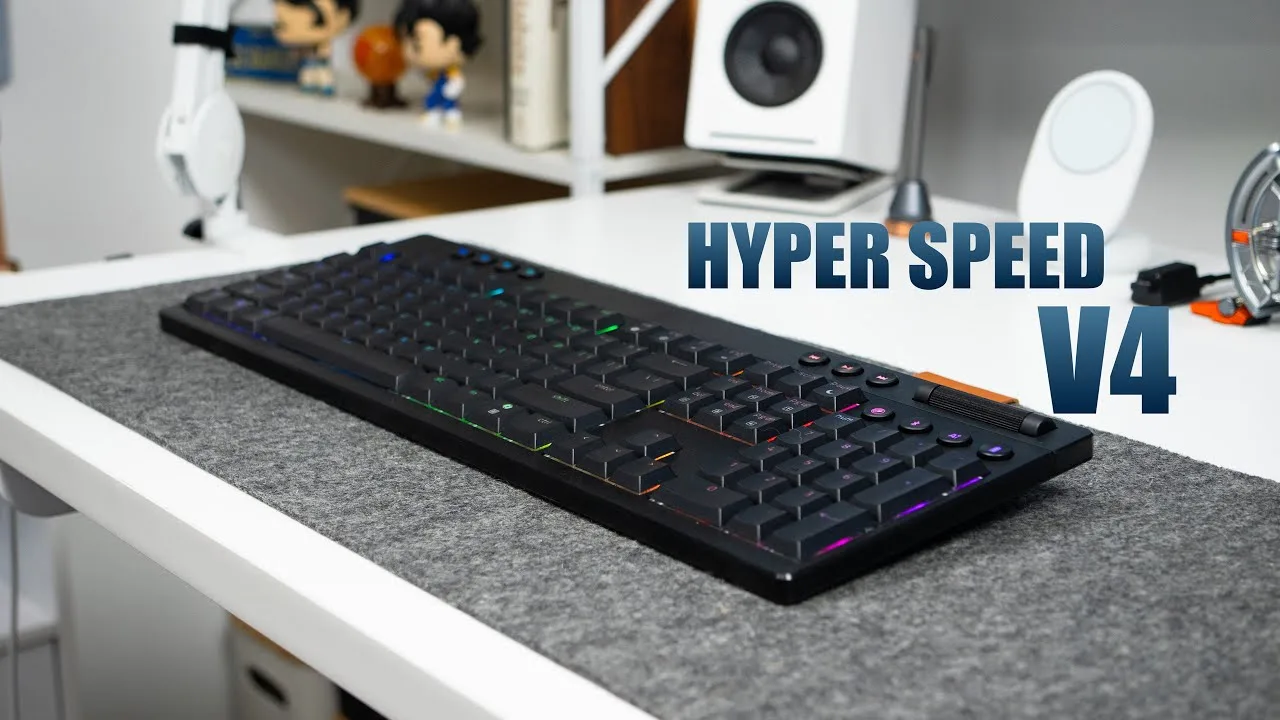
After three months of use, this reviewer finds the BlackWidow V4 Low-Profile HyperSpeed to be an enjoyable full-size gaming keyboard. It combines Razer's mechanical switches with HyperSpeed wireless in a slim 0.73-inch profile that doesn't require a wrist rest. The aluminum and ABS construction feels surprisingly sturdy with minimal flex, and dual flip-out feet provide 6° or 9° tilt angles that stay firmly planted during intense gaming. Factory-lubed switches with lubricated stabilizers deliver consistent feel, while dual sound dampening foam reduces echo—though inconsistent sound between left and right keys disappoints. Bright RGB, textured double-shot keycaps, dedicated media controls, and versatile wireless connectivity round out a competitive package at $229.
- →Ideal for users wanting full-size layout without wrist rest bulk
- →Silent yellow switches suit shared spaces and office environments
- →Travel-friendly option exists in lighter TKL variant
- →Competitive esports choice with fast actuation and responsive feel
- →Media professionals benefit from customizable numpad shortcuts
 Xavatech
Razer delivered a premium low-profile mechanical keyboard with …
Xavatech
Razer delivered a premium low-profile mechanical keyboard with …
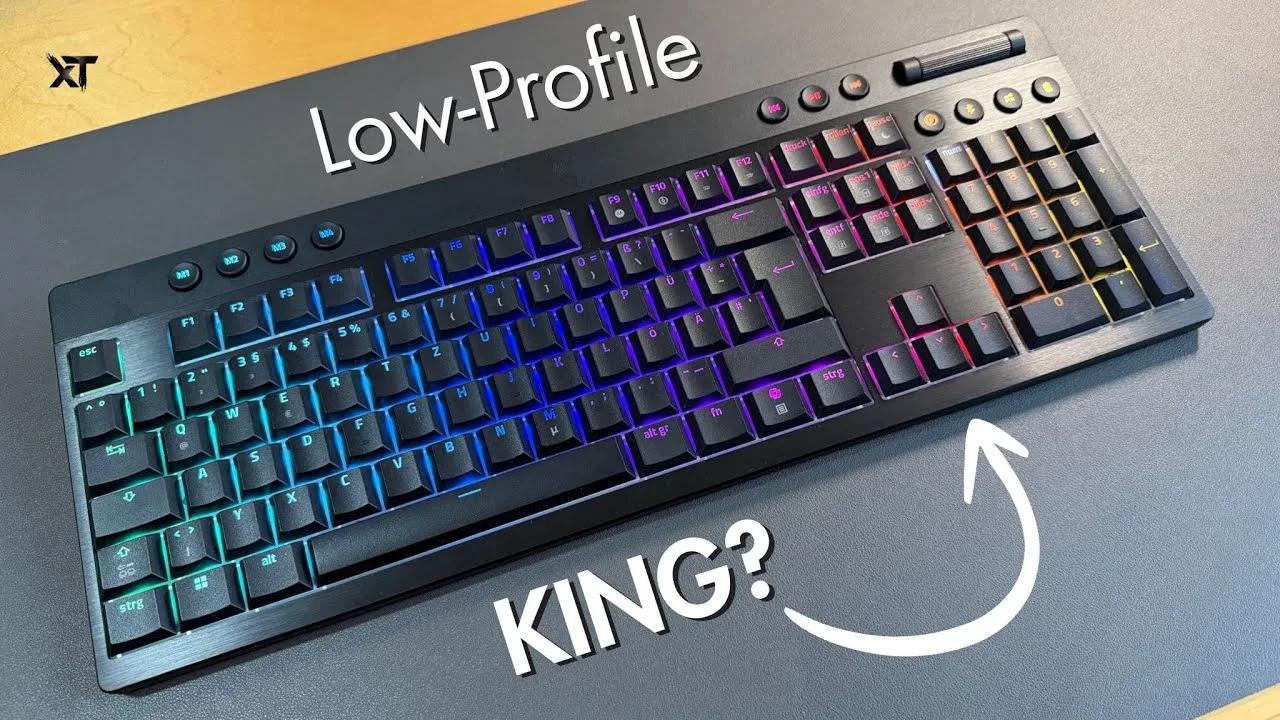
Razer delivered a premium low-profile mechanical keyboard with exceptional build quality. The unit features a robust aluminum-plastic hybrid construction weighing around 1052 grams, yet maintains a slim 24.5 mm profile. It offers triple connectivity via Bluetooth, wired USB-C, and 2.4 GHz HyperSpeed with multipoint pairing. The proprietary orange tactile switches provide satisfying feedback with shorter actuation travel, complemented by etched PBT keycaps with a slightly textured surface. Battery life reaches up to 98 hours. The layout includes dedicated macro keys, multimedia controls with a volume roller, side buttons for connectivity switching and AI access, plus a battery indicator. The reviewer found the typing experience genuinely pleasant despite preferring linear switches personally.
- →Ideal for users wanting premium low-profile mechanical typing
- →Great for multi-device setups with HyperSpeed multipoint pairing
- →Suitable for gamers needing 1000 Hz polling rate
- →Good for long wireless sessions with 98-hour battery life
- →Perfect for those preferring dedicated macro and media controls
 Tech Done Casual
Used as a daily driver for gaming, work, and general tasks over …
Tech Done Casual
Used as a daily driver for gaming, work, and general tasks over …
Used as a daily driver for gaming, work, and general tasks over several months. The keyboard measures just over 19mm thick and prioritizes comfort, customization, and control. Features textured double-shot PBT keycaps designed for maximum backlight transmission without glare. The 5052 aluminum alloy top plate provides a premium feel, with foam and plastic layers underneath for sound dampening. Includes four customizable macro buttons, media controls, power button, AI prompt master button, Bluetooth/HyperSpeed toggle, and clickable media roller. Offers HyperSpeed wireless (1000Hz polling), Bluetooth (3 devices), and wired USB-C connectivity. Battery reaches up to 980 hours in power-saving mode, though actual life varies significantly with Chroma lighting settings. Razer Synapse enables gaming mode, adjustable polling rates, and snap tap functionality.
- →Ideal for hybrid work-gaming users prioritizing comfort
- →Choose orange switches for balanced tactile feedback
- →Use power-saving mode for maximum wireless longevity
- →HyperSpeed wireless best for competitive gaming performance
- →Consider wired mode for uninterrupted heavy RGB usage
 AimAdapt
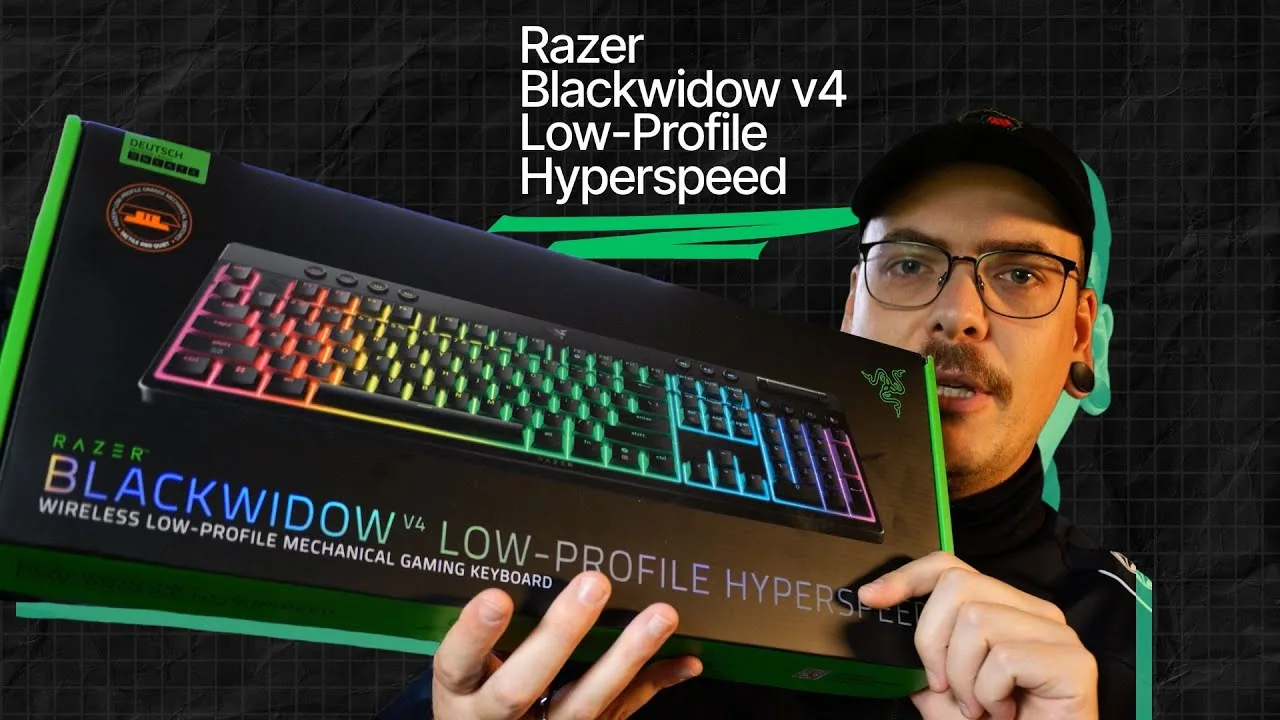
The Razer BlackWidow V4 Low-Profile HyperSpeed is an 18.5mm thin …
AimAdapt
The Razer BlackWidow V4 Low-Profile HyperSpeed is an 18.5mm thin …
The Razer BlackWidow V4 Low-Profile HyperSpeed is an 18.5mm thin wireless mechanical keyboard available in full-size and TKL variants with three switch options (green clicky, orange tactile, yellow linear). The reviewer selected yellow linear switches and found the keyboard required flip-out feet for comfortable typing due to its extremely flat profile. It includes USB-C connectivity, 2.4GHz wireless with up to 4000Hz polling via HyperPolling dongle (1000Hz stock), and receiver storage on the rear. The thin design makes it particularly suitable as a lap keyboard for couch gaming setups. Rubberized feet provide good desk grip.
- →Ideal for couch gaming or unconventional desk setups
- →Choose clicky switches to differentiate from rapid trigger boards
- →Budget for HyperPolling dongle for competitive gaming
- →Plan to use flip-out feet for comfortable daily use
- →Full-size variant works best as a lap keyboard
 Gamers Gear
The Razer BlackWidow V4 Low-Profile HyperSpeed delivers a flat, fast …
Gamers Gear
The Razer BlackWidow V4 Low-Profile HyperSpeed delivers a flat, fast …
The Razer BlackWidow V4 Low-Profile HyperSpeed delivers a flat, fast wireless gaming experience in full-size format. At 437 x 161.5 x 24.5 mm and roughly 1 kg, it combines an aluminum top case with ABS plastic, internal steel plate, and two layers of damping foam for stability and fuller sound than previous Razer models. The 18.5 mm front height sits comfortably flat without a wrist rest, though none is included. Dedicated macro keys, media controls, and a multifunction wheel enhance usability, alongside connectivity buttons for wireless modes, battery check, and AI Prompt Master integration. Battery life reaches up to 980 hours with RGB off, but drops to 2-3 days with full lighting. Synapse software enables extensive customization despite some stability issues.
- →Best for competitive gamers wanting low-profile speed
- →MMO/MOBA players benefit from dedicated macro keys
- →Choose orange switches for quiet tactile ISO DE typing
- →Disable RGB for marathon wireless sessions
- →Streamers should consider the audible switch sound
 Tech and Shoot
The reviewer unboxed and tested the BlackWidow V4 Low-Profile …
Tech and Shoot
The reviewer unboxed and tested the BlackWidow V4 Low-Profile …
The reviewer unboxed and tested the BlackWidow V4 Low-Profile HyperSpeed with orange switches, noting its very slim design and full-size layout with numpad. The keyboard offers tri-mode connectivity (wired, wireless via HyperSpeed dongle, and Bluetooth), with a useful passthrough USB port on the dongle to avoid losing a PC port. Rear adjustable feet provide two tilt positions despite the low-profile design. RGB lighting is bright and customizable through Razer Synapse, which also enables per-key remapping, macros, gaming mode, polling rate adjustment, and power management. The reviewer found typing experience very satisfying after extended use, and highlighted the dedicated gaming mode for improved responsiveness.
- →Ideal for users wanting full-size low-profile wireless keyboard
- →Gaming mode recommended for competitive play
- →Office users should keep standard mode for typing
- →Good for those needing numpad in slim design
- →Consider battery impact when raising polling rate
Scores based on weighted analysis of 17 expert and community sources. How we review →