

LG 27GX790A
Best For
- Esports players seeking razor-sharp motion
- Gamers valuing color accuracy and vibrant visuals
- Enthusiasts who prefer a sleek, clutter-free design
Consider Carefully
- Users needing built-in speakers for multimedia
- Professionals requiring sharp text for productivity tasks
Jump to Section
The Bottom Line
The LG 27GX790A stands out as a high-performance gaming monitor that delivers on its promise of exceptional visual quality and smooth gameplay. What we found particularly impressive is its class-leading 480Hz motion clarity and over 96% DCI-P3 color coverage, which earned it high praise from nearly every expert source. With G-Sync and FreeSync Premium Pro certification, it's clear this monitor is built for the most demanding esports players and enthusiasts. Its sleek, virtually borderless design is also a standout feature, enhancing the immersive experience. However, the lack of internal speakers and subpar text clarity for productivity tasks are notable downsides, as is the premium price point and the grainy 'dirty screen effect' some owners report from the matte coating.
Performance Breakdown
Expert Scores
How 11 professional publications rated this product
In-Depth Analysis
Refresh Rate Performance 95
480Hz at 1440p is the fastest OLED refresh rate you can buy right now, and 17 sources essentially agree on that. The catch: you need a GPU powerful enough to actually feed it.
Key Takeaway
→If you play fast-paced esports titles and have a top-tier GPU, this is the sharpest, fastest 1440p OLED available. If your rig can't sustain 400+ fps, you're buying headroom you can't use yet.
Gaming Performance 90
Thirteen of 18 sources agree this is purpose-built for competitive esports, with G-Sync and FreeSync Premium Pro certification, record-low input lag, and VESA ClearMR 21000 certification backing that up.
Key Takeaway
→If competitive gaming at maximum frame rates is the priority, this delivers best-in-class input performance. If you want dual resolution flexibility or a richer feature set, the competition has more to offer.
Ergonomics & Stand 89
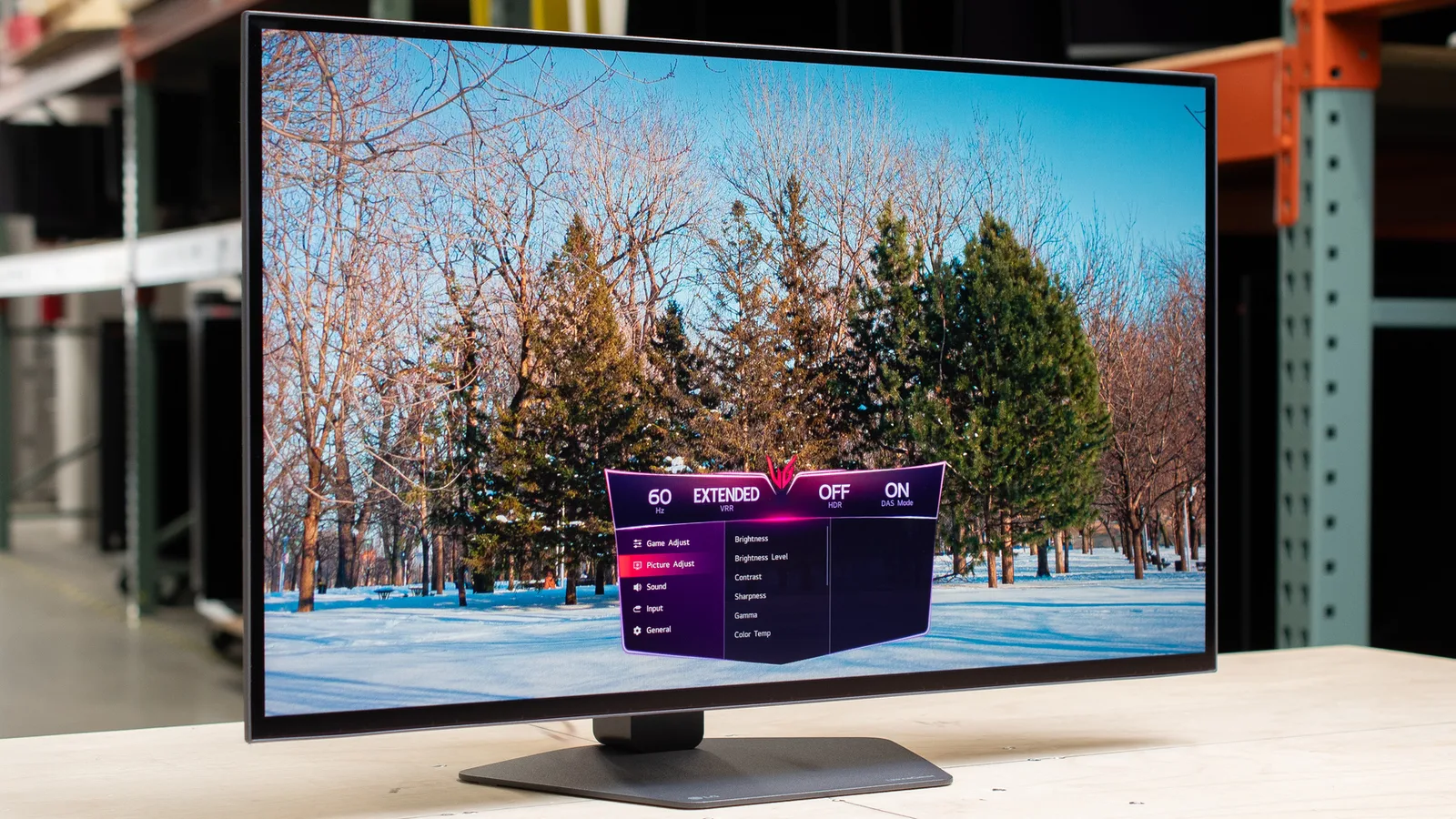
Six sources agree the stand is stable and space-efficient, and the full ergonomic range including portrait pivot is well-executed. One reviewer still recommends swapping it for a monitor arm.
Key Takeaway
→The stand covers all the ergonomic bases and keeps your desk usable. If you prefer a monitor arm, VESA compatibility makes the swap easy.
Color Accuracy 86
98.5% DCI-P3 coverage is strong across four sources, but the WOLED panel trails QD-OLED alternatives in color volume, and out-of-box calibration is a known weak point.
Key Takeaway
→The color coverage is genuinely wide and vibrant for gaming. If you need accurate colors without calibration work, or want the color volume of a QD-OLED, this panel falls short.
Display Image Quality 77
OLED contrast and blacks are genuinely excellent, but five sources flag that text clarity and productivity use are real compromises, and the WOLED panel is a generation behind.
Key Takeaway
→Buy this for gaming in a controlled environment. If you need a monitor that doubles as a productivity display or you're sensitive to panel uniformity, look at a glossy QD-OLED or a 4K alternative.
Build & Design 77
The hardware looks and feels premium, but nine sources flag the missing built-in speakers, and the $999 price tag draws scrutiny given a trimmed feature set compared to other UltraGear models.
Key Takeaway
→If clean aesthetics and premium build matter to you and you already own external speakers, this delivers. If you want a feature-complete monitor at this price, the competition offers more.
Connectivity & Ports 76
DisplayPort 2.1 and HDMI 2.1 both support the full 480Hz, but five sources flag the missing USB-C as a meaningful gap, and r/OLED_Gaming warns of real plug-and-play issues with the latest Nvidia GPUs.
Key Takeaway
→If you're running a dedicated desktop with a modern AMD or Nvidia GPU, connectivity is solid and future-proof. If you need USB-C for a laptop or want zero setup friction, look elsewhere.
HDR & Brightness 71
DisplayHDR True Black 400 certification and MLA+ technology sound impressive, but five sources confirm SDR brightness is genuinely dim at around 234 to 275 nits, and bright rooms will expose that.
Key Takeaway
→This monitor rewards dark room setups with genuinely excellent HDR blacks. If your space gets direct sunlight or you can't control ambient light, the brightness ceiling will frustrate you daily.
Specifications & Verdict
Display
- Screen Size
- 27 in
- Resolution
- 2560 × 1440
- Panel Type
- Organic Light Emitting Diode (OLED)
- Backlight
- RGB hexagonal
Performance
- Refresh Rate
- 480 Hz
- Response Time
- 0.03 ms
- Adaptive Sync
- FreeSync and G-Sync Compatible
Image
- Contrast Ratio
- 1500000:1
- Brightness
- 250 nits
- Color Gamut
- 98.5% DCI-P3
- Color Depth
- 10-bit
- Hardware Calibration
- Yes
- HDR Support
- HDR10, DisplayHDR True Black 400
- Viewing Angles
- 178°/178°
Connectivity
- Video Inputs
- 1x DisplayPort 2.1, 2x HDMI 2.1
- USB Ports
- 1x USB 3.0 upstream, 2x USB 3.0 downstream
- Audio Output
- 3.5mm headphone port
Design
- Weight
- 20.5 pounds
- Dimensions
- 22.8 x 23.8 x 9.8 inches (HWD)
- Bezel Width
- [object Object]
- Panel Thickness
- 1.8 inches
- VESA Mount
- 100x100mm
- Tilt
- -5° to 15°
- Swivel
- -30° to 30°
- Pivot
- Yes
- Remote Control
- No
Other Specs
- Height Adjustments
- Yes
- Rotation
- 90-degree rotation
- Brightness Technology
- Micro Lens Array+ (MLA+)
- Osb Navigation
- joystick-based
- Rgb Lighting Location
- hexagonal hump on rear, four sides
- Display Coating
- Anti-Glare, Low-Reflection of the front polarizer
Our Verdict
The LG 27GX790A is a fantastic choice for gamers who prioritize high refresh rates and color accuracy. It's not the most budget-friendly option, but its performance justifies the price for those who want the best. If you're not an avid gamer or need a monitor for detailed work, there may be more cost-effective alternatives.
Customer Reviews Amazon
122 reviews
Staple Monitor for what is to come in the Monitor Market
Great screen, especially valuable on sale!
Perfect for my needs, some questionable reviews
OPENED BOX SOLD NEW. LG DEALERSHIP NIGHTMARE. 30 DAY RETURN PROCESS.
Show all 8 reviews
Great monitor.
Mixed emotions but still a good product.
Quality OLED Panel
Good but could be better
Reviews shown are from Amazon customers and do not reflect our editorial assessment.
Reader Questions
Specific questions about the LG 27GX790A, answered only from what reviewers reported.
01Is 480Hz actually worth it for competitive gaming?
Reviewers consistently found the 480Hz refresh rate delivers class-leading motion clarity, with real-world input lag staying under 4 milliseconds. It is noted as the fastest refresh rate available on a 1440p OLED, giving competitive players meaningful headroom in high-FPS titles.
02How good is the picture quality for games and HDR content?
The W-OLED panel covers up to 98.5% of the DCI-P3 color space with deep blacks and vibrant colors. HDR performance is strong, backed by wide DCI-P3 and Rec. 2020 coverage, though full-screen brightness sits at around 275 nits in typical use.
03Is this monitor good for productivity and everyday desktop use?
Text clarity is a noted weakness, with reviewers describing rendering as blurry out of the box and failing to match LCD standards. The matte coating can also create a hazy or grainy appearance that some users find problematic for browsing and productivity work.
04Does it work with both Nvidia and AMD graphics cards?
The monitor carries both G-Sync and FreeSync Premium Pro certification, so it supports adaptive sync on either platform. The full 480Hz refresh rate is accessible over both DisplayPort 2.1 and HDMI 2.1 connections.
05Does the matte coating handle glare well in bright rooms?
Multiple reviewers confirmed the matte finish effectively reduces glare and reflections from windows and daylight sources. However, some users found the same coating creates a grainy or dirty visual effect, so sensitivity to that trade-off varies.
06Does it have built-in speakers?
No, the LG 27GX790A does not include internal speakers. You will need external speakers or headphones for audio.
Pricing & Availability
Updated Aug 3, 2026
Sources & Methodology
Every score is built on evidence. This review synthesizes 26 independent sources — expert publications, video reviews, and community discussions — weighted by credibility, depth, and relevance.
Show detailed source analysis ↓ Hide source analysis ↑
Expert Reviews
rtings.com
Top
9.2/10-point
A 27-inch 1440p OLED gaming monitor delivering 480Hz refresh rate with extremely fast response times ideal for esports. Features Micro Lens Array+ technology for enhanced brightness, full VRR support, and DisplayPort 2.1 bandwidth. Includes RGB hexagonal backlighting and DTS Headphone:X for immersion. Burn-in prevention settings are included as with most OLED displays. Firmware updates are important for optimal 60Hz input lag performance. The monitor represents a premium tier option above 360Hz QD-OLED alternatives for those prioritizing maximum motion smoothness.
Strengths
- +480Hz refresh rate enables extremely responsive gaming
- +DisplayPort 2.1 bandwidth supports modern graphics cards
- +MLA+ technology provides added brightness over standard OLED
- +Full VRR format compatibility across sources
Weaknesses
- −Premium pricing above 360Hz QD-OLED alternatives
- −Firmware updates required for best 60Hz input lag
- −Lower brightness than newer RGB Tandem OLED panels
- −No remote control included with monitor
pcgamer.com
Top
85/100-point
The LG UltraGear 27GX790A delivers exceptional speed with its 480 Hz refresh rate and 0.03 ms response time, making it one of the fastest 1440p OLED gaming monitors available. Priced around $700-800, it targets competitive gamers who prioritize motion clarity over versatility. However, it uses last-generation WOLED panel technology with limited full-screen brightness (275 nits typical), lacks modern conveniences like USB-C connectivity and speakers, and faces stiff competition from newer panels with improved brightness. The VESA ClearMR 21000 certification confirms its class-leading pixel clarity, though its feature omissions reflect careful cost-cutting rather than premium positioning.
Strengths
- +480 Hz refresh rate among fastest 1440p OLEDs available
- +0.03 ms response time orders of magnitude faster than LCD
- +VESA ClearMR 21000 top-tier pixel speed certification
- +Relatively reasonable pricing for 480 Hz OLED performance
Weaknesses
- −Uses last-generation WOLED panel technology
- −275 nits typical full-screen brightness below newer panels
- −No USB-C connectivity for laptop sharing
- −No built-in speakers included
tomshardware.com
Top
4.5/5-point
The LG 27GX790A is a 27-inch QHD OLED gaming monitor running at 480 Hz with exceptional speed and image quality. It delivers record-low input lag, perfect motion resolution, and stunning HDR performance with measured brightness of 763 nits in a 25% window. The panel covers over 96% DCI-P3 and includes G-Sync and FreeSync Premium Pro certification. Build quality impresses with a premium stand and effective anti-glare coating. However, it requires calibration for optimal image accuracy, lacks a Quantum Dot layer, and has no internal speakers. At around $1,000, it competes aggressively on price while offering future-proof performance for high-frame-rate gaming.
Strengths
- +Stunning image with higher HDR brightness than competitors
- +Effective anti-glare screen coating
- +Record-low input lag with perfect motion resolution
- +Extremely quick and responsive performance
Weaknesses
- −Requires calibration for best image accuracy
- −No Quantum Dot layer
- −No internal speakers
- −No sniper mode or timer gaming features
trustedreviews.com
Top
4.5/5-point
The LG UltraGear 27GX790A delivers exceptional motion clarity through its 480Hz OLED panel at 1440p resolution, making it ideal for competitive gaming. Deep blacks and strong contrast produce excellent image quality in both fast-paced esports and cinematic titles. The modern, understated design features thin bezels and a highly adjustable stand with tilt, swivel, height adjustment, and portrait orientation. However, the £899.99/$999 price positions it against 4K alternatives, and the port selection lacks USB-C connectivity despite including DisplayPort 2.1, dual HDMI 2.1, and USB-A ports. Peak SDR brightness falls short of other panel technologies.
Strengths
- +480Hz refresh rate enables exceptionally responsive, crisp motion
- +OLED panel delivers deep blacks and immense contrast
- +Highly adjustable stand with portrait orientation support
- +Modern, understated design with minimal thin bezels
Weaknesses
- −Expensive for a 1440p screen at £899.99/$999
- −No USB-C port for display or power delivery
- −Peak SDR brightness weaker than other panel types
- −No built-in speakers included
pcworld.com
Top
4/5-point
A 27-inch WOLED gaming monitor with 2560×1440 resolution and an exceptional 480Hz refresh rate. The design is understated with a dark gray charcoal finish, thin bezels, and a stable ergonomic stand with height, tilt, swivel, and portrait pivot adjustments. Image quality delivers top-tier contrast and good color accuracy with class-leading motion clarity, plus adaptive sync support for both AMD FreeSync Premium Pro and Nvidia G-Sync. However, connectivity is limited with no USB-C port for video or power delivery, only two USB-A downstream ports, and no built-in audio. The RGB lighting is present but dim and minimally customizable. Priced at $999.99, the monitor prioritizes maximum refresh rate performance over connectivity versatility.
Strengths
- +Attractive dark gray charcoal finish with thin bezels
- +Top-tier contrast from WOLED panel technology
- +Good color accuracy for gaming use
- +Class-leading 480Hz motion clarity
Weaknesses
- −No USB-C for video input or power delivery
- −Only two USB-A downstream ports via USB-B upstream
- −Modest color gamut compared to QD-OLED alternatives
- −1440p resolution less sharp than 4K OLED monitors
gamingtrend.com
Top
4/4-point
The reviewer found the LG 27GX790A delivers exceptional visual performance with remarkably deep black levels from its OLED panel, sharp QHD resolution, and a blazing 480Hz refresh rate. Build quality impressed with a heavy, stable hexagonal stand that offers excellent height adjustment and cable management. The slim profile with thin bezels made mounting slightly tricky due to limited grip area. OSD navigation uses LG's familiar joystick system with intuitive controls and game mode presets. RGB lighting on the rear hexagonal hump offers preset colors and cycle modes but lacks precise color picking. Connectivity is comprehensive with HDMI, DisplayPort, USB hub functionality, and a 3.5mm jack with microphone passthrough support. The monitor supports both G-Sync and FreeSync for adaptive sync gaming.
Strengths
- +Remarkably deep black levels exceeding inactive displays
- +Sharp QHD image quality at 480Hz refresh rate
- +Heavy, stable hexagonal stand with excellent height range
- +Intuitive joystick-based OSD navigation system
Weaknesses
- −Slim profile made stand mounting feel slightly precarious
- −No built-in speakers included
- −3.5mm jack placement creates awkward protruding cable tail
- −RGB lighting lacks precise color picker controls
gamesradar.com
Top
4.5/5-point
The LG UltraGear 27GX790A-B is a premium 27-inch 1440p WOLED gaming monitor targeting competitive players with its 480Hz refresh rate. Priced at $999.99, it undercuts some rivals while delivering top-tier motion clarity and vibrant colors. The design features a metal hexagon pedestal stand that feels more premium than its 32-inch sibling, with a thinner profile and outward-facing IO for easier cable management. However, LG scaled back features compared to other models—there's no dual resolution mode, brightness falls short of competitors, and the stand lacks advanced pivoting mechanisms. The joystick OSD control remains a pain point despite improved placement.
Strengths
- +480Hz QHD panel delivers exceptional competitive gaming performance
- +WOLED panel produces vibrant, punchy colors
- +Top-tier motion clarity for fast-paced gameplay
- +Metal base feels more premium than larger sibling
Weaknesses
- −No dual resolution mode unlike some counterparts
- −Less bright than competing monitors
- −Scaled back features compared to other UltraGear models
- −Stand lacks 360° pivoting mechanism
t3.com
Top
5/5-point
The LG 27GX790A is a 26.5-inch gaming monitor with a 480Hz refresh rate and 0.03ms response time on a 2560x1440 OLED panel. Tool-free assembly takes about 10 minutes, with straightforward setup via joystick-controlled OSD. The design prioritizes function over style, offering height, tilt, swivel, and 90-degree rotation adjustment. Gaming performance is exceptional with artifact-free visuals, punchy colors, and support for both G-Sync and FreeSync Premium Pro. HDR performance is strong with DisplayHDR True Black 400 certification. Everyday computing and movie watching are competent but not class-leading. The monitor lacks USB-C connectivity and built-in speakers, though it includes a headphone jack.
Strengths
- +480Hz refresh rate with 0.03ms response time
- +Tool-free assembly completed in 10 minutes
- +Excellent OLED contrast with super-deep blacks
- +Supports both G-Sync and FreeSync Premium Pro
Weaknesses
- −No USB-C port included
- −No built-in speakers provided
- −250 nits brightness may struggle in bright rooms
- −26.5-inch screen may feel small for some gamers
xda-developers.com
Top
8/10-point
The LG 27GX790A-B delivers exceptional motion clarity through its 480Hz W-OLED panel, making it ideal for competitive gaming. Its super-slim design and flat metal stand maximize desk space while maintaining premium build quality. However, inconsistent panel brightness creates a 'dirty screen effect,' text clarity suffers for desktop work, and VRR flicker is noticeable. At $1,000, it demands top-tier PC specs to reach full potential and works best as a dedicated gaming monitor rather than a primary productivity display.
Strengths
- +480Hz refresh rate delivers unmatched motion clarity in fast games
- +W-OLED panel produces gorgeous color representation
- +Super-slim design with thin bezels feels genuinely premium
- +Flat metal stand saves desk space and adds utility
Weaknesses
- −'Dirty screen effect' from inconsistent panel brightness
- −Text clarity is subpar for desktop and productivity use
- −Noticeable VRR flicker during variable refresh rate operation
- −$1,000 MSRP requires substantial investment
uk.pcmag.com
4/5-point
A QHD OLED gaming monitor with a 480Hz refresh rate and DisplayPort 2.1 support, earning an Editors' Choice award for esports. It delivers excellent color coverage but limited port selection. SDR brightness measured at 234 nits, below spec and dimmer than IPS alternatives, though HDR reached 403 nits. The virtually borderless design features a compact pentagon-shaped stand. No internal speakers, but includes a rare four-pole headset jack with DTS:X spatial audio support.
Strengths
- +480Hz refresh rate for competitive gaming
- +DisplayPort 2.1 enables uncompressed high-bandwidth video
- +Excellent color coverage for vibrant images
- +Virtually borderless display with thin silhouette
Weaknesses
- −SDR brightness only 234 nits, below 250-nit spec
- −Dimmer than most IPS gaming monitors
- −Light on ports with no USB-C connectivity
- −No internal speakers included
pcmag.com
4/5-point
The LG 27GX790A is a $999 QHD OLED gaming monitor targeting hard-core gamers with its exceptional 480Hz refresh rate and DisplayPort 2.1 support. Testing revealed solid color coverage and gamer-friendly features, though brightness falls short of typical IPS alternatives at 234 nits SDR. HDR performance proved stronger with 403 nits sustained and 1,135 nits peak at 2% window. The virtually borderless design with pentagon-shaped stand saves desk space, while the port selection—though light overall—covers essential gaming needs. The monitor earned an Editors' Choice award specifically as a top-notch esports display, positioning it as a premium option for competitive players with powerful GPUs.
Strengths
- +480Hz refresh rate for competitive gaming
- +DisplayPort 2.1 future-proofs connectivity
- +Excellent color coverage for OLED panel
- +Virtually borderless, ultra-thin design
Weaknesses
- −Only 234 nits average SDR brightness
- −Dimmer than most IPS gaming monitors
- −Light on overall port selection
- −No internal speakers included
Video Reviews
 BigStuwop
Testing this 480Hz OLED monitor revealed impressive clarity and …
BigStuwop
Testing this 480Hz OLED monitor revealed impressive clarity and …
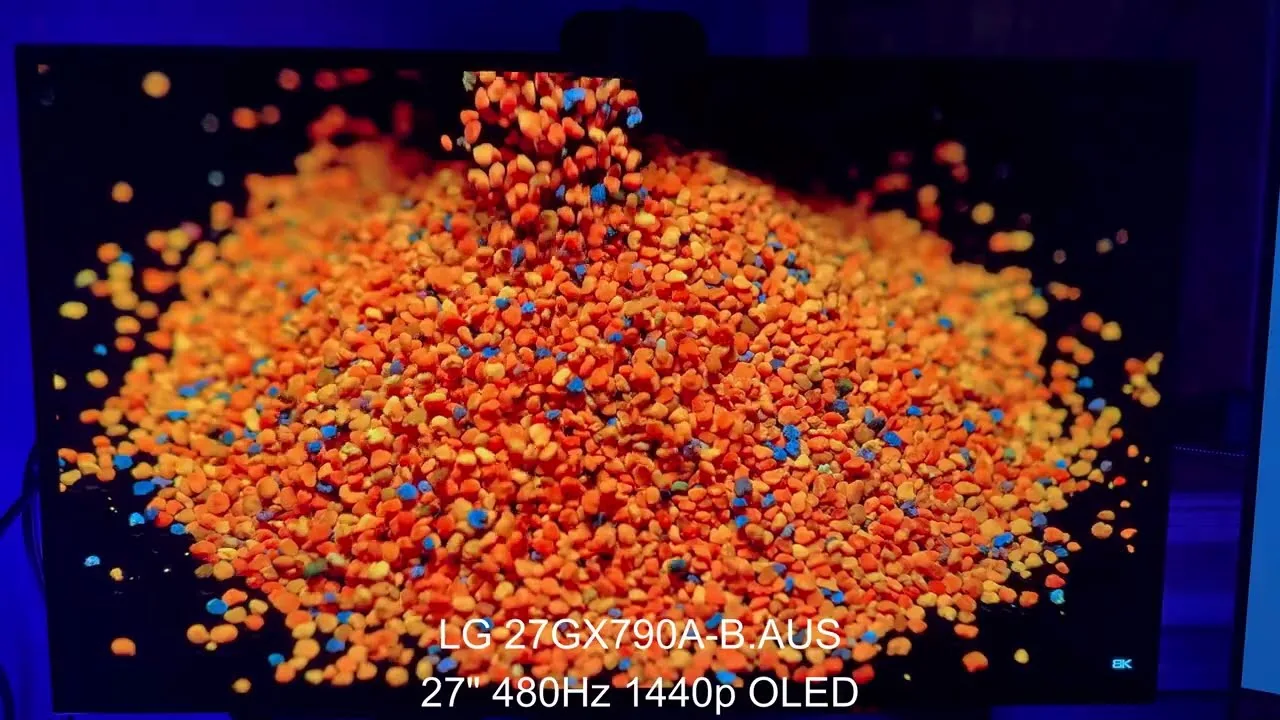
Testing this 480Hz OLED monitor revealed impressive clarity and smoothness, though achieving the full 480Hz requires significant compromises in most games. The matte screen delivers exceptional clarity that rivals glossy alternatives, with peak brightness reaching 603 nits in HDR. In Fortnite, performance mode was needed to approach high frame rates but looked unacceptable. Call of Duty similarly required lowered settings the reviewer refused to use. The monitor truly shines in esports titles like Valorant where it runs smoothly without graphical sacrifices. The reviewer notes 480Hz offers marginal improvement over 240Hz—slightly faster image clarity during motion—but considers it transformative specifically for competitive gaming rather than general use.
- →Ideal for Valorant, CSGO, Apex Legends competitive players
- →Avoid if Call of Duty or Fortnite are primary games
- →Matte screen clarity rivals glossy OLED alternatives
- →240Hz users gain marginal, not revolutionary improvement
- →Worth premium only for dedicated esports competitors
 Khen Tech Reviews
Purchased for approximately $610, this 27-inch 1440p OLED monitor …
Khen Tech Reviews
Purchased for approximately $610, this 27-inch 1440p OLED monitor …
Purchased for approximately $610, this 27-inch 1440p OLED monitor delivers exceptional speed with its 480Hz refresh rate and 0.03ms response time, making it ideal for competitive esports titles. The reviewer praises its bright MLA+ panel, excellent out-of-box colors, and clean image quality without artifacts or ghosting. However, the 24-inch mode suffers from blurry pixel mapping issues, the silver reflective design and monitor legs are unappealing, and the warranty period feels short at just one year for burn-in. Adaptive sync can cause flickering in dark scenarios. Driving 480FPS requires top-tier hardware including a 9800X3D or better CPU and 5070 Ti or greater GPU, limiting the monitor's practical use to a handful of games.
- →Best suited for esports titles like Valorant and Overwatch 2
- →Requires latest high-end hardware to reach 480FPS
- →Use a monitor arm to replace the stock legs
- →Tune color profile for optimal single-player and movie experience
- →Avoid 24-inch mode for competitive play due to blurriness
 RTINGS Computer
This 1440p OLED gaming monitor delivers exceptional gaming performance …
RTINGS Computer
This 1440p OLED gaming monitor delivers exceptional gaming performance …
This 1440p OLED gaming monitor delivers exceptional gaming performance with its 480Hz refresh rate and near-instant response time. The design features RGB lighting and a solid metal stand with cable management, though a reflective strip below the bezel can distract in bright rooms. Connectivity includes DisplayPort and HDMI 2.1 ports plus a two-port USB hub, but lacks modern conveniences like USB-C or KVM. HDR performance impresses with wide color gamut coverage and accurate colors, yet SDR brightness falls short for glare-heavy environments. Text clarity suffers from fringing and hazy coating compared to LCD alternatives, making it less ideal for productivity-focused users.
- →Best suited for competitive gaming at high refresh rates
- →Avoid for primary productivity due to text clarity issues
- →Cap frame rates or disable VRR to prevent dark-scene flicker
- →Pair with controlled lighting to compensate for SDR brightness limits
- →Mix usage between gaming and media to minimize burn-in risk
 Tech Jamo
The reviewer tested LG's 27-inch OLED gaming monitor for three weeks, …
Tech Jamo
The reviewer tested LG's 27-inch OLED gaming monitor for three weeks, …
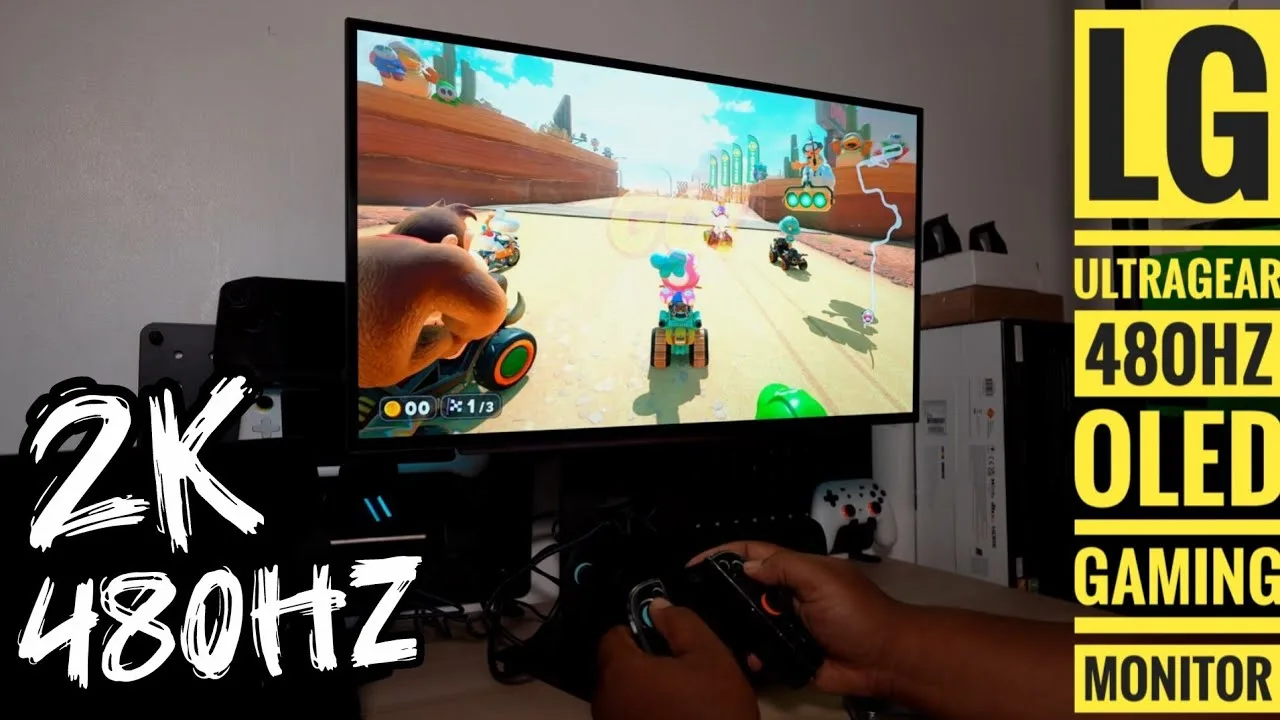
The reviewer tested LG's 27-inch OLED gaming monitor for three weeks, praising its 480Hz refresh rate, 0.3ms response time, and G-Sync compatibility. Setup proved straightforward with tool-free monitor arm attachment and generous stand adjustability including height, swivel, tilt, and rotation. The matte finish effectively minimized reflections under bright lighting, while OLED viewing angles remained consistent from any position. Gaming performance impressed across multiple titles—Ratchet & Clank showed vivid saturation at 1440p high frame rates without ghosting, and racing games suited sim enthusiasts well. The 1440p resolution offered a meaningful upgrade from 1080p without requiring 4K hardware demands. The barrel plug power adapter and lack of built-in speakers represented minor drawbacks.
- →Ideal for competitive esports and sim racing enthusiasts
- →Strong choice for 1440p PC gaming at high refresh rates
- →Pairs well with Nintendo Switch 2 at 120Hz/1440p
- →Requires external speakers or headphones for audio
- →OLED expertise ensures reliable panel performance
 GAMETIME
The LG 27GX790A is the first 27-inch OLED monitor to combine 2560x1440 …
GAMETIME
The LG 27GX790A is the first 27-inch OLED monitor to combine 2560x1440 …
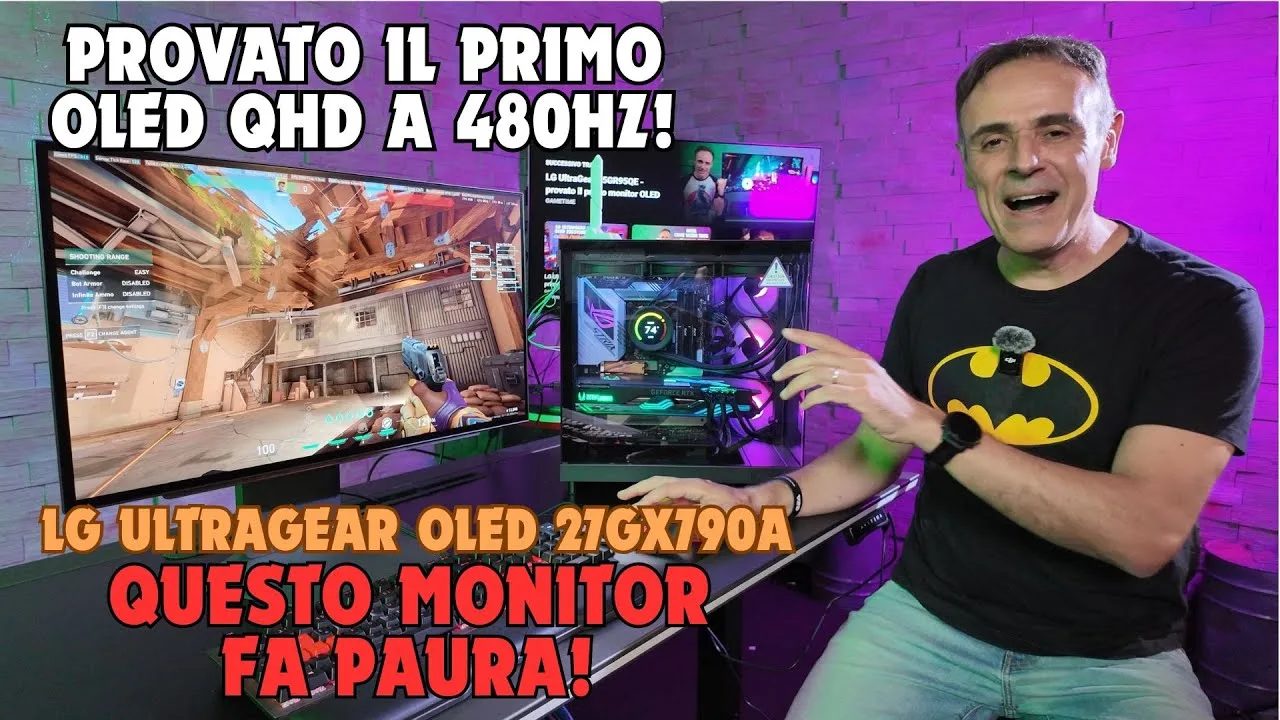
The LG 27GX790A is the first 27-inch OLED monitor to combine 2560x1440 resolution with a 480 Hz refresh rate, targeting competitive gamers unwilling to sacrifice resolution for speed. Its MLA+ panel delivers 0.03ms response times, deep blacks, vivid colors, and peak brightness up to 1300 nits—nearly 40% brighter than previous-generation OLEDs. The reviewer measured real-world lag below 4 milliseconds in Valorant, demonstrating tangible competitive advantages. Beyond gaming, 98.5% DCI-P3 coverage and Delta E under 2 make it viable for color-critical professional work. Connectivity includes DisplayPort 2.1, dual HDMI 2.1, and dual USB ports. Burn-in prevention features address a key OLED concern. The adjustable stand offers height, tilt, swivel, and pivot movement.
- →Ideal for competitive esports requiring minimal input lag
- →Sufficient color accuracy for professional creative workflows
- →Requires powerful GPU to fully exploit 480 Hz potential
- →1440p balance suits both competitive and narrative gaming
- →Burn-in prevention makes OLED viable for daily use
 MDee14
The reviewer presents the LG UltraGear 27GX790A OLED as a premium …
MDee14
The reviewer presents the LG UltraGear 27GX790A OLED as a premium …
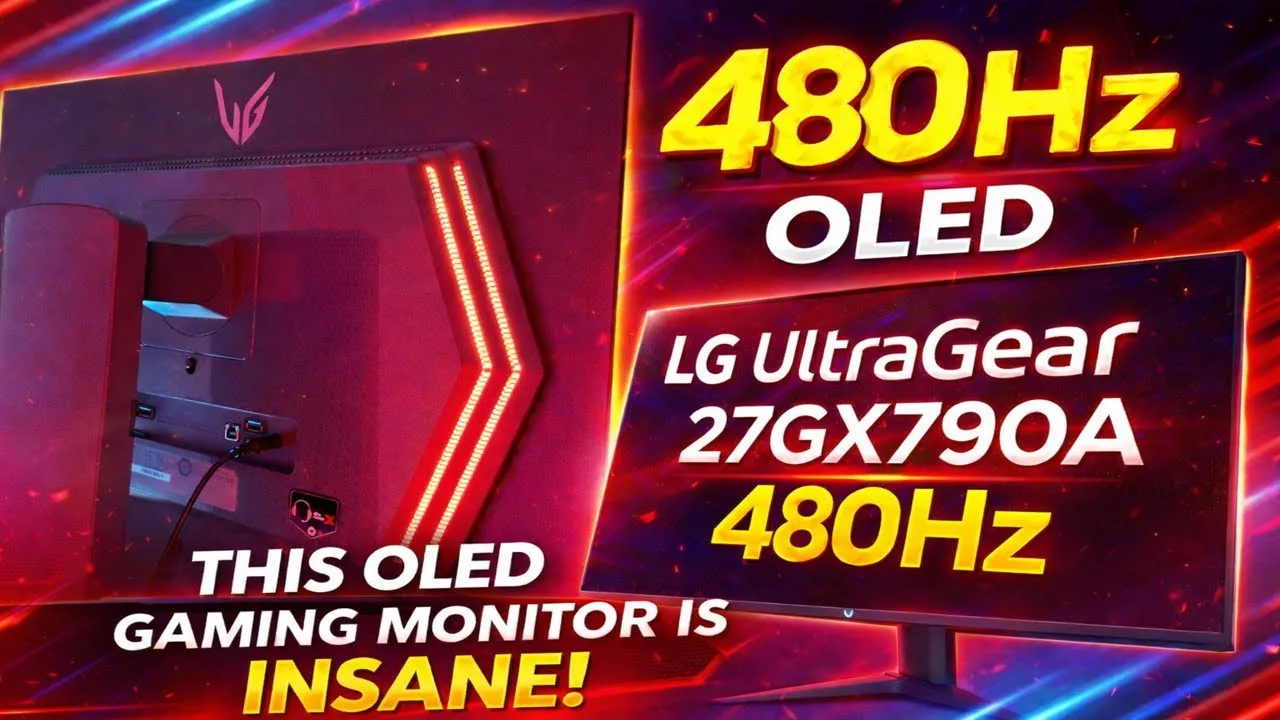
The reviewer presents the LG UltraGear 27GX790A OLED as a premium gaming monitor centered on extreme speed and visual fidelity. Its 480Hz refresh rate paired with 0.03ms G2G response time delivers instant, ghost-free motion. The QHD OLED panel produces perfect blacks with 1.5 million:1 contrast and vibrant colors. DisplayPort 2.1 provides bandwidth for next-gen performance, while dual HDMI 2.1 enables multi-platform use. NVIDIA G-Sync and AMD FreeSync Premium Pro ensure tear-free gameplay. The nearly borderless design with hexagon lighting and streamlined L-stand balances aesthetics with desk space efficiency.
- →Ideal for competitive esports requiring split-second reaction times
- →Excellent for fast-paced shooters demanding zero motion blur
- →Suits cinematic open-world exploration with OLED color depth
- →Future-proof choice with DisplayPort 2.1 next-gen support
- →Perfect multi-platform hub for PC and latest console gaming
Community Discussions via Reddit
Comparison
r/OLED_Gaming
u/aeon100500
The LG 27GX790A features a new dark shield designed to improve performance in lit environments, though the owner notes it still falls short of WOLED technology in this regard. The monitor is used in a generously lit room with large south-facing windows, white walls, and indirect light. Community discussion reveals significant controversy around the monitor's matte coating and purple tint issues, with some users finding these problems exaggerated in photos versus real-world use. The debate centers on whether the anti-glare treatment is acceptable for daytime use, particularly when displaying black content where OLED pixels turn off completely.
Key Insights
- →Best suited for users without direct sunlight and who can control room lighting somewhat
- →Not ideal for bright rooms with white walls and large windows where maximum ambient light rejection is needed
- →Community consensus split on whether purple tint and matte coating issues are photo artifacts or real problems
- →Critical consideration for users who frequently view black content during daytime hours
- →May require room modifications (darker walls, blinds) for optimal experience
Top Comments
I don't "want" anything. You made a comment about the purple tint not mattering because the screen was off, but that's just not accurate because OLED's turn off their pixels when displaying black so …
Yeah, the matte coating looks terrible, and the purple tint is giga exaggerated in photos, if it's visible in real life at all.
That's the worst i get mine to look like when using my phones flashlight. Truly unusable /s …
Comparison
r/Monitors
u/PaleontologistOld889
The LG 27GX790A-B is mentioned as one of two monitors under consideration by a user upgrading from 1080p 60Hz with an RTX 5090. The user is primarily focused on visual quality for non-competitive gaming. However, the author ultimately chose a different monitor (XG32UCWMG) and did not purchase the LG. Community feedback suggests that with a high-end GPU like the 5090, the LG 27GX790A-B represents a more budget-oriented OLED option. No direct owner experiences with this specific LG model were shared in the extracted comments.
Key Insights
- →Not recommended for users with flagship GPUs like RTX 5090 who want to maximize visual fidelity
- →Positioned as a budget-tier OLED option in the market
- →1440p resolution may not provide meaningful differentiation from 4K at 27 inches for users prioritizing image quality
- →No direct owner testimonials or long-term experience data available in this discussion
- →Community consensus favors 4K OLED with newer panels for high-end gaming setups
Top Comments
These monitors are on the cheaper side of oled monitors since you own a 5090 money isn’t a problem so get at least a 4k oled monitor with a latest gen panel
Comparison
r/OLED_Gaming
u/lex_kip
The LG 27GX790A is a high-refresh rate OLED monitor positioned as a more affordable alternative to 500Hz competitors, priced similarly to 280Hz tandem OLED options. However, early adopters report significant quality control issues. Multiple owners describe severe near-black performance problems including black crush and banding that cannot be fixed through settings. Grey uniformity issues improve slightly after pixel refreshes but remain unacceptable for the price point. Users also report VRR flicker, gamma shift, and color inconsistency artifacts. At least two owners initiated returns after brief testing, with one user planning to stay on LCD until OLED panel flaws are resolved.
Key Insights
- →Best suited for users prioritizing refresh rate and price over near-black shadow detail accuracy
- →Not ideal for dark room gaming or content with heavy shadow detail due to unfixable black crush
- →Quality control appears inconsistent enough that multiple early adopters initiated returns
- →Consider waiting for next-generation panel improvements if near-black performance is critical to use case
- →VRR usage may introduce noticeable flicker despite high refresh rate capability
Top Comments
Why would you want VRR with such high frame rate? You won't notice any stutter at high hz but you will notice VRR flicker
Lmfao the tandem has better colors and is 1/3 brighter than qd. Might wana get up to speed at monitors unboxed latest vid if you dont wana take my word https://youtu.be/4bMeGEvHhf0 10:34 ‘Woled …
Just received mine the other day and I must warn about the near black performance. It can't display very dark shades properly, so you get a horendous black crush and banding. And theres nothing you …
Comparison
r/OLED_Gaming
u/sammyboy1591
The LG 27GX790A-B is a matte-finish WOLED monitor that appeals to users prioritizing glare reduction and eye comfort over maximum visual pop. Community discussion reveals it as the practical choice for bright-room setups, with multiple users confirming its effectiveness at managing reflections from windows and daylight. The matte coating diffuses light sources rather than reflecting them distinctly, making it usable without cave-like room conditions. Users with blue or green eyes particularly note the WOLED subpixel layout avoids the color fringing issues reported on QD-OLED alternatives, reducing eye strain during extended use. The monitor suits those wanting OLED image quality without sacrificing ambient lighting or dealing with distracting mirror-like reflections.
Key Insights
- →Best for users with bright rooms, windows, or who prefer working with ambient daylight
- →Recommended for users sensitive to color fringing or with blue/green eyes who experience eye strain from QD-OLED subpixel layouts
- →Not ideal for users prioritizing maximum image crispness and color vibrancy above all else
- →Community consensus: matte vs. glossy choice depends entirely on room environment and personal eye sensitivity, not absolute image quality
- →WOLED technology specifically recommended over QD-OLED for users reporting headaches from color fringing
Top Comments
Yeah I loved the glossy colors but the reflections were way more noticeable than on the matte.
Yeah I couldn't deal with those reflections, and I like to have a bit of day light come on to not feel like a complete vampire lol
Idc if there’s 20 different light sources distorting the image, I’ve always preferred glossy screens over matte regardless of the panel type. I just find them more crisp overall, on or off. But the …
Comparison
r/OLED_Gaming
u/climacc
The LG 27GX790A-B is a 27" 1440p 480Hz OLED monitor being considered by competitive gamers upgrading from older 1080p 144Hz displays. Community discussion reveals this monitor is frequently available at significant discounts (one user secured it for £585 after discounts and cashback), making it price-competitive with 240Hz OLED alternatives. Owners emphasize its strong future-proofing value, as monitors typically outlast PC builds. The 480Hz refresh rate provides headroom for high-FPS titles like Valorant, Overwatch 2, and Apex Legends where users report pushing 400+ FPS. However, community consensus suggests the jump from 240Hz to 480Hz offers diminishing returns for competitive performance, serving more as a visual experience improvement rather than meaningful gameplay advantage due to human reaction time limitations.
Key Insights
- →Best for competitive gamers who play lighter titles capable of 400+ FPS and want future-proofing
- →Not ideal for users seeking maximum value if primarily playing demanding titles at ~250 FPS
- →Community consensus: 240Hz OLED provides comparable visual experience due to OLED's superior motion handling
- →Monitor longevity justifies higher upfront investment for users planning future PC upgrades
- →Pricing deals can make this monitor equivalent in cost to 240Hz alternatives, removing price barrier
Top Comments
I mean, your monitor will probably outlast your pc, so once you upgrade but still use the same monitor, it will be even better. If you have the money, why not.
Ngl, going from 240Hz to 480Hz is more of a visual experience improvement than any meaningful difference in competitive titles. The average human reaction time is probably ~300 times the difference …
100%. If you’ve never had OLED, 240Hz on an OLED is similar to like 360 or 480 on an IPS. It is like this because of the superior motion handling of OLED technology. You need less Hz with OLED to …
Quick Opinion
r/OLED_Gaming
u/lvl99slayer
A new owner of the LG 27GX790A discovered visible grey banding on certain backgrounds, particularly mid-tones, though it was not visible on pure black or white screens. Community consensus indicates this is normal behavior for this WOLED panel. The issue can be substantially improved through manual pixel cleaning cycles accessible in the monitor's settings menu. One owner reported successful reduction of banding after running a manual clean. However, multiple users note that some degree of grey banding will persist permanently on this panel type, especially visible in gray tones where the image may appear slightly grainy. The community is divided on whether this is acceptable—some consider it inherent to WOLED technology, while others argue a brand new panel should not exhibit this issue after proper refresh cycles.
Key Insights
- →Best for users who primarily view content with black or white backgrounds where banding is not visible
- →Not ideal for users highly sensitive to uniformity issues or those working extensively with gray/mid-tone content
- →Expect to run manual pixel cleaning cycles during first weeks of ownership to minimize banding
- →Some degree of graininess in grays is permanent characteristic of this panel—set expectations accordingly
- →Consider verifying panel behavior during return window, as community disagrees on whether persistent banding is acceptable for a new display
Top Comments
Yes. Just look at other posts regarding this monitor on this subreddit. It will likely clear up a bit over time as it runs pixel cleaning cycles. If it bothers you enough, you can run a pixel …
it's called grey banding and yes it is perfectly normal for a WOLED monitor. It will reduce over time with pixel cleaning but never go fully away. if that clearly bother you, you should go QD oled …
Appreciate the reply. I’ll just let it run its course and see if it clears up before manually doing it. Thanks!
Comparison
r/OLED_Gaming
u/letired
The LG 27GX790A-B is a 27-inch OLED gaming monitor that left multiple owners disappointed despite its deep sale price of €574. Users report the monitor suffers from excessive default sharpness causing artifacting and an ugly picture, dull and washed-out colors in both SDR and HDR modes, and blurry text rendering that impacts productivity use. One owner found reducing sharpness by 10 in the OSD partially resolved the issue, while another noted matte coating contributed to a grainy, dirty appearance. Multiple users returned the monitor. The experience falls significantly short of larger LG OLED TVs and other OLED panels, suggesting quality control or calibration issues rather than fundamental OLED technology limitations.
Key Insights
- →Best suited for users willing to spend time calibrating and adjusting OSD settings, not plug-and-play buyers
- →Productivity and text-heavy use cases are significantly compromised without sharpness adjustments
- →HDR performance particularly disappointing; SDR also requires Windows color management intervention
- →Factory calibration appears inadequate; budget for calibration device or accept suboptimal colors
- →Strong consensus that monitor underdelivers relative to expectations set by other OLED experiences
Top Comments
I also have the same monitor and turning down the sharpness by 10 on the monitor OSD fixed it for me. Text clarity was not an issue in contrast to what people say about OLED text fringing for some …
Tried the same monitor and returned it got a xg27ucdm, matte screens just make everything look dirty to me, or grainy, makes text hard to read. My current screen has been infinitely better
The colors being washed out might be because of Windows. You're gonna want to right click on your desktop > Display > Color profiles. And there you're gonna want to DISABLE the automatic color …
Troubleshooting
r/OLED_Gaming
u/ANutshelll
Owner of a new LG 27GX790A (480Hz 1440p OLED) experienced severe display signal loss and game freezing when launching CS2 in fullscreen using the included DisplayPort 2.1 cable with an RTX 5080. Multiple troubleshooting attempts failed including adjusting refresh rates, enabling/disabling G-Sync/Adaptive Sync, and trying different resolutions. The issue persisted across multiple DisplayPort 2.1 cables, including a certified Cable Matters 80Gbps cable. The only successful workaround required switching to HDMI 2.1, using CRU to force 480Hz by removing other refresh rates, and manually adding custom resolutions since NVIDIA Control Panel was non-functional. The monitor was unusable out-of-box with DisplayPort for this user's primary use case.
Key Insights
- →Best for users willing to use HDMI 2.1 connection rather than DisplayPort 2.1; DisplayPort currently non-functional for at least some RTX 5080 configurations
- →Not ideal for users expecting plug-and-play experience with DisplayPort 2.1 and latest NVIDIA GPUs; requires significant technical troubleshooting
- →Community finding: DisplayPort 2.1 compatibility issues appear cable-independent, suggesting monitor firmware or GPU/monitor handshake problem rather than cable defect
- →Workaround exists for stretched resolution users via CRU utility, but requires technical expertise and sacrifices multi-refresh-rate flexibility
- →Early adopter product with minimal community knowledge base; buyers should expect to self-troubleshoot
Top Comments
Have you tried what I have written in edit 4?
Works perfectly fine, using HDMI still, frames depend on my PC, not the monitor, depends on what game, settings, but in CS I hit 500+ easily and don't notice any stutters.
I see... However, wouldn't DSC be only very 'light' as the 5080 has display port 2.1 and the monitor also has display port 2.1 (although I read it wasn't the full bandwidth)? I think I will test with …
Quick Opinion
r/OLED_Gaming
u/phishnchips_
The LG 27GX790A is a WOLED gaming monitor featuring a new RGWB subpixel layout and matte coating, tested by a user sensitive to OLED eye strain. The reviewer found the monitor unsatisfactory due to its matte coating causing significant image quality degradation. Despite the improved subpixel layout, the coating made the picture appear hazy and blurry, rendering text unclear. The reviewer abandoned the monitor after brief testing and explicitly rejected matte OLED technology entirely, opting for glossy WOLED alternatives instead. No long-term ownership experience exists.
Key Insights
- →Not suitable for users prioritizing text clarity and sharp image reproduction
- →Matte coating fundamentally compromises OLED's inherent contrast and clarity advantages
- →Users sensitive to display haze/blur should avoid matte-coated OLED monitors entirely
- →Subpixel layout improvements alone cannot overcome coating-related image degradation
- →Glossy WOLED alternatives preferred by users seeking maximum clarity from OLED technology
Top Comments
Hmm maybe i’ll try messing with cleartype again
Agreed, im holding out for the new WOLEDs coming in Q4. If it wasnt for WOLED i’d have to go back to an IPS panel.
Perfect monitor, literal 10/10
Scores based on weighted analysis of 26 expert and community sources. How we review →