

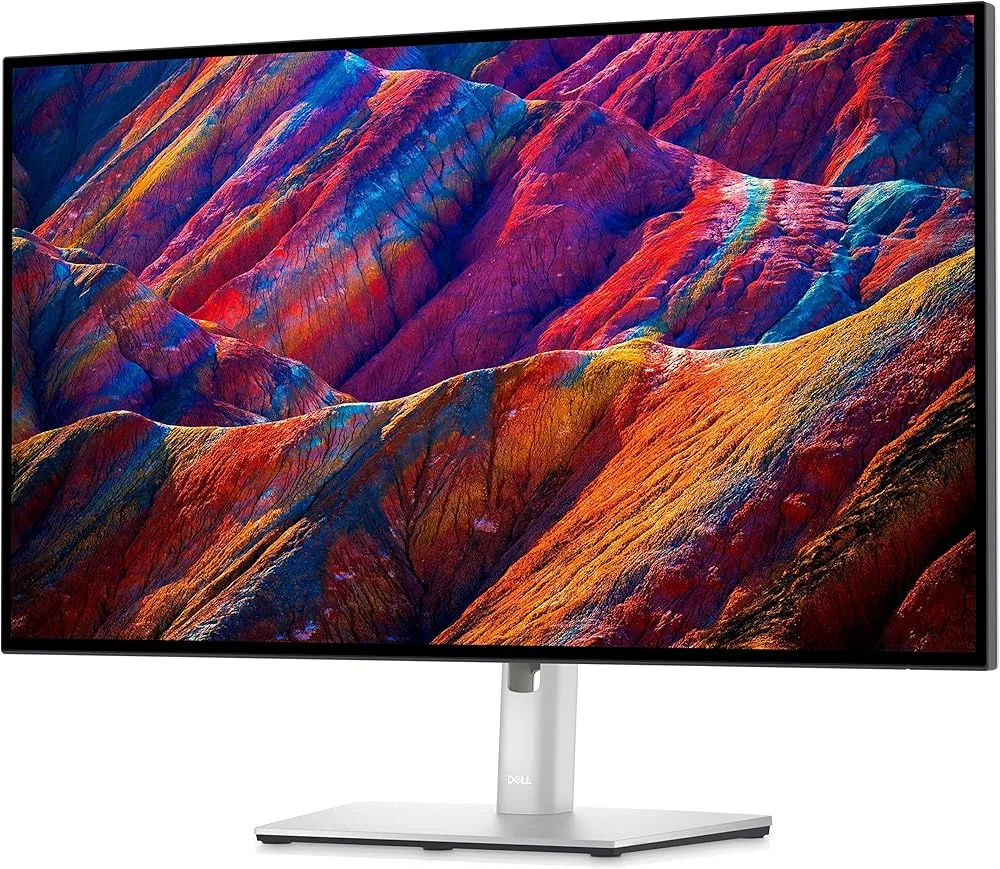
BenQ PD2725U
Best For
- Creatives needing precise color
- Professionals using HDR and 4K
- Users valuing sleek design and ergonomics
Consider Carefully
- Budget-conscious 4K monitor shoppers
- Those prioritizing built-in speaker quality
Jump to Section
The Bottom Line
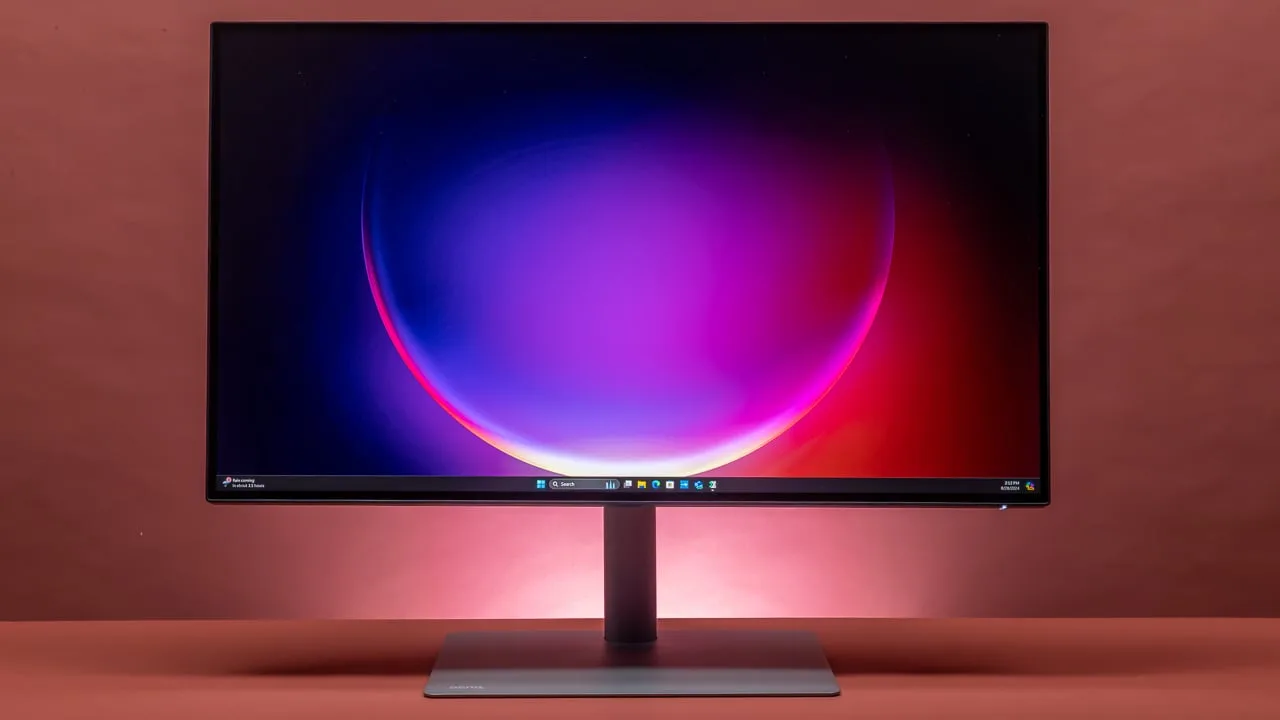
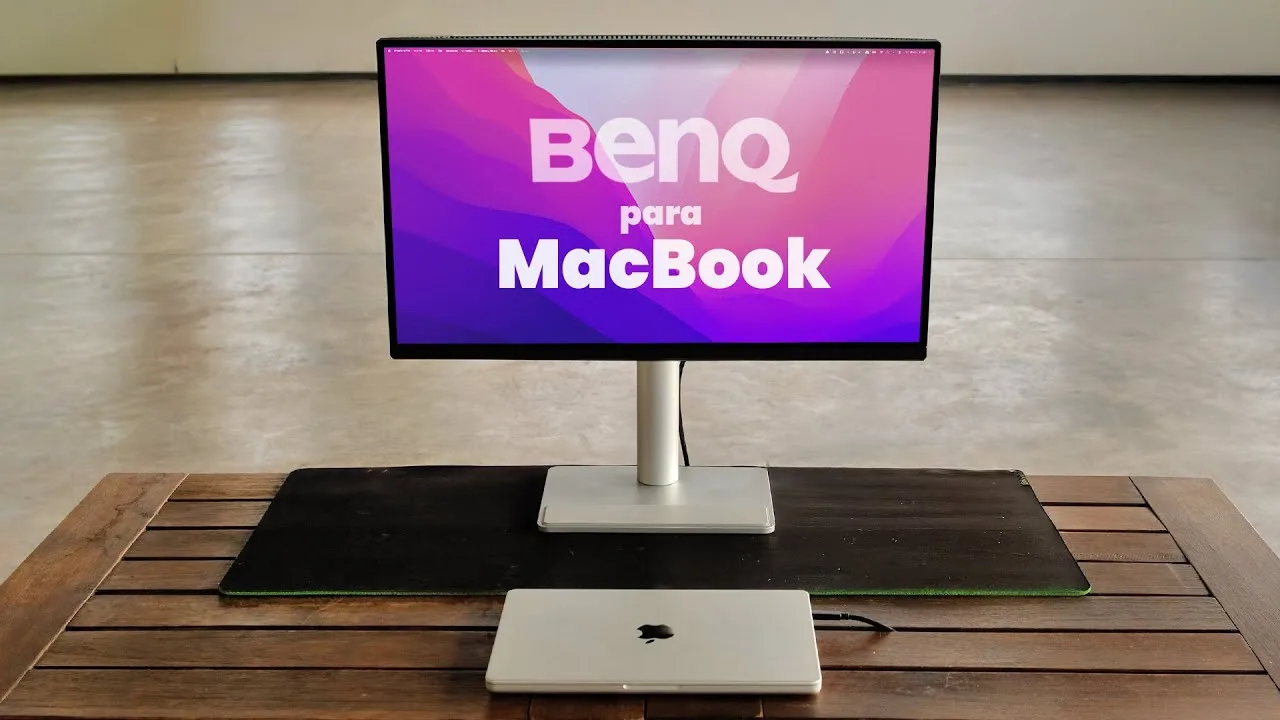
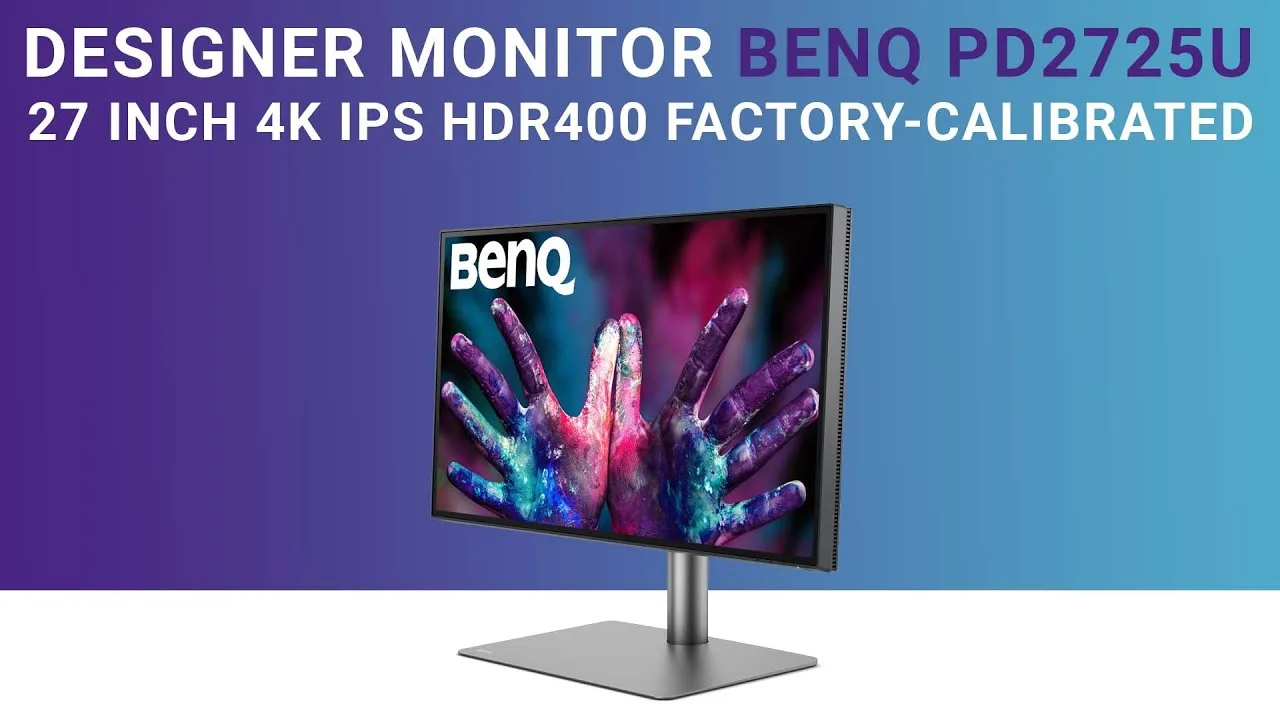
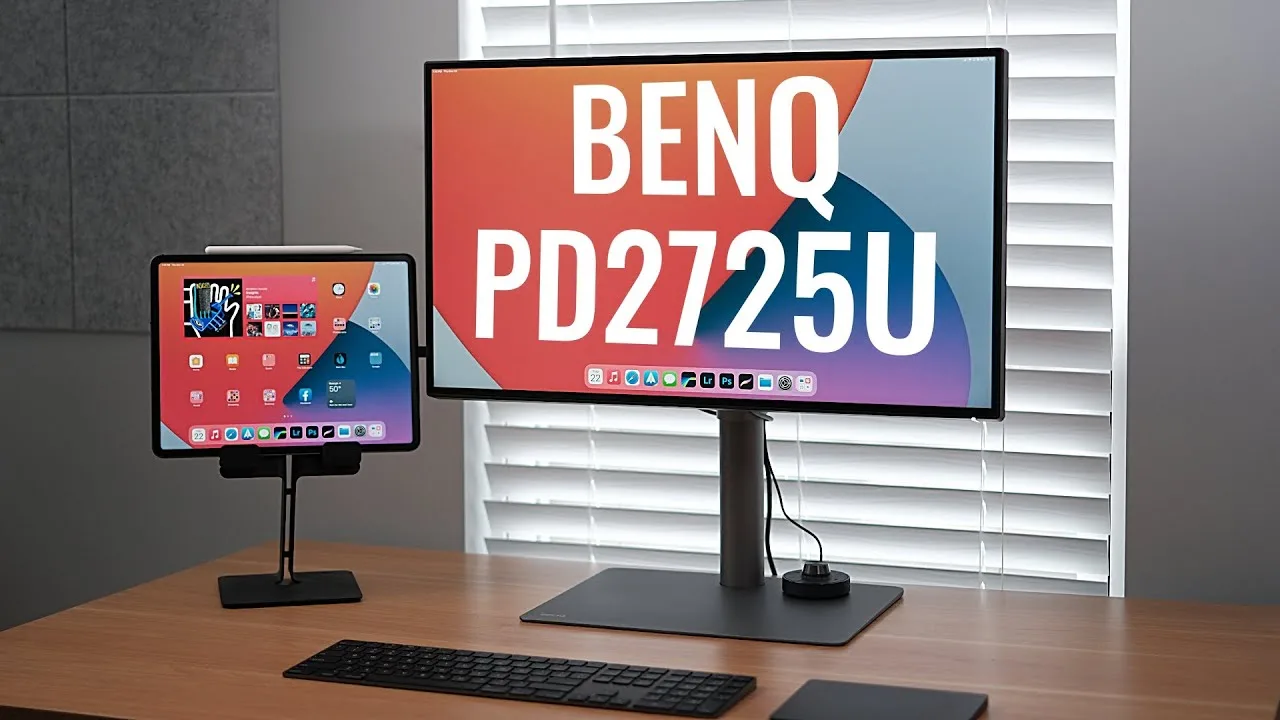
The BenQ PD2725U is a 4K HDR IPS monitor built for creative professionals who need accurate, consistent color. Its panel covers 100% sRGB, 100% Rec. 709, and 95% DCI-P3, with factory calibration included, making it well-suited for photography, video editing, and design work. HDR10 support adds headroom for high-dynamic-range workflows. The connectivity options are another strong point, with Thunderbolt 3 and USB-C supporting daisy-chaining and 60W power delivery for a cleaner desk setup. However, some sources flag the poor built-in speakers and the difficulty of connecting cables without tilting the monitor on its side.
Performance Breakdown
Expert Scores
How 4 professional publications rated this product
In-Depth Analysis
Color Accuracy 92
Near-unanimous across 25 sources: this is a professional-grade color monitor. The only real knock comes from one Reddit user who found the Asus ProArt PA279CRV more capable.
Key Takeaway
→If color accuracy is your primary purchase criterion, 25 sources say this monitor delivers without needing post-purchase calibration.
Connectivity Options 89
Thunderbolt 3, USB-C, HDMI, DisplayPort, and KVM in one box. The only real gap: it stops at Thunderbolt 3, not 4.
Key Takeaway
→For MacBook and multi-device workflows, the port selection is genuinely useful. Just know you're getting Thunderbolt 3, not 4.
Software & OSD Controls 87
The Hotkey Puck and DisplayPilot software are well-regarded across sources. Minor complaints about puck design and macOS scaling are the only friction points.
Key Takeaway
→The Hotkey Puck alone justifies the software score. If you're on macOS, expect some friction finding the right scaling settings.
Ergonomics & Stand 84
Six sources confirm the stand is genuinely adjustable and well-built. The large footprint is the main trade-off.
Key Takeaway
→The stand covers every adjustment you'd want for long sessions. If desk space is tight, budget for a VESA arm instead.
Calibration & Color Spaces 84
Factory calibration and multi-color-space support are genuine strengths, but Prad found that enabling uniformity compensation tanks contrast and spikes power draw.
Key Takeaway
→Trust the factory calibration, use the color presets, and leave uniformity compensation off. That's the configuration Prad's testing supports.
Display Performance 78
Sharp 4K IPS panel with strong creative credentials, but a 60Hz cap, mediocre HDR implementation, and flickering reports in r/BenQ pull the score down.
Key Takeaway
→Buy this for 4K color work, not for HDR impact or high-refresh gaming. The panel excels at what professional monitors are supposed to do.
Design & Build Quality 76
The aluminum stand and thin bezels earn consistent praise, but durability concerns and a cable-access problem keep this from being a clean win.
Key Takeaway
→The build looks and feels premium on a desk, but factor in the awkward port placement and unresolved durability questions before committing at this price.
Built-in Speakers 48
Four of five sources call the built-in speakers weak. The one positive note from thehindu.com is that they enhance usability, which is a low bar.
Key Takeaway
→Plan for external speakers. The built-ins work in a pinch but won't satisfy anyone doing audio-aware creative work.
Specifications & Verdict
Display
- Screen Size
- 26.9 in
- Resolution
- 3840 × 2160
- Aspect Ratio
- 1.778:1
- Pixel Density
- 163 ppi
- Panel Type
- IPS
- Curvature
- No
- Screen Coating
- Anti-glare/Matte (3H)
- Backlight
- W-LED
Performance
- Refresh Rate
- 60 Hz
- Response Time
- 5 ms
- Adaptive Sync
- None
Image
- Contrast Ratio
- 1000 : 1
- Brightness
- 350 nits
- Color Gamut
- 100 %
- Color Depth
- 10 bits (8 bits + FRC)
- HDR Support
- DisplayHDR 400
- Viewing Angles
- 178 °
Connectivity
- Video Inputs
- 2x HDMI 2.0, 1x DisplayPort 1.4
- HDMI Ports
- 1
- HDMI Version
- HDMI 2.0
- DisplayPort
- 0
- DisplayPort Version
- 1.4
- USB Ports
- 0
- Audio Output
- 1x 1/8" / 3.5 mm (Headphone)
- Speakers
- 2 x 2 W
Design
- Weight
- 8300 g
- Dimensions
- 596.736 mm
- Panel Thickness
- 177 mm
- VESA Mount
- Yes
- Height Adjustment
- 150 mm
- Tilt
- -5 - 20°
- Swivel
- -30 - 30°
- Pivot
- 0 - 90°
- Stand Adjustments
- Height: 5.91" / 150 mm, Tilt: 25° (-5 to 20°), Rotation: 90°, Swivel: 60° (-30 to 30°)
- Remote Control
- No
Power
- Power Consumption
- 44W
- Certifications
- ENERGY STAR, EPEAT GOLD, TCO Certified
Other Specs
- Special Features
- AQCOLOR technology, Yes: Picture-in-Picture (PIP), Picture-by-Picture (PBP)
- Hdcp Support
- Yes: Version 2.2
- Lock Slot
- No
- Package Weight
- 23.61 lb
- Box Dimensions
- 27 x 24.3 x 6.7"
- Input Power
- 100 to 240 VAC, 60 / 50 Hz
- Power Adapter Type
- Internal
- Operating Conditions
- 104 to 32°F / 0 to 40°C at 10 to 90% Humidity
- Storage Conditions
- -4 to 140°F / -20 to 60°C at 10 to 60% Humidity
Our Verdict
The BenQ PD2725U is a solid monitor for professionals who need reliable color accuracy and flexible connectivity. The 4K IPS panel, 100% sRGB and Rec. 709 coverage, and Thunderbolt 3 support make it a good fit for designers, photographers, and video editors. That said, the premium price, weak built-in speakers, and awkward cable access are real trade-offs. If color precision is your priority and budget is not a barrier, this is a good choice. If you need strong audio or are comparing value against other 4K monitors, look carefully before committing.
Customer Reviews Amazon
570 reviews
Amazing
Excellent monitor for graphic design and video editing, great value
Con sus detalles sí, pero un magnífico monitor.
Arızalı ürün
Show all 7 reviews
Best 5K Monitor - Thank You BenQ
Beautiful BenQ 27” 5k monitor!
Great monitor for design and animation
Reviews shown are from Amazon customers and do not reflect our editorial assessment.
Reader Questions
Specific questions about the BenQ PD2725U, answered only from what reviewers reported.
01Is the BenQ PD2725U accurate enough for professional color work?
Reviewers consistently found the color accuracy strong enough for professional use, with coverage of 100% sRGB and 95% P3 noted alongside factory and hardware calibration. The 10-bit color support, achieved via 8-bit plus FRC, was also called out as valuable for color-critical tasks.
02What connectivity options does the PD2725U offer?
The monitor includes Thunderbolt 3, USB-C, HDMI, and DisplayPort, giving it a broad range of options for connecting different devices. Reviewers highlighted Thunderbolt 3 in particular as useful for simple single-cable setups, especially for Mac users.
03How is the design and build of the PD2725U?
Reviewers described the monitor as sleek and minimalist, with thin bezels and a flexible, adjustable stand. The space-saving footprint and small base were also noted as positives for desk setups.
04Are the built-in speakers any good?
The built-in speakers were a consistent weak point across reviews. Reviewers found them lacking in depth and power, making them unsuitable for professional audio work.
Pricing & Availability
Updated Feb 17, 2026BenQ PD2725U
All regions
Sources & Methodology
Every score is built on evidence. This review synthesizes 38 independent sources — expert publications, video reviews, and community discussions — weighted by credibility, depth, and relevance.
Show detailed source analysis ↓ Hide source analysis ↑
Expert Reviews
techradar.com
Top
4/5-point
The BenQ PD2725U impresses with its excellent color accuracy, making it ideal for creative professionals. Its sleek design, featuring thin bezels and an adjustable stand, complements any workspace. The monitor offers a wide range of connectivity options, including Thunderbolt 3 and USB-C, enhancing its versatility. However, the high price point and poor built-in speakers are notable drawbacks.
Strengths
- +Excellent color accuracy for professional work
- +Wide range of connectivity options, including Thunderbolt 3 and USB-C
- +Sleek design with thin bezels and an adjustable stand
- +On-screen display and shortcut keys for easy navigation
Weaknesses
- −Expensive compared to other 4K monitors on the market
- −Poor built-in speakers compared to rivals
lensespro.org
Top
The BenQ PD2725U Monitor delivers a crisp 4K display tailored for creative professionals, offering precise color reproduction, wide color gamut, HDR support, and versatile connectivity. Its ergonomic design and factory calibration ensure reliable results for photo and video work. The monitor's solid build and uncluttered design make starting a color session painless, while the USB-C connector simplifies cable management. The 27-inch canvas speeds up culling and retouching, and the HDR previews are a practical asset for hybrid photo/video projects.
Strengths
- +27-inch 4K UHD for detailed photo work
- +Wide-gamut support for advanced color workflows
- +High color accuracy with factory/hardware calibration
- +USB-C connectivity for modern laptop workflows
Weaknesses
- −Several key specs not consistently listed across reliable sources
larryjordan.com
The BenQ PD2725U is a 4K monitor designed for color accuracy, ideal for professionals like designers and videographers. It offers multiple connectivity options and is Pantone-certified. The stand provides ease of movement, but cable management can be cumbersome. The monitor's color settings closely match MacBook Pro, and it supports a wide range of color spaces for precise color reproduction.
Strengths
- +Excellent color accuracy for professional work.
- +USB-C connectivity simplifies cable management.
- +Supports multiple color spaces for precise reproduction.
- +Easy assembly and adjustable stand.
Weaknesses
- −Difficult to connect cables without laying the monitor on its side.
mansworldindia.com
The BenQ PD2725U offers a sleek design with a 27-inch 4K display, providing excellent color accuracy and flexibility for professional work. Its multiple connectivity options, including Thunderbolt 3, make it an ideal accessory for laptops. The monitor also features a convenient hotkey puck for easy input switching and a Picture-in-Picture mode for multitasking.
Strengths
- +Sleek and sturdy design with flexible stand
- +Multiple connectivity options including Thunderbolt 3
- +Convenient hotkey puck for input switching
- +27-inch 4K display with excellent color accuracy
Weaknesses
- −Lack of powerful built-in speakers
asianphotographyindia.com
The BenQ PD2725U is a 27-inch 4K UHD monitor designed for creative professionals, offering advanced features that enhance productivity and provide a stunning visual experience. Its sleek design, accurate color reproduction, and ergonomics showcase BenQ's commitment to excellence. The monitor's 100% sRGB color gamut and HDR10 support deliver lifelike precision and an immersive display, making it ideal for graphic design, photography, and video editing.
Strengths
- +Sleek and minimalist design with 27-inch IPS panel
- +3840×2160 pixel resolution for unrivalled visual clarity
- +100% sRGB color gamut ensures color accuracy
- +HDR10 support for enhanced dynamic range and brighter highlights
thehindu.com
The BenQ PD2725U impresses with its minimalist design, ample connectivity options, and excellent color accuracy. It's equipped with a sturdy stand, pivot and rotate functionality, and a Hotkey Puck G2 for easy control. The monitor's 4K resolution, combined with 100% sRGB / Rec. 709 and 95% DCI-P3 color gamuts, makes it a strong choice for content creation. However, its built-in speakers, while useful, lack depth for professional audio work.
Strengths
- +Sturdy display stand fits neatly on smaller work tables.
- +Ample ports for connectivity including HDMI, DP, and Thunderbolt 3.
- +IPS display with 4K resolution and 100% sRGB / Rec. 709 color gamut.
- +Good viewing angles and color accuracy.
Weaknesses
- −Built-in speakers lack depth for professional audio work.
monitornerds.com
The BenQ PD2725U is a high-quality 27-inch 4K UHD monitor designed for professional work and content creation. It features a sophisticated aesthetic, excellent build quality, and a versatile stand offering multiple adjustments. The monitor boasts flagship-level color performance, covering 100% sRGB and 95% DCI-P3, with accurate color presets that require minimal calibration for most users. Its connectivity options, including Thunderbolt 3 technology, make it a strong choice for MacBook users and those needing to daisy-chain monitors.
Strengths
- +Sleek and sophisticated design
- +Excellent build quality and stable stand
- +Versatile stand with multiple adjustments
- +Flagship-level color performance
Weaknesses
- −Limited to 60Hz refresh rate
tftcentral.co.uk
The BenQ PD2725U is a 27-inch 4K monitor designed for color-critical and professional use, featuring a wide color gamut and Thunderbolt 3 connectivity. It offers excellent color accuracy with 95% DCI-P3 coverage and individual per-calibration, making it ideal for designers and content creators. The monitor also includes a range of connectivity options and picture preset modes, enhancing its versatility.
Strengths
- +3840 x 2160 4K resolution for sharp images
- +Wide color gamut with 95% DCI-P3 coverage
- +Individually per-calibrated for accurate color
- +Thunderbolt 3 connectivity for simple setup
Appleinsider
50/100
The BenQ PD2725U, a 27-inch 4K monitor, is marketed as Mac compatible but falls short in providing a retina display with 163ppi. While it targets professionals needing color accuracy, everyday users may find the text and UI elements less crisp. The monitor's stand is adjustable and a highlight, but its large footprint and difficult-to-reach ports are downsides. It includes various cables and has KVM functionality, but the Thunderbolt 3 cable is shorter than expected. The sound quality is poor, and there's no video camera.
Strengths
- +Adjustable stand allows easy height adjustment
- +Includes various cables for connectivity
- +KVM functionality for switching between computers
Weaknesses
- −Non-retina display results in less crisp text
- −Large stand footprint and hard-to-reach ports
- −Poor sound quality from built-in speakers
- −No video camera included
Prad
4.3
The BenQ PD2725U impresses with robust aluminum construction and premium build quality throughout. Its OSD is exceptionally well-designed—comprehensive yet intuitive, with responsive navigation via the included Hotkey Puck. Video playback benefits from dual HDMI 2.0 ports and 4K resolution, though 24p content cannot play at native resolution with GeForce graphics cards. The extended color space toward DCI-P3 enhances saturated colors without appearing oversaturated, and multiple color presets (sRGB, Rec. 709, DCI-P3) suit video editing workflows. DisplayHDR 400 certification is present but limited by the native 1200:1 contrast ratio. A significant caveat concerns the uniformity compensation: enabled by default, it severely compromises contrast, peak brightness, power consumption, and color accuracy. The reviewer recommends treating it as a temporary feature only when absolute uniformity is essential.
Strengths
- +Premium all-aluminum stand construction
- +Intuitive, professional-grade OSD with excellent responsiveness
- +Useful Hotkey Puck with smooth rotary dial
- +Dual HDMI 2.0 inputs for external devices
Weaknesses
- −Cannot scale older SD formats without distortion
- −24p playback unavailable at native resolution
- −DisplayHDR 400 limited by 1200:1 native contrast
- −Uniformity compensation severely degrades contrast and brightness
Exhibit
8.8
The BenQ PD2725U monitor impresses with its design and performance, offering a crisp and immersive visual experience. It features a large, thin base with usable space, a minimal design, and a well-balanced screen real estate for its 27-inch size. The monitor provides extensive connectivity options, including HDMI ports, a USB 3.0 hub, a 3.5mm jack, and Thunderbolt 3. Powered by an IPS-grade panel with 3840 x 2160 resolution, it supports 100% sRGB/Rec. 709 and 95% DCI-P3 color gamuts, delivering solid visuals and color accuracy. However, the in-built speaker is underwhelming, and the absence of Thunderbolt 4 is noted.
Strengths
- +Aesthetically pleasing minimal design
- +Wide option of connectivity ports including Thunderbolt 3
- +IPS-grade panel with 3840 x 2160 resolution
- +Supports 100% sRGB/Rec. 709 and 95% DCI-P3 color gamuts
Weaknesses
- −In-built speaker is underwhelming
- −Lacks Thunderbolt 4 port
Australianphotography
A well-rounded 4K monitor for creative professionals, featuring excellent color accuracy with 99% sRGB/Rec.709 coverage, Pantone certification, and factory calibration. Setup is straightforward via USB-C, taking about 15 minutes. The included Hotkey puck enables quick profile switching and settings adjustments. The stand offers smooth height adjustment and portrait rotation. Port selection is generous with dual USB-C, HDMI 2.0, DP 1.4, and multiple USB ports. KVM functionality allows controlling multiple devices with one keyboard and mouse. The 163 PPI pixel density delivers sharp images with strong contrast. However, the 60Hz refresh rate limits appeal for gaming or high-frame-rate content.
Strengths
- +Excellent color accuracy with 99% sRGB/Rec.709 coverage
- +Pantone certified and factory calibrated out of the box
- +Included Hotkey puck for quick profile switching
- +User-friendly stand with height adjustment and portrait mode
Weaknesses
- −60Hz refresh rate limits gaming and high-frame-rate use
Video Reviews
 Romedia Films
The BenQ PD2725U is a 27-inch 4K Ultra HD 10-bit IPS monitor with …
Romedia Films
The BenQ PD2725U is a 27-inch 4K Ultra HD 10-bit IPS monitor with …
The BenQ PD2725U is a 27-inch 4K Ultra HD 10-bit IPS monitor with HDR400 and Thunderbolt 3 connectivity, designed for creative professionals. It boasts a sleek design with a sturdy metal stand and a space grey finish, compatible with Mac users. The monitor offers extensive adjustability, including tilt, swivel, height adjustment, and vertical rotation, making it versatile for various tasks. It features AccuCore technology, covering 100% sRGB and 95% P3 color space, ensuring accurate color representation. Each unit comes pre-calibrated with a certification report guaranteeing reliable color performance.
- →Ideal for creative professionals requiring color accuracy
- →Versatile adjustability for comfortable viewing
- →Suitable for Mac users with Thunderbolt 3 connectivity
- →Excellent color coverage with 100% sRGB and 95% P3
- →Practical for photography and graphic design work
 techstube
The BenQ PD2725U is a 27-inch monitor with a 16:9 aspect ratio, …
techstube
The BenQ PD2725U is a 27-inch monitor with a 16:9 aspect ratio, …
The BenQ PD2725U is a 27-inch monitor with a 16:9 aspect ratio, designed for professional users like graphic designers, architects, and video editors. It features a nearly frameless display for a clean look and a sturdy stand. The pre-calibrated IPS panel ensures reliable color accuracy and brightness, making it indispensable for HDR work and color-critical tasks. The monitor also includes a variety of display modes, including a MacBook mode for accurate color matching, and a Darkroom mode for reducing eye strain in darker environments.
- →Ideal for professionals requiring accurate color representation
- →HDR support enhances video editing and graphic design work
- →Useful for dual-monitor setups, especially with MacBook mode
- →USB-C connectivity simplifies setup and charging
- →Hotkey Puck streamlines workflow by simplifying settings adjustments
![Hu Films [ Hugh Sweeney ] video review thumbnail](/images/reviews/benq-pd2725u/video-70e53dc59ce.webp) Hu Films [ Hugh Sweeney ]
Hugh Sweeney shares his experience with the BenQ PD2725U, a 27-inch …
Hu Films [ Hugh Sweeney ]
Hugh Sweeney shares his experience with the BenQ PD2725U, a 27-inch …
Hugh Sweeney shares his experience with the BenQ PD2725U, a 27-inch LED backlit monitor designed for graphic designers but versatile enough for photography, video editing, animation, gaming, and more. Priced at $950, it's factory calibrated and offers good value in the color grading monitor market. The monitor has a sleek design with minimal bezels, and the spring-loaded stand makes setup quick and easy. Connectivity is robust with two USB type C Thunderbolt connections and older USB ports.
- →Suitable for graphic design, photography, and video editing
- →Value for money in the color grading monitor spectrum
- →Easy to set up and integrate into workspace
- →Could benefit from design improvements on the puck
 Better Creating
The BenQ PD2725U is a 27-inch 4K IPS panel with a 60 Hertz refresh …
Better Creating
The BenQ PD2725U is a 27-inch 4K IPS panel with a 60 Hertz refresh …
The BenQ PD2725U is a 27-inch 4K IPS panel with a 60 Hertz refresh rate, Thunderbolt 3 connectivity, and excellent color accuracy. It stands out for its premium build quality, clean and minimal design, and user-friendly interface. The monitor's 360 bezels and space gray industrial look contribute to its aesthetic appeal, fitting well with Apple's design aesthetics. It offers extensive user settings and software extras, making it a solid choice for creative professionals.
- →Ideal for creative professionals requiring high color accuracy
- →Suitable for those who value premium build quality and design
- →Offers versatility with multi-input support and user settings
- →Good option for compact desk spaces due to its size
 Hugo's Desk
The BenQ PD2725U Professional Monitor from BenQ's Designer Series …
Hugo's Desk
The BenQ PD2725U Professional Monitor from BenQ's Designer Series …
The BenQ PD2725U Professional Monitor from BenQ's Designer Series impresses with its sleek, modern design and versatility for professional work. It's well-suited for a variety of tasks including 3D, illustrations, CAD, editing, grading, and visual effects. The monitor's 27-inch 4K IPS LED backlight panel supports 10-bit color, though it's 8-bit plus FRC like many other displays. Its DisplayPilot software enhances user experience by simplifying source switching and settings adjustments.
- →Ideal for professionals requiring a high-resolution display for design work.
- →The DisplayPilot software is a significant advantage for workflow efficiency.
- →10-bit color support is valuable for color-critical tasks, despite being 8-bit plus FRC.
- →Consider VESA wall mounting due to the monitor's space-consuming base.
 John Branch IV Photography
The BenQ PD2725U is a 4K UHD IPS monitor with a brightness of 250 …
John Branch IV Photography
The BenQ PD2725U is a 4K UHD IPS monitor with a brightness of 250 …
The BenQ PD2725U is a 4K UHD IPS monitor with a brightness of 250 nits, praised for its color accuracy and versatility in post-production for photography and videography. It offers a minimalistic design with thin bezels and a matte finish, fitting well into any desk setup. The monitor includes a range of connectivity options and built-in cable management, ensuring a clean and organized workspace. Its adjustable base allows for height, tilt, and rotation, providing flexibility for various viewing needs.
- →Ideal for photographers and videographers needing color accuracy
- →Versatile connectivity options for various devices
- →Space-saving design with thin bezels and small base
- →Built-in DisplayPilot app for easy monitor control
 Nemanja Sekulic
The BenQ PD2725U is a professional-grade monitor praised for its …
Nemanja Sekulic
The BenQ PD2725U is a professional-grade monitor praised for its …
The BenQ PD2725U is a professional-grade monitor praised for its excellent color accuracy and USB-C connectivity. It offers a high-resolution display, making it suitable for graphic design and video editing. The monitor also supports a wide color gamut, enhancing the visual experience for users.
- →Ideal for graphic designers and video editors
- →USB-C port is convenient for modern devices
- →Wide color gamut improves color representation
- →High resolution provides detailed imagery
 all things tech
The BenQ PD2725U offers excellent color accuracy, making it ideal for …
all things tech
The BenQ PD2725U offers excellent color accuracy, making it ideal for …
The BenQ PD2725U offers excellent color accuracy, making it ideal for professional work. Its USB-C connectivity simplifies cable management, and it supports a wide range of color spaces, enhancing versatility. The monitor also features a user-friendly interface and ergonomic design, contributing to a comfortable user experience.
- →Ideal for Apple Mac and PC users
- →Enhances productivity with accurate colors
- →Versatile for various color space needs
- →Suitable for professional graphic design work
 JustAlexHalford
The BenQ PD2725U is praised for its excellent color accuracy, making …
JustAlexHalford
The BenQ PD2725U is praised for its excellent color accuracy, making …
The BenQ PD2725U is praised for its excellent color accuracy, making it ideal for professional work. Its USB-C connectivity simplifies cable management, and the monitor's overall performance is reliable. However, the review does not mention any specific drawbacks.
- →Suitable for professional color-critical work
- →USB-C port enhances connectivity options
- →Reliable performance for daily use
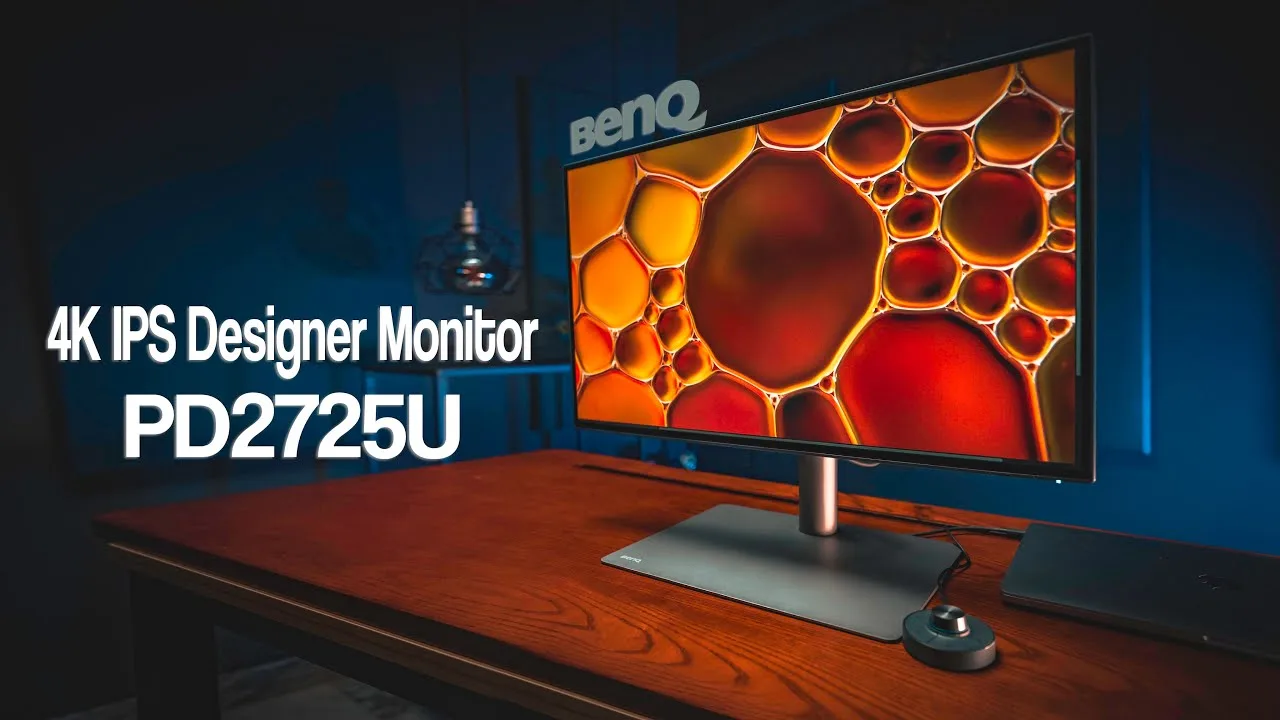 A2K
The BenQ PD2725U is a 4K Frameless Designer monitor that offers a …
A2K
The BenQ PD2725U is a 4K Frameless Designer monitor that offers a …
The BenQ PD2725U is a 4K Frameless Designer monitor that offers a standard 16:9 aspect ratio in a 27-inch size. It provides a high-resolution display, which is beneficial for professional work requiring color accuracy. The monitor also includes USB-C connectivity, enhancing cable management and setup convenience.
- →Ideal for design professionals requiring precise color
- →Suitable for workspaces valuing cable tidiness
- →27-inch size offers ample screen real estate
Community Discussions via Reddit
Comparison
r/Monitors
u/Rare-Panda4848
The BenQ PD2725U is considered by the Reddit community as a strong option for color accuracy and usability, particularly for film production students. It stands out for its Thunderbolt feature, which adds to its appeal for those needing a single cable solution for data transfer and charging.
Key Insights
- →The BenQ PD2725U is praised for its color accuracy, making it suitable for film production work.
- →The Thunderbolt feature is a notable selling point for users needing a streamlined cable management solution.
Top Comments
You seem to be looking at the 4k segment. So you should also consider 5k if it's in your budget. I'll paste what I posted in another comment, and you can just ignore the 1440p section unless it …
When you say that 5k "[is] the ideal monitor resolution for a Mac" you probably specifically mean 5k at 27". A 32" 5K monitor for example would result in the UI being uncomfortably large at 2×.
Thanks, I didn’t know about Dell’s upcoming monitors so that definitely helped, looks like they have thunderbolt so that would definitely be a bonus and I’ll look into 5K too!
Comparison
r/buildapcmonitors
u/Burbank89BC
The BenQ PD2725U is highly regarded for its image quality, with the author stating it was the best monitor they've used and worth the 1000€ price tag. However, it faced an unusual issue with insect infestation, which led to significant damage and was a point of concern for the user. The monitor's build was criticized for not being sealed well, allowing insects to enter and causing damage over time.
Key Insights
- →The BenQ PD2725U offers excellent image quality, but its build may not be sealed well enough to prevent insect infestations.
- →The monitor's susceptibility to insect damage could be a significant concern for users in environments prone to such issues.
- →The user's experience suggests that while the image quality is top-notch, the monitor's durability and build quality may be a concern.
Comparison
r/buildapcmonitors
u/vault21
The BenQ PD2725U is a 27" 4K monitor with 100% sRGB coverage and 60W Power Delivery. It is priced at £860, which is £360 more than the BenQ PD2706U. The community consensus suggests that the PD2725U may not be worth the higher price, as it offers only a 1% increase in sRGB coverage and lacks hardware calibration, which is crucial for color-critical work.
Key Insights
- →Not ideal for color-critical work due to lack of hardware calibration
- →Considered overpriced by the community
- →May not offer a noticeable difference in sRGB coverage compared to PD2706U
Top Comments
I know what I will tell you is not what you want to hear, but still. I have Benq PD2700U and it absolutely sucks, the worst monitor I had; sRGB coverage barely reaches 96% (although 99% is claimed), …
Thank you so much for sharing your honest experience. Several years ago I chose my current BenQ monitor only because the lowest brightness can go very low. I tried and returned a Dell Ultrasharp …
I changed my mind so my next monitor won't be BenQ. Many people recommended Dell UltraSharp U2723QE here on Reddit, so I'll buy it next month. It is TÜV certified so very eye-friendly and the …
Quick Opinion
r/BenQ
u/thomasph
The BenQ PD2725U monitor has been criticized for its high price, underwhelming color-matching features, and poor customer service. The author, who owns two units, experienced one monitor failing after a year and was unsatisfied with the company's response to their support request. The author also highlighted the company's lack of commitment to the environment, as they were told it was more cost-effective to replace rather than repair the monitor.
Key Insights
- →BenQ PD2725U is expensive and may not deliver on all advertised features
- →Customer service is a significant concern with slow or inadequate responses
- →The company's approach to product failure leans towards replacement over repair or recycling
Comparison
r/Monitors
u/dennisves
The BenQ PD2725U is considered by the user for its better form factor and height adjustability compared to the Dell U2725QE. It is also noted to be slightly cheaper. However, the user is concerned about its contrast ratio of 1200:1, which is lower than the Dell's 3000:1. The user is seeking insights into the screen quality and the practical difference in contrast ratio.
Key Insights
- →The BenQ PD2725U is praised for its design and adjustability, which might be crucial for comfort during long work sessions.
- →The contrast ratio, while lower than the Dell option, is a point of concern that could impact the visual quality for certain tasks.
- →The price point of the BenQ PD2725U is more budget-friendly, which could be a deciding factor for cost-conscious buyers.
Top Comments
I ended up going for the PD2730S. Very happy with it. I can’t tell you about the comparison of the monitors of my original question, but I personally don’t miss the 120hz. I don’t really notice much …
Comparison
r/BenQ
u/Numerous-Top5912
The BenQ PD2725U monitor is experiencing a persistent flickering ribbon bar issue at the top and bottom of the display, which occurs across different operating systems and cable types, including DisplayPort, HDMI, and USB-C. The issue is consistent and not influenced by the operating system, input source, or connected device. The user has tried various troubleshooting steps, including changing cables, resetting monitor settings, and updating graphics drivers.
Key Insights
- →The flickering issue is a consistent problem across different systems and cables
- →The user has not found a solution despite trying multiple troubleshooting steps
- →The issue might indicate a potential hardware problem with the BenQ PD2725U series
Top Comments
Hello B\_support, I attached it to the post.
Unfortunately, I was not able to fix it. Local repair shops also refuse to fix it, as this is not a problem with the CAM board, but with the cables connecting the LCD monitor panel itself. They are …
Comparison
r/BenQ
u/VintageTrekker
The BenQ PD2725U is a 16:9 4K@60Hz monitor that comes with the puck and is considered by VintageTrekker for its ability to switch between a Windows desktop and a laptop with Thunderbolt 4 ports. It is evaluated for its potential use as a KVM switch and its compatibility with daisy chaining and Thunderbolt charging.
Key Insights
- →The BenQ PD2725U is being considered for its compatibility with KVM switch functionality and daisy chaining.
- →The user is interested in the monitor's ability to support 65W charging through a Thunderbolt 4 cable.
Top Comments
Thank you, that was very helpful!
Comparison
r/MacStudio
u/RayZ3n-K1M0nD
In the context of the Reddit discussion on r/MacStudio, the BenQ PD2725U is considered among the top monitors for graphic and web design, video editing, and printing large format. The user is considering this monitor alongside the Asus ProArt PA279CRV and Dell Ultrasharp U2723QE, noting that while the BenQ PD2725U has 100% sRGB and 98% DCI-P3, it does not match the Asus monitor's color accuracy and wide gamut.
Key Insights
- →Suitable for graphic and web design, video editing, and large format printing
- →Does not match the color accuracy and wide gamut of the Asus ProArt PA279CRV
Comparison
r/Lightroom
u/PLD007
The BenQ PD2725U monitor is used by PLD007 for photo editing in Lightroom Classic and Photoshop, exporting non-HDR, SRGB color space photos. The user has concerns about the impact of turning on the HDR toggle in Windows, noting that it makes the screen brighter and seems to lock the monitor out of the SRGB profile.
Key Insights
- →BenQ PD2725U may not be ideal for editing non-HDR, SRGB color space photos with HDR toggle on in Windows
- →User experience suggests that HDR toggle affects the monitor's color profile
Comparison
r/mac
u/Flat_Ice_377
The BenQ PD2725U is praised for its high contrast ratio of 1200:1, which is considered significant by users. Although the community discussion primarily focuses on the LG 27UQ850V-W, the BenQ model is also highly regarded. The BenQ PD2725U is mentioned in the context of a comparison with the LG model, where users discuss contrast ratios and overall value.
Key Insights
- →The BenQ PD2725U is appreciated for its contrast ratio, which is a significant factor for some users.
- →Users seem to value the BenQ PD2725U for its performance, despite the higher contrast ratio of the LG model.
Top Comments
Hello, Yes, I finally both it a few days before Christmas, so I am still testing. I was hesitating a lot but eventually opted for the LG model. I am happy with it. The colors are beautiful, I like …
I bought the LG 27UQ850V-W. It’s absolutely beautiful! The colours and contrast are amazing. I messed around with the settings, I find that it’s best to turn HDR off in your Mac display settings. …
Hello, Yes, I finally both it a few days before Christmas, so I am still testing. I was hesitating a lot but eventually opted for the LG model. I am happy with it. The colors are beautiful, I like …
Comparison
r/BenQ
u/stepancheg
The BenQ PD2725U display is used with two Apple MacBook Pros and an Apple Magic Keyboard 2 and Magic Trackpad 2 for a KVM setup. The user has experienced inconsistent KVM switching issues, particularly when trying to wake a sleeping laptop. The user suggests improvements such as better feedback on the display and preventing the display from sleeping after KVM button presses.
Key Insights
- →The BenQ PD2725U works well in a KVM setup when both connected devices are active.
- →User suggests improvements for better KVM functionality and display feedback.
- →The issue may be related to Apple's keyboard and trackpad behavior rather than the BenQ display itself.
Top Comments
This is a thing to try. FYI, I actually found something, which partially explains all these problem. Have a look at [my newer post …
Troubleshooting
r/buildapcmonitors
u/Chain-Unusual
The BenQ PD2725U is a 4K monitor that meets many of the user's requirements for a dual monitor setup with their 2019 MacBook Pro, including Thunderbolt 3 connectivity and the potential for daisy-chaining. However, there are concerns about its brightness, with negative reviews mentioned by the user.
Key Insights
- →Suitable for users who prioritize Thunderbolt 3 and daisy-chaining capabilities
- →Brightness may be a concern for some users
Top Comments
I also just saw the Lenovo ThinkVision P27u-20, similar to the PD2725U but with 2 thunderbolt4 and higher brightness. Just curious about the reputation of Lenovo monitors.
It's going to between PD2725U and Lenovo P27u-20. I'm leaning towards the Lenovo but it's a new release and I might have to wait till June to receive one.
I guess daisy chain requires two TB3 ports to work
Troubleshooting
r/mac
u/05878
The BenQ PD2725U is a color-accurate display purchased for use with a Mac Pro with the M1 chip. The user is seeking confirmation and thoughts on its compatibility with daisy chaining another display. The BenQ PD2725U is connected via Thunderbolt and is used primarily for graphics work.
Key Insights
- →The BenQ PD2725U is compatible with Thunderbolt connections.
- →Daisy chaining issues may exist with certain displays, such as the HP Z27n.
Comparison
r/buildapcmonitors
u/Dave_Klasnakov
In the Reddit discussion, the BenQ PD2725U is considered as a potential monitor for color-accurate 4K HDR projects, with the user looking for a screen to complement a Mac Mini setup. The user is not concerned with refresh rates over 60Hz and is focused on HDR quality and color accuracy.
Key Insights
- →The BenQ PD2725U is being considered for its 4K HDR capabilities in a Mac environment.
- →The user is prioritizing color accuracy and HDR quality over refresh rates.
Quick Opinion
r/BenQ
u/Stellarspace1234
The BenQ PD2725U has been reported to have flickering issues in certain applications, particularly when using Slack in Chrome. The author has experienced this intermittently for an unspecified duration. There are no high-quality comments to provide further insight into the product's performance or reliability.
Key Insights
- →BenQ PD2725U has flickering issues in certain applications.
- →The flickering issue is intermittent and has been experienced for an unspecified duration.
Top Comments
Supposedly the Mac mini is the culprit.
I’m pretty sure it’s the Mac Mini causing the problem, but BenQ doesn’t warn people about problems associated with the M1 Mac Mini. All they mention is that Display Pilot isn’t compatible. Many Apple …
The better question is how can a brand new Mac Mini come with a faulty GPU? I got the Mac Mini, then the BenQ display, and it has had these flickering, ghost, etc. problems since.
Comparison
r/AskPhotography
u/Platographer
The BenQ PD2725U is a monitor that offers HDR capability, more accurate colors, and a wider color gamut compared to the user's current LG 4K monitor. It has 100% coverage of sRGB, which is a key feature for color accuracy in photography and editing.
Key Insights
- →The BenQ PD2725U is suitable for users who require high color accuracy and a wide color gamut for photography and editing.
- →The 100% sRGB coverage is beneficial for those who work with AdobeRGB or ProPhoto RGB.
Top Comments
That's a good point. A 32" will be a lot bigger than my 24", but I m always frustrated by the lack of real estate when editing in Photoshop. I plan to get a dual monitor mount that can hold two …
Scores based on weighted analysis of 38 expert and community sources. How we review →