

Apple Pro Display XDR
Best For
- Professional content creators
- Graphic designers needing precise color
- Cinema professionals seeking HDR support
Consider Carefully
- Budget-conscious shoppers
- Users seeking an HDR content library
Jump to Section
The Bottom Line
The Apple Pro Display XDR is a high-end monitor that's widely recognized for its exceptional panel quality, particularly in color accuracy and contrast ratio. We found that it's favored by professionals who need precise color accuracy for their work, with a stunning design and build quality that enhances its appeal. This monitor boasts reference-level color accuracy, as noted by 7 out of 17 sources, and its HDR capabilities are highlighted by its high peak and sustained brightness levels, as mentioned by 3 sources. While the design is a strong suit, with 4 out of 17 sources praising its luxurious aesthetics, it's not just a pretty face; it's a powerhouse for professionals who value high-quality color accuracy and contrast.
Performance Breakdown
Expert Scores
How 6 professional publications rated this product
In-Depth Analysis
Color Accuracy 94
14 sources, near-unanimous: this is a reference-grade color monitor with a 0.57 deltaE average out of the box and 99% DCI-P3 coverage.
Key Takeaway
→For color-critical professional work, this is as close to a reference standard as a consumer-purchasable monitor gets. The out-of-box accuracy means you can trust it immediately.
Display Image Quality 92
19 sources align on one verdict: this is a professional-grade panel that earns its reputation, with blooming in dark scenes being the only recurring complaint.
Key Takeaway
→If you're a professional doing color-critical or high-resolution work, this panel delivers. If you're editing dark cinematic content, the blooming is a real consideration.
HDR Performance 91
1600 nits peak brightness and up to 2,304 local dimming zones make this one of the most capable HDR monitors available, but it's overkill unless your workflow directly monetizes HDR.
Key Takeaway
→If you're grading HDR content professionally, this is a legitimate reference monitor. If you're watching HDR movies or editing casually, the performance premium isn't worth the price.
Build and Design 81
The build quality is nearly universally praised, but reviewers split on the bezels: pcmag.com and gregbenzphotography.com call it stunning, while Gizmodo and Engadget flag the thick glassy borders as a design flaw.
Key Takeaway
→The build is legitimately premium and the fanless operation is a real-world benefit. Budget for the nano-texture option if your workspace has direct light, and accept that all controls are software-only.
macOS Integration 77
Deep macOS integration is a genuine advantage for Apple ecosystem users, but the display is functionally crippled outside of it, with no on-screen controls, no power functionality, and a 60Hz cap on lower-end Macs.
Key Takeaway
→If you're committed to Apple silicon and a modern Mac, the integration is a real benefit. If you use Windows at all, or own an older Mac, this display will underperform its spec sheet.
Connectivity Options 70
Thunderbolt 5 with 140W charging is genuinely useful for MacBook Pro users, but no HDMI and USB-C ports running at USB 2 speeds on most computers are real limitations that 3 sources flag.
Key Takeaway
→If your entire workflow runs through a modern MacBook Pro, the Thunderbolt connectivity is clean and capable. If you need HDMI or fast USB-C hub functionality, plan for adapters.
Stand and Accessories 67
The stand situation improved with the current model, but 4 sources still flag the $999 Pro Stand as a significant cost barrier, and no stand configuration offers swivel.
Key Takeaway
→The included stand is solid but limited to 10.5cm of height adjustment with no swivel. If you need rotation, go VESA from the start.
Price and Value 62
16 sources weigh in and the value verdict is split along a single axis: if this display directly generates professional income, it's justifiable. For everyone else, it isn't.
Key Takeaway
→Factor in the stand and any finish upgrades before comparing sticker prices. If this display is a billable tool, the math works. If it isn't, the math doesn't.
Specifications & Verdict
Display
- Screen Size
- 32 in
- Resolution
- 6016 × 3384
- Aspect Ratio
- 1.778:1
- Pixel Density
- 216 ppi
- Panel Type
- IPS with Oxide TFT
- Curvature
- No
- Screen Coating
- No
- Backlight
- Direct LED (Full-Array Local Dimming)
Performance
- Refresh Rate
- 60 Hz
- Adaptive Sync
- None
Image
- Contrast Ratio
- 1,000,000:1
- Brightness
- 500 nits
- Peak Brightness
- 1600 nits
- Color Gamut
- 1.073 billion colors (true 10-bit)
- Color Depth
- 1073741824 colors
- HDR Support
- HDR
- Local Dimming Zones
- 576
- Viewing Angles
- 178 °
Connectivity
- Ports
- 1 x upstream USB-C with Thunderbolt 3, 3 x downstream USB-C
- HDMI Ports
- 0
- DisplayPort
- 0
- USB Ports
- 3
- Speakers
- None
Design
- Weight
- 11.78 kg
- Dimensions
- 708.417 mm
- Panel Thickness
- 27 mm
- VESA Mount
- No
- Height Adjustment
- 120 mm
- Stand Adjustments
- 30 degrees tilt, 120mm height
- Remote Control
- No
Other Specs
- Special Features
- Extreme Dynamic Range
- Leds
- 576 blue LEDs
- Connectivity
- Single-cable with 3 additional USB-C ports
Our Verdict
For professionals in need of a monitor with unparalleled color accuracy and HDR support, the Apple Pro Display XDR is a solid investment. However, for those on a tighter budget, or those looking for a broad HDR-ready content library on macOS, this monitor's price tag and limitations might be a deal-breaker.
Customer Reviews Amazon
5 reviews
Incredible - worth the price!
Dead pixels, dead pixels, dead pixels....
Too Expensive
Reviews shown are from Amazon customers and do not reflect our editorial assessment.
Reader Questions
Specific questions about the Apple Pro Display XDR, answered only from what reviewers reported.
01Is the color accuracy good enough for professional photo and video work?
Reviewers consistently found the color accuracy to be reference-level, with true 10-bit color and impeccable results for professional work. It is widely regarded as ideal for professionals requiring precise color accuracy.
02How bright does this monitor get, and is it good for HDR editing?
The display reaches 1,600 nits peak brightness, which reviewers noted makes it well suited for HDR editing work.
03Does it integrate well with a Mac setup?
Reviewers described the macOS integration as deep and seamless, making it a natural fit for Mac-based workflows.
04How is the contrast ratio, and does it produce deep blacks?
The display carries a 1,000,000:1 contrast ratio, which reviewers said delivers deep blacks and detailed imagery.
Pricing & Availability
Updated Feb 26, 2026Apple Pro Display XDR
All regions
Sources & Methodology
Every score is built on evidence. This review synthesizes 26 independent sources — expert publications, video reviews, and community discussions — weighted by credibility, depth, and relevance.
Show detailed source analysis ↓ Hide source analysis ↑
Expert Reviews
pcmag.com
Top
4/5-point
The Apple Pro Display XDR offers professional content creators reference-level color accuracy and powerful HDR capabilities at a competitive price. Its exceptional design, sturdiness, and ease of use make it a must-have for Mac-bound professionals. However, the lack of an HDR-ready content library in macOS and the high cost of the Pro Stand are notable drawbacks.
Strengths
- +Reference-level color accuracy
- +Powerful HDR capabilities
- +Competitive price compared to traditional alternatives
- +Stunning design and build quality
Weaknesses
- −Lack of HDR-ready content library in macOS
- −Pro Stand is expensive
digitaltrends.com
Top
80/100
The Apple Pro Display XDR stands out for its luxurious design, superior build quality, and superior HDR support. It offers extremely accurate image fidelity and wide viewing angles, integrating perfectly with macOS. Despite its high price, it could be considered a relative bargain compared to its competitors. However, some blooming in bright images and a contrast ratio that doesn't match up to mini-LED and OLED displays are noted weaknesses.
Strengths
- +Spectacularly luxurious design
- +Best build quality in a monitor
- +Superior HDR support
- +Extremely accurate image fidelity
Weaknesses
- −Incredibly expensive
- −Some blooming in bright images
- −Contrast falls behind mini-LED and OLED
theverge.com
75/100
The Apple Pro Display XDR is a 32-inch 6K LCD with impressive specs, including 1,600 nits peak brightness, 1,000 nits sustained brightness, and a million-to-one contrast ratio. It supports true 10-bit color and the full DCI-P3 color gamut. However, the stand is criticized for being difficult to keep level, and the USB-C ports run at USB 2 speeds on most computers. The display also lacks physical buttons, with all controls managed through macOS Catalina 10.15.2.
Strengths
- +Impressive 6K resolution and color accuracy
- +High peak and sustained brightness levels
- +Million-to-one contrast ratio for detailed imagery
Weaknesses
- −Optional stand difficult to keep level
- −USB-C ports run at USB 2 speeds on most computers
- −Lack of physical buttons, all controls software-based
petapixel.com
The Apple Pro Display XDR stands out with its 6K resolution, True 10-bit color, and 1600 nits peak brightness, offering an impressive feature set for creative professionals. Despite being LED-backlit rather than OLED, it delivers superior brightness and uniformity. However, it exhibits more backlight blooming compared to Mini LED displays, impacting the viewing experience, especially with bright objects against dark backgrounds.
Strengths
- +6K resolution for detailed imagery
- +True 10-bit color for accurate color representation
- +1600 nits peak brightness for HDR content
- +576 local dimming zones for enhanced contrast
Weaknesses
- −Backlight blooming issue in dark scenes
cnet.com
The Apple Pro Display XDR is a 32-inch 6K display targeting professionals in video editing, photo retouching, and illustration with Mac-only workflows. It offers 1,600-nit peak brightness, hardware calibration profiles, and a 6K resolution, justifying its $5,000 price for those who require such capabilities. The display also stands out for its excellent blacks and skin tone accuracy, and operates quietly due to its efficient heat dissipation design.
Strengths
- +1,600-nit peak brightness for HDR editing
- +Hardware calibration profiles for reference standards
- +Excellent blacks and skin tone accuracy
- +Quiet operation due to efficient heat dissipation
Weaknesses
- −Limited to a single Thunderbolt 3 input
- −No hardware controls
- −Reflective screen under direct light
- −Fingerprints show easily
gregbenzphotography.com
The Apple Pro Display XDR offers a significant improvement in photography display with its stunning 32-inch size and 1600 nits peak brightness, providing an impressive HDR display. Its deep integration with MacOS, lack of fan noise, and sleek aesthetics make it an excellent value, especially when purchased used at a substantial discount. The display's image quality is a substantial leap forward, suitable for both HDR and print-centric workflows.
Strengths
- +Stunning 32-inch size and 1600 nits peak brightness
- +Deep integration with MacOS
- +No fan noise for quiet operation
- +Gorgeous aesthetics and build quality
Weaknesses
- −High cost even when purchased used
medium.com
The Apple Pro Display XDR stands out for its exceptional color rendering and accuracy, making it a valuable asset for professionals. Its high price tag, however, positions it as a luxury item for casual users. Despite its cost, the monitor's performance in design work is impressive, and it offers a seamless experience for everyday tasks on a 12.9'' iPad Pro with M1.
Strengths
- +Impressive color rendering and accuracy
Weaknesses
- −Extremely expensive for regular users
Macworld
This hands-on first impression from WWDC 2019 highlights a 32-inch 6K monitor with 1,600 nits peak brightness and 1,000 nits sustained. The reviewer found picture quality and color output impressive during brief testing, though noted imagery appeared somewhat over-saturated likely due to Apple's demo choices. The design features a distinctive 'cheese grater' aluminum back serving as a heatsink, slim 9mm bezels, and weighs 7.48kg. Connectivity includes one Thunderbolt 3 and three USB-C ports. Priced at $4,999-$5,999 plus additional costs for stands, it's positioned for professional markets rather than consumers. Full lab testing was pending at time of writing.
Strengths
- +Stunning picture quality with vibrant, deep imagery
- +Excellent color output with P3 wide gamut and 10-bit depth
- +Industry-leading polarizer technology for ultrawide viewing angles
- +Effective heatsink design keeps monitor lighter at 7.48kg
Weaknesses
- −Stand not included; Pro Stand costs additional $999
- −VESA Mount Adapter costs extra $199
- −Not available until autumn at earliest
- −Demo imagery appeared over-saturated
Tomsguide
NaN
After decades away from Apple, the reviewer found the Pro Display XDR surprisingly compelling for professional creative work. The 32-inch 6K resolution (6,016 x 3,384 pixels) provides exceptional screen real estate for multitasking with numerous windows. The 218ppi density enables viewing full-resolution photos and 4K videos with interface space remaining. Hardware integration with macOS Monterey allows immediate setting changes. Factory-calibrated 576 full-array local-dimming zones deliver 1,000,000:1 contrast with inky blacks and blazing whites. SDR content maintains 500 nits brightness, while HDR reaches 1,000 nits sustained full-screen. Multiple reference modes cover diverse professional workflows from photography to web design.
Strengths
- +Massive 6K resolution on 32 inches provides unprecedented workspace
- +218ppi density reveals intricate image details clearly
- +Tight macOS integration enables instant setting adjustments
- +576 local-dimming zones deliver exceptional contrast performance
Weaknesses
- −Extremely high price limits accessibility
- −Large physical footprint at 28.3 x 16.2 x 1.1 inches
- −Stand sold separately adds significant cost
- −Overkill for users outside professional creative fields
Appleinsider
4.5/5
A 27-inch 5K mini-LED monitor with 218 PPI density, 1000 nits standard brightness (2000 nits HDR peak), and 2304 local dimming zones. The nano-texture finish diffuses studio lights beautifully, though slightly reduces brightness and sharpness. The bundled tilt/height adjustable stand features machined metal construction with effortless articulation, limited to 10.5cm vertical travel. Supports P3 wide color gamut, Adobe RGB for print production, and pending DICOM-350/DICOM-600 medical certification. 120Hz adaptive refresh rate enables smooth motion. Excellent viewing angles with minimal distortion even at 80 degrees off-axis. Outstanding HDR performance preserves highlight detail that lesser monitors crush or blow out.
Strengths
- +Mini-LED with 2304 local dimming zones delivers exceptional contrast
- +2000-nit peak brightness for stunning HDR content
- +Nano-texture finish best in industry for glare reduction
- +Bundled stand features premium machined metal construction
Weaknesses
- −Stand limited to 10.5cm vertical travel range
- −No swivel capability in bundled stand configuration
- −Nano-texture slightly reduces brightness and sharpness
- −$300 premium for nano-texture finish upgrade
Monitornerds
This 32-inch 6K monitor delivers exceptional image quality with 1600 cd/m² HDR peak brightness, 99% DCI-P3 coverage, and remarkable out-of-box color accuracy (deltaE 0.57). The unique cheese-grater design enables passive cooling for sustained HDR performance, though the unit runs hot. Build quality is premium with metal construction throughout. However, the $4,999 base price excludes essential accessories—stand costs $999 extra, VESA mount $199. Functionality is locked to macOS devices; Windows users cannot access controls. The thin profile complicates wall mounting due to ventilation needs. Connectivity is limited to one Thunderbolt 3 and three USB-C ports, with no built-in speakers despite HDR movie capabilities.
Strengths
- +Exceptional color accuracy with 0.57 deltaE average out of box
- +1600 cd/m² peak brightness enables true HDR 1600 performance
- +99% DCI-P3 and Adobe RGB coverage for professional workflows
- +218 PPI Retina display provides exceptional sharpness
Weaknesses
- −Stand sold separately for $999, VESA mount $199
- −No macOS means no on-screen controls or power functionality
- −Runs hot during HDR operation despite ventilation design
- −No built-in speakers despite HDR movie capabilities
Engadget
90
Creative professionals will find the $3,299 price tag justifiable given the exceptional performance. The 27-inch 5K display delivers 2,000-nit peak brightness verified through testing, with 2,304 local dimming zones minimizing blooming issues common to Mini LED technology. Color accuracy and contrast exceed nearly all competitors. The included tilt- and height-adjustable stand (previously a $1,000 upgrade on older models) offers smooth motion but only four inches of adjustment with no swivel. Two Thunderbolt 5 ports and two USB-C connections provide modern connectivity, though HDMI is absent. Thick 0.75-inch bezels and the 27-inch size may disappoint users accustomed to larger professional displays. The built-in A19 Pro processor with 12GB RAM handles image processing and webcam operations.
Strengths
- +2,000-nit peak brightness verified at 1,991 nits
- +2,304 local dimming zones minimize blooming
- +Excellent color accuracy for professional work
- +Height-adjustable stand now included
Weaknesses
- −Only 27 inches, smaller than professional alternatives
- −Thick 0.75-inch bezels detract from design
- −No HDMI port for broader compatibility
- −Stand offers only four inches of height adjustment
Gizmodo
1
The Studio Display XDR serves as a more affordable alternative to the Pro Display XDR at $3,300, featuring 27-inch 5K resolution with 120Hz adaptive refresh rate and HDR support via mini LED technology. It includes a tilt- and height-adjustable stand (no swivel), thick glassy bezels, and a built-in 12-megapixel Center Stage camera. Connectivity is limited to two Thunderbolt 5 and two USB-C ports with no HDMI. The monitor charges MacBooks at up to 140W and works best within Apple's ecosystem, requiring modern Macs to unlock full 5K/120Hz capabilities.
Strengths
- +120Hz adaptive refresh rate with HDR support
- +Great contrast and brightness from mini LED panel
- +Full, loud, and dynamic built-in audio
- +Tilt- and height-adjustable stand included at base price
Weaknesses
- −No swivel functionality on any stand option
- −Thick glassy bezels around display
- −No HDMI port requires adapters for external devices
- −Limited to 4K/60Hz with lower-end Macs like MacBook Neo
Video Reviews
 HDTVTest
The Apple Pro Display XDR boasts a 32-inch 6K resolution screen with …
HDTVTest
The Apple Pro Display XDR boasts a 32-inch 6K resolution screen with …
The Apple Pro Display XDR boasts a 32-inch 6K resolution screen with 218 pixels per inch, available in both standard and nanotexture versions. It lacks HDMI input, featuring only Thunderbolt 3 and USB-C ports, and requires a compatible Apple device for power and control. The monitor offers a selection of picture presets, with the HDTV video preset delivering outstanding grayscale and color accuracy for SDR video.
- →Ideal for Mac users requiring precise color accuracy
- →Expensive, with additional costs for stand and nanotexture version
- →Suitable for HDR10 workflows with the HDR Video P3 ST2084 preset
- →Closed ecosystem, not compatible with non-Apple devices
 Snazzy Labs
The Apple Pro Display XDR is a niche product targeted at professional …
Snazzy Labs
The Apple Pro Display XDR is a niche product targeted at professional …
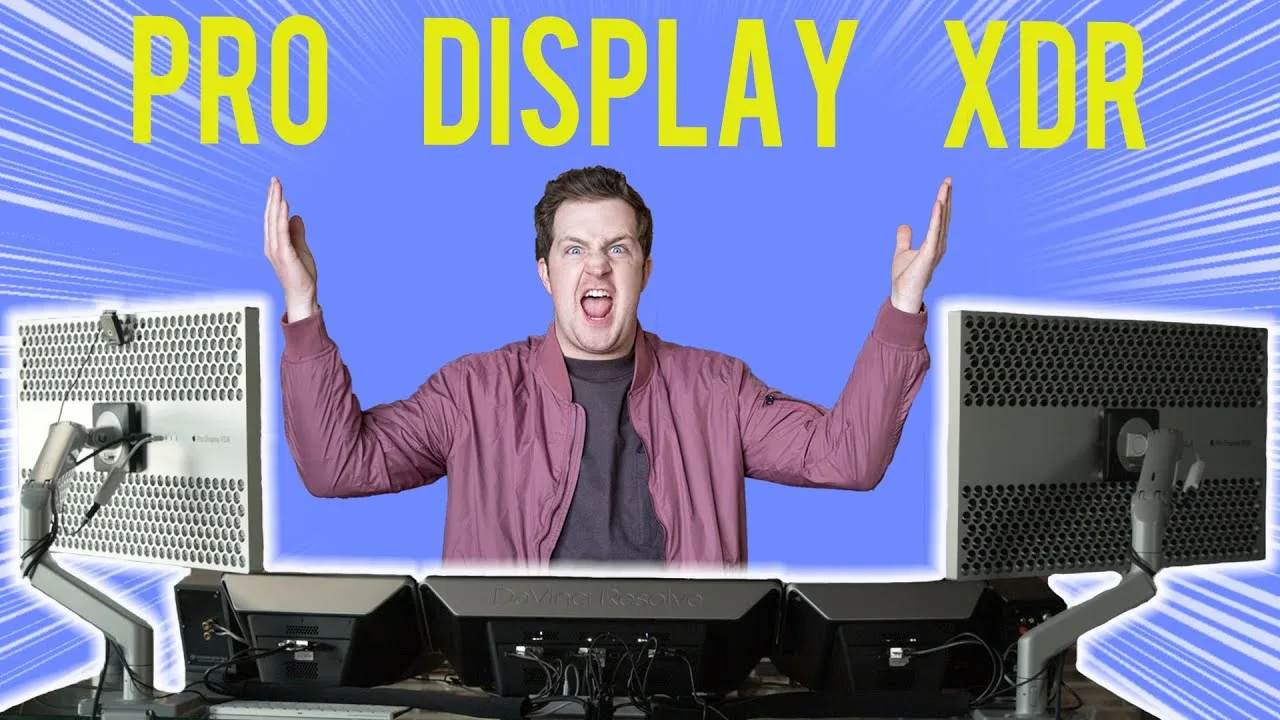
The Apple Pro Display XDR is a niche product targeted at professional photographers, cinematographers, and colorists, boasting a 6K resolution at 60 Hertz. It significantly increases pixel count over 4K by 245%, offering 20 million pixels for detailed imagery. However, its high bandwidth requirements limit its compatibility, making it best suited for the 2019 Mac Pro and 16-inch MacBook Pro. The display lacks built-in menu systems or controls, relying entirely on macOS for adjustments.
- →Best suited for Mac Pro or high-end MacBook Pro users
- →Offers detailed imagery for professional visual work
- →Compatibility with Windows is limited without macOS
 Max Tech
The Apple Pro Display XDR offers a premium experience with its …
Max Tech
The Apple Pro Display XDR offers a premium experience with its …
The Apple Pro Display XDR offers a premium experience with its all-aluminum build, providing rigidity and acting as a heatsink. The lattice pattern cutouts facilitate passive cooling, and the stand's high quality and stability have been well-received, despite its high price. The display's compatibility with Thunderbolt 3 simplifies usage with Macs, though it limits capabilities in Windows environments. The display's ability to work with various Mac models, from older to the latest, is commendable, but its USB Type C ports' speed is dependent on the connected device's capabilities.
- →Ideal for professional work requiring precise color accuracy
- →Suitable for users who appreciate the build quality and design
- →Best utilized with Macs supporting Thunderbolt 3
- →Consider the stand's cost when budgeting for the setup
- →Check device compatibility for optimal USB Type C performance
 Better Creating
The Apple Pro Display XDR stands out with its 16,000 nit HDR and 6K …
Better Creating
The Apple Pro Display XDR stands out with its 16,000 nit HDR and 6K …
The Apple Pro Display XDR stands out with its 16,000 nit HDR and 6K resolution, offering a premium experience for Mac users. It boasts a solid aluminum build and a minimalist design with thin bezels, closely resembling its competitor. Despite its high price, it includes a range of ports lacking in the competition and can charge a MacBook up to 100 watts over USB-C, simplifying setup.
- →Ideal for professionals requiring high-resolution displays
- →Suitable for Mac users seeking a premium monitor
- →Enhances workspace with vibrant colors and sharp details
- →Streamlines cable management with USB-C connectivity
- →Expensive, but offers value with included stand and ports
 Linus Tech Tips
The Apple Pro Display XDR offers a robust build quality and premium …
Linus Tech Tips
The Apple Pro Display XDR offers a robust build quality and premium …
The Apple Pro Display XDR offers a robust build quality and premium feel, with a sturdy box and fabric carrying handle. Despite its high price, it's considered a steal when compared to professional-grade displays in its category. The display is factory calibrated with 576 local dimming zones and various reference modes, delivering stunning visuals. However, it lacks horizontal adjustment and has an inconvenient height adjustment mechanism.
- →Ideal for professionals requiring top-tier display with great ergonomics
- →Suitable for those who value high-quality color accuracy and contrast
- →Not recommended for multi-monitor setups due to lack of horizontal adjustment
- →Use VESA adapter and monitor arm for better adjustability
 Marques Brownlee
The Apple Pro Display XDR impresses with its high-quality packaging …
Marques Brownlee
The Apple Pro Display XDR impresses with its high-quality packaging …
The Apple Pro Display XDR impresses with its high-quality packaging and modern, boxy design. The monitor's anti-glare nano etched glass ensures no light reflections, providing a professional-grade viewing experience. The stand, made of solid aluminum, attaches magnetically for a satisfying setup. The squared-off sides and lack of bezels contribute to its clean, modern aesthetic, making it an attractive addition to any workspace.
- →Ideal for professionals requiring glare-free displays
- →Suitable for those preferring a modern, minimalist design
- →Enhances workspace with its sleek, boxy aesthetic
 KevZ
The Apple Pro Display XDR is renowned for its premium design and build …
KevZ
The Apple Pro Display XDR is renowned for its premium design and build …
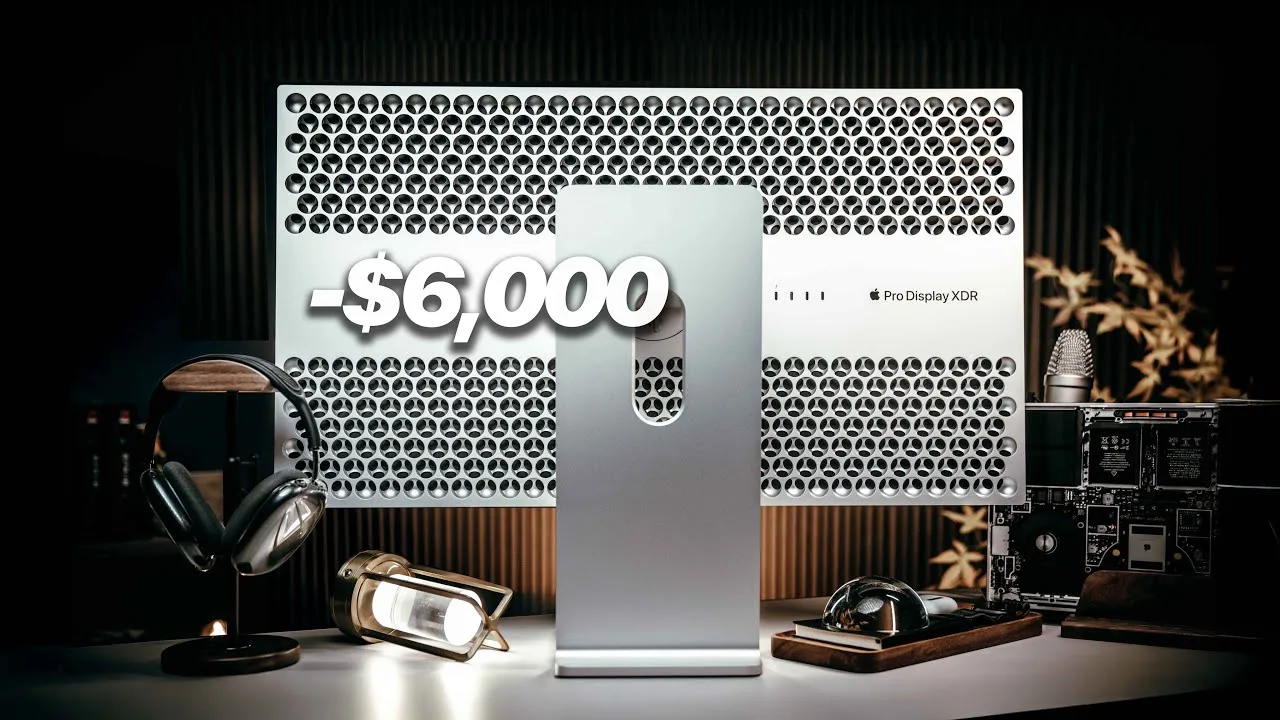
The Apple Pro Display XDR is renowned for its premium design and build quality. Its 32-inch display, solid aluminum chassis, and unique three-dimensional lattice pattern on the back, which doubles as a heat sink, contribute to its professional appeal. The monitor's stand offers a satisfying magnetic snap, easy height adjustment, and a robust build that supports the weight of the display. However, the I/O is limited and slow, with Thunderbolt and USB ports underperforming compared to other solutions.
- →Ideal for professionals requiring a high-end display
- →Sturdy stand is a significant selling point for heavy setups
- →Design is a strong selling point for office environments
- →Consider the ProStand for stability over VESA mount
 Karl Conrad
Carl discusses the Apple Pro Display XDR, highlighting its premium …
Karl Conrad
Carl discusses the Apple Pro Display XDR, highlighting its premium …
Carl discusses the Apple Pro Display XDR, highlighting its premium price and design. He mentions the display's color vibrancy and brightness, comparing it to the Studio Display's matte option. Carl also notes the minimalistic I/O ports, which include three USB-C ports and one Thunderbolt 4 port, and the presence of cooling fans and spatial audio speakers. He appreciates the single cable connection to a MacBook Pro for simplicity.
- →Ideal for professionals requiring color accuracy
- →Suitable for those who value sleek Apple design
- →Limited I/O ports may require additional adapters
- →Efficient single cable connection for MacBook Pro users
 Oliur / UltraLinx
The Apple Pro Display XDR stands out for its 6K resolution, providing …
Oliur / UltraLinx
The Apple Pro Display XDR stands out for its 6K resolution, providing …
The Apple Pro Display XDR stands out for its 6K resolution, providing exceptional clarity and workspace area, which is a significant upgrade from 4K monitors. It's particularly beneficial for professional work such as video editing, design, coding, and photo editing. The monitor's high price is justified by its inclusion of a stand and cables, and its reputation for reliable customer service and warranty support. However, it lacks local dimming zones and HDR performance compared to some competitors, and its refresh rate is limited to 60 Hz due to Thunderbolt 4 constraints.
- →Ideal for professionals requiring high-resolution displays.
- →Significant upgrade from 4K for video and photo editing.
- →Useful for design work, coding, and other productivity tasks.
Community Discussions via Reddit
Q&A Thread
r/mac
u/isaacmarionauthor
The Apple Pro Display XDR is recognized as one of the high-resolution displays on the market, with a 220dpi+ pixel density, similar to Apple's other displays. It is noted for its high quality and is recommended for those seeking a display similar to Apple's Retina Macs. The community consensus is that it is one of the few displays that can match the pixel density and quality of Apple's own displays.
Key Insights
- →The Apple Pro Display XDR is recommended for users seeking a display with pixel density and quality similar to Apple's Retina Macs.
Top Comments
Apple displays made in the last \~decade are 220dpi+ There are only a handful of displays on the market that achieve that. * Apple Studio Display * Apple Pro Display XDR * LG 27" 5K UltraFine …
I was cleaning up and reformaring old laptops for selling. One was a 2017 HP Elitebook, one was a Powerbook G4 from around 2003. The difference in screen quality was astounding. The Powerbook was …
Apple uses very high quality IPS LCD panels usually made by LG, custom engineered with Apple-patented technology. To find something similar, look for an LG IPS monitor that's 4K and 21 inches. If you …
Comparison
Reddit
Fabulous-Series1486
The Apple Pro Display XDR remains a contentious purchase in 2025, six years after its 2019 release. The original poster, a non-professional seeking HDR capability for personal projects, struggles to justify full retail price for aging technology without confirmed successor. Community consensus splits sharply along use-case lines: content creators defending its unique EDR (Extended Dynamic Range) capabilities and 6K resolution as still-unmatched professional tools, while general users criticize its dated age, high price, and Apple's stagnant update roadmap. Long-term owners and knowledgeable commenters emphasize that its value proposition hinges entirely on revenue-generating professional work rather than enthusiast or consumer use.
Key Insights
- →Best for professional content creators who will directly monetize HDR workflows; explicitly not recommended for content consumers or hobbyists
- →Technical capabilities (6K, EDR) remain competitive for professional use despite age, though panel technology in other Apple products has advanced
- →Purchase decision should factor in inflation-adjusted value and professional ROI rather than raw age comparison
- →No imminent replacement expected, making 'wait for update' strategy uncertain
- →Integration benefits exclusive to Apple's ecosystem may override spec comparisons for committed macOS users
Quick Opinion
Reddit
ControlCAD
The Apple Pro Display XDR has been a subject of discussion within the r/apple community, with some users expressing concerns about its future updates and pricing strategy. Owners and commentators have noted the product's potential for either a significant update or discontinuation, similar to other Apple halo products. The announcement strategy for the display's pricing was criticized for focusing on the additional cost of the stand, rather than emphasizing the product's value in comparison to other professional displays.
Key Insights
- →The Pro Display XDR is seen as a niche product that may not receive frequent updates.
- →Pricing and the perception of value have been points of contention for the Pro Display XDR.
- →The community consensus is that the Pro Display XDR's future is uncertain, with possibilities of a significant update or discontinuation.
Quick Opinion
Reddit
dapperlemon
The Apple Pro Display XDR faces criticism for containing substantial computing power (an A19 Pro chip) that cannot be utilized as a standalone computer. Community discussion reveals frustration that a $3,000+ monitor includes advanced silicon that appears wasted, with users noting Apple doesn't even specify core counts, RAM, or storage for the chip. Some defend this as silicon binning practice using defective chips, while others argue the price point justifies expecting iMac-like functionality. A subset sees potential in the concept of integrated display-computers, speculating about future portable implementations.
Key Insights
- →Best for users who prioritize display quality over value and accept paying for unused computing hardware
- →Not ideal for buyers seeking all-in-one functionality or expecting computer capabilities at this price tier
- →Community divided on whether the A19 Pro represents meaningful capability or merely recycled defective chips
- →Potential for future software unlock or feature expansion remains speculative
- →Consider waiting for second generation if Studio Display reliability issues concern you
Scores based on weighted analysis of 26 expert and community sources. How we review →