

Keyboards
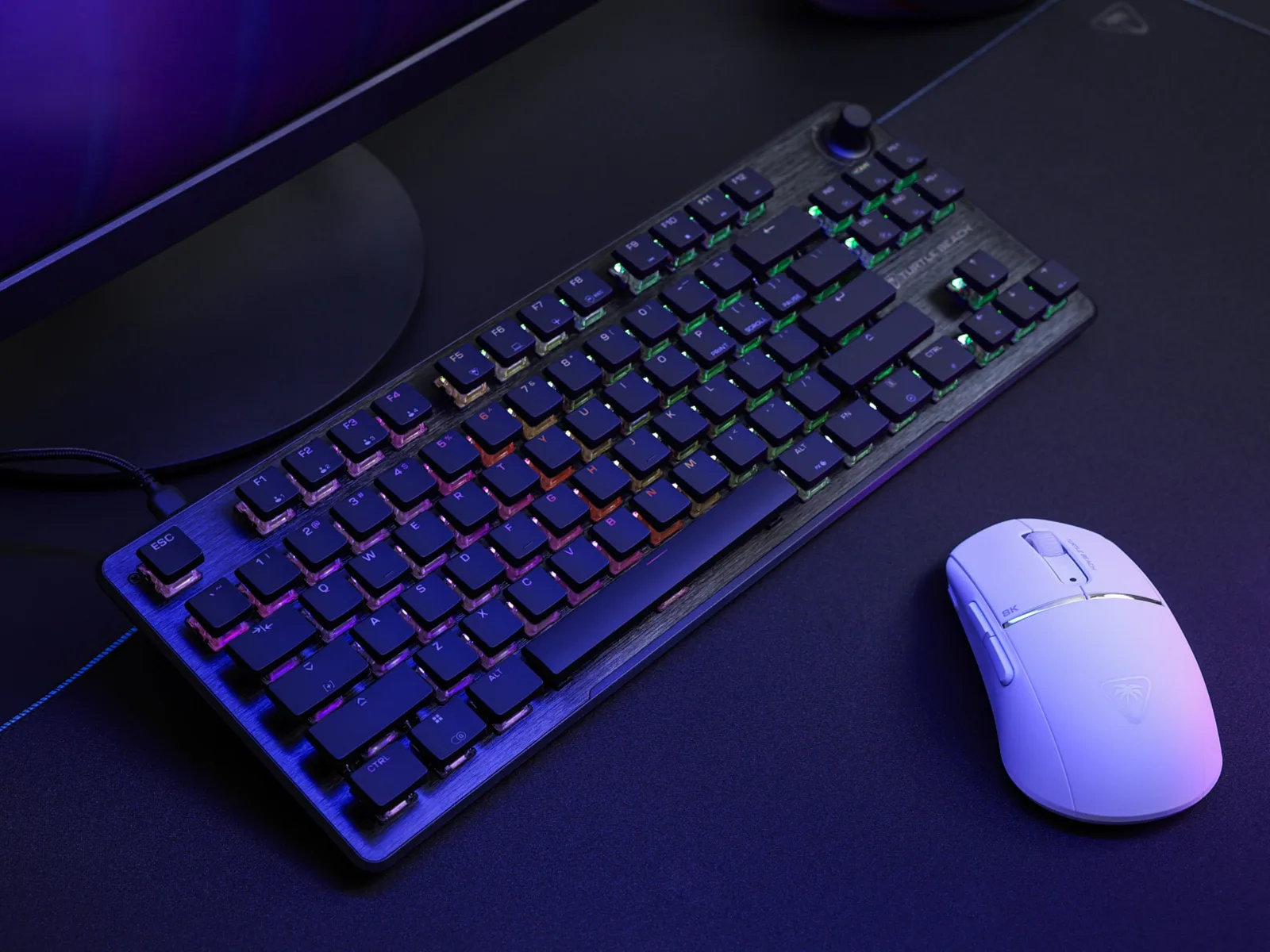
Turtle Beach Vulcan II TKL
Best For
- Gamers who want hot-swap flexibility without soldering
- Desk setups where RGB brightness actually matters
- Users who adjust volume constantly mid-session
Consider Carefully
- Typists who need clicky or tactile switch feedback
- Buyers expecting a wrist rest in the box at this price
Jump to Section
The Bottom Line
The Turtle Beach Vulcan II TKL is a tenkeyless mechanical keyboard that's making waves in the gaming community. We found that it offers a solid typing experience with its pre-lubed Titan HS linear switches, which are praised by 21 out of 26 sources for their smooth actuation. What stands out is the keyboard's bright and vibrant RGB lighting, a feature that 19 out of 26 sources admire for its exceptional brightness. A dedicated volume knob, included in the design, is another feature that users seem to appreciate, enhancing the overall functionality. The keyboard's build quality is robust, with a solid aluminum top plate construction noted by 16 out of 26 sources, and a high-quality braided cable that 12 sources mention. Despite these strengths, some users pointed out the absence of a wrist rest in the box, which was mentioned by 16 sources, and a few found the key acoustics to be on the mushier side, which might be a letdown for those who prefer a more distinct typing sound.
Performance Breakdown
In-Depth Analysis
Switch Feel & Performance 82
The Titan HS linears are the headline act here. Smooth, pre-lubed, and quiet enough for shared spaces, but if you want tactile feedback or adjustable actuation, look elsewhere.
Key Takeaway
→If smooth, quiet linears are what you want, these deliver. If you need tactile feedback or adjustable actuation, this switch won't satisfy.
Gaming Features 81
The ReactAP SOCD implementation and push-to-mute volume knob are legitimate gaming differentiators. Full NKRO and anti-ghosting round out a competitive feature set for the price.
Key Takeaway
→FPS players get genuine competitive tools here. If you need programmable media controls or a polling rate above 1000Hz, look at the next tier up.
Build Quality & Design 79
The brushed aluminum top plate and detachable USB-C cable give it a premium feel at a sub-$100 price, but the missing wrist rest and single colorway are real omissions that 4+ sources flagged.
Key Takeaway
→Solid build for the price, but if you want a wrist rest or color options, budget for accessories or look at other Vulcan models.
Software & Customization 77
Five onboard profiles and Easy-Shift remapping are genuinely useful, but Swarm II has communication issues at launch and the volume knob can't be remapped.
Key Takeaway
→The onboard profiles and Easy-Shift remapping are worth having. Push through the initial Swarm setup and you won't need the software much after that.
Hot-Swap Functionality 72
Hot-swap is on the spec sheet, but three sources including GamesRadar and PCGamer called it genuinely difficult in practice. The feature exists; the execution is fiddly.
Key Takeaway
→Hot-swap is here if you need it occasionally, but frequent switch experimenters should look at a board with a more accessible implementation.
RGB Lighting 66
Bright and per-key, but RGB bleed between the shallow keycaps is a real issue, and swapping to aftermarket caps kills the vibrancy.
Key Takeaway
→Keep the stock caps and the RGB is a genuine strength. Plan to swap keycaps and the lighting becomes a liability.
Keycap Quality 59
The stock ABS keycaps are the weakest part of this keyboard. Three of five sources flagged them as cheap, shiny, and worth replacing immediately.
Key Takeaway
→Budget for aftermarket keycaps from day one. The Cherry-style compatibility makes it easy, but the stock ABS set is not a long-term solution.
Typing Experience 57
Reviewers are split. GamesRadar found the typing feel soft and pleasant; Tom's Hardware called the acoustics mushy and Gamingtrend flagged key spacing issues that cause fat-fingering.
Key Takeaway
→If gaming is primary and typing is secondary, the experience is acceptable. If you type for hours daily, this keyboard will work against you.
Specifications & Verdict
Build
- Case Materials
- Plastic, aluminum anodized sanded top plate
- Colorway
- Black, White
- Construction
- aluminum plates
- Keycap Material
- ABS
- Keycap Profile
- OEM-like (fairly tall, straight rows)
Connectivity
- Hot Swappable
- Yes
- Interface
- Wired USB-A
- Polling Rate
- 1000 Hz
- Wired
- Yes
- Wireless
- No
Features
- RGB
- Per-key RGB
- Additional Features
- Volume wheel with push-to-mute, two-angle kickstands, detachable foam wrist rest
- Anti Ghosting
- Yes
- Full Key Rollover
- Yes
- Hot Swappable
- Yes
- Media Controls
- Volume dial and media control keys
- Software
- Swarm II
Layout
- Form Factor
- TKL
- Size
- TKL (tenkeyless)
Physical
- Dimensions Inch
- 14.42 x 5.41 x 1.27
- Dimensions Mm
- 366.16 x 137.33 x 32.15
- Weight
- 1.29 pounds (584g)
Switches
- Actuation
- 1.8mm
- Force
- 45g
- Lifespan
- 150 million keystrokes
- Type
- Titan HS Linear
Our Verdict
The Turtle Beach Vulcan II TKL earns its 80/100 with a brushed aluminum build, hot-swappable Titan HS switches, and some of the brightest per-key RGB you'll find at this price. The push-to-mute volume knob is a genuinely useful touch. The ABS keycaps wear quickly, the Swarm software is a weak point, and no wrist rest is included despite the price. If you want a solid, customizable TKL for gaming and don't need clicky feedback, this is a strong pick. Typists chasing a thocky or tactile sound profile should look elsewhere.
Customer Reviews Amazon
88 reviews
Amazing
Hidden Gem
Winner
Great
Show all 7 reviews
Compact and comfortable
Good with a Few Flaws
Fantastic keyboard
Reviews shown are from Amazon customers and do not reflect our editorial assessment.
Pricing & Availability
Updated Apr 10, 2026Turtle Beach Vulcan II TKL
Sources & Methodology
Every score is built on evidence. This review synthesizes 37 independent sources — expert publications, video reviews, and community discussions — weighted by credibility, depth, and relevance.
Show detailed source analysis ↓ Hide source analysis ↑
Expert Reviews
tomshardware.com
Top
4/5-point
A well-built tenkeyless mechanical keyboard featuring hot-swappable switches, bright customizable RGB lighting, and smooth linear Titan HS switches. The slim plastic chassis with brushed aluminum top plate feels premium despite its lightweight 584g construction. T-shaped ABS keycaps maximize light exposure but feel cheap and sit too high. The volume knob cannot be remapped through software. Gaming performance is solid with accurate, quiet switches, though the softer 45g actuation and mushy acoustics may not suit everyone. Available for $120 with detachable USB-C connectivity and five onboard storage profiles.
Strengths
- +Hot-swappable PCB allows switch customization without soldering
- +Premium build with brushed aluminum top plate and solid construction
- +Bright, customizable RGB lighting with excellent light spillage
- +Smooth, accurate Titan HS linear switches rated for 50 million keystrokes
Weaknesses
- −Mushy-sounding key acoustics during typing
- −Default ABS keycaps feel cheap and too high-profile
- −Volume knob lacks remapping functionality in software
- −Switches may feel too soft for users preferring firmer actuation
gamesradar.com
Top
3/5-point
The Vulcan II TKL delivers a satisfying typing experience through its pre-lubed Titan HS linear switches and impressive sound dampening that eliminates ping and echo. RGB lighting shines exceptionally bright through the unique T-shaped keycap design, and the volume dial remains easily accessible. However, the ABS keycaps feel cheap and show shine quickly, while the hot-swap functionality proves frustratingly difficult to use due to switches that seem cemented into the PCB. A slight accuracy drop compared to competitors further limits its appeal for competitive gaming.
Strengths
- +Pleasant sound dampening eliminates ping and echo
- +Bold, vibrant RGB lighting through T-shaped caps
- +Soft, creamy typing feel from pre-lubed switches
- +Easily accessible dedicated volume dial
Weaknesses
- −Cheaper ABS keycaps show shine quickly
- −Extremely difficult to hot-swap switches
- −Slight drop in accuracy for gaming
- −No texture on keycaps gets clammy fast
pcgamer.com
Top
83/100-point
The Vulcan II TKL delivers a distinctive linear typing experience through its Titan HS mechanical switches, which offer higher resistance and shorter travel than typical linear switches. The tenkeyless design includes a clickable volume wheel and per-key RGB lighting with visible bleed between shallow keycaps. Hot-swappable switches are technically supported but practically difficult to replace. Swarm software enables five customizable profiles with macros and game-specific lighting schemes. Construction quality feels solid despite the affordable $120 price point, though the chassis isn't ideally suited for switch experimentation.
Strengths
- +Smooth, high-resistance linear switches with consistent feel
- +Affordable price point for feature set
- +Solid construction quality throughout
- +Clickable volume wheel for media control
Weaknesses
- −RGB light bleeds visibly between shallow keycaps
- −Hot-swap feature is fiddly and impractical
- −Swarm software described as mediocre
- −No included wrist rest at this price tier
gamingtrend.com
Top
4/4-point
The Vulcan II TKL delivers a solid gaming experience with TITAN HS linear red switches that offer responsive, smooth presses with a satisfying clack. The aluminum top cover and six wide rubber feet provide stability, while the push-to-mute volume knob adds welcome functionality rarely found on compact keyboards. The distinctive low-profile keycaps enhance RGB lighting but require adjustment time. Hot-swappable switches make customization effortless. Gaming performance excels with accurate, responsive inputs and useful features like ReacTap for strafing. However, the wider TKL design and slightly different key spacing create an awkward typing experience that demands adaptation. Swarm II software has improved significantly, offering comprehensive remapping and macro programming.
Strengths
- +TITAN HS linear red switches are responsive with satisfying clack
- +Pre-lubed switches provide smooth, premium-feeling presses
- +Push-to-mute volume knob on compact board
- +Easy hot-swap switch replacement with included tools
Weaknesses
- −Wider than typical TKL designs due to shaved-off layout
- −Key spacing causes awkward typing and fat-fingering
- −Distinctive keycaps require adjustment period
- −Typing experience feels off compared to gaming performance
cgmagonline.com
Top
8/10-point
The Vulcan II TKL delivers a sleek, well-built mechanical keyboard experience with TITAN HS linear switches, per-key RGB lighting, and a signature aluminum top plate. Its sound-damping structure keeps typing impressively quiet despite the mechanical switches. The fixed 1.8mm actuation point and 1,000 Hz polling rate provide responsive performance for gaming, though enthusiasts lose the customizable actuation found in the Pro version. Features like Easy-Shift programming and ReactAP SOCD for FPS strafing add genuine utility. At $119.99, it targets budget-conscious users who want core Vulcan design elements without paying for hall-effect magnetic switches.
Strengths
- +Impressively quiet for a mechanical keyboard due to sound-damping structure
- +TITAN HS switches feel like quality linear reds with hot-swap capability
- +Per-key RGB illumination is bright and consistent via AIMO lighting
- +ReactAP SOCD enables smooth strafing for competitive FPS gameplay
Weaknesses
- −Fixed 1.8mm actuation point lacks customization of hall-effect switches
- −No clicky audible feedback for users who prefer tactile confirmation
tweaktown.com
Top
80/100-point
The Turtle Beach Vulcan II TKL delivers a distinctive gaming experience through its unique pairing of full-sized linear TITAN HS mechanical switches with custom low-profile keycaps. The floating key design creates striking per-key RGB visibility, though some color tones like red and orange appear slightly inaccurate. Build quality impresses with an aluminum top plate, sound-dampening, and rubberized feet that prevent movement. Pre-lubed hot-swappable switches, dedicated volume knob, and ReacTap (SOCD) functionality cater to competitive gamers. However, the ABS keycaps attract fingerprints readily, and the shorter travel distance creates a stiffer typing sensation that requires adjustment. At under $100, it offers substantial value for those prioritizing gaming performance over typing comfort.
Strengths
- +Smooth, consistent TITAN HS linear switches
- +Compact yet sturdy aluminum construction
- +Extensive customization via software
- +Competitive pricing under $100
Weaknesses
- −ABS keycaps attract fingerprints easily
- −Stiffer, less comfortable typing experience
- −Inconsistent RGB color accuracy
- −Adjustment period needed for low-profile feel
notebookcheck.net
Top
A low-profile tenkeyless mechanical keyboard featuring hot-swappable Titan HS linear switches and five onboard profiles for portable gaming setups. The aluminum-topped plastic construction keeps weight around 600 grams, though it sacrifices some premium heft. Per-key RGB lighting with AIMO effects and a volume rocker add functionality, while the detachable USB-C cable aids travel. Software integration via Swarm II had initial communication issues requiring reinstallation. The typing experience earns praise for smoothness, though the 1000Hz polling rate lags behind some competitors and no wrist rest is included despite other Vulcan models offering one.
Strengths
- +Hot-swappable switches enable easy customization without soldering
- +Five onboard profiles work without software installation
- +Low 32mm profile and 600g weight enhance portability
- +Smooth Titan HS linear switches provide addictive typing feel
Weaknesses
- −More plastic construction than premium wired alternatives
- −Replacing switches requires noticeable effort
- −No included wrist rest unlike other Vulcan line entries
- −1000Hz polling rate below some competing wired keyboards
mp1st.com
The Turtle Beach Vulcan II TKL delivers a refined mechanical keyboard experience built around minimalism and quality. Its tenkeyless aluminum frame strikes an impressive balance between compact portability and sturdy stability, with a matte black finish that resists fingerprints. The Titan HS linear switches provide smooth, quiet actuation at 1.8mm with 45g force, rated for 50 million presses. A 32-bit ARM processor and 1000Hz polling rate ensure responsive performance for both gaming and productivity. RGB lighting adds subtle personality without overwhelming professionalism. The package includes practical accessories like a braided USB-C cable and extra switches, though the left-side port placement may frustrate neat cable management. The keyboard excels at reducing fatigue during extended sessions, though it lacks a wrist rest that was included with the Pro variant.
Strengths
- +Compact tenkeyless design frees desk space without feeling cramped
- +Slim black aluminum top plate resists fingerprints and eliminates flex
- +Titan HS linear switches actuate at 1.8mm with smooth, quiet travel
- +Subtle RGB lighting suits professional and gaming environments equally
Weaknesses
- −USB-C port placement on top left complicates clean cable routing
- −No included wrist rest despite long-session comfort needs
aphnetworks.com
The Turtle Beach Vulcan II TKL arrives as a tenkeyless mechanical keyboard with RGB per-key illumination and hot-swappable Titan HS linear switches. Packaging emphasizes environmental consciousness with recyclable paper sleeves rather than plastic. The keyboard includes practical accessories: a keycap puller, detachable 1.8m braided USB-C cable, and three spare linear switches. Hardware features include a volume knob with push-to-mute functionality, double-height kickstand for adjustability, and onboard memory storing five profiles. The 32-bit ARM Cortex M3 processor enables 1000Hz polling rate. Software control comes via Swarm II. Build specifications show compact dimensions at 366mm width, with standard 45g actuation force and 1.8mm actuation point on the linear switches.
Strengths
- +Hot-swappable 3-pin and 5-pin switch compatibility
- +Environmentally conscious recyclable paper packaging
- +Detachable 1.8m braided USB-C cable included
- +Five onboard profiles with dedicated memory
Video Reviews
 Hyecross
The Vulcan 2 TKL sits at a $120 price point in a competitive market, …
Hyecross
The Vulcan 2 TKL sits at a $120 price point in a competitive market, …
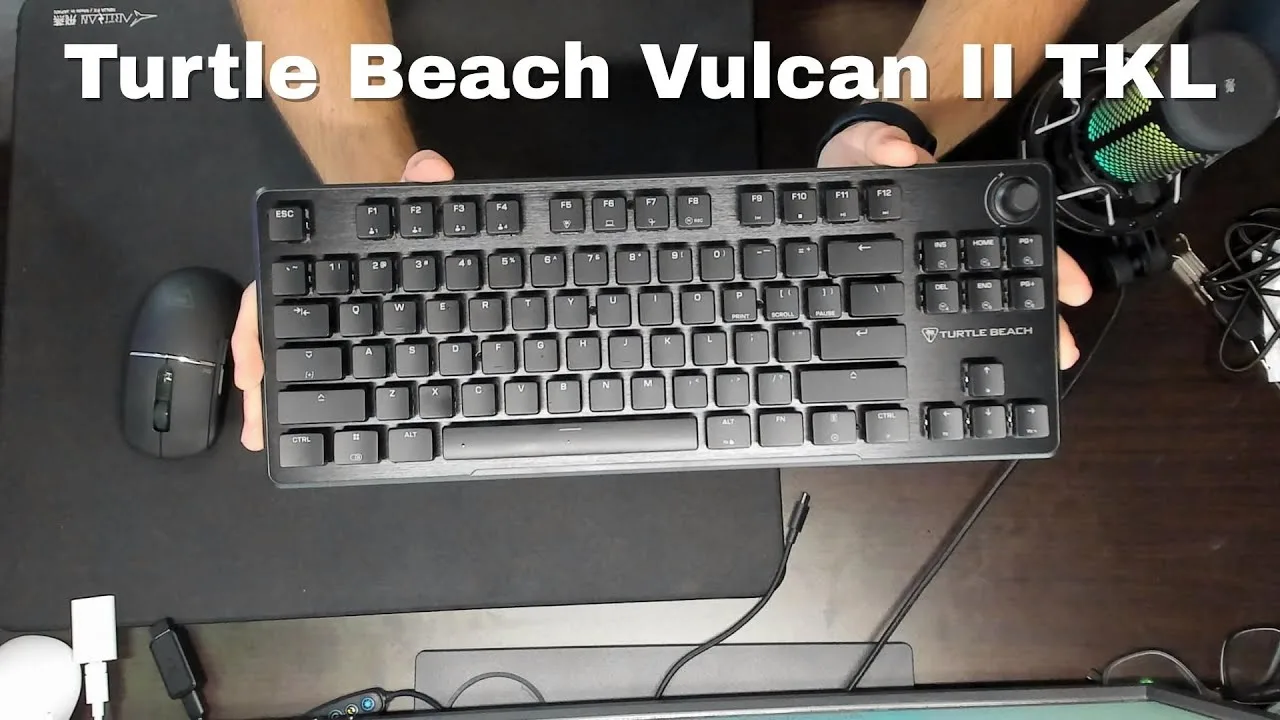
The Vulcan 2 TKL sits at a $120 price point in a competitive market, featuring hot-swappable Titan HS linear switches, sound dampening foam, and a premium aluminum plate. The compact TKL layout includes arrow keys, function keys, and a convenient volume knob. The USB-C port placement on the far left prevents cable drag across mousepads, an improvement over previous designs. The 1.8mm actuation point and 45g actuation force make for a lighter feel, though the reviewer notes this is slower than some competitors. The keyboard runs surprisingly quiet due to internal foam and upgraded stabilizers, though this creates a slightly mushy feel that takes adjustment. Build quality impresses with brushed aluminum and low-profile housing. Hot-swap support covers both 3-pin and 5-pin switches, with spare switches and tools included.
- →Ideal for users prioritizing quiet operation over speed
- →Good choice for school and gaming hybrid use
- →Suitable for those wanting hot-swap customization
- →Better for relaxed typing than competitive esports
- →Consider if cable management is a priority
 GregglesTV
The Turtle Beach Vulcan II TKL is a $80 wired mechanical keyboard …
GregglesTV
The Turtle Beach Vulcan II TKL is a $80 wired mechanical keyboard …
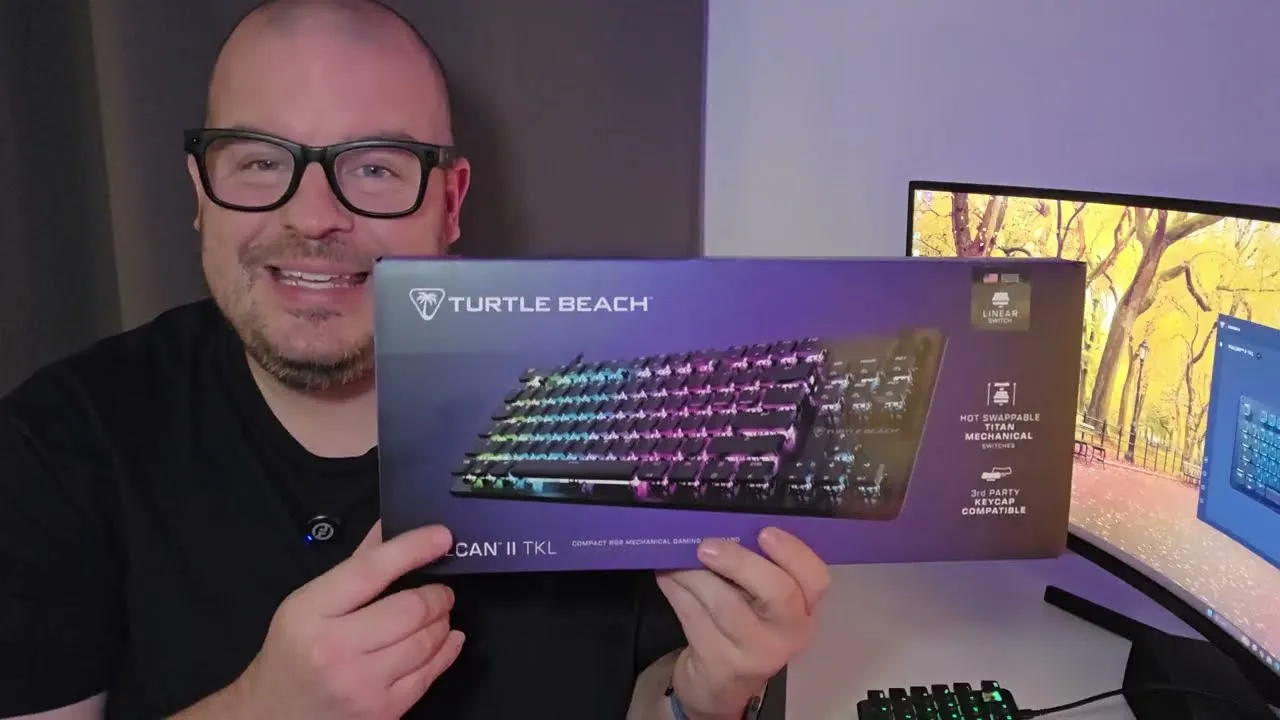
The Turtle Beach Vulcan II TKL is a $80 wired mechanical keyboard featuring USB-C connectivity and a compact tenkeyless design. The reviewer found typing comfortable due to raised keycaps and appreciated the dedicated volume/play-pause roller. Through Turtle Beach's Swarm 2 software, users can remap keys, create macros, adjust per-key RGB lighting with multiple effects, and save multiple profiles. The keyboard includes extra keycaps and a keycap puller. Build quality includes adjustable rear feet, though the reviewer noted limited physical features on the underside.
- →Ideal for gamers wanting extensive macro customization
- →Good fit for users prioritizing compact desk setups
- →Suitable for RGB enthusiasts wanting per-key control
- →Best for those comfortable with wired connections
- →Recommended for media users who value dedicated volume controls
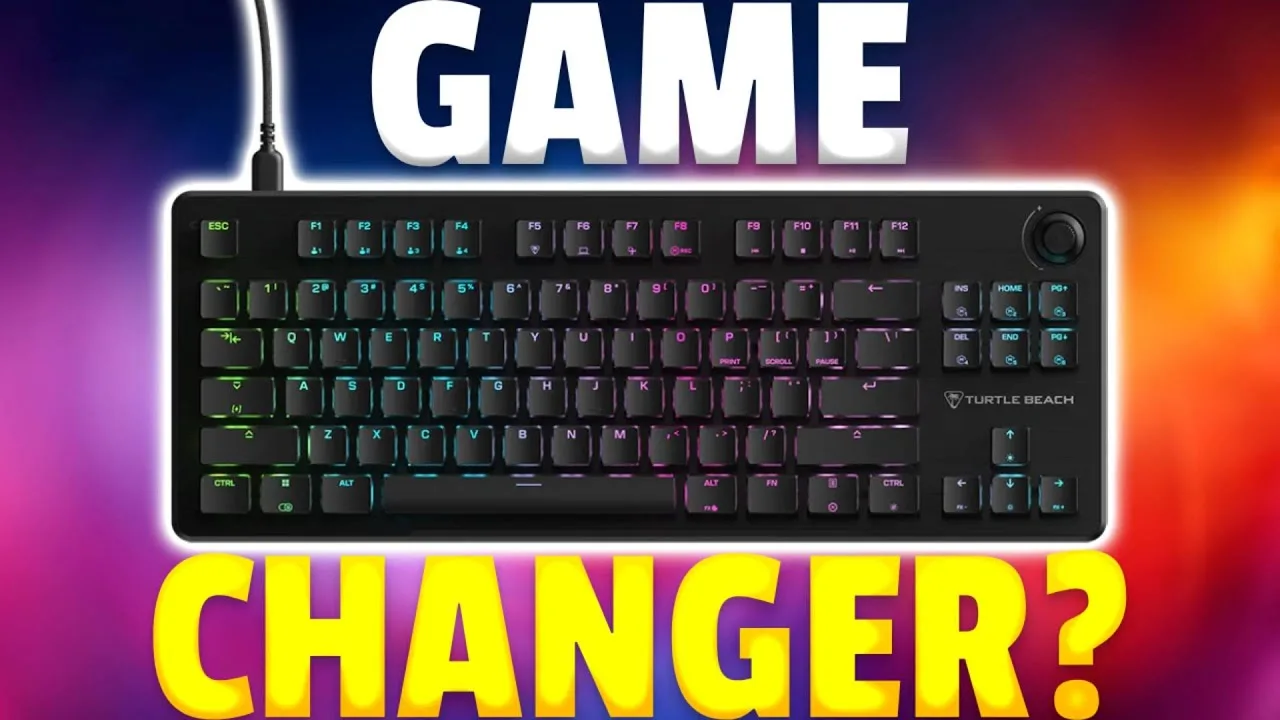 Mekel Kasanova
The Turtle Beach Vulcan II TKL delivers a clean, professional …
Mekel Kasanova
The Turtle Beach Vulcan II TKL delivers a clean, professional …
The Turtle Beach Vulcan II TKL delivers a clean, professional aesthetic with an aluminum top plate and compact tenkeyless layout that maximizes desk space for mouse movements. The pre-lubed Titan HS Linear switches provide smooth, creamy keystrokes with excellent sound dampening on larger keys. Performance shines in gaming scenarios, though the extremely short actuation point can slightly reduce typing accuracy despite boosting speed. Hot-swappable 3-pin and 5-pin switch support adds customization flexibility. However, the ABS keycaps show wear quickly, Swarm 2 software frustrates compared to competitors, and notable omissions include wrist rest and USB pass-through at this price tier.
- →Ideal for gamers prioritizing performance over flashy aesthetics
- →Best suited for shooter and strategy game enthusiasts
- →Tinkerers benefit from hot-swappable switch compatibility
- →Heavy typists may need adjustment period for short actuation
- →Look elsewhere if wrist rests and USB hubs are essential
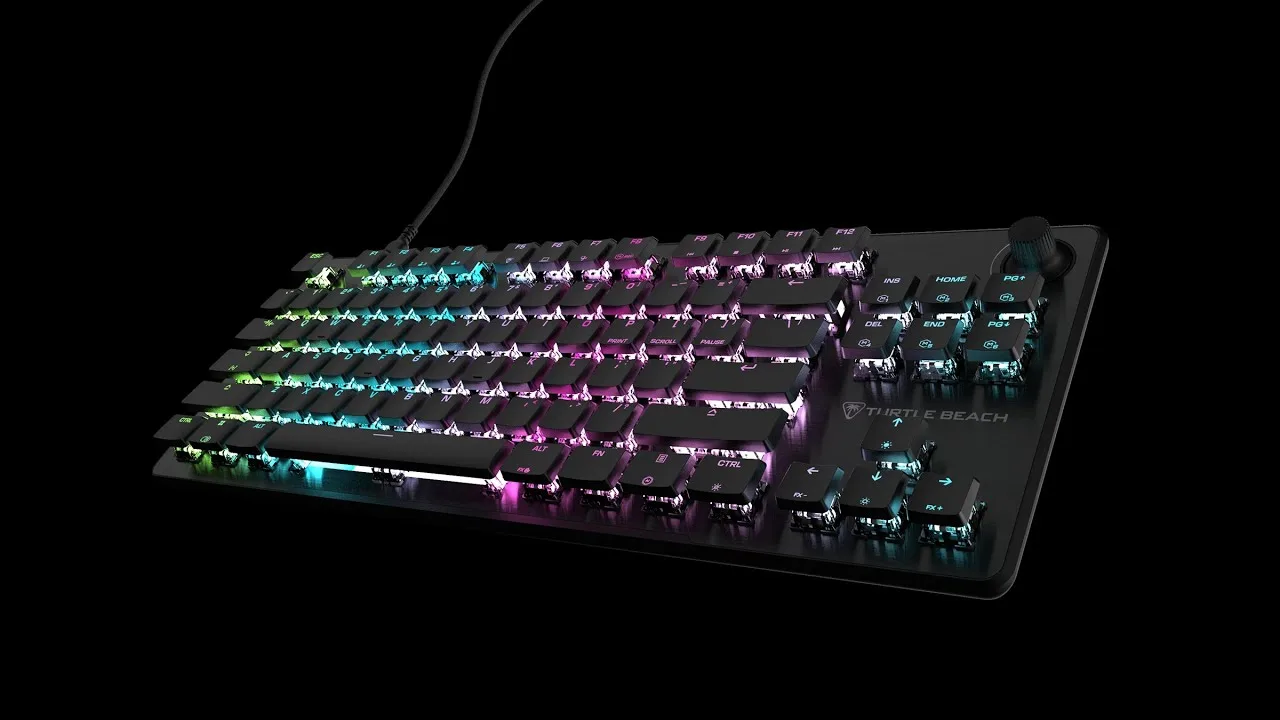 Christ Centered Gamer
First unboxing and initial impressions of Turtle Beach's debut …
Christ Centered Gamer
First unboxing and initial impressions of Turtle Beach's debut …
First unboxing and initial impressions of Turtle Beach's debut hot-swappable mechanical keyboard. Features linear red switches with 1.8mm actuation, 45g force, and quiet operation. Physical design includes slim aluminum top plate, dedicated media wheel with push function, dual-sized rear feet, and USB-C connectivity. Keycap profile has been redesigned from previous Vulcan models—now featuring a smoother incline closer to Cherry profile rather than the stepped design of earlier versions. Includes braided cable, keycap/switch puller, and three spare switches. Reviewer notes absence of included wrist rest (present in Pro model) and praises third-party cap compatibility.
- →Ideal for users wanting to customize switches without soldering
- →Good entry point for keyboard modding beginners
- →Suitable for those preferring quieter linear switches
- →Better for users who don't need included wrist rest
- →Compatible with existing Cherry-style keycap sets
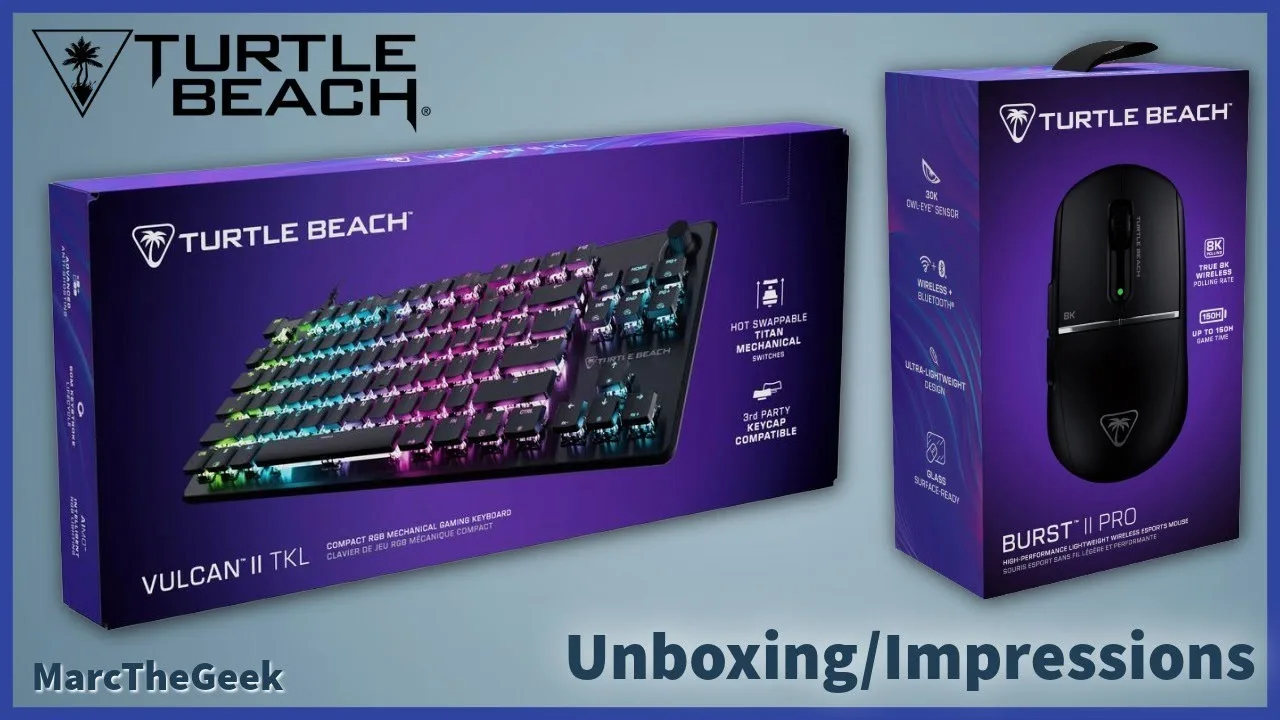 Marc The Geek
The reviewer unboxed and tested the Turtle Beach Vulcan II TKL …
Marc The Geek
The reviewer unboxed and tested the Turtle Beach Vulcan II TKL …
The reviewer unboxed and tested the Turtle Beach Vulcan II TKL mechanical gaming keyboard alongside the Burst 2 Pro mouse. After two weeks of use primarily with a handheld gaming PC, they found the keyboard functional for their needs. The review focused heavily on the mouse, mentioning the keyboard only briefly as part of a dual product unboxing. No specific detailed feedback about the keyboard's performance, switches, or features was provided in the available content.
- →Suitable for handheld gaming PC setups
- →Mechanical gaming keyboard for general use
- →Compact TKL form factor saves desk space
Scores based on weighted analysis of 37 expert and community sources. How we review →