Our Analysis
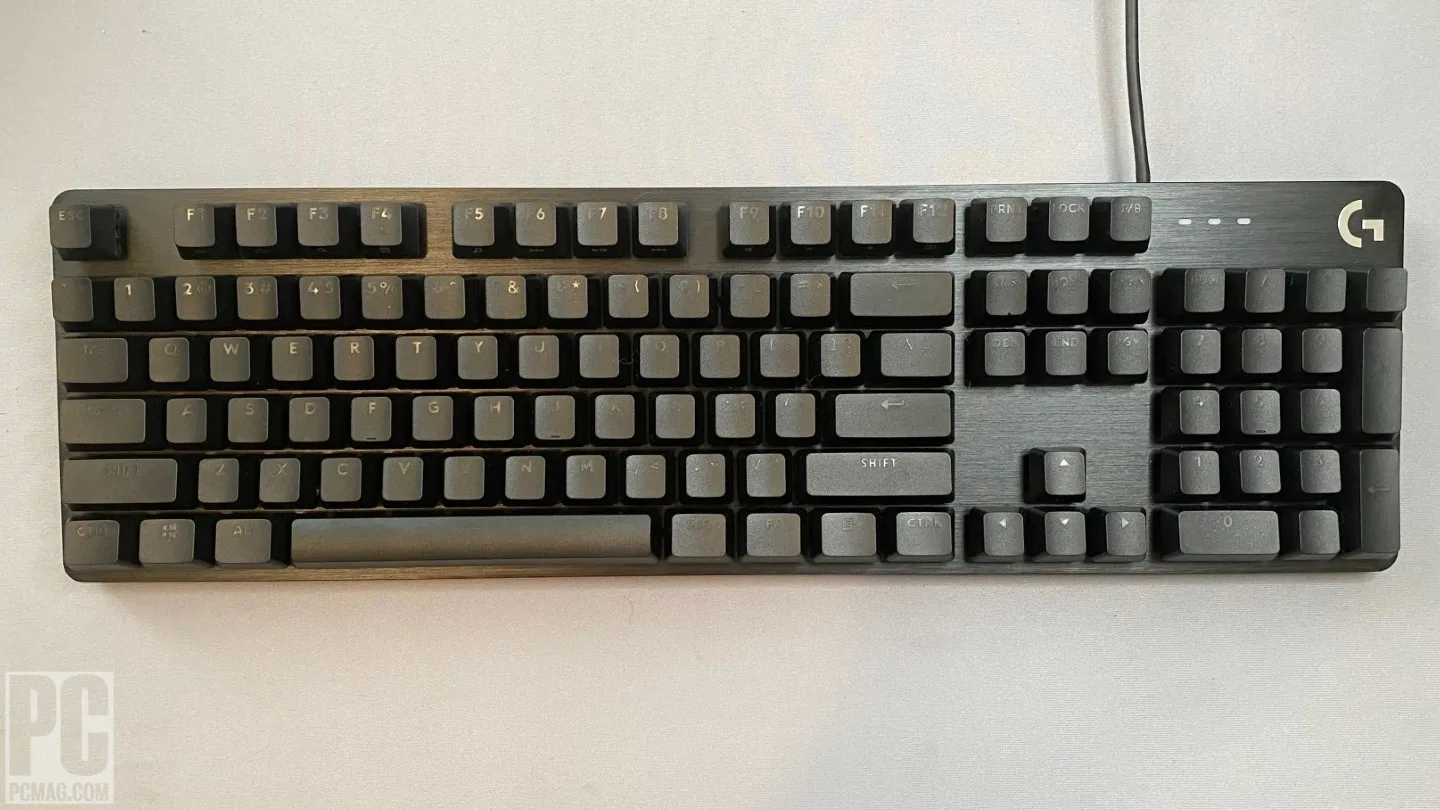
The Logitech G413 SE is a budget mechanical keyboard targeting gamers and minimalist desk setups at around $69.99. Its brushed aluminum top plate—highlighted by tomshardware.com and trustedreviews.com—delivers genuine structural rigidity and a professional aesthetic uncommon at this price. However, the Long Hua switches draw consistent criticism for mushy tactility, spring ping, and stabilizer rattle, undermining the typing experience that the build quality promises. The keyboard also lacks G Hub software support for any customization, has no dedicated media controls or macro keys, and ships with a non-detachable rubber cable. For those who can tolerate these trade-offs, the G413 SE offers a clean, no-RGB design—but the G413 Carbon is worth considering for just $10 more.
Key Points
What Reviewers Love
- +
Aluminum plate provides sturdy build quality
- +
Bright white LED backlighting with adjustable brightness
- +
Budget-friendly price point for mechanical switches
- +
Ideal for gamers wanting tactile feedback without loud clickiness
What To Consider
- −
No software support for customization
- −
Non-detachable rubber cable instead of braided
- −
Only $10 cheaper than superior G413 Carbon model
- −
No wrist rest, macro keys, or dedicated media controls
check_circle Best For
- Budget-conscious gamers seeking sturdiness
- Users needing a minimalist keyboard setup
- Beginners to mechanical keyboards
warning Consider Carefully
- Professional typists requiring wrist rests
- Power users needing extensive customization
- Those expecting premium cable quality
Specifications
Switches
- Actuation force
- 50cN
- Switch options
- Tactile only (no linear or clicky)
- Switch type
- Long Hua Tactile
- Type
- Mechanical
Connectivity
- Connection type
- Wired USB-A
- Connectivity options
- USB-A cable
Source Analysis
This review synthesizes insights from 31 independent sources to provide a comprehensive, unbiased assessment.
Expert Reviews (6)
Professional testing labs & tech publications
A budget mechanical keyboard retailing for $79.99 that targets gamers new to mechanical keyboards. Features an aluminum plate for sturdiness, PBT keycaps with unusual near-invisible legends, and white LED backlighting with adjustable brightness. Uses Logitech Romer-G Brown switches with 45g actuation force, offering subtle tactility similar to other MX Brown clones. However, suffers from significant spring ping and stabilizer rattle, lacks software support entirely, and uses a basic non-detachable rubber cable. The keycap legends are difficult to read without backlight enabled due to missing diffuser material underneath.
Pros
- Aluminum plate provides sturdy build quality
- PBT keycaps offer coarse texture and durability
- Bright white LED backlighting with adjustable brightness
- Romer-G Brown switches provide subtle tactility
Cons
- No software support for customization
- Non-detachable rubber cable instead of braided
- Significant spring ping from switches
- Stabilizer rattle and ticking noise
The Logitech G413 SE delivers solid fundamentals for its sub-$80 price point. A brushed aluminium top plate provides unexpected structural rigidity at this budget, complemented by textured PBT keycaps that outclass typical ABS offerings. Kaihua Brown switches offer adequate tactile feedback for gaming and typing, though consistency varies between keys. The bright white backlighting proves functional if uninspiring, while the 6-key rollover and complete absence of software integration represent notable compromises. At 780g, it remains remarkably lightweight for a full-sized board. For users prioritizing build quality and switch feel over customization, it represents competent value—though competitors may offer genuine Cherry MX switches at similar prices.
Pros
- Brushed aluminium top plate adds durability and premium aesthetics
- Textured PBT keycaps with double-shot moulding outclass budget rivals
- Kaihua Brown switches provide adequate tactile bump for all-round use
- Bright white backlighting effectively illuminates keys
Cons
- 6-key rollover feels inadequate compared to modern standards
- No software integration for any customization options
- Switch consistency varies between keys in actuation feel
- Single-colour backlighting lacks RGB versatility
The Logitech G413 SE is a budget mechanical keyboard available in full-size ($79.99/£69.99) and TKL ($69.99/£59.99) variants. It features a slim, understated all-black design with white LED backlighting, an aluminum top plate, and surprisingly durable PBT keycaps. However, the SE designation strips away numerous features present in the original G413, including USB passthrough, RGB lighting, dedicated media keys, macro controls, wrist rest, key programming, and G-Hub software compatibility. The Long Hua Tactile Brown switches feel heavy, stiff, and fatiguing during extended use. While build quality exceeds expectations for the price, the minimal savings over the superior predecessor and uncomfortable switch feel make this a difficult recommendation despite competent core performance.
Pros
- Subtle, slimline design with skinny bezels
- Well-constructed aluminum top plate with no flex
- Surprising PBT keycaps with textured surface
- Available in streamlined TKL form factor
Cons
- Heavy, stiff Long Hua switches cause finger fatigue
- Loud, clunky, cumbersome switch actuation
- Drops USB passthrough from previous model
- No dedicated media keys or macro controls
Video Reviews (6)
Hands-on demonstrations & setup guides
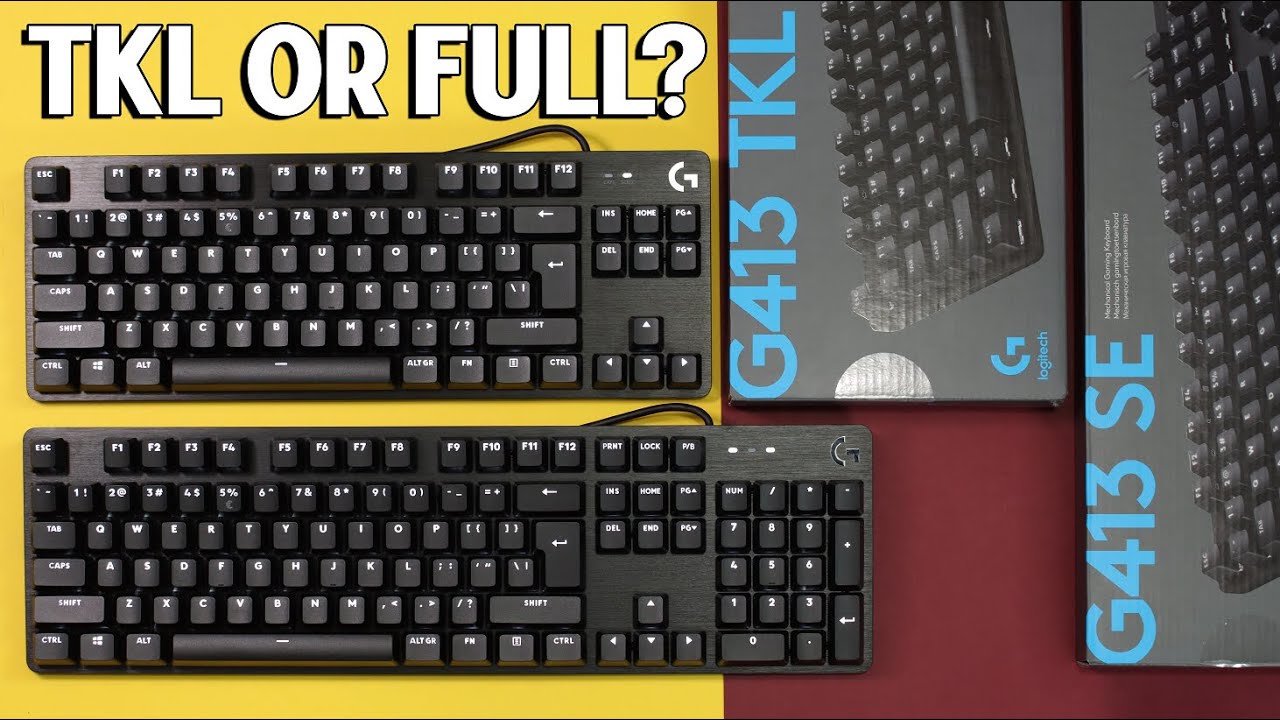
- Ideal for gamers wanting tactile feedback without loud clickiness
- Suitable for users prioritizing durable PBT keycaps
- Good choice for those preferring minimalist white backlighting

- Ideal for gamers wanting fast actuation without loud clicks
- Suits users prioritizing build quality over RGB customization
- Good fit for minimal desk setups preferring stealth aesthetics
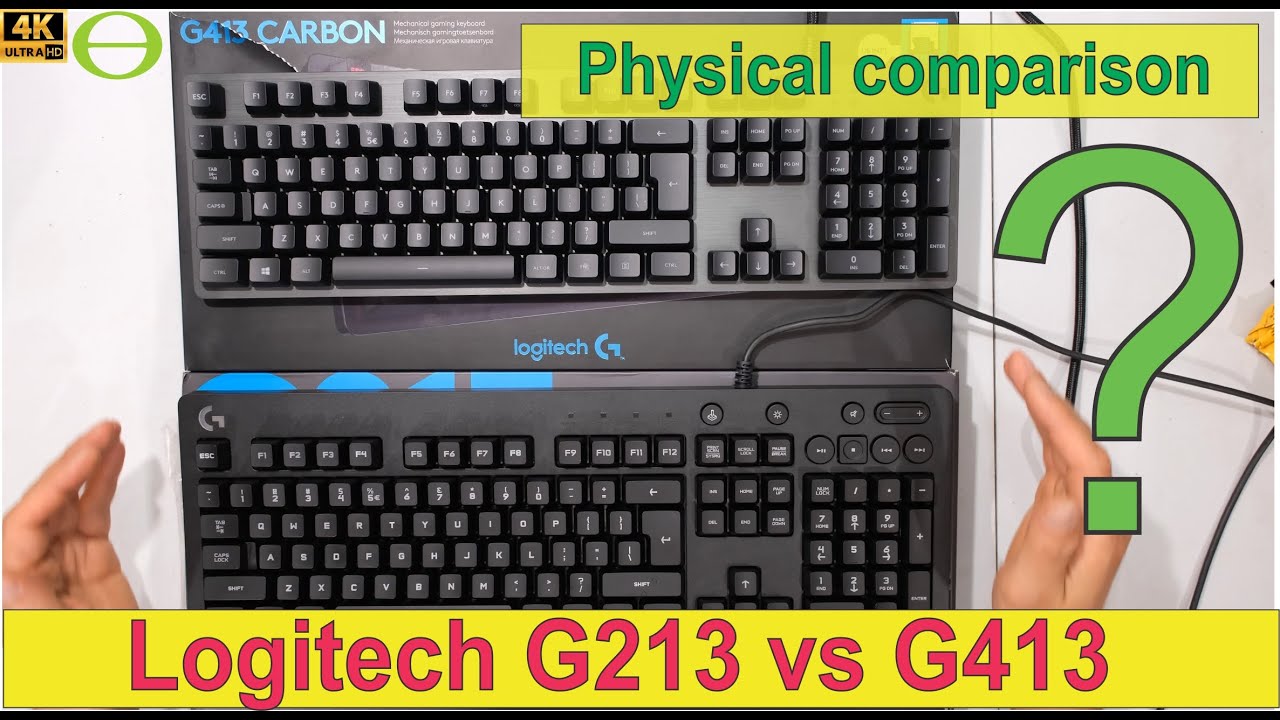
- Best for users prioritizing build rigidity over portability
- Suitable for those wanting per-key lighting without software complexity
- Ideal if USB passthrough is essential for desk setup

Community Discussions (2)
Real owners sharing experiences
u/xstagex
Long-term Update- Avoid this product entirely — systematic END key backlight defect affects multiple production batches
- Defect is visually detectable in review content, suggesting inadequate critical evaluation in media coverage
- Not suitable for users seeking reliable peripherals despite attractive aesthetic pairing with G502
u/baconkopter
Troubleshooting- Key switch degradation appears to be progressive and irreversible, not resolved by standard maintenance
- Light usage (1-2 hours daily) insufficient to prevent hardware failure within 2-4 year timeframe
- Build quality and aesthetics do not correlate with switch longevity in this model
Customer Reviews Amazon
What buyers are saying
2,441 reviews
Recently Added Reviews
Best Budget Keyboard IMO
Great step-up "basic"-ish mechanical/gaming keyboard
Solid, no-nonsense mechanical keyboard
Amazing
Great keyboard
Reviews shown are from Amazon customers and do not reflect our editorial assessment.
The Verdict
The Logitech G413 SE is a difficult recommendation. Its brushed aluminum plate is genuinely impressive for the price, but the Long Hua switches feel mushy and produce distracting spring ping and stabilizer rattle during extended use. The non-detachable rubber cable and complete lack of G Hub software support further limit its appeal. At just $10 less than the G413 Carbon—a meaningfully better keyboard—the SE's value proposition is weak. Buy only if a metal build and no-RGB aesthetic are your top priorities; otherwise, spend the extra $10 or look at competing budget options.