

Keychron Q5 Max
Best For
- Users valuing clean aesthetics and wireless tech
- Gamers needing top-tier performance and battery life
- Typists appreciating durable PBT keycaps
Consider Carefully
- Enthusiasts seeking acoustic customization
- Individuals requiring light and portable keyboards
Jump to Section
The Bottom Line
The Keychron Q5 Max positions itself as a premium mechanical keyboard, earning a score of 83/100. What stands out is its ability to serve users who want a sleek white aesthetic and wireless functionality in a full-size keyboard without giving up typing feel or build quality. The solid aluminum case and double gasket-mounted design, as noted by rtings.com, contribute to a softer, springy typing experience that many users appreciate. With long battery life and gaming-ready wireless performance, it suits those who need a keyboard that holds up under heavy use. It does come with trade-offs: a 96% layout that requires adaptation and a weight that may put off some users.
Performance Breakdown
Expert Scores
How 3 professional publications rated this product
In-Depth Analysis
Typing Sound & Feel 91
Deep, muted acoustics with pre-lubed Gateron Jupiter switches. The foam-heavy internals make this one of the quieter mechanical keyboards at this price, though a Reddit thread flags switch registration failures that disrupt fast typing.
Key Takeaway
→If quiet, cushioned typing in a shared space is the priority, this is a strong pick. If you type fast and need every keystroke to register reliably, verify the switch socket issue is resolved before buying.
Wireless Connectivity 90
Triple connectivity with Bluetooth 5.1, 2.4 GHz at 1000Hz polling, and USB-C. Fourteen sources, almost no dissent, with one minor caveat around wake-from-sleep latency.
Key Takeaway
→If you need a keyboard that handles multi-device switching and wireless gaming without compromise, the connectivity stack here is hard to beat at this price.
Layout & Key Design 87
The 96% layout fits a numpad into a smaller footprint than full-size, which is the whole point. The compressed key spacing and tall KSA profile require a real adjustment period, and three sources flag the navigation cluster as genuinely awkward.
Key Takeaway
→If you need a numpad and want to reclaim desk space versus a full-size board, this layout is the right trade. If you rely heavily on the navigation cluster, the compressed layout will frustrate you.
Build Quality 87
2.12 kg of 6063 aluminum that goes nowhere on your desk. The trade-off is real weight, no angle adjustment, and a price tag that doesn't include a wrist rest.
Key Takeaway
→If you want a tank-built 96% keyboard that doubles as an entry into enthusiast modding, this delivers. If you need portability or ergonomic adjustability, look elsewhere.
Battery Life 87
Up to 180 hours without backlighting from a 4000 mAh cell. With RGB on, expect roughly a week. One Reddit thread recommends removing the battery entirely if you plan to run wired-only long term.
Key Takeaway
→Battery life is a genuine strength for wireless users. If you're running wired permanently, consider removing the battery to avoid long-term swelling risk.
Software & Customization 86
QMK and VIA support on paper, but phandroid found VIA didn't function in testing, and r/Keychron points to Keychron Launcher as the practical workaround. Hot-swap sockets and a programmable knob are the unambiguous wins.
Key Takeaway
→Hot-swap and QMK support make this genuinely customizable, but go in expecting to use Keychron Launcher rather than standard VIA for remapping.
Stabilizer Quality 66
Rattling on the backspace and Enter keys is a consistent complaint across sources. Budget for stabilizer tuning or replacements if sound consistency matters to you.
Key Takeaway
→If you're sound-sensitive, plan to tune or replace the stabilizers. The space bar is fine, but backspace and Enter rattle out of the box.
RGB & Lighting 65
South-facing LEDs behind non-shine-through keycaps means the RGB is largely decorative. Three sources agree the key legends are difficult to read in low light.
Key Takeaway
→Skip this if RGB visibility is a priority. The lighting exists, but the stock keycaps and LED placement make it largely invisible where it counts.
Specifications & Verdict
Design
- Form Factor
- Full (96%)
- Layout
- ANSI (United States)
- Dimensions
- 16"L x 5.7"W x 1.4"H
- Weight
- 2.2kg fully built
- Number of Keys
- 97
- Color Options
- Black, White
Build
- Case Material
- Aluminum
- Plate Material
- Polycarbonate
- Keycap Profile
- OEM
- Keycaps
- KSA double-shot PBT
- Keycap Type
- PBT, Double-shot
- Mount Type
- Gasket mount
- Construction
- full metal
- Stabilizers
- screw-in
- PCB Type
- hot-swappable
Switches
- Switch Type
- Mechanical
- Switch Feel
- Linear
- Hot-Swappable
- Yes
- Actuation Force
- 45 g
- Actuation Distance
- 2 mm
Connectivity
- Connectivity
- Bluetooth, 2.4GHz wireless, USB
- Wireless
- 2.4 GHz
- Bluetooth Devices
- 3
- Polling Rate
- 1000 Hz
Power
- Battery
- 4,000mAh
- Battery Life
- 100 hours
Software
- Software
- web-based or downloadable configuration software
- OS Compatibility
- Laptop, PC, Smartphone, Tablet
Features
- Media & Controls
- Dedicated media keys
- Special Features
- Backlit, Hot-Swappable, Programmable Keys, Rechargeable, Tenkeyless (TKL)
Other Specs
- Backlighting
- full RGB
- Switch Type Tested
- Gateron Jupiter Brown
- Bluetooth Version
- 5.1
Our Verdict
We recommend the Keychron Q5 Max for those prioritizing a clean design, wireless connectivity, and top-notch build quality. However, if you're after a keyboard that allows for acoustic tuning or something lightweight, this might not be the best fit.
Customer Reviews Amazon
5 reviews
A solid customizable workstation
Great
Reviews shown are from Amazon customers and do not reflect our editorial assessment.
Reader Questions
Specific questions about the Keychron Q5 Max, answered only from what reviewers reported.
01Is the build quality solid enough to justify the price?
Reviewers consistently praised the CNC aluminum construction, with the keyboard weighing around 2.1 kg and sitting completely still during use. Multiple sources described it as premium and heavy-duty, with effective internal dampening.
02Can I use this keyboard wirelessly for gaming without noticeable lag?
The Q5 Max supports a 1000Hz polling rate over both wired and 2.4GHz wireless connections, making it a strong choice for wireless gaming. It also offers Bluetooth 5.1 as a third connectivity option.
03How long does the battery last on a charge?
Reviewers noted a 4000 mAh battery rated for up to 180 hours of wireless use, which multiple sources described as suitable for extended sessions with minimal charging interruptions.
04Is the typing sound quiet enough for an office environment?
The Q5 Max uses multiple layers of sound-dampening foam that produce a soft, muted sound profile. Reviewers found it suitable for open offices and recording environments where quiet operation matters.
05Do the stabilizers rattle, and are the switches smooth out of the box?
Reviewers noted inconsistent stabilizers with occasional rattling noises as a drawback. On the switch side, the Gateron Jupiter switches come pre-lubricated and were described as smooth, though some enthusiasts recommended budgeting for aftermarket stabilizers and switches to reach a fully satisfying result.
06Is the 96% layout easy to adapt to if I am coming from a full-size keyboard?
Several reviewers flagged that the compressed 96% key spacing requires an adjustment period for users accustomed to standard full-size layouts. The tall housing also lacks angle adjustment, and no wrist rest is included, which can add to the adaptation challenge.
Pricing & Availability
Updated Apr 10, 2026Keychron Q5 Max
All regions
Sources & Methodology
Every score is built on evidence. This review synthesizes 24 independent sources — expert publications, video reviews, and community discussions — weighted by credibility, depth, and relevance.
Show detailed source analysis ↓ Hide source analysis ↑
Expert Reviews
rtings.com
Top
8.1/10-point
The Keychron Q5 Max delivers exceptional build quality with its solid aluminum case and double gasket-mounted design, creating a softer, springy typing experience. It offers versatile connectivity through Bluetooth and 2.4GHz wireless with true 1000Hz polling rate for competitive gaming. The hot-swappable PCB allows switch customization, and included tools enable complete disassembly for modifications. Multiple layers of sound-dampening produce quiet typing noise suitable for office environments. However, the high-profile design necessitates a wrist rest (not included), and south-facing LEDs paired with non-shine-through keycaps make legends difficult to read in darker rooms. Inconsistent stabilizers occasionally produce rattling noises.
Strengths
- +Solid aluminum case with exceptional build quality
- +Double gasket-mounted design creates softer, springy typing feel
- +True 1000Hz polling rate via wired or 2.4GHz wireless
- +Hot-swappable PCB for easy switch customization
Weaknesses
- −Inconsistent stabilizers with occasional rattling noises
- −South-facing LEDs with non-shine-through keycaps reduce legend visibility
- −High profile requires wrist rest for comfortable typing
- −No wrist rest included in packaging
phandroid.com
Top
9/10-point
The Keychron Q5 Max represents a significant evolution in mainstream mechanical keyboards, delivering enthusiast-grade quality at accessible pricing. Weighing 2.2kg with full metal construction, it feels premium and substantial. The Gateron Jupiter Banana switches come factory pre-lubed with remarkably smooth action and crisp, controlled sound. A double gasket mount with acoustic foam enables quieter operation, though foam can be removed for those wanting more resonance. The quasi-full-sized layout trims the navigation cluster for compactness while retaining numpad functionality. KSA-profile PBT keycaps offer grippy texture and deeper sound. Wireless and wired connectivity, cross-platform compatibility, and hot-swappable PCB add versatility. The rotary knob and web-based Keychron Launcher provide customization options, though VIA compatibility claims didn't hold up in testing.
Strengths
- +Full metal 2.2kg construction feels genuinely premium
- +Factory pre-lubed switches feel hand-lubed smooth
- +Grippy textured PBT keycaps with deeper sound profile
- +Hot-swappable PCB requires no soldering
Weaknesses
- −VIA compatibility claimed but didn't function in testing
- −Tall KSA profile requires adjustment period
- −Foam dampening reduces natural resonance
macreports.com
A 96% QMK/VIA wireless custom mechanical keyboard with an all-metal case, thick PBT keycaps, extensive sound-dampening foam, and Mac-labeled keycaps. Offers Bluetooth, 2.4 GHz wireless, and wired connectivity with up to three Bluetooth devices. Features a 4000 mAh battery, hot-swappable switches, and included number pad. The Shell White colorway presents a soft, clean aesthetic with green accent keycaps. Typing sound with Gateron Jupiter Brown switches is muted and comparable to an Apple Magic Keyboard. Priced at $219 fully assembled or $199 barebone.
Strengths
- +Sturdy, heavy aluminum construction
- +Thick, aesthetically pleasing PBT keycaps
- +Good Bluetooth connection with minimal lag
- +Impressive battery life from 4000 mAh cell
Weaknesses
- −$219 price may exceed some budgets
- −Stabilizers may require tuning for sound-sensitive users
canbuyornot.com
After a month of use, this reviewer found the fully assembled Keychron Q5 Max to be an outstanding premium 96% compact keyboard. The 2.2kg CNC aluminium chassis in shell white remained surprisingly clean despite expectations. The Gateron Jupiter Brown switches deliver a tactile, comfortable typing experience with textured, grease-resistant PBT keycaps that show minimal wobble. The double-gasket design produces a soft, muted, ASMR-like sound that the reviewer particularly enjoyed. The keyboard offers versatile connectivity through wired, Bluetooth (90Hz, 3 devices), and 2.4GHz wireless (1,000Hz polling rate) modes. Battery life reaches up to 100 hours with low backlight or 180 hours with it off. The web-based VIA software enables easy customization of layouts, macros, and RGB lighting, with a convenient toggle for switching between Windows and macOS configurations. A volume knob and three programmable macro keys add practical functionality. The only notable omission was a wrist rest, which would complement the keyboard's height.
Strengths
- +Premium 2.2kg CNC aluminium build quality
- +Soft, muted ASMR-like typing sound
- +Textured, grease-resistant PBT keycaps
- +Minimal key wobble including space bar
Weaknesses
- −No included wrist rest for the high price
- −VIA software requires manual file download
- −Backspace and Enter have inconsistent sound
Deskmodder
The Keychron Q5 Max is a premium 96% mechanical keyboard weighing approximately 2.12 kg with a solid 6063 aluminum construction. It offers triple connectivity: wired USB-C, Bluetooth (up to 3 devices), and 2.4 GHz wireless via included dongle. The review unit featured linear Gateron Jupiter Red switches (45gf actuation force) with factory lubrication for smooth, relatively quiet typing. Double-shot PBT keycaps come standard, with Mac-first layout and included Windows keycap replacements. A 4000 mAh battery provides several days of wireless use, though battery status cannot be checked while charging. The compact layout includes a full numpad, programmable macro keys, and a volume knob, though the compressed navigation cluster may frustrate users requiring frequent End/Delete key access.
Strengths
- +Premium 6063 aluminum construction at 2.12 kg
- +Triple connectivity: wired, Bluetooth, and 2.4 GHz wireless
- +Pre-lubricated Gateron Jupiter switches for smooth typing
- +Hot-swappable switch sockets for customization
Weaknesses
- −Compressed navigation cluster hinders End/Delete access
- −Battery status unavailable during USB-C charging
- −Brief connection delay when waking from sleep wirelessly
- −96% layout requires adjustment for standard users
Computerbase
The Keychron Q5 Max delivers premium keyboard quality at 213 euros without requiring flagship prices. Its 96% layout combines compact 75% dimensions with a full numpad by merging arrow keys into the main cluster. Three connectivity options—USB-C, Bluetooth 5.1, and 2.4GHz wireless—provide flexibility, while the 4,000 mAh battery promises up to 180 hours. Gateron Jupiter switches offer smooth, lubricated action with satisfying acoustics, housed in a metal case with effective dampening. However, keycaps block switch lighting entirely, and essential functions like Print Screen and Scroll Lock require manual programming rather than default placement.
Strengths
- +96% layout combines compactness with full numpad
- +Triple connectivity: USB-C, Bluetooth 5.1, 2.4GHz wireless
- +Smooth, well-lubricated Gateron Jupiter switches
- +Satisfying, deep, muted acoustic profile
Weaknesses
- −Keycaps completely block switch lighting
- −Status LEDs difficult to see
- −Print Screen and Scroll Lock require manual programming
- −Non-standard top row limits keycap replacement options
Eurogamer
5
A substantial 96% mechanical keyboard weighing 2.1 kg with solid metal construction. Features triple connectivity (Bluetooth 5.1, 2.4 GHz wireless, USB-C), hot-swappable Gateron Jupiter switches, and effective noise dampening via silicone padding. The 96% layout requires adjustment due to compressed spacing between main keys, function keys, and numpad. No angle adjustment available. Priced at €213 with extensive accessories including Mac/Windows keycap options, switch puller, and dongle extender. Performs reliably for both typing and gaming with smooth, dampened keystrokes.
Strengths
- +Extremely stable 2.1 kg metal construction eliminates movement
- +Triple connectivity: Bluetooth 5.1, 2.4 GHz, and USB-C
- +Effective silicone dampening reduces noise significantly
- +Hot-swappable 3-pin and 5-pin MX-style switches without soldering
Weaknesses
- −No angle adjustment despite tall housing height
- −96% layout requires adaptation due to compressed key spacing
- −No included wrist rest for elevated typing position
Video Reviews
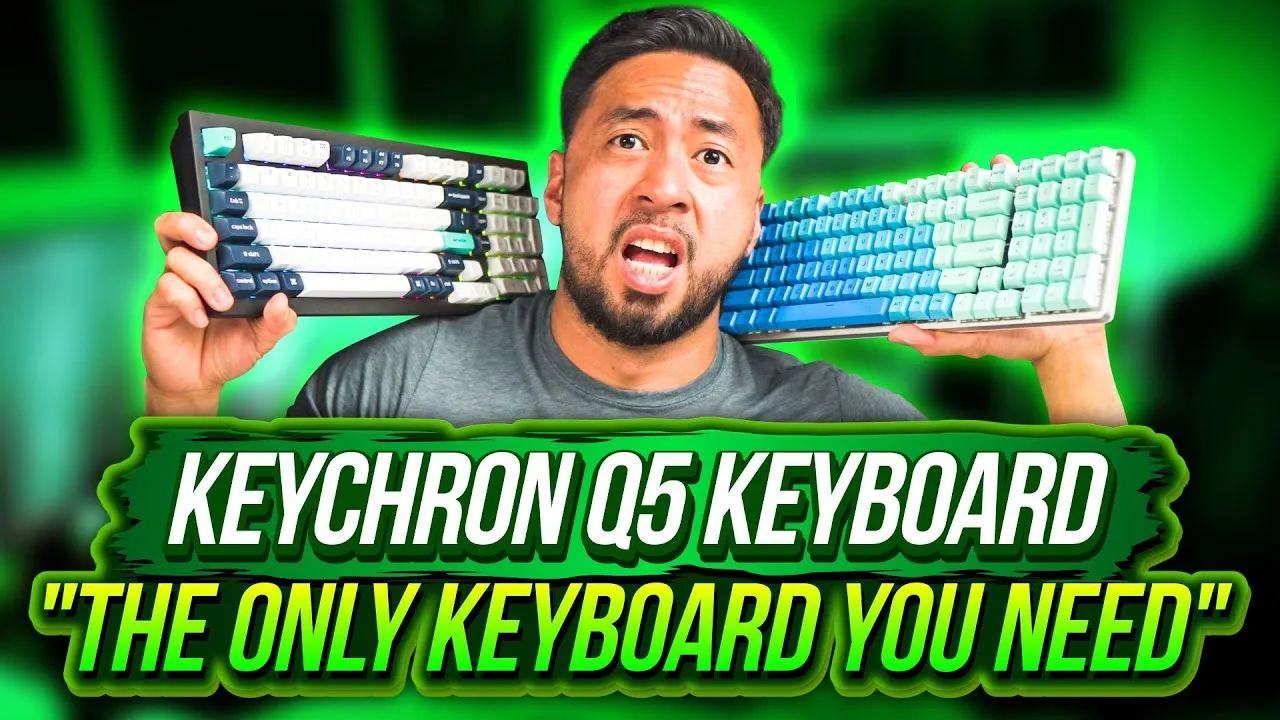 LCA Digital Media
A 96% wireless mechanical keyboard with dual Mac/Windows compatibility …
LCA Digital Media
A 96% wireless mechanical keyboard with dual Mac/Windows compatibility …
A 96% wireless mechanical keyboard with dual Mac/Windows compatibility and open-source QMK firmware. Features include 2.4GHz/Bluetooth connectivity with up to 1000Hz polling rate, 4000mAh battery rated for 180 hours without backlight, screw-in stabilizers, and a volume knob. The reviewer purchased the fully assembled version for approximately $240-250 and notes the premium packaging and build weight. Four programmable layers are available via VIA software, with 22+ lighting effects. The keyboard includes alternate keycaps for Windows/Mac layouts.
- →Ideal for users switching between Mac and Windows systems
- →Good choice for gamers wanting wireless with low latency
- →Suitable for developers wanting open-source firmware control
- →Battery lasts about one week with backlight enabled
- →Fully assembled recommended despite higher cost
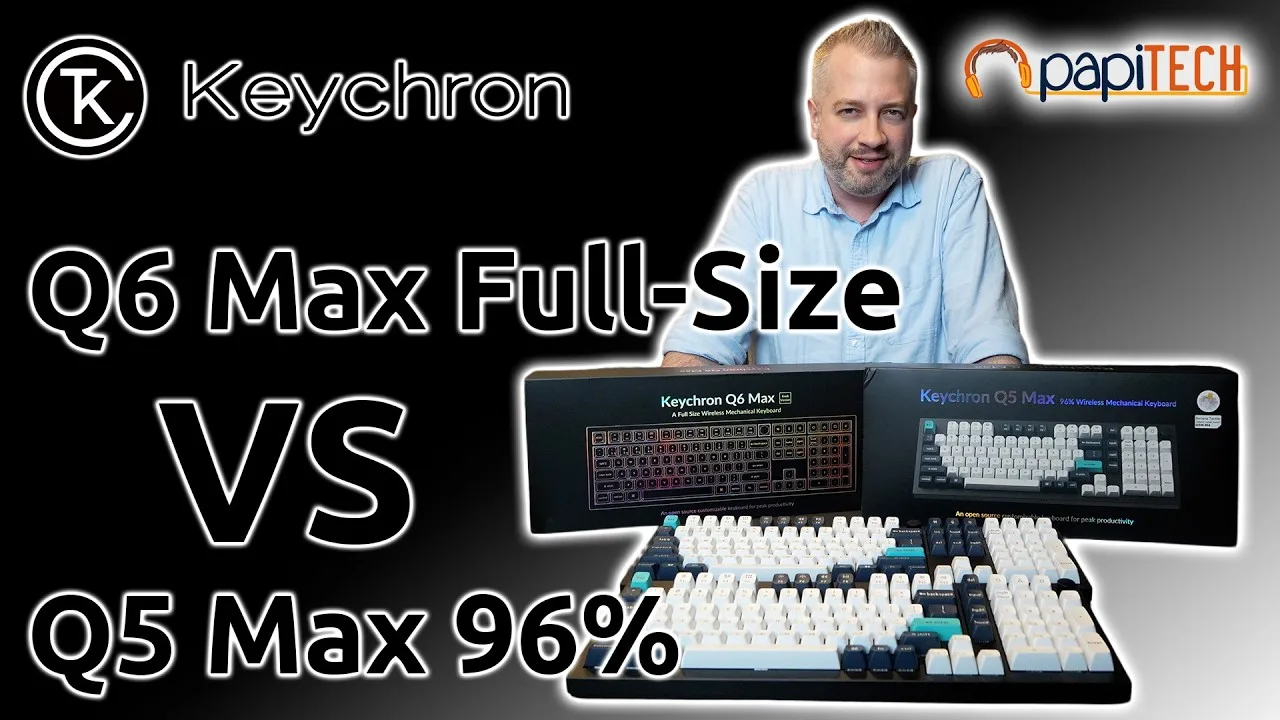 PapiTech
The reviewer accidentally purchased the Q5 Max (96%) instead of the Q6 …
PapiTech
The reviewer accidentally purchased the Q5 Max (96%) instead of the Q6 …
The reviewer accidentally purchased the Q5 Max (96%) instead of the Q6 Max (full-size) they already owned. Both keyboards share identical height, build quality, and banana tactile switches that feel clicky and satisfying for both typing and gaming. However, the 96% layout's compressed design relocates critical keys—most notably moving Delete from an easy pinky reach to an awkward upper position. This single layout change proved disruptive enough to warrant returning the product despite otherwise identical performance.
- →Verify layout differences before purchasing similar models
- →Prioritize full-size if Delete key is workflow-critical
- →Excellent choice for home gaming setups with space constraints
- →Consider noise level for open office environments
- →96% format requires adaptation for productivity users
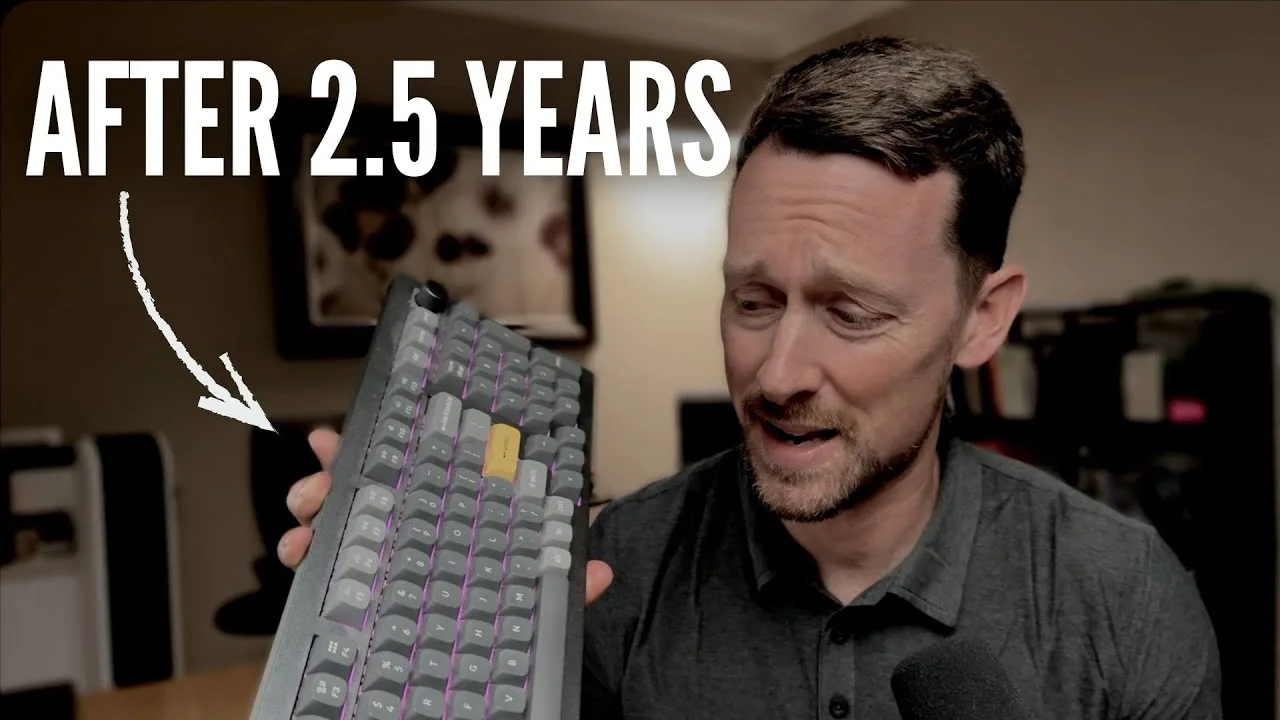 Eamonn Reviews
The reviewer has used a wired Keychron Q-Series keyboard for several …
Eamonn Reviews
The reviewer has used a wired Keychron Q-Series keyboard for several …
The reviewer has used a wired Keychron Q-Series keyboard for several years and expresses strong satisfaction. They highlight the all-aluminum metal construction, substantial weight at over four pounds, and compact 96% layout that includes a number pad essential for spreadsheet work. The programmable volume knob receives particular praise for daily utility. RGB backlighting offers extensive customization through dedicated keys for mode, brightness, hue, saturation, and animation speed. Full programmability via VIA software allows macro creation and key remapping. A Windows/Mac switch resolves common OS compatibility issues. The reviewer notes wireless versions exist and is now considering purchasing a 'max version' purely by desire rather than necessity, indicating exceptional long-term reliability.
- →Ideal for spreadsheet-heavy workflows requiring number pad
- →Perfect for users wanting premium build quality
- →Great for RGB enthusiasts wanting hardware controls
- →Suits those needing cross-platform Windows/Mac flexibility
- →Excellent long-term investment for daily typists
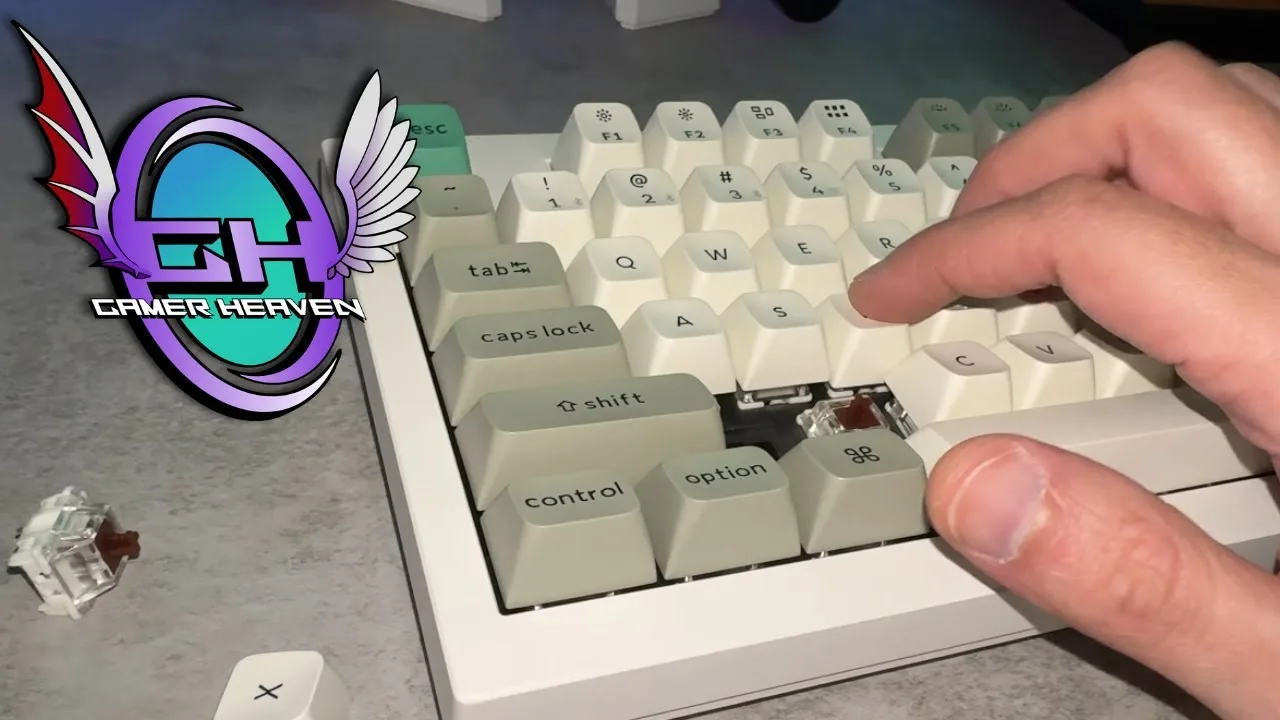 Gamer Heaven
A 96% layout mechanical keyboard weighing over four pounds with an …
Gamer Heaven
A 96% layout mechanical keyboard weighing over four pounds with an …
A 96% layout mechanical keyboard weighing over four pounds with an all-metal base. Features PBT hot-swappable keycaps, Gateron brown switches, tri-mode connectivity, and approximately 240 hours of battery life with backlighting disabled. Extensive RGB lighting options available. Comes pre-assembled with sound dampening modifications already applied, including rubber gaskets, sound absorbing foam, pet film, and latex bottom pad. Available in carbon black and shell white color options. Two purchase options: fully assembled or bare bones kit for $20 less. Jupiter brown, Jupiter banana, and Jupiter red switch options offered, though banana switches were out of stock for carbon black at time of review.
- →Ideal entry point into custom keyboard world
- →Pre-built saves time versus DIY assembly
- →96% layout suits productivity-focused users
- →Heavy weight ensures desk stability
- →Fully assembled option offers better value
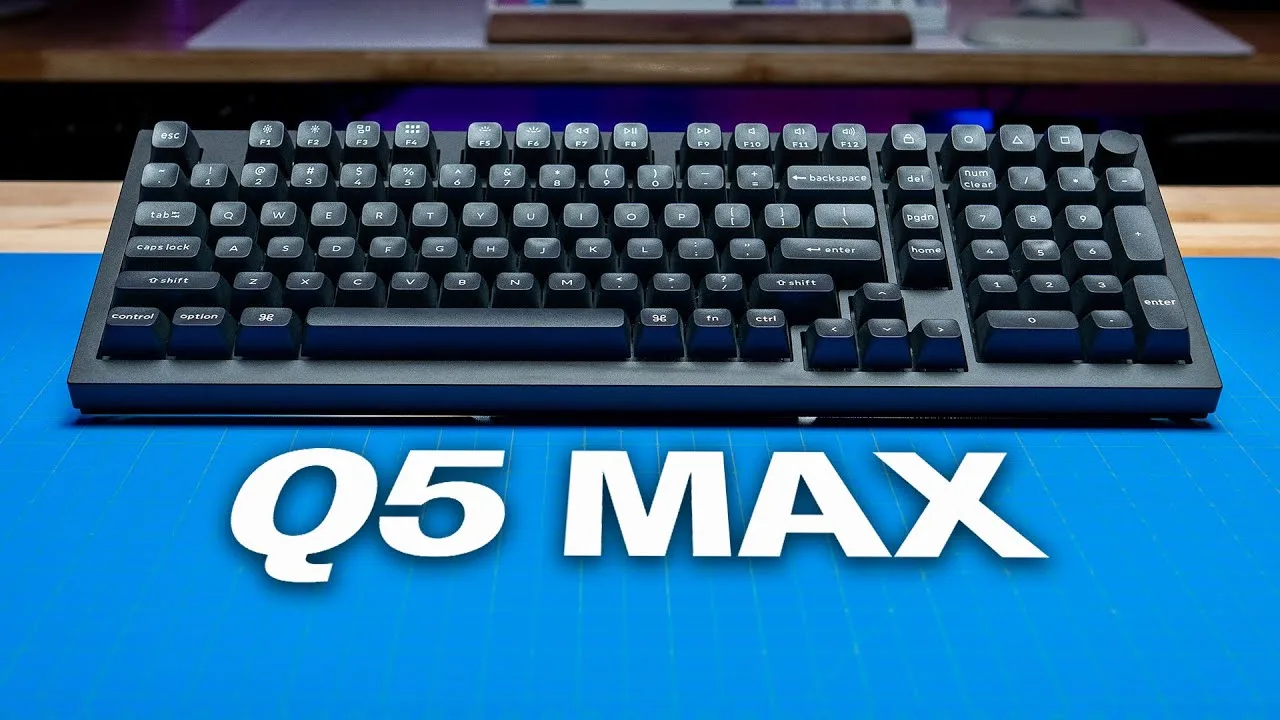 SemiPro Tech+Gear
The reviewer purchased the bare bones Q5 Max for $199 to customize …
SemiPro Tech+Gear
The reviewer purchased the bare bones Q5 Max for $199 to customize …
The reviewer purchased the bare bones Q5 Max for $199 to customize with preferred switches and stabilizers. The 96% layout keyboard features all-aluminum construction weighing 4.88 pounds, gasket-mount PCB with extensive internal foam layers, polycarbonate plate, and south-facing RGB. Connectivity options include Bluetooth (3 devices), 2.4GHz wireless, and USB-C wired — all supporting 1000Hz polling rate. The 4000mAh battery provides up to 180 hours without backlighting. QMK/VIA firmware enables key remapping and macro creation. The reviewer swapped stock stabilizers for Durock V2s and used Gateron Baby Raccoon switches rather than testing pre-built Gateron Jupiter options.
- →Ideal for users wanting premium build without full custom assembly
- →Strong choice for wireless gaming with 1000Hz polling
- →Bare bones version suits enthusiasts with preferred switches
- →Battery life accommodates extended wireless use
- →Gasket mount and foam suit those wanting refined acoustics
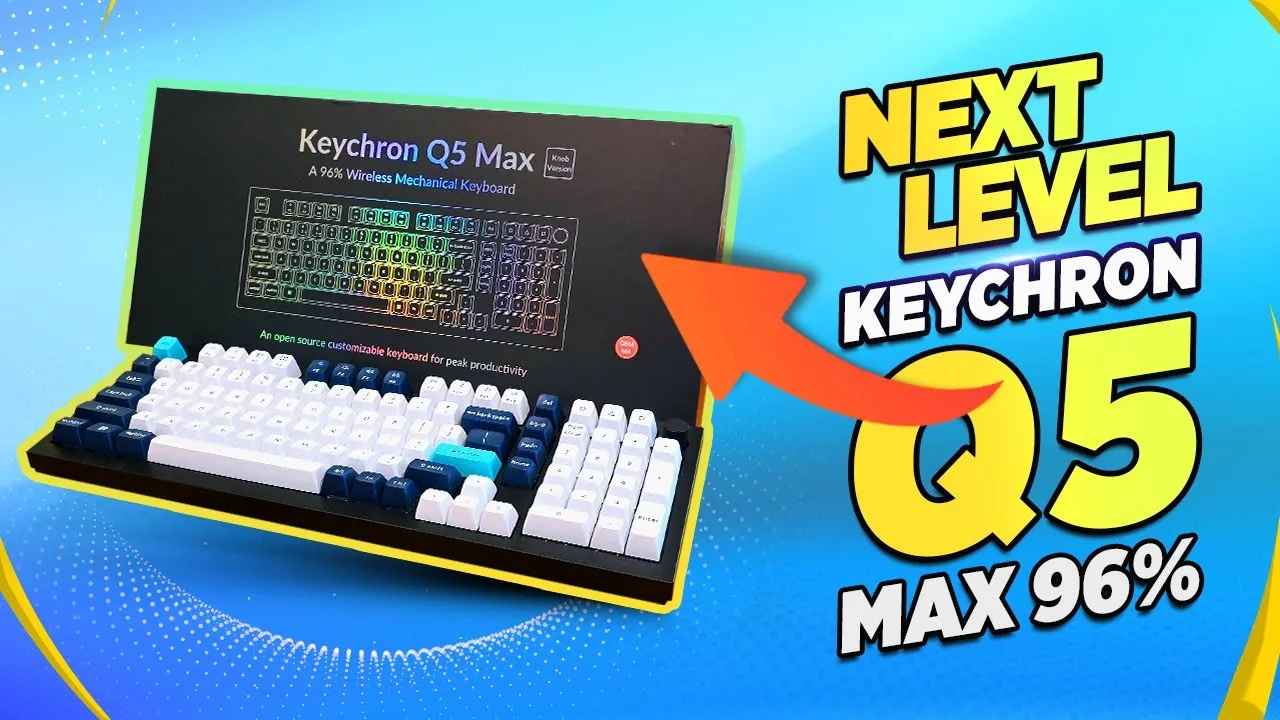 TK Bay
The reviewer presents the Keychron Q5 Max as a 96% wireless mechanical …
TK Bay
The reviewer presents the Keychron Q5 Max as a 96% wireless mechanical …
The reviewer presents the Keychron Q5 Max as a 96% wireless mechanical keyboard designed for productivity, featuring a full numpad and customizable dial. It offers triple connectivity (wired, Bluetooth, 2.4GHz with included dongle), supporting up to three paired devices simultaneously. The unit features a 4000mAh battery rated for approximately 180 hours without heavy LED usage, 22+ built-in lighting effects, and hot-swappable keycaps with replaceable Mac/Windows configuration options. Software customization is available through Keychron's proprietary Via software or open-source KMK/QMK. The double gasket design provides substantial weight and stability, with screw-in stabilizers for a sturdy typing feel. Available in multiple colors and switch options (reviewer's unit uses banana switches).
- →Ideal for productivity-focused users needing full numpad functionality
- →Excellent for multi-device setups with seamless switching capability
- →Strong choice for enthusiasts wanting open-source customization options
- →Suitable for extended wireless use with minimal charging interruptions
- →Good fit for users wanting tactile feedback without full DIY assembly
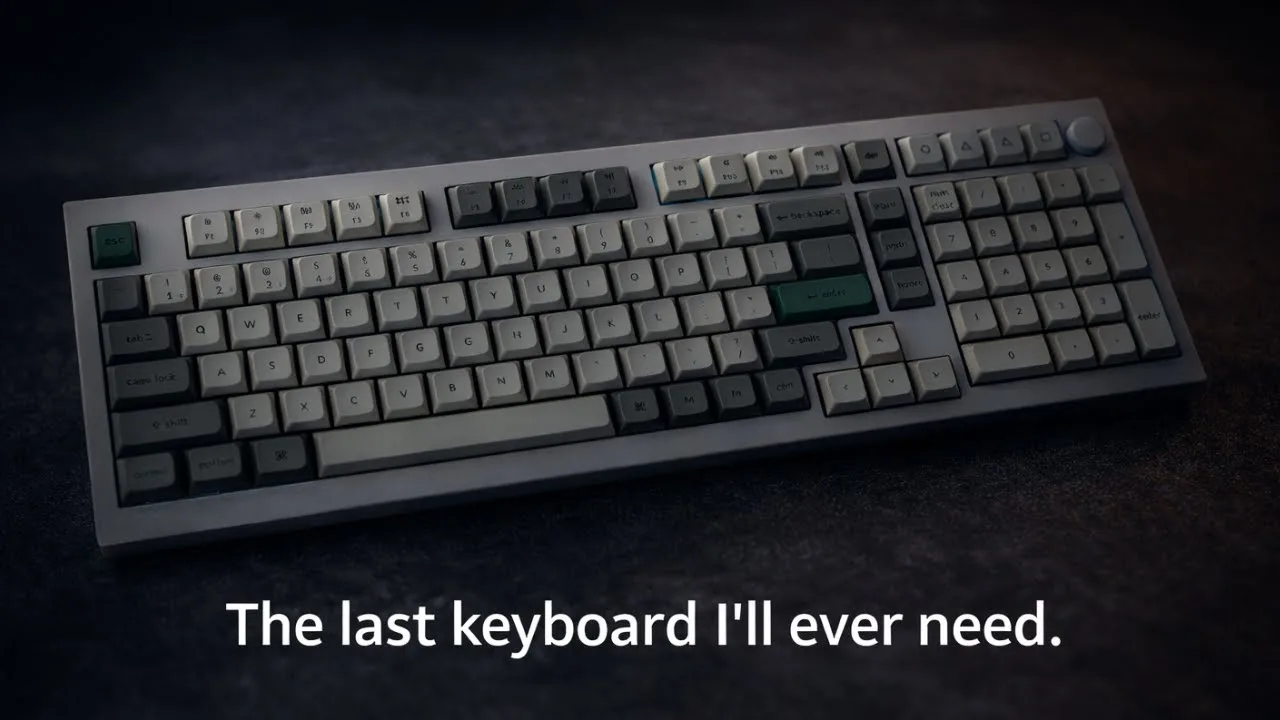 SethDoesTech
The reviewer received the Keychron Q5 Max after a month-long wait and …
SethDoesTech
The reviewer received the Keychron Q5 Max after a month-long wait and …
The reviewer received the Keychron Q5 Max after a month-long wait and was immediately impressed by its substantial weight and solid aluminum CNC construction. The 96% layout keyboard features PBT keycaps, which the reviewer praised for their durability and resistance to wear compared to ABS alternatives. The unboxing revealed premium packaging with thoughtful accessories including a braided USB cable, extra Windows keycaps, a screwdriver, Allen key, and a resealable bag for keycap storage. The reviewer selected Gateron Red switches and noted the keyboard's quiet operation out of the box. The web-based configuration tool was appreciated over downloadable software. Minor observations included a slightly wobbly volume knob and the absence of adjustable feet on the bottom.
- →Ideal for users wanting a premium, heavy-duty mechanical keyboard
- →Great choice for those prioritizing durable PBT keycaps
- →Suitable for multi-device setups with three-device pairing
- →Good for enthusiasts who want easy modding access
- →Best for users who prefer web-based configuration tools
 10BestOnes
Designed for users seeking a premium compact board with full features. …
10BestOnes
Designed for users seeking a premium compact board with full features. …
Designed for users seeking a premium compact board with full features. Outstanding build quality with exceptional sound dampening delivers a super soft and quiet typing experience. The 96% layout suits office environments well. High profile design benefits from a wrist rest for extended use. Non-shine-through keycaps may disappoint RGB enthusiasts, but overall this keyboard excels for professional settings where quality and acoustics matter.
- →Best suited for office professionals
- →Excellent choice for noise-sensitive environments
- →Ideal for users wanting compact full-feature layout
- →Pair with wrist rest for optimal comfort
- →Skip if RGB shine-through is priority
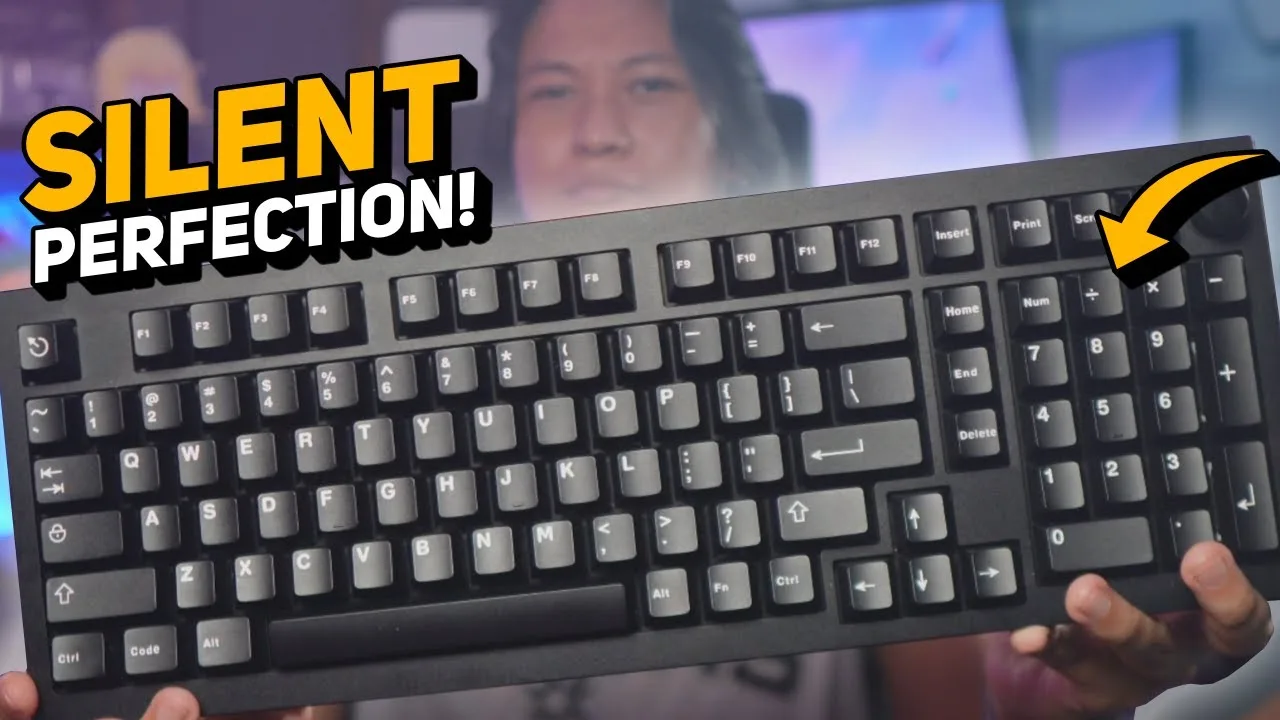 nutty
The Keychron Q5 Max is a fully aluminum, 96% wireless mechanical …
nutty
The Keychron Q5 Max is a fully aluminum, 96% wireless mechanical …
The Keychron Q5 Max is a fully aluminum, 96% wireless mechanical keyboard with a programmable volume knob. Out of the box, it comes with loud red switches and tall keycaps unsuitable for quiet environments. The reviewer recommends purchasing the bare bones kit and installing silent switches to create a near-silent typing experience ideal for streamers and office workers. The keyboard features hot-swap sockets, a 2.4GHz dongle for low-latency wireless, and web-based programming via Keyron Launcher without requiring installed software. At over $200, it represents a premium investment for a primary work keyboard.
- →Buy bare bones kit to avoid paying for subpar stock components
- →Ideal for streamers needing silent operation during recording
- →Perfect for open office environments requiring quiet typing
- →Video editors benefit from reprogrammable knob for timeline scrubbing
- →Requires DIY modding investment to achieve full potential
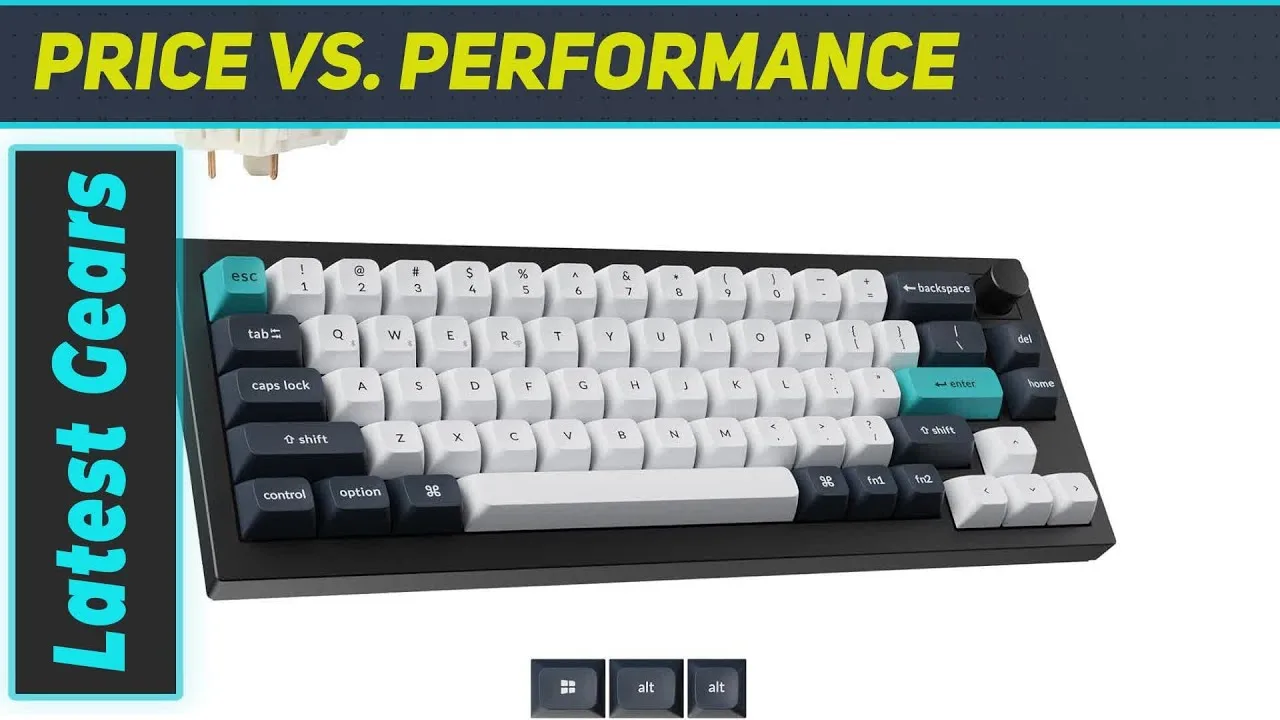 My Gears Tube
A standout wireless mechanical keyboard with a compact 96% layout that …
My Gears Tube
A standout wireless mechanical keyboard with a compact 96% layout that …
A standout wireless mechanical keyboard with a compact 96% layout that balances functionality and desk space efficiency. Features a heavyweight aluminum case with double gasket-mounted design for softer, cushioned key presses and reduced bottoming-out. Versatile wireless connectivity includes Bluetooth for battery life and multi-device pairing, plus 2.4 GHz for low-latency gaming. Extensive customization options allow full deconstruction with included toolkit to replace switches, re-lube stabilizers, swap keycaps, and adjust sound dampening. Multiple layers of sound foam create a rounded sound profile with minimal case ping.
- →Ideal for users wanting premium build without full-size footprint
- →Excellent choice for those prioritizing both battery life and gaming performance
- →Perfect for enthusiasts wanting deep customization capabilities
- →Well-suited for extended typing sessions due to cushioned feel
- →Strong option for anyone seeking one keyboard for multiple use cases
Community Discussions via Reddit
Comparison
r/MechanicalKeyboards
u/FaceOfTheMtDan
The Keychron Q5 Max replaced the user's previous Tinker 75 + EK21 combo because they disliked the separation of keyboard and keypad. They rate it second only to their Ducky One X, praising its feel and sound. The user initially struggled with the lack of a dedicated End button but resolved this through VIA customization. They appreciate the volume/mute knob functionality. No long-term durability feedback is provided as ownership duration is unspecified. The keyboard uses Gateron Jupiter Brown switches in this configuration.
Key Insights
- →Best for users who want a full-size layout with integrated numpad rather than separate keyboard + keypad combo
- →VIA compatibility is essential for users who rely on dedicated navigation keys like End
- →Strong alternative for those prioritizing sound and feel in a full-size wireless mechanical keyboard
- →Knob functionality adds convenience for media control users
- →Gateron Jupiter Brown switches provide satisfactory typing experience for this user
Top Comments
Soldering is super easy. If you are reluctant just because you haven't done it before, don't be. A friend taught me in 5 min and it could just as easily been a YouTube video.
Same, I love it, and I plan on finding out a way to refurbish it without soldering. And a keycap set with a 6.5u spacebar.
I can solder, I just don't really want to desolder the switches and the re solder them. It's a lot.
Setup Showcase
r/MechanicalKeyboards
u/Witty-Exchange-7716
The Keychron Q5 Max serves as the author's 'endgame' keyboard after researching the mechanical keyboard hobby. They specifically chose this model for its improved padding and build quality over standard wired options, despite having no need for wireless functionality. The owner had the battery professionally removed to prevent future swelling issues while retaining the premium construction. Paired with Gateron Milky Yellow Pro switches and Pixel Universe OEM keycaps, the owner reports excellent sound quality and considers it their favorite keyboard so far. The build accommodates custom key mappings for the function cluster, and the owner finds Keychron's OEM keycap quality superior to aftermarket alternatives they tested.
Key Insights
- →Best for enthusiasts wanting premium build quality in a wired setup without paying for unused wireless features
- →Keycap selection significantly impacts lighting performance—shine-through sets recommended for dark room use
- →Highly suitable for users who remap keys extensively, particularly for function cluster customization
- →Consider battery removal at purchase if wireless functionality is not needed to prevent long-term swelling concerns
- →Strong community appreciation for aesthetic customization potential with colorful keycap sets
Top Comments
Ouch, but hey people like what people like so I get if this isn’t your cup of tea 😂 those keys are “Delete, Page up, page down, and function” mapped it to use with some other mappings I changed. …
Ouch, but hey people like what people like so I get if this isn’t your cup of tea 😂 those keys are “Delete, Page up, page down, and function” mapped it to use with some other mappings I changed. …
Like the purple and gray though
Setup Showcase
r/MechanicalKeyboards
u/Ishakowa
The Keychron Q5 Max is a solid white 96% mechanical keyboard that owner Ishakowa selected primarily for aesthetic matching with their setup. The board comes with extensive internal foam dampening, which noticeably reduces sound differentiation between plate materials. A significant issue discovered was LED light bleed through the stock PC plate, creating glare that proved annoying in darker environments—addressed by switching to a third-party POM plate. The owner adapted their usage to accommodate the macro column and numpad row, finding pinky-tapping workable despite infrequent use. The aftermarket POM plate required minor modification due to Keychron's updated screw placement for the Max variant not being reflected in publicly available schematics.
Key Insights
- →Best for users prioritizing clean white aesthetics and wireless connectivity in a full-size layout, not for enthusiasts seeking maximum acoustic customization through plate swapping
- →Requires aftermarket POM plate (approximately $25) to resolve LED glare issue with PC plate for dark room usage
- →Foam-heavy internal design prioritizes muted, consistent sound profile over plate-dependent acoustic variation
- →Third-party plate compatibility requires verification of screw hole placement due to undocumented Max-specific changes
- →Layout efficiency depends on actual numpad and macro usage—casual users may find the extra width underutilized
Top Comments
In all honesty, I rarely use that column of keys, or the row above the numpad, so I mostly just picked keys of the same profile, but it actually works out surprisingly well because I have gotten …
With the Q5 Max, I honestly didn't hear much of a sound difference as I expected. Not sure if it's just due to the sheer amount of foam shoved into the Q5 Max, or if my ear just isn't trained enough …
In all honesty, I rarely use that column of keys, or the row above the numpad, so I mostly just picked keys of the same profile, but it actually works out surprisingly well because I have gotten …
Comparison
r/Keychron
u/givemeacent
The Keychron Q5 Max is presented as a compact 96%/1800 layout keyboard that combines the premium aluminum chassis and aesthetic of the Q1 Max with an integrated numpad. The author specifically values this form factor for Excel and data entry work, wanting to avoid purchasing a separate numpad while maintaining a compact design. The Q5 Max is described as "basically the Q1, plus a small number pad on it." No community members provided direct ownership experience with this specific model, though one commenter advocated for cheaper alternatives like the V1 Max for first-time mechanical keyboard buyers.
Key Insights
- →Best suited for users who need numpad functionality for Excel/data entry but want a more compact footprint than full-size keyboards
- →Ideal for buyers prioritizing premium build quality and aluminum construction in a compact-numpad layout
- →No direct community validation available—considered primarily against 75% alternatives with separate numpads
- →Recommended for those wanting to avoid managing a separate wireless numpad peripheral
- →First-time mechanical keyboard buyers may want to consider whether premium pricing aligns with their needs
Top Comments
Get the V1 Max, you don't have to buy the most expensive first mechanical keyboard. I now have the V1 and it is wonderful, although before that I had mechanical keyboards like the Chinese Skyeloong …
Thank you for the recommendation, I’ll look it up to read more on it.
Thank you for the feedback, I’m actually looking for switches and keycaps for the P1 right now to see if I can convince myself to get it once I have everything. I’m not too convinced of the default …
Troubleshooting
r/MechanicalKeyboards
u/wadmutter
The author initially had a negative experience with the Keychron Q5 Max right out of the box, citing poor stock stabilizers, uncomfortable KSA profile keycaps that caused finger scraping, and accidentally ordering quiet red switches. However, after extensive modifications including Durock stabilizers with Holee mod, Baby Kangaroo switches, force break mod, painter's tape on the PCB, spacebar foam, and CSA keycaps, they became "very happy" with the board. They specifically praise the unique 96%/1800 layout as "one of a kind" in the current market based on availability.
Key Insights
- →Best suited for enthusiasts willing to invest in significant modifications rather than plug-and-play users
- →The layout is the primary differentiator — buyers seeking 96%/1800 compact full-size may find few alternatives
- →Budget additional funds for aftermarket stabilizers, switches, and keycaps to achieve satisfactory experience
- →Stock configuration has notable ergonomic and acoustic issues that require hands-on fixes
Top Comments
-DUROCK Stabs with HOLEE mod replaced all stock stabs. -Baby Kangaroo Switches everywhere but space bar, 68g oil king under there. -Painters tape to PCB board -Force break mod -Spacebar foam -CSA …
💯
Cherry profile?
Troubleshooting
r/Keychron
u/chameleonn3
A Keychron Q5 Max owner reports recurring key registration failures across two units within one week of ownership. The issue manifests as missed keystrokes, double-typing, and inconsistent registration—particularly on the F-L key row—across all connection modes (2.4GHz, Bluetooth, wired). The temporary workaround of pressing switches firmly suggests potential socket or PCB contact issues. Banana switches are suspected but unconfirmed as the cause. No community solutions were provided in the available comments.
Key Insights
- →Not ideal for users requiring reliable fast typing—registration failures disrupt workflow
- →Issue persists across connectivity modes, ruling out wireless interference as root cause
- →Banana switches may be correlated but causation unverified by community
- →Two consecutive units with identical symptoms suggest potential batch or design defect
- →Temporary pressure-based workaround indicates mechanical contact issue in switch sockets
Top Comments
Thanks! I’m just concerned given how new this keyboard is - worried that I’ll get another new one and I’ll have the same issues…
Troubleshooting
r/Keychron
u/landyvlad
A Keychron Q5 Max owner on Windows using wired connection experiences persistent VIA configuration failures. Despite following standard procedures (enabling design tab, uploading JSON from Keychron's site, authorizing device), the user encounters fluctuating error counts (3-151 errors) preventing layer 3 customization. Error logs show HID communication failures with incorrect protocol responses. Community support from Keychron-Support suggests using their alternative Keychron Launcher tool instead of VIA, implying known compatibility issues with the standard VIA web app for this model.
Key Insights
- →Best for users willing to use Keychron's proprietary Launcher rather than standard VIA for configuration
- →Not ideal for users expecting seamless VIA web app compatibility out of the box
- →Wired connection stability does not guarantee software configuration reliability
- →Community consensus suggests using Keychron Launcher as primary workaround for VIA failures
- →Layer customization requires troubleshooting patience or acceptance of non-standard tooling
Top Comments
Please kindly try this. It might be helpful. [https://launcher.keychron.com/#/keymap](https://launcher.keychron.com/#/keymap)
Bizarre! How long have you had the board / had this problem. have you successfully used VIA with your board previously?
The first one is the answer it turns out [https://launcher.keychron.com/#/keymap](https://launcher.keychron.com/#/keymap)
Scores based on weighted analysis of 24 expert and community sources. How we review →