

Keyboards
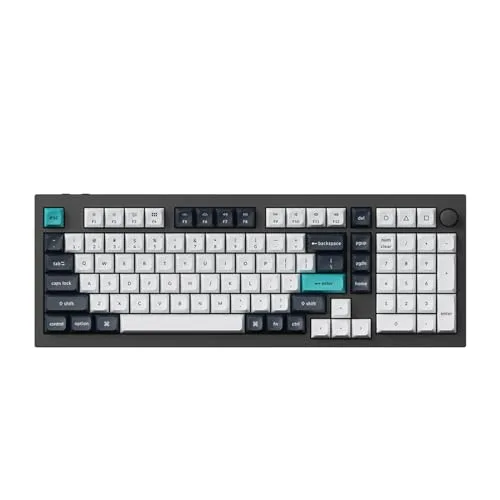
Keychron Q5 Max
Best For
- Home office users wanting a durable full-feature keyboard
- Mac and Windows users who switch between both systems
- Enthusiasts who want to swap switches without soldering
Consider Carefully
- People who carry their keyboard between locations
- Open-plan office workers sensitive to typing noise
Jump to Section
The Bottom Line
The Keychron Q5 Max is a solidly built mechanical keyboard that's earning its place among enthusiasts and professionals alike. We found it to stand out for its typing feel, with a sturdy aluminum construction that contributes to a quiet and comfortable typing experience. Many sources praised its sturdy build and dual compatibility with both Mac OS and Windows OS, making it a versatile choice. The hot-swappable PCB is a bonus for those who like to tinker, and its long battery life is a significant advantage for wireless use. However, it's not without its drawbacks. Some users found the high profile uncomfortable without a wrist rest, and the lack of shine-through keycaps for RGB lighting was a minor letdown for those wanting a more vibrant aesthetic.
Performance Breakdown
In-Depth Analysis
Typing Sound & Feel 88
The Q5 Max is one of the quieter options in its class, with multiple dampening layers that three sources specifically praised, though one r/MechanicalKeyboards user flagged stock ergonomic and acoustic issues requiring hands-on fixes.
Key Takeaway
→For shared offices or streaming setups where noise is a real constraint, this is a strong pick. If you want a resonant, clacky sound profile, the dampening works against you.
Battery Life 87
Up to 180 hours without backlighting from a 4000mAh cell is a legitimate number, with one source reporting roughly one week of use with the backlight on.
Key Takeaway
→Battery life is a non-issue for wireless users. If you're running it wired-only long-term, look into removing the battery to avoid swelling down the line.
Switch Customization 83
Hot-swap support is confirmed across three major sources, making switch changes genuinely tool-free, but a reported mechanical contact issue in switch sockets and the overall mod ceiling suggest this rewards enthusiasts more than plug-and-play buyers.
Key Takeaway
→Buy this if you want a hot-swap foundation to build on. If you want a great typing experience without touching the internals, the stock configuration has enough rough edges to disappoint.
Wireless Connectivity 82
The triple connectivity setup with 1000Hz 2.4GHz polling is genuinely competitive for wireless gaming, but one r/Keychron thread documented key registration failures that persisted across all connectivity modes, wired included.
Key Takeaway
→For multi-device productivity or casual wireless gaming, the connectivity is excellent. For competitive gaming where reliability is non-negotiable, the reported registration failures are a real risk to weigh.
Build Quality 81
Twelve sources, near-unanimous agreement: the Q5 Max is built like a tank, and that's both its biggest selling point and its most obvious trade-off.
Key Takeaway
→If a premium aluminum build is your priority and you can live with the weight, this delivers. If portability matters at all, look elsewhere.
Software & Programmability 77
VIA compatibility is advertised but didn't work in phandroid.com's testing, and r/Keychron's community consensus is to use Keychron's own Launcher instead, which is a meaningful gap between the spec sheet and reality.
Key Takeaway
→If deep remapping and macro control matter to you, the Q5 Max can deliver, but plan on using Keychron Launcher rather than VIA until compatibility issues are resolved.
Ergonomics & Layout 72
The 96% layout is the reason to buy this keyboard, offering numpad functionality in a footprint smaller than full-size, but the high profile demands a wrist rest that Keychron doesn't include.
Key Takeaway
→If you need a numpad and want to save desk space versus a full-size plus separate keypad, this layout is hard to beat. Budget for a wrist rest and accept that Windows media key support is limited.
Stabilizer Performance 55
Stabilizers are the weakest link. Two sources flagged rattling on the backspace and Enter keys, and two more recommended budgeting for aftermarket replacements.
Key Takeaway
→If stabilizer rattle bothers you, budget for aftermarket replacements before you buy. This is a known weak point, not a one-off unit issue.
Specifications & Verdict
Build
- Body Material
- CNC aluminium
- Case Material
- solid aluminum
- Construction
- full metal
- Enclosure Material
- Metal
- Keycaps
- KSA double-shot PBT
- Mount Design
- double gasket mount
- Mounting
- double gasket-mounted
- Pcb
- hot-swappable
- Stabilizers
- screw-in
Connectivity
- Bluetooth Version
- 5.1
- Compatible Devices
- Laptop, PC, Smartphone, Tablet
- Connectivity
- Bluetooth,2.4GHz wireless (USB-A or USB-C receiver),wired
- Connectivity Technology
- Bluetooth, USB-C, Wi-Fi
- Max Bluetooth Devices
- 3
- Polling Rate
- [object Object]
- Wireless Connection
- 2.4 GHz
Features
- Additional Features
- Backlit, Hot-Swappable, Programmable Keys, Rechargeable, Tenkeyless (TKL)
- Backlighting
- full RGB
- Configuration Software
- Keychron Launcher (web-based)
- Hot Swappable
- true
- Keyboard Backlighting Color Support
- RGB
- Software
- web-based or downloadable configuration software
Layout
- Form Factor
- 96% (compact)
- Keyboard Layout
- QWERTY
- Layout
- quasi-full-sized
- Number of Keys
- 97
Physical
- Battery
- 4,000mAh
- Battery Life
- up to 100 hours (lowest brightness), up to 180 hours (backlight off)
- Brand
- Keychron
- Color
- Carbon Black+Gateron Jupiter Red Switch
- Color Options
- Shell White, Carbon Black
- Item Dimensions Lx Wx H
- 16"L x 5.7"W x 1.4"H
- Item Weight
- 2215 Grams
- Model Name
- Q15 Max
- Model Number
- Q5M-M1
- Style Name
- Carbon Black+Gateron Jupiter Red Switch
- Weight
- 2.2kg fully built
Switches
- Mechanical Keyboard Switch Model
- gateron_red
- Switch Type
- tactile
- Switch Type Tested
- Gateron Jupiter Brown
- Switches
- Gateron Jupiter mechanical (various options)
Our Verdict
The Keychron Q5 Max earns its 83/100 with a CNC aluminum build that feels genuinely premium, solid wireless performance across Bluetooth and 2.4GHz, and a 96% layout that keeps the numpad without sprawling across your desk. It's a strong pick for home office setups where you want a keyboard that lasts. Skip it if you move between desks often or share a quiet open-plan office, the 2.2kg weight and stock switches make both scenarios awkward.
Customer Reviews Amazon
5 reviews
A solid customizable workstation
Great
Reviews shown are from Amazon customers and do not reflect our editorial assessment.
Pricing & Availability
Updated Apr 10, 2026Keychron Q5 Max
Sources & Methodology
Every score is built on evidence. This review synthesizes 27 independent sources — expert publications, video reviews, and community discussions — weighted by credibility, depth, and relevance.
Show detailed source analysis ↓ Hide source analysis ↑
Expert Reviews
rtings.com
Top
8.1/10-point
The Keychron Q5 Max delivers exceptional build quality with its solid aluminum case and double gasket-mounted design, creating a softer, springy typing experience. It offers versatile connectivity through Bluetooth and 2.4GHz wireless with true 1000Hz polling rate for competitive gaming. The hot-swappable PCB allows switch customization, and included tools enable complete disassembly for modifications. Multiple layers of sound-dampening produce quiet typing noise suitable for office environments. However, the high-profile design necessitates a wrist rest (not included), and south-facing LEDs paired with non-shine-through keycaps make legends difficult to read in darker rooms. Inconsistent stabilizers occasionally produce rattling noises.
Strengths
- +Solid aluminum case with exceptional build quality
- +Double gasket-mounted design creates softer, springy typing feel
- +True 1000Hz polling rate via wired or 2.4GHz wireless
- +Hot-swappable PCB for easy switch customization
Weaknesses
- −Inconsistent stabilizers with occasional rattling noises
- −South-facing LEDs with non-shine-through keycaps reduce legend visibility
- −High profile requires wrist rest for comfortable typing
- −No wrist rest included in packaging
phandroid.com
Top
9/10-point
The Keychron Q5 Max represents a significant evolution in mainstream mechanical keyboards, delivering enthusiast-grade quality at accessible pricing. Weighing 2.2kg with full metal construction, it feels premium and substantial. The Gateron Jupiter Banana switches come factory pre-lubed with remarkably smooth action and crisp, controlled sound. A double gasket mount with acoustic foam enables quieter operation, though foam can be removed for those wanting more resonance. The quasi-full-sized layout trims the navigation cluster for compactness while retaining numpad functionality. KSA-profile PBT keycaps offer grippy texture and deeper sound. Wireless and wired connectivity, cross-platform compatibility, and hot-swappable PCB add versatility. The rotary knob and web-based Keychron Launcher provide customization options, though VIA compatibility claims didn't hold up in testing.
Strengths
- +Full metal 2.2kg construction feels genuinely premium
- +Factory pre-lubed switches feel hand-lubed smooth
- +Grippy textured PBT keycaps with deeper sound profile
- +Hot-swappable PCB requires no soldering
Weaknesses
- −VIA compatibility claimed but didn't function in testing
- −Tall KSA profile requires adjustment period
- −Foam dampening reduces natural resonance
keychron.com.au
5/5-point
The Keychron Q5 Max offers dual wireless connectivity options tailored to different use cases. A 2.4 GHz connection delivers a 1000 Hz polling rate for responsive gaming performance. Bluetooth 5.1 enables simultaneous pairing with up to three devices, supporting flexible multitasking across computers, phones, and tablets. The keyboard appears designed for users who prioritize both low-latency gaming and convenient multi-device workflows.
Strengths
- +1000 Hz polling rate on 2.4 GHz for gaming responsiveness
- +Bluetooth 5.1 supports three simultaneous device connections
- +Dual connectivity suits both gaming and productivity workflows
macreports.com
A 96% QMK/VIA wireless custom mechanical keyboard with an all-metal case, thick PBT keycaps, extensive sound-dampening foam, and Mac-labeled keycaps. Offers Bluetooth, 2.4 GHz wireless, and wired connectivity with up to three Bluetooth devices. Features a 4000 mAh battery, hot-swappable switches, and included number pad. The Shell White colorway presents a soft, clean aesthetic with green accent keycaps. Typing sound with Gateron Jupiter Brown switches is muted and comparable to an Apple Magic Keyboard. Priced at $219 fully assembled or $199 barebone.
Strengths
- +Sturdy, heavy aluminum construction
- +Thick, aesthetically pleasing PBT keycaps
- +Good Bluetooth connection with minimal lag
- +Impressive battery life from 4000 mAh cell
Weaknesses
- −$219 price may exceed some budgets
- −Stabilizers may require tuning for sound-sensitive users
canbuyornot.com
After a month of use, this reviewer found the fully assembled Keychron Q5 Max to be an outstanding premium 96% compact keyboard. The 2.2kg CNC aluminium chassis in shell white remained surprisingly clean despite expectations. The Gateron Jupiter Brown switches deliver a tactile, comfortable typing experience with textured, grease-resistant PBT keycaps that show minimal wobble. The double-gasket design produces a soft, muted, ASMR-like sound that the reviewer particularly enjoyed. The keyboard offers versatile connectivity through wired, Bluetooth (90Hz, 3 devices), and 2.4GHz wireless (1,000Hz polling rate) modes. Battery life reaches up to 100 hours with low backlight or 180 hours with it off. The web-based VIA software enables easy customization of layouts, macros, and RGB lighting, with a convenient toggle for switching between Windows and macOS configurations. A volume knob and three programmable macro keys add practical functionality. The only notable omission was a wrist rest, which would complement the keyboard's height.
Strengths
- +Premium 2.2kg CNC aluminium build quality
- +Soft, muted ASMR-like typing sound
- +Textured, grease-resistant PBT keycaps
- +Minimal key wobble including space bar
Weaknesses
- −No included wrist rest for the high price
- −VIA software requires manual file download
- −Backspace and Enter have inconsistent sound
Video Reviews
 LCA Digital Media
A 96% wireless mechanical keyboard with dual Mac/Windows compatibility …
LCA Digital Media
A 96% wireless mechanical keyboard with dual Mac/Windows compatibility …
A 96% wireless mechanical keyboard with dual Mac/Windows compatibility and open-source QMK firmware. Features include 2.4GHz/Bluetooth connectivity with up to 1000Hz polling rate, 4000mAh battery rated for 180 hours without backlight, screw-in stabilizers, and a volume knob. The reviewer purchased the fully assembled version for approximately $240-250 and notes the premium packaging and build weight. Four programmable layers are available via VIA software, with 22+ lighting effects. The keyboard includes alternate keycaps for Windows/Mac layouts.
- →Ideal for users switching between Mac and Windows systems
- →Good choice for gamers wanting wireless with low latency
- →Suitable for developers wanting open-source firmware control
- →Battery lasts about one week with backlight enabled
- →Fully assembled recommended despite higher cost
 PapiTech
The reviewer accidentally purchased the Q5 Max (96%) instead of the Q6 …
PapiTech
The reviewer accidentally purchased the Q5 Max (96%) instead of the Q6 …
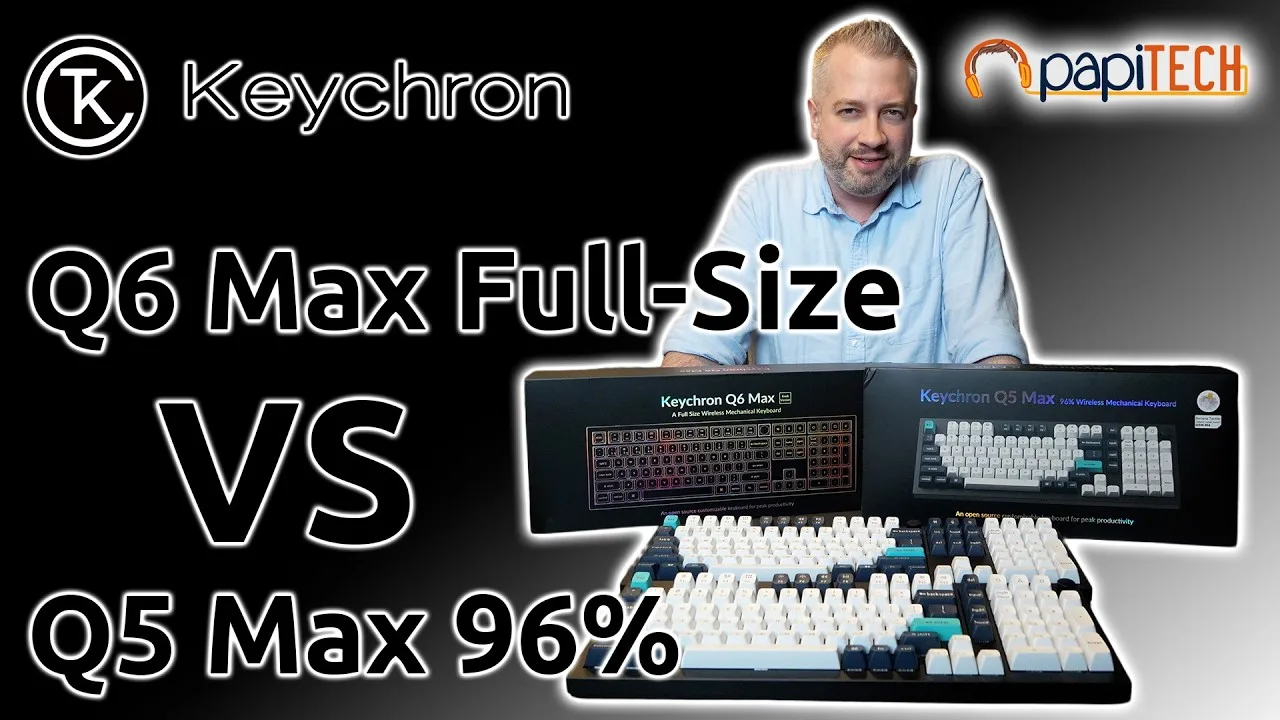
The reviewer accidentally purchased the Q5 Max (96%) instead of the Q6 Max (full-size) they already owned. Both keyboards share identical height, build quality, and banana tactile switches that feel clicky and satisfying for both typing and gaming. However, the 96% layout's compressed design relocates critical keys—most notably moving Delete from an easy pinky reach to an awkward upper position. This single layout change proved disruptive enough to warrant returning the product despite otherwise identical performance.
- →Verify layout differences before purchasing similar models
- →Prioritize full-size if Delete key is workflow-critical
- →Excellent choice for home gaming setups with space constraints
- →Consider noise level for open office environments
- →96% format requires adaptation for productivity users
 Eamonn Reviews
The reviewer has used a wired Keychron Q-Series keyboard for several …
Eamonn Reviews
The reviewer has used a wired Keychron Q-Series keyboard for several …
The reviewer has used a wired Keychron Q-Series keyboard for several years and expresses strong satisfaction. They highlight the all-aluminum metal construction, substantial weight at over four pounds, and compact 96% layout that includes a number pad essential for spreadsheet work. The programmable volume knob receives particular praise for daily utility. RGB backlighting offers extensive customization through dedicated keys for mode, brightness, hue, saturation, and animation speed. Full programmability via VIA software allows macro creation and key remapping. A Windows/Mac switch resolves common OS compatibility issues. The reviewer notes wireless versions exist and is now considering purchasing a 'max version' purely by desire rather than necessity, indicating exceptional long-term reliability.
- →Ideal for spreadsheet-heavy workflows requiring number pad
- →Perfect for users wanting premium build quality
- →Great for RGB enthusiasts wanting hardware controls
- →Suits those needing cross-platform Windows/Mac flexibility
- →Excellent long-term investment for daily typists
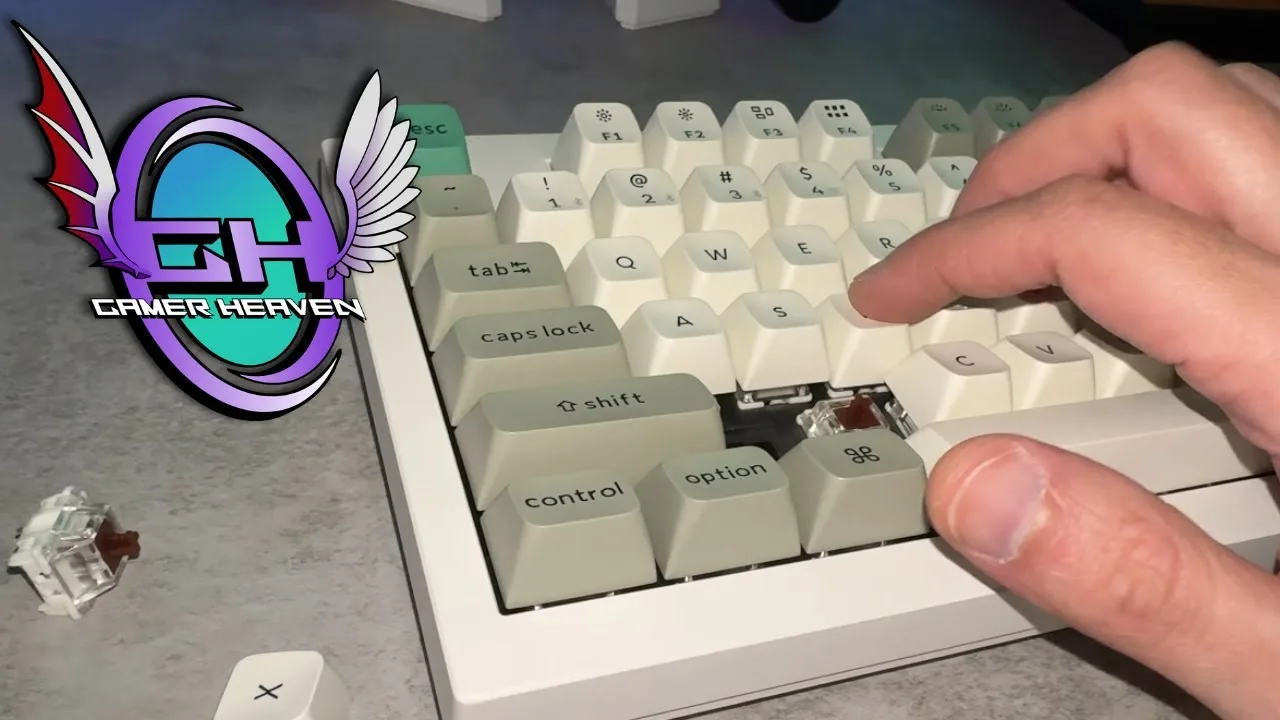 Gamer Heaven
A 96% layout mechanical keyboard weighing over four pounds with an …
Gamer Heaven
A 96% layout mechanical keyboard weighing over four pounds with an …
A 96% layout mechanical keyboard weighing over four pounds with an all-metal base. Features PBT hot-swappable keycaps, Gateron brown switches, tri-mode connectivity, and approximately 240 hours of battery life with backlighting disabled. Extensive RGB lighting options available. Comes pre-assembled with sound dampening modifications already applied, including rubber gaskets, sound absorbing foam, pet film, and latex bottom pad. Available in carbon black and shell white color options. Two purchase options: fully assembled or bare bones kit for $20 less. Jupiter brown, Jupiter banana, and Jupiter red switch options offered, though banana switches were out of stock for carbon black at time of review.
- →Ideal entry point into custom keyboard world
- →Pre-built saves time versus DIY assembly
- →96% layout suits productivity-focused users
- →Heavy weight ensures desk stability
- →Fully assembled option offers better value
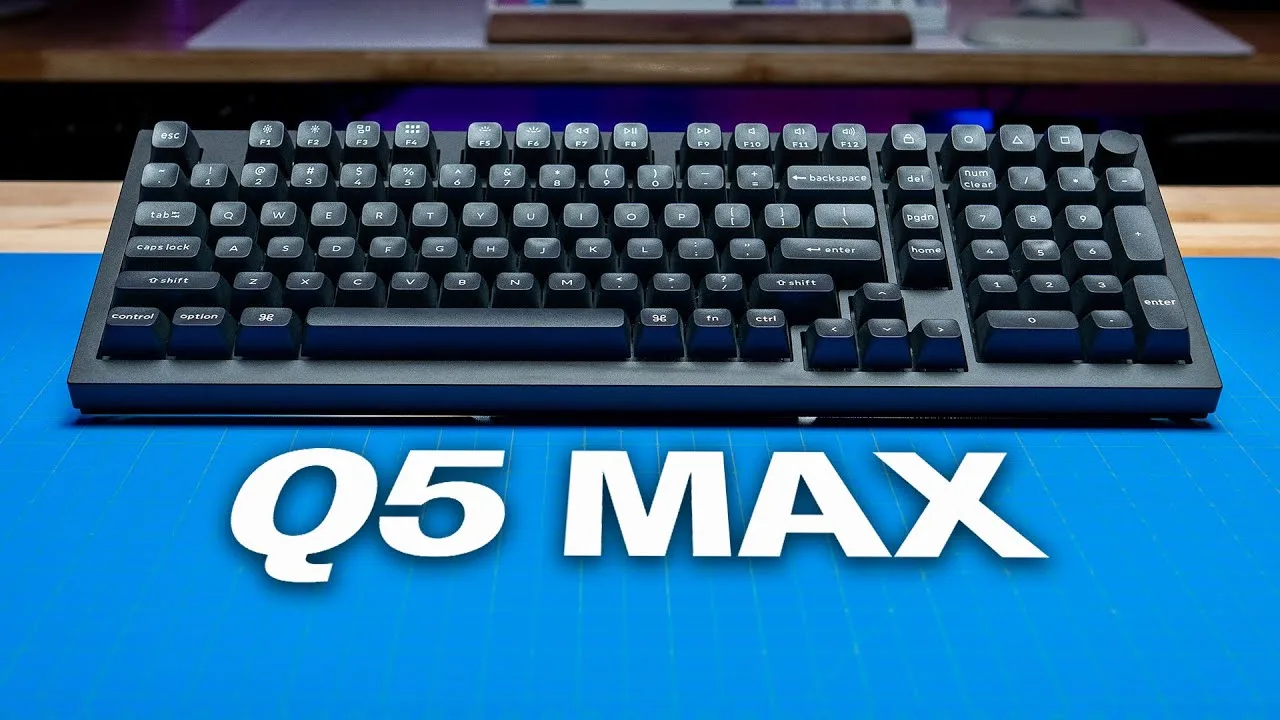 SemiPro Tech+Gear
The reviewer purchased the bare bones Q5 Max for $199 to customize …
SemiPro Tech+Gear
The reviewer purchased the bare bones Q5 Max for $199 to customize …
The reviewer purchased the bare bones Q5 Max for $199 to customize with preferred switches and stabilizers. The 96% layout keyboard features all-aluminum construction weighing 4.88 pounds, gasket-mount PCB with extensive internal foam layers, polycarbonate plate, and south-facing RGB. Connectivity options include Bluetooth (3 devices), 2.4GHz wireless, and USB-C wired — all supporting 1000Hz polling rate. The 4000mAh battery provides up to 180 hours without backlighting. QMK/VIA firmware enables key remapping and macro creation. The reviewer swapped stock stabilizers for Durock V2s and used Gateron Baby Raccoon switches rather than testing pre-built Gateron Jupiter options.
- →Ideal for users wanting premium build without full custom assembly
- →Strong choice for wireless gaming with 1000Hz polling
- →Bare bones version suits enthusiasts with preferred switches
- →Battery life accommodates extended wireless use
- →Gasket mount and foam suit those wanting refined acoustics
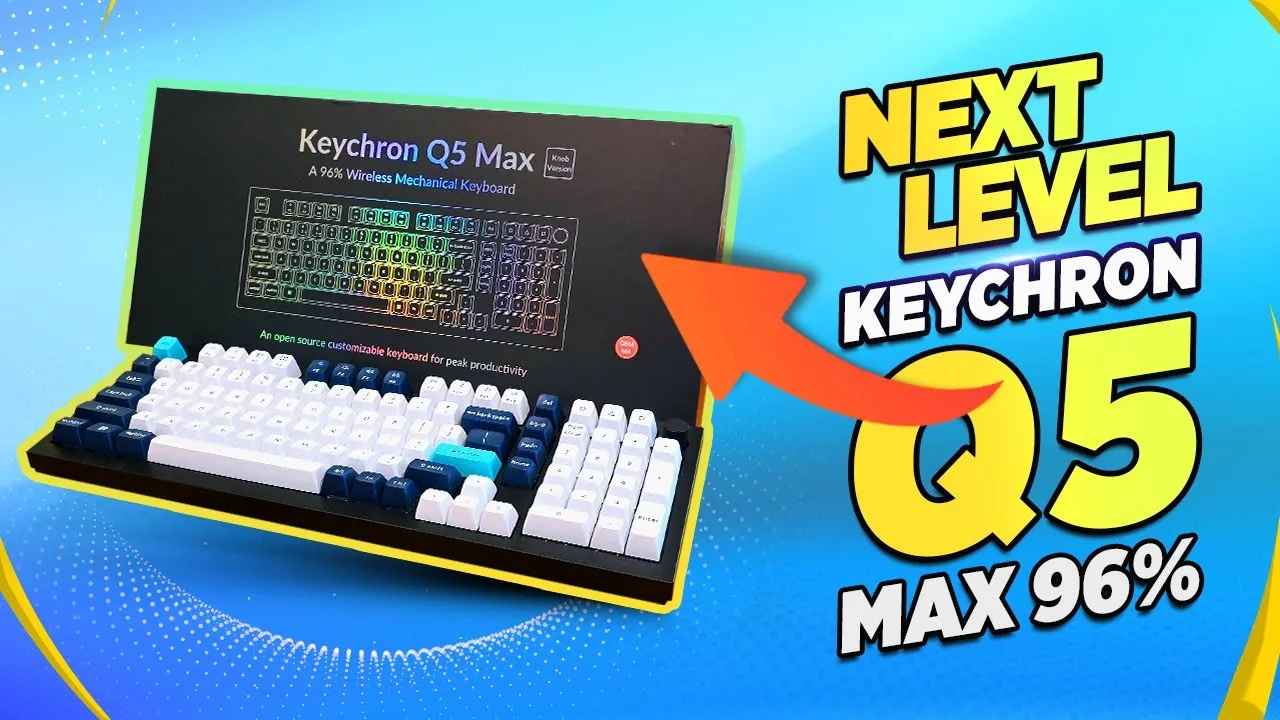 TK Bay
The reviewer presents the Keychron Q5 Max as a 96% wireless mechanical …
TK Bay
The reviewer presents the Keychron Q5 Max as a 96% wireless mechanical …
The reviewer presents the Keychron Q5 Max as a 96% wireless mechanical keyboard designed for productivity, featuring a full numpad and customizable dial. It offers triple connectivity (wired, Bluetooth, 2.4GHz with included dongle), supporting up to three paired devices simultaneously. The unit features a 4000mAh battery rated for approximately 180 hours without heavy LED usage, 22+ built-in lighting effects, and hot-swappable keycaps with replaceable Mac/Windows configuration options. Software customization is available through Keychron's proprietary Via software or open-source KMK/QMK. The double gasket design provides substantial weight and stability, with screw-in stabilizers for a sturdy typing feel. Available in multiple colors and switch options (reviewer's unit uses banana switches).
- →Ideal for productivity-focused users needing full numpad functionality
- →Excellent for multi-device setups with seamless switching capability
- →Strong choice for enthusiasts wanting open-source customization options
- →Suitable for extended wireless use with minimal charging interruptions
- →Good fit for users wanting tactile feedback without full DIY assembly
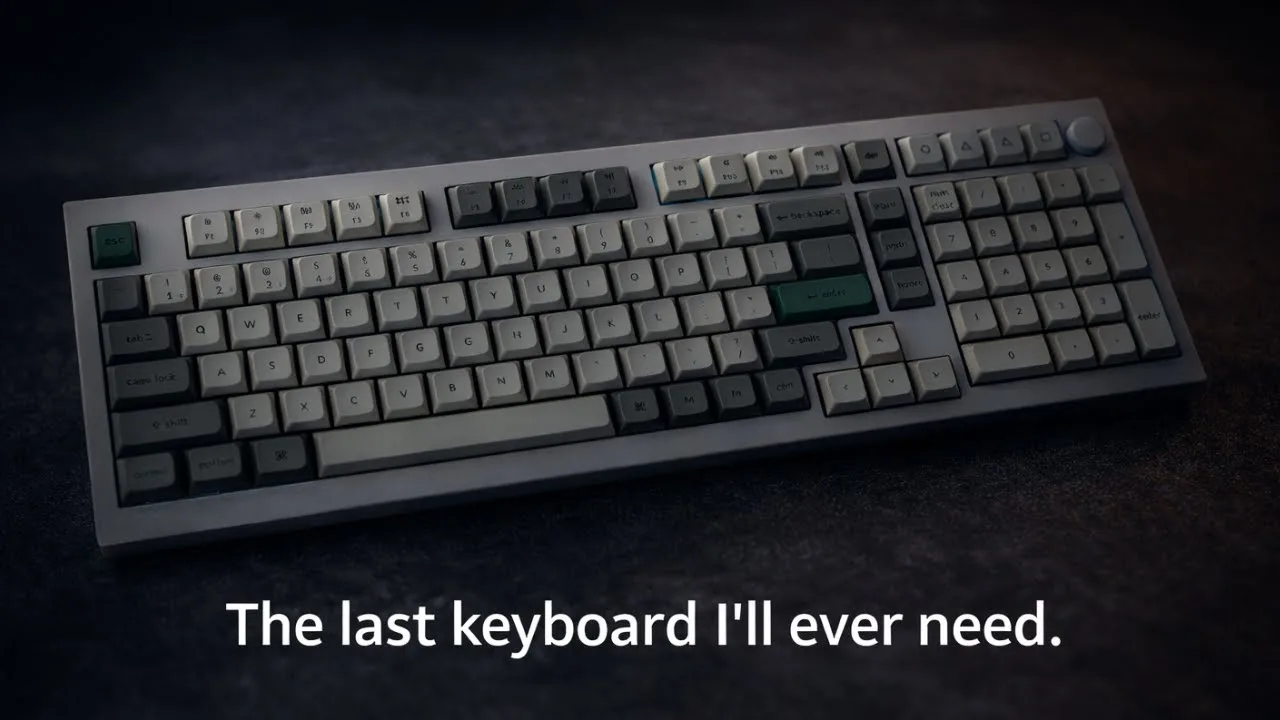 SethDoesTech
The reviewer received the Keychron Q5 Max after a month-long wait and …
SethDoesTech
The reviewer received the Keychron Q5 Max after a month-long wait and …
The reviewer received the Keychron Q5 Max after a month-long wait and was immediately impressed by its substantial weight and solid aluminum CNC construction. The 96% layout keyboard features PBT keycaps, which the reviewer praised for their durability and resistance to wear compared to ABS alternatives. The unboxing revealed premium packaging with thoughtful accessories including a braided USB cable, extra Windows keycaps, a screwdriver, Allen key, and a resealable bag for keycap storage. The reviewer selected Gateron Red switches and noted the keyboard's quiet operation out of the box. The web-based configuration tool was appreciated over downloadable software. Minor observations included a slightly wobbly volume knob and the absence of adjustable feet on the bottom.
- →Ideal for users wanting a premium, heavy-duty mechanical keyboard
- →Great choice for those prioritizing durable PBT keycaps
- →Suitable for multi-device setups with three-device pairing
- →Good for enthusiasts who want easy modding access
- →Best for users who prefer web-based configuration tools
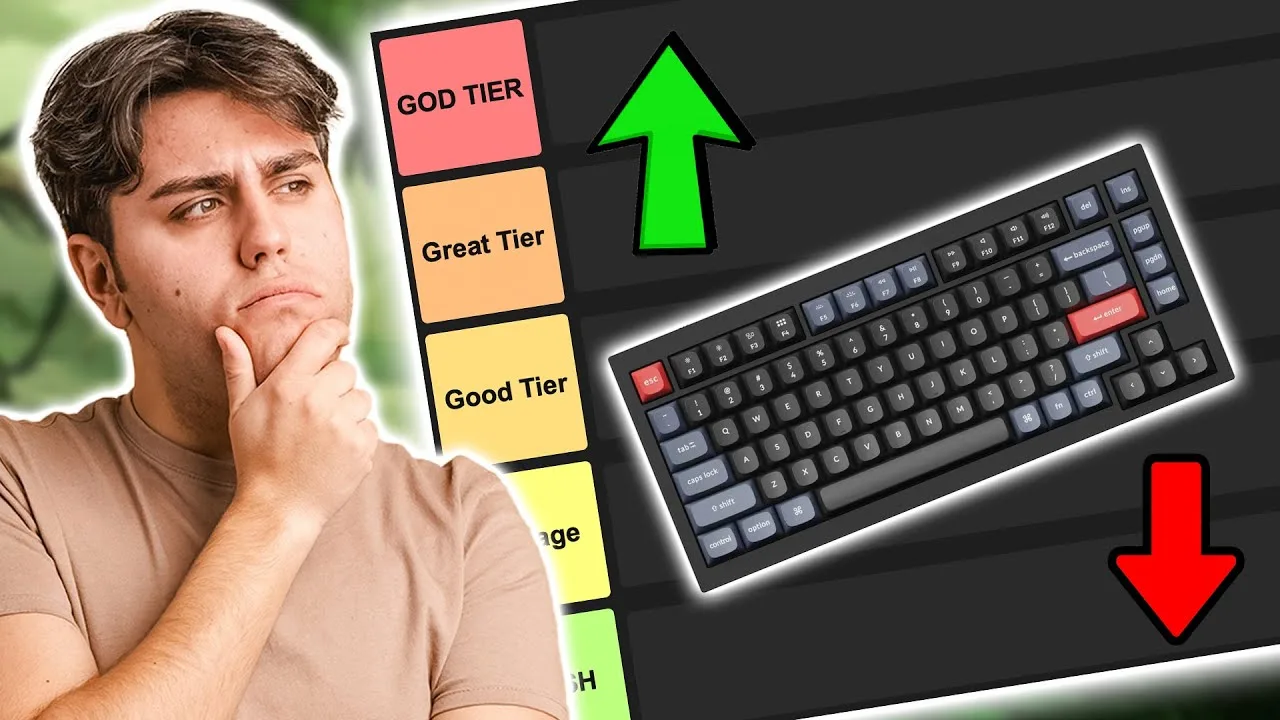 10BestOnes
Designed for users seeking a premium compact board with full features. …
10BestOnes
Designed for users seeking a premium compact board with full features. …
Designed for users seeking a premium compact board with full features. Outstanding build quality with exceptional sound dampening delivers a super soft and quiet typing experience. The 96% layout suits office environments well. High profile design benefits from a wrist rest for extended use. Non-shine-through keycaps may disappoint RGB enthusiasts, but overall this keyboard excels for professional settings where quality and acoustics matter.
- →Best suited for office professionals
- →Excellent choice for noise-sensitive environments
- →Ideal for users wanting compact full-feature layout
- →Pair with wrist rest for optimal comfort
- →Skip if RGB shine-through is priority
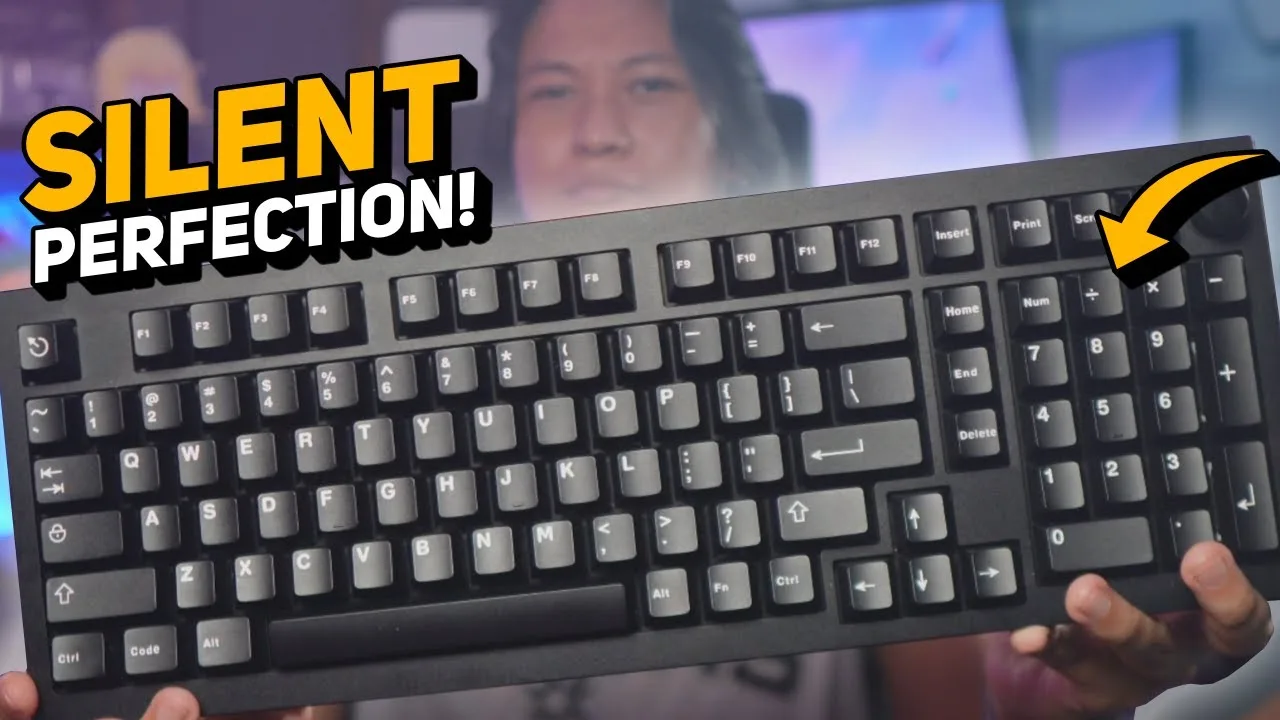 nutty
The Keychron Q5 Max is a fully aluminum, 96% wireless mechanical …
nutty
The Keychron Q5 Max is a fully aluminum, 96% wireless mechanical …
The Keychron Q5 Max is a fully aluminum, 96% wireless mechanical keyboard with a programmable volume knob. Out of the box, it comes with loud red switches and tall keycaps unsuitable for quiet environments. The reviewer recommends purchasing the bare bones kit and installing silent switches to create a near-silent typing experience ideal for streamers and office workers. The keyboard features hot-swap sockets, a 2.4GHz dongle for low-latency wireless, and web-based programming via Keyron Launcher without requiring installed software. At over $200, it represents a premium investment for a primary work keyboard.
- →Buy bare bones kit to avoid paying for subpar stock components
- →Ideal for streamers needing silent operation during recording
- →Perfect for open office environments requiring quiet typing
- →Video editors benefit from reprogrammable knob for timeline scrubbing
- →Requires DIY modding investment to achieve full potential
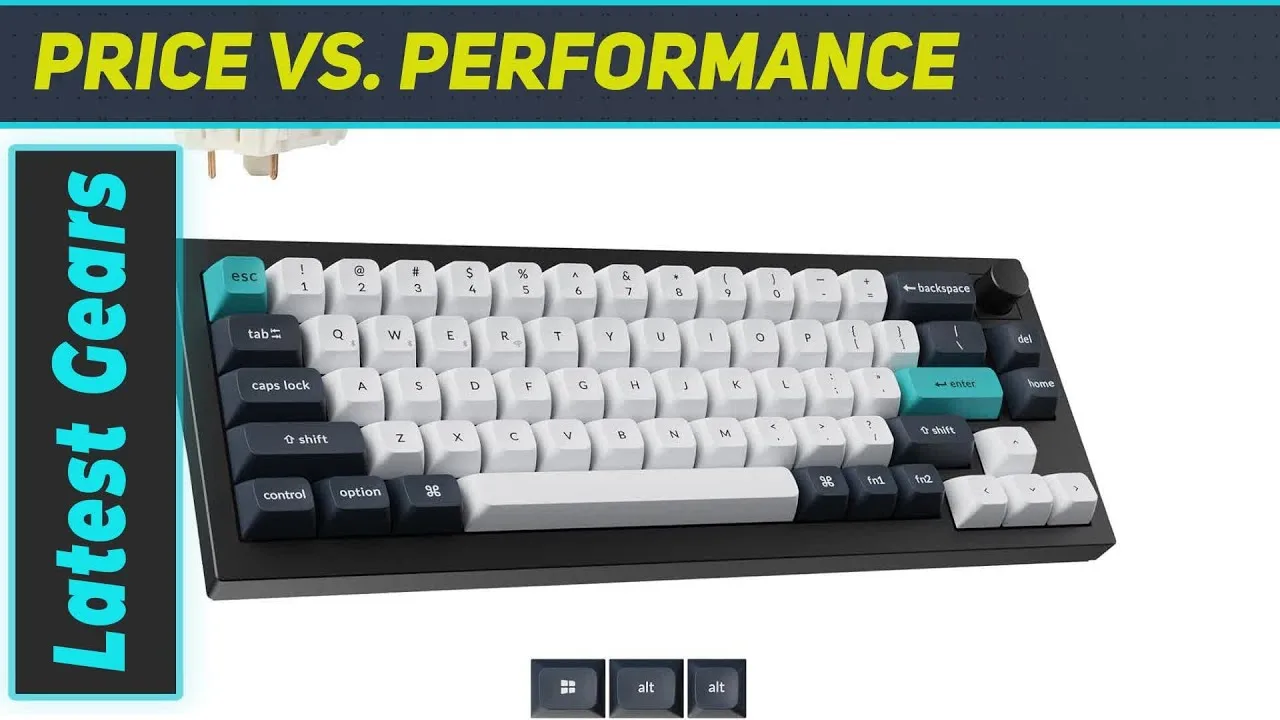 My Gears Tube
A standout wireless mechanical keyboard with a compact 96% layout that …
My Gears Tube
A standout wireless mechanical keyboard with a compact 96% layout that …
A standout wireless mechanical keyboard with a compact 96% layout that balances functionality and desk space efficiency. Features a heavyweight aluminum case with double gasket-mounted design for softer, cushioned key presses and reduced bottoming-out. Versatile wireless connectivity includes Bluetooth for battery life and multi-device pairing, plus 2.4 GHz for low-latency gaming. Extensive customization options allow full deconstruction with included toolkit to replace switches, re-lube stabilizers, swap keycaps, and adjust sound dampening. Multiple layers of sound foam create a rounded sound profile with minimal case ping.
- →Ideal for users wanting premium build without full-size footprint
- →Excellent choice for those prioritizing both battery life and gaming performance
- →Perfect for enthusiasts wanting deep customization capabilities
- →Well-suited for extended typing sessions due to cushioned feel
- →Strong option for anyone seeking one keyboard for multiple use cases
Community Discussions via Reddit
Comparison
r/MechanicalKeyboards
u/FaceOfTheMtDan
The Keychron Q5 Max replaced the user's previous Tinker 75 + EK21 combo because they disliked the separation of keyboard and keypad. They rate it second only to their Ducky One X, praising its feel and sound. The user initially struggled with the lack of a dedicated End button but resolved this through VIA customization. They appreciate the volume/mute knob functionality. No long-term durability feedback is provided as ownership duration is unspecified. The keyboard uses Gateron Jupiter Brown switches in this configuration.
Key Insights
- →Best for users who want a full-size layout with integrated numpad rather than separate keyboard + keypad combo
- →VIA compatibility is essential for users who rely on dedicated navigation keys like End
- →Strong alternative for those prioritizing sound and feel in a full-size wireless mechanical keyboard
- →Knob functionality adds convenience for media control users
- →Gateron Jupiter Brown switches provide satisfactory typing experience for this user
Top Comments
Soldering is super easy. If you are reluctant just because you haven't done it before, don't be. A friend taught me in 5 min and it could just as easily been a YouTube video.
Same, I love it, and I plan on finding out a way to refurbish it without soldering. And a keycap set with a 6.5u spacebar.
I can solder, I just don't really want to desolder the switches and the re solder them. It's a lot.
Setup Showcase
r/MechanicalKeyboards
u/Witty-Exchange-7716
The Keychron Q5 Max serves as the author's 'endgame' keyboard after researching the mechanical keyboard hobby. They specifically chose this model for its improved padding and build quality over standard wired options, despite having no need for wireless functionality. The owner had the battery professionally removed to prevent future swelling issues while retaining the premium construction. Paired with Gateron Milky Yellow Pro switches and Pixel Universe OEM keycaps, the owner reports excellent sound quality and considers it their favorite keyboard so far. The build accommodates custom key mappings for the function cluster, and the owner finds Keychron's OEM keycap quality superior to aftermarket alternatives they tested.
Key Insights
- →Best for enthusiasts wanting premium build quality in a wired setup without paying for unused wireless features
- →Keycap selection significantly impacts lighting performance—shine-through sets recommended for dark room use
- →Highly suitable for users who remap keys extensively, particularly for function cluster customization
- →Consider battery removal at purchase if wireless functionality is not needed to prevent long-term swelling concerns
- →Strong community appreciation for aesthetic customization potential with colorful keycap sets
Top Comments
Ouch, but hey people like what people like so I get if this isn’t your cup of tea 😂 those keys are “Delete, Page up, page down, and function” mapped it to use with some other mappings I changed. …
Ouch, but hey people like what people like so I get if this isn’t your cup of tea 😂 those keys are “Delete, Page up, page down, and function” mapped it to use with some other mappings I changed. …
Like the purple and gray though
Setup Showcase
r/MechanicalKeyboards
u/Ishakowa
The Keychron Q5 Max is a solid white 96% mechanical keyboard that owner Ishakowa selected primarily for aesthetic matching with their setup. The board comes with extensive internal foam dampening, which noticeably reduces sound differentiation between plate materials. A significant issue discovered was LED light bleed through the stock PC plate, creating glare that proved annoying in darker environments—addressed by switching to a third-party POM plate. The owner adapted their usage to accommodate the macro column and numpad row, finding pinky-tapping workable despite infrequent use. The aftermarket POM plate required minor modification due to Keychron's updated screw placement for the Max variant not being reflected in publicly available schematics.
Key Insights
- →Best for users prioritizing clean white aesthetics and wireless connectivity in a full-size layout, not for enthusiasts seeking maximum acoustic customization through plate swapping
- →Requires aftermarket POM plate (approximately $25) to resolve LED glare issue with PC plate for dark room usage
- →Foam-heavy internal design prioritizes muted, consistent sound profile over plate-dependent acoustic variation
- →Third-party plate compatibility requires verification of screw hole placement due to undocumented Max-specific changes
- →Layout efficiency depends on actual numpad and macro usage—casual users may find the extra width underutilized
Top Comments
In all honesty, I rarely use that column of keys, or the row above the numpad, so I mostly just picked keys of the same profile, but it actually works out surprisingly well because I have gotten …
With the Q5 Max, I honestly didn't hear much of a sound difference as I expected. Not sure if it's just due to the sheer amount of foam shoved into the Q5 Max, or if my ear just isn't trained enough …
In all honesty, I rarely use that column of keys, or the row above the numpad, so I mostly just picked keys of the same profile, but it actually works out surprisingly well because I have gotten …
Comparison
r/Keychron
u/givemeacent
The Keychron Q5 Max is presented as a compact 96%/1800 layout keyboard that combines the premium aluminum chassis and aesthetic of the Q1 Max with an integrated numpad. The author specifically values this form factor for Excel and data entry work, wanting to avoid purchasing a separate numpad while maintaining a compact design. The Q5 Max is described as "basically the Q1, plus a small number pad on it." No community members provided direct ownership experience with this specific model, though one commenter advocated for cheaper alternatives like the V1 Max for first-time mechanical keyboard buyers.
Key Insights
- →Best suited for users who need numpad functionality for Excel/data entry but want a more compact footprint than full-size keyboards
- →Ideal for buyers prioritizing premium build quality and aluminum construction in a compact-numpad layout
- →No direct community validation available—considered primarily against 75% alternatives with separate numpads
- →Recommended for those wanting to avoid managing a separate wireless numpad peripheral
- →First-time mechanical keyboard buyers may want to consider whether premium pricing aligns with their needs
Top Comments
Get the V1 Max, you don't have to buy the most expensive first mechanical keyboard. I now have the V1 and it is wonderful, although before that I had mechanical keyboards like the Chinese Skyeloong …
Thank you for the recommendation, I’ll look it up to read more on it.
Thank you for the feedback, I’m actually looking for switches and keycaps for the P1 right now to see if I can convince myself to get it once I have everything. I’m not too convinced of the default …
Troubleshooting
r/MechanicalKeyboards
u/wadmutter
The author initially had a negative experience with the Keychron Q5 Max right out of the box, citing poor stock stabilizers, uncomfortable KSA profile keycaps that caused finger scraping, and accidentally ordering quiet red switches. However, after extensive modifications including Durock stabilizers with Holee mod, Baby Kangaroo switches, force break mod, painter's tape on the PCB, spacebar foam, and CSA keycaps, they became "very happy" with the board. They specifically praise the unique 96%/1800 layout as "one of a kind" in the current market based on availability.
Key Insights
- →Best suited for enthusiasts willing to invest in significant modifications rather than plug-and-play users
- →The layout is the primary differentiator — buyers seeking 96%/1800 compact full-size may find few alternatives
- →Budget additional funds for aftermarket stabilizers, switches, and keycaps to achieve satisfactory experience
- →Stock configuration has notable ergonomic and acoustic issues that require hands-on fixes
Top Comments
-DUROCK Stabs with HOLEE mod replaced all stock stabs. -Baby Kangaroo Switches everywhere but space bar, 68g oil king under there. -Painters tape to PCB board -Force break mod -Spacebar foam -CSA …
💯
Cherry profile?
Troubleshooting
r/Keychron
u/chameleonn3
A Keychron Q5 Max owner reports recurring key registration failures across two units within one week of ownership. The issue manifests as missed keystrokes, double-typing, and inconsistent registration—particularly on the F-L key row—across all connection modes (2.4GHz, Bluetooth, wired). The temporary workaround of pressing switches firmly suggests potential socket or PCB contact issues. Banana switches are suspected but unconfirmed as the cause. No community solutions were provided in the available comments.
Key Insights
- →Not ideal for users requiring reliable fast typing—registration failures disrupt workflow
- →Issue persists across connectivity modes, ruling out wireless interference as root cause
- →Banana switches may be correlated but causation unverified by community
- →Two consecutive units with identical symptoms suggest potential batch or design defect
- →Temporary pressure-based workaround indicates mechanical contact issue in switch sockets
Top Comments
Thanks! I’m just concerned given how new this keyboard is - worried that I’ll get another new one and I’ll have the same issues…
Troubleshooting
r/Keychron
u/landyvlad
A Keychron Q5 Max owner on Windows using wired connection experiences persistent VIA configuration failures. Despite following standard procedures (enabling design tab, uploading JSON from Keychron's site, authorizing device), the user encounters fluctuating error counts (3-151 errors) preventing layer 3 customization. Error logs show HID communication failures with incorrect protocol responses. Community support from Keychron-Support suggests using their alternative Keychron Launcher tool instead of VIA, implying known compatibility issues with the standard VIA web app for this model.
Key Insights
- →Best for users willing to use Keychron's proprietary Launcher rather than standard VIA for configuration
- →Not ideal for users expecting seamless VIA web app compatibility out of the box
- →Wired connection stability does not guarantee software configuration reliability
- →Community consensus suggests using Keychron Launcher as primary workaround for VIA failures
- →Layer customization requires troubleshooting patience or acceptance of non-standard tooling
Top Comments
Please kindly try this. It might be helpful. [https://launcher.keychron.com/#/keymap](https://launcher.keychron.com/#/keymap)
Bizarre! How long have you had the board / had this problem. have you successfully used VIA with your board previously?
The first one is the answer it turns out [https://launcher.keychron.com/#/keymap](https://launcher.keychron.com/#/keymap)
Scores based on weighted analysis of 27 expert and community sources. How we review →