

Keyboards
keychron q1 pro
Best For
- Mechanical keyboard enthusiasts
- Users prioritizing durability
- Professionals needing wireless reliability
Consider Carefully
- Those needing a lightweight keyboard
- Budget-conscious shoppers
- Users requiring a USB dongle
Jump to Section
The Bottom Line
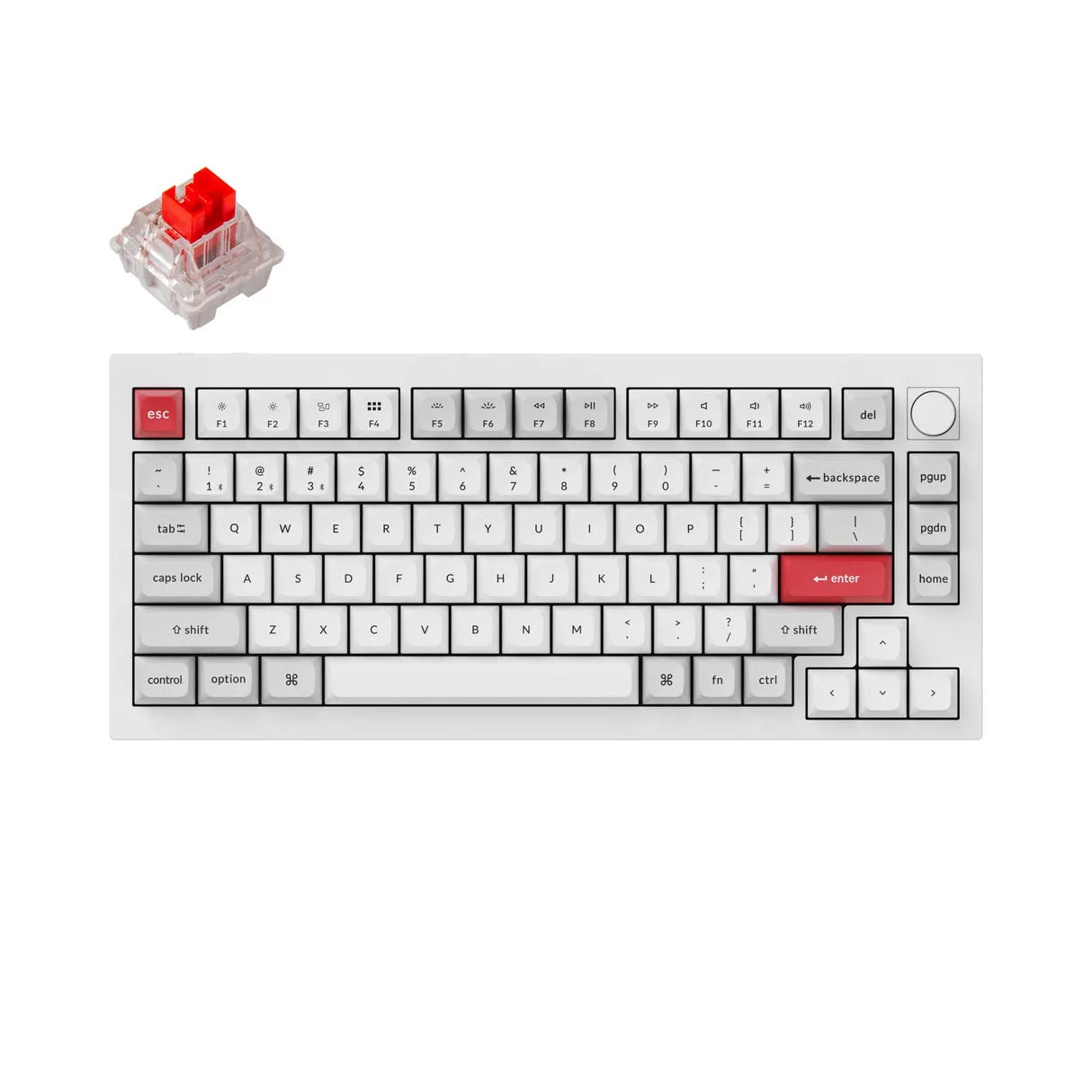
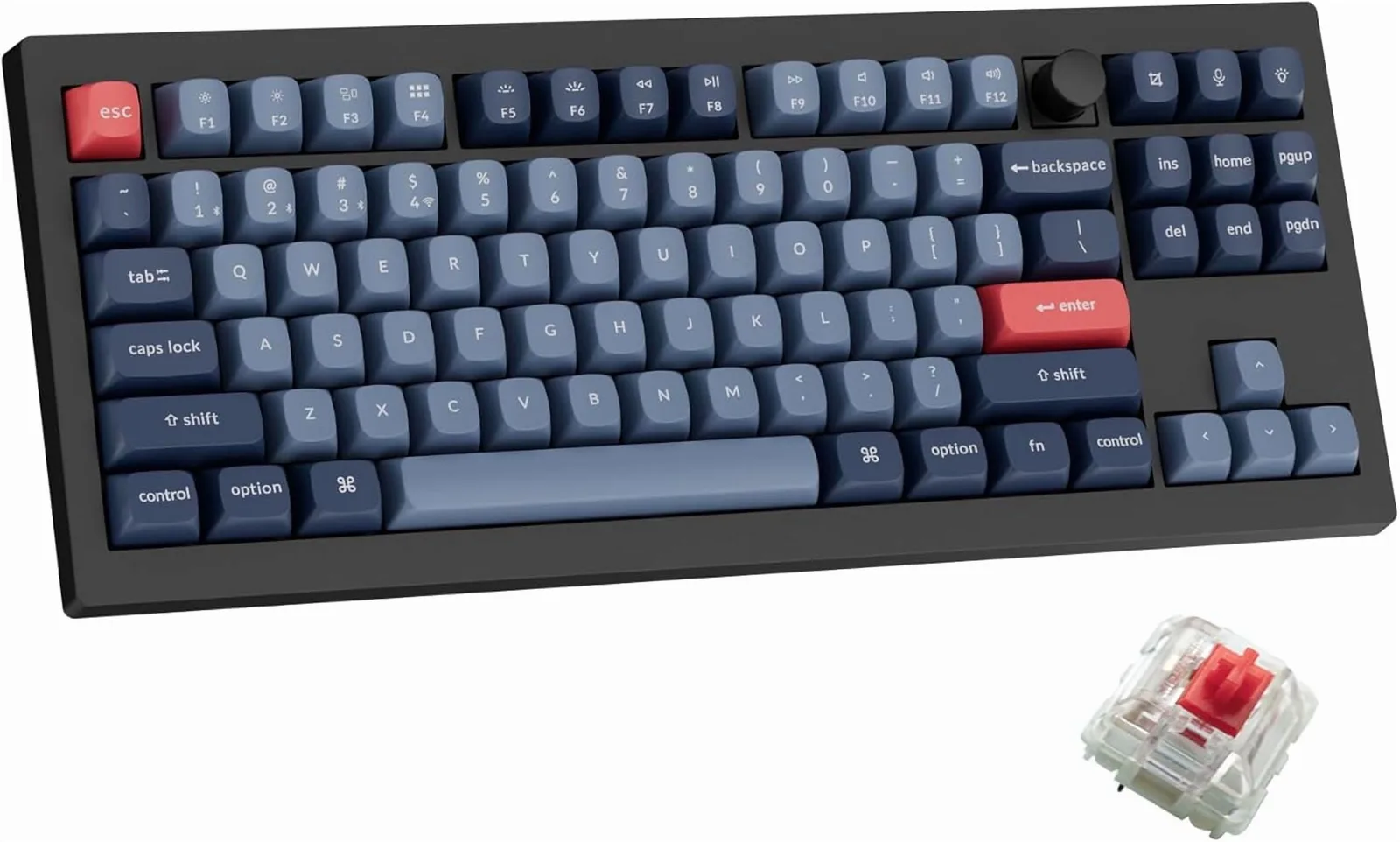
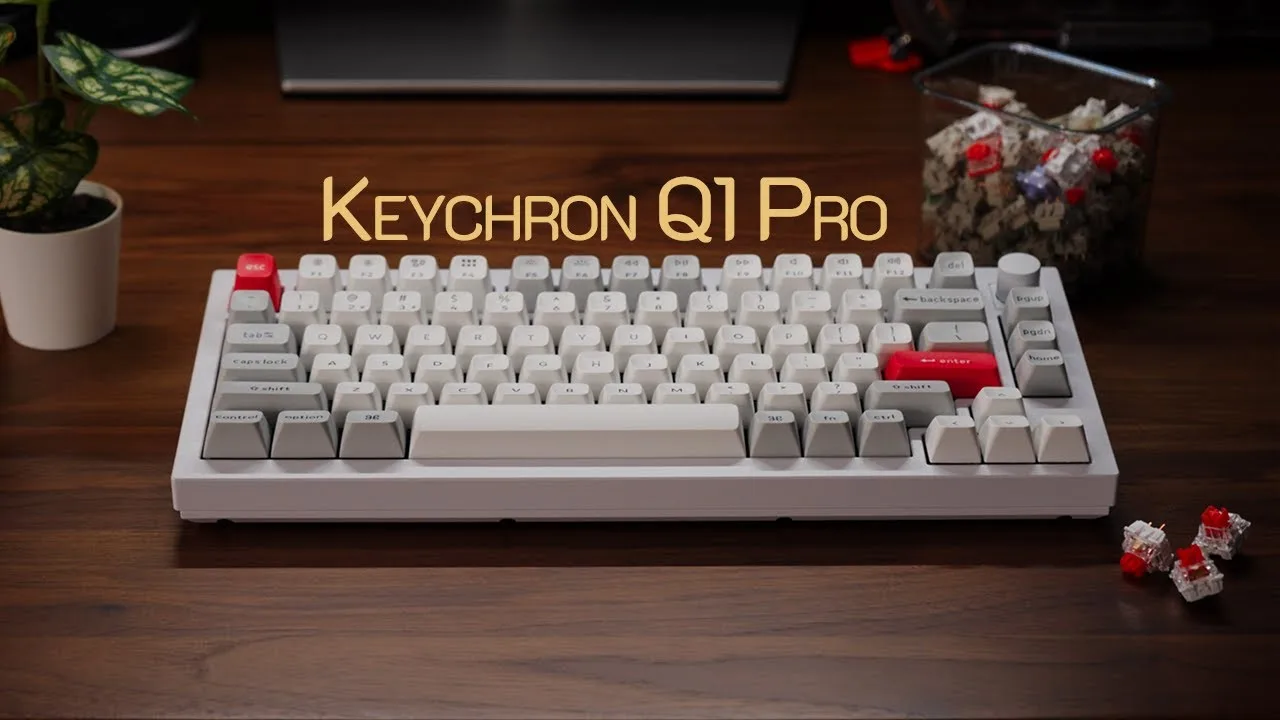
The Keychron Q1 Pro is a 75% mechanical keyboard built around a full aluminum chassis and a double-gasket mounting system. With an aggregated score of 90/100, it ranks among the strongest pre-built options in its class. The flexible polycarbonate plate and KSA profile double-shot PBT keycaps produce what tomsguide.com calls a 'lovely, bouncy typing experience,' and the gasket mount adds cushioned tactile feedback that sets it apart from stiffer boards. Wireless performance is handled by Bluetooth 5.1 with a dedicated antenna, supporting up to three devices across Mac, Windows, and Linux. Battery life is a standout: the 4,000mAh cell delivers up to 300 hours with RGB off, dropping to around 90 hours at the lowest brightness setting. For users who want customization without building from parts, VIA and QMK support make remapping straightforward, though first-timers may need time to get comfortable with the software.
Performance Breakdown
In-Depth Analysis
RGB Lighting 94
22 RGB modes, south-facing LEDs, and consistent praise from 4 sources, but switch choice can significantly compromise the lighting effect.
Key Takeaway
→The RGB implementation is solid, but if you plan to swap switches, choose housings with transparent tops or the lighting investment is wasted.
Customization & Firmware 93
22 sources, near-unanimous agreement: the Q1 Pro is one of the most customizable boards at this price, with QMK/VIA support, hot-swap sockets, and a programmable knob covering almost every enthusiast need.
Key Takeaway
→If you want a deeply programmable, hot-swappable platform to grow into, this delivers. If you want plug-and-play perfection, look elsewhere.
Layout & Form Factor 93
The 75% layout hits a near-perfect balance for desk-bound productivity use, with 12 sources agreeing it keeps arrow keys and a function row without wasting space.
Key Takeaway
→If you want a compact keyboard that keeps arrow keys and a function row for a stationary desk setup, this layout is hard to argue with. Don't buy it expecting to travel with it.
Typing Experience 86
Reviewers broadly agree the typing feel is excellent for productivity work, but stock switch satisfaction splits between casual typists and enthusiasts who swapped them out quickly.
Key Takeaway
→For productivity typists, the stock experience is genuinely good. Switch enthusiasts should budget for a swap and treat the hot-swap socket as the real feature.
Gasket Mount Feel 84
Five sources agree the double-gasket system delivers a cushioned, satisfying typing feel, though one reviewer noted the flex won't suit everyone.
Key Takeaway
→If you want gasket-mount feel without building a custom, this delivers it. If you're extremely particular about flex characteristics, try before you buy.
Build Quality & Materials 83
The all-aluminum chassis earns consistent praise across 20 sources, but the weight and price are real trade-offs that several reviewers flagged directly.
Key Takeaway
→If you want premium aluminum build quality at a sub-custom price, this is the board. If you move your keyboard often or need a quieter stock sound, factor in the weight and consider the Q1 Max.
Battery Life 83
300 hours without RGB is the headline number, but turn the lighting on and Windows Central called the battery life 'strictly average.'
Key Takeaway
→Without RGB, the battery is exceptional. With RGB on, it's average. Decide which mode you'll actually use before treating the 300-hour spec as your real-world number.
Wireless Connectivity 71
Bluetooth works reliably across three devices, but the absence of 2.4GHz wireless is a hard limit that 6 sources flagged, making this a non-starter for competitive gamers.
Key Takeaway
→For multi-device productivity use, the Bluetooth is reliable and the three-device pairing is genuinely useful. For wireless gaming, the 90Hz polling rate and Bluetooth-only setup are disqualifying.
Specifications & Verdict
Build
- Case Material
- 6061 aluminum
- Construction
- All aluminum
- Gasket Material
- PORON foam
- Mounting
- Gasket mount
- Plate Material
- Flexible PC (Polycarbonate)
- Stabilizers
- Screw-in
Connectivity
- Bluetooth Devices
- 3 simultaneous
- Polling Rate
- 1,000Hz (wired); 90Hz (wireless)
- Wired
- Wired USB
- Wireless
- Bluetooth
Features
- Customization
- VIA compatible
- Knob Encoder
- Aluminum rotary encoder
- Modding Kit
- Included
- Multi Device Support
- Up to 3 devices
- Optional Rotary Dial
- Yes
- Os Compatibility
- Mac, Windows, Linux
- Programmability
- VIA/QMK
- Rgb
- RGB
- Rgb Backlight Options
- 22 types
Layout
- Form Factor
- Exploded 75%
- Options
- US or European
- Size
- 75%
Physical
- Battery
- 4,000mAh
- Battery Life Rgb Off
- ~1 month
- Battery Life Rgb On
- ~2 weeks
- Dimensions
- 12.8 x 5.7 x 1.4 inches
- Weight
- 4 pounds
Switches
- Available
- K Pro Red (linear), K Pro Brown (tactile), K Pro Banana (tactile)
- Included
- Keychron K Pro Red
- Type
- Hot-swappable
Our Verdict
Writers, coders, and multi-device professionals who type all day will find the Q1 Pro hard to beat. The aluminum build, double-gasket mount, and reliable Bluetooth 5.1 deliver a premium typing experience without requiring custom assembly. Gamers needing 2.4GHz wireless or users who move their keyboard frequently should look elsewhere. At 3.8 pounds, this keyboard is built to stay on a desk.
Customer Reviews Amazon
96 reviews
Great quality mechanical keyboard with solid features and build quality
Great keyboard!
Great for Mac, Windows, and Linux
Best keyboard I have ever owned.
Show all 5 reviews
Bluetooth Connectivity is TERRIBLE!
Reviews shown are from Amazon customers and do not reflect our editorial assessment.
Pricing & Availability
Updated Mar 3, 2026keychron q1 pro
Sources & Methodology
Every score is built on evidence. This review synthesizes 50 independent sources — expert publications, video reviews, and community discussions — weighted by credibility, depth, and relevance.
Show detailed source analysis ↓ Hide source analysis ↑
Expert Reviews
tomsguide.com
Top
4/5-point
The Keychron Q1 Pro stands out for its comfortable, bouncy typing experience, enhanced by its flexible polycarbonate plate and KSA profile keycaps. Its gorgeous styling, well-built construction, and QMK firmware make it a premium choice. Despite being heavy and expensive, it offers a comfortable typing experience, especially for extensive typists.
Strengths
- +Lovely, bouncy typing experience
- +Built with high-quality materials
- +Great sound from hot-swappable keys
- +Gorgeous styling with rounded keycaps
Weaknesses
- −Rather heavy for a 75% keyboard
- −Pricey compared to other options
windowscentral.com
Top
5/5-point
The Q1 Pro delivers a premium mechanical keyboard experience through its substantial all-aluminum chassis and minimalist aesthetic. The 75% layout provides 81 keys including essential navigation controls, while a knurled volume knob offers precise adjustment with tight tolerance and zero wobble. A unique double-gasket mounting system creates excellent tactile feedback during intensive typing sessions. South-facing LEDs produce vibrant RGB lighting visible beneath the KSA profile keycaps. Extensive customization options are available through QMK firmware support. Bluetooth connectivity performs reliably for wireless usage, though battery life remains strictly average. It ships fully assembled with quality K Pro switches, making it immediately usable out of the box. The matte coating on the metal body feels premium and keeps the keyboard planted on desks.
Strengths
- +Premium all-aluminum chassis delivers exceptional durability and heft
- +South-facing LEDs provide vibrant RGB lighting effects
- +Highly customizable via QMK firmware support
- +Ships fully assembled with K Pro switches and KSA keycaps
Weaknesses
- −Battery life remains strictly average for wireless usage
- −Lacks included USB dongle for wireless connectivity
theverge.com
Top
The Keychron Q1 Pro combines premium build quality with reliable wireless connectivity, offering a great typing feel and customization options. Its Bluetooth performance is seamless, maintaining a stable connection even across rooms. Despite its weight, it's not designed for portability. The keyboard impresses with a long battery life, especially when RGB lighting is disabled.
Strengths
- +Great construction and customizability
- +Reliable and easy-to-use Bluetooth connectivity
- +Stable connection across rooms
- +Long battery life without RGB lighting
Weaknesses
- −Battery life tanks with RGB lighting
- −Lack of alternative to Bluetooth, resulting in a lower polling rate
appleinsider.com
Features a full aluminum body with Bluetooth 5.1 wireless connectivity enabled by a small plastic panel for signal transmission. Toggle switches allow switching between wired/wireless modes and Windows/Mac compatibility. Supports connection to three devices simultaneously across Mac, Windows, and Linux platforms. Includes a customizable aluminum rotary encoder knob for functions like volume control and zoom. Offers 1,000Hz polling rate in wired mode and 90Hz in wireless, powered by an ARM Cortex-M4 32-bit STM32L432 chip with 128K Flash. Uses a flexible PC plate with KSA double-shot PBT keycaps and Keychron K Pro mechanical switches. The 4,000 mAh battery provides up to 300 hours without backlighting or 90 hours on lowest brightness. Programming via VIA software allows customization but requires technical comfort.
Strengths
- +Full aluminum body with Bluetooth 5.1 wireless connectivity
- +Connects to up to three devices simultaneously
- +Compatible with Mac, Windows, and Linux systems
- +Customizable aluminum rotary encoder knob for various functions
Weaknesses
- −Uses Bluetooth instead of RF wireless connectivity
- −VIA programming can overwhelm first-time mechanical keyboard users
- −Premium price point
- −90Hz polling rate limited to wireless mode only
pcworld.com
The Keychron Q1 Pro is a high-end, all-metal keyboard that adds Bluetooth to Keychron's premium line. It boasts a 75% layout with high-end materials like an aluminum case and a rotary dial, and features gasket mounting and VIA/QMK programming. The Q1 Pro offers unbeatable value, with a 4,000mAh battery that lasts for weeks and a dedicated antenna for reliable Bluetooth connectivity.
Strengths
- +Combines popular 75% layout with high-end materials
- +Boutique features like gasket mounting and VIA/QMK programming
- +Ultra-reliable Bluetooth connection with dedicated antenna
- +4,000mAh battery for extended use
Weaknesses
- −Keys flex noticeably under heavy typing
- −Bluetooth-only wireless connectivity
9to5mac.com
The Keychron Q1 Pro is a customizable mechanical keyboard with wireless support, offering a high-quality typing experience. It allows connection to three Bluetooth devices simultaneously and can switch between them easily. The keyboard is compact, taking up less desk space and convenient for travel. Customization options are extensive, from layout and color to switches, providing a personalized experience.
Strengths
- +Supports wired and wireless connections.
- +Connects to three Bluetooth devices simultaneously.
- +Customizable between Mac and Windows layouts.
- +Excellent typing experience with red switches.
palmsolo.substack.com
The Keychron Q1 Pro is a solid, capable 75% mechanical keyboard with a robust aluminum case and multi-layer design. It offers wired or wireless connectivity, Mac and Windows compatibility, and free VIA software for customization. The programmable knob and 22 RGB backlight settings add versatility. Despite its weight, it remains stable during use.
Strengths
- +Outstanding performance and build quality
- +Bluetooth wireless capability for flexibility
- +Programmable knob for added functionality
- +Customizable with free VIA software
Weaknesses
- −Keyboard is heavy for frequent moving
- −Bluetooth only for wireless connectivity
techwalls.com
The Keychron Q1 Pro stands out for its durable all-aluminum body and 75% layout, offering a full set of arrow keys and function row. Its gasket mounting and VIA/QMK programming enhance versatility, while the Bluetooth feature maintains a robust connection without compromising on range or stability. The high-profile PBT keycaps and commendable battery life further solidify its appeal, making it a reliable companion for regular typing and multitasking.
Strengths
- +Durable all-aluminum body for long-lasting use
- +75% layout offers full functionality in compact design
- +Optional rotary dial adds aesthetic flair
- +Gasket mounting provides cushioned, satisfying typing experience
Weaknesses
- −Slight flex from gasket mount may not suit all preferences
- −Bluetooth not the fastest for gamers requiring ultra-low latency
Video Reviews
 SemiPro Tech+Gear
The Keychron Q1 Pro stands out with its excellent build quality and …
SemiPro Tech+Gear
The Keychron Q1 Pro stands out with its excellent build quality and …
The Keychron Q1 Pro stands out with its excellent build quality and stability in Bluetooth connectivity. Users appreciate the all-metal construction and the QMK-via compatibility for remapping and macros. The upgrade to a polycarbonate plate provides a softer, bouncier typing feel, reducing fatigue. The banana switches offer a satisfying, snappy tactile response, and the color options are a welcome addition to the design.
- →Ideal for those seeking a high-quality pre-built keyboard
- →Bluetooth stability makes it suitable for wireless use
- →Polycarbonate plate enhances typing comfort
- →Customization options with QMK-via compatibility
- →Color options cater to personal style preferences
 SoulOfTech
The Keychron Q1 Pro is a heavy, CNC aluminum customizable mechanical …
SoulOfTech
The Keychron Q1 Pro is a heavy, CNC aluminum customizable mechanical …
The Keychron Q1 Pro is a heavy, CNC aluminum customizable mechanical keyboard weighing 3.8 pounds. It features a gasket mount design that provides excellent shock absorption and minimal key recoil. The keyboard includes double shot keycaps with ergonomic indents, full RGB backlighting, and a tactile metallic volume knob. Connectivity is limited to wired USB-C and Bluetooth with three device profiles, lacking 2.4GHz support. The 4000mAh battery delivers approximately 300 hours without backlighting but only 20 hours at 50% brightness or higher. Hardware switches allow instant toggling between Windows and Mac modes, and all keys are hot-swappable with 3 or 5-pin compatibility. Configuration is handled through the online VIA tool. While the tall keycap profile may not suit everyone, the overall construction emphasizes premium materials and extensive customization options.
- →Ideal for users seeking premium aluminum build with extensive customization options
- →Excellent for long wireless use without RGB, offering 300-hour battery life
- →Suitable for enthusiasts wanting hot-swap capability and gasket mount typing feel
- →Not ideal for users requiring 2.4GHz wireless connectivity
- →Best for those preferring high-profile keycaps with ergonomic finger indents
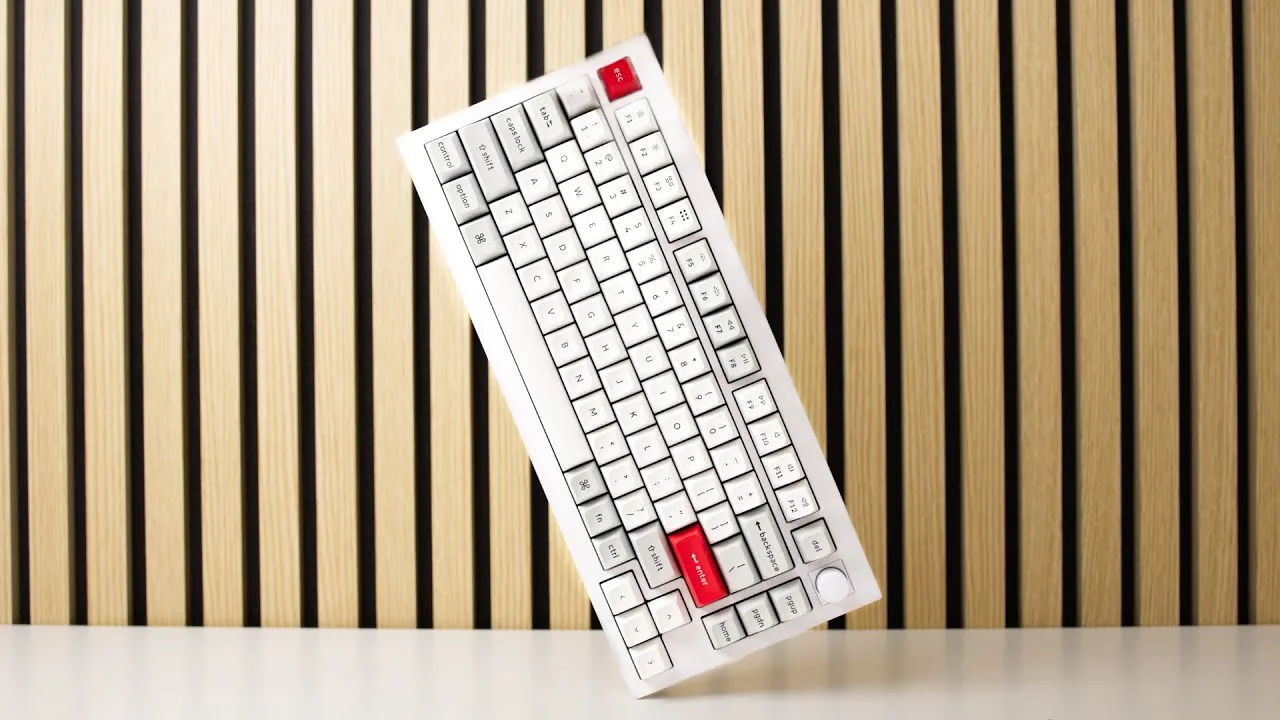 Gabriel Pilo
The Keychron Q1 Pro features a full CNC aluminum construction with …
Gabriel Pilo
The Keychron Q1 Pro features a full CNC aluminum construction with …
The Keychron Q1 Pro features a full CNC aluminum construction with integrated Bluetooth connectivity. It maintains QMK/VIA compatibility, though VIA configuration requires wired connection before transferring presets to Bluetooth mode. Priced at $200 for the fully assembled version or $180 bare bones, it offers exclusive colorways including shell white with orange accents and special edition all-white or all-black variants. Every unit includes a programmable knob defaulting to volume control but customizable through VIA software. The keyboard supports dual OS functionality via a rear switch, enabling distinct operational layers for different workflows. Available through Amazon at a $20 premium with free shipping, or directly from Keychron with shipping costs. The reviewer selected the shell white model with orange accents for aesthetic desk integration.
- →Ideal for users wanting wireless capability with aluminum build quality
- →Best suited for those who can utilize the included programmable knob
- →Recommended for multi-OS users needing distinct workflow layers
- →Bare bones option suits buyers with existing switches and keycaps
- →Editing professionals can leverage dual layers for separate use cases
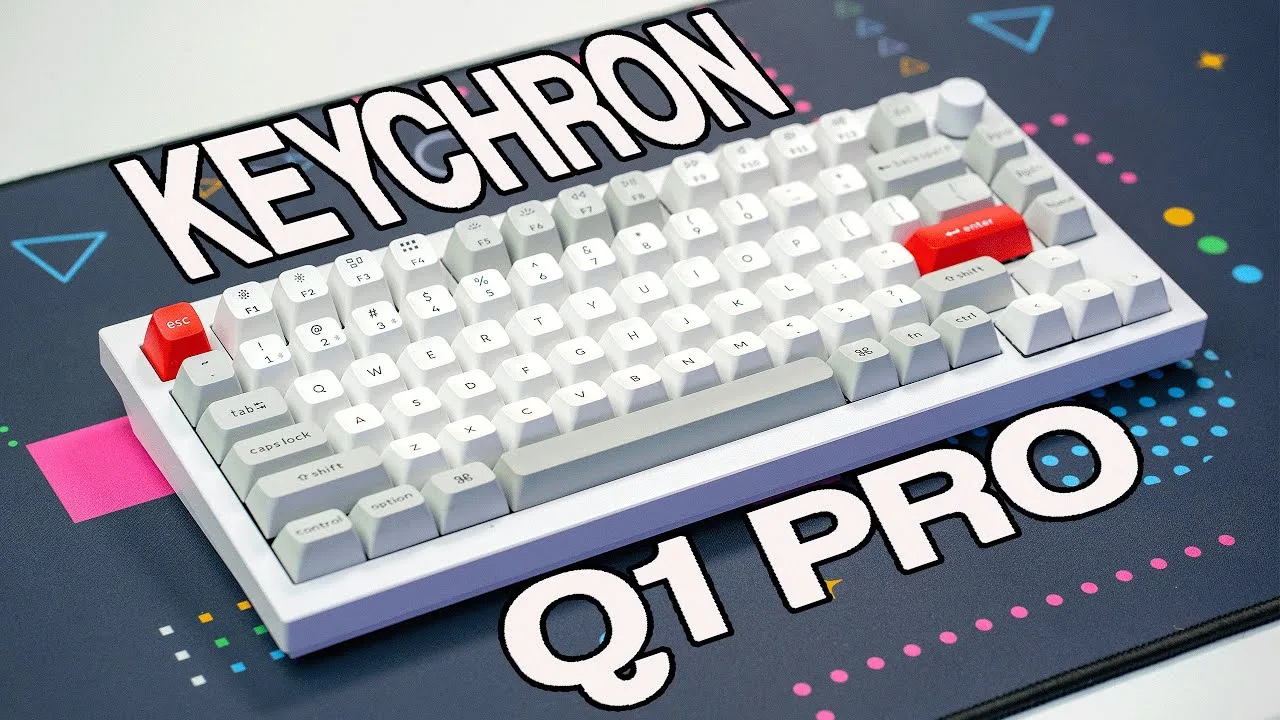
 Corey Staden
The Q1 Pro sits in the middle of Keychron's Q series lineup, offering …
Corey Staden
The Q1 Pro sits in the middle of Keychron's Q series lineup, offering …
The Q1 Pro sits in the middle of Keychron's Q series lineup, offering Bluetooth and wired connectivity but lacking the 2.4GHz wireless option found in the Q1 Max. It ships with K-Pro switches featuring a double side wall stem design for stability and dust/liquid resistance, with more variants available than the Q1 Max's Jupiter switches. The KSA-style keycaps provide a concave, sculpted typing feel. Notably, it has fewer acoustic dampening layers than the Q1 Max, which may affect sound profile. Hot-swap support allows switch customization without soldering, accepting any 3 or 5-pin MX-style mechanical switch.
- →Good choice for users wanting Bluetooth without paying for 2.4GHz wireless
- →K-Pro switches suit typists wanting more switch variety out of the box
- →Hot-swap support makes it ideal for enthusiasts who like to experiment with switches
- →Consider Q1 Max if quieter, more dampened typing sound is a priority
- →Dust and liquid-resistant switch design suits office or shared environments

 Michael Caputo
The Keychron Q1 Pro is a pre-built mechanical keyboard offering a …
Michael Caputo
The Keychron Q1 Pro is a pre-built mechanical keyboard offering a …
The Keychron Q1 Pro is a pre-built mechanical keyboard offering a refined typing experience at a competitive price of $199. It features both wired and wireless connectivity, supports up to three devices via Bluetooth, and includes a sizable 4,000mAh internal battery. The rotary knob, made from 6063 aluminum with a premium finish, adds a tactile and functional element. The keyboard's heavy build ensures stability, and the sound dampening materials contribute to a pleasing auditory experience. Available in ANSI or ISO layout, and with RGB illumination, the Q1 Pro also offers customization in lighting and switch types.
- →Ideal for those seeking a high-value mechanical keyboard
- →Suitable for both macOS and Windows users
- →Good for typing-intensive tasks and aesthetic preferences
- →Consider personal preference for keycap profile and switch types
 Hardline Nexus
The Keychron Q1 Pro, while valued for its affordability and …
Hardline Nexus
The Keychron Q1 Pro, while valued for its affordability and …
The Keychron Q1 Pro, while valued for its affordability and entry-level appeal, suffers from significant build quality issues. It features a fully anodized aluminum body, a heavy and premium feel, and allows for customization with a high-quality badge. However, the keyboard comes with a cable that lacks tech flex and is prone to fraying, and the sound produced is notably hollow, requiring modifications for improvement. Additionally, the poor tolerances in the frame's cutouts lead to keycaps scraping against the case frame.
- →Suitable for those seeking an affordable mechanical keyboard
- →Customization options enhance personalization
- →May require additional mods for improved sound and build quality
- →Not ideal for those desiring a silent keyboard without extensive modding
 Jorge Powell
The Keychron Q1 Pro enhances the 75% keyboard with advanced features …
Jorge Powell
The Keychron Q1 Pro enhances the 75% keyboard with advanced features …
The Keychron Q1 Pro enhances the 75% keyboard with advanced features such as hot-swappable switches and a detachable rotary encoder. It offers customizable RGB lighting and a compact design, providing a premium typing experience. The keyboard's USB-C connectivity simplifies cable management.
- →Ideal for users seeking a customizable keyboard
- →Suitable for those who value compact designs
- →Enhances productivity with advanced features
- →Recommended for professional typists
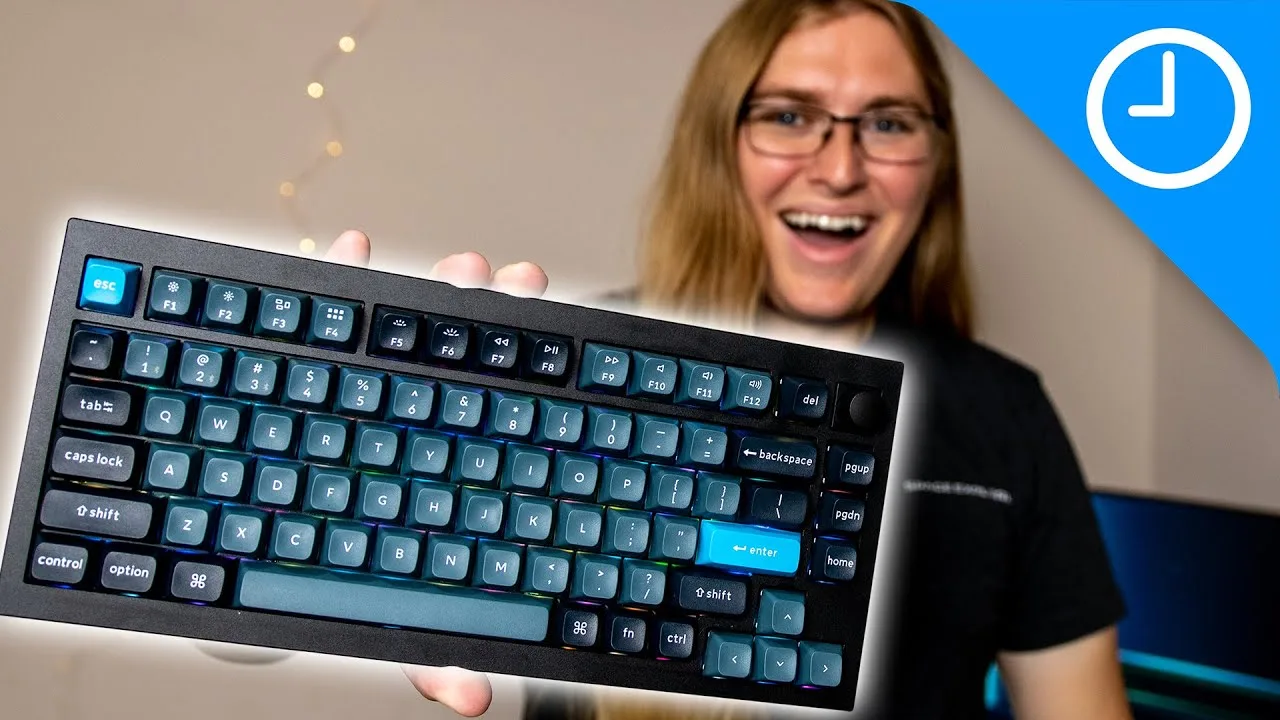 9to5Mac
The Keychron Q1 Pro is a high-quality, customizable mechanical …
9to5Mac
The Keychron Q1 Pro is a high-quality, customizable mechanical …
The Keychron Q1 Pro is a high-quality, customizable mechanical keyboard with wireless support, offering a superior typing experience. It allows connection to three Bluetooth devices simultaneously and can switch between them easily. The keyboard is adaptable to both macOS and Windows layouts, and its metal chassis provides stability. The red switches require minimal pressure and offer a quiet, linear typing feel. The 75% keyboard design is compact, and the included software offers extensive customization options.
- →Ideal for those seeking a customizable keyboard experience
- →Suitable for both Mac and Windows users
- →Great for typing and gaming due to its quiet switches
- →Compact design saves desk space
- →Customizable for different typing preferences and aesthetics
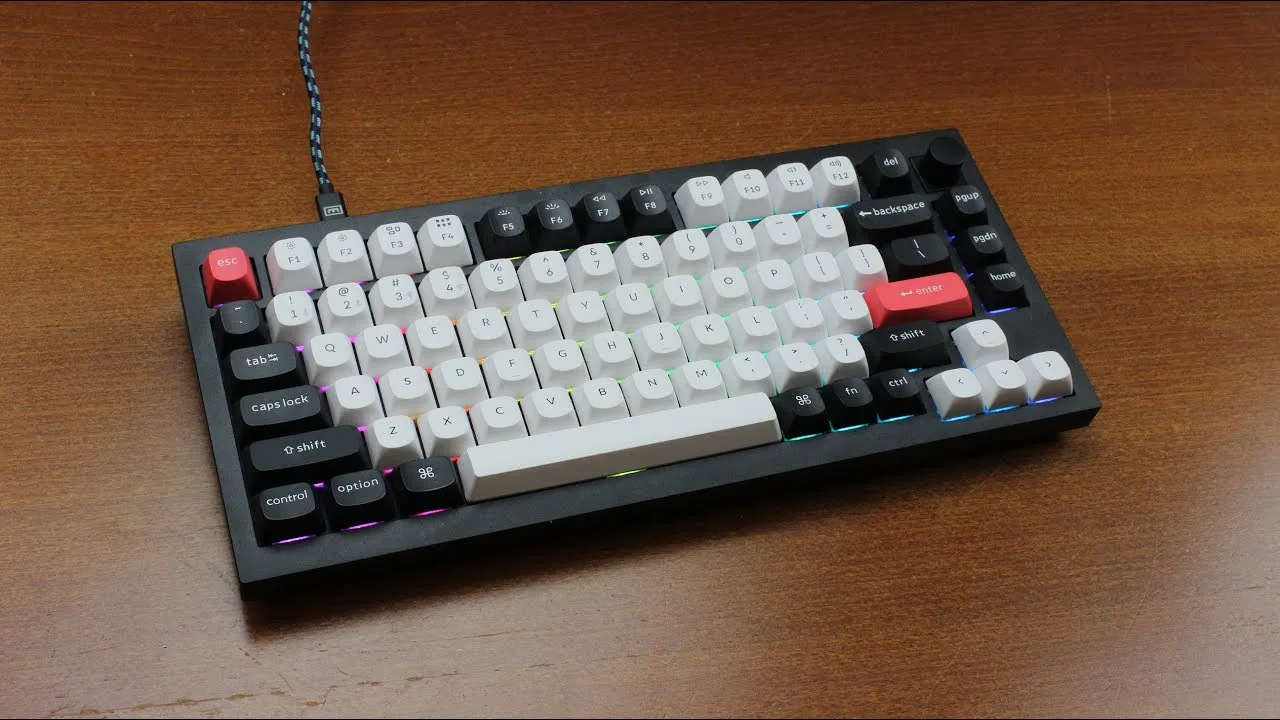 Chyrosran22
The Keychron Q1 Pro stands out with its Hall Effect model, offering …
Chyrosran22
The Keychron Q1 Pro stands out with its Hall Effect model, offering …
The Keychron Q1 Pro stands out with its Hall Effect model, offering greater suitability for analog sensing and adjustable actuation. Its user-friendly web app allows for easy customization without the need for JSON files. The Gateron nebulous switches provide a medium weight option, differentiating it from the featherweight switches common in contactless models. Despite not being as smooth as some competitors, the Q1 Pro's dual rail system adds stability, and the option to swap switches for personalized weighting is a significant advantage.
- →Ideal for users seeking adjustable key sensitivity.
- →Suitable for those who prefer medium-weight linear switches.
- →Customization options enhance user experience.
- →Stability from dual rail system for added durability.
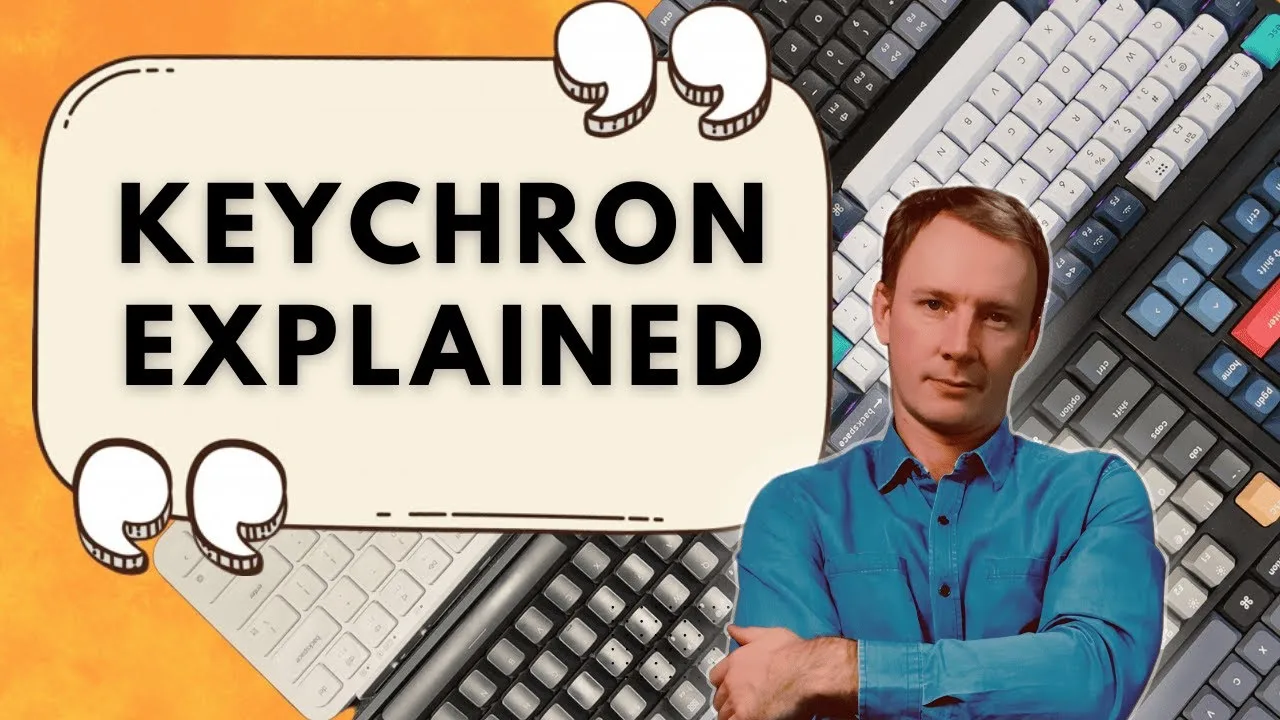 Corey Staden
Decision Paralysis? Me too. I've spent years reviewing Keychron …
Corey Staden
Decision Paralysis? Me too. I've spent years reviewing Keychron …
Decision Paralysis? Me too. I've spent years reviewing Keychron keyboards and I've put together a little presentation here which does a pretty good job defining each series. I'm not gonna make you watch the whole video. out of respect for your time, I'm going to start with the conclusion. And if you choose to stick around to the end, that's completely up to you. In a nutshell, the Q, V, and C series cater to keyboard enthusiasts who want to customize their keyboards. The Q Max series is the top
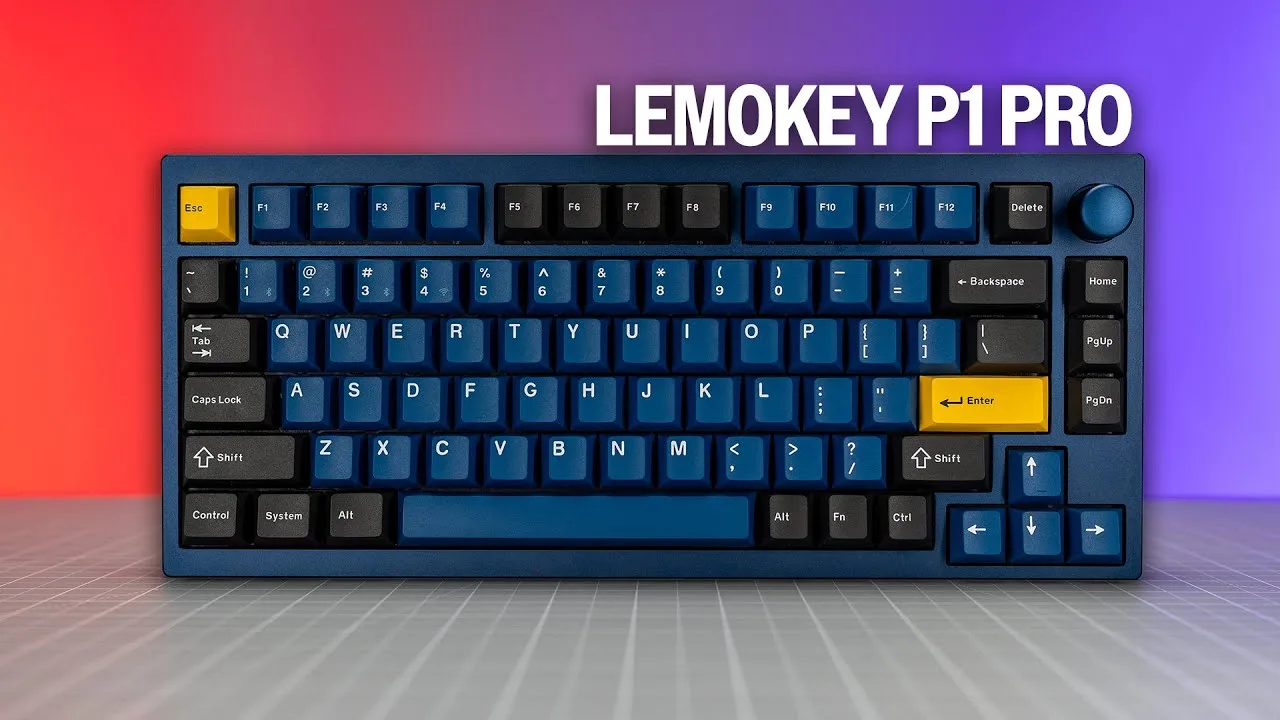 SemiPro Tech+Gear
The Keychron Q1 Pro stands out with its all-metal construction and QMK …
SemiPro Tech+Gear
The Keychron Q1 Pro stands out with its all-metal construction and QMK …
The Keychron Q1 Pro stands out with its all-metal construction and QMK compatibility, offering durability and customizability at an affordable price point of $129. It features a compact design with a gasket mount, ensuring a comfortable and quiet typing experience. USB-C connectivity simplifies cable management, enhancing the overall user experience.
- →Ideal for users seeking an affordable mechanical keyboard
- →Suitable for those who value customizability and build quality
- →Great for typists who prefer a quieter and more comfortable experience
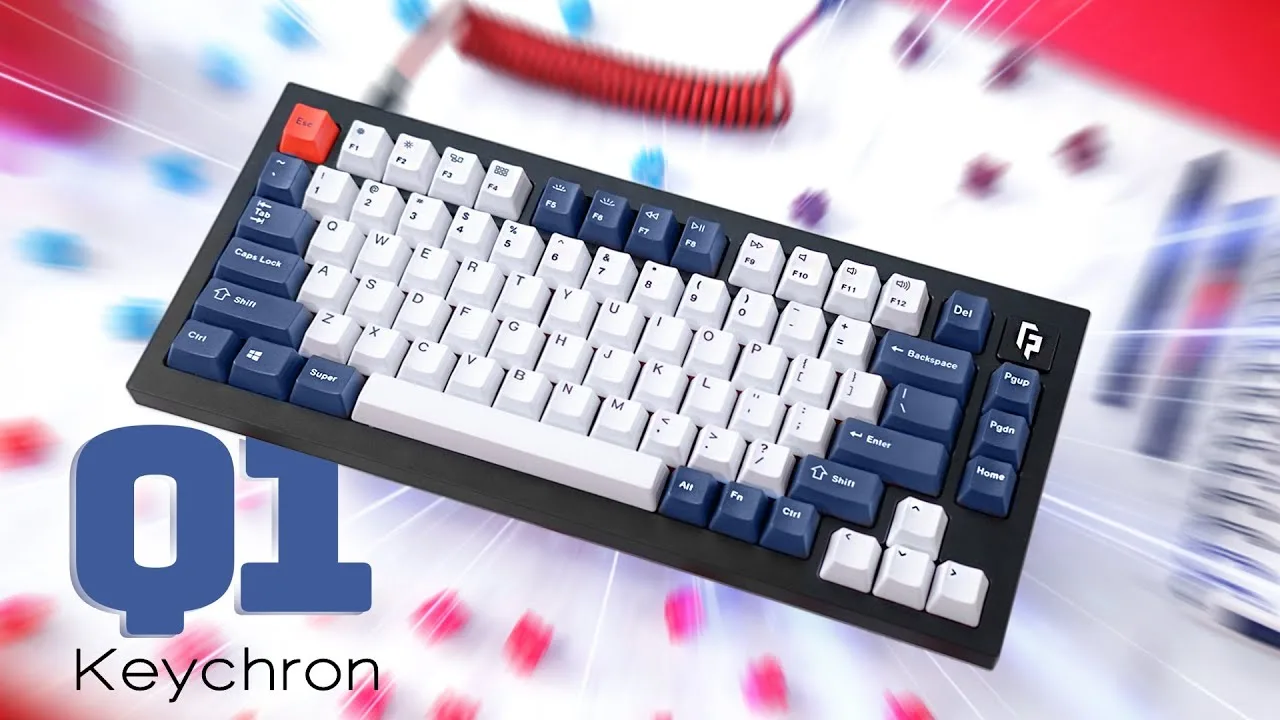 randomfrankp
The Keychron Q1 Pro is a 75% hotswap mechanical keyboard offering both …
randomfrankp
The Keychron Q1 Pro is a 75% hotswap mechanical keyboard offering both …
The Keychron Q1 Pro is a 75% hotswap mechanical keyboard offering both complete and barebones purchase options. It provides a compact design with the convenience of hot-swappable switches, catering to users who prefer a smaller form factor without compromising on functionality.
- →Suitable for users who want a smaller keyboard
- →Customizable with hot-swappable switches
- →Ideal for mechanical keyboard enthusiasts
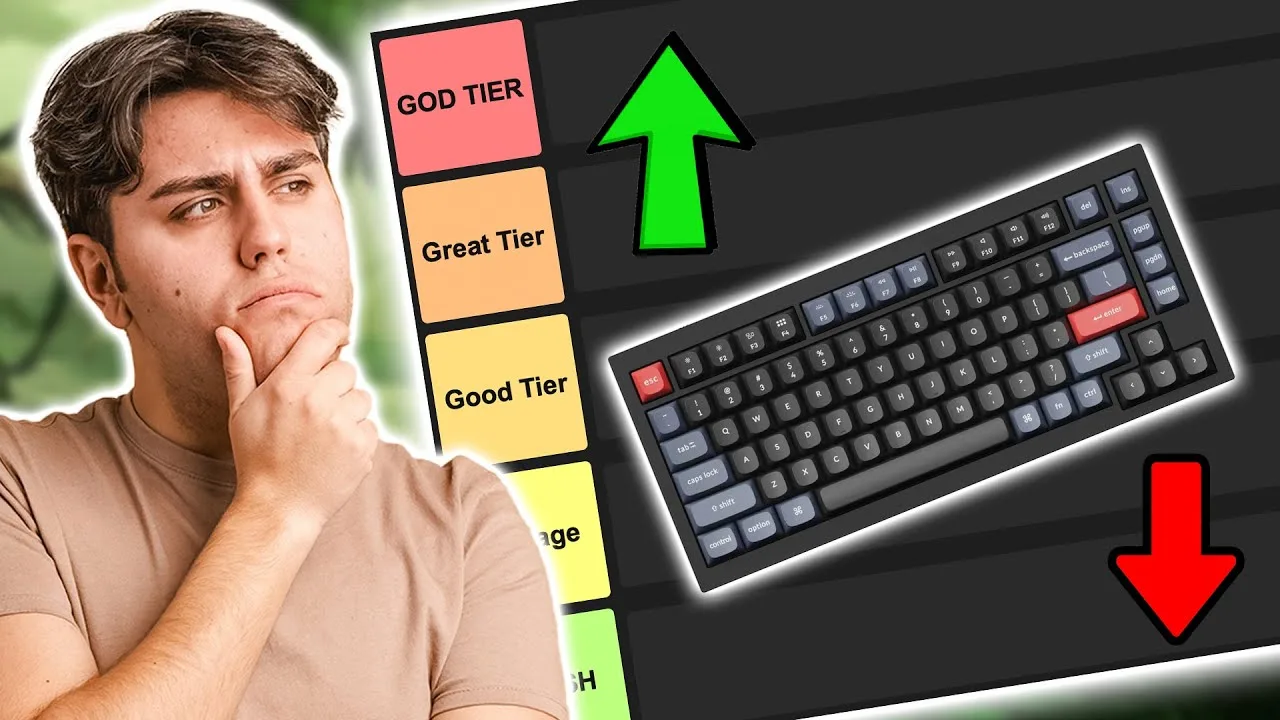 10BestOnes
The Keychron Q1 Pro stands out for its build quality and performance. …
10BestOnes
The Keychron Q1 Pro stands out for its build quality and performance. …
The Keychron Q1 Pro stands out for its build quality and performance. It features a premium aluminum frame and customizable RGB lighting, enhancing the overall user experience. The keyboard also boasts a hot-swappable design, allowing for easy personalization. However, some users may find the keycap quality to be a minor concern.
- →Ideal for users seeking a durable mechanical keyboard
- →Suitable for customization enthusiasts
- →RGB lighting adds a touch of personal style
Community Discussions via Reddit
Comparison
r/MechanicalKeyboards
u/b3nnyb0i
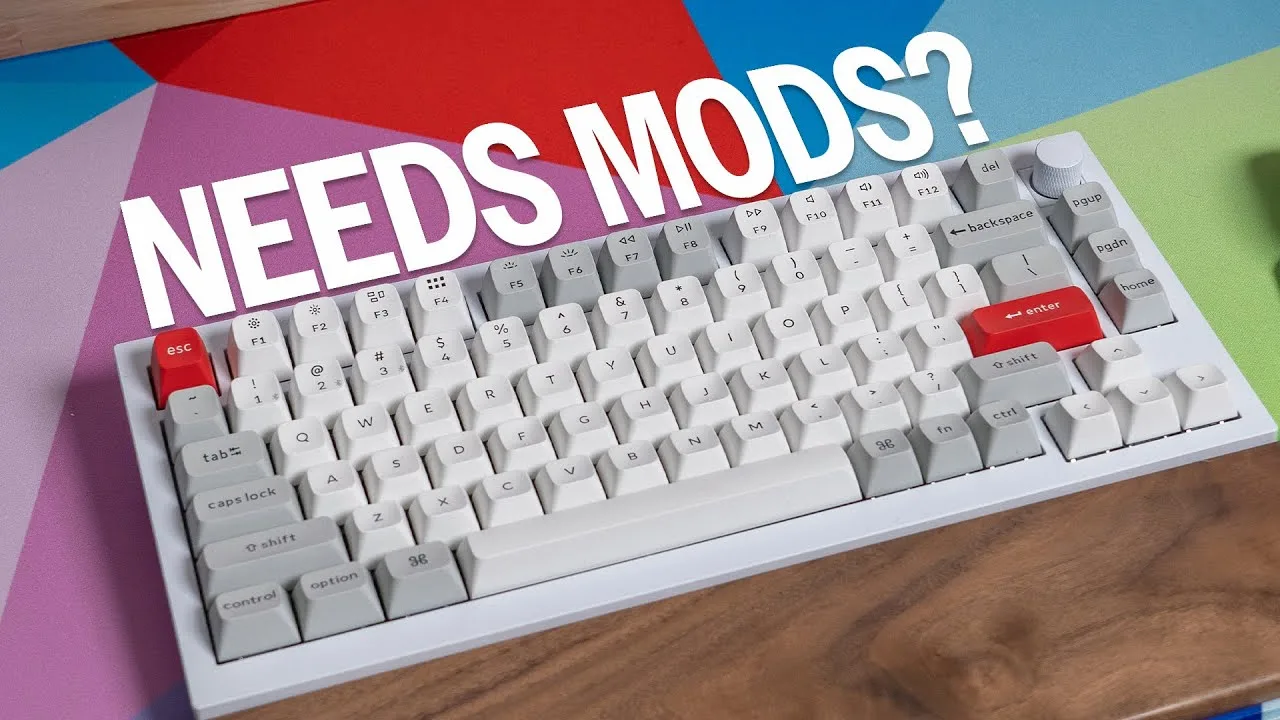
The Keychron Q1 Pro serves as an accessible entry point into custom keyboard modifications, with community consensus highlighting its potential post-tuning rather than its stock performance. Owners report that while the barebones kit provides a solid foundation for builds using switches like Glorious Panda tactiles and aftermarket PBT keycaps, the stock experience lacks the "thocky" acoustics frequently demonstrated in online videos. Multiple users confirm the board is "perfect for mods" and becomes "really enjoyable" after applying modifications including tape mod, force break mod, Kilmat dampening in the bottom housing, and stabilizer tuning. However, beginners should note potential confusion with keycap compatibility, as evidenced by one owner's initial difficulty identifying the correct Enter key placement. The product effectively functions as a learning platform for enthusiasts rather than a finished premium product.
Key Insights
- →Best suited for enthusiasts wanting to learn modification techniques rather than those seeking premium out-of-box acoustics
- →Requires specific modifications (tape mod, force break, stabilizer tuning) to achieve community-approved performance
- →Stock sound profile differs noticeably from modified configurations shown in online content
- →Compatible with standard aftermarket switches and keycaps (tested with Glorious components)
- →Functions effectively as a beginner-friendly platform for entering the custom keyboard hobby
Top Comments
That was the only thing that looked like an enter with the keycaps I bought man 😭😭 Edit: I'm dumb I didn't notice there was an ascend keycap that was supposed to be the at the enter spot
That was the only thing that looked like an enter with the keycaps I bought man 😭😭 Edit: I'm dumb I didn't notice there was an ascend keycap that was supposed to be the at the enter spot
https://preview.redd.it/7nchofcic8rc1.jpeg?width=4000&format=pjpg&auto=webp&s=ebc6a14f72e6c8b0b35a6db92ddcbca8801febf9
Setup Showcase
r/MechanicalKeyboards
u/Wolf515013
The Keychron Q1 Pro is showcased by an enthusiastic owner who describes it as 'amazing' with a naturally thocky sound profile. The owner experimented extensively with multiple switch types to optimize the board's acoustics and backlighting simultaneously. The Q1 Pro's aluminum construction is noted by a community member, who questions whether it uses an anodized or painted finish. The board supports hot-swap functionality, allowing the owner to test numerous switches. Overall, the community discussion centers more on switch compatibility than the board itself, but the owner's satisfaction with the Q1 Pro as a foundation is clear, describing it as a strong base that pairs well with the right switches for achieving a marble/thocky sound signature.
Key Insights
- →Best for users who want a thocky sound profile as a starting point without heavy modification
- →Backlighting is a meaningful feature on this board, but switch choice can significantly compromise it
- →Hot-swap support makes it a good platform for switch experimentation and tuning
- →The aluminum plate construction contributes to its sound characteristics, though the exact finish (anodized vs. painted) was unclear to community members
- →Achieving the ideal balance of acoustics and lighting may require trying multiple switch types
Top Comments
If you want to be more analytical you’ll want to put the switches in the same row or even the same position. Switches in different areas of the board will sound different, especially if they are on …
UPDATE: So it has come down to the Morandi switches, these have the best marble/thocky sound and the lighting is as good as a clear switch. I have to say that these are absolutely amazing. Well done …
I kind of envy you and everyone who is happy with Morandis. It may be the batch I got mine from, but most of them are crunching/grinding and producing a pronounced high-pitch ticking sound due to the …
Setup Showcase
r/MechanicalKeyboards
u/NamesR4Babies
The Keychron Q1 Pro served as the entry point into custom keyboard building for this user, who quickly began modifying it after purchase. The owner added 1mm foam, performed a tape mod on the PCB, and swapped the stock Keychron brown switches for Razer Orange Tactile Gen 3 switches, while retaining the stock keycaps. The post reflects a positive enough experience with the Q1 Pro to inspire continued keyboard customization, though the stock switches were considered worth replacing. The board is presented as a solid modding platform that responds well to common modifications like foam and tape modding.
Key Insights
- →Best for users interested in a moddable keyboard platform that supports hot-swap switch changes and responds well to foam and tape mods
- →Stock switches may not satisfy enthusiasts — the owner replaced them relatively quickly after purchase
- →A community commenter (DctrGizmo) also replaced Keychron switches within a month, noting stock Gateron switches felt scratchy and inconsistent, suggesting switch replacement is a common early modification
- →The Q1 Pro is well-suited as a starting board for those new to keyboard customization, as it provides a foundation that encourages further modding
- →Not ideal for users seeking a fully satisfying out-of-the-box experience without any modifications
Top Comments
Easiest way to stop is to get addicted to how good your best board feels. Maybe even get cozy with monkey type and get addicted to improving your typing speed.
It was just after a month I got my Keychron and I changed my switches already. Now my keyboard feels way more smoother to type on. The Gateron switches were horrible and the scratchy feeling was …
Lmao yes. About 10 years ago when I became an audio engineer. It was a wild ride
Setup Showcase
r/MechanicalKeyboards
u/anson42
The Keychron Q1 Pro represents the owner's first venture into full aluminum body keyboards, featuring a 75% layout in Silver Grey with Bluetooth connectivity to Mac. The owner reports satisfaction with the wireless performance, noting the presence of dedicated antenna hardware soldered to a daughter board. The gasket mount system, while stiffer than anticipated, provides a comfortable typing experience. Keychron pre-applied the force break mod using silicone pieces between case halves, eliminating the need for immediate modification. The board offers extensive QMK/VIA programmability, with the owner customizing the knob for zoom functions and remapping navigation keys. While the owner plans to replace the stock stabilizers and bottom foam with aftermarket solutions, they describe the current configuration as sounding great with a premium feel suitable for daily use.
Key Insights
- →Suitable for Mac users requiring Bluetooth connectivity with dedicated wireless hardware infrastructure
- →Pre-applied force break modifications from factory reduce immediate need for case tuning
- →Gasket mount system provides firmer typing feel suited for users preferring less flex
- →High programmability through QMK/VIA supports advanced workflows with customizable knob and layer functions
- →Accommodates modifications well, with stock configuration serving as solid foundation for future enhancements
Top Comments
This is my first full aluminum body keyboard! * Keychron Q1 Pro 75% (Silver Grey) connected to Mac via Bluetooth * Gateron Oil King switches * Drop DCX Violac keycaps, Cherry profile * Tape mod, …
Was considering the same switches, just ordered the Q1 Pro as well. How happy are you with the switches? How happy are you with the board?
I had used the Oil Kings in a couple other boards though not within an aluminum case like the Q1. I like that they are on the heavier side as that fits my typing style, and they aren't super loud …
Setup Showcase
r/MechanicalKeyboards
u/MarsMaher
The Keychron Q1 Pro is appreciated for its unique design and approachability in the mechanical keyboard market. Users value its affordability and availability, making it an attractive option for those seeking a quality keyboard without the high price tag or long wait times associated with smaller batch groups. The board's design is also praised for being suitable for office use, offering a professional look without the gamer aesthetic.
Key Insights
- →The Keychron Q1 Pro is a solid choice for those who want a quality mechanical keyboard without the high cost or long wait times.
- →Its design is appreciated for being suitable for office environments, differentiating it from more gamer-oriented boards.
- →The board's availability and price make it a standout option in the market.
Top Comments
There are those who want something a bit more unique in their boards. I personally think Keychron are fantastic and have filled a huge gap in the market. Your mechanical keyboard no longer needs to …
I miss the era where everyone was sharing pictures of GMMK pro with boba u4t with gmk samurais (usually red) with a golden knob. Spiderman pointing meme era
They’re so nice for people who need something more serious to bring into the office but don’t want to bring a $350 custom board. My new job is hybrid so I wanted a keyboard I could take to and from …
Scores based on weighted analysis of 50 expert and community sources. How we review →