

Monitors
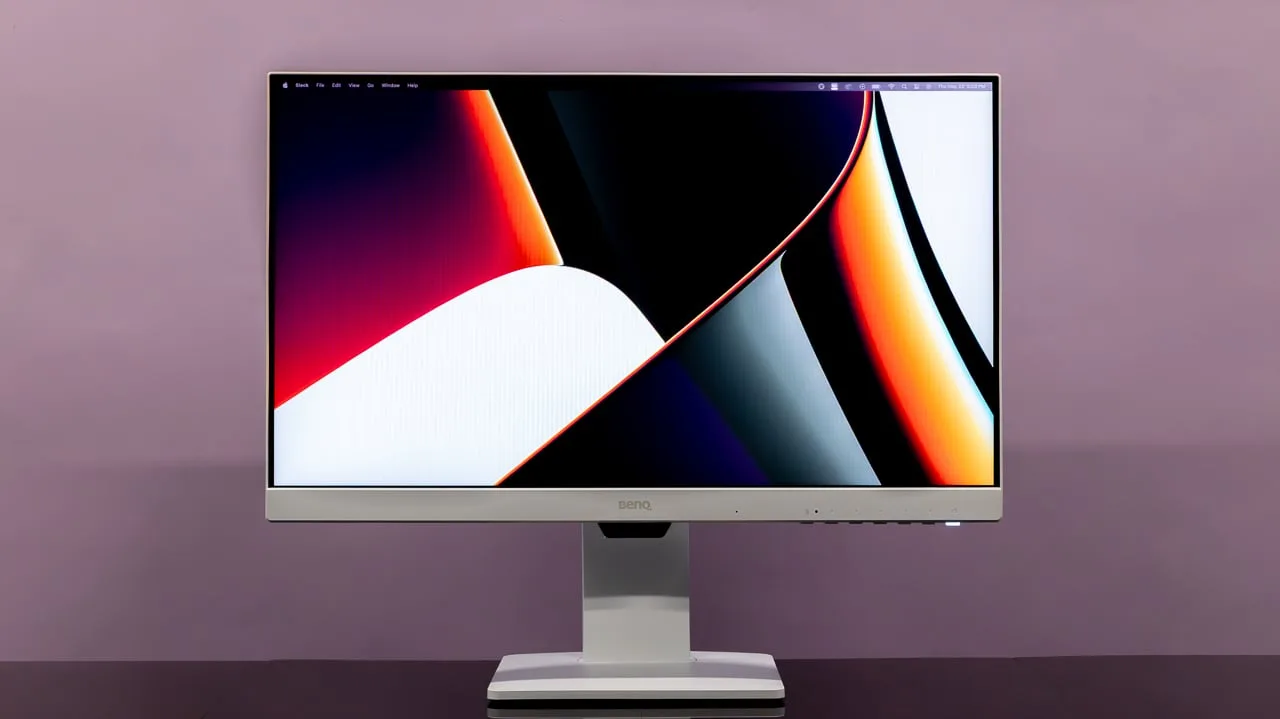
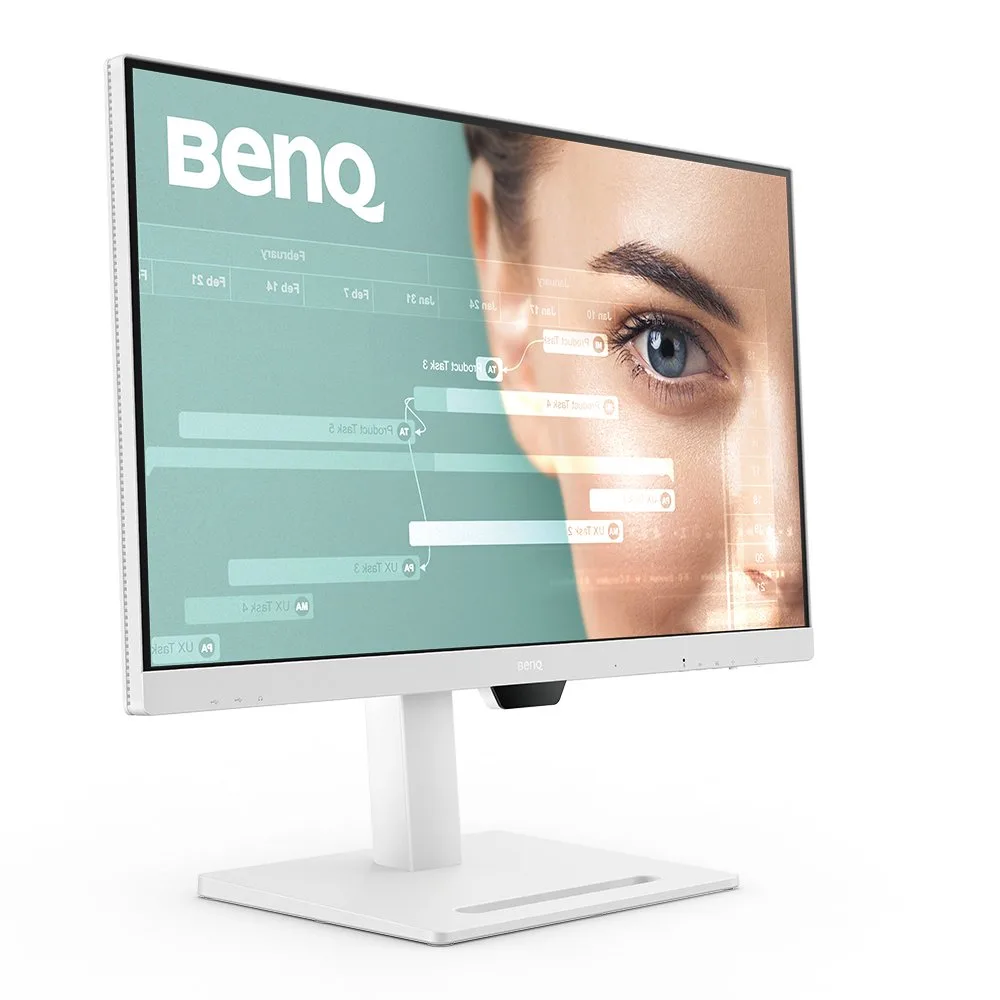
BenQ GW2486TC
Best For
- Budget-conscious designers
- Home office workers needing USB-C
- Gamers valuing refresh rate
Consider Carefully
- Professionals needing high brightness
- Users requiring KVM switching
Jump to Section
The Bottom Line
The BenQ GW2486TC monitor stands out for its balance of performance and affordability. It's a solid choice for those who prioritize image quality without breaking the bank. What we found most impressive is its panel quality; the IPS-Type LCD panel delivers vibrant colors and a high contrast ratio, as noted by several sources. The refresh rate is another highlight, with a quick 100Hz that pleases the eye and keeps motion smooth. Ergonomics also score well, with an adjustable stand that caters to various viewing preferences. Connectivity is enhanced by the inclusion of a USB-C port, which not only supports DisplayPort over USB but also delivers 65W of power, simplifying setup. However, it's not without its drawbacks; Some sources note its brightness could be better, and the lack of KVM might be a deal-breaker for those who multitask across multiple devices.
Performance Breakdown
In-Depth Analysis
USB-C Connectivity 93
65W power delivery and daisy-chain support make this a genuine single-cable docking solution. 6 of 10 sources called it out as a standout feature, and the missing KVM is the only real complaint.
Key Takeaway
→If you want a clean single-cable laptop setup with room to daisy-chain a second monitor, this delivers. If you need KVM switching, look elsewhere.
Built-in Audio & Mic 90
Five sources confirmed the noise-canceling microphone as genuinely useful for video calls. No one tested it against a dedicated mic, but for a built-in solution, the consensus is positive.
Key Takeaway
→If you're on video calls regularly and want to skip a separate mic, this delivers for that use case. Don't expect it to replace a dedicated microphone for recording or streaming.
Ergonomics & Stand 86
Full four-way adjustability, tilt, swivel, pivot, and height, is confirmed by 6 of 9 sources. The stand wobbles at extreme height settings, but VESA support means you're not stuck with it.
Key Takeaway
→The stand covers all the ergonomic basics and then some. If stability at max height is a concern, the VESA mount support gives you a straightforward upgrade path.
Eye Care Features 86
TÜV-certified flicker-free, low blue light, a dedicated Coding Mode, and automatic brightness adaptation make this one of the more complete eye-care packages at this price. The only knock is that Brightness Intelligence responds slowly.
Key Takeaway
→If eye fatigue or flicker sensitivity is a priority, this monitor's TÜV-certified stack and Coding Mode make it a strong choice. The slow Brightness Intelligence response is a minor annoyance, not a dealbreaker.
Color Accuracy 83
99% sRGB coverage and praise from Monitornerds sit alongside Pcwelt calling it 'mediocre' and TechRadar ruling it out for color correction work. The disagreement is real.
Key Takeaway
→For general use and sRGB-based work, the color performance is solid. For professional color grading or correction, reviewers are clear: look at something with wider gamut coverage.
Refresh Rate Performance 82
100Hz is a genuine step up from 60Hz for everyday use, but the lack of Adaptive Sync and HDMI 1.4 connectivity cap its appeal for anyone beyond casual gaming.
Key Takeaway
→If you want smoother-than-60Hz for productivity and light gaming, 100Hz delivers. If you're a serious gamer, the missing Adaptive Sync is a dealbreaker.
Display Quality 66
The IPS panel earns praise for viewing angles and color consistency, but 250 nits of max brightness and a 1080p cap on a 23.8-inch panel are real limitations that reviewers don't gloss over.
Key Takeaway
→If your work is text, code, or documents in a controlled lighting environment, the display holds up. If you sit near a window or need HDR, the limitations will frustrate you.
Design & Build Quality 66
The matte white finish gets consistent praise from 4 sources, but the bulky power plug, absent cable management, and clunky OSD controls are recurring complaints that undercut the clean aesthetic.
Key Takeaway
→The design looks good on a desk, but the bulky power plug and missing cable management mean the clean setup you're paying for requires extra work to actually achieve.
Specifications & Verdict
Connectivity
- Usb Ports
- 2
- Video Inputs
- USB-C
Display
- Panel Type
- IPS
- Pixel Refresh Rate
- 100
- Resolution
- 1920 by 1080
- Size
- 23.8 inches
Ergonomics
- Vesa Display HDRLevel
- NA
Features
- Adaptive Sync
- NA
- Warranty
- 3 years
Performance
- Rated Contrast Ratio
- 1300:1
- Rated Screen Luminance
- 250
Physical
- Dimensions
- 19.7 by 21.3 by 7.3 inches
- Weight
- 13.7 pounds
Our Verdict
The BenQ GW2486TC is a great monitor for users seeking a cost-effective solution with good color reproduction and ergonomics. It's ideal for those who can compromise a bit on brightness and don't need KVM functionality. If you're after a straightforward, feature-packed monitor on a budget, this one's worth considering.
Customer Reviews Amazon
269 reviews
Exceeded Expectations!! ❤️❤️❤️❤️❤️
Increible la calidad y el precio
wish I bought 2 - one for my wife and one for me
Excelente para home office
Show all 5 reviews
Let there be sight
Reviews shown are from Amazon customers and do not reflect our editorial assessment.
Pricing & Availability
Updated Feb 18, 2026BenQ GW2486TC
Sources & Methodology
Every score is built on evidence. This review synthesizes 13 independent sources — expert publications, video reviews, and community discussions — weighted by credibility, depth, and relevance.
Show detailed source analysis ↓ Hide source analysis ↑
Expert Reviews
techradar.com
Top
4/5-point
The BenQ GW2486TC Eye-Care Monitor is praised for its affordability and ergonomics, offering a comfortable viewing experience with a wide range of adjustments. It features USB-C with power delivery and eye-care viewing modes to minimize eye strain, making it suitable for extended use. However, it lacks cable management and brightness, which could be a drawback for some users.
Strengths
- +Very affordable
- +Versatile ergonomics
- +Quick refresh rate
- +Solid office-oriented features like USB-C and eye comfort viewing modes
Weaknesses
- −No cable management
- −Not all that bright
- −No KVM
pcmag.com
Top
4.5/5-point
The BenQ GW2486TC offers a compelling feature set for a budget monitor, including a superior contrast ratio, high refresh rate, and ergonomic stand. Its 100Hz refresh rate and 99% sRGB color coverage provide a smoother viewing experience and accurate colors. The monitor also boasts a USB-C port with power delivery, a DisplayPort-out for daisy-chaining, and built-in speakers.
Strengths
- +Superior contrast ratio for an IPS panel
- +100Hz refresh rate for smoother video
- +99% sRGB color coverage
- +Ergonomic stand with height adjustment and pivot
devicenext.com
The BenQ GW2486TC is praised for its advanced eye-care features and flexible display modes, making it an excellent choice for home office setups, particularly for coders and programmers. Its sleek design, Full HD resolution, and 100Hz refresh rate provide sharp visuals and smooth performance. The monitor stands out with its Coding Mode and ergonomic adjustability, including portrait mode, enhancing productivity. USB-C connectivity simplifies cable management, and the eye-care technology, including Flicker-Free and Low Blue Light, ensures comfort during extended work sessions.
Strengths
- +Sleek, modern design integrates well into home offices
- +23.8-inch IPS display offers wide viewing angles and color accuracy
- +Full HD resolution and 100Hz refresh rate for sharp visuals and smooth performance
- +Coding Mode reduces eye strain for long work sessions
Weaknesses
- −Bulky 16A power plug may disrupt clean desk setup
m.dailyhunt.in
The BenQ GW2486TC (₹14,998) offers a compelling package for home office users with its 23.8-inch IPS panel, 100Hz refresh rate, and versatile USB-C connectivity with 65W power delivery. Tool-free assembly and extensive ergonomic adjustments (pivot, tilt, swivel, height) enhance usability, though the stand exhibits some wobble at extreme positions. The 250-nit brightness limitation and bulky Type M power plug are notable drawbacks. Brightness Intelligence Technology shows inconsistent responsiveness. Strong eye-care features with TÜV certification and specialized modes for coding and reading add value for extended use.
Strengths
- +USB-C with 65W power delivery reduces cable clutter significantly
- +100Hz refresh rate delivers smoother visuals for gaming and movies
- +Tool-free assembly takes minutes without any external tools
- +Extensive ergonomic adjustments including pivot, tilt, swivel, height
Weaknesses
- −250-nit maximum brightness struggles in brightly lit environments
- −Bulky Type M power plug increases desk footprint unnecessarily
- −Brightness Intelligence Technology shows sluggish responsiveness
- −Stand feels wobbly when adjusted to extreme positions
Monitornerds
The BenQ GW2486TC is a 24-inch IPS monitor with a modern design and a plethora of connectivity options, making it an enticing choice for tech-savvy users. It boasts a 1920 x 1080 FHD resolution, a 100Hz refresh rate, and a 5ms response time, ensuring smooth performance. The monitor's color accuracy and vibrancy are impressive, covering 100% sRGB and 92% of DCI-P3, with a deltaE average of 1.14 out of the box. Its build quality is excellent, and the stand offers multiple adjustments for user comfort.
Strengths
- +Modern design with matte white finish
- +Generous connectivity options including USB-C
- +Excellent color accuracy and vibrancy
- +Sturdy build quality and stable stand
Weaknesses
- −Clunky OSD controls with multiple key processes
- −Minor backlight leaks on the bottom edge
Review-rating
90
Designed for extended office work, this 24-inch IPS monitor combines ergonomic flexibility with practical connectivity. The height-adjustable stand allows personalized positioning, while USB-C consolidates video, power, and data into a single cable. Brightness Intelligence automatically adapts to ambient lighting, and the integrated noise-cancelling microphone enhances video call clarity. Eye-care technology reduces strain during long sessions. Users consistently praise the crisp display and microphone quality, though some report stability concerns when the stand is fully extended. Overall, it serves remote workers and professionals seeking comfort without complexity.
Strengths
- +Height-adjustable stand enables flexible ergonomic positioning
- +IPS panel delivers consistent color and clarity
- +USB-C provides video, power delivery, and data in one cable
- +Brightness Intelligence adapts to ambient light automatically
Weaknesses
- −Stand stability decreases at higher height settings
Pcwelt
The BenQ GW2786TC stands out in the sub-€200 monitor segment through thoughtful additions rarely found at this price point. Its 27-inch 1080p IPS panel delivers solid image quality with a 100Hz refresh rate and good contrast, though color performance remains mediocre. The ergonomic stand offers exceptional adjustability—tilt, swivel, pivot, and 130mm height adjustment—surpassing typical budget monitor flexibility. Connectivity proves to be a major strength: USB-C with 65W Power Delivery, dual USB-A ports, and a rare DisplayPort-out for daisy-chaining a second monitor. Additional conveniences include integrated speakers, noise-canceling microphone, and ambient light sensor. The white aesthetic feels modern and robust despite plastic construction. Best suited for home office workers needing USB-C laptop charging and cable reduction without premium pricing.
Strengths
- +Attractive white design with modern aesthetic
- +Excellent connectivity including USB-C with 65W Power Delivery
- +Built-in ambient light sensor and noise-canceling microphone
- +Good contrast ratio for the price class
Weaknesses
- −Only 1080p resolution on 27-inch panel
- −Mediocre color performance
- −No Adaptive Sync support
- −No HDR capability
Video Reviews
 Tech Dreams
The BenQ GW2486TC monitor is praised for its stylish design and …
Tech Dreams
The BenQ GW2486TC monitor is praised for its stylish design and …
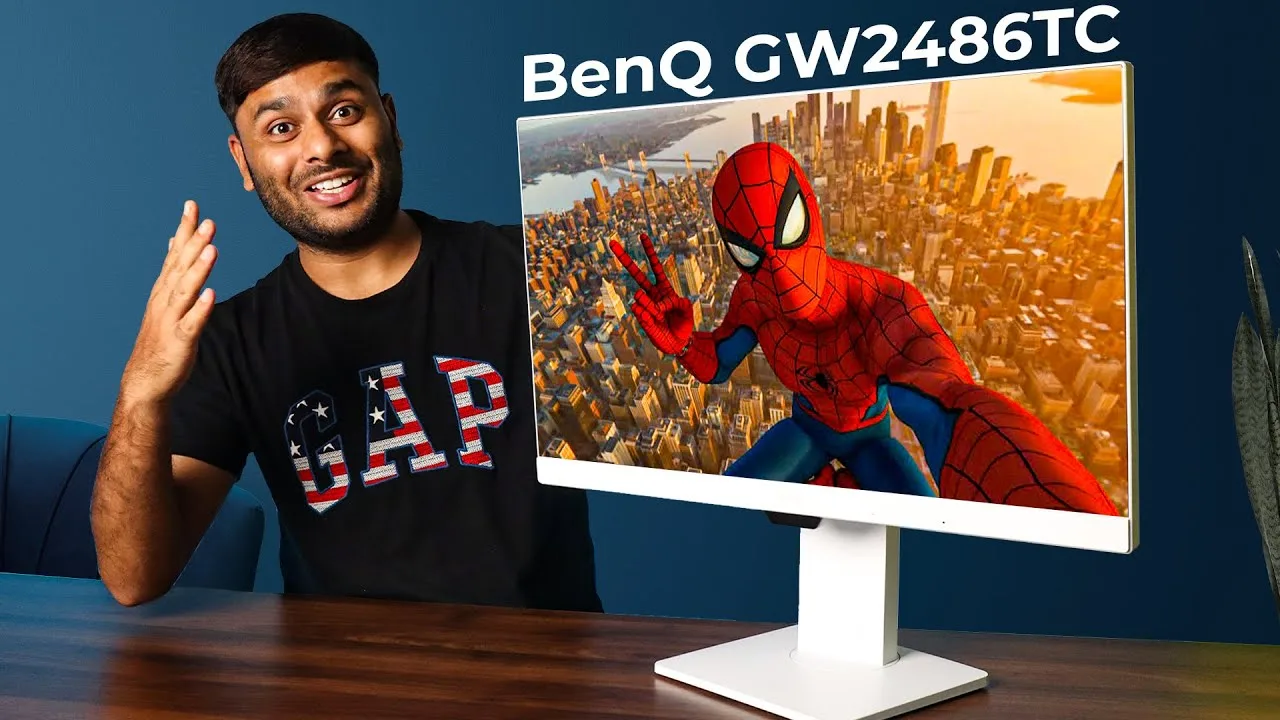
The BenQ GW2486TC monitor is praised for its stylish design and excellent color accuracy, making it suitable for both professional work and media consumption. It features an IPS panel with 99% sRGB color gamut, providing vibrant and lively colors. The monitor also boasts a 5ms response time, 250 nits brightness, and 100Hz refresh rate, enhancing the overall viewing experience. Additionally, it includes a USB-C port with 65W power delivery, allowing for simultaneous charging and data transfer, and a DP out port for daisy-chaining monitors to reduce cable clutter.
- →Ideal for professional work and media consumption
- →Excellent color accuracy with vibrant colors
- →Reduces cable clutter with daisy-chaining feature
- →Suitable for use with laptops and smartphones
- →Enhances the viewing experience with fast response time and high refresh rate
 TV Chef
The BenQ GW2486TC is a 24-inch Full HD IPS display tailored for office …
TV Chef
The BenQ GW2486TC is a 24-inch Full HD IPS display tailored for office …
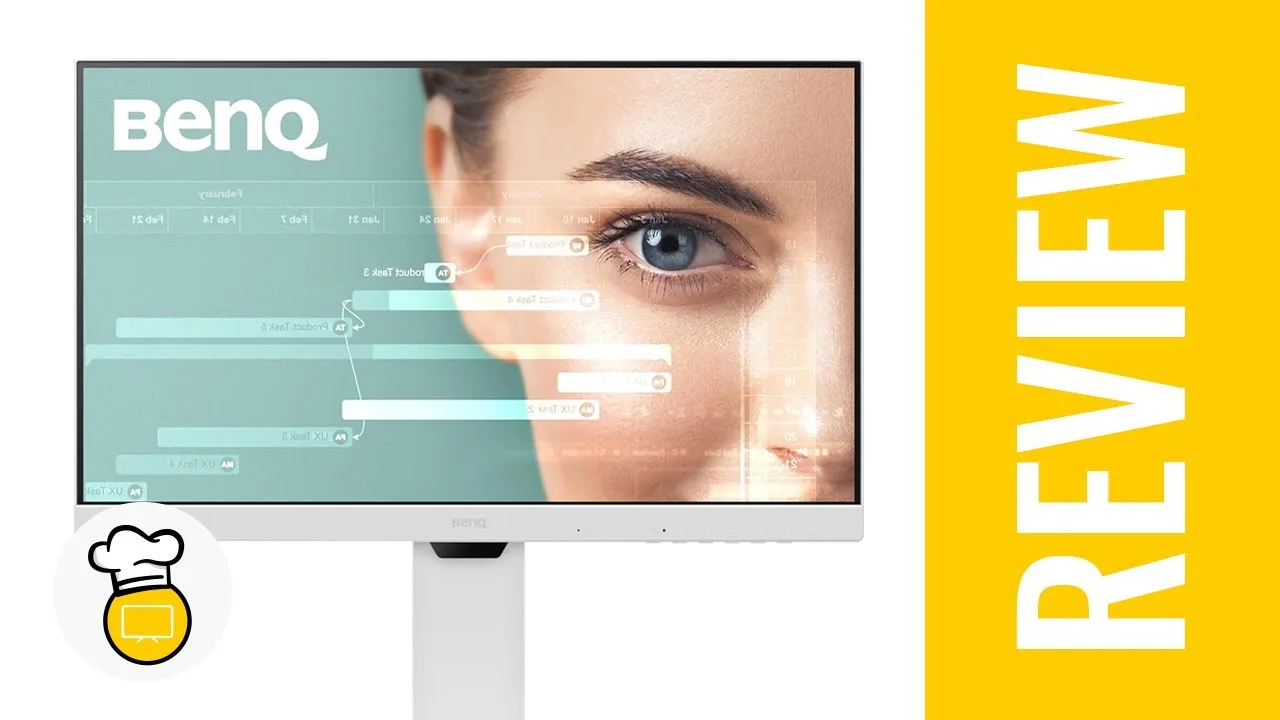
The BenQ GW2486TC is a 24-inch Full HD IPS display tailored for office and productivity users. It offers adaptive brightness, eye care mode, coding mode, a built-in noise-canceling microphone, daisy chaining capabilities, and USB Type-C connectivity. The monitor's 250 nits brightness and 5ms response time ensure clear visuals. The stand is highly adjustable, supporting height, tilt, swivel, and rotation, enhancing user comfort and flexibility.
- →Ideal for office and productivity tasks
- →Multiple display sizes available for different workspaces
- →USB Type-C simplifies cable management
- →Versatile stand offers ergonomic adjustments
- →White color scheme for a clean, modern look
 OZONE TECH
The BenQ GW2486TC offers a solid build quality with a heavy metal …
OZONE TECH
The BenQ GW2486TC offers a solid build quality with a heavy metal …
The BenQ GW2486TC offers a solid build quality with a heavy metal stand and multiple ergonomic adjustments, making it suitable for various professional needs. Its 100Hz refresh rate provides a better experience than 60Hz monitors, enhancing visual performance for tasks like coding, programming, and color grading. The monitor's modern ergonomic design and premium materials ensure a comfortable and stylish addition to any workspace.
- →Ideal for content creators and graphic designers
- →Reduces fatigue with adjustable ergonomics
- →Suitable for coding, programming, and color grading
- →Enhances collaboration with multiple adjustments
- →Adds a premium touch to any desk setup
 TrendPunk - Product Reviews
The BenQ GW2486TC monitor offers a 23.8-inch IPS panel with full HD …
TrendPunk - Product Reviews
The BenQ GW2486TC monitor offers a 23.8-inch IPS panel with full HD …
The BenQ GW2486TC monitor offers a 23.8-inch IPS panel with full HD 1080p resolution and 99% sRGB color accuracy, making it ideal for graphic design work. The 100 Hz refresh rate ensures smooth scrolling, and the built-in noise-canceling microphone is a plus for client calls. The monitor also features a USB-C hub, which simplifies cable management and provides power delivery. Its ergonomic design includes a sturdy height-adjustable stand and swivel capabilities. The price is reasonable, and the overall performance has been praised by a graphic designer for its color accuracy and ease of use.
- →Ideal for graphic design due to color accuracy
- →Smooth performance with 100 Hz refresh rate
- →Convenient for client calls with noise-canceling mic
- →USB-C hub simplifies setup and charging
- →Affordable option for creative professionals
Community Discussions via Reddit
Comparison
Reddit
dapsuaz
The BenQ GW2486TC is considered a good value for a dual monitor setup, especially for coding, due to its affordability compared to other brands like Dell or LG. The user is particularly interested in its no-flicker feature, daisy chain capability, and color performance to reduce eye fatigue and migraines.
Key Insights
- →Suitable for home office use, particularly coding
- →Ideal for users with migraines due to its no-flicker feature and color performance
- →Easy on the eyes, potentially reducing migraines
Scores based on weighted analysis of 13 expert and community sources. How we review →