

Monitors
ASUS ProArt Display PA27JCV
Best For
- Professional photographers
- Video editors
- Content creators
Consider Carefully
- Gamers needing high refresh rates
- Users seeking advanced HDR features
Jump to Section
The Bottom Line
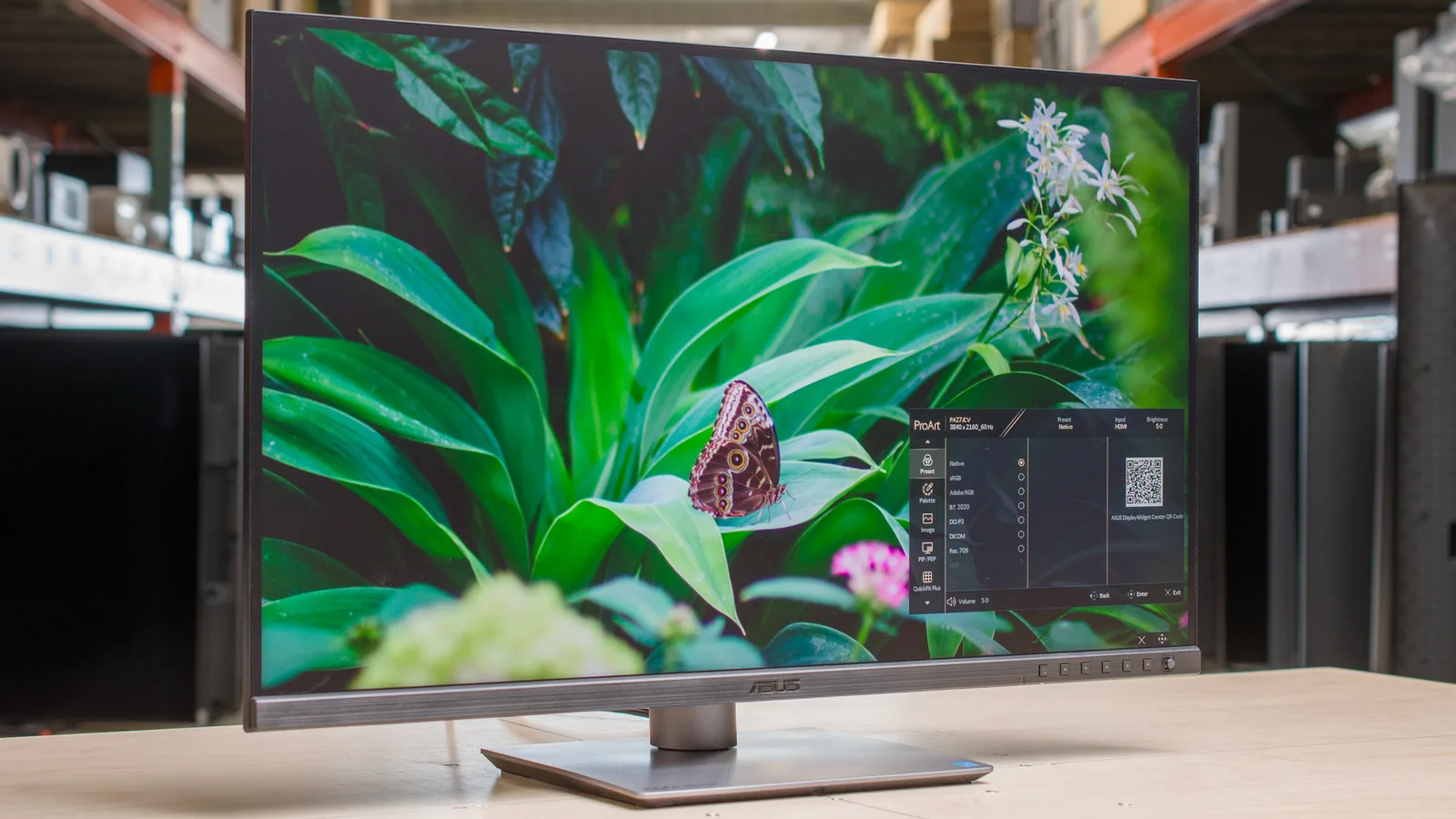
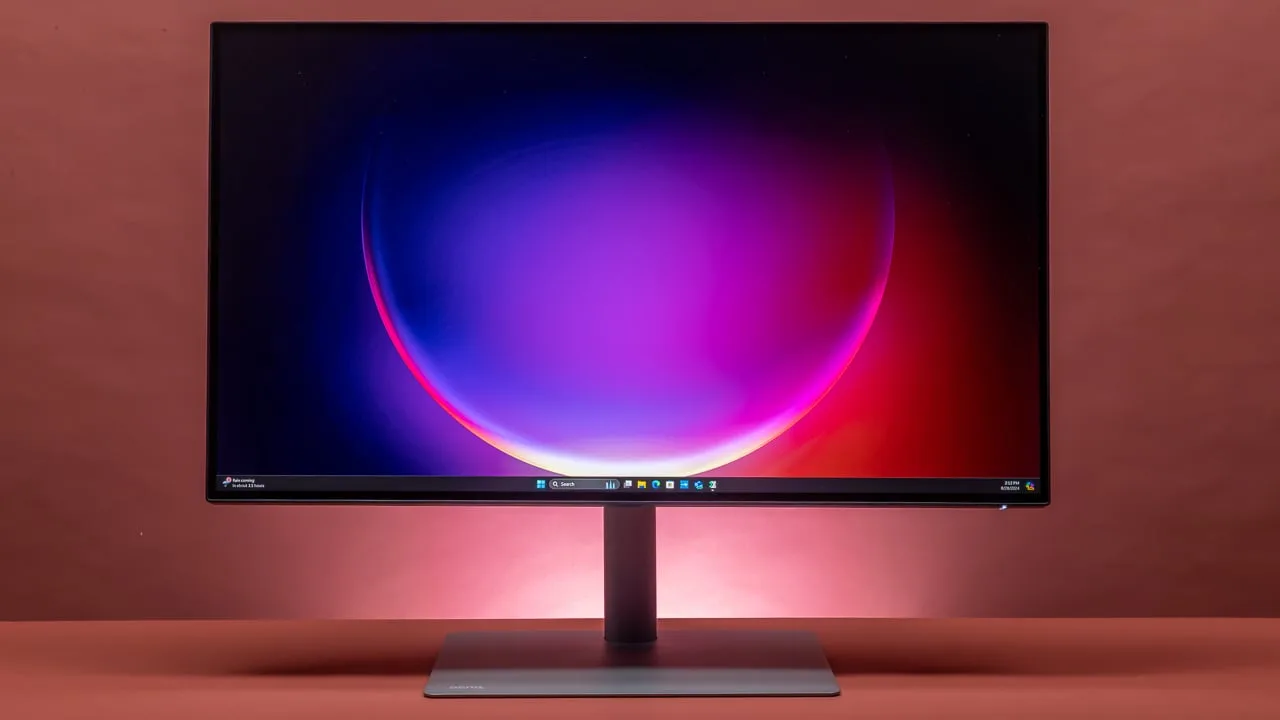
The ASUS ProArt Display PA27JCV is a monitor that's clearly aimed at professionals seeking high-quality color accuracy and detail. It's praised for its reference-level color accuracy and good color reproduction, as highlighted by multiple sources. With a 27-inch 5K IPS screen, this monitor offers a sharp resolution and a high pixel density of 218ppi, suitable for detailed image and video editing. The anti-glare coating 'LuxPixel AGLR' and a full array of ergonomic adjustments further enhance its appeal. We found that the monitor's contrast ratio and overall panel quality are top-notch, as noted by tomshardware.com, who commented on its 'excellent contrast' and comprehensive feature set. However, there are some reservations regarding the refresh rate, which maxes at 60 Hz, and the lack of zone dimming, which might disappoint those looking for advanced HDR performance.
Performance Breakdown
In-Depth Analysis
Display Resolution 100
218 ppi on a 27-inch panel is the real story here. 8 of 23 sources specifically called out how well this works for Mac users, where 5K scaling just clicks.
Key Takeaway
→If you're a Mac-based creative who's tired of scaling compromises, 218 ppi at 27 inches is exactly what you need.
Color Accuracy 100
14 of 22 sources called this reference-level color accuracy. Calman Verified certification, 99% P3 coverage, and factory calibration make this a serious tool for color-critical work.
Key Takeaway
→If color accuracy is your primary requirement, 14 sources and a Calman Verified badge say this delivers without caveats.
Ergonomics & Stand 96
Seven of 11 sources praised the stand's full range of adjustments. 130mm of height travel, tilt, swivel, and pivot cover nearly every desk setup.
Key Takeaway
→The stand covers every adjustment you'd need for a comfortable all-day setup. The plastic construction is a cosmetic complaint, not a functional one.
Value For Money 94
Three sources independently positioned this as the affordable alternative to the Apple Studio Display. At a lower price with comparable 5K resolution, the value case is straightforward.
Key Takeaway
→If you want 5K color accuracy without paying Apple Studio Display prices, this is the most credible alternative the market currently offers.
Connectivity Options 91
96W USB-C power delivery and a built-in KVM switch are the standout features. Four sources flagged the KVM as a genuine productivity win for multi-device setups.
Key Takeaway
→If you run two computers from one desk, the KVM plus 96W USB-C charging makes this a genuinely clean single-cable setup.
Build Quality 60
The panel coating is excellent, but the chassis tells a different story. Cultofmac called it a 'creaky plastic body,' and two sources flagged the build as feeling cheap for the price.
Key Takeaway
→Buy this for the panel, not the chassis. Budget for external speakers and accept that the plastic build is a real compromise at this price.
Refresh Rate 54
60Hz is the ceiling, and 7 of 10 sources flagged it as a limitation. This is a creative workstation monitor, not a gaming or motion-heavy display.
Key Takeaway
→If your work is color-critical and static, 60Hz won't bother you. If you game or need smooth motion, this monitor isn't for you.
HDR Performance 48
DisplayHDR 500 certification sounds good on paper, but Tom's Hardware found luminance tracking errors in HDR mode and no zone dimming. The HDR story here is weak.
Key Takeaway
→Don't buy this for HDR work. The certification is there, but the execution has real gaps that multiple sources measured directly.
Specifications & Verdict
Connectivity
- Audio Output
- 3.5mm headphone output
- Power Delivery
- 96W via USB-C
- Usb Ports
- 2x USB-C 3.2 up, 3x USB-A 3.2 down
- Video Inputs
- 1x DisplayPort 1.4, 1x HDMI 2.1, 1x USB-C
Display
- Brightness
- 400 nits SDR, 500 nits HDR
- Color Gamut
- 99% DCI-P3, 95% Adobe RGB, 100% sRGB, 100% Rec.709
- Contrast Ratio
- 1,500:1
- Panel Type
- IPS / W-LED, edge array
- Pixel Density
- 218 pixels per inch (ppi)
- Refresh Rate
- 60 Hz
- Resolution
- 5K (5120x2880)
- Size
- 27 inches
Ergonomics
- Adjustments
- Tilt: +23° ~ -5°, Swivel: +30° ~ -30°, Pivot: +90° ~ -90°, Height: 0~130mm
- Vesa Mounting
- 100x100mm
Features
- Adaptive Sync
- Yes (Adaptive-Sync)
- Ambient Light Sensor
- Yes
- Display Widget
- Yes, DisplayWidget Center
- Flicker Free
- Yes
- Kensington Lock
- Yes
- Kvm Switch
- Yes
- Lcd Zbd Warranty
- Yes (3 yr)
- Low Blue Light
- Yes
- Pip Pbp Technology
- Yes
- Pro Art Chroma Tune
- Yes
- Pro Art Palette
- Yes
- Quick Fit Plus
- Yes
- Speakers
- 2x 2w
Performance
- Color Depth
- 10-bit (8-bit+FRC)
- Free Sync and GSync Compatible
- Yes
- Hdr Support
- HDR10, DisplayHDR 500
- Response Time
- 5ms
Physical
- Dimensions With Stand
- 61.22 x 53.81 x 21.50 cm (WHD)
- Dimensions Without Stand
- 61.22 x 36.29 x 4.41 cm (WHD)
- Weight With Stand
- 5.91kg
- Weight Without Stand
- 4.14kg
Our Verdict
We recommend the ASUS ProArt Display PA27JCV for professionals who value color accuracy and detailed work. Its strengths in panel quality and resolution make it an excellent choice for photo and video editing. However, if you're looking for a high refresh rate or advanced HDR features, this monitor might not be the best fit.
Customer Reviews Amazon
104 reviews
Sharp text, vibrant colors, impressive anti-glare
Beautiful Monitor at an affordable price
Beautiful specs on paper — but terrible for Mac users
Ok resolution but scaling still an issue with my Mac mini
Show all 5 reviews
Matches up well with Apple Studio Display
Reviews shown are from Amazon customers and do not reflect our editorial assessment.
Pricing & Availability
Updated Feb 26, 2026ASUS ProArt Display PA27JCV

Sources & Methodology
Every score is built on evidence. This review synthesizes 36 independent sources — expert publications, video reviews, and community discussions — weighted by credibility, depth, and relevance.
Show detailed source analysis ↓ Hide source analysis ↑
Expert Reviews
tomshardware.com
Top
4/5-point
The ASUS ProArt Display PA27JCV stands out for its exceptional color accuracy and high pixel density, offering a 5K panel with 218ppi that's ideal for professional content creation. It features a premium build quality and is Calman-certified for use in professional video or photo environments. Despite lacking zone dimming and having some luminance tracking errors in HDR mode, it provides good value among pro monitors, especially considering its $800 price point.
Strengths
- +Excellent contrast
- +Reference level color accuracy
- +Easy access to multiple color standards
- +Premium build quality
Weaknesses
- −No zone dimming
- −Luminance tracking errors in HDR mode
- −Refresh rate maxes at 60 Hz
photoreview.com.au
Top
9/10-point
The ASUS ProArt Display PA27JCV is a competitively-priced 5K monitor designed for professional photo and video editing, offering high pixel density and a comprehensive feature set. It boasts factory-calibrated picture modes for various color standards and a high contrast ratio, making it suitable for professional environments. The monitor's flexibility and innovativeness, combined with its affordability, make it a compelling choice for content creators seeking high-quality viewing capabilities.
Strengths
- +High pixel density for detailed image and video editing
- +Factory-calibrated picture modes for accurate color representation
- +Support for a wide range of video formats and color gamuts
- +USB-C, HDMI, and DisplayPort inputs for versatile connectivity
kitguru.net
Top
4.3/5-point
The ASUS ProArt Display PA27JCV is a 27-inch 5K IPS monitor with a pin-sharp resolution, wide gamut support, and Calman Verified color accuracy. It features an anti-glare coating called 'LuxPixel AGLR' and offers a range of ergonomic adjustments. Despite its high price, the build quality feels plasticky, which may be a disappointment for some users.
Strengths
- +27-inch 5K IPS screen with sharp resolution
- +Wide gamut support and Calman Verified color accuracy
- +Anti-glare coating 'LuxPixel AGLR'
- +Full array of ergonomic adjustments
Weaknesses
- −Build quality feels plasticky for the price
creativebloq.com
Top
4/5-point
The ASUS ProArt Display PA27JCV is a 5K 27-inch monitor designed for photo editors and graphic designers, offering a high pixel density and good color reproduction at a competitive price. It features a USB KVM hub for convenient connectivity to multiple computers and a highly adjustable stand. The monitor's design includes easily accessible OSD buttons and a simple power connection, contributing to a clutter-free desk setup.
Strengths
- +5K resolution provides high pixel density
- +Good color reproduction for professional work
- +Competitive pricing compared to the competition
- +USB KVM hub simplifies connecting to multiple computers
Weaknesses
- −60Hz refresh rate may not be suitable for all needs
cultofmac.com
Top
4/5-point
The ASUS ProArt Display PA27JCV offers a 5K Retina resolution at a budget-friendly price, featuring a 27-inch screen, P3 wide color gamut, and a built-in USB hub with KVM. Despite its plastic body and lack of a webcam, it provides a solid display experience with vibrant colors and a sturdy stand that adjusts in multiple ways.
Strengths
- +5K Retina resolution
- +Big 27-inch display
- +Bright, vivid colors with P3 wide color
- +Built-in USB hub and KVM
Weaknesses
- −Creaky plastic body
- −No built-in camera or speakers
- −60 Hz refresh rate
pcworld.com
The ASUS ProArt Display PA27JCV impresses with its crisp 5K panel and excellent color performance, making it an excellent value at $800. It includes USB-C with 96 watts Power Delivery and offers extensive menu options for image customization. Despite its low price, it doesn't skimp on features, though its contrast ratio and HDR performance are average and motion performance suffers due to a 60Hz refresh rate.
Strengths
- +Extremely crisp 5K panel
- +Great color performance
- +USB-C with 96 watts Power Delivery
- +Lots of menu options and image customization
Weaknesses
- −Contrast ratio is average
- −Only 60Hz; motion performance suffers
- −HDR performance doesn’t stand out
redsharknews.com
The ASUS ProArt PA27JCV is a 27-inch 5K IPS panel that offers factory-calibrated color accuracy, 99% DCI-P3 coverage, and VESA DisplayHDR 500 at an affordable price point. It covers important color gamuts and boasts a crisp display, making it an excellent choice for creative professionals like video editors, photographers, and designers.
Strengths
- +Affordable color-accurate display for creatives
- +99% DCI-P3 coverage and VESA DisplayHDR 500
- +High resolution delivers 218 pixels per inch
- +Full ergonomic flexibility with adjustable stand
machow2.com
The ASUS ProArt Display PA27JCV is a 27-inch 5K monitor with 218 ppi, offering high color accuracy and wide color gamut support, making it suitable for photo and video editing. It features an anti-glare matte coating and DisplayHDR 500 certification, providing better HDR support than the Apple Studio Display. Priced at $849, it's a more affordable alternative to the Apple Studio Display.
Strengths
- +27-inch 5K resolution display with 218 ppi
- +High color accuracy with wide color gamut support
- +Anti-glare matte coating reduces reflections
- +DisplayHDR 500 certification for HDR content
Weaknesses
- −HDR support not professional grade
australianphotography.com
The ASUS ProArt Display PA27JCV offers a 27-inch 5K LuxPixel AGLR display with a wide viewing angle and Light Sync solution for reliable color performance. Its compact design and minimal packaging enhance workspace efficiency. The monitor features an ergonomic stand with multiple adjustments and a range of ports for versatile connectivity. LuxPixel technology minimizes reflections, ensuring clear visuals even in high glare environments.
Strengths
- +27-inch 5K display with wide viewing angle
- +Light Sync solution for color accuracy
- +Compact design fits various workspaces
- +Ergonomic stand with tilt, swivel, pivot, and height adjustments
pokde.net
The ASUS ProArt Display PA27JCV is a 27-inch 5K monitor designed for content creators, offering a well-tuned display with a 5K resolution and anti-glare panel. It features solid color accuracy, an ambient light sensor, and an expansive OSD menu. The monitor also provides easy-to-access I/O, including USB-C power delivery support and KVM support. However, it has a 60Hz refresh rate and uneven brightness performance.
Strengths
- +5K resolution with anti-glare panel
- +Solid color accuracy
- +Ambient light sensor
- +Expansive OSD menu
Weaknesses
- −Only 60Hz refresh rate
- −Uneven brightness performance
appleinsider.com
The ASUS ProArt Display PA27JCV is a 5K 27-inch matte monitor offering Retina resolution at a sub-$1,000 price point, making it an attractive alternative to the Apple Studio Display. It features a straightforward design with an included stand that offers height adjustment, swivel, tilt, and portrait mode rotation. The monitor provides 99% P3 color coverage with HDR500, and uses LuxPixel technology for improved light deflection. It also includes a built-in KVM switch for connecting multiple devices and offers 96W PD passthrough charging over USB-C.
Strengths
- +Affordable alternative to Apple Studio Display
- +5K resolution at 27 inches with Retina-like clarity
- +99% P3 color coverage with HDR500 support
- +Built-in KVM switch for multi-device connectivity
Weaknesses
- −Unlabeled buttons for OSD menu can be cumbersome
- −Included stand is made of plastic, impacting aesthetics
- −No webcam, good speakers, or Thunderbolt connection
screentestpro.com
The ASUS ProArt Display PA27JCV is a robust monitor designed for creative professionals, offering a suite of features tailored for photographers, video editors, and designers. Its 5K resolution provides unprecedented sharpness and detail, and the high pixel density allows for efficient workspace management. The monitor's professional-grade color accuracy and Thunderbolt 4 port, which supports a single-cable setup, make it a versatile hub for any creative's desk.
Strengths
- +Robust and understated ProArt design
- +Full range of ergonomic stand adjustments
- +Thunderbolt 4 port for single-cable setup
- +High pixel density for sharpness and detail
notebookcheck.net
The ASUS ProArt Display PA27JCV is a high-resolution monitor designed for creative professionals, offering a more affordable alternative to the Apple Studio Display. It features a 27-inch 5K display with full DCI-P3 color space coverage and a color deviation of Delta E less than 2, ensuring color accuracy. Priced at $799, it lacks features like a webcam, microphones, and speakers found in the Apple Studio Display but compensates with an inbuilt USB 3.2 hub for connecting peripherals.
Strengths
- +Affordable option for creative professionals
- +27-inch 5K display with full DCI-P3 color space
- +Calman-verified color accuracy with Delta E < 2
- +USB-C connectivity for convenient device connection
Weaknesses
- −Lacks built-in webcam and audio features
parkablogs.com
The ASUS ProArt Display PA27JCV is a 27-inch 5K resolution IPS LCD designed for visual content creators, offering 100% sRGB and 100% P3 color support with a maximum brightness of 528 nits. It features a solid build quality, an easy-to-use OSD menu with features like KVM switching, and a good port selection including USB-C with 96W power delivery. The anti-glare is effective, and the 5K resolution on a 27-inch display is beneficial for Mac users due to MacOS's UI scaling issues with certain resolutions and sizes.
Strengths
- +100% sRGB and 100% P3 color support
- +Maximum brightness of 528 nits
- +Anti-glare works so well, shading hood may not be needed
- +5K resolution on a 27-inch display is great for Mac users
Weaknesses
- −Refresh rate is 60Hz
- −Brightness near the edges is around 50 nits lower than the center
Video Reviews
 Created Tech
The ASUS ProArt Display PA27JCV offers a more affordable alternative …
Created Tech
The ASUS ProArt Display PA27JCV offers a more affordable alternative …
The ASUS ProArt Display PA27JCV offers a more affordable alternative to the Apple Studio Display with decent build quality and full adjustability, including portrait mode. While it lacks the premium feel of its competitor, it provides a functional option for those needing a monitor with more flexibility in positioning. Its front bezel is considered unattractive, and the built-in speakers are subpar, necessitating additional investment in audio equipment.
- →Suitable for users needing budget-friendly monitor with adjustability
- →Consider additional investment in webcam and microphone
- →Front design may not appeal to all users
 Techtesters
The ASUS ProArt Display PA27JCV is a 5K monitor with a resolution of …
Techtesters
The ASUS ProArt Display PA27JCV is a 5K monitor with a resolution of …
The ASUS ProArt Display PA27JCV is a 5K monitor with a resolution of 5120 by 2880 pixels, offering excellent sharpness and workspace. It features a sturdy build, full ergonomic adjustability, and a versatile port selection including DisplayPort 1.4, HDMI 2.1, and a Type-C connection. The monitor also includes an ambient light sensor and an intuitive OSD with a joystick control, providing multiple color space options. Its IPS panel delivers a good contrast ratio and color accuracy, covering the entire P3 gamut.
- →Ideal for professional work requiring high resolution and color accuracy.
- →Suitable for creative professionals needing extra workspace.
- →Ergonomic design and port options enhance productivity.
- →Good contrast and color gamut coverage for an IPS panel.
 9to5Mac
The ASUS ProArt Display PA27JCV offers an outstanding value for Mac …
9to5Mac
The ASUS ProArt Display PA27JCV offers an outstanding value for Mac …
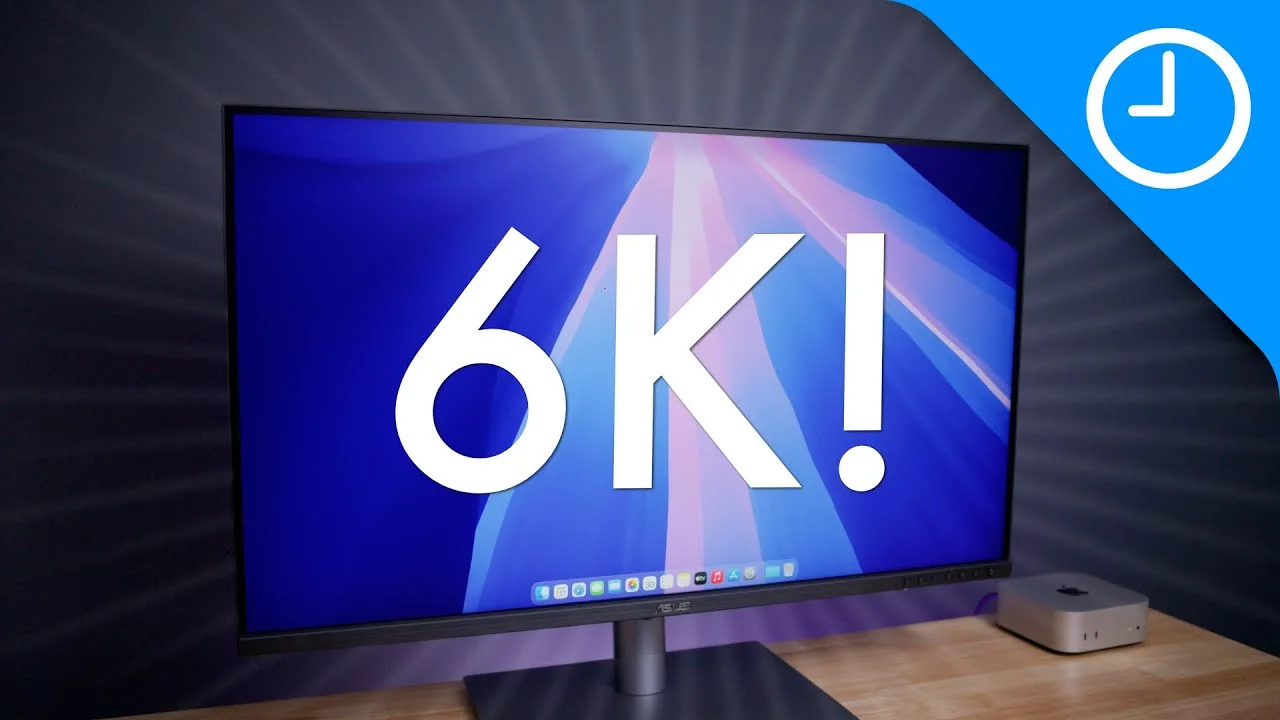
The ASUS ProArt Display PA27JCV offers an outstanding value for Mac creatives, featuring an extensive range of I/O ports including HDMI 2.1, DisplayPort 1.4, and dual Thunderbolt 4 ports. Its ergonomic stand allows for significant adjustments, providing flexibility in various desk setups. Despite being primarily plastic, the monitor's design is familiar and professional, with slim bezels and a heavy base for stability. The dual Thunderbolt ports support daisy chaining, enabling connection of multiple monitors with ease, although daisy chaining may limit refresh rates to 60Hz.
- →Ideal for Mac creatives requiring high-resolution displays
- →Versatile I/O ports support multiple connection types
- →Ergonomic adjustments enhance desk flexibility
- →Daisy chaining capability for multi-monitor setups
 ThisIsE
The ASUS ProArt Display PA27JCV is a 27-inch 5K monitor appreciated …
ThisIsE
The ASUS ProArt Display PA27JCV is a 27-inch 5K monitor appreciated …
The ASUS ProArt Display PA27JCV is a 27-inch 5K monitor appreciated for its high resolution and pixel density, offering 218 pixels per inch, which is considered Retina Quality for optimal text and image clarity on Mac OS. It stands out as a rare 16x9 5K display, making it an alternative to the Apple Studio Display and LG UltraFine models. This monitor is particularly beneficial for Mac users seeking a high-resolution display without the drawbacks of display scaling, such as blurriness and performance issues.
- →Suitable for Mac users requiring high-resolution displays
- →Offers better image clarity compared to scaled 4K displays
- →More affordable alternative to Apple Studio Display
- →Ideal for creatives working with Mac Mini or MacBook Air
 Raffi Red
The ASUS ProArt Display PA27JCV is a highly anticipated monitor …
Raffi Red
The ASUS ProArt Display PA27JCV is a highly anticipated monitor …
The ASUS ProArt Display PA27JCV is a highly anticipated monitor offering professional-level features at a competitive price. It comes factory calibrated for accurate color reproduction, meeting gamma 2.2, sRGB color accuracy delta E 2.63, and DCI-P3 color accuracy 0.39 standards. The monitor also includes a variety of high-quality cables, supporting up to 8K at 60Hz, and features a sleek design with cable management. Additionally, it offers a three-year warranty, exceeding the standard one-year coverage.
- →Ideal for professional work requiring color accuracy
- →Great for creatives seeking a high-resolution display
- →Cable management feature keeps workspace tidy
- →Extended warranty provides additional value
 DroneView Fotografie
The ASUS ProArt Display PA27JCV stands out with its sleek design and …
DroneView Fotografie
The ASUS ProArt Display PA27JCV stands out with its sleek design and …
The ASUS ProArt Display PA27JCV stands out with its sleek design and high color accuracy, covering 100% of the sRGB color space and 99% of the DCI-P3 color space, which is even higher than the Apple Studio Display. It arrives pre-calibrated and includes a certificate with each monitor. The built-in KVM switch allows for a keyboard and mouse to control multiple devices, enhancing productivity. The 5K display offers a high-resolution experience without compromising image quality.
- →Ideal for professional image editing due to its color accuracy.
- →5K display provides high-resolution without compromising image quality.
- →Built-in KVM switch enhances multi-device productivity.
- →Sleek design fits well in modern workspaces.
 MacRumors
The ASUS ProArt Display PA27JCV is praised for its 5K retina quality …
MacRumors
The ASUS ProArt Display PA27JCV is praised for its 5K retina quality …
The ASUS ProArt Display PA27JCV is praised for its 5K retina quality at 218 pixels per inch, offering a sharp and vibrant display that rivals Apple's Studio Display. It's appreciated for its color accuracy and affordability, retailing at a significantly lower price point than competitors. Connectivity options are robust, including a 96 watt power delivery USB port, DisplayPort, HDMI ports, and USB-A ports. However, the monitor's aesthetics and build quality are criticized, with a focus on functionality over design.
- →Ideal for creative professionals requiring color accuracy
- →Offers excellent value in the 5K retina monitor category
- →Not suitable for gamers needing high refresh rates
- →Functionality prioritized over design and materials
 Jerry Schulze
The ASUS ProArt Display PA27JCV offers a 5K resolution at an …
Jerry Schulze
The ASUS ProArt Display PA27JCV offers a 5K resolution at an …
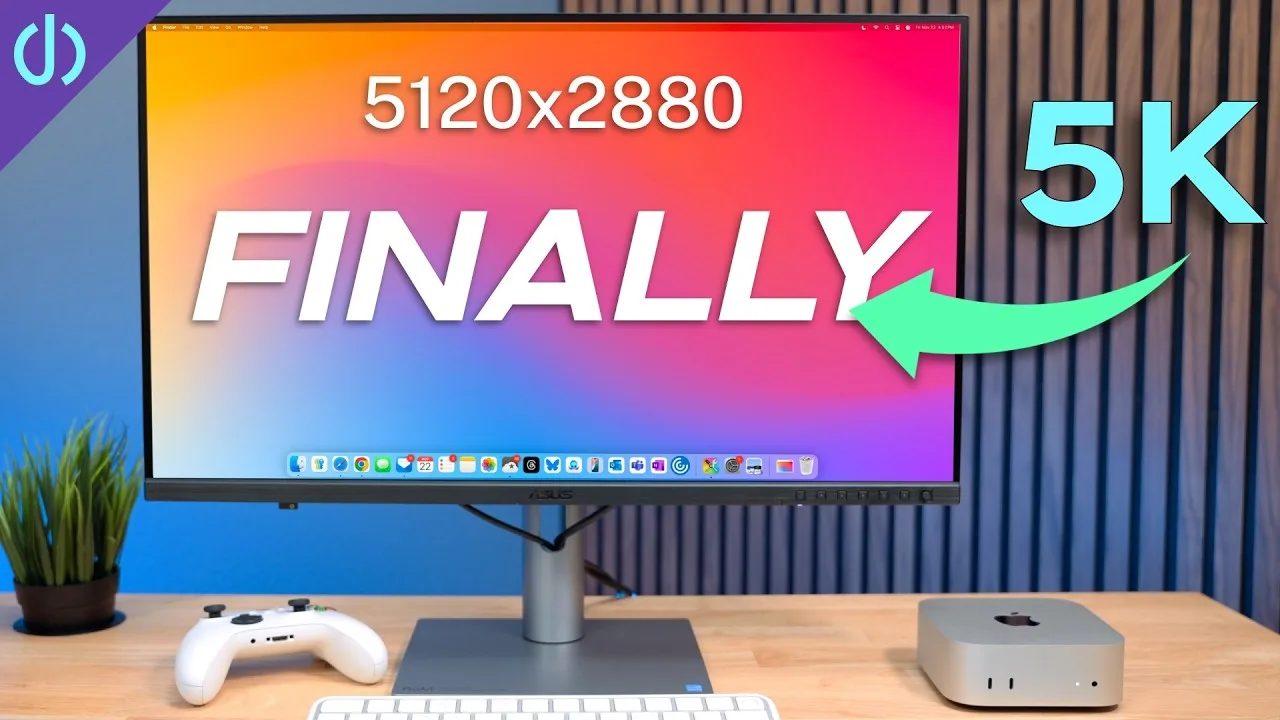
The ASUS ProArt Display PA27JCV offers a 5K resolution at an affordable price point of $799, featuring a 60Hz panel with up to 400 nits brightness for standard content and up to 500 nits with HDR. It boasts a 1500:1 contrast ratio and is known for its color accuracy, important for professional work. The design is clean with thin bezels and a slightly bulgy chin, and the stand offers height adjustment, swivel, tilt, and full rotation, though cable management could be improved. It includes a built-in power supply and primary USB connection offering 96 watts of power, along with HDMI, DisplayPort, and USB ports for connectivity.
- →Ideal for Mac users seeking a sharp 5K display
- →Suitable for professional work requiring color accuracy
- →Offers versatile stand with extensive adjustments
- →Consider additional hubs for faster data transfer and more ports
Community Discussions via Reddit
Long-term Update
r/MacStudio
u/AstroIM
AstroIM has been using the ASUS ProArt Display PA27JCV for a few years as a companion to their M4 Max Studio. They appreciate the 5K resolution, which they find more important than an ultra-wide display, and like the matte finish, which they describe as having a colorful paper-like appearance. Despite some IPS glow, it's not a significant issue in everyday use unless in a very dark room. The small speakers are a downside, and they are seeking alternative solutions for better audio.
Key Insights
- →Suitable for users valuing 5K resolution over ultra-wide screens
- →Matte finish is a positive point for some users
- →Speaker size is a minor drawback, prompting a search for alternative audio solutions
Top Comments
I think you chose really wisely if you were pushing up on the budget with this set up. IMO the M4 Max 16/40 64GB is probably the sweet spot value wise. If I could have gotten away with 64GB of …
Alright OP: tell me, how is that Touch ID apple keyboard? It’s literally been in my cart for a month but I haven’t acted on it yet! Love your setup, it’s clean, bright and simple! I just got an M4 …
I have it. Battery is pretty good, maybe about a week between charges. Connects effortlessly. No issues or concerns on my end. Usage is a bit limited, but a nice to have.
Comparison
r/HiDPI_monitors
u/JozuJD
The ASUS ProArt Display PA27JCV is a high DPI monitor discussed in the r/HiDPI_monitors subreddit. The author has extensive knowledge of high DPI monitors and their impact on macOS, mentioning the PA27JCV as one of the options they considered. Despite concerns about scaling issues on macOS, the community has provided reassurance and solutions, such as using the BetterDisplay app to fix scaling problems.
Key Insights
- →The PA27JCV is considered among high DPI monitors for macOS, but some users have reservations due to its price and mixed reviews.
- →Community members suggest using the BetterDisplay app to address scaling issues, which may alleviate concerns for potential buyers.
- →The matte finish on related ASUS models is not considered a significant drawback.
Top Comments
just follow the MacOS motto - "there is an app for that" [https://github.com/waydabber/BetterDisplay](https://github.com/waydabber/BetterDisplay) it fixes a lot of scaling issues
I have no issues with macOS on a 27" 4K display at 1440p emulation mode. Yes, if you look closely you will 100% see a difference between that and the 4:1 pixel scaling, which is the 1080p emulation …
I have a collection of LG Ultrafine I’m trying to sell if you’re in the Austin area. I have 2x 27” 5K and 2x 24” 4K. I upgraded to the Asus 32” 6K PA32QCV and I’m really enjoying it. Previously I …
Long-term Update
r/mac
u/RedBankWatcher
The ASUS ProArt Display PA27JCV has been well-received by its owner for music production and graphic design work, with a satisfying matte screen finish and good Mac scaling. Despite some minor backlight bleed issues and poor speakers, the display offers a solid 5K experience for its price point. The user appreciates the ease of setup and the stand's quick assembly, making it a good fit for creative professionals.
Key Insights
- →Best for creative professionals like music producers and graphic designers
- →Not ideal for gaming or media consumption due to poor speakers
- →60Hz refresh rate is not an issue for the user
- →User is sensitive to text issues with Mac scaling, which this display handles well
Top Comments
I too feel we are getting ripped off with the prices of 5k monitors. I have a PA27JCV coming next week and looking forward to disabling scaling and not running BetterDisplay and doubling the PPI …
It does feel like displays have definitely lagged behind their computer counterparts. I remember about 20 years ago a 17" Samsung flat panel for like $700 was the thing, and once the wider 22" …
“Ass garbage” is a pretty good way to describe the speakers haha. I just use them for system sounds, so it works there. Webcam and media consumption, I have my iPad on a mount for that. I really …
Comparison
r/Monitors
u/ASUS_MKTLeeM
The ASUS ProArt Display PA27JCV is a 5K monitor designed for professionals and creators, focusing on color accuracy and a variety of tools to ensure content remains as accurate as possible. It features ASUS LuxPixel technology with an anti-glare and low-reflection coating, factory calibration, and a variety of connectivity options. The community consensus is that while the monitor excels in color accuracy and quality, there is a desire for higher refresh rates and the inclusion of advanced display technologies like MiniLED or OLED.
Key Insights
- →Best for professionals and creators requiring high color accuracy and a variety of tools for accurate content representation.
- →Not ideal for users seeking high refresh rates or advanced display technologies.
- →Community consensus highlights the need for higher refresh rates in professional monitors.
Top Comments
If that 27" 5K display was available with a high refresh rate - or even a dual-mode toggle with high refresh rate only available in 1440p mode - I would buy it. Even though it's not the prettiest, I …
Exactly, how hard is it for manufacturers to understand that not all consumers who want a high refresh rate monitor are gamers? It is a revelation for day to day productivity and eye health.
You're correct. I think we announced a few displays very early this year before all specs and features were ready to be included in the announcement. Generally speaking, you can assume ProArt …
Comparison
r/graphic_design
u/future-ghost629
The ASUS ProArt Display PA27JCV has been highly praised by its owner for its excellent color calibration and compatibility with the user's MacBook Pro. The user is extremely satisfied with the monitor's performance, noting that colors match perfectly with their laptop screen right out of the box. The matte screen is appreciated for its natural feel and lack of glare issues, especially in a well-lit environment.
Key Insights
- →Ideal for color-sensitive work and MacBook Pro users
- →Excellent out-of-the-box color accuracy
- →Matte screen reduces glare and enhances visual comfort
Top Comments
If you are on a Mac, you can't just get any old monitor, especially a 4K because Mac expects 5K or even 6K, so there is a table to look up the specs of the monitor you want in order to know if it's …
I couldn’t be happier, it’s seriously good, feels like I’m looking at my laptop screen. Colors are identical right out of the box to my very color picky eyes lol. I have had zero issues with …
I couldn’t be happier, it’s seriously good, feels like I’m looking at my laptop screen. Colors are identical right out of the box to my very color picky eyes lol. I have had zero issues with …
Scores based on weighted analysis of 36 expert and community sources. How we review →