

ASUS Monitors
ASUS ProArt Display PA279CRV
Best For
- Photographers and colorists needing factory-calibrated accuracy
- Laptop users who want single-cable 96W USB-C setup
- Video editors working in Adobe RGB or DCI-P3 workflows
Consider Carefully
- HDR content creators needing real dynamic range
- Gamers who prioritize contrast and motion clarity
Jump to Section
The Bottom Line
When we analyzed the ASUS ProArt Display PA279CRV, we found a monitor that strikes a balance between high-end capabilities and affordability. It excels in panel quality, with a majority of sources praising its color accuracy and brightness. PCWorld and DisplayNinja both highlighted its wide color gamut, which covers sRGB, Rec.709, DCI-P3, and Adobe RGB, making it a great fit for professionals who require precise color representation. The robust design and full ergonomic adjustability, including portrait mode, were also noted strengths. However, it's not without its drawbacks; limited HDR support and some concerns about contrast and brightness were mentioned by a few sources. Additionally, users have reported green tint issues, which seem to vary in severity from unit to unit.
Performance Breakdown
In-Depth Analysis
USB-C Connectivity 100
Seventeen sources, zero dissent: the 96W USB-C implementation is the standout feature, and it genuinely simplifies single-cable laptop setups.
Key Takeaway
→If you're running a laptop-based creative setup and want one cable to handle power, display, and data, this monitor delivers exactly that.
Color Accuracy 92
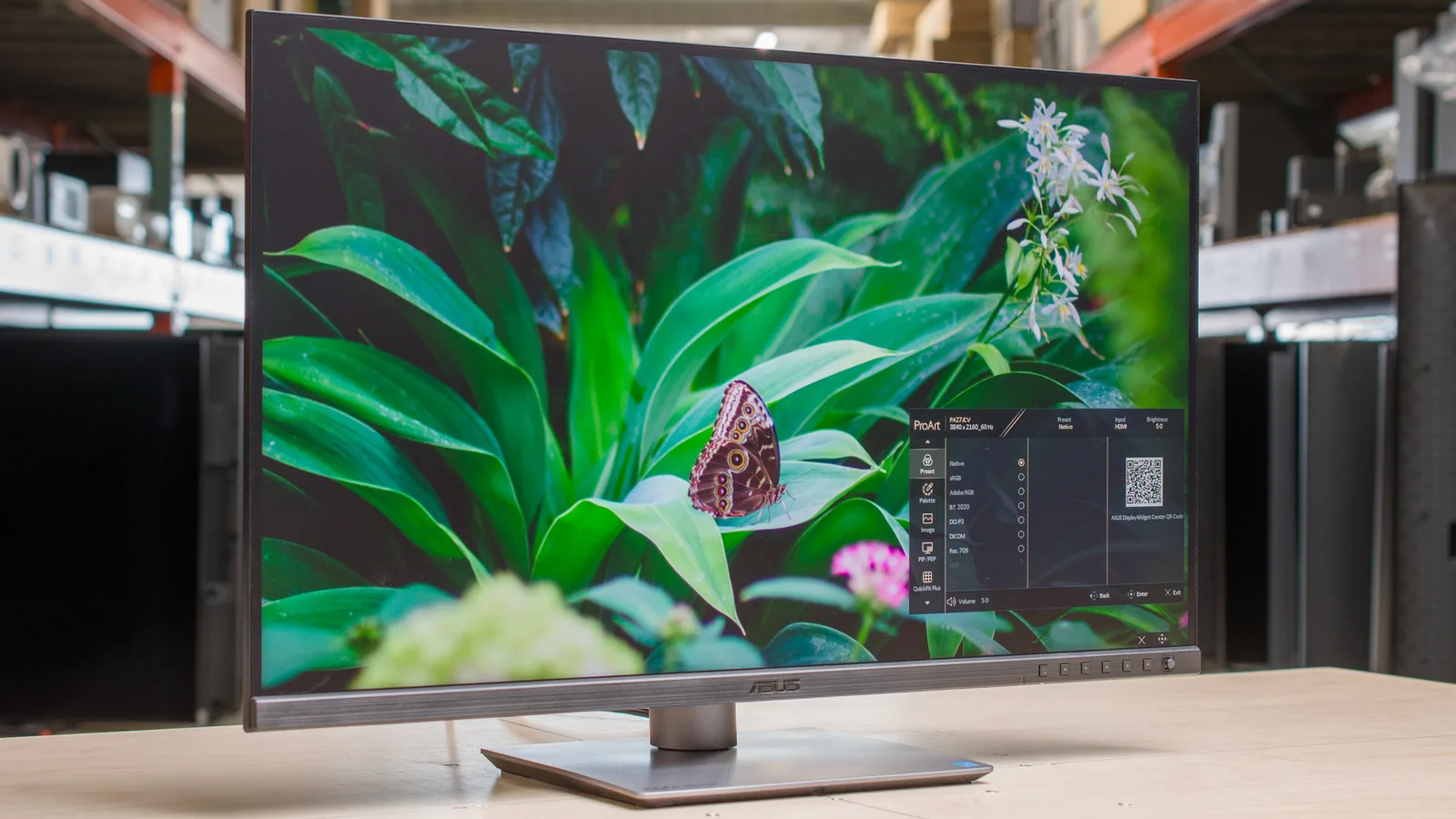
A calibrated deltaE of 0.77 out of the box makes this a legitimate tool for color-critical work, but two sources flag that it falls short of true 100% AdobeRGB coverage, which matters if that spec is non-negotiable.
Key Takeaway
→If your workflow lives in sRGB or DCI-P3, this is a strong buy at the price. If you need verified 100% AdobeRGB, keep looking.
Ergonomics & Design 91
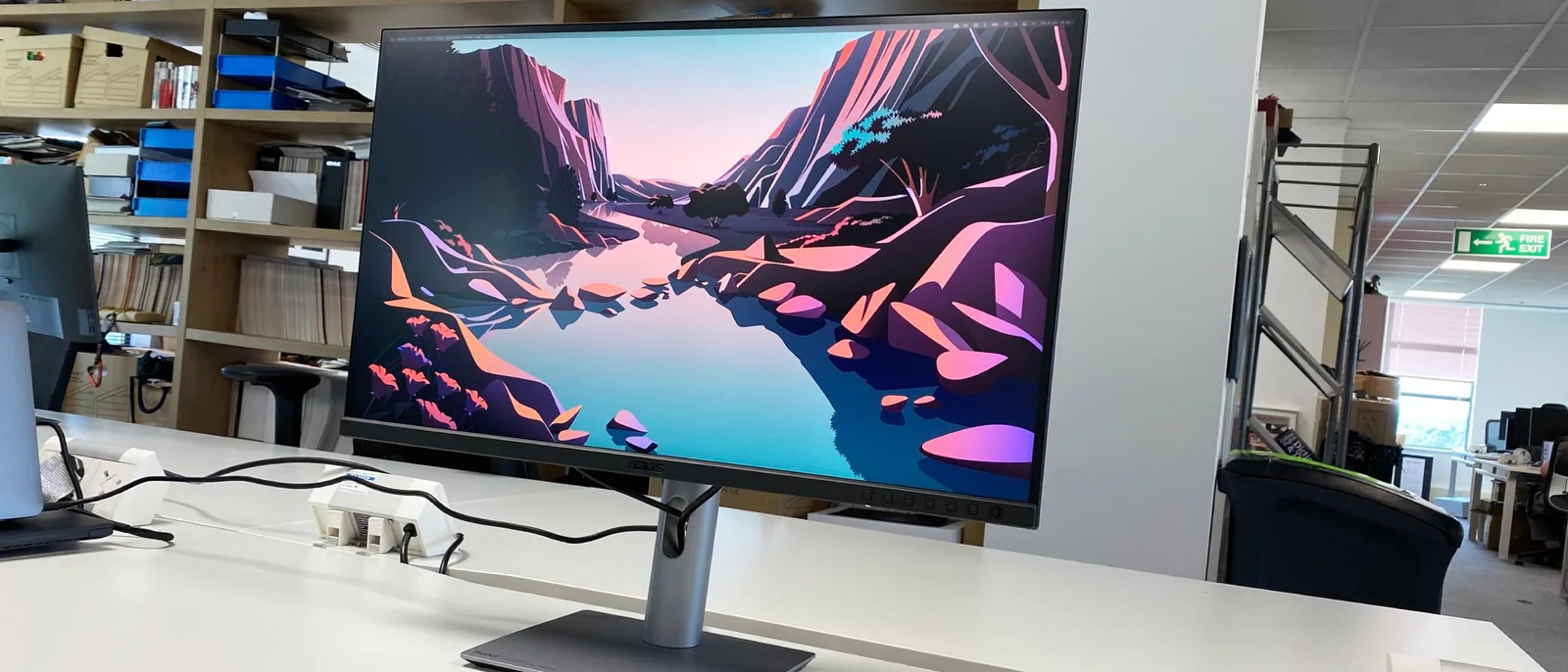
The ergonomic stand is genuinely flexible, with full tilt, swivel, height, and portrait pivot, but the 27-inch 4K combo creates real scaling friction for text-heavy work on macOS.
Key Takeaway
→For creative professionals who need a flexible, space-efficient stand and don't game, this works well. macOS users doing text-heavy work should seriously consider the 32-inch variant instead.
Build Quality 67
Reviewers are split: pcworld.com and displayninja.com call the build solid, but parkablogs.com reports squeaking sounds and r/Monitors flags multiple unit failures pointing to batch-level quality control problems.
Key Takeaway
→The build is acceptable for the price, but the QC inconsistency flagged on r/Monitors means buying from a retailer with a solid return policy is worth prioritizing.
Contrast & Brightness 57
A 948:1 contrast ratio and peak brightness below its predecessor are real limitations. Six sources, and the consensus is clear: this panel is not built for dark rooms or punchy visuals.
Key Takeaway
→If your work happens in a well-lit studio and you're not watching dark cinematic content, the contrast limitations are manageable. For anything else, they're a real problem.
HDR Performance 57
HDR 400 certification is effectively marketing here. Three sources, including pcworld.com and techradar.com, agree the real-world HDR benefit is minimal.
Key Takeaway
→Ignore the HDR 400 badge entirely. This monitor is built for color-accurate SDR work, and that's where it earns its score.
Specifications & Verdict
General
- Adaptive Sync
- FreeSync
- Adaptive-Sync
- Yes, Adaptive Sync
- Additional Features
- Flicker-free, Low Blue Light, QuickFit Plus, PIP/PBP Technology, TUV Flicker-free, TUV Low Blue Light (Hardware Solution)
- Aspect Ratio
- 16:9
- Brand
- ASUS
- Brightness
- 1199.1000000000001
- Built in Media
- Calibration Report, Quick Start Guide, HDMI cable, DisplayPort cable, PA279CRV Monitor, Power cord, USB-C cable, Warranty Card, Welcome Card
- Color
- BLACK
- Color Accuracy
- Delta E 2 (Calman Verified)
- Color Gamut
- 100.0
- Color Space
- 99% DCI-P3, 99% Adobe RGB
- Compatible Devices
- Desktop, Laptop, Tablet
- Connectivity
- DisplayPort 1.4 x 1, DP 1.4 Out x 1, HDMI 2.0 x 1, USB-C PD96W x 1, USB 3.2 x 3, 3.5mm Jack x 1
- Connectivity Technology
- HDMI, USB Type C
- Contrast Ratio
- 3000:1 (Max), 1000:1 (Typical)
- Dimensions
- 61.22 x 53.81 x 21.50 cm (with stand), 61.22 x 36.29 x 4.41 cm (without stand)
- Dimensions With Stand (Wx Hx D)
- 24.06" x 16.07" x 8.46"
- Display Resolution Maximum
- 3840 x 2160 Pixels
- Display Technology
- LCD
- Display Type
- LED
- Display Size
- 27-inch widescreen
- EU Spare Part Availability Duration
- 3 Years
- HDR
- HDR10
- HDR Support
- HDR10
- Hardware Connectivity
- DisplayPort, USB
- Has Color Screen
- Yes
- Item Dimensions D X W X H
- 24.1"D x 8.46"W x 16.07"H
- Item Type Name
- LCD Monitor
- Item Weight
- 18.3 Pounds
- Model Name
- PA279CRV
- Model Number
- PA279CRV
- Mounting Type
- Wall Mount
- Native Resolution
- 3840x2160
- Native Resolution
- 3480×2160
- Number of Component Outputs
- 4
- Panel Technology
- In-Plane Switching (IPS)
- Panel Type
- IPS LCD
- Picture Quality Enhancement Technology
- Eye Care (Low Blue Light, Flicker-Free)
- Pixel Pitch
- 0.155
- Ports
- 1x USB-C with DisplayPort Alternate Mode and 96 watts Power Delivery, 2x DisplayPort 1.4 (supports Daisy Chain), 2x HDMI 2.0, 3x USB-A 3.2 Gen-1, 3.5mm audio-out
- Power Consumption
- 26.14 Watts
- Price
- $469 MSRP
- Price SGD
- 760
- Price USD
- 449
- Processor Count
- 1
- Refresh Rate
- 60 Hz
- Refresh Rate
- 60Hz
- Resolution
- 4K HDR 2016
- Response Time
- 5ms
- Screen Finish
- Matte
- Screen Size
- 27 Inches
- Shape
- Flat
- Speakers
- Yes, 2x 2-watt
- Specific Uses for Product
- Business, Desktop, Photo Video Editing
- Stand
- Ergonomic with tilt, swivel, pivot, and height adjustments
- Stand Height Adjustment
- Yes
- Stand Pivot
- Yes
- Stand Swivel
- Yes
- Stand Tilt
- Yes
- Stand Adjustment
- Height, swivel, tilt, pivot
- Total Number of HDMI Ports
- 2
- Total Usb Ports
- 4
- UPC
- 195553951531
- VESA Compatibility
- 100 x 100
- VESA Mount
- Yes, 100x100mm
- Viewing Angle
- 178 Degrees
- Voltage
- 240 Volts
- Warranty
- 3 years
- Warranty Description
- 2 Years
- Warranty Type
- 2 Years
- Weight
- 5.78 kg (with stand), 4.07 kg (without stand)
- Adobe_rgb_coverage
- 99%
- Brightness
- 400cd/m2
- Calibration
- factory calibrated
- Certification
- Calman Verified
- Color_coverage
- 99% Adobe RGB, 99% DCI-P3
- Color_depth
- 10-bit (8-bit + 2-bit FRC)
- Color_gamut_adobe_rgb
- 98%
- Color_gamut_dci_p3
- 99%
- Color_gamut_srgb
- 100%
- Color_spaces
- sRGB to Rec. 2020
- Contrast
- 1,000:1
- Contrast_ratio
- 938:1 to 1060:1 (varies by mode)
- Daisy_chaining
- yes
- Dci_p3_coverage
- 99%
- Displayport_alt_mode
- yes
- Hdr_support
- HDR 10
- Inputs
- DisplayPort 1.4 x2, HDMI 2.0 x2, USB-C with 96W power delivery
- Intended_use
- video editing
- Lineup
- ASUS ProArt
- Maximum_brightness
- 380-843 nits (varies by mode)
- Minimum_brightness
- 39-98 nits (varies by mode)
- Model
- ASUS ProArt PA279CRV
- Panel_size
- 27-inch
- Panel_type
- IPS
- Peak_brightness
- 366 nits
- Picture_presets
- Native, sRGB, Adobe RGB, DCI-P3, Rec.709, Rec.2020, DICOM, HDR, 2x User
- Pixel_response
- 2ms
- Power_delivery
- 96W
- Profile_thickness
- 8mm (at thinnest point)
- Refresh_rate
- 60Hz
- Resolution
- 4k
- Rrp
- $849
- Screen_size
- 27-inch
- Size
- 27-inch
- Usb_a_ports
- 3
- Usb_c_ports
- 2
- Usb_c_power_delivery
- 96 watts
- Usb_hub
- USB 3.2
- Usb_ports
- 1x USB Type-A, 1x USB-C
- Vesa
- 100mm x 100mm
- Viewing_angles
- 178°
Our Verdict
The ASUS ProArt Display PA279CRV earns its 86/100 score on the strength of its factory-calibrated color accuracy, 99% Adobe RGB coverage, and 96W USB-C connectivity at a price that undercuts many professional-grade rivals. For photographers, video editors, and colorists who need reliable out-of-box accuracy, it delivers. The HDR 400 certification is largely cosmetic, contrast sits around 948:1, and some units have shown a green tint issue. If your work depends on deep blacks or serious HDR grading, look elsewhere. For SDR color work on a budget, this is a strong pick.
Customer Reviews Amazon
478 reviews
Excellent monitor!
ASUS ProArt monitor lives up to its name
Perfection!
Good fit for creative designers.
Show all 10 reviews
Bang for your buck designers!
Great monitor until it suddenly died – no global support from ASUS!
excellant quality and vamue
Target audience is not gamers
⭐️⭐️⭐️⭐️⭐️ Incredible Monitor, Flexible Payment Helps
خيبة امل - غير متوقعة - تم الارجاع
Reviews shown are from Amazon customers and do not reflect our editorial assessment.
Pricing & Availability
Updated Apr 8, 2026ASUS ProArt Display PA279CRV


Sources & Methodology
Every score is built on evidence. This review synthesizes 32 independent sources — expert publications, video reviews, and community discussions — weighted by credibility, depth, and relevance.
Show detailed source analysis ↓ Hide source analysis ↑
Expert Reviews
pcworld.com
Top
4/5-point
The ASUS ProArt Display PA279CRV offers excellent color performance and customization for professionals on a budget. Its wide color gamut rivals more expensive displays, and it provides extensive image calibration options. The monitor features a sleek design with solid build quality and a stand that supports height, tilt, swivel, and pivot adjustments. Connectivity is a strong point, with multiple ports including USB-C with DisplayPort Alternate Mode and 96 watts Power Delivery.
Strengths
- +Excellent color performance for professional work
- +Wide color gamut rivals more expensive displays
- +Extensive image calibration and tuning options
- +Sleek design with solid build quality
Weaknesses
- −Mediocre contrast and brightness
- −Subpar HDR performance
- −Unimpressive motion clarity
displayninja.com
Top
4.7/5-point
The ASUS ProArt Display PA279CRV is a 27-inch 4K IPS monitor offering excellent value for color-critical work, covering sRGB, Rec.709, DCI-P3, and Adobe RGB color spaces. It boasts a wide color gamut, professional-grade factory calibration, and robust design. The monitor also features extensive connectivity options and is competitively priced. After calibration, it achieved 98% Adobe RGB and 97% DCI-P3 gamut coverage, with a lower average Delta E of 0.4 and a maximum of 1.5, ensuring accurate color representation.
Strengths
- +Wide color gamut coverage for professional work
- +Outstanding factory calibration for color spaces
- +Extensive connectivity options
- +Robust design and build quality
techradar.com
Top
4.5/5-point
The ASUS ProArt Display PA279CRV is a 27-inch 4K monitor with a gorgeous IPS panel and factory calibration, including Calman verification. It offers excellent color coverage, USB-C connectivity with 96W power delivery, and a robust feature set. The monitor's slim bezels and adjustable stand enhance its contemporary design, while its compatibility with Windows, MacOS, and Apple's Mac computers ensures broad usability.
Strengths
- +Gorgeous 4K IPS panel
- +Very nicely calibrated
- +Excellent value for money
- +USB-C connectivity with 96W power delivery
Weaknesses
- −Limited HDR support
- −Slightly plasticky build
rtings.com
7.7/10-point
The ASUS ProArt Display PA279CRV is a high-performance monitor that excels in color accuracy and versatility, making it a solid choice for professionals and enthusiasts alike. It offers a wide color gamut and excellent image quality, which is crucial for photo editing and graphic design work. With USB-C connectivity, it simplifies cable management and offers a seamless experience for users.
Strengths
- +Excellent color accuracy for professional work
- +Wide color gamut for vibrant image display
- +USB-C connectivity simplifies cable management
australianphotography.com
The ASUS ProArt Display PA279CRV maintains the winning formula of its predecessor with a 27-inch 4K resolution, 60Hz refresh rate, and HDR 10 support, all at a similar price point. It introduces a slimmer profile, improved USB-C power delivery, and a space-saving base. The monitor offers extensive color gamut coverage and customization options, making it suitable for professional image editing and judging photo competitions.
Strengths
- +27-inch 4K resolution with HDR 10 support
- +Improved USB-C power delivery up to 96 watts
- +Slim profile and compact space-saving base
- +Extensive color gamut coverage with customization options
Weaknesses
- −Peak brightness is lower than the predecessor
monitornerds.com
The PA279CRV delivers excellent color accuracy for professional work, covering 100% sRGB, 99% DCI-P3, and 98% Adobe RGB. Its 96W USB-C port enables single-cable laptop connectivity with daisy-chaining support. The redesigned stand requires less desk space and the monitor is notably lighter than its predecessor. Build quality remains solid despite increased plastic use. The 27-inch 4K resolution demands scaling for comfortable text readability. HDR 400 certification provides minimal real benefit due to limited contrast performance. Built-in speakers are functional but underpowered at 2W each.
Strengths
- +Excellent wide gamut coverage exceeding typical monitors in this price range
- +96W USB-C with DP Alt Mode powers laptops and enables daisy-chaining
- +Compact stand footprint saves desk space
- +Lightweight 12.74 lb design without feeling cheap
Weaknesses
- −27-inch 4K resolution requires scaling for comfortable text reading
- −Low 948:1 contrast ratio produces weak black levels
- −HDR 400 certification offers minimal real HDR benefit
- −2W speakers lack bass and volume for serious use
parkablogs.com
The ASUS ProArt PA279CRV is a visually appealing 27-inch 4K UHD IPS monitor with a sleek design and solid build, albeit with some squeaking sounds when adjusted. It offers good color accuracy and brightness, but falls short of the advertised AdobeRGB coverage. The aggressive anti-glare can affect visual quality, and while the port selection is commendable, the display's performance is not optimal for true AdobeRGB work.
Strengths
- +Attractive and slim design
- +Good color accuracy and brightness
- +Excellent port selection including USB-C with 96W charging
Weaknesses
- −Build quality issues with squeaking sounds
- −Color support not up to advertised specs
- −Aggressive anti-glare causing visual quality issues
Video Reviews
 Created Tech
The reviewer tested the Asus ProArt PA279CRV as a more affordable …
Created Tech
The reviewer tested the Asus ProArt PA279CRV as a more affordable …
The reviewer tested the Asus ProArt PA279CRV as a more affordable alternative to Apple's Studio Display. Build quality uses black plastic rather than aluminum, with some squeaking and flexing present, though not severe. The front bezel features a thick bottom section with faux metallic material that the reviewer finds visually unappealing. The monitor offers full ergonomic adjustability including height adjustment and portrait mode, plus VESA mount compatibility. No built-in webcam, microphone, or speakers of usable quality—the included speakers are described as "horrific." Both monitors use built-in power supplies without external bricks.
- →Ideal for users prioritizing adjustability over aesthetics
- →Budget-friendly 5K option for Mac users
- →Requires separate purchase of speakers, webcam, microphone
- →Best suited for users with existing audio peripherals
- →Professional color work at lower cost than alternatives
 Reviewsinside
The ASUS ProArt Display PA279CRV is a 27-inch 4K HDR professional …
Reviewsinside
The ASUS ProArt Display PA279CRV is a 27-inch 4K HDR professional …
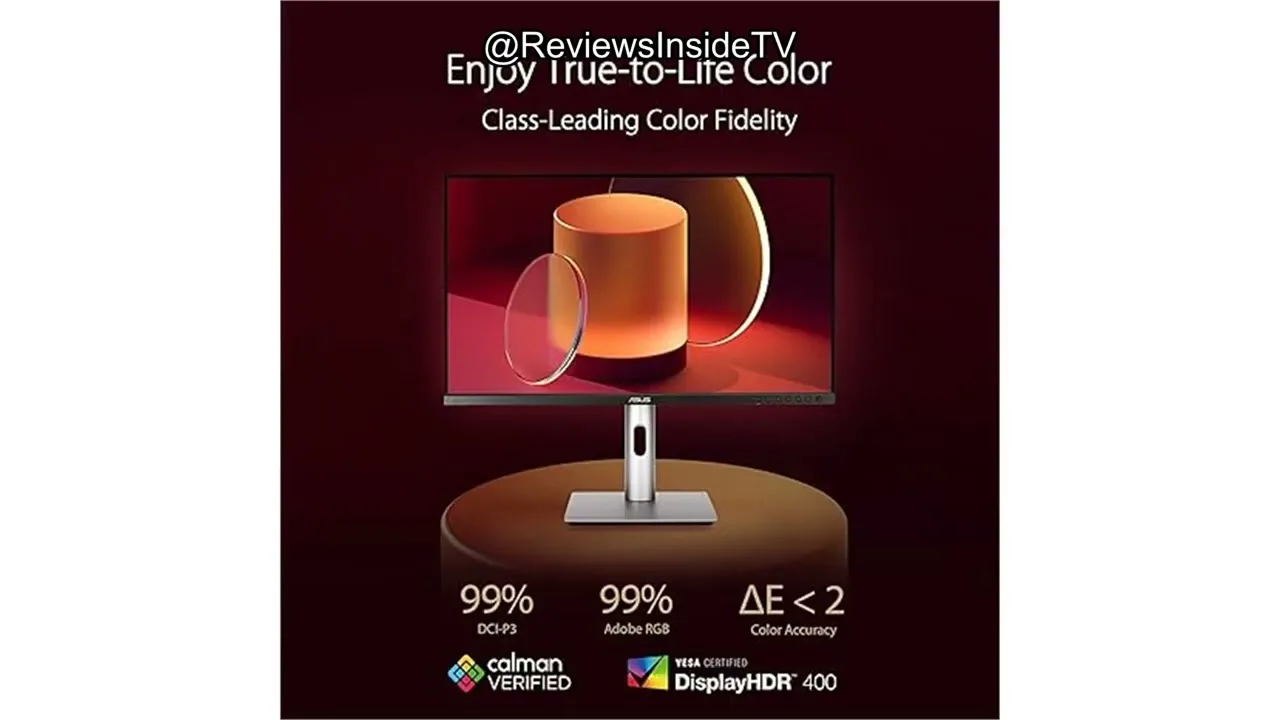
The ASUS ProArt Display PA279CRV is a 27-inch 4K HDR professional monitor that delivers excellent color accuracy and a wide color gamut, covering 99% of DCI-P3 and Adobe RGB. Its factory pre-calibrated Delta E2 rating ensures true-to-life color accuracy. The monitor offers robust connectivity with DisplayPort over USB, HDMI, and a USB hub, simplifying cable management. The stand is adjustable for ergonomic setup, and the three-year warranty provides peace of mind. However, some users may find the HDR performance lacking in very bright or dark parts of images and the stand's build quality not as premium as expected for the price.
- →Ideal for professional creatives needing precise colors
- →USB-C power delivery is a game-changer for minimalist setups
- →Extensive connectivity options for various devices
- →Three-month complimentary Adobe Creative Cloud Access included
- →Ergonomic stand adjustable for tilt and swivel
 Stephan Wiesner
The ASUS ProArt Display PA279CRV is a 27-inch monitor tailored for …
Stephan Wiesner
The ASUS ProArt Display PA279CRV is a 27-inch monitor tailored for …
The ASUS ProArt Display PA279CRV is a 27-inch monitor tailored for photographers, offering 99% Adobe RGB and 100% sRGB color coverage for accurate color representation. Its menu is intuitively designed, making adjustments easy. The monitor's brightness can be adjusted to prevent overexposure in prints, and it comes factory-calibrated. With a 60 Hz refresh rate and 5 ms response time, it's well-suited for photo editing, video editing, and general office use, though not ideal for gaming.
- →Ideal for photographers needing accurate color representation
- →User-friendly menu simplifies settings adjustments
- →Suitable for photo and video editing, and general office use
- →Not recommended for power gaming due to refresh rate and response time
 The Product Critiques
The ASUS ProArt Display PA279CRV is a 27-inch 4K IPS monitor that …
The Product Critiques
The ASUS ProArt Display PA279CRV is a 27-inch 4K IPS monitor that …
The ASUS ProArt Display PA279CRV is a 27-inch 4K IPS monitor that offers a sophisticated design and excellent build quality. It features a bezel-free design for an immersive viewing experience and a compact base suitable for various setups. The monitor provides vibrant and detailed visuals with a wide color gamut coverage, making it ideal for content creation and design work. Its responsive performance and adaptive sync support cater to both professional and casual gaming needs.
- →Ideal for content creation and design work
- →Suitable for a variety of office setups
- →Excellent value for an affordable 4K monitor
- →Good for casual gaming with Adaptive Sync support
 Niko Bolante
The ASUS ProArt Display PA279CRV offers excellent color accuracy, …
Niko Bolante
The ASUS ProArt Display PA279CRV offers excellent color accuracy, …
The ASUS ProArt Display PA279CRV offers excellent color accuracy, making it ideal for professional work. Its USB-C connectivity simplifies cable management, and the monitor's ergonomic design enhances comfort during long hours of use. However, the price may be a barrier for some users.
- →Ideal for professionals requiring precise color accuracy
- →USB-C port is convenient for modern devices
- →Ergonomics are suitable for extended use
 Duy Luân Dễ Thương
The reviewer tested both 27-inch (PA279CRV) and 32-inch versions of …
Duy Luân Dễ Thương
The reviewer tested both 27-inch (PA279CRV) and 32-inch versions of …
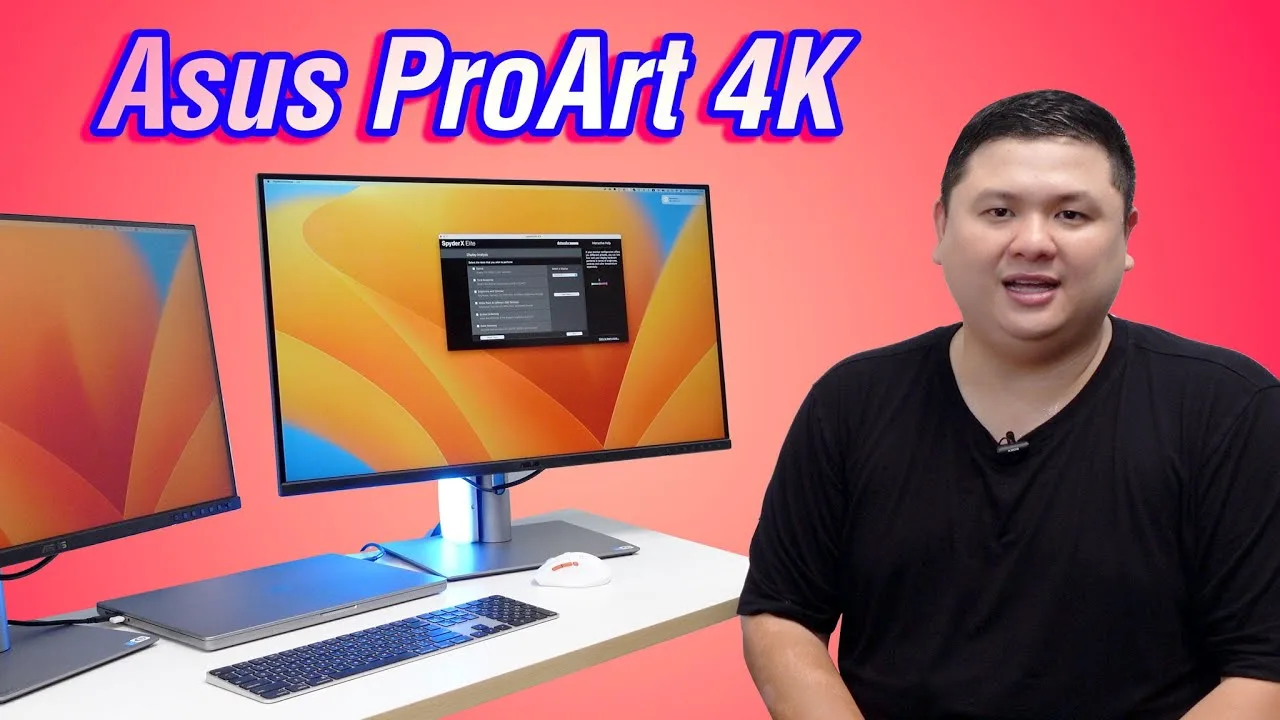
The reviewer tested both 27-inch (PA279CRV) and 32-inch versions of the ASUS ProArt 4K monitor, finding the 27-inch more suitable for most users due to comfortable viewing without head movement. The matte display effectively reduces glare in office environments, though contrast is slightly lower than glossy alternatives. Color reproduction proved excellent for video editing with consistent results across Mac Studio Display, MacBook, and iPhone. The 4K resolution delivers sharp text and images on both macOS and Windows. The 90W USB-C power delivery distinguishes this newer 'R' model from the previous generation's 65W. Build quality impressed with thin bezels and refined rear design suitable for outward-facing setups.
- →Ideal for color-critical photo and video editing workflows
- →Choose 27-inch for comfortable single-screen productivity
- →Matte finish perfect for bright office or studio environments
- →Ensure buying 'R' model for improved 90W charging and color specs
- →Works seamlessly with both Apple Silicon Macs and Windows PCs
 Tech doc
The PA279CRV delivers professional-grade 4K performance through a …
Tech doc
The PA279CRV delivers professional-grade 4K performance through a …
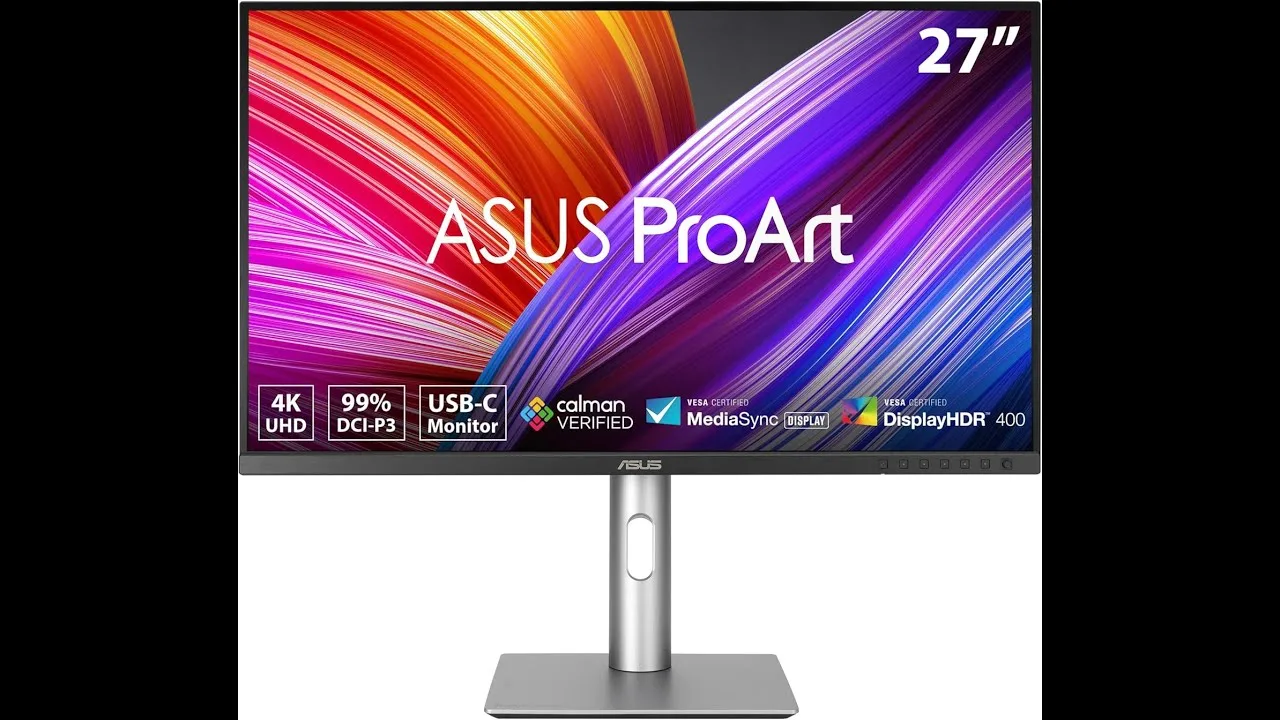
The PA279CRV delivers professional-grade 4K performance through a 27-inch IPS panel with 3840 x 2160 resolution, exceptional color accuracy with Delta E < 2, and 99% coverage of DCI-P3 and Adobe RGB color spaces. Factory calibration with Kalman verification ensures trustworthy color reproduction for creative workflows. USB-C with 96W power delivery simplifies laptop connectivity, while DisplayPort daisy chaining supports multi-monitor setups. Built-in ProArt presets enable quick switching between color standards. Ergonomic adjustments including tilt, swivel, pivot and height tuning accommodate extended use. Some users report minor connectivity quirks with certain laptops and calibration settings requiring adjustment. As an IPS panel, it carries typical contrast limitations against premium alternatives.
- →Ideal for photographers requiring color-accurate print matching
- →Excellent for video editors working in DCI-P3 cinema gamut
- →Perfect for designers needing Adobe RGB digital-to-print fidelity
- →Great for productivity users wanting clean USB-C docking
- →Well-suited for multi-monitor setups via daisy chain support
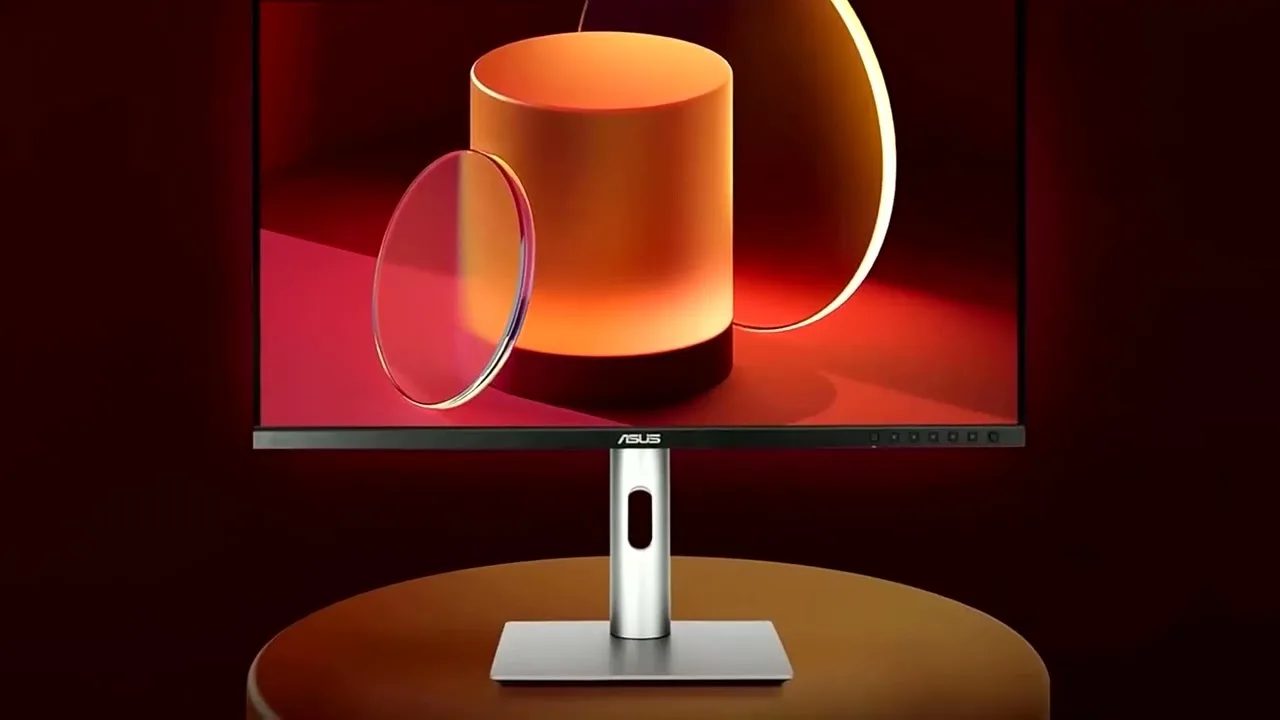 Tech Gear
The ASUS ProArt Display PA279CRV impresses with its 27-inch 4K LED …
Tech Gear
The ASUS ProArt Display PA279CRV impresses with its 27-inch 4K LED …
The ASUS ProArt Display PA279CRV impresses with its 27-inch 4K LED backlight HDR display and wide-view IPS panel, offering unparalleled clarity and color consistency. Its wide color gamut covering 99% of DCI-P3, Adobe RGB spectrum is a boon for creative professionals. The monitor's CalMAN verified status and factory pre-calibration to delta E less than 2 ensure precise color accuracy. Versatile connectivity options include DisplayPort over USB-C with 96W power delivery, DisplayPort, HDMI, and a USB hub.
- →Ideal for professional projects and creative work
- →Vivid and consistent colors in collaborative environments
- →Accurate color representation for precise creative decisions
- →Simplifies workspace with USB-C power delivery
- →Complimentary Adobe Creative Cloud access for three months
 Device FR
This 27-inch 4K monitor targets creative professionals with …
Device FR
This 27-inch 4K monitor targets creative professionals with …
This 27-inch 4K monitor targets creative professionals with factory-calibrated color accuracy covering 99% Adobe RGB and DCI-P3. The understated, angular design suits professional environments, featuring slim bezels and a matte anti-glare panel. The fully adjustable stand offers height, tilt, swivel and portrait pivot. Connectivity includes dual HDMI, DisplayPort, USB-C with 96W power delivery, and daisy-chain support. The 10-bit color depth (8-bit + FRC) ensures smooth gradients for photo and video work. However, HDR performance is limited to VESA DisplayHDR 400, and the 60Hz refresh rate with 5ms response time makes it unsuitable for gaming.
- →Ideal for photographers and video editors needing color fidelity
- →Perfect for designers requiring wide color gamut coverage
- →Excellent choice for single-cable laptop docking setups
- →Skip if gaming performance is a priority
- →Strong value proposition for creative professionals
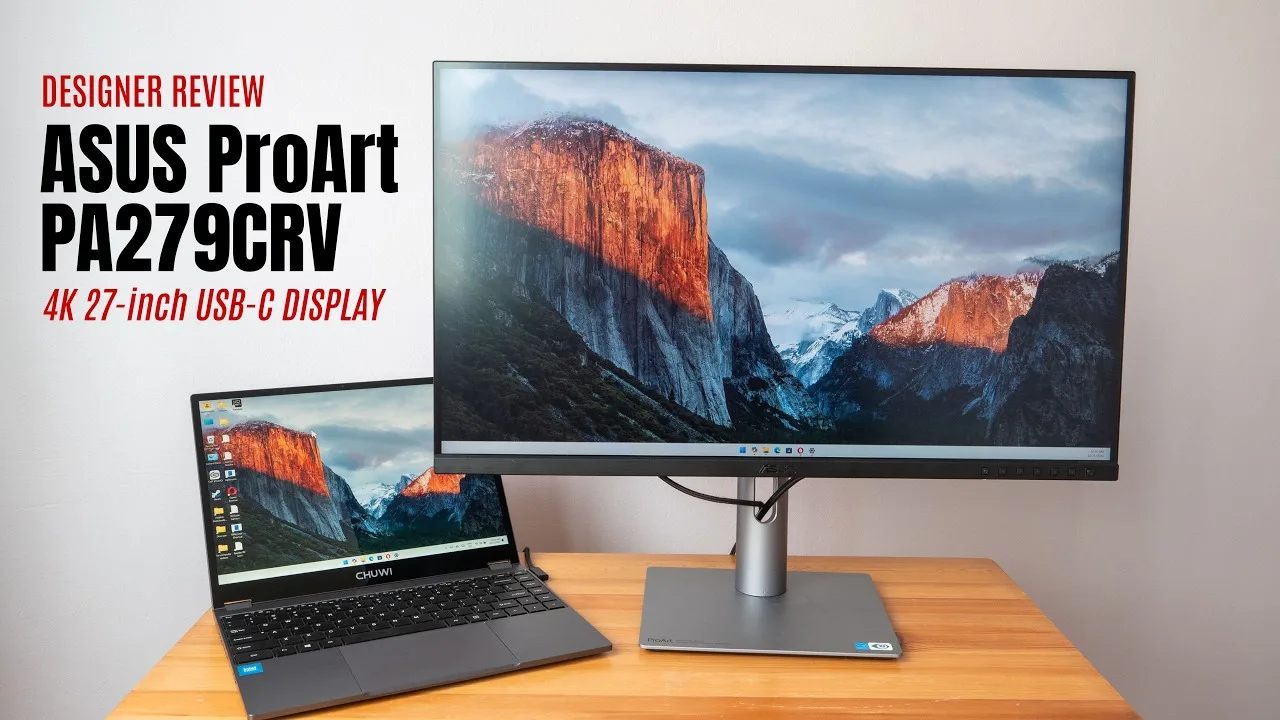 Teoh on Tech
The ASUS ProArt Display PA279CRV is a 27-inch 4K monitor designed for …
Teoh on Tech
The ASUS ProArt Display PA279CRV is a 27-inch 4K monitor designed for …
The ASUS ProArt Display PA279CRV is a 27-inch 4K monitor designed for visual content creators, offering good color accuracy and a solid port selection. It has a maximum brightness of around 350 nits and includes HDR, although the effect is limited due to it being an LCD display. The monitor's color accuracy was measured at 92% for Adobe RGB and 96% for P3, which is good, but not the 100% Adobe RGB advertised. The OSD menu is easy to navigate, and it includes USB-C charging up to 96 watts.
- →Ideal for visual content creation
- →Best used in controlled lighting conditions
- →USB-C port supports video connection and charging
- →Not a true 100% Adobe RGB display
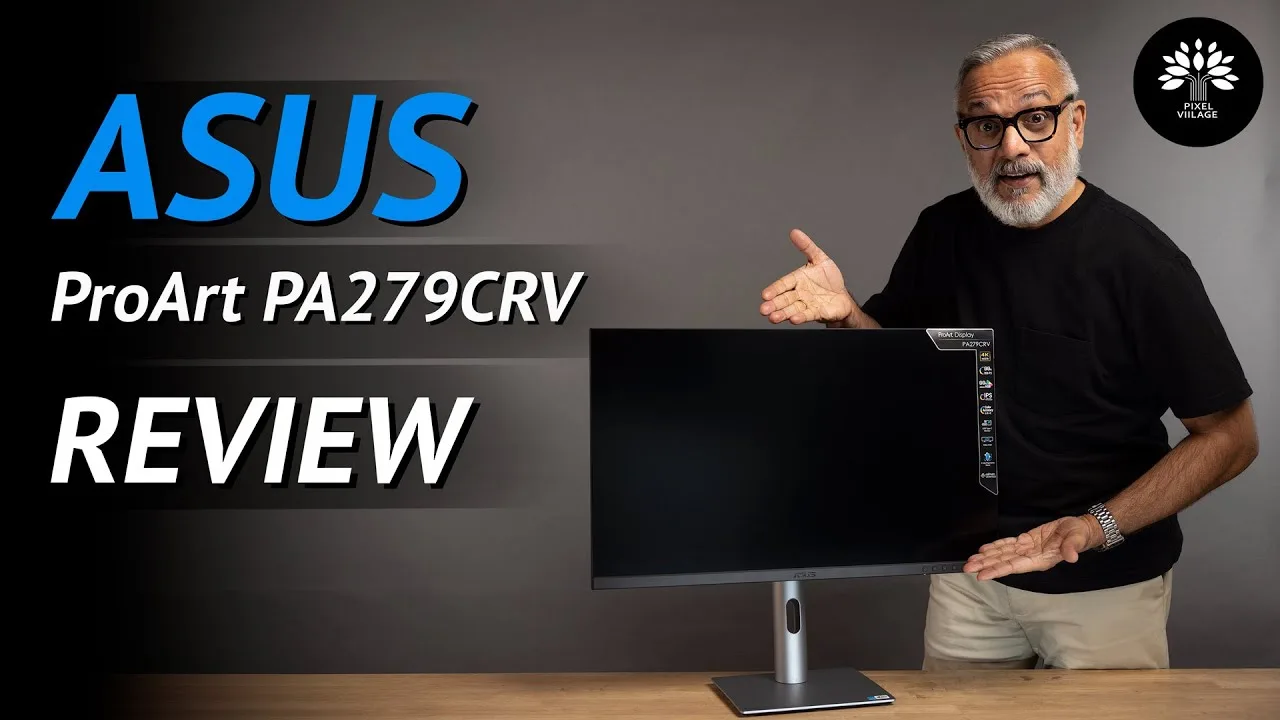 PIXEL VIILAGE
The ASUS ProArt Display PA279CRV is a 27-inch 4K UHD IPS panel monitor …
PIXEL VIILAGE
The ASUS ProArt Display PA279CRV is a 27-inch 4K UHD IPS panel monitor …
The ASUS ProArt Display PA279CRV is a 27-inch 4K UHD IPS panel monitor designed to enhance the professional editing experience for content creators. It boasts a wide color gamut, covering 99% of Adobe RGB and DCI-P3, and 100% of sRGB, ensuring vibrant and accurate colors. With a brightness of 400 nits in HDR mode and a 1000:1 contrast ratio, images pop, making it suitable for content creation. The monitor also features HDR 10, flicker-free technology, and a range of connectivity options including USB-C, HDMI, and DisplayPort.
- →Ideal for professional photo and video editing
- →Ready to use out of the box with calibration certificate
- →Sleek design with improved ergonomics and adjustability
- →Five-way joystick for easier menu navigation
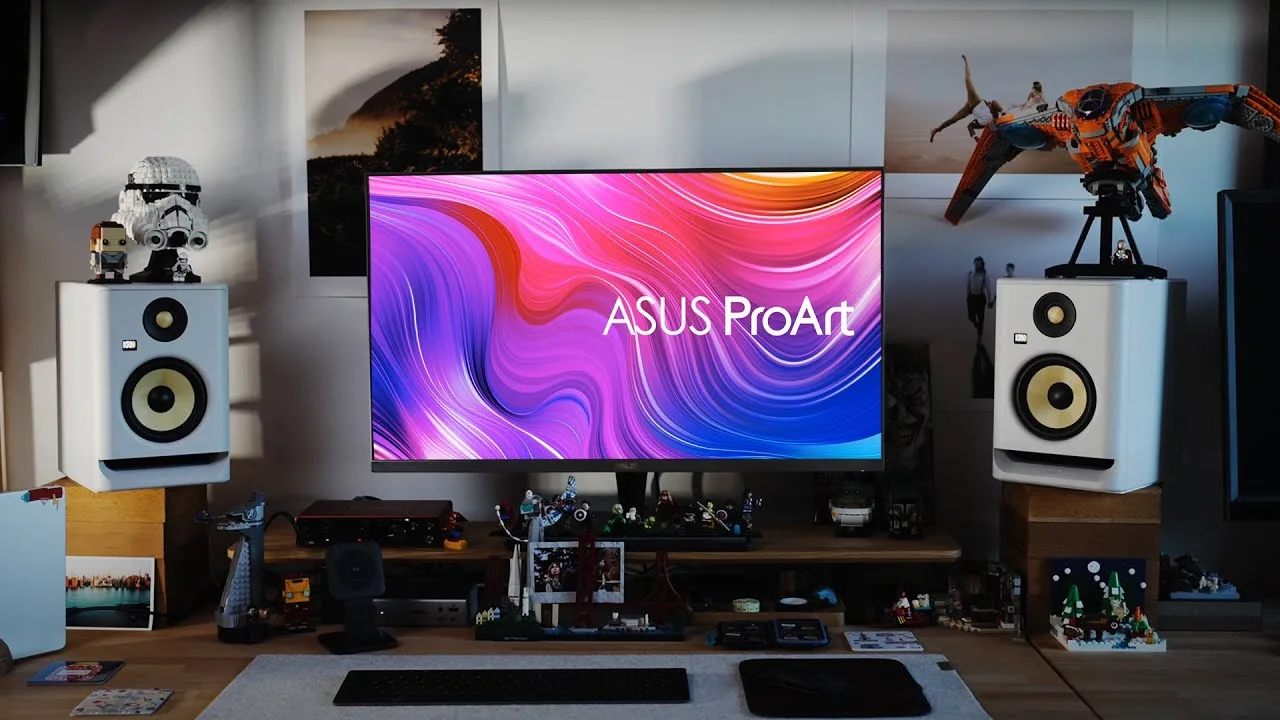 Nudne Chłopaki
The reviewer, a wedding photographer and YouTuber, tested three Asus …
Nudne Chłopaki
The reviewer, a wedding photographer and YouTuber, tested three Asus …
The reviewer, a wedding photographer and YouTuber, tested three Asus ProArt monitors including the PA279CRV. While the video primarily focuses on the high-end PA32DC (OLED) and PA32UCX-BK (MiniLED) models, the PA279CRV is briefly introduced as a "mega budget 27-inch 4K panel." The reviewer was initially skeptical about Asus's creative industry offerings, associating the brand more with gaming. The PA279CRV appears positioned as an affordable entry point in the ProArt lineup, though detailed testing results for this specific model are not provided in the excerpt.
- →Budget-friendly 4K option for creative professionals
- →27-inch size suitable for smaller workspaces
- →Entry point into Asus ProArt color-accurate ecosystem
- →Consider for photo editing on limited budget
 PaaTing Reviews
The Asus ProArt PA279CRV is a 27-inch 4K HDR monitor targeting …
PaaTing Reviews
The Asus ProArt PA279CRV is a 27-inch 4K HDR monitor targeting …
The Asus ProArt PA279CRV is a 27-inch 4K HDR monitor targeting creative professionals including filmmakers, photographers, and designers. It delivers 4K UHD resolution with four times the pixel density of Full HD displays. Color performance stands out with 99% coverage of both DCI-P3 and Adobe RGB gamuts and Delta E<2 accuracy, factory calibrated for immediate professional use. The USB-C port provides 96W power delivery for single-cable laptop connectivity and charging. An ergonomic stand offers tilt, swivel, pivot, and height adjustment. At over 18 pounds, the monitor is relatively heavy for frequent repositioning, though this reflects solid build quality.
- →Ideal for color-critical photo and video editing workflows
- →Single-cable USB-C setup suits mobile workstation users
- →Ready for professional use without additional calibration
- →Ergonomic flexibility supports long creative sessions
- →Best suited for permanent desk setups due to weight
 FindYourSolution
This video provides a detailed guide for optimizing the ProArt Display …
FindYourSolution
This video provides a detailed guide for optimizing the ProArt Display …
This video provides a detailed guide for optimizing the ProArt Display PA279CRV through specific menu settings. The reviewer recommends brightness at 80 and contrast at 75 for comfortable, balanced viewing. Color temperature should be set to 6500K standard mode for natural colors, with ProArt presets offering sRGB, Adobe RGB, and Rec.709 color spaces for different workflows. HDR should be enabled in both monitor and OS for enhanced visuals. Additional settings include gamma 2.2, uniformity compensation for screen consistency, sharpness at 50, and low input lag mode. The reviewer emphasizes hardware calibration with tools like X-Rite i1Display or SpyderX for professional accuracy.
- →Use sRGB preset for web design and general editing work
- →Select Adobe RGB for high-end photo editing tasks
- →Choose Rec.709 preset for professional video editing
- →Enable HDR for supported games and HDR content
- →Hardware calibration essential for professional accuracy
 GreatLobbyist
The ASUS ProArt Display PA279CRV is a monitor tailored for …
GreatLobbyist
The ASUS ProArt Display PA279CRV is a monitor tailored for …
The ASUS ProArt Display PA279CRV is a monitor tailored for professionals such as designers, video editors, and colorists. It boasts an Adobe certification and a wide color gamut, ensuring accurate color representation. This monitor's features are designed to meet the high demands of creative professionals.
- →Ideal for professional creative work
- →Ensures precise color reproduction
- →Enhances productivity in design and video editing
 Cyprien Films
This unboxing video reveals a 27-inch 4K HDR monitor targeting …
Cyprien Films
This unboxing video reveals a 27-inch 4K HDR monitor targeting …
This unboxing video reveals a 27-inch 4K HDR monitor targeting creative professionals. Factory calibration with included color accuracy report emphasizes precision out of the box. The USB-C implementation stands out with 96W power delivery, enabling single-cable laptop workflows. Comprehensive port selection includes HDMI, DisplayPort with daisy-chain support, and multiple USB connections. Ergonomics receive attention through full stand adjustability including pivot for portrait orientation. Wide gamut coverage across DCI-P3, Adobe RGB, and sRGB spaces positions this for color-critical work. The reviewer has not yet conducted hands-on testing, limiting assessment to physical features and specifications.
- →Ideal for photographers and video editors needing color precision
- →Streamlined workspace with single USB-C cable connectivity
- →Multi-monitor setups simplified via DisplayPort daisy-chaining
- →Portrait orientation support benefits document and code workflows
Community Discussions via Reddit
Comparison
r/Monitors
u/Eldric_A
The ASUS ProArt Display PA279CRV exhibits a persistent green tint issue that multiple users have encountered, with the original poster experiencing it on two separate units. The problem appears across all color profiles (DCI-P3, sRGB, Display P3, Adobe RGB, Rec709) and persists despite factory calibration certificates. Community discussion reveals this may stem from DCI-P3's native white point being different from 6500K, though the severity reported suggests potential quality control issues. The monitor is intended for professional color work but requires additional user calibration with proper correction profiles due to its ultra wide-gamut panel characteristics.
Key Insights
- →Best for professionals who already own or plan to purchase external calibration hardware and have technical expertise with DisplayCAL and correction profiles
- →Not ideal for users expecting accurate colors out-of-the-box without additional calibration investment
- →DCI-P3 mode's native white point differs from 6500K and may appear green-tinted to users accustomed to sRGB/Display P3
- →Consider the CV model instead if Adobe RGB coverage is not required, as hardware calibration functionality may provide better value
- →Multiple unit failures suggest potential batch quality control issues rather than isolated defects
Top Comments
Of you are using it in DCI-P3, then the green tint *is* the properly calibrated color. Use it in sRGB or Display P3, which have a white of 6500K!
Yes, very possible. The truth is that it is still color accurate but with widely off white point. It happens - every factory calibrated monitor I've seen had problems whitepoint, as it drifts with …
Asus usually are well calibrated, but my experience suggests that calibration certificates are bogus pieces of papers that have zero re lation to reality. Having said that, CV model is completely …
Comparison
r/mac
u/Tex-Tro
The Asus ProArt PA279CRV is a 27-inch 4K monitor (163ppi) positioned as the preferred choice over its QHD sibling for Mac users prioritizing text clarity and color accuracy. Community consensus strongly favors the 4K model, with multiple users confirming it eliminates eye strain from blurry text and provides excellent sharpness for photo editing workflows. The monitor is particularly recommended for secondary use cases involving media consumption and creative work in Affinity Photo, where color accuracy matters. Users with prior 4K 27-inch experience on both PC and Mac report satisfaction with macOS scaling, dismissing concerns about scaling artifacts as overblown. The product is viewed as a meaningful upgrade from QHD+ ultrawide setups for photography work.
Key Insights
- →Best suited for photographers and creative professionals using Affinity Photo who need color accuracy on a secondary display
- →Recommended for users experiencing eye fatigue from lower-resolution QHD displays who prioritize text sharpness
- →Ideal as a companion monitor to ultrawide setups for dedicated media and tool palettes
- →Community dismisses scaling concerns as overblown; macOS handles 4K 27-inch scaling well for most workflows
- →Worth the marginal price premium over QHD alternatives for long-term eye comfort and editing precision
Top Comments
In short, 4k is worth it QHD is not. A 27 inch 4K would be an upgrade to your current setup. Don’t listen to youtube clickbait exageration of scaling. You are fine with your current setup, so you …
No question here. 100% go 4K. I have both and the QHD is not good. The text clarity is not clear and is tiring to the eyes. 4K is perfect basically.
I am aware of that, but for me its no fun editing pictures on the "tiny" 14" screen. Also my desk does not really leave me the room, to have my MacBook open at all times.
Comparison
r/colorists
u/Fair_Owl3965
The Asus ProArt PA279CRV receives mixed feedback from colorists. One professional user (MichaelBays_BFF) reports excellent out-of-box accuracy, matching their Flanders reference monitor at 99.5% with only minor magenta adjustment needed, and has successfully graded broadcast content on it. However, another owner (AdmirableTurnip2245) notes significant white point deviation from 6500K requiring calibration. The monitor uses 8-bit+FRC rather than true 10-bit. Green tint issues are mentioned as a known concern, though severity varies by unit. The CRV variant specifically targets DCI-P3 coverage, which some users find unnecessary for SDR workflows. Community consensus suggests it works as a budget grading monitor when properly calibrated, with Blackmagic UltraStudio recommended for clean signal path.
Key Insights
- →Best suited for colorists needing portable, budget-friendly SDR grading monitor when paired with proper calibration and external LUT box
- →Not ideal for users wanting true 10-bit processing or direct LUT loading capability without additional hardware investment
- →Calibration is essential — out-of-box performance varies significantly between units, particularly for white point accuracy
- →Professional viability confirmed by working colorist for non-HDR deliverables, but requires reference monitor comparison workflow for confidence
- →DCI-P3 gamut coverage adds cost without benefit for users only needing sRGB/Rec.709 accuracy
Top Comments
I got the Proart PV279CRV to use as a monitor when I'm out of town. Out of the box it matched up to my Flanders 99.5% of the way. A couple clicks of magenta and it was good to go. I've graded many …
At that price point you’re looking at a DEEPLY flawed device regardless. I’d personally look for a well-used/maybe-slightly-banged-up 10+ year old professional broadcast reference monitor from Sony …
Not 100 ideal due to resolution but I picked up a 1440p self calibrating EZIO for around 400 bucks off eBay. I the model was like 27z or something like that.
Comparison
r/buildapcmonitors
u/SlausK
The Asus ProArt PA279CRV is mentioned by the original poster as one of four monitor options under consideration for replacing a 7-year-old 24" AOC FullHD display. The poster is seeking a 27" or 32" 4K IPS monitor with 60Hz refresh rate, Type-C with 90-96W power delivery, USB ports, and professional color accuracy (sRGB 100%, DCI-P3 95-100%, AdobeRGB optional). The PA279CRV is being evaluated alongside the Dell U2723QE, LG 32UQ85R-W, and its larger sibling the PA329CRV. The intended use case includes web browsing, documents, coding, Lightroom photo editing, connecting to a MacBook Pro 13" 2020 Intel model, and casual PS5 gaming. No community comments specifically addressed the PA279CRV, so no owner experiences or technical feedback about this specific model are available in this thread.
Key Insights
- →No specific community feedback or owner experiences available for the PA279CRV in this thread
- →Intended use case emphasizes professional color work (Lightroom) and MacBook connectivity
- →Type-C 90-96W power delivery considered important for potential future M1 Pro/Max upgrade
- →Casual gaming on PS5 mentioned as secondary use, suggesting 60Hz limitation acceptable
- →27" size preferred by poster to address current sitting-too-close issue with 24" display
Top Comments
Not yet unfortunately. I purchased Asus PA279CRV with pixel warranty (thank God) and the one which was on stock had a stuck pixel. Waiting for the next shipment, which will occur on the second half …
Yes it was. I really like its colors and its stand. It can be a bit low in brightness though, so usually I lower or shut the blinds on the window next to my desk on sunnier days. Otherwise I'm …
I live in Hungary and here several computer shops provide pixel warranty as an optional service for a small fee for monitor purchases. In price it's around 20 euros if I convert it.
Scores based on weighted analysis of 32 expert and community sources. How we review →