

Samsung ViewFinity S70D
Rated 88/100 · Based on 16 expert reviews · SetupScore
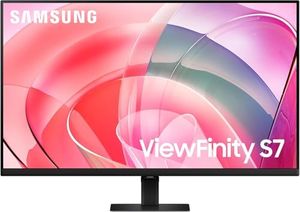
The Samsung ViewFinity S70D is a monitor that's making waves among professionals, particularly in high-resolution photo editing and design work. What we found in our analysis is that this 4K VA panel doesn't just deliver sharp images; it offers a wide color gamut with 99% sRGB and 98% DCI-P3 coverage, as noted by multiple sources. HDR10 support and a peak brightness of 400 nits mean that the panel can handle a variety of content with realistic brightness and deep shadows. However, there are a couple of areas where this monitor falls short. The included stand lacks vertical rotation, and there's a sizable bottom chin bezel which some users might find unappealing.
Color Accuracy (93/100)
99% sRGB coverage puts the Samsung ViewFinity S70D in serious contention for creative work, and multiple reviewers have made that case directly. Kenneth Anderson called it "ideal for professional photo and video editing," and Mathias Does Tech landed on the same conclusion, describing it as ideal for high-resolution photo editing and design work. The IPS panel delivers accurate, consistent color reproduction that Tutoro Online and Techreviewer both flagged as genuinely good for creative workflows, not just passable. 9to5toys confirmed the 99% sRGB figure holds up in practice, making this a credible option for web designers, standard graphics work, and freelancers who need reliable color without paying for a pro-grade panel. The caveat is real, though: one reviewer noted this is acceptable for basic photo editing but not for color-critical production work requiring wide-gamut coverage like DCI-P3 or AdobeRGB. If your workflow lives inside sRGB, this monitor delivers professional-grade accuracy at a price that doesn't require justification to a client.
Productivity Use Case (94/100)
The S70D was built for people who live in their monitors all day, and the evidence backs that up. Gizmodo highlighted it as ideal for multitasking with multiple applications visible simultaneously, and a reviewer on YouTube put it plainly: "best for spreadsheet work, coding, and document-heavy productivity." The 4K resolution at 32 inches gives you genuine screen real estate, and the PBP and PIP multi-input viewing modes, confirmed by 9to5toys, let you run two sources side by side without a second monitor. Gaming Tech noted the combination of high resolution and large screen size actively enhances productivity, and Gizmodo separately called it well-suited for extended reading and text editing sessions. Savage Reviews added a useful framing: at a significant discount, this delivers compelling value if your use case matches, meaning static content, documents, and creative software rather than motion-heavy tasks. If your day is built around code, design tools, or browser-heavy research, this is a strong buy.
Gaming Performance (64/100)
Be honest with yourself before buying this for gaming. The 60Hz refresh rate is the defining limitation, and 9to5toys, Buyersguide, and multiple YouTube reviewers all flagged it directly. One YouTube reviewer put it bluntly: "avoid for fast-paced gaming due to 60Hz limitation." Techreviewer described the gaming performance as mediocre for competitive titles, and Tutoro Online confirmed it simply isn't targeted at high-refresh gaming. The 5ms response time does reduce ghosting, as Kenneth Anderson noted, and FreeSync support adds some smoothness for compatible setups, per Gaming Tech. Gizmodo acknowledged it works fine for casual gaming, streaming, and movie watching, and Mathias Does Tech pointed to the large, clear display as a genuine asset for immersive single-player experiences. The picture is consistent: casual and cinematic gaming, yes; competitive FPS or racing titles, no. If gaming is your primary use case, the 60Hz ceiling is a dealbreaker and you should shop for a dedicated gaming monitor instead.
Display Image Quality (90/100)
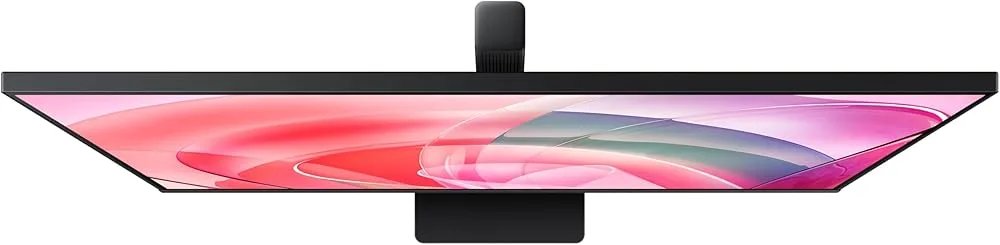
The 3840x2160 4K resolution on a 32-inch VA panel is the headline, and it holds up. Kenneth Anderson noted that 4K resolution offers superior detail and prevents font distortion when scaled up, Buyersguide confirmed the image is crisp and detailed, and Techreviewer documented the full 3840x2160 spec delivering sharp visuals in practice. HDR10 support and slim bezels on three sides, both noted by 9to5toys, round out a display package that punches above its price. Tutoro Online called it an affordable entry point into 4K, and several YouTube reviewers positioned it as an excellent first 4K monitor, including for Apple ecosystem users pairing it with a Mac Mini. The trade-offs are real: Kenneth Anderson and Buyersguide both flagged that the VA panel has slower pixel transitions and narrower viewing angles than IPS, and 9to5toys pointed out the sizable bottom chin bezel. Techreviewer also noted you'll want a capable GPU to actually push 4K properly. At the discounted price point that 9to5toys described as a 52% reduction, this is an easy recommendation for a first 4K setup or entertainment desk, but if viewing angles and motion clarity are priorities, budget up to an IPS panel.
Stand & Ergonomics (84/100)
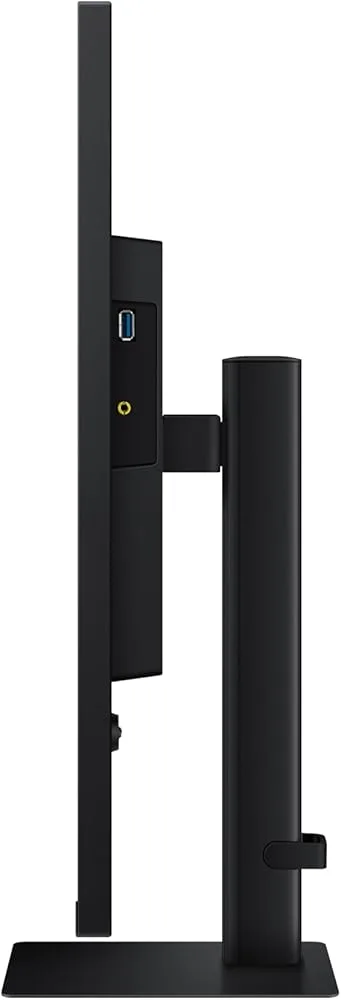
The Easy Setup Stand is a genuine convenience. 9to5toys confirmed tool-free assembly, and Gizmodo highlighted the push-button height adjustment as a standout feature for a monitor in this price range. Buyersguide documented full adjustability including height, tilt, and swivel, and VESA compatibility means you're not locked into the stock stand if you want more flexibility. That said, the picture isn't entirely clean. Multiple YouTube reviewers flagged that the stand becomes limiting for users who rely on this as a primary work monitor, with one stating directly that it "requires a monitor arm purchase for comfortable daily use." Desk footprint is also worth measuring before you commit, as two separate YouTube reviewers warned that the 32-inch panel demands meaningful desk space. The stand works and the ergonomic range is decent, but if you're setting this up for eight-hour workdays, budget for a VESA arm from the start.
Connectivity Options (86/100)
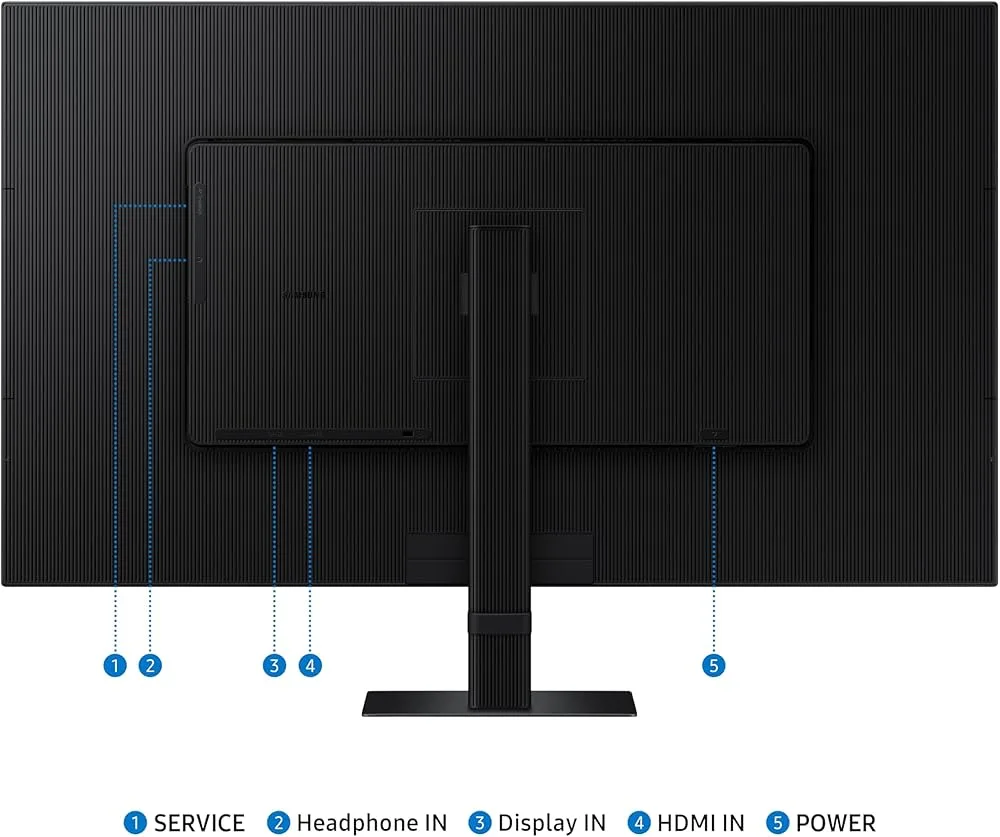
The port selection is practical and broad. Mathias Does Tech described the options as flexible for multi-device setups, 9to5toys confirmed HDMI and DisplayPort are both present alongside USB ports, and Buyersguide noted the multiple ports ensure broad device compatibility across different hardware configurations. For a Windows-based setup, this is genuinely plug-and-play. Mac users need to do their homework first. 9to5toys flagged that MacBook pairing may require a docking station, and Savage Reviews advised checking return policies and verifying Mac compatibility before assuming a seamless connection.
"Check return policies and verify Mac compatibility." — Savage ReviewsWindows users can buy with confidence, but if you're running a MacBook as your primary machine, confirm your specific setup works before the return window closes.
Eye Care Features (91/100)
For anyone spending long hours in front of a screen, the S70D's eye care credentials are worth taking seriously. Gizmodo documented TUV-certified flicker reduction and blue light limitation, which is a third-party certification, not just a marketing label. Gaming Tech confirmed the iSaver mode and flicker-free technology actively reduce eye strain, and Gizmodo separately noted the matte screen coating effectively minimizes glare in typical office lighting. Automatic brightness and color temperature adjustment, also flagged by Gizmodo, means the monitor adapts to your environment rather than forcing you to manually tune it throughout the day. Mathias Does Tech and a YouTube reviewer both called the eye care features genuinely beneficial for long sessions, and Gaming Tech highlighted the Eco Plus brightness adjustment as an added efficiency feature. These aren't checkbox features here. If eye fatigue is a real concern during extended work sessions, the certified flicker-free and blue light protection on this monitor are legitimate reasons to choose it over a comparable panel that skips the certification.
HDR Performance (80/100)
HDR10 support is present and functional, but keep expectations measured. Gizmodo noted that HDR10 adds brightness and depth to video content, and Buyersguide confirmed it enhances contrast and color accuracy in HDR-enabled material. HDR10 is the entry-level HDR standard, so you're getting a real improvement over SDR for streaming and movie watching, not the high-brightness, wide-gamut HDR experience you'd find on a dedicated HDR display. Only two sources addressed this feature directly, and neither made a strong case for it as a standout reason to buy. Treat it as a welcome bonus for Netflix and YouTube sessions rather than a primary purchase driver, and if HDR performance is central to your use case, look at monitors with higher peak brightness and proper local dimming.